ECO mode BMW 325I WAGON 2003 Owners Manual
[x] Cancel search | Manufacturer: BMW, Model Year: 2003, Model line: 325I WAGON, Model: BMW 325I WAGON 2003Pages: 166, PDF Size: 4.29 MB
Page 6 of 166
6
Notes
dust shields, telephones – including
operation of any portable cellular phone
from within the vehicle without using an
externally mounted antenna – or trans-
ceiver equipment such as a CB, walkie-
talkie, ham radio or similar, may cause
extensive damage to the vehicle, com-
promise its safety, interfere with the
vehicle's electrical system or affect the
validity of the BMW Limited Warranty.
See your BMW center for additional
information.
Do not use key or remote control to
lock doors or cargo area with anyone
inside the vehicle. Refer to the Owner's
Manual for more details.
<
Maintenance, replacement, or
repair of the emission control
devices and systems may be performed
by any automotive repair establishment
or individual using any certified auto-
motive part.
<
Symbol on vehicle parts
Indicates that you should consult
the relevant section of this
Owner's Manual for information on a
particular part or assembly.
Service and warranty
This manual is supplemented by a Ser-
vice and Warranty Information Booklet
for US models or a Warranty and Ser-
vice Guide Booklet for Canadian mod-
els.
We recommend that you read this pub-
lication thoroughly.
Your BMW is covered by the following
warranties:
>
New Vehicle Limited Warranty
>
Rust Perforation Limited Warranty
>
Federal Emissions System Defect
Warranty
>
Federal Emissions Performance War-
ranty
>
California Emission Control System
Limited Warranty.
Detailed information about these war-
ranties is listed in the Service and War-
ranty Information Booklet for US mod-
els or in the Warranty and Service
Guide Booklet for Canadian models.
Reporting safety defects
The following only applies to vehicles
owned and operated in the US.
If you believe that your vehicle has a
defect which could cause a crash or
could cause injury or death, you should
immediately inform the National
Highway Traffic Safety Administration
NHTSA in addition to notifying BMW of
North America, LLC, P.O. Box 1227,
Westwood, New Jersey 07675-1227,
Telephone toll-free 1-800-831-1117.
If NHTSA receives similar complaints, it
may open an investigation, and if it
finds that a safety defect exists in a
group of vehicles, it may order a recall
and remedy campaign. However,
NHTSA cannot become involved in indi-
vidual problems between you, your
dealer, or BMW of North America, LLC.
To contact NHTSA, you may either call
the Auto Safety Hotline toll-free at
1-800-424-9393 or 366-0123 in the
Washington, D.C. area, or write to:
NHTSA, U.S. Department of
Transportation, Washington, D.C.
20590. You can also obtain other infor-
mation about motor vehicle safety from
the Hotline.
handbook.book Page 6 Saturday, July 27, 2002 1:36 PM
Page 31 of 166
31
Opening and closing – via the remote controlThe conceptThe remote control gives you an excep-
tionally convenient method for unlock-
ing and locking your vehicle. Further-
more, it provides two additional
functions:
>To switch on interior lamps, refer to
page 32.
With this function you can also
search for the vehicle when parked in
an underground garage, for instance
>Opening the rear window, refer to
page 32.
The rear window will open slightly,
regardless of whether it was previ-
ously locked or unlocked.
Whenever you unlock or lock the vehi-
cle, you simultaneously deactivate/acti-
vate the anti-theft system, disarm/arm
the alarm system and switch the interior
lamps on/off.
You can have a signal set to con-
firm that the vehicle's locks have
engaged securely.<
Master keys with remote control
Persons or animals inside the
vehicle may be able to lock the
doors from the inside. For this reason,
always take the vehicle keys with you
so that the vehicle can be opened again
from the outside at any time.<
If it is no longer possible to lock
the vehicle via the remote control,
the battery is discharged. Use this key
while driving for an extended period in
order to recharge the battery. To pre-
vent unauthorized use of the remote
control, surrender only the door and
ignition key or the spare key when leav-
ing the vehicle for valet parking, for
example.
In the event of a system malfunction,
please contact your BMW center. You
can also obtain replacement keys
there.<
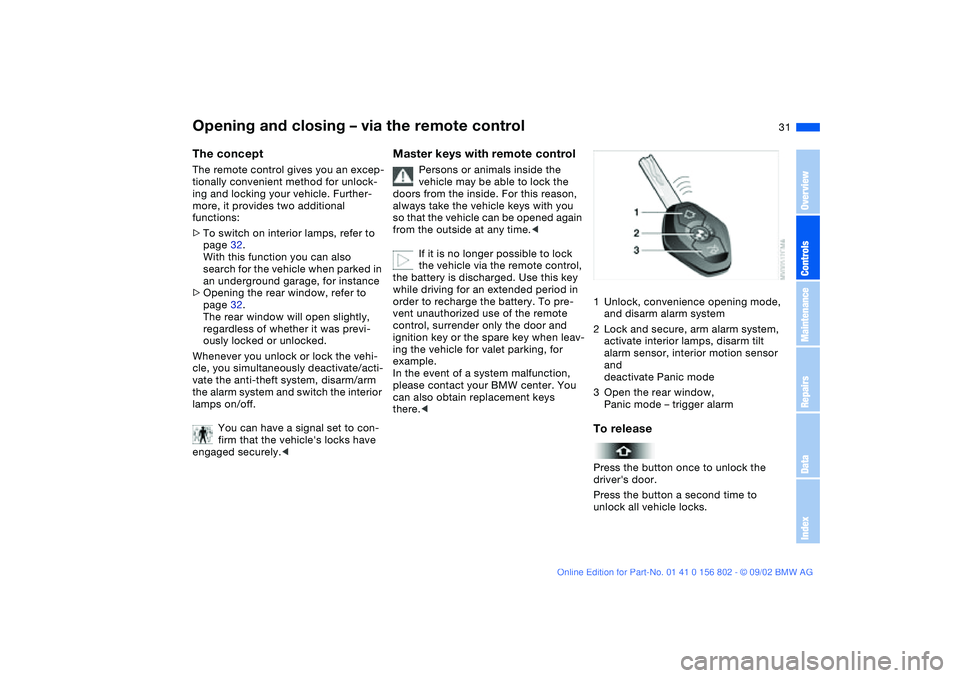
1Unlock, convenience opening mode,
and disarm alarm system
2Lock and secure, arm alarm system,
activate interior lamps, disarm tilt
alarm sensor, interior motion sensor
and
deactivate Panic mode
3Open the rear window,
Panic mode – trigger alarmTo releasePress the button once to unlock the
driver's door.
Press the button a second time to
unlock all vehicle locks.
OverviewControlsMaintenanceRepairsDataIndex
handbook.book Page 31 Saturday, July 27, 2002 1:36 PM
Page 32 of 166
32
Convenience opening modePress and hold button: the power win-
dows and sliding/tilt sunroof are
opened.To lock and securePress button.To switch on the interior lampsAfter locking the vehicle, press button
again.To deactivate the tilt alarm* and
interior motion sensors*Press button a second time immedi-
ately after locking.
For additional information, refer to
page 38.
To open the rear windowPress button.
The rear window opens slightly. It can
now be tilted up.
Before and after a trip, be sure
that the rear window has not been
opened unintentionally.<
If you prefer, the tailgate will open
instead of the rear window.
triggered in the event of danger, if it is
armed.
To switch of the alarm:
Press button.External systemsThe remote control system's operation
may be affected by other units or
equipment operating in the immediate
vicinity of your vehicle.
If this should occur, you can still open
and close the vehicle using the master
key in the door lock.For US owners onlyThe transmitter and receiver units com-
ply with part 15 of the FCC/Federal
Communications Commission regula-
tions. Operation is governed by the fol-
lowing:
FCC ID:
>LX8EWS
>LX8FZVS
>LX8FZVE.
Compliance statement:
This device complies with part 15 of the
FCC Rules. Operation is subject to the
following two conditions:
>This device may not cause harmful
interference, and
>this device must accept any interfer-
ence received, including interference
that may cause undesired operation.
Any unauthorized modifications to
these devices could void the
user's authority to operate the equip-
ment.<
Opening and closing – via the remote control
handbook.book Page 32 Saturday, July 27, 2002 1:36 PM
Page 60 of 166
60
Do not actuate the starter for too
short a time, but do not actuate it
for more than approx. 20 seconds.
Release the ignition key immediately
when the engine starts.
Do not allow the engine to warm up by
leaving it running while the vehicle
remains stationary. Instead, drive off
immediately at a moderate engine
speed.<
If the engine does not start on the first
attempt – if it is very hot or cold, for
instance:
>Press the accelerator pedal halfway
down while engaging the starter.
Cold starts at extremely cold tempera-
tures below approx. +57/ –156 at
high altitude over 3,300 ft/1,000 m:
>On the first start attempt, it may be
necessary to engage the starter for a
longer period, but no longer than
20 seconds
>Press the accelerator pedal halfway
down while engaging the starter.
The engine's idle speed is controlled by
the engine-management system. A high
idle after starting is normal and should
decrease as the engine warms up. If the
idle speed does not decrease, service
is required.
To prevent the battery from discharg-
ing, always switch off electrical devices
which are not in use and the ignition
when the vehicle is not being driven.
Extended starting attempts, char-
acterized by excessively frequent
or long periods with the starter
engaged, can damage the catalytic
converter.<
Starting the engine
handbook.book Page 60 Saturday, July 27, 2002 1:36 PM
Page 64 of 166
64
NNeutralSelect only when stopping for an
extended period.DDrive – automatic shift programThis position is designed for driving
under all normal operating conditions.
All forward gears are available.KickdownIn the kickdown mode, you achieve
maximum acceleration and top speed
in position D.
Depress the accelerator pedal past the
increased resistance point at the full-
throttle position.
M/S manual operation and Sport
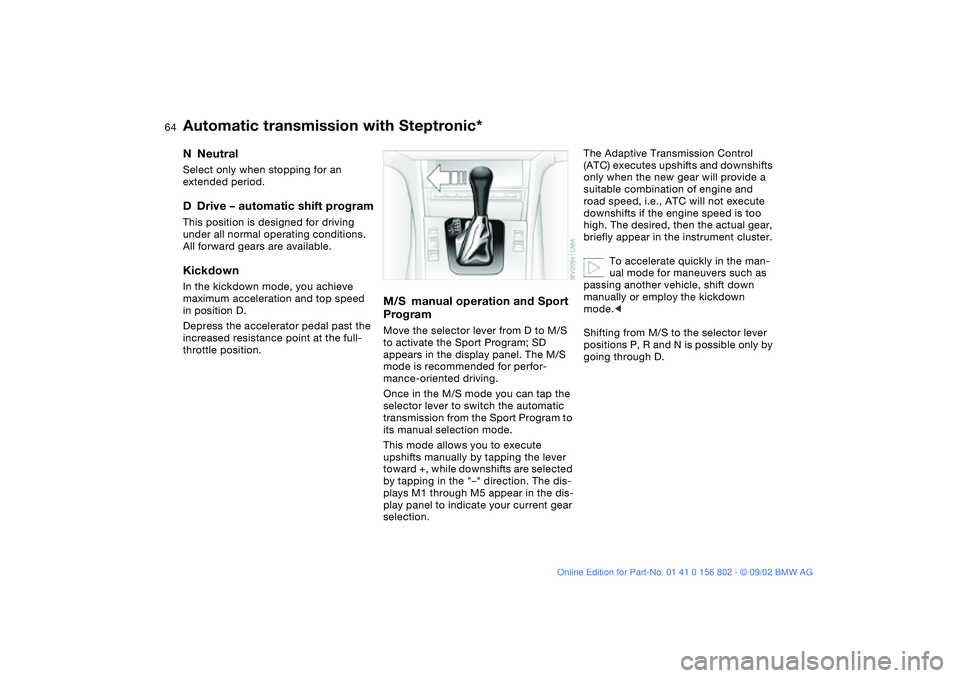
ProgramMove the selector lever from D to M/S
to activate the Sport Program; SD
appears in the display panel. The M/S
mode is recommended for perfor-
mance-oriented driving.
Once in the M/S mode you can tap the
selector lever to switch the automatic
transmission from the Sport Program to
its manual selection mode.
This mode allows you to execute
upshifts manually by tapping the lever
toward +, while downshifts are selected
by tapping in the "–" direction. The dis-
plays M1 through M5 appear in the dis-
play panel to indicate your current gear
selection.
The Adaptive Transmission Control
(ATC) executes upshifts and downshifts
only when the new gear will provide a
suitable combination of engine and
road speed, i.e., ATC will not execute
downshifts if the engine speed is too
high. The desired, then the actual gear,
briefly appear in the instrument cluster.
To accelerate quickly in the man-
ual mode for maneuvers such as
passing another vehicle, shift down
manually or employ the kickdown
mode.<
Shifting from M/S to the selector lever
positions P, R and N is possible only by
going through D.
Automatic transmission with Steptronic*
handbook.book Page 64 Saturday, July 27, 2002 1:36 PM
Page 68 of 166
68
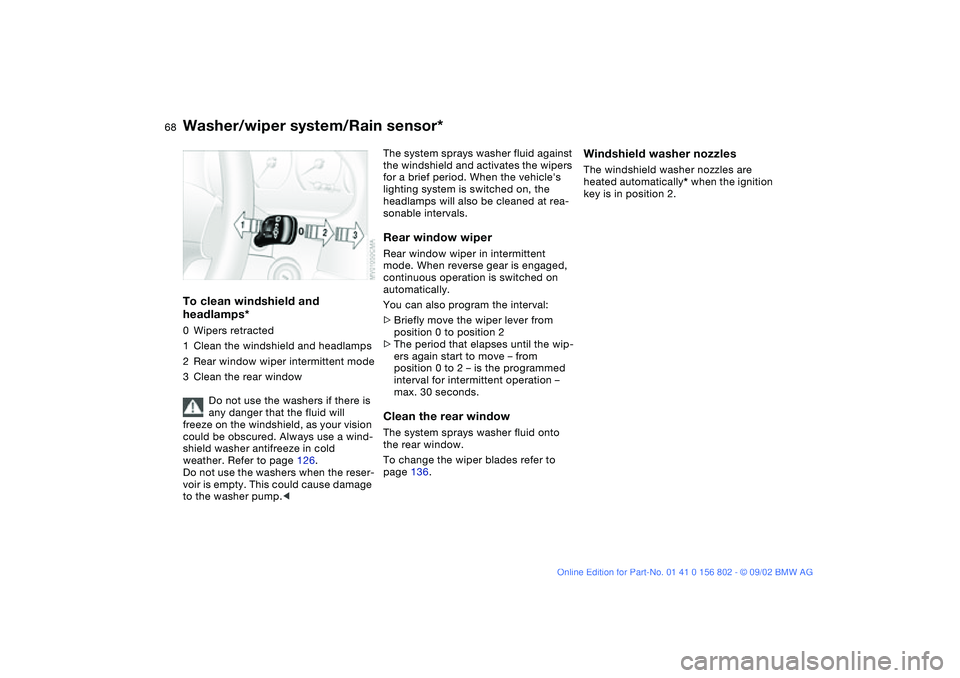
To clean windshield and
headlamps*0Wipers retracted
1Clean the windshield and headlamps
2Rear window wiper intermittent mode
3Clean the rear window
Do not use the washers if there is
any danger that the fluid will
freeze on the windshield, as your vision
could be obscured. Always use a wind-
shield washer antifreeze in cold
weather. Refer to page 126.
Do not use the washers when the reser-
voir is empty. This could cause damage
to the washer pump.<
The system sprays washer fluid against
the windshield and activates the wipers
for a brief period. When the vehicle's
lighting system is switched on, the
headlamps will also be cleaned at rea-
sonable intervals.Rear window wiperRear window wiper in intermittent
mode. When reverse gear is engaged,
continuous operation is switched on
automatically.
You can also program the interval:
>Briefly move the wiper lever from
position 0 to position 2
>The period that elapses until the wip-
ers again start to move – from
position 0 to 2 – is the programmed
interval for intermittent operation –
max. 30 seconds.Clean the rear windowThe system sprays washer fluid onto
the rear window.
To change the wiper blades refer to
page 136.
Windshield washer nozzlesThe windshield washer nozzles are
heated automatically* when the ignition
key is in position 2.
Washer/wiper system/Rain sensor*
handbook.book Page 68 Saturday, July 27, 2002 1:36 PM
Page 71 of 166
71 Everything under control
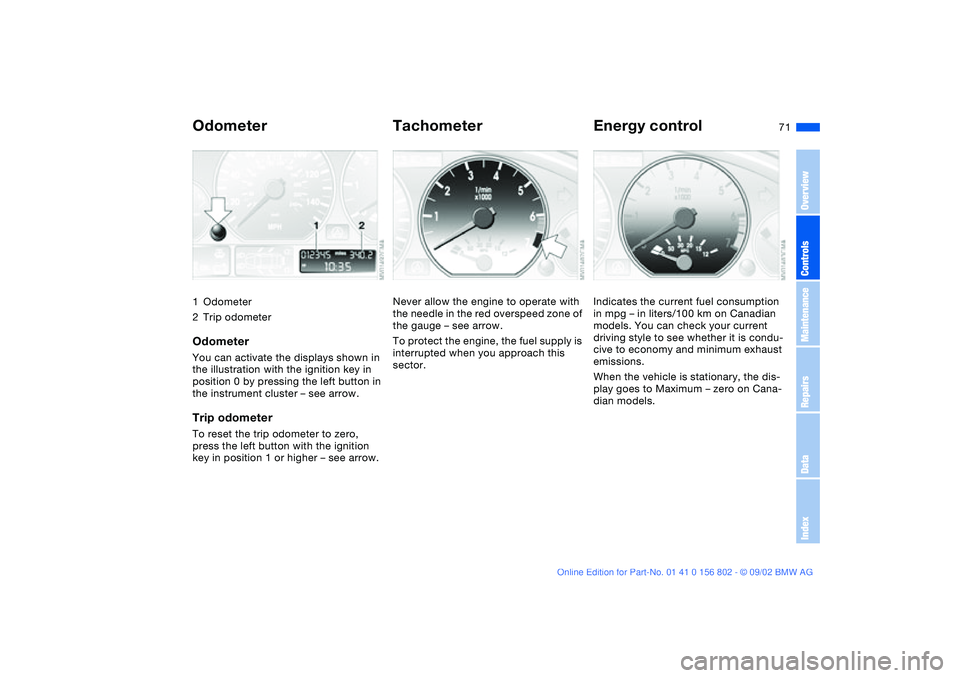
Odometer1Odometer
2Trip odometerOdometerYou can activate the displays shown in
the illustration with the ignition key in
position 0 by pressing the left button in
the instrument cluster – see arrow.Trip odometerTo reset the trip odometer to zero,
press the left button with the ignition
key in position 1 or higher – see arrow.
TachometerNever allow the engine to operate with
the needle in the red overspeed zone of
the gauge – see arrow.
To protect the engine, the fuel supply is
interrupted when you approach this
sector.
Energy controlIndicates the current fuel consumption
in mpg – in liters/100 km on Canadian
models. You can check your current
driving style to see whether it is condu-
cive to economy and minimum exhaust
emissions.
When the vehicle is stationary, the dis-
play goes to Maximum – zero on Cana-
dian models.
OverviewControlsMaintenanceRepairsDataIndex
handbook.book Page 71 Saturday, July 27, 2002 1:36 PM
Page 74 of 166
74
ClockIf you wish to have a permanent time
display, you can make this setting in the
radio display, refer to the Owner's Man-
ual for Radio.
You can set the clock and the time dis-
play in the car radio as follows.
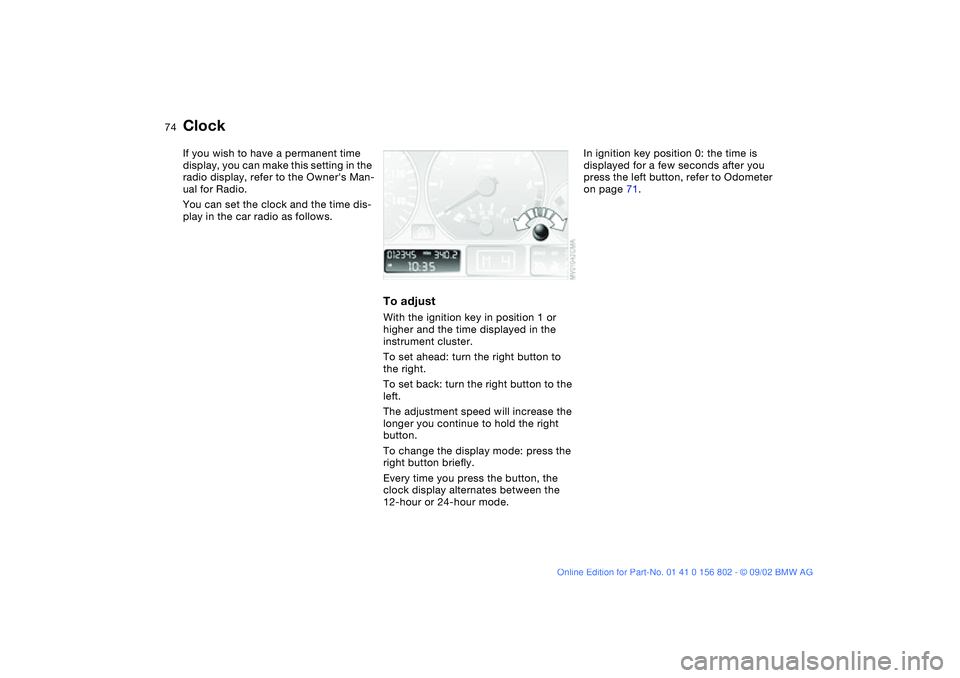
To adjustWith the ignition key in position 1 or
higher and the time displayed in the
instrument cluster.
To set ahead: turn the right button to
the right.
To set back: turn the right button to the
left.
The adjustment speed will increase the
longer you continue to hold the right
button.
To change the display mode: press the
right button briefly.
Every time you press the button, the
clock display alternates between the
12-hour or 24-hour mode.
In ignition key position 0: the time is
displayed for a few seconds after you
press the left button, refer to Odometer
on page 71.
handbook.book Page 74 Saturday, July 27, 2002 1:36 PM
Page 94 of 166
94
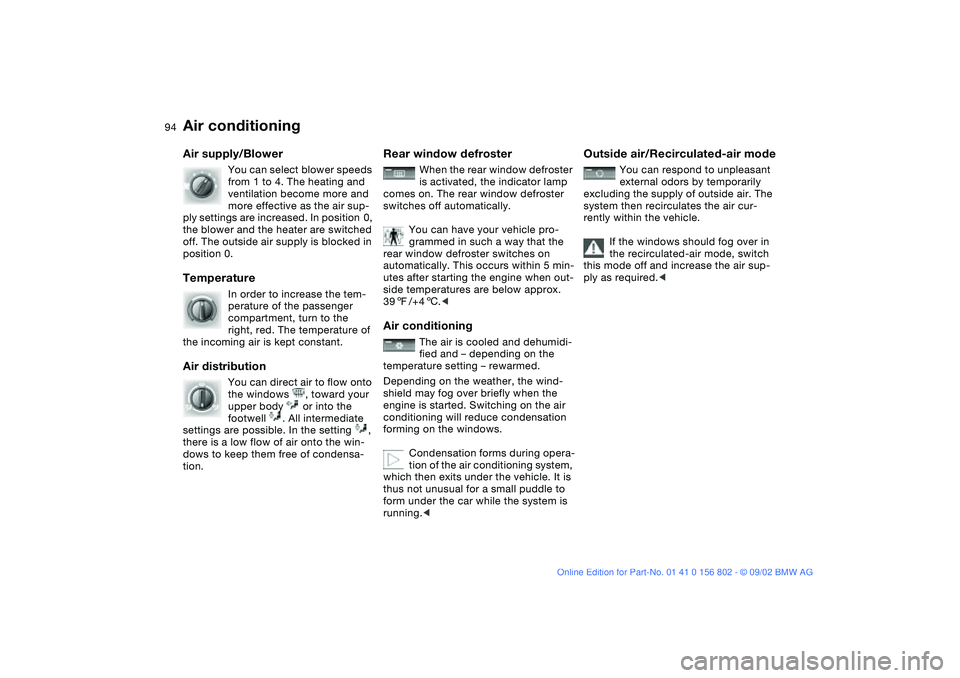
Air supply/Blower
You can select blower speeds
from 1 to 4. The heating and
ventilation become more and
more effective as the air sup-
ply settings are increased. In position 0,
the blower and the heater are switched
off. The outside air supply is blocked in
position 0.
Temperature
In order to increase the tem-
perature of the passenger
compartment, turn to the
right, red. The temperature of
the incoming air is kept constant.
Air distribution
You can direct air to flow onto
the windows , toward your
upper body or into the
footwell . All intermediate
settings are possible. In the setting ,
there is a low flow of air onto the win-
dows to keep them free of condensa-
tion.
Rear window defroster
When the rear window defroster
is activated, the indicator lamp
comes on. The rear window defroster
switches off automatically.
You can have your vehicle pro-
grammed in such a way that the
rear window defroster switches on
automatically. This occurs within 5 min-
utes after starting the engine when out-
side temperatures are below approx.
397/+46.<
Air conditioning
The air is cooled and dehumidi-
fied and – depending on the
temperature setting – rewarmed.
Depending on the weather, the wind-
shield may fog over briefly when the
engine is started. Switching on the air
conditioning will reduce condensation
forming on the windows.
Condensation forms during opera-
tion of the air conditioning system,
which then exits under the vehicle. It is
thus not unusual for a small puddle to
form under the car while the system is
running.<
Outside air/Recirculated-air mode
You can respond to unpleasant
external odors by temporarily
excluding the supply of outside air. The
system then recirculates the air cur-
rently within the vehicle.
If the windows should fog over in
the recirculated-air mode, switch
this mode off and increase the air sup-
ply as required.<
Air conditioning
handbook.book Page 94 Saturday, July 27, 2002 1:36 PM
Page 98 of 166
98
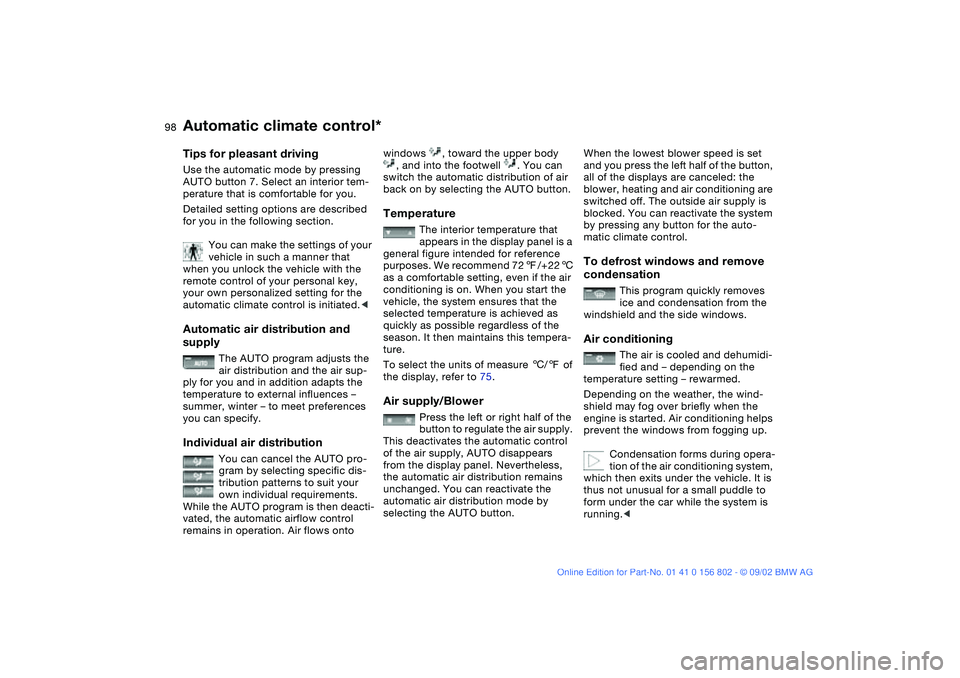
Tips for pleasant drivingUse the automatic mode by pressing
AUTO button 7. Select an interior tem-
perature that is comfortable for you.
Detailed setting options are described
for you in the following section.
You can make the settings of your
vehicle in such a manner that
when you unlock the vehicle with the
remote control of your personal key,
your own personalized setting for the
automatic climate control is initiated.
The AUTO program adjusts the
air distribution and the air sup-
ply for you and in addition adapts the
temperature to external influences –
summer, winter – to meet preferences
you can specify.
Individual air distribution
You can cancel the AUTO pro-
gram by selecting specific dis-
tribution patterns to suit your
own individual requirements.
While the AUTO program is then deacti-
vated, the automatic airflow control
remains in operation. Air flows onto
windows , toward the upper body
, and into the footwell . You can
switch the automatic distribution of air
back on by selecting the AUTO button.Temperature
The interior temperature that
appears in the display panel is a
general figure intended for reference
purposes. We recommend 727/+226
as a comfortable setting, even if the air
conditioning is on. When you start the
vehicle, the system ensures that the
selected temperature is achieved as
quickly as possible regardless of the
season. It then maintains this tempera-
ture.
To select the units of measure 6/7 of
the display, refer to 75.
Air supply/Blower
Press the left or right half of the
button to regulate the air supply.
This deactivates the automatic control
of the air supply, AUTO disappears
from the display panel. Nevertheless,
the automatic air distribution remains
unchanged. You can reactivate the
automatic air distribution mode by
selecting the AUTO button.
When the lowest blower speed is set
and you press the left half of the button,
all of the displays are canceled: the
blower, heating and air conditioning are
switched off. The outside air supply is
blocked. You can reactivate the system
by pressing any button for the auto-
matic climate control.To defrost windows and remove
condensation
This program quickly removes
ice and condensation from the
windshield and the side windows.
Air conditioning
The air is cooled and dehumidi-
fied and – depending on the
temperature setting – rewarmed.
Depending on the weather, the wind-
shield may fog over briefly when the
engine is started. Air conditioning helps
prevent the windows from fogging up.
Condensation forms during opera-
tion of the air conditioning system,
which then exits under the vehicle. It is
thus not unusual for a small puddle to
form under the car while the system is
running.<
Automatic climate control*
handbook.book Page 98 Saturday, July 27, 2002 1:36 PM