instrument cluster BMW 325XI 2005 Owner's Manual
[x] Cancel search | Manufacturer: BMW, Model Year: 2005, Model line: 325XI, Model: BMW 325XI 2005Pages: 166, PDF Size: 4.98 MB
Page 80 of 166
Lamps
78 of the road surface. Depending on the steering
angle and other parameters, the light from the
headlamp follows the course of the road.
Activating Adaptive Head Light
With the ignition on, turn the light switch to the
automatic headlamp control position, refer to
page76.
To avoid dazzling the drivers of oncoming vehi-
cles, Adaptive Head Light is not active when the
car is driven in reverse, and directs the light to
the front passenger's side when the vehicle is at
a standstill.
Malfunction
The LED next to the symbol for automatic head-
lamp control flashes. Adaptive Head Light is
malfunctioning or has failed. Have the system
checked as soon as possible.
High beams/roadside parking
lamps
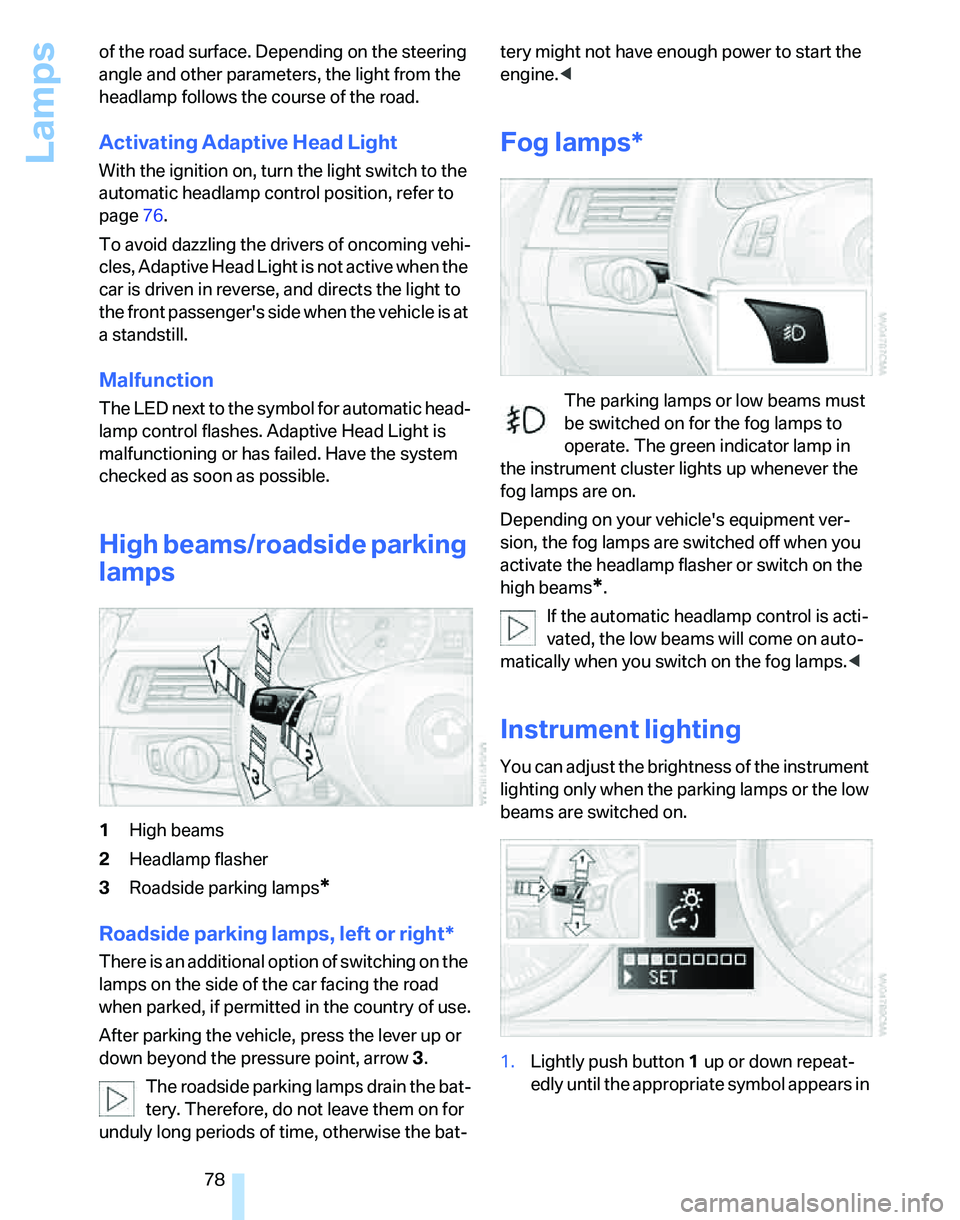
1High beams
2Headlamp flasher
3Roadside parking lamps
*
Roadside parking lamps, left or right*
There is an additional option of switching on the
lamps on the side of the car facing the road
when parked, if permitted in the country of use.
After parking the vehicle, press the lever up or
down beyond the pressure point, arrow 3.
The roadside parking lamps drain the bat-
tery. Therefore, do not leave them on for
unduly long periods of time, otherwise the bat-tery might not have enough power to start the
engine.<
Fog lamps*
The parking lamps or low beams must
be switched on for the fog lamps to
operate. The green indicator lamp in
the instrument cluster lights up whenever the
fog lamps are on.
Depending on your vehicle's equipment ver-
sion, the fog lamps are switched off when you
activate the headlamp flasher or switch on the
high beams
*.
If the automatic headlamp control is acti-
vated, the low beams will come on auto-
matically when you switch on the fog lamps.<
Instrument lighting
You can adjust the brightness of the instrument
lighting only when the parking lamps or the low
beams are switched on.
1.Lightly push button 1 up or down repeat-
edly until the appropriate symbol appears in
Page 121 of 166
Reference
At a glance
Controls
Driving tips
Mobility
119
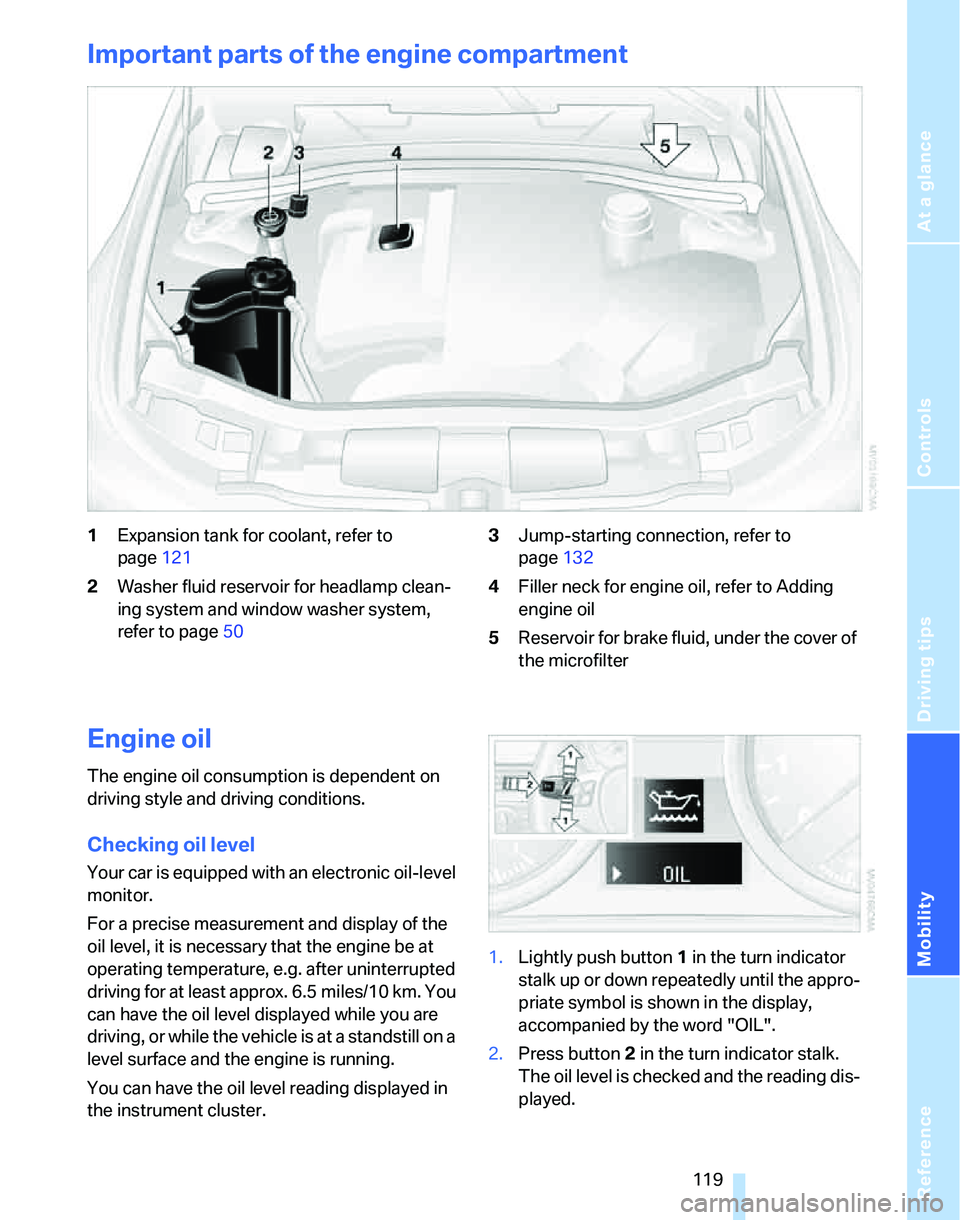
Important parts of the engine compartment
1Expansion tank for coolant, refer to
page121
2Washer fluid reservoir for headlamp clean-
ing system and window washer system,
refer to page503Jump-starting connection, refer to
page132
4Filler neck for engine oil, refer to Adding
engine oil
5Reservoir for brake fluid, under the cover of
the microfilter
Engine oil
The engine oil consumption is dependent on
driving style and driving conditions.
Checking oil level
Your car is equipped with an electronic oil-level
monitor.
For a precise measurement and display of the
oil level, it is necessary that the engine be at
operating temperature, e.g. after uninterrupted
driving for at least approx. 6.5 miles/10 km. You
can have the oil level displayed while you are
driving, or while the vehicle is at a standstill on a
level surface and the engine is running.
You can have the oil level reading displayed in
the instrument cluster.1.Lightly push button 1 in the turn indicator
stalk up or down repeatedly until the appro-
priate symbol is shown in the display,
accompanied by the word "OIL".
2.Press button 2 in the turn indicator stalk.
The oil level is checked and the reading dis-
played.
Page 122 of 166
Under the hood
120
Possible displays
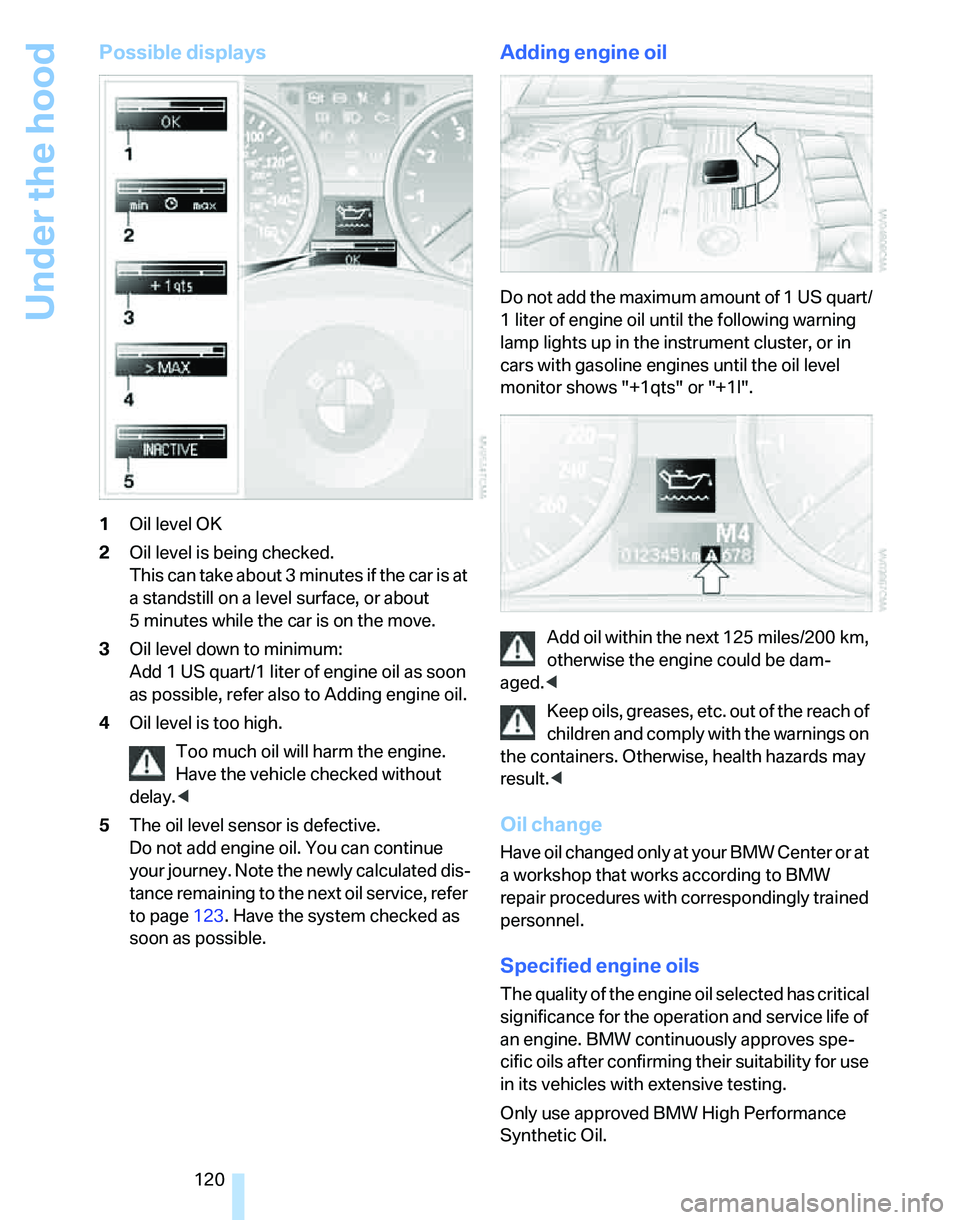
1Oil level OK
2Oil level is being checked.
This can take about 3 minutes if the car is at
a standstill on a level surface, or about
5 minutes while the car is on the move.
3Oil level down to minimum:
Add 1US quart/1liter of engine oil as soon
as possible, refer also to Adding engine oil.
4Oil level is too high.
Too much oil will harm the engine.
Have the vehicle checked without
delay.<
5The oil level sensor is defective.
Do not add engine oil. You can continue
your journey. Note the newly calculated dis-
tance remaining to the next oil service, refer
to page123. Have the system checked as
soon as possible.
Adding engine oil
Do not add the maximum amount of 1 US quart/
1 liter of engine oil until the following warning
lamp lights up in the instrument cluster, or in
cars with gasoline engines until the oil level
monitor shows "+1qts" or "+1l".
Add oil within the next 125 miles/200 km,
otherwise the engine could be dam-
aged.<
Keep oils, greases, etc. out of the reach of
children and comply with the warnings on
the containers. Otherwise, health hazards may
result.<
Oil change
Have oil changed only at your BMW Center or at
a workshop that works according to BMW
repair procedures with correspondingly trained
personnel.
Specified engine oils
The quality of the engine oil selected has critical
significance for the operation and service life of
an engine. BMW continuously approves spe-
cific oils after confirming their suitability for use
in its vehicles with extensive testing.
Only use approved BMW High Performance
Synthetic Oil.
Page 125 of 166
Reference
At a glance
Controls
Driving tips
Mobility
123
Maintenance
BMW Maintenance System
The BMW Maintenance System supports the
preservation of the traffic and operating safety
of your BMW. The service schedule also
includes operations related to the vehicle's
comfort and convenience features, such as
replacement of the filters for the inside air. The
objective is to optimize efforts with respect to
minimal vehicle maintenance costs.
If and when you come to sell your BMW, a com-
prehensive record of servicing will prove a sig-
nificant benefit.
CBS Condition Based Service
Sensors and special algorithms take the differ-
ent driving conditions of your BMW into
account. Condition Based Service uses this to
determine the current and future service
requirements. By letting you define a service
and maintenance regimen that reflects your
own individual requirements, the system builds
the basis for trouble-free driving.
In the instrument cluster, you can have the
remaining times or distances for selected main-
tenance tasks and any legally prescribed dates
displayed, refer to page63:
>Engine oil
>Brakes: separately for front and rear
>Microfilter/activated-charcoal filter
for auto-
matic climate control
>Microfilter
for air conditioner
>Brake fluid>Spark plugs
>Vehicle check
>Legally mandated inspections depending
on local regulations
Service data in the remote control
Your vehicle continuously stores service-
requirement information in the remote control
while you are driving. Your BMW Service Advi-
sor can read out this data from the remote con-
trol unit, and propose an optimized mainte-
nance approach. Whenever you take your car in
for servicing you should therefore hand your
BMW Service Advisor the remote control unit
that you last used.
Make sure that the date in the instrument
cluster is always set correctly, refer to
page65; otherwise the effectiveness of Condi-
tion Based Service CBS is not assured.<
Service and Warranty Information
Booklet for US models and Warranty
and Service Guide Booklet for
Canadian models
Please consult your Service and Warranty Infor-
mation Booklet for US models and Warranty
and Service Guide Booklet for Canadian models
for additional information on service require-
ments.
BMW recommends that you have service
and repair operations performed at your
BMW Center.
Take the time to ensure that these service pro-
cedures are confirmed by entries in your vehi-
cle's Service and Warranty Information Booklet
for US models and Warranty and Service Guide
Booklet for Canadian models. These entries
verify that your vehicle has received the speci-
fied regular maintenance.<
Page 156 of 166
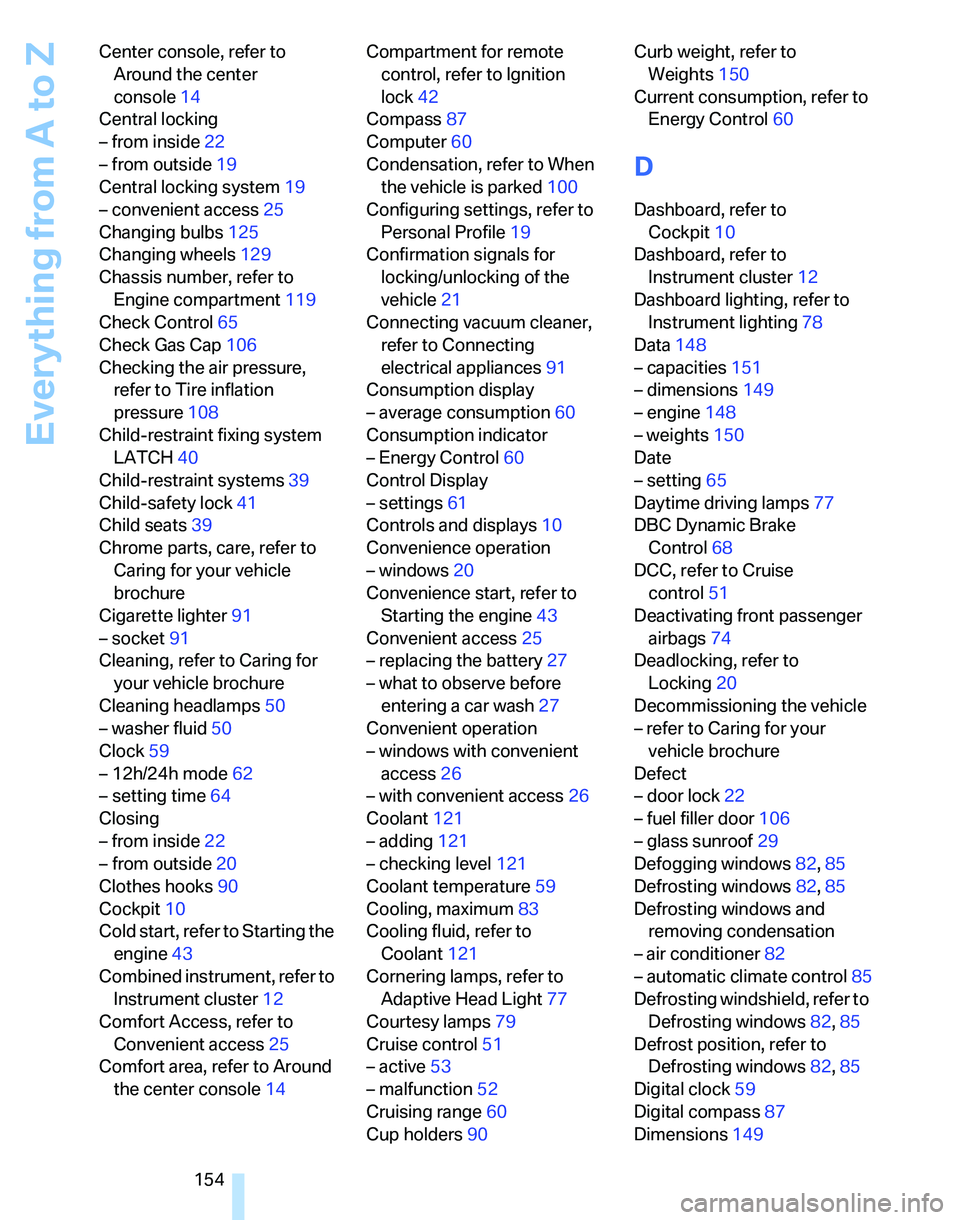
Everything from A to Z
154 Center console, refer to
Around the center
console14
Central locking
– from inside22
– from outside19
Central locking system19
– convenient access25
Changing bulbs125
Changing wheels129
Chassis number, refer to
Engine compartment119
Check Control65
Check Gas Cap106
Checking the air pressure,
refer to Tire inflation
pressure108
Child-restraint fixing system
LATCH40
Child-restraint systems39
Child-safety lock41
Child seats39
Chrome parts, care, refer to
Caring for your vehicle
brochure
Cigarette lighter91
– socket91
Cleaning, refer to Caring for
your vehicle brochure
Cleaning headlamps50
– washer fluid50
Clock59
– 12h/24h mode62
– setting time64
Closing
– from inside22
– from outside20
Clothes hooks90
Cockpit10
Cold start, refer to Starting the
engine43
Combined instrument, refer to
Instrument cluster12
Comfort Access, refer to
Convenient access25
Comfort area, refer to Around
the center console14Compartment for remote
control, refer to Ignition
lock42
Compass87
Computer60
Condensation, refer to When
the vehicle is parked100
Configuring settings, refer to
Personal Profile19
Confirmation signals for
locking/unlocking of the
vehicle21
Connecting vacuum cleaner,
refer to Connecting
electrical appliances91
Consumption display
– average consumption60
Consumption indicator
– Energy Control60
Control Display
– settings61
Controls and displays10
Convenience operation
– windows20
Convenience start, refer to
Starting the engine43
Convenient access25
– replacing the battery27
– what to observe before
entering a car wash27
Convenient operation
– windows with convenient
access26
– with convenient access26
Coolant121
– adding121
– checking level121
Coolant temperature59
Cooling, maximum83
Cooling fluid, refer to
Coolant121
Cornering lamps, refer to
Adaptive Head Light77
Courtesy lamps79
Cruise control51
– active53
– malfunction52
Cruising range60
Cup holders90Curb weight, refer to
Weights150
Current consumption, refer to
Energy Control60
D
Dashboard, refer to
Cockpit10
Dashboard, refer to
Instrument cluster12
Dashboard lighting, refer to
Instrument lighting78
Data148
– capacities151
– dimensions149
– engine148
– weights150
Date
– setting65
Daytime driving lamps77
DBC Dynamic Brake
Control68
DCC, refer to Cruise
control51
Deactivating front passenger
airbags74
Deadlocking, refer to
Locking20
Decommissioning the vehicle
– refer to Caring for your
vehicle brochure
Defect
– door lock22
– fuel filler door106
– glass sunroof29
Defogging windows82,85
Defrosting windows82,85
Defrosting windows and
removing condensation
– air conditioner82
– automatic climate control85
Defrosting windshield, refer to
Defrosting windows82,85
Defrost position, refer to
Defrosting windows82,85
Digital clock59
Digital compass87
Dimensions149
Page 157 of 166
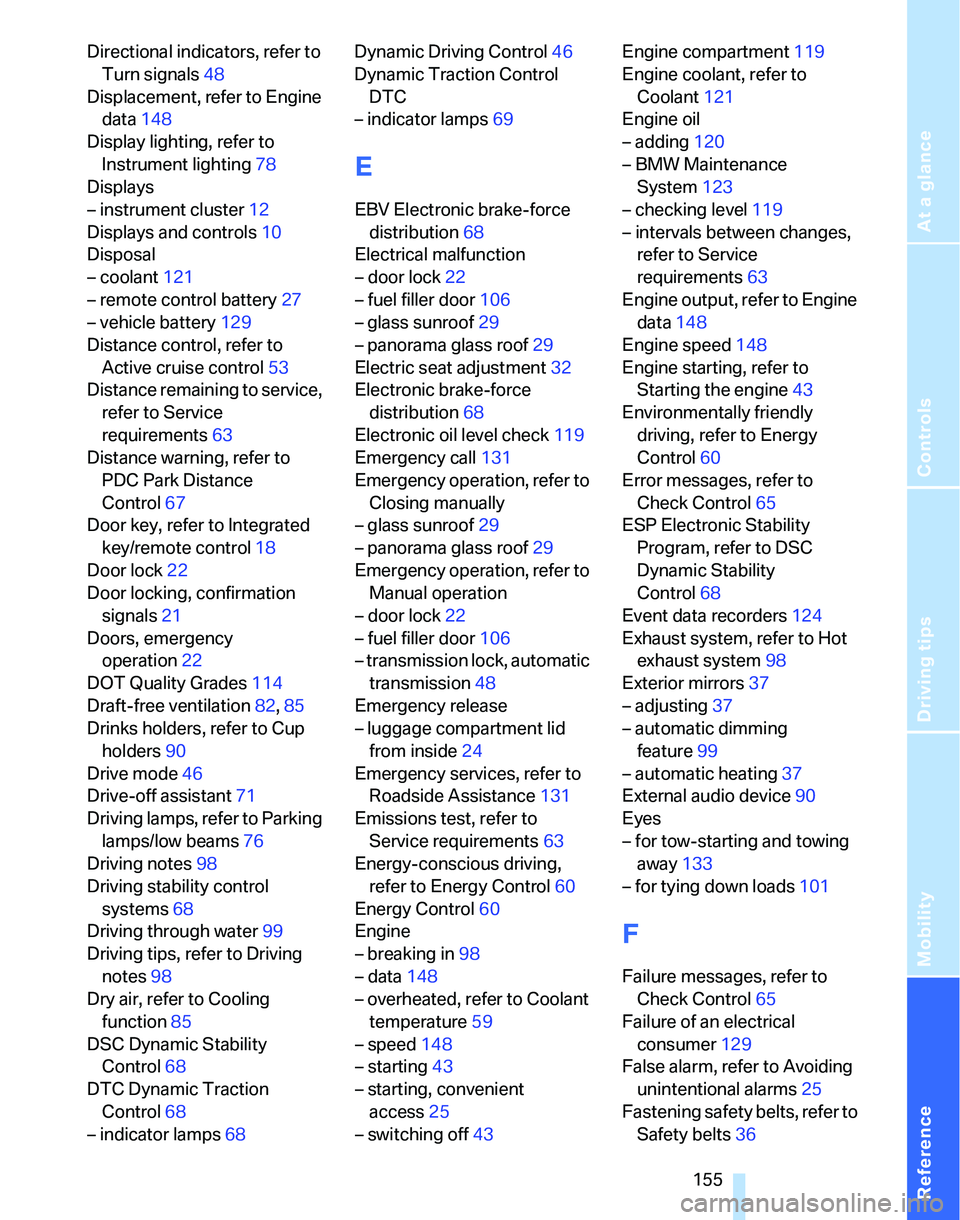
Reference
At a glance
Controls
Driving tips
Mobility
155
Directional indicators, refer to
Turn signals48
Displacement, refer to Engine
data148
Display lighting, refer to
Instrument lighting78
Displays
– instrument cluster12
Displays and controls10
Disposal
– coolant121
– remote control battery27
– vehicle battery129
Distance control, refer to
Active cruise control53
Distance remaining to service,
refer to Service
requirements63
Distance warning, refer to
PDC Park Distance
Control67
Door key, refer to Integrated
key/remote control18
Door lock22
Door locking, confirmation
signals21
Doors, emergency
operation22
DOT Quality Grades114
Draft-free ventilation82,85
Drinks holders, refer to Cup
holders90
Drive mode46
Drive-off assistant71
Driving lamps, refer to Parking
lamps/low beams76
Driving notes98
Driving stability control
systems68
Driving through water99
Driving tips, refer to Driving
notes98
Dry air, refer to Cooling
function85
DSC Dynamic Stability
Control68
DTC Dynamic Traction
Control68
– indicator lamps68Dynamic Driving Control46
Dynamic Traction Control
DTC
– indicator lamps69
E
EBV Electronic brake-force
distribution68
Electrical malfunction
– door lock22
– fuel filler door106
– glass sunroof29
– panorama glass roof29
Electric seat adjustment32
Electronic brake-force
distribution68
Electronic oil level check119
Emergency call131
Emergency operation, refer to
Closing manually
– glass sunroof29
– panorama glass roof29
Emergency operation, refer to
Manual operation
– door lock22
– fuel filler door106
– transmission lock, automatic
transmission48
Emergency release
– luggage compartment lid
from inside24
Emergency services, refer to
Roadside Assistance131
Emissions test, refer to
Service requirements63
Energy-conscious driving,
refer to Energy Control60
Energy Control60
Engine
– breaking in98
– data148
– overheated, refer to Coolant
temperature59
– speed148
– starting43
– starting, convenient
access25
– switching off43Engine compartment119
Engine coolant, refer to
Coolant121
Engine oil
– adding120
– BMW Maintenance
System123
– checking level119
– intervals between changes,
refer to Service
requirements63
Engine output, refer to Engine
data148
Engine speed148
Engine starting, refer to
Starting the engine43
Environmentally friendly
driving, refer to Energy
Control60
Error messages, refer to
Check Control65
ESP Electronic Stability
Program, refer to DSC
Dynamic Stability
Control68
Event data recorders124
Exhaust system, refer to Hot
exhaust system98
Exterior mirrors37
– adjusting37
– automatic dimming
feature99
– automatic heating37
External audio device90
Eyes
– for tow-starting and towing
away133
– for tying down loads101
F
Failure messages, refer to
Check Control65
Failure of an electrical
consumer129
False alarm, refer to Avoiding
unintentional alarms25
Fastening safety belts, refer to
Safety belts36
Page 159 of 166
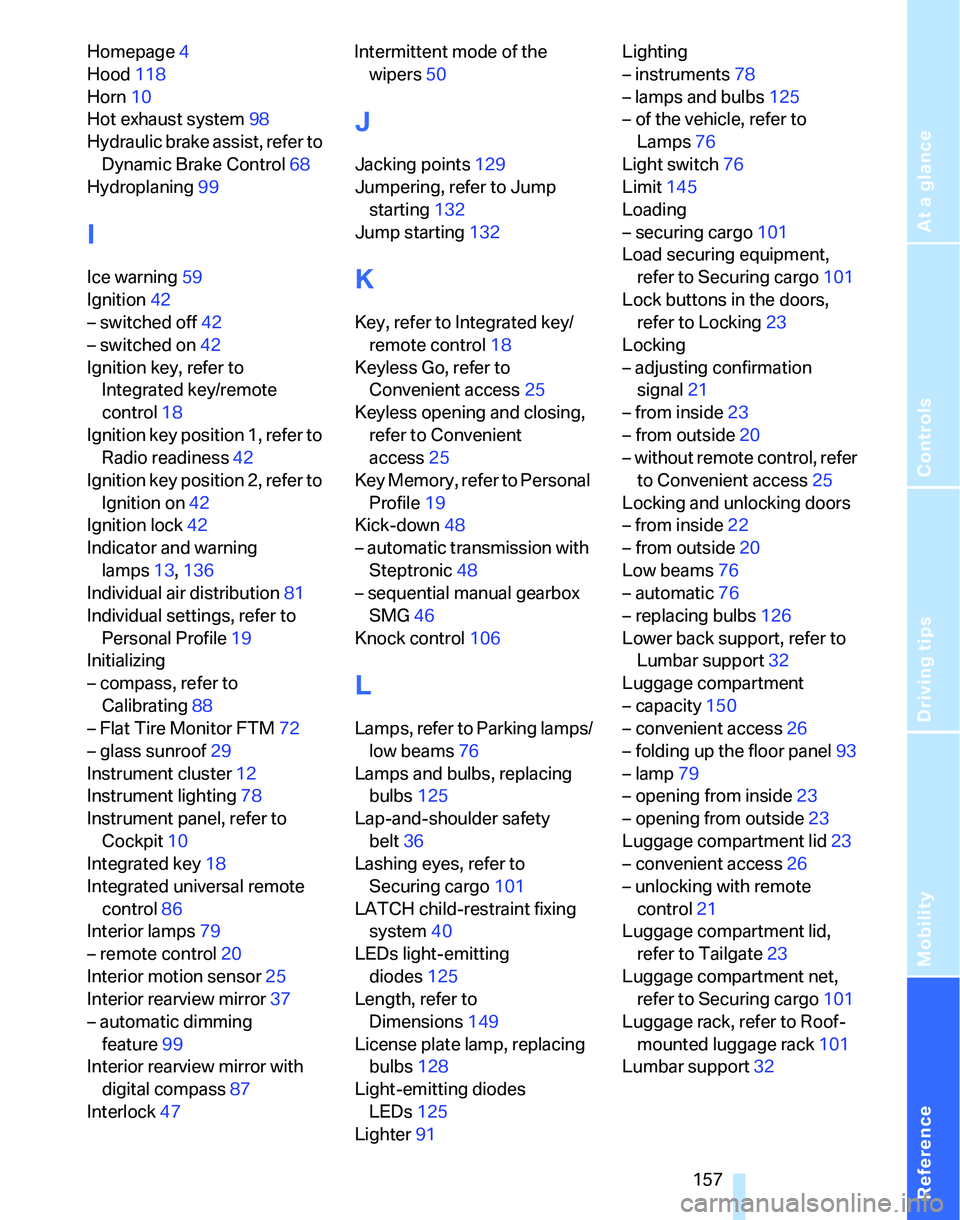
Reference
At a glance
Controls
Driving tips
Mobility
157
Homepage4
Hood118
Horn10
Hot exhaust system98
Hydraulic brake assist, refer to
Dynamic Brake Control68
Hydroplaning99
I
Ice warning59
Ignition42
– switched off42
– switched on42
Ignition key, refer to
Integrated key/remote
control18
Ignition key position 1, refer to
Radio readiness42
Ignition key position 2, refer to
Ignition on42
Ignition lock42
Indicator and warning
lamps13,136
Individual air distribution81
Individual settings, refer to
Personal Profile19
Initializing
– compass, refer to
Calibrating88
– Flat Tire Monitor FTM72
– glass sunroof29
Instrument cluster12
Instrument lighting78
Instrument panel, refer to
Cockpit10
Integrated key18
Integrated universal remote
control86
Interior lamps79
– remote control20
Interior motion sensor25
Interior rearview mirror37
– automatic dimming
feature99
Interior rearview mirror with
digital compass87
Interlock47Intermittent mode of the
wipers50
J
Jacking points129
Jumpering, refer to Jump
starting132
Jump starting132
K
Key, refer to Integrated key/
remote control18
Keyless Go, refer to
Convenient access25
Keyless opening and closing,
refer to Convenient
access25
Key Memory, refer to Personal
Profile19
Kick-down48
– automatic transmission with
Steptronic48
– sequential manual gearbox
SMG46
Knock control106
L
Lamps, refer to Parking lamps/
low beams76
Lamps and bulbs, replacing
bulbs125
Lap-and-shoulder safety
belt36
Lashing eyes, refer to
Securing cargo101
LATCH child-restraint fixing
system40
LEDs light-emitting
diodes125
Length, refer to
Dimensions149
License plate lamp, replacing
bulbs128
Light-emitting diodes
LEDs125
Lighter91Lighting
– instruments78
– lamps and bulbs125
– of the vehicle, refer to
Lamps76
Light switch76
Limit145
Loading
– securing cargo101
Load securing equipment,
refer to Securing cargo101
Lock buttons in the doors,
refer to Locking23
Locking
– adjusting confirmation
signal21
– from inside23
– from outside20
– without remote control, refer
to Convenient access25
Locking and unlocking doors
– from inside22
– from outside20
Low beams76
– automatic76
– replacing bulbs126
Lower back support, refer to
Lumbar support32
Luggage compartment
– capacity150
– convenient access26
– folding up the floor panel93
– lamp79
– opening from inside23
– opening from outside23
Luggage compartment lid23
– convenient access26
– unlocking with remote
control21
Luggage compartment lid,
refer to Tailgate23
Luggage compartment net,
refer to Securing cargo101
Luggage rack, refer to Roof-
mounted luggage rack101
Lumbar support32
Page 165 of 166
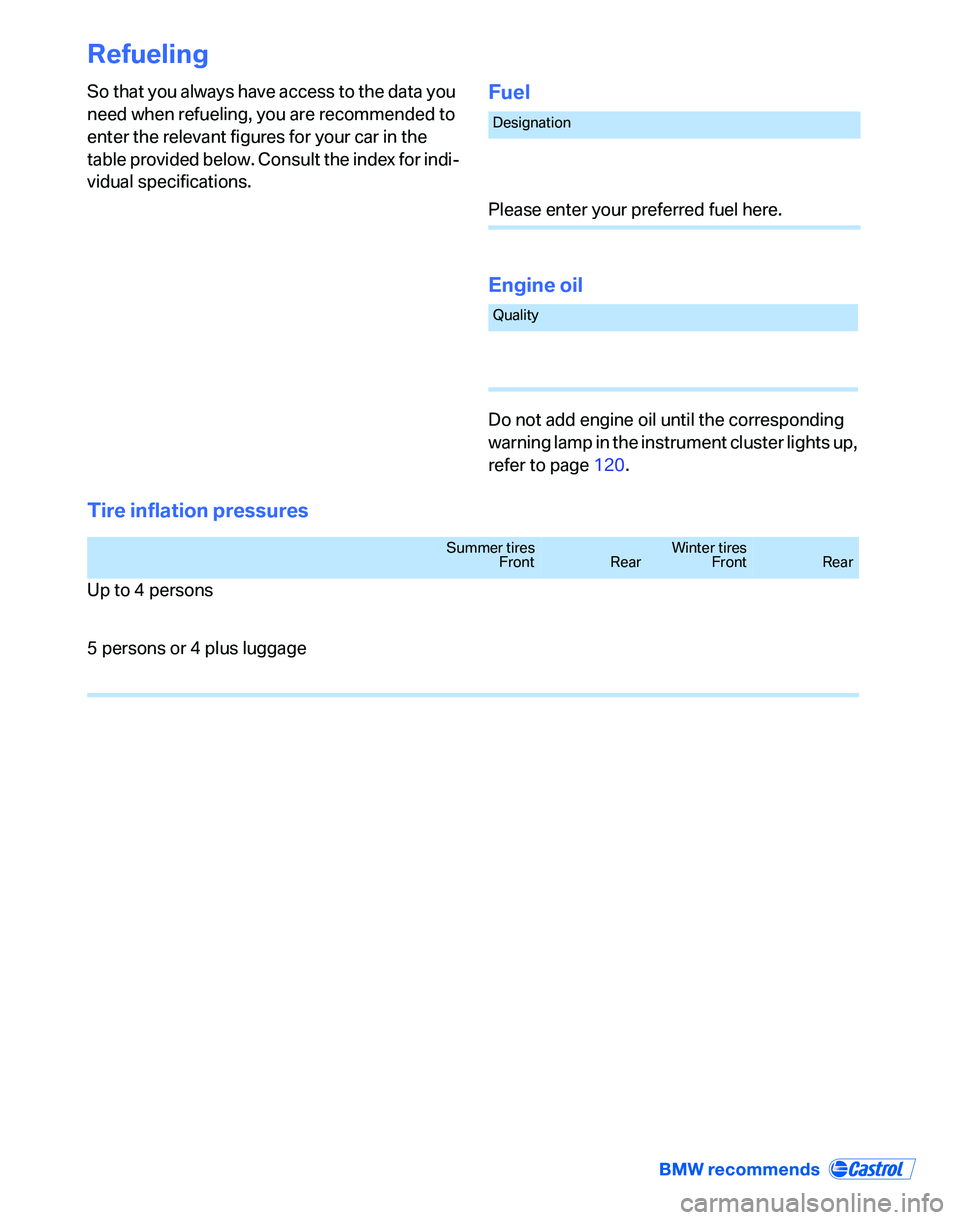
Refueling
So that you always have access to the data you
need when refueling, you are recommended to
enter the relevant figures for your car in the
table provided below. Consult the index for indi-
vidual specifications.Fuel
Engine oil
Do not add engine oil until the corresponding
warning lamp in the instrument cluster lights up,
refer to page120.
Tire inflation pressures
Designation
Please enter your preferred fuel here.
Quality
Summer tires
FrontRearWinter tires
FrontRear
Up to 4 persons
5 persons or 4 plus luggage