rear view mirror BMW 325XI 2005 Owners Manual
[x] Cancel search | Manufacturer: BMW, Model Year: 2005, Model line: 325XI, Model: BMW 325XI 2005Pages: 166, PDF Size: 4.98 MB
Page 27 of 166
Reference
At a glance
Controls
Driving tips
Mobility
25
and steal the wheels or to raise it prior to
towing away
>When there is an interruption in the power
supply from the battery
The alarm system signals unauthorized entry
attempts for a short time by means of:
>An acoustic alarm
>Switching on the hazard warning flashers
>Flashing the high beams
Arming and disarming
When you lock or unlock the vehicle, either with
the remote control or at the door lock, the alarm
system is armed or disarmed at the same time.
Even when the alarm system is armed, you can
open the luggage compartment lid by means of
the button on the remote control, refer to
page21. When you subsequently close the lug-
gage compartment lid, it is again locked and
monitored.
Switching off an alarm
>Unlock the car with the remote control, refer
to page20, or
>insert the remote control all the way into the
ignition lock.
Indicator lamp displays
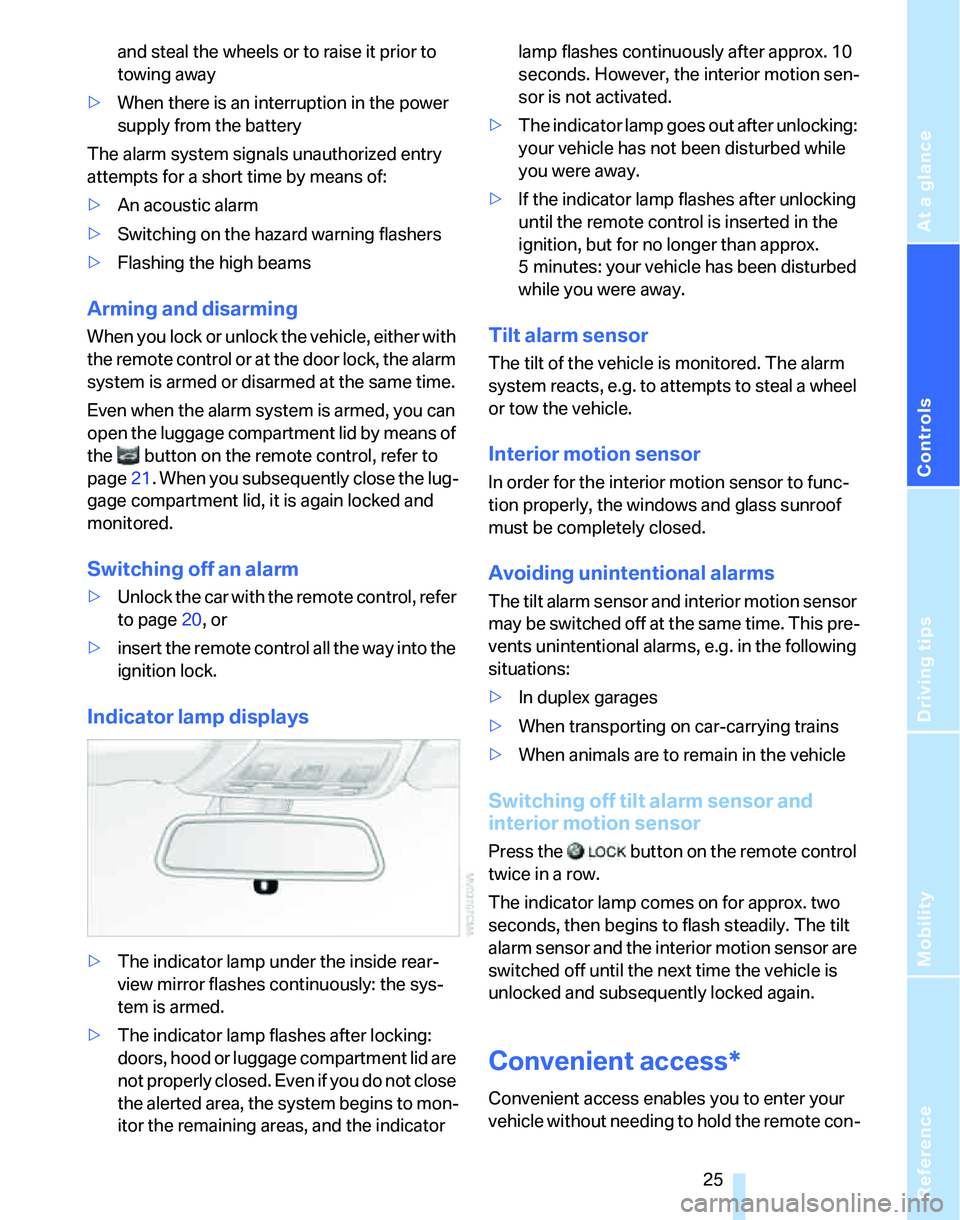
>The indicator lamp under the inside rear-
view mirror flashes continuously: the sys-
tem is armed.
>The indicator lamp flashes after locking:
doors, hood or luggage compartment lid are
not properly closed. Even if you do not close
the alerted area, the system begins to mon-
itor the remaining areas, and the indicator lamp flashes continuously after approx. 10
seconds. However, the interior motion sen-
sor is not activated.
>The indicator lamp goes out after unlocking:
your vehicle has not been disturbed while
you were away.
>If the indicator lamp flashes after unlocking
until the remote control is inserted in the
ignition, but for no longer than approx.
5 minutes: your vehicle has been disturbed
while you were away.
Tilt alarm sensor
The tilt of the vehicle is monitored. The alarm
system reacts, e.g. to attempts to steal a wheel
or tow the vehicle.
Interior motion sensor
In order for the interior motion sensor to func-
tion properly, the windows and glass sunroof
must be completely closed.
Avoiding unintentional alarms
The tilt alarm sensor and interior motion sensor
may be switched off at the same time. This pre-
vents unintentional alarms, e.g. in the following
situations:
>In duplex garages
>When transporting on car-carrying trains
>When animals are to remain in the vehicle
Switching off tilt alarm sensor and
interior motion sensor
Press the button on the remote control
twice in a row.
The indicator lamp comes on for approx. two
seconds, then begins to flash steadily. The tilt
alarm sensor and the interior motion sensor are
switched off until the next time the vehicle is
unlocked and subsequently locked again.
Convenient access*
Convenient access enables you to enter your
vehicle without needing to hold the remote con-
Page 39 of 166
Reference
At a glance
Controls
Driving tips
Mobility
37
wise, it is not guaranteed that the safety devices
will function properly.<
Mirrors
Exterior mirrors
The front passenger's mirror is more convex
than the driver's mirror. The objects seen in the
mirror are closer than they appear. Do not
gauge your distance from traffic behind you on
the basis of what you see in the mirror; other-
wise there is an increased risk of an accident.<
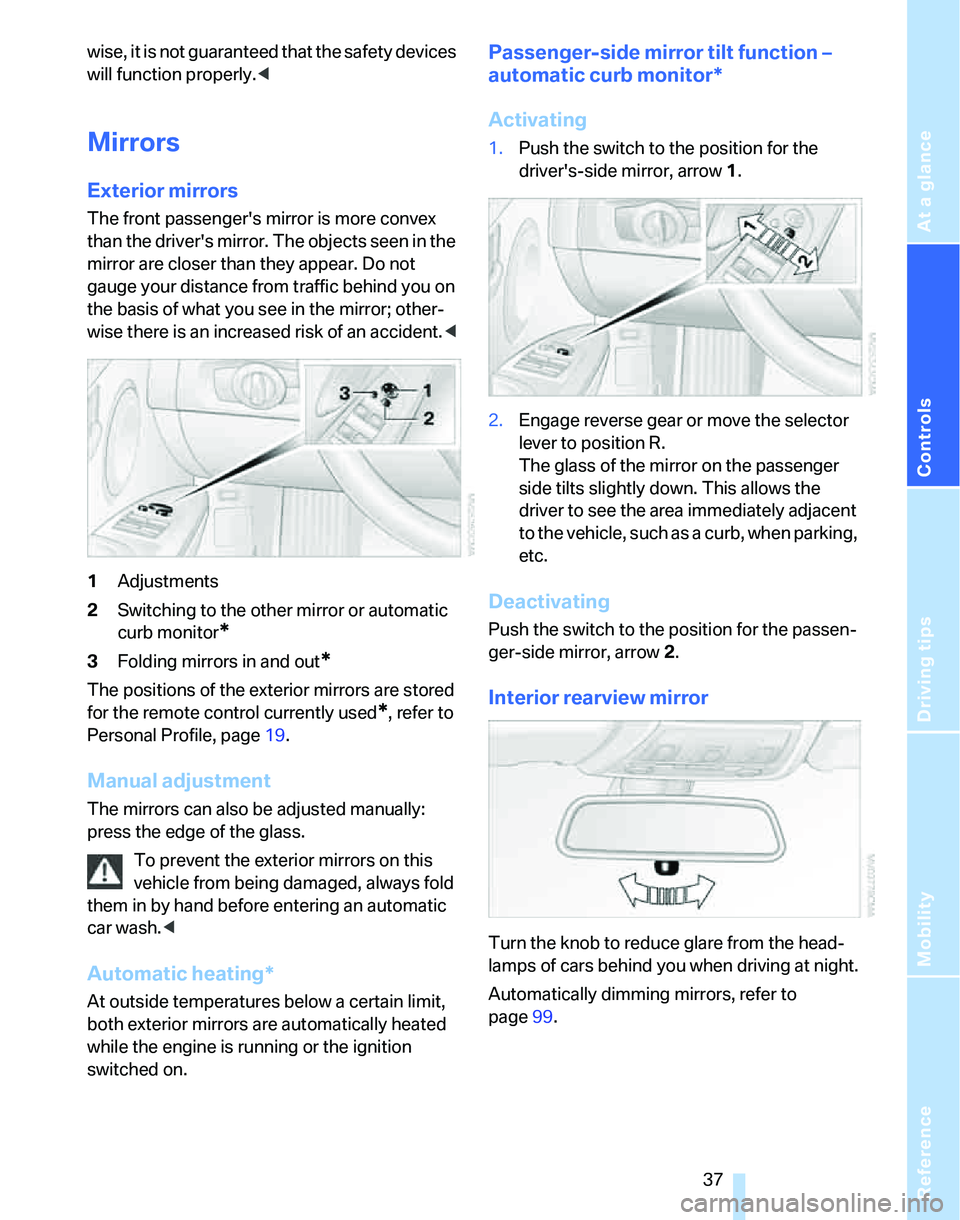
1Adjustments
2Switching to the other mirror or automatic
curb monitor
*
3Folding mirrors in and out*
The positions of the exterior mirrors are stored
for the remote control currently used
*, refer to
Personal Profile, page19.
Manual adjustment
The mirrors can also be adjusted manually:
press the edge of the glass.
To prevent the exterior mirrors on this
vehicle from being damaged, always fold
them in by hand before entering an automatic
car wash.<
Automatic heating*
At outside temperatures below a certain limit,
both exterior mirrors are automatically heated
while the engine is running or the ignition
switched on.
Passenger-side mirror tilt function –
automatic curb monitor*
Activating
1.Push the switch to the position for the
driver's-side mirror, arrow 1.
2.Engage reverse gear or move the selector
lever to position R.
The glass of the mirror on the passenger
side tilts slightly down. This allows the
driver to see the area immediately adjacent
to the vehicle, such as a curb, when parking,
etc.
Deactivating
Push the switch to the position for the passen-
ger-side mirror, arrow 2.
Interior rearview mirror
Turn the knob to reduce glare from the head-
lamps of cars behind you when driving at night.
Automatically dimming mirrors, refer to
page99.
Page 52 of 166
Driving
50
Normal wiper speed
Press once.
The system switches to operation in the inter-
mittent mode when the vehicle is stationary.
Fast wiper speed
Press twice or press beyond the resistance
point.
The system switches to normal speed when the
vehicle is stationary.
Intermittent wipe or rain sensor*
If the car is not equipped with a rain sensor, the
intermittent-wipe time is a preset.
If the car is equipped with a rain sensor, the time
between wipes is controlled automatically and
depends on the intensity of the rainfall. The
sensor is mounted on the windshield, directly in
front of the interior rearview mirror.
Activating intermittent wipe or rain
sensor
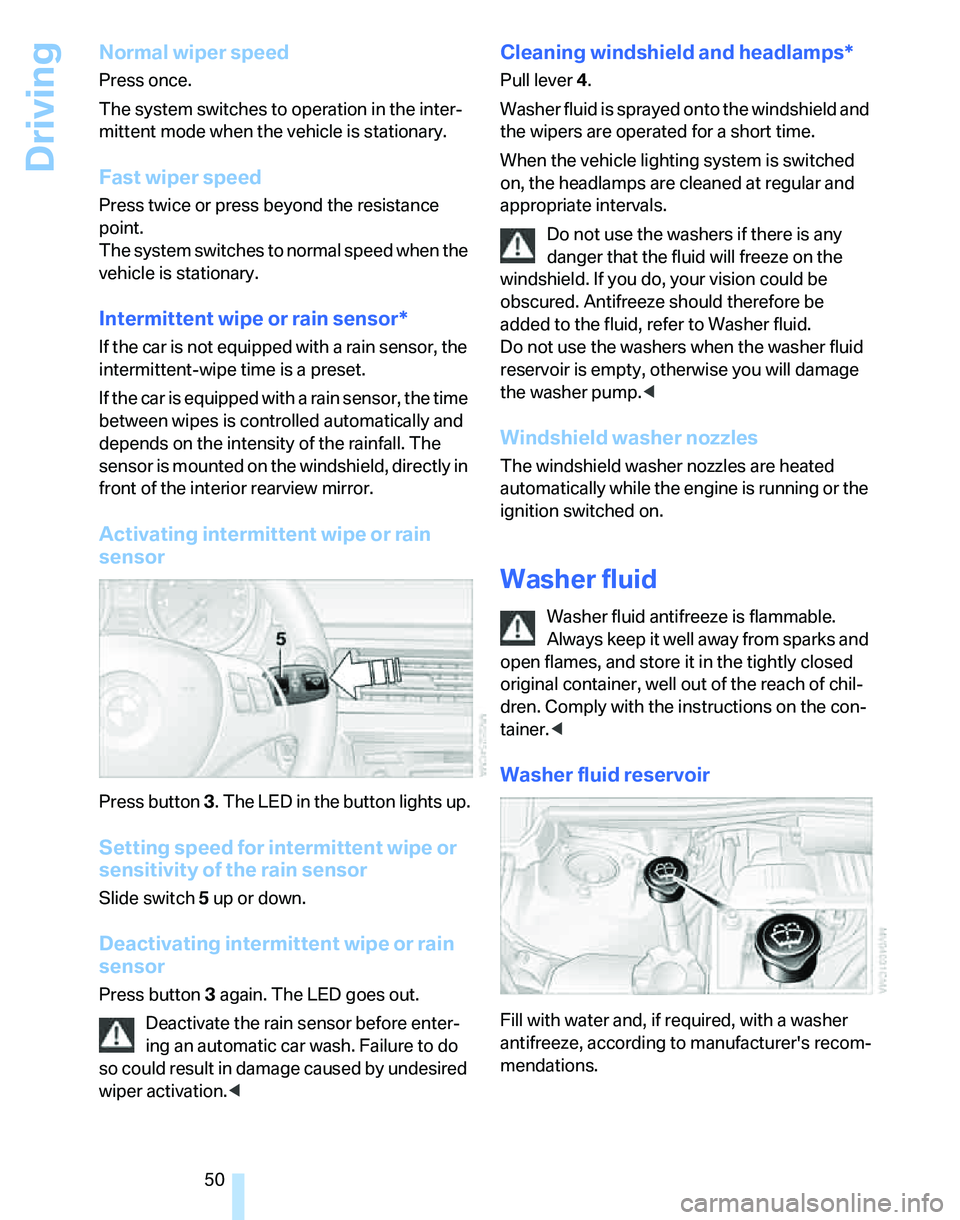
Press button 3. The LED in the button lights up.
Setting speed for intermittent wipe or
sensitivity of the rain sensor
Slide switch5 up or down.
Deactivating intermittent wipe or rain
sensor
Press button 3 again. The LED goes out.
Deactivate the rain sensor before enter-
ing an automatic car wash. Failure to do
so could result in damage caused by undesired
wiper activation.<
Cleaning windshield and headlamps*
Pull lever 4.
Washer fluid is sprayed onto the windshield and
the wipers are operated for a short time.
When the vehicle lighting system is switched
on, the headlamps are cleaned at regular and
appropriate intervals.
Do not use the washers if there is any
danger that the fluid will freeze on the
windshield. If you do, your vision could be
obscured. Antifreeze should therefore be
added to the fluid, refer to Washer fluid.
Do not use the washers when the washer fluid
reservoir is empty, otherwise you will damage
the washer pump.<
Windshield washer nozzles
The windshield washer nozzles are heated
automatically while the engine is running or the
ignition switched on.
Washer fluid
Washer fluid antifreeze is flammable.
Always keep it well away from sparks and
open flames, and store it in the tightly closed
original container, well out of the reach of chil-
dren. Comply with the instructions on the con-
tainer.<
Washer fluid reservoir
Fill with water and, if required, with a washer
antifreeze, according to manufacturer's recom-
mendations.
Page 76 of 166
Technology for driving comfort and safety
74
Airbags
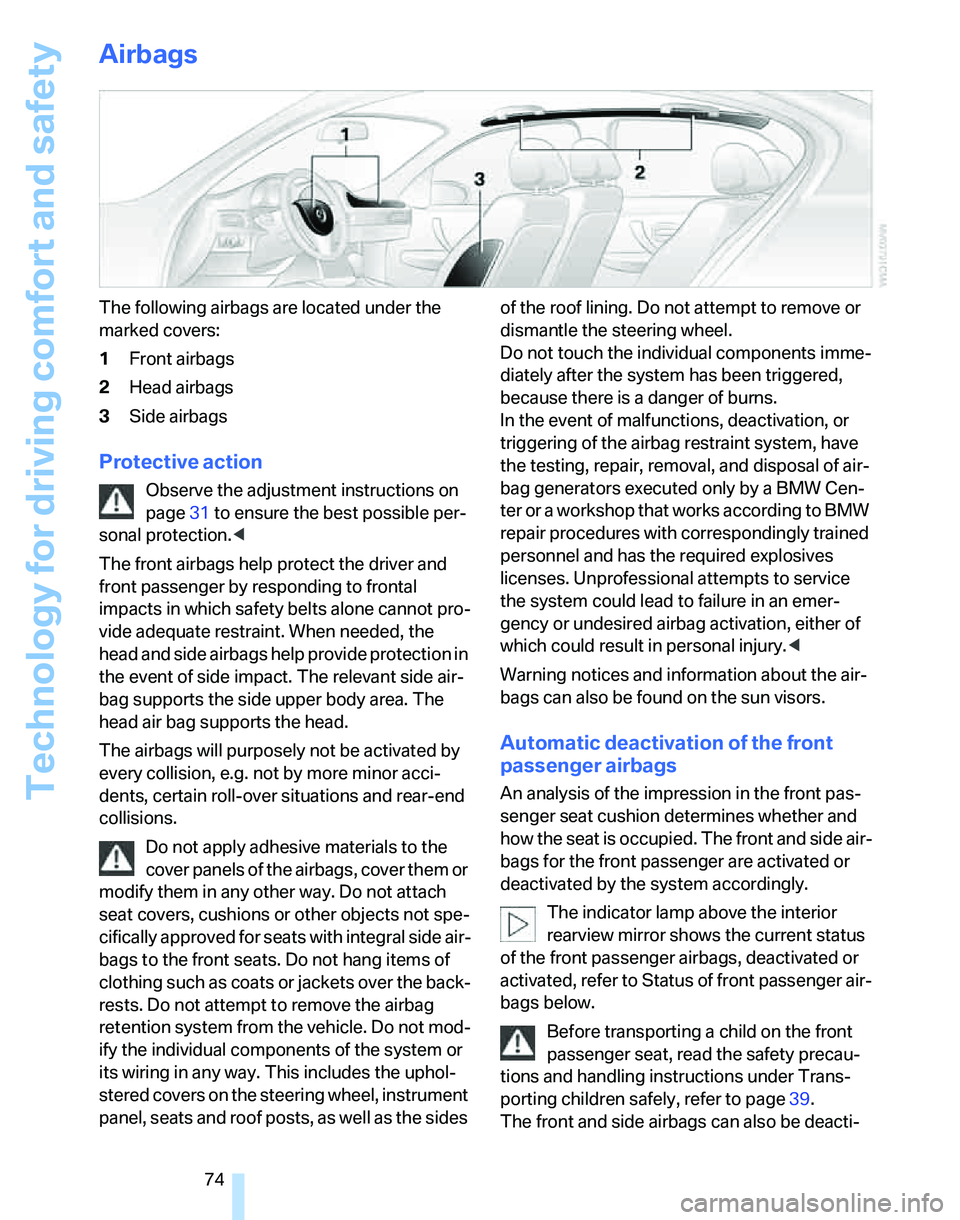
The following airbags are located under the
marked covers:
1Front airbags
2Head airbags
3Side airbags
Protective action
Observe the adjustment instructions on
page31 to ensure the best possible per-
sonal protection.<
The front airbags help protect the driver and
front passenger by responding to frontal
impacts in which safety belts alone cannot pro-
vide adequate restraint. When needed, the
head and side airbags help provide protection in
the event of side impact. The relevant side air-
bag supports the side upper body area. The
head air bag supports the head.
The airbags will purposely not be activated by
every collision, e.g. not by more minor acci-
dents, certain roll-over situations and rear-end
collisions.
Do not apply adhesive materials to the
cover panels of the airbags, cover them or
modify them in any other way. Do not attach
seat covers, cushions or other objects not spe-
cifically approved for seats with integral side air-
bags to the front seats. Do not hang items of
clothing such as coats or jackets over the back-
rests. Do not attempt to remove the airbag
retention system from the vehicle. Do not mod-
ify the individual components of the system or
its wiring in any way. This includes the uphol-
stered covers on the steering wheel, instrument
panel, seats and roof posts, as well as the sides of the roof lining. Do not attempt to remove or
dismantle the steering wheel.
Do not touch the individual components imme-
diately after the system has been triggered,
because there is a danger of burns.
In the event of malfunctions, deactivation, or
triggering of the airbag restraint system, have
the testing, repair, removal, and disposal of air-
bag generators executed only by a BMW Cen-
ter or a workshop that works according to BMW
repair procedures with correspondingly trained
personnel and has the required explosives
licenses. Unprofessional attempts to service
the system could lead to failure in an emer-
gency or undesired airbag activation, either of
which could result in personal injury.<
Warning notices and information about the air-
bags can also be found on the sun visors.
Automatic deactivation of the front
passenger airbags
An analysis of the impression in the front pas-
senger seat cushion determines whether and
how the seat is occupied. The front and side air-
bags for the front passenger are activated or
deactivated by the system accordingly.
The indicator lamp above the interior
rearview mirror shows the current status
of the front passenger airbags, deactivated or
activated, refer to Status of front passenger air-
bags below.
Before transporting a child on the front
passenger seat, read the safety precau-
tions and handling instructions under Trans-
porting children safely, refer to page39.
The front and side airbags can also be deacti-
Page 89 of 166
Reference
At a glance
Controls
Driving tips
Mobility
87
The corresponding memory button 1 is now
programmed with the signal of the original
hand-held transmitter.
You can operate the system when the engine is
running or when the ignition is switched on.
If the system fails to function even after
repeated programming, check whether
the original hand-held transmitter uses an alter-
nating-code system. To do so, either read the
instructions for the original hand-held transmit-
ter or hold down the programmed memory
button1 of the integrated universal remote
control. If the LED2 on the integrated universal
remote control flashes rapidly for a short while
and then remains lit for about two seconds, the
original hand-held transmitter uses an alternat-
ing-code system. If it uses an alternating-code
system, program the memory buttons1 as
described under Alternating-code hand-held
transmitters.<
Alternating-code hand-held
transmitters
To program the integrated universal remote
control, consult the operating instructions for
the device to be set. You will find information
there on the possibilities for synchronization.
When programming hand-held transmitters that employ an alternating code, please observe
the following supplementary instructions:
P r o g ra m m in g w i ll b e ea s i er w it h t h e a i d o f
a second person.<
1.Park your vehicle within the range of the
remote-controlled device.
2.Program the integrated universal remote
control as described above in the section
Fixed-code hand-held transmitters.
3.Locate the button on the receiver of the
device to be set, e.g. on the drive unit.
4.Press the button on the receiver of the
device to be set. After step 4, you have
approx. 30 seconds for step 5.
5.Press the programmed memory button1 of
the integrated universal remote control
three times.
The corresponding memory button 1 is now
programmed with the signal of the original
hand-held transmitter.
If you have any questions, please contact
your BMW Center.<
Deleting stored programs
Press both outer memory buttons1 for approx.
20 seconds until the LED2 flashes: all stored
programs are cleared.
It is not possible to clear individual programs.
Interior rearview mirror with digital compass*
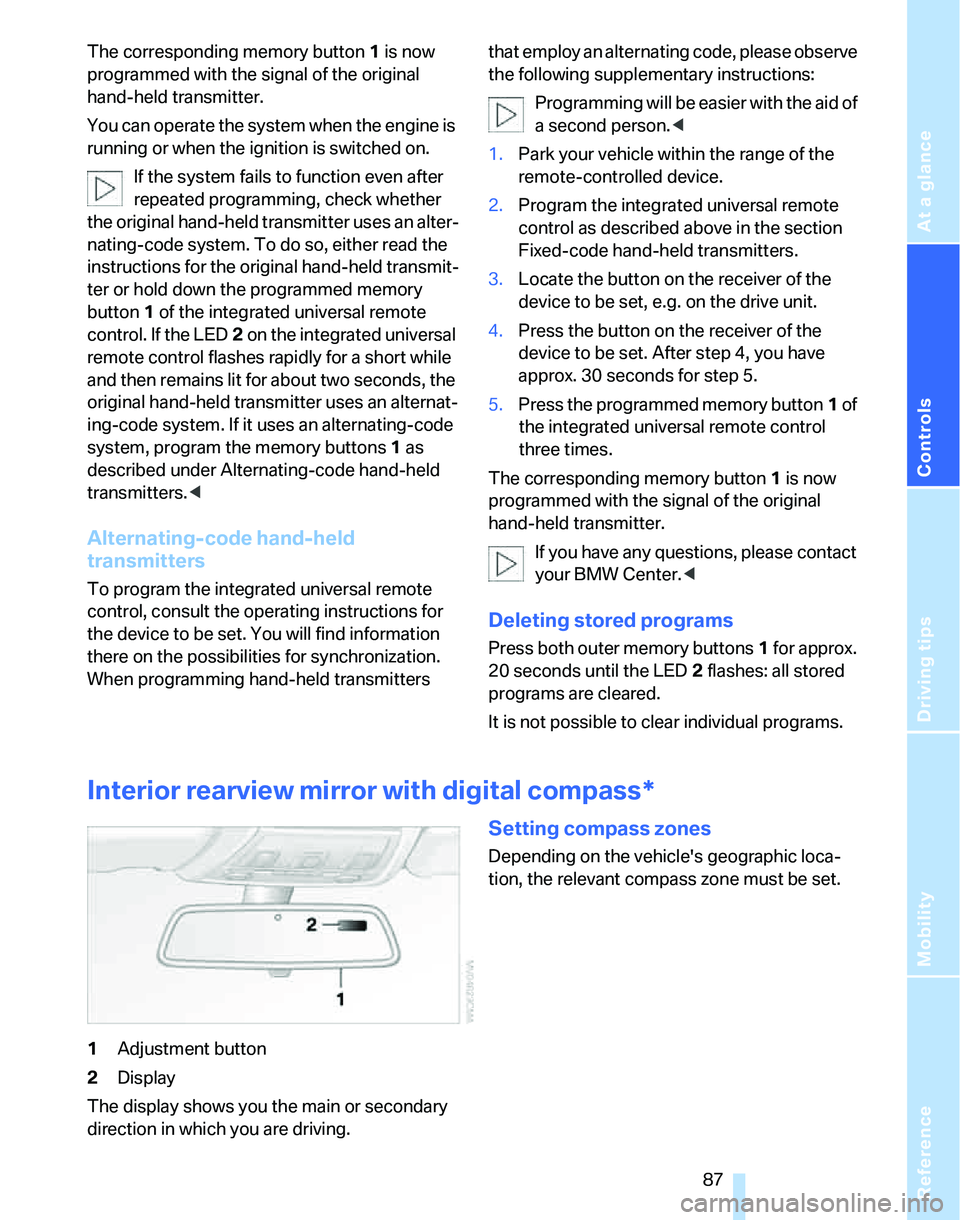
1Adjustment button
2Display
The display shows you the main or secondary
direction in which you are driving.
Setting compass zones
Depending on the vehicle's geographic loca-
tion, the relevant compass zone must be set.
Page 90 of 166
Practical interior accessories
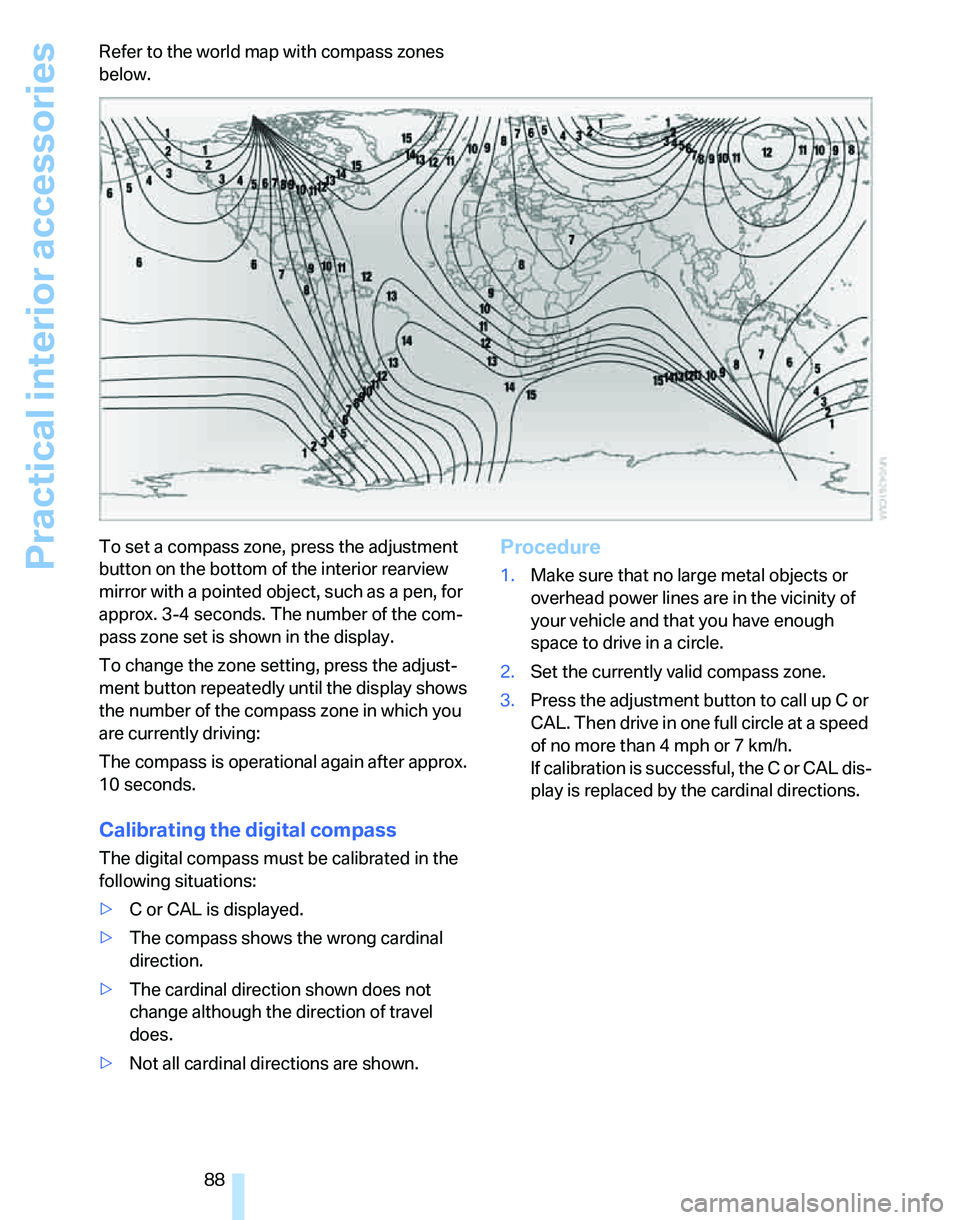
88 Refer to the world map with compass zones
below.
To set a compass zone, press the adjustment
button on the bottom of the interior rearview
mirror with a pointed object, such as a pen, for
approx. 3-4 seconds. The number of the com-
pass zone set is shown in the display.
To change the zone setting, press the adjust-
ment button repeatedly until the display shows
the number of the compass zone in which you
are currently driving:
The compass is operational again after approx.
10 seconds.
Calibrating the digital compass
The digital compass must be calibrated in the
following situations:
>C or CAL is displayed.
>The compass shows the wrong cardinal
direction.
>The cardinal direction shown does not
change although the direction of travel
does.
>Not all cardinal directions are shown.
Procedure
1.Make sure that no large metal objects or
overhead power lines are in the vicinity of
your vehicle and that you have enough
space to drive in a circle.
2.Set the currently valid compass zone.
3.Press the adjustment button to call up C or
CAL. Then drive in one full circle at a speed
of no more than 4 mph or 7 km/h.
If calibration is successful, the C or CAL dis-
play is replaced by the cardinal directions.
Page 101 of 166
Reference
At a glance
Controls
Driving tips
Mobility
99
nection to an outside antenna. Otherwise, the
vehicle electronics and mobile communication
device can influence one another. In addition,
there is no assurance that the radiation which
results from transmission will be dissipated
from the vehicle interior.<
Interior and exterior mirrors, automatic
dimming feature*
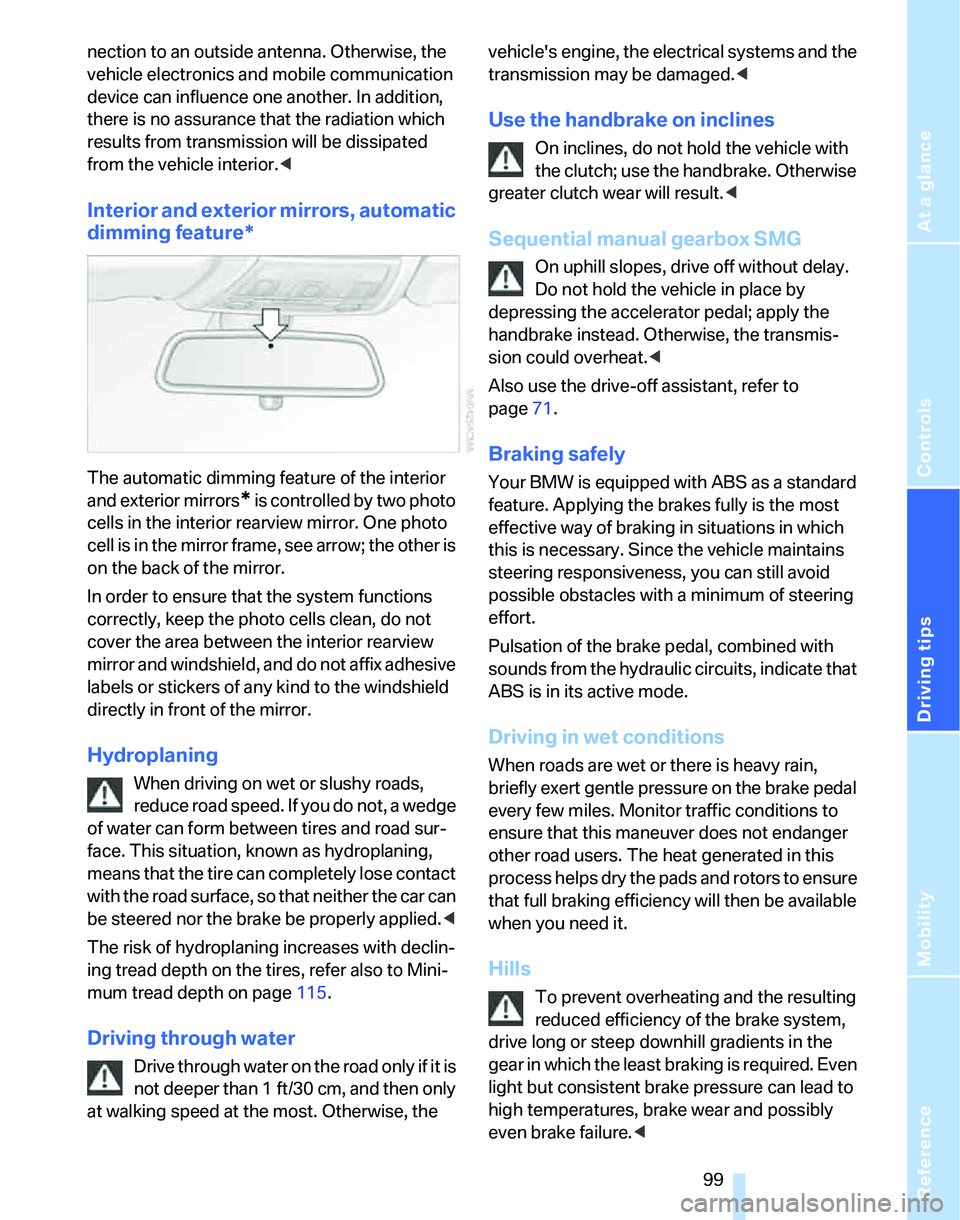
The automatic dimming feature of the interior
and exterior mirrors
* is controlled by two photo
cells in the interior rearview mirror. One photo
cell is in the mirror frame, see arrow; the other is
on the back of the mirror.
In order to ensure that the system functions
correctly, keep the photo cells clean, do not
cover the area between the interior rearview
mirror and windshield, and do not affix adhesive
labels or stickers of any kind to the windshield
directly in front of the mirror.
Hydroplaning
When driving on wet or slushy roads,
reduce road speed. If you do not, a wedge
of water can form between tires and road sur-
face. This situation, known as hydroplaning,
means that the tire can completely lose contact
with the road surface, so that neither the car can
be steered nor the brake be properly applied.<
The risk of hydroplaning increases with declin-
ing tread depth on the tires, refer also to Mini-
mum tread depth on page115.
Driving through water
Drive through water on the road only if it is
not deeper than 1 ft/30 cm, and then only
at walking speed at the most. Otherwise, the vehicle's engine, the electrical systems and the
transmission may be damaged.<
Use the handbrake on inclines
On inclines, do not hold the vehicle with
the clutch; use the handbrake. Otherwise
greater clutch wear will result.<
Sequential manual gearbox SMG
On uphill slopes, drive off without delay.
Do not hold the vehicle in place by
depressing the accelerator pedal; apply the
handbrake instead. Otherwise, the transmis-
sion could overheat.<
Also use the drive-off assistant, refer to
page71.
Braking safely
Your BMW is equipped with ABS as a standard
feature. Applying the brakes fully is the most
effective way of braking in situations in which
this is necessary. Since the vehicle maintains
steering responsiveness, you can still avoid
possible obstacles with a minimum of steering
effort.
Pulsation of the brake pedal, combined with
sounds from the hydraulic circuits, indicate that
ABS is in its active mode.
Driving in wet conditions
When roads are wet or there is heavy rain,
briefly exert gentle pressure on the brake pedal
every few miles. Monitor traffic conditions to
ensure that this maneuver does not endanger
other road users. The heat generated in this
process helps dry the pads and rotors to ensure
that full braking efficiency will then be available
when you need it.
Hills
To prevent overheating and the resulting
reduced efficiency of the brake system,
drive long or steep downhill gradients in the
gear in which the least braking is required. Even
light but consistent brake pressure can lead to
high temperatures, brake wear and possibly
even brake failure.<
Page 131 of 166
Reference
At a glance
Controls
Driving tips
Mobility
129
according to BMW repair procedures with cor-
respondingly trained personnel.
Changing wheels
Your BMW is equipped with Run-Flat Tires as
standard. This removes the need to change a
wheel immediately in the event of a puncture.
The symbol identifying Run-Flat Tires is a circle
with the letters RSC on the sidewall, refer to
Run-Flat Tires, page116.
When mounting new tires or changing over
from summer to winter tires and vice versa,
mount Run-Flat Tires for your own safety. In the
event of a flat, moreover, no spare wheel is
available. Your BMW Center will be glad to
advise you. Refer also to New wheels and tires,
page116.
The tools for changing wheels are avail-
able as optional accessories from your
BMW Center.<
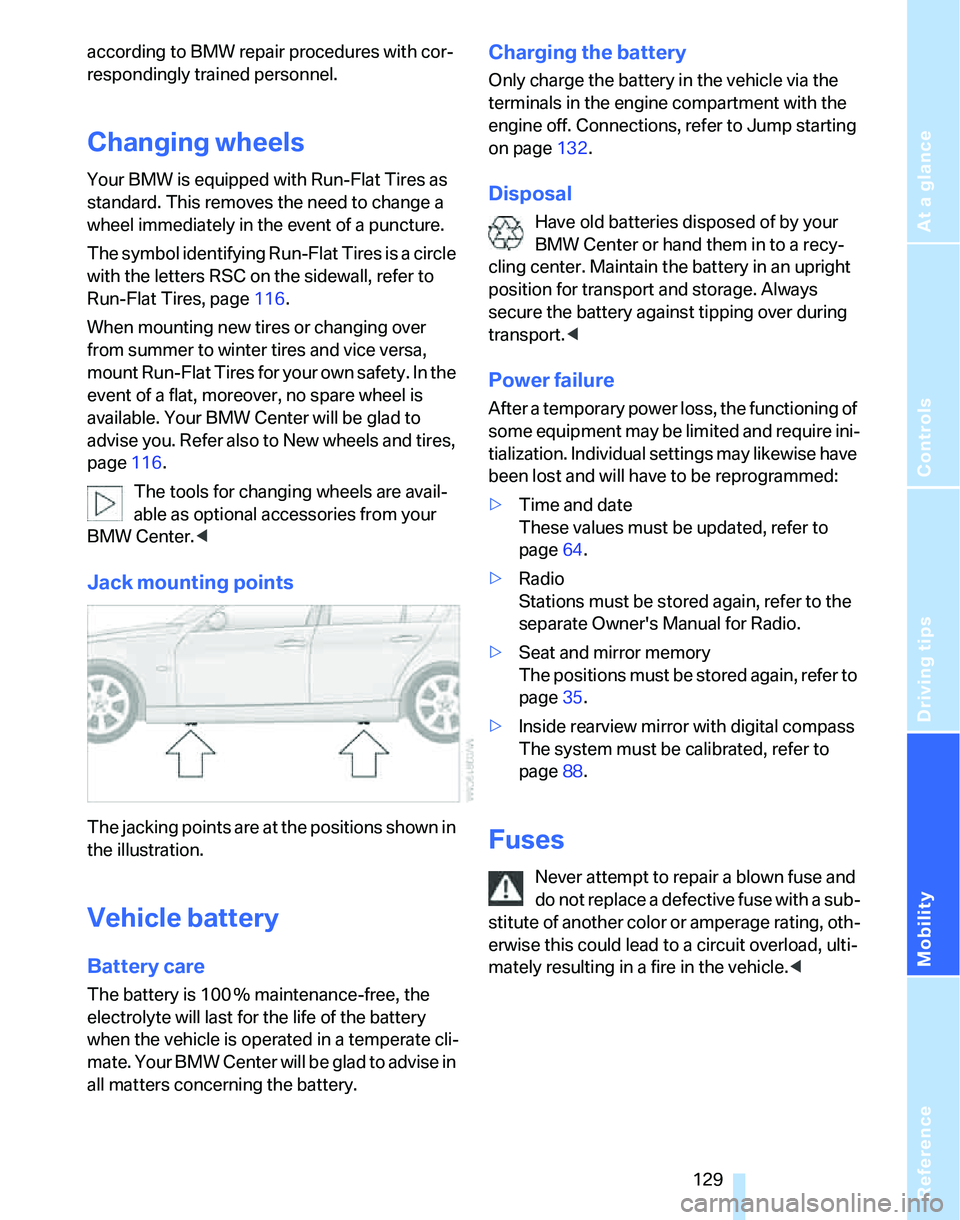
Jack mounting points
The jacking points are at the positions shown in
the illustration.
Vehicle battery
Battery care
The battery is 100 % maintenance-free, the
electrolyte will last for the life of the battery
when the vehicle is operated in a temperate cli-
mate. Your BMW Center will be glad to advise in
all matters concerning the battery.
Charging the battery
Only charge the battery in the vehicle via the
terminals in the engine compartment with the
engine off. Connections, refer to Jump starting
on page132.
Disposal
Have old batteries disposed of by your
BMW Center or hand them in to a recy-
cling center. Maintain the battery in an upright
position for transport and storage. Always
secure the battery against tipping over during
transport.<
Power failure
After a temporary power loss, the functioning of
some equipment may be limited and require ini-
tialization. Individual settings may likewise have
been lost and will have to be reprogrammed:
>Time and date
These values must be updated, refer to
page64.
>Radio
Stations must be stored again, refer to the
separate Owner's Manual for Radio.
>Seat and mirror memory
The positions must be stored again, refer to
page35.
>Inside rearview mirror with digital compass
The system must be calibrated, refer to
page88.
Fuses
Never attempt to repair a blown fuse and
do not replace a defective fuse with a sub-
stitute of another color or amperage rating, oth-
erwise this could lead to a circuit overload, ulti-
mately resulting in a fire in the vehicle.<
Page 159 of 166
Reference
At a glance
Controls
Driving tips
Mobility
157
Homepage4
Hood118
Horn10
Hot exhaust system98
Hydraulic brake assist, refer to
Dynamic Brake Control68
Hydroplaning99
I
Ice warning59
Ignition42
– switched off42
– switched on42
Ignition key, refer to
Integrated key/remote
control18
Ignition key position 1, refer to
Radio readiness42
Ignition key position 2, refer to
Ignition on42
Ignition lock42
Indicator and warning
lamps13,136
Individual air distribution81
Individual settings, refer to
Personal Profile19
Initializing
– compass, refer to
Calibrating88
– Flat Tire Monitor FTM72
– glass sunroof29
Instrument cluster12
Instrument lighting78
Instrument panel, refer to
Cockpit10
Integrated key18
Integrated universal remote
control86
Interior lamps79
– remote control20
Interior motion sensor25
Interior rearview mirror37
– automatic dimming
feature99
Interior rearview mirror with
digital compass87
Interlock47Intermittent mode of the
wipers50
J
Jacking points129
Jumpering, refer to Jump
starting132
Jump starting132
K
Key, refer to Integrated key/
remote control18
Keyless Go, refer to
Convenient access25
Keyless opening and closing,
refer to Convenient
access25
Key Memory, refer to Personal
Profile19
Kick-down48
– automatic transmission with
Steptronic48
– sequential manual gearbox
SMG46
Knock control106
L
Lamps, refer to Parking lamps/
low beams76
Lamps and bulbs, replacing
bulbs125
Lap-and-shoulder safety
belt36
Lashing eyes, refer to
Securing cargo101
LATCH child-restraint fixing
system40
LEDs light-emitting
diodes125
Length, refer to
Dimensions149
License plate lamp, replacing
bulbs128
Light-emitting diodes
LEDs125
Lighter91Lighting
– instruments78
– lamps and bulbs125
– of the vehicle, refer to
Lamps76
Light switch76
Limit145
Loading
– securing cargo101
Load securing equipment,
refer to Securing cargo101
Lock buttons in the doors,
refer to Locking23
Locking
– adjusting confirmation
signal21
– from inside23
– from outside20
– without remote control, refer
to Convenient access25
Locking and unlocking doors
– from inside22
– from outside20
Low beams76
– automatic76
– replacing bulbs126
Lower back support, refer to
Lumbar support32
Luggage compartment
– capacity150
– convenient access26
– folding up the floor panel93
– lamp79
– opening from inside23
– opening from outside23
Luggage compartment lid23
– convenient access26
– unlocking with remote
control21
Luggage compartment lid,
refer to Tailgate23
Luggage compartment net,
refer to Securing cargo101
Luggage rack, refer to Roof-
mounted luggage rack101
Lumbar support32
Page 160 of 166
Everything from A to Z
158
M
M+S tires, refer to Winter
tires117
Maintenance, refer to Service
Booklet
Maintenance system123
Malfunction warnings, refer to
Check Control65
Manual air distribution81
Manual mode
– automatic transmission with
Steptronic48
– sequential manual gearbox
SMG45
Manual operation
– door lock22
– glass sunroof29
– panorama glass roof29
– transmission lock, automatic
transmission48
Manual release
– fuel filler door106
Manual transmission44
Master key, refer to Integrated
key/remote control18
Maximum cooling83
Maximum speed
– with winter tires117
Memory, refer to Seat and
mirror memory35
Microfilter
– BMW Maintenance
System123
– for air conditioner82
– for automatic climate
control85
Microfilter/activated-charcoal
filter
– BMW Maintenance
System123
Microphone for telephone14
Mirror dimming feature99
Mirrors37
– automatic curb monitor37
– exterior mirrors37
– heating37
– interior rearview mirror37Mobile phone
– installation location, refer to
Center armrest89
– refer to separate Owner's
Manual
Mobile phone, installation
location, refer to Center
armrest89
Mobile phone, refer to the
separate Owner's Manual
Mobile phone in the vehicle98
Mobile phones, use inside the
car, refer to Mobile phone in
the vehicle98
Modifications, technical, refer
to For your own safety5
Monitoring system for tire
pressures, refer to Flat Tire
Monitor71
Multifunctional steering
wheel, refer to Buttons on
the steering wheel11
Multifunction switch
– refer to Turn signals/
headlamp flasher48
– refer to Wiper system49
N
Neck support, refer to Head
restraints33
Nets, refer to Storage
compartments90
New tires116
Nose weight150
Nozzles, refer to Windshield
washer nozzles50
Number of cylinders, refer to
Engine data148
O
OBD socket124
OBD socket, refer to Socket
for On-Board Diagnosis124
Octane ratings, refer to Fuel
specifications106
Odometer59Oil
– capacity151
Oil, refer to Engine oil119
Oil consumption119
Oil level119
Old batteries, refer to
Disposal129
Onboard tool kit125
Opening and closing
– convenient access25
– from inside22
– from outside20
– using the door lock22
– via the remote control20
Opening and unlocking
– from the inside23
Outlets
– refer to Ventilation82,85
Outlets, refer to Air vents80
Output, refer to Engine
data148
Outside-air mode
– automatic climate control84
Outside-temperature
display59
– changing units of
measure62
– in computer62
Overheated engine, refer to
Coolant temperature59
Overriding selector lever
lock48
P
Panorama glass roof
– closing after electrical
malfunction29
– convenient operation20
– remote control20
Parking
– vehicle43
Parking aid, refer to PDC Park
Distance Control67
Parking brake, refer to
Handbrake44
Parking lamps/low beams76
– replacing bulbs127