start BMW 325XI SEDAN 2005 User Guide
[x] Cancel search | Manufacturer: BMW, Model Year: 2005, Model line: 325XI SEDAN, Model: BMW 325XI SEDAN 2005Pages: 178, PDF Size: 2.69 MB
Page 64 of 178
64
If the engine does not start on the first
attempt – if it is very hot or cold, for
instance:
>Press the accelerator pedal halfway
down while engaging the starter.
Cold start at very low temperatures of
under approx. +57/–156 at high alti-
tudes of over 3,300 ft/1,000 m:
>On the first start attempt, it may be
necessary to engage the starter for a
longer period, but no longer than
20 seconds
>Press the accelerator pedal halfway
down while engaging the starter.
Extended starting attempts, char-
acterized by excessively frequent
or long periods with the starter
engaged, can damage the catalytic
converter.<
Engine idle speed is controlled by the
engine computer system. Increased
speeds at start-up are normal and
should decrease as the engine warms
up. If engine speed does not decrease,
service is required.
To prevent the battery from discharg-
ing, always deactivate electrical
devices that are not in use. Switch the
ignition off when the vehicle is not
being driven.Manual transmission1. Engage the parking brake
2. Gearshift lever in idling position
3. Start the engine.Automatic transmission1. Depress footbrake
2. Place the selector lever in position P
or N
3. Start the engine.
To prevent the vehicle from start-
ing off on its own, always move
the selector lever to position P and
engage the parking brake before leav-
ing your vehicle with the engine run-
ning.
Do not leave the vehicle unattended
with the engine running. An unattended
vehicle with a running engine repre-
sents a safety hazard.
position N
3. Start the engine.
If the engine does not start, reen-
gage the gear last selected, refer
to the gear indicator in the display, and
move the selector lever into neutral
position N again.
The gearbox is automatically taken out
of gear if the driver's door is opened
while the engine is running and the
driver does not actuate the pedals, the
shift paddles or the selector lever. This
is accompanied by a warning tone and
the flashing gear indicator. The gear
display N appears in the instrument
cluster.<
Before exiting the vehicle with the
engine running, move the selector
lever into position N and apply the park-
ing brake.
Do not leave the vehicle unattended
with the engine running. An unattended
vehicle with a running engine repre-
sents a safety hazard.<
Starting the engine
Page 68 of 178
68
RReverseSelect only when the vehicle is station-
ary.NNeutralAlways engage before starting the
engine, refer to Starting the engine on
page 64.Sequential modeEach time the engine is started, the
sequential mode is activated as soon as
you move the selector lever into the for-
ward driving position while the brake is
depressed.
The gears are shifted via the shift pad-
dles or the selector lever.
It is also possible to drive off in second
gear, e.g. on snow-covered roads.DDrive modeIn the drive mode all forward gears are
shifted automatically.
To switch from sequential to drive
mode: tap the selector lever to the right
toward D.
For rapid acceleration, e.g. during
passing, depress the accelerator pedal
completely: kickdown.To switch back to sequential mode: tap
the selector lever again to the right
toward D or change the current gear via
the shift paddles or the selector lever.
KickdownYou can achieve maximum acceleration
using kickdown.
Depress the accelerator pedal past the
increased resistance point at the full-
throttle position.
Shifting gearsWith selector lever:
>To upshift, tap the selector lever
toward +
>To downshift, tap the lever toward —.
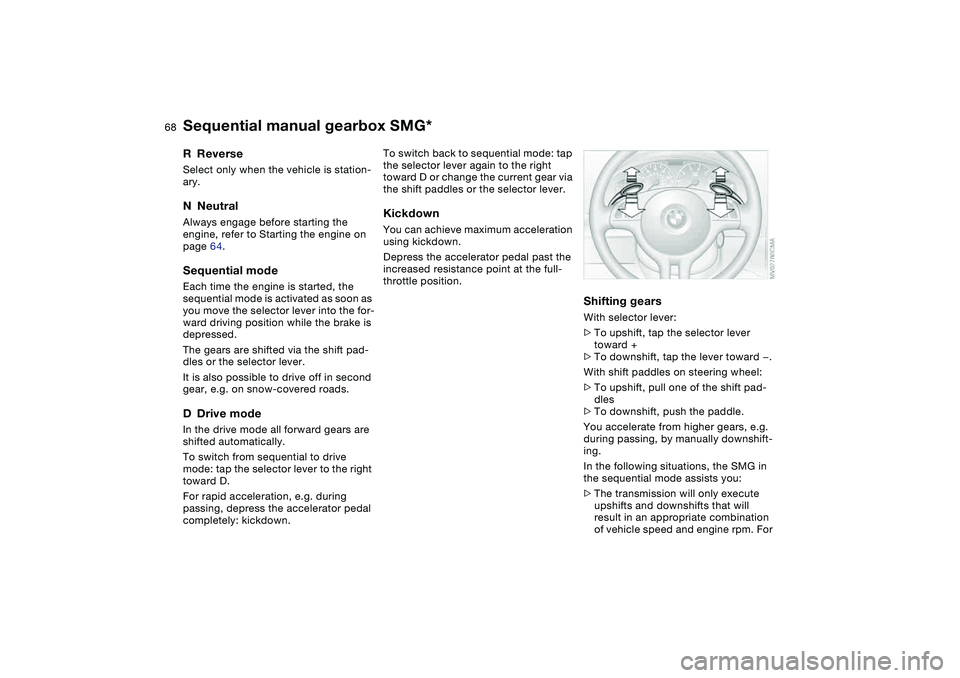
With shift paddles on steering wheel:
>To upshift, pull one of the shift pad-
dles
>To downshift, push the paddle.
You accelerate from higher gears, e.g.
during passing, by manually downshift-
ing.
In the following situations, the SMG in
the sequential mode assists you:
>The transmission will only execute
upshifts and downshifts that will
result in an appropriate combination
of vehicle speed and engine rpm. For
Sequential manual gearbox SMG*
Page 69 of 178
69
instance, downshifts that would
result in excessive engine speed can-
not be executed
>When you brake the car to a stop, the
transmission automatically shifts
down to first gear
>As speed diminishes, the transmis-
sion will shift down automatically,
without any action on your part, just
before the vehicle slows to below
each gear's minimum speed.
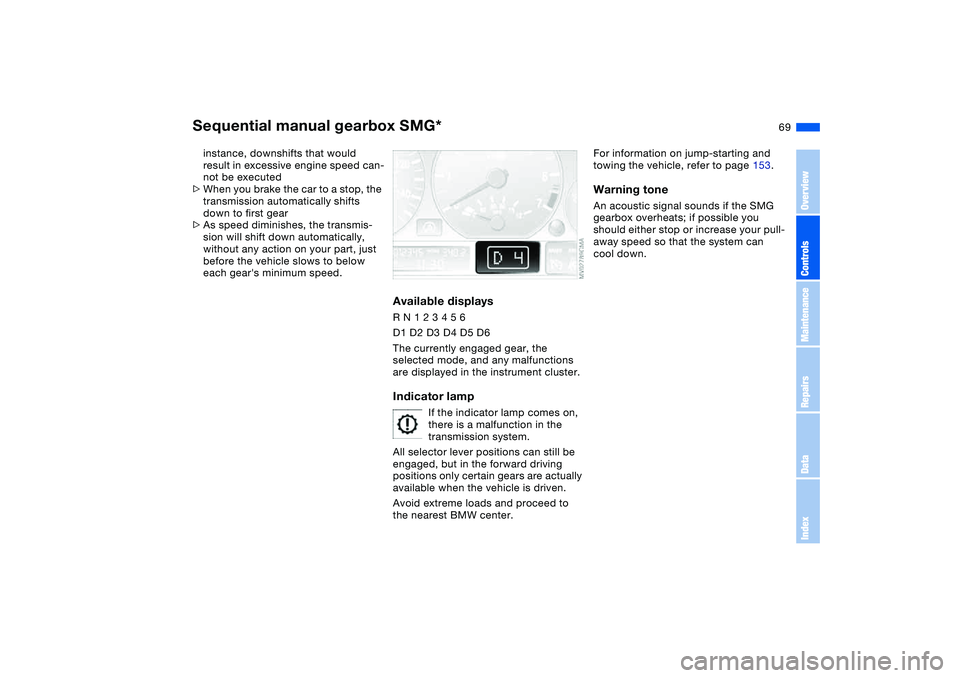
Available displaysR N 1 2 3 4 5 6
D1 D2 D3 D4 D5 D6
The currently engaged gear, the
selected mode, and any malfunctions
are displayed in the instrument cluster.Indicator lamp
If the indicator lamp comes on,
there is a malfunction in the
transmission system.
All selector lever positions can still be
engaged, but in the forward driving
positions only certain gears are actually
available when the vehicle is driven.
Avoid extreme loads and proceed to
the nearest BMW center.
For information on jump-starting and
towing the vehicle, refer to page 153.Warning toneAn acoustic signal sounds if the SMG
gearbox overheats; if possible you
should either stop or increase your pull-
away speed so that the system can
cool down.
Sequential manual gearbox SMG*
OverviewControlsMaintenanceRepairsDataIndex
Page 71 of 178
71
Automatic transmission with Steptronic*You can drive as with a normal auto-
matic transmission. In addition, you can
also shift manually.
When you move the selector lever from
the D position to the left into the M/S
range, the performance-oriented shift
programs of the automatic transmission
are engaged. Steptronic enters the
manual selection mode and executes
the desired shift whenever you tap the
selector lever in the direction indicated
by + or –. Whenever you want to use
automatic again, just move the selector
lever toward the right to position D.
Under normal operating conditions, fuel
consumption is lowest when driving in
position D.
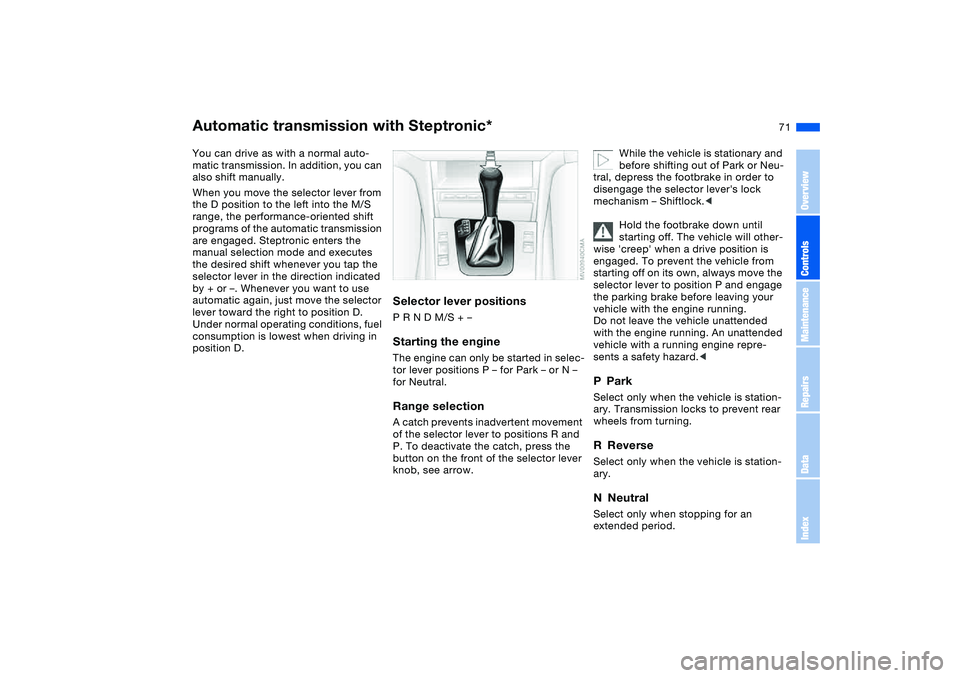
Selector lever positionsP R N D M/S + –Starting the engineThe engine can only be started in selec-
tor lever positions P – for Park – or N –
for Neutral.Range selectionA catch prevents inadvertent movement
of the selector lever to positions R and
P. To deactivate the catch, press the
button on the front of the selector lever
knob, see arrow.
While the vehicle is stationary and
before shifting out of Park or Neu-
tral, depress the footbrake in order to
disengage the selector lever's lock
mechanism – Shiftlock.<
Hold the footbrake down until
starting off. The vehicle will other-
wise 'creep' when a drive position is
engaged. To prevent the vehicle from
starting off on its own, always move the
selector lever to position P and engage
the parking brake before leaving your
vehicle with the engine running.
Do not leave the vehicle unattended
with the engine running. An unattended
vehicle with a running engine repre-
sents a safety hazard.<
PParkSelect only when the vehicle is station-
ary. Transmission locks to prevent rear
wheels from turning.RReverseSelect only when the vehicle is station-
ary.NNeutralSelect only when stopping for an
extended period.
OverviewControlsMaintenanceRepairsDataIndex
Page 73 of 178
73
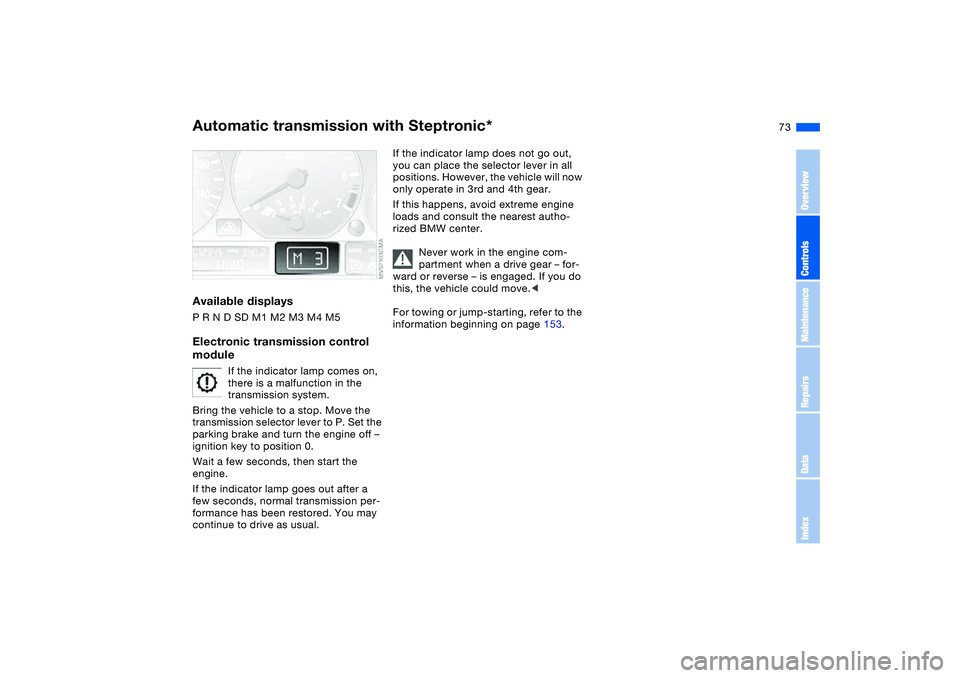
Available displaysP R N D SD M1 M2 M3 M4 M5Electronic transmission control
module
If the indicator lamp comes on,
there is a malfunction in the
transmission system.
Bring the vehicle to a stop. Move the
transmission selector lever to P. Set the
parking brake and turn the engine off –
ignition key to position 0.
Wait a few seconds, then start the
engine.
If the indicator lamp goes out after a
few seconds, normal transmission per-
formance has been restored. You may
continue to drive as usual.
If the indicator lamp does not go out,
you can place the selector lever in all
positions. However, the vehicle will now
only operate in 3rd and 4th gear.
If this happens, avoid extreme engine
loads and consult the nearest autho-
rized BMW center.
Never work in the engine com-
partment when a drive gear – for-
ward or reverse – is engaged. If you do
this, the vehicle could move.<
For towing or jump-starting, refer to the
information beginning on page 153.
Automatic transmission with Steptronic*
OverviewControlsMaintenanceRepairsDataIndex
Page 76 of 178
76
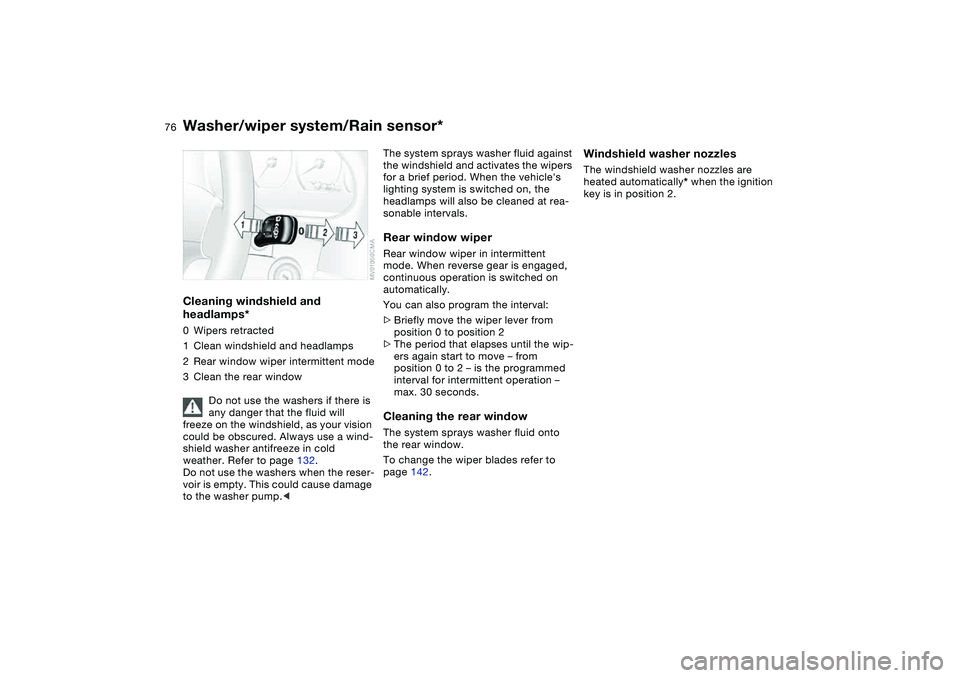
Cleaning windshield and
headlamps*0Wipers retracted
1Clean windshield and headlamps
2Rear window wiper intermittent mode
3Clean the rear window
Do not use the washers if there is
any danger that the fluid will
freeze on the windshield, as your vision
could be obscured. Always use a wind-
shield washer antifreeze in cold
weather. Refer to page 132.
Do not use the washers when the reser-
voir is empty. This could cause damage
to the washer pump.<
The system sprays washer fluid against
the windshield and activates the wipers
for a brief period. When the vehicle's
lighting system is switched on, the
headlamps will also be cleaned at rea-
sonable intervals.Rear window wiperRear window wiper in intermittent
mode. When reverse gear is engaged,
continuous operation is switched on
automatically.
You can also program the interval:
>Briefly move the wiper lever from
position 0 to position 2
>The period that elapses until the wip-
ers again start to move – from
position 0 to 2 – is the programmed
interval for intermittent operation –
max. 30 seconds.Cleaning the rear windowThe system sprays washer fluid onto
the rear window.
To change the wiper blades refer to
page 142.
Windshield washer nozzlesThe windshield washer nozzles are
heated automatically* when the ignition
key is in position 2.
Washer/wiper system/Rain sensor*
Page 77 of 178
77
Cruise control*Starting at about 20 mph / 30 km/h, you
can maintain and store any vehicle
speed that you specify.
The cruise control is operational when-
ever the engine is running and the sys-
tem has been activated.To activate the systemIn ignition key position 2: press the but-
ton in the steering wheel. The indicator
lamp in the instrument cluster comes
on, refer to page 20. You can now use
the cruise control.
Do not use cruise control on twist-
ing roads, when high traffic den-
sity prevents driving at a constant
speed, or when the road surface is slick
– snow, rain, ice – or loose – rocks or
gravel, sand.
ment cluster goes out.
Cruise control is also deactivated when
the ignition key is in position 0.
The speed stored in memory is deleted.To store and maintain speed or to
acceleratePress button + briefly:
The system stores and maintains the
current vehicle speed. Every time you
tap the button, the speed increases by
approx. 0.6 mph / 1 km/h.
Press and hold button +:
The vehicle accelerates without pres-
sure on the accelerator pedal. When
you release the button, the system
stores and maintains the current speed.
If on a downhill gradient the
engine braking effect is not suffi-
cient, the controlled speed can be
exceeded. Speed can drop on uphill
grades if the engine output is insuffi-
cient.
of the button reduces the speed by
approx. 0.6 mph / 1 km/h.
Press and hold button –:
With the cruise control active, the sys-
tem automatically reduces the throttle
opening to slow the vehicle. When you
release the button, the system stores
and maintains the current speed.To interrupt the cruise controlWhen the system is activated, press the
button. The indicator lamp stays on.
You can use the cruise control again
whenever you want by calling up the
speed that was stored last.
In addition, cruise control is interrupted
automatically:
>When the brakes are applied
>When you apply pressure to the
clutch pedal, or when you move the
automatic transmission selector lever
from D to N
>If you exceed or fall below the preset
speed for an extended period – by
depressing the accelerator, for exam-
ple.
OverviewControlsMaintenanceRepairsDataIndex
Page 81 of 178
81
Service interval displayRemaining distance to serviceThe displays shown in the illustration
appear for a few seconds when the
ignition key is in position 1 or higher or
after the engine is started.
The next service due appears with the
message OIL SERVICE or
INSPECTION, together with the dis-
tance remaining in miles – in kilometers
in Canada – before the next scheduled
service.
The computer bases its calculations of
the remaining distance on the preced-
ing driving style.
A flashing message and a "–" in front of
the number mean that the service inter-
val has already been exceeded by the
distance shown on the display. Please
contact your BMW center for an
appointment.
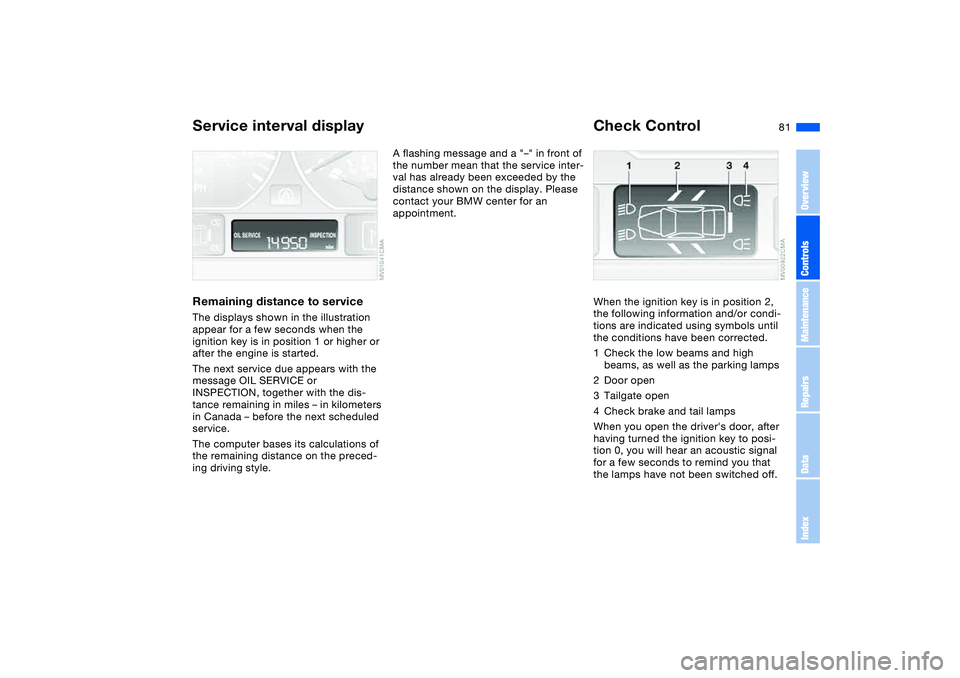
Check ControlWhen the ignition key is in position 2,
the following information and/or condi-
tions are indicated using symbols until
the conditions have been corrected.
1Check the low beams and high
beams, as well as the parking lamps
2Door open
3Tailgate open
4Check brake and tail lamps
When you open the driver's door, after
having turned the ignition key to posi-
tion 0, you will hear an acoustic signal
for a few seconds to remind you that
the lamps have not been switched off.
OverviewControlsMaintenanceRepairsDataIndex
Page 85 of 178
85 Technology for safety and driving convenience
Park Distance Control (PDC)*The conceptPDC assists you when you back into a
parking space. Acoustic signals alert
you to the momentary distance to an
object behind your vehicle. The system
features four ultrasonic sensors
mounted in your rear bumper. The mon-
itoring range for the two corner sensors
extends outward roughly 2 ft/60 cm,
while two centrally located sensors
detect objects at distances of up to
approx. 5 ft/1.50 m.
PDC is a parking aid that can
identify objects if they are
approached slowly, as is generally the
case when parking. Avoid driving
towards objects rapidly; due to underly-
ing physical principles, the system may
otherwise alert you too late for you to
take evasive steps.<
The system starts to operate automati-
cally approx. one second after you shift
into Reverse or move the selector lever
into the R position with the ignition key
in position 2.
Let this short period elapse before
driving backwards.<
PDC is deactivated when you shift back
out of reverse.
You can have a signal set to con-
firm that the PDC has been acti-
vated. The signal then sounds when
you shift into Reverse or move the
selector lever into the R position.
intervals. As the distance between vehi-
cle and object decreases, the intervals
between the tones become shorter. A
continuous tone indicates the pres-
ence of an object less than 1 ft/30 cm
away.
The warning signal is canceled after
approx. three seconds if the distance to
the object remains constant during this
time – if you are moving parallel to
a wall, for instance.
System malfunctions will be indicated
by a continuous high-pitched tone
when the system is activated the first
time. Please refer the problem to your
BMW center.
PDC does not remove the driver's
personal responsibility for evaluat-
ing the distance between the vehicle
and any objects. Even when sensors
are involved, there is a blind spot in
which objects cannot be detected. This
applies especially in those cases where
the system approaches the physical
limits of ultrasonic measurement, as
occurs with tow bars and trailer cou-
plings, and in the vicinity of thin or
wedge-shaped objects. Moreover, low
objects that have already been
detected – such as a curb edge – can
disappear out of the detection range of
the sensors before a continuous tone
sounds.
Loud sources of sound from outside or
inside the vehicle could drown out the
PDC signal tone.<
Keep the sensors clean and free
of ice or snow in order to ensure
that they will continue to operate effec-
tively.
Do not apply high pressure spray to the
sensors for a prolonged period of time.
Always maintain a distance of more
than 4 in/10 cm.<
OverviewControlsMaintenanceRepairsDataIndex
Page 86 of 178
86
Dynamic Stability Control (DSC)The conceptDSC maintains vehicle stability, even in
critical driving situations.
DSC is operational every time you start
the engine.
DSC incorporates the Dynamic Traction
Control (DTC) and Cornering Brake
Control (CBC) functions.
For information on vehicles with all-
wheel drive, refer to page 88 ff.Indicator lamps
The indicator lamp in the instru-
ment cluster goes out shortly
after you switch on the ignition,
refer to page 19.
>The indicator lamp flashes: DSC con-
trols the drive and braking forces
>The indicator lamp stays lit: DSC has
been switched off with the button;
DTC and DBC are operational. DTC
control intervention is not indicated.
The indicator lamp and the
brake warning lamp continu-
ously light up in yellow:
The DSC, DTC and DBC have
been switched off manually or
there is a system malfunction.
The vehicle will remain completely
operational, however, without DSC. In
the event of a fault, please consult your
BMW center.
Indicator and warning lamp for
Canadian models.
Deactivating the DSC/activating
the DTCPress the DSC button briefly, the indi-
cator lamp comes on and remains lit.
DSC is deactivated; DTC is operational.
In the following rare situations, it may
prove useful to activate the DTC for a
brief period:
>When rocking the vehicle or starting
off in deep snow or on loose surfaces
>When driving on snow-covered
grades, in deep snow, or on a snow-
covered surface that has been
packed down from being driven on
>When driving with snow chains.
Traction is increased by deactivating
the control systems that enhance trac-
tion under normal conditions.