ignition BMW 325XI TOURING 2005 E46 Owner's Guide
[x] Cancel search | Manufacturer: BMW, Model Year: 2005, Model line: 325XI TOURING, Model: BMW 325XI TOURING 2005 E46Pages: 178, PDF Size: 2.69 MB
Page 79 of 178
79 Everything under control
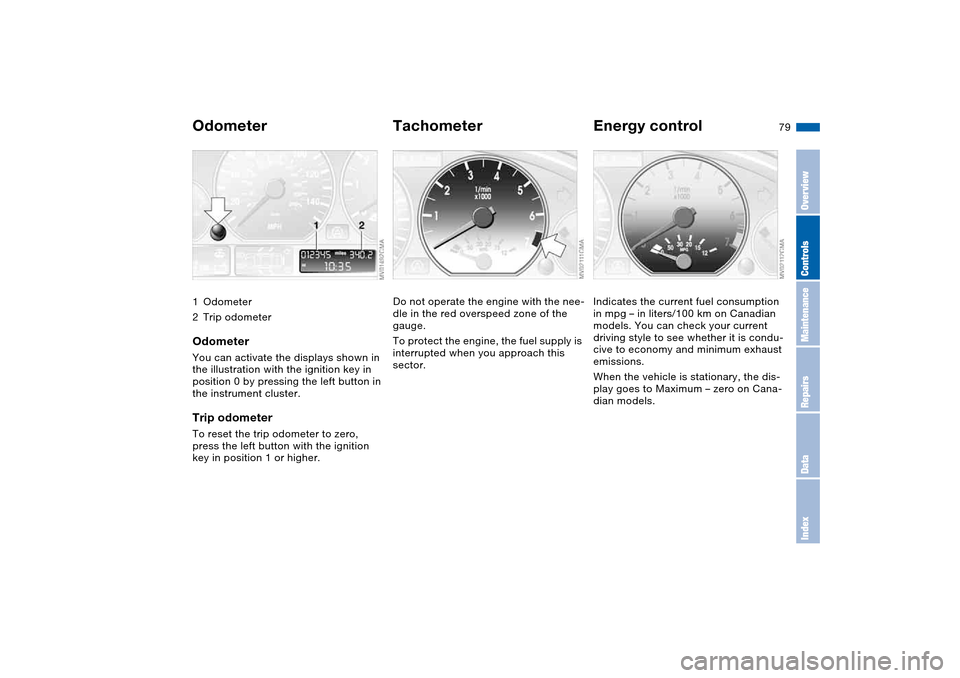
Odometer1Odometer
2Trip odometerOdometerYou can activate the displays shown in
the illustration with the ignition key in
position 0 by pressing the left button in
the instrument cluster.Trip odometerTo reset the trip odometer to zero,
press the left button with the ignition
key in position 1 or higher.
TachometerDo not operate the engine with the nee-
dle in the red overspeed zone of the
gauge.
To protect the engine, the fuel supply is
interrupted when you approach this
sector.
Energy controlIndicates the current fuel consumption
in mpg – in liters/100 km on Canadian
models. You can check your current
driving style to see whether it is condu-
cive to economy and minimum exhaust
emissions.
When the vehicle is stationary, the dis-
play goes to Maximum – zero on Cana-
dian models.
OverviewControlsMaintenanceRepairsDataIndex
Page 80 of 178
80
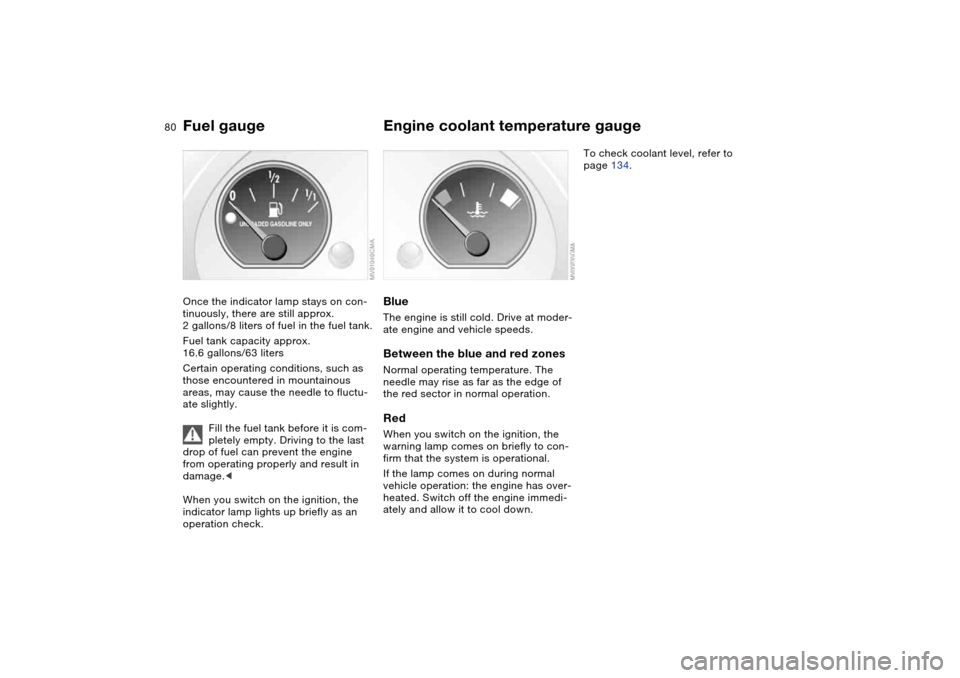
Fuel gaugeOnce the indicator lamp stays on con-
tinuously, there are still approx.
2 gallons/8 liters of fuel in the fuel tank.
Fuel tank capacity approx.
16.6 gallons/63 liters
Certain operating conditions, such as
those encountered in mountainous
areas, may cause the needle to fluctu-
ate slightly.
Fill the fuel tank before it is com-
pletely empty. Driving to the last
drop of fuel can prevent the engine
from operating properly and result in
damage.<
When you switch on the ignition, the
indicator lamp lights up briefly as an
operation check.
Engine coolant temperature gaugeBlueThe engine is still cold. Drive at moder-
ate engine and vehicle speeds.Between the blue and red zonesNormal operating temperature. The
needle may rise as far as the edge of
the red sector in normal operation.RedWhen you switch on the ignition, the
warning lamp comes on briefly to con-
firm that the system is operational.
If the lamp comes on during normal
vehicle operation: the engine has over-
heated. Switch off the engine immedi-
ately and allow it to cool down.
To check coolant level, refer to
page 134.
Page 81 of 178
81
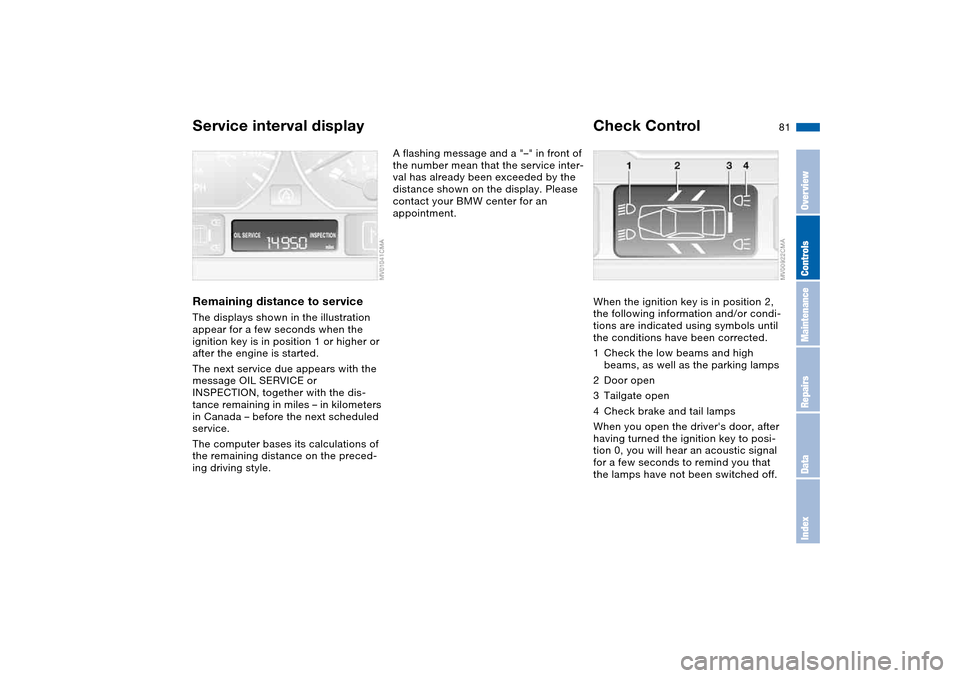
Service interval displayRemaining distance to serviceThe displays shown in the illustration
appear for a few seconds when the
ignition key is in position 1 or higher or
after the engine is started.
The next service due appears with the
message OIL SERVICE or
INSPECTION, together with the dis-
tance remaining in miles – in kilometers
in Canada – before the next scheduled
service.
The computer bases its calculations of
the remaining distance on the preced-
ing driving style.
A flashing message and a "–" in front of
the number mean that the service inter-
val has already been exceeded by the
distance shown on the display. Please
contact your BMW center for an
appointment.
Check ControlWhen the ignition key is in position 2,
the following information and/or condi-
tions are indicated using symbols until
the conditions have been corrected.
1Check the low beams and high
beams, as well as the parking lamps
2Door open
3Tailgate open
4Check brake and tail lamps
When you open the driver's door, after
having turned the ignition key to posi-
tion 0, you will hear an acoustic signal
for a few seconds to remind you that
the lamps have not been switched off.
OverviewControlsMaintenanceRepairsDataIndex
Page 82 of 178
82
ClockIf you wish to have a permanent time
display, you can make this setting in the
radio display, refer to the Owner's Man-
ual for Radio.
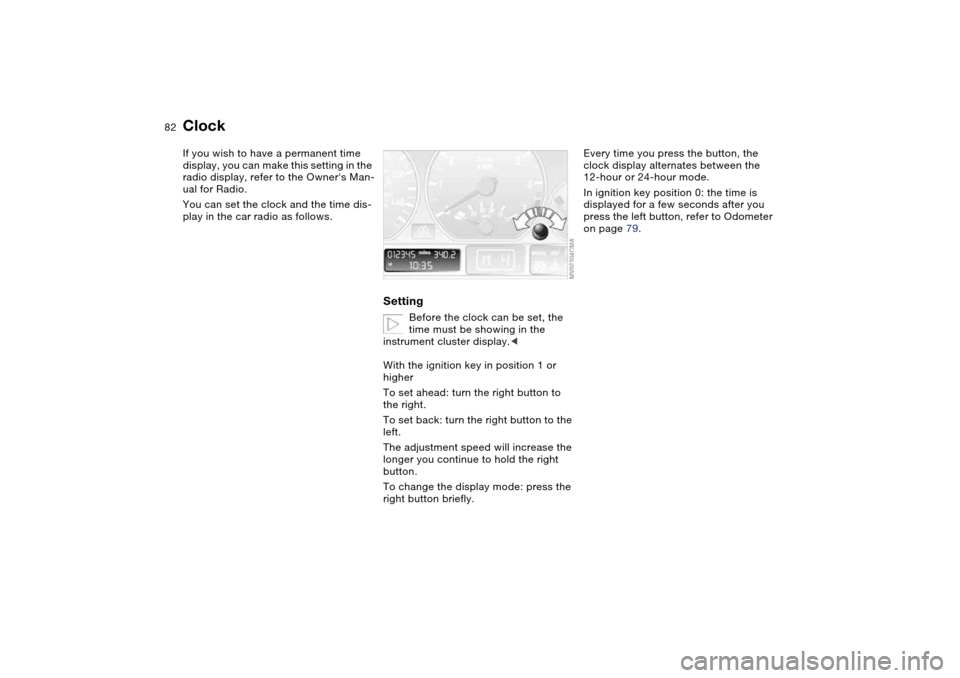
You can set the clock and the time dis-
play in the car radio as follows.
Setting
Before the clock can be set, the
time must be showing in the
instrument cluster display.<
With the ignition key in position 1 or
higher
To set ahead: turn the right button to
the right.
To set back: turn the right button to the
left.
The adjustment speed will increase the
longer you continue to hold the right
button.
To change the display mode: press the
right button briefly.
Every time you press the button, the
clock display alternates between the
12-hour or 24-hour mode.
In ignition key position 0: the time is
displayed for a few seconds after you
press the left button, refer to Odometer
on page 79.
Page 83 of 178
83
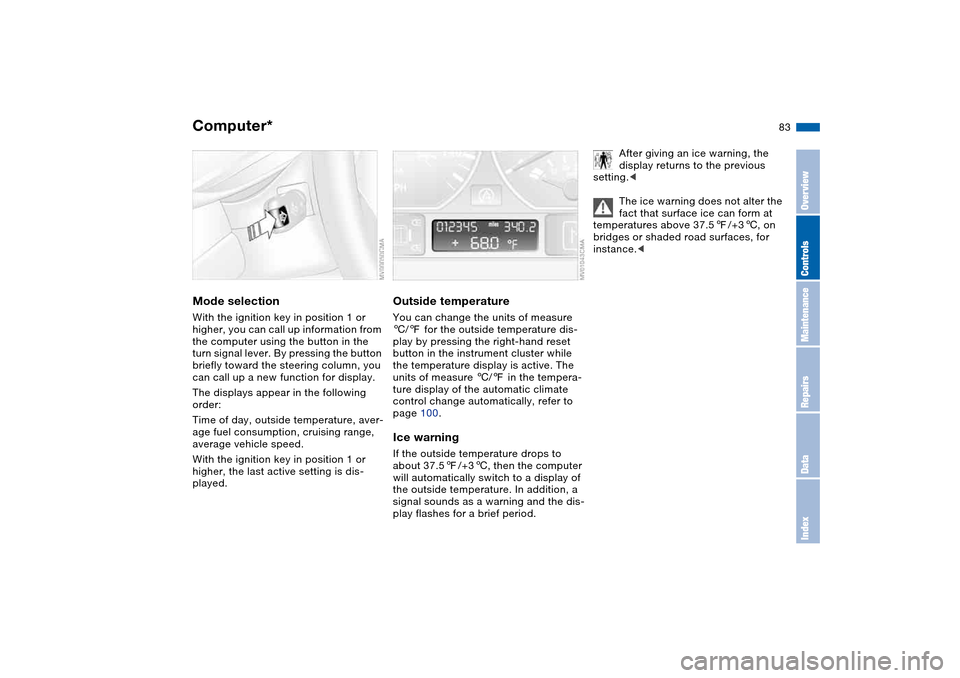
Computer*Mode selectionWith the ignition key in position 1 or
higher, you can call up information from
the computer using the button in the
turn signal lever. By pressing the button
briefly toward the steering column, you
can call up a new function for display.
The displays appear in the following
order:
Time of day, outside temperature, aver-
age fuel consumption, cruising range,
average vehicle speed.
With the ignition key in position 1 or
higher, the last active setting is dis-
played.
Outside temperatureYou can change the units of measure
6/7 for the outside temperature dis-
play by pressing the right-hand reset
button in the instrument cluster while
the temperature display is active. The
units of measure 6/7 in the tempera-
ture display of the automatic climate
control change automatically, refer to
page 100.Ice warningIf the outside temperature drops to
about 37.57/+36, then the computer
will automatically switch to a display of
the outside temperature. In addition, a
signal sounds as a warning and the dis-
play flashes for a brief period.
After giving an ice warning, the
display returns to the previous
setting.<
The ice warning does not alter the
fact that surface ice can form at
temperatures above 37.57/+36, on
bridges or shaded road surfaces, for
instance.<
OverviewControlsMaintenanceRepairsDataIndex
Page 85 of 178
85 Technology for safety and driving convenience
Park Distance Control (PDC)*The conceptPDC assists you when you back into a
parking space. Acoustic signals alert
you to the momentary distance to an
object behind your vehicle. The system
features four ultrasonic sensors
mounted in your rear bumper. The mon-
itoring range for the two corner sensors
extends outward roughly 2 ft/60 cm,
while two centrally located sensors
detect objects at distances of up to
approx. 5 ft/1.50 m.
PDC is a parking aid that can
identify objects if they are
approached slowly, as is generally the
case when parking. Avoid driving
towards objects rapidly; due to underly-
ing physical principles, the system may
otherwise alert you too late for you to
take evasive steps.<
The system starts to operate automati-
cally approx. one second after you shift
into Reverse or move the selector lever
into the R position with the ignition key
in position 2.
Let this short period elapse before
driving backwards.<
PDC is deactivated when you shift back
out of reverse.
You can have a signal set to con-
firm that the PDC has been acti-
vated. The signal then sounds when
you shift into Reverse or move the
selector lever into the R position.
intervals. As the distance between vehi-
cle and object decreases, the intervals
between the tones become shorter. A
continuous tone indicates the pres-
ence of an object less than 1 ft/30 cm
away.
The warning signal is canceled after
approx. three seconds if the distance to
the object remains constant during this
time – if you are moving parallel to
a wall, for instance.
System malfunctions will be indicated
by a continuous high-pitched tone
when the system is activated the first
time. Please refer the problem to your
BMW center.
PDC does not remove the driver's
personal responsibility for evaluat-
ing the distance between the vehicle
and any objects. Even when sensors
are involved, there is a blind spot in
which objects cannot be detected. This
applies especially in those cases where
the system approaches the physical
limits of ultrasonic measurement, as
occurs with tow bars and trailer cou-
plings, and in the vicinity of thin or
wedge-shaped objects. Moreover, low
objects that have already been
detected – such as a curb edge – can
disappear out of the detection range of
the sensors before a continuous tone
sounds.
Loud sources of sound from outside or
inside the vehicle could drown out the
PDC signal tone.<
Keep the sensors clean and free
of ice or snow in order to ensure
that they will continue to operate effec-
tively.
Do not apply high pressure spray to the
sensors for a prolonged period of time.
Always maintain a distance of more
than 4 in/10 cm.<
OverviewControlsMaintenanceRepairsDataIndex
Page 86 of 178
86
Dynamic Stability Control (DSC)The conceptDSC maintains vehicle stability, even in
critical driving situations.
DSC is operational every time you start
the engine.
DSC incorporates the Dynamic Traction
Control (DTC) and Cornering Brake
Control (CBC) functions.
For information on vehicles with all-
wheel drive, refer to page 88 ff.Indicator lamps
The indicator lamp in the instru-
ment cluster goes out shortly
after you switch on the ignition,
refer to page 19.
>The indicator lamp flashes: DSC con-
trols the drive and braking forces
>The indicator lamp stays lit: DSC has
been switched off with the button;
DTC and DBC are operational. DTC
control intervention is not indicated.
The indicator lamp and the
brake warning lamp continu-
ously light up in yellow:
The DSC, DTC and DBC have
been switched off manually or
there is a system malfunction.
The vehicle will remain completely
operational, however, without DSC. In
the event of a fault, please consult your
BMW center.
Indicator and warning lamp for
Canadian models.
Deactivating the DSC/activating
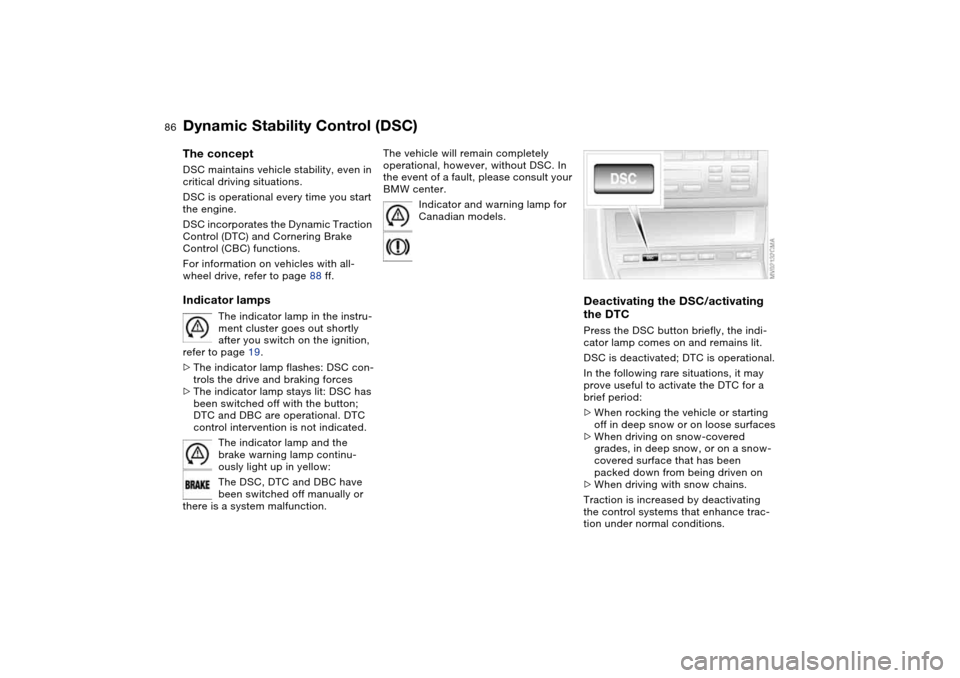
the DTCPress the DSC button briefly, the indi-
cator lamp comes on and remains lit.
DSC is deactivated; DTC is operational.
In the following rare situations, it may
prove useful to activate the DTC for a
brief period:
>When rocking the vehicle or starting
off in deep snow or on loose surfaces
>When driving on snow-covered
grades, in deep snow, or on a snow-
covered surface that has been
packed down from being driven on
>When driving with snow chains.
Traction is increased by deactivating
the control systems that enhance trac-
tion under normal conditions.
Page 88 of 178
88
Dynamic Stability Control (DSC) – 325xiThe conceptDSC maintains vehicle stability, even in
critical driving situations.
DSC is operational every time you start
the engine.
DSC incorporates the Automatic Differ-
ential Brake (ADB-X) and Cornering
Brake Control (CBC) functions.Indicator lamps
The indicator lamp in the instru-
ment cluster goes out shortly
after you switch on the ignition,
refer to page 19.
>The indicator lamp flashes: DSC con-
trols the drive and braking forces
>The indicator lamp stays lit: DSC has
been switched off with the button;
ADB-X is operational. ADB-X control
intervention is not indicated.
If the indicator lamp fails to go out
when you press the DSC button
again, this indicates a malfunction in
the DSC and ADB-X systems; the sta-
bility enhancement functions are no
longer available.<
The vehicle will remain completely
operational, however, without DSC. In
the event of a fault, please consult your
BMW center.
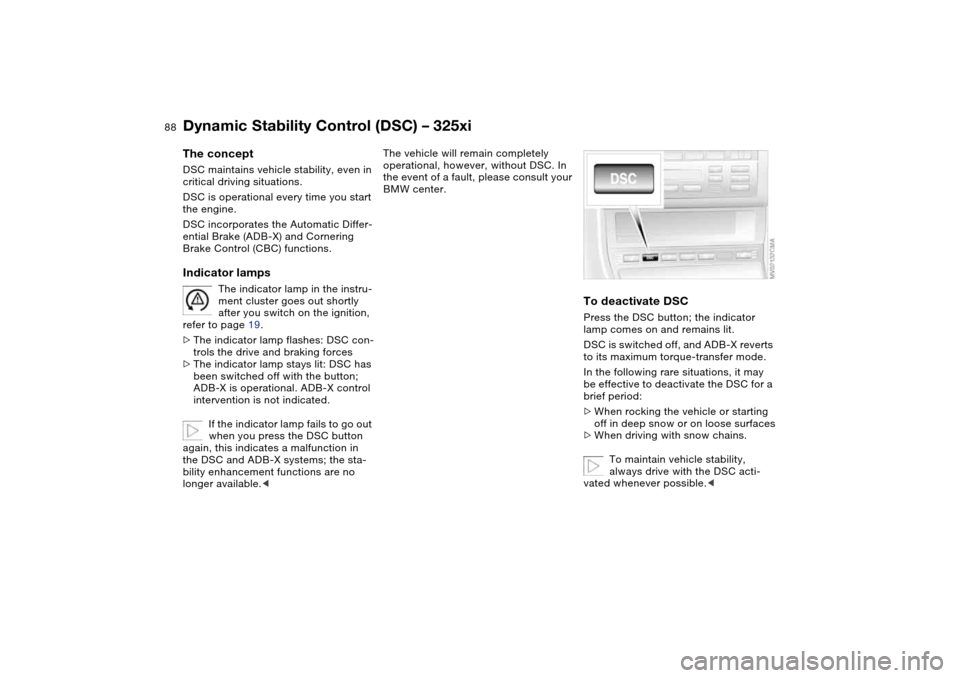
To deactivate DSCPress the DSC button; the indicator
lamp comes on and remains lit.
DSC is switched off, and ADB-X reverts
to its maximum torque-transfer mode.
In the following rare situations, it may
be effective to deactivate the DSC for a
brief period:
>When rocking the vehicle or starting
off in deep snow or on loose surfaces
>When driving with snow chains.
To maintain vehicle stability,
always drive with the DSC acti-
vated whenever possible.<
Page 90 of 178
90
Hill Descent Control (HDC)*The conceptBy reducing the vehicle's speed on
steep downhill stretches, HDC main-
tains predictable vehicle handling
response to provide you with control of
your BMW during extreme descents.
The vehicle slows to a pace just slightly
faster than walking speed.
HDC is available for activation at vehi-
cle speeds below approx. 22 mph /
35 km/h. When driving down steep
hills, the vehicle reduces speed auto-
matically down to about double walking
speed – approx. 7.5 mph / 12 km/h –
and then maintains this speed at a con-
stant.
You can use the accelerator or brakes
to vary this speed within a range from
approx. 3 mph / 5 km/h to approx.
15 mph / 25 km/h.
In conjunction with the multifunction
steering wheel you can use the +/–
button to set the cruise control to a tar-
get speed in the range from approx.
3 mph / 5 km/h to approx. 15 mph /
25 km/h.
HDC is automatically deactivated once
vehicle speed again exceeds approx.
37 mph / 60 km/h.
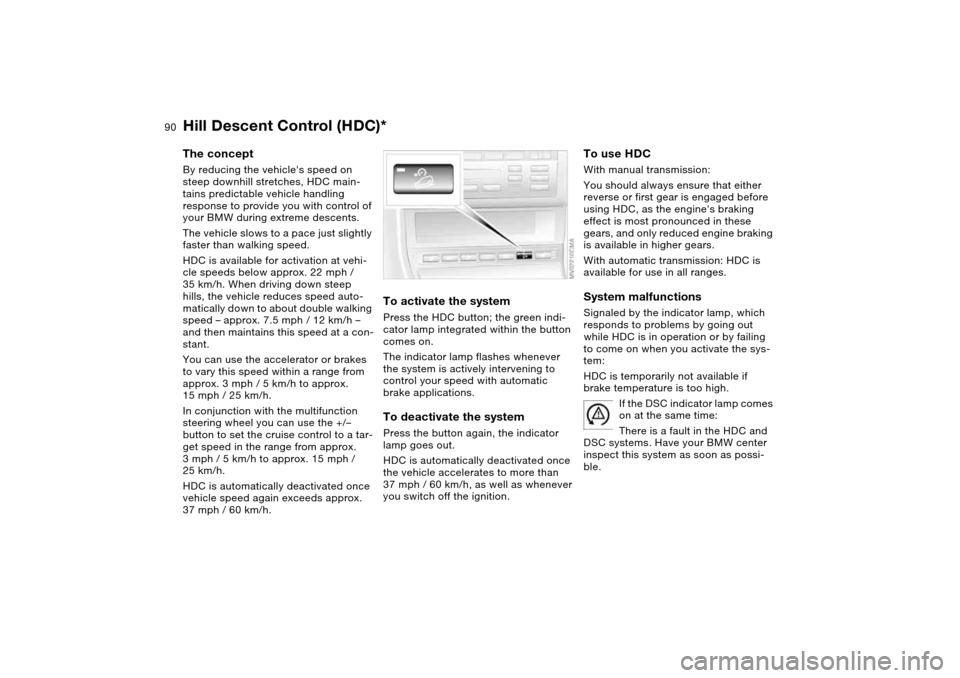
To activate the systemPress the HDC button; the green indi-
cator lamp integrated within the button
comes on.
The indicator lamp flashes whenever
the system is actively intervening to
control your speed with automatic
brake applications.To deactivate the systemPress the button again, the indicator
lamp goes out.
HDC is automatically deactivated once
the vehicle accelerates to more than
37 mph / 60 km/h, as well as whenever
you switch off the ignition.
To use HDCWith manual transmission:
You should always ensure that either
reverse or first gear is engaged before
using HDC, as the engine's braking
effect is most pronounced in these
gears, and only reduced engine braking
is available in higher gears.
With automatic transmission: HDC is
available for use in all ranges.System malfunctionsSignaled by the indicator lamp, which
responds to problems by going out
while HDC is in operation or by failing
to come on when you activate the sys-
tem:
HDC is temporarily not available if
brake temperature is too high.
If the DSC indicator lamp comes
on at the same time:
There is a fault in the HDC and
DSC systems. Have your BMW center
inspect this system as soon as possi-
ble.
Page 93 of 178
93 Lamps
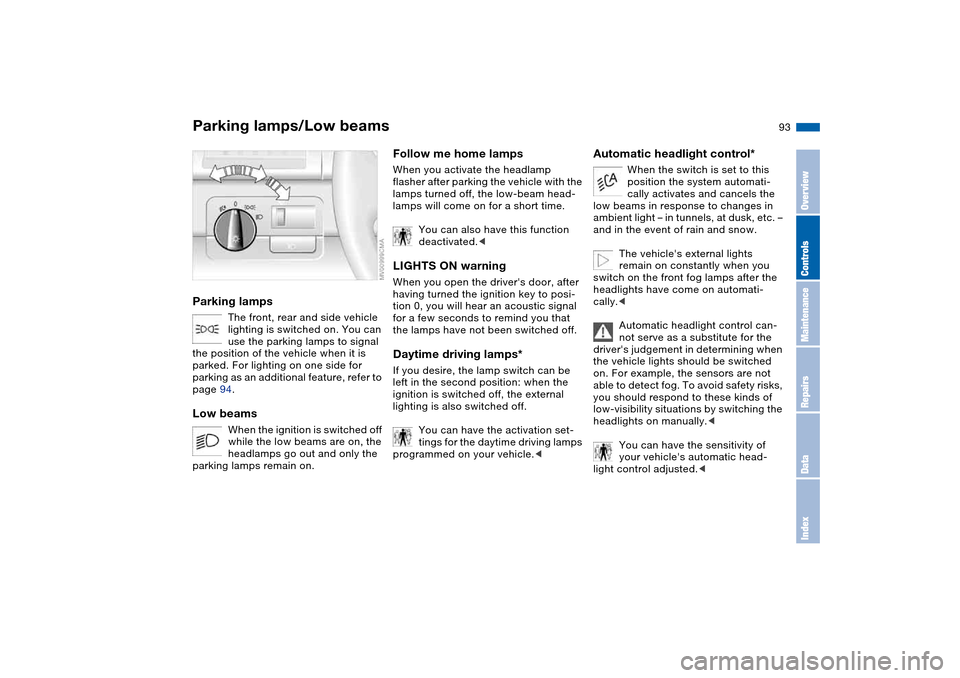
Parking lamps/Low beamsParking lamps
The front, rear and side vehicle
lighting is switched on. You can
use the parking lamps to signal
the position of the vehicle when it is
parked. For lighting on one side for
parking as an additional feature, refer to
page 94.
Low beams
When the ignition is switched off
while the low beams are on, the
headlamps go out and only the
parking lamps remain on.
Follow me home lampsWhen you activate the headlamp
flasher after parking the vehicle with the
lamps turned off, the low-beam head-
lamps will come on for a short time.
You can also have this function
deactivated.
tion 0, you will hear an acoustic signal
for a few seconds to remind you that
the lamps have not been switched off.Daytime driving lamps*If you desire, the lamp switch can be
left in the second position: when the
ignition is switched off, the external
lighting is also switched off.
You can have the activation set-
tings for the daytime driving lamps
programmed on your vehicle.<
Automatic headlight control*
When the switch is set to this
position the system automati-
cally activates and cancels the
low beams in response to changes in
ambient light – in tunnels, at dusk, etc. –
and in the event of rain and snow.
The vehicle's external lights
remain on constantly when you
switch on the front fog lamps after the
headlights have come on automati-
cally.<
Automatic headlight control can-
not serve as a substitute for the
driver's judgement in determining when
the vehicle lights should be switched
on. For example, the sensors are not
able to detect fog. To avoid safety risks,
you should respond to these kinds of
low-visibility situations by switching the
headlights on manually.<
You can have the sensitivity of
your vehicle's automatic head-
light control adjusted.<
OverviewControlsMaintenanceRepairsDataIndex