instrument cluster BMW 328I 2012 Owner's Manual
[x] Cancel search | Manufacturer: BMW, Model Year: 2012, Model line: 328I, Model: BMW 328I 2012Pages: 268, PDF Size: 8.8 MB
Page 217 of 268
Mobility
215Reference
At a glance
Controls
Driving tips
Communications
Navigation
Entertainment
Important parts of the engine compartment
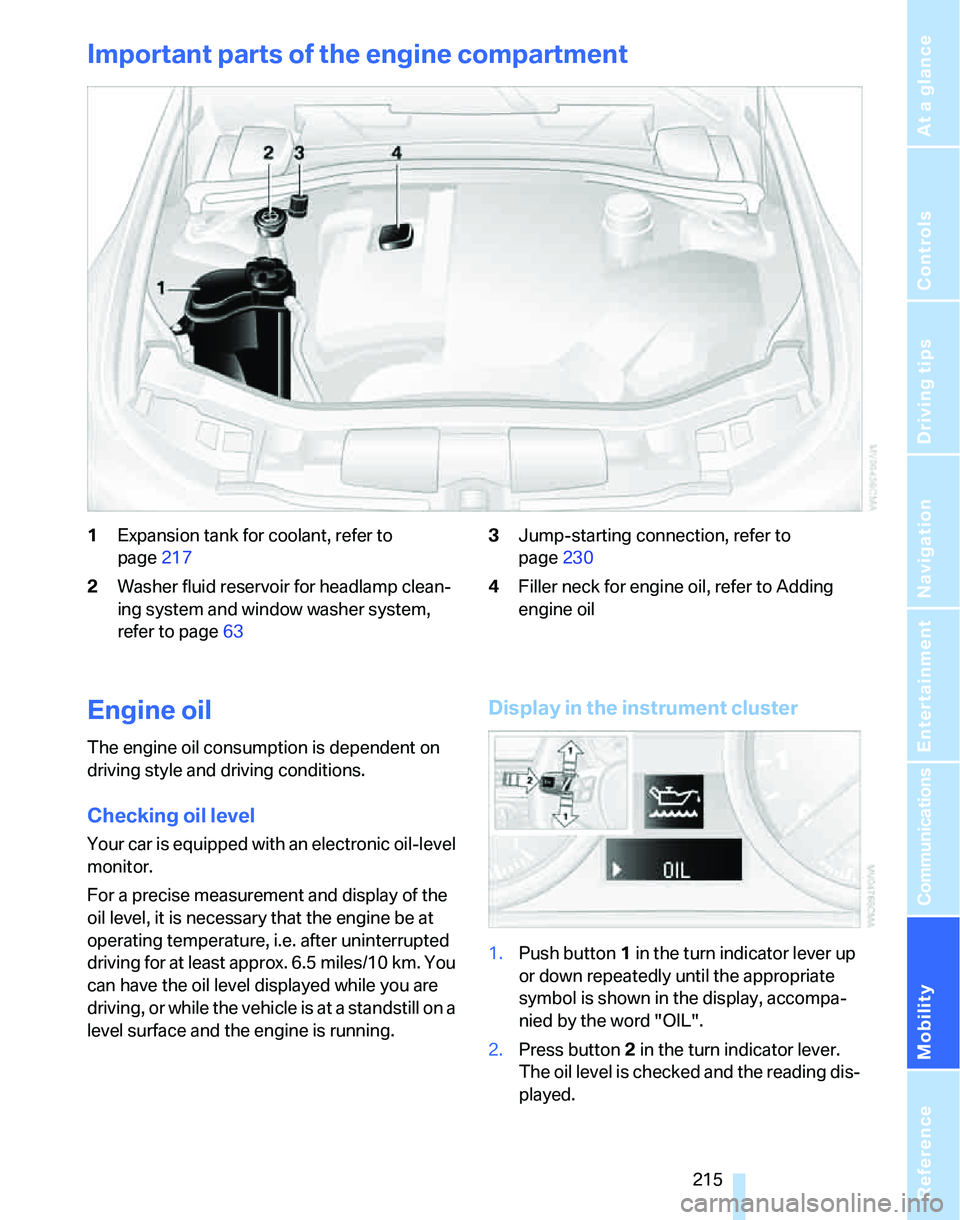
1Expansion tank for coolant, refer to
page217
2Washer fluid reservoir for headlamp clean-
ing system and window washer system,
refer to page633Jump-starting connection, refer to
page230
4Filler neck for engine oil, refer to Adding
engine oil
Engine oil
The engine oil consumption is dependent on
driving style and driving conditions.
Checking oil level
Your car is equipped with an electronic oil-level
monitor.
For a precise measurement and display of the
oil level, it is necessary that the engine be at
operating temperature, i.e. after uninterrupted
driving for at least approx. 6.5 miles/10 km. You
can have the oil level displayed while you are
driving, or while the vehicle is at a standstill on a
level surface and the engine is running.
Display in the instrument cluster
1.Push button 1 in the turn indicator lever up
or down repeatedly until the appropriate
symbol is shown in the display, accompa-
nied by the word "OIL".
2.Press button 2 in the turn indicator lever.
The oil level is checked and the reading dis-
played.
Page 251 of 268
Reference 249
At a glance
Controls
Driving tips
Communications
Navigation
Entertainment
Mobility
CD player166
– compressed audio files166
– controls156
– fast forward/reverse170
– playing a track168
– random order169
– repeating a track169
– selecting a track167
– switching on/off156
– tone control157
– volume157
Center armrest110
Center brake lamp
– replacing bulbs226
Center console, refer to
Around the center
console14
"Central locking"30
Central locking
– from inside32
– from outside29
Central locking system29
– convenient access36
– hotel function34
Changes, technical, refer to
For your own safety5
Changing bulbs, refer to
Lamps and bulbs222
Changing the language on the
Control Display85
Changing the measurement
units on the Control
Display77
Changing wheels227
Chassis number, refer to
Engine compartment215
Check Control82
"Check Control
messages"84
Check Gas Cap200
Child-restraint fixing system
LATCH55
Child-restraint systems53
Child-safety lock56
Child seats, refer to
Transporting children
safely53Chrome parts, care, refer to
Caring for your vehicle
brochure
Cigarette lighter, refer to
Lighter112
Cleaning, refer to Caring for
your vehicle brochure
Cleaning headlamps63
– washer fluid64
"Climate"102
Clock72
– 12h/24h mode81
– setting time80
Closing
– from inside32
– from outside
29
Clothes hooks111
Cockpit10
Cold start, refer to Starting the
engine58
Combined instrument, refer to
Instrument cluster12
Comfort access, refer to
Convenient access36
Comfort area, refer to Around
the center console14
"Communication"181,191,
192,193
Compact disc, refer to
– CD changer166
– CD player166
Compartment for remote
control, refer to Ignition
lock57
Compass108
Computer74
– displays on Control
Display74
– hour signal81
Computer, refer to iDrive16
"Concert hall" for Tone
control158
"Concierge"193
Concierge service193
Condensation, refer to When
the vehicle is parked124
Condition Based Service
CBS219Configuring settings, refer to
Personal Profile28
Confirmation signals for
locking/unlocking the
vehicle30
Connecting vacuum cleaner,
refer to Connecting
electrical appliances112
Consumption, refer to
Average consumption74
Consumption display
– average consumption74
Consumption indicator
– Energy Control73
"Continue guidance to
destination?"144
Control Center, refer to
iDrive16
Control Display
– brightness85
– changing the language85
– switching off/on21
Control Display, refer to
iDrive16
Controller, refer to iDrive16
Controls and displays10
Control unit, refer to iDrive16
Convenient access36
– replacing the battery
38
– what to observe before
entering a car wash38
Convenient operation
– glass sunroof30
– glass sunroof with
convenient access37
– windows30
– windows with convenient
access37
Coolant217
– checking level218
Coolant temperature73
Cooling, maximum103
Cooling fluid, refer to
Coolant217
Cooling system, refer to
Coolant217
Cornering lamps, refer to
Adaptive Head Light99
Correct tires212
Page 252 of 268
Everything from A - Z
250 Courtesy lamps, refer to
Interior lamps100
Cross-hairs in navigation136
Cruise control64
– active66
– malfunction65
Cruising range74
Cup holders111
Curb weight, refer to
Weights239
Current fuel consumption,
refer to Energy Control73
"Current position"150
Current position
– displaying150
– entering139
– storing139
"Customer
Relations"184,193
D
Dashboard, refer to
Cockpit10
Dashboard, refer to
Instrument cluster12
Dashboard lighting, refer to
Instrument lighting100
Data, technical236
– dimensions237
– engine236
– weights239
"Date"82
Date
– setting81
– setting format82
"Date format"82
"Daytime running lamps"98
Daytime running lamps98
DBC Dynamic Brake
Control87
DCC, refer to Cruise
control64
"Deactivated"49
Deactivating front passenger
airbags95
Deadlocking, refer to
Locking30Decommissioning the vehicle
– refer to Caring for your
vehicle brochure
Defect
– door lock31
– fuel filler door200
– glass sunroof40
– panorama glass roof42
Defogging windows104
Defrost, windows104
Defrosting windows104
Defrosting windows and
removing condensation
– automatic climate
control104
Defrosting windshield, refer to
Defrosting windows104
Defrost position, refer to
Defrosting windows104
"Delete address book" in
navigation140
"Delete all numbers" on the
mobile phone184
"Delete data" in
navigation140
"Delete" for mobile
phone183
Destination address
– deleting140
– entering131,134
Destination for navigation
– entry131
– navigation list138
– selecting from address
book139
– selecting using
information137
– storing139Destination guidance143
– canceling voice
instructions52
– changing specified
route141
– displaying route144
– displaying routes144
– distance and arrival143
– starting143
– terminating/continuing143
– voice instructions146
– volume of voice
instructions147
Destination list for navigation
system138
Destinations recently driven
to138
Detour, refer to Driving around
a traffic jam150
Detour during navigation150
"Detour" in navigation150
"Dial" for mobile phone181
"Dial number"182
Digital clock72
Digital compass108
Dimensions237
Directional indicators, refer to
Turn signals61
Direction instructions, refer to
Voice instructions146
Directory for navigation, refer
to Address book138
Displacement, refer to Engine
data236
Display, refer to iDrive
controls16
Display lighting, refer to
Instrument lighting100
"Display off"21
Displays
– on the Control Display16
Displays, refer to Instrument
cluster12
Displays and controls10
Disposal
– coolant217
– remote control battery38
– vehicle battery227
Page 256 of 268
Everything from A - Z
254 Individually programmable
buttons on steering
wheel51
Inflation pressure, refer to Tire
inflation pressure202
Inflation pressure monitoring,
refer to Tire Pressure
Monitor TPM91
Information
– on another location137
– on country137
– on current position137
– on destination location137
Information menu, refer to
i menu18
"Information on
destination"138
"Info sources"78
Initializing
– active steering94
– after power failure227
– compass, refer to
Calibrating109
– Flat Tire Monitor FTM90
– glass sunroof40
– panorama glass roof42
"Input map"136
Installation location
– CD changer170
– drive for navigation DVD and
audio CD130
– telephone110
Instructions for navigation
system, refer to Voice
instructions146
Instrument cluster12
Instrument lighting100
Instrument panel, refer to
Cockpit10
Integrated key28
Integrated universal remote
control107
Interesting destination for
navigation137
"Interim time"85
Interior lamps100
– remote control30
Interior motion sensor36Interior rearview mirror51
– automatic dimming
feature51
– compass108
Interlock, refer to Disengaging
the remote control59
Intermittent mode of the
wipers62
J
Jacking points227
Joystick, refer to iDrive16
Jumpering, refer to Jump
starting230
Jump starting230
K
Key, refer to Integrated key/
remote control28
Keyless go, refer to
Convenient access36
Keyless opening and closing,
refer to Convenient
access36
Key Memory, refer to Personal
Profile28
Kick-down60
– automatic transmission with
Steptronic60
Knock control201
L
Lamps
– automatic headlamp
control97
– parking lamps/low beams97
Lamps and bulbs, replacing
bulbs222
"Language / Units"77
"Language / Units" in
navigation146
"Languages" in
navigation146
"Languages"on the control
display85Lap-and-shoulder belt, refer
to Safety belts49
Lashing eyes, refer to
Securing cargo125
Last destinations, refer to
Destination list138
"Last seat pos."49
LATCH child-restraint fixing
system55
LED Light-emitting
diodes222
Length, refer to
Dimensions237
License plate lamp, replacing
bulbs226
Light-emitting diodes
LED222
Lighter112
– connecting electrical
appliances112
"Lighting"62,98
Lighting
– instruments100
– lamps and bulbs222
– vehicle, refer to Lamps97
Light-metal alloy wheels, care,
refer to Caring for your
vehicle brochure
Light switch97
"Limit"84
Limit, refer to Speed limit84
Load securing equipment,
refer to Securing cargo125
Lock buttons, doors, refer to
Locking32
Locking
– adjusting confirmation
signal30
– from inside32
– from outside30
– without remote control, refer
to Convenient access36
Locking and unlocking doors
– confirmation signals30
– from inside32
– from outside29
Low beams97
– automatic97
– replacing bulbs222
Page 267 of 268
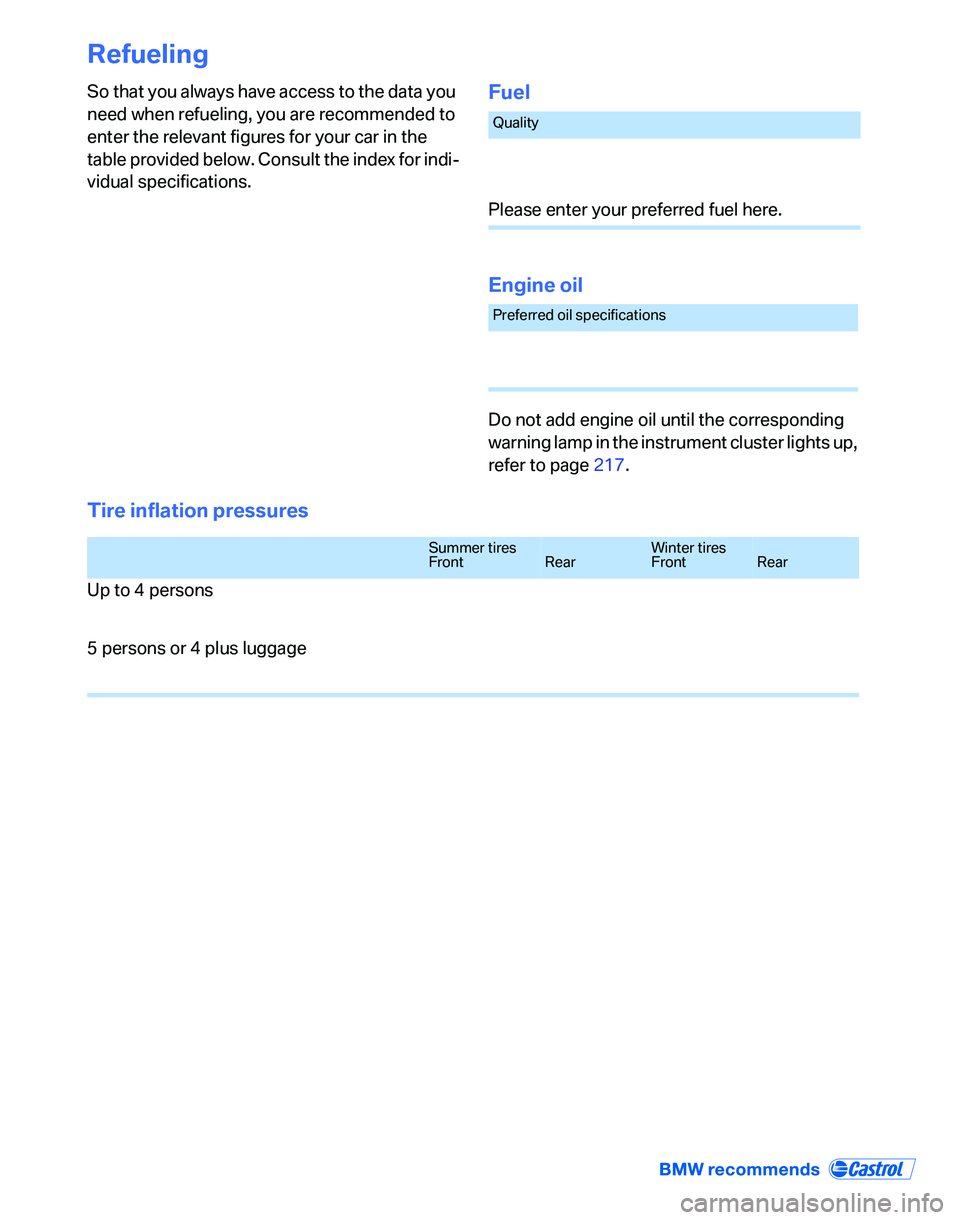
Refueling
So that you always have access to the data you
need when refueling, you are recommended to
enter the relevant figures for your car in the
table provided below. Consult the index for indi-
vidual specifications.Fuel
Engine oil
Do not add engine oil until the corresponding
warning lamp in the instrument cluster lights up,
refer to page217.
Tire inflation pressures
Quality
Please enter your preferred fuel here.
Preferred oil specifications
Summer tires
FrontRearWinter tires
FrontRear
Up to 4 persons
5 persons or 4 plus luggage