Side mirror BMW 328I CONVERTIBLE 2009 E93 Owner's Manual
[x] Cancel search | Manufacturer: BMW, Model Year: 2009, Model line: 328I CONVERTIBLE, Model: BMW 328I CONVERTIBLE 2009 E93Pages: 260, PDF Size: 7.95 MB
Page 35 of 260
Controls
33Reference
At a glance
Driving tips
Communications
Navigation
Entertainment
Mobility
Arming and disarming
When you lock or unlock the vehicle, either with
the remote control or at the door lock, the alarm
system is armed or disarmed at the same time.
You can open the luggage compartment lid
even when the alarm system is armed, by
pressing the button on the remote control,
refer to page28. The lid is locked and moni-
tored again as soon as you close it.
Panic mode*
You can trigger the alarm system if you find
yourself in a dangerous situation:
Press the button for at least three seconds.
To switch off the alarm: press any button.
Switching off an alarm
>Unlock the car with the remote control, refer
to page27.
>Insert the remote control all the way into the
ignition lock.
Indicator lamp displays
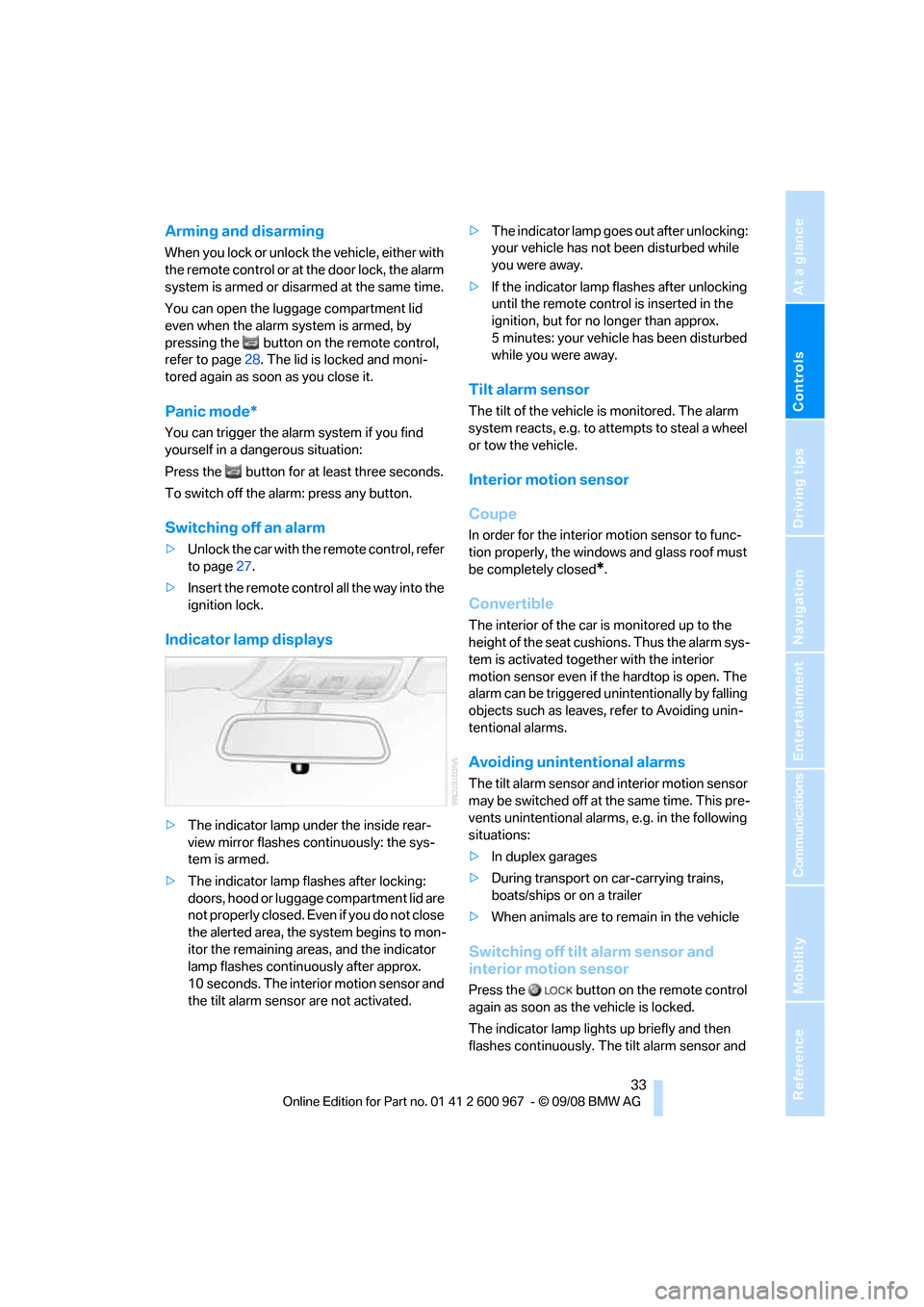
>The indicator lamp under the inside rear-
view mirror flashes continuously: the sys-
tem is armed.
>The indicator lamp flashes after locking:
doors, hood or luggage compartment lid are
not properly closed. Even if you do not close
the alerted area, the system begins to mon-
itor the remaining areas, and the indicator
lamp flashes continuously after approx.
10 seconds. The interior m o t i o n s e n s o r a n d
the tilt alarm sensor are not activated.>The indicator lamp goes out after unlocking:
your vehicle has not been disturbed while
you were away.
>If the indicator lamp flashes after unlocking
until the remote control is inserted in the
ignition, but for no longer than approx.
5 minutes: your vehicle has been disturbed
while you were away.
Tilt alarm sensor
The tilt of the vehicle is monitored. The alarm
system reacts, e.g. to attempts to steal a wheel
or tow the vehicle.
Interior motion sensor
Coupe
In order for the interior motion sensor to func-
tion properly, the windows and glass roof must
be completely closed
*.
Convertible
The interior of the car is monitored up to the
height of the seat cushions. Thus the alarm sys-
tem is activated together with the interior
motion sensor even if the hardtop is open. The
alarm can be triggered unintentionally by falling
objects such as leaves, refer to Avoiding unin-
tentional alarms.
Avoiding unintentional alarms
The tilt alarm sensor and interior motion sensor
may be switched off at the same time. This pre-
vents unintentional alarms, e.g. in the following
situations:
>In duplex garages
>During transport on car-carrying trains,
boats/ships or on a trailer
>When animals are to remain in the vehicle
Switching off tilt alarm sensor and
interior motion sensor
Press the button on the remote control
again as soon as the vehicle is locked.
The indicator lamp lights up briefly and then
flashes continuously. The tilt alarm sensor and
Page 52 of 260
Adjustments
50 that were folded in by hand back out into their
correct positions. Mirrors that were folded in are
folded out automatically at a speed of approx.
25 mph/40 km/h.
Before entering an automatic car wash,
fold in the exterior mirrors manually or
with button3 to prevent them from being dam-
aged, depending on the width of the vehicle.<
Automatic heating
Depending on the outside temperature, both
exterior mirrors are heated automatically when
the engine is running or the ignition is switched
on.
Passenger-side mirror tilt function –
automatic curb monitor*
Activating
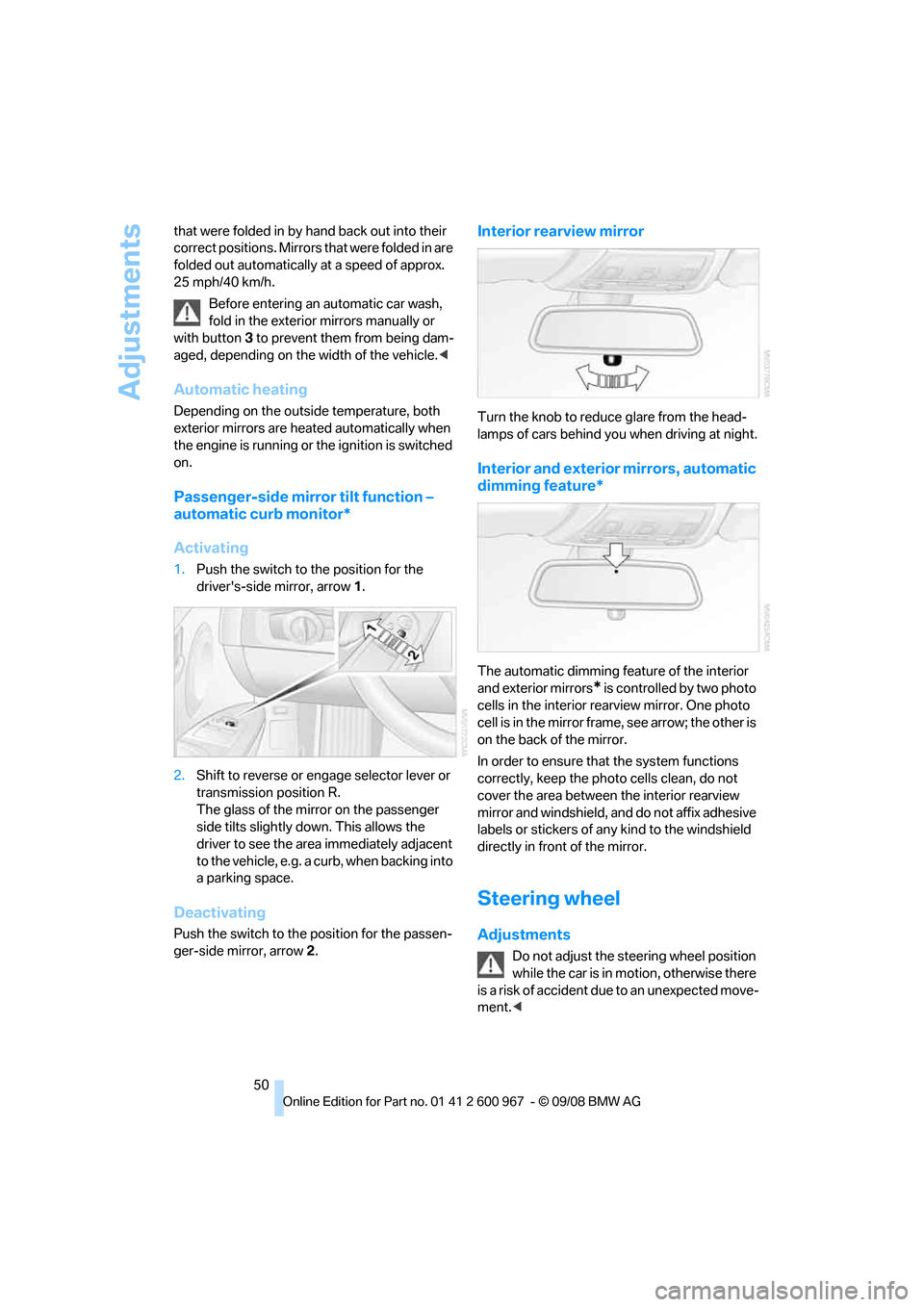
1.Push the switch to the position for the
driver's-side mirror, arrow 1.
2.Shift to reverse or engage selector lever or
transmission position R.
The glass of the mirror on the passenger
side tilts slightly down. This allows the
driver to see the area immediately adjacent
to the vehicle, e.g. a curb, when backing into
a parking space.
Deactivating
Push the switch to the position for the passen-
ger-side mirror, arrow 2.
Interior rearview mirror
Turn the knob to reduce glare from the head-
lamps of cars behind you when driving at night.
Interior and exterior mirrors, automatic
dimming feature*
The automatic dimming feature of the interior
and exterior mirrors
* is controlled by two photo
cells in the interior rearview mirror. One photo
cell is in the mirror frame, see arrow; the other is
on the back of the mirror.
In order to ensure that the system functions
correctly, keep the photo cells clean, do not
cover the area between the interior rearview
mirror and windshield, and do not affix adhesive
labels or stickers of any kind to the windshield
directly in front of the mirror.
Steering wheel
Adjustments
Do not adjust the steering wheel position
while the car is in motion, otherwise there
is a risk of accident due to an unexpected move-
ment.<
Page 92 of 260
Technology for driving comfort and safety
90
Airbags
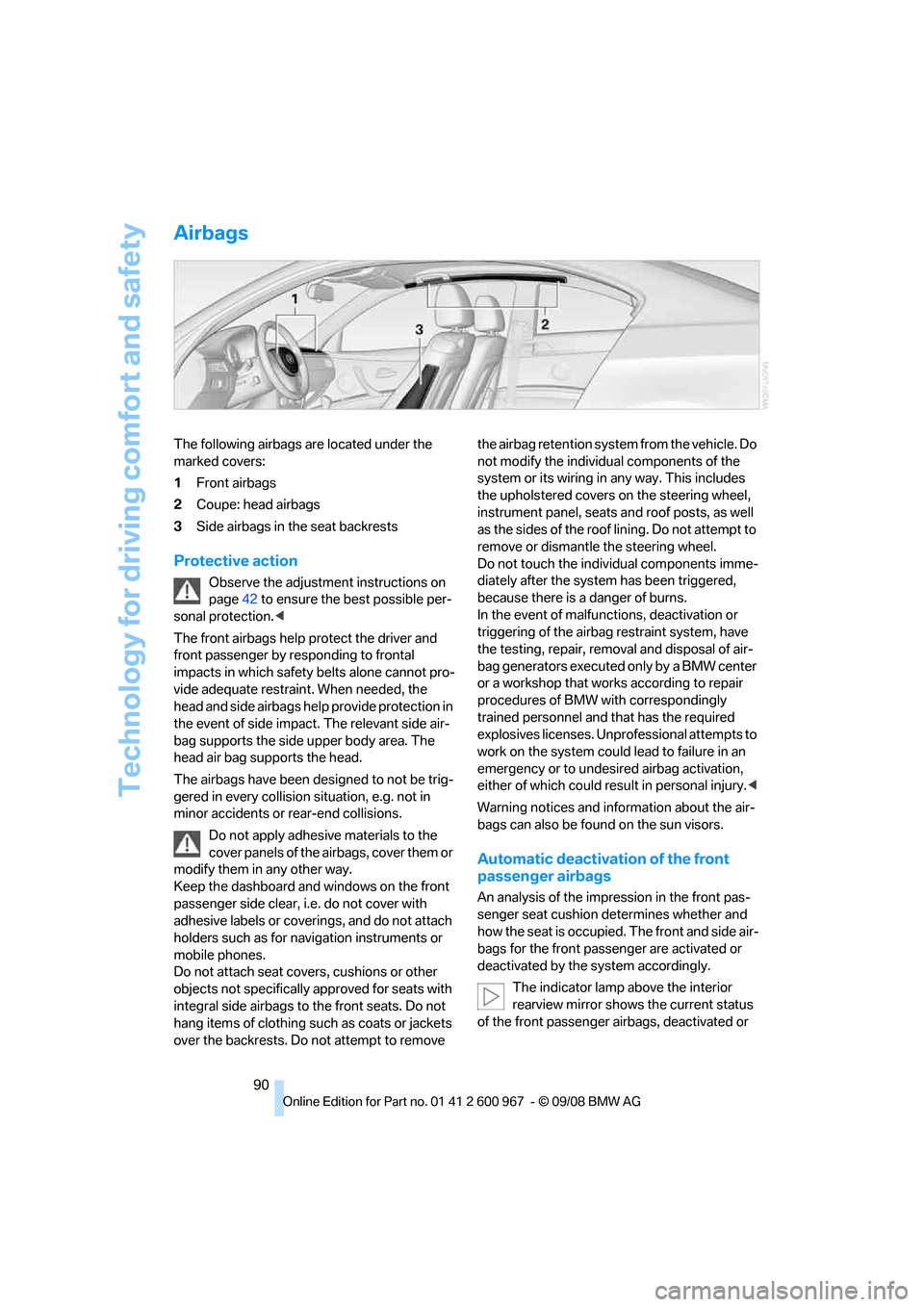
The following airbags are located under the
marked covers:
1Front airbags
2Coupe: head airbags
3Side airbags in the seat backrests
Protective action
Observe the adjustment instructions on
page42 to ensure the best possible per-
sonal protection.<
The front airbags help protect the driver and
front passenger by responding to frontal
impacts in which safety belts alone cannot pro-
vide adequate restraint. When needed, the
head and side airbags help provide protection in
the event of side impact. The relevant side air-
bag supports the side upper body area. The
head air bag supports the head.
The airbags have been designed to not be trig-
gered in every collision situation, e.g. not in
minor accidents or rear-end collisions.
Do not apply adhesive materials to the
cover panels of the airbags, cover them or
modify them in any other way.
Keep the dashboard and windows on the front
passenger side clear, i.e. do not cover with
adhesive labels or coverings, and do not attach
holders such as for navigation instruments or
mobile phones.
Do not attach seat covers, cushions or other
objects not specifically approved for seats with
integral side airbags to the front seats. Do not
hang items of clothing such as coats or jackets
over the backrests. Do not attempt to remove the airbag retention system from the vehicle. Do
not modify the individual components of the
system or its wiring in any way. This includes
the upholstered covers on the steering wheel,
instrument panel, seats and roof posts, as well
as the sides of the roof lining. Do not attempt to
remove or dismantle the steering wheel.
Do not touch the individual components imme-
diately after the system has been triggered,
because there is a danger of burns.
In the event of malfunctions, deactivation or
triggering of the airbag restraint system, have
the testing, repair, removal and disposal of air-
bag generators executed only by a BMW center
or a workshop that works according to repair
procedures of BMW with correspondingly
trained personnel and that has the required
explosives licenses. Unprofessional attempts to
work on the system could lead to failure in an
emergency or to undesired airbag activation,
either of which could result in personal injury.<
Warning notices and information about the air-
bags can also be found on the sun visors.
Automatic deactivation of the front
passenger airbags
An analysis of the impression in the front pas-
senger seat cushion determines whether and
how the seat is occupied. The front and side air-
bags for the front passenger are activated or
deactivated by the system accordingly.
The indicator lamp above the interior
rearview mirror shows the current status
of the front passenger airbags, deactivated or
Page 215 of 260
Mobility
213Reference
At a glance
Controls
Driving tips
Communications
Navigation
Entertainment
Care
Care products
Regular cleaning and care contributes signifi-
cantly to the value retention of your BMW.
BMW recommends cleaning and caring for your
vehicle with products that are approved by
BMW for this purpose.
Your BMW center will be happy to advise you on
the products and services available for cleaning
and caring for your BMW.
Original BMW CareProducts have been
material tested, laboratory checked and
proven in the field, and offer optimal care and
protection for your vehicle.<
Do not use cleaners that contain alcohol
or solvents as these may result in dam-
age.<
Cleaning agents can contain substances
that are dangerous or hazardous to your
health. Therefore, follow the warning and safety
instructions on the packaging. When cleaning
inside the vehicle, always open the doors or
windows of the vehicle. In enclosed areas, pro-
vide for sufficient ventilation. Only use products
designed for cleaning vehicles.<
Exterior care
Washing the vehicle
Especially during the winter months,
ensure that the vehicle is washed more
frequently. Heavy soiling and road salt can lead
to vehicle damage.<
After washing the vehicle, apply the
brakes briefly to dry them, otherwise
water can reduce braking efficiency over the
short term and the brake discs can corrode.<
Automatic car washes
Preference should be given to cloth car washes.Do not use high-pressure car washes,
otherwise water may drip into the vehicle
around the windows.<
Before driving into a car wash, ensure that it is
suitable for your BMW. Check the following:
>Dimensions of your vehicle, refer to
page233
>If necessary: fold in the exterior mirrors,
refer to page49
>Maximum permissible tire width
Preparations before driving into an automatic
car wash:
>Unscrew the rod antenna
*.
>Deactivate the rain sensor
* to prevent unin-
tentional wiping.
>Remove additional attachments, e.g.
spoiler or telephone antennas, if there is a
possibility that they could be damaged.
Automatic transmission
Before driving into an automatic car wash, per-
form the following steps to ensure that the vehi-
cle can roll:
1.Insert the remote control, even with conve-
nient access, into the ignition lock.
2.Move the selector lever to position N.
3.Release the parking brake.
4.Switch off the engine.
5.Leave the remote control in the ignition lock
so that the vehicle can roll.
Steam jets / high-pressure washers
When using steam jets or high-pressure
washers, ensure that you maintain suffi-
cient clearance to the vehicle and do not exceed
a temperature of 1407/606.
Insufficient clearance or excessive pressure or
temperature can lead to component damage or
water penetration. Follow the operating instruc-
tions of the high-pressure washer.<
Page 216 of 260
Care
214 When using high-pressure washers, do
not spray against the sensors and cam-
eras, e.g. of the Park Distance Control or Rear
View Camera, for an extended period and main-
tain a distance of at least 12 in/30 cm.<
Manual car wash
When washing the vehicle by hand, use large
quantities of water and car shampoo if neces-
sary. Clean the vehicle with a sponge or wash-
ing brush, applying light pressure only.
Before cleaning the windshield, deacti-
vate the rain sensor or switch off the igni-
tion to prevent unintentional activation of the
wipers.<
Observe local regulations pertaining to
washing vehicles by hand.<
Headlamps
Do not rub them dry and do not use abrasive or
corrosive cleaning agents.
Remove contamination, such as insects, by
soaking with shampoo or insect remover and
then rinsing with plenty of water.
Thaw ice with a windshield de-icer and do not
use an ice scraper.
Windows
Clean the inside and outside surfaces of the
windows and the mirrors with window cleaner.
Do not clean the mirrors with cleaners
containing quartz.<
Wiper blades
Clean with soapy water and replace regularly to
avoid streaking.
Wax and preservative residue and con-
tamination on the window can lead to
streaking when operating the windshield wip-
ers, leading to premature wear of the wiper
blades and causing the rain sensor to malfunc-
tion.<
Convertible: retractable hardtop
Proceed as you would in a normal car wash.When you open a wet hardtop, water
drops may run into the cargo bay. If nec-
essary, remove items from the cargo bay
beforehand to avoid water stains or soiling.<
Paintwork care
Regular care contributes to value retention and
protects the paintwork against the long-term
effects of damaging substances.
Region-specific environmental influences can
damage the vehicle paintwork. Therefore, it is
important to adapt the frequency and scope of
car care accordingly.
Immediately remove very aggressive sub-
stances, e.g. spilled fuel, oil, grease, tree resin
or bird droppings, to prevent damage to the
paintwork.
Repairing paintwork damage
Immediately repair scratches or similar
damage, such as that caused by stones
hitting the vehicle, where necessary to prevent
rusting.<
BMW recommends having paintwork damage
repaired by a professional paint repair work-
shop according to BMW specifications using
original BMW paint materials.
Preservation
A preservation treatment is necessary when
water no longer beads off of the clean paintwork
surface. Only use products for paintwork pres-
ervation that contain carnauba or synthetic
waxes.
Rubber seals
Treat only with water or rubber care products.
Do not use silicon-containing care prod-
ucts on rubber seals, otherwise noise and
damage could occur.<
Chrome parts
Carefully clean vehicle parts, such as the radia-
tor grill, door handles or window frames, with
copious quantities of water and a shampoo
Page 225 of 260
Mobility
223Reference
At a glance
Controls
Driving tips
Communications
Navigation
Entertainment
>Radio
In some cases, stations may have to be
stored again, refer to page147.
>Navigation system
Operability must be waited for, refer to
page124.
>Glass roof
It may happen that the roof can only be
raised. The system must be initialized.
Please contact your BMW center.
>Seat and mirror memory
The positions must be stored again, refer to
page47.
>Inside rearview mirror with digital compass
The system must be calibrated, refer to
page104.
Fuses
Never attempt to repair a blown fuse and
do not replace a defective fuse with a sub-
stitute of another color or amperage rating, oth-
erwise this could lead to a circuit overload, ulti-
mately resulting in a fire in the vehicle.<
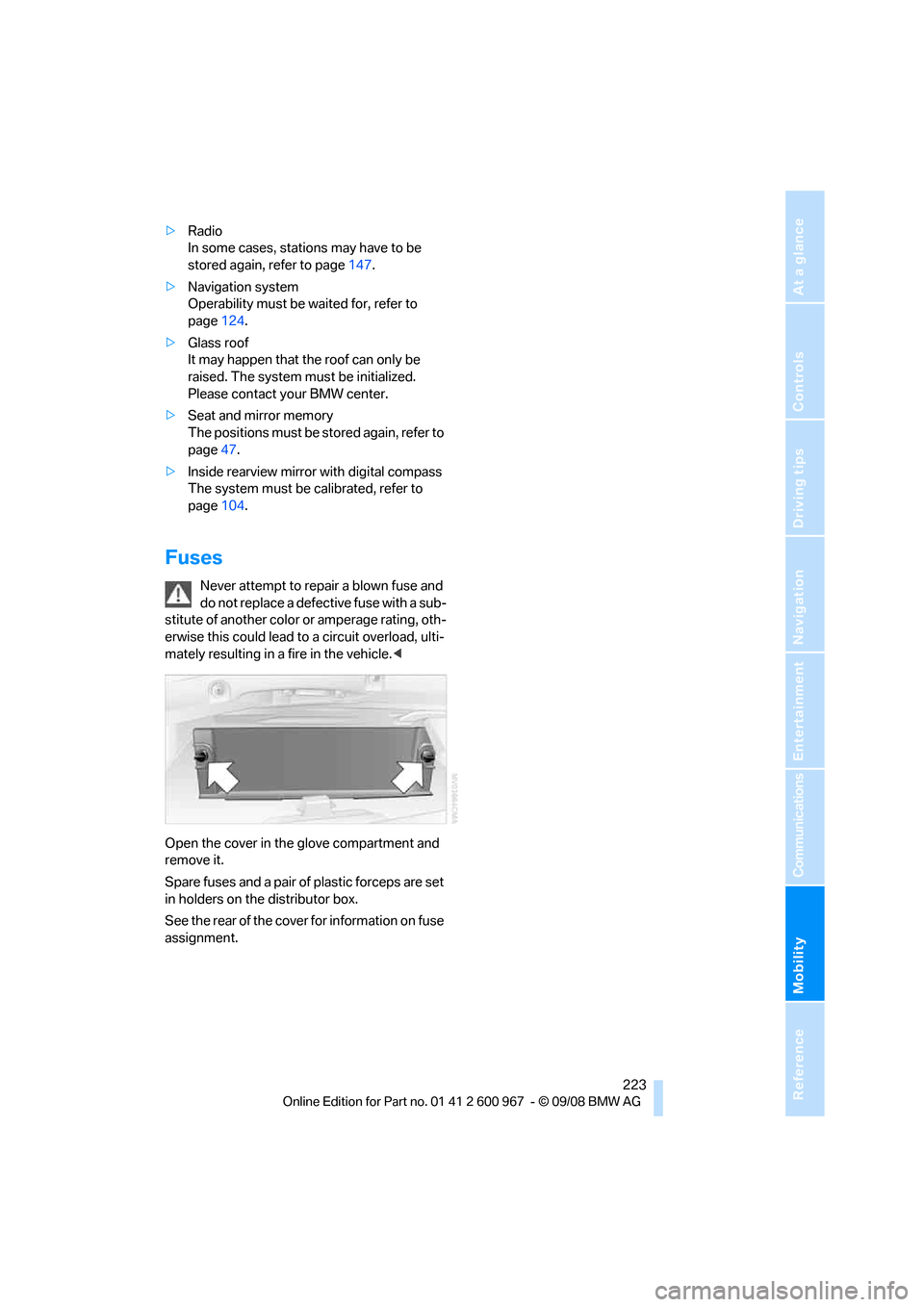
Open the cover in the glove compartment and
remove it.
Spare fuses and a pair of plastic forceps are set
in holders on the distributor box.
See the rear of the cover for information on fuse
assignment.
Page 248 of 260
Everything from A - Z
246 Displays
– on the Control Display16
Displays, refer to Instrument
cluster12
Displays and controls10
Disposal
– coolant209
– remote control battery35
– vehicle battery222
Distance control, refer to
Active cruise control63
Distance remaining to service,
refer to Service
requirements73
Distance warning, refer to
Park Distance Control
PDC82
Door key, refer to Remote
control with integrated
key26
Door lock29
Doors, emergency
operation30
DOT Quality Grades202
Draft-free ventilation100
Drinks holders, refer to Cup
holders107
Drive-off assistance, refer to
Dynamic Stability Control
DSC83
Drive-off assistant85
Driving lamps, refer to Parking
lamps/low beams93
Driving notes116
Driving off on hills, refer to
Drive-off assistant85
Driving stability control
systems83
Driving through water118
Driving tips, refer to Driving
notes116
Dry air, refer to Cooling
function100
DSC Dynamic Stability
Control83
DTC Dynamic Traction
Control83
– indicator/warning lamp83DVD
– country codes154
– settings155
– video playback154
DVD menu155
DVD video154
Dynamic Brake Control
DBC83
Dynamic Stability Control
DSC
– indicator/warning lamp83
Dynamic Traction Control
DTC
– indicator/warning lamp84
E
Eject button, refer to Buttons
on the CD player144
Electrical malfunction
– door lock30
– driver's door30
– fuel filler door192
– glass roof38
Electric seat adjustment43
Electric steering wheel lock
– with convenient access34
Electronic brake-force
distribution EBV83
Electronic oil level check207
Electronic Stability Program
ESP, refer to Dynamic
Stability Control DSC83
Emergency actuation,
automatic transmission,
refer to Overriding selector
lever lock59
Emergency operation
– fuel filler door, manual
release192
Emergency operation, refer to
Closing manually
– glass roof38
Emergency operation, refer to
Manual operation
– door lock30
Emergency release
– luggage compartment lid
from inside32Emergency Request224
Emergency services, refer to
Roadside Assistance224
Energy, saving
– saving fuel116
Engine
– breaking in116
– data232
– overheated, refer to Coolant
temperature70
– speed232
– starting55
– starting, convenient
access34
– switching off56
Engine compartment207
Engine coolant, refer to
Coolant209
Engine oil
– adding209
– BMW Maintenance
System211
– capacity235
– checking level207
– intervals between changes,
refer to Service
requirements73
Engine output, refer to Engine
data232
Engine speed, refer to Engine
data232
Engine starting, refer to
Starting the engine55
Entry lamps, refer to Interior
lamps
96
Entry map for destination130
Equalizer, tone setting145
Error messages, refer to
Check Control77
Event data recorders212
Exhaust system, refer to Hot
exhaust system117
Exterior mirrors49
– adjusting49
– automatic dimming
feature50
– automatic heating50
– folding in and out49
External audio device106
Page 250 of 260
Everything from A - Z
248 Heating
– mirrors50
– rear window100
– residual heat99
– seats47
– steering wheel51
Heating and ventilation, refer
to Climate97
Heating while at a standstill,
refer to Using residual
heat99
Heavy loads, refer to Stowing
cargo119
Height, refer to
Dimensions233
Height adjustment
– seats43
– steering wheel50
High beams95
– headlamp flasher95
– indicator lamp13
High Definition Radio148
High-pressure
washer213,214
High water, refer to Driving
through water118
Highways, refer to Route
criteria135
Hill Descent Control HDC84
Hills118
Holders for cups107
Homepage BMW4
Hood206
Hooks for shopping bags110
Horn10,11
Hotel function, refer to
Locking or unlocking
separately31
Hot exhaust system117
Hydraulic brake assist, refer to
Dynamic Brake Control
DBC83
Hydroplaning117
I
IBOC, refer to High Definition
Radio148Ice warning, refer to Outside
temperature
warning69
ID3 tag, refer to Information
about the track153
Identification marks
– Run-Flat Tires204
– tire coding202
iDrive16
– adjusting brightness80
– changing language80
– changing settings80
– changing units of measure
and display format72
– controls16
– menu guidance17
– operating principle16
– overview16
– setting the date and time76
– start menu17
– status information19
iDrive operating principle16
Ignition55
– switched off55
– switched on55
Ignition key, refer to Remote
control with integrated
key26
Ignition key position 1, refer to
Radio readiness55
Ignition key position 2, refer to
Ignition on55
Ignition lock55
Imprint2
Indicator and warning
lamps13
– Tire Pressure Monitor
TPM88
Inflation pressure, refer to Tire
inflation pressure194
Inflation pressure monitoring,
refer to Tire Pressure
Monitor TPM86Initializing
– after power failure222
– compass, refer to
Calibrating104
– Flat Tire Monitor FTM85
– glass roof37
– radio, refer to Station,
storing147
– refer to Setting the time and
date76
Installation location
– CD changer156
– navigation DVD drive124
– telephone106
Instructions for navigation
system, refer to Voice
instructions
136
Instrument cluster12
Instrument lighting95
Instrument panel, refer to
Cockpit10
Integrated key26
Integrated universal remote
control102
Interior lamps96
– remote control28
Interior motion sensor33
Interior rearview mirror50
– automatic dimming
feature50
– compass104
Interlock, refer to Disengaging
the remote control57
Intermittent mode of the
wipers60
Intersection, entering,
navigation126
iPod, connecting, refer to
AUX-IN port163
iPod, connecting, refer to
USB-audio interface164
J
Jacking points222
Joystick, refer to iDrive16
Jumpering, refer to Jump
starting225
Jump starting225
Page 251 of 260
Reference 249
At a glance
Controls
Driving tips
Communications
Navigation
Entertainment
Mobility
K
Key, refer to Integrated key/
remote control26
Keyless go, refer to
Convenient access34
Keyless opening and closing,
refer to Convenient
access34
Key Memory, refer to Personal
Profile26
Kick-down58
– automatic transmission with
Steptronic58
Knock control193
L
Lamps
– automatic headlamp
control93
– parking lamps/low beams93
Lamps and bulbs, replacing
bulbs218
Language, changing on
Control Display80
Lap-and-shoulder belt, refer
to Safety belts48
Lashing eyes, refer to
Securing cargo120
Last destinations128
LATCH child-restraint fixing
system53
Leather care215
LED Light-emitting
diodes218
Length, refer to
Dimensions233
License plate lamp, replacing
bulb222
Light-alloy wheels215
Light-emitting diodes
LED218
Lighter108
– connecting electrical
appliances108Lighting
– instruments95
– lamps and bulbs218
– vehicle, refer to Lamps93
Light switch93
Limit, refer to Speed limit79
Load119
Load securing equipment,
refer to Securing cargo120
Lock buttons, doors, refer to
Locking31
Locking
– adjusting confirmation
signal29
– from inside31
– from outside28
– without remote control, refer
to Convenient access34
Locking and unlocking doors
– confirmation signals29
– from inside30
– from outside27
Low-beam headlamps93
– automatic93
Lower back support, refer to
Lumbar support44
Luggage compartment lid31
– convenient access34
– emergency release32
– locking or unlocking
separately31
– opening from inside31
– opening from outside
31
– remote control28
Luggage rack, refer to Roof-
mounted luggage rack121
Lumbar support44
LW, waveband147
M
M+S tires, refer to Winter
tires205
Maintenance, refer to Service
Booklet
Maintenance system211Malfunction
– automatic transmission with
Steptronic59
– tires86
Malfunction warnings, refer to
Check Control77
Manual car wash214
Manual mode, automatic
transmission with
Steptronic58
Manual operation
– door lock30
– driver's door30
– fuel filler door192
– glass roof38
– transmission lock, automatic
transmission59
Manual transmission57
Map display137
Map for navigation
– changing scale137
– entering destination130
Master key, refer to Remote
control with integrated
key26
Maximum cooling98
Maximum speed
– with winter tires205
Measurements, refer to
Dimensions233
Memory, refer to Seat and
mirror memory47
MENU button16
Menus, refer to iDrive16
Microfilter
– BMW Maintenance
System211
– for automatic climate
control100
Microfilter/activated-charcoal
filter
– BMW Maintenance
System211
Microphone
– telephone14
– voice commands14
Mirror dimming feature50
Page 252 of 260
Everything from A - Z
250 Mirrors49
– automatic curb monitor50
– exterior mirrors49
– heating50
– interior rearview mirror50
– memory, refer to Seat and
mirror memory47
Mirrors, folding in before
entering a car wash49
Mobile phone
– adjusting volume173
– connecting, refer to Mobile
phone, pairing170
– installation location, refer to
Center armrest106
– operation via iDrive173
– pairing170
– refer to separate Owner's
Manual
Mobile phone, installation
location, refer to Center
armrest106
Mobile phone, refer to
Telephone170
Mobile phone, refer to the
separate Owner's Manual
Modifications, technical, refer
to For your own safety5
Monitor, refer to iDrive
controls16
Monitoring system for tire
pressures, refer to Flat Tire
Monitor85
MP3 player, connecting, refer
to AUX-IN port163
MP3 player, connecting, refer
to USB-audio interface164
Multifunctional steering
wheel, refer to Buttons on
the steering wheel11
Multifunction switch
– refer to Turn signals/
headlamp flasher59
– refer to Wiper system60
Multimedia screen, refer to
iDrive16
Music, managing161
Music, playing160
Music, storing159Music collection159
– backup162
– importing162
Music player, connecting,
refer to AUX-IN port163
Music player, connecting,
refer to USB-audio
interface164
Music search160
N
Navigation announcements,
refer to Switching voice
instructions on/off136
Navigation data124
Navigation drive, location124
Navigation DVD124
Navigation system124
– address book127
– bypassing a route
section136
– continuing destination
guidance135
– destination entry125
– displaying current
position141
– entering a destination by
voice131
– entering a destination
manually125
– route list136
– selecting destination via
map130
– selecting route criteria135
– special destinations128
– starting destination
guidance135
– terminating destination
guidance135
– voice instructions136
– volume adjustment137
Neck support, refer to Head
restraints44
Nets, refer to Storage
compartments106
New tires204
North-facing map137
Nozzles97Number of cylinders, refer to
Engine data232
Nylon rope, refer to Tow
rope227
O
OBD socket, refer to Socket
for On-Board Diagnosis212
Octane ratings, refer to Fuel
specifications193
Odometer69
Oil, refer to Engine oil207
Oil consumption207
Oil level207
Old batteries, refer to
Disposal222
Onboard tool kit217
Opening and closing
– convenient access34
– from inside30
– from outside27
– using the door lock29
– via the remote control27
Options, selecting for
navigation135
Orientation menu, refer to
Start menu17
Outlets
– refer to Ventilation100
Output, refer to Engine
data232
Outside-air mode
– automatic climate control99
Outside-temperature
display69
– changing units of
measure72
– in computer72
Outside temperature
warning69
Overheated engine, refer to
Coolant temperature70
Overriding selector lever
lock59
Overview
– radio control144