radio controls BMW 328I COUPE 2009 E92 Owner's Guide
[x] Cancel search | Manufacturer: BMW, Model Year: 2009, Model line: 328I COUPE, Model: BMW 328I COUPE 2009 E92Pages: 260, PDF Size: 7.95 MB
Page 153 of 260
Navigation
Entertainment
Driving tips
151Reference
At a glance
Controls
Communications
Mobility
Selecting a channel
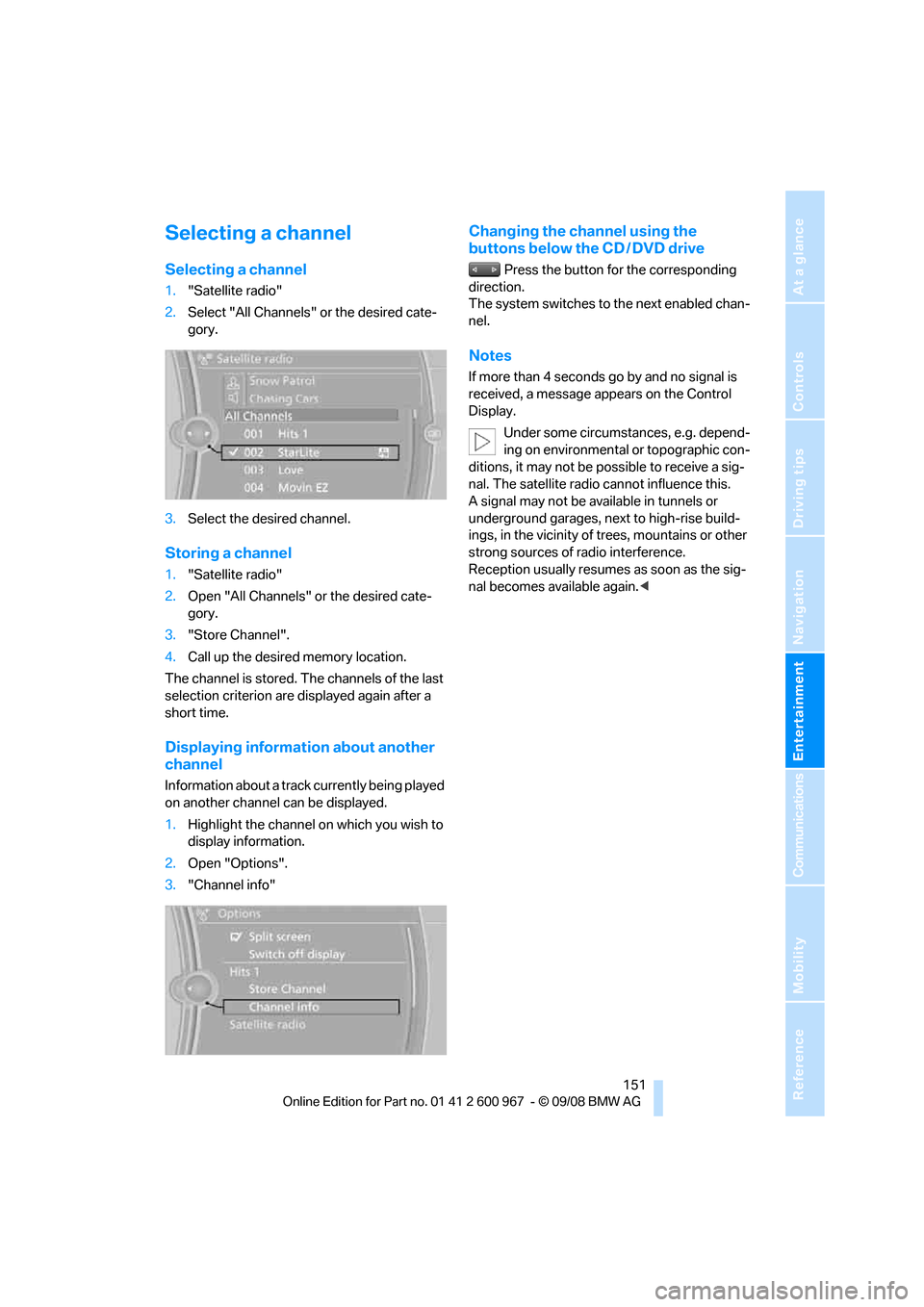
Selecting a channel
1."Satellite radio"
2.Select "All Channels" or the desired cate-
gory.
3.Select the desired channel.
Storing a channel
1."Satellite radio"
2.Open "All Channels" or the desired cate-
gory.
3."Store Channel".
4.Call up the desired memory location.
The channel is stored. The channels of the last
selection criterion are displayed again after a
short time.
Displaying information about another
channel
Information about a track currently being played
on another channel can be displayed.
1.Highlight the channel on which you wish to
display information.
2.Open "Options".
3."Channel info"
Changing the channel using the
buttons below the CD / DVD drive
Press the button for the corresponding
direction.
The system switches to the next enabled chan-
nel.
Notes
If more than 4 seconds go by and no signal is
received, a message appears on the Control
Display.
Under some circumstances, e.g. depend-
ing on environmental or topographic con-
ditions, it may not be possible to receive a sig-
nal. The satellite radio cannot influence this.
A signal may not be available in tunnels or
underground garages, next to high-rise build-
ings, in the vicinity of trees, mountains or other
strong sources of radio interference.
Reception usually resumes as soon as the sig-
nal becomes available again.<
Page 175 of 260
173
Entertainment
Reference
At a glance
Controls
Driving tips Communications
Navigation
Mobility
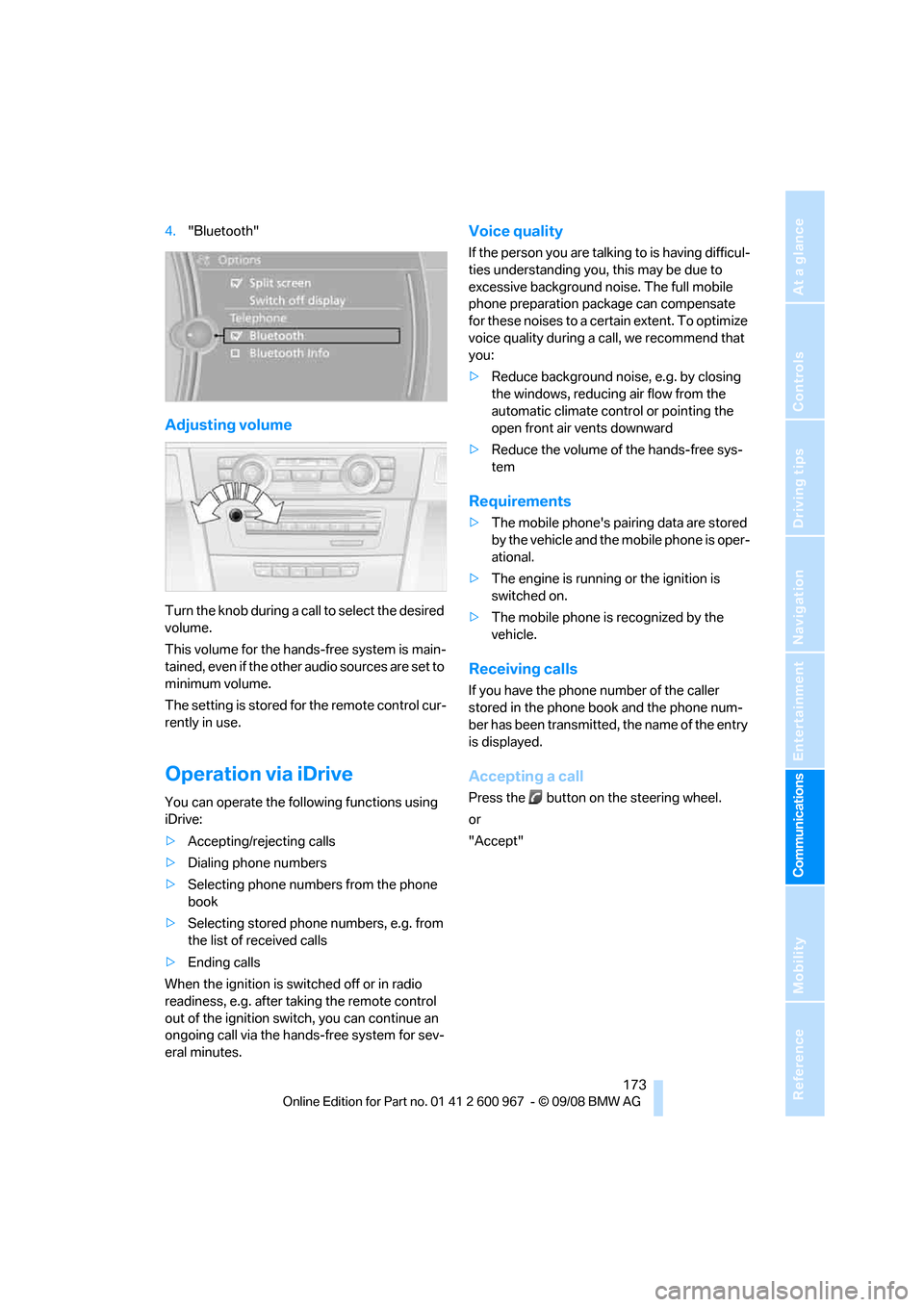
4."Bluetooth"
Adjusting volume
Turn the knob during a call to select the desired
volume.
This volume for the hands-free system is main-
tained, even if the other audio sources are set to
minimum volume.
The setting is stored for the remote control cur-
rently in use.
Operation via iDrive
You can operate the following functions using
iDrive:
>Accepting/rejecting calls
>Dialing phone numbers
>Selecting phone numbers from the phone
book
>Selecting stored phone numbers, e.g. from
the list of received calls
>Ending calls
When the ignition is switched off or in radio
readiness, e.g. after taking the remote control
out of the ignition switch, you can continue an
ongoing call via the hands-free system for sev-
eral minutes.
Voice quality
If the person you are talking to is having difficul-
ties understanding you, this may be due to
excessive background noise. The full mobile
phone preparation package can compensate
for these noises to a certain extent. To optimize
voice quality during a call, we recommend that
you:
>Reduce background noise, e.g. by closing
the windows, reducing air flow from the
automatic climate control or pointing the
open front air vents downward
>Reduce the volume of the hands-free sys-
tem
Requirements
>The mobile phone's pairing data are stored
by the vehicle and the mobile phone is oper-
ational.
>The engine is running or the ignition is
switched on.
>The mobile phone is recognized by the
vehicle.
Receiving calls
If you have the phone number of the caller
stored in the phone book and the phone num-
ber has been transmitted, the name of the entry
is displayed.
Accepting a call
Press the button on the steering wheel.
or
"Accept"
Page 181 of 260
179
Entertainment
Reference
At a glance
Controls
Driving tips Communications
Navigation
Mobility
Selecting an entry
The connection to the phone number of the
selected entry is established.
Redialing
To redial the phone number dialed last:
Notes
Important for voice commands
For voice commands, bear in mind the follow-
ing:
>Pronounce the commands smoothly and at
normal volume, avoiding excessive empha-
ses and pauses.
>Keep the doors, windows and glass roof
closed to prevent interference from outside
noise.
>Avoid ambient noise in the vehicle while
speaking.
Inserting/removing the snap-
in adapter
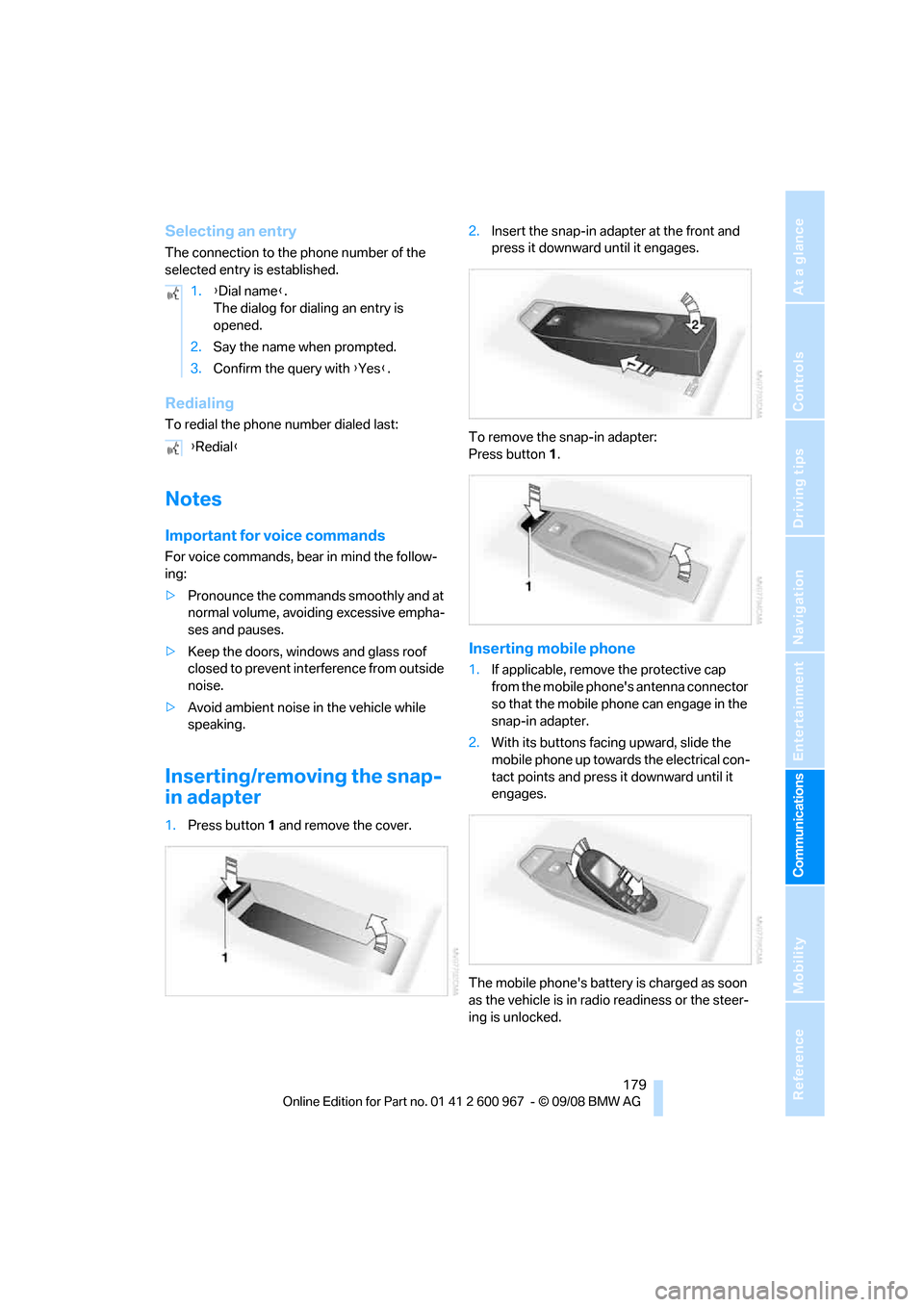
1.Press button1 and remove the cover.2.Insert the snap-in adapter at the front and
press it downward until it engages.
To remove the snap-in adapter:
Press button 1.
Inserting mobile phone
1.If applicable, remove the protective cap
from the mobile phone's antenna connector
so that the mobile phone can engage in the
snap-in adapter.
2.With its buttons facing upward, slide the
mobile phone up towards the electrical con-
tact points and press it downward until it
engages.
The mobile phone's battery is charged as soon
as the vehicle is in radio readiness or the steer-
ing is unlocked. 1.{Dial name}.
The dialog for dialing an entry is
opened.
2.Say the name when prompted.
3.Confirm the query with {Yes}.
{Redial}
Page 217 of 260
Mobility
215Reference
At a glance
Controls
Driving tips
Communications
Navigation
Entertainment
additive. For additional treatment, use a chrome
polish.
Light-alloy wheels
For technical reasons, dust is generated during
braking that is deposited on the light-alloy
wheels. Remove the dust regularly using acid-
free rim cleaner.
Do not use aggressive, acidic, strongly
alkaline and abrasive cleaning agents or
steam jets over 1407/606, otherwise dam-
age may occur.<
Outside sensors / cameras
Keep the sensors and cameras on the
outside of the vehicle, e.g. Park Distance
Control, clean and free of ice to ensure that they
remain fully functional.<
Interior care
Upholstery / cloth trim
Vacuum regularly with a vacuum cleaner to
remove superficial dirt.
To treat severe stains, e.g. from beverages, use
a soft sponge or lint-free microfiber cloth in
combination with suitable interior cleaners. Fol-
low the instructions on the packaging.
Clean the upholstery down to the seams
using a sweeping motion. Avoid strong
rubbing.<
Opened Velcro fasteners on pants or
other articles of clothing can damage the
seat covers. Ensure that Velcro fasteners are
closed.<
Leather / leather trim
The leather used by BMW is a high quality
natural product. Slight irregularities in the
leather are a typical characteristic of natural
leather.<
Dust and road grit in the pores and folds of the
leather have an abrasive effect, leading to
increased wear and causing the leather surface
to become brittle prematurely. Therefore, fre-quently clean the leather of dust using a cloth or
vacuum cleaner.
In particular, ensure that light-colored leather is
cleaned regularly as it has a tendency to soil
more easily.
Treat the leather twice a year using a leather
lotion as dirt and grease will gradually attack the
leather's protective layer.
Carpets / cargo bay
You can vacuum the carpets and floor mats or
clean them with interior cleaner if heavily soiled.
The floor mats can be removed for cleaning.
When replacing the mats, ensure that the seat
rails do not extend over the floor mats, as this
may damage the mats.
Lint on the floor mats occurs for technical rea-
sons and can be removed by vacuuming
repeatedly.
Interior plastic parts
>Imitation leather surfaces
>Lamp glasses
>Display pane of instrument cluster
>Matt parts
Clean with water and solvent-free plastic
cleaner if necessary.
Fine wood parts
Clean fine wood trim and fine wood parts with a
damp cloth. Wipe dry with a soft cloth.
Safety belts
Do not clean with cleaning agents as
these may destroy the fabric.<
Interior sensors / cameras
To clean interior sensors and cameras, use a
lint-free cloth moistened with glass cleaner.
Displays
To clean the displays, e.g. of the radio or instru-
ment cluster, use a display cleaning cloth or a
soft, non-abrasive, lint-free cloth.
Page 225 of 260
Mobility
223Reference
At a glance
Controls
Driving tips
Communications
Navigation
Entertainment
>Radio
In some cases, stations may have to be
stored again, refer to page147.
>Navigation system
Operability must be waited for, refer to
page124.
>Glass roof
It may happen that the roof can only be
raised. The system must be initialized.
Please contact your BMW center.
>Seat and mirror memory
The positions must be stored again, refer to
page47.
>Inside rearview mirror with digital compass
The system must be calibrated, refer to
page104.
Fuses
Never attempt to repair a blown fuse and
do not replace a defective fuse with a sub-
stitute of another color or amperage rating, oth-
erwise this could lead to a circuit overload, ulti-
mately resulting in a fire in the vehicle.<
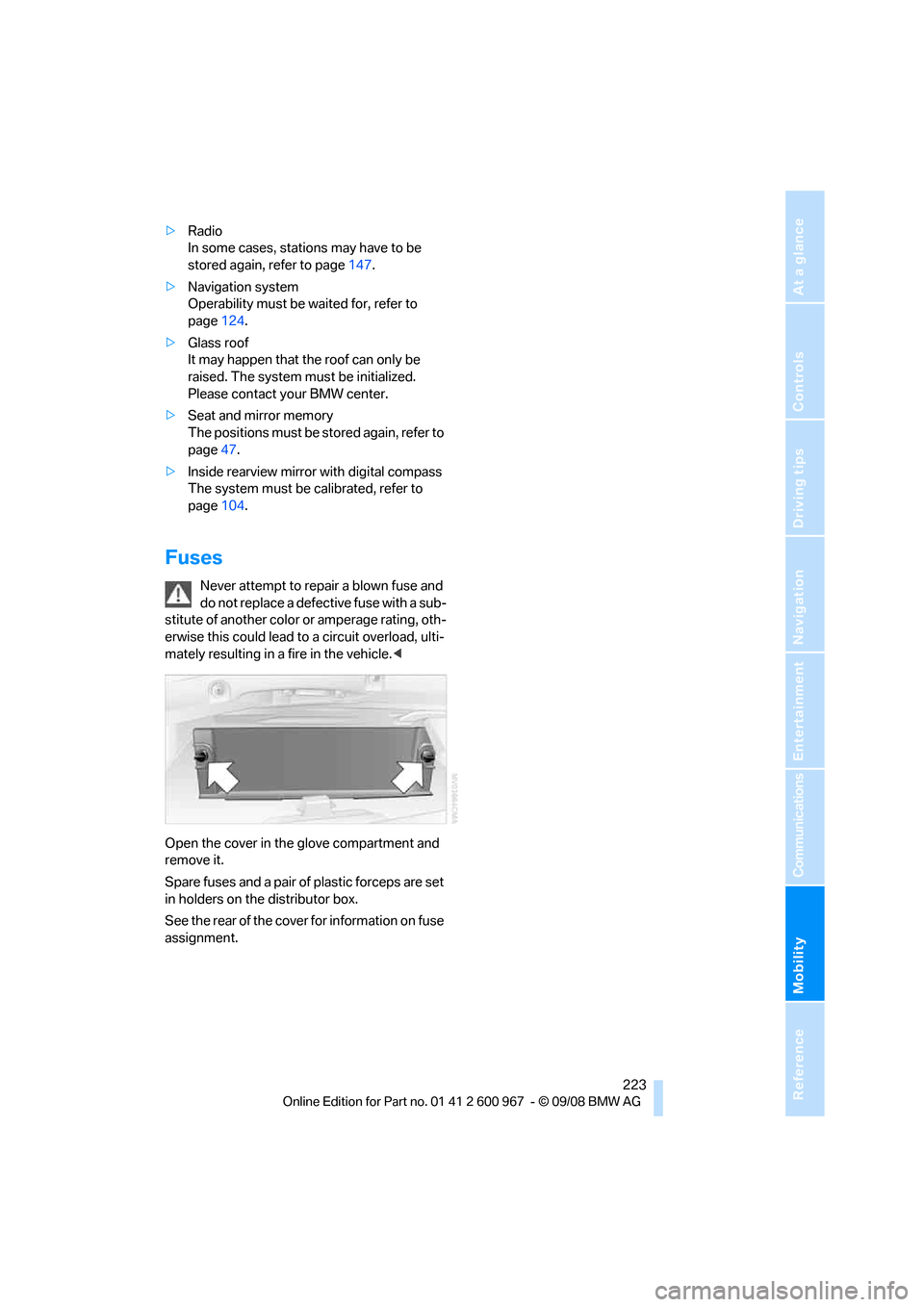
Open the cover in the glove compartment and
remove it.
Spare fuses and a pair of plastic forceps are set
in holders on the distributor box.
See the rear of the cover for information on fuse
assignment.
Page 239 of 260
Reference 237
At a glance
Controls
Driving tips
Communications
Navigation
Entertainment
Mobility
Music collection
External devices
Tone control
Radio
FM
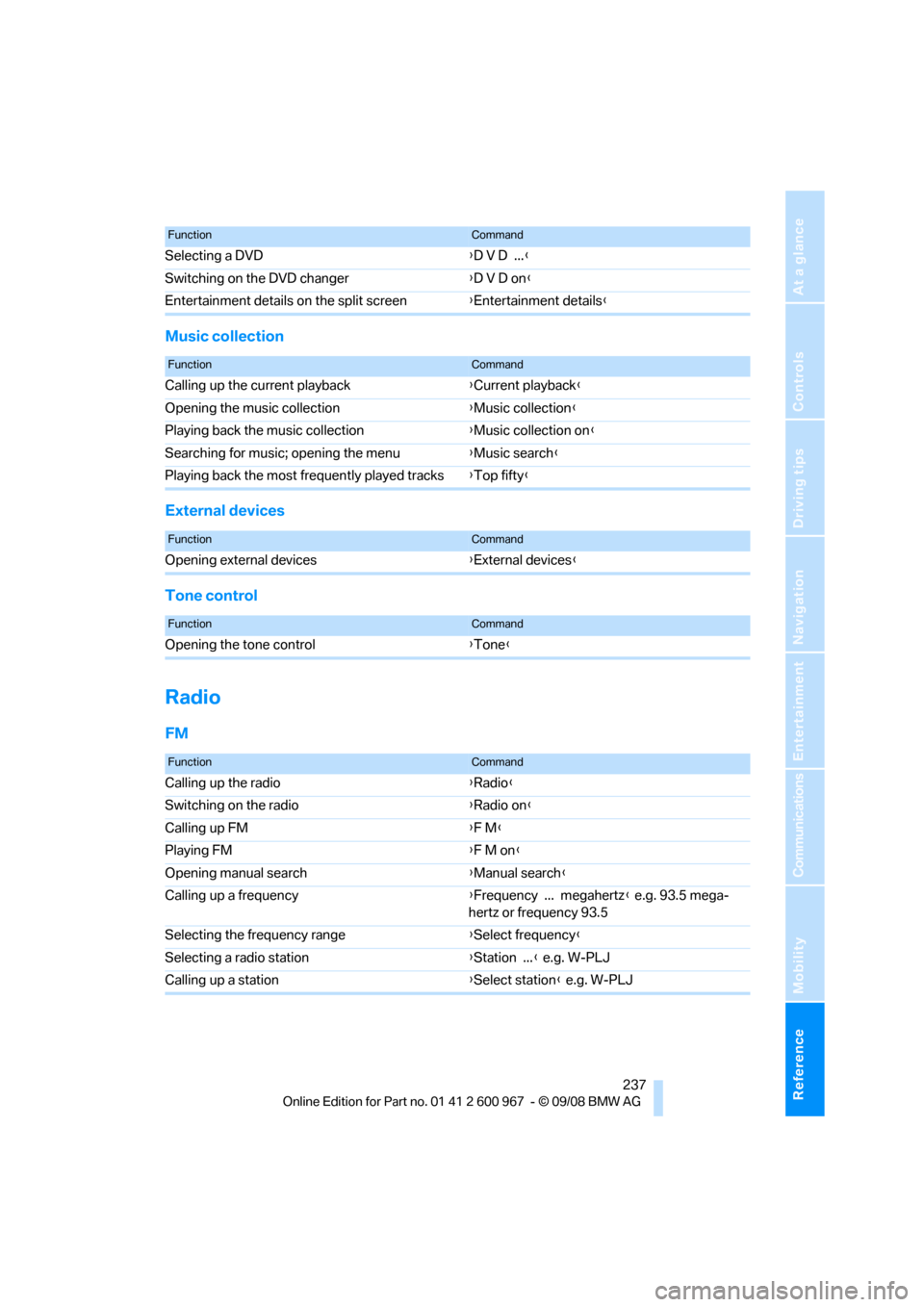
Selecting a DVD{D V D ...}
Switching on the DVD changer{D V D on}
Entertainment details on the split screen{Entertainment details}
FunctionCommand
FunctionCommand
Calling up the current playback{Current playback}
Opening the music collection{Music collection}
Playing back the music collection{Music collection on}
Searching for music; opening the menu{Music search}
Playing back the most frequently played tracks{Top fifty}
FunctionCommand
Opening external devices{External devices}
FunctionCommand
Opening the tone control{Tone}
FunctionCommand
Calling up the radio{Radio}
Switching on the radio{Radio on}
Calling up FM{F M}
Playing FM{F M on}
Opening manual search{Manual search}
Calling up a frequency{Frequency ... megahertz} e.g. 93.5 mega-
hertz or frequency 93.5
Selecting the frequency range{Select frequency}
Selecting a radio station{Station ...} e.g. W-PLJ
Calling up a station{Select station} e.g. W-PLJ
Page 246 of 260
Everything from A - Z
244 Care213
– automatic car washes213
– care products213
– carpets215
– CD/DVD drives216
– chrome parts214
– displays215
– exterior213
– fine wood parts215
– headlamps214
– high-pressure washer213
– interior215
– leather215
– light-alloy wheels215
– paintwork214
– plastic parts215
– retractable hardtop214
– rubber seals214
– safety belts215
– sensors and cameras215
– upholstery and cloth
trim215
– washing the car
manually214
– windows214
– wiper blades214
Cargo, securing120
Cargo bay
– capacity235
– convenient access34
– folding up the floor
panel111
– lamp, refer to Interior
lamps96
– opening from inside31
– opening from outside31
Cargo loading119
– securing cargo120
– stowing cargo119
– vehicle119
Car jack
– jacking points222
Car key, refer to Integrated
key/remote control26
Car phone
– installation location, refer to
Center armrest106
– refer to separate Owner's
ManualCar phone, refer to
Telephone170
Car radio, refer to Radio147
Car shampoo215
Car wash118
Catalytic converter, refer to
Hot exhaust system117
CBS Condition Based
Service
211
CD, audio playback152
CD changer152
– controls144
– fast forward/reverse154
– installation location156
– random play sequence153
– selecting a track152
– switching on/off144
– tone control144
– volume144
CD player152
– controls144
– fast forward/reverse154
– random play sequence153
– selecting a track152
– switching on/off144
– tone control144
– volume144
Center armrest106
Center brake lamp
– replacing bulb222
Center console, refer to
Around the center
console14
Central locking
– from inside30
– from outside27
Central locking system27
– convenient access34
– hotel function31
– setting unlocking
characteristics27
Changes, technical, refer to
For your own safety5
Changing bulbs, refer to
Lamps and bulbs218
Changing the measurement
units on the Control
Display72
Changing wheels222Chassis number, refer to
Engine compartment207
Check Control77
Child-restraint fixing system
LATCH53
Child-restraint systems52
Child seats, refer to
Transporting children
safely52
Chrome parts215
Chrome polish215
Cigarette lighter, refer to
Lighter108
Cleaning headlamps60
– washer fluid61
Cleaning your BMW, refer to
Care213
Clock
69
– 12h/24h mode76
– setting the time and date76
– setting time75
Closing
– from inside30
– from outside27
Clothes hooks107
Cockpit10
Cold start, refer to Starting the
engine55
Combined instrument, refer to
Instrument cluster12
Comfort access, refer to
Convenient access34
Comfort area, refer to Around
the center console14
Compartment for remote
control, refer to Ignition
lock55
Compass104
Computer70
– displays on Control
Display71
Computer, refer to iDrive16
Concierge service183
Condensation, refer to When
the vehicle is parked118
Condition Based Service
CBS211
Configuring settings, refer to
Personal Profile26
Page 247 of 260
Reference 245
At a glance
Controls
Driving tips
Communications
Navigation
Entertainment
Mobility
Confirmation signals for
locking/unlocking the
vehicle29
Congestion
– refer to Route, bypassing
sections136
Connecting vacuum cleaner,
refer to Connecting
electrical appliances108
Consumption, refer to
Average consumption71
Consumption display
– average consumption71
Control Center, refer to
iDrive16
Control Display, refer to
iDrive16
– adjusting brightness80
– switching on/off19
Controller, refer to iDrive16
Controls and displays10
Control unit, refer to iDrive16
Convenient access34
– replacing the battery35
Convenient loading in
convertible28
Convenient operation
– glass roof28
– glass roof with convenient
access34
– retractable hardtop28
– windows28
– windows with convenient
access34
Convertible
– bag holder110
– convenient loading28
– enlarging cargo bay109
– folding down rear
backrest110
– retractable hardtop38
– rollover protection
system92
– securing cargo120
– stowing cargo119
Coolant209
– checking level210
Coolant temperature70
Cooling, maximum98Cooling fluid, refer to
Coolant209
Cooling system, refer to
Coolant209
Copyright2
Corner-illuminating lamps
– replacing bulbs219
Corner-illuminating lamps,
refer to Adaptive Head
Light94
Cornering lamps, refer to
Adaptive Head Light94
Correct tires204
Country codes DVD154
Courtesy lamps, refer to
Interior lamps96
Criteria for route135
Cross-hairs in navigation130
Cruise control61
– active63
– malfunction63
Cruising range70
Cup holders107
Curb weight, refer to
Weights235
Current playback of music
collection160
Current position
– displaying141
Customer Relations187
D
Dashboard, refer to
Cockpit10
Dashboard, refer to
Instrument cluster12
Dashboard lighting, refer to
Instrument lighting95
Data, technical232
– dimensions233
– engine232
– weights235
Data transfer188
Date
– date format77
– setting76
Daytime running lamps94
– replacing bulbs219DBC Dynamic Brake
Control83
Deactivating front passenger
airbags90
Deadlocking, refer to
Locking28
Defect
– door lock30
– fuel filler door192
– glass roof38
Destination, entering by town/
city name125
Destination address
– entering125,131
Destination for navigation
– entering by voice131
– entering via map130
– entry125
– home address128
– manual entry125
Destination guidance135
– bypassing a route
section136
– changing specified
route135
– continuing135
– starting135
– voice instructions136
– volume of voice
instructions137
Digital clock69
Digital compass104
Digital radio, refer to High
Definition Radio148
Dimensions233
Directional indicators, refer to
Turn signals59
Direction instructions, refer to
Voice instructions136
Directory for navigation, refer
to Address book127
Displacement, refer to Engine
data232
Display, refer to iDrive
controls16
"Display current location"141
Display lighting, refer to
Instrument lighting95
Page 249 of 260
Reference 247
At a glance
Controls
Driving tips
Communications
Navigation
Entertainment
Mobility
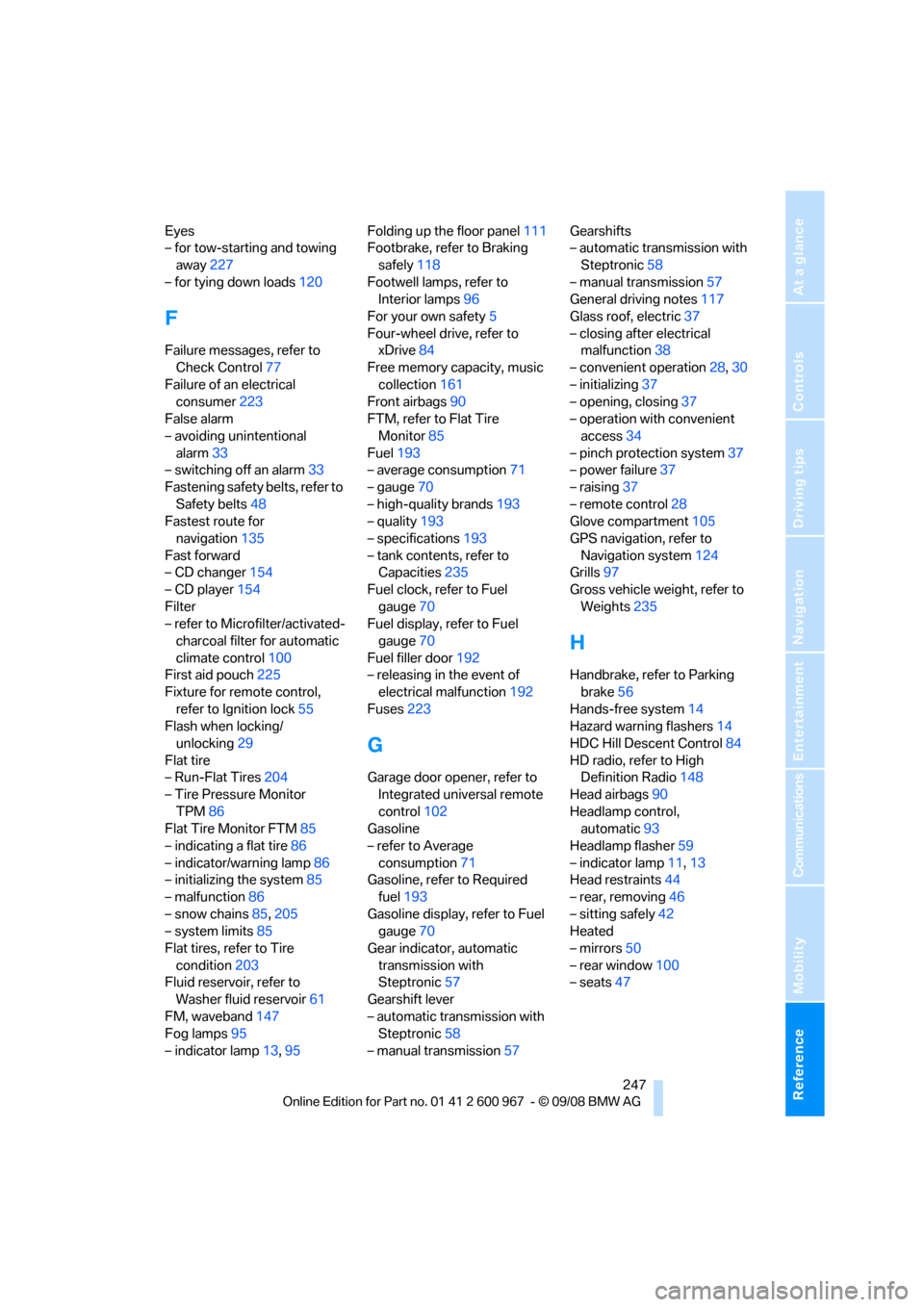
Eyes
– for tow-starting and towing
away227
– for tying down loads120
F
Failure messages, refer to
Check Control77
Failure of an electrical
consumer223
False alarm
– avoiding unintentional
alarm33
– switching off an alarm33
Fastening safety belts, refer to
Safety belts48
Fastest route for
navigation135
Fast forward
– CD changer154
– CD player154
Filter
– refer to Microfilter/activated-
charcoal filter for automatic
climate control100
First aid pouch225
Fixture for remote control,
refer to Ignition lock55
Flash when locking/
unlocking29
Flat tire
– Run-Flat Tires204
– Tire Pressure Monitor
TPM86
Flat Tire Monitor FTM85
– indicating a flat tire86
– indicator/warning lamp86
– initializing the system85
– malfunction86
– snow chains85,205
– system limits85
Flat tires, refer to Tire
condition203
Fluid reservoir, refer to
Washer fluid reservoir61
FM, waveband147
Fog lamps95
– indicator lamp13,95Folding up the floor panel111
Footbrake, refer to Braking
safely118
Footwell lamps, refer to
Interior lamps96
For your own safety5
Four-wheel drive, refer to
xDrive84
Free memory capacity, music
collection161
Front airbags90
FTM, refer to Flat Tire
Monitor85
Fuel193
– average consumption71
– gauge70
– high-quality brands193
– quality193
– specifications193
– tank contents, refer to
Capacities235
Fuel clock, refer to Fuel
gauge70
Fuel display, refer to Fuel
gauge70
Fuel filler door192
– releasing in the event of
electrical malfunction192
Fuses223
G
Garage door opener, refer to
Integrated universal remote
control102
Gasoline
– refer to Average
consumption71
Gasoline, refer to Required
fuel193
Gasoline display, refer to Fuel
gauge70
Gear indicator, automatic
transmission with
Steptronic57
Gearshift lever
– automatic transmission with
Steptronic58
– manual transmission57Gearshifts
– automatic transmission with
Steptronic58
– manual transmission57
General driving notes117
Glass roof, electric37
– closing after electrical
malfunction38
– convenient operation28,30
– initializing37
– opening, closing37
– operation with convenient
access34
– pinch protection system37
– power failure37
– raising37
– remote control28
Glove compartment105
GPS navigation, refer to
Navigation system124
Grills97
Gross vehicle weight, refer to
Weights235
H
Handbrake, refer to Parking
brake56
Hands-free system14
Hazard warning flashers14
HDC Hill Descent Control84
HD radio, refer to High
Definition Radio148
Head airbags90
Headlamp control,
automatic93
Headlamp flasher59
– indicator lamp11,13
Head restraints44
– rear, removing46
– sitting safely42
Heated
– mirrors50
– rear window100
– seats47
Page 250 of 260
Everything from A - Z
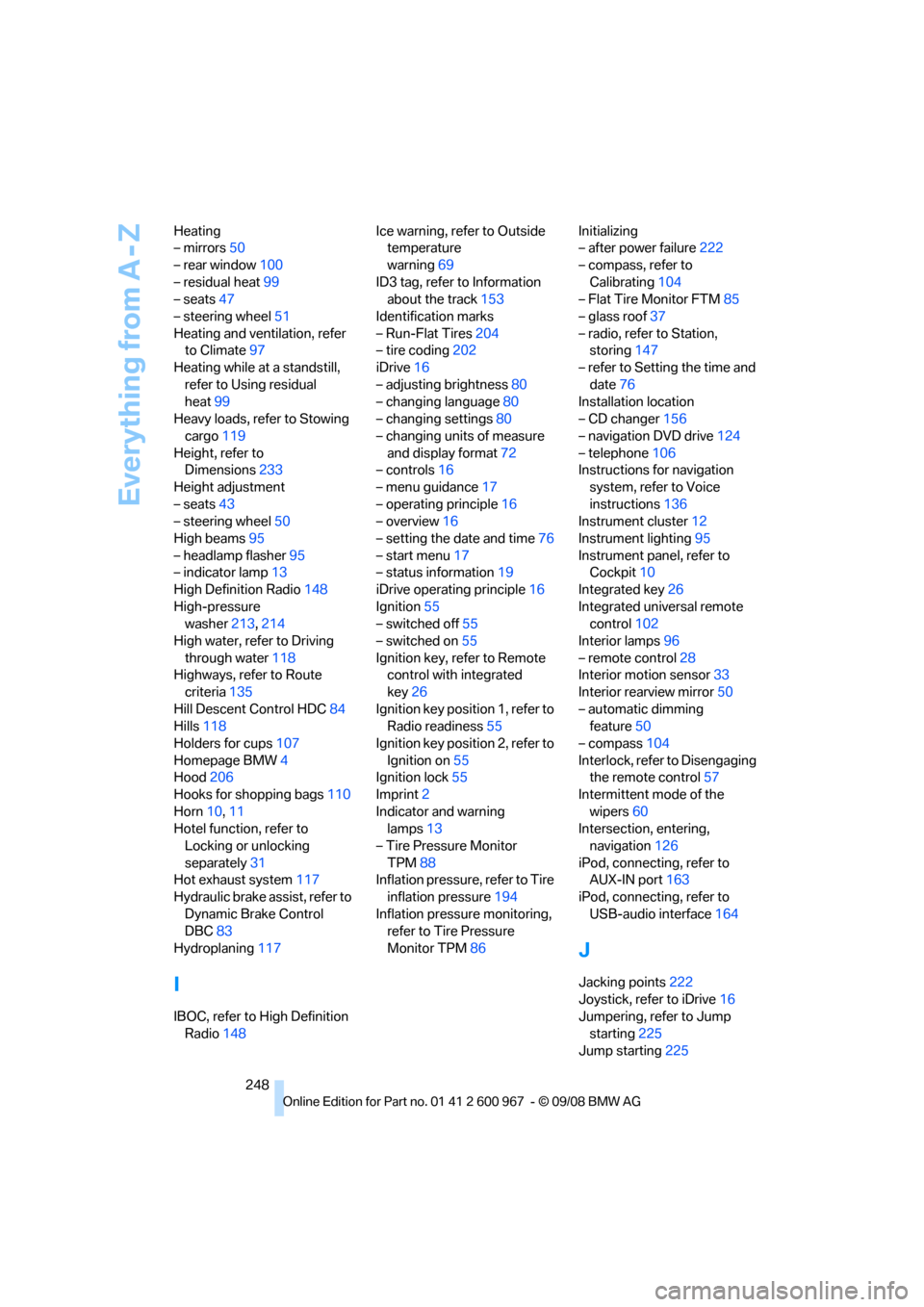
248 Heating
– mirrors50
– rear window100
– residual heat99
– seats47
– steering wheel51
Heating and ventilation, refer
to Climate97
Heating while at a standstill,
refer to Using residual
heat99
Heavy loads, refer to Stowing
cargo119
Height, refer to
Dimensions233
Height adjustment
– seats43
– steering wheel50
High beams95
– headlamp flasher95
– indicator lamp13
High Definition Radio148
High-pressure
washer213,214
High water, refer to Driving
through water118
Highways, refer to Route
criteria135
Hill Descent Control HDC84
Hills118
Holders for cups107
Homepage BMW4
Hood206
Hooks for shopping bags110
Horn10,11
Hotel function, refer to
Locking or unlocking
separately31
Hot exhaust system117
Hydraulic brake assist, refer to
Dynamic Brake Control
DBC83
Hydroplaning117
I
IBOC, refer to High Definition
Radio148Ice warning, refer to Outside
temperature
warning69
ID3 tag, refer to Information
about the track153
Identification marks
– Run-Flat Tires204
– tire coding202
iDrive16
– adjusting brightness80
– changing language80
– changing settings80
– changing units of measure
and display format72
– controls16
– menu guidance17
– operating principle16
– overview16
– setting the date and time76
– start menu17
– status information19
iDrive operating principle16
Ignition55
– switched off55
– switched on55
Ignition key, refer to Remote
control with integrated
key26
Ignition key position 1, refer to
Radio readiness55
Ignition key position 2, refer to
Ignition on55
Ignition lock55
Imprint2
Indicator and warning
lamps13
– Tire Pressure Monitor
TPM88
Inflation pressure, refer to Tire
inflation pressure194
Inflation pressure monitoring,
refer to Tire Pressure
Monitor TPM86Initializing
– after power failure222
– compass, refer to
Calibrating104
– Flat Tire Monitor FTM85
– glass roof37
– radio, refer to Station,
storing147
– refer to Setting the time and
date76
Installation location
– CD changer156
– navigation DVD drive124
– telephone106
Instructions for navigation
system, refer to Voice
instructions
136
Instrument cluster12
Instrument lighting95
Instrument panel, refer to
Cockpit10
Integrated key26
Integrated universal remote
control102
Interior lamps96
– remote control28
Interior motion sensor33
Interior rearview mirror50
– automatic dimming
feature50
– compass104
Interlock, refer to Disengaging
the remote control57
Intermittent mode of the
wipers60
Intersection, entering,
navigation126
iPod, connecting, refer to
AUX-IN port163
iPod, connecting, refer to
USB-audio interface164
J
Jacking points222
Joystick, refer to iDrive16
Jumpering, refer to Jump
starting225
Jump starting225