start BMW 328I COUPE 2011 E93 Workshop Manual
[x] Cancel search | Manufacturer: BMW, Model Year: 2011, Model line: 328I COUPE, Model: BMW 328I COUPE 2011 E93Pages: 278, PDF Size: 8.23 MB
Page 195 of 278
193
Entertainment
Reference
At a glance
Controls
Driving tips Communications
Navigation
Mobility
Example: dialing phone numbers
To start the dialog:
Press the button on the steering wheel.
Adjusting the volume of the
instructions
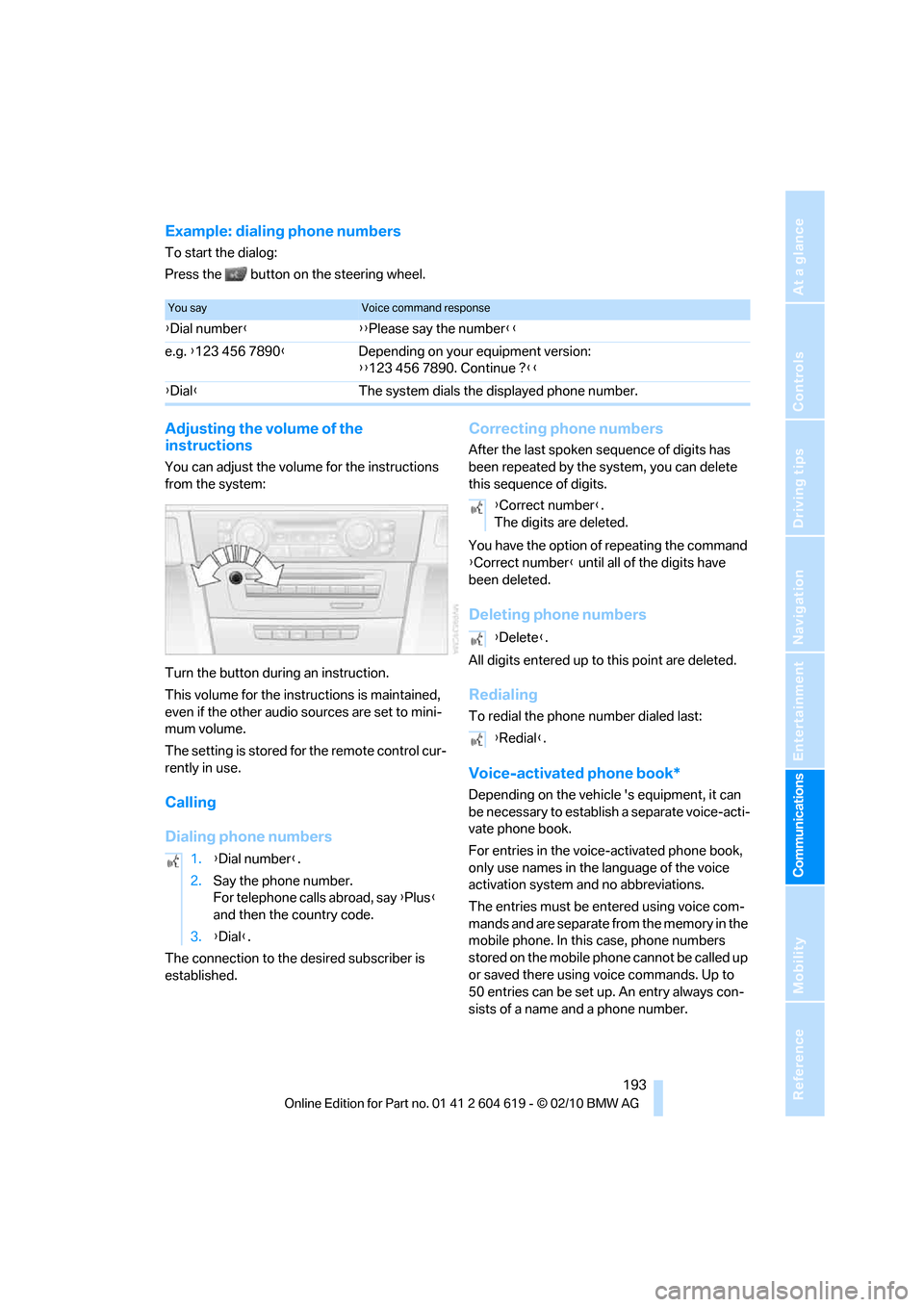
You can adjust the volume for the instructions
from the system:
Turn the button during an instruction.
This volume for the instructions is maintained,
even if the other audio sources are set to mini-
mum volume.
The setting is stored for the remote control cur-
rently in use.
Calling
Dialing phone numbers
The connection to the desired subscriber is
established.
Correcting phone numbers
After the last spoken sequence of digits has
been repeated by the system, you can delete
this sequence of digits.
You have the option of repeating the command
{Correct number} until all of the digits have
been deleted.
Deleting phone numbers
All digits entered up to this point are deleted.
Redialing
To redial the phone number dialed last:
Voice-activated phone book*
Depending on the vehicle 's equipment, it can
be necessary to establish a separate voice-acti-
vate phone book.
For entries in the voice-activated phone book,
only use names in the language of the voice
activation system and no abbreviations.
The entries must be entered using voice com-
mands and are separate from the memory in the
mobile phone. In this case, phone numbers
stored on the mobile phone cannot be called up
or saved there using voice commands. Up to
50 entries can be set up. An entry always con-
sists of a name and a phone number.
You sayVoice command response
{Dial number}{{Please say the number}}
e.g. {123 456 7890}Depending on your equipment version:
{{123 456 7890. Continue ?}}
{Dial}The system dials the displayed phone number.
1.{Dial number}.
2.Say the phone number.
For telephone calls abroad, say {Plus}
and then the country code.
3.{Dial}.
{Correct number}.
The digits are deleted.
{Delete}.
{Redial}.
Page 201 of 278
199
Entertainment
Reference
At a glance
Controls
Driving tips Communications
Navigation
Mobility
TeleService*
TeleService supports communication with your
BMW center.
>Data on the vehicle's service requirements
can be sent directly to the BMW center. In
this way, the BMW center can plan its work
in advance. This shortens the duration of
the service appointment.
>In the event of a breakdown, data on the
vehicle's condition can be sent directly to
Roadside Assistance
*.
>The service varies by country.
>Connection may incur charges.
>Services may be restricted abroad.
Requirements
>BMW Assist is activated.
>Wireless reception is available.
>The engine is running.
Concierge service*
When you call the BMW Assist Concierge ser-
vice, you can obtain information about, for
example, restaurants, emergency pharmacy
services, gas stations or hotels, as well as
receive the corresponding telephone numbers
and addresses.
You can then dial a phone number directly or
use an address for destination guidance
*.
Starting the concierge service
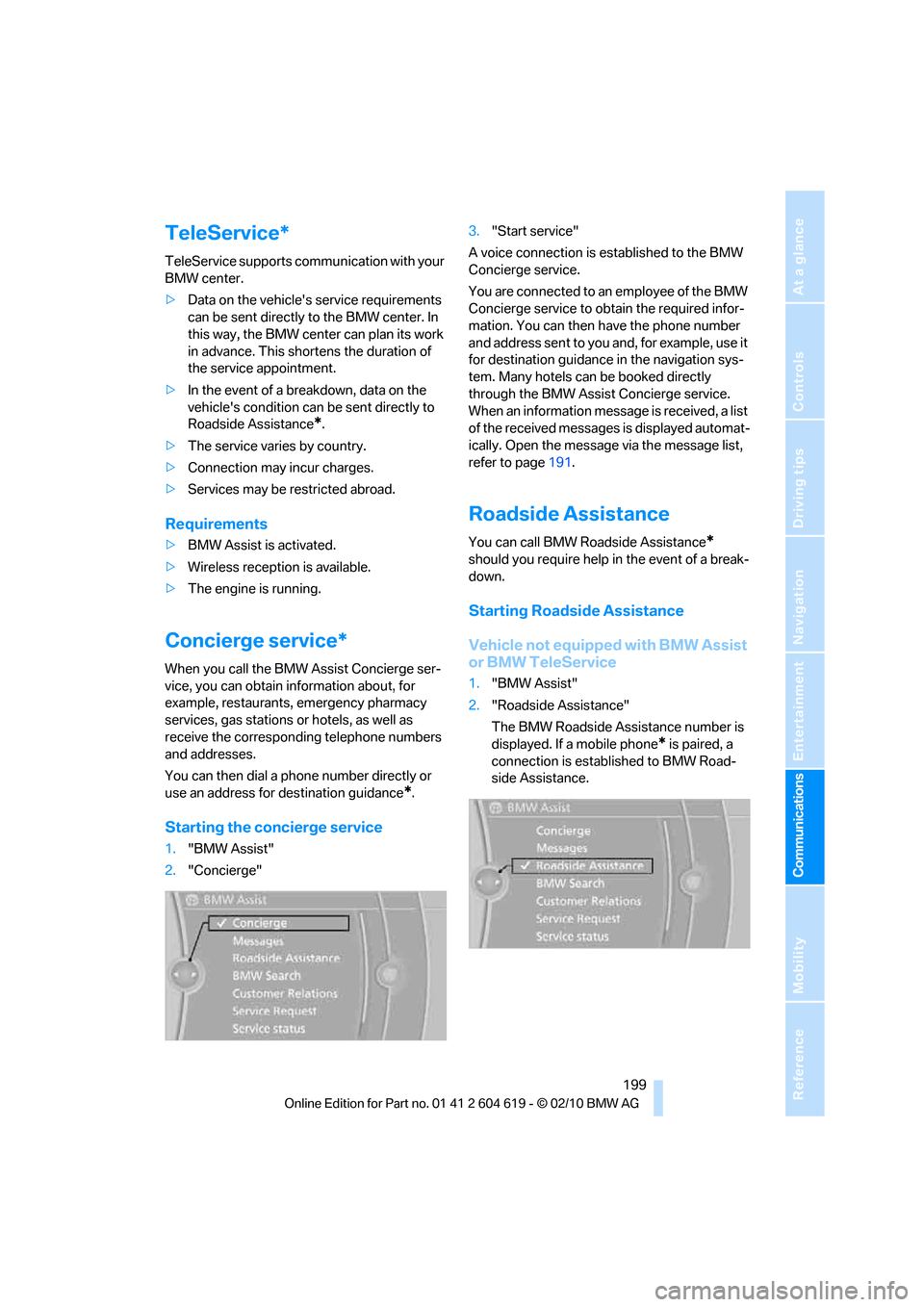
1."BMW Assist"
2."Concierge"3."Start service"
A voice connection is established to the BMW
Concierge service.
You are connected to an employee of the BMW
Concierge service to obtain the required infor-
mation. You can then have the phone number
and address sent to you and, for example, use it
for destination guidance in the navigation sys-
tem. Many hotels can be booked directly
through the BMW Assist Concierge service.
When an information message is received, a list
of the received messages is displayed automat-
ically. Open the message via the message list,
refer to page191.
Roadside Assistance
You can call BMW Roadside Assistance*
should you require help in the event of a break-
down.
Starting Roadside Assistance
Vehicle not equipped with BMW Assist
or BMW TeleService
1."BMW Assist"
2."Roadside Assistance"
The BMW Roadside Assistance number is
displayed. If a mobile phone
* is paired, a
connection is established to BMW Road-
side Assistance.
Page 202 of 278
BMW Assist
200
Vehicle equipped with BMW Assist or
BMW TeleService
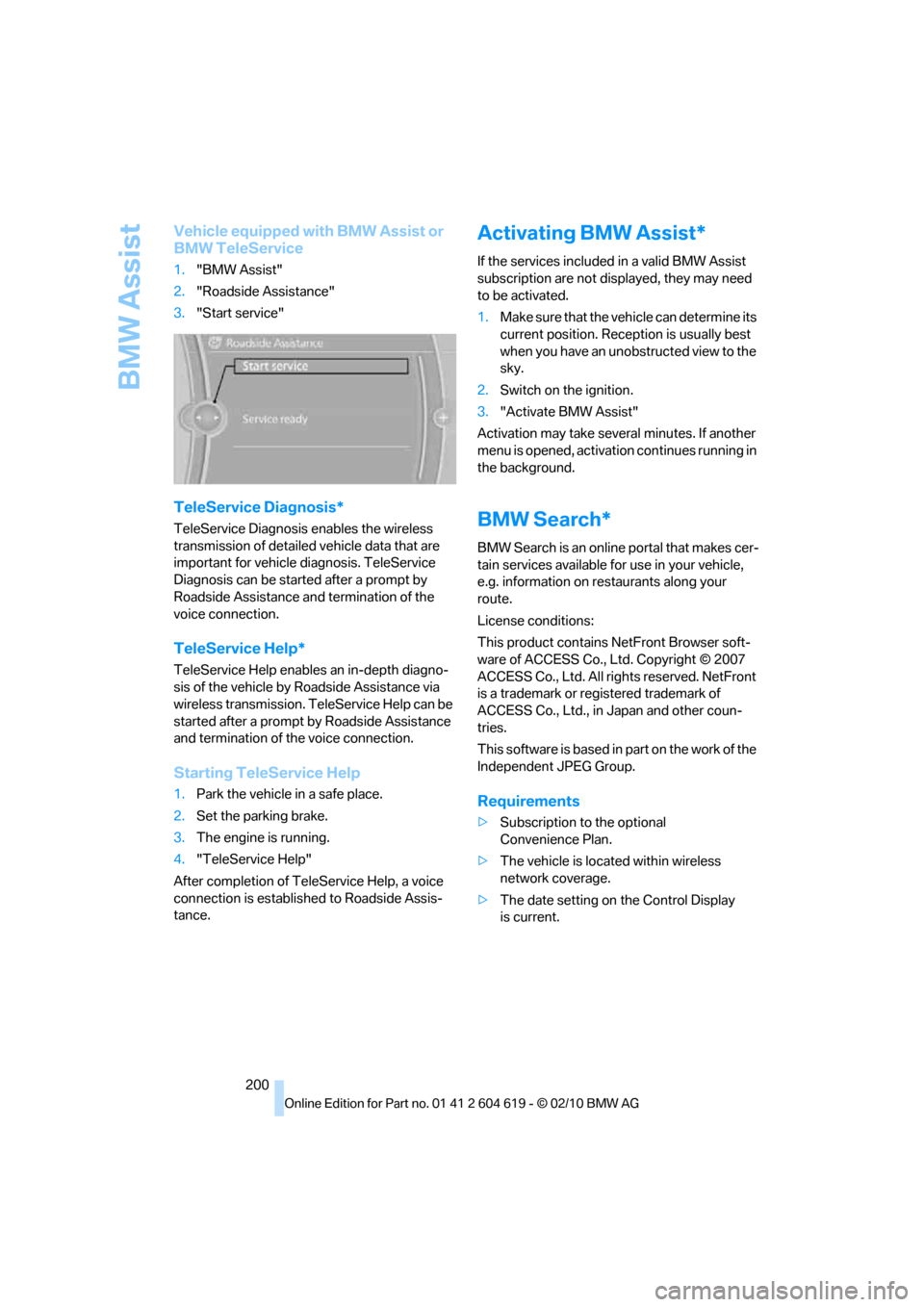
1."BMW Assist"
2."Roadside Assistance"
3."Start service"
TeleService Diagnosis*
TeleService Diagnosis enables the wireless
transmission of detailed vehicle data that are
important for vehicle diagnosis. TeleService
Diagnosis can be started after a prompt by
Roadside Assistance and termination of the
voice connection.
TeleService Help*
TeleService Help enables an in-depth diagno-
sis of the vehicle by Roadside Assistance via
wireless transmission. TeleService Help can be
started after a prompt by Roadside Assistance
and termination of the voice connection.
Starting TeleService Help
1.Park the vehicle in a safe place.
2.Set the parking brake.
3.The engine is running.
4."TeleService Help"
After completion of TeleService Help, a voice
connection is established to Roadside Assis-
tance.
Activating BMW Assist*
If the services included in a valid BMW Assist
subscription are not displayed, they may need
to be activated.
1.Make sure that the vehicle can determine its
current position. Reception is usually best
when you have an unobstructed view to the
sky.
2.Switch on the ignition.
3."Activate BMW Assist"
Activation may take several minutes. If another
menu is opened, activation continues running in
the background.
BMW Search*
BMW Search is an online portal that makes cer-
tain services available for use in your vehicle,
e.g. information on restaurants along your
route.
License conditions:
This product contains NetFront Browser soft-
ware of ACCESS Co., Ltd. Copyright © 2007
ACCESS Co., Ltd. All rights reserved. NetFront
is a trademark or registered trademark of
ACCESS Co., Ltd., in Japan and other coun-
tries.
T h i s s o f t w a r e i s b a s e d i n p a r t o n t h e w o r k o f t h e
Independent JPEG Group.
Requirements
>Subscription to the optional
Convenience Plan.
>The vehicle is located within wireless
network coverage.
>The date setting on the Control Display
is current.
Page 203 of 278
201
Entertainment
Reference
At a glance
Controls
Driving tips Communications
Navigation
Mobility
Starting BMW Search
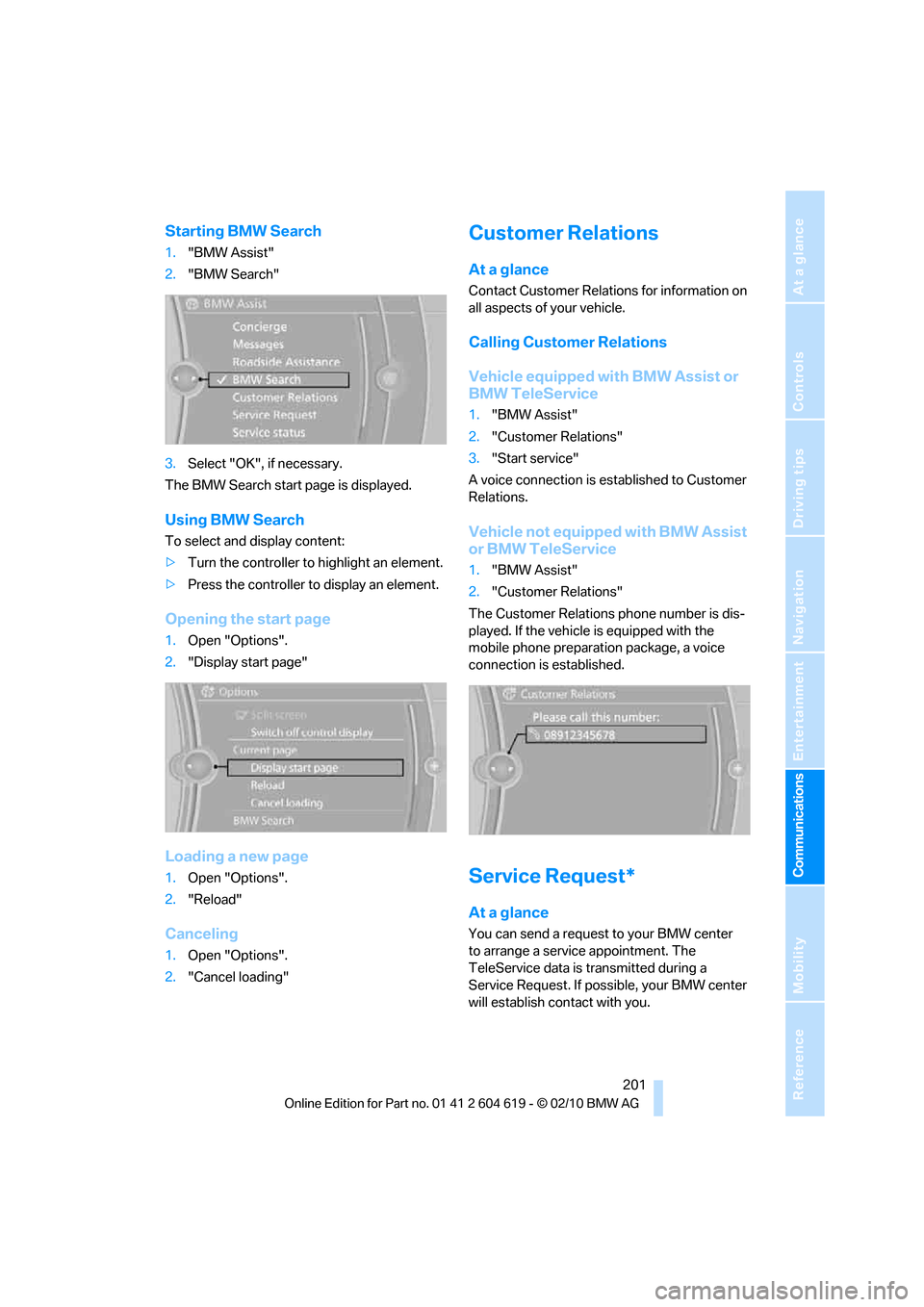
1."BMW Assist"
2."BMW Search"
3.Select "OK", if necessary.
The BMW Search start page is displayed.
Using BMW Search
To select and display content:
>Turn the controller to highlight an element.
>Press the controller to display an element.
Opening the start page
1.Open "Options".
2."Display start page"
Loading a new page
1.Open "Options".
2."Reload"
Canceling
1.Open "Options".
2."Cancel loading"
Customer Relations
At a glance
Contact Customer Relations for information on
all aspects of your vehicle.
Calling Customer Relations
Vehicle equipped with BMW Assist or
BMW TeleService
1."BMW Assist"
2."Customer Relations"
3."Start service"
A voice connection is established to Customer
Relations.
Vehicle not equipped with BMW Assist
or BMW TeleService
1."BMW Assist"
2."Customer Relations"
The Customer Relations phone number is dis-
played. If the vehicle is equipped with the
mobile phone preparation package, a voice
connection is established.
Service Request*
At a glance
You can send a request to your BMW center
to arrange a service appointment. The
TeleService data is transmitted during a
Service Request. If possible, your BMW center
will establish contact with you.
Page 204 of 278
BMW Assist
202
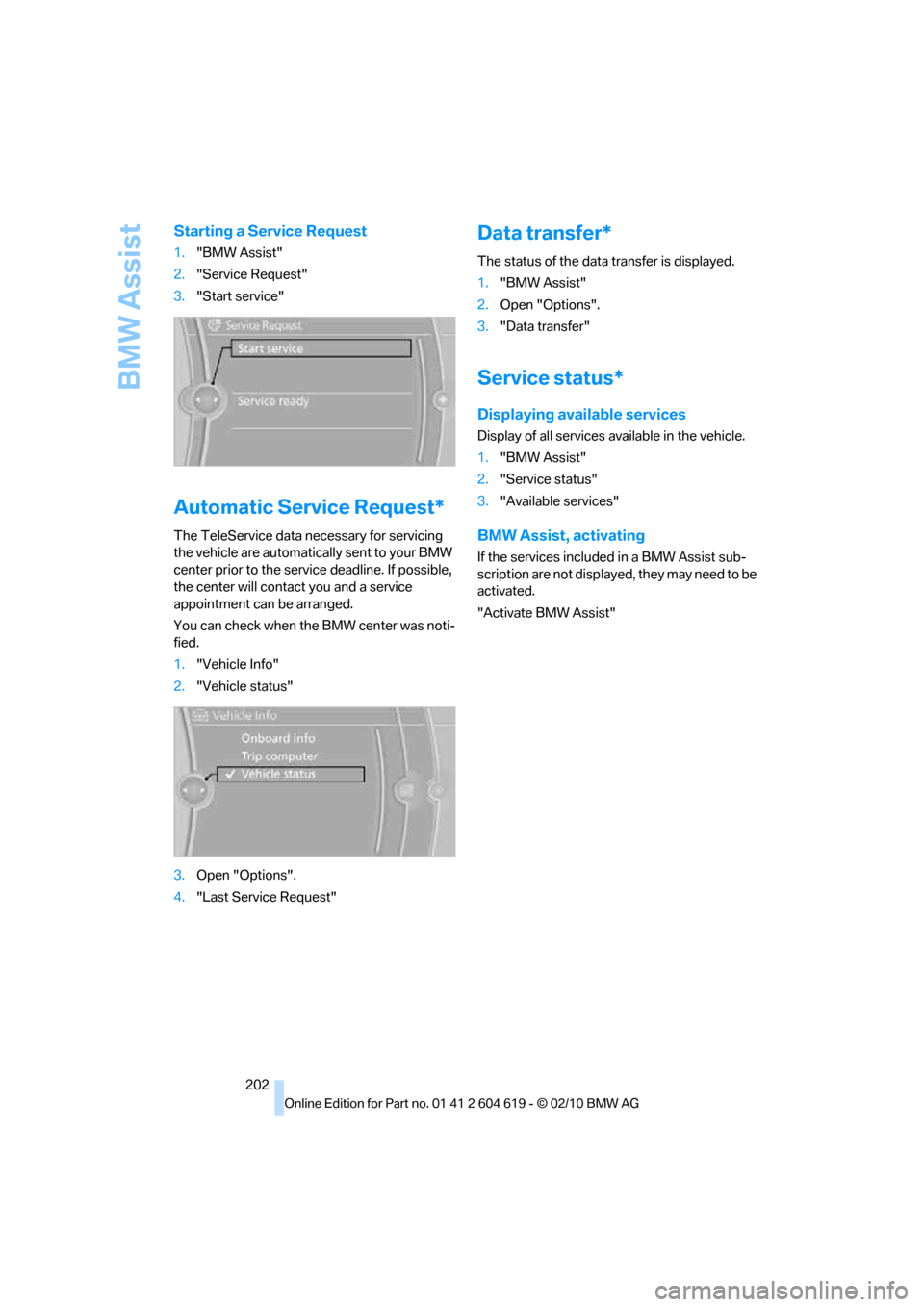
Starting a Service Request
1."BMW Assist"
2."Service Request"
3."Start service"
Automatic Service Request*
The TeleService data necessary for servicing
the vehicle are automatically sent to your BMW
center prior to the service deadline. If possible,
the center will contact you and a service
appointment can be arranged.
You can check when the BMW center was noti-
fied.
1."Vehicle Info"
2."Vehicle status"
3.Open "Options".
4."Last Service Request"
Data transfer*
The status of the data transfer is displayed.
1."BMW Assist"
2.Open "Options".
3."Data transfer"
Service status*
Displaying available services
Display of all services available in the vehicle.
1."BMW Assist"
2."Service status"
3."Available services"
BMW Assist, activating
If the services included in a BMW Assist sub-
scription are not displayed, they may need to be
activated.
"Activate BMW Assist"
Page 209 of 278
Mobility
207Reference
At a glance
Controls
Driving tips
Communications
Navigation
Entertainment
Observe the following when refueling
When handling fuels, follow the safety
instructions provided at filling stations;
otherwise, there is a risk of personal injury or
property damage.<
When refueling, insert the filler nozzle com-
pletely into the filler pipe. Avoid lifting the filler
nozzle while filling the tank, as that would lead
to
>Premature pump shutoff
>Reduced efficiency of the fuel-vapor recov-
ery system.
The fuel tank is full when the filler nozzle clicks
off the first time.
Fuel tank capacity
Approx. 16.1 US gallons/61 liters, including the
reserve capacity of 2.1 US gallons/8 liters.
Refuel as soon as possible once your
cruising range falls below 30 miles/
50 km; otherwise, engine functions are not
ensured and damage can occur.<
Fuel specifications
Gasoline engine: required fuel
Do not refuel with leaded fuel; otherwise,
the catalytic converter will be damaged.
Do not fill the tank with E85, i.e. fuel containing
85Ξ ethanol, nor with FlexFuel. Otherwise, the
engine and fuel supply system will be dam-
aged.<
Super Premium Gasoline/AKI 91
This gasoline is highly recommended.
However, you may also use gasoline with less
AKI. The minimum AKI Rating is:
>328i/xDrive: 87
>335i, 335i/xDrive: 89.
If you use gasoline with this minimum AKI Rat-
ing, the engine may produce knocking sounds
when starting at high outside temperatures.
This has no effect on the engine life.Do not use any gasoline below the speci-
fied minimum fuel grade. Otherwise, the
engine could be damaged.<
Use high-quality brands
Field experience has indicated significant dif-
ferences in fuel quality: volatility, composition,
additives, etc., among gasolines offered for sale
in the United States and Canada. Fuels contain-
ing up to and including 10Ξ ethanol or other
oxygenates with up to 2.8Ξ oxygen by weight,
that is, 15Ξ MTBE or 3Ξ methanol plus an
equivalent amount of cosolvent, will not void the
applicable warranties with respect to defects in
materials or workmanship.
The use of poor-quality fuels may result in
drivability, starting and stalling problems
especially under certain environmental condi-
tions such as high ambient temperature and
high altitude.
Should you encounter drivability problems
which you suspect could be related to the fuel
y o u a r e u s i n g , w e r e c o m m e n d t h a t y o u r e s p o n d
by switching to a recognized high-quality brand
such as gasoline that is advertised as Top Tier
Detergent Gasoline.
Failure to comply with these recommendations
may also result in unscheduled maintenance.<
Page 210 of 278
Wheels and tires
208
Wheels and tires
Tire inflation pressures
Information for your safety
It is not merely the tires' service life, but also
driving comfort and, to a great extent, driving
safety that depend on the condition of the tires
and the maintenance of the specified tire pres-
sure.
Check the tire inflation pressure regularly
and correct it, if necessary: at least twice a
month and before starting long trips. If you fail
to observe this precaution you may be driving
on tires with incorrect tire pressures, a condi-
tion that can not only compromise your vehi-
cle's driving stability, but also lead to tire dam-
age and the risk of an accident. Do not drive
with deflated, i.e. flat tires, except when using
run-flat tires. A flat tire will seriously impair your
vehicle's handling and braking response.
Attempts to drive on a flat tire can lead to loss of
control over the vehicle.<
Checking pressure
Only check tire inflation pressure when the
tires are cold. This means after a maximum of
1.25 miles/2 km driving or when the vehicle has
been parked for at least 2 hours. When tires are
warm, the tire inflation pressure is higher.
After correcting the tire inflation pressure,
reset the Tire Pressure Monitor, refer to
page95, or reinitialize the Flat Tire Monitor,
refer to page93.<
Inflation pressure specifications
The tables below provide all the correct inflation
pressures for the specified tire sizes at ambient
temperature.
The inflation pressures apply to the tire
sizes approved and tire brands recom-
mended by BMW; a list of these is available
from your BMW center.<
For correct identification of the right tire infla-
tion pressures, observe the following:>Tire sizes for your vehicle
>Load conditions
>Maximum allowable driving speed
Tire inflation pressures for driving up
to 100 mph or 160 km/h
For normal driving up to 100 mph or 160 km/h
and to achieve optimum driving comfort, adjust
pressures to the respective tire inflation pres-
sures listed on the following pages in the col-
umns for traveling speeds up to a maximum of
100 mph or 160 km/h.
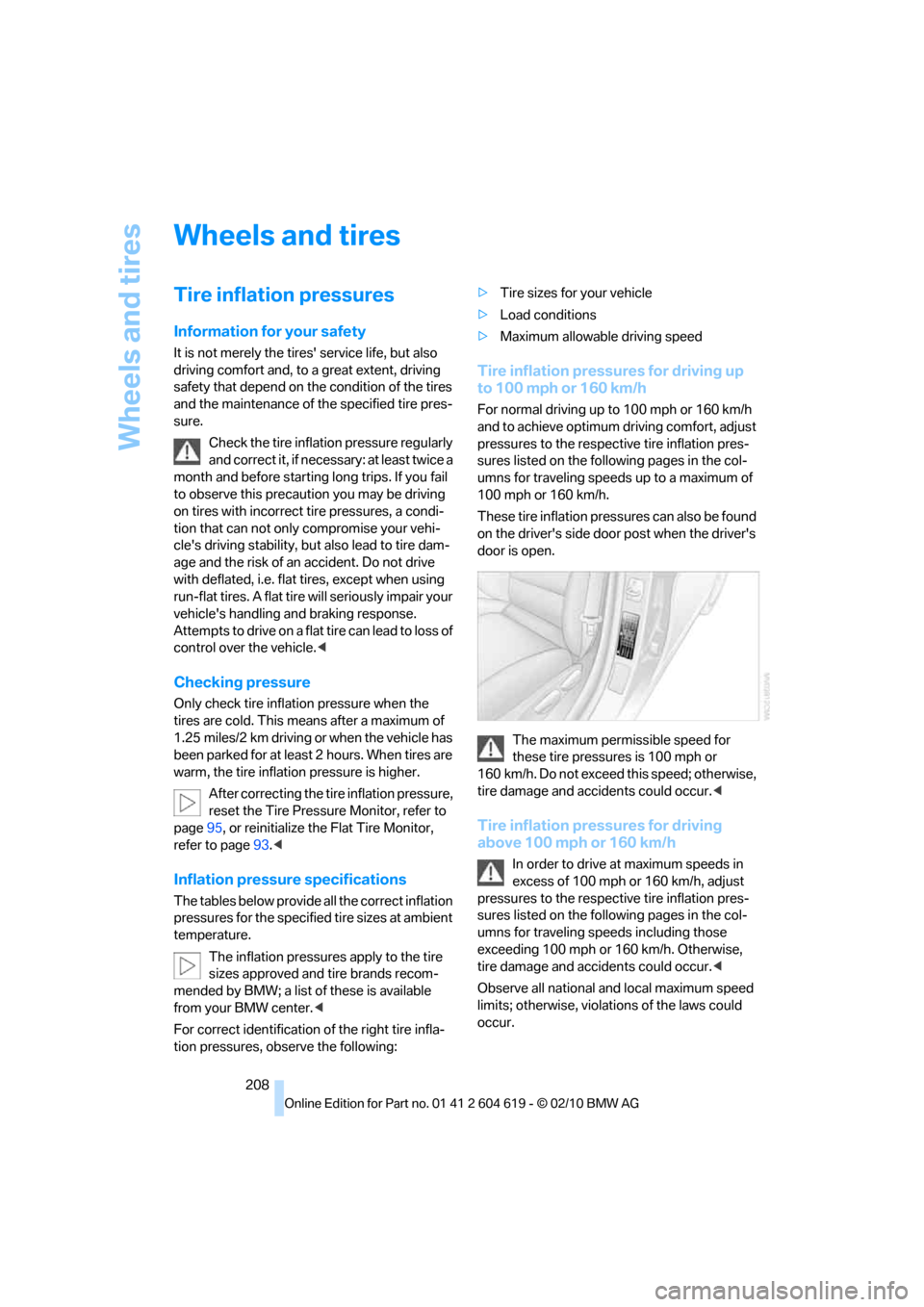
These tire inflation pressures can also be found
on the driver's side door post when the driver's
door is open.
The maximum permissible speed for
these tire pressures is 100 mph or
160 km/h. Do not exceed this speed; otherwise,
tire damage and accidents could occur.<
Tire inflation pressures for driving
above 100 mph or 160 km/h
In order to drive at maximum speeds in
excess of 100 mph or 160 km/h, adjust
pressures to the respective tire inflation pres-
sures listed on the following pages in the col-
umns for traveling speeds including those
exceeding 100 mph or 160 km/h. Otherwise,
tire damage and accidents could occur.<
Observe all national and local maximum speed
limits; otherwise, violations of the laws could
occur.
Page 225 of 278
Mobility
223Reference
At a glance
Controls
Driving tips
Communications
Navigation
Entertainment
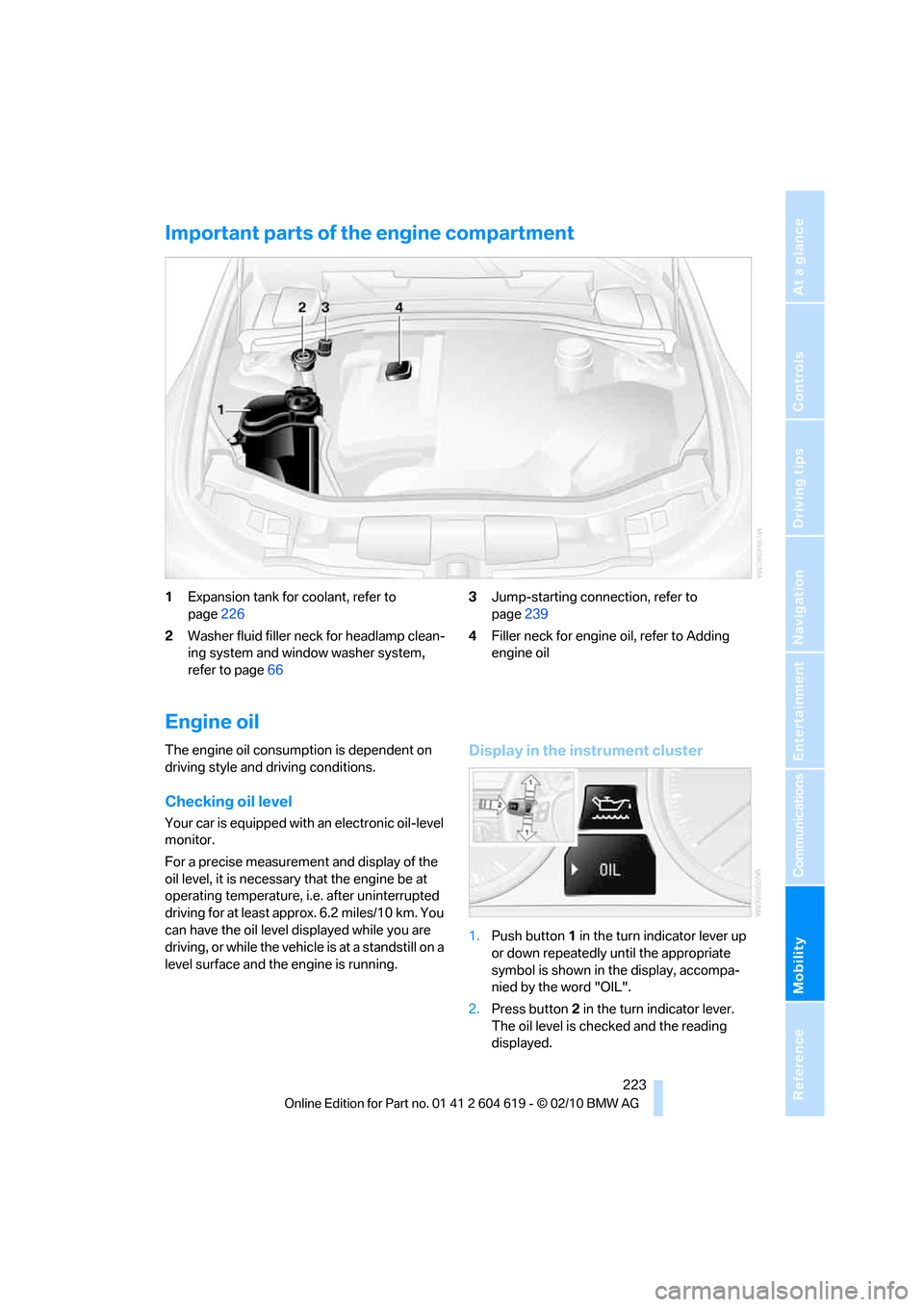
Important parts of the engine compartment
1Expansion tank for coolant, refer to
page226
2Washer fluid filler neck for headlamp clean-
ing system and window washer system,
refer to page663Jump-starting connection, refer to
page239
4Filler neck for engine oil, refer to Adding
engine oil
Engine oil
The engine oil consumption is dependent on
driving style and driving conditions.
Checking oil level
Your car is equipped with an electronic oil-level
monitor.
For a precise measurement and display of the
oil level, it is necessary that the engine be at
operating temperature, i.e. after uninterrupted
driving for at least approx. 6.2 miles/10 km. You
can have the oil level displayed while you are
driving, or while the vehicle is at a standstill on a
level surface and the engine is running.
Display in the instrument cluster
1.Push button 1 in the turn indicator lever up
or down repeatedly until the appropriate
symbol is shown in the display, accompa-
nied by the word "OIL".
2.Press button 2 in the turn indicator lever.
The oil level is checked and the reading
displayed.
Page 239 of 278
Mobility
237Reference
At a glance
Controls
Driving tips
Communications
Navigation
Entertainment
Vehicle battery
Battery care
The battery is 100 % maintenance-free, the
electrolyte will last for the life of the battery
when the vehicle is operated in a temperate cli-
mate. Your BMW center will be glad to advise in
all matters concerning the battery.
Battery replacing
Only use vehicle batteries that have been
approved for your vehicle by the manu-
facturer; otherwise, the vehicle could be dam-
aged and systems or functions may not be fully
available.<
After a battery replacement, have the battery
registered on the vehicle by your service center
to ensure that all comfort functions are fully
available.
Charging the battery
Only charge the battery in the vehicle via the
terminals in the engine compartment with the
engine off. Connections, refer to Jump-starting
on page239.
Disposal
Have old batteries disposed of by your
BMW center or bring them to a recycling
center. Maintain the battery in an upright posi-
tion for transport and storage. Always secure
the battery against tipping over during trans-
port.<
Power failure
After a temporary power loss, the functioning of
some equipment may be limited and require
reinitialization. Individual settings may likewise
have been lost and will have to be programmed:
>Time and date
These values must be updated, refer to
page83.
>Radio
In some cases, stations may have to be
stored again, refer to page157.
>Navigation system
Operability must be waited for, refer to
page134.>Glass roof
It may happen that the roof can only be
raised. The system must be initialized.
Please contact your BMW center.
>Seat and mirror memory
The positions must be stored again, refer to
page48.
>Inside rearview mirror with digital compass
The system must be calibrated, refer to
page114.
>Active steering
The system automatically initializes itself
briefly during a trip. The system is deacti-
vated during this time, refer to page96.
>xDrive
The system automatically initializes itself
during a trip. Indicator lamps light up during
this time. If the lamps do not go out during
the current trip, have the system checked.
Fuses
Never attempt to repair a blown fuse and
do not replace a defective fuse with a sub-
stitute of another color or amperage rating; oth-
erwise, this could lead to a circuit overload, ulti-
mately resulting in a fire in the vehicle.<
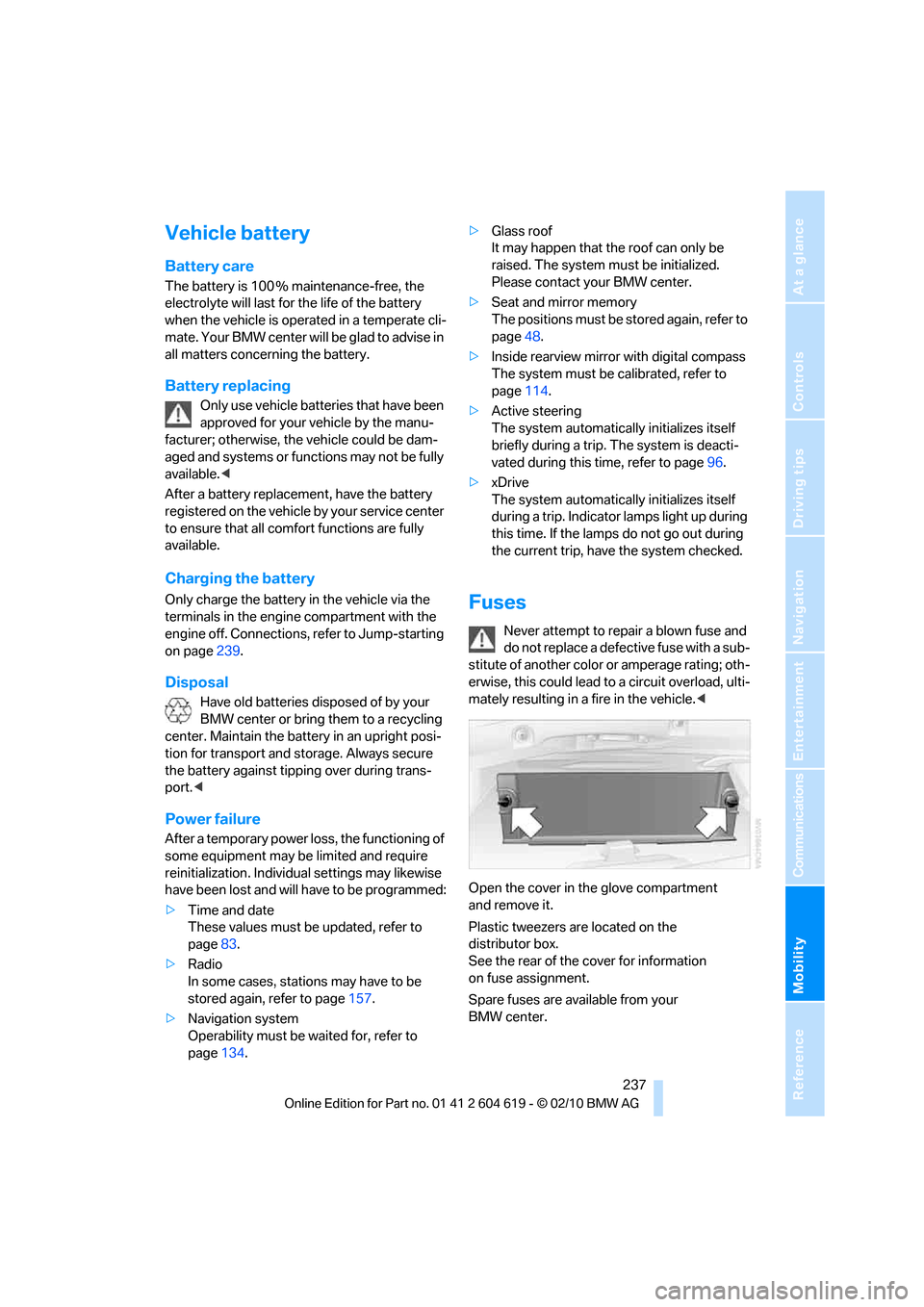
Open the cover in the glove compartment
and remove it.
Plastic tweezers are located on the
distributor box.
See the rear of the cover for information
on fuse assignment.
Spare fuses are available from your
BMW center.
Page 241 of 278
Mobility
239Reference
At a glance
Controls
Driving tips
Communications
Navigation
Entertainment
First aid pouch*
Some of the articles contained in the first aid
pouch have a limited service life. Therefore,
check the expiration dates of the contents reg-
ularly and replace any items in good time, if nec-
essary.
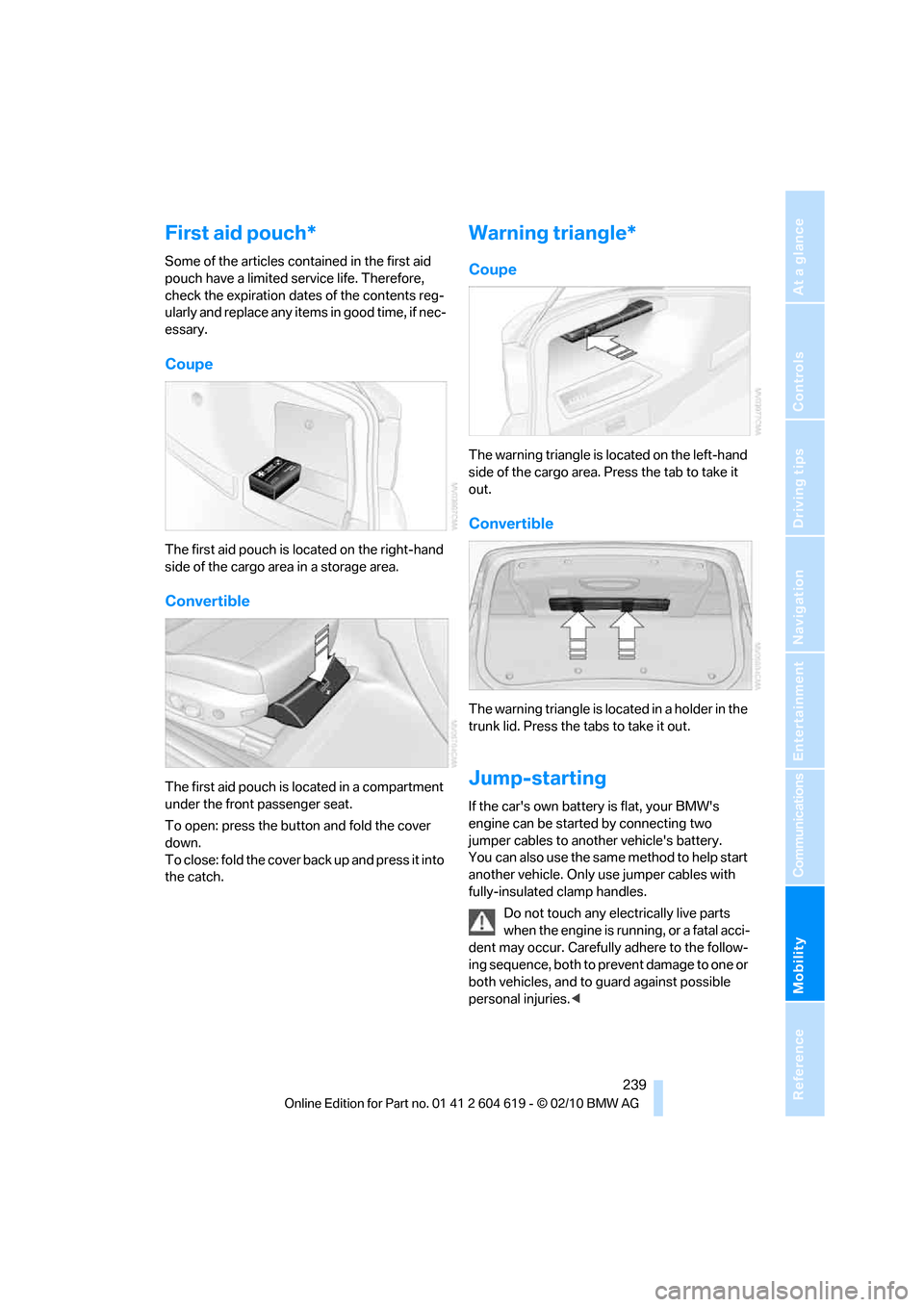
Coupe
The first aid pouch is located on the right-hand
side of the cargo area in a storage area.
Convertible
The first aid pouch is located in a compartment
under the front passenger seat.
To open: press the button and fold the cover
down.
To close: fold the cover back up and press it into
the catch.
Warning triangle*
Coupe
The warning triangle is located on the left-hand
side of the cargo area. Press the tab to take it
out.
Convertible
The warning triangle is located in a holder in the
trunk lid. Press the tabs to take it out.
Jump-starting
If the car's own battery is flat, your BMW's
engine can be started by connecting two
jumper cables to another vehicle's battery.
You can also use the same method to help start
another vehicle. Only use jumper cables with
fully-insulated clamp handles.
Do not touch any electrically live parts
when the engine is running, or a fatal acci-
dent may occur. Carefully adhere to the follow-
ing sequence, both to prevent damage to one or
both vehicles, and to guard against possible
personal injuries.<