Index BMW 328I SEDAN 2008 E90 Owner's Manual
[x] Cancel search | Manufacturer: BMW, Model Year: 2008, Model line: 328I SEDAN, Model: BMW 328I SEDAN 2008 E90Pages: 274, PDF Size: 8.88 MB
Page 5 of 274
Reference
At a glance
Controls
Driving tips
Communications
Navigation
Entertainment
Mobility
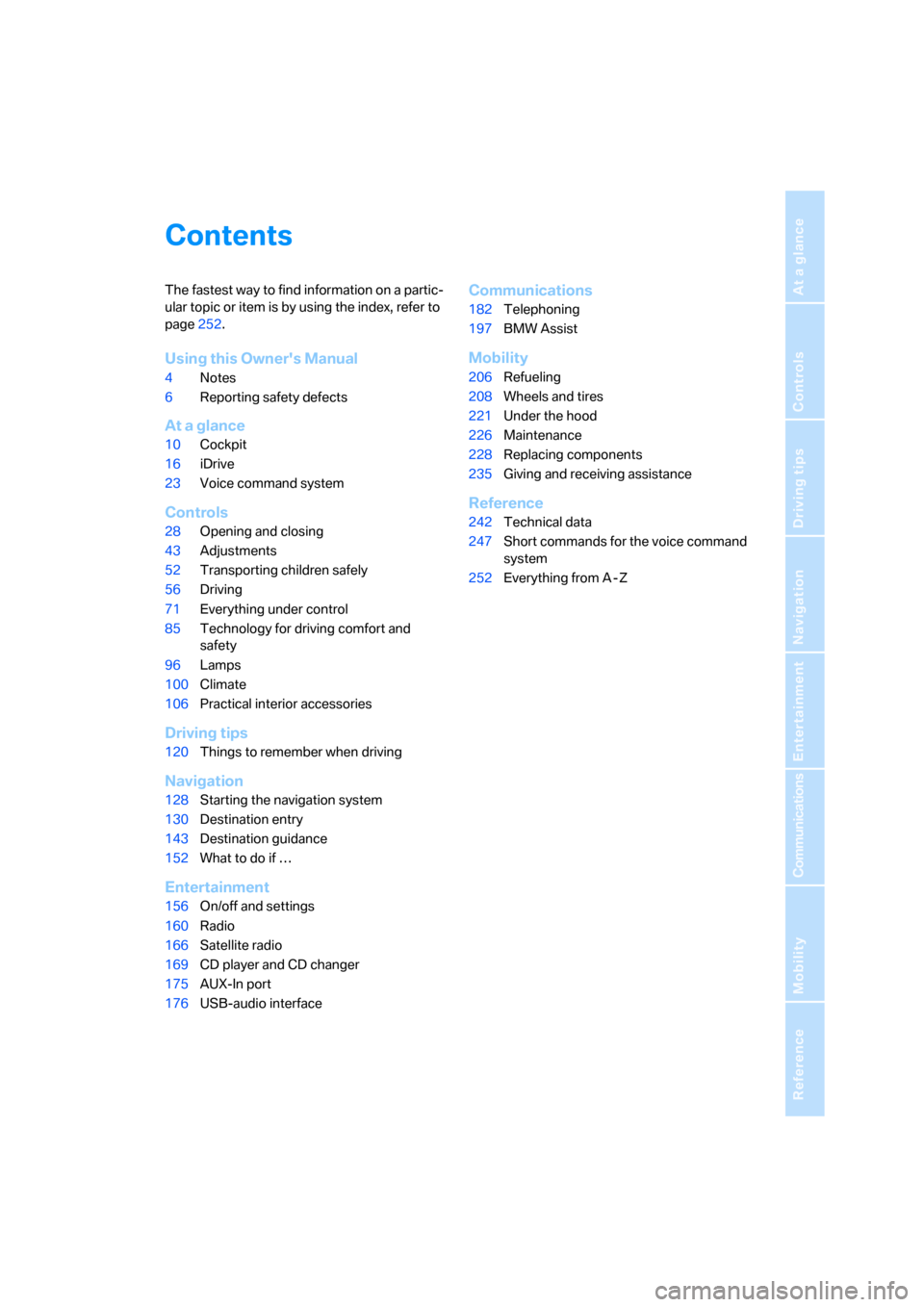
Contents
The fastest way to find information on a partic-
ular topic or item is by using the index, refer to
page252.
Using this Owner's Manual
4Notes
6Reporting safety defects
At a glance
10Cockpit
16iDrive
23Voice command system
Controls
28Opening and closing
43Adjustments
52Transporting children safely
56Driving
71Everything under control
85Technology for driving comfort and
safety
96Lamps
100Climate
106Practical interior accessories
Driving tips
120Things to remember when driving
Navigation
128Starting the navigation system
130Destination entry
143Destination guidance
152What to do if …
Entertainment
156On/off and settings
160Radio
166Satellite radio
169CD player and CD changer
175AUX-In port
176USB-audio interface
Communications
182Telephoning
197BMW Assist
Mobility
206Refueling
208Wheels and tires
221Under the hood
226Maintenance
228Replacing components
235Giving and receiving assistance
Reference
242Technical data
247Short commands for the voice command
system
252Everything from A - Z
Page 6 of 274
Notes
4
Notes
Using this Owner's Manual
We have tried to make all the information in this
Owner's Manual easy to find. The fastest way to
find specific topics is to refer to the detailed
index at the back of the manual. If you wish to
gain an initial overview of your vehicle, you will
find this in the first chapter.
Should you sell your BMW some day, please
remember to hand over the Owner's Manual as
well; it is an important component of your vehi-
cle.
Additional sources of information
Should you have any other questions, your
BMW center will be glad to advise you at any
time.
Information on BMW, e.g. on technical aspects,
can also be found on the Internet at
www.bmwusa.com.
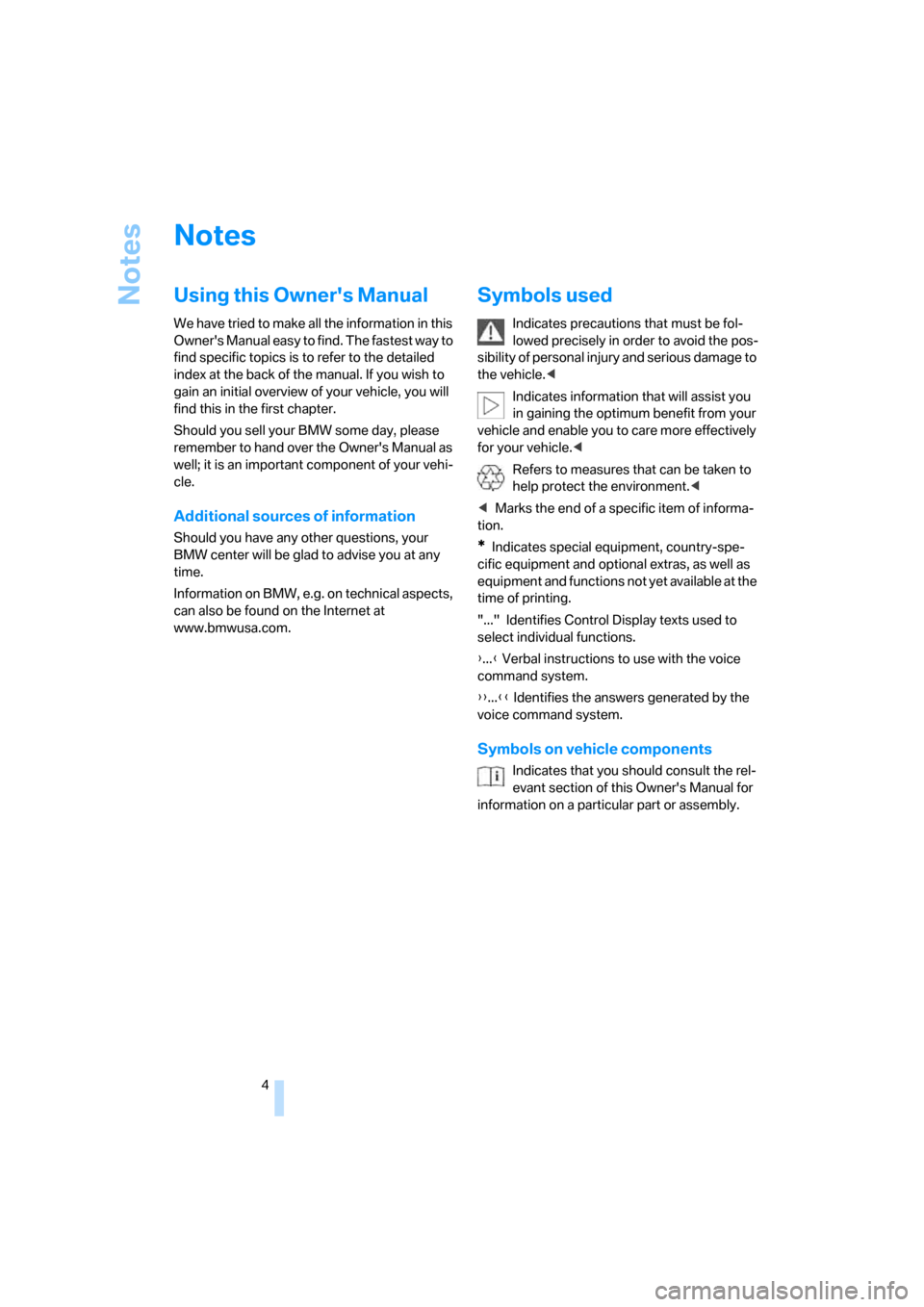
Symbols used
Indicates precautions that must be fol-
lowed precisely in order to avoid the pos-
sibility of personal injury and serious damage to
the vehicle.<
Indicates information that will assist you
in gaining the optimum benefit from your
vehicle and enable you to care more effectively
for your vehicle.<
Refers to measures that can be taken to
help protect the environment.<
*Indicates special equipment, country-spe-
cific equipment and optional extras, as well as
equipment and functions not yet available at the
time of printing.
"..." Identifies Control Display texts used to
select individual functions.
{...} Verbal instructions to use with the voice
command system.
{{...}} Identifies the answers generated by the
voice command system.
Symbols on vehicle components
Indicates that you should consult the rel-
evant section of this Owner's Manual for
information on a particular part or assembly.
Page 243 of 274
Reference
This chapter contains technical data, short
commands for the voice command system and
an index that will help you find information most
quickly.
Reference
Page 254 of 274
Everything from A - Z
252
Everything from A - Z
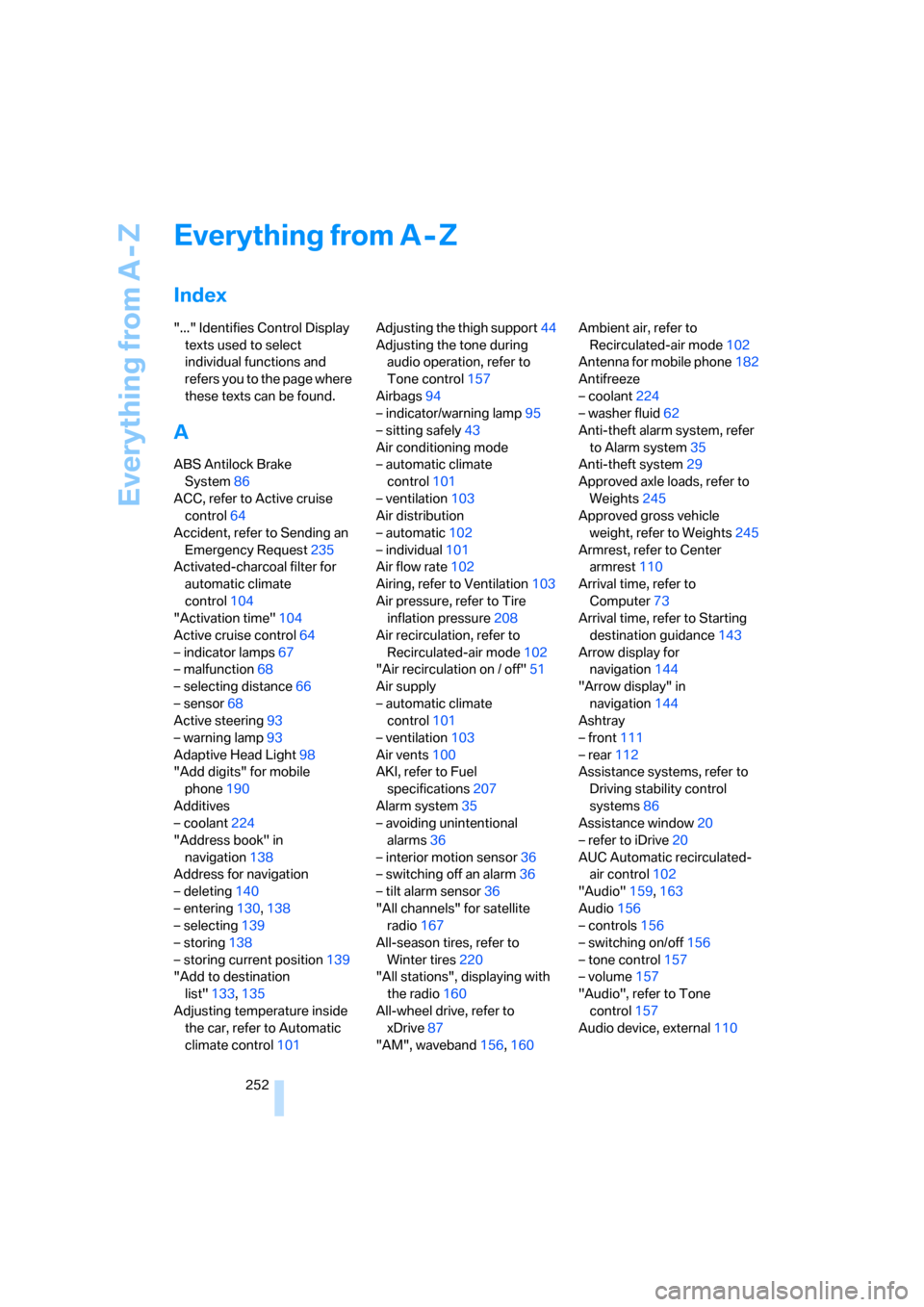
Index
"..." Identifies Control Display
texts used to select
individual functions and
refers you to the page where
these texts can be found.
A
ABS Antilock Brake
System86
ACC, refer to Active cruise
control64
Accident, refer to Sending an
Emergency Request235
Activated-charcoal filter for
automatic climate
control104
"Activation time"104
Active cruise control64
– indicator lamps67
– malfunction68
– selecting distance66
– sensor68
Active steering93
– warning lamp93
Adaptive Head Light98
"Add digits" for mobile
phone190
Additives
– coolant224
"Address book" in
navigation138
Address for navigation
– deleting140
– entering130,138
– selecting139
– storing138
– storing current position139
"Add to destination
list"133,135
Adjusting temperature inside
the car, refer to Automatic
climate control101Adjusting the thigh support44
Adjusting the tone during
audio operation, refer to
Tone control157
Airbags94
– indicator/warning lamp95
– sitting safely43
Air conditioning mode
– automatic climate
control101
– ventilation103
Air distribution
– automatic102
– individual101
Air flow rate102
Airing, refer to Ventilation103
Air pressure, refer to Tire
inflation pressure208
Air recirculation, refer to
Recirculated-air mode102
"Air recirculation on / off"51
Air supply
– automatic climate
control101
– ventilation103
Air vents100
AKI, refer to Fuel
specifications207
Alarm system35
– avoiding unintentional
alarms36
– interior motion sensor36
– switching off an alarm36
– tilt alarm sensor36
"All channels" for satellite
radio167
All-season tires, refer to
Winter tires220
"All stations", displaying with
the radio160
All-wheel drive, refer to
xDrive87
"AM", waveband156,160Ambient air, refer to
Recirculated-air mode102
Antenna for mobile phone182
Antifreeze
– coolant224
– washer fluid62
Anti-theft alarm system, refer
to Alarm system35
Anti-theft system29
Approved axle loads, refer to
Weights245
Approved gross vehicle
weight, refer to Weights245
Armrest, refer to Center
armrest110
Arrival time, refer to
Computer73
Arrival time, refer to Starting
destination guidance143
Arrow display for
navigation144
"Arrow display" in
navigation144
Ashtray
– front111
– rear112
Assistance systems, refer to
Driving stability control
systems86
Assistance window20
– refer to iDrive20
AUC Automatic recirculated-
air control102
"Audio"159,163
Audio156
– controls156
– switching on/off156
– tone control157
– volume157
"Audio", refer to Tone
control157
Audio device, external110