mirror BMW 330Ci COUPE 2003 E46 Owner's Manual
[x] Cancel search | Manufacturer: BMW, Model Year: 2003, Model line: 330Ci COUPE, Model: BMW 330Ci COUPE 2003 E46Pages: 162, PDF Size: 4.23 MB
Page 8 of 162
Contents
Notes
About this Owner's Manual4
Symbols used4
Your individual vehicle4
Status at time of printing5
For your own safety5
Symbol on vehicle parts6
Service and warranty6
Reporting safety defects6
Overview
Cockpit14
Instrument cluster16
Indicator and warning lamps18
Steering wheel with multifunction
buttons*21
Hazard warning triangle*22
First-aid kit*22
Refueling23
Fuel specifications24
Tire inflation pressure24
Controls and features
Opening and closing:
Keys30
Central locking system30
Opening and closing – via the
remote control31
Opening and closing – via the
door lock33
Opening and closing – from the
inside34
Luggage compartment lid35
Luggage compartment37
Alarm system*38
Electric power windows40
Sliding/tilt sunroof*41
Adjustments:
Safe seating position43
Seats43
Manual seat adjustment44
Power seat adjustment*45
Lumbar support*45
Head restraints46
Entering the rear46
Safety belts47
Seat and mirror memory*48
Seat heating*49
Steering wheel50
Mirrors50
handbook.book Page 8 Tuesday, July 30, 2002 12:16 PM
Page 39 of 162
39
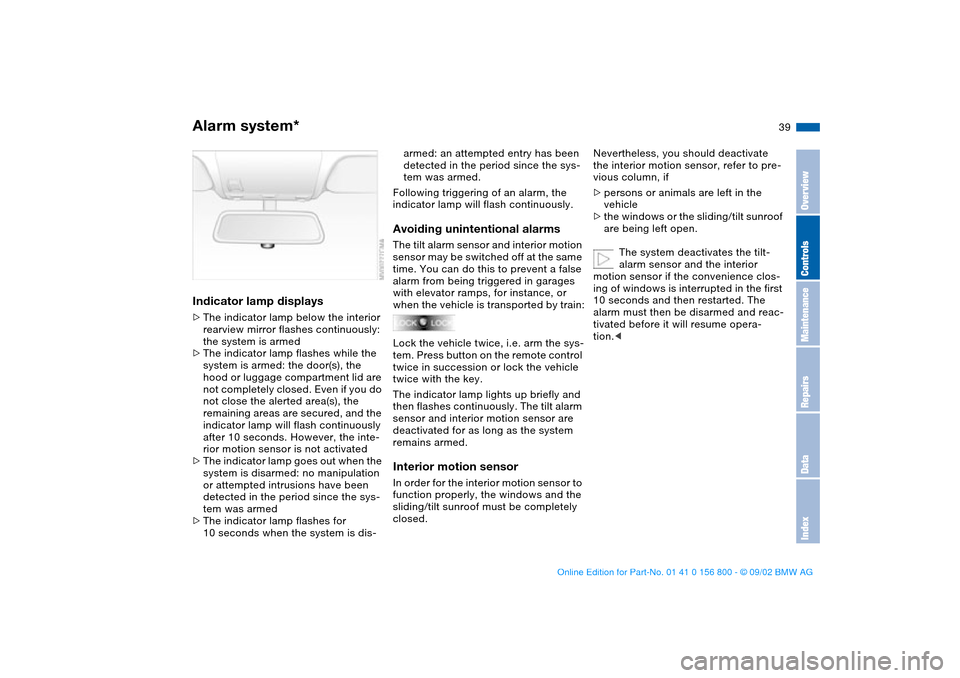
Indicator lamp displays>The indicator lamp below the interior
rearview mirror flashes continuously:
the system is armed
>The indicator lamp flashes while the
system is armed: the door(s), the
hood or luggage compartment lid are
not completely closed. Even if you do
not close the alerted area(s), the
remaining areas are secured, and the
indicator lamp will flash continuously
after 10 seconds. However, the inte-
rior motion sensor is not activated
>The indicator lamp goes out when the
system is disarmed: no manipulation
or attempted intrusions have been
detected in the period since the sys-
tem was armed
>The indicator lamp flashes for
10 seconds when the system is dis-
armed: an attempted entry has been
detected in the period since the sys-
tem was armed.
Following triggering of an alarm, the
indicator lamp will flash continuously.Avoiding unintentional alarmsThe tilt alarm sensor and interior motion
sensor may be switched off at the same
time. You can do this to prevent a false
alarm from being triggered in garages
with elevator ramps, for instance, or
when the vehicle is transported by train:
Lock the vehicle twice, i.e. arm the sys-
tem. Press button on the remote control
twice in succession or lock the vehicle
twice with the key.
The indicator lamp lights up briefly and
then flashes continuously. The tilt alarm
sensor and interior motion sensor are
deactivated for as long as the system
remains armed.Interior motion sensorIn order for the interior motion sensor to
function properly, the windows and the
sliding/tilt sunroof must be completely
closed.
Nevertheless, you should deactivate
the interior motion sensor, refer to pre-
vious column, if
>persons or animals are left in the
vehicle
>the windows or the sliding/tilt sunroof
are being left open.
The system deactivates the tilt-
alarm sensor and the interior
motion sensor if the convenience clos-
ing of windows is interrupted in the first
10 seconds and then restarted. The
alarm must then be disarmed and reac-
tivated before it will resume opera-
tion.<
Alarm system*
OverviewControlsMaintenanceRepairsDataIndex
handbook.book Page 39 Tuesday, July 30, 2002 12:16 PM
Page 48 of 162
48
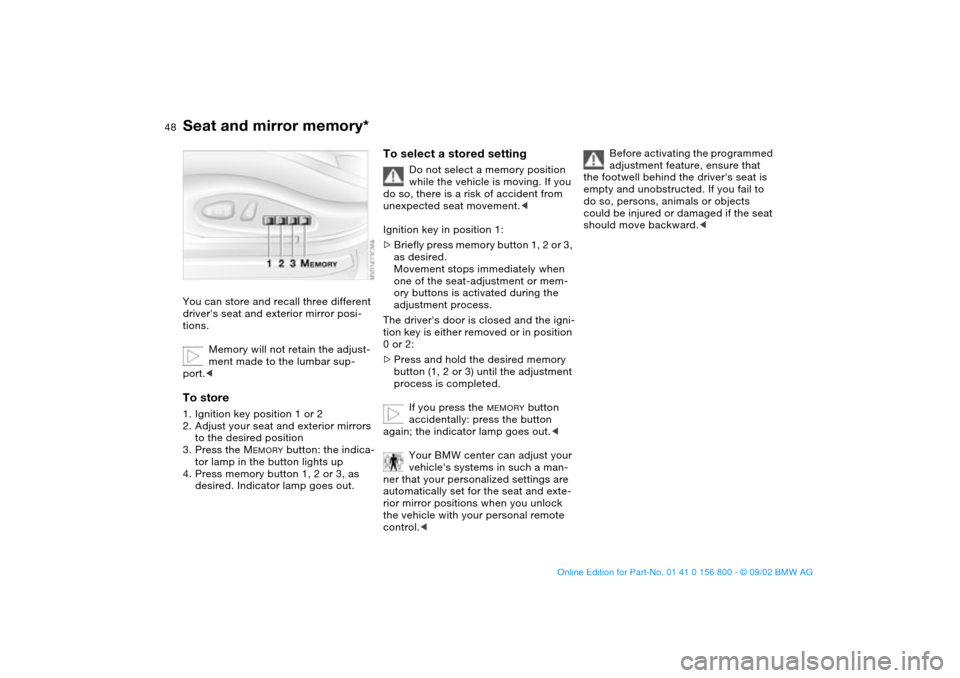
Seat and mirror memory*You can store and recall three different
driver's seat and exterior mirror posi-
tions.
Memory will not retain the adjust-
ment made to the lumbar sup-
port.
to the desired position
3. Press the M
EMORY
button: the indica-
tor lamp in the button lights up
4. Press memory button 1, 2 or 3, as
desired. Indicator lamp goes out.
To select a stored setting
Do not select a memory position
while the vehicle is moving. If you
do so, there is a risk of accident from
unexpected seat movement.<
Ignition key in position 1:
>Briefly press memory button 1, 2 or 3,
as desired.
Movement stops immediately when
one of the seat-adjustment or mem-
ory buttons is activated during the
adjustment process.
The driver's door is closed and the igni-
tion key is either removed or in position
0 or 2:
>Press and hold the desired memory
button (1, 2 or 3) until the adjustment
process is completed.
If you press the
MEMORY
button
accidentally: press the button
again; the indicator lamp goes out.<
Your BMW center can adjust your
vehicle's systems in such a man-
ner that your personalized settings are
automatically set for the seat and exte-
rior mirror positions when you unlock
the vehicle with your personal remote
control.<
Before activating the programmed
adjustment feature, ensure that
the footwell behind the driver's seat is
empty and unobstructed. If you fail to
do so, persons, animals or objects
could be injured or damaged if the seat
should move backward.<
handbook.book Page 48 Tuesday, July 30, 2002 12:16 PM
Page 49 of 162
49
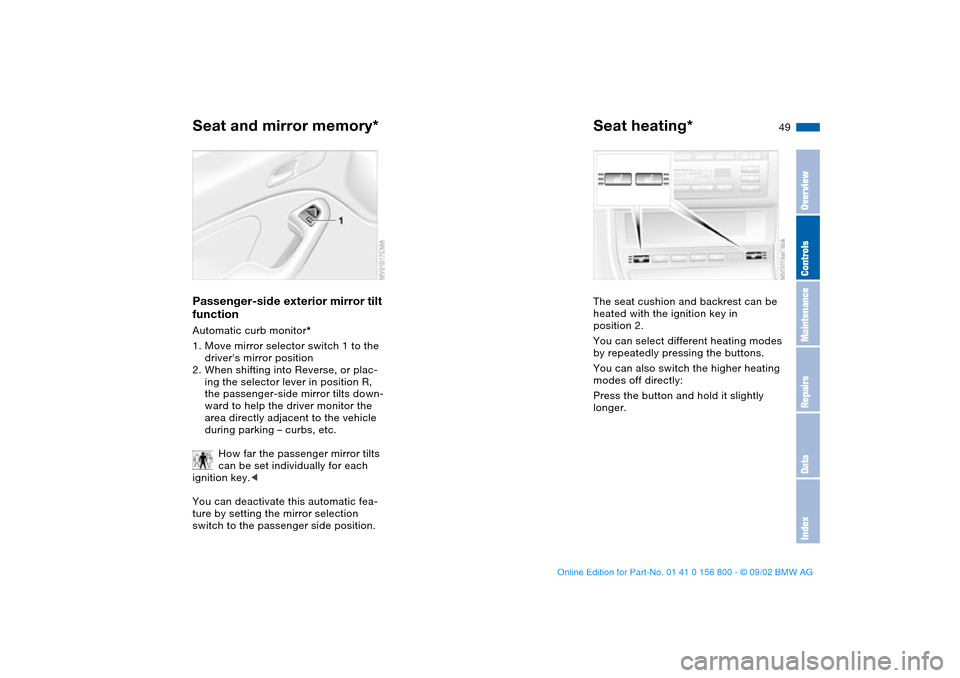
Passenger-side exterior mirror tilt
functionAutomatic curb monitor*
1. Move mirror selector switch 1 to the
driver's mirror position
2. When shifting into Reverse, or plac-
ing the selector lever in position R,
the passenger-side mirror tilts down-
ward to help the driver monitor the
area directly adjacent to the vehicle
during parking – curbs, etc.
How far the passenger mirror tilts
can be set individually for each
ignition key.<
You can deactivate this automatic fea-
ture by setting the mirror selection
switch to the passenger side position.
Seat heating*The seat cushion and backrest can be
heated with the ignition key in
position 2.
You can select different heating modes
by repeatedly pressing the buttons.
You can also switch the higher heating
modes off directly:
Press the button and hold it slightly
longer.
Seat and mirror memory*
OverviewControlsMaintenanceRepairsDataIndex
handbook.book Page 49 Tuesday, July 30, 2002 12:16 PM
Page 50 of 162
50
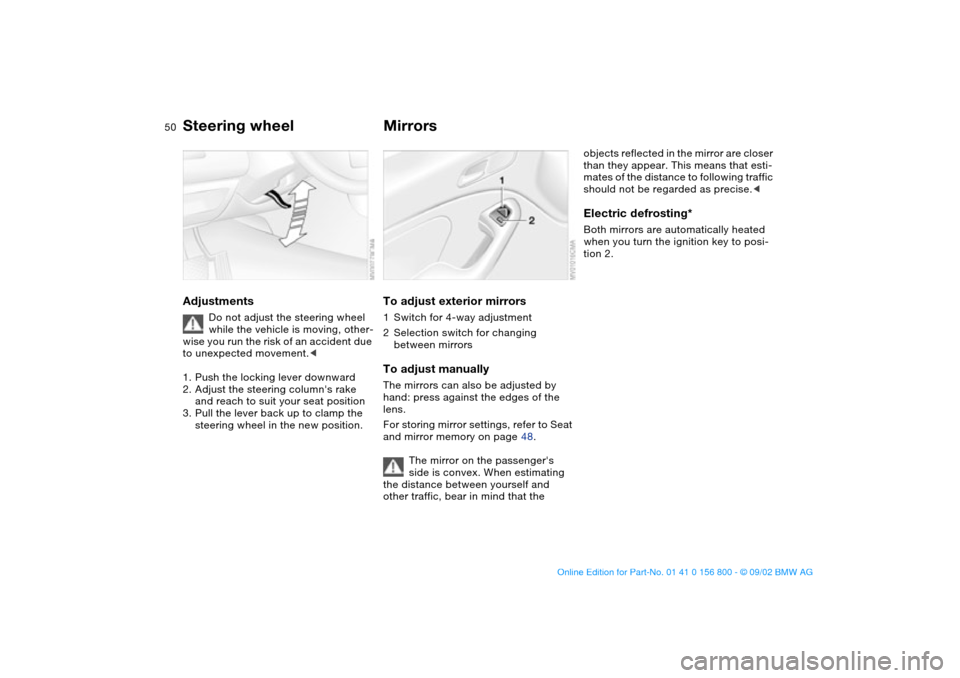
Steering wheelAdjustments
Do not adjust the steering wheel
while the vehicle is moving, other-
wise you run the risk of an accident due
to unexpected movement.<
1. Push the locking lever downward
2. Adjust the steering column's rake
and reach to suit your seat position
3. Pull the lever back up to clamp the
steering wheel in the new position.
MirrorsTo adjust exterior mirrors1Switch for 4-way adjustment
2Selection switch for changing
between mirrorsTo adjust manuallyThe mirrors can also be adjusted by
hand: press against the edges of the
lens.
For storing mirror settings, refer to Seat
and mirror memory on page 48.
The mirror on the passenger's
side is convex. When estimating
the distance between yourself and
other traffic, bear in mind that the
objects reflected in the mirror are closer
than they appear. This means that esti-
mates of the distance to following traffic
should not be regarded as precise.
tion 2.
handbook.book Page 50 Tuesday, July 30, 2002 12:16 PM
Page 51 of 162
51
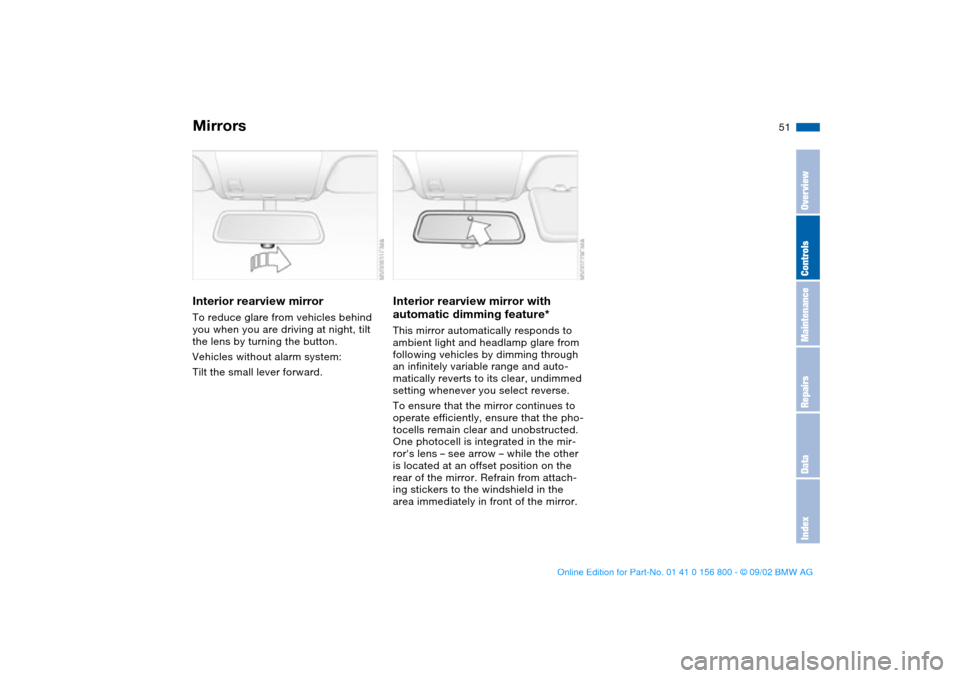
Interior rearview mirrorTo reduce glare from vehicles behind
you when you are driving at night, tilt
the lens by turning the button.
Vehicles without alarm system:
Tilt the small lever forward.
Interior rearview mirror with
automatic dimming feature*This mirror automatically responds to
ambient light and headlamp glare from
following vehicles by dimming through
an infinitely variable range and auto-
matically reverts to its clear, undimmed
setting whenever you select reverse.
To ensure that the mirror continues to
operate efficiently, ensure that the pho-
tocells remain clear and unobstructed.
One photocell is integrated in the mir-
ror's lens – see arrow – while the other
is located at an offset position on the
rear of the mirror. Refrain from attach-
ing stickers to the windshield in the
area immediately in front of the mirror.
Mirrors
OverviewControlsMaintenanceRepairsDataIndex
handbook.book Page 51 Tuesday, July 30, 2002 12:16 PM
Page 58 of 162
58
Vehicle Memory, Key MemoryHow the system functionsNo doubt you have reflected at one
time or another on how great it would
be if you could permanently configure
your vehicle's various features and
adjustments to mirror your own individ-
ual preferences. In engineering your
vehicle, BMW has provided for a num-
ber of options for personal adjustment
that can be programmed into your vehi-
cle at your BMW center.
The available configuration data fall into
two categories, according to whether
their primary orientation is the vehicle –
Vehicle Memory – or the individual –
Key Memory. Provided that each per-
son has a separate remote-control key,
you can have your BMW center enter
adjustment data for as many as four dif-
ferent individuals into the system.
The system then relies on a bilateral
data exchange to identify the individual
user and executes the selected settings
whenever the remote control unit is
used to disengage the door locks.
Color-coded decals have been pro-
vided to help you distinguish individual
keys with different settings.What the system can doYour BMW center can provide you with
details on the capabilities of the Vehicle
Memory and Key Memory systems.
Examples for Vehicle Memory:
>Various signals as acknowledgment
when locking or unlocking your vehi-
cle, refer to pages 31, 33
>Activates/deactivates the "Follow me
home" function, refer to page 85
>Activates/deactivates daytime driv-
ing lamps, refer to page 85
>Sets the units of measure for display-
ing time, outside temperature, dis-
tance traveled and fuel consumption
in the instrument cluster>Indicates via an acoustic tone that
PDC has been activated, refer to
page 76
>Switches on rear window defroster
automatically, refer to pages 90, 95
>After giving an ice warning, the dis-
play returns to the previous setting,
refer to page 74.
Examples for Key Memory:
>Unlocks driver's door first, then the
vehicle's remaining locks, refer to
page 31
>Locks the vehicle automatically after
you start off, refer to page 34
>Automatically adjusts the driver's
seat to the personal programmed
settings when the vehicle is
unlocked, refer to page 48
>Automatic tilting of the passenger-
side mirror, refer to page 49.
You will see this symbol through-
out the Owner's Manual. It is to
remind you at appropriate places of the
settings that are available to you.<
handbook.book Page 58 Tuesday, July 30, 2002 12:16 PM
Page 67 of 162
67
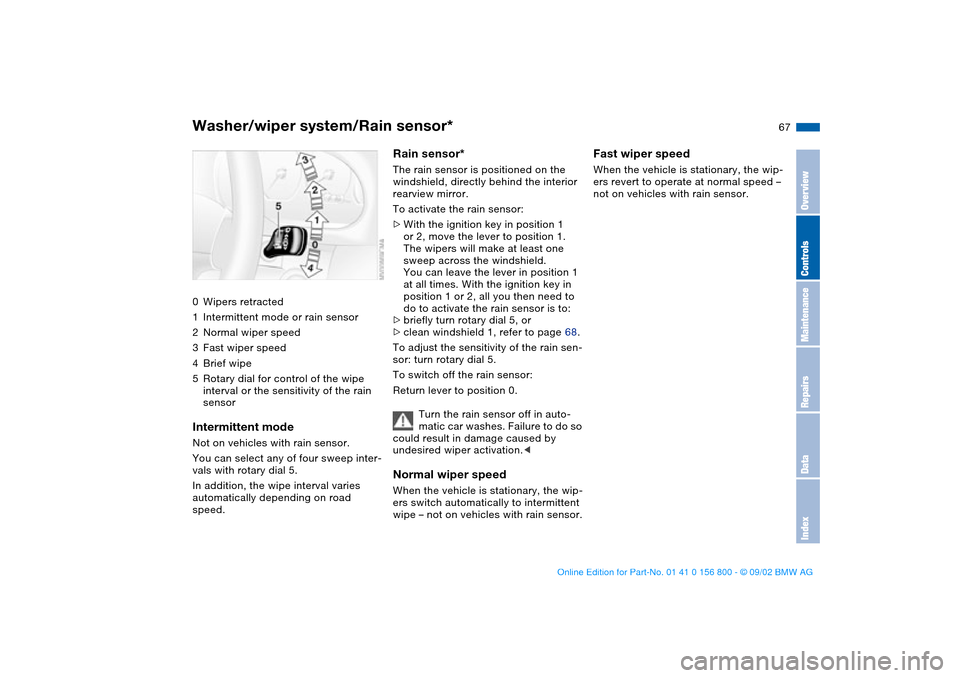
Washer/wiper system/Rain sensor*0Wipers retracted
1Intermittent mode or rain sensor
2Normal wiper speed
3Fast wiper speed
4Brief wipe
5Rotary dial for control of the wipe
interval or the sensitivity of the rain
sensorIntermittent modeNot on vehicles with rain sensor.
You can select any of four sweep inter-
vals with rotary dial 5.
In addition, the wipe interval varies
automatically depending on road
speed.
Rain sensor*The rain sensor is positioned on the
windshield, directly behind the interior
rearview mirror.
To activate the rain sensor:
>With the ignition key in position 1
or 2, move the lever to position 1.
The wipers will make at least one
sweep across the windshield.
You can leave the lever in position 1
at all times. With the ignition key in
position 1 or 2, all you then need to
do to activate the rain sensor is to:
>briefly turn rotary dial 5, or
>clean windshield 1, refer to page 68.
To adjust the sensitivity of the rain sen-
sor: turn rotary dial 5.
To switch off the rain sensor:
Return lever to position 0.
Turn the rain sensor off in auto-
matic car washes. Failure to do so
could result in damage caused by
undesired wiper activation.
wipe – not on vehicles with rain sensor.
Fast wiper speedWhen the vehicle is stationary, the wip-
ers revert to operate at normal speed –
not on vehicles with rain sensor.
OverviewControlsMaintenanceRepairsDataIndex
handbook.book Page 67 Tuesday, July 30, 2002 12:16 PM
Page 152 of 162
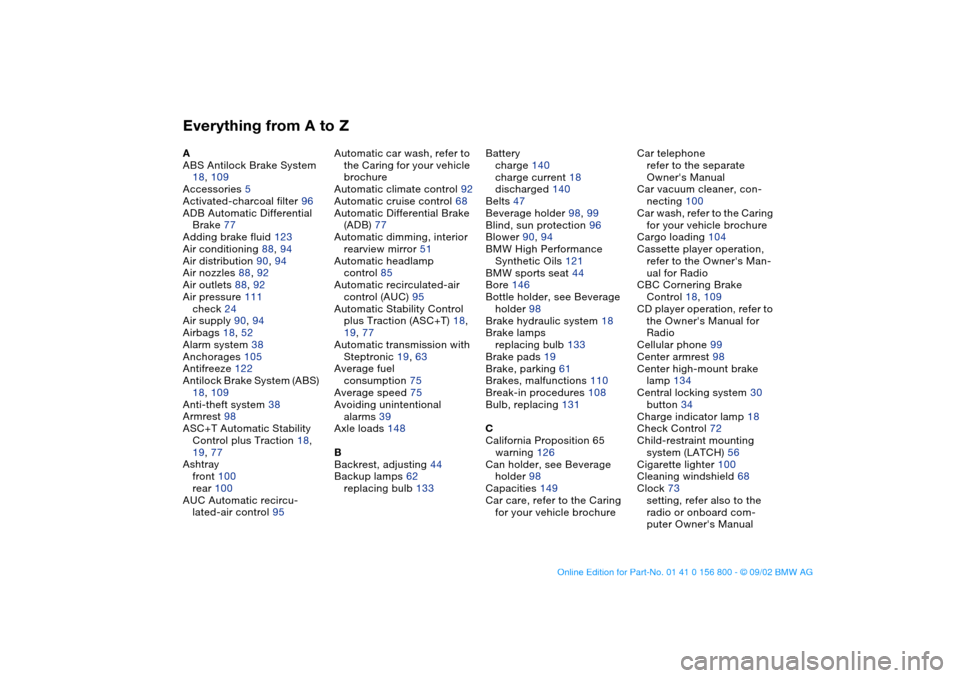
Everything from A to ZA
ABS Antilock Brake System
18, 109
Accessories 5
Activated-charcoal filter 96
ADB Automatic Differential
Brake 77
Adding brake fluid 123
Air conditioning 88, 94
Air distribution 90, 94
Air nozzles 88, 92
Air outlets 88, 92
Air pressure 111
check 24
Air supply 90, 94
Airbags 18, 52
Alarm system 38
Anchorages 105
Antifreeze 122
Antilock Brake System (ABS)
18, 109
Anti-theft system 38
Armrest 98
ASC+T Automatic Stability
Control plus Traction 18,
19, 77
Ashtray
front 100
rear 100
AUC Automatic recircu-
lated-air control 95Automatic car wash, refer to
the Caring for your vehicle
brochure
Automatic climate control 92
Automatic cruise control 68
Automatic Differential Brake
(ADB) 77
Automatic dimming, interior
rearview mirror 51
Automatic headlamp
control 85
Automatic recirculated-air
control (AUC) 95
Automatic Stability Control
plus Traction (ASC+T) 18,
19, 77
Automatic transmission with
Steptronic 19, 63
Average fuel
consumption 75
Average speed 75
Avoiding unintentional
alarms 39
Axle loads 148
B
Backrest, adjusting 44
Backup lamps 62
replacing bulb 133Battery
charge 140
charge current 18
discharged 140
Belts 47
Beverage holder 98, 99
Blind, sun protection 96
Blower 90, 94
BMW High Performance
Synthetic Oils 121
BMW sports seat 44
Bore 146
Bottle holder, see Beverage
holder 98
Brake hydraulic system 18
Brake lamps
replacing bulb 133
Brake pads 19
Brake, parking 61
Brakes, malfunctions 110
Break-in procedures 108
Bulb, replacing 131
C
California Proposition 65
warning 126
Can holder, see Beverage
holder 98
Capacities 149
Car care, refer to the Caring
for your vehicle brochureCar telephone
refer to the separate
Owner's Manual
Car vacuum cleaner, con-
necting 100
Car wash, refer to the Caring
for your vehicle brochure
Cargo loading 104
Cassette player operation,
refer to the Owner's Man-
ual for Radio
CBC Cornering Brake
Control 18, 109
CD player operation, refer to
the Owner's Manual for
Radio
Cellular phone 99
Center armrest 98
Center high-mount brake
lamp 134
Central locking system 30
button 34
Charge indicator lamp 18
Check Control 72
Child-restraint mounting
system (LATCH) 56
Cigarette lighter 100
Cleaning windshield 68
Clock 73
setting, refer also to the
radio or onboard com-
puter Owner's Manual
handbook.book Page 152 Tuesday, July 30, 2002 12:16 PM
Page 153 of 162
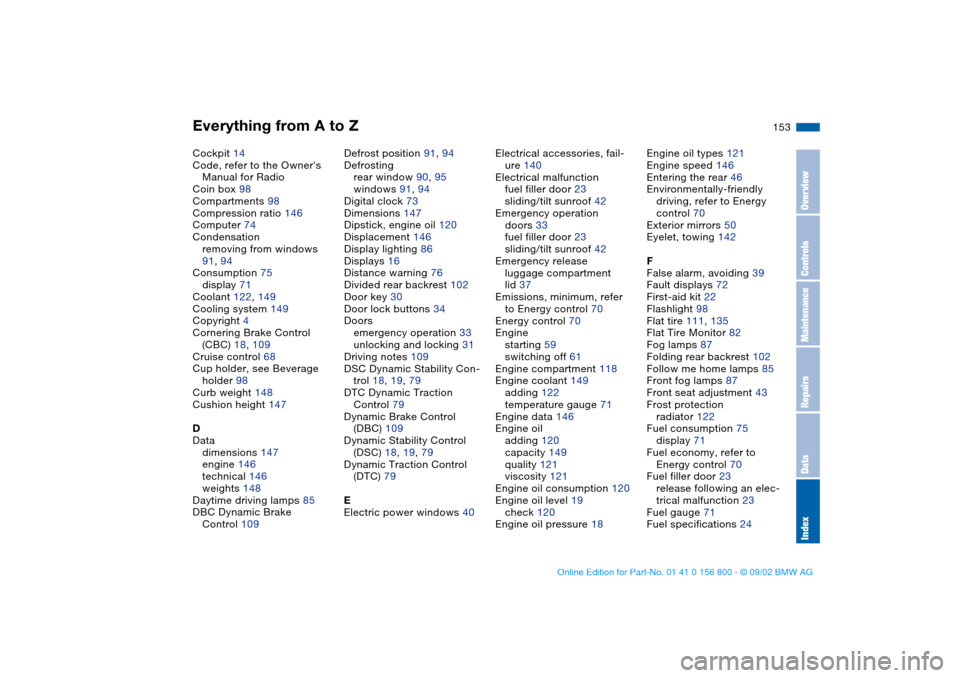
Everything from A to Z
153
Cockpit 14
Code, refer to the Owner's
Manual for Radio
Coin box 98
Compartments 98
Compression ratio 146
Computer 74
Condensation
removing from windows
91, 94
Consumption 75
display 71
Coolant 122, 149
Cooling system 149
Copyright 4
Cornering Brake Control
(CBC) 18, 109
Cruise control 68
Cup holder, see Beverage
holder 98
Curb weight 148
Cushion height 147
D
Data
dimensions 147
engine 146
technical 146
weights 148
Daytime driving lamps 85
DBC Dynamic Brake
Control 109Defrost position 91, 94
Defrosting
rear window 90, 95
windows 91, 94
Digital clock 73
Dimensions 147
Dipstick, engine oil 120
Displacement 146
Display lighting 86
Displays 16
Distance warning 76
Divided rear backrest 102
Door key 30
Door lock buttons 34
Doors
emergency operation 33
unlocking and locking 31
Driving notes 109
DSC Dynamic Stability Con-
trol 18, 19, 79
DTC Dynamic Traction
Control 79
Dynamic Brake Control
(DBC) 109
Dynamic Stability Control
(DSC) 18, 19, 79
Dynamic Traction Control
(DTC) 79
E
Electric power windows 40Electrical accessories, fail-
ure 140
Electrical malfunction
fuel filler door 23
sliding/tilt sunroof 42
Emergency operation
doors 33
fuel filler door 23
sliding/tilt sunroof 42
Emergency release
luggage compartment
lid 37
Emissions, minimum, refer
to Energy control 70
Energy control 70
Engine
starting 59
switching off 61
Engine compartment 118
Engine coolant 149
adding 122
temperature gauge 71
Engine data 146
Engine oil
adding 120
capacity 149
quality 121
viscosity 121
Engine oil consumption 120
Engine oil level 19
check 120
Engine oil pressure 18Engine oil types 121
Engine speed 146
Entering the rear 46
Environmentally-friendly
driving, refer to Energy
control 70
Exterior mirrors 50
Eyelet, towing 142
F
False alarm, avoiding 39
Fault displays 72
First-aid kit 22
Flashlight 98
Flat tire 111, 135
Flat Tire Monitor 82
Fog lamps 87
Folding rear backrest 102
Follow me home lamps 85
Front fog lamps 87
Front seat adjustment 43
Frost protection
radiator 122
Fuel consumption 75
display 71
Fuel economy, refer to
Energy control 70
Fuel filler door 23
release following an elec-
trical malfunction 23
Fuel gauge 71
Fuel specifications 24
OverviewControlsMaintenanceRepairsDataIndex
handbook.book Page 153 Tuesday, July 30, 2002 12:16 PM