Cluster warning lights BMW 330CI COUPE 2005 E46 Owner's Manual
[x] Cancel search | Manufacturer: BMW, Model Year: 2005, Model line: 330CI COUPE, Model: BMW 330CI COUPE 2005 E46Pages: 190, PDF Size: 2.79 MB
Page 54 of 190
54
You can lock a backrest that has
been tilted forward. This makes
sense when, for instance, someone is
climbing into the rear on an incline. To
do this, press against the backrest until
you hear it click into place. To move it
back into place, you do not need to first
unlock it by moving the lever 1.<
Lock both backrests while driving,
otherwise there is a danger of an
unexpected movement causing an
accident.<
The indicator lamp in the instru-
ment cluster flashes when the
backrest is not locked, refer to
page 18.
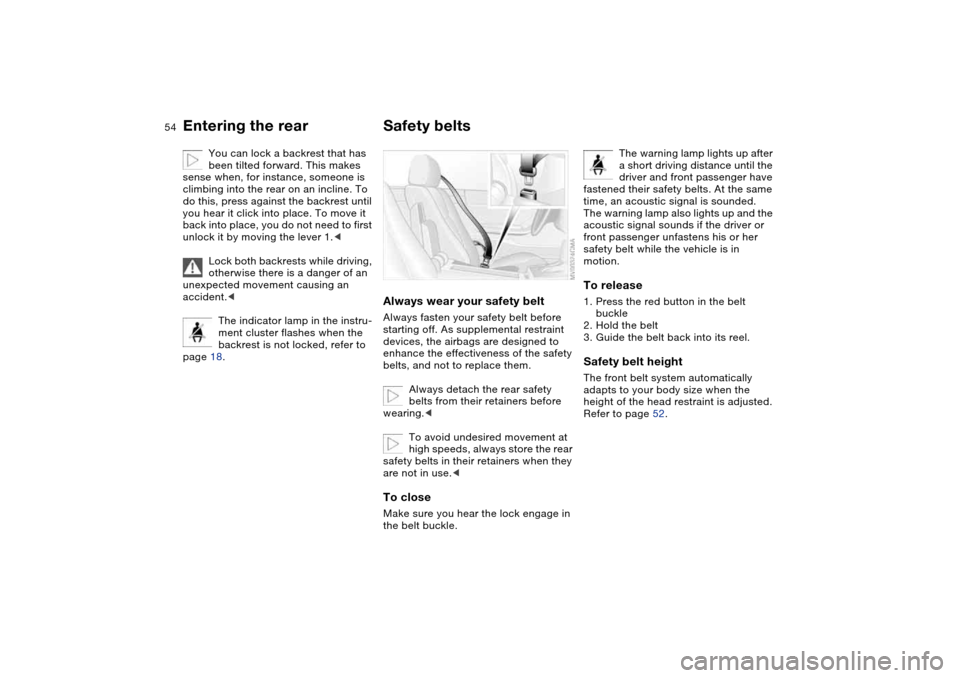
Safety beltsAlways wear your safety beltAlways fasten your safety belt before
starting off. As supplemental restraint
devices, the airbags are designed to
enhance the effectiveness of the safety
belts, and not to replace them.
Always detach the rear safety
belts from their retainers before
wearing.<
To avoid undesired movement at
high speeds, always store the rear
safety belts in their retainers when they
are not in use.
The warning lamp lights up after
a short driving distance until the
driver and front passenger have
fastened their safety belts. At the same
time, an acoustic signal is sounded.
The warning lamp also lights up and the
acoustic signal sounds if the driver or
front passenger unfastens his or her
safety belt while the vehicle is in
motion.
To release1. Press the red button in the belt
buckle
2. Hold the belt
3. Guide the belt back into its reel.Safety belt heightThe front belt system automatically
adapts to your body size when the
height of the head restraint is adjusted.
Refer to page 52.
Entering the rear
Page 93 of 190
93
System limitations
The Flat Tire Monitor cannot pro-
vide you with advance warning of
sudden and severe tire damage caused
by external factors and does not detect
the balanced and very gradual pressure
loss that takes place in all four tires
over an extended period of time.<
On the other hand, the following situa-
tions can lead to a delayed detection of
pressure loss and even to the system
not functioning:
>Driving on snow-covered or slippery
roads
>Performance-oriented driving: slip at
the drive wheels, high levels of lateral
acceleration
>When driving with snow chains, false
warnings and undetected pressure
losses may occur
>When driving with a space-saver
spare tire, the Flat Tire Monitor can-
not function.
Initializing the system
Each time you correct the pres-
sure in a tire, or change a wheel or
tire, reinitialize the system immediately
afterwards. This requires a bit of driv-
ing.<
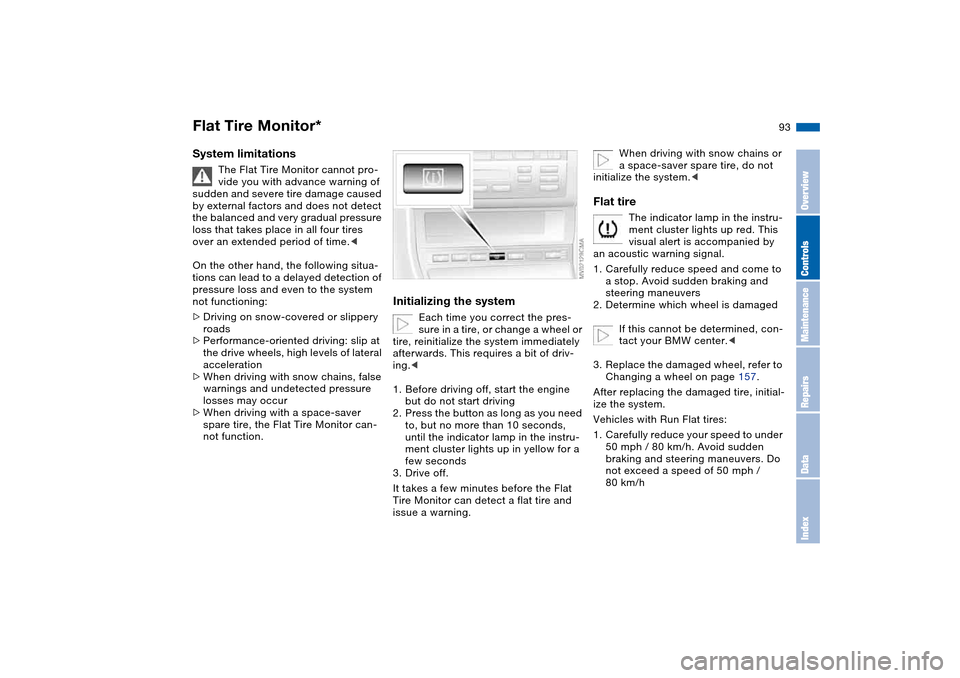
1. Before driving off, start the engine
but do not start driving
2. Press the button as long as you need
to, but no more than 10 seconds,
until the indicator lamp in the instru-
ment cluster lights up in yellow for a
few seconds
3. Drive off.
It takes a few minutes before the Flat
Tire Monitor can detect a flat tire and
issue a warning.
When driving with snow chains or
a space-saver spare tire, do not
initialize the system.<
Flat tire
The indicator lamp in the instru-
ment cluster lights up red. This
visual alert is accompanied by
an acoustic warning signal.
1. Carefully reduce speed and come to
a stop. Avoid sudden braking and
steering maneuvers
2. Determine which wheel is damaged
If this cannot be determined, con-
tact your BMW center.<
3. Replace the damaged wheel, refer to
Changing a wheel on page 157.
After replacing the damaged tire, initial-
ize the system.
Vehicles with Run Flat tires:
1. Carefully reduce your speed to under
50 mph / 80 km/h. Avoid sudden
braking and steering maneuvers. Do
not exceed a speed of 50 mph /
80 km/h
Flat Tire Monitor*
OverviewControlsMaintenanceRepairsDataIndex
Page 178 of 190
Everything from A to ZClock 87
12-/24-hour mode 87
setting, refer also to the
Owner's Manual for
Radio/Onboard Computer
Closing
from inside 32
from outside 29
Clutch
breaking in 124
Cockpit 14
Code, refer to the Owner's
Manual for Radio/Onboard
Computer
Coin box 113
Cold start, refer to Starting
the engine 69
Compact disc operation,
refer to the Owner's Man-
ual for Radio/Onboard
Computer
Compartments 112
Computer 88
Condensation, refer to Air
conditioning mode
102, 106
Configuring settings, refer to
Vehicle Memory, Key
Memory 68
Connecting a vacuum
cleaner, refer to Power
socket 114Consumption
display 84
Consumption, refer to Aver-
age fuel consumption 89
Control elements, refer to
Cockpit 14
Convenience operation
from outside 31
windows 30
Convertible top
cleaning position 43, 48
closing in an
emergency 46
electrical fault 46
indicator lamps 45
remote control 29
Convertible top activation
fully automatic top 44
manual top 39
Convertible top compart-
ment panel 35
Coolant 144
indicator lamp 19, 85
level 144
temperature gauge 85
Coolant water, refer to Cool-
ant 144
Cooling, refer to Tempera-
ture 102, 106
Copyright 4Cornering Brake Control
(CBC) 127
warning lamp 18
Cruise control 82
indicator lamp 20
Cup holders, see Beverage
holders 113
Curb weight, refer to
Weights 172
Current consumption, refer
to Energy control 84
Curve lighting, refer to
Adaptive headlights 96
Cylinders, refer to Engine
data 170
D
Dashboard, refer to
Cockpit 14
Data
capacities 173
dimensions 171
engine 170
technical 170
weights 172
Daytime driving lamps 95
DBC Dynamic Brake Control
19, 127
Deep water, refer to Driving
through water 125Defrost position, refer to
Defrosting windows
103, 106
Defrosting and demisting
windows
air conditioning 103
automatic climate
control 106
Defrosting windows
103, 106
Defrosting windshield, refer
to Defrosting windows
103, 106
Demisting windows
air conditioning 103
automatic climate
control 106
Differential
breaking in 124
Digital clock 87
Dimensions 171
Dipstick, engine oil 142
Displacement, refer to
Engine data 170
Display lighting, refer to
Instrument lighting 96
Displays, refer to Instrument
cluster 16
Disposal
oil 143
vehicle battery 161
Page 181 of 190
Everything from A to Z
181
Imprint 4
Indicator lamps 18
Indicator/warning lamp
airbags 18
alarm system 37
brakes 18, 19
Check Gas Cap 19
coolant 19, 85
DSC 19
Fasten safety belts 18
Flat Tire Monitor
18, 19, 93
reserve 85
rollover protection
system 19
Service Engine Soon 19
Individual air distribution 106
Individual settings, refer to
Vehicle Memory, Key
Memory 68
Inflation pressure monitor-
ing, refer to Flat Tire Moni-
tor 92
Inflation pressure, tires 130
INSPECTION 86
Instrument cluster 16
Instrument lighting 96
Instrument panel 14
Integrated universal remote
control 110
Interface socket for onboard
diagnostics (OBD) 148Interior lamps 98
remote control 30
Interior motion sensor 37
switching off 37
Interior rearview mirror 58
automatic dimming
feature 58
Interior temperature, adjust-
ment 102, 106
Interlock, refer to Steering
wheel lock 69
Intermittent mode, wipers 81
Interval display, service 86
J
Jack 157
Jacking points 158
Jump-starting 163
K
Key Memory 68
Keys 28
with remote control 28
Kickdown 74, 78
L
Lamp defect 153
Lamps and bulbs 153
Lashing down loads, refer to
Cargo loading 117
Lashing eyelets, refer to
Securing cargo 119Lashing fittings, refer to
Securing cargo 119
LATCH child-restraint
mounting system 64
Leather care, refer to the
Caring for your vehicle
brochure
Leaving the vehicle 71
LEDs light-emitting
diodes 157
Length, refer to
Dimensions 171
License plate lamp
bulb replacement 157
Light switch 95
Light-emitting diodes
(LEDs) 157
Lighter 113
LIGHTS ON warning 95
Lights, refer to Parking
lamps/Low beams 95
Load, determining the maxi-
mum 117
Load, refer to Cargo
loading 117
Loading
vehicle 117
Load-securing devices 119
Lock buttons on doors, refer
to Locking 32
Lock, steering wheel 69Locking
from inside 32
from outside 29, 31
Locking and unlocking
doors
from inside 32
from outside 29, 31
Low beams 95
automatic 95
bulb replacement 153
indicator lamp, defective
lamp 86
Lug bolts
key 158
torque 158
Luggage compartment
capacity 172
emergency operation,
refer to Manual
operation 33
enlarge volume 35
floor panel 35
lid 33
opening from outside 33
opening, remote
control 30
opening/closing, refer to
Luggage compartment
lid 33
remote control 30
volume 172
OverviewControlsMaintenanceRepairsDataIndex