reset BMW 330D 2009 User Guide
[x] Cancel search | Manufacturer: BMW, Model Year: 2009, Model line: 330D, Model: BMW 330D 2009Pages: 268, PDF Size: 11.52 MB
Page 149 of 268
Navigation
Entertainment
Driving tips
147Reference
At a glance
Controls
Communications
Mobility
Presets
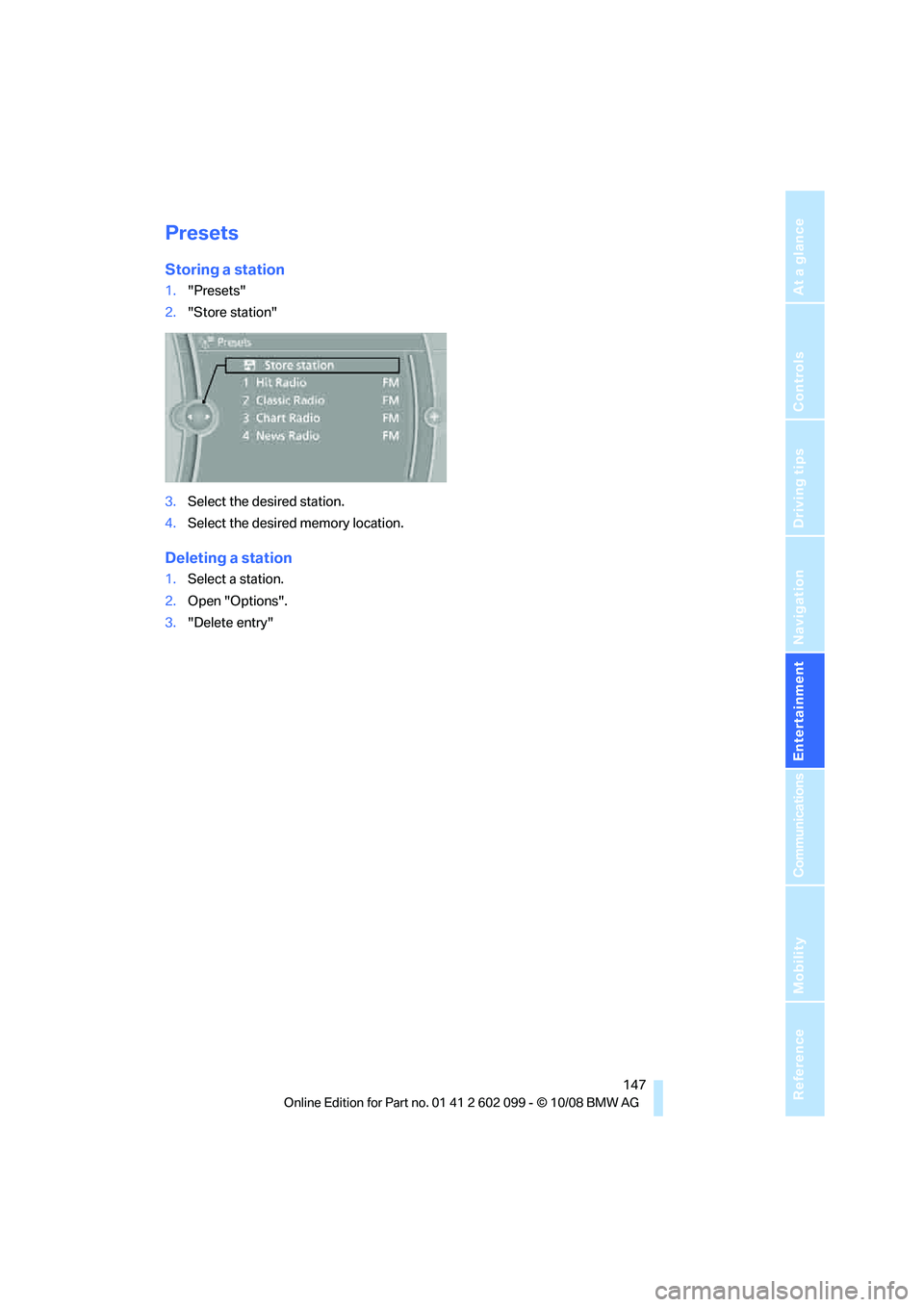
Storing a station
1."Presets"
2. "Store station"
3. Select the desired station.
4. Select the desired memory location.
Deleting a station
1.Select a station.
2. Open "Options".
3. "Delete entry"
ba8_E9091_cic.book Seite 147 Mittwoch, 29. Oktober 2008 2:59 14
Page 171 of 268
169
Entertainment
Reference
At a glance
Controls
Driving tips
Communications
Navigation
Mobility
> Certain presettings ma y be necessary on
some mobile phones: e.g. using the follow-
ing menu items:
> Bluetooth switched on
> Connection must be allowed without
requiring further confirmation
> Reconnection
> Depending on the mobile phone type, the
power-saving mode setting, for example,
may result in a paired mobile phone not
being detected by the vehicle.
> For pairing purposes, define any 4 to 16-
digit number as a Bluetooth passkey,
e.g. 25081107. A long and complex number
offers the best protection against unautho-
rized access. This Bluetooth passkey is no
longer required after pairing has been suc-
cessful.
> The ignition is switched on.
Pair the mobile phone with the vehicle
only when the car is stationary, to avoid
endangering the car's occupants and other
road users by be ing distracted.<
Switch on ignition
1.Insert remote control all the way into the
ignition lock.
2. Switch on ignition without operating the
brake or clutch or pressing the start/stop
button.
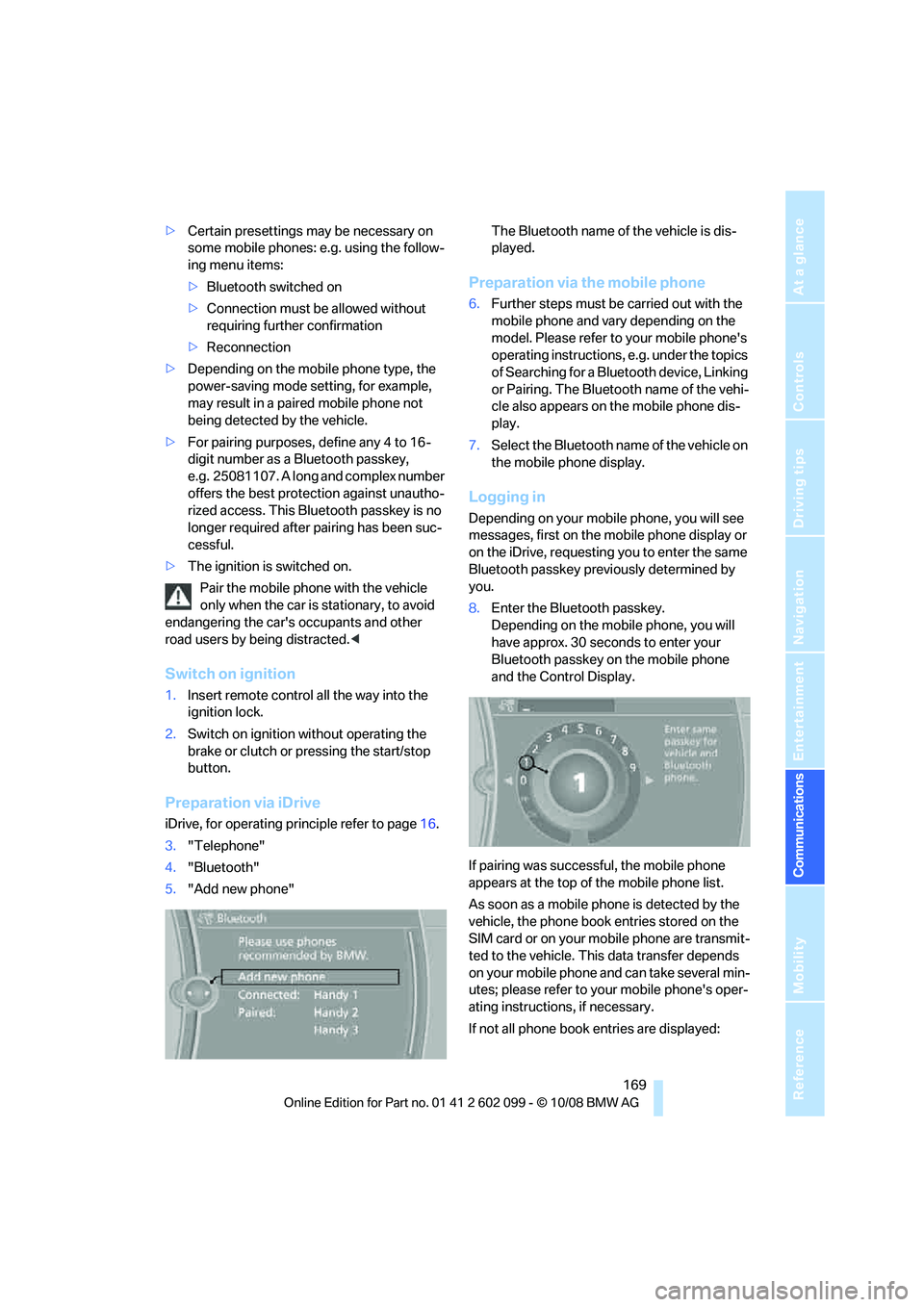
Preparation via iDrive
iDrive, for operating principle refer to page 16.
3. "Telephone"
4. "Bluetooth"
5. "Add new phone" The Bluetooth name of the vehicle is dis-
played.
Preparation via the mobile phone
6.
Further steps must be carried out with the
mobile phone and vary depending on the
model. Please refer to your mobile phone's
operating instructions, e.g. under the topics
of Searching for a Bluetooth device, Linking
or Pairing. The Bluetooth name of the vehi-
cle also appears on the mobile phone dis-
play.
7. Select the Bluetooth na me of the vehicle on
the mobile phone display.
Logging in
Depending on your mob ile phone, you will see
messages, first on the mobile phone display or
on the iDrive, requesting you to enter the same
Bluetooth passkey previously determined by
you.
8. Enter the Bluetooth passkey.
Depending on the mobile phone, you will
have approx. 30 seco nds to enter your
Bluetooth passkey on the mobile phone
and the Control Display.
If pairing was successful, the mobile phone
appears at the top of the mobile phone list.
As soon as a mobile ph one is detected by the
vehicle, the phone book entries stored on the
SIM card or on your mobile phone are transmit-
ted to the vehicle. This data transfer depends
on your mobile phone and can take several min-
utes; please refer to your mobile phone's oper-
ating instructions, if necessary.
If not all phone book entries are displayed:
ba8_E9091_cic.book Seite 169 Mittwoch, 29. Oktober 2008 2:59 14
Page 247 of 268
Reference 245
At a glance
Controls
Driving tips
Communications
Navigation
Entertainment
Mobility
AM
Weather Band
Satellite radio
Presets
Telephone
FunctionCommand
Calling up AM{A M }
Playing AM {A M on }
Opening manual search {Manual search }
Calling up a frequency {Frequency ... Kilohertz } e.g. frequency
753 kilohertz or 753 kilohertz
FunctionCommand
Selecting the Weather Band {Weather band }
Switching on the Weather Band {Weather band on }
Selecting a Weather Band station {Select a weather channel }
FunctionCommand
Calling up the satellite radio {Satellite radio}
Switching on the satellite radio {Satellite radio on }
Selecting a satellite radio channel {Satellite radio channel ... } e.g. channel 2
FunctionCommand
Calling up the stored stations {Presets }
Choosing a stored station {Select preset }
Selecting a stored station {Preset ... } e.g. stored station 2
FunctionCommand
Opening the Telephone menu {Telephone }
Displaying the phone book {Phonebook }
Redialing {Redial }
Displaying accepted calls {Received calls }
Dialing a phone number {Dial number }
Displaying the list of messages {Messages}
Displaying Bluetooth {Bluetooth devices}
ba8_E9091_cic.book Seite 245 Mittwoch, 29. Oktober 2008 2:59 14
Page 262 of 268
Everything from A - Z
260
Rear seats
– adjusting head restraints
44
– folding 107
– folding down backrests 106,107
– folding head restraint down and up 44
Rear ventilation 97
Rearview mirror, refer to Mirrors 47
Rear window
– cleaning 59
– opening 32
Rear window blind, refer to Roller sun blinds 102
Rear window defroster 97
Rear window safety switch 36
Rear window wiper 59
– changing rear wiper
blade 223
Receiving level of mobile phone, refer to Status
information 19
Reception
– quality 146
– radio station 146
Recirculated-air mode 96
Recirculation of air, refer to
Recirculated-air mode 96
Reclining seat, refer to Backrest 42
Refueling 190
Releasing
– hood 211
Remaining distance, refer to Cruising range 69
Remote control 26
– battery renewal 35
– convenient access 34
– garage door opener 99
– luggage compartment lid 28
– malfunction 29,35
– removing from the ignition
lock 53
– service data 216
– tailgate 28
Replacement remote control 26 Replacing bulbs, refer to
Lamps and bulbs 223
Replacing tires 209
Replacing tires, refer to New wheels and tires 209
Reporting safety defects 6
Reserve warning, refer to Fuel gauge 68
Reset, refer to Resetting tone settings 144
Residual heat 96
Restraint systems
– for children 49
– refe
r to Safety belts 46
Reverse
– CD changer 152
– CD player 152
Reverse gear
– automatic transmission with
Steptronic 56
– manual transmission 55
RME, refer to
Rapeseed-oil methyl
ester 191
Road map 135
Roadside Assistance 181,230
Roadside parking lamps 92
– replacing bulbs 223,225
Roadworthiness test, refer to Service requirements 71
Roller blind
– sun blinds 102
Roof load capacity 241
Roof-mounted luggage rack 119
Rope, refer to Tow-starting,
towing away 233
Rotary/pushbutton, refer to iDrive 16
Route 133,134
– bypassing sections 134
– changing 133,134
– changing criteria 133
– displaying streets or towns/ cities 134
– map display 135
– selecting 133 Route instructions, refer to
Destination guidance
through voice
instructions 134
Route map, refer to Map
display 135
Route section, changing 134
Route selection 133
RSC Runflat System Component, refer to Run-
Flat Tires 209
Runflat System Component RSC, refer to Run-Flat
Tires 209
Run-Flat Tires 209
– continuing driving with a
damaged tire 84
– flat tire 84
– Flat Tire Monitor 84
– new tires 209
– replacing 209
– tire inflation pressure 195
– winter tires 210
S
Safety-belt height
adjustment 46
Safety belts 46
– damage 46
– indicator/warning lamp 46
– reminder 46
– sitting safely 41
Safety systems
– airbags 88
– Antilock Brake System ABS 81
– brake system 81
– driving stability control systems 81
– Dynamic Stability Control DSC 81
– safety belts 46
Safety tires, refer to Run-Flat Tires 209
Satellite radio 148
– enabling channel 148
– selecting channel 149
– storing channel 149
ba8_E9091_cic.book Seite 260 Mittwoch, 29. Oktober 2008 2:59 14
Page 264 of 268
Everything from A - Z
262
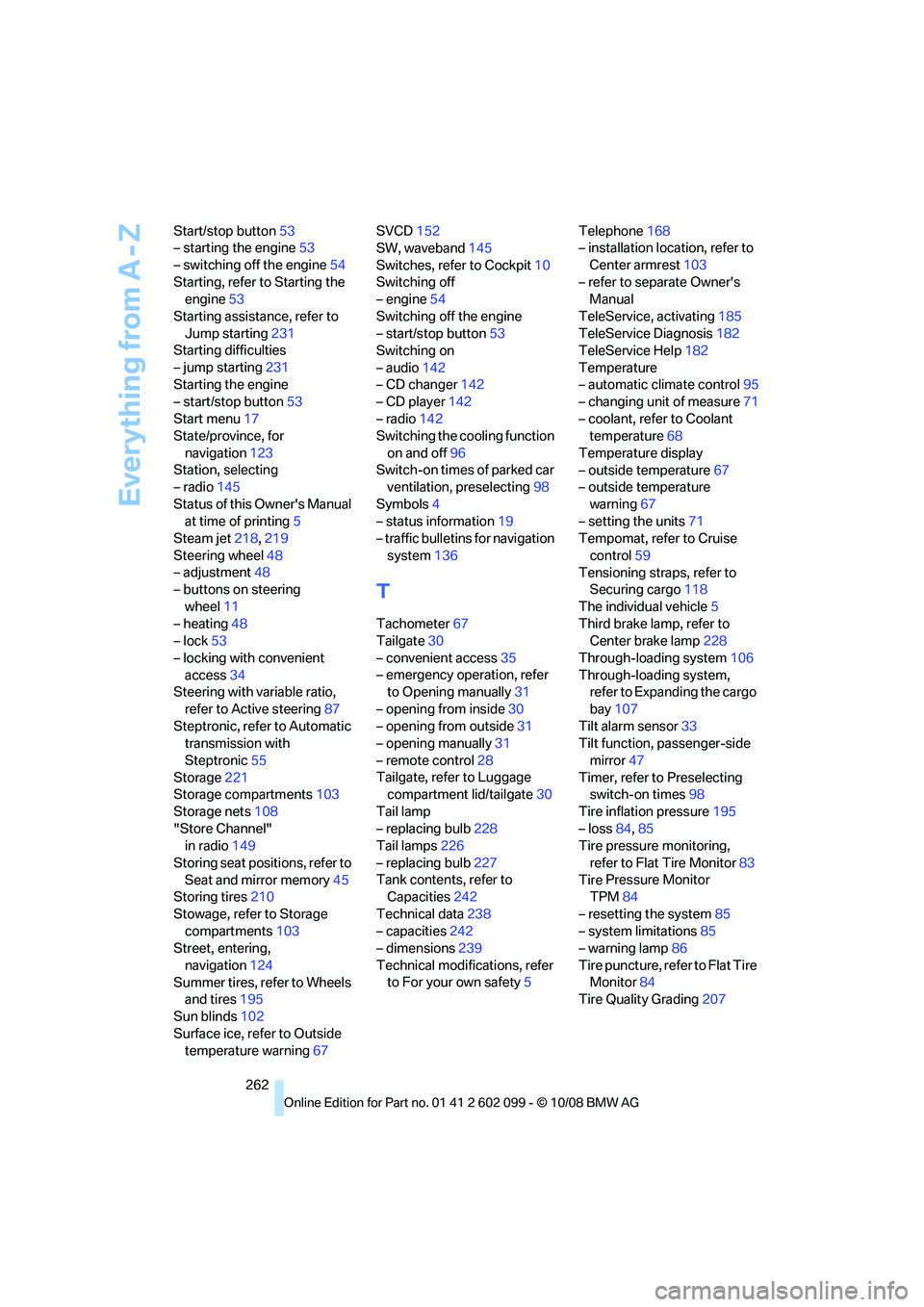
Start/stop button
53
– starting the engine 53
– switching off the engine 54
Starting, refer to Starting the engine 53
Starting assistance, refer to Jump starting 231
Starting difficulties
– jump starting 231
Starting the engine
– start/stop button 53
Start menu 17
State/province, for
navigation 123
Station, selecting
– radio 145
Status of this Owner's Manual at time of printing 5
Steam jet 218,219
Steering wheel 48
– adjustment 48
– buttons on steering
wheel 11
– heating 48
– lock 53
– locking with convenient access 34
Steering with variable ratio,
refer to Active steering 87
Steptronic, refer to Automatic transmission with
Steptronic 55
Storage 221
Storage compartments 103
Storage nets 108
"Store Channel" in radio 149
Storing seat positions, refer to Seat and mirror memory 45
Storing tires 210
Stowage, refer to Storage compartments 103
Street, entering,
navigation 124
Summer tires, refer to Wheels and tires 195
Sun blinds 102
Surface ice, refer to Outside temperature warning 67SVCD
152
SW, waveband 145
Switches, refer to Cockpit 10
Switching off
– engine 54
Switching off the engine
– start/stop button 53
Switching on
– audio 142
– CD changer 142
– CD player 142
– radio 142
Switching the cooling function
on and of
f96
Switch-on times of parked car ventilation, preselecting 98
Symbols 4
– status information 19
– traffic bulletins for navigation
system 136
T
Tachometer 67
Tailgate 30
– convenient access 35
– emergency operation, refer to Opening manually 31
– opening from inside 30
– opening from outside 31
– opening manually 31
– remote control 28
Tailgate, refer to Luggage compartment lid/tailgate 30
Tail lamp
– replacing bulb 228
Tail lamps 226
– replacing bulb 227
Tank contents, refer to Capacities 242
Technical data 238
– capacities 242
– dimensions 239
Technical modifications, refer to For your own safety 5Telephone
168
– installation location, refer to
Center armrest 103
– refer to separate Owner's Manual
TeleService, activating 185
TeleService Diagnosis 182
TeleService Help 182
Temperature
– automatic climate control 95
– changing unit of measure 71
– coolant, refer to Coolant temperature 68
Temperature display
– outside temperature 67
– outside temperature
warning 67
– setting the units 71
Tempomat, refer to Cruise
control 59
Tensioning straps, refer to Securing cargo 118
The individual vehicle 5
Third brake lamp, refer to Center brake lamp 228
Through-loading system 106
Through-loading system, refer to Expanding the cargo
bay 107
Tilt alarm sensor 33
Tilt function, passenger-side
mirror 47
Timer, refer to Preselecting switch-on times 98
Tire inflation pressure 195
– loss 84,85
Tire pressure monitoring,
refer to Flat Tire Monitor 83
Tire
Pressure Monitor
TPM 84
– resetting the system 85
– system limitations 85
– warning lamp 86
Tire puncture, refe r to Flat Tire
Monitor 84
Tire Quality Grading 207
ba8_E9091_cic.book Seite 262 Mittwoch, 29. Oktober 2008 2:59 14