steering wheel BMW 330D 2010 Owner's Manual
[x] Cancel search | Manufacturer: BMW, Model Year: 2010, Model line: 330D, Model: BMW 330D 2010Pages: 274, PDF Size: 8.69 MB
Page 179 of 274
177
Entertainment
Reference
At a glance
Controls
Driving tips Communications
Navigation
Mobility
can be used in combination with the mobile
phone, e.g. a laptop.<
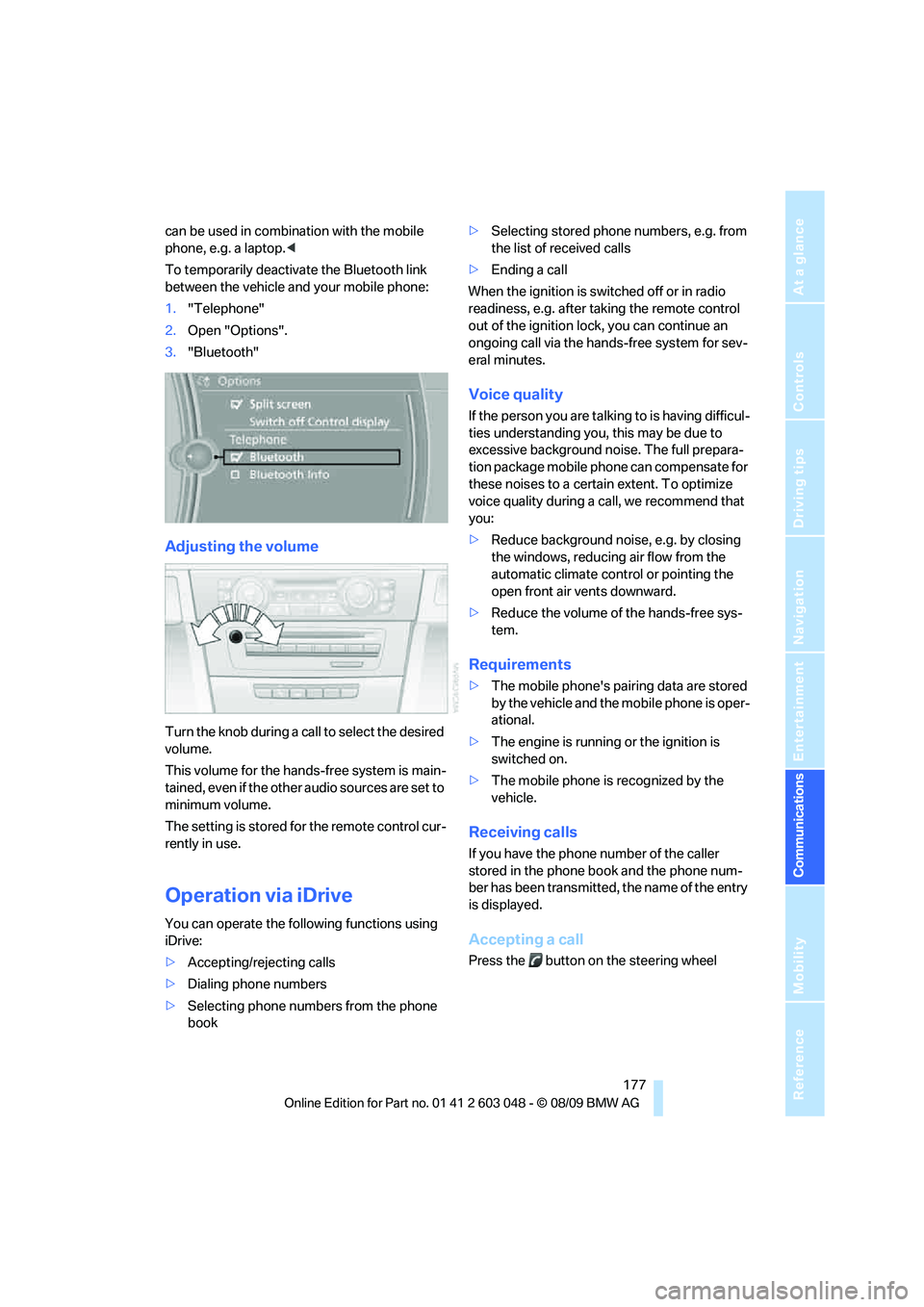
To temporarily deactivate the Bluetooth link
between the vehicle and your mobile phone:
1."Telephone"
2.Open "Options".
3."Bluetooth"
Adjusting the volume
Turn the knob during a call to select the desired
volume.
This volume for the hands-free system is main-
tained, even if the other audio sources are set to
minimum volume.
The setting is stored for the remote control cur-
rently in use.
Operation via iDrive
You can operate the following functions using
iDrive:
>Accepting/rejecting calls
>Dialing phone numbers
>Selecting phone numbers from the phone
book>Selecting stored phone numbers, e.g. from
the list of received calls
>Ending a call
When the ignition is switched off or in radio
readiness, e.g. after taking the remote control
out of the ignition lock, you can continue an
ongoing call via the hands-free system for sev-
eral minutes.
Voice quality
If the person you are talking to is having difficul-
ties understanding you, this may be due to
excessive background noise. The full prepara-
tion package mobile phone can compensate for
these noises to a certain extent. To optimize
voice quality during a call, we recommend that
you:
>Reduce background noise, e.g. by closing
the windows, reducing air flow from the
automatic climate control or pointing the
open front air vents downward.
>Reduce the volume of the hands-free sys-
tem.
Requirements
>The mobile phone's pairing data are stored
by the vehicle and the mobile phone is oper-
ational.
>The engine is running or the ignition is
switched on.
>The mobile phone is recognized by the
vehicle.
Receiving calls
If you have the phone number of the caller
stored in the phone book and the phone num-
ber has been transmitted, the name of the entry
is displayed.
Accepting a call
Press the button on the steering wheel
Page 180 of 274
Telephone
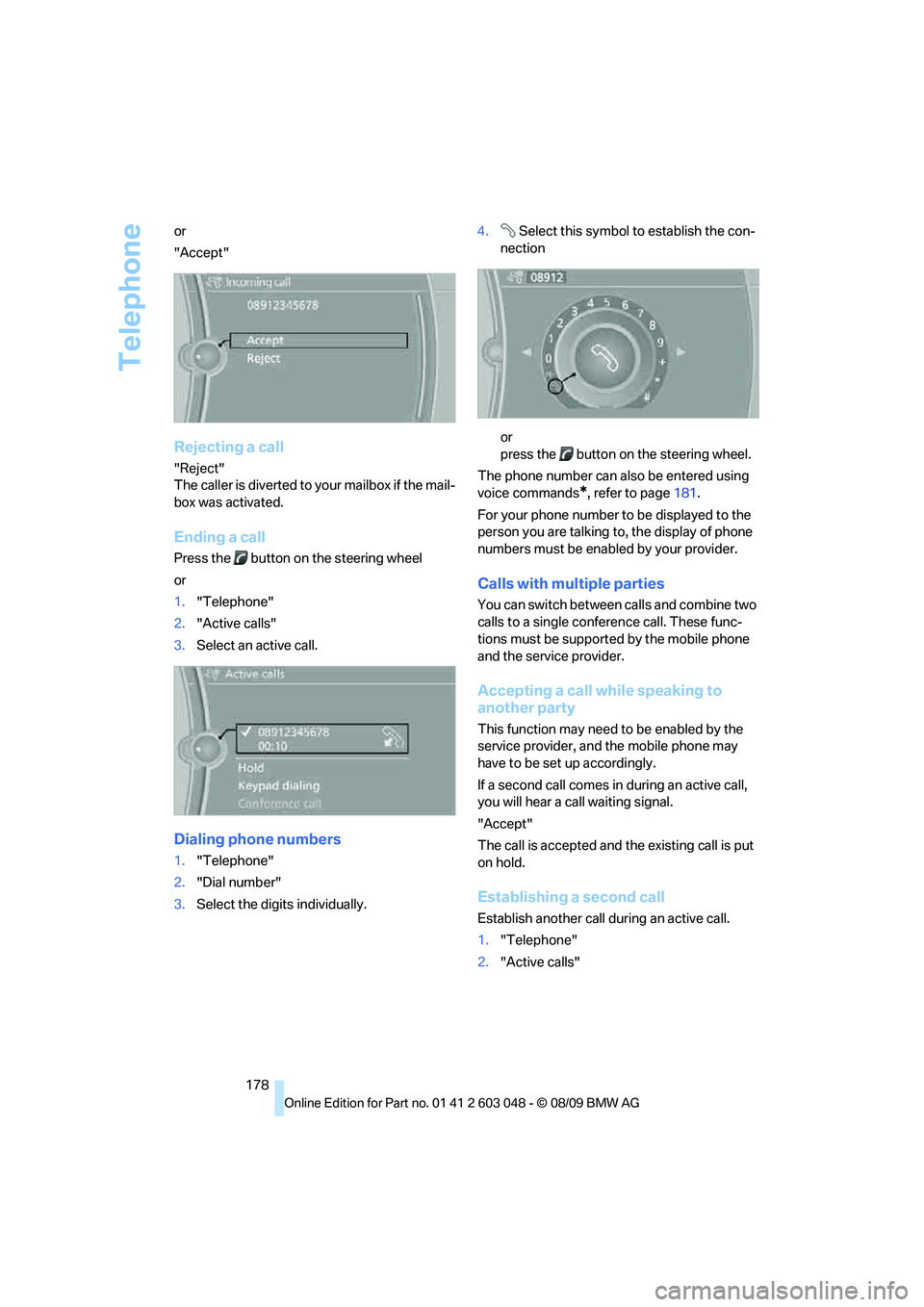
178 or
"Accept"
Rejecting a call
"Reject"
The caller is diverted to your mailbox if the mail-
box was activated.
Ending a call
Press the button on the steering wheel
or
1."Telephone"
2."Active calls"
3.Select an active call.
Dialing phone numbers
1."Telephone"
2."Dial number"
3.Select the digits individually.4. Select this symbol to establish the con-
nection
or
press the button on the steering wheel.
The phone number can also be entered using
voice commands
*, refer to page181.
For your phone number to be displayed to the
person you are talking to, the display of phone
numbers must be enabled by your provider.
Calls with multiple parties
You can switch between calls and combine two
calls to a single conference call. These func-
tions must be supported by the mobile phone
and the service provider.
Accepting a call while speaking to
another party
This function may need to be enabled by the
service provider, and the mobile phone may
have to be set up accordingly.
If a second call comes in during an active call,
you will hear a call waiting signal.
"Accept"
The call is accepted and the existing call is put
on hold.
Establishing a second call
Establish another call during an active call.
1."Telephone"
2."Active calls"
Page 183 of 274
181
Entertainment
Reference
At a glance
Controls
Driving tips Communications
Navigation
Mobility
My Info
To start destination guidance:
1.Select the message that contains the
desired destination.
2. "Start guidance" or "Add as another
dest.".
To dial the number in the message:
1.Select the message that contains the
desired number.
2. "Call"
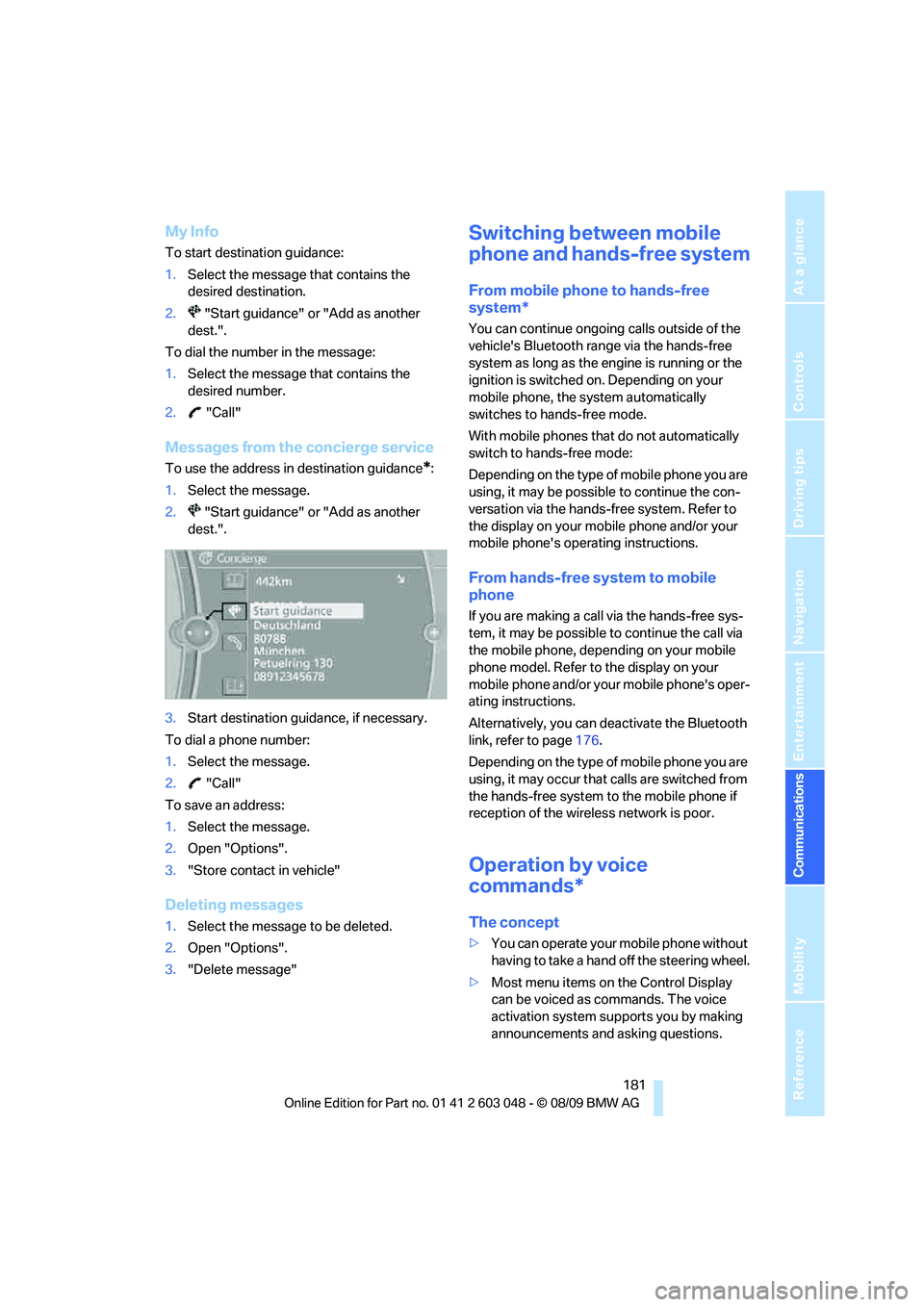
Messages from the concierge service
To use the address in destination guidance*:
1.Select the message.
2. "Start guidance" or "Add as another
dest.".
3.Start destination guidance, if necessary.
To dial a phone number:
1.Select the message.
2. "Call"
To save an address:
1.Select the message.
2.Open "Options".
3."Store contact in vehicle"
Deleting messages
1.Select the message to be deleted.
2.Open "Options".
3."Delete message"
Switching between mobile
phone and hands-free system
From mobile phone to hands-free
system*
You can continue ongoing calls outside of the
vehicle's Bluetooth range via the hands-free
system as long as the engine is running or the
ignition is switched on. Depending on your
mobile phone, the system automatically
switches to hands-free mode.
With mobile phones that do not automatically
switch to hands-free mode:
Depending on the type of mobile phone you are
using, it may be possible to continue the con-
versation via the hands-free system. Refer to
the display on your mobile phone and/or your
mobile phone's operating instructions.
From hands-free system to mobile
phone
If you are making a call via the hands-free sys-
tem, it may be possible to continue the call via
the mobile phone, depending on your mobile
phone model. Refer to the display on your
mobile phone and/or your mobile phone's oper-
ating instructions.
Alternatively, you can deactivate the Bluetooth
link, refer to page176.
Depending on the type of mobile phone you are
using, it may occur that calls are switched from
the hands-free system to the mobile phone if
reception of the wireless network is poor.
Operation by voice
commands*
The concept
>You can operate your mobile phone without
having to take a hand off the steering wheel.
>Most menu items on the Control Display
can be voiced as commands. The voice
activation system supports you by making
announcements and asking questions.
Page 184 of 274
Telephone
182 >{...} Verbal instructions to use with the voice
activation system.
Requirements
The same prerequisites apply as for operation
via iDrive, refer to page177.
Saying commands
Activating voice activation system
1.Briefly press the button on the steering
wheel.
A sound signal indicates that you can say
commands.
2.Say the command.
Ending/canceling operation by voice
commands
Briefly press the button on the steering
wheel orIn dialogs not involving voice commands, i.e.
when you are speaking only text, e.g. a name,
canceling is possible only via the button on the
steering wheel.
Having the possible commands read
aloud
The system recognizes specific commands
that must be pronounced exactly word for word.
You can have the possible commands for any
function read aloud to you:
Digits from zero to nine are recognized.
You can say each digit individually or group
them into a sequence to accelerate the input.
Using alternative commands
Often there is more than a single command to
run a function, e.g.:
Example: dialing phone numbers
To start the dialog:
Press the button on the steering wheel.
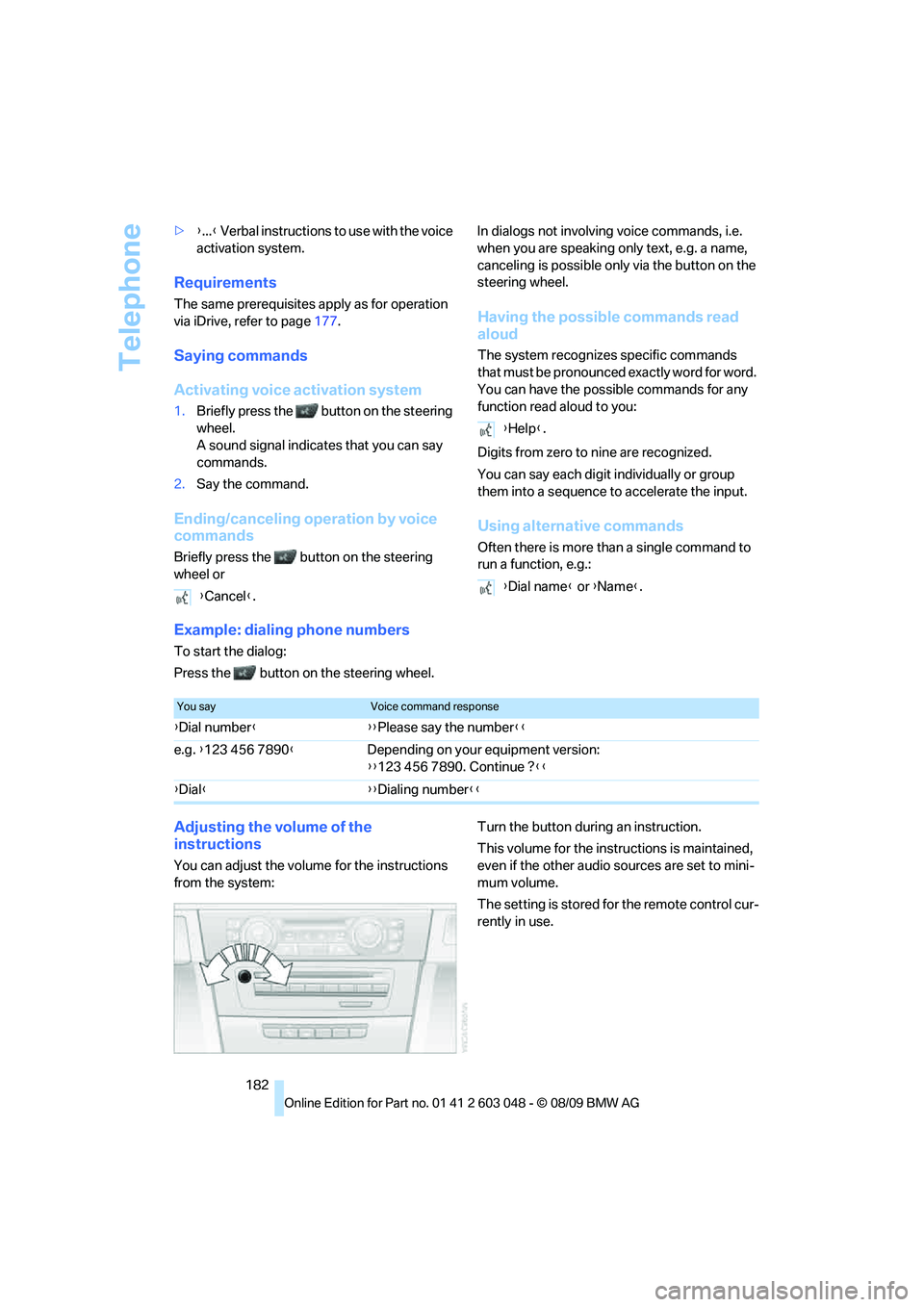
Adjusting the volume of the
instructions
You can adjust the volume for the instructions
from the system:Turn the button during an instruction.
This volume for the instructions is maintained,
even if the other audio sources are set to mini-
mum volume.
The setting is stored for the remote control cur-
rently in use. {Cancel}.
{Help}.
{Dial name} or {Name}.
You sayVoice command response
{Dial number}{{Please say the number}}
e.g. {123 456 7890}Depending on your equipment version:
{{123 456 7890. Continue ?}}
{Dial}{{Dialing number}}
Page 242 of 274
Giving and receiving assistance
240 the vehicle by the tow fitting. Otherwise, the
tow fitting and the vehicle could be damaged.<
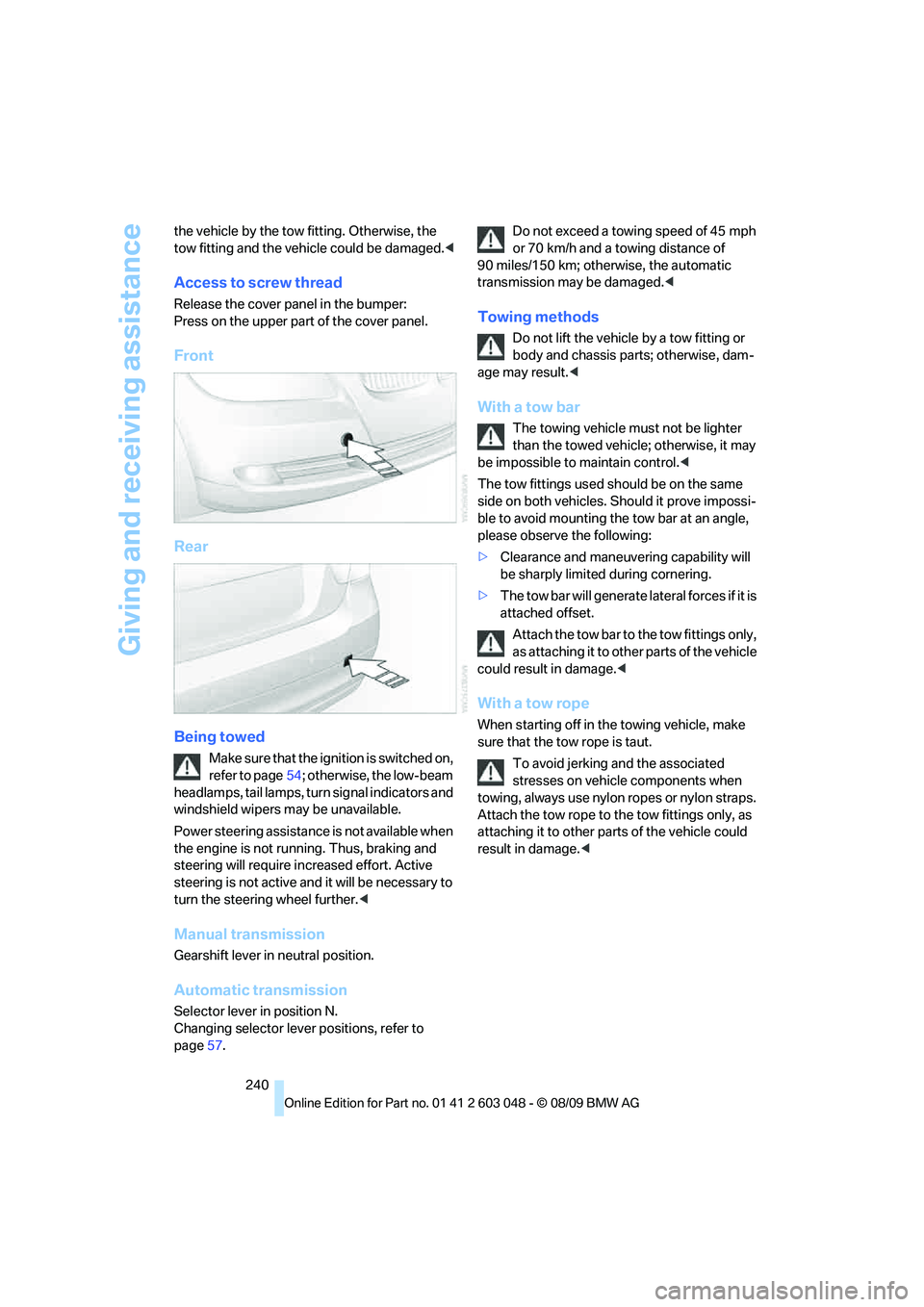
Access to screw thread
Release the cover panel in the bumper:
Press on the upper part of the cover panel.
Front
Rear
Being towed
Make sure that the ignition is switched on,
refer to page54; otherwise, the low-beam
headlamps, tail lamps, turn signal indicators and
windshield wipers may be unavailable.
Power steering assistance is not available when
the engine is not running. Thus, braking and
steering will require increased effort. Active
steering is not active and it will be necessary to
turn the steering wheel further.<
Manual transmission
Gearshift lever in neutral position.
Automatic transmission
Selector lever in position N.
Changing selector lever positions, refer to
page57.Do not exceed a towing speed of 45 mph
or 70 km/h and a towing distance of
90 miles/150 km; otherwise, the automatic
transmission may be damaged.<
Towing methods
Do not lift the vehicle by a tow fitting or
body and chassis parts; otherwise, dam-
age may result.<
With a tow bar
The towing vehicle must not be lighter
than the towed vehicle; otherwise, it may
be impossible to maintain control.<
The tow fittings used should be on the same
side on both vehicles. Should it prove impossi-
ble to avoid mounting the tow bar at an angle,
please observe the following:
>Clearance and maneuvering capability will
be sharply limited during cornering.
>The tow bar will generate lateral forces if it is
attached offset.
Attach the tow bar to the tow fittings only,
as attaching it to other parts of the vehicle
could result in damage.<
With a tow rope
When starting off in the towing vehicle, make
sure that the tow rope is taut.
To avoid jerking and the associated
stresses on vehicle components when
towing, always use nylon ropes or nylon straps.
Attach the tow rope to the tow fittings only, as
attaching it to other parts of the vehicle could
result in damage.<
Page 243 of 274
Mobility
241Reference
At a glance
Controls
Driving tips
Communications
Navigation
Entertainment
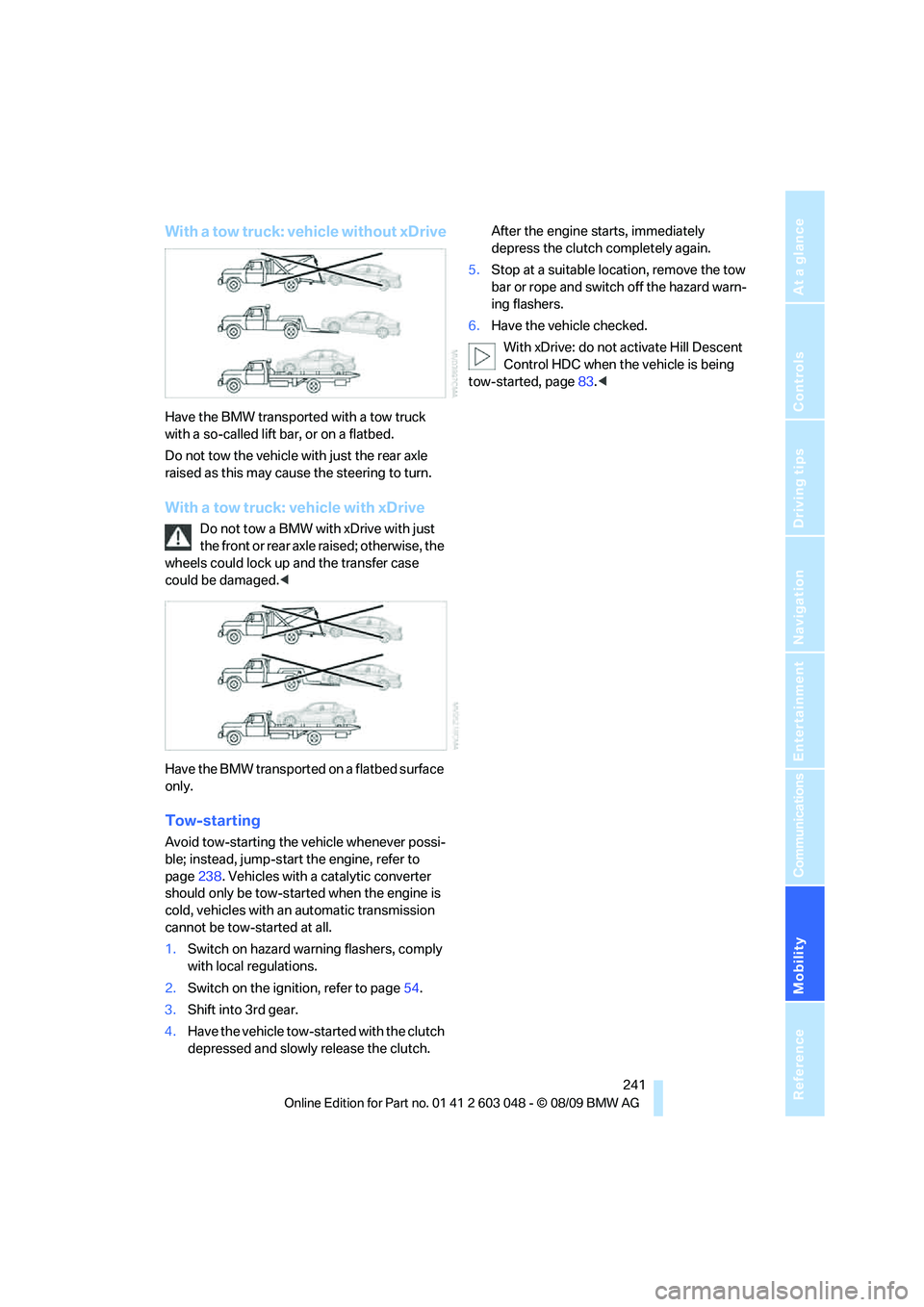
With a tow truck: vehicle without xDrive
Have the BMW transported with a tow truck
with a so-called lift bar, or on a flatbed.
Do not tow the vehicle with just the rear axle
raised as this may cause the steering to turn.
With a tow truck: vehicle with xDrive
Do not tow a BMW with xDrive with just
the front or rear axle raised; otherwise, the
wheels could lock up and the transfer case
could be damaged.<
Have the BMW transported on a flatbed surface
only.
Tow-starting
Avoid tow-starting the vehicle whenever possi-
ble; instead, jump-start the engine, refer to
page238. Vehicles with a catalytic converter
should only be tow-started when the engine is
cold, vehicles with an automatic transmission
cannot be tow-started at all.
1.Switch on hazard warning flashers, comply
with local regulations.
2.Switch on the ignition, refer to page54.
3.Shift into 3rd gear.
4.Have the vehicle tow-started with the clutch
depressed and slowly release the clutch. After the engine starts, immediately
depress the clutch completely again.
5.Stop at a suitable location, remove the tow
bar or rope and switch off the hazard warn-
ing flashers.
6.Have the vehicle checked.
With xDrive: do not activate Hill Descent
Control HDC when the vehicle is being
tow-started, page83.<
Page 256 of 274
Everything from A - Z
254
Everything from A - Z
Index
A
ABS Antilock Brake
System82
ACC, refer to Active cruise
control62
Accident, refer to Sending an
Emergency Request237
Activated-charcoal filter for
automatic climate
control100
Active cruise control62
– indicator lamps65
– malfunction66
– selecting distance64
– sensor66
Active steering88
Adaptive brake light
– Brake Force Display89
Adaptive light control93
Additives
– coolant222
Address, entering125,131
Address for navigation
– entering125
Adjusting temperature inside
the car, refer to Automatic
climate control98
Adjusting the thigh support42
Airbags90
– indicator/warning lamp91
– sitting safely41
Air conditioning mode
– automatic climate control98
– ventilation100
Air distribution
– automatic98
Airing, refer to Ventilation100
Air pressure, refer to Tire
inflation pressure201
Air recirculation, refer to
Recirculated-air mode99Air supply
– automatic climate control98
– ventilation100
Air vents97
Air volume98
AKI, refer to Fuel
specifications197
Alarm system33
– avoiding unintentional
alarms34
– interior motion sensor33
– switching off an alarm33
– tilt alarm sensor33
Albums of music
collection164
ALL program99
All-season tires, refer to
Winter tires217
All-wheel drive, refer to
xDrive83
AM, waveband147
Ambient air, refer to
Recirculated-air mode99
Antenna for mobile phone174
Antifreeze
– coolant222
– washer fluid60
Antilock Brake System
ABS82
Anti-theft alarm system, refer
to Alarm system33
Anti-theft system27
Approved axle loads, refer to
Weights247
Approved gross vehicle
weight, refer to Weights247
Armrest, refer to Center
armrest106
Arrival time, refer to
Computer71
Ashtray107Assistance systems, refer to
Driving stability control
systems82
AUC Automatic recirculated-
air control99
Audio144
– controls144
– switching on/off144
– tone control144
– volume144
Audio device, external106
Automatic
– air distribution98
– air volume98
– cruise control61,62
– headlamp control92
Automatic car washes225
Automatic climate control97
– automatic air distribution98
Automatic curb monitor48
Automatic high beams and
low beams, refer to High-
beam assistant94
Automatic recirculated-air
control AUC99
Automatic Service
Request192
Automatic transmission with
Steptronic56
– interlock56,57
– overriding selector lever
lock58
– shiftlock, refer to Changing
selector lever position57
– sport program57
– towing239
– tow-starting239
AUTO program for automatic
climate control
98
AUX-IN
– port106
AUX-IN port167
Available services192
Page 257 of 274
Reference 255
At a glance
Controls
Driving tips
Communications
Navigation
Entertainment
Mobility
Average fuel consumption71
– setting the units73
Average speed71
Avoid highways in
navigation134
Avoiding unintentional
alarms34
Axle loads, refer to
Weights247
B
Backrest contour, refer to
Lumbar support43
Backrests, refer to Seat
adjustment42
Backrest width adjustment43
Back seats
– refer to Rear seats44
Backup lamps
– replacing bulb233,234
Band-aids, refer to First aid
pouch237
Bar, refer to Towing
methods240
Base plate for telephone or
mobile phone
– refer to Snap-in adapter184
– refer to Snap-in adapter in
the center armrest storage
compartment106
Bass, tone setting144
Battery235
– charging235
– disposal35,236
– jump-starting238
– remote control26
– replacing235
– temporary power failure236
Battery for mobile phone185
Battery renewal
– remote control35
– remote control for vehicle35
Being towed240
Belts, refer to Safety belts46
Belt tensioner, refer to Safety
belts46
Beverage holders, refer to
Cupholders107Blower, refer to Air volume98
Bluetooth, activating/
deactivating176
BMW
– car shampoo227
BMW Advanced Diesel198
BMW Assist188
BMW Assist,
activating190,192
BMW Homepage4
BMW Maintenance
System223
BMW Search190
BMW webpage4
Bottle holders, refer to
Cupholders107
Brake Assist, refer to Dynamic
Brake Control DBC82
Brake fluid, refer to Service
requirements73
Brake Force Display89
Brake lamps
– Brake Force Display89
– replacing bulb233,234
Brake pads116
– breaking in116
Brake rotors118
– brakes116
– breaking in116
Brakes
– ABS82
– BMW Maintenance
System223
– Brake Force Display89
– breaking in116
– parking brake56
– service requirements73
Brakes, refer to Braking
safely118
Brake system116
– BMW Maintenance
System223
– breaking in116
– disc brakes118
Breakdown services, refer to
Roadside Assistance237
Breaking in the clutch116Breaking in the differential,
refer to Engine and
differential116
Break-in period116
Brightness of the Control
Display80
Bulb changing, refer to Lamps
and bulbs229
Button for starting the engine,
refer to Start/stop button54
Buttons on the steering
wheel11
C
California Proposition 65
warning5
Call
– accepting177
– ending178
– rejecting178
Calling, refer to Phone
numbers, dialing178
Can holders, refer to
Cupholders107
Capacities248
Capacity of the cargo area247
Car battery, refer to Vehicle
battery235
Car care, refer to Care225
Page 260 of 274
Everything from A - Z
258 Display, refer to iDrive
controls16
Display lighting, refer to
Instrument lighting95
Displays
– on the Control Display16
Displays, refer to Instrument
cluster12
Displays and controls10
Disposal
– coolant222
– remote control battery35
– vehicle battery236
Distance control, refer to
Active cruise control62
Distance remaining to service,
refer to Service
requirements73
Distance warning, refer to
Park Distance Control
PDC81
Door key, refer to Remote
control with integrated
key26
Door lock29
Doors, emergency
operation29
DOT Quality Grades214
Draft-free ventilation100
Drinks holders, refer to
Cupholders107
Drive-off assistance, refer to
Dynamic Stability Control
DSC82
Drive-off assistant84
Driving lamps, refer to Parking
lamps/low beams92
Driving notes116
Driving off on hills, refer to
Drive-off assistant84
Driving stability control
systems82
Driving through water118
Driving tips, refer to Driving
notes116
Dry air, refer to Cooling
function99
DSC Dynamic Stability
Control82DTC Dynamic Traction
Control82
– indicator/warning lamp82
DVD
– country codes157
– settings158
– video playback157
DVD menu158
DVD player, refer to CD
player155
DVD video157
Dynamic Brake Control
DBC82
Dynamic destination
guidance135
Dynamic Stability Control
DSC82
– indicator/warning lamp82
Dynamic Traction Control
DTC
– indicator/warning lamp83
E
EBV Electronic brake-force
distribution82
Eject button, refer to Buttons
on the CD/DVD player144
Electrical malfunction
– door lock29
– driver's door29
– fuel filler flap196
– glass roof37
– panorama glass roof39
– trunk lid31
Electric seat adjustment42
Electric steering wheel lock
– with Comfort Access34
Electronic brake-force
distribution EBV82
Electronic oil level check220
Electronic Stability Program
ESP, refer to Dynamic
Stability Control DSC82
Emergency actuation,
automatic transmission,
refer to Overriding selector
lever lock58Emergency operation
– fuel filler flap, manual
release196
Emergency operation, refer to
Closing manually
– glass roof37
– panorama glass roof39
Emergency operation, refer to
Manual operation
– door lock29
Emergency release
– trunk lid from inside32
Emergency Request237
Emergency services, refer to
Roadside Assistance237
Energy, saving
– saving fuel116
Energy-conscious driving,
refer to Energy Control70
Energy Control70
Engine
– breaking in116
– data244
– overheated, refer to Coolant
temperature70
– speed244
– starting55
– starting, Comfort Access34
– switching off55
Engine compartment219
Engine coolant, refer to
Coolant222
Engine oil
– adding221
– alternative oil types222
– BMW Maintenance
System223
– capacity248
– checking level219
– dipstick219
– intervals between changes,
refer to Service
requirements73
Engine output, refer to Engine
data244
Engine speed, refer to Engine
data244
Engine starting, refer to
Starting the engine55
Page 262 of 274
Everything from A - Z
260 Glass roof, electric37
– closing after electrical
malfunction37
– Convenient operation28,29
– initializing37
– opening, closing37
– pinch protection system37
– power failure37
– raising37
– remote control28
Glove compartment105
GPS navigation, refer to
Navigation system124
Grills97
Gross vehicle weight, refer to
Weights247
H
Halogen lamps
– replacing bulbs231
Handbrake, refer to Parking
brake56
Hands-free system14
Hazard warning flashers14
HDC Hill Descent Control83
HD Radio148
Head airbags90
Headlamp control,
automatic92
Headlamp cover231
Headlamp flasher58
– indicator lamp11,13
Headlamps
– replacing bulbs231
Head restraints43
– rear, removing44
– sitting safely41
Heated
– mirrors47
– rear window99
– seats45
– steering wheel49
Heating
– mirrors47
– rear window99
– seats45
– steering wheel49Heating and ventilation, refer
to Climate97
Heavy loads, refer to Stowing
cargo119
Height, refer to
Dimensions245
Height adjustment
– seats42
– steering wheel48
High-beam assistant94
High beams94
– headlamp flasher94
– indicator lamp13
– replacing bulbs231
High beams and low beams,
automatic, refer to High-
beam assistant94
High-pressure
washer225,226
High water, refer to Driving
through water118
Highways, refer to Route
criteria134
Hill Descent Control HDC83
Hills118
Holders for cups107
Homepage BMW4
Hood
218
Hooks for shopping
bags111,112
Horn10,11
Hotel function, refer to
Locking or unlocking
separately31
Hot exhaust system117
Hydraulic brake assist, refer to
Dynamic Brake Control
DBC82
Hydroplaning118
I
IBOC, refer to HD Radio148
Ice warning, refer to Outside
temperature
warning69
Identification marks
– run-flat tires216
– tire coding214iDrive16
– adjusting brightness80
– changing language79
– changing settings79
– changing units of measure
and display format73
– controls16
– menu guidance17
– operating principle16
– overview16
– setting the date and time76
– start menu17
– status information19
iDrive operating principle16
Ignition54
– switched off55
– switched on54
Ignition key, refer to Remote
control with integrated
key26
Ignition key position 1, refer to
Radio readiness54
Ignition key position 2, refer to
Ignition on54
Ignition lock54
Imprint2
Indicator and warning
lamps13
– Tire Pressure Monitor
TPM87
Inflation pressure, refer to Tire
inflation pressure201
Inflation pressure monitoring,
refer to Tire Pressure
Monitor TPM86
Initializing
– after power failure236
– compass, refer to
Calibrating104
– Flat Tire Monitor FTM85
– glass roof37
– panorama glass roof39
– radio, refer to Station,
storing147
– refer to Setting the time and
date76
Installation location
– telephone106