turn signal BMW 330I 2003 User Guide
[x] Cancel search | Manufacturer: BMW, Model Year: 2003, Model line: 330I, Model: BMW 330I 2003Pages: 166, PDF Size: 3.16 MB
Page 73 of 166
73
Service interval displayRemaining distance to next
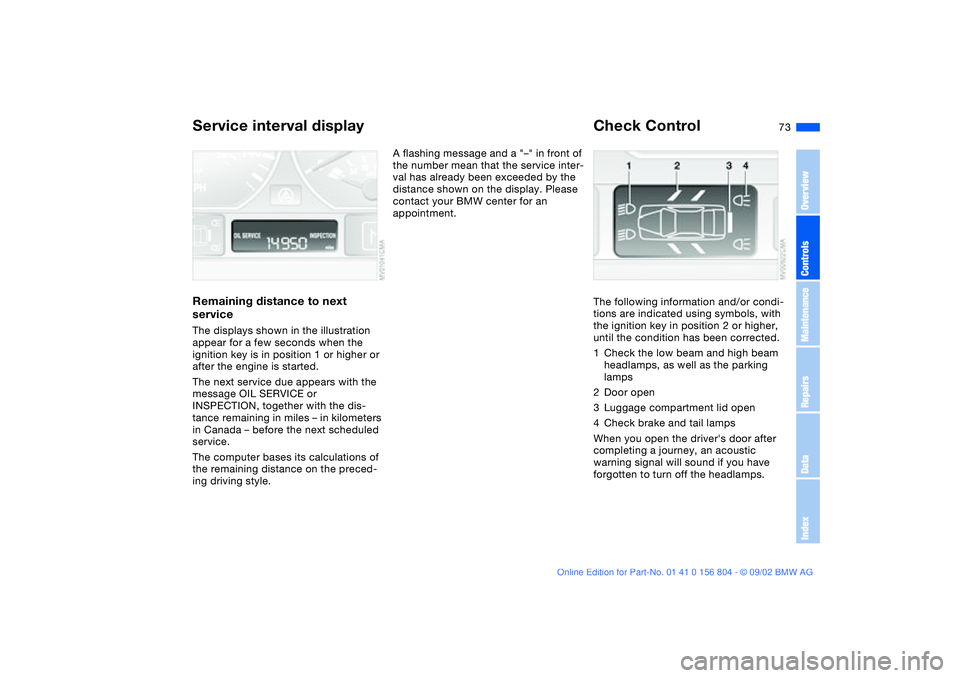
serviceThe displays shown in the illustration
appear for a few seconds when the
ignition key is in position 1 or higher or
after the engine is started.
The next service due appears with the
message OIL SERVICE or
INSPECTION, together with the dis-
tance remaining in miles – in kilometers
in Canada – before the next scheduled
service.
The computer bases its calculations of
the remaining distance on the preced-
ing driving style.
A flashing message and a "–" in front of
the number mean that the service inter-
val has already been exceeded by the
distance shown on the display. Please
contact your BMW center for an
appointment.
Check ControlThe following information and/or condi-
tions are indicated using symbols, with
the ignition key in position 2 or higher,
until the condition has been corrected.
1Check the low beam and high beam
headlamps, as well as the parking
lamps
2Door open
3Luggage compartment lid open
4Check brake and tail lamps
When you open the driver's door after
completing a journey, an acoustic
warning signal will sound if you have
forgotten to turn off the headlamps.
OverviewControlsMaintenanceRepairsDataIndex
Page 75 of 166
75
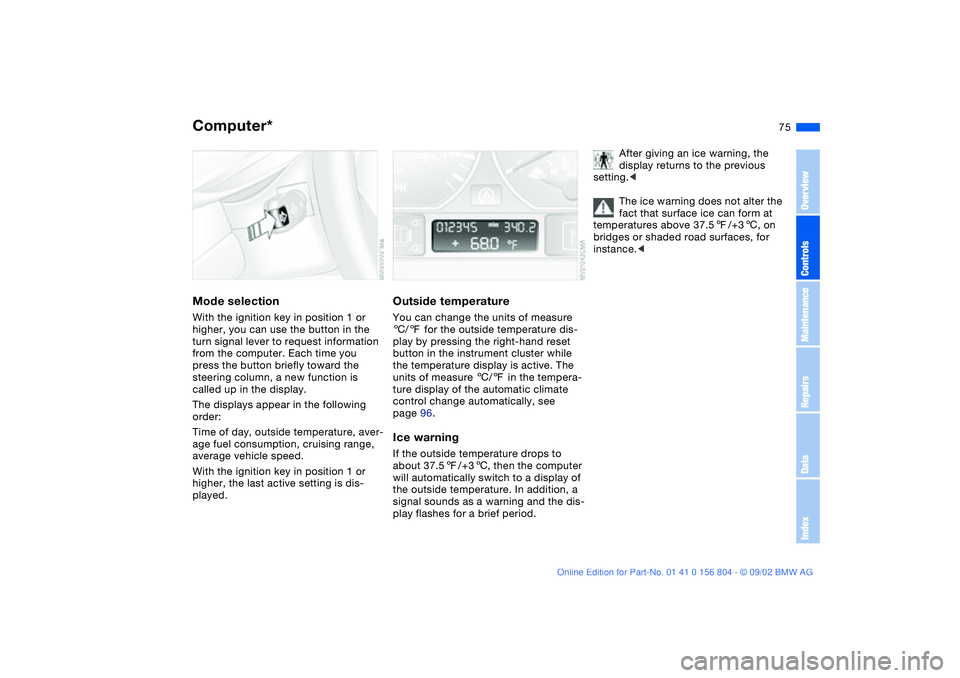
Computer*Mode selectionWith the ignition key in position 1 or
higher, you can use the button in the
turn signal lever to request information
from the computer. Each time you
press the button briefly toward the
steering column, a new function is
called up in the display.
The displays appear in the following
order:
Time of day, outside temperature, aver-
age fuel consumption, cruising range,
average vehicle speed.
With the ignition key in position 1 or
higher, the last active setting is dis-
played.
Outside temperatureYou can change the units of measure
6/7 for the outside temperature dis-
play by pressing the right-hand reset
button in the instrument cluster while
the temperature display is active. The
units of measure 6/7 in the tempera-
ture display of the automatic climate
control change automatically, see
page 96.Ice warningIf the outside temperature drops to
about 37.57/+36, then the computer
will automatically switch to a display of
the outside temperature. In addition, a
signal sounds as a warning and the dis-
play flashes for a brief period.
After giving an ice warning, the
display returns to the previous
setting.<
The ice warning does not alter the
fact that surface ice can form at
temperatures above 37.57/+36, on
bridges or shaded road surfaces, for
instance.<
OverviewControlsMaintenanceRepairsDataIndex
Page 76 of 166
76
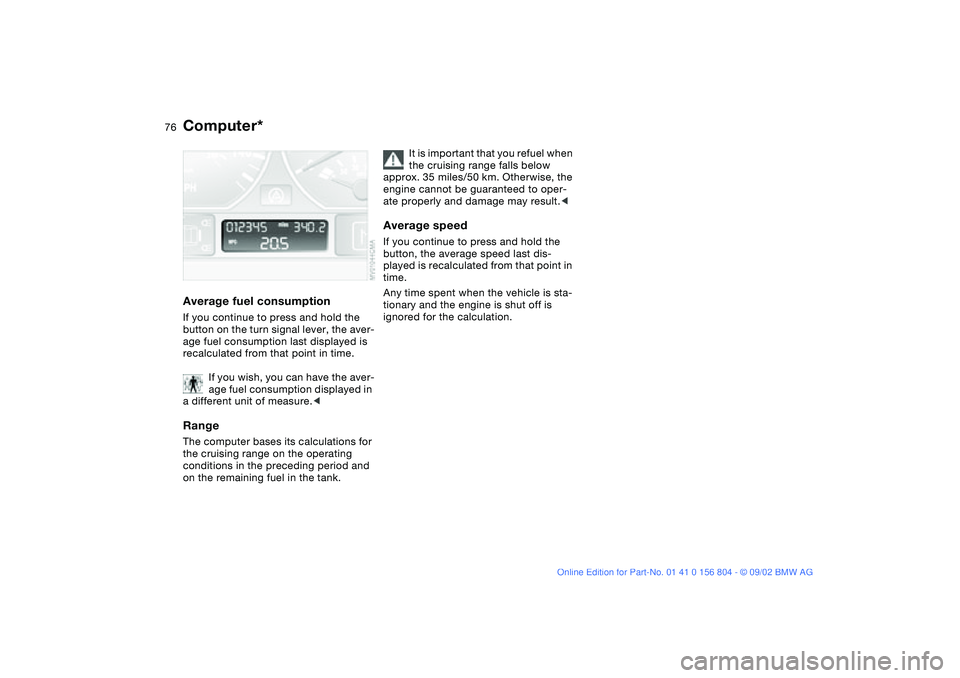
Average fuel consumptionIf you continue to press and hold the
button on the turn signal lever, the aver-
age fuel consumption last displayed is
recalculated from that point in time.
If you wish, you can have the aver-
age fuel consumption displayed in
a different unit of measure.
conditions in the preceding period and
on the remaining fuel in the tank.
It is important that you refuel when
the cruising range falls below
approx. 35 miles/50 km. Otherwise, the
engine cannot be guaranteed to oper-
ate properly and damage may result.<
Average speedIf you continue to press and hold the
button, the average speed last dis-
played is recalculated from that point in
time.
Any time spent when the vehicle is sta-
tionary and the engine is shut off is
ignored for the calculation.
Computer*
Page 85 of 166
85
Tire Pressure Monitor (TPM)*The conceptTPM monitors the tire pressures at all
four tires even while the vehicle is mov-
ing. The system provides an alert when-
ever the inflation pressure drops signifi-
cantly below the specified pressure in
one or more tires.
This indicator lamp in the instru-
ment cluster informs you when
the tire pressure deviates from
the target values.
Initializing the systemInitializing is necessary to familiarize the
system with the correct inflation pres-
sures.
Repeat this process after tire replace-
ment, tire rotation or any changes in tire
inflation pressure.
1. Check the tire inflation pressures in
all the tires, comparing them with the
inflation pressure chart on page 25
and adjusting their pressure if neces-
sary
2. Turn ignition key to position 2, do not
start the engine
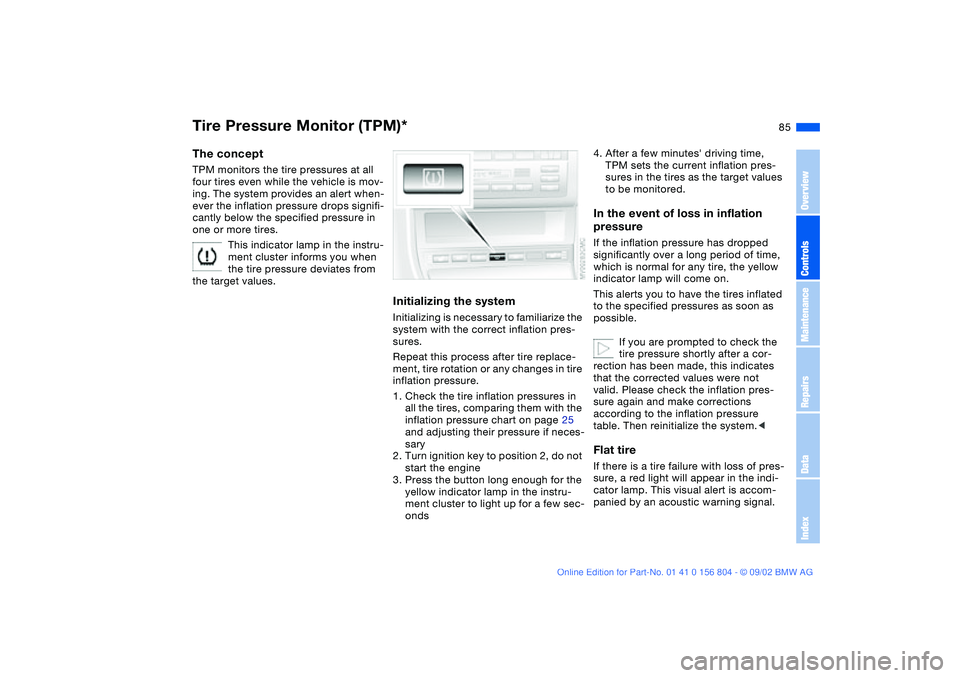
3. Press the button long enough for the
yellow indicator lamp in the instru-
ment cluster to light up for a few sec-
onds
4. After a few minutes' driving time,
TPM sets the current inflation pres-
sures in the tires as the target values
to be monitored.In the event of loss in inflation
pressureIf the inflation pressure has dropped
significantly over a long period of time,
which is normal for any tire, the yellow
indicator lamp will come on.
This alerts you to have the tires inflated
to the specified pressures as soon as
possible.
If you are prompted to check the
tire pressure shortly after a cor-
rection has been made, this indicates
that the corrected values were not
valid. Please check the inflation pres-
sure again and make corrections
according to the inflation pressure
table. Then reinitialize the system.
cator lamp. This visual alert is accom-
panied by an acoustic warning signal.
OverviewControlsMaintenanceRepairsDataIndex
Page 89 of 166
89 Lamps
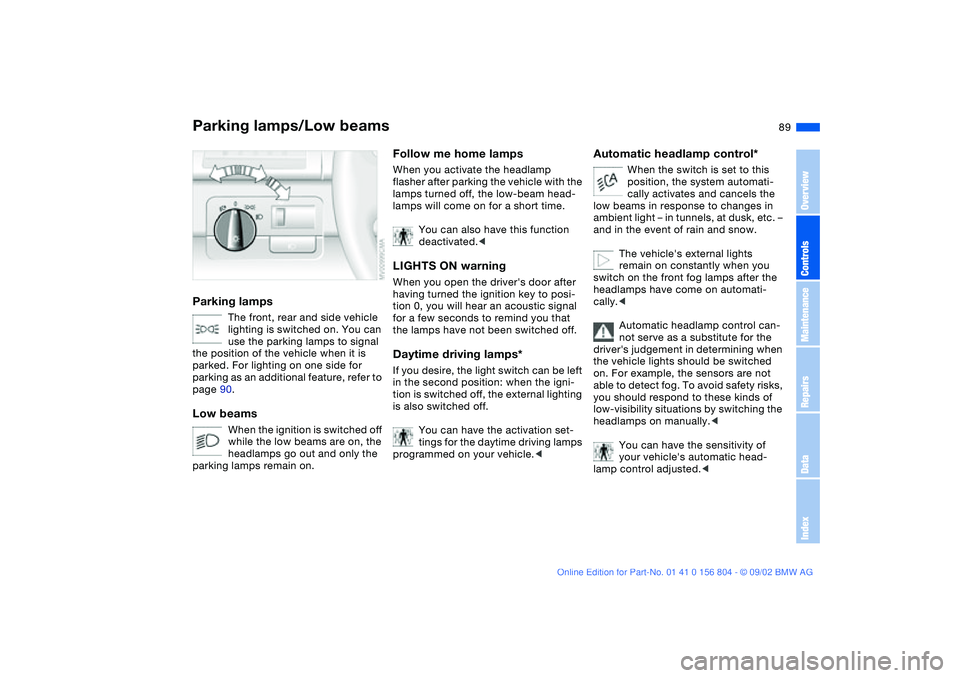
Parking lamps/Low beamsParking lamps
The front, rear and side vehicle
lighting is switched on. You can
use the parking lamps to signal
the position of the vehicle when it is
parked. For lighting on one side for
parking as an additional feature, refer to
page 90.
Low beams
When the ignition is switched off
while the low beams are on, the
headlamps go out and only the
parking lamps remain on.
Follow me home lampsWhen you activate the headlamp
flasher after parking the vehicle with the
lamps turned off, the low-beam head-
lamps will come on for a short time.
You can also have this function
deactivated.
tion 0, you will hear an acoustic signal
for a few seconds to remind you that
the lamps have not been switched off.Daytime driving lamps*If you desire, the light switch can be left
in the second position: when the igni-
tion is switched off, the external lighting
is also switched off.
You can have the activation set-
tings for the daytime driving lamps
programmed on your vehicle.<
Automatic headlamp control*
When the switch is set to this
position, the system automati-
cally activates and cancels the
low beams in response to changes in
ambient light – in tunnels, at dusk, etc. –
and in the event of rain and snow.
The vehicle's external lights
remain on constantly when you
switch on the front fog lamps after the
headlamps have come on automati-
cally.<
Automatic headlamp control can-
not serve as a substitute for the
driver's judgement in determining when
the vehicle lights should be switched
on. For example, the sensors are not
able to detect fog. To avoid safety risks,
you should respond to these kinds of
low-visibility situations by switching the
headlamps on manually.<
You can have the sensitivity of
your vehicle's automatic head-
lamp control adjusted.<
OverviewControlsMaintenanceRepairsDataIndex
Page 90 of 166
90
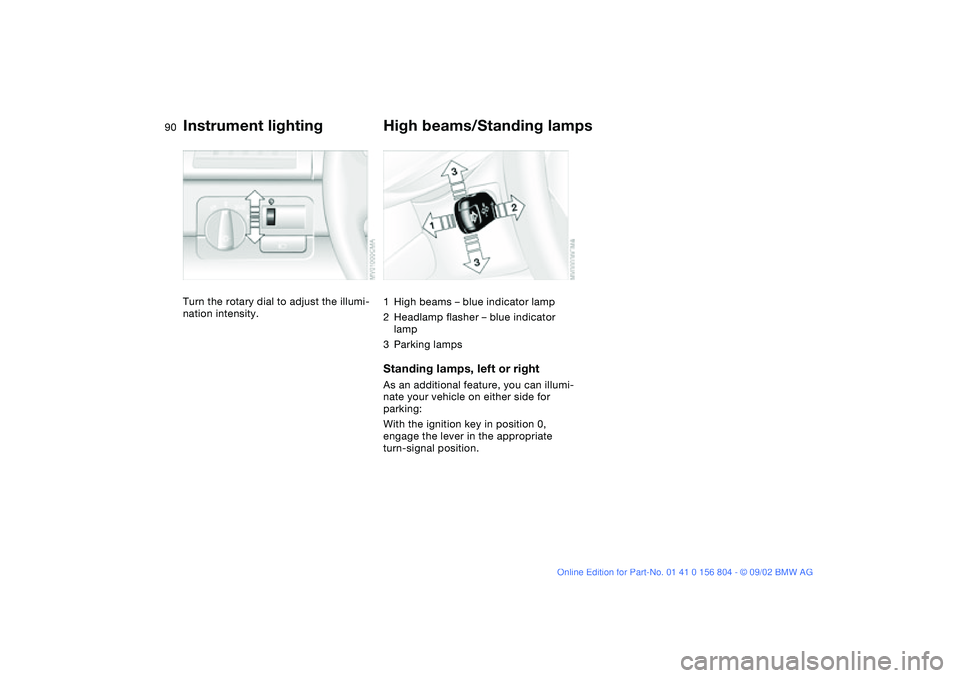
Instrument lightingTurn the rotary dial to adjust the illumi-
nation intensity.
High beams/Standing lamps1High beams – blue indicator lamp
2Headlamp flasher – blue indicator
lamp
3Parking lampsStanding lamps, left or rightAs an additional feature, you can illumi-
nate your vehicle on either side for
parking:
With the ignition key in position 0,
engage the lever in the appropriate
turn-signal position.
Page 138 of 166
138
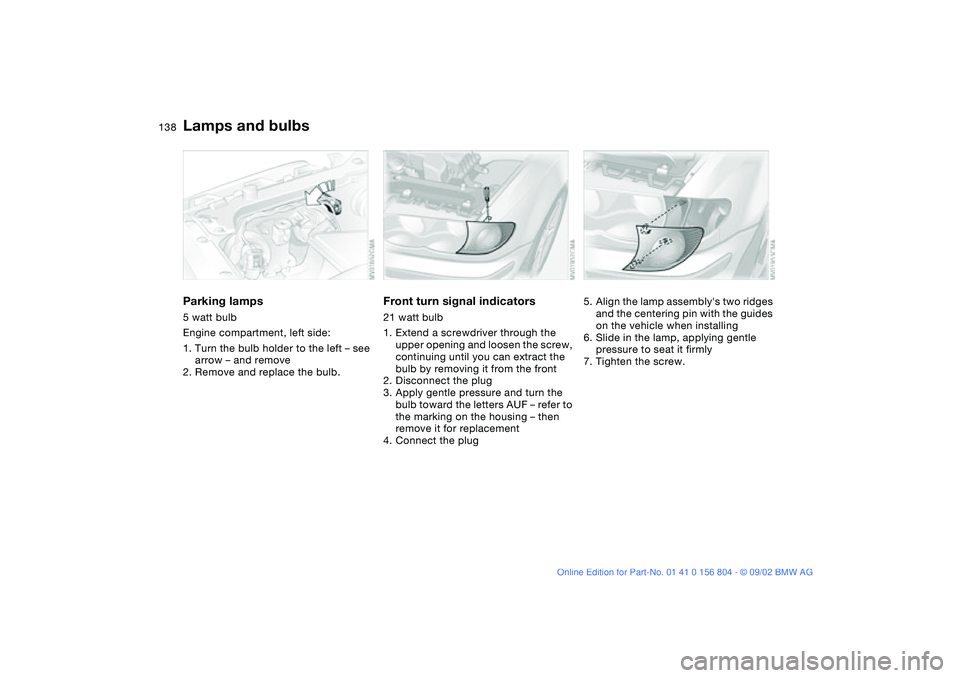
Parking lamps5 watt bulb
Engine compartment, left side:
1. Turn the bulb holder to the left – see
arrow – and remove
2. Remove and replace the bulb.
Front turn signal indicators21 watt bulb
1. Extend a screwdriver through the
upper opening and loosen the screw,
continuing until you can extract the
bulb by removing it from the front
2. Disconnect the plug
3. Apply gentle pressure and turn the
bulb toward the letters AUF – refer to
the marking on the housing – then
remove it for replacement
4. Connect the plug
5. Align the lamp assembly's two ridges
and the centering pin with the guides
on the vehicle when installing
6. Slide in the lamp, applying gentle
pressure to seat it firmly
7. Tighten the screw.
Lamps and bulbs
Page 139 of 166
139
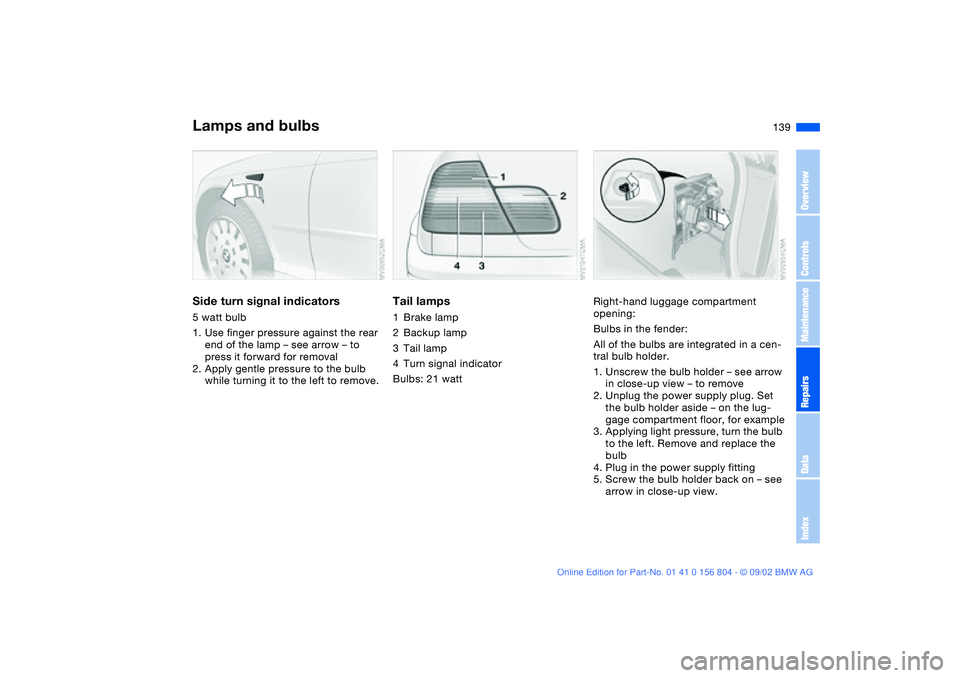
Side turn signal indicators5 watt bulb
1. Use finger pressure against the rear
end of the lamp – see arrow – to
press it forward for removal
2. Apply gentle pressure to the bulb
while turning it to the left to remove.
Tail lamps1Brake lamp
2Backup lamp
3Tail lamp
4Turn signal indicator
Bulbs: 21 watt
Right-hand luggage compartment
opening:
Bulbs in the fender:
All of the bulbs are integrated in a cen-
tral bulb holder.
1. Unscrew the bulb holder – see arrow
in close-up view – to remove
2. Unplug the power supply plug. Set
the bulb holder aside – on the lug-
gage compartment floor, for example
3. Applying light pressure, turn the bulb
to the left. Remove and replace the
bulb
4. Plug in the power supply fitting
5. Screw the bulb holder back on – see
arrow in close-up view.
Lamps and bulbs
OverviewControlsMaintenanceRepairsDataIndex
Page 162 of 166
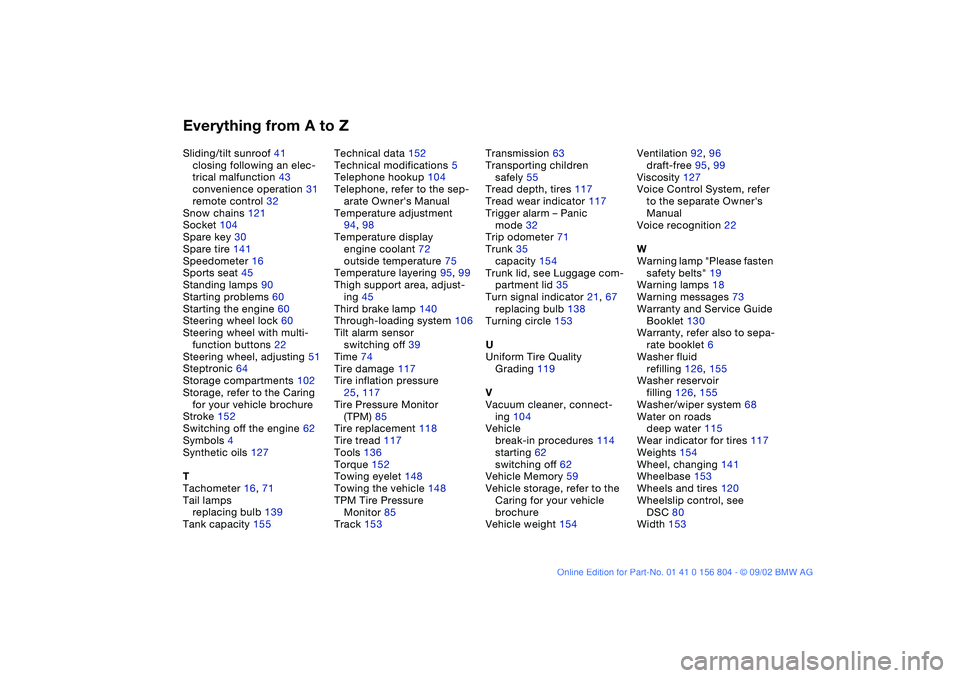
Everything from A to ZSliding/tilt sunroof 41
closing following an elec-
trical malfunction 43
convenience operation 31
remote control 32
Snow chains 121
Socket 104
Spare key 30
Spare tire 141
Speedometer 16
Sports seat 45
Standing lamps 90
Starting problems 60
Starting the engine 60
Steering wheel lock 60
Steering wheel with multi-
function buttons 22
Steering wheel, adjusting 51
Steptronic 64
Storage compartments 102
Storage, refer to the Caring
for your vehicle brochure
Stroke 152
Switching off the engine 62
Symbols 4
Synthetic oils 127
T
Tachometer 16, 71
Tail lamps
replacing bulb 139
Tank capacity 155Technical data 152
Technical modifications 5
Telephone hookup 104
Telephone, refer to the sep-
arate Owner's Manual
Temperature adjustment
94, 98
Temperature display
engine coolant 72
outside temperature 75
Temperature layering 95, 99
Thigh support area, adjust-
ing 45
Third brake lamp 140
Through-loading system 106
Tilt alarm sensor
switching off 39
Time 74
Tire damage 117
Tire inflation pressure
25, 117
Tire Pressure Monitor
(TPM) 85
Tire replacement 118
Tire tread 117
Tools 136
Torque 152
Towing eyelet 148
Towing the vehicle 148
TPM Tire Pressure
Monitor 85
Track 153Transmission 63
Transporting children
safely 55
Tread depth, tires 117
Tread wear indicator 117
Trigger alarm – Panic
mode 32
Trip odometer 71
Trunk 35
capacity 154
Trunk lid, see Luggage com-
partment lid 35
Turn signal indicator 21, 67
replacing bulb 138
Turning circle 153
U
Uniform Tire Quality
Grading 119
V
Vacuum cleaner, connect-
ing 104
Vehicle
break-in procedures 114
starting 62
switching off 62
Vehicle Memory 59
Vehicle storage, refer to the
Caring for your vehicle
brochure
Vehicle weight 154Ventilation 92, 96
draft-free 95, 99
Viscosity 127
Voice Control System, refer
to the separate Owner's
Manual
Voice recognition 22
W
Warning lamp "Please fasten
safety belts" 19
Warning lamps 18
Warning messages 73
Warranty and Service Guide
Booklet 130
Warranty, refer also to sepa-
rate booklet 6
Washer fluid
refilling 126, 155
Washer reservoir
filling 126, 155
Washer/wiper system 68
Water on roads
deep water 115
Wear indicator for tires 117
Weights 154
Wheel, changing 141
Wheelbase 153
Wheels and tires 120
Wheelslip control, see
DSC 80
Width 153