flow rate BMW 335I 2007 Owners Manual
[x] Cancel search | Manufacturer: BMW, Model Year: 2007, Model line: 335I, Model: BMW 335I 2007Pages: 268, PDF Size: 8.8 MB
Page 17 of 268
At a glance
15Reference
Controls
Driving tips
Communications
Navigation
Entertainment
Mobility
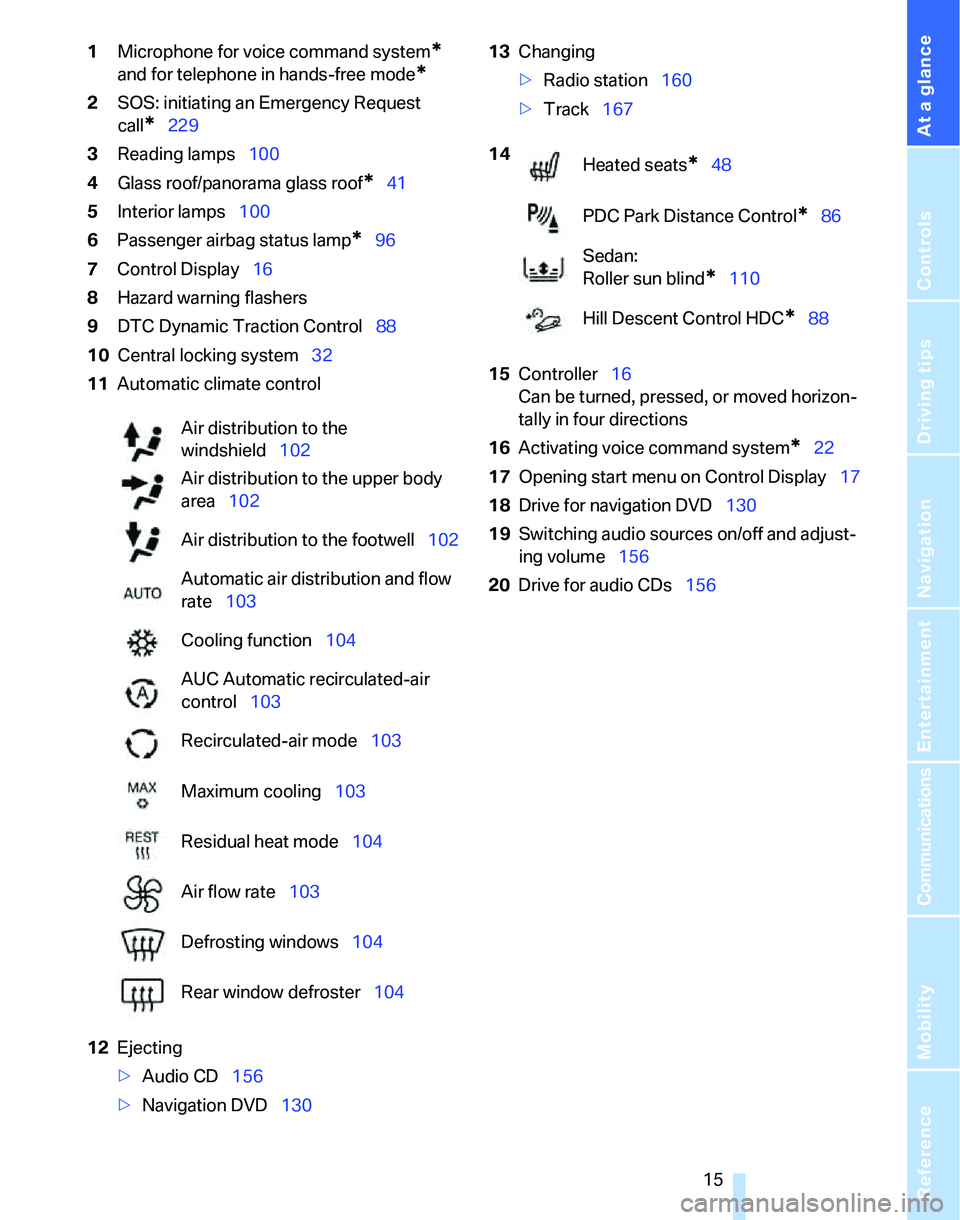
1Microphone for voice command system*
and for telephone in hands-free mode*
2SOS: initiating an Emergency Request
call
*229
3Reading lamps100
4Glass roof/panorama glass roof
*41
5Interior lamps100
6Passenger airbag status lamp
*96
7Control Display16
8Hazard warning flashers
9DTC Dynamic Traction Control88
10Central locking system32
11Automatic climate control
12Ejecting
>Audio CD156
>Navigation DVD13013Changing
>Radio station160
>Track167
15Controller16
Can be turned, pressed, or moved horizon-
tally in four directions
16Activating voice command system
*22
17Opening start menu on Control Display17
18Drive for navigation DVD130
19Switching audio sources on/off and adjust-
ing volume156
20Drive for audio CDs156 Air distribution to the
windshield102
Air distribution to the upper body
area102
Air distribution to the footwell102
Automatic air distribution and flow
rate103
Cooling function104
AUC Automatic recirculated-air
control103
Recirculated-air mode103
Maximum cooling103
Residual heat mode104
Air flow rate103
Defrosting windows104
Rear window defroster104
14
Heated seats*48
PDC Park Distance Control
*86
Sedan:
Roller sun blind
*110
Hill Descent Control HDC
*88
Page 31 of 268
Controls
29Reference
At a glance
Driving tips
Communications
Navigation
Entertainment
Mobility
>Date format, refer to page82
>Brightness of the Control Display, refer to
page85
>Language on the Control Display, refer to
page85
>Units of measure for fuel consumption, dis-
tance covered/remaining distances, and
temperature, refer to page77
>Show visual warning for Park Distance Con-
trol PDC
*, refer to page86
>Automatic climate control: AUTO program,
activating/deactivating cooling function and
automatic recirculated-air control, setting
temperature, air flow rate and distribution,
refer to page102 ff
>Audio volume, refer to page157
>Tone control, refer to page157
>Speed-dependent volume control, refer to
page157
Central locking system
The concept
The central locking system is ready for opera-
tion whenever the driver's door is closed.
The system simultaneously engages and
releases the locks on the following:
>Doors
>Luggage compartment lid/tailgate
>Fuel filler door
Operating from outside
>Via the remote control
>Via the door lock
>In cars with convenient access
*, via the
handles on the driver's and front passen-
ger's doors
The anti-theft system is also operated at the
same time. It prevents the doors from being
unlocked using the lock buttons or door han-
dles. In addition, if the remote control is used,
the interior lamps and the door's courtesy
lamps
* are also switched on or off. The alarm system
* is also armed or disarmed.
For further details of the alarm system,
refer to
page35.
Operating from inside
By means of the button for central locking, refer
to page32.
In the event of a sufficiently severe accident, the
central locking system unlocks automatically. In
addition, the hazard warning flashers and inte-
rior lamps come on.
Opening and closing: from
outside
Using the remote control
Persons or animals in a parked vehicle
could lock the doors from the inside. You
should therefore take the remote control with
you when you leave the vehicle so that the latter
can be opened from outside.<
Unlocking
Press the button.
The interior lamps and the courtesy lamps
*
come on. You can also set the way in which the
car is unlocked. The setting is stored for the
remote control currently in use.
iDrive, for operating principle refer to page16.
1.Press the button.
This opens the start menu.
2.Press the controller to open the menu.
3.Select "Settings" and press the controller.
4.Select "Vehicle / Tires" and press the con-
troller.
5.If necessary, move the highlight marker to
the uppermost field. Turn the controller
Page 103 of 268
Controls
101Reference
At a glance
Driving tips
Communications
Navigation
Entertainment
Mobility
Climate
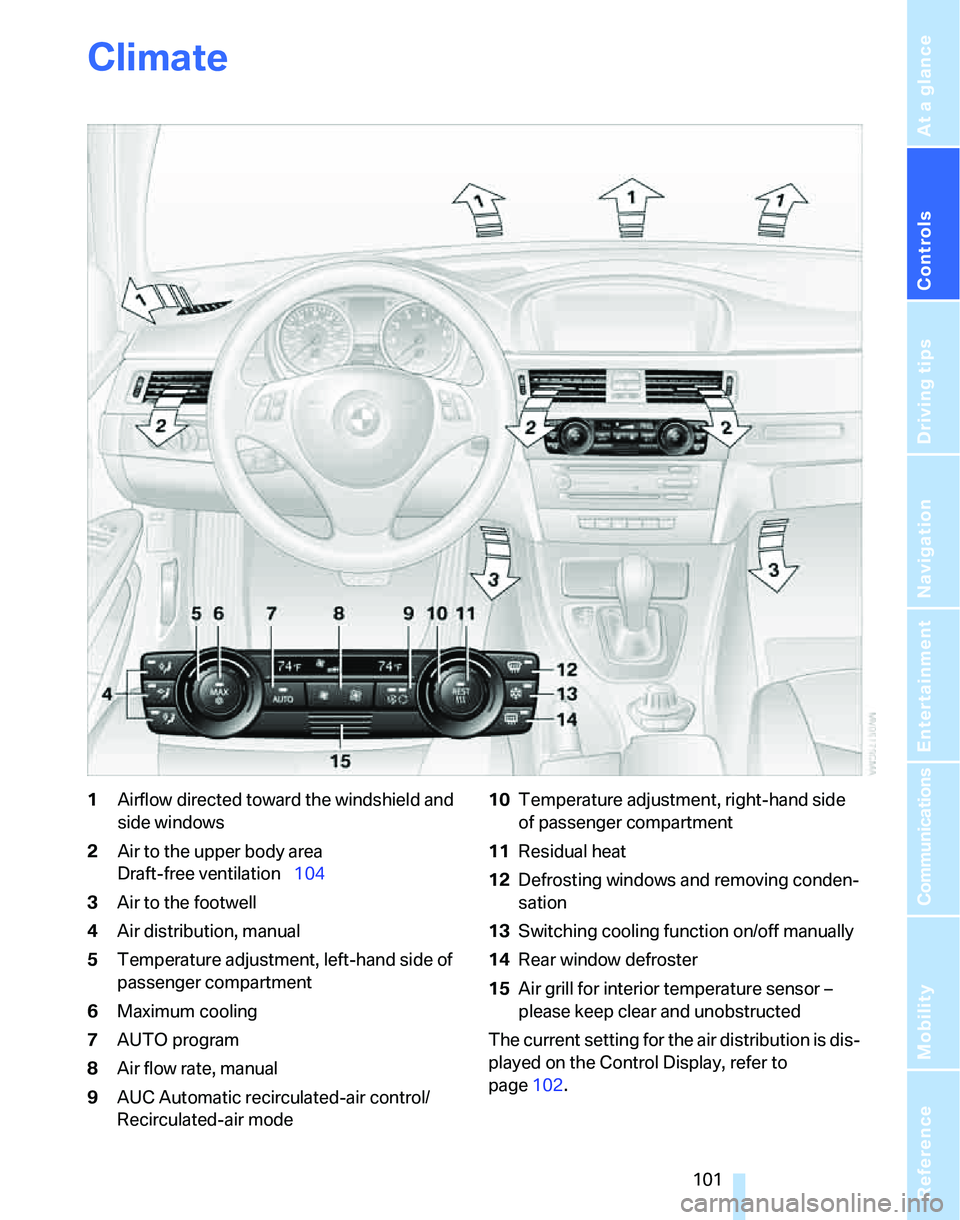
1Airflow directed toward the windshield and
side windows
2Air to the upper body area
Draft-free ventilation104
3Air to the footwell
4Air distribution, manual
5Temperature adjustment, left-hand side of
passenger compartment
6Maximum cooling
7AUTO program
8Air flow rate, manual
9AUC Automatic recirculated-air control/
Recirculated-air mode10Temperature adjustment, right-hand side
of passenger compartment
11Residual heat
12Defrosting windows and removing conden-
sation
13Switching cooling function on/off manually
14Rear window defroster
15Air grill for interior temperature sensor –
please keep clear and unobstructed
The current setting for the air distribution is dis-
played on the Control Display, refer to
page102.
Page 104 of 268
Climate
102
Automatic climate control
Comfortable interior climate
AUTO program7 offers the ideal air distribution
and air flow rate for almost all conditions, refer
to AUTO program below. All you need to do is
select an interior temperature which is comfort-
able for you.
The following sections inform you in detail
about how to adjust the settings.
Most settings are stored for the remote control
currently in use, refer also to Personal Profile
settings on page28.
Adjusting air distribution manually
The air distribution can be
switched on and off manually. The
air is directed to the windshield, to
the upper body area and to the
footwell. Automatic air distribution adjustment
is deactivated.
You can switch the automatic air distribution
back on by pressing the AUTO button. This
automatically switches on the cooling function
as well.
Fine adjustments to manual air
distribution
You can set the rate of incoming airflow for
manual air distribution.
iDrive, for operating principle refer to page16.
1.Press the button.
This opens the start menu.
2.Move the controller to the left to call up "Cli-
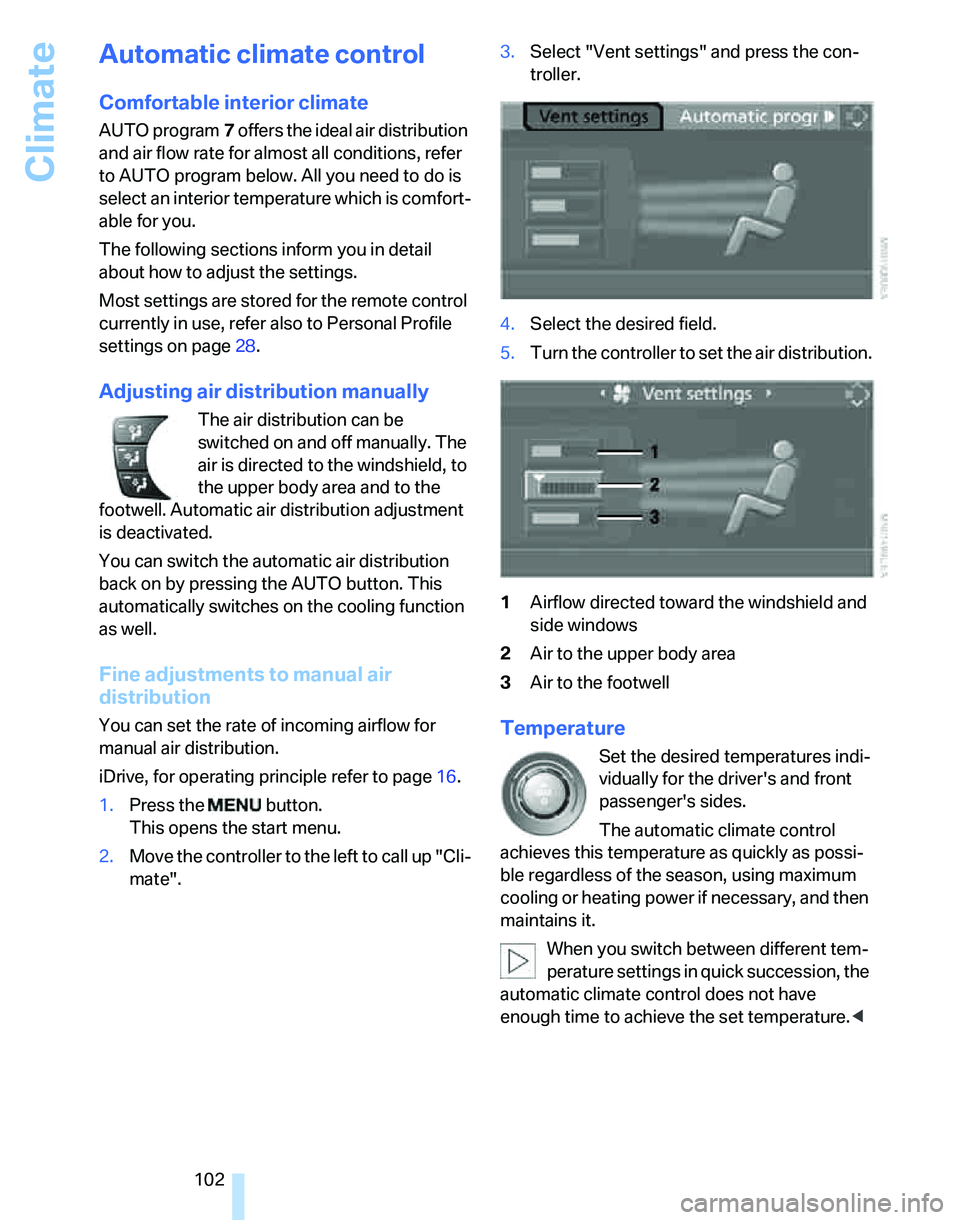
mate".3.Select "Vent settings" and press the con-
troller.
4.Select the desired field.
5.Turn the controller to set the air distribution.
1Airflow directed toward the windshield and
side windows
2Air to the upper body area
3Air to the footwellTemperature
Set the desired temperatures indi-
vidually for the driver's and front
passenger's sides.
The automatic climate control
achieves this temperature as quickly as possi-
ble regardless of the season, using maximum
cooling or heating power if necessary, and then
maintains it.
When you switch between different tem-
perature settings in quick succession, the
automatic climate control does not have
enough time to achieve the set temperature.<
Page 105 of 268
Controls
103Reference
At a glance
Driving tips
Communications
Navigation
Entertainment
Mobility
Maximum cooling
At outside temperatures above
327/06 and when the engine is
running, you obtain a maximum
cooling effect as soon as possible.
The automatic climate control switches to the
lowest temperature and operates in recircu-
lated-air mode. Air flows at maximum rate only
from the vents for the upper body area. You
should therefore open them for maximum cool-
ing.
AUTO program
The AUTO program adjusts the air
distribution to the windshield and
side windows, towards the upper
body area and into the footwell for you. The air
flow rate and your temperature specifications
will be adapted to outside influences as a result
of seasonal changes, e.g. sunlight or window
condensation.
The cooling is switched on automatically with
the AUTO program.
Intensity of the AUTO program
You can set the intensity of the air supply in the
AUTO program. This changes the duration of
time during which the vehicle interior is heated
or cooled.
1.Press the button.
This opens the start menu.
2.Move the controller to the left to call up "Cli-
mate".
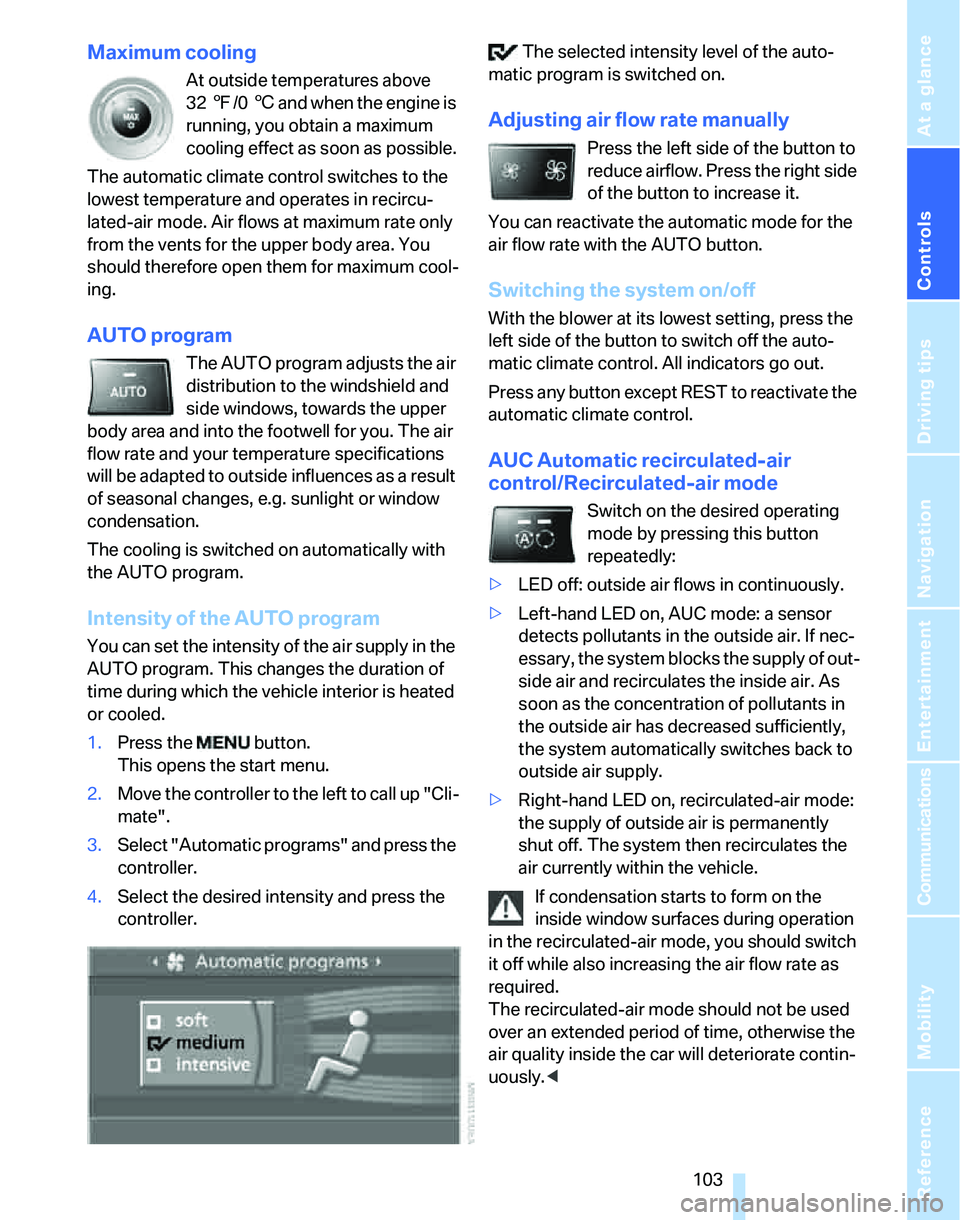
3.Select "Automatic programs" and press the
controller.
4.Select the desired intensity and press the
controller. The selected intensity level of the auto-
matic program is switched on.
Adjusting air flow rate manually
Press the left side of the button to
reduce airflow. Press the right side
of the button to increase it.
You can reactivate the automatic mode for the
air flow rate with the AUTO button.
Switching the system on/off
With the blower at its lowest setting, press the
left side of the button to switch off the auto-
matic climate control. All indicators go out.
Press any button except REST to reactivate the
automatic climate control.
AUC Automatic recirculated-air
control/Recirculated-air mode
Switch on the desired operating
mode by pressing this button
repeatedly:
>LED off: outside air flows in continuously.
>Left-hand LED on, AUC mode: a sensor
detects pollutants in the outside air. If nec-
essary, the system blocks the supply of out-
side air and recirculates the inside air. As
soon as the concentration of pollutants in
the outside air has decreased sufficiently,
the system automatically switches back to
outside air supply.
>Right-hand LED on, recirculated-air mode:
the supply of outside air is permanently
shut off. The system then recirculates the
air currently within the vehicle.
If condensation starts to form on the
inside window surfaces during operation
in the recirculated-air mode, you should switch
it off while also increasing the air flow rate as
required.
The recirculated-air mode should not be used
over an extended period of time, otherwise the
air quality inside the car will deteriorate contin-
uously.<
Page 106 of 268
Climate
104
Via the button* on the steering wheel
You can switch quickly between the recircu-
lated-air mode and the previous mode using an
individually programmable button
on the steer-
ing wheel, refer to page11.
Residual heat
The heat stored in the engine is
used to heat the passenger com-
partment, e.g. while stopped at a
school to pick up a child.
The function can be switched on when the fol-
lowing conditions are met:
>Up to 15 minutes after the engine has been
switched off
>While the engine is at operating tempera-
ture
>As long as battery voltage is sufficient
>At an outside temperature below 777/
256
The LED is lit when the function is on.
As of radio readiness, you can set the interior
temperature, the air flow rate and the air distri-
bution.
Defrosting windows and removing
condensation
Quickly removes ice and conden-
sation from the windshield and
front side windows.
Switching cooling function on/off
The cooling function cools and
dehumidifies the incoming air
before also reheating it as
required, according to the temperature setting.
Depending on the weather, the windshield may
fog over briefly when the engine is started.
The cooling function is automatically switched
on along with the AUTO program. The passen-
ger compartment can only be cooled while the
engine is running.
Rear window defroster
The defroster switches off auto-
matically after a certain time.
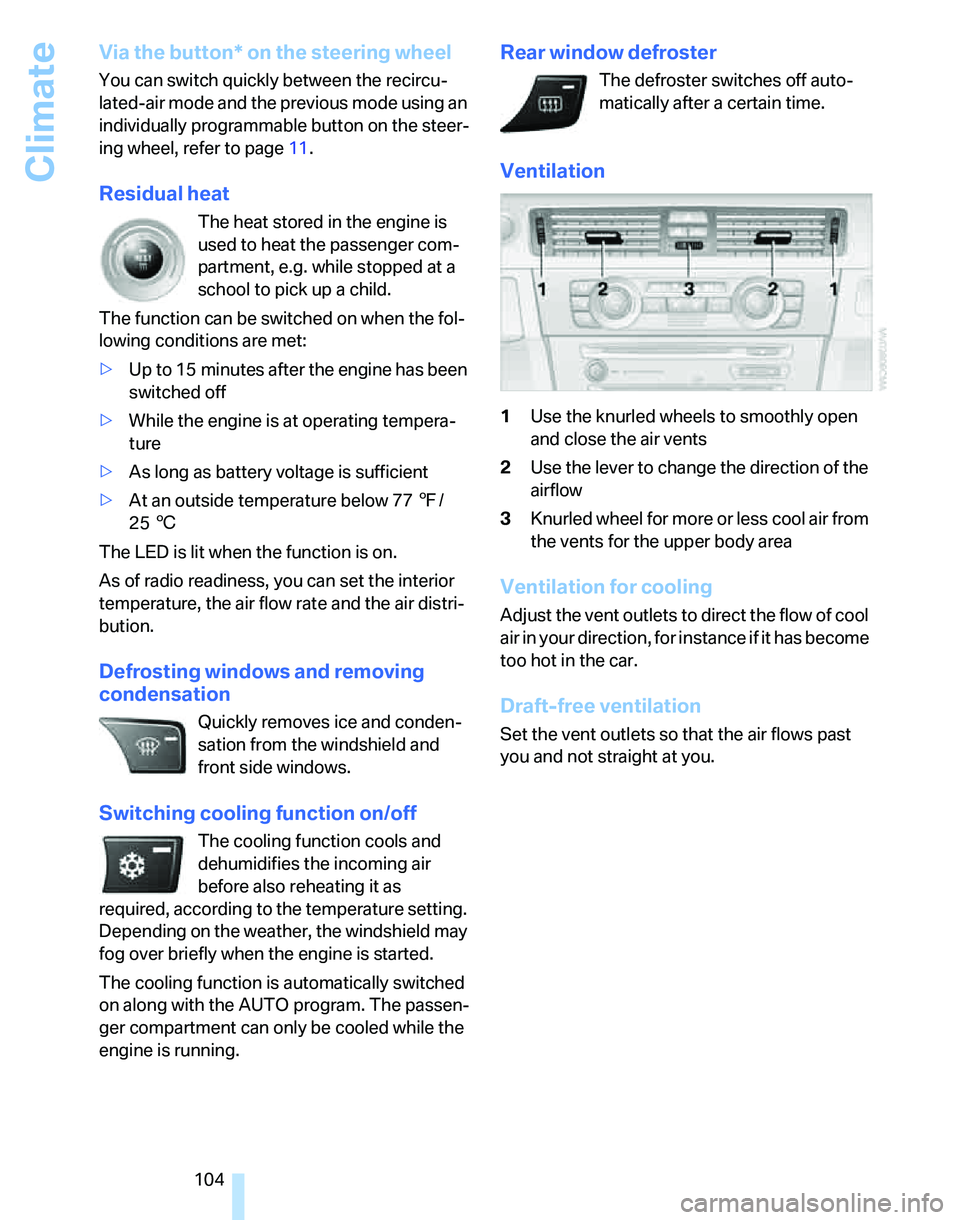
Ventilation
1Use the knurled wheels to smoothly open
and close the air vents
2Use the lever to change the direction of the
airflow
3Knurled wheel for more or less cool air from
the vents for the upper body area
Ventilation for cooling
Adjust the vent outlets to direct the flow of cool
air in your direction, for instance if it has become
too hot in the car.
Draft-free ventilation
Set the vent outlets so that the air flows past
you and not straight at you.
Page 107 of 268
Controls
105Reference
At a glance
Driving tips
Communications
Navigation
Entertainment
Mobility
Ventilation in the rear
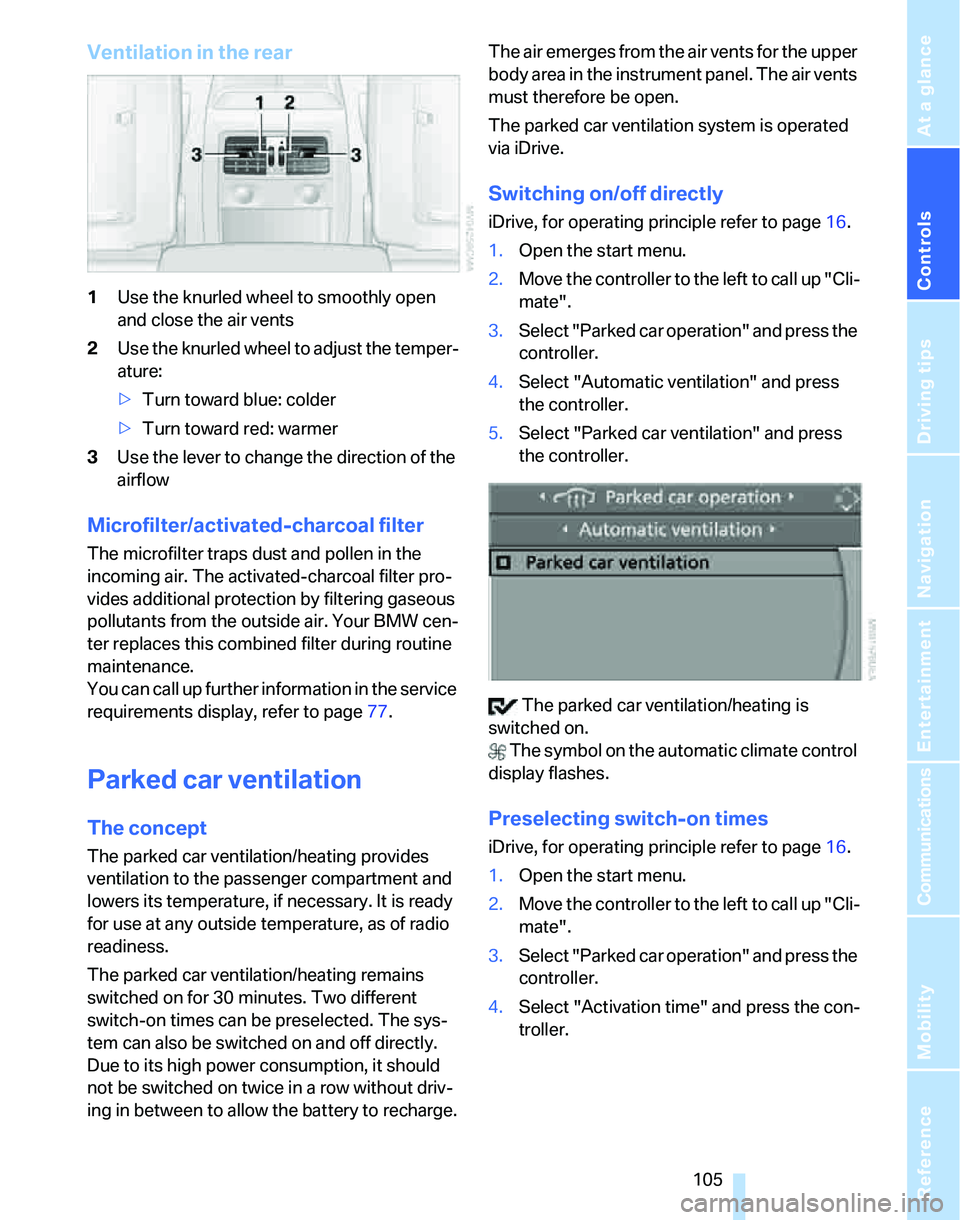
1Use the knurled wheel to smoothly open
and close the air vents
2Use the knurled wheel to adjust the temper-
ature:
>Turn toward blue: colder
>Turn toward red: warmer
3Use the lever to change the direction of the
airflow
Microfilter/activated-charcoal filter
The microfilter traps dust and pollen in the
incoming air. The activated-charcoal filter pro-
vides additional protection by filtering gaseous
pollutants from the outside air. Your BMW cen-
ter replaces this combined filter during routine
maintenance.
You can call up further information in the service
requirements display, refer to page77.
Parked car ventilation
The concept
The parked car ventilation/heating provides
ventilation to the passenger compartment and
lowers its temperature, if necessary. It is ready
for use at any outside temperature, as of radio
readiness.
The parked car ventilation/heating remains
switched on for 30 minutes. Two different
switch-on times can be preselected. The sys-
tem can also be switched on and off directly.
Due to its high power consumption, it should
not be switched on twice in a row without driv-
ing in between to allow the battery to recharge.The air emerges from the air vents for the upper
body area in the instrument panel. The air vents
must therefore be open.
The parked car ventilation system is operated
via iDrive.
Switching on/off directly
iDrive, for operating principle refer to page16.
1.Open the start menu.
2.Move the controller to the left to call up "Cli-
mate".
3.Select "Parked car operation" and press the
controller.
4.Select "Automatic ventilation" and press
the controller.
5.Select "Parked car ventilation" and press
the controller.
The parked car ventilation/heating is
switched on.
The symbol on the automatic climate control
display flashes.
Preselecting switch-on times
iDrive, for operating principle refer to page16.
1.Open the start menu.
2.Move the controller to the left to call up "Cli-
mate".
3.Select "Parked car operation" and press the
controller.
4.Select "Activation time" and press the con-
troller.
Page 124 of 268
Things to remember when driving
122
Things to remember when driving
Break-in period
Moving parts need breaking-in time to adjust to
each other. Please follow the instructions below
in order to achieve the optimal service life and
economy of operation for your vehicle.
Engine and differential
Always obey all official speed limits.
Up to 1,200 miles/2,000 km
Drive at varying engine and road speeds, but do
not exceed an engine speed of 4500 rpm or a
road speed of 100 mph/160 km/h.
Avoid full-throttle operation and use of the
transmission's kick-down mode.
After driving 1,200 miles/2,000 km
Engine and vehicle speeds can be gradually
increased.
Tires
Due to technical factors associated with their
manufacture, tires do not achieve their full trac-
tion potential until after an initial break-in
period. Therefore, drive cautiously during the
first 200 miles/300 km.
Brake system
Brakes require an initial break-in period of
approx. 300 miles/500 km to achieve optimized
contact and wear patterns between brake pads
and rotors. Drive cautiously during this break-in
period.
Clutch
The function of the clutch reaches its optimal
level only after a distance driven of approx.
300 miles/500 km. During this break-in period,
engage the clutch gently.
Following part replacement
The same break-in procedures should be
observed if any of the components mentioned
above have to be renewed in the course of the
vehicle's operating life.
General driving notes
Closing the luggage compartment lid/
tailgate
Operate the vehicle only when the lug-
gage compartment lid/tailgate and rear
window are closed. Otherwise, exhaust fumes
could enter the interior of the vehicle.<
If special circumstances make it absolutely nec-
essary to drive with the luggage compartment
lid/tailgate or rear window open:
1.Close all windows and the glass sunroof.
2.Increase the air flow rate of the automatic
climate control considerably, refer to
page103.
Hot exhaust system
In all vehicles, extremely high tempera-
tures are generated in the exhaust sys-
tem. Do not remove the heat shields installed
adjacent to various sections of the exhaust sys-
tem, and never apply undercoating to them.
When driving, standing at idle and while park-
ing, take care to avoid possible contact
between the hot exhaust system and any highly
flammable materials such as hay, leaves, grass,
etc. Such contact could lead to a fire, with the
risk of serious personal injuries and property
damage. Do not touch hot exhaust tail pipes.
Otherwise there is a risk of burns.<
Mobile phone in the vehicle
BMW discourages the use of mobile
communications devices, e.g. mobile
phones, inside the vehicle without a direct con-
nection to an outside antenna. Otherwise, the
Page 248 of 268
Everything from A - Z
246
Everything from A - Z
Index
"..." Identifies Control Display
texts used to select
individual functions and
refers you to the page where
these texts can be found.
A
ABS Antilock Brake
System87
ACC, refer to Active cruise
control66
Accident, refer to Initiating an
Emergency Request
call229
Activated-charcoal filter for
automatic climate
control105
"Activation time"105
Active cruise control66
– indicator lamps68
– malfunction69
– selecting distance67
– sensor69
Active steering94
– warning lamp94
Adaptive Head Light99
"Add digits" on the mobile
phone183
Additives
– coolant217
"Address book" in
navigation139
Address for navigation
– deleting140
– entering131,134,139
– selecting139
– storing139
– storing current position139
"Add to destination
list"134,136Adjusting temperature inside
the car, refer to Automatic
climate control102
Adjusting the thigh support45
Adjusting the tone during
audio operation, refer to
Tone control157
Adjustment in audio mode
– front-to-rear157
– right/left balance157
Airbags95
– indicator/warning lamp96
– sitting safely44
Air conditioning mode
– automatic climate
control102
– ventilation104
Air distribution
– automatic103
– individual102
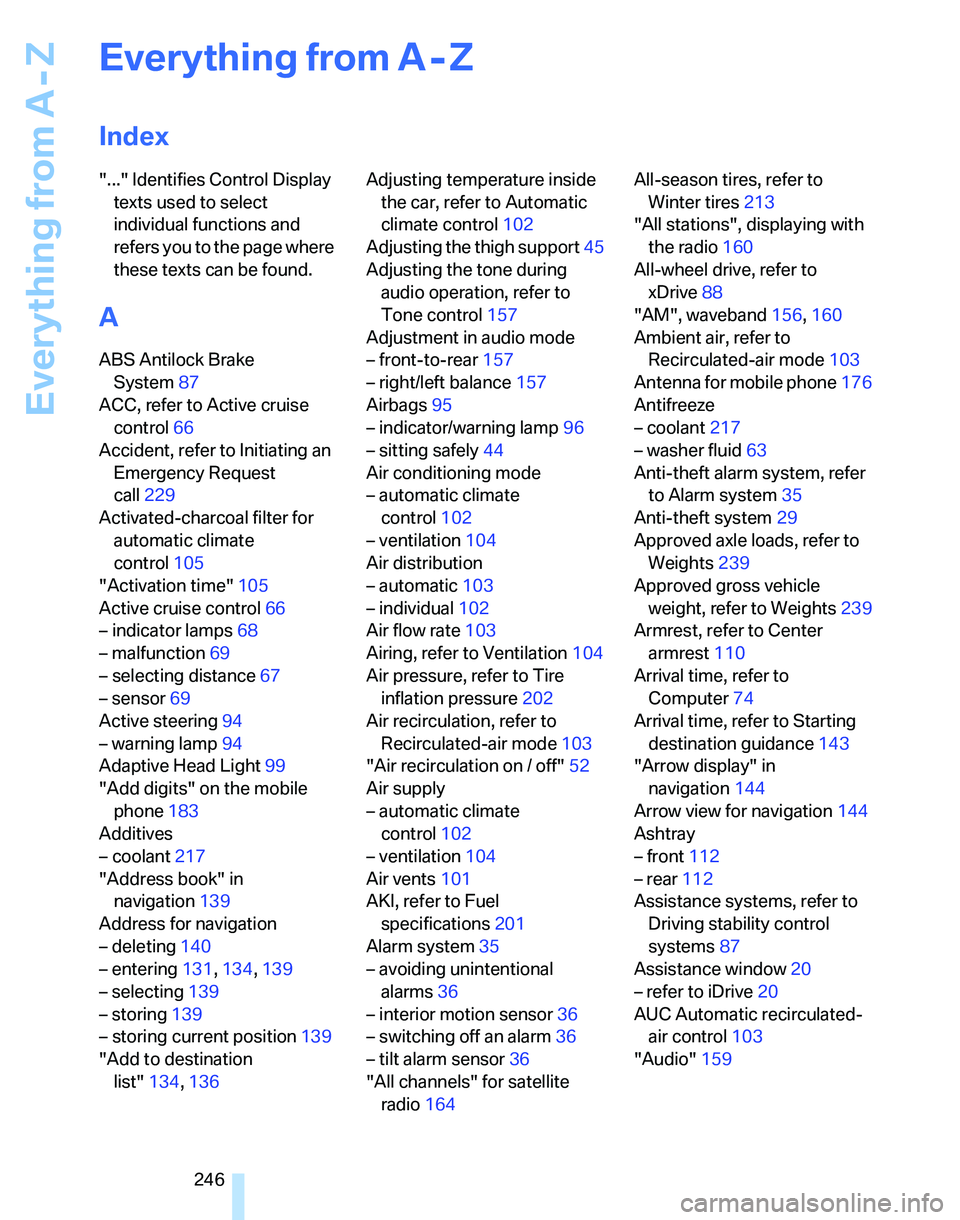
Air flow rate103
Airing, refer to Ventilation104
Air pressure, refer to Tire
inflation pressure202
Air recirculation, refer to
Recirculated-air mode
103
"Air recirculation on / off"52
Air supply
– automatic climate
control102
– ventilation104
Air vents101
AKI, refer to Fuel
specifications201
Alarm system35
– avoiding unintentional
alarms36
– interior motion sensor36
– switching off an alarm36
– tilt alarm sensor36
"All channels" for satellite
radio164All-season tires, refer to
Winter tires213
"All stations", displaying with
the radio160
All-wheel drive, refer to
xDrive88
"AM", waveband156,160
Ambient air, refer to
Recirculated-air mode103
Antenna for mobile phone176
Antifreeze
– coolant217
– washer fluid63
Anti-theft alarm system, refer
to Alarm system35
Anti-theft system29
Approved axle loads, refer to
Weights239
Approved gross vehicle
weight, refer to Weights239
Armrest, refer to Center
armrest110
Arrival time, refer to
Computer74
Arrival time, refer to Starting
destination guidance143
"Arrow display" in
navigation144
Arrow view for navigation144
Ashtray
– front112
– rear112
Assistance systems, refer to
Driving stability control
systems87
Assistance window20
– refer to iDrive20
AUC Automatic recirculated-
air control103
"Audio"159
Page 249 of 268
Reference 247
At a glance
Controls
Driving tips
Communications
Navigation
Entertainment
Mobility
Audio156
– controls156
– switching on/off156
– tone control157
– volume157
"Audio", refer to Tone
control157
Audio device, external111
"Auto. headlamps"98
Automatic
– air distribution103
– air flow rate103
– cruise control64,66
– headlamp control97
– service notification192
– storing of stations161
Automatic climate control101
– automatic air
distribution103
– settings via iDrive102
Automatic curb monitor50
"Automatic programs" with
automatic climate
control103
Automatic recirculated-air
control AUC103
Automatic station search161
Automatic transmission with
Steptronic59
– interlock59,60
– overriding selector lever
lock61
– shiftlock, refer to Changing
selector lever position60
– sport program60
– towing231
– tow-starting231
"Automatic ventilation"105
AUTO program for automatic
climate control103
"Autostore"
– on the radio162
"AUX"156,173
"AUX" for external audio
device173
AUX-IN
– port111
AUX-In, refer to External audio
device173Average fuel consumption74
– setting the units77
Average speed74
"Avoid ferries" in
navigation142
"Avoid highways" in
navigation141
Avoid highways in
navigation141
Avoiding unintentional
alarms36
"Avoid tollroads" in
navigation142
Axle loads, refer to
Weights239
"A - Z"182
B
Backrest contour, refer to
Lumbar support46
Backrests, refer to Seat
adjustment45
Backrest width adjustment46
Back seats
– refer to Rear seats47
Backup lamps
– replacing bulbs225,226
Backup lamps, refer to Tail
lamps224
Balance, tone control157
Band-aids, refer to First-aid
pouch229
Bar, refer to Towing
methods232
Bass, tone control157
Bass sounds, refer to Tone
control157
Bass sounds, refer to Treble
and bass157
Battery227
– charging227
– disposal38,227
– jump starting230
– remote control28
– temporary power failure227
Battery renewal
– remote control38
– remote control for vehicle38Being towed232
Belts, refer to Safety belts49
Belt tensioner, refer to Safety
belts49
Beverage holders, refer to
Cup holders111
Blower, refer to Air flow
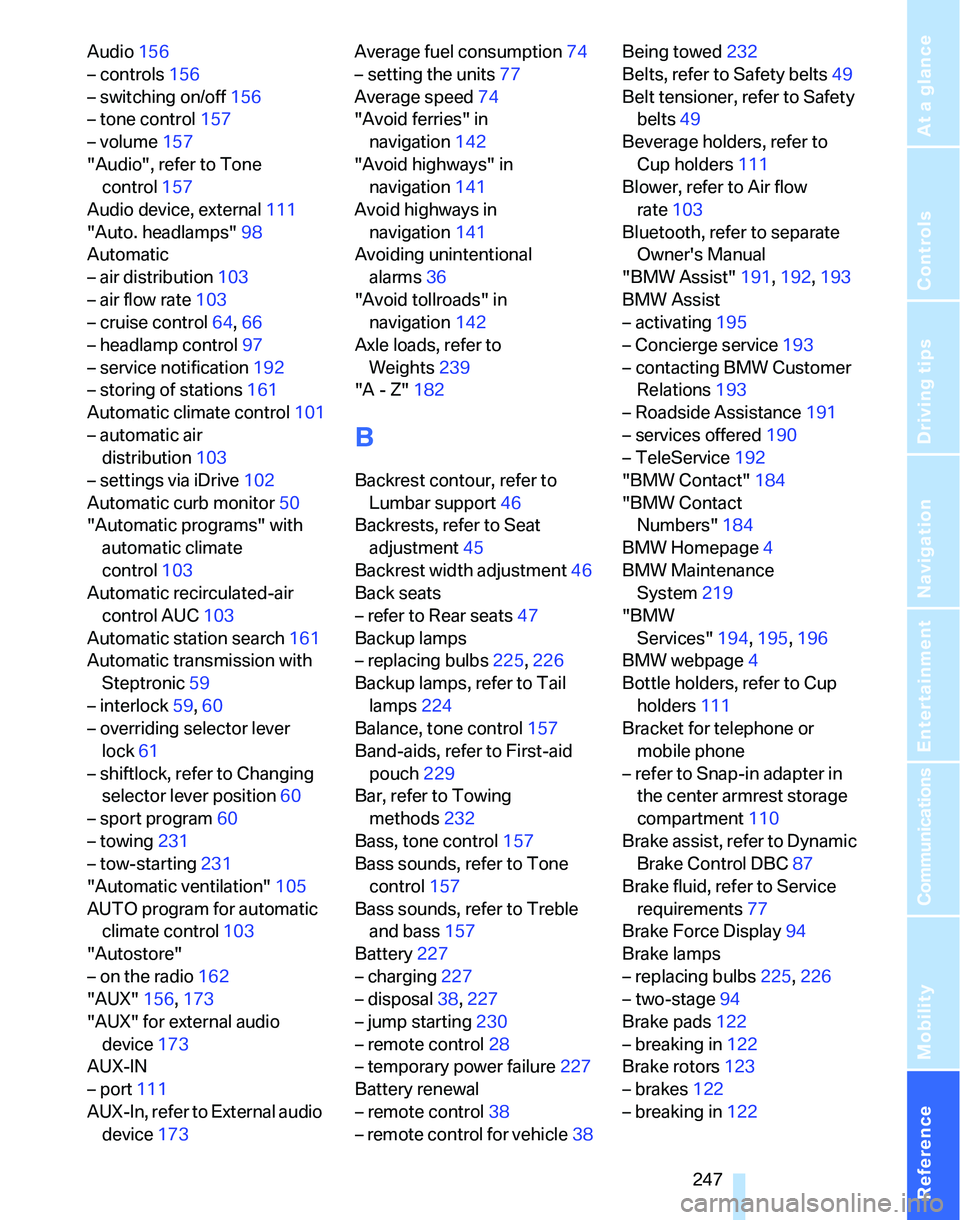
rate103
Bluetooth, refer to separate
Owner's Manual
"BMW Assist"191,192,193
BMW Assist
– activating195
– Concierge service193
– contacting BMW Customer
Relations193
– Roadside Assistance191
– services offered190
– TeleService192
"BMW Contact"184
"BMW Contact
Numbers"184
BMW Homepage4
BMW Maintenance
System219
"BMW
Services"194
,195,196
BMW webpage4
Bottle holders, refer to Cup
holders111
Bracket for telephone or
mobile phone
– refer to Snap-in adapter in
the center armrest storage
compartment110
Brake assist, refer to Dynamic
Brake Control DBC87
Brake fluid, refer to Service
requirements77
Brake Force Display94
Brake lamps
– replacing bulbs225,226
– two-stage94
Brake pads122
– breaking in122
Brake rotors123
– brakes122
– breaking in122