engine BMW 335I 2009 User Guide
[x] Cancel search | Manufacturer: BMW, Model Year: 2009, Model line: 335I, Model: BMW 335I 2009Pages: 268, PDF Size: 11.52 MB
Page 58 of 268
Driving
56
Changing selector lever positions
>With the ignition switched on or the engine
running, the selector lever can be moved
out of position P: interlock.
> Before moving the lever away from P or N
with the vehicle stationary, first depress the
brake; otherwise the selector lever will
refuse to move: shiftlock.
To prevent the vehicle from creeping
after you select a driving position,
depress the brake until you are ready to
start. <
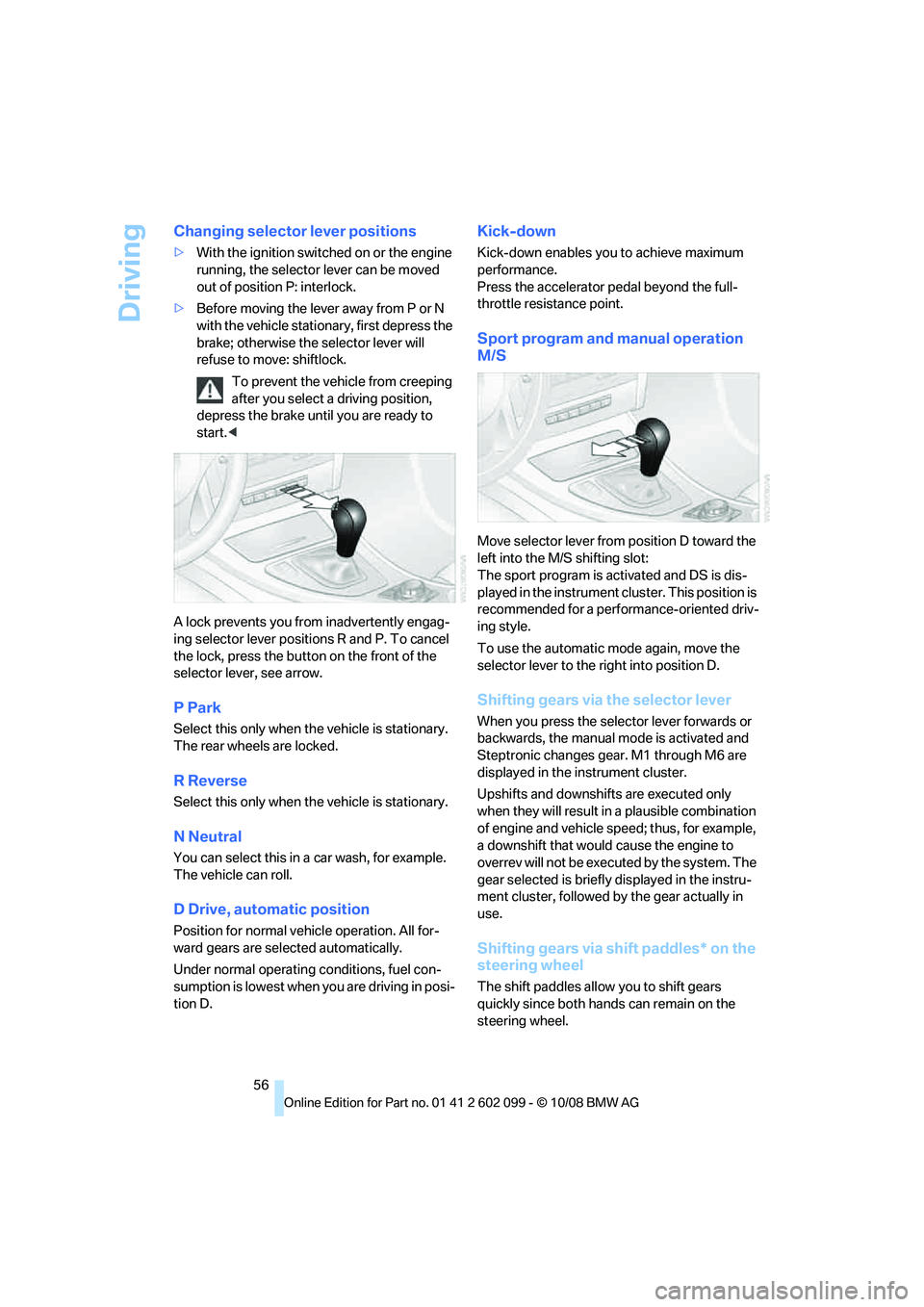
A lock prevents you from inadvertently engag-
ing selector lever positions R and P. To cancel
the lock, press the butto n on the front of the
selector lever, see arrow.
P Park
Select this only when th e vehicle is stationary.
The rear wheels are locked.
R Reverse
Select this only when th e vehicle is stationary.
N Neutral
You can select this in a car wash, for example.
The vehicle can roll.
D Drive, automatic position
Position for normal vehicle operation. All for-
ward gears are sele cted automatically.
Under normal operating conditions, fuel con-
sumption is lowest when you are driving in posi-
tion D.
Kick-down
Kick-down enables you to achieve maximum
performance.
Press the accelerator pedal beyond the full-
throttle resistance point.
Sport program and manual operation
M/S
Move selector lever from position D toward the
left into the M/S shifting slot:
The sport program is activated and DS is dis-
played in the instrument cl uster. This position is
recommended for a performance-oriented driv-
ing style.
To use the automatic mode again, move the
selector lever to the right into position D.
Shifting gears via the selector lever
When you press the select or lever forwards or
backwards, the manual mode is activated and
Steptronic changes gear. M1 through M6 are
displayed in the instrument cluster.
Upshifts and downshifts are executed only
when they will result in a plausible combination
of engine and vehicle speed; thus, for example,
a downshift that would cause the engine to
overrev will not be executed by the system. The
gear selected is briefly displayed in the instru-
ment cluster, followed by the gear actually in
use.
Shifting gears via shift paddles* on the
steering wheel
The shift paddles allo w you to shift gears
quickly since both hands can remain on the
steering wheel.
ba8_E9091_cic.book Seite 56 Mittwoch, 29. Oktober 2008 2:59 14
Page 59 of 268
Controls
57Reference
At a glance
Driving tips
Communications
Navigation
Entertainment
Mobility
>When you use the shift paddles on the
steering wheel to shif t gears in automatic
mode, the transmission switches to manual
mode.
> If you do not accelerate or shift gears using
the shift paddles for a certain amount of
time, the transmission switches back to
automatic mode.
If the selector lever is in the M/S gear
plane, manual mode remains active. <
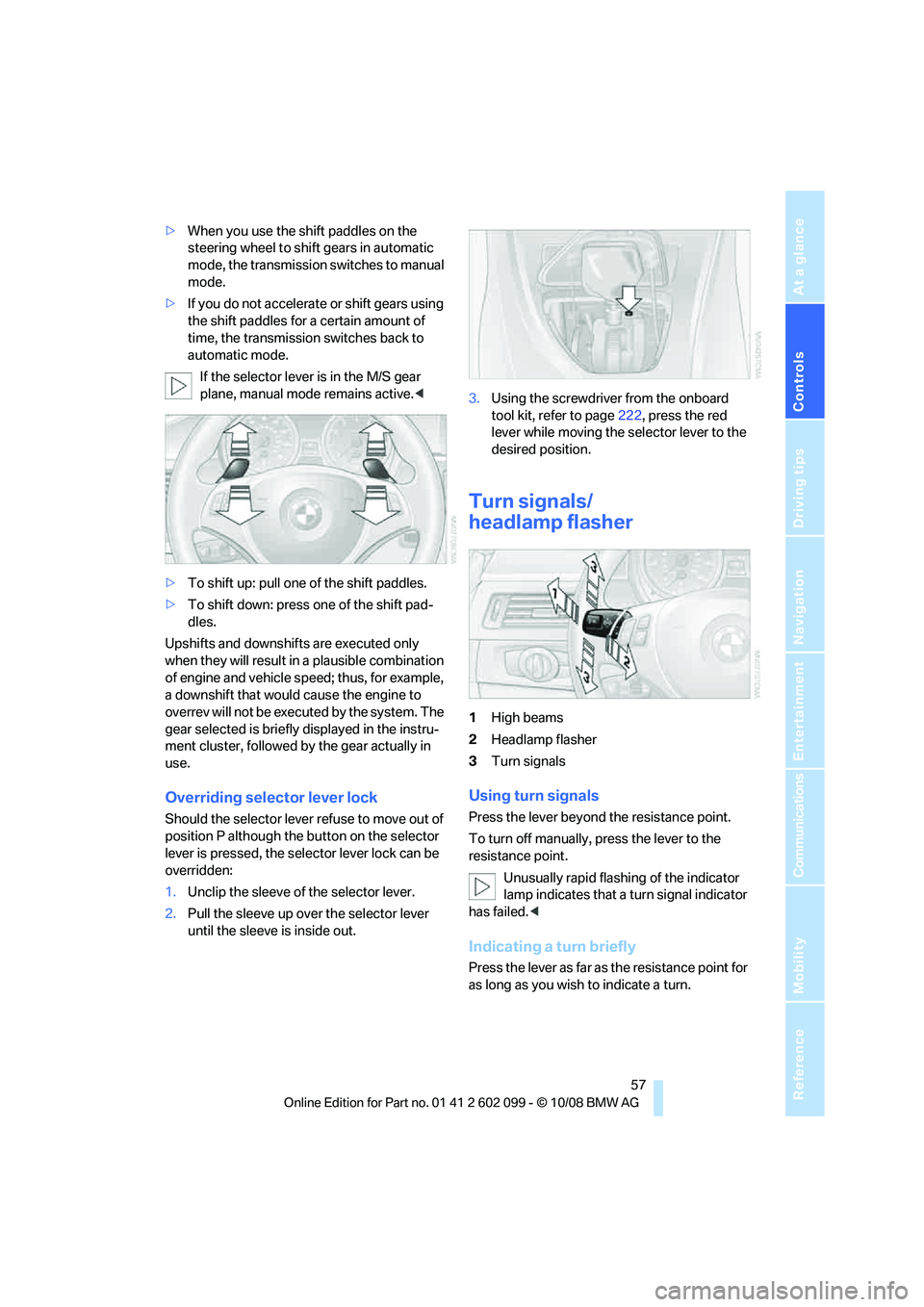
> To shift up: pull one of the shift paddles.
> To shift down: press one of the shift pad-
dles.
Upshifts and downshifts are executed only
when they will result in a plausible combination
of engine and vehicle speed; thus, for example,
a downshift that would cause the engine to
overrev will not be executed by the system. The
gear selected is briefly displayed in the instru-
ment cluster, followed by the gear actually in
use.
Overriding selector lever lock
Should the selector lever refuse to move out of
position P although the button on the selector
lever is pressed, the sele ctor lever lock can be
overridden:
1. Unclip the sleeve of the selector lever.
2. Pull the sleeve up over the selector lever
until the sleeve is inside out. 3.
Using the screwdriver from the onboard
tool kit, refer to page 222, press the red
lever while moving the selector lever to the
desired position.
Turn signals/
headlamp flasher
1 High beams
2 Headlamp flasher
3 Turn signals
Using turn signals
Press the lever beyond the resistance point.
To turn off manually, press the lever to the
resistance point.
Unusually rapid flashi ng of the indicator
lamp indicates that a turn signal indicator
has failed. <
Indicating a turn briefly
Press the lever as far as the resistance point for
as long as you wish to indicate a turn.
ba8_E9091_cic.book Seite 57 Mittwoch, 29. Oktober 2008 2:59 14
Page 61 of 268
Controls
59Reference
At a glance
Driving tips
Communications
Navigation
Entertainment
Mobility
Do not use the washers if there is any
danger that the fluid will freeze on the
windshield. If you do, your vision could be
obscured. Antifreeze should therefore be
added to the fluid, refer to Washer fluid.
Do not use the washers when the washer fluid
reservoir is empty, otherwise you will damage
the washer pump. <
Windshield washer nozzles
The windshield washer nozzles are heated
automatically while the engine is running or the
ignition is switched on
*.
Sports Wagon: re ar window wiper
1Intermittent operation. When reverse gear
is engaged, the system switches to contin-
uous operation.
2 Cleaning the rear window
The rear window wiper does not move if the
lever is in position 1 before the ignition is
switched on.
To switch on the rear window wiper:
1. Move the lever to its home position.
2. Reselect the desired position.
Do not use the washers when the washer
fluid reservoir is empty, otherwise you will
damage the washer pump. <
Washer fluid
Washer fluid antifreeze is flammable.
Therefore, keep it away from ignition
sources and only store it in the closed original
container that is kept ou t of reach of children,
otherwise there is a risk of personal injury.
Comply with the instructions on the con-
tainer. <
Washer fluid filler neck
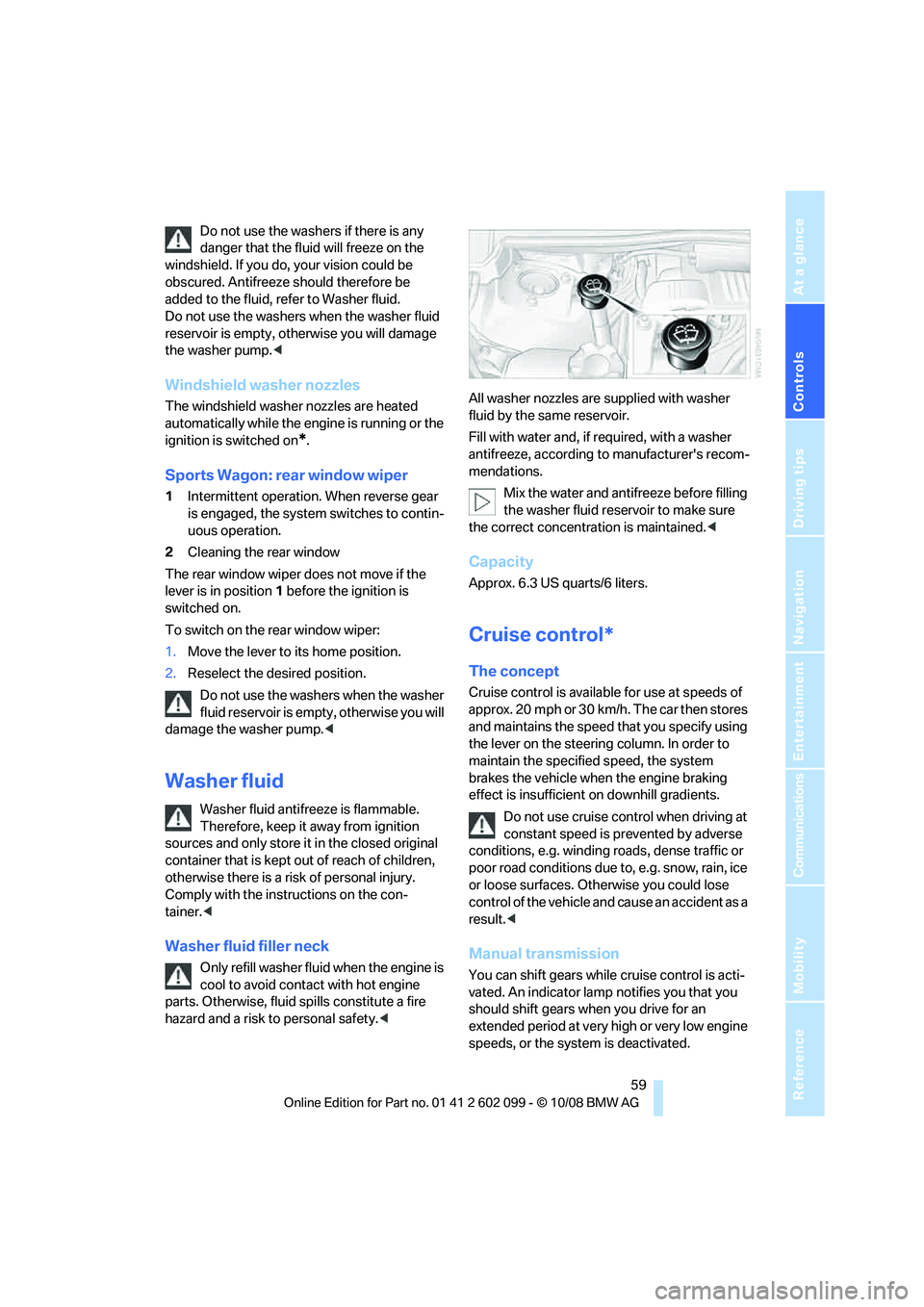
Only refill washer fluid when the engine is
cool to avoid contac t with hot engine
parts. Otherwise, fluid spills constitute a fire
hazard and a risk to personal safety.
Fill with water and, if required, with a washer
antifreeze, according to manufacturer's recom-
mendations.
Mix the water and antifreeze before filling
the washer fluid rese rvoir to make sure
the correct concentration is maintained. <
Capacity
Approx. 6.3 US quarts/6 liters.
Cruise control*
The concept
Cruise control is available for use at speeds of
approx. 20 mph or 30 km/h. The car then stores
and maintains the speed that you specify using
the lever on the steering column. In order to
maintain the specified speed, the system
brakes the vehicle when the engine braking
effect is insufficient on downhill gradients.
Do not use cruise control when driving at
constant speed is prevented by adverse
conditions, e.g. winding roads, dense traffic or
poor road conditions due to, e.g. snow, rain, ice
or loose surfaces. Otherwise you could lose
control of the vehicle and cause an accident as a
result. <
Manual transmission
You can shift gears while cruise control is acti-
vated. An indicator lamp notifies you that you
should shift gears wh en you drive for an
extended period at very high or very low engine
speeds, or the system is deactivated.
ba8_E9091_cic.book Seite 59 Mittwoch, 29. Oktober 2008 2:59 14
Page 62 of 268
Driving
60
One lever for all functions
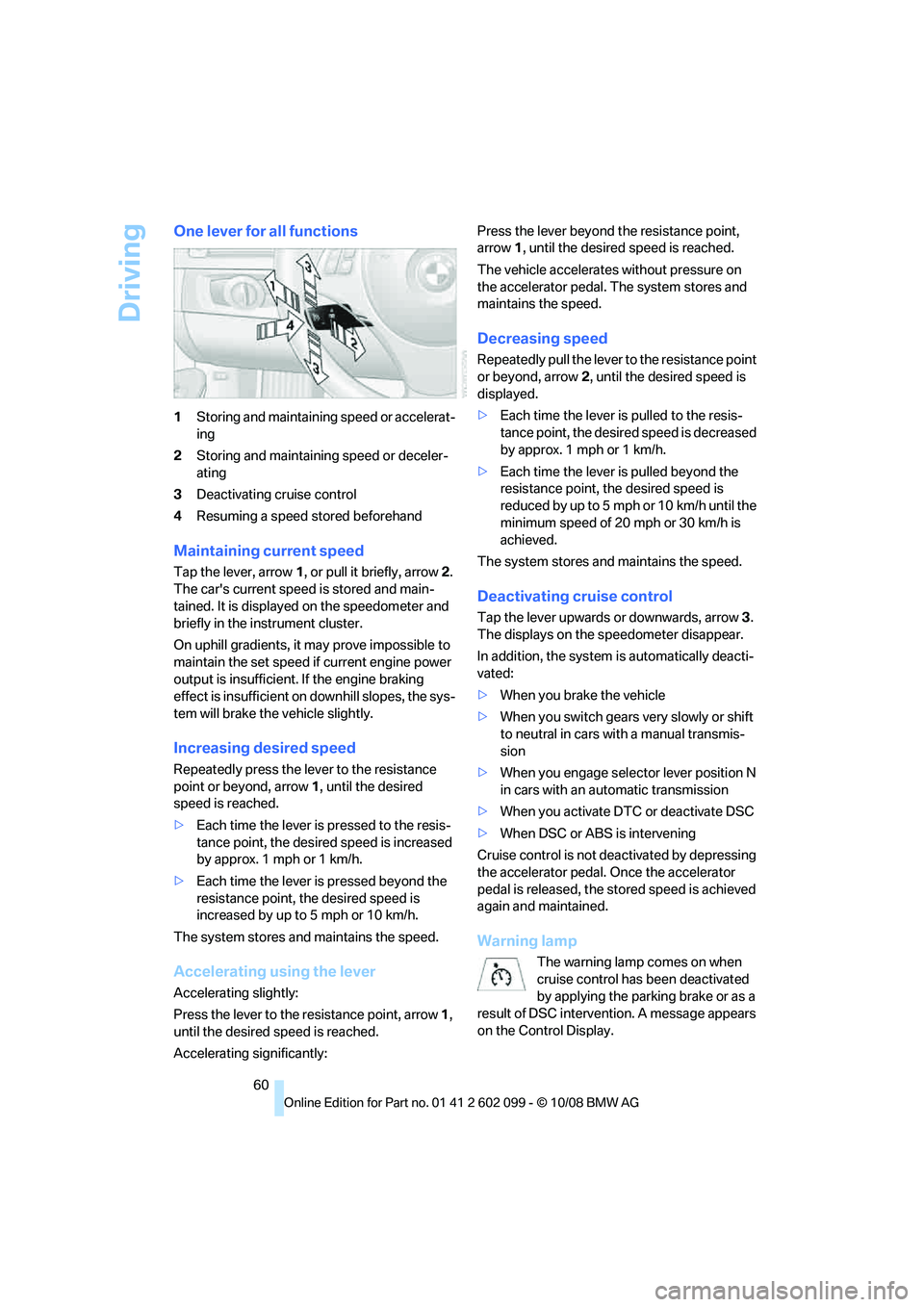
1Storing and maintainin g speed or accelerat-
ing
2 Storing and maintaining speed or deceler-
ating
3 Deactivating cruise control
4 Resuming a speed stored beforehand
Maintaining current speed
Tap the lever, arrow 1, or pull it briefly, arrow 2.
The car's current speed is stored and main-
tained. It is displayed on the speedometer and
briefly in the instrument cluster.
On uphill gradients, it may prove impossible to
maintain the set speed if current engine power
output is insufficient. If the engine braking
effect is insufficient on downhill slopes, the sys-
tem will brake the vehicle slightly.
Increasing desired speed
Repeatedly press the lever to the resistance
point or beyond, arrow 1, until the desired
speed is reached.
> Each time the lever is pressed to the resis-
tance point, the desired speed is increased
by approx. 1 mph or 1 km/h.
> Each time the lever is pressed beyond the
resistance point, the desired speed is
increased by up to 5 mph or 10 km/h.
The system stores and maintains the speed.
Accelerating using the lever
Accelerating slightly:
Press the lever to the resistance point, arrow 1,
until the desired speed is reached.
Accelerating significantly: Press the lever beyond the resistance point,
arrow
1, until the desired speed is reached.
The vehicle accelerates without pressure on
the accelerator pedal. The system stores and
maintains the speed.
Decreasing speed
Repeatedly pull the lever to the resistance point
or beyond, arrow 2, until the desired speed is
displayed.
> Each time the lever is pulled to the resis-
tance point, the desire d speed is decreased
by approx. 1 mph or 1 km/h.
> Each time the lever is pulled beyond the
resistance point, the desired speed is
reduced by up to 5 mph o r 10 km/h until the
minimum speed of 20 mph or 30 km/h is
achieved.
The system stores and maintains the speed.
Deactivating cruise control
Tap the lever upwards or downwards, arrow 3.
The displays on the speedometer disappear.
In addition, the system is automatically deacti-
vated:
> When you brake the vehicle
> When you switch gears very slowly or shift
to neutral in cars with a manual transmis-
sion
> When you engage selector lever position N
in cars with an automatic transmission
> When you activate DTC or deactivate DSC
> When DSC or ABS is intervening
Cruise control is not de activated by depressing
the accelerator pedal. Once the accelerator
pedal is released, the st ored speed is achieved
again and maintained.
Warning lamp
The warning lamp comes on when
cruise control has been deactivated
by applying the parking brake or as a
result of DSC intervention. A message appears
on the Control Display.
ba8_E9091_cic.book Seite 60 Mittwoch, 29. Oktober 2008 2:59 14
Page 64 of 268
Driving
62
Manual transmission
You can shift gears while cruise control is acti-
vated. An indicator lamp notifies you that you
should shift gears when you drive for an
extended period at very high or very low engine
speeds, or the system is deactivated.
Range of applications
The minimum desired speed is 20 mph or
30 km/h, the maximum desired speed is
110 mph or 180 km/h.
As with conventional cruise control sys-
tems, active cruise control in no way
diminishes or substitutes for the driver’s own
personal responsibility, alertness and aware-
ness in adjusting speed, braking or otherwise
controlling the vehicle. The driver should
decide when to use the system on the basis of
road, traffic, visibility, and weather conditions.
Active cruise control is intended for use on
highway-type roadways where traffic is moving
relatively smoothly. Do not use this system in
city driving; heavy traffic such as during rush
hour; on curvy, winding roads, slippery roads or
roads with sharp curves such as highway off-
ramps; during inclement weather such as snow,
strong rain or fog; or when entering inter-
changes, service/parkin g areas or toll booths.
It is also important to regulate your vehicle's
speed and distance setting within applicable
legal limits. Always be re ady to take action or
apply the brakes if nece ssary, especially when
the system is actively fo llowing a vehicle in front
of you. Otherwise driving situations could result
that pose the risk of accidents. <
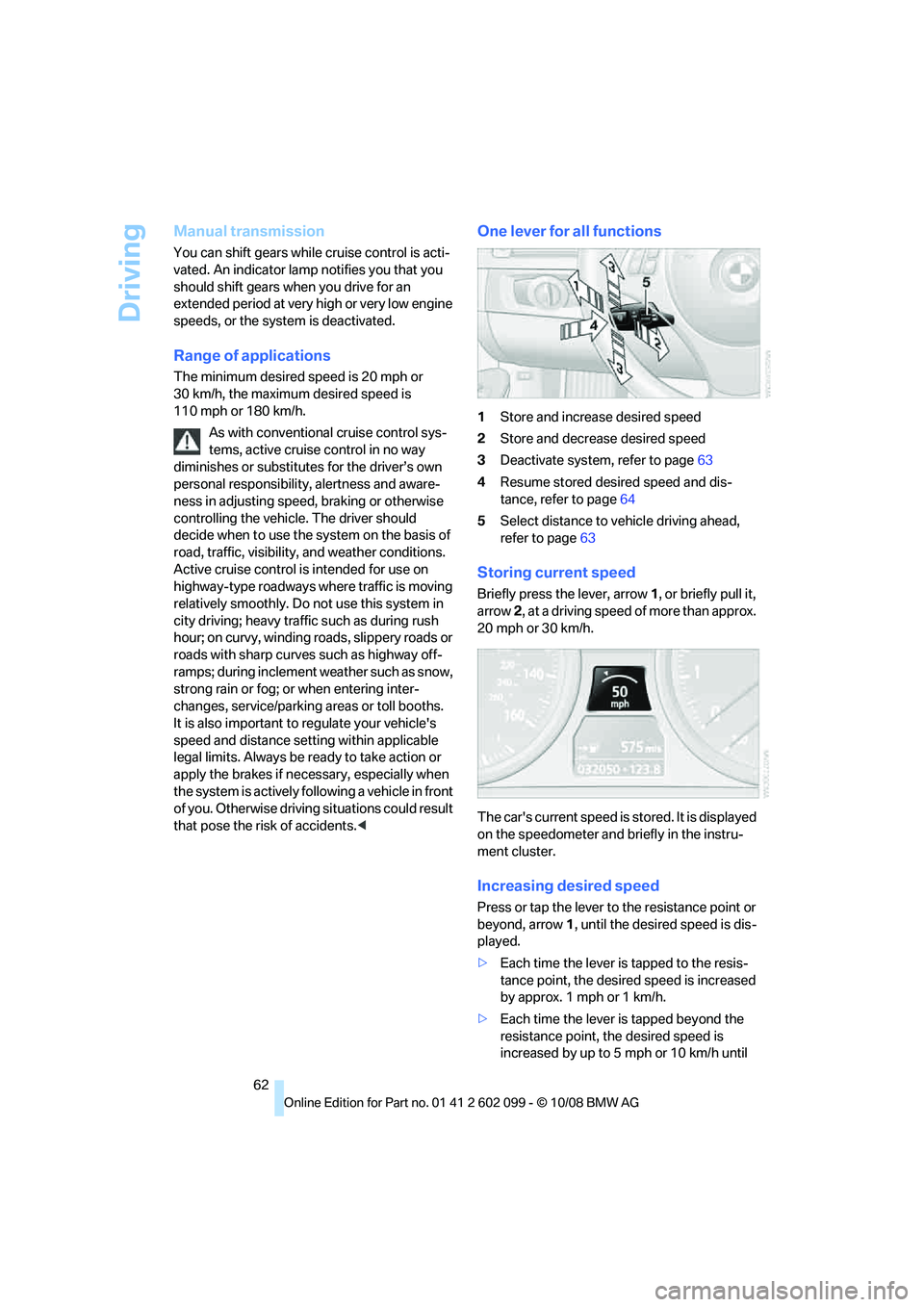
One lever for all functions
1Store and increase desired speed
2 Store and decrease desired speed
3 Deactivate system, refer to page 63
4 Resume stored desired speed and dis-
tance, refer to page 64
5 Select distance to vehicle driving ahead,
refer to page 63
Storing current speed
Briefly press the lever, arrow 1, or briefly pull it,
arrow 2, at a driving speed of more than approx.
20 mph or 30 km/h.
The car's current speed is stored. It is displayed
on the speedometer and briefly in the instru-
ment cluster.
Increasing desired speed
Press or tap the lever to the resistance point or
beyond, arrow 1, until the desired speed is dis-
played.
> Each time the lever is tapped to the resis-
tance point, the desired speed is increased
by approx. 1 mph or 1 km/h.
> Each time the lever is tapped beyond the
resistance point, the desired speed is
increased by up to 5 mph or 10 km/h until
ba8_E9091_cic.book Seite 62 Mittwoch, 29. Oktober 2008 2:59 14
Page 65 of 268
Controls
63Reference
At a glance
Driving tips
Communications
Navigation
Entertainment
Mobility
the maximum speed of 110 mph or
180 km/h is achieved.
The speed then displayed is stored and
achieved on a clear road.
Decreasing desired speed
Pull the lever, arrow 2, until the desired speed is
displayed.
The other functions work analogously to those
described under Increasing desired speed.
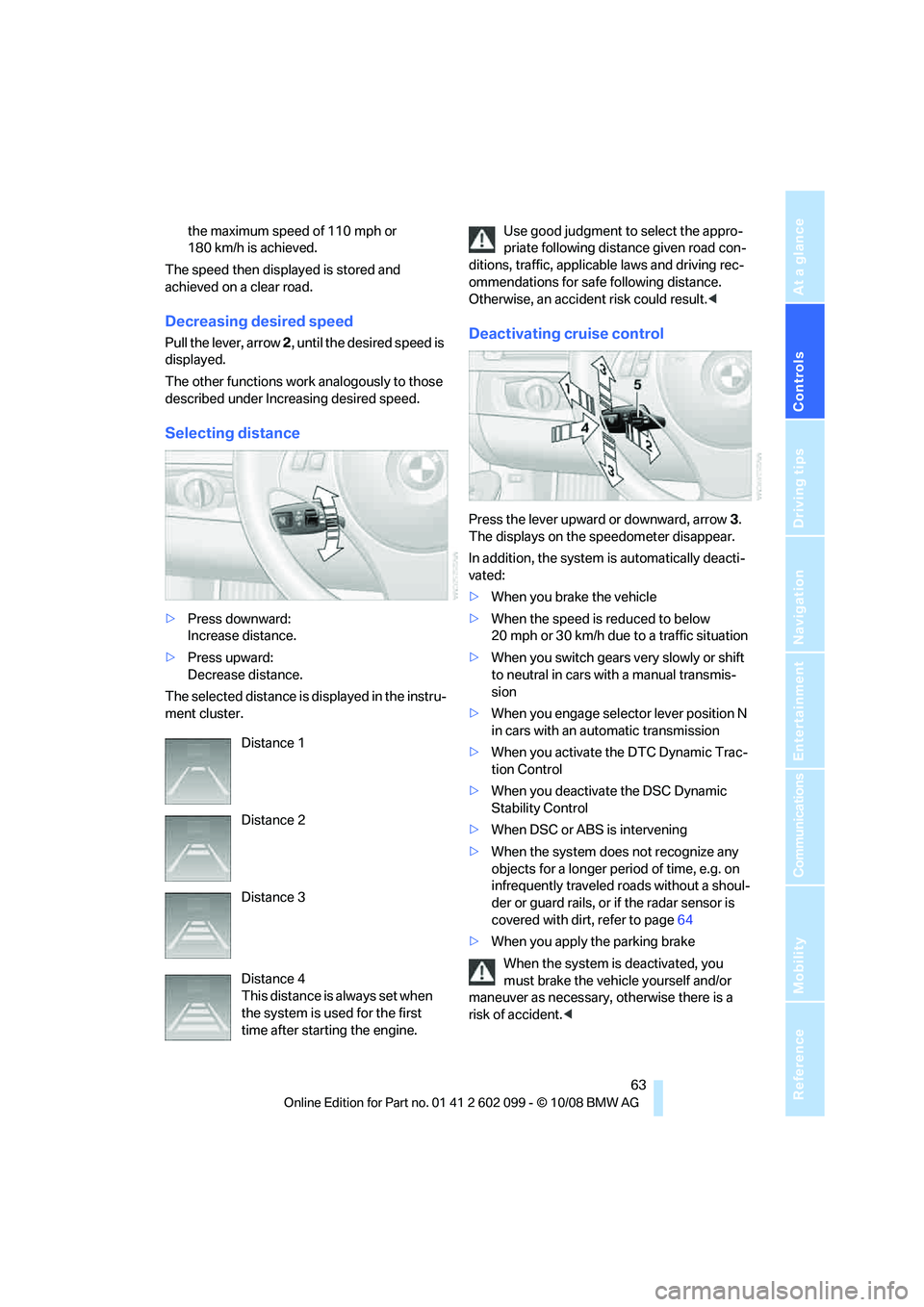
Selecting distance
> Press downward:
Increase distance.
> Press upward:
Decrease distance.
The selected distance is displayed in the instru-
ment cluster. Use good judgment to select the appro-
priate following dist
ance given road con-
ditions, traffic, applicab le laws and driving rec-
ommendations for safe following distance.
Otherwise, an accident risk could result. <
Deactivating cruise control
Press the lever upward or downward, arrow 3.
The displays on the speedometer disappear.
In addition, the system is automatically deacti-
vated:
> When you brake the vehicle
> When the speed is reduced to below
20 mph or 30 km/h due to a traffic situation
> When you switch gears very slowly or shift
to neutral in cars wi th a manual transmis-
sion
> When you engage select or lever position N
in cars with an automatic transmission
> When you activate the DTC Dynamic Trac-
tion Control
> When you deactivate the DSC Dynamic
Stability Control
> When DSC or ABS is intervening
> When the system does not recognize any
objects for a longer period of time, e.g. on
infrequently traveled roads without a shoul-
der or guard rails, or if the radar sensor is
covered with dirt, refer to page 64
> When you apply the parking brake
When the system is deactivated, you
must brake the vehicle yourself and/or
maneuver as necessary, otherwise there is a
risk of accident. <
Distance 1
Distance 2
Distance 3
Distance 4
This distance is always set when
the system is used for the first
time after starting the engine.
ba8_E9091_cic.book Seite 63 Mittwoch, 29. Oktober 2008 2:59 14
Page 69 of 268
Controls
67Reference
At a glance
Driving tips
Communications
Navigation
Entertainment
Mobility
Everything under control
Odometer, outside
temperature display, clock
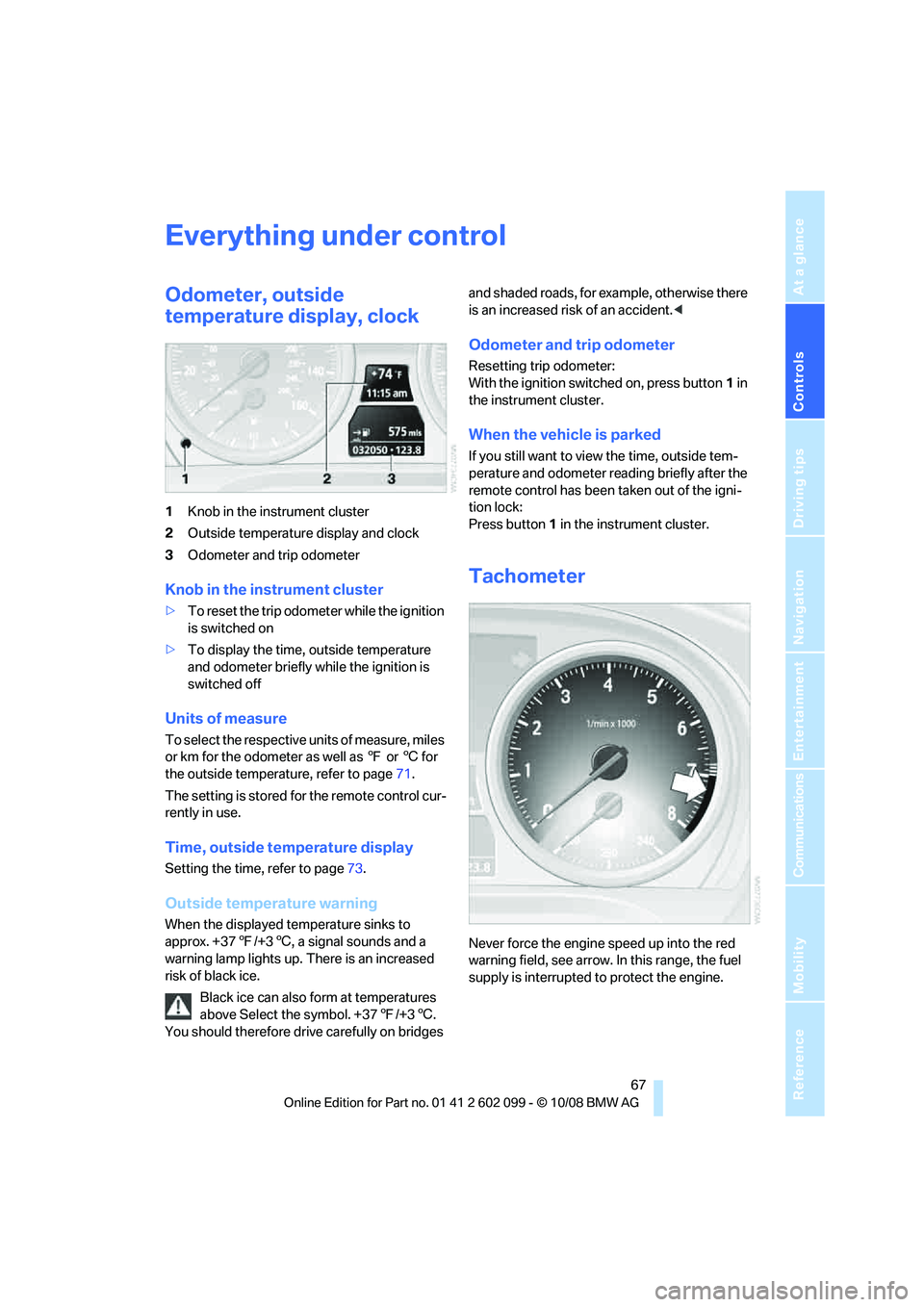
1Knob in the instrument cluster
2 Outside temperature display and clock
3 Odometer and trip odometer
Knob in the instrument cluster
>To reset the trip odometer while the ignition
is switched on
> To display the time, outside temperature
and odometer briefly while the ignition is
switched off
Units of measure
To select the respective units of measure, miles
or km for the odometer as well as 7 or 6 for
the outside temperature, refer to page 71.
The setting is stored for the remote control cur-
rently in use.
Time, outside temperature display
Setting the time , refer to page73.
Outside temperature warning
When the displayed temperature sinks to
approx. +377/+3 6, a signal sounds and a
warning lamp lights up. There is an increased
risk of black ice.
Black ice can also form at temperatures
above Select the symbol. +37 7/+3 6.
You should therefore driv e carefully on bridges and shaded roads, for example, otherwise there
is an increased risk of an accident.
<
Odometer and trip odometer
Resetting trip odometer:
With the ignition switched on, press button 1 in
the instrument cluster.
When the vehicle is parked
If you still want to view the time, outside tem-
perature and odometer re ading briefly after the
remote control has been taken out of the igni-
tion lock:
Press button 1 in the instrument cluster.
Tachometer
Never force the engine speed up into the red
warning field, see arrow. In this range, the fuel
supply is interrupted to protect the engine.
ba8_E9091_cic.book Seite 67 Mittwoch, 29. Oktober 2008 2:59 14
Page 70 of 268
Everything under control
68
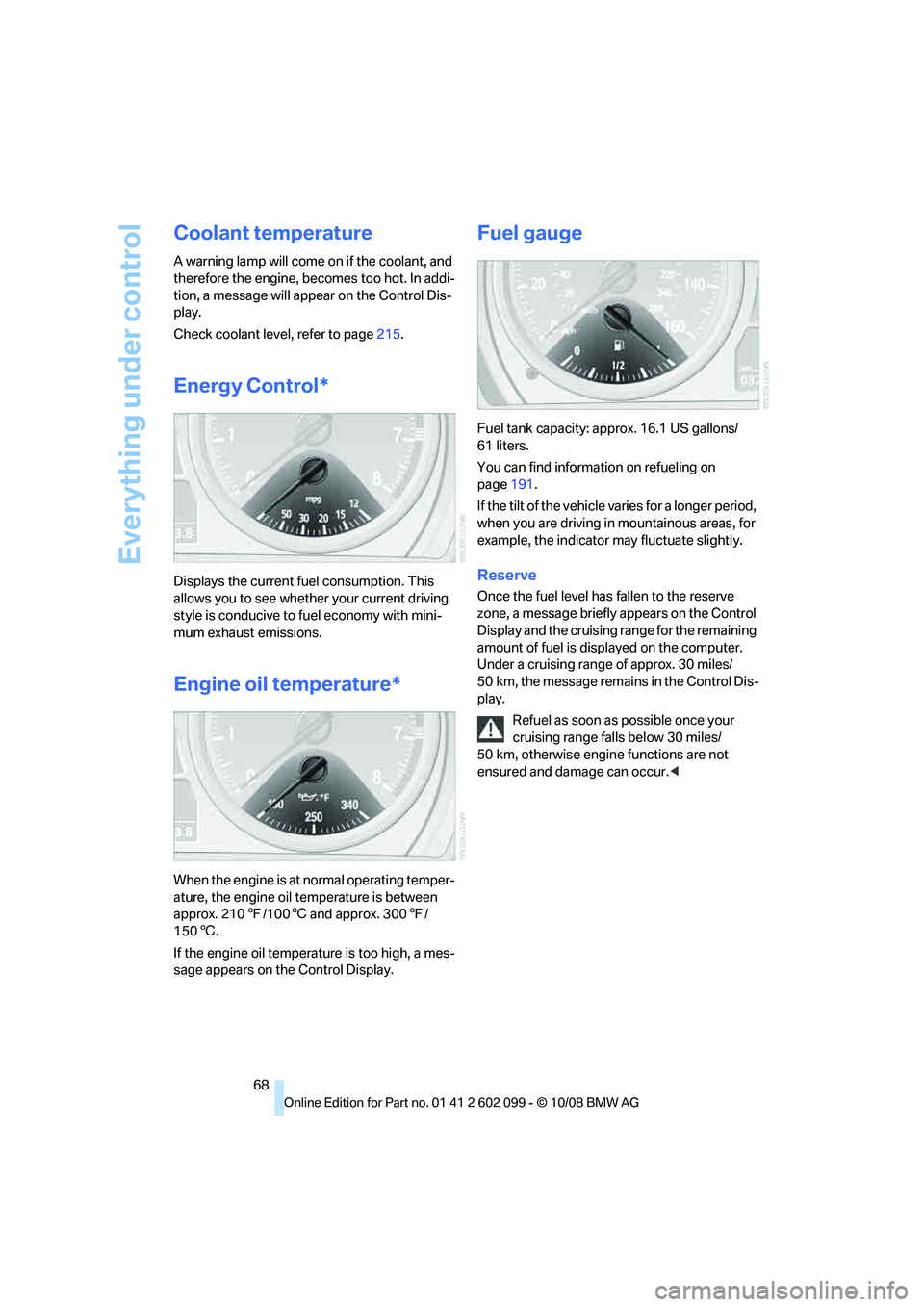
Coolant temperature
A warning lamp will come on if the coolant, and
therefore the engine, becomes too hot. In addi-
tion, a message will appear on the Control Dis-
play.
Check coolant level, refer to page215.
Energy Control*
Displays the current fu el consumption. This
allows you to see whether your current driving
style is conducive to fuel economy with mini-
mum exhaust emissions.
Engine oil temperature*
When the engine is at normal operating temper-
ature, the engine oil temperature is between
approx. 210 7/1006 and approx. 300 7/
150 6.
If the engine oil temperature is too high, a mes-
sage appears on the Control Display.
Fuel gauge
Fuel tank capacity: approx. 16.1 US gallons/
61 liters.
You can find information on refueling on
page 191.
If the tilt of the vehicle varies for a longer period,
when you are driving in mountainous areas, for
example, the indicator may fluctuate slightly.
Reserve
Once the fuel level ha s fallen to the reserve
zone, a message briefly appears on the Control
Display and the cruising range for the remaining
amount of fuel is displayed on the computer.
Under a cruising range of approx. 30 miles/
50 km, the message remains in the Control Dis-
play.
Refuel as soon as possible once your
cruising range falls below 30 miles/
50 km, otherwise engine functions are not
ensured and damage can occur. <
ba8_E9091_cic.book Seite 68 Mittwoch, 29. Oktober 2008 2:59 14
Page 71 of 268
Controls
69Reference
At a glance
Driving tips
Communications
Navigation
Entertainment
Mobility
Computer
Displays in the instrument cluster
Calling up information
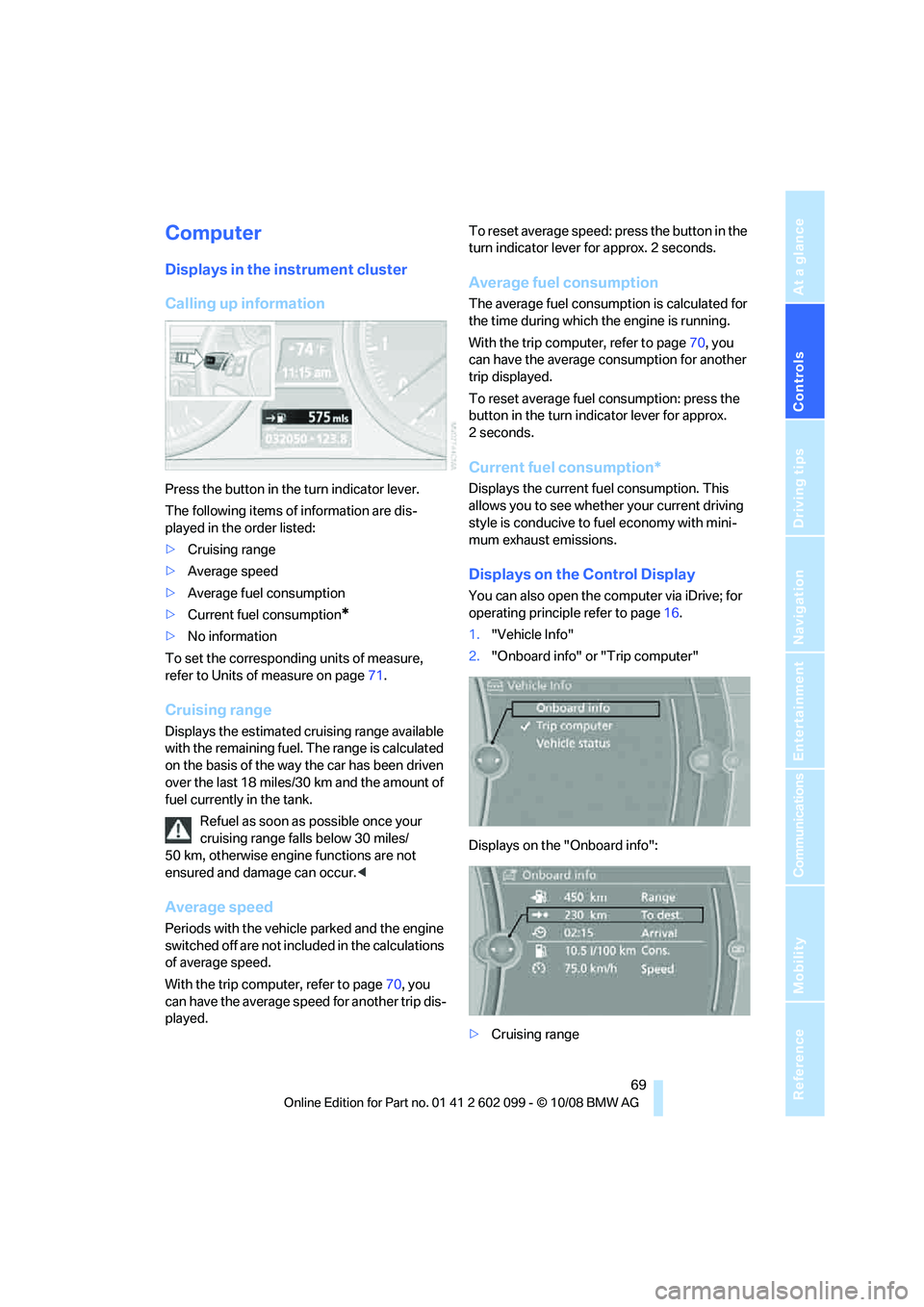
Press the button in the turn indicator lever.
The following items of information are dis-
played in the order listed:
>Cruising range
> Average speed
> Average fuel consumption
> Current fuel consumption
*
>No information
To set the corresponding units of measure,
refer to Units of measure on page 71.
Cruising range
Displays the estimated cr uising range available
with the remaining fuel. The range is calculated
on the basis of the way the car has been driven
over the last 18 miles/30 km and the amount of
fuel currently in the tank.
Refuel as soon as possible once your
cruising range falls below 30 miles/
50 km, otherwise engine functions are not
ensured and damage can occur. <
Average speed
Periods with the vehicle parked and the engine
switched off are not included in the calculations
of average speed.
With the trip computer, refer to page 70, you
can have the average speed for another trip dis-
played. To reset average speed: press the button in the
turn indicator lever for approx. 2 seconds.
Average fuel consumption
The average fuel consumption is calculated for
the time during which the engine is running.
With the trip computer, refer to page
70, you
can have the average consumption for another
trip displayed.
To reset average fuel consumption: press the
button in the turn indi cator lever for approx.
2seconds.
Current fuel consumption*
Displays the current fuel consumption. This
allows you to see whethe r your current driving
style is conducive to fuel economy with mini-
mum exhaust emissions.
Displays on the Control Display
You can also open the co mputer via iDrive; for
operating principle refer to page 16.
1. "Vehicle Info"
2. "Onboard info" or "Trip computer"
Displays on the "Onboard info":
> Cruising range
ba8_E9091_cic.book Seite 69 Mittwoch, 29. Oktober 2008 2:59 14
Page 72 of 268
Everything under control
70
>
Distance from destination
> Estimated time of arrival if:
>A distance was manually entered into
the computer, refer to information
below.
> A destination was ente red in the naviga-
tion system
*, refer to page 123.
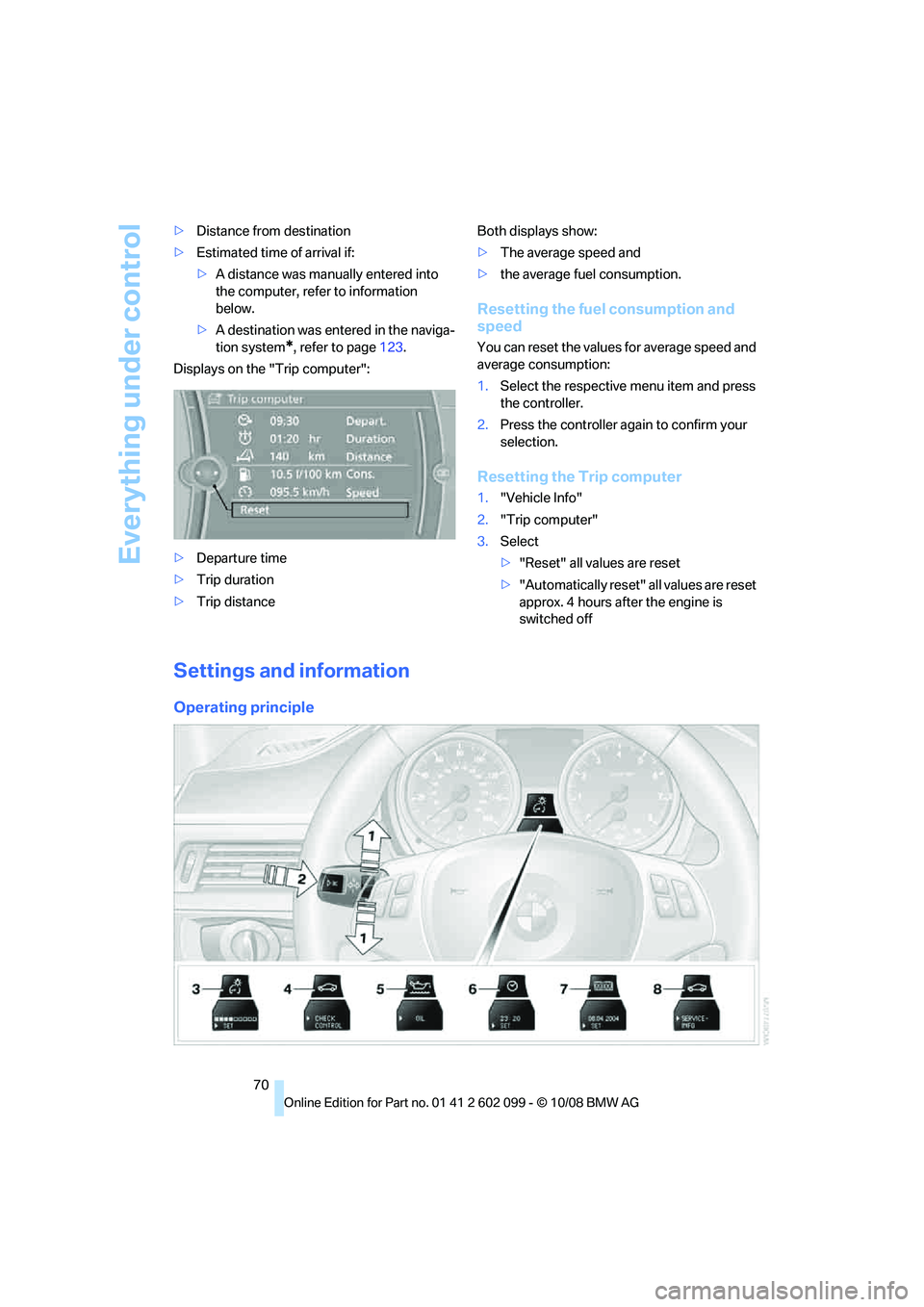
Displays on the "Trip computer":
> Departure time
> Trip duration
> Trip distance Both displays show:
>
The average speed and
> the average fuel consumption.
Resetting the fuel consumption and
speed
You can reset the values for average speed and
average consumption:
1.Select the respective menu item and press
the controller.
2. Press the controller again to confirm your
selection.
Resetting the Trip computer
1."Vehicle Info"
2. "Trip computer"
3. Select
>"Reset" all values are reset
> "Automatically reset" all values are reset
approx. 4 hours afte r the engine is
switched off
Settings and information
Operating principle
ba8_E9091_cic.book Seite 70 Mittwoch, 29. Oktober 2008 2:59 14