heating BMW 335I 2010 User Guide
[x] Cancel search | Manufacturer: BMW, Model Year: 2010, Model line: 335I, Model: BMW 335I 2010Pages: 274, PDF Size: 8.69 MB
Page 121 of 274
Driving tips
119Reference
At a glance
Controls
Communications
Navigation
Entertainment
Mobility
When the vehicle is parked
Condensation forms while the automatic cli-
mate control is in operation, and then exits
under the vehicle. Traces of condensed water
under the vehicle are therefore normal.
Cargo loading
To avoid loading the tires beyond their
approved carrying capacity, never over-
load the vehicle. Overloading can lead to over-
heating and increases the rate at which damage
develops inside the tires. This can ultimately
result in a sudden blowout.<
Make sure that no liquids are spilled or
leak from their containers in the cargo
area, as this could result in damage to the vehi-
cle.<
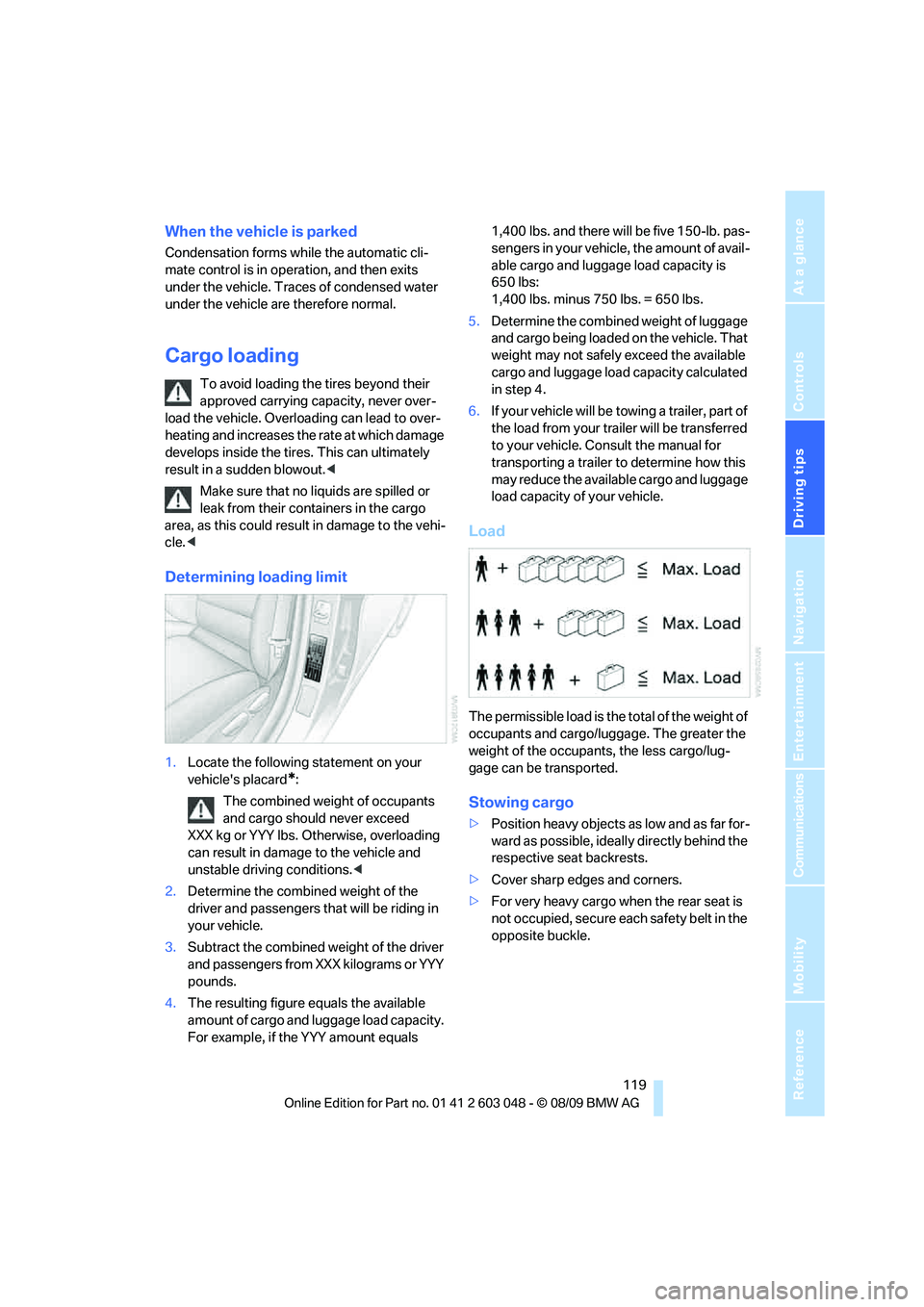
Determining loading limit
1.Locate the following statement on your
vehicle's placard
*:
The combined weight of occupants
and cargo should never exceed
XXX kg or YYY lbs. Otherwise, overloading
can result in damage to the vehicle and
unstable driving conditions.<
2.Determine the combined weight of the
driver and passengers that will be riding in
your vehicle.
3.Subtract the combined weight of the driver
and passengers from XXX kilograms or YYY
pounds.
4.The resulting figure equals the available
amount of cargo and luggage load capacity.
For example, if the YYY amount equals 1,400 lbs. and there will be five 150-lb. pas-
sengers in your vehicle, the amount of avail-
able cargo and luggage load capacity is
650 lbs:
1,400 lbs. minus 750 lbs. = 650 lbs.
5.Determine the combined weight of luggage
and cargo being loaded on the vehicle. That
weight may not safely exceed the available
cargo and luggage load capacity calculated
in step 4.
6.If your vehicle will be towing a trailer, part of
the load from your trailer will be transferred
to your vehicle. Consult the manual for
transporting a trailer to determine how this
may reduce the available cargo and luggage
load capacity of your vehicle.
Load
The permissible load is the total of the weight of
occupants and cargo/luggage. The greater the
weight of the occupants, the less cargo/lug-
gage can be transported.
Stowing cargo
>Position heavy objects as low and as far for-
ward as possible, ideally directly behind the
respective seat backrests.
>Cover sharp edges and corners.
>For very heavy cargo when the rear seat is
not occupied, secure each safety belt in the
opposite buckle.
Page 200 of 274
Refueling
198 If you have refueled with the wrong fuel, contact
your BMW center.
The filler neck is designed for refueling at
diesel fuel pumps.
If the filler nozzle cannot be inserted into your
BMW's filler pipe, please ensure that you are
refueling at a diesel fuel pump and that it is
equipped with a diesel filler nozzle.<
In the event the Ultra-Low Sulfur Diesel
fuel cannot be fully inserted into the fuel
filler neck, please contact BMW Roadside
Assistance for instructions on how to add fuel.
For more information on BMW Roadside Assis-
tance, refer to page237.<
Winter diesel
To ensure that the diesel engine remains oper-
ational in the winter, please use winter diesel,
which is available at gas stations during winter
months. The fuel filter heating system, included
a s a s t a n d a r d f e a t u r e , p r e v e n t s d i s r u p t i o n o f t h e
fuel supply while driving.
Do not add additives, including gasoline;
otherwise, engine damage may occur.<
BMW Advanced Diesel
The concept
BMW Advanced Diesel reduces nitrogen oxide
in the diesel emissions of your vehicle by means
of a mechanism that injects diesel exhaust fluid,
a reduction agent, into the exhaust tract. A
chemical reaction occurs in the catalytic con-
verter that minimizes the nitrogen oxide con-
tent.
To be able to start the engine as usual, a suffi-
cient amount of diesel exhaust fluid must be
present in a separate reservoir.
Warming the system
To warm the system to its operating tempera-
ture after starting with a cold engine, the auto-
matic transmission delays shifting to the next
higher gear, if necessary.
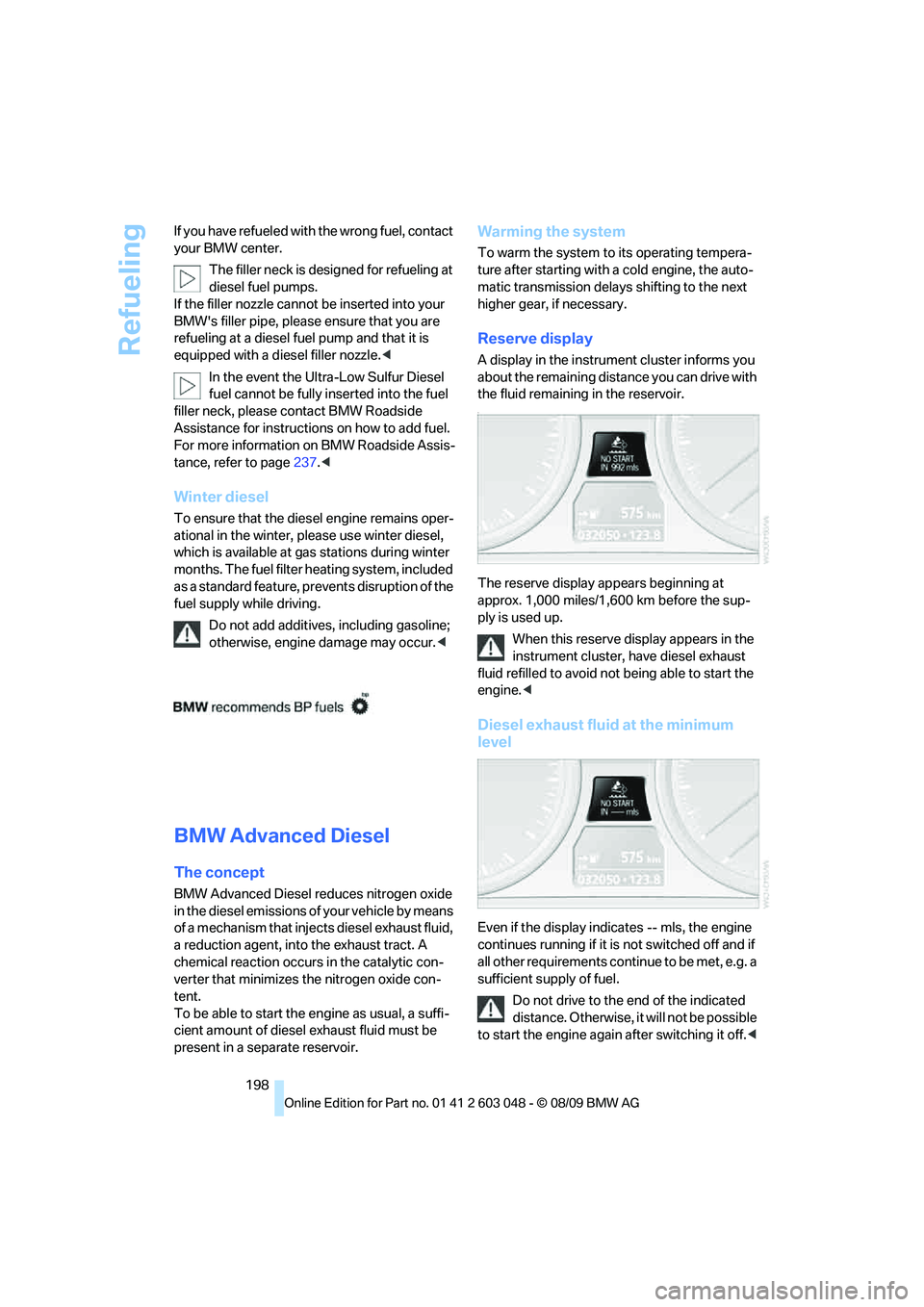
Reserve display
A display in the instrument cluster informs you
about the remaining distance you can drive with
the fluid remaining in the reservoir.
-
The reserve display appears beginning at
approx. 1,000 miles/1,600 km before the sup-
ply is used up.
When this reserve display appears in the
instrument cluster, have diesel exhaust
fluid refilled to avoid not being able to start the
engine.<
Diesel exhaust fluid at the minimum
level
Even if the display indicates -- mls, the engine
continues running if it is not switched off and if
all other requirements continue to be met, e.g. a
sufficient supply of fuel.
Do not drive to the end of the indicated
distance. Otherwise, it will not be possible
to start the engine again after switching it off.<
Page 261 of 274
Reference 259
At a glance
Controls
Driving tips
Communications
Navigation
Entertainment
Mobility
Entry lamps, refer to Interior
lamps96
Entry map for destination130
Environmentally friendly
driving, refer to Energy
Control70
Equalizer, tone setting145
Error messages, refer to
Check Control77
ESP Electronic Stability
Program, refer to Dynamic
Stability Control DSC82
Event data recorders224
Exhaust system, refer to Hot
exhaust system117
Expanding the cargo area110
Extended connectivity of the
music player in the mobile
phone167
Exterior mirrors47
– adjusting47
– automatic dimming
feature48
– automatic heating47
– folding in and out47
External audio device106
External devices
– random sequence169
Eyes
– for tow-starting and towing
away239
– for tying down loads120
F
Failure messages, refer to
Check Control77
Failure of an electrical
consumer236
False alarm
– avoiding unintentional
alarm34
– switching off an alarm33
Fastening safety belts, refer to
Safety belts46
Fastest route for
navigation134Fast forward
– CD changer157
– CD player157
Filter
– refer to Microfilter/activated-
charcoal filter for automatic
climate control100
First aid pouch237
Fixture for remote control,
refer to Ignition lock54
Flash when locking/
unlocking28
Flat tire
– run-flat tires216
– Tire Pressure Monitor
TPM86
Flat Tire Monitor FTM84
– indicating a flat tire85
– indicator/warning lamp85
– initializing the system85
– snow chains84,217
– system limits84
Flat tires, refer to Tire
condition215
Fluid reservoir, refer to
Washer fluid reservoir60
FM, waveband147
Fog lamps95
– indicator lamp13,95
Folding rear seat backrest110
Folding up the floor panel112
Footbrake, refer to Braking
safely118
Footwell lamps, refer to
Interior lamps96
For your own safety5
Four-wheel drive, refer to
xDrive83
Free memory capacity, music
collection165
Front airbags90
FTM, refer to Flat Tire
Monitor84Fuel197
– additives198
– average consumption71
– gauge70
– high-quality brands197
– quality197
– specifications197
– tank contents, refer to
Capacities248
Fuel clock, refer to Fuel
gauge70
Fuel display, refer to Fuel
gauge70
Fuel-efficient driving, refer to
Energy Control70
Fuel filler flap196
– releasing in the event of
electrical malfunction196
Fuses236
G
Garage door opener, refer to
Integrated universal remote
control102
Gasoline
– refer to Average
consumption71
Gasoline, refer to Required
fuel197
Gasoline display, refer to Fuel
gauge70
Gas station
recommendations135
Gear indicator, automatic
transmission with
Steptronic57
Gearshift lever
– automatic transmission with
Steptronic57
– manual transmission56
Gearshifts
– automatic transmission with
Steptronic57
– manual transmission56
General driving notes117
Page 262 of 274
Everything from A - Z
260 Glass roof, electric37
– closing after electrical
malfunction37
– Convenient operation28,29
– initializing37
– opening, closing37
– pinch protection system37
– power failure37
– raising37
– remote control28
Glove compartment105
GPS navigation, refer to
Navigation system124
Grills97
Gross vehicle weight, refer to
Weights247
H
Halogen lamps
– replacing bulbs231
Handbrake, refer to Parking
brake56
Hands-free system14
Hazard warning flashers14
HDC Hill Descent Control83
HD Radio148
Head airbags90
Headlamp control,
automatic92
Headlamp cover231
Headlamp flasher58
– indicator lamp11,13
Headlamps
– replacing bulbs231
Head restraints43
– rear, removing44
– sitting safely41
Heated
– mirrors47
– rear window99
– seats45
– steering wheel49
Heating
– mirrors47
– rear window99
– seats45
– steering wheel49Heating and ventilation, refer
to Climate97
Heavy loads, refer to Stowing
cargo119
Height, refer to
Dimensions245
Height adjustment
– seats42
– steering wheel48
High-beam assistant94
High beams94
– headlamp flasher94
– indicator lamp13
– replacing bulbs231
High beams and low beams,
automatic, refer to High-
beam assistant94
High-pressure
washer225,226
High water, refer to Driving
through water118
Highways, refer to Route
criteria134
Hill Descent Control HDC83
Hills118
Holders for cups107
Homepage BMW4
Hood
218
Hooks for shopping
bags111,112
Horn10,11
Hotel function, refer to
Locking or unlocking
separately31
Hot exhaust system117
Hydraulic brake assist, refer to
Dynamic Brake Control
DBC82
Hydroplaning118
I
IBOC, refer to HD Radio148
Ice warning, refer to Outside
temperature
warning69
Identification marks
– run-flat tires216
– tire coding214iDrive16
– adjusting brightness80
– changing language79
– changing settings79
– changing units of measure
and display format73
– controls16
– menu guidance17
– operating principle16
– overview16
– setting the date and time76
– start menu17
– status information19
iDrive operating principle16
Ignition54
– switched off55
– switched on54
Ignition key, refer to Remote
control with integrated
key26
Ignition key position 1, refer to
Radio readiness54
Ignition key position 2, refer to
Ignition on54
Ignition lock54
Imprint2
Indicator and warning
lamps13
– Tire Pressure Monitor
TPM87
Inflation pressure, refer to Tire
inflation pressure201
Inflation pressure monitoring,
refer to Tire Pressure
Monitor TPM86
Initializing
– after power failure236
– compass, refer to
Calibrating104
– Flat Tire Monitor FTM85
– glass roof37
– panorama glass roof39
– radio, refer to Station,
storing147
– refer to Setting the time and
date76
Installation location
– telephone106
Page 264 of 274
Everything from A - Z
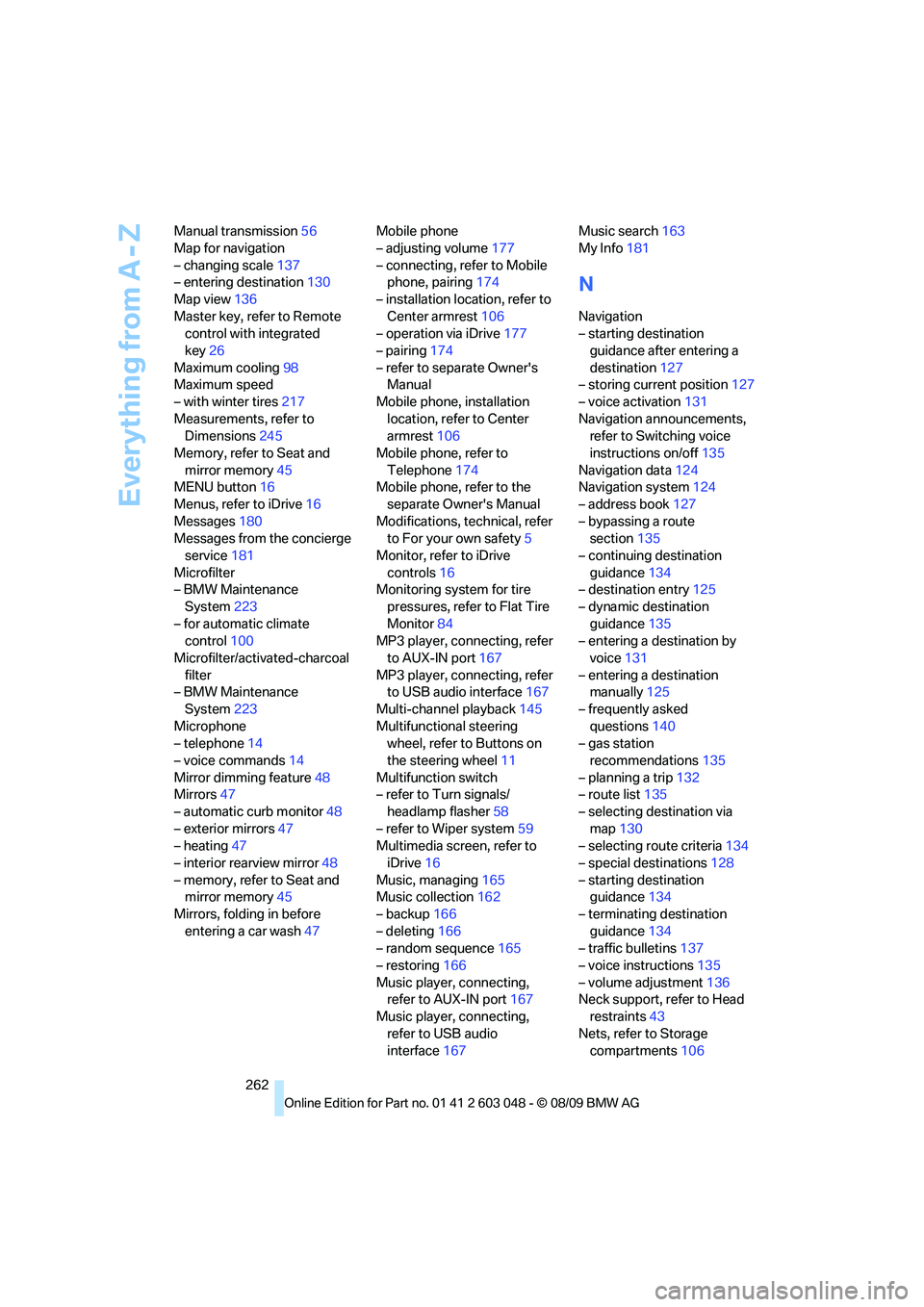
262 Manual transmission56
Map for navigation
– changing scale137
– entering destination130
Map view136
Master key, refer to Remote
control with integrated
key26
Maximum cooling98
Maximum speed
– with winter tires217
Measurements, refer to
Dimensions245
Memory, refer to Seat and
mirror memory45
MENU button16
Menus, refer to iDrive16
Messages180
Messages from the concierge
service181
Microfilter
– BMW Maintenance
System223
– for automatic climate
control100
Microfilter/activated-charcoal
filter
– BMW Maintenance
System223
Microphone
– telephone14
– voice commands14
Mirror dimming feature48
Mirrors47
– automatic curb monitor48
– exterior mirrors47
– heating47
– interior rearview mirror48
– memory, refer to Seat and
mirror memory45
Mirrors, folding in before
entering a car wash47Mobile phone
– adjusting volume177
– connecting, refer to Mobile
phone, pairing174
– installation location, refer to
Center armrest106
– operation via iDrive177
– pairing174
– refer to separate Owner's
Manual
Mobile phone, installation
location, refer to Center
armrest106
Mobile phone, refer to
Telephone174
Mobile phone, refer to the
separate Owner's Manual
Modifications, technical, refer
to For your own safety5
Monitor, refer to iDrive
controls16
Monitoring system for tire
pressures, refer to Flat Tire
Monitor84
MP3 player, connecting, refer
to AUX-IN port167
MP3 player, connecting, refer
to USB audio interface167
Multi-channel playback145
Multifunctional steering
wheel, refer to Buttons on
the steering wheel11
Multifunction switch
– refer to Turn signals/
headlamp flasher58
– refer to Wiper system59
Multimedia screen, refer to
iDrive16
Music, managing165
Music collection162
– backup166
– deleting166
– random sequence165
– restoring166
Music player, connecting,
refer to AUX-IN port167
Music player, connecting,
refer to USB audio
interface167Music search163
My Info181
N
Navigation
– starting destination
guidance after entering a
destination127
– storing current position127
– voice activation131
Navigation announcements,
refer to Switching voice
instructions on/off135
Navigation data124
Navigation system124
– address book127
– bypassing a route
section135
– continuing destination
guidance134
– destination entry125
– dynamic destination
guidance135
– entering a destination by
voice131
– entering a destination
manually125
– frequently asked
questions140
– gas station
recommendations135
– planning a trip132
– route list135
– selecting destination via
map130
– selecting route criteria134
– special destinations128
– starting destination
guidance134
– terminating destination
guidance134
– traffic bulletins137
– voice instructions135
– volume adjustment136
Neck support, refer to Head
restraints43
Nets, refer to Storage
compartments106
Page 265 of 274
Reference 263
At a glance
Controls
Driving tips
Communications
Navigation
Entertainment
Mobility
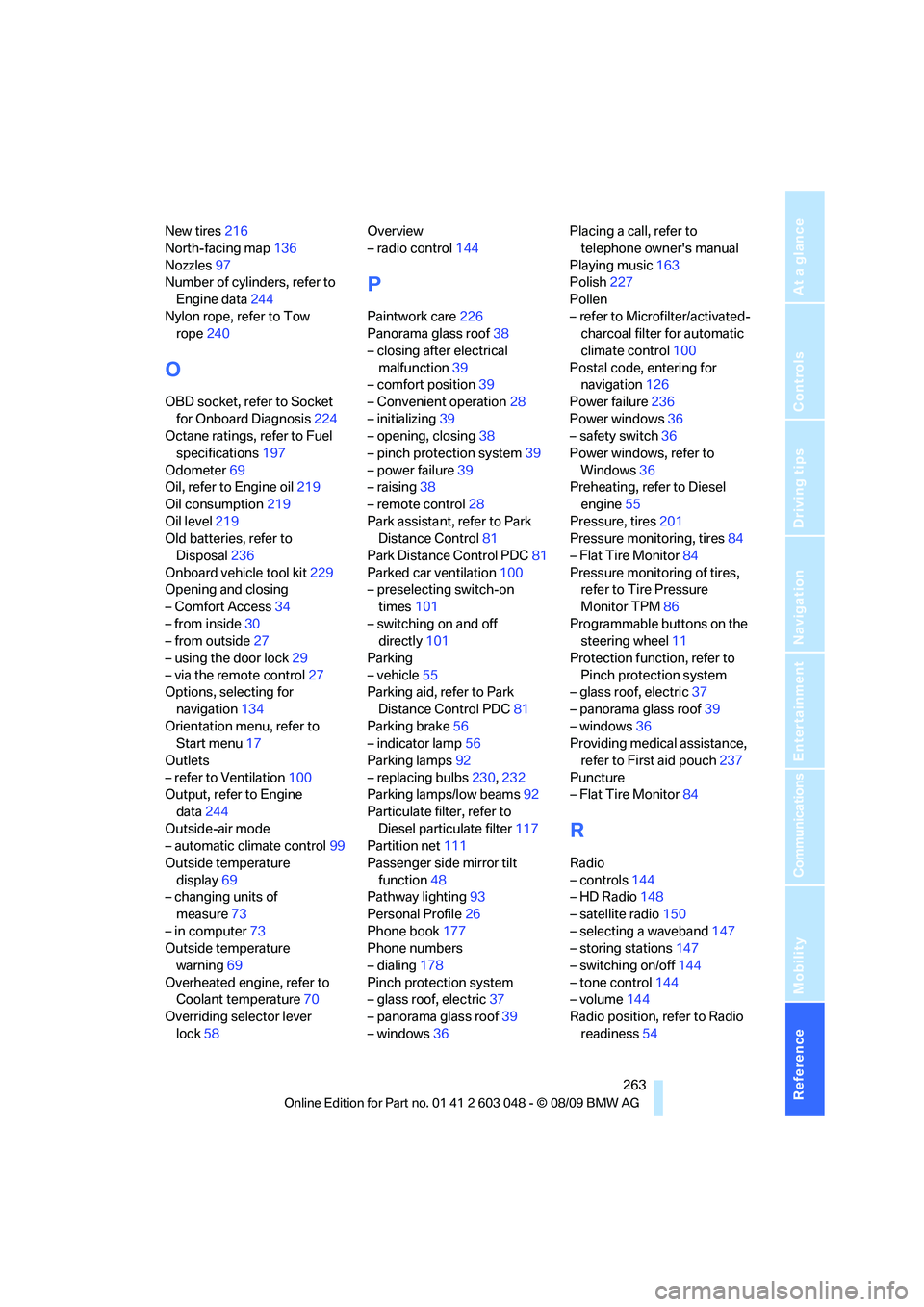
New tires216
North-facing map136
Nozzles97
Number of cylinders, refer to
Engine data244
Nylon rope, refer to Tow
rope240
O
OBD socket, refer to Socket
for Onboard Diagnosis224
Octane ratings, refer to Fuel
specifications197
Odometer69
Oil, refer to Engine oil219
Oil consumption219
Oil level219
Old batteries, refer to
Disposal236
Onboard vehicle tool kit229
Opening and closing
– Comfort Access34
– from inside30
– from outside27
– using the door lock29
– via the remote control27
Options, selecting for
navigation134
Orientation menu, refer to
Start menu17
Outlets
– refer to Ventilation100
Output, refer to Engine
data244
Outside-air mode
– automatic climate control99
Outside temperature
display69
– changing units of
measure73
– in computer73
Outside temperature
warning69
Overheated engine, refer to
Coolant temperature70
Overriding selector lever
lock58Overview
– radio control144
P
Paintwork care226
Panorama glass roof38
– closing after electrical
malfunction39
– comfort position39
– Convenient operation28
– initializing39
– opening, closing38
– pinch protection system39
– power failure39
– raising38
– remote control28
Park assistant, refer to Park
Distance Control81
Park Distance Control PDC81
Parked car ventilation100
– preselecting switch-on
times101
– switching on and off
directly101
Parking
– vehicle55
Parking aid, refer to Park
Distance Control PDC81
Parking brake56
– indicator lamp56
Parking lamps92
– replacing bulbs230,232
Parking lamps/low beams92
Particulate filter, refer to
Diesel particulate filter117
Partition net111
Passenger side mirror tilt
function48
Pathway lighting93
Personal Profile26
Phone book177
Phone numbers
– dialing178
Pinch protection system
– glass roof, electric37
– panorama glass roof39
– windows36Placing a call, refer to
telephone owner's manual
Playing music163
Polish227
Pollen
– refer to Microfilter/activated-
charcoal filter for automatic
climate control100
Postal code, entering for
navigation126
Power failure236
Power windows36
– safety switch36
Power windows, refer to
Windows36
Preheating, refer to Diesel
engine
55
Pressure, tires201
Pressure monitoring, tires84
– Flat Tire Monitor84
Pressure monitoring of tires,
refer to Tire Pressure
Monitor TPM86
Programmable buttons on the
steering wheel11
Protection function, refer to
Pinch protection system
– glass roof, electric37
– panorama glass roof39
– windows36
Providing medical assistance,
refer to First aid pouch237
Puncture
– Flat Tire Monitor84
R
Radio
– controls144
– HD Radio148
– satellite radio150
– selecting a waveband147
– storing stations147
– switching on/off144
– tone control144
– volume144
Radio position, refer to Radio
readiness54
Page 267 of 274
Reference 265
At a glance
Controls
Driving tips
Communications
Navigation
Entertainment
Mobility
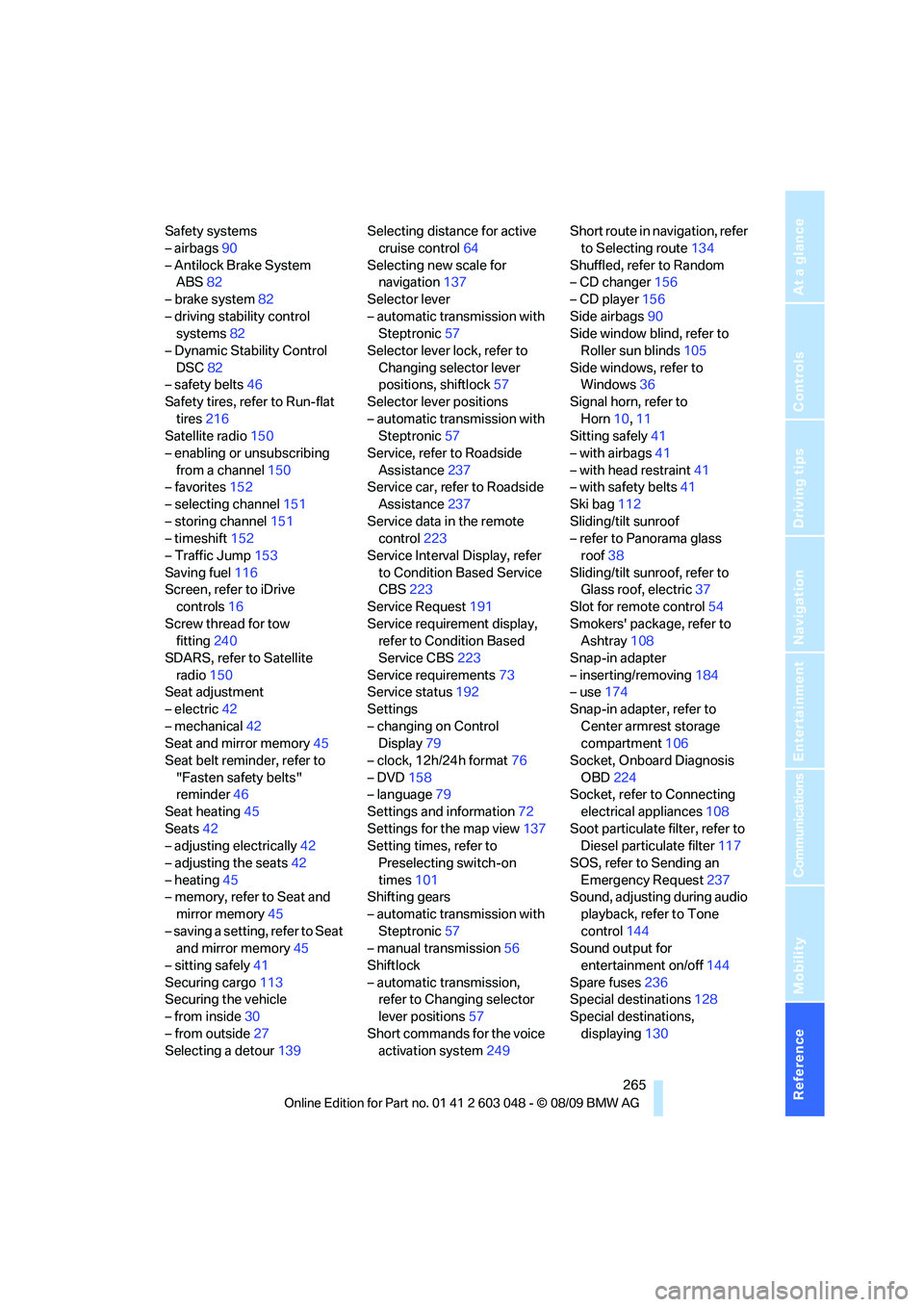
Safety systems
– airbags90
– Antilock Brake System
ABS82
– brake system82
– driving stability control
systems82
– Dynamic Stability Control
DSC82
– safety belts46
Safety tires, refer to Run-flat
tires216
Satellite radio150
– enabling or unsubscribing
from a channel150
– favorites152
– selecting channel151
– storing channel151
– timeshift152
– Traffic Jump153
Saving fuel116
Screen, refer to iDrive
controls16
Screw thread for tow
fitting240
SDARS, refer to Satellite
radio150
Seat adjustment
– electric42
– mechanical42
Seat and mirror memory45
Seat belt reminder, refer to
"Fasten safety belts"
reminder46
Seat heating45
Seats42
– adjusting electrically42
– adjusting the seats42
– heating45
– memory, refer to Seat and
mirror memory45
– saving a setting, refer to Seat
and mirror memory45
– sitting safely41
Securing cargo113
Securing the vehicle
– from inside30
– from outside27
Selecting a detour139Selecting distance for active
cruise control64
Selecting new scale for
navigation137
Selector lever
– automatic transmission with
Steptronic57
Selector lever lock, refer to
Changing selector lever
positions, shiftlock57
Selector lever positions
– automatic transmission with
Steptronic57
Service, refer to Roadside
Assistance
237
Service car, refer to Roadside
Assistance237
Service data in the remote
control223
Service Interval Display, refer
to Condition Based Service
CBS223
Service Request191
Service requirement display,
refer to Condition Based
Service CBS223
Service requirements73
Service status192
Settings
– changing on Control
Display79
– clock, 12h/24h format76
– DVD158
– language79
Settings and information72
Settings for the map view137
Setting times, refer to
Preselecting switch-on
times101
Shifting gears
– automatic transmission with
Steptronic57
– manual transmission56
Shiftlock
– automatic transmission,
refer to Changing selector
lever positions57
Short commands for the voice
activation system249Short route in navigation, refer
to Selecting route134
Shuffled, refer to Random
– CD changer156
– CD player156
Side airbags90
Side window blind, refer to
Roller sun blinds105
Side windows, refer to
Windows36
Signal horn, refer to
Horn10,11
Sitting safely41
– with airbags41
– with head restraint41
– with safety belts41
Ski bag112
Sliding/tilt sunroof
– refer to Panorama glass
roof38
Sliding/tilt sunroof, refer to
Glass roof, electric37
Slot for remote control54
Smokers' package, refer to
Ashtray108
Snap-in adapter
– inserting/removing184
– use174
Snap-in adapter, refer to
Center armrest storage
compartment106
Socket, Onboard Diagnosis
OBD224
Socket, refer to Connecting
electrical appliances108
Soot particulate filter, refer to
Diesel particulate filter117
SOS, refer to Sending an
Emergency Request237
Sound, adjusting during audio
playback, refer to Tone
control144
Sound output for
entertainment on/off144
Spare fuses236
Special destinations128
Special destinations,
displaying130
Page 268 of 274
Everything from A - Z
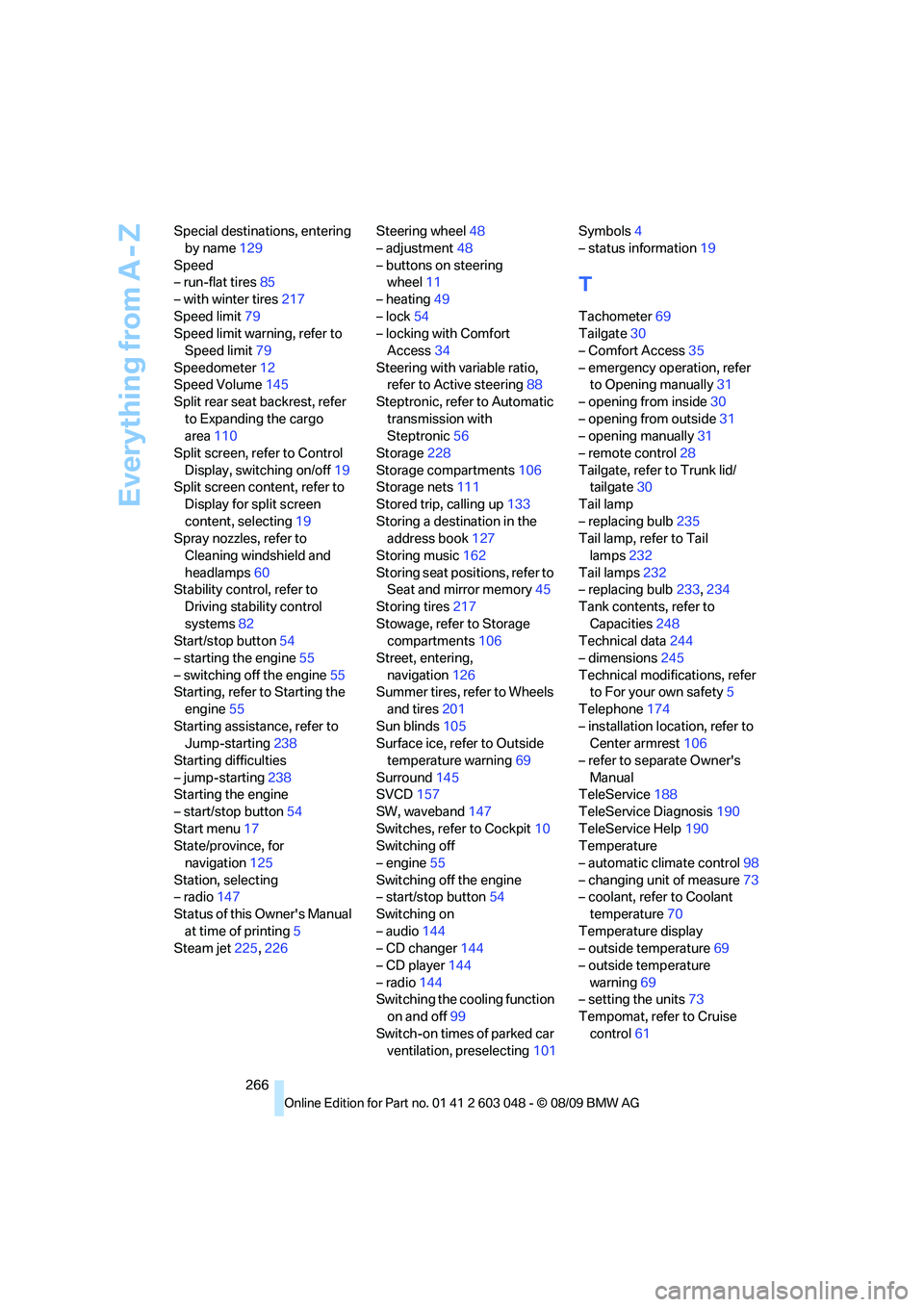
266 Special destinations, entering
by name129
Speed
– run-flat tires85
– with winter tires217
Speed limit79
Speed limit warning, refer to
Speed limit79
Speedometer12
Speed Volume145
Split rear seat backrest, refer
to Expanding the cargo
area110
Split screen, refer to Control
Display, switching on/off19
Split screen content, refer to
Display for split screen
content, selecting19
Spray nozzles, refer to
Cleaning windshield and
headlamps60
Stability control, refer to
Driving stability control
systems82
Start/stop button54
– starting the engine55
– switching off the engine55
Starting, refer to Starting the
engine55
Starting assistance, refer to
Jump-starting238
Starting difficulties
– jump-starting238
Starting the engine
– start/stop button54
Start menu17
State/province, for
navigation125
Station, selecting
– radio147
Status of this Owner's Manual
at time of printing5
Steam jet225,226Steering wheel48
– adjustment48
– buttons on steering
wheel11
– heating49
– lock54
– locking with Comfort
Access34
Steering with variable ratio,
refer to Active steering88
Steptronic, refer to Automatic
transmission with
Steptronic56
Storage228
Storage compartments106
Storage nets111
Stored trip, calling up133
Storing a destination in the
address book127
Storing music162
Storing seat positions, refer to
Seat and mirror memory45
Storing tires217
Stowage, refer to Storage
compartments106
Street, entering,
navigation126
Summer tires, refer to Wheels
and tires201
Sun blinds105
Surface ice, refer to Outside
temperature warning69
Surround145
SVCD157
SW, waveband147
Switches, refer to Cockpit10
Switching off
– engine55
Switching off the engine
– start/stop button54
Switching on
– audio144
– CD changer144
– CD player144
– radio144
Switching the cooling function
on and off99
Switch-on times of parked car
ventilation, preselecting101Symbols4
– status information19
T
Tachometer69
Tailgate30
– Comfort Access35
– emergency operation, refer
to Opening manually31
– opening from inside30
– opening from outside31
– opening manually31
– remote control28
Tailgate, refer to Trunk lid/
tailgate30
Tail lamp
– replacing bulb235
Tail lamp, refer to Tail
lamps232
Tail lamps232
– replacing bulb233,234
Tank contents, refer to
Capacities248
Technical data244
– dimensions245
Technical modifications, refer
to For your own safety5
Telephone174
– installation location, refer to
Center armrest106
– refer to separate Owner's
Manual
TeleService188
TeleService Diagnosis190
TeleService Help190
Temperature
– automatic climate control98
– changing unit of measure73
– coolant, refer to Coolant
temperature70
Temperature display
– outside temperature69
– outside temperature
warning69
– setting the units73
Tempomat, refer to Cruise
control61