engine temp BMW 335I 2011 E90 Owner's Guide
[x] Cancel search | Manufacturer: BMW, Model Year: 2011, Model line: 335I, Model: BMW 335I 2011 E90Pages: 286, PDF Size: 8.25 MB
Page 207 of 286
Mobility
205Reference
At a glance
Controls
Driving tips
Communications
Navigation
Entertainment
Diesel exhaust fluid at the
minimum level
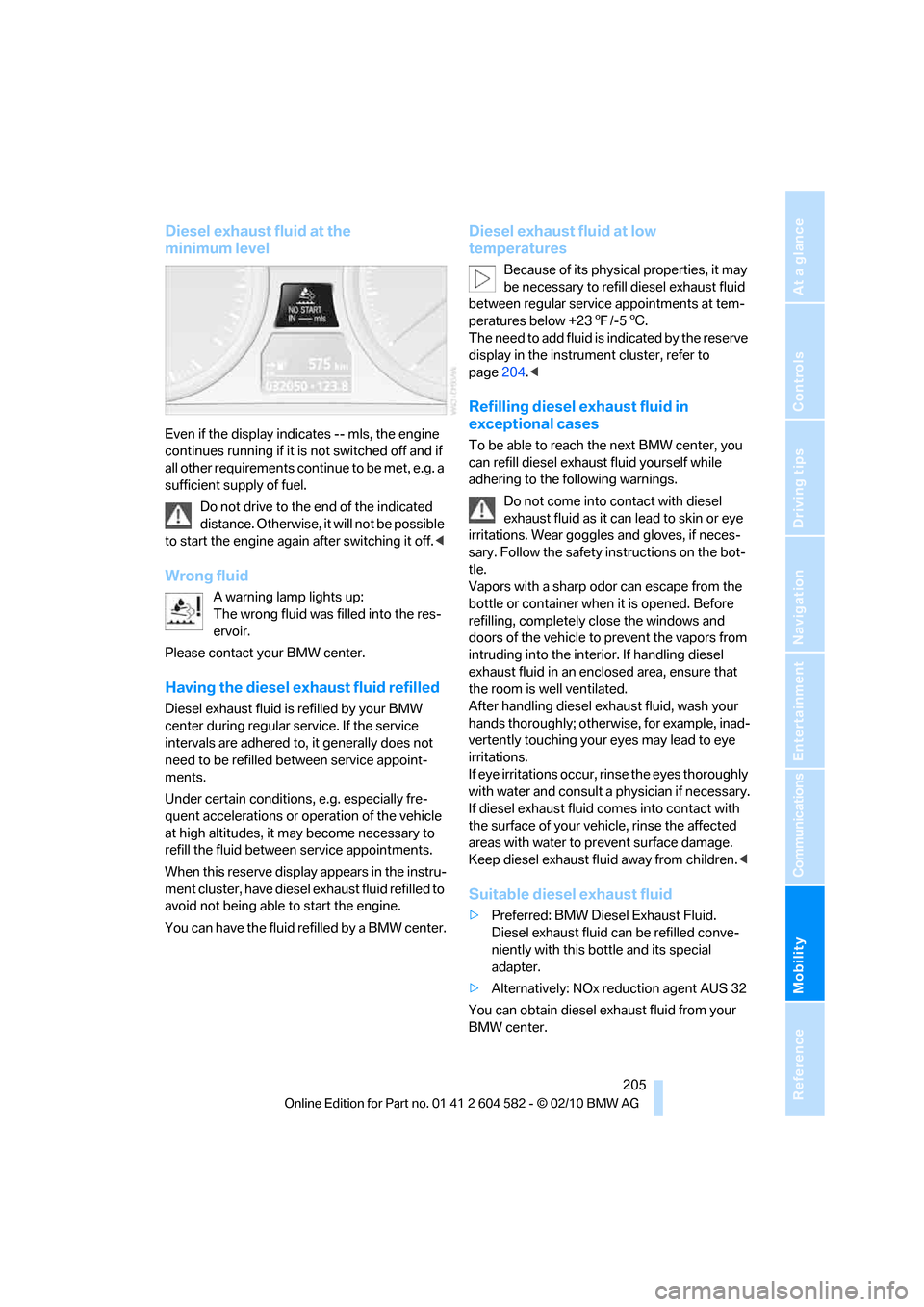
Even if the display indicates -- mls, the engine
continues running if it is not switched off and if
all other requirements continue to be met, e.g. a
sufficient supply of fuel.
Do not drive to the end of the indicated
distance. Otherwise, it will not be possible
to start the engine again after switching it off.<
Wrong fluid
A warning lamp lights up:
The wrong fluid was filled into the res-
ervoir.
Please contact your BMW center.
Having the diesel exhaust fluid refilled
Diesel exhaust fluid is refilled by your BMW
center during regular service. If the service
intervals are adhered to, it generally does not
need to be refilled between service appoint-
ments.
Under certain conditions, e.g. especially fre-
quent accelerations or operation of the vehicle
at high altitudes, it may become necessary to
refill the fluid between service appointments.
When this reserve display appears in the instru-
ment cluster, have diesel exhaust fluid refilled to
avoid not being able to start the engine.
You can have the fluid refilled by a BMW center.
Diesel exhaust fluid at low
temperatures
Because of its physical properties, it may
be necessary to refill diesel exhaust fluid
between regular service appointments at tem-
peratures below +237/-56.
The need to add fluid is indicated by the reserve
display in the instrument cluster, refer to
page204.<
Refilling diesel exhaust fluid in
exceptional cases
To be able to reach the next BMW center, you
can refill diesel exhaust fluid yourself while
adhering to the following warnings.
Do not come into contact with diesel
exhaust fluid as it can lead to skin or eye
irritations. Wear goggles and gloves, if neces-
sary. Follow the safety instructions on the bot-
tle.
Vapors with a sharp odor can escape from the
bottle or container when it is opened. Before
refilling, completely close the windows and
doors of the vehicle to prevent the vapors from
intruding into the interior. If handling diesel
exhaust fluid in an enclosed area, ensure that
the room is well ventilated.
After handling diesel exhaust fluid, wash your
hands thoroughly; otherwise, for example, inad-
vertently touching your eyes may lead to eye
irritations.
If eye irritations occur, rinse the eyes thoroughly
with water and consult a physician if necessary.
If diesel exhaust fluid comes into contact with
the surface of your vehicle, rinse the affected
areas with water to prevent surface damage.
Keep diesel exhaust fluid away from children.<
Suitable diesel exhaust fluid
>Preferred: BMW Diesel Exhaust Fluid.
Diesel exhaust fluid can be refilled conve-
niently with this bottle and its special
adapter.
>Alternatively: NOx reduction agent AUS 32
You can obtain diesel exhaust fluid from your
BMW center.
Page 229 of 286
Mobility
227Reference
At a glance
Controls
Driving tips
Communications
Navigation
Entertainment
Engine oil
The engine oil consumption is dependent on
driving style and driving conditions.
Checking the engine oil level with the
dipstick*
1.Park the vehicle on a level surface with the
engine at operating temperature, i.e. after
an uninterrupted drive of at least 6.2 miles/
10 km.
2.Switch off the engine.
3.After approx. 5 minutes, pull out the
dipstick5 and wipe it off with a lint-free
cloth, paper towel or similar material.
4.Carefully push the dipstick all the way back
into the measuring tube and pull it out
again.
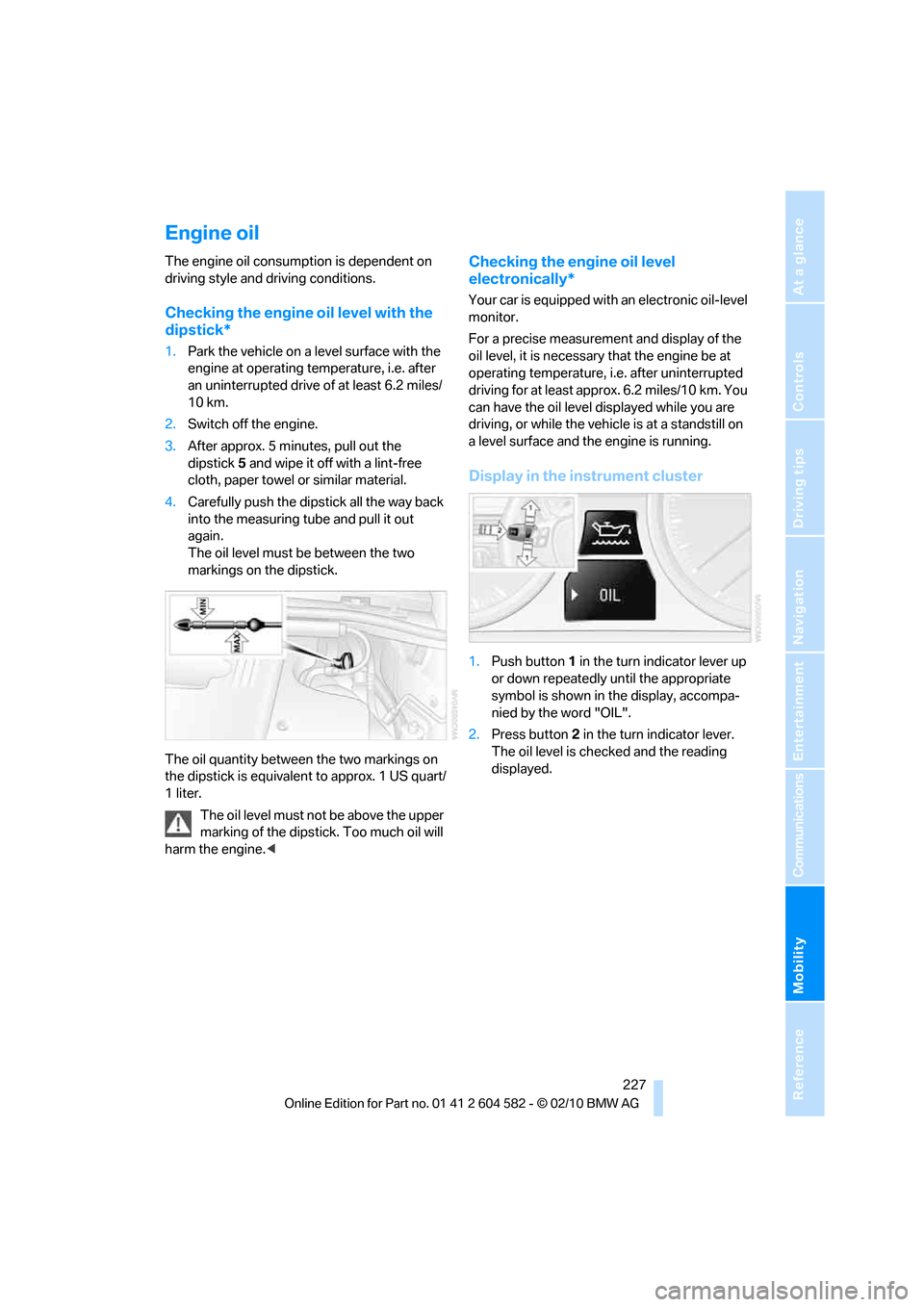
The oil level must be between the two
markings on the dipstick.
The oil quantity between the two markings on
the dipstick is equivalent to approx. 1 US quart/
1 liter.
The oil level must not be above the upper
marking of the dipstick. Too much oil will
harm the engine.<
Checking the engine oil level
electronically*
Your car is equipped with an electronic oil-level
monitor.
For a precise measurement and display of the
oil level, it is necessary that the engine be at
operating temperature, i.e. after uninterrupted
driving for at least approx. 6.2 miles/10 km. You
can have the oil level displayed while you are
driving, or while the vehicle is at a standstill on
a level surface and the engine is running.
Display in the instrument cluster
1.Push button 1 in the turn indicator lever up
or down repeatedly until the appropriate
symbol is shown in the display, accompa-
nied by the word "OIL".
2.Press button 2 in the turn indicator lever.
The oil level is checked and the reading
displayed.
Page 246 of 286
Replacing components
244
Changing wheels
Your BMW is equipped with run-flat tires as
standard. This eliminates the need to change a
wheel immediately in the event of a puncture.
For information on continuing to drive with a
damaged tire, refer to Indication of a flat tire on
page89.
The symbol identifying run-flat tires is a circle
with the letters RSC on the sidewall, refer to
Run-flat tires, page223.
When mounting new tires or changing over
from summer to winter tires and vice versa,
mount run-flat tires for your own safety. In the
event of a flat, no spare wheel is available. Your
BMW center will be glad to advise you. Refer
also to New wheels and tires, page223.
The tools for changing wheels are avail-
able as optional accessories from your
BMW center.<
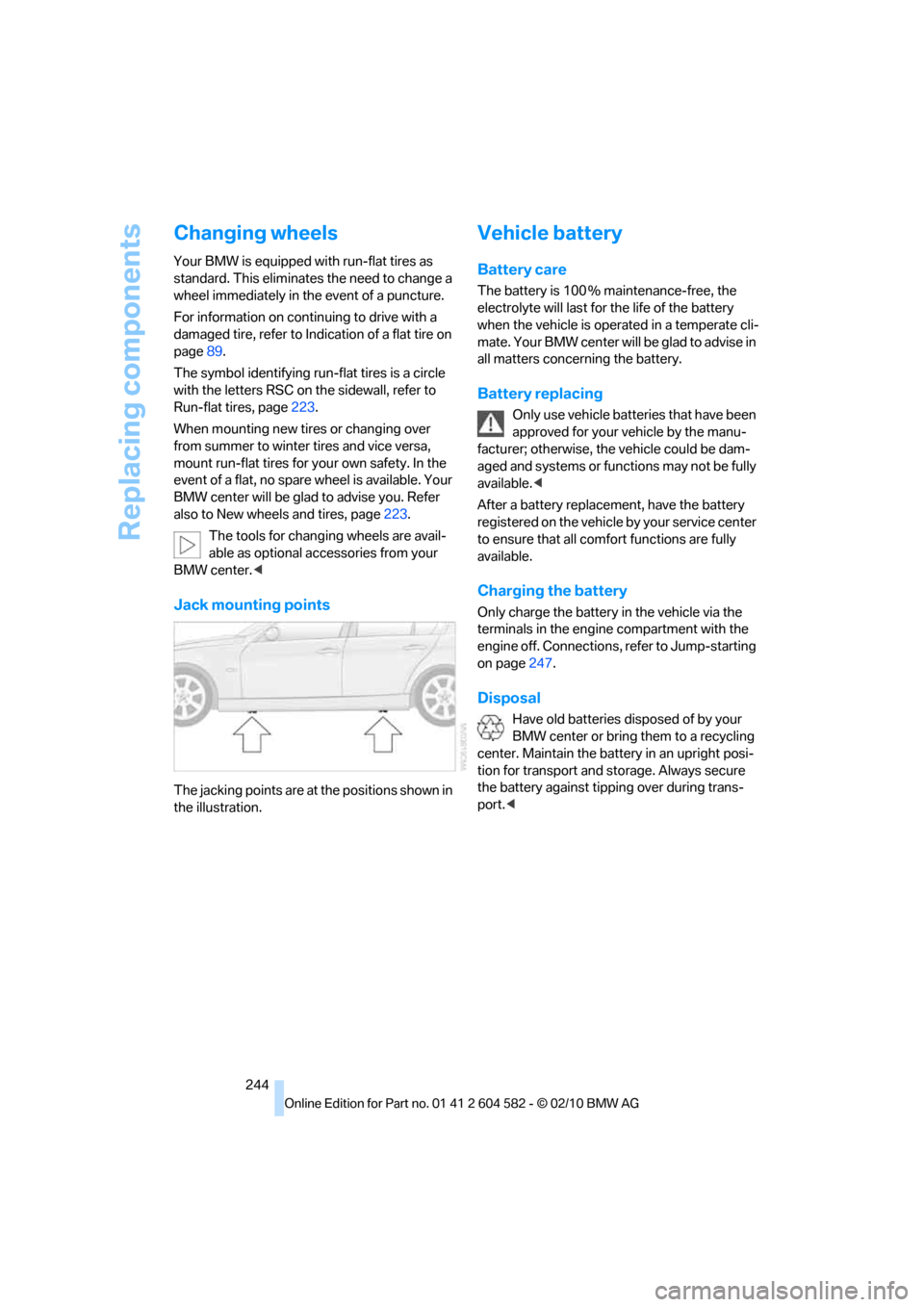
Jack mounting points
The jacking points are at the positions shown in
the illustration.
Vehicle battery
Battery care
The battery is 100 % maintenance-free, the
electrolyte will last for the life of the battery
when the vehicle is operated in a temperate cli-
mate. Your BMW center will be glad to advise in
all matters concerning the battery.
Battery replacing
Only use vehicle batteries that have been
approved for your vehicle by the manu-
facturer; otherwise, the vehicle could be dam-
aged and systems or functions may not be fully
available.<
After a battery replacement, have the battery
registered on the vehicle by your service center
to ensure that all comfort functions are fully
available.
Charging the battery
Only charge the battery in the vehicle via the
terminals in the engine compartment with the
engine off. Connections, refer to Jump-starting
on page247.
Disposal
Have old batteries disposed of by your
BMW center or bring them to a recycling
center. Maintain the battery in an upright posi-
tion for transport and storage. Always secure
the battery against tipping over during trans-
port.<
Page 250 of 286
Giving and receiving assistance
248
Preparation
1.Check whether the battery of the other
vehicle has a voltage of 12 volts and
approximately the same capacitance in Ah.
This information can be found on the bat-
tery.
2.Switch off the engine of the assisting vehi-
cle.
3.Switch off any consumers in both vehicles.
There must not be any contact between
the bodies of the two vehicles; otherwise,
there is a danger of shorting.<
Connecting jumper cables
Connect the jumper cables in the correct
order, so that no sparks which could
cause injury occur.<
Your BMW has a jump-starting connection in
the engine compartment which acts as the bat-
tery's positive terminal, refer also to the Engine
compartment overview on page226. The cap is
marked with +.
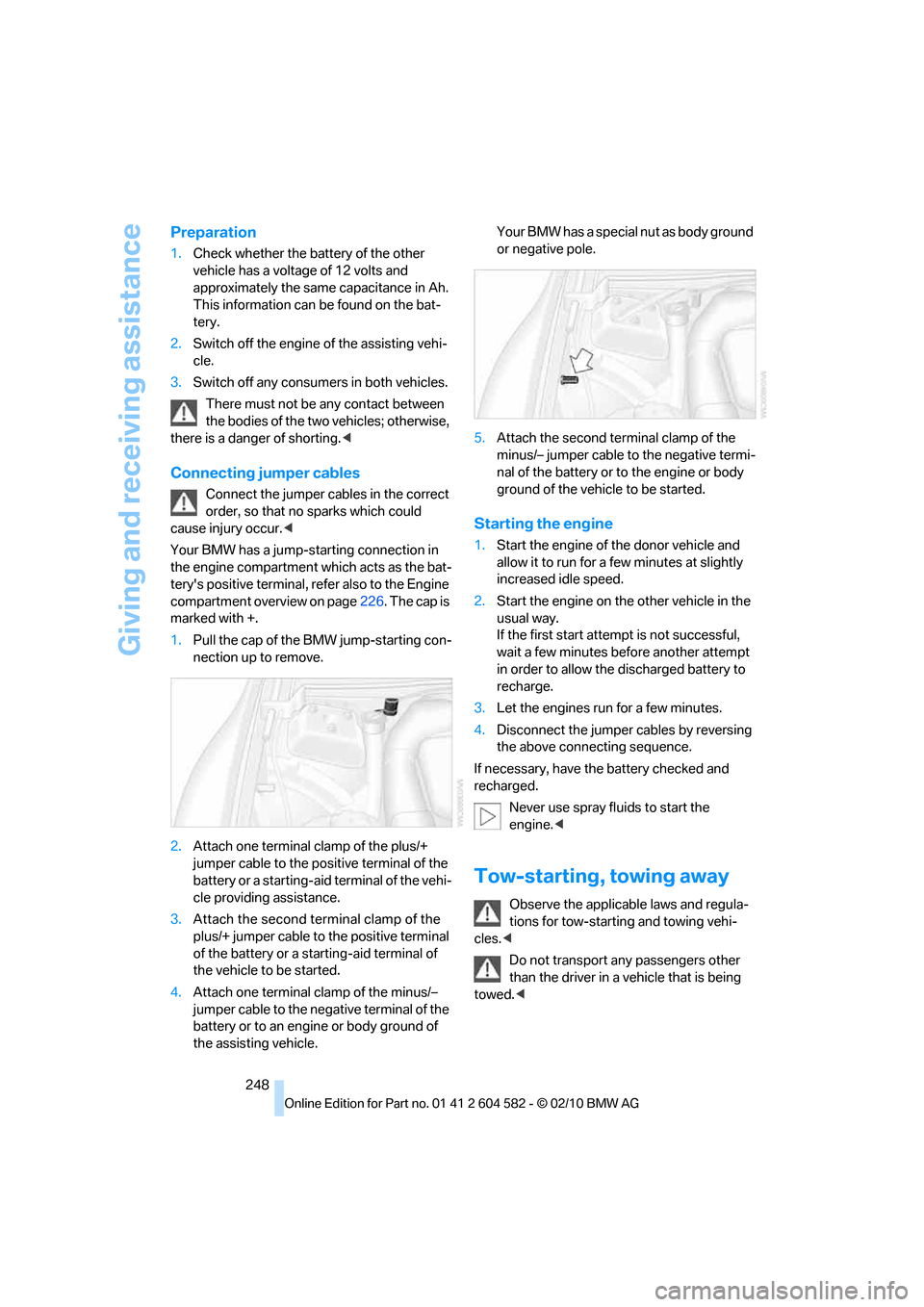
1.Pull the cap of the BMW jump-starting con-
nection up to remove.
2.Attach one terminal clamp of the plus/+
jumper cable to the positive terminal of the
battery or a starting-aid terminal of the vehi-
cle providing assistance.
3.Attach the second terminal clamp of the
plus/+ jumper cable to the positive terminal
of the battery or a starting-aid terminal of
the vehicle to be started.
4.Attach one terminal clamp of the minus/–
jumper cable to the negative terminal of the
battery or to an engine or body ground of
the assisting vehicle. Your BMW has a special nut as body ground
or negative pole.
5.Attach the second terminal clamp of the
minus/– jumper cable to the negative termi-
nal of the battery or to the engine or body
ground of the vehicle to be started.
Starting the engine
1.Start the engine of the donor vehicle and
allow it to run for a few minutes at slightly
increased idle speed.
2.Start the engine on the other vehicle in the
usual way.
If the first start attempt is not successful,
wait a few minutes before another attempt
in order to allow the discharged battery to
recharge.
3.Let the engines run for a few minutes.
4.Disconnect the jumper cables by reversing
the above connecting sequence.
If necessary, have the battery checked and
recharged.
Never use spray fluids to start the
engine.<
Tow-starting, towing away
Observe the applicable laws and regula-
tions for tow-starting and towing vehi-
cles.<
Do not transport any passengers other
than the driver in a vehicle that is being
towed.<
Page 269 of 286
Reference 267
At a glance
Controls
Driving tips
Communications
Navigation
Entertainment
Mobility
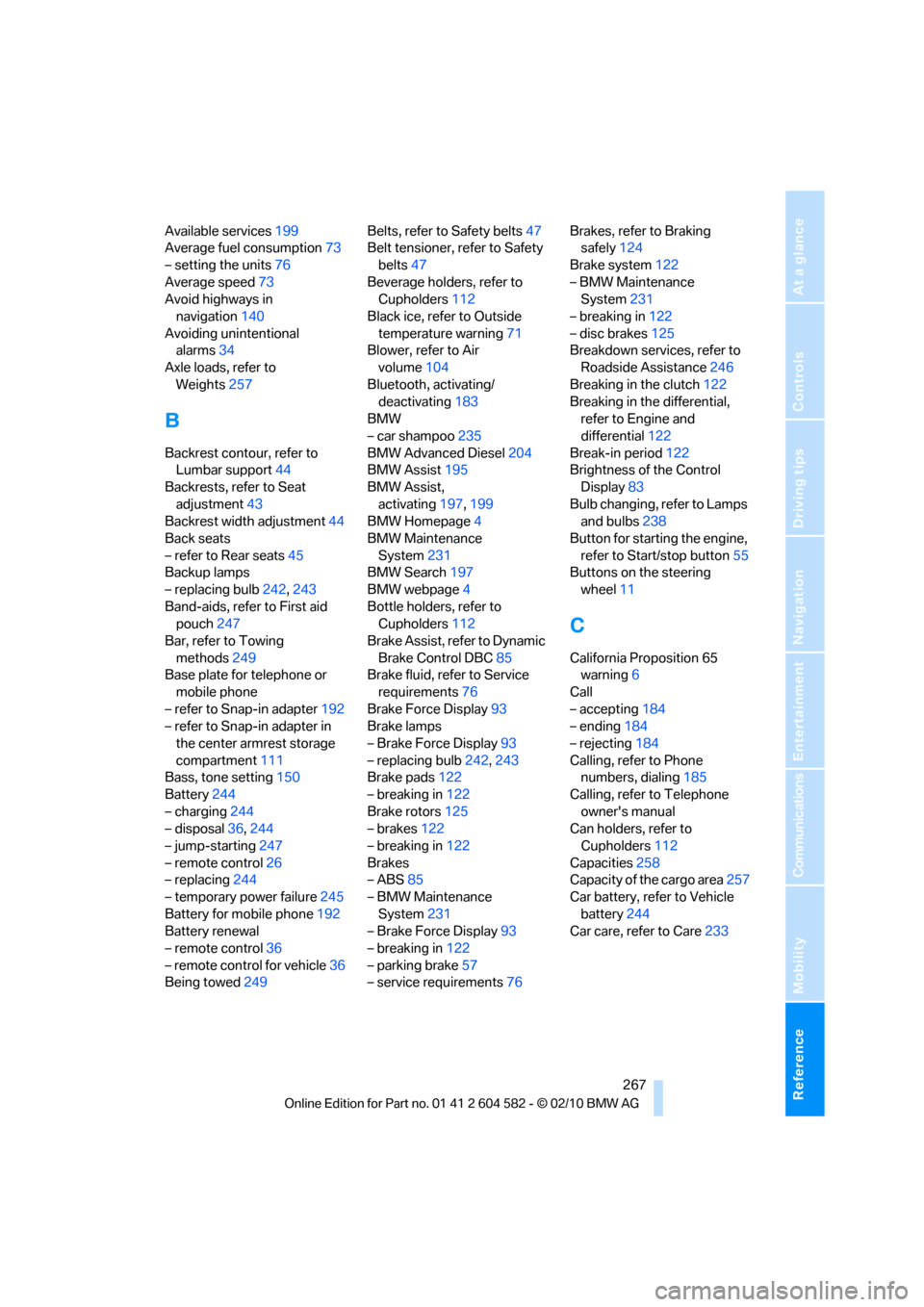
Available services199
Average fuel consumption73
– setting the units76
Average speed73
Avoid highways in
navigation140
Avoiding unintentional
alarms34
Axle loads, refer to
Weights257
B
Backrest contour, refer to
Lumbar support44
Backrests, refer to Seat
adjustment43
Backrest width adjustment44
Back seats
– refer to Rear seats45
Backup lamps
– replacing bulb242,243
Band-aids, refer to First aid
pouch247
Bar, refer to Towing
methods249
Base plate for telephone or
mobile phone
– refer to Snap-in adapter192
– refer to Snap-in adapter in
the center armrest storage
compartment111
Bass, tone setting150
Battery244
– charging244
– disposal36,244
– jump-starting247
– remote control26
– replacing244
– temporary power failure245
Battery for mobile phone192
Battery renewal
– remote control36
– remote control for vehicle36
Being towed249Belts, refer to Safety belts47
Belt tensioner, refer to Safety
belts47
Beverage holders, refer to
Cupholders112
Black ice, refer to Outside
temperature warning71
Blower, refer to Air
volume104
Bluetooth, activating/
deactivating183
BMW
– car shampoo235
BMW Advanced Diesel204
BMW Assist195
BMW Assist,
activating197,199
BMW Homepage4
BMW Maintenance
System231
BMW Search197
BMW webpage4
Bottle holders, refer to
Cupholders112
Brake Assist, refer to Dynamic
Brake Control DBC85
Brake fluid, refer to Service
requirements76
Brake Force Display93
Brake lamps
– Brake Force Display93
– replacing bulb242,243
Brake pads122
– breaking in122
Brake rotors125
– brakes122
– breaking in122
Brakes
– ABS85
– BMW Maintenance
System231
– Brake Force Display93
– breaking in122
– parking brake57
– service requirements76Brakes, refer to Braking
safely124
Brake system122
– BMW Maintenance
System231
– breaking in122
– disc brakes125
Breakdown services, refer to
Roadside Assistance246
Breaking in the clutch122
Breaking in the differential,
refer to Engine and
differential122
Break-in period122
Brightness of the Control
Display83
Bulb changing, refer to Lamps
and bulbs238
Button for starting the engine,
refer to Start/stop button55
Buttons on the steering
wheel11
C
California Proposition 65
warning6
Call
– accepting184
– ending184
– rejecting184
Calling, refer to Phone
numbers, dialing185
Calling, refer to Telephone
owner's manual
Can holders, refer to
Cupholders112
Capacities258
Capacity of the cargo area257
Car battery, refer to Vehicle
battery244
Car care, refer to Care233
Page 271 of 286
Reference 269
At a glance
Controls
Driving tips
Communications
Navigation
Entertainment
Mobility
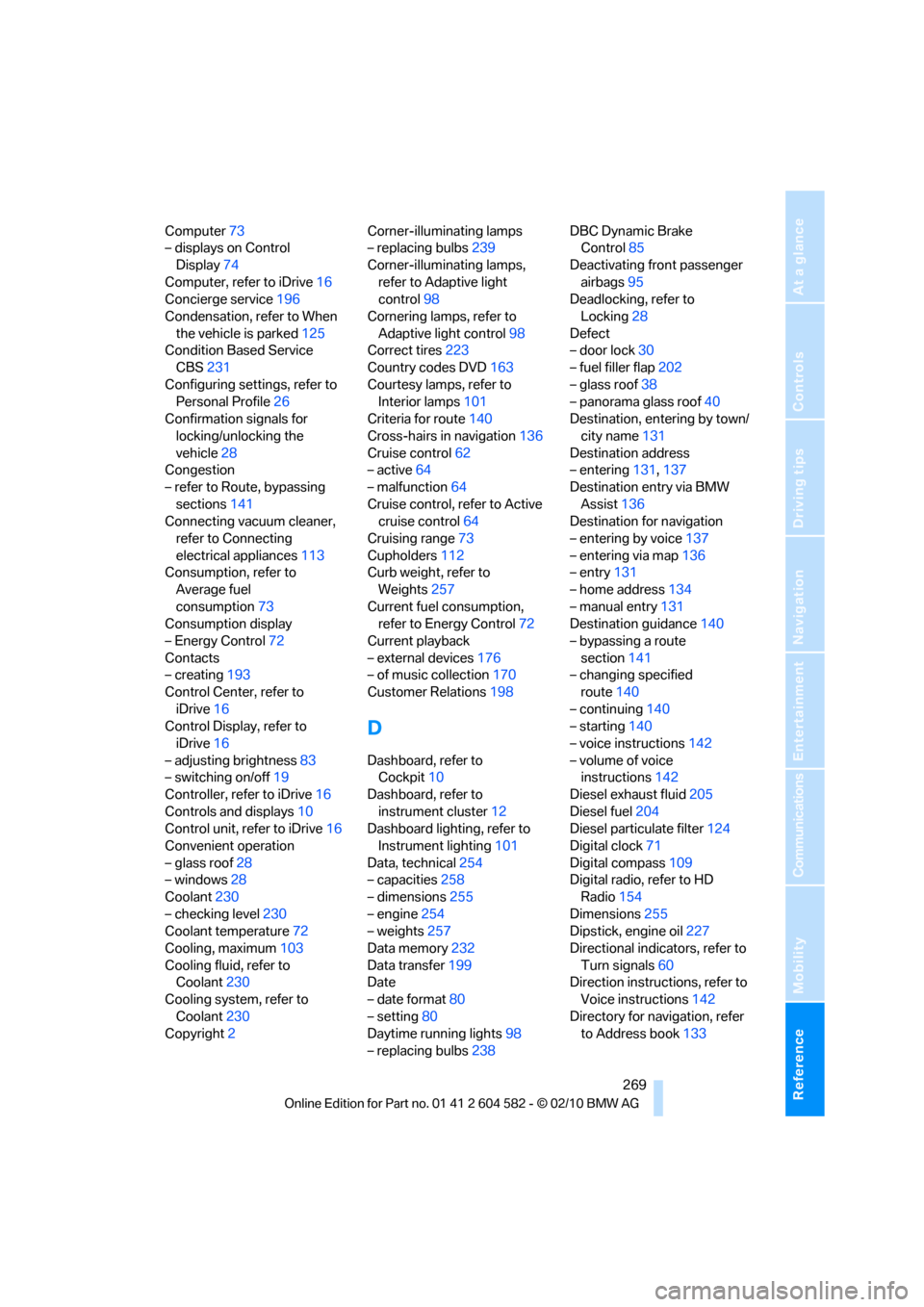
Computer73
– displays on Control
Display74
Computer, refer to iDrive16
Concierge service196
Condensation, refer to When
the vehicle is parked125
Condition Based Service
CBS231
Configuring settings, refer to
Personal Profile26
Confirmation signals for
locking/unlocking the
vehicle28
Congestion
– refer to Route, bypassing
sections141
Connecting vacuum cleaner,
refer to Connecting
electrical appliances113
Consumption, refer to
Average fuel
consumption73
Consumption display
– Energy Control72
Contacts
– creating193
Control Center, refer to
iDrive16
Control Display, refer to
iDrive16
– adjusting brightness83
– switching on/off19
Controller, refer to iDrive16
Controls and displays10
Control unit, refer to iDrive16
Convenient operation
– glass roof28
– windows28
Coolant230
– checking level230
Coolant temperature72
Cooling, maximum103
Cooling fluid, refer to
Coolant230
Cooling system, refer to
Coolant230
Copyright2Corner-illuminating lamps
– replacing bulbs239
Corner-illuminating lamps,
refer to Adaptive light
control98
Cornering lamps, refer to
Adaptive light control98
Correct tires223
Country codes DVD163
Courtesy lamps, refer to
Interior lamps101
Criteria for route140
Cross-hairs in navigation136
Cruise control62
– active64
– malfunction64
Cruise control, refer to Active
cruise control64
Cruising range73
Cupholders112
Curb weight, refer to
Weights257
Current fuel consumption,
refer to Energy Control72
Current playback
– external devices176
– of music collection170
Customer Relations198
D
Dashboard, refer to
Cockpit10
Dashboard, refer to
instrument cluster12
Dashboard lighting, refer to
Instrument lighting101
Data, technical254
– capacities258
– dimensions255
– engine254
– weights257
Data memory232
Data transfer199
Date
– date format80
– setting80
Daytime running lights98
– replacing bulbs238DBC Dynamic Brake
Control85
Deactivating front passenger
airbags95
Deadlocking, refer to
Locking28
Defect
– door lock30
– fuel filler flap202
– glass roof38
– panorama glass roof40
Destination, entering by town/
city name131
Destination address
– entering131,137
Destination entry via BMW
Assist136
Destination for navigation
– entering by voice137
– entering via map136
– entry131
– home address134
– manual entry131
Destination guidance140
– bypassing a route
section141
– changing specified
route140
– continuing140
– starting140
– voice instructions142
– volume of voice
instructions142
Diesel exhaust fluid205
Diesel fuel204
Diesel particulate filter124
Digital clock71
Digital compass109
Digital radio, refer to HD
Radio154
Dimensions255
Dipstick, engine oil227
Directional indicators, refer to
Turn signals60
Direction instructions, refer to
Voice instructions142
Directory for navigation, refer
to Address book133
Page 272 of 286
Everything from A to Z
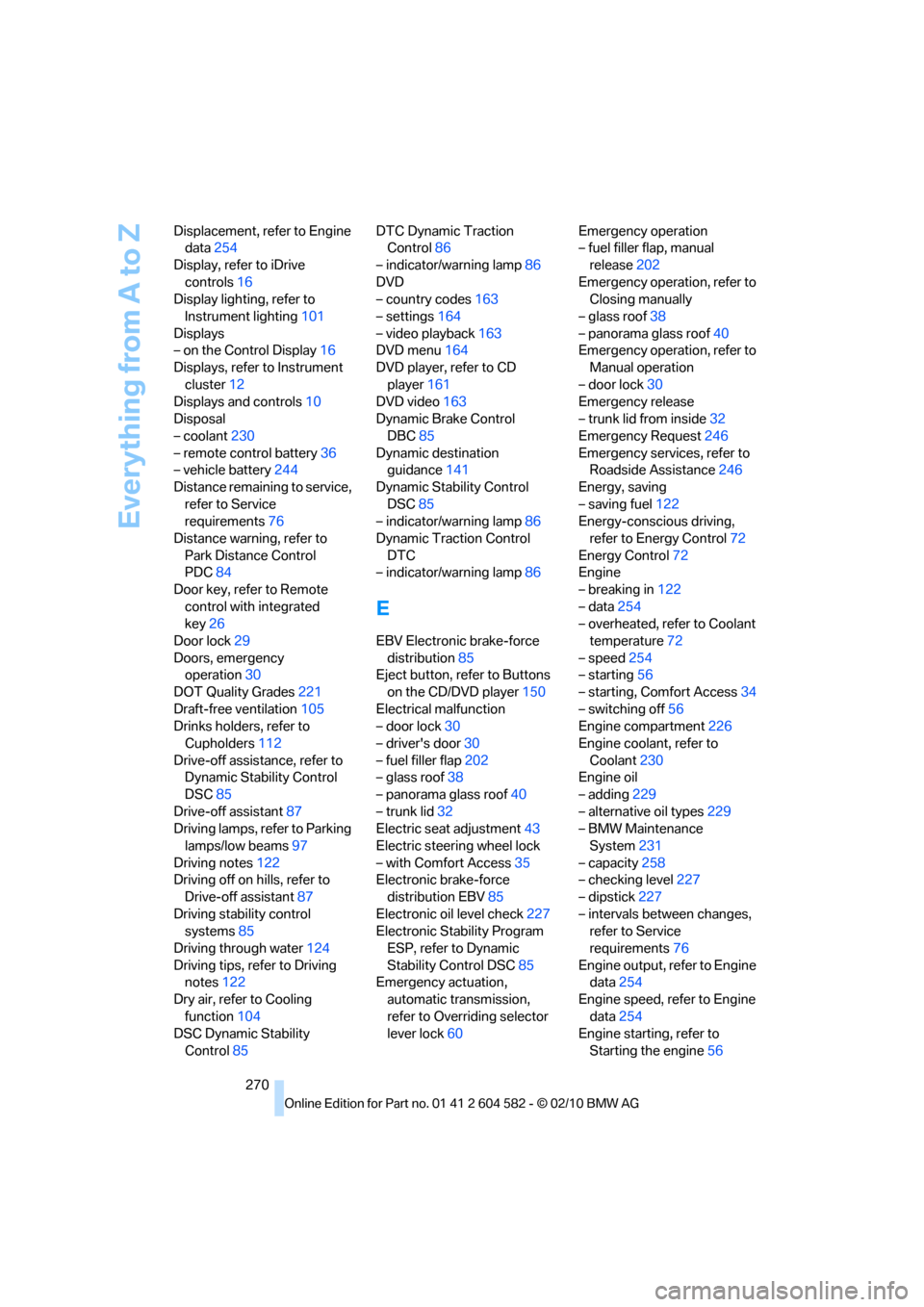
270 Displacement, refer to Engine
data254
Display, refer to iDrive
controls16
Display lighting, refer to
Instrument lighting101
Displays
– on the Control Display16
Displays, refer to Instrument
cluster12
Displays and controls10
Disposal
– coolant230
– remote control battery36
– vehicle battery244
Distance remaining to service,
refer to Service
requirements76
Distance warning, refer to
Park Distance Control
PDC84
Door key, refer to Remote
control with integrated
key26
Door lock29
Doors, emergency
operation30
DOT Quality Grades221
Draft-free ventilation105
Drinks holders, refer to
Cupholders112
Drive-off assistance, refer to
Dynamic Stability Control
DSC85
Drive-off assistant87
Driving lamps, refer to Parking
lamps/low beams97
Driving notes122
Driving off on hills, refer to
Drive-off assistant87
Driving stability control
systems85
Driving through water124
Driving tips, refer to Driving
notes122
Dry air, refer to Cooling
function104
DSC Dynamic Stability
Control85DTC Dynamic Traction
Control86
– indicator/warning lamp86
DVD
– country codes163
– settings164
– video playback163
DVD menu164
DVD player, refer to CD
player161
DVD video163
Dynamic Brake Control
DBC85
Dynamic destination
guidance141
Dynamic Stability Control
DSC85
– indicator/warning lamp86
Dynamic Traction Control
DTC
– indicator/warning lamp86
E
EBV Electronic brake-force
distribution85
Eject button, refer to Buttons
on the CD/DVD player150
Electrical malfunction
– door lock30
– driver's door30
– fuel filler flap202
– glass roof38
– panorama glass roof40
– trunk lid32
Electric seat adjustment43
Electric steering wheel lock
– with Comfort Access35
Electronic brake-force
distribution EBV85
Electronic oil level check227
Electronic Stability Program
ESP, refer to Dynamic
Stability Control DSC85
Emergency actuation,
automatic transmission,
refer to Overriding selector
lever lock60Emergency operation
– fuel filler flap, manual
release202
Emergency operation, refer to
Closing manually
– glass roof38
– panorama glass roof40
Emergency operation, refer to
Manual operation
– door lock30
Emergency release
– trunk lid from inside32
Emergency Request246
Emergency services, refer to
Roadside Assistance246
Energy, saving
– saving fuel122
Energy-conscious driving,
refer to Energy Control72
Energy Control72
Engine
– breaking in122
– data254
– overheated, refer to Coolant
temperature72
– speed254
– starting56
– starting, Comfort Access34
– switching off56
Engine compartment226
Engine coolant, refer to
Coolant230
Engine oil
– adding229
– alternative oil types229
– BMW Maintenance
System231
– capacity258
– checking level227
– dipstick
227
– intervals between changes,
refer to Service
requirements76
Engine output, refer to Engine
data254
Engine speed, refer to Engine
data254
Engine starting, refer to
Starting the engine56
Page 277 of 286
Reference 275
At a glance
Controls
Driving tips
Communications
Navigation
Entertainment
Mobility
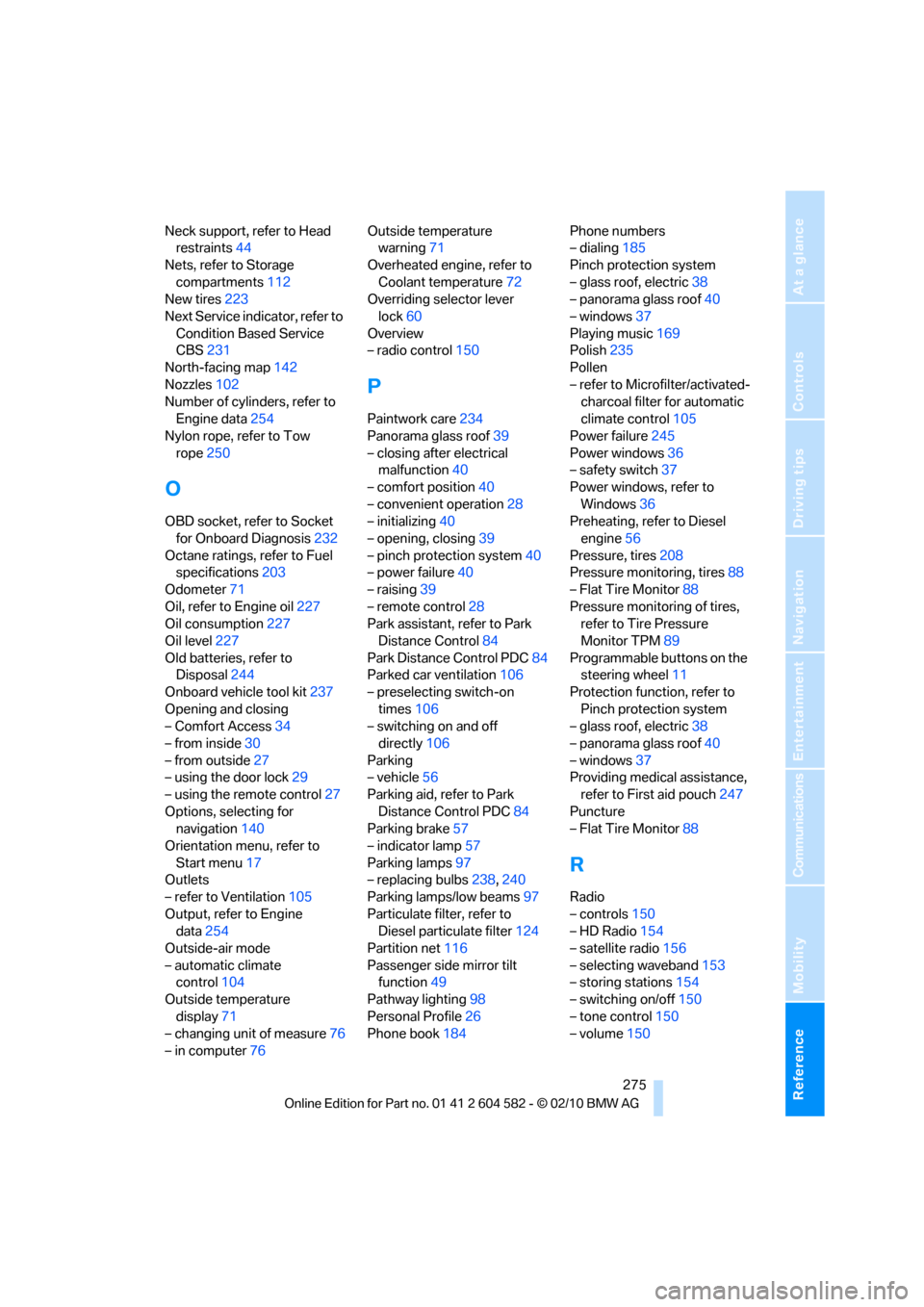
Neck support, refer to Head
restraints44
Nets, refer to Storage
compartments112
New tires223
Next Service indicator, refer to
Condition Based Service
CBS231
North-facing map142
Nozzles102
Number of cylinders, refer to
Engine data254
Nylon rope, refer to Tow
rope250
O
OBD socket, refer to Socket
for Onboard Diagnosis232
Octane ratings, refer to Fuel
specifications203
Odometer71
Oil, refer to Engine oil227
Oil consumption227
Oil level227
Old batteries, refer to
Disposal244
Onboard vehicle tool kit237
Opening and closing
– Comfort Access34
– from inside30
– from outside27
– using the door lock29
– using the remote control27
Options, selecting for
navigation140
Orientation menu, refer to
Start menu17
Outlets
– refer to Ventilation105
Output, refer to Engine
data254
Outside-air mode
– automatic climate
control104
Outside temperature
display71
– changing unit of measure76
– in computer76Outside temperature
warning71
Overheated engine, refer to
Coolant temperature72
Overriding selector lever
lock60
Overview
– radio control150
P
Paintwork care234
Panorama glass roof39
– closing after electrical
malfunction40
– comfort position40
– convenient operation28
– initializing40
– opening, closing39
– pinch protection system40
– power failure40
– raising39
– remote control28
Park assistant, refer to Park
Distance Control84
Park Distance Control PDC84
Parked car ventilation106
– preselecting switch-on
times106
– switching on and off
directly106
Parking
– vehicle56
Parking aid, refer to Park
Distance Control PDC84
Parking brake57
– indicator lamp57
Parking lamps97
– replacing bulbs238,240
Parking lamps/low beams97
Particulate filter, refer to
Diesel particulate filter124
Partition net116
Passenger side mirror tilt
function49
Pathway lighting98
Personal Profile26
Phone book184Phone numbers
– dialing185
Pinch protection system
– glass roof, electric38
– panorama glass roof40
– windows37
Playing music169
Polish235
Pollen
– refer to Microfilter/activated-
charcoal filter for automatic
climate control105
Power failure245
Power windows36
– safety switch37
Power windows, refer to
Windows36
Preheating, refer to Diesel
engine56
Pressure, tires208
Pressure monitoring, tires88
– Flat Tire Monitor88
Pressure monitoring of tires,
refer to Tire Pressure
Monitor TPM89
Programmable buttons on the
steering wheel11
Protection function, refer to
Pinch protection system
– glass roof, electric38
– panorama glass roof40
– windows37
Providing medical assistance,
refer to First aid pouch247
Puncture
– Flat Tire Monitor88
R
Radio
– controls150
– HD Radio154
– satellite radio156
– selecting waveband153
– storing stations154
– switching on/off150
– tone control150
– volume150
Page 281 of 286
Reference 279
At a glance
Controls
Driving tips
Communications
Navigation
Entertainment
Mobility
Temperature
– automatic climate
control103
– changing unit of measure76
– coolant, refer to Coolant
temperature72
Temperature display
– outside temperature71
– outside temperature
warning71
– setting the units76
Tempomat, refer to Cruise
control62
Tensioning straps, refer to
Securing cargo126
The individual vehicle5
Third brake lamp, refer to
Center brake lamp243
Through-loading system114
Through-loading system,
refer to Expanding the cargo
area115
Tilt alarm sensor34
Tilt function, passenger side
mirror49
Timer, refer to Preselecting
switch-on times106
Tire inflation pressure208
– loss89,90
Tire pressure monitoring,
refer to Flat Tire Monitor88
Tire Pressure Monitor
TPM89
– resetting the system90
– system limitations89
– warning lamp91
Tire puncture, refer to Flat Tire
Monitor89
Tire Quality Grading221Tires
– age221,223
– air loss91
– breaking in122
– changing, refer to Changing
wheels244
– condition222
– damage222
– inflation pressure208
– labels221
– minimum tread depth222
– new wheels and tires223
– pressure monitoring, refer to
Flat Tire Monitor88
– pressure monitoring, refer to
Tire Pressure Monitor
TPM89
– puncture89
– replacing223
– size221
– storage
224
– tread depth222
– wear indicators, refer to
Minimum tread depth222
– wheel/tire combination, refer
to Correct wheels and
tires223
– winter tires224
TMC station, refer to Traffic
bulletins144
Tone
– control150
– middle setting152
Tools, refer to Onboard
vehicle tool kit237
Top 50 of music
collection170
Torque, refer to Engine
data254
Tow bar249
Tow fitting249
– screw thread249
Tow fittings for tow-starting
and towing away249
Towing248
– car with automatic
transmission248
– methods249
Towing and tow-starting248Town/city, for navigation131
Tow rope250
Tow-starting248,250
TPM, refer to Tire Pressure
Monitor89
Track
– selecting on CD162
Traction control, refer to
Dynamic Stability Control
DSC85
Traffic bulletins
– categories145
Traffic bulletins, filtering145
Traffic bulletins for
navigation144
– display in map view145
– during destination
guidance146
Traffic jam
– displaying traffic
bulletins144
Transmission
– automatic transmission with
Steptronic57
– manual transmission57
– overriding selector lever lock
for automatic transmission
with Steptronic60
Transmission interlock
– refer to Changing selector
lever position58
– refer to P Park58
Transporting children
safely51
Transport securing devices,
refer to Securing cargo126
Tread depth, refer to Minimum
tire tread222
Trip, deleting139
Trip, storing139
Trip computer, refer to
Displays on the Control
Display74
Trip-distance counter, refer to
Trip odometer71
Triple turn signal activation60
Trip odometer71
Trips, changing139
Trunk, refer to Cargo area115
Page 282 of 286
Everything from A to Z
280 Trunk lid31
– Comfort Access35
– emergency release32
– locking or unlocking
separately32
– opening from inside31
– opening from outside31
– remote control28
Turning circle, refer to
Dimensions255
Turn signal indicators
– indicator/warning lamp12
Turn signals60
– replacing bulbs241
– triple turn signal60
Tying down loads, refer to
Cargo loading126
U
Uniform Tire Quality Grading/
UTQR221
Units
– average fuel
consumption76
Units of measure
– temperature76
Universal garage door opener,
refer to Integrated universal
remote control107
Universal mobile phone
preparation package, refer
to separate Owner's Manual
Unlatching, refer to
Unlocking34
Unlocking
– from inside30
– from outside27
– setting unlocking
characteristics28
– tailgate35
– trunk lid35
– without remote control, refer
to Comfort Access34
Updating the navigation
data130
USB audio interface174
V
VCD163
Vehicle
– battery244
– breaking in122
– cargo loading125
– Identification Number, refer
to Engine compartment226
– measurements, refer to
Dimensions255
– parking56
– weight257
Vehicle jack244
Vehicle storage236
Ventilation105
– draft-free105
– in the rear105
Ventilation, refer to
Climate102
Ventilation while at a
standstill106
Vents, refer to Ventilation105
Video menu164
Video playback163
Voice, refer to Destination
guidance through voice
instructions142
Voice commands
– overview22
– short commands259
– telephone189
Voice instructions from
navigation system142
– repeating142
– switching on/off142
– volume142
Voice phone book190
Volume150
– audio sources150
– fuel tank, refer to
Capacities258
– mobile phone183
– voice instructions142
Volume balance, tone
setting152
W
Warning and indicator
lamps13
Warning messages, refer to
Check Control80
Warning triangle247
Washer fluid62
– content of the reservoir62
Washer fluid reservoir62
Waste tray, refer to
Ashtray112
Water on roads, refer to
Driving through water124
Water penetration233,234
Waveband with the radio153
Wear indicators in tires, refer
to Minimum tread depth222
Weights257
Welcome lamps97
Wheel/tire combination, refer
to Correct wheels and
tires223
Wheelbase, refer to
Dimensions255
Wheels, new223
Wheels and tires208
Width, refer to
Dimensions255
Windows36
– convenient operation28
– opening, closing36
– pinch protection system37
– rear window33
– safety switch37
Windows, indicator on Control
Display16
Windshield
– cleaning61
Windshield wash61
– filling capacity, reservoir258
– nozzles62
– rear window62
– reservoir for washer fluid62
– washer fluid62
Windshield wiper blades,
changing237