shifting BMW 335I 2011 E90 Owner's Manual
[x] Cancel search | Manufacturer: BMW, Model Year: 2011, Model line: 335I, Model: BMW 335I 2011 E90Pages: 286, PDF Size: 8.25 MB
Page 59 of 286
Controls
57Reference
At a glance
Driving tips
Communications
Navigation
Entertainment
Mobility
Automatic transmission
1.With the car at a standstill, move the selec-
tor lever to position P.
2.Press the start/stop button.
3.Forcefully apply the parking brake.
4.Removing the remote control from the igni-
tion lock, refer to page55.
Parking brake
The parking brake is primarily intended to pre-
vent the vehicle from rolling while parked; it
brakes the rear wheels.
Indicator lamp
The indicator lamp is lit, and when you
drive off an acoustic signal sounds in
addition. The parking brake is still
applied.
Indicator lamp for Canadian models.
Applying
The lever locks in position automatically.
Releasing
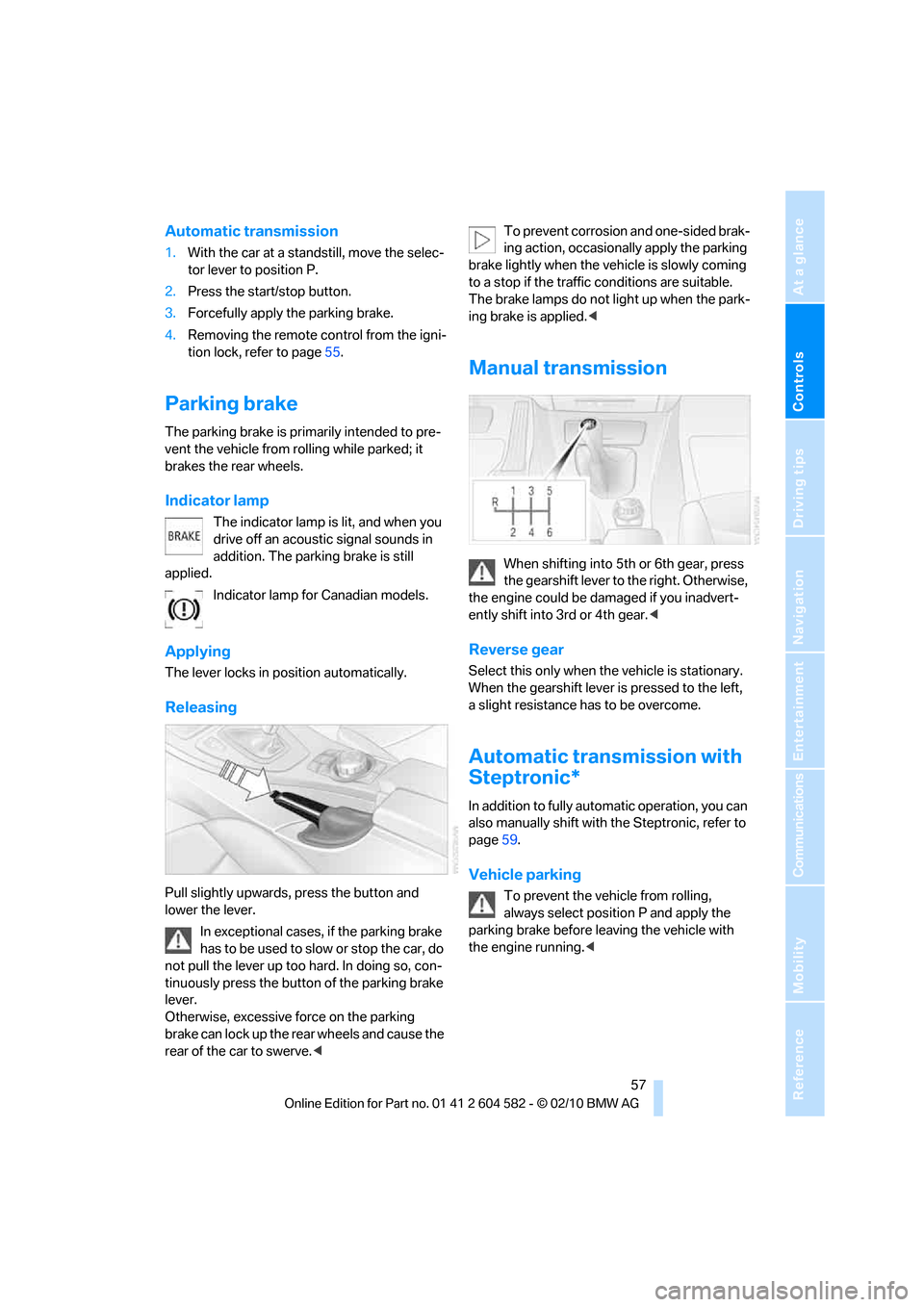
Pull slightly upwards, press the button and
lower the lever.
In exceptional cases, if the parking brake
has to be used to slow or stop the car, do
not pull the lever up too hard. In doing so, con-
tinuously press the button of the parking brake
lever.
Otherwise, excessive force on the parking
brake can lock up the rear wheels and cause the
rear of the car to swerve.
brake lightly when the vehicle is slowly coming
to a stop if the traffic conditions are suitable.
The brake lamps do not light up when the park-
ing brake is applied.<
Manual transmission
When shifting into 5th or 6th gear, press
the gearshift lever to the right. Otherwise,
the engine could be damaged if you inadvert-
ently shift into 3rd or 4th gear.<
Reverse gear
Select this only when the vehicle is stationary.
When the gearshift lever is pressed to the left,
a slight resistance has to be overcome.
Automatic transmission with
Steptronic*
In addition to fully automatic operation, you can
also manually shift with the Steptronic, refer to
page59.
Vehicle parking
To prevent the vehicle from rolling,
always select position P and apply the
parking brake before leaving the vehicle with
the engine running.<
Page 61 of 286
Controls
59Reference
At a glance
Driving tips
Communications
Navigation
Entertainment
Mobility
Sport program and manual
operation M/S
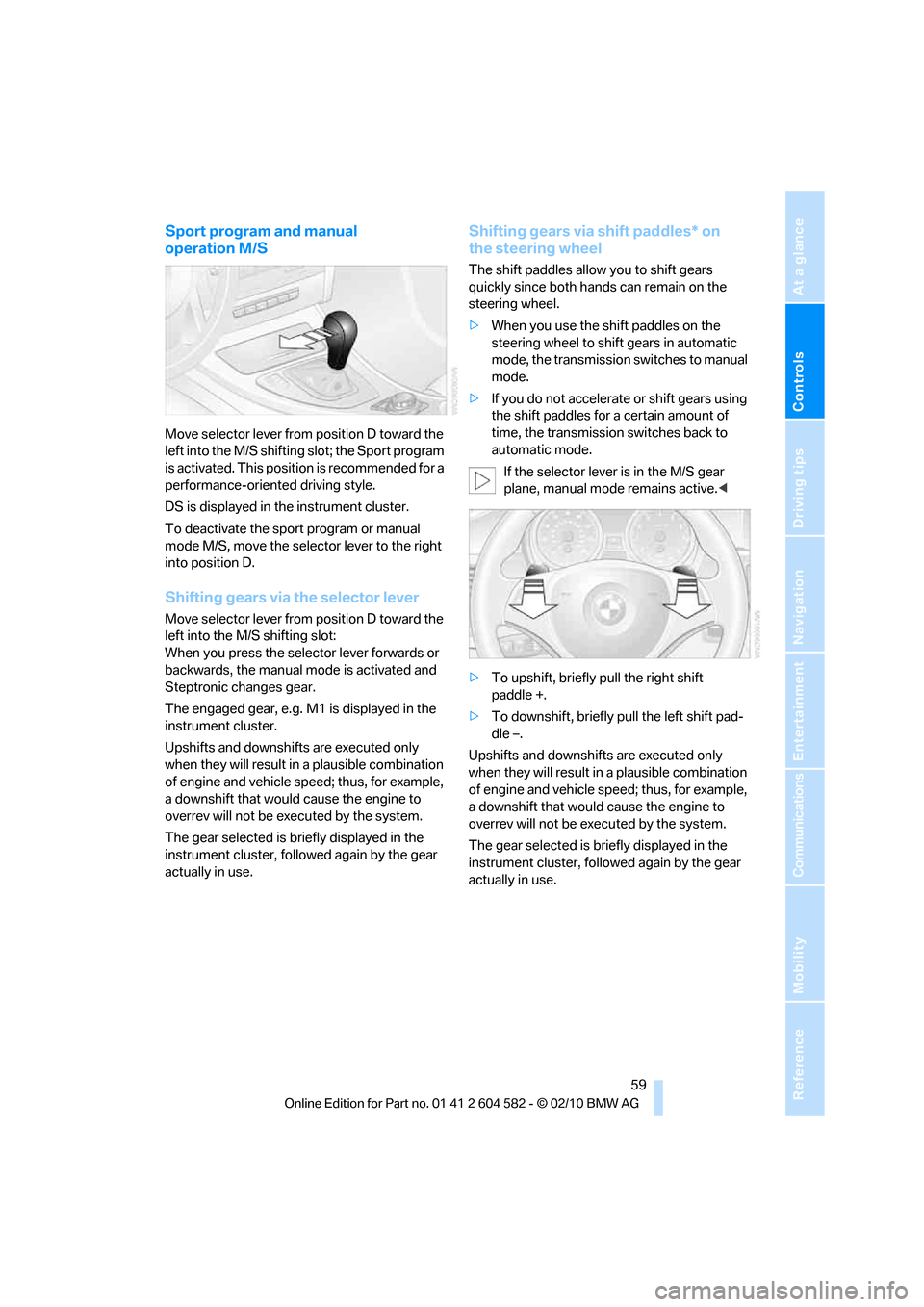
Move selector lever from position D toward the
left into the M/S shifting slot; the Sport program
is activated. This position is recommended for a
performance-oriented driving style.
DS is displayed in the instrument cluster.
To deactivate the sport program or manual
mode M/S, move the selector lever to the right
into position D.
Shifting gears via the selector lever
Move selector lever from position D toward the
left into the M/S shifting slot:
When you press the selector lever forwards or
backwards, the manual mode is activated and
Steptronic changes gear.
The engaged gear, e.g. M1 is displayed in the
instrument cluster.
Upshifts and downshifts are executed only
when they will result in a plausible combination
of engine and vehicle speed; thus, for example,
a downshift that would cause the engine to
overrev will not be executed by the system.
The gear selected is briefly displayed in the
instrument cluster, followed again by the gear
actually in use.
Shifting gears via shift paddles* on
the steering wheel
The shift paddles allow you to shift gears
quickly since both hands can remain on the
steering wheel.
>When you use the shift paddles on the
steering wheel to shift gears in automatic
mode, the transmission switches to manual
mode.
>If you do not accelerate or shift gears using
the shift paddles for a certain amount of
time, the transmission switches back to
automatic mode.
If the selector lever is in the M/S gear
plane, manual mode remains active.<
>To upshift, briefly pull the right shift
paddle +.
>To downshift, briefly pull the left shift pad-
dle –.
Upshifts and downshifts are executed only
when they will result in a plausible combination
of engine and vehicle speed; thus, for example,
a downshift that would cause the engine to
overrev will not be executed by the system.
The gear selected is briefly displayed in the
instrument cluster, followed again by the gear
actually in use.
Page 66 of 286
Driving
64
Resuming a speed stored beforehand
Press the button, arrow4. The last stored
speed is resumed and maintained.
In the following instances, the stored speed is
deleted and can no longer be resumed:
>When driving stability control systems are
intervening
>In cars with manual transmission: when you
shift gears very slowly or shift to neutral
>In cars with automatic transmission: when
you engage selector lever position N
>When the ignition is switched off
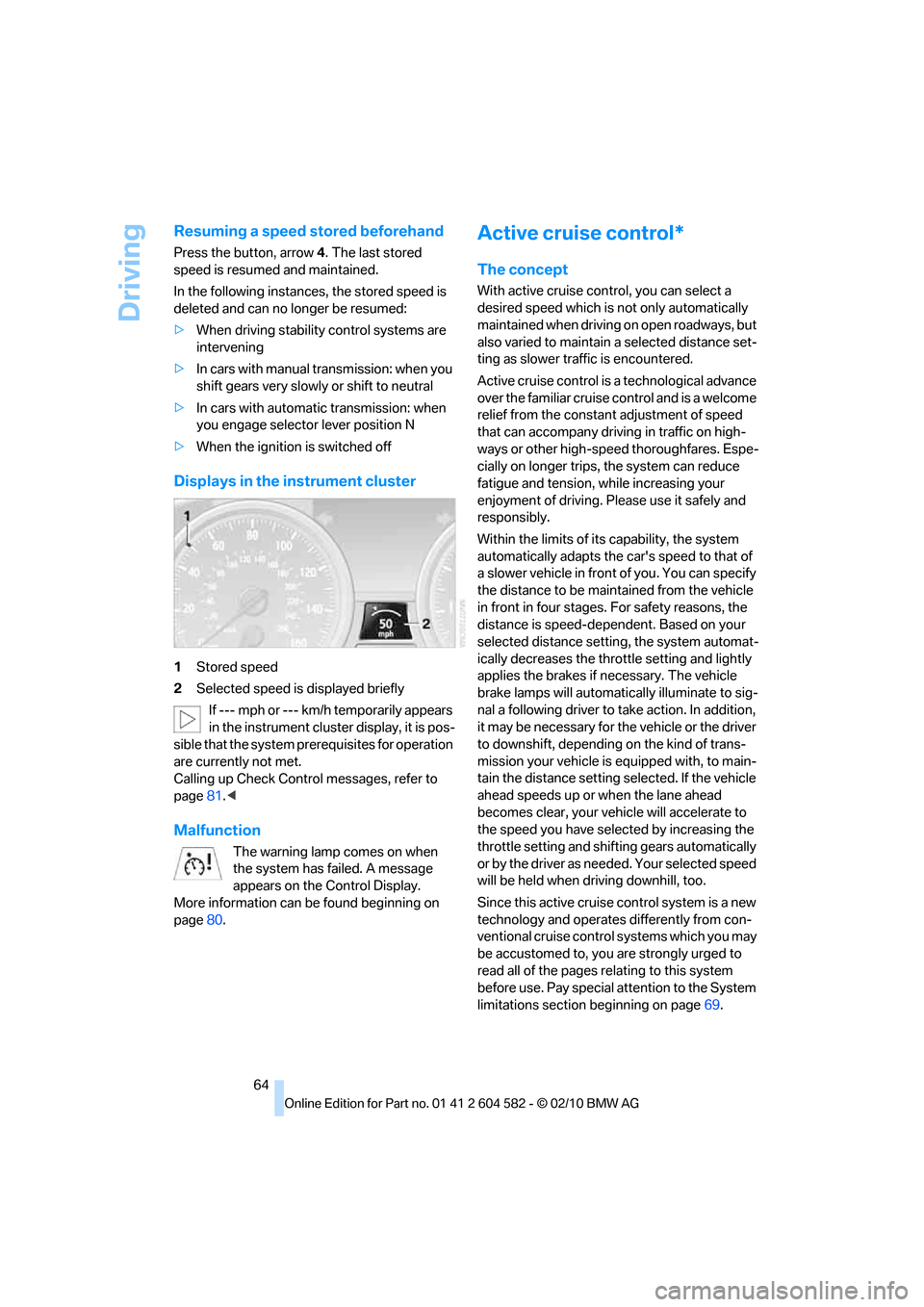
Displays in the instrument cluster
1Stored speed
2Selected speed is displayed briefly
If --- mph or --- km/h temporarily appears
in the instrument cluster display, it is pos-
sible that the system prerequisites for operation
are currently not met.
Calling up Check Control messages, refer to
page81.<
Malfunction
The warning lamp comes on when
the system has failed. A message
appears on the Control Display.
More information can be found beginning on
page80.
Active cruise control*
The concept
With active cruise control, you can select a
desired speed which is not only automatically
maintained when driving on open roadways, but
also varied to maintain a selected distance set-
ting as slower traffic is encountered.
Active cruise control is a technological advance
over the familiar cruise control and is a welcome
relief from the constant adjustment of speed
that can accompany driving in traffic on high-
ways or other high-speed thoroughfares. Espe-
cially on longer trips, the system can reduce
fatigue and tension, while increasing your
enjoyment of driving. Please use it safely and
responsibly.
Within the limits of its capability, the system
automatically adapts the car's speed to that of
a slower vehicle in front of you. You can specify
the distance to be maintained from the vehicle
in front in four stages. For safety reasons, the
distance is speed-dependent. Based on your
selected distance setting, the system automat-
ically decreases the throttle setting and lightly
applies the brakes if necessary. The vehicle
brake lamps will automatically illuminate to sig-
nal a following driver to take action. In addition,
it may be necessary for the vehicle or the driver
to downshift, depending on the kind of trans-
mission your vehicle is equipped with, to main-
tain the distance setting selected. If the vehicle
ahead speeds up or when the lane ahead
becomes clear, your vehicle will accelerate to
the speed you have selected by increasing the
throttle setting and shifting gears automatically
or by the driver as needed. Your selected speed
will be held when driving downhill, too.
Since this active cruise control system is a new
technology and operates differently from con-
ventional cruise control systems which you may
be accustomed to, you are strongly urged to
read all of the pages relating to this system
before use. Pay special attention to the System
limitations section beginning on page69.
Page 126 of 286
Things to remember when driving
124
Diesel particulate filter*
The diesel particulate filter collects soot parti-
cles and burns them periodically at high tem-
peratures. This cleaning process takes several
minutes. During cleaning, you may notice that
the engine temporarily runs less smoothly and
that a somewhat higher engine speed is neces-
sary to achieve the accustomed performance.
Also, noises may be heard and a slight amount
of smoke may emerge from the exhaust, even
for a short period after the engine is switched
off.
Hydroplaning
When driving on wet or slushy roads,
reduce road speed. If you do not, a wedge
of water can form between tires and road sur-
face. This situation, known as hydroplaning,
means that the tire can completely lose contact
with the road surface, so that neither the car can
be steered nor the brake be properly applied.<
The risk of hydroplaning increases with declin-
ing tread depth on the tires, refer also to Mini-
mum tread depth on page222.
Driving through water
Drive through water on the road only if it is
not deeper than 1 ft/30 cm, and then only
at walking speed at the most. Otherwise, the
vehicle's engine, the electrical systems and the
transmission may be damaged.<
Use the parking brake on inclines
On inclines, do not hold the vehicle for a
lengthy period using the clutch; use the
parking brake instead. Otherwise, greater
clutch wear will result.<
For more information about the drive-off
assistant, refer to page87.
Braking safely
Your BMW is equipped with ABS as a standard
feature. Applying the brakes fully is the most
effective way of braking in situations in which
this is necessary. Since the vehicle maintains
steering responsiveness, you can still avoid
possible obstacles with a minimum of steering
effort.
Pulsation of the brake pedal, combined with
sounds from the hydraulic circuits, indicate that
ABS is in its active mode.
Driving in wet conditions
When roads are wet or there is heavy rain,
briefly exert gentle pressure on the brake pedal
every few miles. Monitor traffic conditions to
ensure that this maneuver does not endanger
other road users. The heat generated in this
process helps dry the pads and rotors to ensure
that full braking efficiency will then be available
when you need it.
Hills
To prevent overheating and the resulting
reduced efficiency of the brake system,
drive long or steep downhill gradients in the
gear in which the least braking is required. Even
light but consistent brake pressure can lead to
high temperatures, brake wear and possibly
even brake failure.<
You can increase the engine's braking effect by
shifting down, all the way to first gear if neces-
sary. This strategy helps you avoid placing
excessive loads on the brake system. Down-
shifting in manual mode of the automatic trans-
mission, refer to page59.
Never drive with the clutch held down,
with the transmission in neutral or with
the engine switched off; otherwise, engine
braking action will not be present or there will be
no power assistance to the brakes or steering.
Never allow floor mats, carpets or any other
objects to protrude into the area around the
pedals; otherwise, pedal function could be
impaired.<
Page 129 of 286
Driving tips
127Reference
At a glance
Controls
Communications
Navigation
Entertainment
Mobility
Only attach the cargo straps using the lashing
eyes shown in the illustration. Do not secure
cargo with the anchors for tether straps, refer to
page53; otherwise, these could be damaged.<
Roof-mounted luggage rack*
A special rack system is available as an option
for your BMW. Comply with the directions given
in the installation instructions.
Mounting points
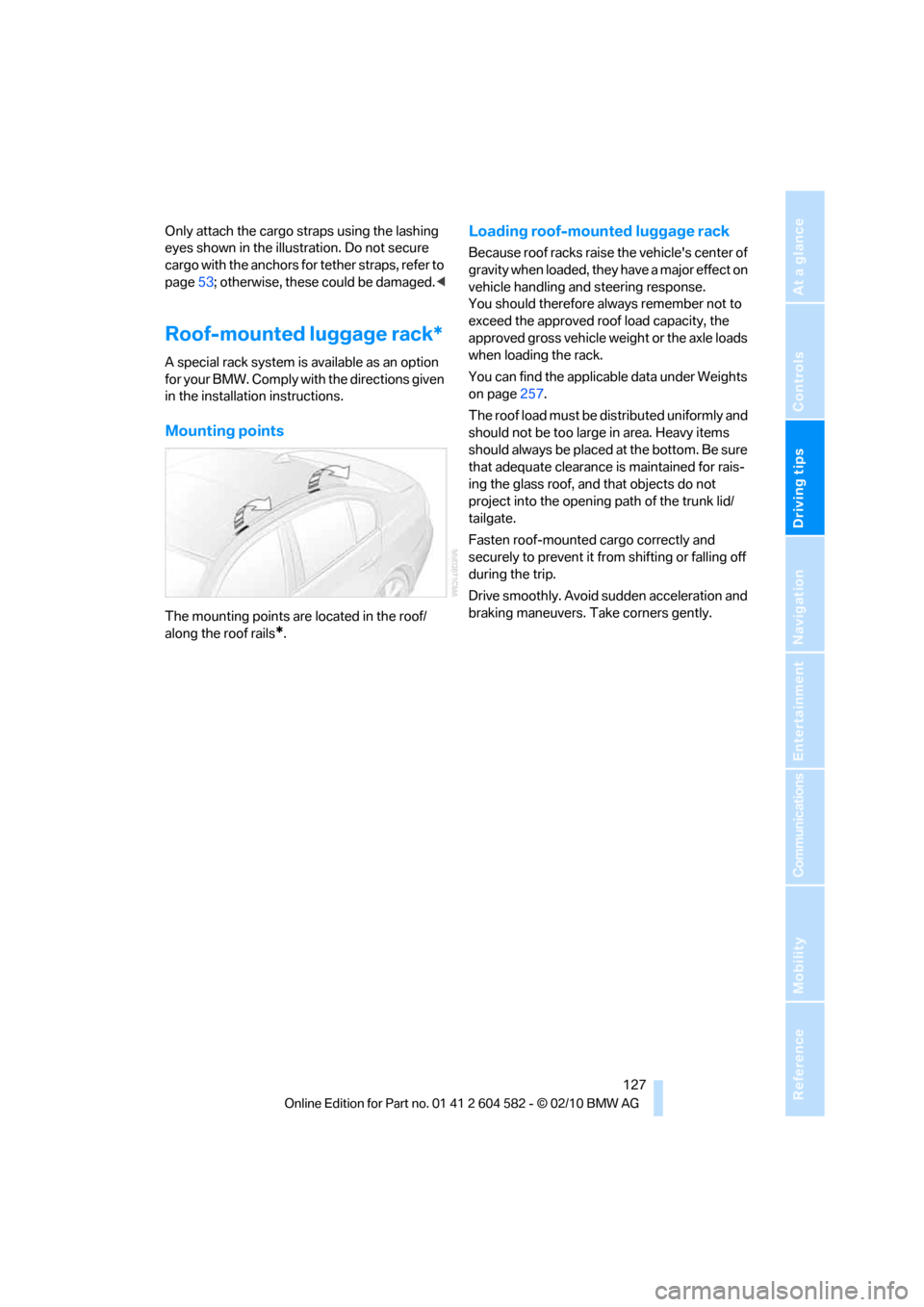
The mounting points are located in the roof/
along the roof rails
*.
Loading roof-mounted luggage rack
Because roof racks raise the vehicle's center of
gravity when loaded, they have a major effect on
vehicle handling and steering response.
You should therefore always remember not to
exceed the approved roof load capacity, the
approved gross vehicle weight or the axle loads
when loading the rack.
You can find the applicable data under Weights
on page257.
The roof load must be distributed uniformly and
should not be too large in area. Heavy items
should always be placed at the bottom. Be sure
that adequate clearance is maintained for rais-
ing the glass roof, and that objects do not
project into the opening path of the trunk lid/
tailgate.
Fasten roof-mounted cargo correctly and
securely to prevent it from shifting or falling off
during the trip.
Drive smoothly. Avoid sudden acceleration and
braking maneuvers. Take corners gently.
Page 206 of 286
Refueling
204
BMW Advanced Diesel: required fuel
Ultra-low sulfur diesel
The engine of your BMW is designed for diesel
with low sulfur content:
Ultra-low sulfur diesel ASTM D 975-07a.
Refuel with ultra-low sulfur diesel only.
The percentage of biodiesel in the fuel
m u s t n o t e x c e e d 5 % ; t h i s t y p e o f f u e l i s r e f e r r e d
to as B5. Do not refuel with gasoline. If you have
accidentally refueled with the wrong fuel, e.g.
with gasoline, do not start the engine; other-
wise, engine damage may occur.<
If you have refueled with the wrong fuel, contact
your BMW center.
The filler neck is designed for refueling at
diesel fuel pumps.
If the filler nozzle cannot be inserted into your
BMW's filler pipe, please ensure that you are
refueling at a diesel fuel pump and that it is
equipped with a diesel filler nozzle.<
In the event the Ultra-Low Sulfur Diesel
fuel cannot be fully inserted into the fuel
filler neck, please contact BMW Roadside
Assistance for instructions on how to add fuel.
For more information on BMW Roadside Assis-
tance, refer to page246.<
Winter diesel
To ensure that the diesel engine remains oper-
ational in the winter, please use winter diesel,
which is available at gas stations during winter
months. The fuel filter heating system, included
as a standard feature, prevents disruption of the
fuel supply while driving.
Do not add additives, including gasoline;
otherwise, engine damage may occur.<
BMW Advanced Diesel
The concept
BMW Advanced Diesel reduces nitrogen oxide
in the diesel emissions of your vehicle by means
of a mechanism that injects diesel exhaust fluid,
a reduction agent, into the exhaust tract.
A chemical reaction occurs in the catalytic
converter that minimizes the nitrogen oxide
content.
To be able to start the engine as usual, a suffi-
cient amount of diesel exhaust fluid must be
present in a separate reservoir.
Warming the system
To warm the system to its operating tempera-
ture after starting with a cold engine, the auto-
matic transmission delays shifting to the next
higher gear, if necessary.
Reserve display
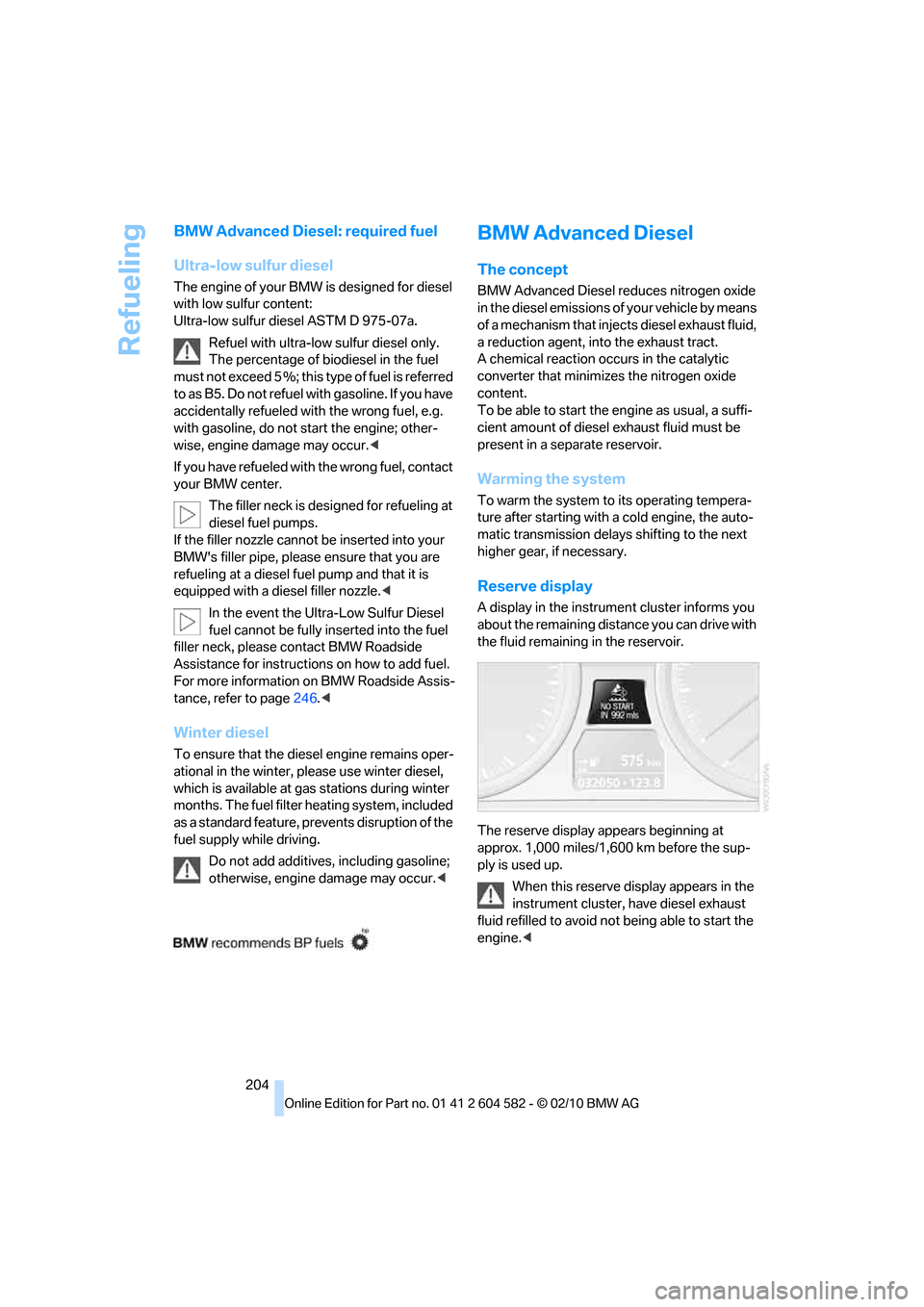
A display in the instrument cluster informs you
about the remaining distance you can drive with
the fluid remaining in the reservoir.
The reserve display appears beginning at
approx. 1,000 miles/1,600 km before the sup-
ply is used up.
When this reserve display appears in the
instrument cluster, have diesel exhaust
fluid refilled to avoid not being able to start the
engine.<
Page 279 of 286
Reference 277
At a glance
Controls
Driving tips
Communications
Navigation
Entertainment
Mobility
S
Safety-belt height
adjustment47
Safety belts47
– damage48
– indicator/warning lamp47
– reminder47
– sitting safely42
Safety systems
– airbags94
– Antilock Brake System
ABS85
– brake system85
– driving stability control85
– Dynamic Stability Control
DSC85
– safety belts47
Safety tires, refer to Run-flat
tires223
Satellite radio156
– enabling or unsubscribing
from a channel156
– favorites159
– selecting channel157
– storing channel157
– timeshift158
– Traffic Jump160
Saving fuel122
Screen, refer to iDrive
controls16
Screw thread for tow
fitting249
SDARS, refer to Satellite
radio156
Seat adjustment
– electric43
– mechanical43
Seat and mirror memory46
Seat belt reminder, refer to
"Fasten safety belts"
reminder47
Seat heating46Seats43
– adjusting electrically43
– adjusting the seats43
– heating46
– memory, refer to Seat and
mirror memory46
– saving a setting, refer to Seat
and mirror memory46
– sitting safely42
Securing cargo118
Securing the vehicle
– from inside30
– from outside27
Selecting a detour146
Selecting distance for active
cruise control66
Selecting new scale for
navigation143
Selector lever
– automatic transmission with
Steptronic58
Selector lever lock, refer to
Changing selector lever
positions, shiftlock58
Selector lever positions
– automatic transmission with
Steptronic58
Service, refer to Roadside
Assistance246
Service car, refer to Roadside
Assistance246
Service data in the remote
control231
Service Interval Display, refer
to Condition Based Service
CBS231
Service Request198
Service requirements76
Service status199
Settings
– Changing on the Control
Display83
– clock, 12h/24h format79
– DVD164
– language83
Settings and information75
Settings for the map view143Setting times, refer to
Preselecting switch-on
times106
Shifting gears
– automatic transmission with
Steptronic59
– manual transmission57
Shiftlock
– automatic transmission,
refer to Changing selector
lever positions58
Short commands for the voice
activation system259
Short route in navigation, refer
to Selecting route140
Shuffled, refer to Random
– CD changer162
– CD player162
Side airbags94
Side window blind, refer to
Roller sun blinds110
Side windows, refer to
Windows36
Signal horn, refer to
Horn10,11
Sitting safely42
– with airbags42
– with head restraint42
– with safety belts42
Ski bag118
Sliding/tilt sunroof
– refer to Panorama glass
roof39
Sliding/tilt sunroof, refer to
Glass roof, electric37
Slot for remote control55
Smokers' package, refer to
Ashtray
113
Snap-in adapter
– inserting/removing192
– use180
Snap-in adapter, refer to
Center armrest storage
compartment111
Socket, Onboard Diagnosis
OBD232
Socket, refer to Connecting
electrical appliances113