rear view mirror BMW 335I 2013 User Guide
[x] Cancel search | Manufacturer: BMW, Model Year: 2013, Model line: 335I, Model: BMW 335I 2013Pages: 242, PDF Size: 5.38 MB
Page 128 of 242
Display settings
Brightness
With the backup camera switched on:1. Select the symbol.2.Turn the controller until the desired setting
is reached and press the controller.
Contrast
With the backup camera switched on:
1. Select the symbol.2.Turn the controller until the desired setting
is reached and press the controller.
System limits
Detection of objects
High, protruding objects such as ledges may not
be detected by the backup camera.
Top View
The concept
Top View assists you in parking and maneuver‐
ing. The area around the doors and the road area
around the vehicle are shown on the Control
Display for this purpose.
General information
The image is captured by two cameras
integrated in the exterior mirrors and by the
backup camera.
The range is at least 7 ft/2 m to the side and rear.
In this way, obstacles up to the height of the ex‐
terior mirrors are detected early.
Notes
Check the traffic situation as well
Check the traffic situation around the ve‐
hicle with your own eyes. Otherwise, an accident
could result from road users or objects located
outside the picture area of the cameras.◀
At a glance
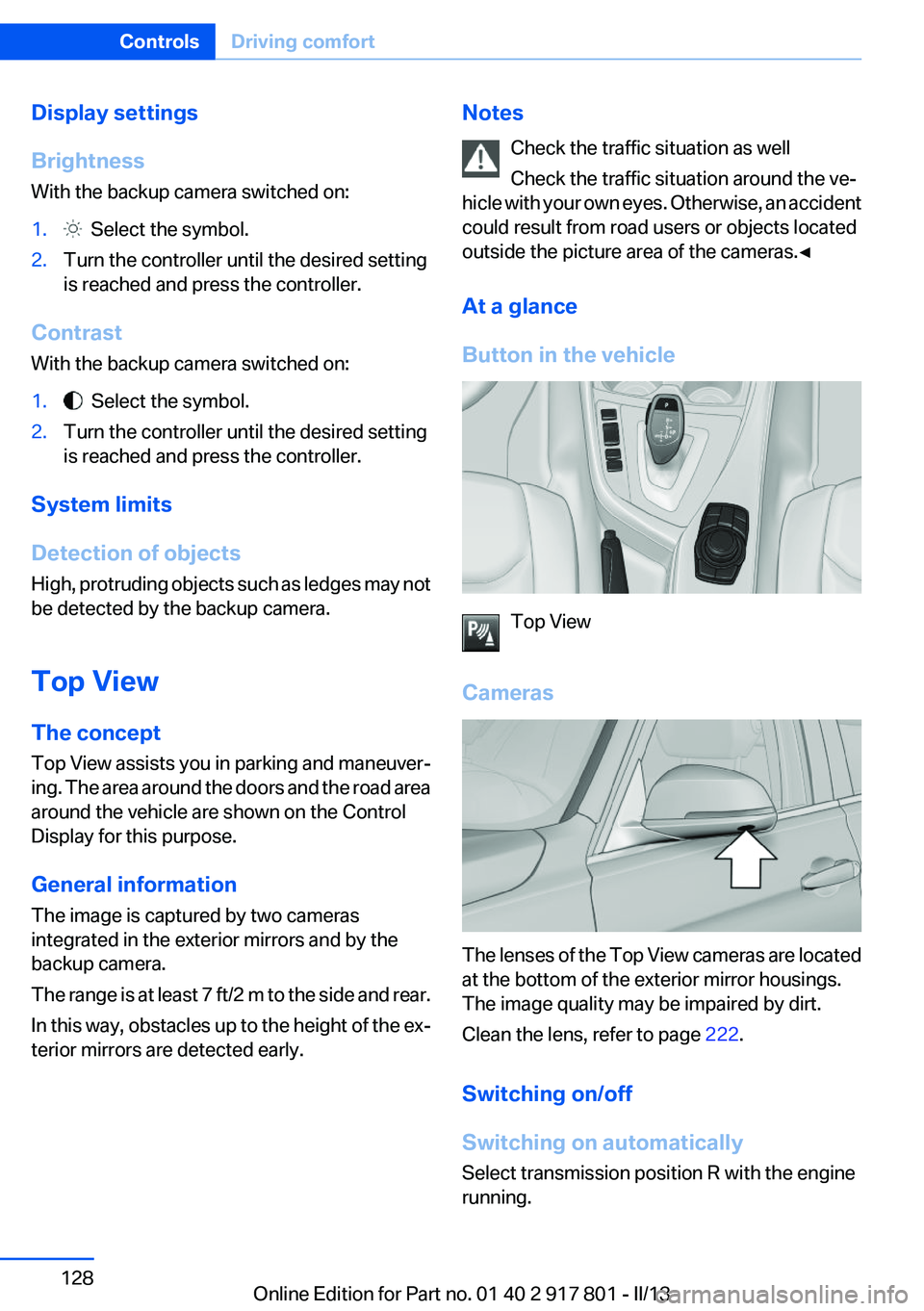
Button in the vehicle
Top View
Cameras
The lenses of the Top View cameras are located
at the bottom of the exterior mirror housings.
The image quality may be impaired by dirt.
Clean the lens, refer to page 222.
Switching on/off
Switching on automatically
Select transmission position R with the engine
running.
Seite 128ControlsDriving comfort128
Online Edition for Part no. 01 40 2 917 801 - II/13
Page 144 of 242
Interior equipmentVehicle equipment
All standard, country-specific and optional
equipment that is offered in the model series is
described in this chapter. Therefore, equipment
is also described that is not available in a vehicle,
e. g., because of the selected optional equip‐
ment or country variant. This also applies for
safety-related functions and systems.
Integrated universal remote
control
The concept
The integrated universal remote control can op‐
erate up to 3 functions of remote-controlled sys‐
tems such as garage door drives or lighting sys‐
tems. The integrated universal remote control
replaces up to 3 different hand-held transmit‐
ters. To operate the remote control, the buttons
on the interior rearview mirror must be program‐
med with the desired functions. The hand-held
transmitter for the particular system is required
in order to program the remote control.
During programming
During programming and before activat‐
ing a device using the integrated universal re‐
mote control, ensure that there are no people,
animals, or objects in the range of movement of
the remote-controlled device; otherwise, there
is a risk of injury or damage.
Also follow the safety instructions of the hand-
held transmitter.◀
Before selling the vehicle, delete the stored
functions for the sake of security.
Compatibility If this symbol is printed on the packaging
or in the instructions of the system to be
controlled, the system is generally com‐patible with the integrated universal remote
control.
If you have any questions, please contact:▷Your service center.▷www.homelink.com on the Internet.
HomeLink is a registered trademark of Johnson
Controls, Inc.
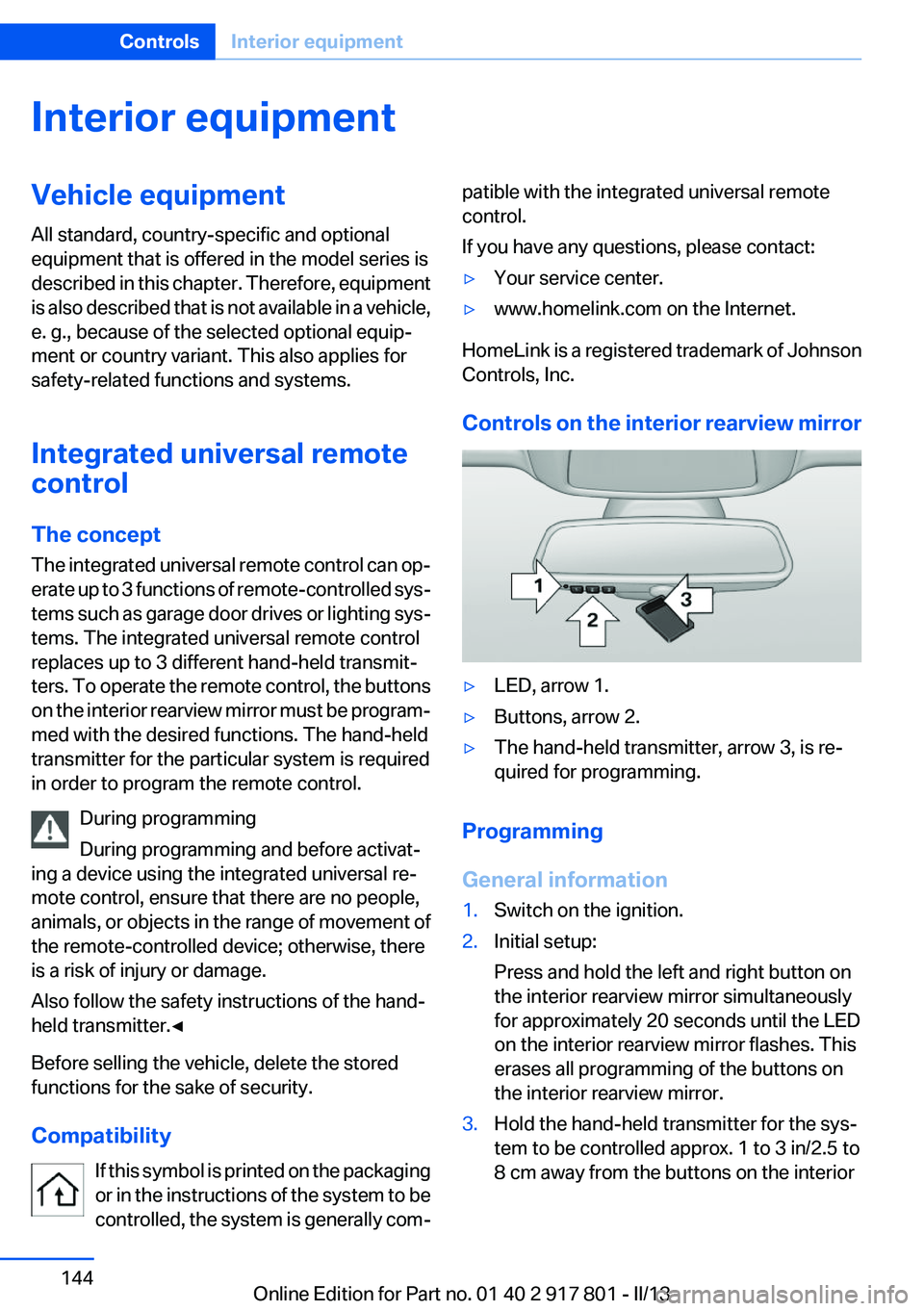
Controls on the interior rearview mirror
▷LED, arrow 1.▷Buttons, arrow 2.▷The hand-held transmitter, arrow 3, is re‐
quired for programming.
Programming
General information
1.Switch on the ignition.2.Initial setup:
Press and hold the left and right button on
the interior rearview mirror simultaneously
for approximately 20 seconds until the LED
on the interior rearview mirror flashes. This
erases all programming of the buttons on
the interior rearview mirror.3.Hold the hand-held transmitter for the sys‐
tem to be controlled approx. 1 to 3 in/2.5 to
8 cm away from the buttons on the interiorSeite 144ControlsInterior equipment144
Online Edition for Part no. 01 40 2 917 801 - II/13
Page 145 of 242
rearview mirror. The required distance de‐
pends on the manual transmitter.4.Simultaneously press and hold the button of
the desired function on the hand-held trans‐
mitter and the button to be programmed on
the interior rearview mirror. The LED on the
interior rearview mirror will begin flashing
slowly.5.Release both buttons as soon as the LED
flashes more rapidly. When the LED is flash‐
ing faster, this indicates that the button on
the interior rearview mirror has been pro‐
grammed.
If the LED does not flash faster after at least
60 seconds, change the distance between
the interior rearview mirror and the hand-
held transmitter and repeat the step. Several
more attempts at different distances may be
necessary. Wait at least 15 seconds be‐
tween attempts.
Canada: if programming with the hand-held
transmitter was interrupted, hold down the
interior rearview mirror button and repeat‐
edly press and release the hand-held trans‐
mitter button for 2 seconds.6.To program other functions on other but‐
tons, repeat steps 3 to 5.
The systems can be controlled using the interior
rearview mirror buttons.
Special feature of the alternating-code
wireless system
If you are unable to operate the system after re‐
peated programming, please check if the sys‐
tem to be controlled features an alternating-
code system.
Read the system's operating manual, or press
the programmed button on the interior rearview
mirror longer. If the LED on the interior rearview
mirror starts flashing rapidly and then stays lit
constantly for 2 seconds, the system features
an alternating-code system. Flashing and con‐
tinuous illumination of the LED will repeat for
approximately 20 seconds.
For systems with an alternating-code system,
the integrated universal remote control and the
system also have to be synchronized.
Please read the operating manual of the system
being set up for information on how to syn‐
chronize the system.
Synchronizing is easier with the aid of a second
person.
To synchronize:1.Park the vehicle within range of the remote-
controlled system.2.Program the relevant button on the interior
rearview mirror as described.3.Locate and press the synchronizing button
on the system being programmed. You have
approx. 30 seconds for the next step.4.Hold down the programmed button on the
interior rearview mirror for approximately
3 seconds and then release it. If necessary,
repeat this work step up to three times in or‐
der to finish synchronization. Once synchro‐
nization is complete, the programmed func‐
tion will be carried out.
Reprogramming individual buttons
1.Switch on the ignition.2.Press and hold the interior rearview mirror
button to be programmed.3.As soon as the interior rearview mirror LED
starts flashing slowly, hold the hand-held
transmitter for the system to be controlled
approx. 1 to 3 in/2.5 to 8 cm away from the
buttons on the interior rearview mirror. The
required distance depends on the manual
transmitter.4.Likewise, press and hold the button of the
desired function on the hand-held transmit‐
ter.5.Release both buttons as soon as the interior
rearview mirror LED flashes more rapidly.
When the LED is flashing faster, this indi‐
cates that the button on the interior rearview
mirror has been programmed. The systemSeite 145Interior equipmentControls145
Online Edition for Part no. 01 40 2 917 801 - II/13
Page 146 of 242
can then be controlled by the button on the
interior rearview mirror.
If the LED does not flash faster after at least
60 seconds, change the distance and repeat
the step. Several more attempts at different
distances may be necessary. Wait at least
15 seconds between attempts.
Canada: if programming with the hand-held
transmitter was interrupted, hold down the
interior rearview mirror button and repeat‐
edly press and release the hand-held trans‐
mitter button for 2 seconds.
Controls
Before operation
Before operating a system using the
integrated universal remote control, ensure that
there are no people, animals, or objects within
the range of movement of the remote-controlled
system; otherwise, there is a risk of injury or
damage.
Also follow the safety instructions of the hand-
held transmitter.◀
The system, such as the garage door, can be
operated using the button on the interior rear‐
view mirror while the engine is running or when
the ignition is started. To do this, hold down the
button within receiving range of the system until
the function is activated. The interior rearview
mirror LED stays lit while the wireless signal is
being transmitted.
Deleting stored functions
Press and hold the left and right button on the
interior rearview mirror simultaneously for ap‐
proximately 20 seconds until the LED flashes
rapidly. All stored functions are deleted. The
functions cannot be deleted individually.
Digital compass
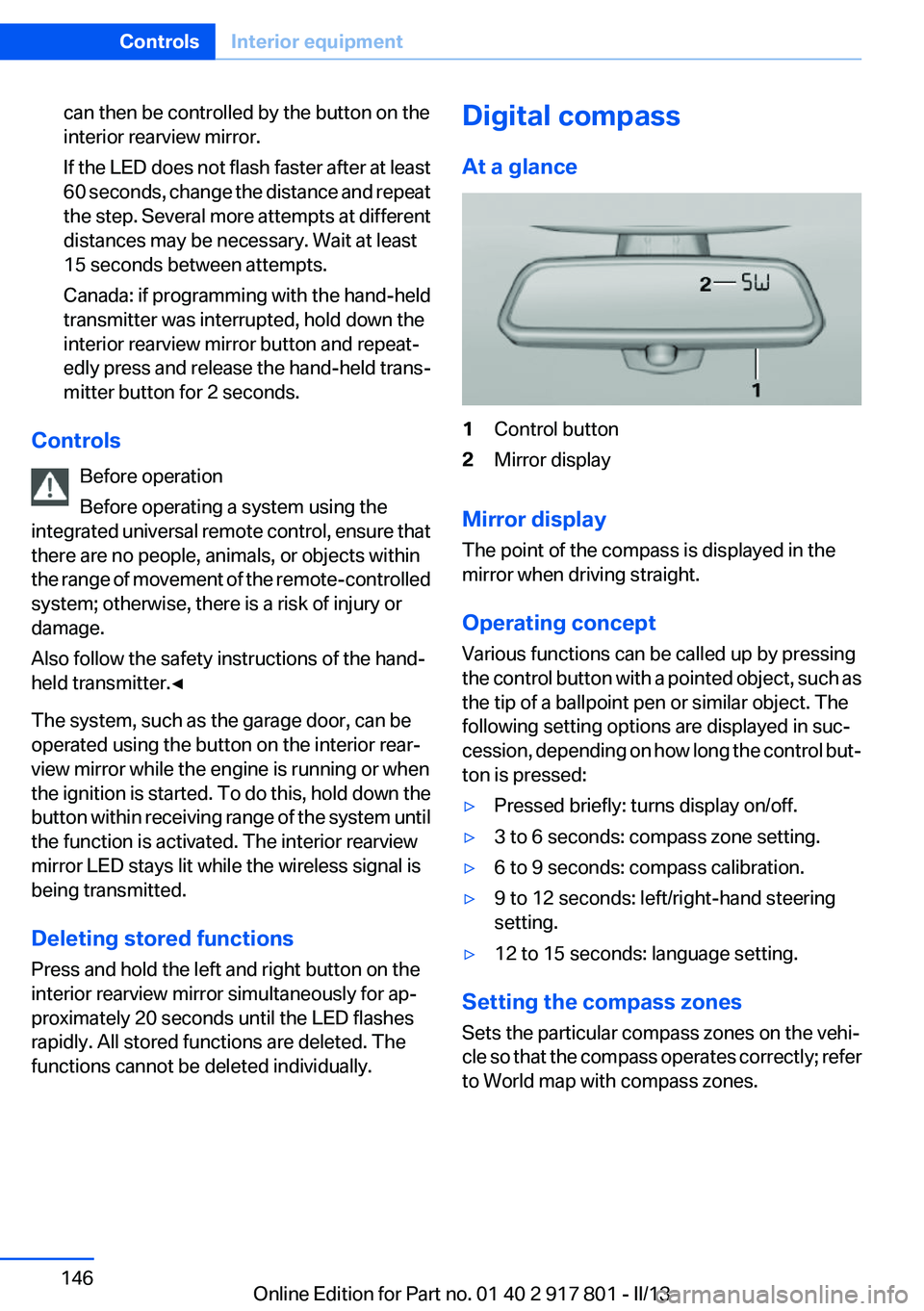
At a glance1Control button2Mirror display
Mirror display
The point of the compass is displayed in the
mirror when driving straight.
Operating concept
Various functions can be called up by pressing
the control button with a pointed object, such as
the tip of a ballpoint pen or similar object. The
following setting options are displayed in suc‐
cession, depending on how long the control but‐
ton is pressed:
▷Pressed briefly: turns display on/off.▷3 to 6 seconds: compass zone setting.▷6 to 9 seconds: compass calibration.▷9 to 12 seconds: left/right-hand steering
setting.▷12 to 15 seconds: language setting.
Setting the compass zones
Sets the particular compass zones on the vehi‐
cle so that the compass operates correctly; refer
to World map with compass zones.
Seite 146ControlsInterior equipment146
Online Edition for Part no. 01 40 2 917 801 - II/13
Page 234 of 242
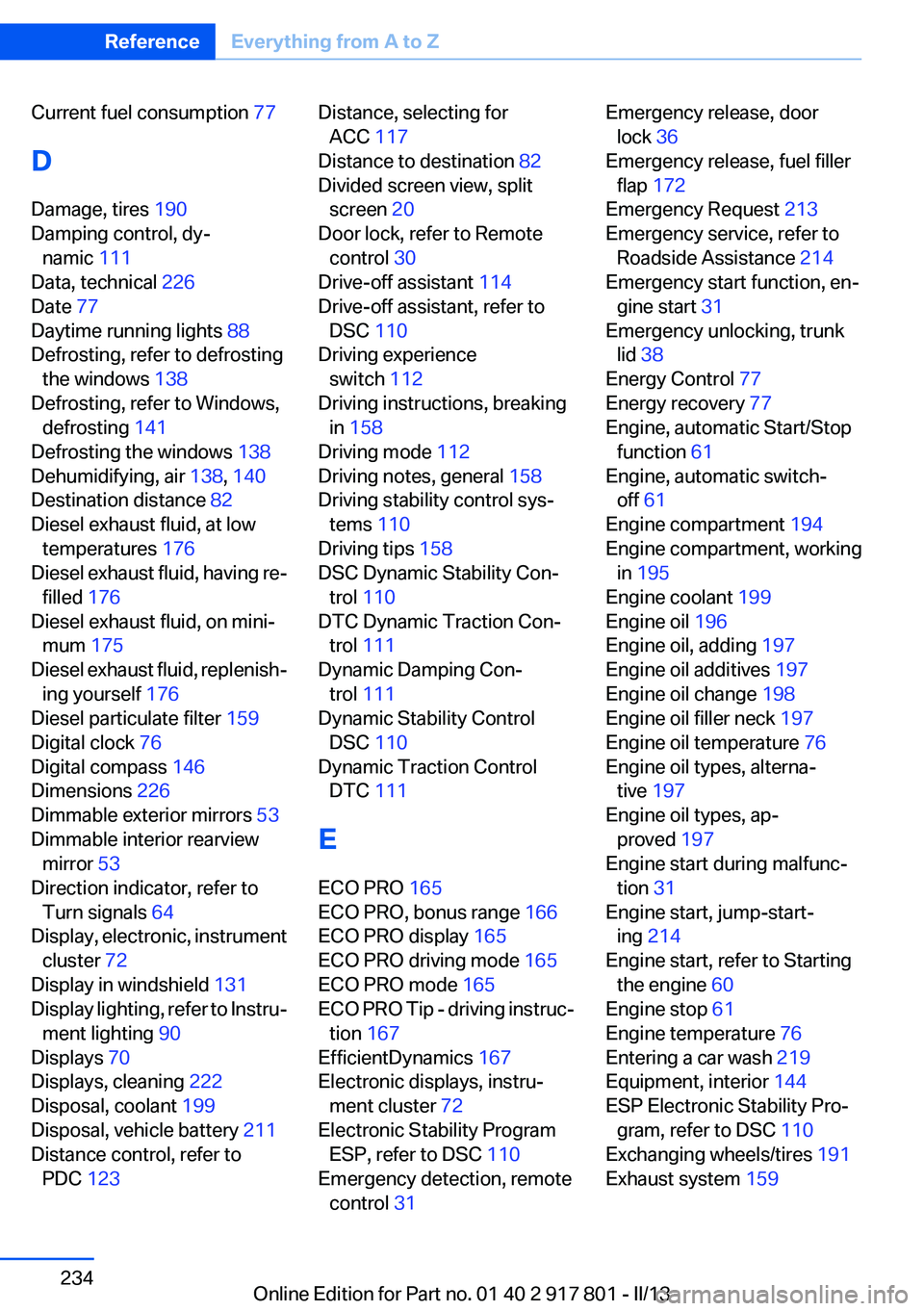
Current fuel consumption 77
D
Damage, tires 190
Damping control, dy‐ namic 111
Data, technical 226
Date 77
Daytime running lights 88
Defrosting, refer to defrosting the windows 138
Defrosting, refer to Windows, defrosting 141
Defrosting the windows 138
Dehumidifying, air 138, 140
Destination distance 82
Diesel exhaust fluid, at low temperatures 176
Diesel exhaust fluid, having re‐ filled 176
Diesel exhaust fluid, on mini‐ mum 175
Diesel exhaust fluid, replenish‐ ing yourself 176
Diesel particulate filter 159
Digital clock 76
Digital compass 146
Dimensions 226
Dimmable exterior mirrors 53
Dimmable interior rearview mirror 53
Direction indicator, refer to Turn signals 64
Display, electronic, instrument cluster 72
Display in windshield 131
Display lighting, refer to Instru‐ ment lighting 90
Displays 70
Displays, cleaning 222
Disposal, coolant 199
Disposal, vehicle battery 211
Distance control, refer to PDC 123 Distance, selecting for
ACC 117
Distance to destination 82
Divided screen view, split screen 20
Door lock, refer to Remote control 30
Drive-off assistant 114
Drive-off assistant, refer to DSC 110
Driving experience switch 112
Driving instructions, breaking in 158
Driving mode 112
Driving notes, general 158
Driving stability control sys‐ tems 110
Driving tips 158
DSC Dynamic Stability Con‐ trol 110
DTC Dynamic Traction Con‐ trol 111
Dynamic Damping Con‐ trol 111
Dynamic Stability Control DSC 110
Dynamic Traction Control DTC 111
E
ECO PRO 165
ECO PRO, bonus range 166
ECO PRO display 165
ECO PRO driving mode 165
ECO PRO mode 165
ECO PRO Tip - driving instruc‐ tion 167
EfficientDynamics 167
Electronic displays, instru‐ ment cluster 72
Electronic Stability Program ESP, refer to DSC 110
Emergency detection, remote control 31 Emergency release, door
lock 36
Emergency release, fuel filler flap 172
Emergency Request 213
Emergency service, refer to Roadside Assistance 214
Emergency start function, en‐ gine start 31
Emergency unlocking, trunk lid 38
Energy Control 77
Energy recovery 77
Engine, automatic Start/Stop function 61
Engine, automatic switch- off 61
Engine compartment 194
Engine compartment, working in 195
Engine coolant 199
Engine oil 196
Engine oil, adding 197
Engine oil additives 197
Engine oil change 198
Engine oil filler neck 197
Engine oil temperature 76
Engine oil types, alterna‐ tive 197
Engine oil types, ap‐ proved 197
Engine start during malfunc‐ tion 31
Engine start, jump-start‐ ing 214
Engine start, refer to Starting the engine 60
Engine stop 61
Engine temperature 76
Entering a car wash 219
Equipment, interior 144
ESP Electronic Stability Pro‐ gram, refer to DSC 110
Exchanging wheels/tires 191
Exhaust system 159 Seite 234ReferenceEverything from A to Z234
Online Edition for Part no. 01 40 2 917 801 - II/13
Page 236 of 242
Inflation pressure, tires 178
Inflation pressure warning FTM, tires 98
Info display, refer to Com‐ puter 81
Initialize, Tire Pressure Moni‐ tor TPM 96
Initializing, Flat Tire Monitor FTM 99
Instrument cluster 70
Instrument cluster, electronic displays 72
Instrument lighting 90
Integrated key 30
Integrated universal remote control 144
Intensity, AUTO program 140
Interior equipment 144
Interior lamps 91
Interior lamps via remote con‐ trol 35
Interior motion sensor 41
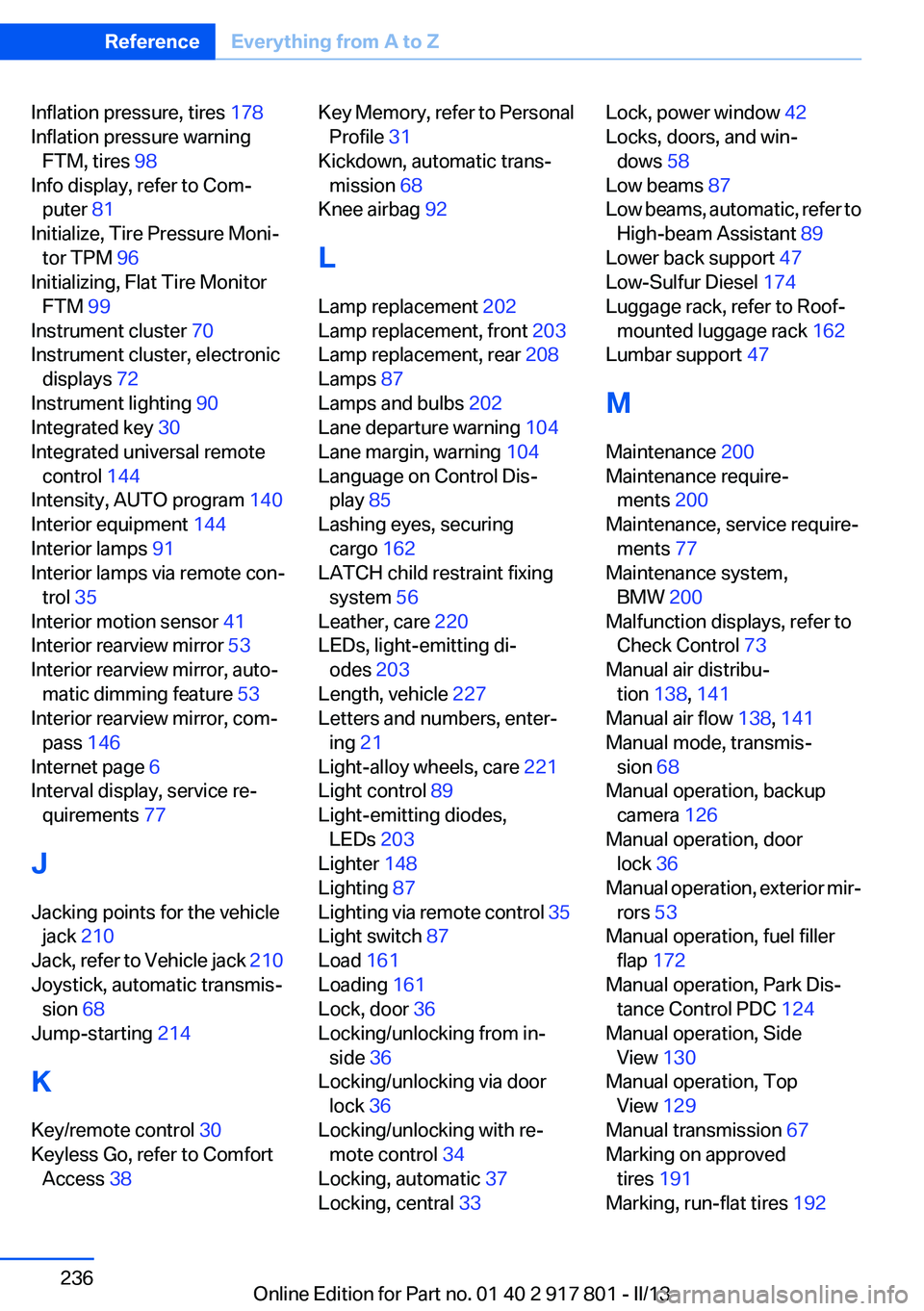
Interior rearview mirror 53
Interior rearview mirror, auto‐ matic dimming feature 53
Interior rearview mirror, com‐ pass 146
Internet page 6
Interval display, service re‐ quirements 77
J
Jacking points for the vehicle jack 210
Jack, refer to Vehicle jack 210
Joystick, automatic transmis‐ sion 68
Jump-starting 214
K
Key/remote control 30
Keyless Go, refer to Comfort Access 38 Key Memory, refer to Personal
Profile 31
Kickdown, automatic trans‐ mission 68
Knee airbag 92
L
Lamp replacement 202
Lamp replacement, front 203
Lamp replacement, rear 208
Lamps 87
Lamps and bulbs 202
Lane departure warning 104
Lane margin, warning 104
Language on Control Dis‐ play 85
Lashing eyes, securing cargo 162
LATCH child restraint fixing system 56
Leather, care 220
LEDs, light-emitting di‐ odes 203
Length, vehicle 227
Letters and numbers, enter‐ ing 21
Light-alloy wheels, care 221
Light control 89
Light-emitting diodes, LEDs 203
Lighter 148
Lighting 87
Lighting via remote control 35
Light switch 87
Load 161
Loading 161
Lock, door 36
Locking/unlocking from in‐ side 36
Locking/unlocking via door lock 36
Locking/unlocking with re‐ mote control 34
Locking, automatic 37
Locking, central 33 Lock, power window 42
Locks, doors, and win‐ dows 58
Low beams 87
Low beams, automatic, refer to High-beam Assistant 89
Lower back support 47
Low-Sulfur Diesel 174
Luggage rack, refer to Roof- mounted luggage rack 162
Lumbar support 47
M
Maintenance 200
Maintenance require‐ ments 200
Maintenance, service require‐ ments 77
Maintenance system, BMW 200
Malfunction displays, refer to Check Control 73
Manual air distribu‐ tion 138, 141
Manual air flow 138, 141
Manual mode, transmis‐ sion 68
Manual operation, backup camera 126
Manual operation, door lock 36
Manual operation, exterior mir‐ rors 53
Manual operation, fuel filler flap 172
Manual operation, Park Dis‐ tance Control PDC 124
Manual operation, Side View 130
Manual operation, Top View 129
Manual transmission 67
Marking on approved tires 191
Marking, run-flat tires 192 Seite 236ReferenceEverything from A to Z236
Online Edition for Part no. 01 40 2 917 801 - II/13
Page 238 of 242
R
Radiator fluid 199
Radio-operated key, refer to Remote control 30
Radio ready state 60
Radio, see user's manual for Navigation, Entertainment
and Communication
Rain sensor 65
Rear lamps 208
Rear socket 149
Rearview mirror 52
Rear window de‐ froster 138, 141
Recirculated-air filter 142
Recirculated-air mode 138, 141
Recommended tire brands 191
Refueling 172
Remaining range 77
Remote control/key 30
Remote control, malfunc‐ tion 35
Remote control, universal 144
Replacement fuse 211
Replacing parts 202
Replacing wheels/tires 191
Reporting safety defects 9
RES button 117
Reserve warning, refer to Range 77
Reset, Tire Pressure Monitor TPM 96
Retaining straps, securing cargo 162
Retreaded tires 192
Roadside parking lamps 88
Roller sunblinds 43
RON gasoline quality 174
Roof load capacity 227
Roof-mounted luggage rack 162
Rope for tow-starting/tow‐ ing 217 RSC Run Flat System Compo‐
nent, refer to Run-flat
tires 192
Rubber components, care 221
Run-flat tires 192
S
Safe braking 159
Safety 7
Safety belt reminder for driv‐ er's seat and front passenger
seat 49
Safety belts 48
Safety belts, care 221
Safety Package, refer to Active Protection 107
Safety switch, windows 42
Safety systems, airbags 92
Saving fuel 164
Screen, refer to Control Dis‐ play 16
Screwdriver 202
Screw thread for tow fit‐ ting 218
Seat and mirror memory 51
Seat belts, refer to Safety belts 48
Seat heating, front 48
Seat heating, rear 48
Seating position for chil‐ dren 55
Seats 45
Selection list in instrument cluster 81
Selector lever, automatic transmission 68
Sensors, care 222
Service and warranty 7
Service history 78
Service requirements, Condi‐ tion Based Service CBS 200
Service requirements, dis‐ play 77 Service, Roadside Assis‐
tance 214
Settings on Control Dis‐ play 84
Settings, storing for seat, mir‐ ror 51
Shifting, automatic transmis‐ sion 67
Shifting, manual transmis‐ sion 67
Shift paddles on steering wheel 69
Side airbags 92
Side View 130
Signaling, horn 12
Signals when unlocking 35
Sitting safely 45
Size 226
Slide/tilt glass roof 43
Smallest turning circle 227
Snow chains 193
Socket 148
Socket, OBD Onboard Diag‐ nostics 201
Soot particulate filter 159
SOS button 213
Spare fuse 211
Specified engine oil types 197
Speed, average 82
Speed limit detection, on‐ board computer 82
Speed limiter, display 79
Speed Limit Information 79
Speed limit in the com‐ puter 82
Split screen 20
SPORT+ - program, Dynamic Driving Control 112
Sport automatic transmis‐ sion 69
Sport displays, torque display, performance display 84
SPORT program, Dynamic Driving Control 112 Seite 238ReferenceEverything from A to Z238
Online Edition for Part no. 01 40 2 917 801 - II/13