hardtop BMW 335I CONVERTIBLE 2010 E93 User Guide
[x] Cancel search | Manufacturer: BMW, Model Year: 2010, Model line: 335I CONVERTIBLE, Model: BMW 335I CONVERTIBLE 2010 E93Pages: 266, PDF Size: 8.6 MB
Page 101 of 266
Controls
99Reference
At a glance
Driving tips
Communications
Navigation
Entertainment
Mobility
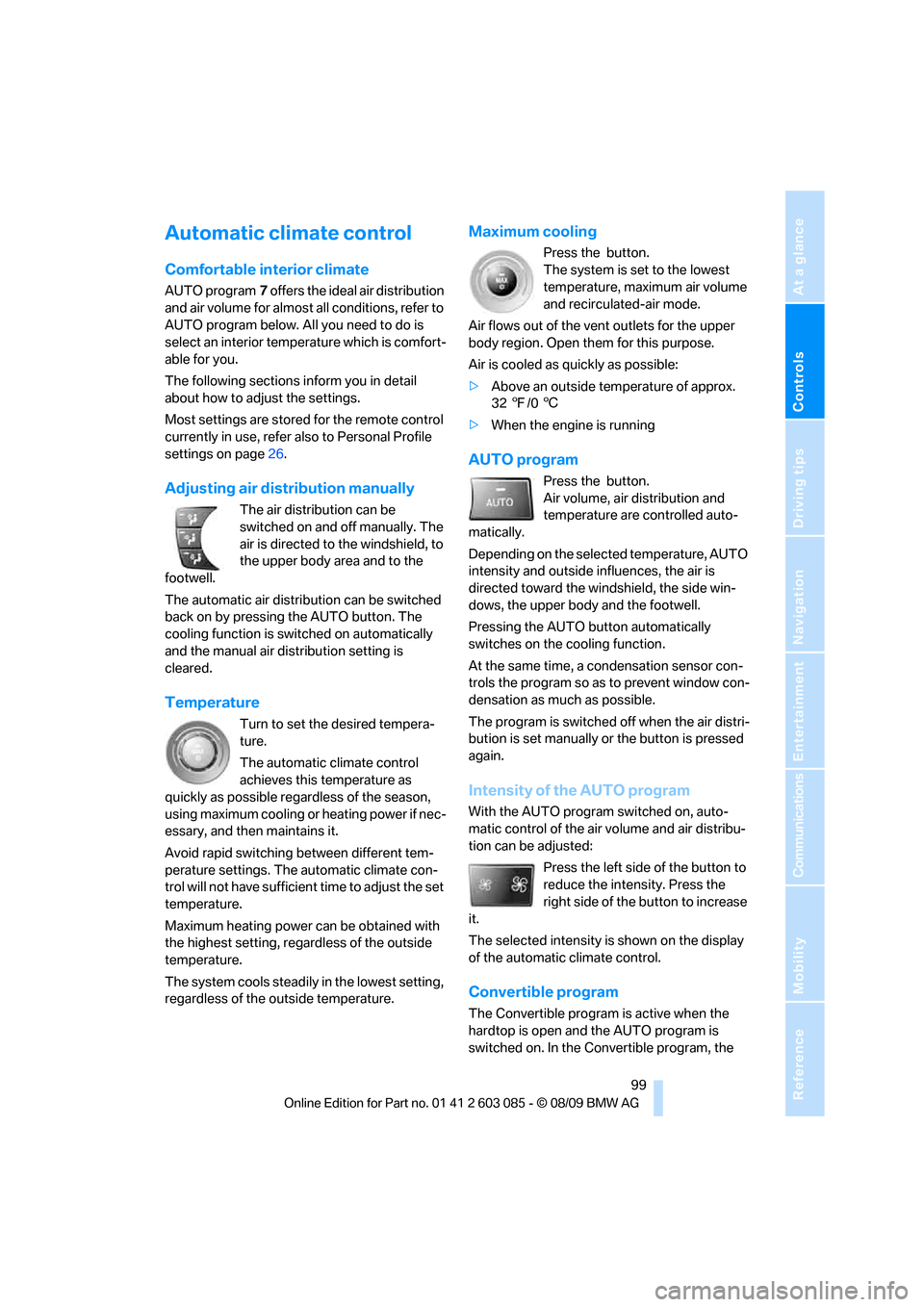
Automatic climate control
Comfortable interior climate
AUTO program7 offers the ideal air distribution
and air volume for almost all conditions, refer to
AUTO program below. All you need to do is
select an interior temperature which is comfort-
able for you.
The following sections inform you in detail
about how to adjust the settings.
Most settings are stored for the remote control
currently in use, refer also to Personal Profile
settings on page26.
Adjusting air distribution manually
The air distribution can be
switched on and off manually. The
air is directed to the windshield, to
the upper body area and to the
footwell.
The automatic air distribution can be switched
back on by pressing the AUTO button. The
cooling function is switched on automatically
and the manual air distribution setting is
cleared.
Temperature
Turn to set the desired tempera-
ture.
The automatic climate control
achieves this temperature as
quickly as possible regardless of the season,
using maximum cooling or heating power if nec-
essary, and then maintains it.
Avoid rapid switching between different tem-
perature settings. The automatic climate con-
trol will not have sufficient time to adjust the set
temperature.
Maximum heating power can be obtained with
the highest setting, regardless of the outside
temperature.
The system cools steadily in the lowest setting,
regardless of the outside temperature.
Maximum cooling
Press the button.
The system is set to the lowest
temperature, maximum air volume
and recirculated-air mode.
Air flows out of the vent outlets for the upper
body region. Open them for this purpose.
Air is cooled as quickly as possible:
>Above an outside temperature of approx.
327/06
>When the engine is running
AUTO program
Press the button.
Air volume, air distribution and
temperature are controlled auto-
matically.
Depending on the selected temperature, AUTO
intensity and outside influences, the air is
directed toward the windshield, the side win-
dows, the upper body and the footwell.
Pressing the AUTO button automatically
switches on the cooling function.
At the same time, a condensation sensor con-
trols the program so as to prevent window con-
densation as much as possible.
The program is switched off when the air distri-
bution is set manually or the button is pressed
again.
Intensity of the AUTO program
With the AUTO program switched on, auto-
matic control of the air volume and air distribu-
tion can be adjusted:
Press the left side of the button to
reduce the intensity. Press the
right side of the button to increase
it.
The selected intensity is shown on the display
of the automatic climate control.
Convertible program
The Convertible program is active when the
hardtop is open and the AUTO program is
switched on. In the Convertible program, the
Page 102 of 266
Climate
100 automatic climate control is optimized for driv-
ing with the hardtop open. In addition, the air
volume is increased as vehicle speed increases.
The effectiveness of the Convertible pro-
gram can be enhanced considerably by
installing the wind deflector.<
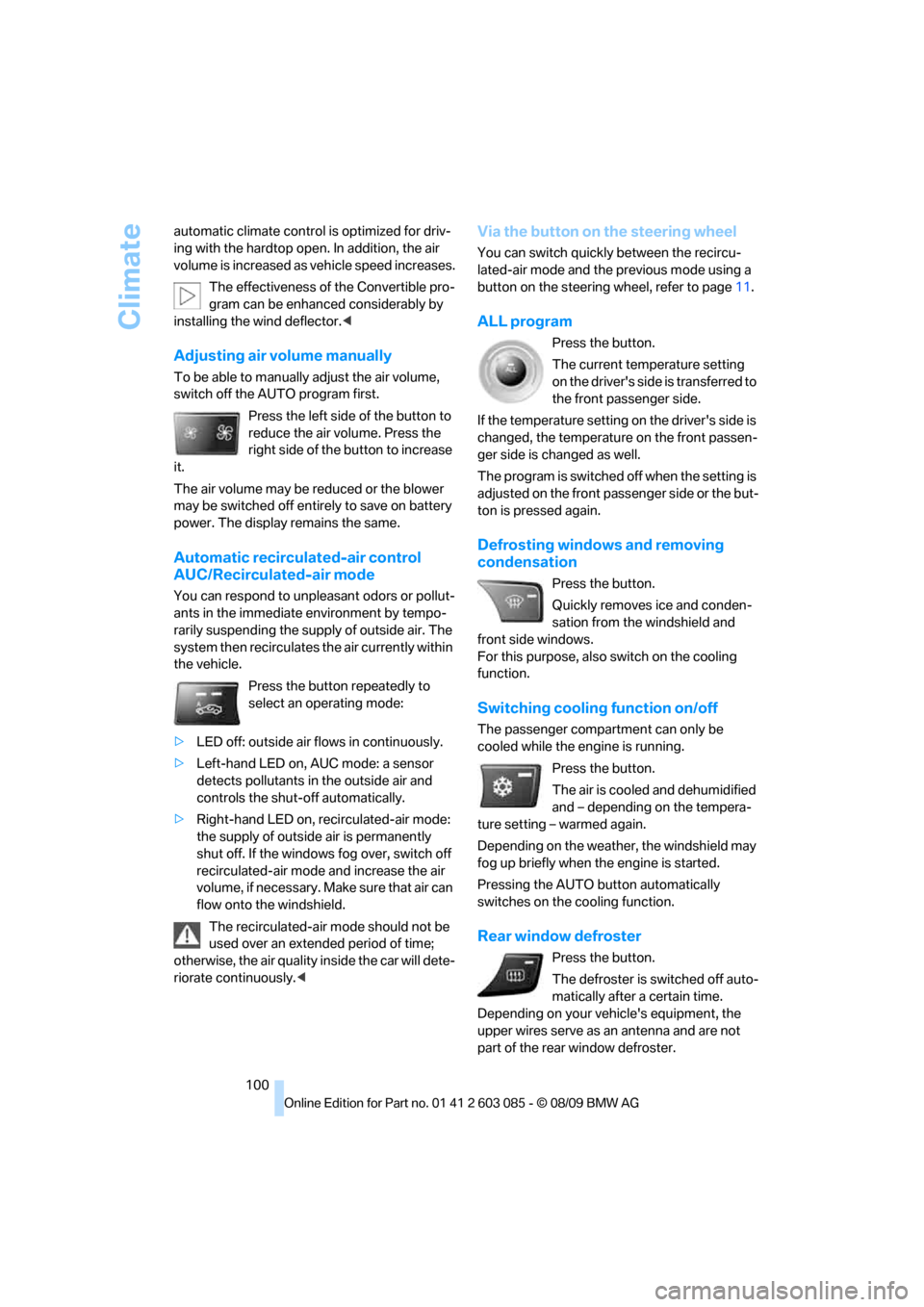
Adjusting air volume manually
To be able to manually adjust the air volume,
switch off the AUTO program first.
Press the left side of the button to
reduce the air volume. Press the
right side of the button to increase
it.
The air volume may be reduced or the blower
may be switched off entirely to save on battery
power. The display remains the same.
Automatic recirculated-air control
AUC/Recirculated-air mode
You can respond to unpleasant odors or pollut-
ants in the immediate environment by tempo-
rarily suspending the supply of outside air. The
system then recirculates the air currently within
the vehicle.
Press the button repeatedly to
select an operating mode:
>LED off: outside air flows in continuously.
>Left-hand LED on, AUC mode: a sensor
detects pollutants in the outside air and
controls the shut-off automatically.
>Right-hand LED on, recirculated-air mode:
the supply of outside air is permanently
shut off. If the windows fog over, switch off
recirculated-air mode and increase the air
volume, if necessary. Make sure that air can
flow onto the windshield.
The recirculated-air mode should not be
used over an extended period of time;
otherwise, the air quality inside the car will dete-
riorate continuously.<
Via the button on the steering wheel
You can switch quickly between the recircu-
lated-air mode and the previous mode using a
button
on the steering wheel, refer to page11.
ALL program
Press the button.
The current temperature setting
on the driver's side is transferred to
the front passenger side.
If the temperature setting on the driver's side is
changed, the temperature on the front passen-
ger side is changed as well.
The program is switched off when the setting is
adjusted on the front passenger side or the but-
ton is pressed again.
Defrosting windows and removing
condensation
Press the button.
Quickly removes ice and conden-
sation from the windshield and
front side windows.
For this purpose, also switch on the cooling
function.
Switching cooling function on/off
The passenger compartment can only be
cooled while the engine is running.
Press the button.
The air is cooled and dehumidified
and – depending on the tempera-
ture setting – warmed again.
Depending on the weather, the windshield may
fog up briefly when the engine is started.
Pressing the AUTO button automatically
switches on the cooling function.
Rear window defroster
Press the button.
The defroster is switched off auto-
matically after a certain time.
Depending on your vehicle's equipment, the
upper wires serve as an antenna and are not
part of the rear window defroster.
Page 108 of 266
Practical interior accessories
106 >The compass direction shown does not
change although the direction of travel
does.
>Not all compass directions are shown.
Procedure
1.Make sure that no large metal objects or
overhead power lines are in the vicinity of
your vehicle and that you have enough
space to drive in a circle.
2.Set the currently valid compass zone.
3.Convertible: ensure that the retractable
hardtop is fully closed.
4.Press the adjustment button for approx.
6-7 seconds to call up C. Then drive in at
least one full circle at a speed of no more
than 4mph or 7km/h.
If calibration is successful, the display
changes from C to a compass direction.
5.Convertible: open the retractable hardtop
fully and repeat step 4.
Setting right-hand/left-hand steering
Your digital compass is factory-set to right-
hand or left-hand steering, in accordance with
your vehicle.
Set the language
You can set the language of the display:
Press the adjustment button for approx.
12-13 seconds. Briefly press the adjustment
button again to switch between English, "E",
and German, "O".
The setting is automatically saved after approx.
10 seconds.
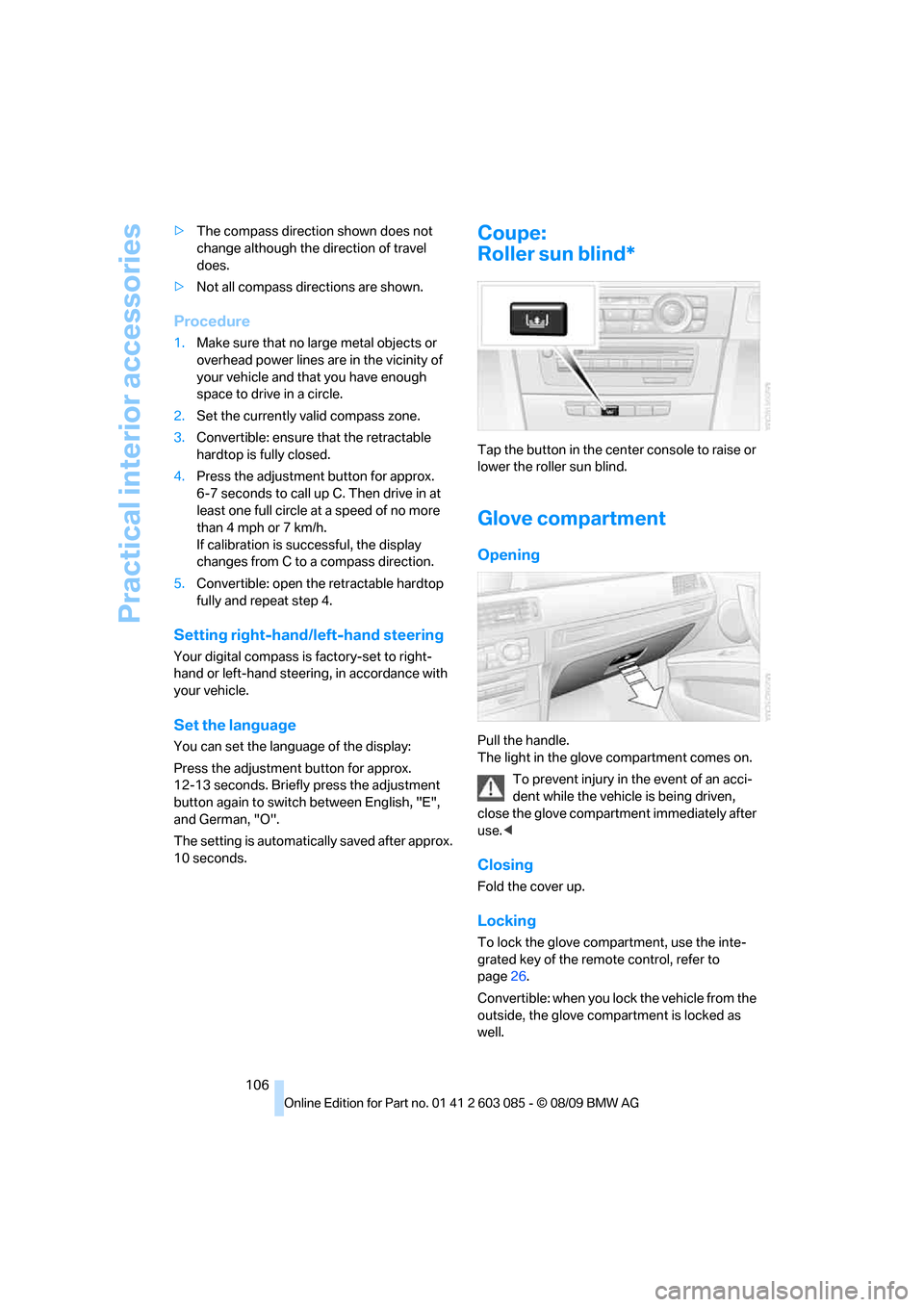
Coupe:
Roller sun blind*
Tap the button in the center console to raise or
lower the roller sun blind.
Glove compartment
Opening
Pull the handle.
The light in the glove compartment comes on.
To prevent injury in the event of an acci-
dent while the vehicle is being driven,
close the glove compartment immediately after
use.<
Closing
Fold the cover up.
Locking
To lock the glove compartment, use the inte-
grated key of the remote control, refer to
page26.
Convertible: when you lock the vehicle from the
outside, the glove compartment is locked as
well.
Page 112 of 266
Practical interior accessories
110
Coupe:
Through-loading system*
Opening
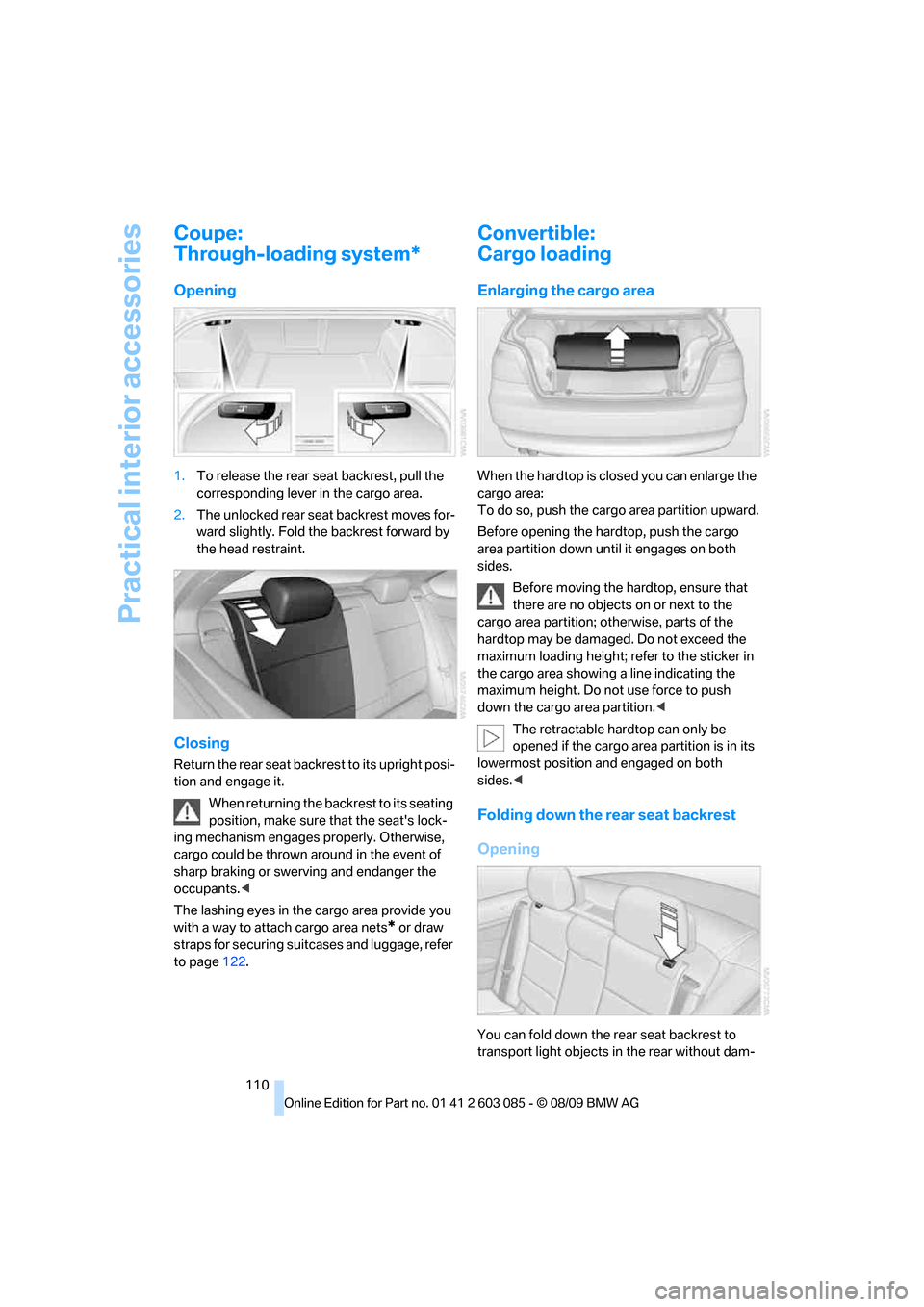
1.To release the rear seat backrest, pull the
corresponding lever in the cargo area.
2.The unlocked rear seat backrest moves for-
ward slightly. Fold the backrest forward by
the head restraint.
Closing
Return the rear seat backrest to its upright posi-
tion and engage it.
When returning the backrest to its seating
position, make sure that the seat's lock-
ing mechanism engages properly. Otherwise,
cargo could be thrown around in the event of
sharp braking or swerving and endanger the
occupants.<
The lashing eyes in the cargo area provide you
with a way to attach cargo area nets
* or draw
straps for securing suitcases and luggage, refer
to page122.
Convertible:
Cargo loading
Enlarging the cargo area
When the hardtop is closed you can enlarge the
cargo area:
To do so, push the cargo area partition upward.
Before opening the hardtop, push the cargo
area partition down until it engages on both
sides.
Before moving the hardtop, ensure that
there are no objects on or next to the
cargo area partition; otherwise, parts of the
hardtop may be damaged. Do not exceed the
maximum loading height; refer to the sticker in
the cargo area showing a line indicating the
maximum height. Do not use force to push
down the cargo area partition.<
The retractable hardtop can only be
opened if the cargo area partition is in its
lowermost position and engaged on both
sides.<
Folding down the rear seat backrest
Opening
You can fold down the rear seat backrest to
transport light objects in the rear without dam-
Page 124 of 266
Things to remember when driving
122
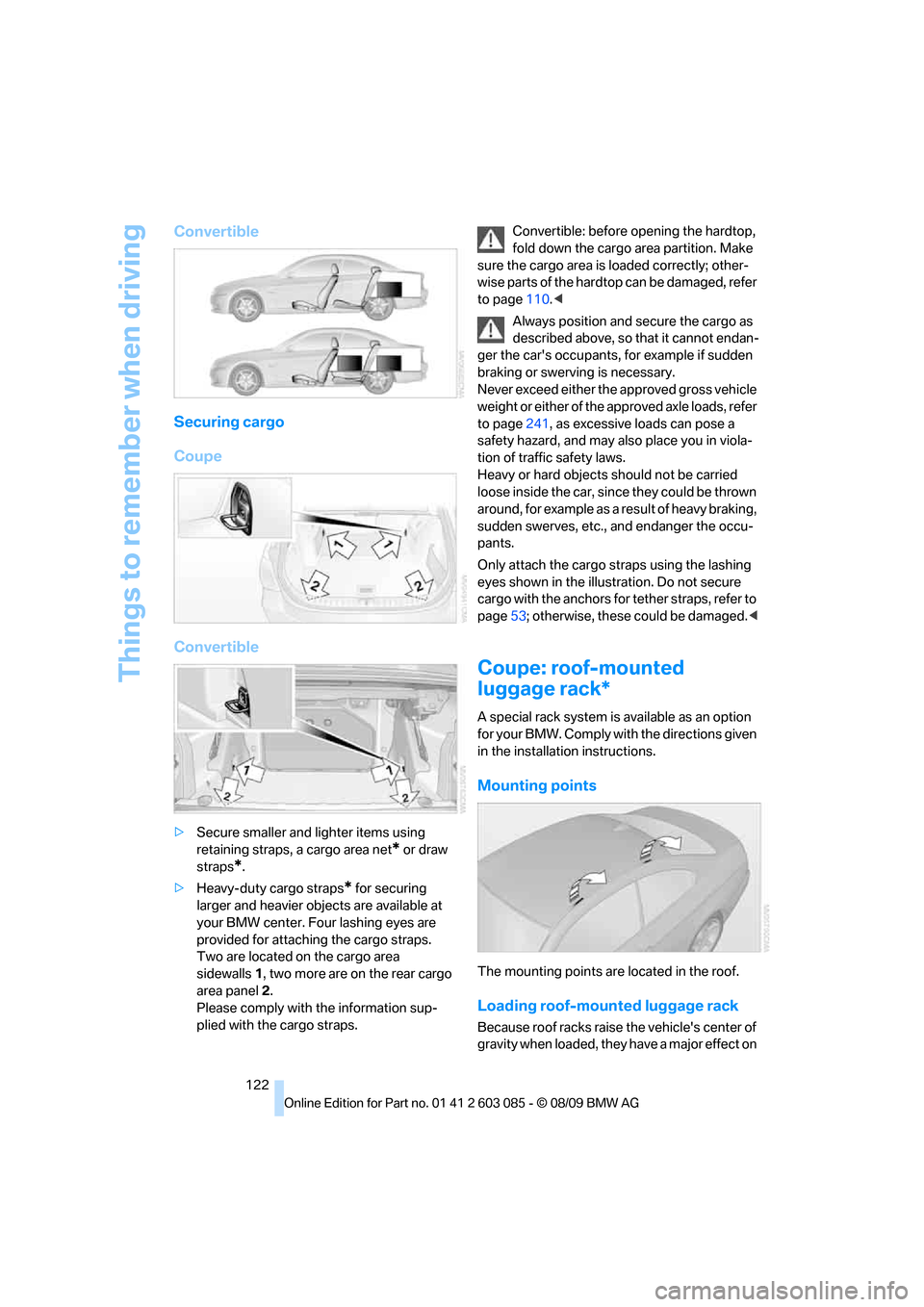
Convertible
Securing cargo
Coupe
Convertible
>Secure smaller and lighter items using
retaining straps, a cargo area net
* or draw
straps
*.
>Heavy-duty cargo straps
* for securing
larger and heavier objects are available at
your BMW center. Four lashing eyes are
provided for attaching the cargo straps.
Two are located on the cargo area
sidewalls1, two more are on the rear cargo
area panel2.
Please comply with the information sup-
plied with the cargo straps.Convertible: before opening the hardtop,
fold down the cargo area partition. Make
sure the cargo area is loaded correctly; other-
wise parts of the hardtop can be damaged, refer
to page110.<
Always position and secure the cargo as
described above, so that it cannot endan-
ger the car's occupants, for example if sudden
braking or swerving is necessary.
Never exceed either the approved gross vehicle
weight or either of the approved axle loads, refer
to page241, as excessive loads can pose a
safety hazard, and may also place you in viola-
tion of traffic safety laws.
Heavy or hard objects should not be carried
loose inside the car, since they could be thrown
around, for example as a result of heavy braking,
sudden swerves, etc., and endanger the occu-
pants.
Only attach the cargo straps using the lashing
eyes shown in the illustration. Do not secure
cargo with the anchors for tether straps, refer to
page53; otherwise, these could be damaged.<
Coupe: roof-mounted
luggage rack*
A special rack system is available as an option
f o r y o u r B M W . C o m p l y w i t h t h e d i r e c t i o n s g i v e n
in the installation instructions.
Mounting points
The mounting points are located in the roof.
Loading roof-mounted luggage rack
Because roof racks raise the vehicle's center of
gravity when loaded, they have a major effect on
Page 222 of 266
Care
220 water penetration. Follow the operating instruc-
tions of the high-pressure washer.<
When using high-pressure washers, do
not spray against the sensors and cam-
eras, e.g. of the Park Distance Control or Rear
View Camera, for an extended period and main-
tain a distance of at least 1 ft/30 cm.<
Manual car wash
When washing the vehicle by hand, use large
quantities of water and car shampoo if neces-
sary. Clean the vehicle with a sponge or wash-
ing brush, applying light pressure only.
Before cleaning the windshield, deacti-
vate the rain sensor or switch off the igni-
tion to prevent unintentional activation of the
wipers.<
Observe local regulations pertaining to
washing vehicles by hand.<
Headlamps
Do not rub them dry and do not use abrasive or
corrosive cleaning agents.
Loosen dirt, e.g. insects, with shampoo or
insect remover and wash away with copious
quantities of water.
Thaw ice with a windshield deicer and do not
use an ice scraper.
Windows
Clean the inside and outside surfaces of the
windows and the mirrors with window cleaner.
Do not clean the mirrors with cleaners
containing quartz.<
Convertible: retractable hardtop
Proceed as you would in a normal car wash.
When you open a wet hardtop, water
drops may run into the cargo area. If nec-
essary, remove items from the cargo area
beforehand to avoid water stains or soiling.<
Paintwork care
Regular care contributes to value retention and
protects the paintwork against the long-term
effects of damaging substances.
Region-specific environmental influences can
damage the vehicle paintwork. Therefore, it is
important to adapt the frequency and scope of
car care accordingly.
Immediately remove aggressive materials such
as spilled fuel, oil, grease, brake fluid, tree sap or
bird droppings to prevent damage to the paint-
work.
Repairing paintwork damage
Immediately repair scratches or similar
damage, such as that caused by stones
hitting the vehicle, where necessary to prevent
rusting.<
BMW recommends having paintwork damage
repaired by a professional paint repair work-
shop according to BMW specifications using
original BMW paint materials.
Preservation
A preservation treatment is necessary when
water no longer beads off the clean paintwork
surface. Only use products for paintwork pres-
ervation that contain carnauba or synthetic
waxes.
Rubber seals
Treat only with water or rubber care products.
Do not use silicon-containing care prod-
ucts on rubber seals; otherwise, noise
and damage could occur.<
Chrome parts
Carefully clean vehicle parts such as the radia-
tor grill, door handles or window frames with
copious quantities of water and a shampoo
additive, especially when roads are treated with
deicing salt. For additional treatment, use a
chrome polish.
Page 252 of 266
Everything from A - Z
250 Care219
– automatic car washes219
– care products219
– carpets221
– CD/DVD drives222
– chrome parts220
– displays221
– exterior219
– fine wood parts221
– headlamps220
– high-pressure washer219
– interior221
– leather221
– light-alloy wheels221
– paintwork220
– plastic parts221
– retractable hardtop220
– rubber seals220
– safety belts221
– sensors and cameras221
– upholstery and cloth
trim221
– washing the car
manually220
– windows220
Cargo, securing122
Cargo area
– capacity241
– Comfort Access34
– folding up the floor
panel112
– lamp, refer to Interior
lamps97
– opening from inside31
– opening from outside31
Cargo loading120
– securing cargo122
– stowing cargo121
– vehicle120
Car jack
– jacking points228
Car key, refer to Integrated
key/remote control26
Car phone
– installation location, refer to
Center armrest107
– refer to separate Owner's
ManualCar phone, refer to
Telephone176
Car radio, refer to Radio149
Car shampoo221
Catalytic converter, refer to
Hot exhaust system119
CD, audio playback157
CD changer157,161
– controls146
– fast forward/reverse159
– filling or emptying the
magazine162
– random play sequence158
– selecting a track157
– switching on/off146
– tone control146
– volume146
CD player157
– controls146
– fast forward/reverse159
– random play sequence158
– selecting a track157
– switching on/off146
– tone control146
– volume146
Center armrest107
Center brake lamp
– replacing bulb227
Center console, refer to
Around the center
console14
Central locking
– from inside30
– from outside27
Central locking system27
– Comfort Access33
– hotel function31
– setting unlocking
characteristics27
Changes, technical, refer to
For your own safety5
Changing bulbs, refer to
Lamps and bulbs223
Changing the language on the
Control Display79
Changing the measurement
units on the Control
Display72
Changing wheels227Chassis number, refer to
Engine compartment213
Check Control77
Child restraint fixing system
LATCH53
Child restraint systems52
Child seats, refer to
Transporting children
safely52
Chrome parts221
Chrome polish221
Cigarette lighter, refer to
Lighter109
Cleaning headlamps61
– washer fluid61
Cleaning your BMW, refer to
Care219
Clock69
– 12h/24h mode76
– setting the time and date
76
– setting time75
Closing
– from inside30
– from outside27
Clothes hooks108
Cockpit10
Cold start, refer to Starting the
engine56
Combined instrument, refer to
Instrument cluster12
Comfort Access33
– replacing the battery35
Comfort access, refer to
Comfort Access33
Comfort area, refer to Around
the center console14
Compartment for remote
control, refer to Ignition
lock55
Compass105
Computer70
– displays on Control
Display71
Computer, refer to iDrive16
Concierge service191
Condensation, refer to When
the vehicle is parked120
Condition Based Service
CBS217
Page 253 of 266
Reference 251
At a glance
Controls
Driving tips
Communications
Navigation
Entertainment
Mobility
Configuring settings, refer to
Personal Profile26
Confirmation signals for
locking/unlocking the
vehicle29
Congestion
– refer to Route, bypassing
sections137
Connecting vacuum cleaner,
refer to Connecting
electrical appliances109
Consumption, refer to
Average consumption71
Consumption display
– average consumption71
Contacts
– creating188
Control Center, refer to
iDrive16
Control Display, refer to
iDrive16
– adjusting brightness80
– switching on/off19
Controller, refer to iDrive16
Controls and displays10
Control unit, refer to iDrive16
Convenient loading in
Convertible28
Convenient operation
– glass roof28
– glass roof with Comfort
Access34
– retractable hardtop28
– windows28
– windows with Comfort
Access34
Convertible
– bag holder111
– Convenient loading28
– enlarging cargo area110
– folding down rear
backrest110
– retractable hardtop38
– rollover protection
system92
– securing cargo122
– stowing cargo121
Coolant215
– checking level215Coolant temperature70
Cooling, maximum99
Cooling fluid, refer to
Coolant215
Cooling system, refer to
Coolant215
Copyright2
Corner-illuminating lamps
– replacing bulbs224
Corner-illuminating lamps,
refer to Adaptive light
control94
Cornering lamps, refer to
Adaptive light control94
Correct tires210
Country codes DVD159
Courtesy lamps, refer to
Interior lamps97
Criteria for route136
Cross-hairs in navigation132
Cruise control61
– active63
– malfunction63
Cruising range70
Cupholders108
Curb weight, refer to
Weights241
Current playback
– external devices171
– of music collection166
Customer Relations193
D
Dashboard, refer to
Cockpit10
Dashboard, refer to
Instrument cluster12
Dashboard lighting, refer to
Instrument lighting96
Data, technical238
– capacities241
– dimensions239
– engine238
– weights241
Data transfer194
Date
– date format77
– setting76Daytime running lights94
– replacing bulbs224
DBC Dynamic Brake
Control82
Deactivating front passenger
airbags90
Deadlocking, refer to
Locking28
Defect
– door lock30
– fuel filler flap198
– glass roof37
Destination, entering by town/
city name127
Destination address
– entering127,133
Destination entry via BMW
Assist131
Destination for navigation
– entering by voice133
– entering via map132
– entry127
– home address130
– manual entry127
Destination guidance136
– bypassing a route
section137
– changing specified
route136
– continuing136
– starting136
– voice instructions137
– volume of voice
instructions138
Digital clock69
Digital compass105
Digital radio, refer to HD
Radio150
Dimensions239
Directional indicators, refer to
Turn signals59
Direction instructions, refer to
Voice instructions137
Directory for navigation, refer
to Address book
129
Displacement, refer to Engine
data238
Display, refer to iDrive
controls16
Page 260 of 266
Everything from A - Z
258 Releasing
– hood212
Remaining distance, refer to
Cruising range70
Remote control26
– battery renewal35
– Comfort Access33
– garage door opener103
– malfunction29,34
– removing from the ignition
lock55
– service data217
– trunk lid28
Replacement fuses, refer to
Fuses228
Replacement remote
control26
Replacing bulbs, refer to
Lamps and bulbs223
Replacing tires210
Replacing tires, refer to New
wheels and tires210
Reporting safety defects6
Reserve warning, refer to Fuel
gauge70
Reset, refer to Resetting tone
settings148
Restraint systems
– for children52
– refer to Safety belts48
Retractable hardtop38
– care, refer to Caring for your
vehicle brochure
– Convenient operation28
– opening and closing39
– remote control28
Reverse
– CD changer159
– CD player159
Reverse gear
– automatic transmission with
Steptronic58
– manual transmission57
Road map138
Roadside
Assistance191,230
Roadside parking lamps95
– replacing bulbs224Roadworthiness test, refer to
Service requirements73
Roller sun blinds106
Rollover protection system,
Convertible92
– resetting92
Roof load capacity241
Roof-mounted luggage
rack122
Rope, refer to Tow-starting,
towing away233
Rotary/pushbutton, refer to
iDrive16
Route136,137
– bypassing sections137
– changing136,137
– changing criteria136
– displaying streets or towns/
cities137
– map view138
– selecting136
Route instructions, refer to
Destination guidance
through voice
instructions137
Route map, refer to Map
view138
Route section, changing137
Route selection136
RSC Runflat System
Component, refer to Run-
flat tires210
Runflat System Component
RSC, refer to Run-flat
tires210
Run-flat tires210
– continuing driving with a
damaged tire85
– flat tire85
– Flat Tire Monitor85
– new tires210
– replacing210
– tire inflation pressure200
– winter tires211
S
Safety-belt height
adjustment49Safety belts48
– belt hand-over49
– damage49
– indicator/warning lamp49
– reminder49
– sitting safely42
Safety systems
– airbags90
– Antilock Brake System
ABS82
– brake system82
– driving stability control
systems82
– Dynamic Stability Control
DSC82
– rollover protection system,
Convertible92
– safety belts48
Safety tires, refer to Run-flat
tires210
Satellite radio152
– enabling or unsubscribing
from a channel152
– favorites154
– selecting channel153
– storing channel153
– timeshift154
– Traffic Jump155
Saving fuel118
Screen, refer to iDrive
controls16
Screw thread for tow
fitting233
SDARS, refer to Satellite
radio152
Seat adjustment
– electric43
– mechanical43
Seat and mirror memory47
Seat belt reminder, refer to
"Fasten safety belts"
reminder49
Seat heating47
Page 263 of 266
Reference 261
At a glance
Controls
Driving tips
Communications
Navigation
Entertainment
Mobility
Tone
– control146
– middle setting148
Tools, refer to Onboard
vehicle tool kit223
Top, refer to Retractable
hardtop38
Top 50 of music
collection166
Torque, refer to Engine
data238
Tow bar233
Tow fitting233
– screw thread233
Tow fittings for tow-starting
and towing away233
Towing232
– car with automatic
transmission232
– methods233
Towing and tow-starting232
Town/city, for navigation127
Tow rope233
Tow-starting232,234
TPM, refer to Tire Pressure
Monitor86
Track
– selecting on CD157
Traction control, refer to
Dynamic Stability Control
DSC82
Traffic bulletins
– categories141
Traffic bulletins, filtering141
Traffic bulletins for
navigation139
– during destination
guidance141
– in map view141
Traffic jam
– displaying traffic
bulletins139
Transmission
– automatic transmission with
Steptronic57
– manual transmission57
– overriding selector lever lock
for automatic transmission
with Steptronic59Transmission interlock
– refer to Changing selector
lever position58
– refer to P Park58
Transporting children
safely52
Transport securing devices,
refer to Securing cargo122
Travel instructions, refer to
Voice instructions137
Tread depth, refer to Minimum
tire tread209
Trip, deleting135
Trip, storing134
Trip computer, refer to
Displays on the Control
Display71
Trip-distance counter, refer to
Trip odometer69
Triple turn signal activation60
Trip odometer69
Trips, changing135
Trunk lid31
– Comfort Access34
– emergency release31
– locking or unlocking
separately31
– opening from inside31
– opening from outside31
– remote control28
Turning circle, refer to
Dimensions239
Turn signal indicators
– indicator/warning lamp12
Turn signals59
– replacing bulbs225
– triple turn signal60
Tying down loads, refer to
Cargo loading122
U
Uniform Tire Quality Grading/
UTQR208
Units of measure
– average consumption72
– temperature72Universal garage door opener,
refer to Integrated universal
remote control103
Universal mobile phone
preparation package, refer
to separate Owner's Manual
Universal remote control103
Unlatching, refer to
Unlocking33
Unlocking
– from inside30
– from outside27
– setting unlocking
characteristics27
– trunk lid34
– without remote control, refer
to Comfort Access33
Updating the navigation
data126
USB audio interface169
V
VCD159
Vehicle
– battery228
– breaking in118
– cargo loading120
– Identification Number, refer
to Engine compartment213
– measurements, refer to
Dimensions239
– parking56
– weight241
Vehicle jack228
Vehicle storage222
Ventilation101
– draft-free101
– in the rear101
Ventilation, refer to Climate98
Ventilation while at a
standstill101
Vents, refer to Ventilation101
Video menu160
Video playback159
Voice, refer to Destination
guidance through voice
instructions137