ignition BMW 335I CONVERTIBLE 2013 Service Manual
[x] Cancel search | Manufacturer: BMW, Model Year: 2013, Model line: 335I CONVERTIBLE, Model: BMW 335I CONVERTIBLE 2013Pages: 308, PDF Size: 5.65 MB
Page 226 of 308
225
ConnectedDrive
Communications
>
In addition, the optional Convenience Plan
offers Concierge service and information on
route planning, the traffic situation and
weather. Using Critical Calling, a limited
number of calls can be made via the BMW
Assist Response Center, for example if the
mobile phone is not available or discharged.
Press the SOS button to contact the BMW
Assist Response Center.
TeleService:
General information
TeleService supports communication with your
BMW center.
>Data on the vehicle's service requirements
can be sent directly to the BMW center. In
this way, the BMW center can plan its work
in advance. This shortens the duration of
the service appointment.
> In the event of a breakdown, data on the
vehicle's condition can be sent directly to
Roadside Assistance.
> The service varies by country.
> Connection may incur charges.
> Services may be restricted abroad.
Requirements
>BMW Assist is activated.
> Wireless reception is available.
> Ignition switched on.
Using TeleService
Generally, TeleService is activated in the vehi-
cle.
If TeleService is not activated, it is possible to
establish a voice contact to the BMW Group
Mobile Service.
For additional uses or to deactivate the ser-
vices, consult your BMW center or contact Cus-
tomer Relations.
Concierge service
General information
The Concierge service of BMW Assist will
inform you, for example, about upcoming
events, filling station, or hotels and supplies you
with their phone numbers and addresses. Many
hotels can be booked directly through the BMW
Assist Concierge service. Use of the Concierge
service requires an additional activation by the
BMW Assist Response Center.
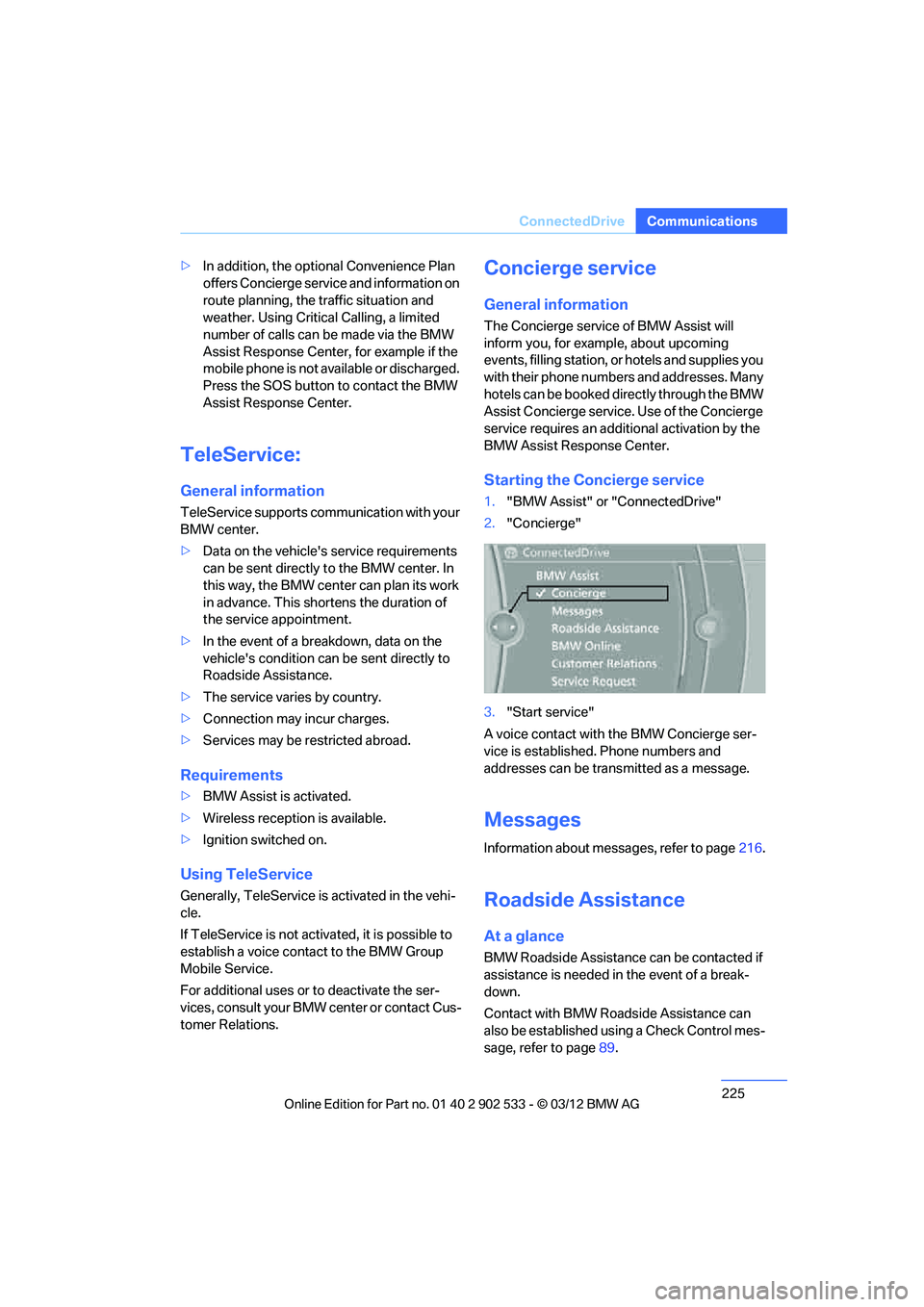
Starting the Concierge service
1."BMW Assist" or "ConnectedDrive"
2. "Concierge"
3. "Start service"
A voice contact with the BMW Concierge ser-
vice is established. Phone numbers and
addresses can be transmitted as a message.
Messages
Information about messages, refer to page 216.
Roadside Assistance
At a glance
BMW Roadside Assistance can be contacted if
assistance is needed in the event of a break-
down.
Contact with BMW Roadside Assistance can
also be established using a Check Control mes-
sage, refer to page 89.
00320051004F004C00510048000300280047004C0057004C005200510003
Page 263 of 308
262
MobilityCare
Care
Vehicle equipment
In this chapter, all production, country, and
optional equipment that is offered in the model
range is described. For this reason, descrip-
tions will be given of some equipment that may
not be available in a vehicle, for example due to
the special options or national-market version
selected. This also applies to safety related
functions and systems.
Care products
Regular cleaning and care contributes signifi-
cantly to the value retention of your BMW.
BMW recommends cleaning and caring for your
vehicle with products that are approved by
BMW for this purpose.
Your BMW center will be happy to advise you on
the products and services available for cleaning
and caring for your BMW.
Original BMW CareProducts have been
material-tested, laboratory-checked and
proven in the field, and offer optimal care and
protection for your vehicle. <
Do not use cleaners that contain alcohol
or solvents as these may result in dam-
age. <
Cleaning agents can contain substances
that are dangerous or hazardous to your
health. Therefore, follow the warning and safety
instructions on the packaging. When cleaning
inside the vehicle, always open the doors or
windows of the vehicle. In enclosed areas, pro-
vide for sufficient ventilation. Only use products
designed for cleaning vehicles. <
Exterior care
Washing the vehicle
Especially during the winter months,
ensure that the vehicle is washed more
frequently. Heavy soiling and road salt can lead
to vehicle damage. <
After washing the vehicle, apply the
brakes briefly to dry them; otherwise,
water can reduce braking efficiency over the
short term and the brake discs can corrode. <
Automatic car washes
Give preference to car washes that use cloth or
soft brushes in order to avoid paint damage.
Do not use high-pressure car washes;
otherwise, water may drip into the vehicle
around the windows. <
Before driving into a car wash, ensure that it is
suitable for your BMW. Check the following:
> Dimensions of your vehicle, refer to
page 281.
> If necessary: fold in the exterior mirrors,
refer to page 54.
> Maximum permissible tire width.
Avoid car washes with guide rail heights
over 4 in/10 cm; otherwise, there is the
danger of damaging chassis parts. <
Preparations before driving into an automatic
car wash:
> Unscrew the rod antenna.
> Deactivate the rain sensor to prevent
undesired wiper operation.
> Remove additional add-on parts, e.g. spoil-
ers or phone antennas, if they could be
damaged.
> Leave the remote control in the ignition
lock.
00320051004F004C00510048000300280047004C0057004C005200510003
Page 264 of 308
263
Care
Mobility
Automatic transmission
Before driving into an automatic car wash, per-
form the following steps to ensure that the vehi-
cle can roll:
1.
Insert the remote control into the ignition
lock, even with Comfort Access.
2. Move the selector lever to position N.
3. Release the parking brake.
4. Switch off the engine.
5. Leave the remote control in the ignition lock
so that the vehicle can roll.
Sport automatic transmission with
double clutch
Before driving into an automatic car wash, per-
form the following steps to ensure that the vehi-
cle can roll:
1.Insert the remote control into the ignition
lock, even with Comfort Access.
2. Engage transmission position N.
3. Release the parking brake.
4. Switch off the engine.
5. Leave the remote control in the ignition lock
so that the vehicle can roll.
The transmission is switched into position P:
> automatically after approx. 30 minutes
> if you remove the infrared remote control
from the ignition lock
Steam jets/high-pressure washers
When using steam jets or high-pressure
washers, make sure to maintain sufficient
distance from the vehicle and do not exceed a
temperature of 140 7/60 6.
Insufficient clearance or excessive pressure or
temperature can lead to component damage or
water penetration. Follow the operating instruc-
tions of the high-pressure washer. <
When using high-pressure washers, do
not spray the sensors, e.g. of the Park
Distance Control, for an extended period and maintain a distance of at least 1 ft/30 cm from
them.
<
Manual car wash
When washing the vehicle by hand, use large
quantities of water and car shampoo if neces-
sary. Clean the vehicle with a sponge or wash-
ing brush, applying light pressure only.
Before cleaning the windshield, deacti-
vate the rain sensor or switch off the igni-
tion to prevent unintentional activation of the
wipers. <
Observe local regulations pertaining to
washing vehicles by hand. <
Headlamps
Do not rub them dry and do not use abrasive or
corrosive cleaning agents.
Loosen dirt, e.g. insects, with shampoo or
insect remover and wash away with copious
quantities of water.
Thaw ice with a windshield deicer and do not
use an ice scraper.
Windows
Clean the inside and outside surfaces of the
windows and the mirrors with window cleaner.
Do not clean the mirrors with cleaners
containing quartz. <
Convertible: retractable hardtop
Proceed as you would in a normal car wash.
When you open a wet hardtop, water
drops may run into the trunk. If necessary,
remove items from the trunk beforehand to
avoid water stains or soiling. <
Paintwork care
Regular care contributes to value retention and
protects the paintwork against the long-term
effects of damaging substances.
Environmental influences in regions with ele-
vated levels of air pollution or natural contami-
00320051004F004C00510048000300280047004C0057004C005200510003
Page 268 of 308
267
Replacin g components
Mobility
When working on electrical systems,
always begin by switching off the con-
sumer in question; otherwise, short-circuits
could result. To avoid possible injury or equip-
ment damage when replacing bulbs, observe
any instructions provided by the bulb manufac-
turer. <
For care of the headlamps, please follow the
instructions in the chapter entitled 'Care'. To replace lamps not described here,
please contact your BMW center. <
Light-emitting diodes LED
Light-emitting diodes installed behind translu-
cent lenses serve as the light source for many of
the controls, displays, and equipment in your
vehicle. These light-emitting diodes, which
operate using a concept similar to that applied
in conventional lasers, are officially designated
as Class 1 light-emitting diodes.
Do not remove the covers or expose the
eyes directly to the unfiltered light source
for several hours; otherwise, this could cause
irritation of the retina. <
Headlight lenses
In cool or humid weather, condensation may
form on the interior of outside lamps. The con-
densation will disappear after a short time when
driving with the headlamps switched on. The
headlamp glasses do not need to be changed.
If the headlamps do not defrost despite driving
with the headlamps switched on, and additional
moisture builds up, for example water droplets
in the lamps, have them checked by your BMW
center.
Xenon lamps
These bulbs have a very long service life and are
highly unlikely to fail. If a xenon lamp fails never-
theless, switch on the fog lamps and continue
the journey with great care, provided that local
legislation does not prohibit this. Have all work on the xenon lamp system,
including bulb replacements, performed
only by your BMW center. Due to high voltage,
there is a risk of fatal injury if work on the xenon
lamps is carried out improperly. <
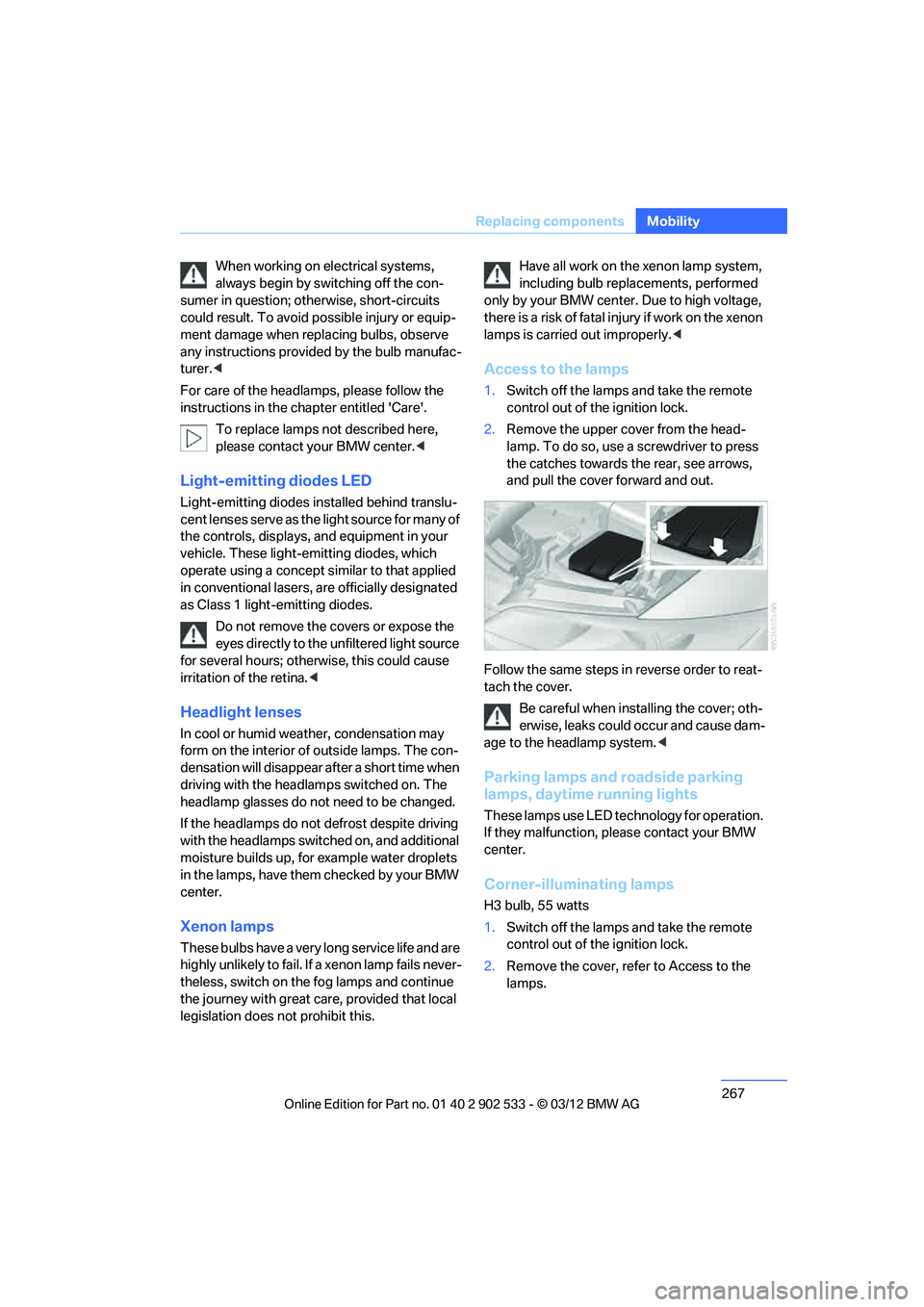
Access to the lamps
1.Switch off the lamps and take the remote
control out of the ignition lock.
2. Remove the upper cover from the head-
lamp. To do so, use a screwdriver to press
the catches towards the rear, see arrows,
and pull the cover forward and out.
Follow the same steps in reverse order to reat-
tach the cover. Be careful when installing the cover; oth-
erwise, leaks could occur and cause dam-
age to the headlamp system. <
Parking lamps and roadside parking
lamps, daytime running lights
These lamps use LED technology for operation.
If they malfunction, please contact your BMW
center.
Corner-illuminating lamps
H3 bulb, 55 watts
1.Switch off the lamps and take the remote
control out of the ignition lock.
2. Remove the cover, refer to Access to the
lamps.
00320051004F004C00510048000300280047004C0057004C005200510003
Page 276 of 308
275
Giving and receiving assistance
Mobility
5.
Attach the second terminal clamp of the
minus/– jumper cable to the negative termi-
nal of the battery or to the engine or body
ground of the vehicle to be started.
Starting the engine
1.Start the engine of the donor vehicle and
allow it to run for a few minutes at slightly
increased idle speed.
2. Start the engine on the other vehicle in the
usual way.
If the first start attempt is not successful,
wait a few minutes before another attempt
in order to allow the discharged battery to
recharge.
3. Let the engines run for a few minutes.
4. Disconnect the jumper cables by reversing
the above connecting sequence.
If necessary, have the battery checked and
recharged.
Never use spray fluids to start the
engine. <
Tow-starting, towing away
Observe the applicable laws and regula-
tions for tow-starting and towing vehi-
cles. <
Do not transport any passengers other
than the driver in a vehicle that is being
towed. <
Using a tow fitting
The screw-in tow fitting must always be carried
in the car. It can be screwed in at the front or
rear of the BMW.
Coupe: it is stored in the onboard vehicle tool kit
underneath the cover on the right-hand side of
the trunk, refer to page 266.
Convertible: it is stored in the onboard vehicle
tool kit underneath the trunk floor, refer to
page 266. Use only the tow fitting provided with the
vehicle and screw it all the way in. Use the
tow fitting for towing on paved roads only. Avoid
lateral loading of the tow fitting, e.g. do not lift
the vehicle by the tow fitting. Otherwise, the
tow fitting and the vehicle could be damaged. <
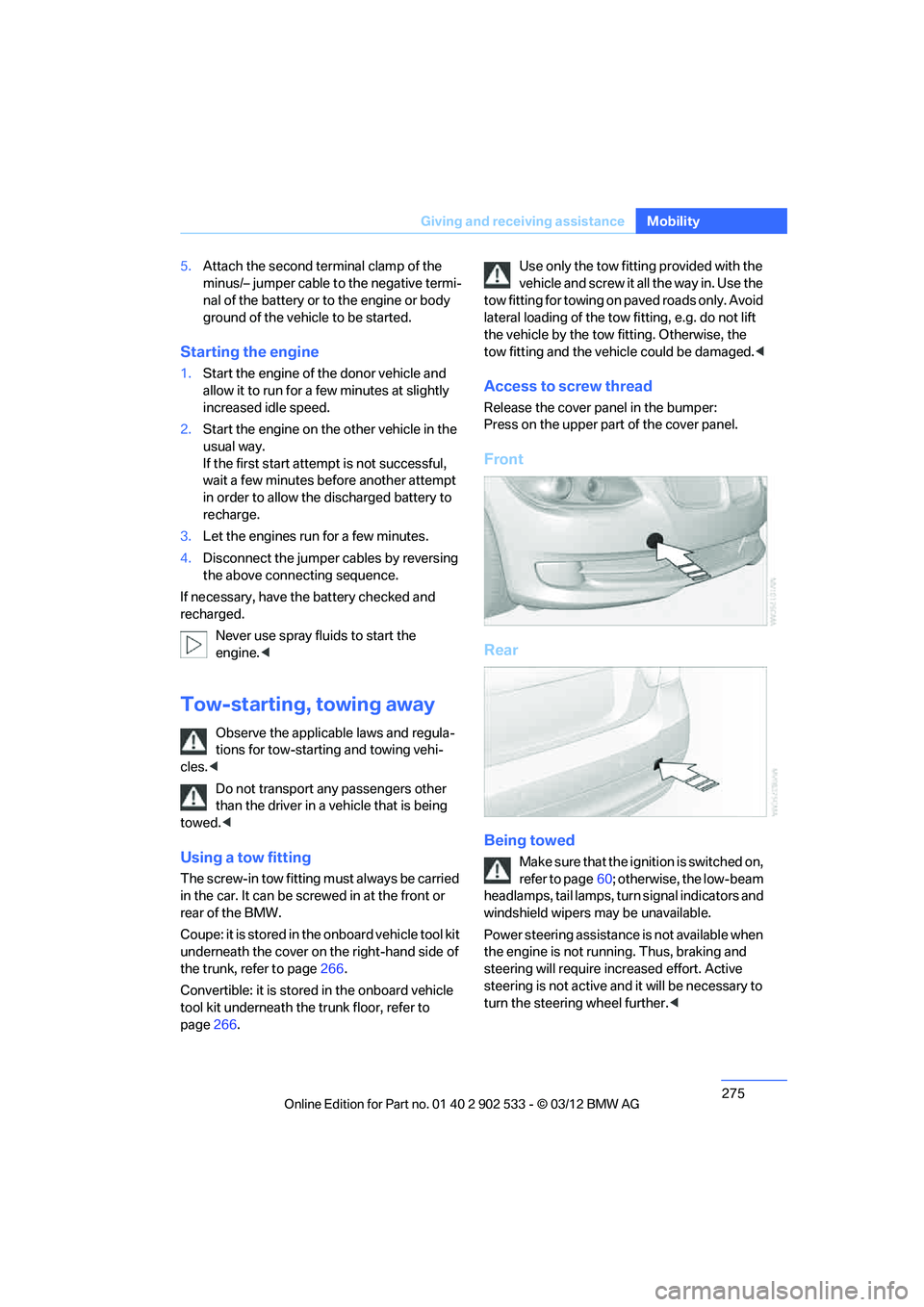
Access to screw thread
Release the cover panel in the bumper:
Press on the upper part of the cover panel.
Front
Rear
Being towed
Make sure that the ignition is switched on,
refer to page60; otherwise, the low-beam
headlamps, tail lamps, turn signal indicators and
windshield wipers may be unavailable.
Power steering assistance is not available when
the engine is not running. Thus, braking and
steering will require increased effort. Active
steering is not active and it will be necessary to
turn the steering wheel further. <
00320051004F004C00510048000300280047004C0057004C005200510003
Page 278 of 308
277
Giving and receiving assistance
Mobility
Do not tow the vehicle with just the rear axle
raised as this may cause the steering to turn.
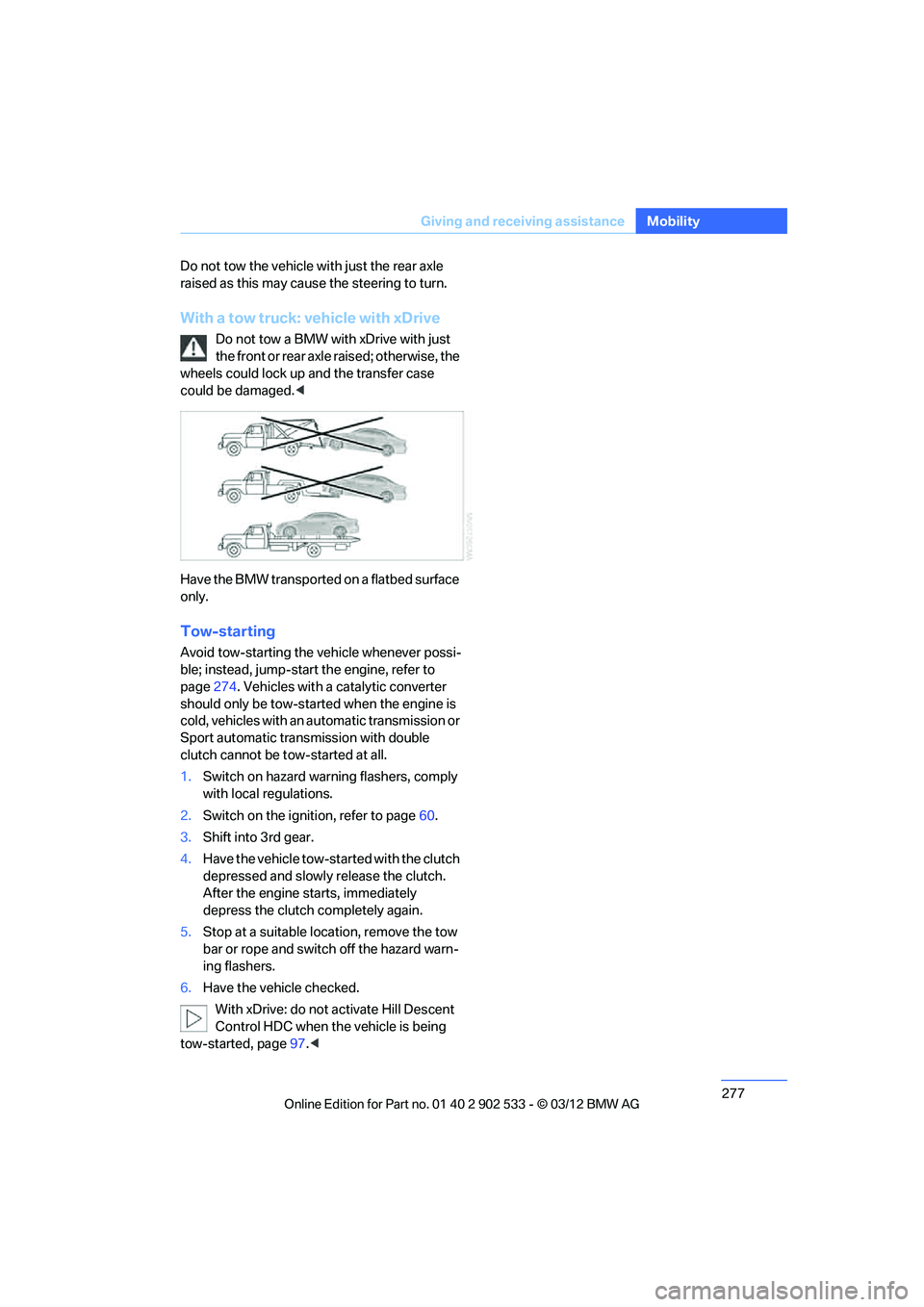
With a tow truck: vehicle with xDrive
Do not tow a BMW with xDrive with just
the front or rear axle raised; otherwise, the
wheels could lock up and the transfer case
could be damaged. <
Have the BMW transported on a flatbed surface
only.
Tow-starting
Avoid tow-starting the vehicle whenever possi-
ble; instead, jump-start the engine, refer to
page 274. Vehicles with a catalytic converter
should only be tow-started when the engine is
cold, vehicles with an automatic transmission or
Sport automatic transmission with double
clutch cannot be tow-started at all.
1. Switch on hazard warning flashers, comply
with local regulations.
2. Switch on the ignition, refer to page 60.
3. Shift into 3rd gear.
4. Have the vehicle tow-started with the clutch
depressed and slowly release the clutch.
After the engine starts, immediately
depress the clutch completely again.
5. Stop at a suitable location, remove the tow
bar or rope and switch off the hazard warn-
ing flashers.
6. Have the vehicle checked.
With xDrive: do not activate Hill Descent
Control HDC when the vehicle is being
tow-started, page 97.<
00320051004F004C00510048000300280047004C0057004C005200510003
Page 295 of 308
294
Referen ceEverything from A to Z
Car care, refer to Care 262
Care 262
– automatic car washes 262
– care products 262
– carpets 265
– CD/DVD drives 265
– chrome parts 264
– displays 265
– exterior 262
– fine wood parts 265
– headlamps 263
– high-pressure washer 263
– interior 264
– leather 264
– light-alloy wheels 264
– paintwork 263
– plastic parts 265
– retractable hardtop 263
– rubber seals 264
– safety belts 265
– sensors and cameras 265
– upholstery and cloth
trim 264
– washing the car manually 263
– windows 263
Cargo, securing 140
Cargo loading 139
– securing cargo 140
– stowing cargo 140
– vehicle 139
Car jack
– jacking points 270
Car key, refer to Integrated
key/remote control 30
Car phone
– installation location, refer to Center armrest 124
– refer to separate Owner's Manual
Car phone, refer to Telephone 200
Car shampoo 265
Catalytic converter, refer to Hot exhaust system 137
Center armrest 124 Center brake lamp
– replacing bulb
269
Center console, refer to Around the center
console 14
Central locking
– from inside 34
– from outside 31
Central locking system 31
– Comfort Access 38
– hotel function 36
– setting unlocking characteristics 32
Ch an
ges, technical, refer to
For your own safety 5
Changing bulbs, refer to
Lamps and bulbs 266
Changing gears 67
Changing the language on the
Control Display 92
Changing the measurement units on the Control
Display 85
Changing wheels 269
Chassis number, refer to
Engine compartment 255
Check Control 89
Child restraint fixing system
LATCH 57
Child restraint systems 56
Child seats, refer to
Transporting children
safely 56
Chrome parts 265
Chrome polish 265
Cigarette lighter, refer to Lighter 127
Cleaning headlamps 71
– washer fluid 71
Cleaning your BMW, refer to
Care 262
Climate control
– automatic air distribution 115 Clock
80
– 12h/24h mode 88
– setting the time and date 88
– setting time 87
Closing
– from inside 34
– from outside 32
Clothes hooks 125
Cockpit 10
Cold start, refer to Starting the
engine 61
Comfort Access 38
– replacing the battery 39
Comfort access, refer to Comfort Access 38
Comfort area, refer to Around
the center console 14
Compartment for remote control, refer to Ignition
lock 60
Compass 122
Computer 82
– displays on Control Display 82
Computer, refer to iDrive 18
Concierge service 225
Condensation, refer to When the vehicle is parked 139
Condition Based Service CBS 260
Configuring settings, refer to
Personal Profile 30
Confirma tio
n signals for
locking/unlocking the
vehicle 33
ConnectedDrive 224
Connecting vacuum cleaner,
refer to Connecting
electrical appliances 127
Consumption, refer to
Average fuel
consumption 82
Contacts 214
– deleting 216,223
– exporting/importing 223
– new contact 215
00320051004F004C00510048000300280047004C0057004C005200510003
Page 298 of 308
297
Everything from A to Z
Reference
False alarm
– avoiding unintentional
alarm 38
– switching off an alarm 37
Fastening safety belts, refer to Safety belts 52
Fastest route for
navigation 155
Fault messages, refer to Check Control 89
Filter
– refer to Microfilter/activated- charcoal filter for automatic
climate control 118
First aid pouch 273
Fixture for remote control,
refer to Ignition lock 60
Flash when locking/ unlocking 33
Flat tire
– run-flat tires 254
– Tire Pressure Monitor
TPM 100
Flat Tire Monitor FTM 98
– indicating a flat tire 99
– indicator/warning lamp 99
– initialization 98
– snow chains 98,254
– system limits 98
Flat tires, refer to Tire condition 252
Fluid reservoir, refer to Washer fluid reservoir 71
Fog lamps 112
– indicator lamp 13,112
Folding up the floor panel 130
Footwell lamps, refer to
Interior lamps 112
For your own safety 5
Four-wheel drive, refer to
xDrive 97
Front airbags 104
FTM, refer to Flat Tire
Monitor 98 Fuel
233
– average consumption 82
– gauge 81
– high-quality brands 233
– quality 233
– specifications 233
– tank contents, refer to
Capacities 284
Fuel clock, refer to Fuel gauge 81
Fuel consumption indicator
– average fuel consumption 82
Fuel display, refer to Fuel gauge 81
Fuel filler flap 232
– releasing in the event of electrical malfunction 232
Fus es 27
1
G
Garage door opener, refer to
Integrated universal remote
control 120
Gasoline
– refer to Average consumption 82
Gasoline, refer to Required fuel 233
Gasoline display, refer to Fuel
gauge 81
Gas station recommendations 157
Gear indicator, automatic transmission with
Steptronic 63
Gear indicator, refer to Displays in the instrument
cluster 66
Gearshift lever 66
– automatic transmission with Steptronic 63
– manual transmission 63Gearshifts
– automatic transmission with
Steptronic 63
– manual transmission 63
General driving notes 137
Glass roof, electric 41
– Convenient opening and
closing 32
– Convenient opening and closing with Comfort
Access 39
– initializing 42
– opening, closing 41
– pinch protection system 42
– power failure 42
– remote control 32
– tilting 41
Glove compartment 124
GPS navigation, refer to
Navigation system 144
Grills 114
Gross vehicle weight, refer to
Weights 283
H
Handbrake, refer to Parking
brake 62
Hands-free system 14,209
Hazard warning flashers 14
HDC Hill Descent Control 97
Head airbags 104
Headlamp control, automatic 108
Headlamp flasher 70
– indicator lamp 11,13
Head Light, refer to Adaptive
Light Control 109
Head restraints 49
– rear, removing 50
– sitting safely 46
Heated
– mirrors 54
– rear window 117
– seats 51
– steering wheel 55
00320051004F004C00510048000300280047004C0057004C005200510003
Page 299 of 308
298
Referen ceEverything from A to Z
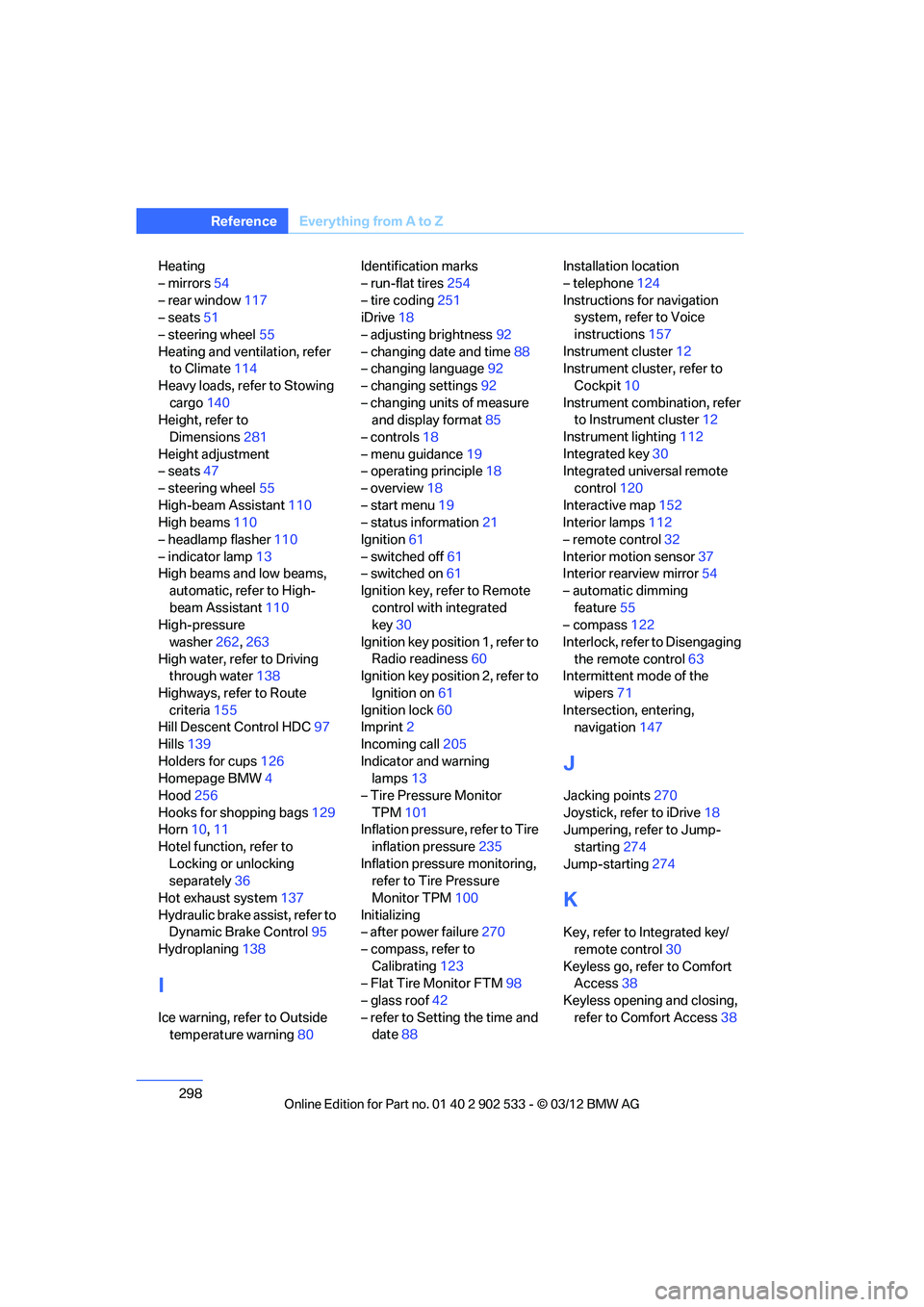
Heating
– mirrors54
– rear window 117
– seats 51
– steering wheel 55
Heating and ventilation, refer to Climate 114
Heavy loads, refer to Stowing cargo 140
Height, refer to
Dimensions 281
Height adjustment
– seats 47
– steering wheel 55
High-beam Assistant 110
High beams 110
– headlamp flasher 110
– indicator lamp 13
High beams and low beams,
automatic, refer to High-
beam Assistant 110
High-pressure
washer 262,263
High water, refer to Driving through water 138
Highways, refer to Route criteria 155
Hill Descent Control HDC 97
Hills 139
Holders for cups 126
Homepage BMW 4
Hood 256
Hooks for shopping bags 129
Horn 10,11
Hotel function, refer to Locking or unlocking
separately 36
Hot exhaust system 137
Hydraulic brake assist, refer to Dynamic Brake Control 95
Hydroplaning 138
I
Ice warning, refer to Outside
temperature warning 80Identification marks
– run-flat tires
254
– tire coding 251
iDrive 18
– adjusting brightness 92
– changing date and time 88
– changing language 92
– changing settings 92
– changing units of measure and display format 85
– controls 18
– menu guidance 19
– operating principle 18
– overview 18
– start menu 19
– status information 21
Ignition 61
– switched off 61
– switched on 61
Ignition key, refer to Remote control with integrated
key 30
Ignition key position 1, refer to Radio readiness 60
Ignition key position 2, refer to
Ignition on 61
Ignition lock 60
Imprint 2
Incoming call 205
Indicator and warning lamps 13
– Tire Pressure Monitor TPM 101
Inflation pressure, refer to Tire
inflation pressure 235
Inflation pressure monitoring, refer to Tire Pressure
Monitor TPM 100
Initializing
– after power failure 270
– compass, refer to Calibrating 123
– Flat Tire Monitor FTM 98
– glass roof 42
– refer to Setting the time and date 88 Installation location
– telephone
124
Instructions for navigation system, refer to Voice
instructions 157
Instrument cluster 12
Instrument cluster, refer to
Cockpit 10
Instrument combination, refer to Instrument cluster 12
Instrument lighting 112
Integrated key 30
Integrated universal remote
control 12
0
Intera
ctive map 152
Interior lamps 112
– remote control 32
Interior motion sensor 37
Interior rearview mirror 54
– automatic dimming feature 55
– compass 122
Interlock, refer to Disengaging the remote control 63
Intermittent mode of the
wipers 71
Intersection, entering, navigation 147
J
Jacking points 270
Joystick, refer to iDrive 18
Jumpering, refer to Jump-
starting 274
Jump-starting 274
K
Key, refer to Integrated key/
remote control 30
Keyless go, refer to Comfort Access 38
Keyless opening and closing, refer to Comfort Access 38
00320051004F004C00510048000300280047004C0057004C005200510003
Page 302 of 308
301
Everything from A to Z
Reference
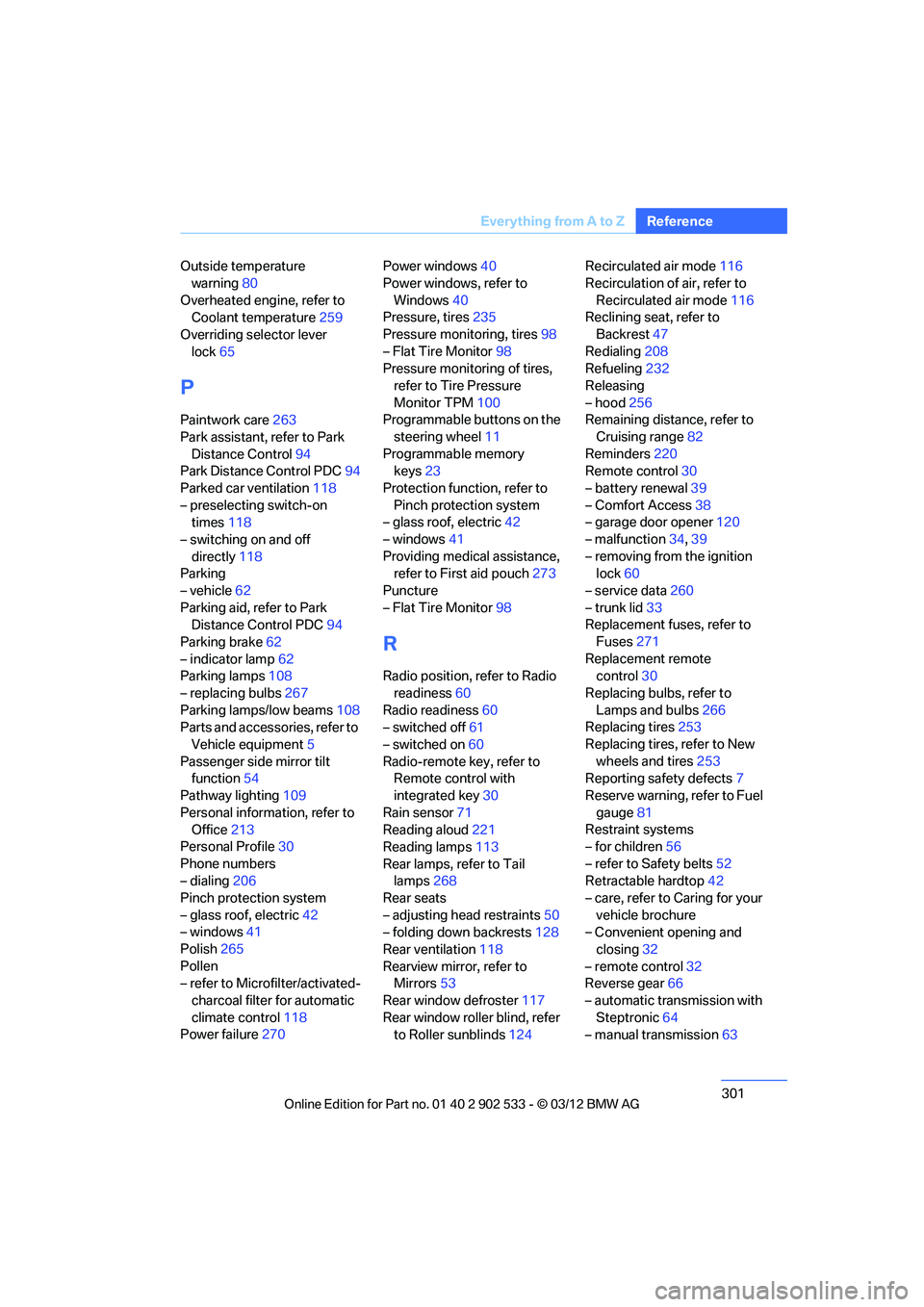
Outside temperature
warning 80
Overheated engine, refer to Coolant temperature 259
Overriding selector lever lock 65
P
Paintwork care 263
Park assistant, refer to Park Distance Control 94
Park Distance Control PDC 94
Parked car ventilation 118
– preselecting switch-on times 118
– switching on and off directly 118
Parking
– vehicle 62
Parking aid, refer to Park Distance Control PDC 94
Parking brake 62
– indicator lamp 62
Parking lamps 108
– replacing bulbs 267
Parking lamps/low beams 108
Parts and accessories, refer to
Vehicle equipment 5
Passenger side mirror tilt function 54
Pathway lighting 109
Personal information, refer to Office 213
Personal Profile 30
Phone numbers
– dialing 206
Pinch protection system
– glass roof, electric 42
– windows 41
Polish 265
Pollen
– refer to Microfilter/activated- charcoal filter for automatic
climate control 118
Power failure 270 Power windows
40
Power windows, refer to Windows 40
Pressure, tires 235
Pressure monitoring, tires 98
– Flat Tire Monitor 98
Pressure monitoring of tires,
refer to Tire Pressure
Monitor TPM 100
Programmable buttons on the
steering wheel 11
Programmable memory keys 23
Protection function, refer to Pinch protection system
– glass roof, electric 42
– windows 41
Providing medical assistance, refer to First aid pouch 273
Puncture
– Flat Tire Monitor 98
R
Radio position, refer to Radio
readiness 60
Radio readiness 60
– switched off 61
– switched on 60
Radio-remote key, refer to Remote control with
integrated key 30
Rain sensor 71
Reading aloud 221
Reading lamps 113
Rear lamps, refer to Tail lamps 268
Rear seats
– adjusting head restraints 50
– folding down backrests 128
Rear ventilation 118
Rearview mirror, refer to Mirrors 53
Rear window defroster 117
Rear window roller blind, refer to Roller sunblinds 124Recirculated air mode
116
Recirculation of air, refer to Recirculated air mode 116
Reclining seat, refer to
Backrest 47
Redialing 208
Refueling 232
Releasing
– hood 256
Remaining distance, refer to
Cruising range 82
Reminders 220
Remote control 30
– battery renewal 39
– Comfort Access 38
– garage door opener 120
– malfunction 34,39
– removing from the ignition lock 60
– service data 260
– trunk lid 33
Replacement fuses, refer to
Fuses 271
Replacement remote control 30
Replacing bulbs, refer to Lamps and bulbs 266
Replacing tires 253
Replacing tires, refer to New wheels and tires 253
Reporting safety defects 7
Reserve warning, refer to Fuel gauge 81
Restraint systems
– for children 56
– refer to Safety belts 52
Retractable hardtop 42
– care, refer to Caring for your vehicle brochure
– C
onvenient opening and
closing 32
– remote control 32
Reverse gear 66
– automatic transmission with Steptronic 64
– manual transmission 63
00320051004F004C00510048000300280047004C0057004C005200510003