mirror BMW 335I COUPE 2006 E92 User Guide
[x] Cancel search | Manufacturer: BMW, Model Year: 2006, Model line: 335I COUPE, Model: BMW 335I COUPE 2006 E92Pages: 239, PDF Size: 11.87 MB
Page 115 of 239
Driving tips
113Reference
At a glance
Controls
Communications
Navigation
Entertainment
Mobility
device can influence one another. In addition,
there is no assurance that the radiation which
results from transmission will be dissipated
from the vehicle interior.<
Interior and exterior mirrors, automatic
dimming feature*
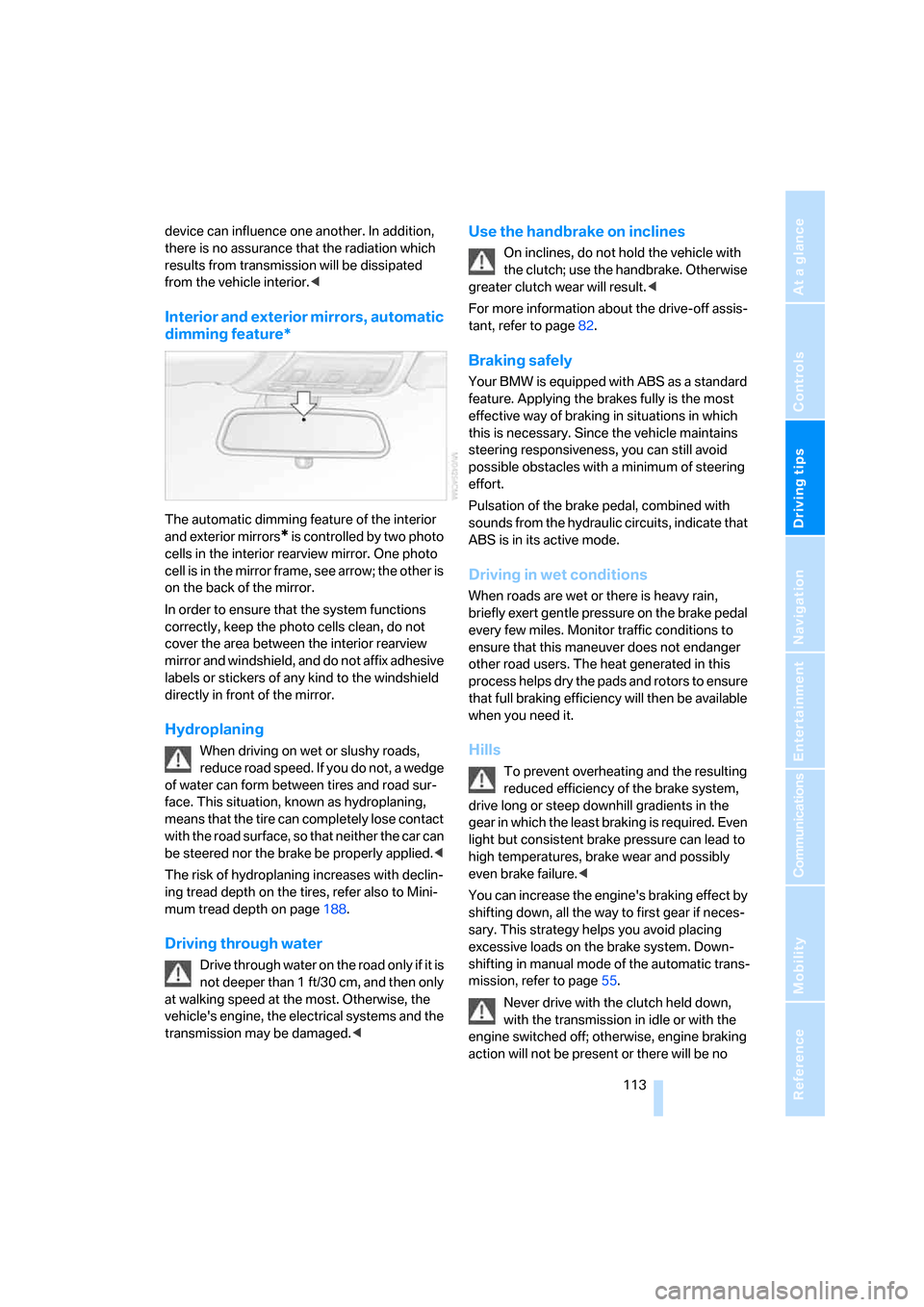
The automatic dimming feature of the interior
and exterior mirrors
* is controlled by two photo
cells in the interior rearview mirror. One photo
cell is in the mirror frame, see arrow; the other is
on the back of the mirror.
In order to ensure that the system functions
correctly, keep the photo cells clean, do not
cover the area between the interior rearview
mirror and windshield, and do not affix adhesive
labels or stickers of any kind to the windshield
directly in front of the mirror.
Hydroplaning
When driving on wet or slushy roads,
reduce road speed. If you do not, a wedge
of water can form between tires and road sur-
face. This situation, known as hydroplaning,
means that the tire can completely lose contact
with the road surface, so that neither the car can
be steered nor the brake be properly applied.<
The risk of hydroplaning increases with declin-
ing tread depth on the tires, refer also to Mini-
mum tread depth on page188.
Driving through water
Drive through water on the road only if it is
not deeper than 1 ft/30 cm, and then only
at walking speed at the most. Otherwise, the
vehicle's engine, the electrical systems and the
transmission may be damaged.<
Use the handbrake on inclines
On inclines, do not hold the vehicle with
the clutch; use the handbrake. Otherwise
greater clutch wear will result.<
For more information about the drive-off assis-
tant, refer to page82.
Braking safely
Your BMW is equipped with ABS as a standard
feature. Applying the brakes fully is the most
effective way of braking in situations in which
this is necessary. Since the vehicle maintains
steering responsiveness, you can still avoid
possible obstacles with a minimum of steering
effort.
Pulsation of the brake pedal, combined with
sounds from the hydraulic circuits, indicate that
ABS is in its active mode.
Driving in wet conditions
When roads are wet or there is heavy rain,
briefly exert gentle pressure on the brake pedal
every few miles. Monitor traffic conditions to
ensure that this maneuver does not endanger
other road users. The heat generated in this
process helps dry the pads and rotors to ensure
that full braking efficiency will then be available
when you need it.
Hills
To prevent overheating and the resulting
reduced efficiency of the brake system,
drive long or steep downhill gradients in the
gear in which the least braking is required. Even
light but consistent brake pressure can lead to
high temperatures, brake wear and possibly
even brake failure.<
You can increase the engine's braking effect by
shifting down, all the way to first gear if neces-
sary. This strategy helps you avoid placing
excessive loads on the brake system. Down-
shifting in manual mode of the automatic trans-
mission, refer to page55.
Never drive with the clutch held down,
with the transmission in idle or with the
engine switched off; otherwise, engine braking
action will not be present or there will be no
ba8_E9293_US.book Seite 113 Freitag, 5. Mai 2006 1:02 13
Page 203 of 239
Mobility
201Reference
At a glance
Controls
Driving tips
Communications
Navigation
Entertainment
Changing wheels
Your BMW is equipped with Run-Flat Tires as
standard. This removes the need to change a
wheel immediately in the event of a puncture.
For information on continuing to drive with a
damaged tire, refer to Indication of a flat tire on
page83.
The symbol identifying Run-Flat Tires is a circle
with the letters RSC on the sidewall, refer to
Run-Flat Tires, page189.
When mounting new tires or changing over
from summer to winter tires and vice versa,
mount Run-Flat Tires for your own safety. In the
event of a flat, no spare wheel is available. Your
BMW center will be glad to advise you. Refer
also to New wheels and tires, page189.
The tools for changing wheels are avail-
able as optional accessories from your
BMW center.<
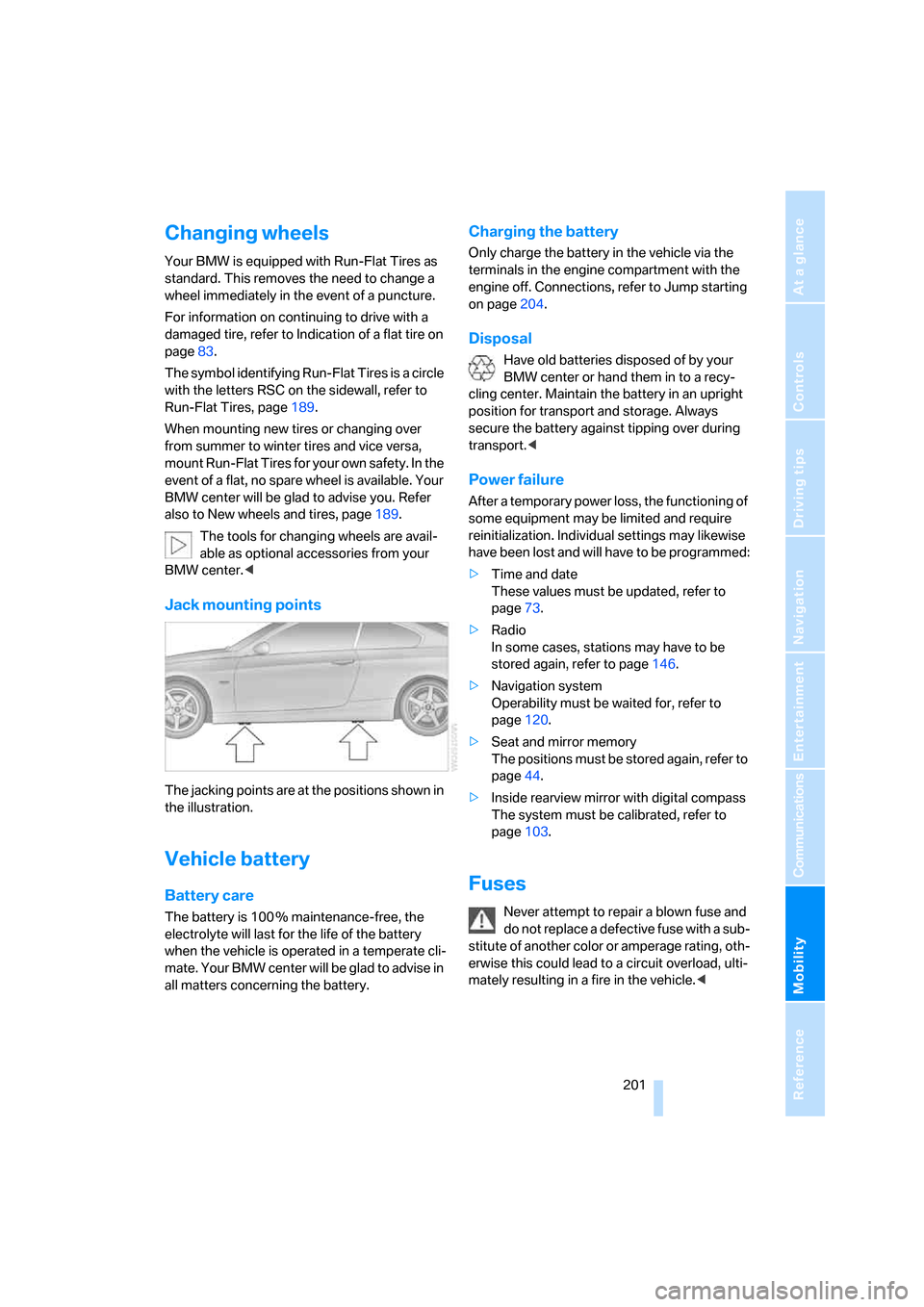
Jack mounting points
The jacking points are at the positions shown in
the illustration.
Vehicle battery
Battery care
The battery is 100 % maintenance-free, the
electrolyte will last for the life of the battery
when the vehicle is operated in a temperate cli-
mate. Your BMW center will be glad to advise in
all matters concerning the battery.
Charging the battery
Only charge the battery in the vehicle via the
terminals in the engine compartment with the
engine off. Connections, refer to Jump starting
on page204.
Disposal
Have old batteries disposed of by your
BMW center or hand them in to a recy-
cling center. Maintain the battery in an upright
position for transport and storage. Always
secure the battery against tipping over during
transport.<
Power failure
After a temporary power loss, the functioning of
some equipment may be limited and require
reinitialization. Individual settings may likewise
have been lost and will have to be programmed:
>Time and date
These values must be updated, refer to
page73.
>Radio
In some cases, stations may have to be
stored again, refer to page146.
>Navigation system
Operability must be waited for, refer to
page120.
>Seat and mirror memory
The positions must be stored again, refer to
page44.
>Inside rearview mirror with digital compass
The system must be calibrated, refer to
page103.
Fuses
Never attempt to repair a blown fuse and
do not replace a defective fuse with a sub-
stitute of another color or amperage rating, oth-
erwise this could lead to a circuit overload, ulti-
mately resulting in a fire in the vehicle.<
ba8_E9293_US.book Seite 201 Freitag, 5. Mai 2006 1:02 13
Page 225 of 239
Reference 223
At a glance
Controls
Driving tips
Communications
Navigation
Entertainment
Mobility
DTC Dynamic Traction
Control82
– indicator/warning lamp82
DVD for navigation120
Dynamic Stability Control
DSC
– indicator/warning lamp82
Dynamic Traction Control
DTC
– indicator/warning lamp82
E
EBV Electronic brake-force
distribution81
Eject button, refer to Buttons
on the CD player140
Electric
– seat adjustment41
Electrical malfunction
– door lock31
– driver's door31
– fuel filler door182
– glass sunroof38
– luggage compartment lid33
Electric seat adjustment41
Electric steering wheel
lock52
Electric steering-wheel lock
– with convenient access35
Electronic brake-force
distribution EBV81
Electronic oil level check192
Emergency actuation,
automatic transmission,
refer to Overriding selector
lever lock56
Emergency call203
Emergency operation
– fuel filler door, manual
release182
Emergency operation, refer to
Closing manually
– glass sunroof38
Emergency operation, refer to
Manual operation
– door lock31Emergency release
– luggage compartment lid
from inside33
Emergency services, refer to
Roadside Assistance203
Emissions test, refer to
Service requirements71
"Enable services"176
"End call"167
Engine
– breaking in112
– data210
– overheated, refer to Coolant
temperature67
– speed210
– starting53
– starting, convenient
access35
– switching off53
Engine compartment192
Engine coolant, refer to
Coolant194
Engine oil
– adding194
– BMW Maintenance
System196
– checking level192
– intervals between changes,
refer to Service
requirements71
"Engine oil level"193
Engine output, refer to Engine
data210
Engine speed, refer to Engine
data210
Engine starting, refer to
Starting the engine53
"Enter address"122
Entering a destination
country122
Entering a house number or
intersection123
Entering a street123
Entering destination122
Entering the address124
Entering the intersection123
"Entertainment"140
"Entertainment
settings"141,147Entry lamps, refer to Interior
lamps93
"Equalizer", refer to Tone
control142
Equalizer, refer to Tone
control142
Error messages, refer to
Check Control75
"ESN"149
ESP Electronic Stability
Program, refer to DSC
Dynamic Stability
Control81
Event data recorders197
Exhaust system, refer to Hot
exhaust system112
Exterior mirrors47
– adjusting47
– automatic dimming
feature113
– automatic heating47
– folding in and out47
External audio
device105,158
Eyes
– for tow-starting and towing
away205
– for tying down loads115
F
Fader, tone control141
Failure messages, refer to
Check Control75
Failure of an electrical
consumer201
False alarm
– refer to Switching off an
alarm34
False alarm, refer to Avoiding
unintentional alarms35
Fastening safety belts, refer to
Safety belts45
Fastest route for
navigation130
Fast forward
– CD changer156
– CD player156
"Fast route" in navigation131
ba8_E9293_US.book Seite 223 Freitag, 5. Mai 2006 1:02 13
Page 226 of 239
Everything from A - Z
224 Filter
– refer to Microfilter/activated-
charcoal filter for automatic
climate control99
Fine wood, refer to Caring for
your vehicle brochure
First aid pouch203
Fixture for remote control,
refer to Ignition lock52
Flashlight, refer to
Rechargeable flashlight104
Flash when locking/
unlocking30
Flat
– Flat Tire Monitor82
– Run-Flat Tires189
– Tire Pressure Monitor
TPM84
Flat tire
– Tire Pressure Monitor84
Flat Tire Monitor FTM82
– indicating a flat tire83
– indicator/warning lamp83
– initializing the system83
– malfunction84
– snow chains83,190
– system limits83
Flat tires, refer to Tire
condition188
Floor mats, carpets, refer to
Caring for your vehicle
brochure
Fluid reservoir, refer to
Washer fluid reservoir58
"FM", waveband140,144
FM, waveband144
Fog lamps93
– indicator lamp13,93
Folding in the mirrors, before
driving into a car wash114
Folding up the floor panel108
Footbrake, refer to Braking
safely113
Footwell lamp, refer to Interior
lamps93
For your own safety5
Front airbags87
"FTM"83FTM, refer to Flat Tire
Monitor82
Fuel182
– average consumption68
– display67
– high-quality brands182
– quality182
– specifications182
– tank contents, refer to
Capacities213
Fuel clock, refer to Fuel
gauge67
Fuel display, refer to Fuel
gauge67
Fuel filler door182
– releasing in the event of
electrical malfunction182
Fuses201
G
Garage door opener, refer to
Integrated universal remote
control101
Gasoline, refer to Required
fuel182
Gasoline display, refer to Fuel
gauge67
Gasoline engine, checking oil
level192
Gear indicator
– automatic transmission with
Steptronic54
Gearshift lever
– automatic transmission with
Steptronic55
– manual transmission54
Gearshifts
– automatic transmission with
Steptronic55
– manual transmission54
General driving notes112Glass sunroof, electric37
– closing after electrical
malfunction38
– convenient operation31
– initializing38
– opening, closing38
– operation with convenient
access36
– pinch protection system38
– power failure38
– raising38
Glove compartment104
– rechargeable flashlight104
GPS navigation, refer to
Navigation system120
Grills95
Gross vehicle weight, refer to
Weights212
H
Handbrake54
– indicator lamp54
Hand lamp, refer to
Rechargeable flashlight104
Hands-free system14
Hazard warning flashers14
HD, refer to Digital radio147
Head airbags87
Headlamp control,
automatic90
Headlamp flasher56
– indicator lamp11,13
Headlamps
– care, refer to Caring for your
vehicle brochure
Head restraints42
– front, removing43
– rear, removing43
– sitting safely40
Heated
– mirrors47
– rear window98
– seats44
Heating
– mirrors47
– rear window98
– residual heat98
– seats44
ba8_E9293_US.book Seite 224 Freitag, 5. Mai 2006 1:02 13
Page 227 of 239
Reference 225
At a glance
Controls
Driving tips
Communications
Navigation
Entertainment
Mobility
Heating and ventilation, refer
to Climate95
Heating while at a standstill,
refer to Using residual
heat98
Heavy loads, refer to Stowing
cargo115
Height, refer to
Dimensions211
Height adjustment
– seats41
– steering wheel48
High beams92
– headlamp flasher92
– indicator lamp13
High Definition Radio, refer to
Digital radio147
High water, refer to Driving
through water113
Highways, refer to Route
criteria131
Hills113
Holders for cups105
Home address130
"Home address" in
navigation130
Homepage BMW4
Hood191
Hooks for shopping bags108
Horn10,11
Hotel function33
Hot exhaust system112
"Hour memo"74
"House number" in
destination entry124
Hydraulic brake assist, refer to
Dynamic Brake Control
DBC81
Hydroplaning113
I
IBOC, refer to Digital
radio147
Ice warning, refer to Outside
temperature warning66
ID3 tag, refer to Information
about the track154Identification marks
– Run-Flat Tires189
– tire coding187
iDrive16
– adjusting brightness79
– assistance window20
– automatic climate control96
– changing language78
– changing units of measure
and display format70
– confirming selection or
entry19
– controls16
– displays, menus17
– menu guidance17
– operating principle16
– overview16
– selecting a menu item19
– setting the date and time73
– start menu17
– status information20
– switching menu pages19
– symbols18
iDrive operating principle16
Ignition52
– switched off52
– switched on52
Ignition key, refer to Remote
control with integrated
key28
Ignition key position 1, refer to
Radio readiness52
Ignition key position 2, refer to
Ignition on52
Ignition lock52
i menu18
Indicator and warning
lamps13
– Tire Pressure Monitor
TPM85
Individual air distribution96
Inflation pressure, refer to Tire
inflation pressure184
Inflation pressure monitoring,
refer to Tire Pressure
Monitor TPM84Information
– on another location126
– on country126
– on current position126
– on destination location126
"Information" in
navigation127
Information menu, refer to
imenu18
"Information on
destination"128
Initializing
– active steering87
– after power failure201
– compass, refer to
Calibrating103
– Flat Tire Monitor FTM83
– glass sunroof38
"Input map"126
Installation location
– CD changer156
– telephone104
Instructions for navigation
system, refer to Voice
instructions135
Instrument cluster12
Instrument lighting93
Instrument panel, refer to
Cockpit10
Integrated key28
Integrated universal remote
control101
Interesting destination for
navigation126
"Interim time"78
Interior lamps93
– remote control30
Interior motion sensor35
Interior rearview mirror47
– automatic dimming
feature113
– compass102
Interlock, refer to Disengaging
the remote control54
Intermittent mode of the
wipers57
ba8_E9293_US.book Seite 225 Freitag, 5. Mai 2006 1:02 13
Page 229 of 239
Reference 227
At a glance
Controls
Driving tips
Communications
Navigation
Entertainment
Mobility
Master key, refer to Remote
control with integrated
key28
Maximum cooling97
Maximum speed
– with winter tires190
Measurements, refer to
Dimensions211
Memory, refer to Seat and
mirror memory44
MENU button16
Menus
– Control Display17
Menus, refer to iDrive16
Microfilter
– BMW Maintenance
System196
– for automatic climate
control99
Microfilter/activated-charcoal
filter
– BMW Maintenance
System196
Microphone
– telephone14
– voice input14
Mirror dimming feature113
Mirrors47
– automatic curb monitor47
– exterior mirrors47
– heating47
– interior rearview mirror47
– memory, refer to Seat and
mirror memory44
"Missed calls"168
Missed calls168Mobile phone
– accepted calls168
– adjusting volume166
– calling167
– ending call167
– installation location, refer to
Center armrest104
– missed calls168
– operation via iDrive166
– redialing168
– refer to separate Owner's
Manual
– Top 8168
– touch tone dialing170
Mobile phone, installation
location, refer to Center
armrest104
Mobile phone, refer to the
separate Owner's Manual
Mobile phone in the
vehicle112
Mobile phones, use inside the
car, refer to Mobile phone in
the vehicle112
Modifications, technical, refer
to For your own safety5
Monitor, refer to iDrive
controls16
Monitoring system for tire
pressures, refer to Flat Tire
Monitor
82
"Monitor on / off"48
Most recent mobile phone
numbers168
MP3, refer to Compressed
audio files152
Multifunctional steering
wheel, refer to Buttons on
the steering wheel11
Multifunction switch
– refer to Turn signals/
headlamp flasher56
– refer to Wiper system57
Multimedia screen, refer to
iDrive16
Music tracks, refer to
Tracks153
"Mute on / off"48
N
"Navigation"121
Navigation address
– home address130
Navigation announcements,
refer to Switching voice
instructions on/off135
Navigation destination
– manual entry121,124
– selecting via language124
– selecting via map125
Navigation drive, location120
Navigation DVD120
Navigation system120
– address book128
– changing a route136
– destination entry121
– destination guidance in
assistance window120
– destination list127
– displaying current
position136
– entering a destination
manually121,124
– last destinations127
– navigation DVD120
– opening121
– route display133
– route list135
– searching for a special
destination126
– selecting destination using
information126
– selecting destination via
map125
– selecting route criteria130
– starting destination
guidance132
– switching off, refer to
Terminating/continuing
destination guidance132
– terminating/continuing
destination guidance132
– voice instructions135
– volume adjustment135
"Navigation voice
instructions" via buttons on
the steering wheel48
ba8_E9293_US.book Seite 227 Freitag, 5. Mai 2006 1:02 13
Page 230 of 239
Everything from A - Z
228 Neck support, refer to Head
restraints42
Nets, refer to Storage
compartments105
"New address" in
navigation128
"New destination"121,125
"New route"136
New tires189
"Next entertainment
source"48
North-facing map134
Nose weight212
Nozzles95
Number of cylinders, refer to
Engine data210
Nylon rope, refer to Tow
rope206
O
OBD socket, refer to Socket
for On-Board Diagnosis197
Octane ratings, refer to Fuel
specifications182
Odometer66
Oil
– capacity213
Oil, refer to Engine oil192
Oil consumption192
Oil level192
Old batteries, refer to
Disposal201
"On a new destination" in
navigation127
"Onboard info"68
Onboard tool kit198
"On destination"127
"On location"127
Opening and closing
– convenient access35
– from inside32
– from outside29
– using the door lock31
– via the remote control29Operation by voice for mobile
phone171
– adjusting volume172
– canceling171
– correcting phone
number172
– dialing phone number172
– placing a call172
– redialing173
– voice commands171
– voice phone book172
Orientation menu, refer to
Start menu17
Outlets
– refer to Ventilation98
Output, refer to Engine
data210
Outside-air mode
– automatic climate control97
Outside-temperature
display66
– changing units of
measure70
– in computer70
Outside temperature
warning66
Overheated engine, refer to
Coolant temperature67
Overriding selector lever
lock56
P
Park assistant, refer to Park
Distance Control80
"Parked car operation"99
"Parked car ventilation"99
Parked car ventilation99
Parked car ventilation/heating
– activating switch-on
times100
– preselecting switch-on
times99
– switching on and off
directly99
Parking
– vehicle53
Parking aid, refer to PDC Park
Distance Control80Parking brake, refer to
Handbrake54
Parking lamps90
Parking lamps/low beams90
Passenger-side mirror tilt
function47
"Pathway lighting"91
Pathway lighting91
"PDC"80
PDC Park Distance Control80
Personal Profile28
"Perspective"134
Phone book166
Phone numbers
– deleting from phone
book169
– dialing167
– most recent numbers168
– selecting in phone book168
– Top 8168
Pinch protection system
– glass sunroof, electric38
– windows37
Placing a call, refer to
telephone owner's manual
"Play" for audio mode153
"Play" for satellite radio150
Pollen
– refer to Microfilter/activated-
charcoal filter for automatic
climate control99
Position
– displaying136
– saving, refer to Storing
current position128
Power failure201
Power seats41
Power windows37
Power windows, refer to
Windows37
Preselecting the switch-on
times for parked car
ventilation/heating99
"Presets", displaying with the
radio144
"Presets" for satellite
radio150
Pressure, tires
184
ba8_E9293_US.book Seite 228 Freitag, 5. Mai 2006 1:02 13
Page 231 of 239
Reference 229
At a glance
Controls
Driving tips
Communications
Navigation
Entertainment
Mobility
Pressure monitoring, tires82
– Flat Tire Monitor82
Pressure monitoring of tires,
refer to Tire Pressure
Monitor TPM84
Programmable buttons on the
steering wheel11
Protection function, refer to
Pinch protection system
– glass sunroof, electric38
– windows37
Providing medical assistance,
refer to First add pouch203
R
Radio
– autostore145
– controls140
– listening to stations144
– sampling stations145
– satellite radio149
– selecting a
waveband140,144
– selecting the frequency
manually145
– station search145
– stations with best
reception145
– storing stations146
– switching on/off140
– tone control141
– volume141
Radio position, refer to Radio
readiness52
Radio readiness52
– switched off52
– switched on52
Radio-remote key, refer to
Remote control with
integrated key28
Rain sensor57
"Random", refer to Random
play155
"Random all" for audio
mode156
"Random directory" for audio
mode156
Random play155"RDS" Radio Data
System147
Reading lamps94
Rear lamps, refer to Tail
lamps200
– replacing bulbs200
Rear seat backs
– folding107
Rear seats
– adjusting head restraints43
Rear turn signals
– replacing bulbs200
Rear ventilation98
Rearview mirror, refer to
Mirrors47
Rear window defroster98
Rear window roller blind, refer
to Roller sun blinds104
"Received calls"168
Receiving level of mobile
phone, refer to Status
information20
Rechargeable flashlight104
Recirculated-air mode97
Recirculation of air, refer to
Recirculated-air mode97
Reclining seat, refer to
Backrest
41
Recording times, refer to
Stopwatch78
"Redial" for mobile phone168
Refueling182
Releasing
– hood191
Remaining distance, refer to
Cruising range67
Remote control28
– battery renewal36
– convenient access35
– garage door opener101
– luggage compartment lid30
– malfunction31,36
– removing from the ignition
lock52
– service data196
"Repeat directory" for audio
mode155
"Repeat" for audio mode155"Repeat track" for audio
mode155
Replacement remote
control28
Replacing bulbs, refer to
Lamps and bulbs198
Replacing tires189
Replacing tires, refer to New
wheels and tires189
Reporting safety defects6
Reserve warning, refer to Fuel
gauge67
"Reset"83,85
Reset, refer to Resetting tone
settings143
"Reset" for stopwatch78
"Reset" for tone settings143
Residual heat98
Restraint systems
– for children50
– refer to Safety belts45
Reverse
– CD changer156
– CD player156
Reverse gear
– automatic transmission with
Steptronic55
– manual transmission54
Road map134
"Roadside Assistance"177
Roadside
Assistance177,203
Roadside parking lamps92
Roadworthiness test, refer to
Service requirements71
Roller sun blinds
104
Roof load capacity212
Roof-mounted luggage
rack115
Rope, refer to Tow-starting,
towing away206
Rotary/pushbutton, refer to
iDrive16
ba8_E9293_US.book Seite 229 Freitag, 5. Mai 2006 1:02 13
Page 232 of 239
Everything from A - Z
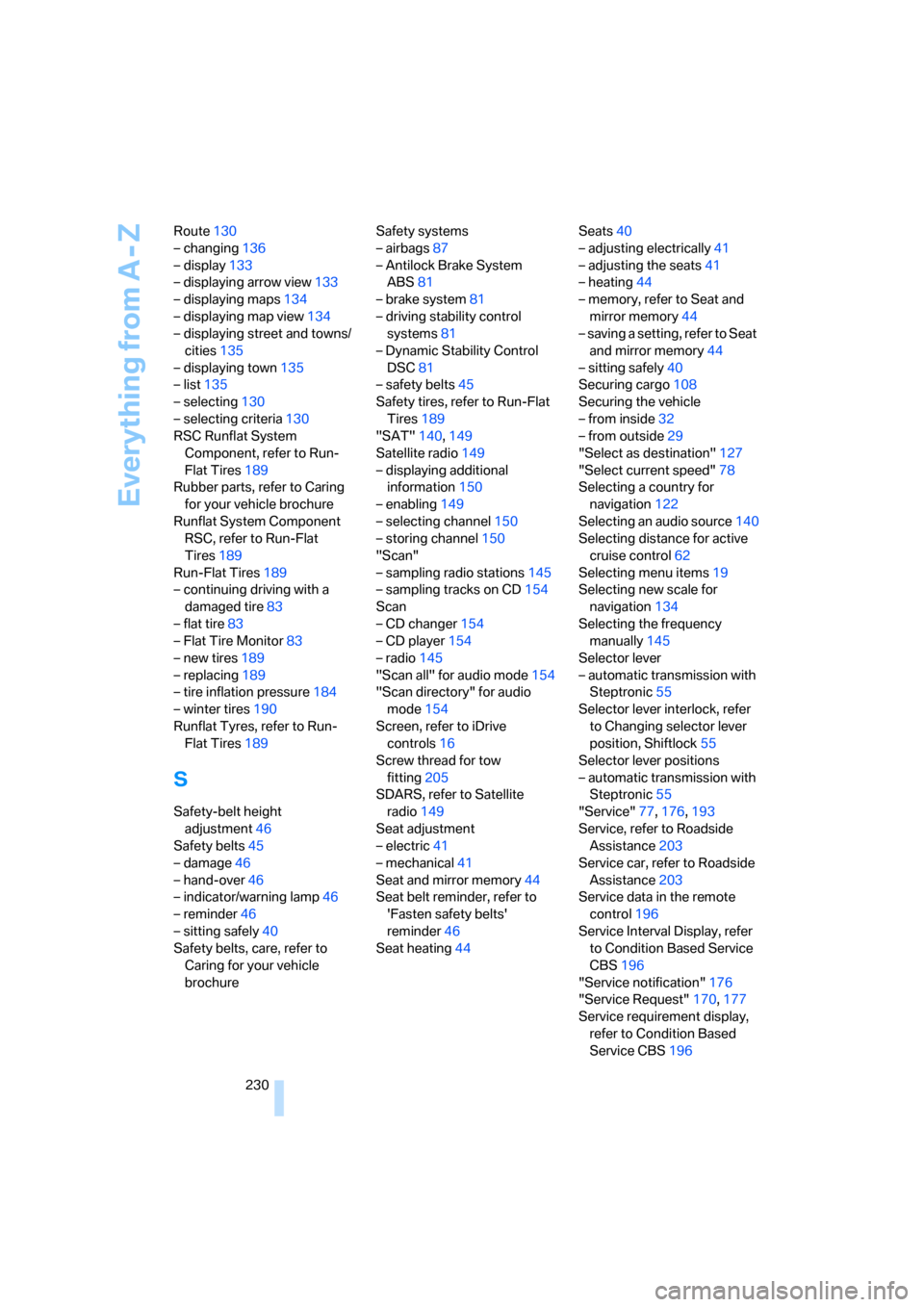
230 Route130
– changing136
– display133
– displaying arrow view133
– displaying maps134
– displaying map view134
– displaying street and towns/
cities135
– displaying town135
– list135
– selecting130
– selecting criteria130
RSC Runflat System
Component, refer to Run-
Flat Tires189
Rubber parts, refer to Caring
for your vehicle brochure
Runflat System Component
RSC, refer to Run-Flat
Tires189
Run-Flat Tires189
– continuing driving with a
damaged tire83
– flat tire83
– Flat Tire Monitor83
– new tires189
– replacing189
– tire inflation pressure184
– winter tires190
Runflat Tyres, refer to Run-
Flat Tires189
S
Safety-belt height
adjustment46
Safety belts45
– damage46
– hand-over46
– indicator/warning lamp46
– reminder46
– sitting safely40
Safety belts, care, refer to
Caring for your vehicle
brochureSafety systems
– airbags87
– Antilock Brake System
ABS81
– brake system81
– driving stability control
systems81
– Dynamic Stability Control
DSC81
– safety belts45
Safety tires, refer to Run-Flat
Tires189
"SAT"140,149
Satellite radio149
– displaying additional
information150
– enabling149
– selecting channel150
– storing channel150
"Scan"
– sampling radio stations145
– sampling tracks on CD154
Scan
– CD changer154
– CD player154
– radio145
"Scan all" for audio mode154
"Scan directory" for audio
mode154
Screen, refer to iDrive
controls16
Screw thread for tow
fitting205
SDARS, refer to Satellite
radio149
Seat adjustment
– electric41
– mechanical41
Seat and mirror memory44
Seat belt reminder, refer to
'Fasten safety belts'
reminder46
Seat heating44Seats40
– adjusting electrically41
– adjusting the seats41
– heating44
– memory, refer to Seat and
mirror memory44
– saving a setting, refer to Seat
and mirror memory44
– sitting safely40
Securing cargo108
Securing the vehicle
– from inside32
– from outside29
"Select as destination"127
"Select current speed"78
Selecting a country for
navigation122
Selecting an audio source140
Selecting distance for active
cruise control62
Selecting menu items19
Selecting new scale for
navigation134
Selecting the frequency
manually145
Selector lever
– automatic transmission with
Steptronic55
Selector lever interlock, refer
to Changing selector lever
position, Shiftlock55
Selector lever positions
– automatic transmission with
Steptronic55
"Service"77,176,193
Service, refer to Roadside
Assistance203
Service car, refer to Roadside
Assistance203
Service data in the remote
control196
Service Interval Display, refer
to Condition Based Service
CBS196
"Service notification"176
"Service Request"170,177
Service requirement display,
refer to Condition Based
Service CBS196
ba8_E9293_US.book Seite 230 Freitag, 5. Mai 2006 1:02 13
Page 233 of 239
Reference 231
At a glance
Controls
Driving tips
Communications
Navigation
Entertainment
Mobility
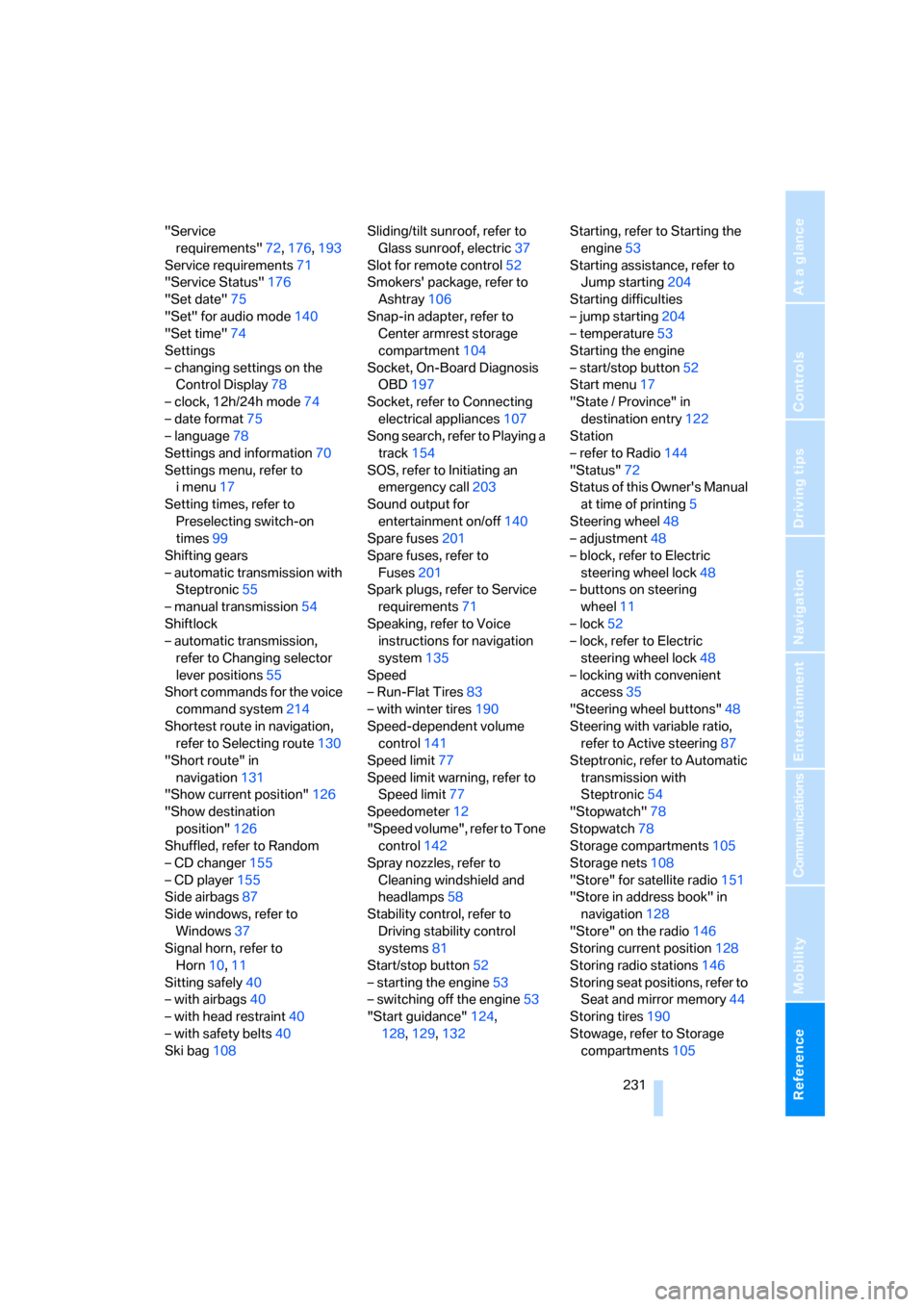
"Service
requirements"72,176,193
Service requirements71
"Service Status"176
"Set date"75
"Set" for audio mode140
"Set time"74
Settings
– changing settings on the
Control Display78
– clock, 12h/24h mode74
– date format75
– language78
Settings and information70
Settings menu, refer to
imenu17
Setting times, refer to
Preselecting switch-on
times99
Shifting gears
– automatic transmission with
Steptronic55
– manual transmission54
Shiftlock
– automatic transmission,
refer to Changing selector
lever positions55
Short commands for the voice
command system214
Shortest route in navigation,
refer to Selecting route130
"Short route" in
navigation131
"Show current position"126
"Show destination
position"126
Shuffled, refer to Random
– CD changer155
– CD player155
Side airbags87
Side windows, refer to
Windows37
Signal horn, refer to
Horn10,11
Sitting safely40
– with airbags40
– with head restraint40
– with safety belts40
Ski bag108Sliding/tilt sunroof, refer to
Glass sunroof, electric37
Slot for remote control52
Smokers' package, refer to
Ashtray106
Snap-in adapter, refer to
Center armrest storage
compartment104
Socket, On-Board Diagnosis
OBD197
Socket, refer to Connecting
electrical appliances107
Song search, refer to Playing a
track154
SOS, refer to Initiating an
emergency call203
Sound output for
entertainment on/off140
Spare fuses201
Spare fuses, refer to
Fuses201
Spark plugs, refer to Service
requirements71
Speaking, refer to Voice
instructions for navigation
system135
Speed
– Run-Flat Tires83
– with winter tires190
Speed-dependent volume
control141
Speed limit77
Speed limit warning, refer to
Speed limit77
Speedometer12
"Speed volume", refer to Tone
control142
Spray nozzles, refer to
Cleaning windshield and
headlamps58
Stability control, refer to
Driving stability control
systems81
Start/stop button52
– starting the engine53
– switching off the engine53
"Start guidance"124,
128,129,132Starting, refer to Starting the
engine53
Starting assistance, refer to
Jump starting204
Starting difficulties
– jump starting204
– temperature53
Starting the engine
– start/stop button52
Start menu17
"State / Province" in
destination entry122
Station
– refer to Radio144
"Status"72
Status of this Owner's Manual
at time of printing5
Steering wheel48
– adjustment48
– block, refer to Electric
steering wheel lock48
– buttons on steering
wheel11
– lock52
– lock, refer to Electric
steering wheel lock48
– locking with convenient
access35
"Steering wheel buttons"48
Steering with variable ratio,
refer to Active steering87
Steptronic, refer to Automatic
transmission with
Steptronic54
"Stopwatch"78
Stopwatch78
Storage compartments105
Storage nets108
"Store" for satellite radio151
"Store in address book" in
navigation128
"Store" on the radio146
Storing current position128
Storing radio stations146
Storing seat positions, refer to
Seat and mirror memory44
Storing tires190
Stowage, refer to Storage
compartments105
ba8_E9293_US.book Seite 231 Freitag, 5. Mai 2006 1:02 13