Sound radio BMW 335I COUPE 2006 E92 Owner's Manual
[x] Cancel search | Manufacturer: BMW, Model Year: 2006, Model line: 335I COUPE, Model: BMW 335I COUPE 2006 E92Pages: 239, PDF Size: 11.87 MB
Page 38 of 239
Opening and closing
36
Locking
Touch the surface, arrow 2, with your finger for
approx. 1 second. This corresponds to pressing
the button.
To preserve the battery, please make
sure that the ignition and all electrical
consumers are switched off before locking the
vehicle.<
Convenient closure
For convenient closure, keep your finger on the
surface, arrow 2.
Unlocking the luggage compartment
lid separately
Press the button on the outside of the luggage
compartment lid. This corresponds to pressing
the button.
If the vehicle detects that a remote con-
trol has been accidentally left inside the
locked vehicle's cargo bay after the luggage
compartment lid is closed, the lid will reopen.
The hazard warning flashers flash and an
acoustic signal
* sounds.<
Switching on radio readiness
Radio readiness is switched on by pressing the
start/stop button, refer to page52.
Do not depress the brake or the clutch,
otherwise the engine will start.<
Starting the engine
You can start the engine or switch on the igni-
tion when a remote control is inside the vehicle.
It is not necessary to insert a remote control into
the ignition switch, refer to page52.
Switching off the engine in vehicles
with automatic transmission
The engine can only be switched off when the
selector lever is in position P, refer to page53.
To switch the engine off when the selector lever
is in position N, the remote control must be in
the ignition switch.
Before driving a vehicle with automatic
transmission into a car wash
1.Insert remote control into ignition switch.
2.Depress the brake.
3.Move the selector lever to position N.
4.Switch off the engine.
The vehicle can roll.
Malfunction
Convenient access may malfunction due to
local radio waves. If this happens, open or close
the vehicle via the buttons on the remote con-
trol or using the integrated key. To start the
engine afterward, insert the remote control into
the ignition switch.
Warning lamps
The warning lamp in the instrument
cluster lights up when you attempt to
start the engine: the engine cannot
be started. The remote control is not inside the
vehicle or is malfunctioning. Take the remote
control with you inside the vehicle or have it
checked. If necessary, insert another remote
control into the ignition switch.
The warning lamp in the instrument
cluster lights up while the engine is
running: the remote control is no
longer inside the vehicle. After the engine is
switched off, the engine can only be restarted
within approx. 10 seconds.
The indicator lamp in the instrument
cluster comes on and a message
appears on the Control Display:
replace the battery in the remote control.
Replacing the battery
The remote control for convenient access con-
tains a battery that will need to be replaced from
time to time.
ba8_E9293_US.book Seite 36 Freitag, 5. Mai 2006 1:02 13
Page 48 of 239
Adjustments
46 Before every drive, make sure that all occupants
wear their safety belts. Airbags complement the
safety belt as an additional safety device, but
they do not represent a substitute.
Closing
Make sure you hear the latch plate engage in
the belt buckle.
The upper belt anchor is suitable for adults of
any stature as long as the seat is adjusted prop-
erly, refer to page40.
Opening
1.Grasp the belt firmly.
2.Press the red button in the buckle.
3.Guide the belt into its reel.
'Fasten safety belts' reminder for front
seats
The indicator lamp comes on and an
acoustic signal sounds. In addition, a
message will appear on the Control
Display. Check whether the safety
belt has been fastened correctly.
The 'Fasten safety belts' reminder is issued as
long as the driver's safety belt has not been fas-
tened. The 'Fasten safety belts' reminder is also
activated at road speeds above approx. 5 mph
or 8 km/h if the front passenger's safety belt is
not fastened, if heavy objects are placed on the
front passenger seat, or if driver or front pas-
senger unfasten their safety belts.
Damage to safety belts
If the safety belts are damaged or
stressed in an accident: have the belt sys-
tem, including any belt tensioners or child-restraint systems, replaced and the belt
anchors checked. Have this work done only by
your BMW center or at a workshop that works
according to BMW repair procedures with cor-
respondingly trained personnel. Otherwise, it is
not guaranteed that the safety devices will func-
tion properly.<
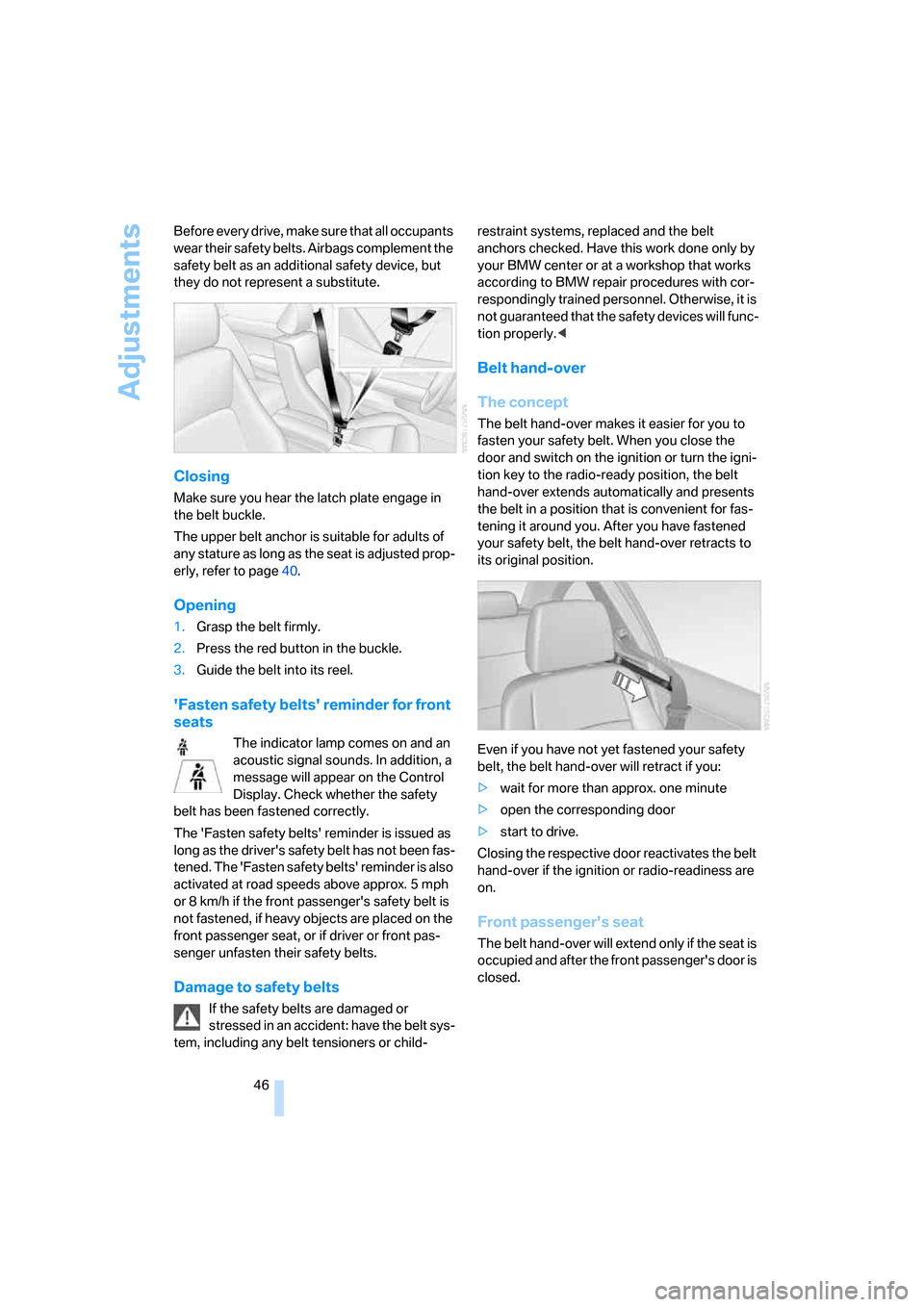
Belt hand-over
The concept
The belt hand-over makes it easier for you to
fasten your safety belt. When you close the
door and switch on the ignition or turn the igni-
tion key to the radio-ready position, the belt
hand-over extends automatically and presents
the belt in a position that is convenient for fas-
tening it around you. After you have fastened
your safety belt, the belt hand-over retracts to
its original position.
Even if you have not yet fastened your safety
belt, the belt hand-over will retract if you:
>wait for more than approx. one minute
>open the corresponding door
>start to drive.
Closing the respective door reactivates the belt
hand-over if the ignition or radio-readiness are
on.
Front passenger's seat
The belt hand-over will extend only if the seat is
occupied and after the front passenger's door is
closed.
ba8_E9293_US.book Seite 46 Freitag, 5. Mai 2006 1:02 13
Page 87 of 239
Controls
85Reference
At a glance
Driving tips
Communications
Navigation
Entertainment
Mobility
Gray
The system cannot detect a puncture.
Possible reasons for this:
>TPM is being reset
>Temporary malfunction caused by systems
or devices using the same radio frequency
>System malfunction
Resetting the system
Each time a tire inflation pressure has
been corrected or a wheel or tire has been
changed, reset the system.<
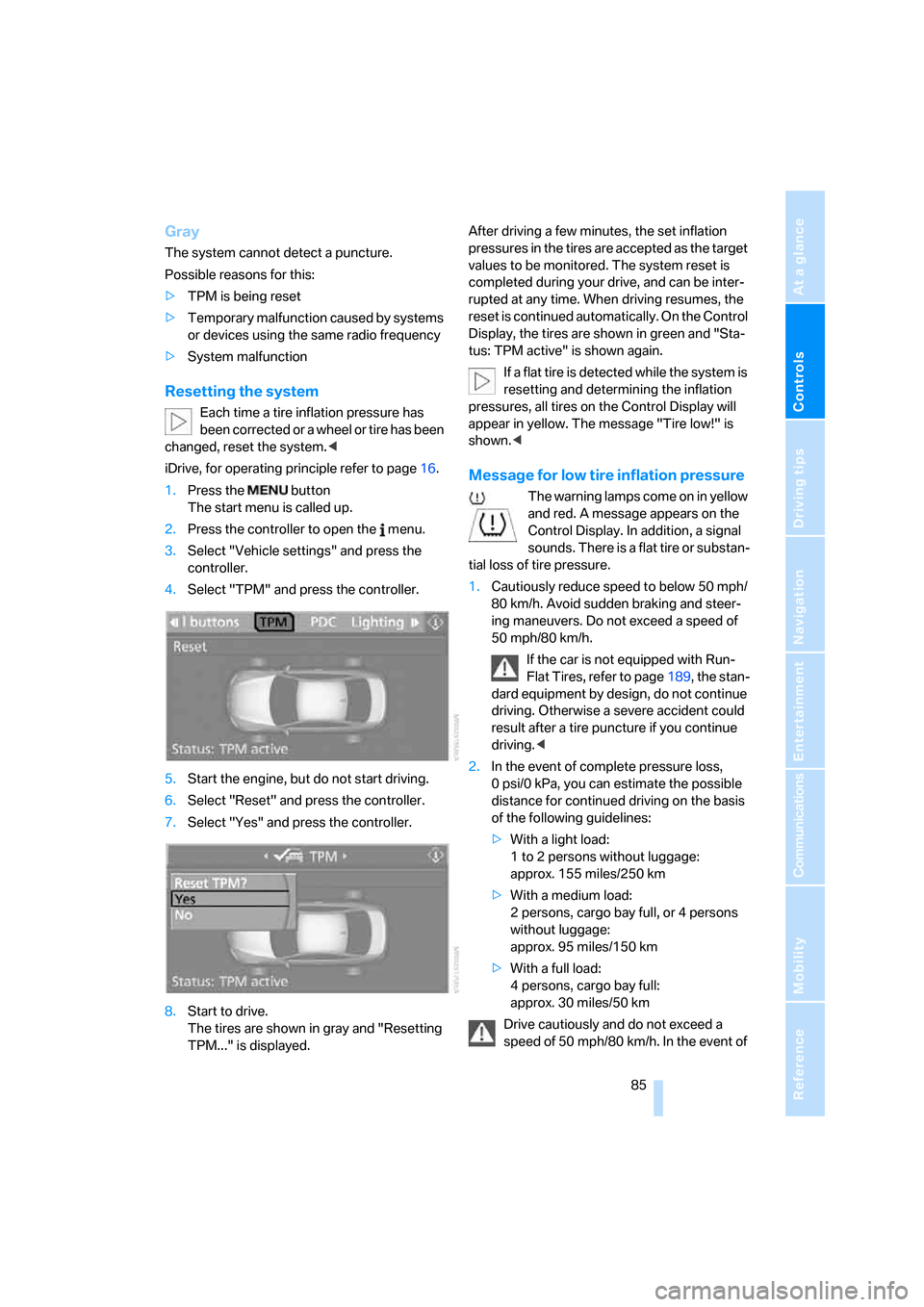
iDrive, for operating principle refer to page16.
1.Press the button
The start menu is called up.
2.Press the controller to open the menu.
3.Select "Vehicle settings" and press the
controller.
4.Select "TPM" and press the controller.
5.Start the engine, but do not start driving.
6.Select "Reset" and press the controller.
7.Select "Yes" and press the controller.
8.Start to drive.
The tires are shown in gray and "Resetting
TPM..." is displayed.After driving a few minutes, the set inflation
pressures in the tires are accepted as the target
values to be monitored. The system reset is
completed during your drive, and can be inter-
rupted at any time. When driving resumes, the
reset is continued automatically. On the Control
Display, the tires are shown in green and "Sta-
tus: TPM active" is shown again.
If a flat tire is detected while the system is
resetting and determining the inflation
pressures, all tires on the Control Display will
appear in yellow. The message "Tire low!" is
shown.<
Message for low tire inflation pressure
The warning lamps come on in yellow
and red. A message appears on the
Control Display. In addition, a signal
sounds. There is a flat tire or substan-
tial loss of tire pressure.
1.Cautiously reduce speed to below 50 mph/
80 km/h. Avoid sudden braking and steer-
ing maneuvers. Do not exceed a speed of
50 mph/80 km/h.
If the car is not equipped with Run-
Flat Tires, refer to page189, the stan-
dard equipment by design, do not continue
driving. Otherwise a severe accident could
result after a tire puncture if you continue
driving.<
2.In the event of complete pressure loss,
0 psi/0 kPa, you can estimate the possible
distance for continued driving on the basis
of the following guidelines:
>With a light load:
1 to 2 persons without luggage:
approx. 155 miles/250 km
>With a medium load:
2 persons, cargo bay full, or 4 persons
without luggage:
approx. 95 miles/150 km
>With a full load:
4 persons, cargo bay full:
approx. 30 miles/50 km
Drive cautiously and do not exceed a
speed of 50 mph/80 km/h. In the event of
is adjusted
will be adapted
ba8_E9293_US.book Seite 85 Freitag, 5. Mai 2006 1:02 13
Page 142 of 239
On/off and settings
140
On/off and settings
The following audio sources have shared con-
trols and setting options:
>Radio
>CD player
>CD changer
*
Controls
The audio sources can be operated using:
>Buttons near the CD player
>iDrive
>Buttons
on the steering wheel, refer to
page11
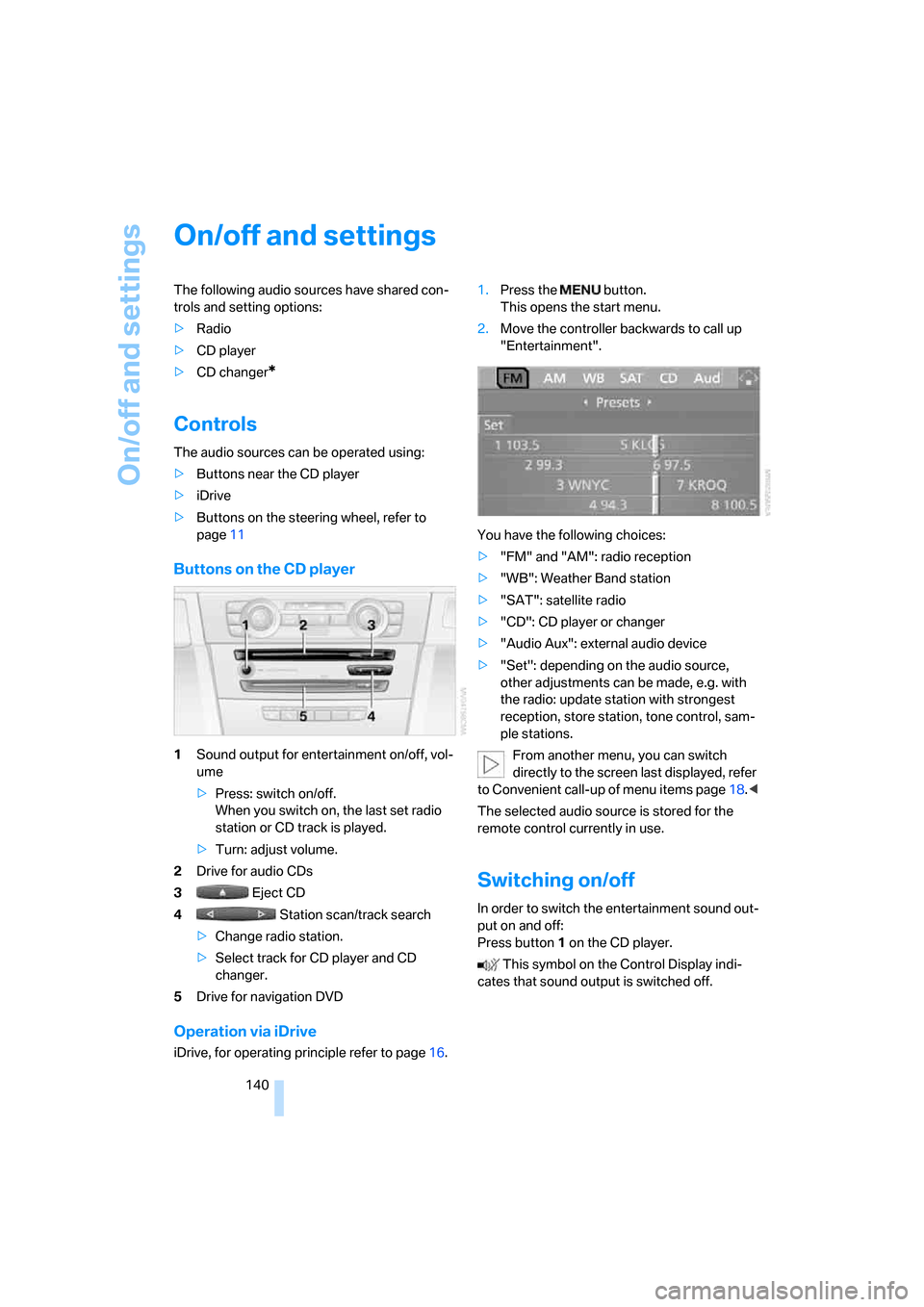
Buttons on the CD player
1Sound output for entertainment on/off, vol-
ume
>Press: switch on/off.
When you switch on, the last set radio
station or CD track is played.
>Turn: adjust volume.
2Drive for audio CDs
3 Eject CD
4 Station scan/track search
>Change radio station.
>Select track for CD player and CD
changer.
5Drive for navigation DVD
Operation via iDrive
iDrive, for operating principle refer to page16.1.Press the button.
This opens the start menu.
2.Move the controller backwards to call up
"Entertainment".
You have the following choices:
>"FM" and "AM": radio reception
>"WB": Weather Band station
>"SAT": satellite radio
>"CD": CD player or changer
>"Audio Aux": external audio device
>"Set": depending on the audio source,
other adjustments can be made, e.g. with
the radio: update station with strongest
reception, store station, tone control, sam-
ple stations.
From another menu, you can switch
directly to the screen last displayed, refer
to Convenient call-up of menu items page18.<
The selected audio source is stored for the
remote control currently in use.
Switching on/off
In order to switch the entertainment sound out-
put on and off:
Press button1 on the CD player.
This symbol on the Control Display indi-
cates that sound output is switched off.
ba8_E9293_US.book Seite 140 Freitag, 5. Mai 2006 1:02 13
Page 146 of 239
Radio
144
Radio
Your radio provides reception of the FM and AM
wavebands:
Listening to the radio
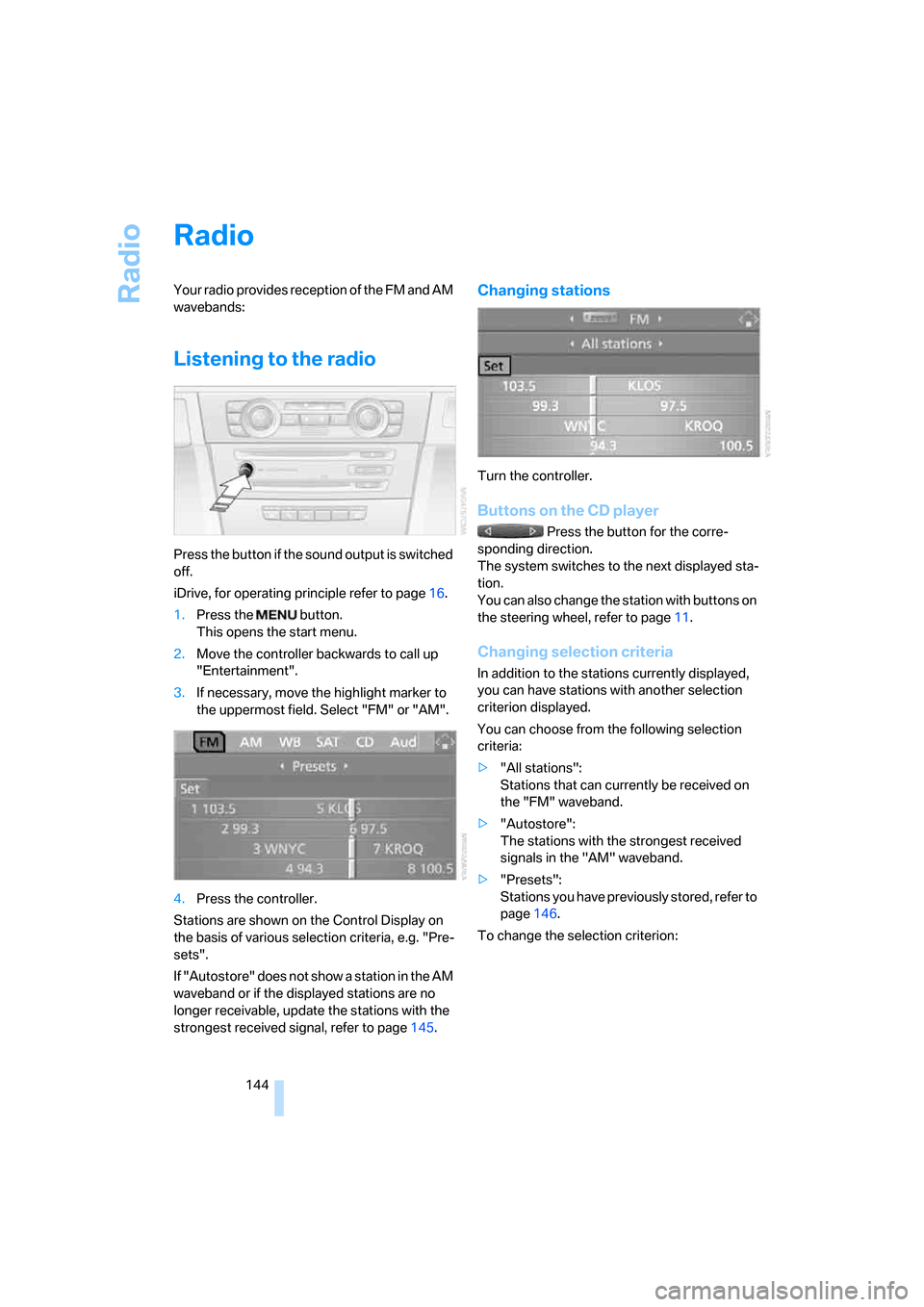
Press the button if the sound output is switched
off.
iDrive, for operating principle refer to page16.
1.Press the button.
This opens the start menu.
2.Move the controller backwards to call up
"Entertainment".
3.If necessary, move the highlight marker to
the uppermost field. Select "FM" or "AM".
4.Press the controller.
Stations are shown on the Control Display on
the basis of various selection criteria, e.g. "Pre-
sets".
If "Autostore" does not show a station in the AM
waveband or if the displayed stations are no
longer receivable, update the stations with the
strongest received signal, refer to page145.
Changing stations
Turn the controller.
Buttons on the CD player
Press the button for the corre-
sponding direction.
The system switches to the next displayed sta-
tion.
You can also change the station with buttons on
the steering wheel, refer to page11.
Changing selection criteria
In addition to the stations currently displayed,
you can have stations with another selection
criterion displayed.
You can choose from the following selection
criteria:
>"All stations":
Stations that can currently be received on
the "FM" waveband.
>"Autostore":
The stations with the strongest received
signals in the "AM" waveband.
>"Presets":
Stations you have previously stored, refer to
page146.
To change the selection criterion:
ba8_E9293_US.book Seite 144 Freitag, 5. Mai 2006 1:02 13
Page 149 of 239
Navigation
Entertainment
Driving tips
147Reference
At a glance
Controls
Communications
Mobility
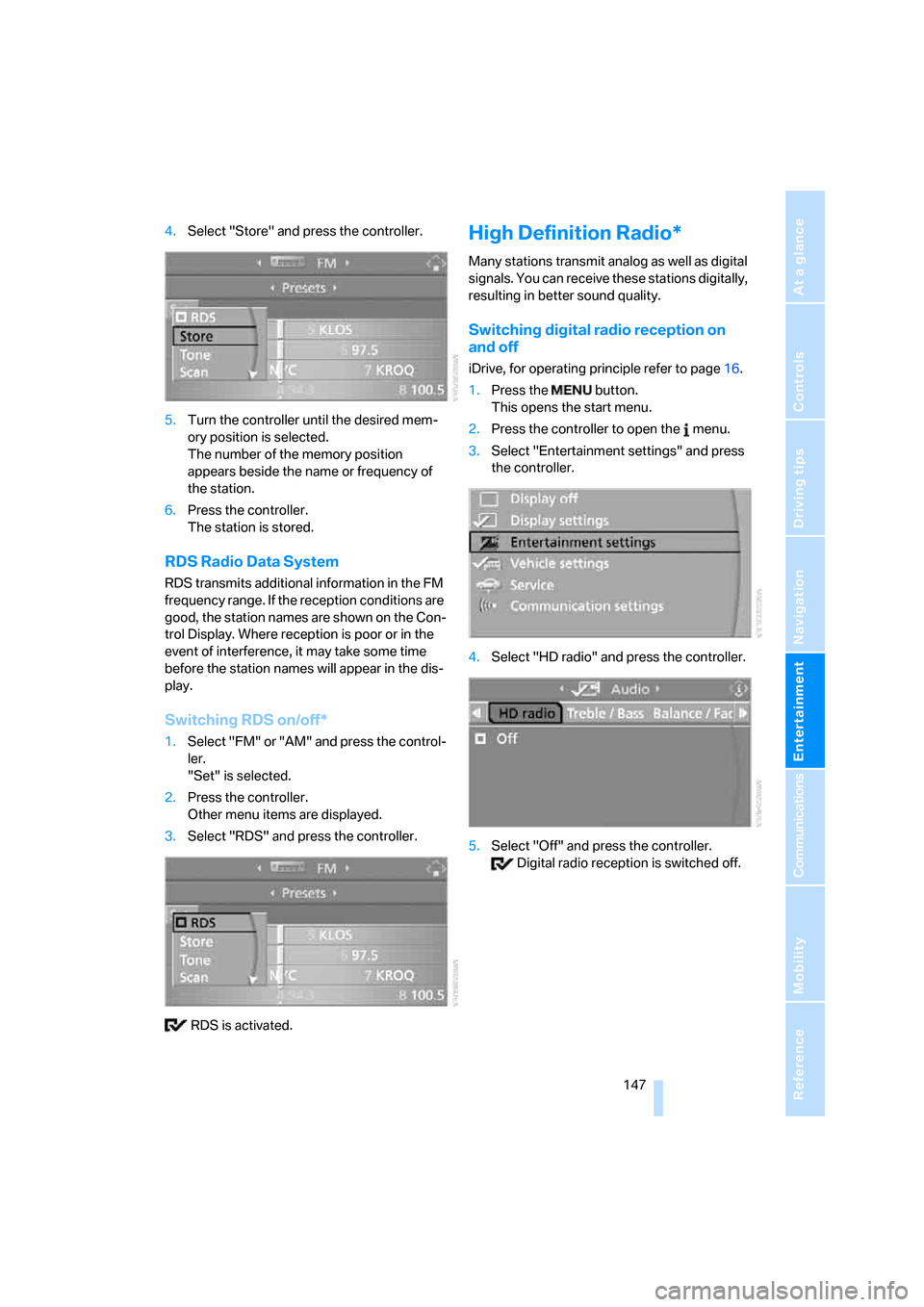
4.Select "Store" and press the controller.
5.Turn the controller until the desired mem-
ory position is selected.
The number of the memory position
appears beside the name or frequency of
the station.
6.Press the controller.
The station is stored.
RDS Radio Data System
RDS transmits additional information in the FM
frequency range. If the reception conditions are
good, the station names are shown on the Con-
trol Display. Where reception is poor or in the
event of interference, it may take some time
before the station names will appear in the dis-
play.
Switching RDS on/off*
1.Select "FM" or "AM" and press the control-
ler.
"Set" is selected.
2.Press the controller.
Other menu items are displayed.
3.Select "RDS" and press the controller.
RDS is activated.
High Definition Radio*
Many stations transmit analog as well as digital
signals. You can receive these stations digitally,
resulting in better sound quality.
Switching digital radio reception on
and off
iDrive, for operating principle refer to page16.
1.Press the button.
This opens the start menu.
2.Press the controller to open the menu.
3.Select "Entertainment settings" and press
the controller.
4.Select "HD radio" and press the controller.
5.Select "Off" and press the controller.
Digital radio reception is switched off.
ba8_E9293_US.book Seite 147 Freitag, 5. Mai 2006 1:02 13
Page 151 of 239
Navigation
Entertainment
Driving tips
149Reference
At a glance
Controls
Communications
Mobility
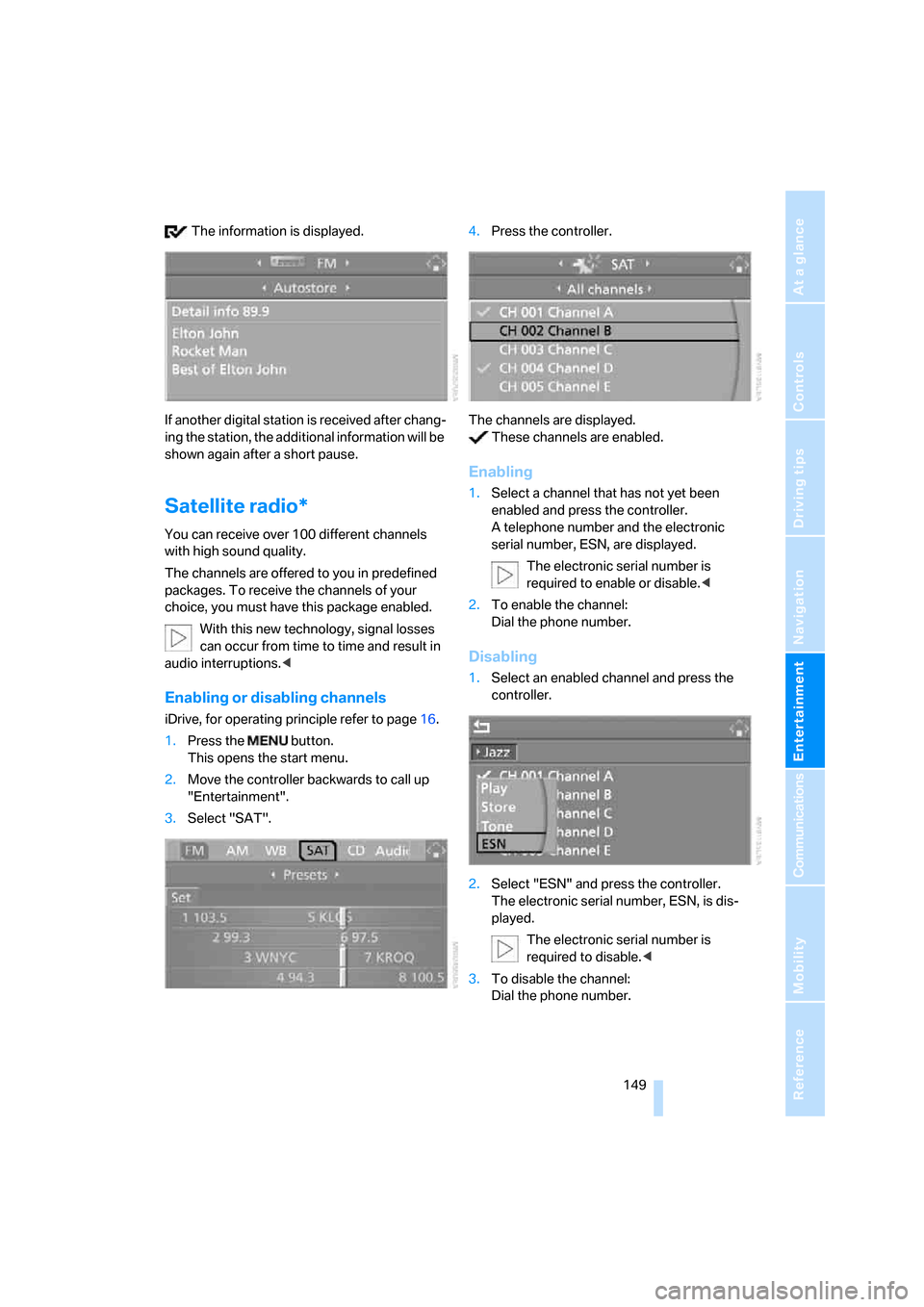
The information is displayed.
If another digital station is received after chang-
ing the station, the additional information will be
shown again after a short pause.
Satellite radio*
You can receive over 100 different channels
with high sound quality.
The channels are offered to you in predefined
packages. To receive the channels of your
choice, you must have this package enabled.
With this new technology, signal losses
can occur from time to time and result in
audio interruptions.<
Enabling or disabling channels
iDrive, for operating principle refer to page16.
1.Press the button.
This opens the start menu.
2.Move the controller backwards to call up
"Entertainment".
3.Select "SAT".4.Press the controller.
The channels are displayed.
These channels are enabled.
Enabling
1.Select a channel that has not yet been
enabled and press the controller.
A telephone number and the electronic
serial number, ESN, are displayed.
The electronic serial number is
required to enable or disable.<
2.To enable the channel:
Dial the phone number.
Disabling
1.Select an enabled channel and press the
controller.
2.Select "ESN" and press the controller.
The electronic serial number, ESN, is dis-
played.
The electronic serial number is
required to disable.<
3.To disable the channel:
Dial the phone number.
ba8_E9293_US.book Seite 149 Freitag, 5. Mai 2006 1:02 13
Page 218 of 239
Short commands for the voice command system
216
Entertainment
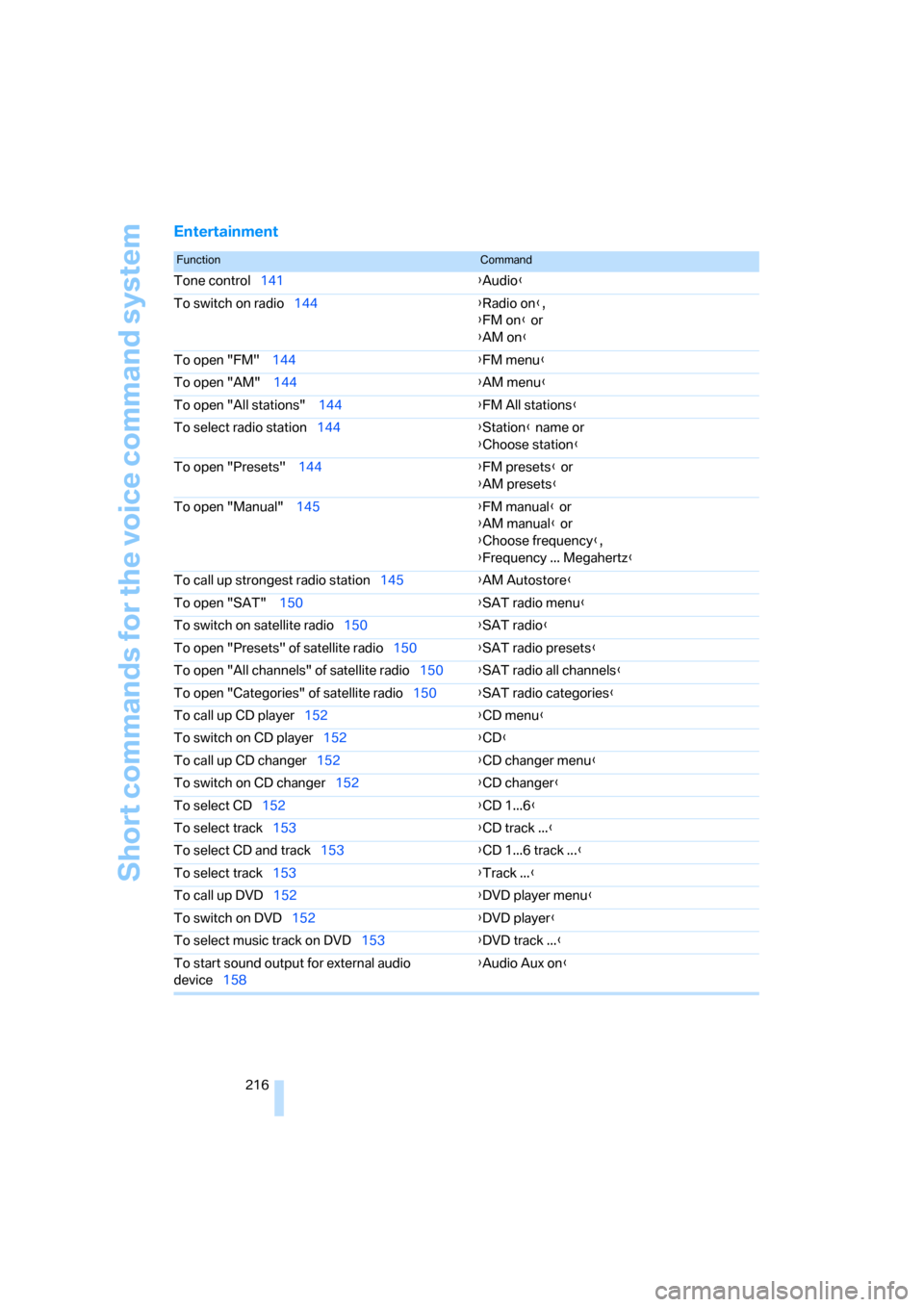
FunctionCommand
Tone control141{Audio}
To switch on radio144{Radio on},
{FM on} or
{AM on}
To open "FM" 144{FM menu}
To open "AM" 144{AM menu}
To open "All stations" 144{FM All stations}
To select radio station144{Station} name or
{Choose station}
To open "Presets" 144{FM presets} or
{AM presets}
To open "Manual" 145{FM manual} or
{AM manual} or
{Choose frequency},
{Frequency ... Megahertz}
To call up strongest radio station145{AM Autostore}
To open "SAT" 150{SAT radio menu}
To switch on satellite radio150{SAT radio}
To open "Presets" of satellite radio150{SAT radio presets}
To open "All channels" of satellite radio150{SAT radio all channels}
To open "Categories" of satellite radio150{SAT radio categories}
To call up CD player152{
CD menu}
To switch on CD player152{CD}
To call up CD changer152{CD changer menu}
To switch on CD changer152{CD changer}
To select CD152{CD 1...6}
To select track153{CD track ...}
To select CD and track153{CD 1...6 track ...}
To select track153{Track ...}
To call up DVD152{DVD player menu}
To switch on DVD152{DVD player}
To select music track on DVD153{DVD track ...}
To start sound output for external audio
device158{Audio Aux on}
ba8_E9293_US.book Seite 216 Freitag, 5. Mai 2006 1:02 13
Page 221 of 239
Reference 219
At a glance
Controls
Driving tips
Communications
Navigation
Entertainment
Mobility
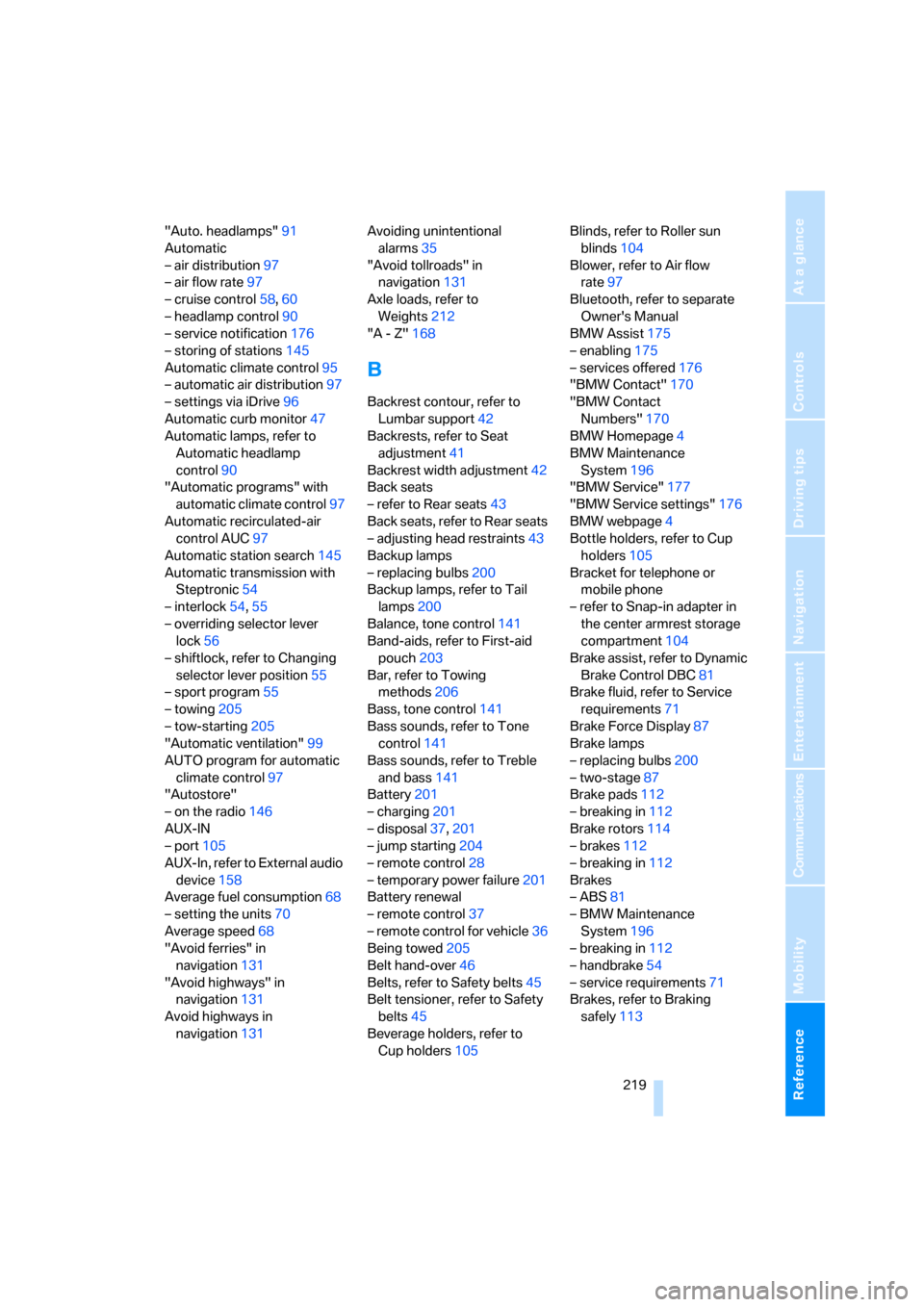
"Auto. headlamps"91
Automatic
– air distribution97
– air flow rate97
– cruise control58,60
– headlamp control90
– service notification176
– storing of stations145
Automatic climate control95
– automatic air distribution97
– settings via iDrive96
Automatic curb monitor47
Automatic lamps, refer to
Automatic headlamp
control90
"Automatic programs" with
automatic climate control97
Automatic recirculated-air
control AUC97
Automatic station search145
Automatic transmission with
Steptronic54
– interlock54,55
– overriding selector lever
lock56
– shiftlock, refer to Changing
selector lever position55
– sport program55
– towing205
– tow-starting205
"Automatic ventilation"99
AUTO program for automatic
climate control97
"Autostore"
– on the radio146
AUX-IN
– port105
AUX-In, refer to External audio
device158
Average fuel consumption68
– setting the units70
Average speed68
"Avoid ferries" in
navigation131
"Avoid highways" in
navigation131
Avoid highways in
navigation131Avoiding unintentional
alarms35
"Avoid tollroads" in
navigation131
Axle loads, refer to
Weights212
"A - Z"168
B
Backrest contour, refer to
Lumbar support42
Backrests, refer to Seat
adjustment41
Backrest width adjustment42
Back seats
– refer to Rear seats43
Back seats, refer to Rear seats
– adjusting head restraints43
Backup lamps
– replacing bulbs200
Backup lamps, refer to Tail
lamps200
Balance, tone control141
Band-aids, refer to First-aid
pouch203
Bar, refer to Towing
methods206
Bass, tone control141
Bass sounds, refer to Tone
control141
Bass sounds, refer to Treble
and bass141
Battery201
– charging201
– disposal37,201
– jump starting204
– remote control28
– temporary power failure201
Battery renewal
– remote control37
– remote control for vehicle36
Being towed205
Belt hand-over46
Belts, refer to Safety belts45
Belt tensioner, refer to Safety
belts45
Beverage holders, refer to
Cup holders105Blinds, refer to Roller sun
blinds104
Blower, refer to Air flow
rate97
Bluetooth, refer to separate
Owner's Manual
BMW Assist175
– enabling175
– services offered176
"BMW Contact"170
"BMW Contact
Numbers"170
BMW Homepage4
BMW Maintenance
System196
"BMW Service"177
"BMW Service settings"176
BMW webpage4
Bottle holders, refer to Cup
holders105
Bracket for telephone or
mobile phone
– refer to Snap-in adapter in
the center armrest storage
compartment104
Brake assist, refer to Dynamic
Brake Control DBC81
Brake fluid, refer to Service
requirements71
Brake Force Display87
Brake lamps
– replacing bulbs200
– two-stage87
Brake pads112
– breaking in112
Brake rotors114
– brakes112
– breaking in112
Brakes
– ABS81
– BMW Maintenance
System196
– breaking in112
– handbrake54
– service requirements71
Brakes, refer to Braking
safely113
ba8_E9293_US.book Seite 219 Freitag, 5. Mai 2006 1:02 13
Page 233 of 239
Reference 231
At a glance
Controls
Driving tips
Communications
Navigation
Entertainment
Mobility
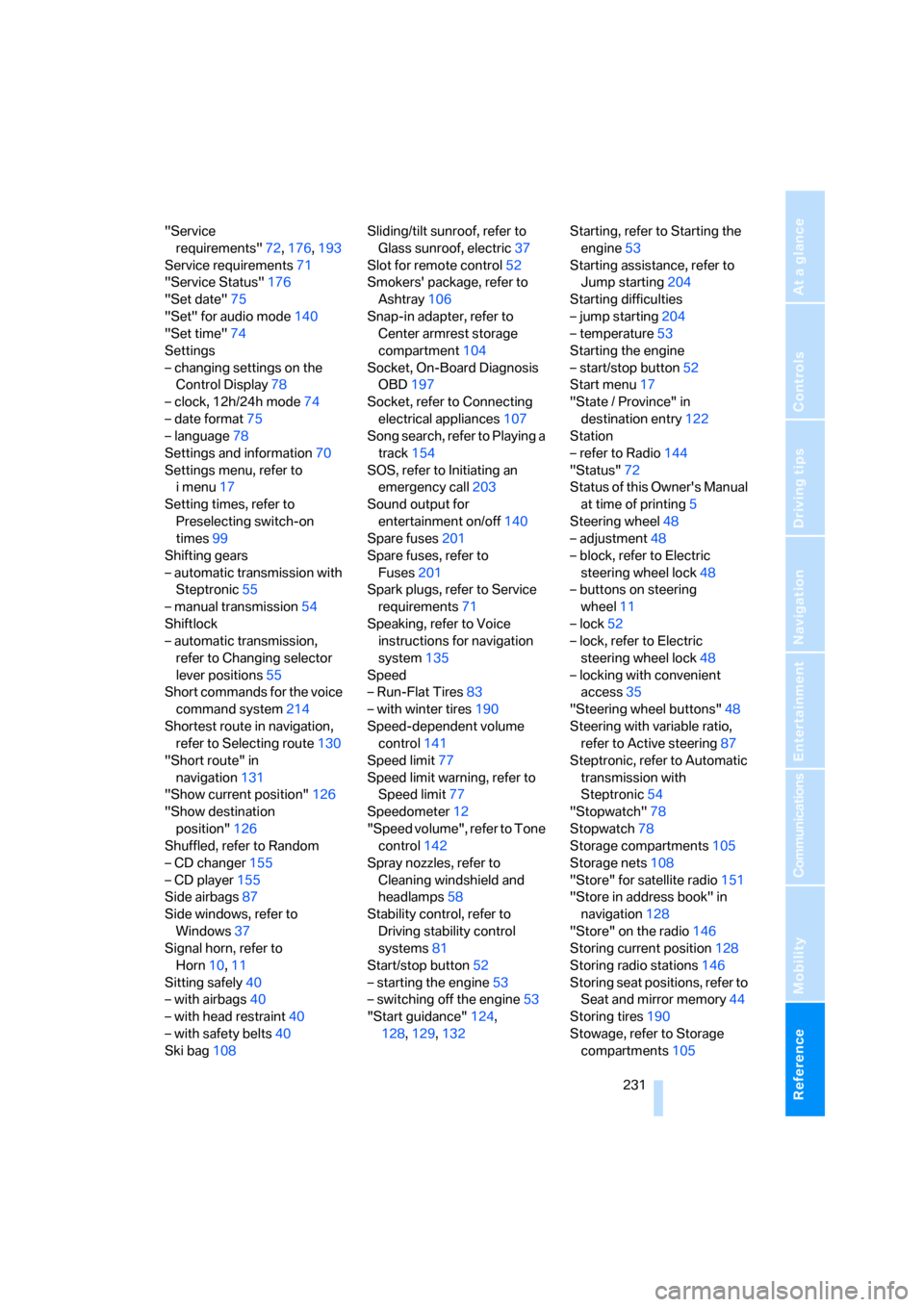
"Service
requirements"72,176,193
Service requirements71
"Service Status"176
"Set date"75
"Set" for audio mode140
"Set time"74
Settings
– changing settings on the
Control Display78
– clock, 12h/24h mode74
– date format75
– language78
Settings and information70
Settings menu, refer to
imenu17
Setting times, refer to
Preselecting switch-on
times99
Shifting gears
– automatic transmission with
Steptronic55
– manual transmission54
Shiftlock
– automatic transmission,
refer to Changing selector
lever positions55
Short commands for the voice
command system214
Shortest route in navigation,
refer to Selecting route130
"Short route" in
navigation131
"Show current position"126
"Show destination
position"126
Shuffled, refer to Random
– CD changer155
– CD player155
Side airbags87
Side windows, refer to
Windows37
Signal horn, refer to
Horn10,11
Sitting safely40
– with airbags40
– with head restraint40
– with safety belts40
Ski bag108Sliding/tilt sunroof, refer to
Glass sunroof, electric37
Slot for remote control52
Smokers' package, refer to
Ashtray106
Snap-in adapter, refer to
Center armrest storage
compartment104
Socket, On-Board Diagnosis
OBD197
Socket, refer to Connecting
electrical appliances107
Song search, refer to Playing a
track154
SOS, refer to Initiating an
emergency call203
Sound output for
entertainment on/off140
Spare fuses201
Spare fuses, refer to
Fuses201
Spark plugs, refer to Service
requirements71
Speaking, refer to Voice
instructions for navigation
system135
Speed
– Run-Flat Tires83
– with winter tires190
Speed-dependent volume
control141
Speed limit77
Speed limit warning, refer to
Speed limit77
Speedometer12
"Speed volume", refer to Tone
control142
Spray nozzles, refer to
Cleaning windshield and
headlamps58
Stability control, refer to
Driving stability control
systems81
Start/stop button52
– starting the engine53
– switching off the engine53
"Start guidance"124,
128,129,132Starting, refer to Starting the
engine53
Starting assistance, refer to
Jump starting204
Starting difficulties
– jump starting204
– temperature53
Starting the engine
– start/stop button52
Start menu17
"State / Province" in
destination entry122
Station
– refer to Radio144
"Status"72
Status of this Owner's Manual
at time of printing5
Steering wheel48
– adjustment48
– block, refer to Electric
steering wheel lock48
– buttons on steering
wheel11
– lock52
– lock, refer to Electric
steering wheel lock48
– locking with convenient
access35
"Steering wheel buttons"48
Steering with variable ratio,
refer to Active steering87
Steptronic, refer to Automatic
transmission with
Steptronic54
"Stopwatch"78
Stopwatch78
Storage compartments105
Storage nets108
"Store" for satellite radio151
"Store in address book" in
navigation128
"Store" on the radio146
Storing current position128
Storing radio stations146
Storing seat positions, refer to
Seat and mirror memory44
Storing tires190
Stowage, refer to Storage
compartments105
ba8_E9293_US.book Seite 231 Freitag, 5. Mai 2006 1:02 13