Starting BMW 335I COUPE 2007 E92 Owner's Guide
[x] Cancel search | Manufacturer: BMW, Model Year: 2007, Model line: 335I COUPE, Model: BMW 335I COUPE 2007 E92Pages: 272, PDF Size: 8.97 MB
Page 183 of 272
Navigation
Entertainment
Driving tips
181Reference
At a glance
Controls
Communications
Mobility
USB/audio interface
You can connect audio devices, e. g. an iPod or
a USB device (MP3 player, USB stick) to the
USB/audio interface. They can be operated via
iDrive.
Standard audio formats, e.g. MP3, WMA, WAV
(PCM) and AAC, and playlists in the M3U format
can be played.
Due the variety of audio devices on the market,
it cannot be guaranteed that every device will
be operable on the vehicle.
Ask your BMW center about what audio devices
are suitable.
Connecting
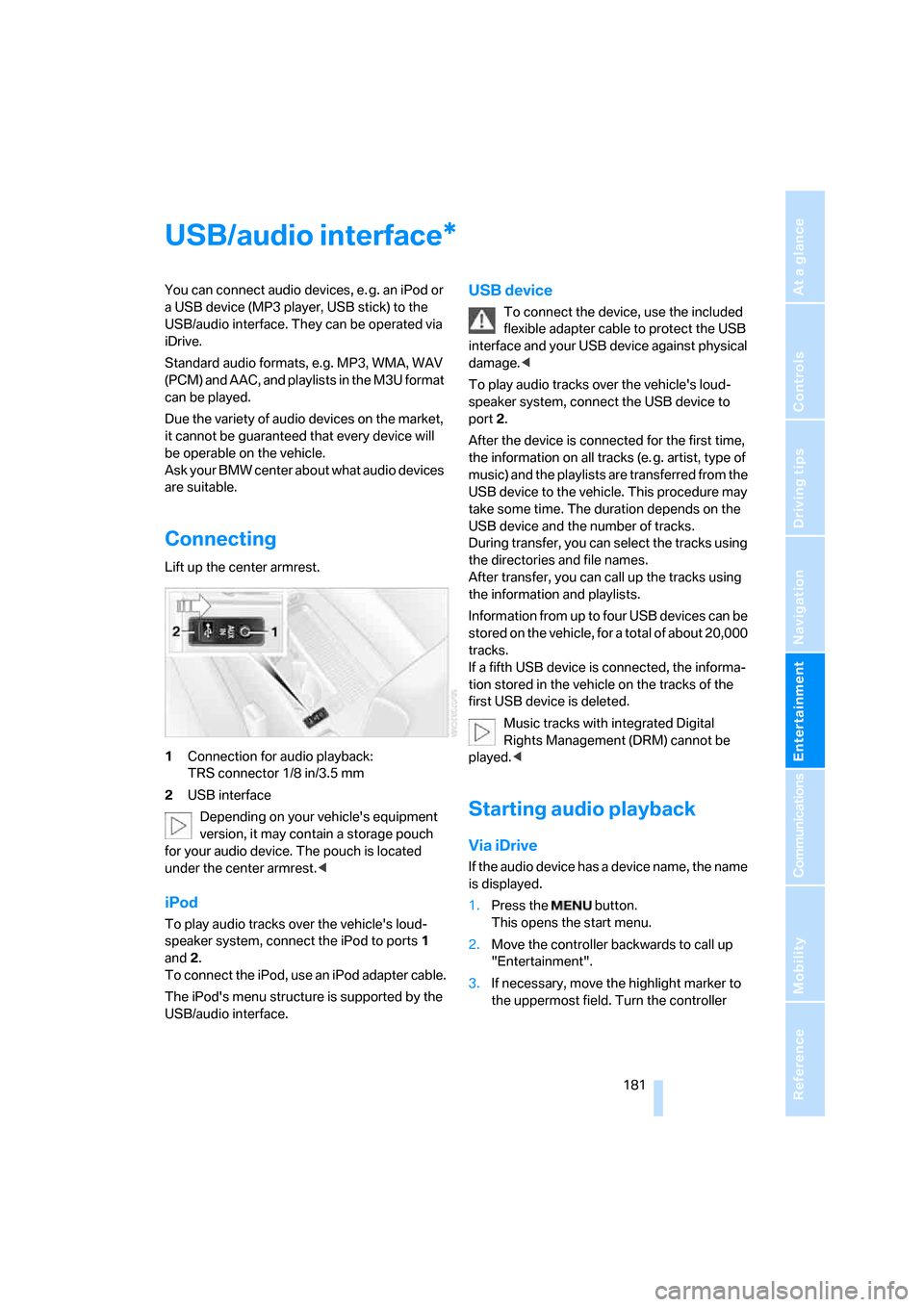
Lift up the center armrest.
1Connection for audio playback:
TRS connector 1/8 in/3.5 mm
2USB interface
Depending on your vehicle's equipment
version, it may contain a storage pouch
for your audio device. The pouch is located
under the center armrest.<
iPod
To play audio tracks over the vehicle's loud-
speaker system, connect the iPod to ports 1
and 2.
To connect the iPod, use an iPod adapter cable.
The iPod's menu structure is supported by the
USB/audio interface.
USB device
To connect the device, use the included
flexible adapter cable to protect the USB
interface and your USB device against physical
damage.<
To play audio tracks over the vehicle's loud-
speaker system, connect the USB device to
port2.
After the device is connected for the first time,
the information on all tracks (e. g. artist, type of
music) and the playlists are transferred from the
USB device to the vehicle. This procedure may
take some time. The duration depends on the
USB device and the number of tracks.
During transfer, you can select the tracks using
the directories and file names.
After transfer, you can call up the tracks using
the information and playlists.
Information from up to four USB devices can be
stored on the vehicle, for a total of about 20,000
tracks.
If a fifth USB device is connected, the informa-
tion stored in the vehicle on the tracks of the
first USB device is deleted.
Music tracks with integrated Digital
Rights Management (DRM) cannot be
played.<
Starting audio playback
Via iDrive
If the audio device has a device name, the name
is displayed.
1.Press the button.
This opens the start menu.
2.Move the controller backwards to call up
"Entertainment".
3.If necessary, move the highlight marker to
the uppermost field. Turn the controller
*
Page 213 of 272
Mobility
211Reference
At a glance
Controls
Driving tips
Communications
Navigation
Entertainment
>reduced efficiency of the fuel-vapor recov-
ery system.
The fuel tank is full when the filler nozzle clicks
off the first time.
Fuel tank capacity
Approx. 16.1 US gallons/61 liters, including the
reserve capacity of 2.1 US gallons/8 liters.
Refuel as soon as possible once your
cruising range falls below 30 miles/
50 km, otherwise engine functions are not
ensured and damage can occur.<
Fuel specifications
Do not fill the tank with leaded fuel, as this
would cause permanent damage to the
catalytic converter.
Do not fill the tank with E85, i.e. fuel containing
85 % ethanol, nor with FlexFuel. Otherwise the
engine and fuel supply system will be dam-
aged.<
Required fuel
Super Premium Gasoline/AKI 91
This gasoline is highly recommended.
However, you may also use gasoline with less
AKI. The minimum AKI Rating is:
>328i/xi: 87
>335i: 89.
If you use gasoline with this minimum AKI Rat-
ing, the engine may produce knocking sounds
when starting at high outside temperatures.
This has no effect on the engine life.
Do not use any gasoline below the speci-
fied minimum fuel grade. Otherwise the
engine could be damaged.<
Use high-quality brands
Field experience has indicated significant dif-
ferences in fuel quality: volatility, composition,
additives, etc., among gasolines offered for sale
in the United States and Canada. Fuels contain-
ing up to and including 10 % ethanol or other oxygenates with up to 2.8 % oxygen by weight,
that is, 15 % MTBE or 3 % methanol plus an
equivalent amount of co-solvent, will not void
the applicable warranties with respect to
defects in materials or workmanship.
The use of poor-quality fuels may result in
driveability, starting and stalling problems
especially under certain environmental condi-
tions such as high ambient temperature and
high altitude.
Should you encounter driveability problems
which you suspect could be related to the fuel
you are using, we recommend that you respond
by switching to a recognized high-quality brand
such as gasoline that is advertised as Top Tier
Detergent Gasoline.
Failure to comply with these recommendations
may also result in unscheduled maintenance.<
Page 214 of 272
Wheels and tires
212
Wheels and tires
Tire inflation pressures
Information for your safety
It is not merely the tires' service life, but also
driving comfort and, to a great extent, driving
safety that depend on the condition of the tires
and the maintenance of the specified tire pres-
sure.
Check the tire inflation pressure regularly
and correct it, if necessary: at least twice a
month and before starting long trips. If you fail
to observe this precaution you may be driving
on tires with incorrect tire pressures, a condi-
tion that can not only compromise your vehi-
cle's driving stability, but also lead to tire dam-
age and the risk of an accident. Do not drive
with deflated, i.e. flat tires, except when using
Run-Flat Tires. A flat tire will seriously impair
your vehicle's handling and braking response.
Attempts to drive on a flat tire can lead to loss of
control over the vehicle.<
Checking pressure
Only check tire inflation pressure when the
tires are cold. This means after a maximum of
1.25 miles/2 km driving or when the vehicle has
been parked for at least 2 hours. When tires are
warm, the tire inflation pressure is higher.
After correcting tire inflation pressures,
always reinitialize the Flat Tire Monitor,
refer to page92.<
Inflation pressure specifications
The tables below provide all the correct inflation
pressures for the specified tire sizes at ambient
temperature.
The inflation pressures apply to the tire
sizes approved and tire brands recom-
mended by BMW; a list of these is available
from your BMW center.<
For correct identification of the right tire infla-
tion pressures, observe the following:
>Tire sizes for your vehicle>Load conditions
>Maximum allowable driving speed
Tire inflation pressures for driving up to
100 mph or 160 km/h
For normal driving up to 100 mph or 160 km/h
and to achieve optimum driving comfort, adjust
pressures to the respective tire inflation pres-
sures listed on the following pages in the col-
umns for traveling speeds up to a maximum of
100mph or 160km/h.
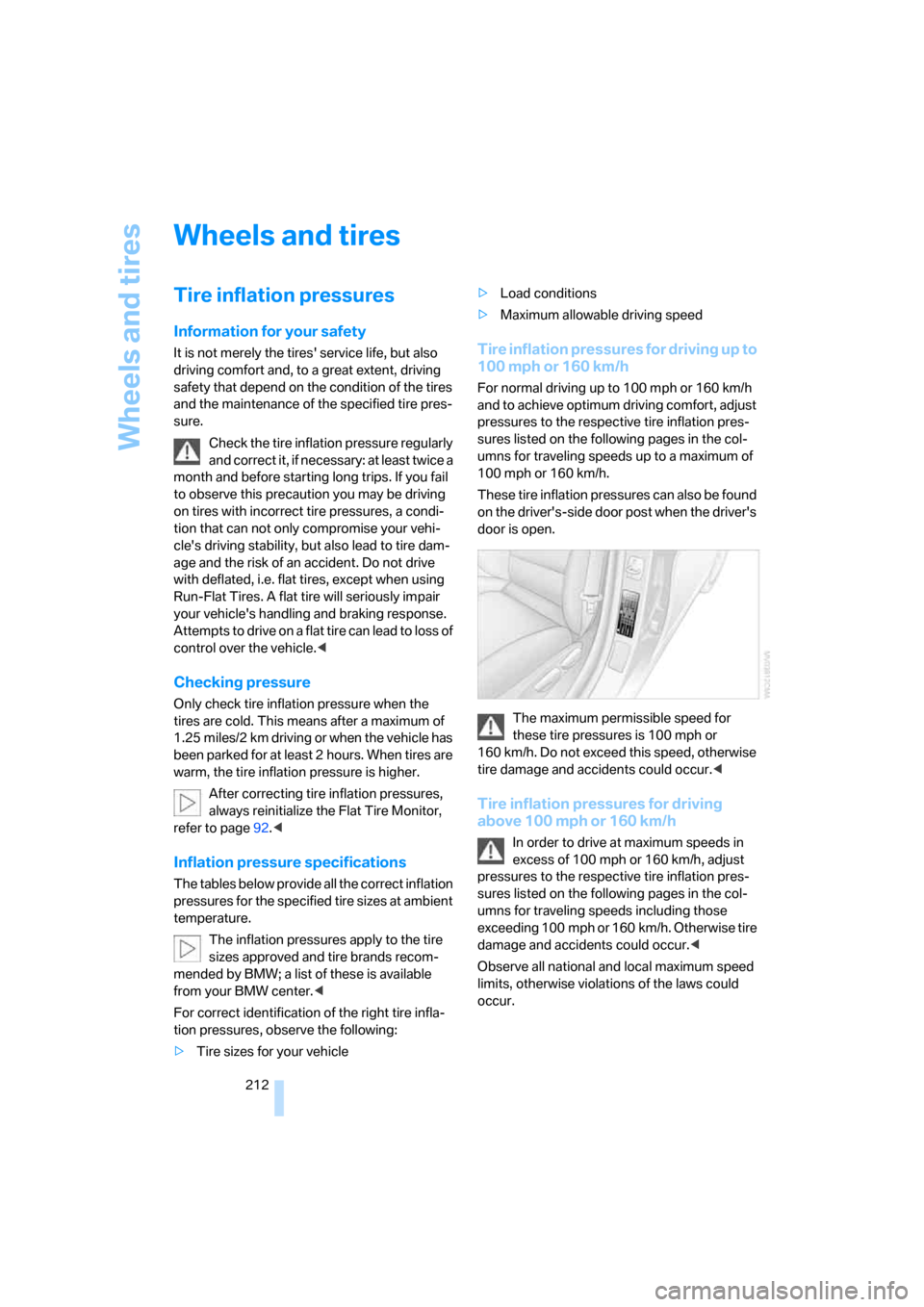
These tire inflation pressures can also be found
on the driver's-side door post when the driver's
door is open.
The maximum permissible speed for
these tire pressures is 100 mph or
160 km/h. Do not exceed this speed, otherwise
tire damage and accidents could occur.<
Tire inflation pressures for driving
above 100 mph or 160 km/h
In order to drive at maximum speeds in
excess of 100 mph or 160 km/h, adjust
pressures to the respective tire inflation pres-
sures listed on the following pages in the col-
umns for traveling speeds including those
exceeding 100 mph or 160 km/h. Otherwise tire
damage and accidents could occur.<
Observe all national and local maximum speed
limits, otherwise violations of the laws could
occur.
Page 226 of 272
Under the hood
224
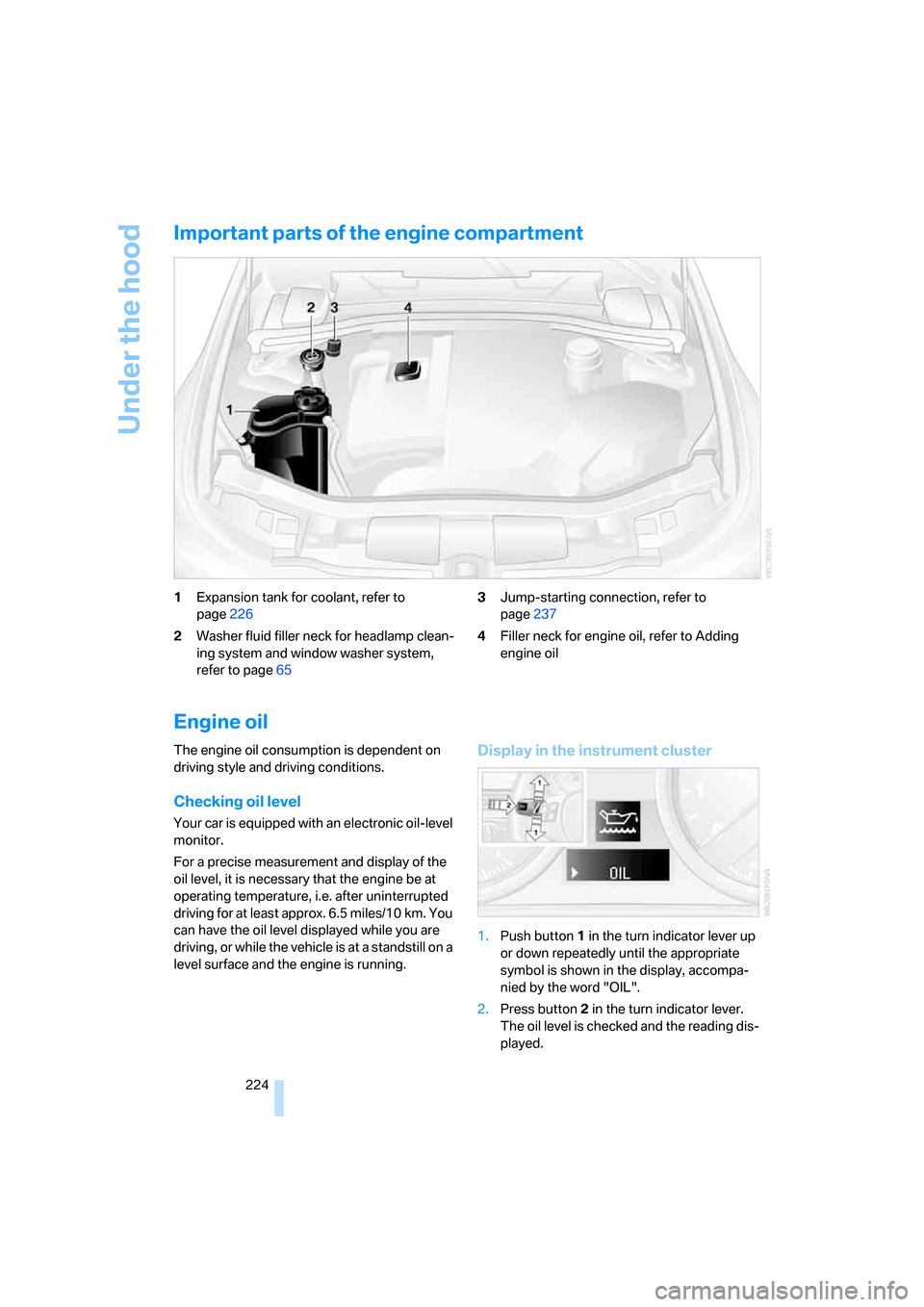
Important parts of the engine compartment
1Expansion tank for coolant, refer to
page226
2Washer fluid filler neck for headlamp clean-
ing system and window washer system,
refer to page653Jump-starting connection, refer to
page237
4Filler neck for engine oil, refer to Adding
engine oil
Engine oil
The engine oil consumption is dependent on
driving style and driving conditions.
Checking oil level
Your car is equipped with an electronic oil-level
monitor.
For a precise measurement and display of the
oil level, it is necessary that the engine be at
operating temperature, i.e. after uninterrupted
driving for at least approx. 6.5 miles/10 km. You
can have the oil level displayed while you are
driving, or while the vehicle is at a standstill on a
level surface and the engine is running.
Display in the instrument cluster
1.Push button 1 in the turn indicator lever up
or down repeatedly until the appropriate
symbol is shown in the display, accompa-
nied by the word "OIL".
2.Press button 2 in the turn indicator lever.
The oil level is checked and the reading dis-
played.
Page 236 of 272
Replacing components
234 For information on continuing to drive with a
damaged tire, refer to Indication of a flat tire on
page93.
The symbol identifying Run-Flat Tires is a circle
with the letters RSC on the sidewall, refer to
Run-Flat Tires, page221.
When mounting new tires or changing over
from summer to winter tires and vice versa,
mount Run-Flat Tires for your own safety. In the
event of a flat, no spare wheel is available. Your
BMW center will be glad to advise you. Refer
also to New wheels and tires, page221.
The tools for changing wheels are avail-
able as optional accessories from your
BMW center.<
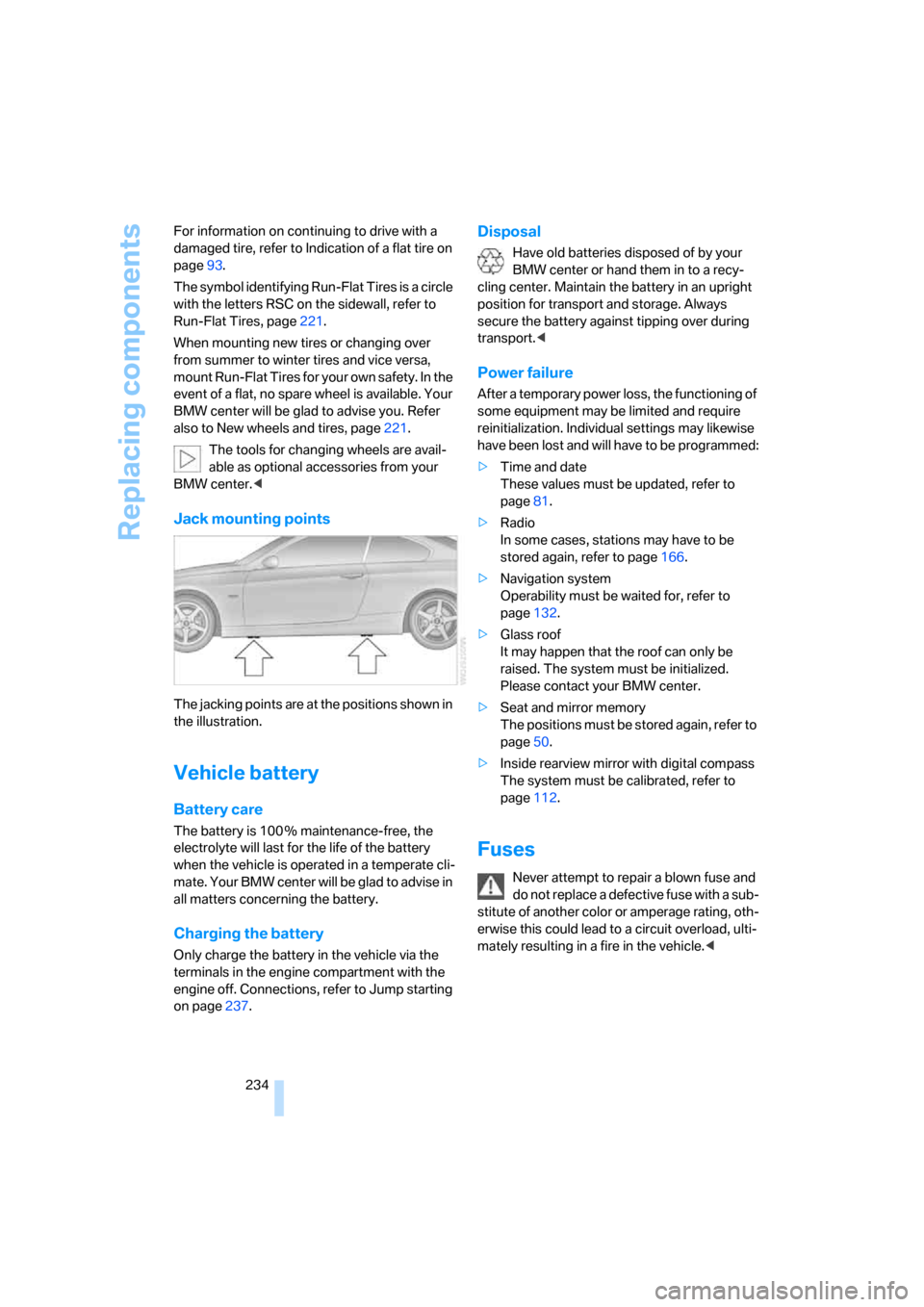
Jack mounting points
The jacking points are at the positions shown in
the illustration.
Vehicle battery
Battery care
The battery is 100 % maintenance-free, the
electrolyte will last for the life of the battery
when the vehicle is operated in a temperate cli-
ma te. Your BM W center will be glad to advise in
all matters concerning the battery.
Charging the battery
Only charge the battery in the vehicle via the
terminals in the engine compartment with the
engine off. Connections, refer to Jump starting
on page237.
Disposal
Have old batteries disposed of by your
BMW center or hand them in to a recy-
cling center. Maintain the battery in an upright
position for transport and storage. Always
secure the battery against tipping over during
transport.<
Power failure
After a temporary power loss, the functioning of
some equipment may be limited and require
reinitialization. Individual settings may likewise
have been lost and will have to be programmed:
>Time and date
These values must be updated, refer to
page81.
>Radio
In some cases, stations may have to be
stored again, refer to page166.
>Navigation system
Operability must be waited for, refer to
page132.
>Glass roof
It may happen that the roof can only be
raised. The system must be initialized.
Please contact your BMW center.
>Seat and mirror memory
The positions must be stored again, refer to
page50.
>Inside rearview mirror with digital compass
The system must be calibrated, refer to
page112.
Fuses
Never attempt to repair a blown fuse and
do not replace a defective fuse with a sub-
stitute of another color or amperage rating, oth-
erwise this could lead to a circuit overload, ulti-
mately resulting in a fire in the vehicle.<
Page 239 of 272
Mobility
237Reference
At a glance
Controls
Driving tips
Communications
Navigation
Entertainment
First aid pouch*
Some of the articles contained in the first aid
pouch have a limited service life. Therefore,
check the expiration dates of the contents reg-
ularly and replace any items in good time, if nec-
essary.
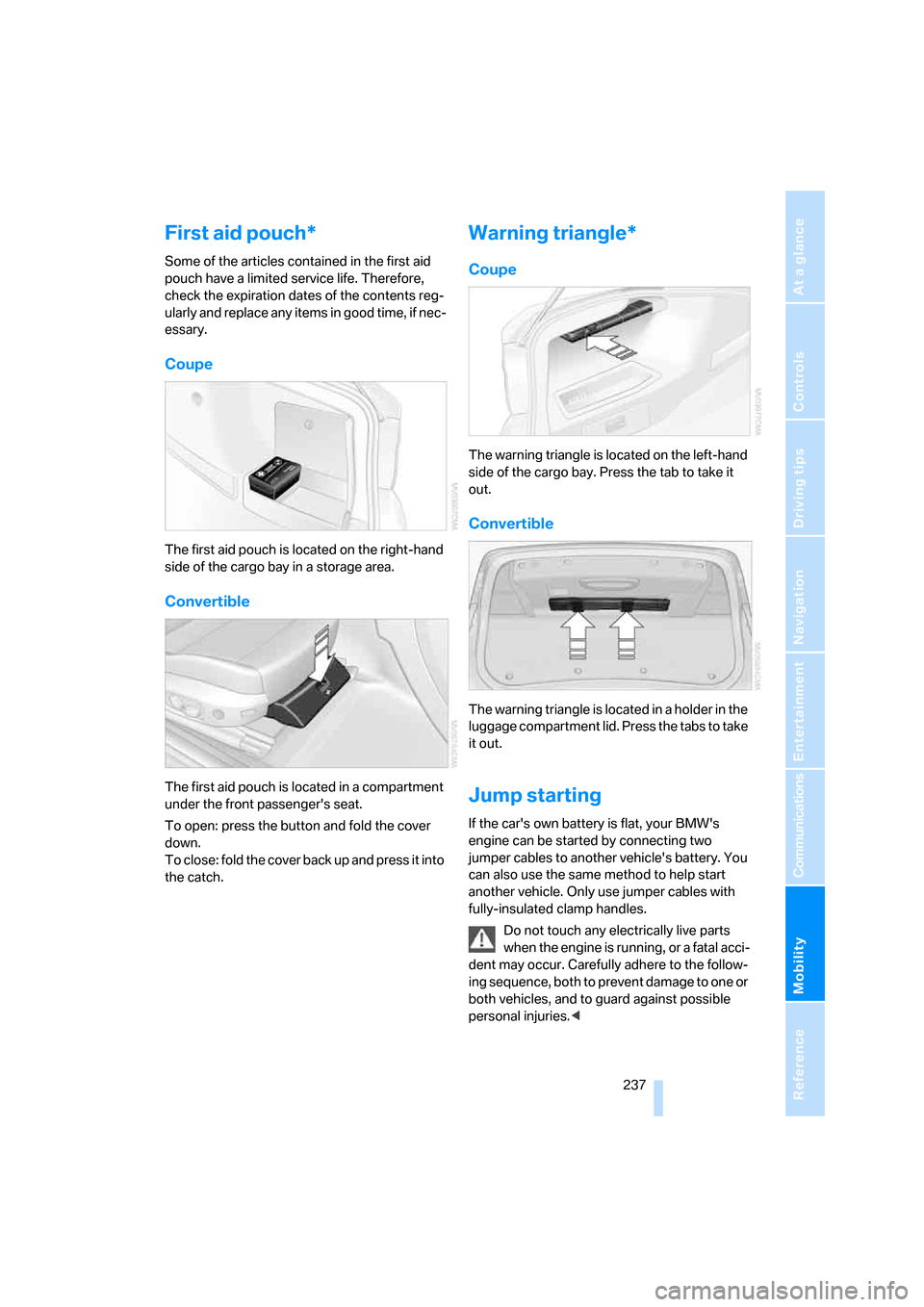
Coupe
The first aid pouch is located on the right-hand
side of the cargo bay in a storage area.
Convertible
The first aid pouch is located in a compartment
under the front passenger's seat.
To open: press the button and fold the cover
down.
To close: fold the cover back up and press it into
the catch.
Warning triangle*
Coupe
The warning triangle is located on the left-hand
side of the cargo bay. Press the tab to take it
out.
Convertible
The warning triangle is located in a holder in the
luggage compartment lid. Press the tabs to take
it out.
Jump starting
If the car's own battery is flat, your BMW's
engine can be started by connecting two
jumper cables to another vehicle's battery. You
can also use the same method to help start
another vehicle. Only use jumper cables with
fully-insulated clamp handles.
Do not touch any electrically live parts
when the engine is running, or a fatal acci-
dent may occur. Carefully adhere to the follow-
ing sequence, both to prevent damage to one or
both vehicles, and to guard against possible
personal injuries.<
Page 240 of 272
Giving and receiving assistance
238
Preparation
1.Check whether the battery of the other
vehicle has a voltage of 12 volts and
approximately the same capacitance in Ah.
This information can be found on the bat-
tery.
2.Switch off the engine of the assisting vehi-
cle.
3.Switch off any consumers in both vehicles.
There must not be any contact between
the bodies of the two vehicles, otherwise
there is a danger of shorting.<
Connecting jumper cables
Connect the jumper cables in the correct
order, so that no sparks which could
cause injury occur.<
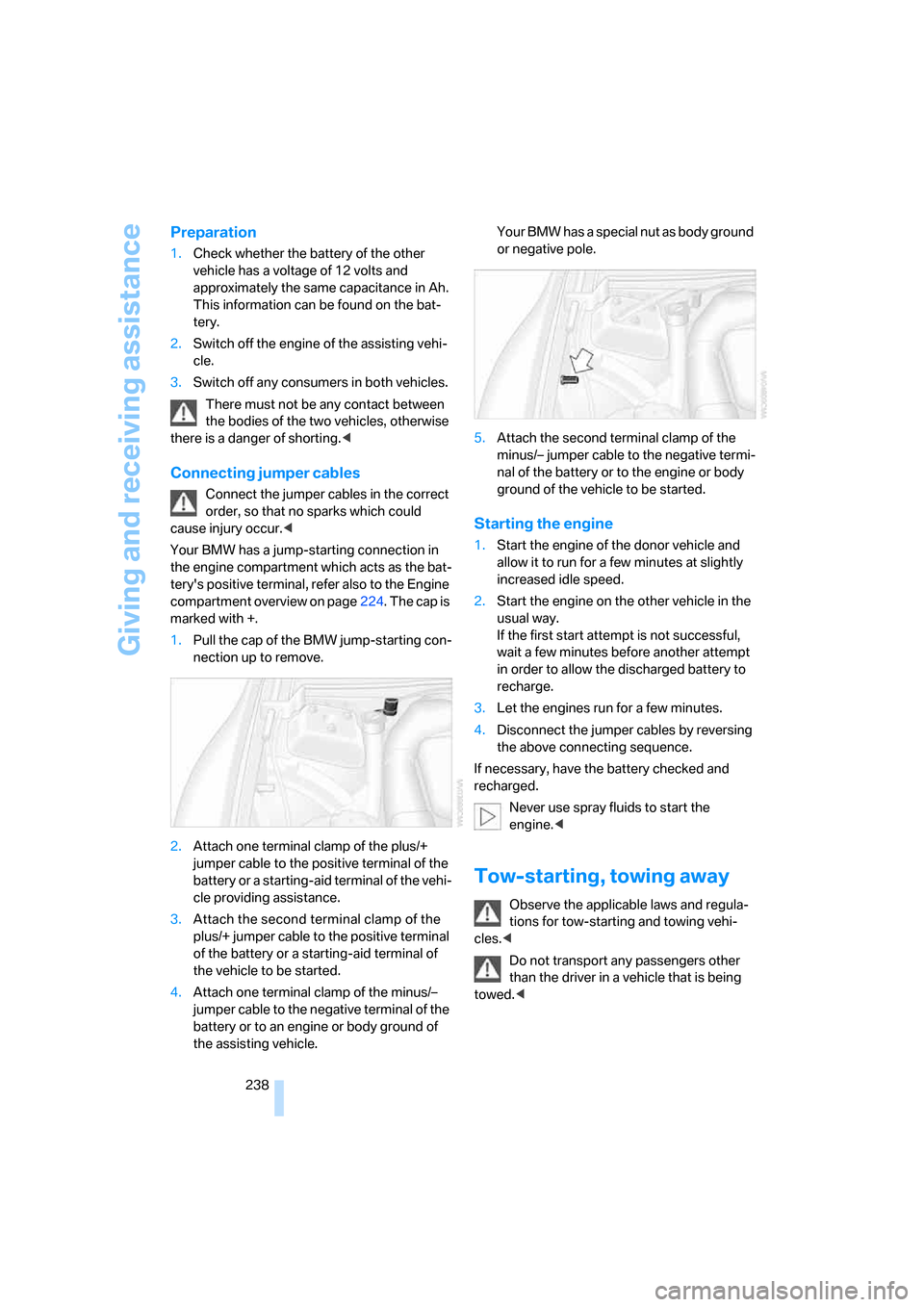
Your BMW has a jump-starting connection in
the engine compartment which acts as the bat-
tery's positive terminal, refer also to the Engine
compartment overview on page224. The cap is
marked with +.
1.Pull the cap of the BMW jump-starting con-
nection up to remove.
2.Attach one terminal clamp of the plus/+
jumper cable to the positive terminal of the
battery or a starting-aid terminal of the vehi-
cle providing assistance.
3.Attach the second terminal clamp of the
plus/+ jumper cable to the positive terminal
of the battery or a starting-aid terminal of
the vehicle to be started.
4.Attach one terminal clamp of the minus/–
jumper cable to the negative terminal of the
battery or to an engine or body ground of
the assisting vehicle. Your BMW has a special nut as body ground
or negative pole.
5.Attach the second terminal clamp of the
minus/– jumper cable to the negative termi-
nal of the battery or to the engine or body
ground of the vehicle to be started.
Starting the engine
1.Start the engine of the donor vehicle and
allow it to run for a few minutes at slightly
increased idle speed.
2.Start the engine on the other vehicle in the
usual way.
If the first start attempt is not successful,
wait a few minutes before another attempt
in order to allow the discharged battery to
recharge.
3.Let the engines run for a few minutes.
4.Disconnect the jumper cables by reversing
the above connecting sequence.
If necessary, have the battery checked and
recharged.
Never use spray fluids to start the
engine.<
Tow-starting, towing away
Observe the applicable laws and regula-
tions for tow-starting and towing vehi-
cles.<
Do not transport any passengers other
than the driver in a vehicle that is being
towed.<
Page 242 of 272
Giving and receiving assistance
240
With a tow rope
When starting off in the towing vehicle, make
sure that the tow rope is taut.
To avoid jerking and the associated
stresses on vehicle components when
towing, always use nylon ropes or nylon straps.
Attach the tow rope to the tow fittings only, as
attaching it to other parts of the vehicle could
result in damage.<
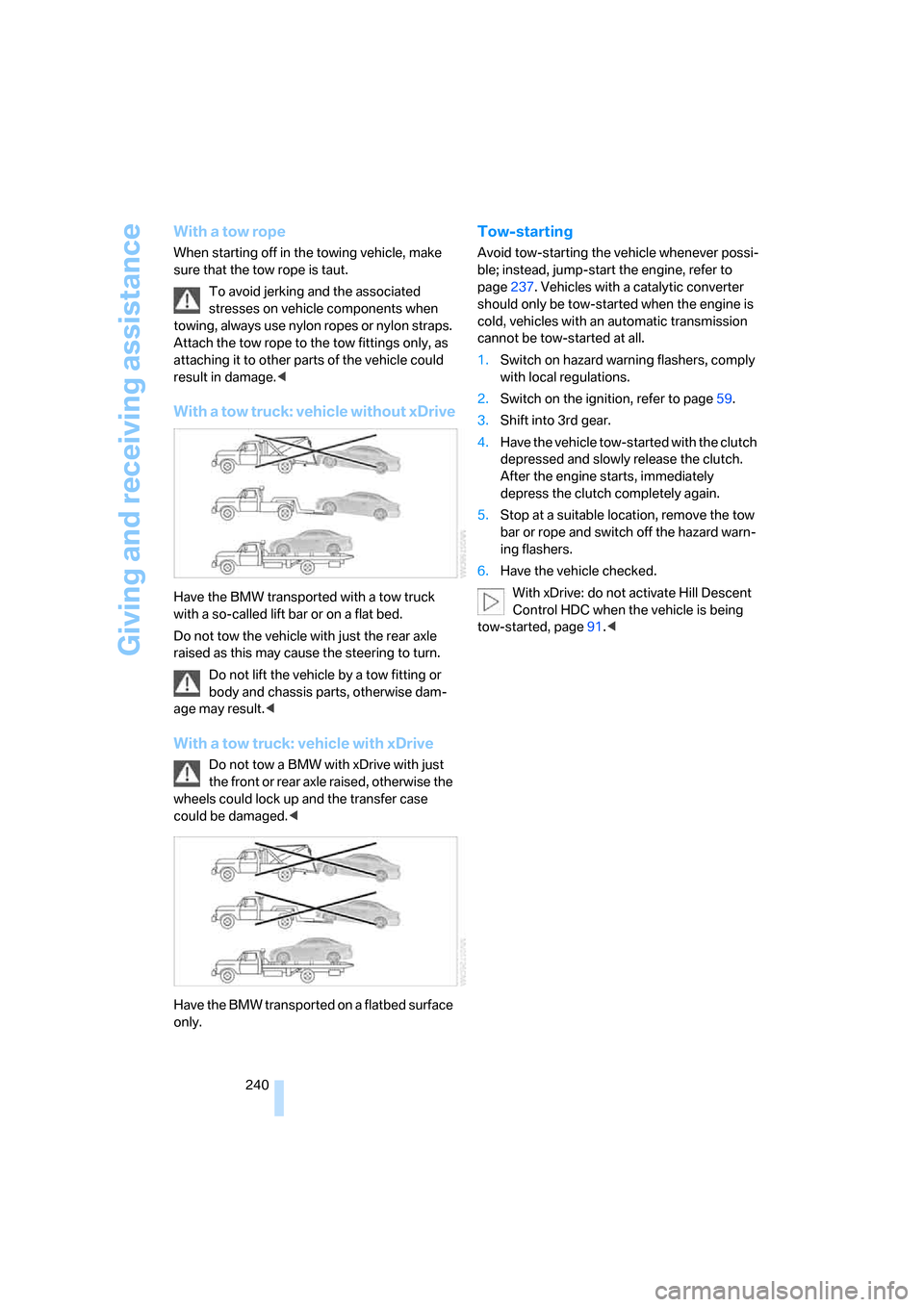
With a tow truck: vehicle without xDrive
Have the BMW transported with a tow truck
with a so-called lift bar or on a flat bed.
Do not tow the vehicle with just the rear axle
raised as this may cause the steering to turn.
Do not lift the vehicle by a tow fitting or
body and chassis parts, otherwise dam-
age may result.<
With a tow truck: vehicle with xDrive
Do not tow a BMW with xDrive with just
the front or rear axle raised, otherwise the
wheels could lock up and the transfer case
could be damaged.<
Have the BMW transported on a flatbed surface
only.
Tow-starting
Avoid tow-starting the vehicle whenever possi-
ble; instead, jump-start the engine, refer to
page237. Vehicles with a catalytic converter
should only be tow-started when the engine is
cold, vehicles with an automatic transmission
cannot be tow-started at all.
1.Switch on hazard warning flashers, comply
with local regulations.
2.Switch on the ignition, refer to page59.
3.Shift into 3rd gear.
4.Have the vehicle tow-started with the clutch
depressed and slowly release the clutch.
After the engine starts, immediately
depress the clutch completely again.
5.Stop at a suitable location, remove the tow
bar or rope and switch off the hazard warn-
ing flashers.
6.Have the vehicle checked.
With xDrive: do not activate Hill Descent
Control HDC when the vehicle is being
tow-started, page91.<
Page 254 of 272
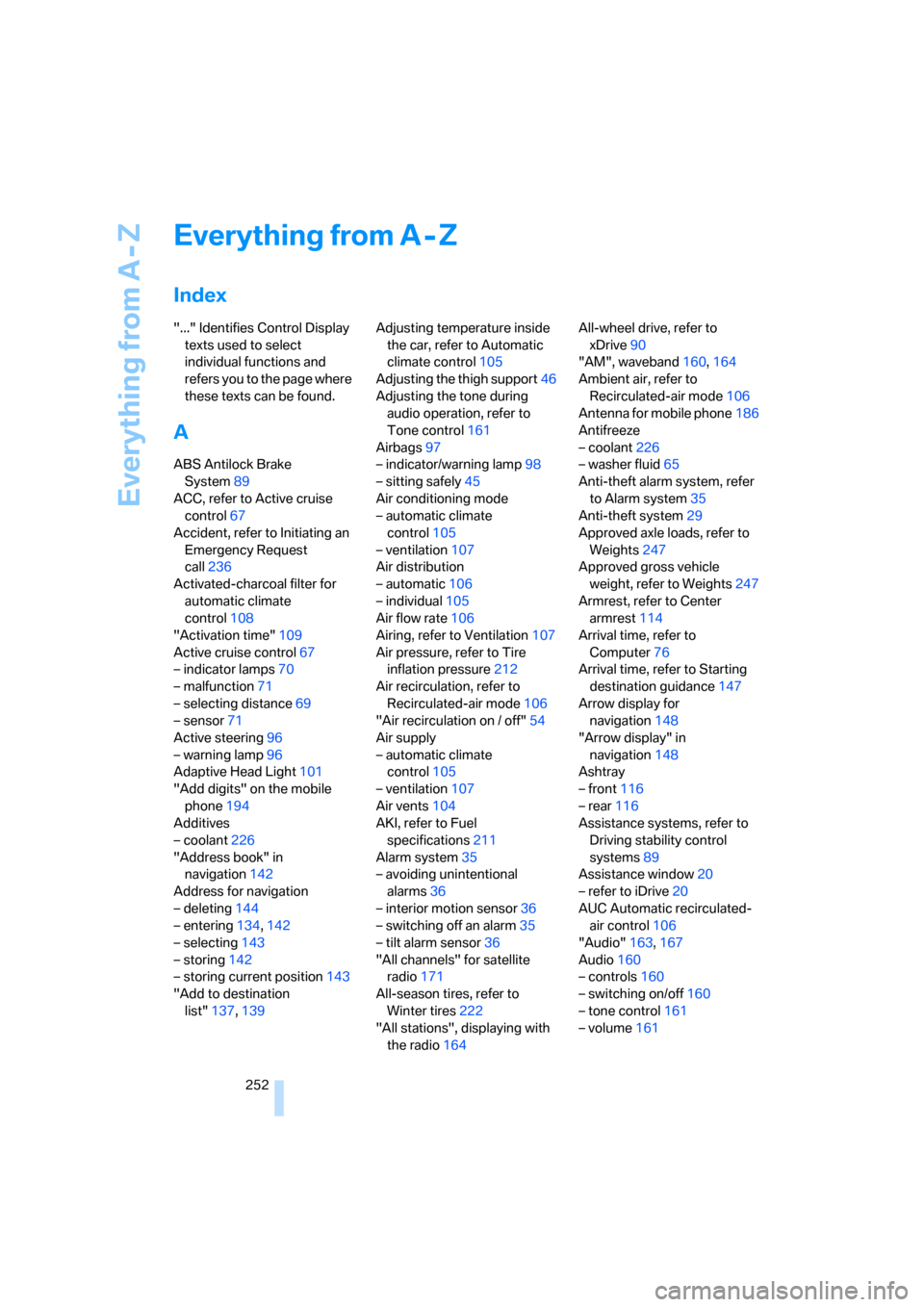
Everything from A - Z
252
Everything from A - Z
Index
"..." Identifies Control Display
texts used to select
individual functions and
refers you to the page where
these texts can be found.
A
ABS Antilock Brake
System89
ACC, refer to Active cruise
control67
Accident, refer to Initiating an
Emergency Request
call236
Activated-charcoal filter for
automatic climate
control108
"Activation time"109
Active cruise control67
– indicator lamps70
– malfunction71
– selecting distance69
– sensor71
Active steering96
– warning lamp96
Adaptive Head Light101
"Add digits" on the mobile
phone194
Additives
– coolant226
"Address book" in
navigation142
Address for navigation
– deleting144
– entering134,142
– selecting143
– storing142
– storing current position143
"Add to destination
list"137,139Adjusting temperature inside
the car, refer to Automatic
climate control105
Adjusting the thigh support46
Adjusting the tone during
audio operation, refer to
Tone control161
Airbags97
– indicator/warning lamp98
– sitting safely45
Air conditioning mode
– automatic climate
control105
– ventilation107
Air distribution
– automatic106
– individual105
Air flow rate106
Airing, refer to Ventilation107
Air pressure, refer to Tire
inflation pressure212
Air recirculation, refer to
Recirculated-air mode106
"Air recirculation on / off"54
Air supply
– automatic climate
control105
– ventilation
107
Air vents104
AKI, refer to Fuel
specifications211
Alarm system35
– avoiding unintentional
alarms36
– interior motion sensor36
– switching off an alarm35
– tilt alarm sensor36
"All channels" for satellite
radio171
All-season tires, refer to
Winter tires222
"All stations", displaying with
the radio164All-wheel drive, refer to
xDrive90
"AM", waveband160,164
Ambient air, refer to
Recirculated-air mode106
Antenna for mobile phone186
Antifreeze
– coolant226
– washer fluid65
Anti-theft alarm system, refer
to Alarm system35
Anti-theft system29
Approved axle loads, refer to
Weights247
Approved gross vehicle
weight, refer to Weights247
Armrest, refer to Center
armrest114
Arrival time, refer to
Computer76
Arrival time, refer to Starting
destination guidance147
Arrow display for
navigation148
"Arrow display" in
navigation148
Ashtray
– front116
– rear116
Assistance systems, refer to
Driving stability control
systems89
Assistance window20
– refer to iDrive20
AUC Automatic recirculated-
air control106
"Audio"163,167
Audio160
– controls160
– switching on/off160
– tone control161
– volume161
Page 255 of 272
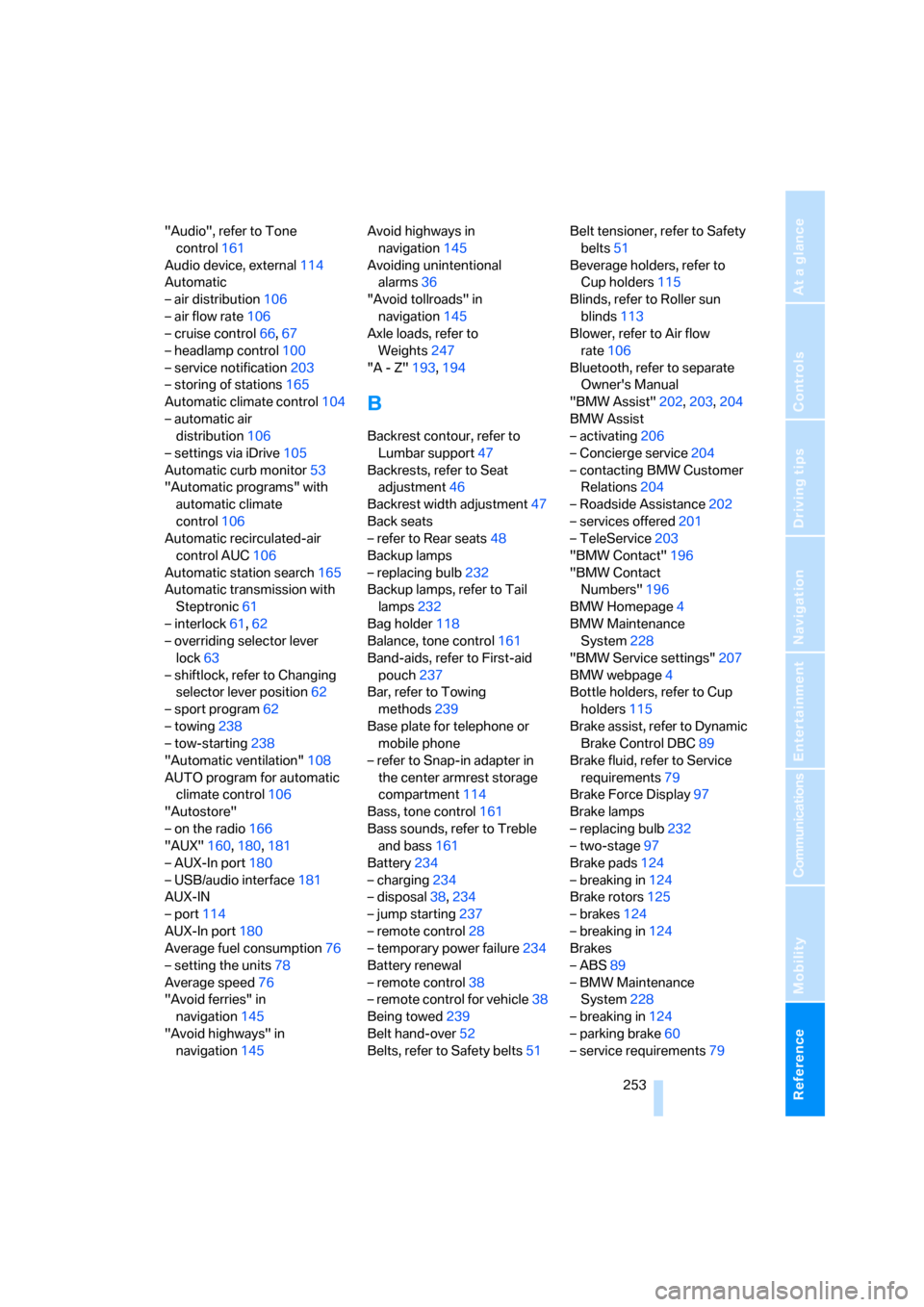
Reference 253
At a glance
Controls
Driving tips
Communications
Navigation
Entertainment
Mobility
"Audio", refer to Tone
control161
Audio device, external114
Automatic
– air distribution106
– air flow rate106
– cruise control66,67
– headlamp control100
– service notification203
– storing of stations165
Automatic climate control104
– automatic air
distribution106
– settings via iDrive105
Automatic curb monitor53
"Automatic programs" with
automatic climate
control106
Automatic recirculated-air
control AUC106
Automatic station search165
Automatic transmission with
Steptronic61
– interlock61,62
– overriding selector lever
lock63
– shiftlock, refer to Changing
selector lever position62
– sport program62
– towing238
– tow-starting238
"Automatic ventilation"108
AUTO program for automatic
climate control106
"Autostore"
– on the radio166
"AUX"160,180,181
– AUX-In port180
– USB/audio interface181
AUX-IN
– port114
AUX-In port180
Average fuel consumption76
– setting the units78
Average speed76
"Avoid ferries" in
navigation145
"Avoid highways" in
navigation145Avoid highways in
navigation145
Avoiding unintentional
alarms36
"Avoid tollroads" in
navigation145
Axle loads, refer to
Weights
247
"A - Z"193,194
B
Backrest contour, refer to
Lumbar support47
Backrests, refer to Seat
adjustment46
Backrest width adjustment47
Back seats
– refer to Rear seats48
Backup lamps
– replacing bulb232
Backup lamps, refer to Tail
lamps232
Bag holder118
Balance, tone control161
Band-aids, refer to First-aid
pouch237
Bar, refer to Towing
methods239
Base plate for telephone or
mobile phone
– refer to Snap-in adapter in
the center armrest storage
compartment114
Bass, tone control161
Bass sounds, refer to Treble
and bass161
Battery234
– charging234
– disposal38,234
– jump starting237
– remote control28
– temporary power failure234
Battery renewal
– remote control38
– remote control for vehicle38
Being towed239
Belt hand-over52
Belts, refer to Safety belts51Belt tensioner, refer to Safety
belts51
Beverage holders, refer to
Cup holders115
Blinds, refer to Roller sun
blinds113
Blower, refer to Air flow
rate106
Bluetooth, refer to separate
Owner's Manual
"BMW Assist"202,203,204
BMW Assist
– activating206
– Concierge service204
– contacting BMW Customer
Relations204
– Roadside Assistance202
– services offered201
– TeleService203
"BMW Contact"196
"BMW Contact
Numbers"196
BMW Homepage
4
BMW Maintenance
System228
"BMW Service settings"207
BMW webpage4
Bottle holders, refer to Cup
holders115
Brake assist, refer to Dynamic
Brake Control DBC89
Brake fluid, refer to Service
requirements79
Brake Force Display97
Brake lamps
– replacing bulb232
– two-stage97
Brake pads124
– breaking in124
Brake rotors125
– brakes124
– breaking in124
Brakes
– ABS89
– BMW Maintenance
System228
– breaking in124
– parking brake60
– service requirements79