triple turn signal BMW 335I COUPE 2008 E92 Owner's Manual
[x] Cancel search | Manufacturer: BMW, Model Year: 2008, Model line: 335I COUPE, Model: BMW 335I COUPE 2008 E92Pages: 272, PDF Size: 8.98 MB
Page 30 of 272
Opening and closing
28
Opening and closing
Keys/remote controls
Each remote control contains a rechargeable
battery that is automatically recharged when it
is in the ignition lock while the car is being
driven. Use each remote control at least twice a
year for longer road trips in order to maintain the
batteries' charge status. In cars with convenient
access
*, the remote control contains a replace-
able battery, refer to page38.
The settings called up and implemented when
the car is unlocked depend on which remote
control is used to unlock the car, refer to Per-
sonal Profile, next column.
In addition, information about service require-
ments is stored in the remote control, refer to
Service data in the remote control, page229.
Integrated key
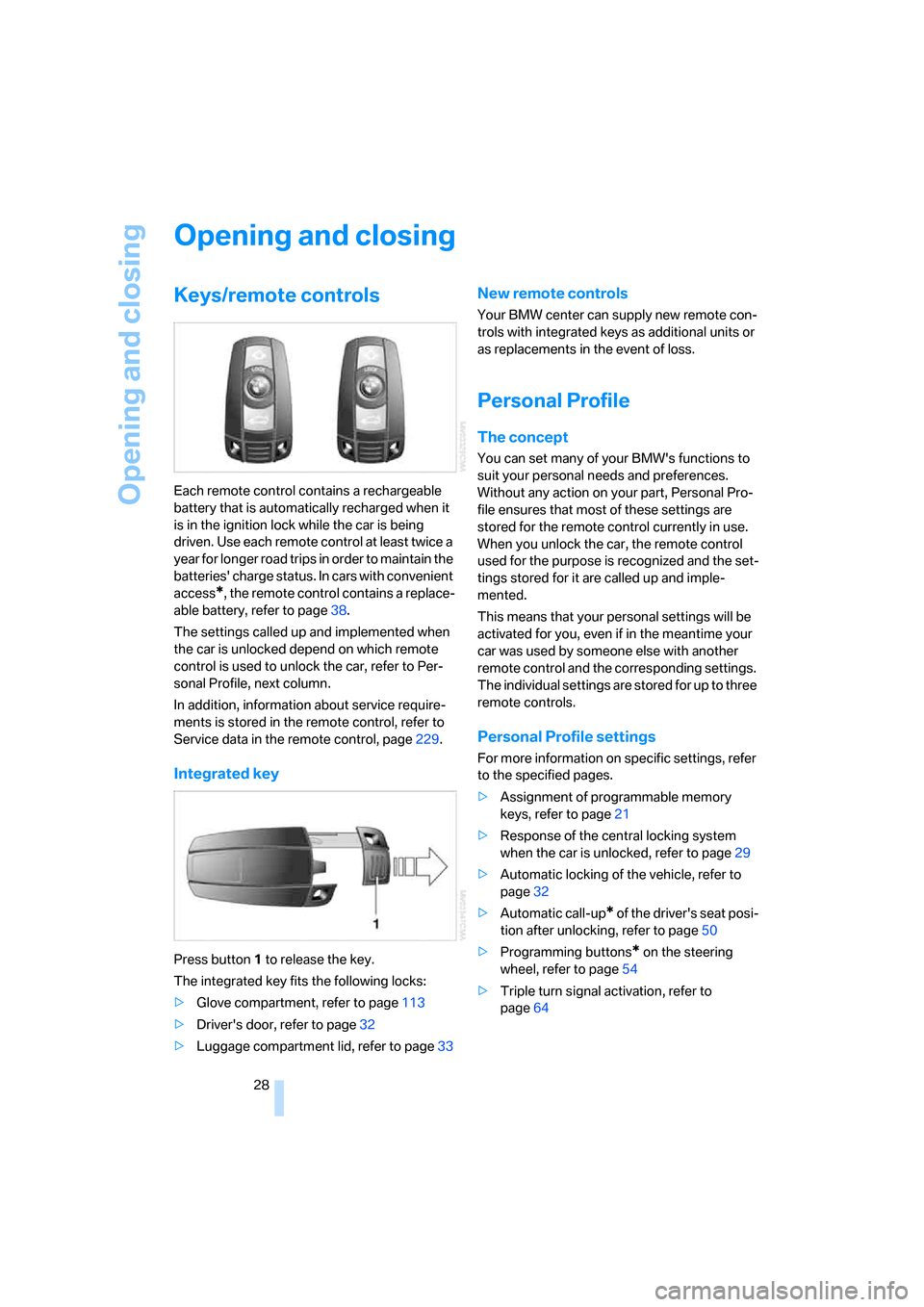
Press button1 to release the key.
The integrated key fits the following locks:
>Glove compartment, refer to page113
>Driver's door, refer to page32
>Luggage compartment lid, refer to page33
New remote controls
Your BMW center can supply new remote con-
trols with integrated keys as additional units or
as replacements in the event of loss.
Personal Profile
The concept
You can set many of your BMW's functions to
suit your personal needs and preferences.
Without any action on your part, Personal Pro-
file ensures that most of these settings are
stored for the remote control currently in use.
When you unlock the car, the remote control
used for the purpose is recognized and the set-
tings stored for it are called up and imple-
mented.
This means that your personal settings will be
activated for you, even if in the meantime your
car was used by someone else with another
remote control and the corresponding settings.
The individual settings are stored for up to three
remote controls.
Personal Profile settings
For more information on specific settings, refer
to the specified pages.
>Assignment of programmable memory
keys, refer to page21
>Response of the central locking system
when the car is unlocked, refer to page29
>Automatic locking of the vehicle, refer to
page32
>Automatic call-up
* of the driver's seat posi-
tion after unlocking, refer to page50
>Programming buttons
* on the steering
wheel, refer to page54
>Triple turn signal activation, refer to
page64
Page 66 of 272
Driving
64 Unusually rapid flashing of the indicator
lamp indicates that a turn signal indicator
has failed.<
Indicating a turn briefly
Press the lever as far as the resistance point for
as long as you wish to indicate a turn.
Triple turn signal activation
Press the lever as far as the resistance point.
The turn signals flash three times.
You can activate or deactivate this function.
iDrive, for operating principle refer to page16.
1.Open the start menu.
2.Press the controller to open the menu.
3.Select "Settings" and press the controller.
4.Select "Vehicle / Tires" and press the con-
troller.
5.If necessary, move the highlight marker to
the uppermost field. Turn the controller
until "Lighting" is selected and press the
controller.
6.Select "Triple turn signal" and press the
controller.
Triple turn signaling is activated.
The setting is stored for the remote control cur-
rently in use.
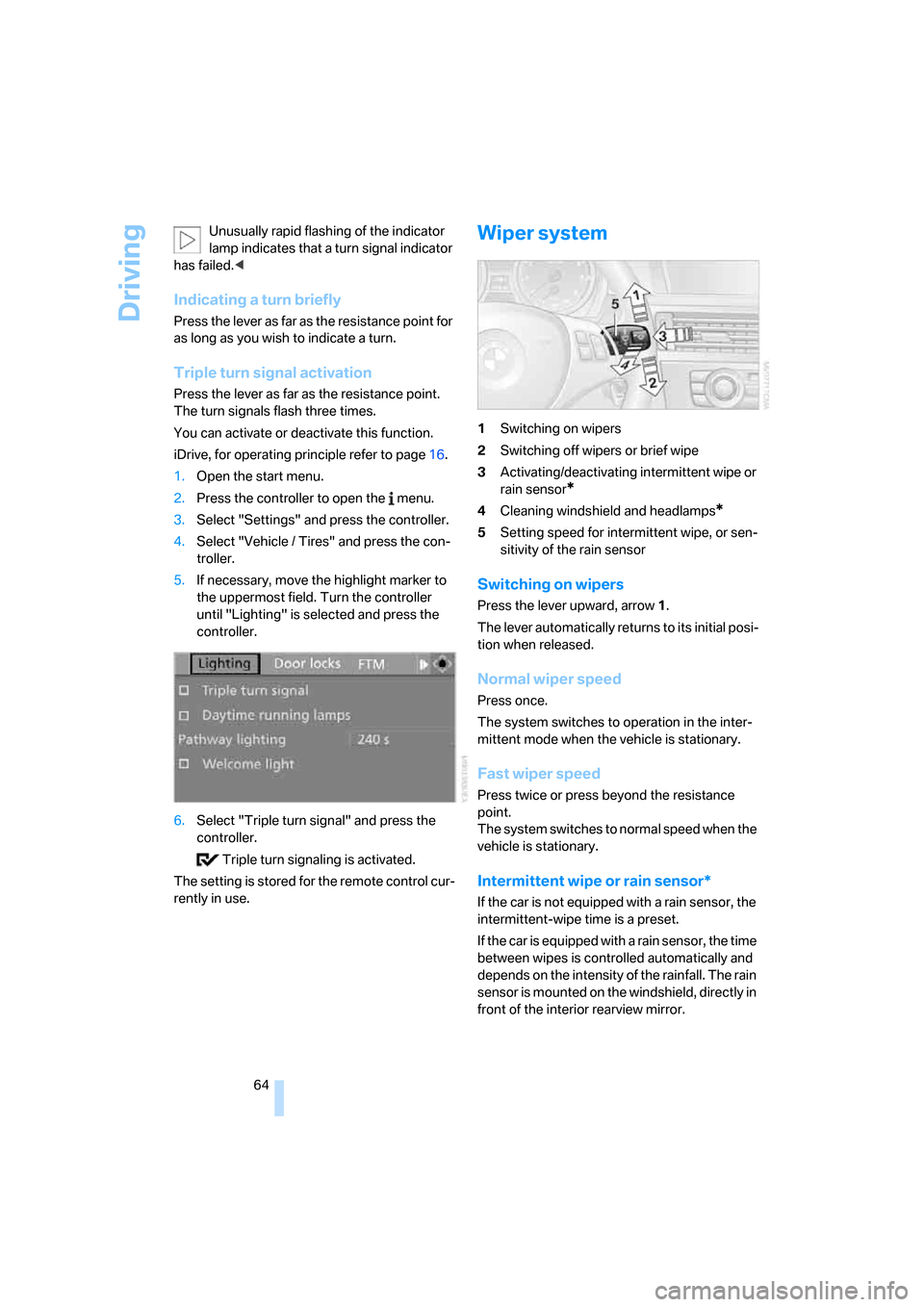
Wiper system
1Switching on wipers
2Switching off wipers or brief wipe
3Activating/deactivating intermittent wipe or
rain sensor
*
4Cleaning windshield and headlamps*
5Setting speed for intermittent wipe, or sen-
sitivity of the rain sensor
Switching on wipers
Press the lever upward, arrow 1.
The lever automatically returns to its initial posi-
tion when released.
Normal wiper speed
Press once.
The system switches to operation in the inter-
mittent mode when the vehicle is stationary.
Fast wiper speed
Press twice or press beyond the resistance
point.
The system switches to normal speed when the
vehicle is stationary.
Intermittent wipe or rain sensor*
If the car is not equipped with a rain sensor, the
intermittent-wipe time is a preset.
If the car is equipped with a rain sensor, the time
between wipes is controlled automatically and
depends on the intensity of the rainfall. The rain
sensor is mounted on the windshield, directly in
front of the interior rearview mirror.
Page 269 of 272
Reference 267
At a glance
Controls
Driving tips
Communications
Navigation
Entertainment
Mobility
Torque, refer to Engine
data244
Touch tone dialing196
Tow bar239
Tow fitting239
– screw thread239
Tow fittings for tow-starting
and towing away239
Towing238
– car with automatic
transmission238
– methods239
Towing and tow-starting238
Town/city for destination135
"Town / City" in destination
entry135
Tow rope240
Tow-starting238,240
"TPM"94
TPM, refer to Tire Pressure
Monitor93
Tracks
– random play sequence176
– sampling, Scan175
– searching for175
Track width, refer to
Dimensions245
Traction control, refer to DSC
Dynamic Stability
Control89
Traffic information for
navigation
– calling up152
– display on route map153
– during destination
guidance154
– switching on/off151
– symbols154
"Traffic Info settings"152
Traffic jam
– displaying traffic
information151
– driving around154Transmission
– automatic transmission with
Steptronic61
– manual transmission61
– overriding selector lever lock
for automatic transmission
with Steptronic63
Transmission interlock
– refer to Changing selector
lever position62
– refer to P Park62
Transporting children
safely56
Transport securing devices,
refer to Securing cargo128
Tread depth, refer to Minimum
tire tread221
Treble, refer to Treble and
bass161
Treble, tone control
161
"Trip computer"77
Trip computer77
Trip-distance counter, refer to
Trip odometer74
"Triple turn signal"64
Triple turn signal activation64
Trip odometer74
Trunk lid, refer to Luggage
compartment lid33
Turning circle, refer to
Dimensions245
Turn signal indicators
– indicator/warning lamp12
– triple turn signal64
Turn signals63
Tying down loads, refer to
Cargo loading128
U
Underbody protection, refer to
Caring for your vehicle
brochure
Uniform Tire Quality Grading/
UTQR220
"Units"78
Units
– average consumption78
– temperature78Universal garage door opener,
refer to Integrated universal
remote control110
Universal mobile phone
preparation package, refer
to separate Owner's Manual
Universal remote control110
Unlatching, refer to
Unlocking36
"Unlock button"30
Unlocking
– from inside33
– from outside29
– luggage compartment lid37
– without remote control, refer
to Convenient access36
"Update services"205
USB-audio interface180
"USB" for audio
mode179,181
V
Vehicle
– battery235
– breaking in124
– care, refer to Caring for your
vehicle brochure
– cargo loading127
– Identification Number, refer
to Engine compartment225
– measurements, refer to
Dimensions245
– parking60
– washing, refer to Caring for
your vehicle brochure
– weight247
"Vehicle / Tires" for
unlocking30
Vehicle decommissioning
– refer to Caring for your
vehicle brochure
Vehicle jack235
Vehicle position, refer to
Displaying current
position155
Ventilation107
– draft-free108
– in the rear108