child lock BMW 335I XDRIVE GRAN TURISMO 2014 Owners Manual
[x] Cancel search | Manufacturer: BMW, Model Year: 2014, Model line: 335I XDRIVE GRAN TURISMO, Model: BMW 335I XDRIVE GRAN TURISMO 2014Pages: 240, PDF Size: 5.71 MB
Page 44 of 240
After 10 seconds, the indicator lamp
flashes continuously. Interior motion sen‐
sor and tilt alarm sensor are not active.▷The indicator lamp goes out after unlock‐
ing:
The vehicle has not been tampered with.▷The indicator lamp flashes after unlocking
until the engine ignition is switched on, but
no longer than approx. 5 minutes:
An alarm has been triggered.
Tilt alarm sensor The tilt of the vehicle is monitored.
The alarm system responds in situations such
as attempts to steal a wheel or when the car is
towed.
Interior motion sensor The windows and glass sunroof must be
closed for the system to function properly.
Avoiding unintentional alarms The tilt alarm sensor and interior motion sen‐
sor can be switched off together, such as in
the following situations:
▷In automatic car washes.▷In duplex garages.▷During transport on car-carrying trains, at
sea or on a trailer.▷When animals are to remain in the vehicle.
Switching off the tilt alarm sensor and
interior motion sensor
Press the remote control button again
within 10 seconds as soon as the vehicle
is locked.
The indicator lamp lights up for approx. 2 sec‐
onds and then continues to flash.
The tilt alarm sensor and interior motion sen‐
sor are switched off until the vehicle is locked
again.
Power windows
General information Take the remote control with you
Take the remote control with you when
leaving the vehicle so that children, for exam‐
ple, cannot operate the power windows and in‐
jure themselves.◀
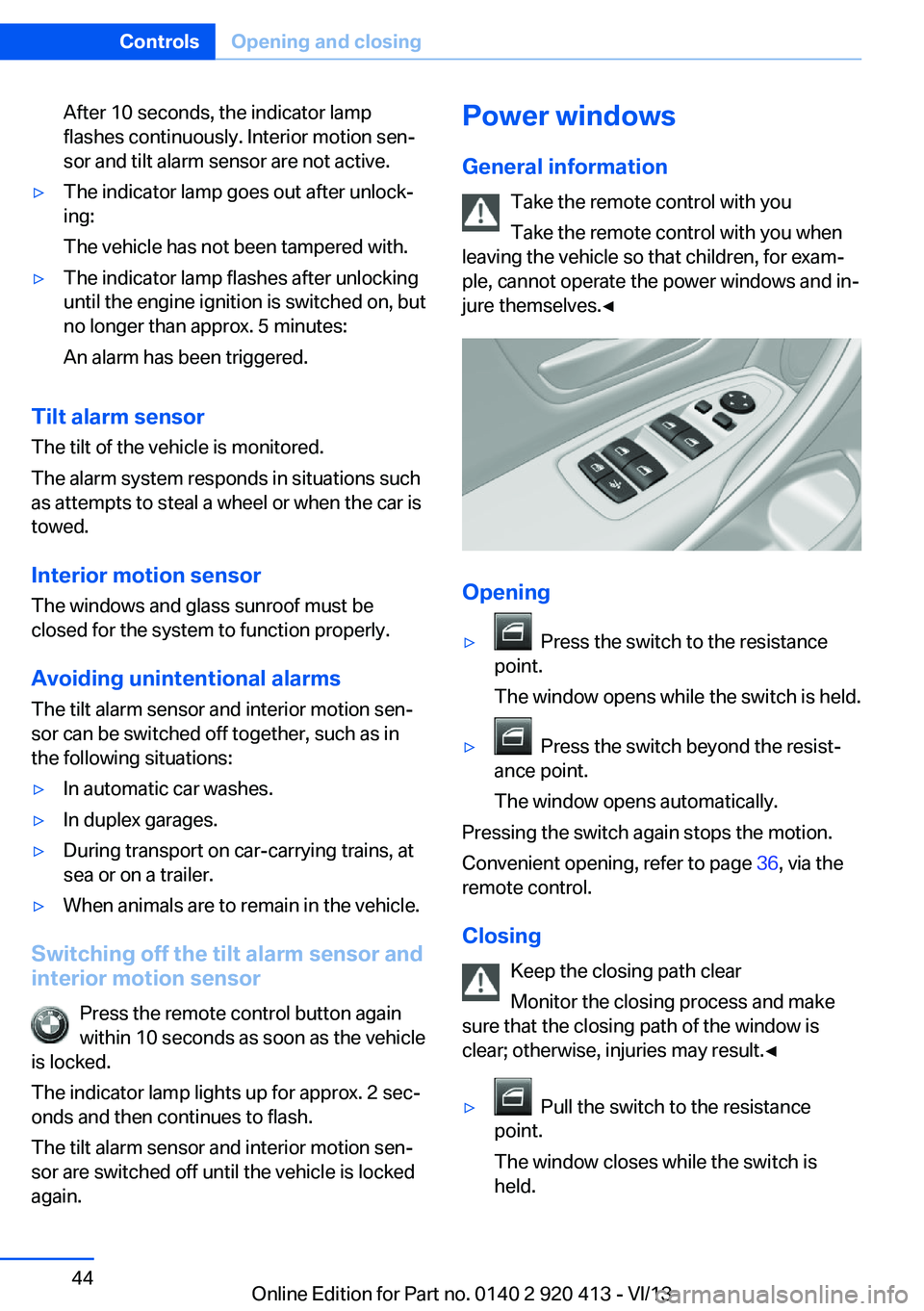
Opening
▷ Press the switch to the resistance
point.
The window opens while the switch is held.▷ Press the switch beyond the resist‐
ance point.
The window opens automatically.
Pressing the switch again stops the motion.
Convenient opening, refer to page 36, via the
remote control.
Closing Keep the closing path clear
Monitor the closing process and make
sure that the closing path of the window is
clear; otherwise, injuries may result.◀
▷ Pull the switch to the resistance
point.
The window closes while the switch is
held.
Seite 44ControlsOpening and closing44
Online Edition for Part no. 0140 2 920 413 - VI/13
Page 58 of 240
Transporting children safelyVehicle equipmentAll standard, country-specific and optional
equipment that is offered in the model series is
described in this chapter. Therefore, equip‐
ment is also described that is not available in a
vehicle, e. g., because of the selected optional
equipment or country variant. This also applies
for safety-related functions and systems.
The right place for children Note Children in the vehicle
Do not leave children unattended in the
vehicle; otherwise, they could endanger them‐
selves and other persons, e.g., by opening the
doors.◀
Children should always be in the rear
Accident research shows that the safest place
for children is in the back seat.
Transporting children in the rear
Only transport children younger than
13 years of age or shorter than 5 ft/150 cm in
the rear in child restraint fixing systems pro‐
vided in accordance with the age, weight and
size of the child; otherwise, there is an in‐
creased risk of injury in an accident.
Children 13 years of age or older must wear a
safety belt as soon as a suitable child restraint
fixing system can no longer be used, due to
their age, weight and size.◀
Children on the front passenger seat
Should it ever be necessary to use a child re‐
straint fixing system in the front passenger
seat, make sure that the front, knee and side
airbags on the front passenger side are deacti‐vated. Automatic deactivation of front passen‐
ger side airbags, refer to page 97.
Note Deactivated front passenger airbags
If a child restraint fixing system is used in
the front passenger seat, the front passenger
airbags must be deactivated; otherwise, there
is an increased risk of injury to the child when
the airbags are triggered, even with a child re‐
straint fixing system.◀
Installing child restraint
fixing systems
Before mounting
Before mounting child restraint fixing systems,
ensure that the rear seat backrests are locked.
Hints Manufacturer's information for child re‐
straint fixing systems
To select, mount and use child restraint fixing
systems, observe the information provided by
the system manufacturer; otherwise, the pro‐
tective effect can be impaired.◀
Lock the rear seat backrests in position
Before installing a child restraint system,
make sure that the rear seat backrests are
locked; otherwise, the protective effect is not
guaranteed and there is an increased risk of in‐
jury for the child in the event of an accident.◀
On the front passenger seat
Deactivating airbags
After installing a child restraint fixing system in
the front passenger seat, make sure that theSeite 58ControlsTransporting children safely58
Online Edition for Part no. 0140 2 920 413 - VI/13
Page 59 of 240
front, knee and side airbags on the front pas‐
senger side are deactivated.
Deactivate the front passenger airbags auto‐
matically, refer to page 97.
Deactivating the front passenger airbags
If a child restraint fixing system is used in
the front passenger seat, the front passenger
airbags must be deactivated; otherwise, there
is an increased risk of injury to the child when
the airbags are triggered, even with a child re‐
straint fixing system.◀
Seat position and height
Before installing a child restraint fixing system,
move the front passenger seat as far back as
possible and adjust its height to the highest
position to obtain the best possible position for
the belt and to offer optimal protection in the
event of an accident.
Do not change the seat position and height af‐
ter this.
Backrest width Adjustable backrest width: before installing a
child restraint fixing system in the front pas‐
senger seat, open the backrest width com‐
pletely. Do not change the backrest width
again and do not call up a memory position.
Backrest width for the child seat
Before installing a child restraint fixing
system in the front passenger seat, the back‐
rest width must be opened completely. Do not
change the adjustment after this; otherwise,
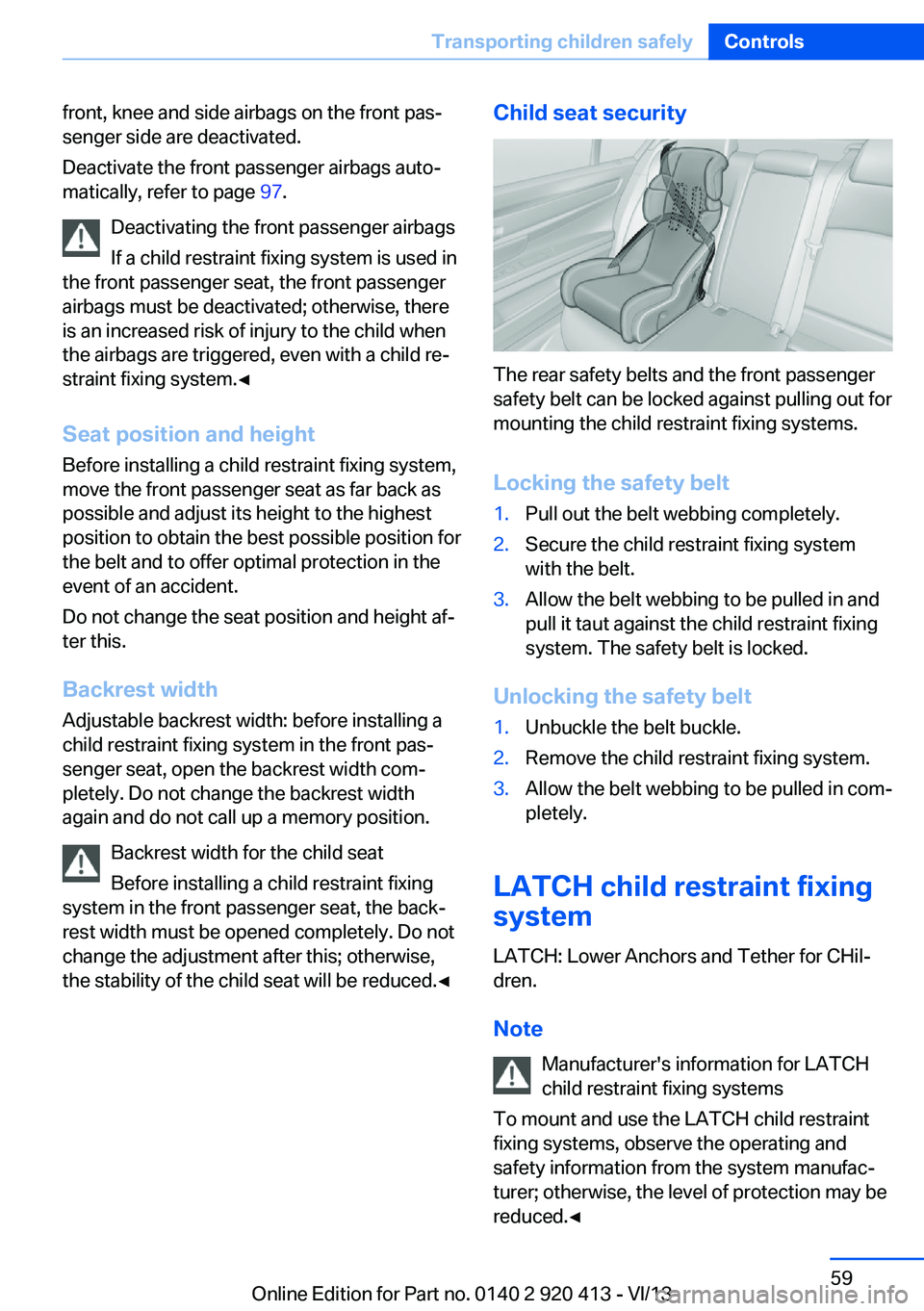
the stability of the child seat will be reduced.◀Child seat security
The rear safety belts and the front passenger
safety belt can be locked against pulling out for
mounting the child restraint fixing systems.
Locking the safety belt
1.Pull out the belt webbing completely.2.Secure the child restraint fixing system
with the belt.3.Allow the belt webbing to be pulled in and
pull it taut against the child restraint fixing
system. The safety belt is locked.
Unlocking the safety belt
1.Unbuckle the belt buckle.2.Remove the child restraint fixing system.3.Allow the belt webbing to be pulled in com‐
pletely.
LATCH child restraint fixing
system
LATCH: Lower Anchors and Tether for CHil‐dren.
Note Manufacturer's information for LATCH
child restraint fixing systems
To mount and use the LATCH child restraint
fixing systems, observe the operating and
safety information from the system manufac‐
turer; otherwise, the level of protection may be
reduced.◀
Seite 59Transporting children safelyControls59
Online Edition for Part no. 0140 2 920 413 - VI/13
Page 61 of 240
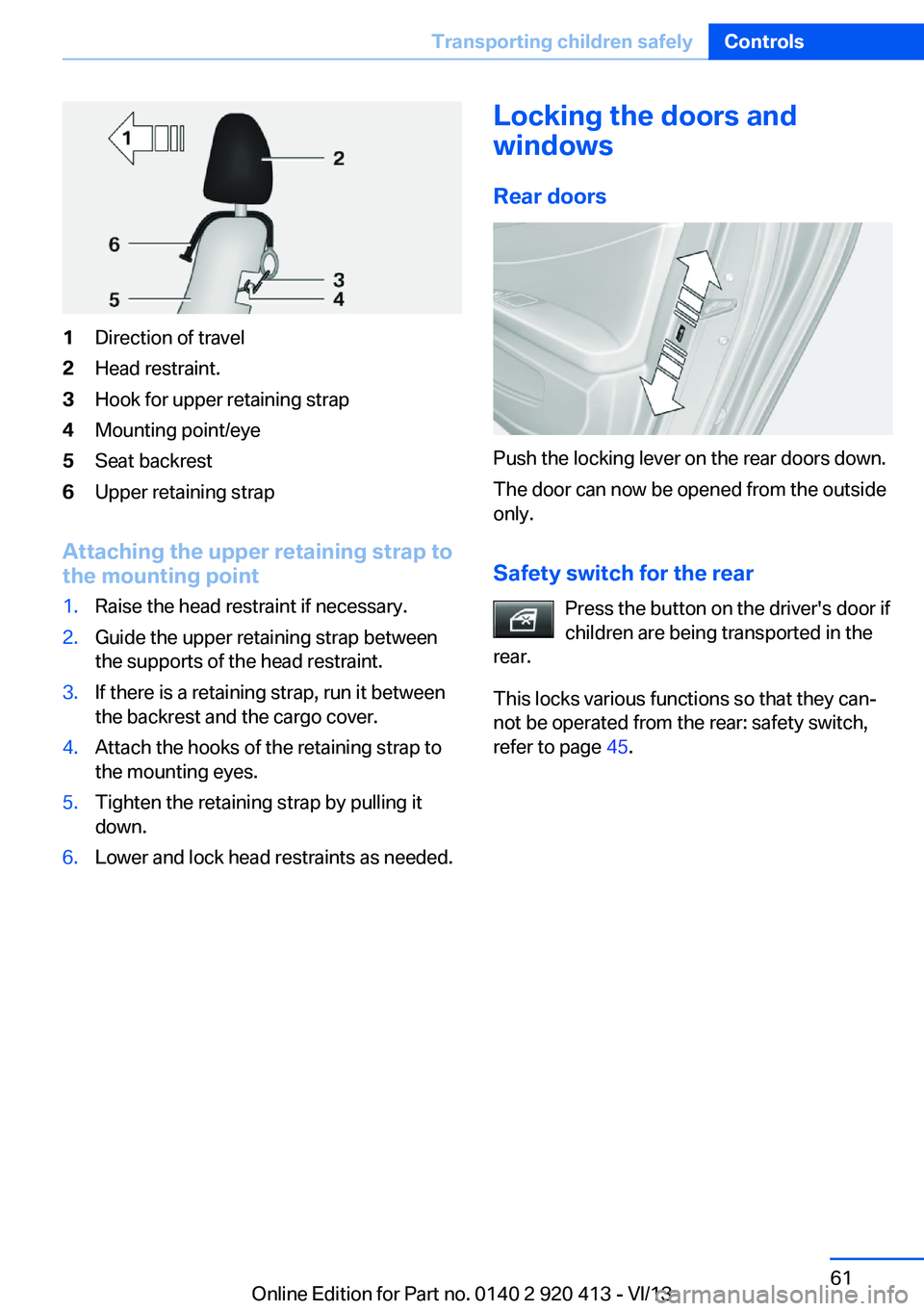
1Direction of travel2Head restraint.3Hook for upper retaining strap4Mounting point/eye5Seat backrest6Upper retaining strap
Attaching the upper retaining strap to
the mounting point
1.Raise the head restraint if necessary.2.Guide the upper retaining strap between
the supports of the head restraint.3.If there is a retaining strap, run it between
the backrest and the cargo cover.4.Attach the hooks of the retaining strap to
the mounting eyes.5.Tighten the retaining strap by pulling it
down.6.Lower and lock head restraints as needed.Locking the doors and
windows
Rear doors
Push the locking lever on the rear doors down.
The door can now be opened from the outside
only.
Safety switch for the rear Press the button on the driver's door if
children are being transported in the
rear.
This locks various functions so that they can‐
not be operated from the rear: safety switch,
refer to page 45.
Seite 61Transporting children safelyControls61
Online Edition for Part no. 0140 2 920 413 - VI/13
Page 63 of 240
▷While the driver's seat belt is unbuckled, if
the driver's door is open and the low
beams are switched off.
When the ignition is switched off, by opening
or closing the driver's door or unbuckling the
driver's seat belt, the radio ready state remains
active.
Radio ready state
Activate radio ready state:
▷When the engine is running: press the
Start/Stop button.
Some electronic systems/power consumers
remain ready for operation.
The radio ready state switches off automati‐
cally:
▷After approx. 8 minutes.▷When the vehicle is locked using the cen‐
tral locking system.▷Shortly before the battery is discharged
completely, so that the engine can still be
started.
Starting the engine
Hints Enclosed areas
Do not let the engine run in enclosed
areas; otherwise, breathing of exhaust fumes may lead to loss of consciousness and death.
The exhaust gases contain carbon monoxide,
an odorless and colorless but highly toxic
gas.◀
Unattended vehicle
Do not leave the vehicle unattended with
the engine running; doing so poses a risk of
danger.
Before leaving the vehicle with the engine run‐
ning, set the parking brake and place the trans‐
mission in position P or neutral to prevent the
vehicle from moving.◀
Repeated starting in quick succession
Avoid repeated unsuccessful attempts to
start the vehicle or starting the vehicle several
times in quick succession. Otherwise, the fuel
is not burned or is inadequately burned, posing
a risk of overheating and damage to the cata‐
lytic converter.◀
Do not wait for the engine to warm-up while
the vehicle remains stationary. Start driving at
moderate engine speeds.
Manual transmission
Starting the engine1.Depress the brake pedal.2.Press on the clutch pedal and shift to neu‐
tral.3.Press the Start/Stop button.
The ignition is activated automatically for a
certain time and is stopped as soon as the en‐
gine starts.
Automatic transmission
Starting the engine
1.Depress the brake pedal.2.Press the Start/Stop button.
The ignition is activated automatically for a
certain time and is stopped as soon as the en‐
gine starts.
Engine stop
Hints Take the remote control with you
Take the remote control with you when
leaving the vehicle so that children, for exam‐
ple, cannot start the engine.◀
Seite 63DrivingControls63
Online Edition for Part no. 0140 2 920 413 - VI/13
Page 98 of 240
Detected child seatsThe system generally detects children seated
in a child seat, especially in the child seats that
were required by NHTSA when the vehicle was
manufactured. After installing a child seat,
make sure that the indicator lamp for the front
passenger airbags lights up. This indicates that the child seat has been detected and the
front passenger airbags are not activated.
Strength of the driver's and front
passenger airbag
The strength with which the driver's and front
passenger airbags are triggered depends on
the position of the driver's and front passenger
seats.
To maintain the accuracy of this function over
the long-term, calibrate the front seats when a
corresponding message appears on the Con‐
trol Display.
Calibrating the front seats A corresponding message appears on the
Control Display.1.Move the respective seat forward all the
way.2.Move the respective seat forward again. It
moves forward briefly.3.Readjust the seat to the desired position.
The calibration procedure is completed when
the message on the Control Display disap‐
pears.
If the message continues to be displayed, re‐
peat the calibration.
If the message does not disappear after a re‐
peat calibration, have the system checked as
soon as possible.
Unobstructed area of movement
Ensure that the area of movement of the
seats is unobstructed to avoid personal injury
or damage to objects.◀
Active pedestrian protection
system
The concept With the active pedestrian protection system,
the hood is tilted in the event of a collision be‐
tween the front of the vehicle and a pedestrian.
Sensors under the bumper are used for detec‐
tion. This system increases the amount of de‐
formation space available under the active
hood for the subsequent head impact.
Do not touch individual components
Do not touch the actuators of the hinges
or hood locks; otherwise, there is the danger of
accidentally deploying the system and causing
injury.◀
System limits
The active hood is only deployed at speeds
between approx. 12 mph/20 km/h and
34 mph/55 km/h.
In rare cases, the system may deploy for safety
reasons when a collision with a pedestrian can‐
not be ruled out completely, for instance:▷In case of a collision with a drum or road
delineator.▷In case of a collision with an animal.▷In the event of stone impacts.▷When driving through a snow drift.
Deployed pedestrian protection
system
After deployment or damageAfter deployment of the active hood or in
the event of damage, have the system checked
and replaced.
Have this work performed only by your service
center; otherwise, it cannot be ensured that
this safety feature will function properly.◀
Seite 98ControlsSafety98
Online Edition for Part no. 0140 2 920 413 - VI/13
Page 160 of 240
in the section on the left under the cargo
room floor.
Installing
Proceed in the reverse order to reinstall. The
cargo covers must snap audibly into place on
their respective holders.
Enlarging the cargo area
General information
The cargo area can be enlarged by folding
down the rear seat backrest.
the rear seat backrest is divided in the ratio 40–
20–40. The sides and the middle section can
be folded down separately.
Hints Danger of pinching
Before folding down the rear seat back‐
rests, ensure that the area of movement of the
backrests is clear. In particular, ensure that no
one is located in the area of movement and
that no one reaches into the area of movement
of the rear seat backrests when the middle
section is folded down. Otherwise, injury or
damage may result.◀
Lock the rear seat backrests in position
Before mounting child restraint fixing
systems, place the seat backrest as far as pos‐
sible at an angle at which the child seat is rest‐
ing firmly against the backrest and all back‐
rests can be locked securely in place.
Otherwise, the child seat will not be as stable
as it should be, and there is increased danger
of injury due to unexpected movement of the
seat backrest.◀
Ensure that the lock is securely engaged
When folding back the backrest, be sure
that it locks in place securely. When this hap‐
pens the red warning field on the seat disap‐
pears. If it is not properly engaged, transported
cargo could enter the passenger compartment
during braking or evasive maneuvers and en‐
danger the vehicle occupants.◀
Retract the head restraint if necessary
before backrest is folded down
With folding head restraints, fold in the head
restraints before folding down the backrests,
or damage may result.◀
Using the middle safety belt
If the middle safety belt in the rear is
used, the larger section of the backrest must
be locked. Otherwise, the safety belt will not
have a restraining effect.◀
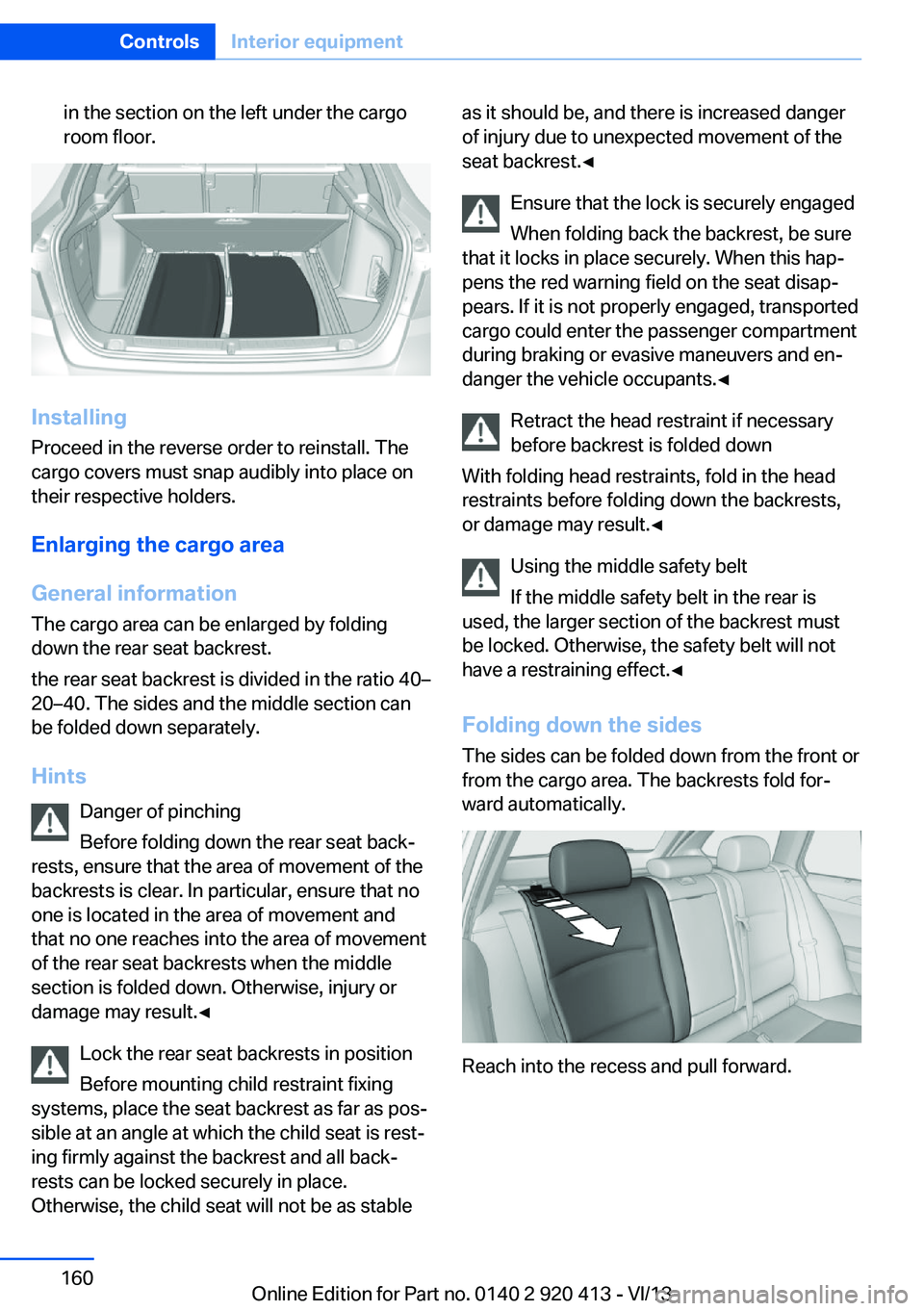
Folding down the sides The sides can be folded down from the front or
from the cargo area. The backrests fold for‐
ward automatically.
Reach into the recess and pull forward.
Seite 160ControlsInterior equipment160
Online Edition for Part no. 0140 2 920 413 - VI/13
Page 231 of 240
Bonus range, ECO PRO 176
Bottle holder, refer to Cu‐ pholder 164
Brake assistant 117
Brake discs, breaking in 168
Brake force display 114
Brake lamps, brake force dis‐ play 114
Brake lights, adaptive 114
Brake pads, breaking in 168
Braking, hints 169
Breakdown assis‐ tance 214, 215
Breaking in 168
Brightness of Control Dis‐ play 88
Bulb replacement 203
Bulb replacement, front 204
Bulb replacement, halogen headlamps 204
Bulb replacement, rear 209
Bulb replacement, xenon headlamps 207
Bulbs and lamps 203
Button, RES 126
Button, Start/Stop 62
Bypassing, refer to Jump- starting 215
C
California Proposition 65 Warning 7
Camera, care 223
Camera, rearview cam‐ era 134
Camera, Side View 137
Camera, Top View 138
Can holder, refer to Cu‐ pholder 164
Car battery 211
Car care products 221
Care, displays 223
Care, vehicle 221
Cargo 171
Cargo area 159 Cargo area, enlarging 160
Cargo area lid 38
Cargo area, storage compart‐ ments 165
Cargo cover 159
Cargo position, rear seat backrest 161
Cargo, securing 172
Cargo straps, securing cargo 172
Car key, refer to Remote con‐ trol 32
Carpet, care 223
Car wash 220
Catalytic converter, refer to Hot exhaust system 169
CBS Condition Based Serv‐ ice 201
CD/Multimedia, see user's manual for Navigation, En‐
tertainment and Communi‐
cation
Center armrest 163
Center console 14
Center-Lock, see button for central locking 35
Central locking system 35
Central screen, refer to Con‐ trol Display 16
Changes, technical, refer to Safety 7
Changing parts 203
Changing wheels 211
Changing wheels/tires 192
Check Control 77
Checking the oil level elec‐ tronically 197
Children, seating position 58
Children, transporting safely 58
Child restraint fixing sys‐ tem 58
Child restraint fixing system LATCH 59
Child restraint fixing systems, mounting 58 Child safety locks 61
Child seat, mounting 58
Child seats 58
Chrome parts, care 222
Cigarette lighter 157
Cleaning, displays 223
Climate control 146, 148
Clock 80
Closing/opening from in‐ side 38
Closing/opening via door lock 37
Closing/opening with remote control 36
Clothes hooks 164
Coasting 178
Coasting with engine decou‐ pled, coasting 178
Coasting with idling en‐ gine 178
Cockpit 12
Collision warning with City Braking function 105
Combination switch, refer to Turn signals 67
Combination switch, refer to Wiper system 67
Comfort Access 40
COMFORT program, Dy‐ namic Driving Control 121
Compartments in the doors 163
Compass 155
Computer 85
Condensation on win‐ dows 150
Condensation under the vehi‐ cle 170
Condition Based Service CBS 201
Configure driving mode 122
Confirmation signal 42
ConnectedDrive, see user's manual for Navigation, En‐
tertainment and Communi‐
cation Seite 231Everything from A to ZReference231
Online Edition for Part no. 0140 2 920 413 - VI/13
Page 234 of 240
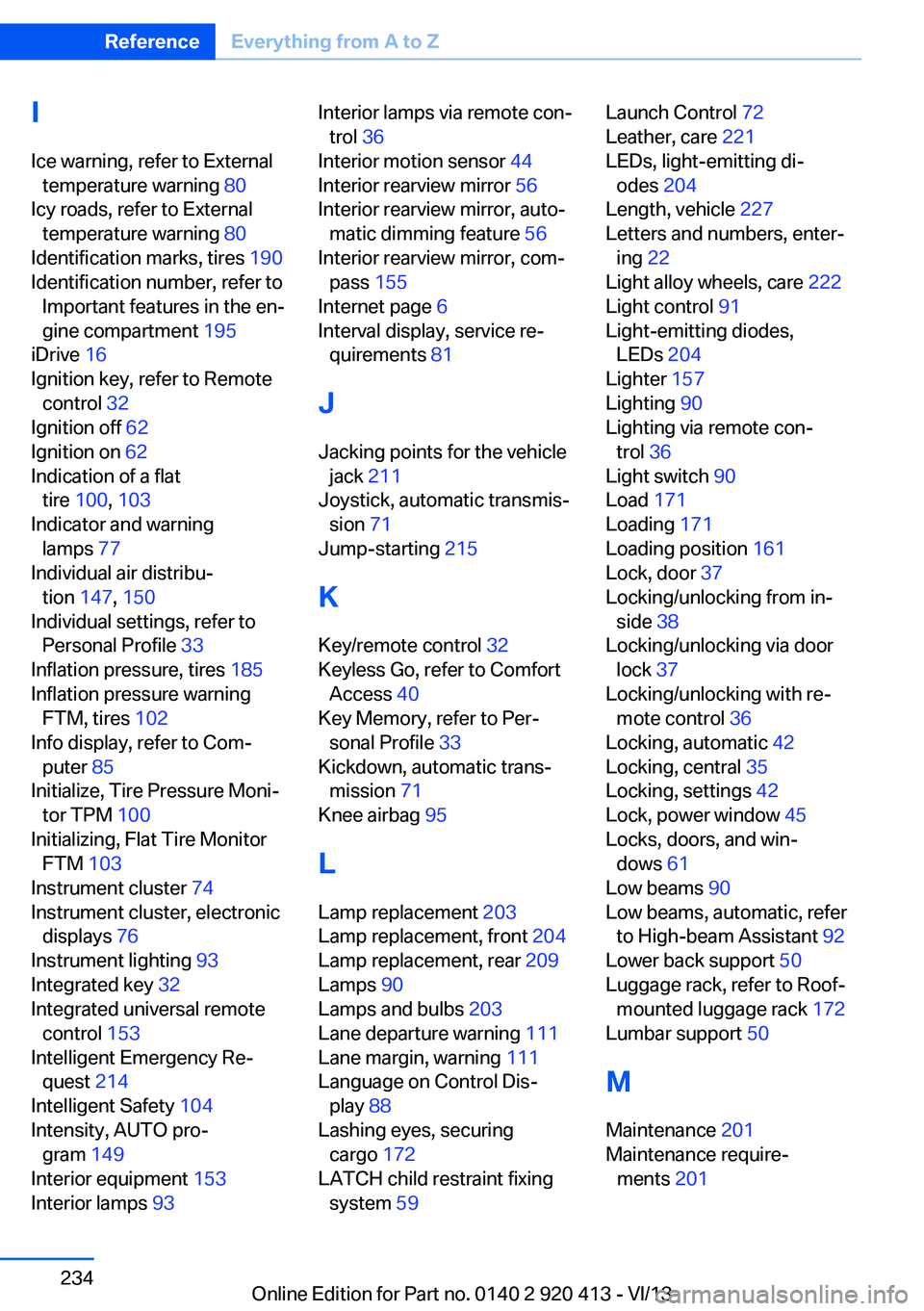
IIce warning, refer to External temperature warning 80
Icy roads, refer to External temperature warning 80
Identification marks, tires 190
Identification number, refer to Important features in the en‐
gine compartment 195
iDrive 16
Ignition key, refer to Remote control 32
Ignition off 62
Ignition on 62
Indication of a flat tire 100 , 103
Indicator and warning lamps 77
Individual air distribu‐ tion 147, 150
Individual settings, refer to Personal Profile 33
Inflation pressure, tires 185
Inflation pressure warning FTM, tires 102
Info display, refer to Com‐ puter 85
Initialize, Tire Pressure Moni‐ tor TPM 100
Initializing, Flat Tire Monitor FTM 103
Instrument cluster 74
Instrument cluster, electronic displays 76
Instrument lighting 93
Integrated key 32
Integrated universal remote control 153
Intelligent Emergency Re‐ quest 214
Intelligent Safety 104
Intensity, AUTO pro‐ gram 149
Interior equipment 153
Interior lamps 93 Interior lamps via remote con‐
trol 36
Interior motion sensor 44
Interior rearview mirror 56
Interior rearview mirror, auto‐ matic dimming feature 56
Interior rearview mirror, com‐ pass 155
Internet page 6
Interval display, service re‐ quirements 81
J Jacking points for the vehicle jack 211
Joystick, automatic transmis‐ sion 71
Jump-starting 215
K Key/remote control 32
Keyless Go, refer to Comfort Access 40
Key Memory, refer to Per‐ sonal Profile 33
Kickdown, automatic trans‐ mission 71
Knee airbag 95
L
Lamp replacement 203
Lamp replacement, front 204
Lamp replacement, rear 209
Lamps 90
Lamps and bulbs 203
Lane departure warning 111
Lane margin, warning 111
Language on Control Dis‐ play 88
Lashing eyes, securing cargo 172
LATCH child restraint fixing system 59 Launch Control 72
Leather, care 221
LEDs, light-emitting di‐ odes 204
Length, vehicle 227
Letters and numbers, enter‐ ing 22
Light alloy wheels, care 222
Light control 91
Light-emitting diodes, LEDs 204
Lighter 157
Lighting 90
Lighting via remote con‐ trol 36
Light switch 90
Load 171
Loading 171
Loading position 161
Lock, door 37
Locking/unlocking from in‐ side 38
Locking/unlocking via door lock 37
Locking/unlocking with re‐ mote control 36
Locking, automatic 42
Locking, central 35
Locking, settings 42
Lock, power window 45
Locks, doors, and win‐ dows 61
Low beams 90
Low beams, automatic, refer to High-beam Assistant 92
Lower back support 50
Luggage rack, refer to Roof- mounted luggage rack 172
Lumbar support 50
M
Maintenance 201
Maintenance require‐ ments 201 Seite 234ReferenceEverything from A to Z234
Online Edition for Part no. 0140 2 920 413 - VI/13
Page 235 of 240
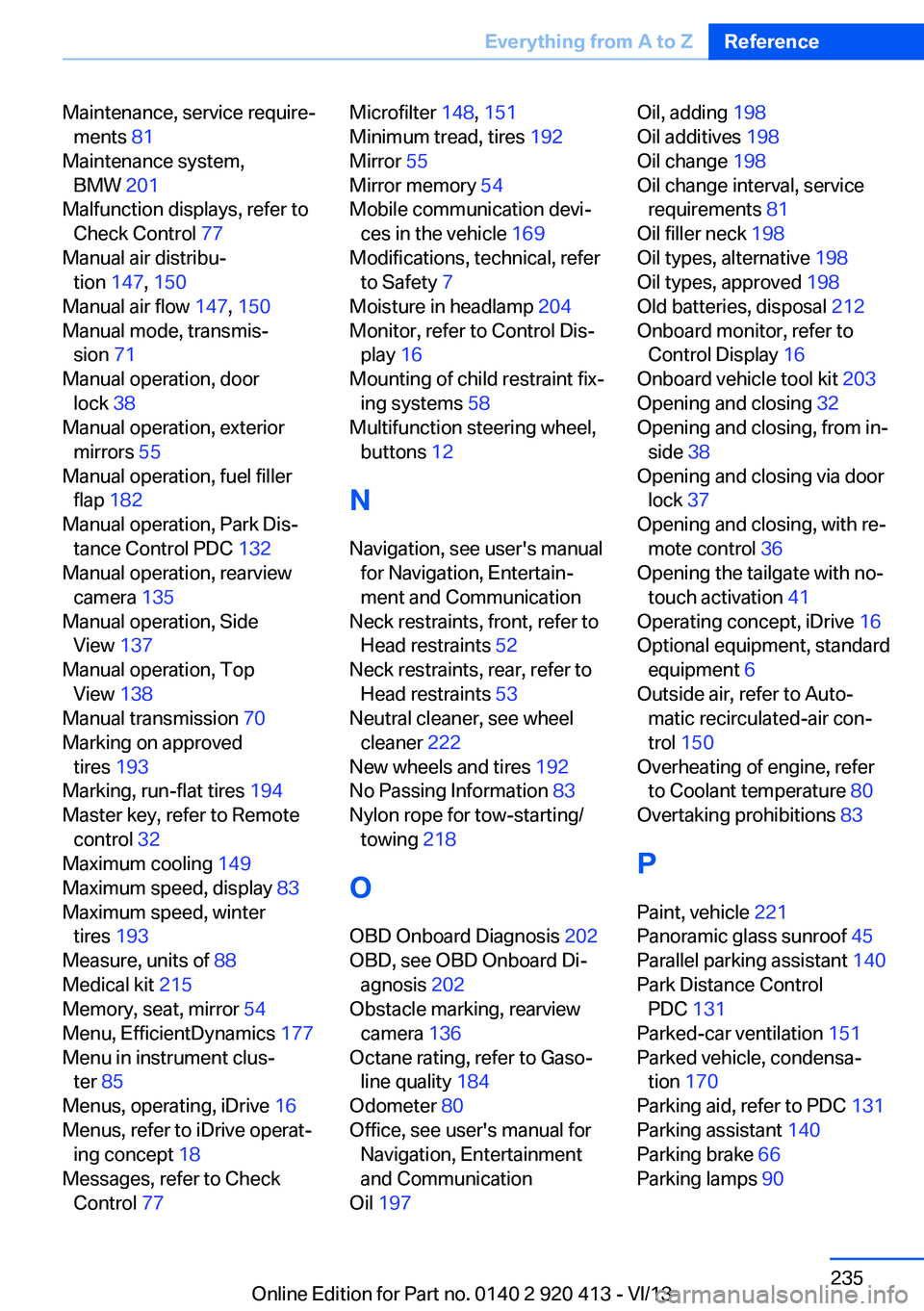
Maintenance, service require‐ments 81
Maintenance system, BMW 201
Malfunction displays, refer to Check Control 77
Manual air distribu‐ tion 147, 150
Manual air flow 147, 150
Manual mode, transmis‐ sion 71
Manual operation, door lock 38
Manual operation, exterior mirrors 55
Manual operation, fuel filler flap 182
Manual operation, Park Dis‐ tance Control PDC 132
Manual operation, rearview camera 135
Manual operation, Side View 137
Manual operation, Top View 138
Manual transmission 70
Marking on approved tires 193
Marking, run-flat tires 194
Master key, refer to Remote control 32
Maximum cooling 149
Maximum speed, display 83
Maximum speed, winter tires 193
Measure, units of 88
Medical kit 215
Memory, seat, mirror 54
Menu, EfficientDynamics 177
Menu in instrument clus‐ ter 85
Menus, operating, iDrive 16
Menus, refer to iDrive operat‐ ing concept 18
Messages, refer to Check Control 77 Microfilter 148, 151
Minimum tread, tires 192
Mirror 55
Mirror memory 54
Mobile communication devi‐ ces in the vehicle 169
Modifications, technical, refer to Safety 7
Moisture in headlamp 204
Monitor, refer to Control Dis‐ play 16
Mounting of child restraint fix‐ ing systems 58
Multifunction steering wheel, buttons 12
N Navigation, see user's manual for Navigation, Entertain‐
ment and Communication
Neck restraints, front, refer to Head restraints 52
Neck restraints, rear, refer to Head restraints 53
Neutral cleaner, see wheel cleaner 222
New wheels and tires 192
No Passing Information 83
Nylon rope for tow-starting/ towing 218
O OBD Onboard Diagnosis 202
OBD, see OBD Onboard Di‐ agnosis 202
Obstacle marking, rearview camera 136
Octane rating, refer to Gaso‐ line quality 184
Odometer 80
Office, see user's manual for Navigation, Entertainment
and Communication
Oil 197 Oil, adding 198
Oil additives 198
Oil change 198
Oil change interval, service requirements 81
Oil filler neck 198
Oil types, alternative 198
Oil types, approved 198
Old batteries, disposal 212
Onboard monitor, refer to Control Display 16
Onboard vehicle tool kit 203
Opening and closing 32
Opening and closing, from in‐ side 38
Opening and closing via door lock 37
Opening and closing, with re‐ mote control 36
Opening the tailgate with no- touch activation 41
Operating concept, iDrive 16
Optional equipment, standard equipment 6
Outside air, refer to Auto‐ matic recirculated-air con‐
trol 150
Overheating of engine, refer to Coolant temperature 80
Overtaking prohibitions 83
P Paint, vehicle 221
Panoramic glass sunroof 45
Parallel parking assistant 140
Park Distance Control PDC 131
Parked-car ventilation 151
Parked vehicle, condensa‐ tion 170
Parking aid, refer to PDC 131
Parking assistant 140
Parking brake 66
Parking lamps 90 Seite 235Everything from A to ZReference235
Online Edition for Part no. 0140 2 920 413 - VI/13