ECU BMW 335IS COUPE 2013 Owner's Manual
[x] Cancel search | Manufacturer: BMW, Model Year: 2013, Model line: 335IS COUPE, Model: BMW 335IS COUPE 2013Pages: 308, PDF Size: 5.65 MB
Page 141 of 308
140
Driving tipsThings to remember when driving
4.The resulting figure equals the available
amount of cargo and luggage load capacity.
For example, if the YYY amount equals
1,400 lbs and there will be five 150-lb pas-
sengers in your vehicle, the amount of avail-
able cargo and luggage load capacity is
650 lbs:
1,400 lbs minus 750 lbs = 650 lbs.
5. Determine the combined weight of luggage
and cargo being loaded on the vehicle. That
weight may not safely exceed the available
cargo and luggage load capacity calculated
in step 4.
6. If your vehicle will be towing a trailer, part of
the load from your trailer will be transferred
to your vehicle. Consult the manual for
transporting a trailer to determine how this
may reduce the available cargo and luggage
load capacity of your vehicle.
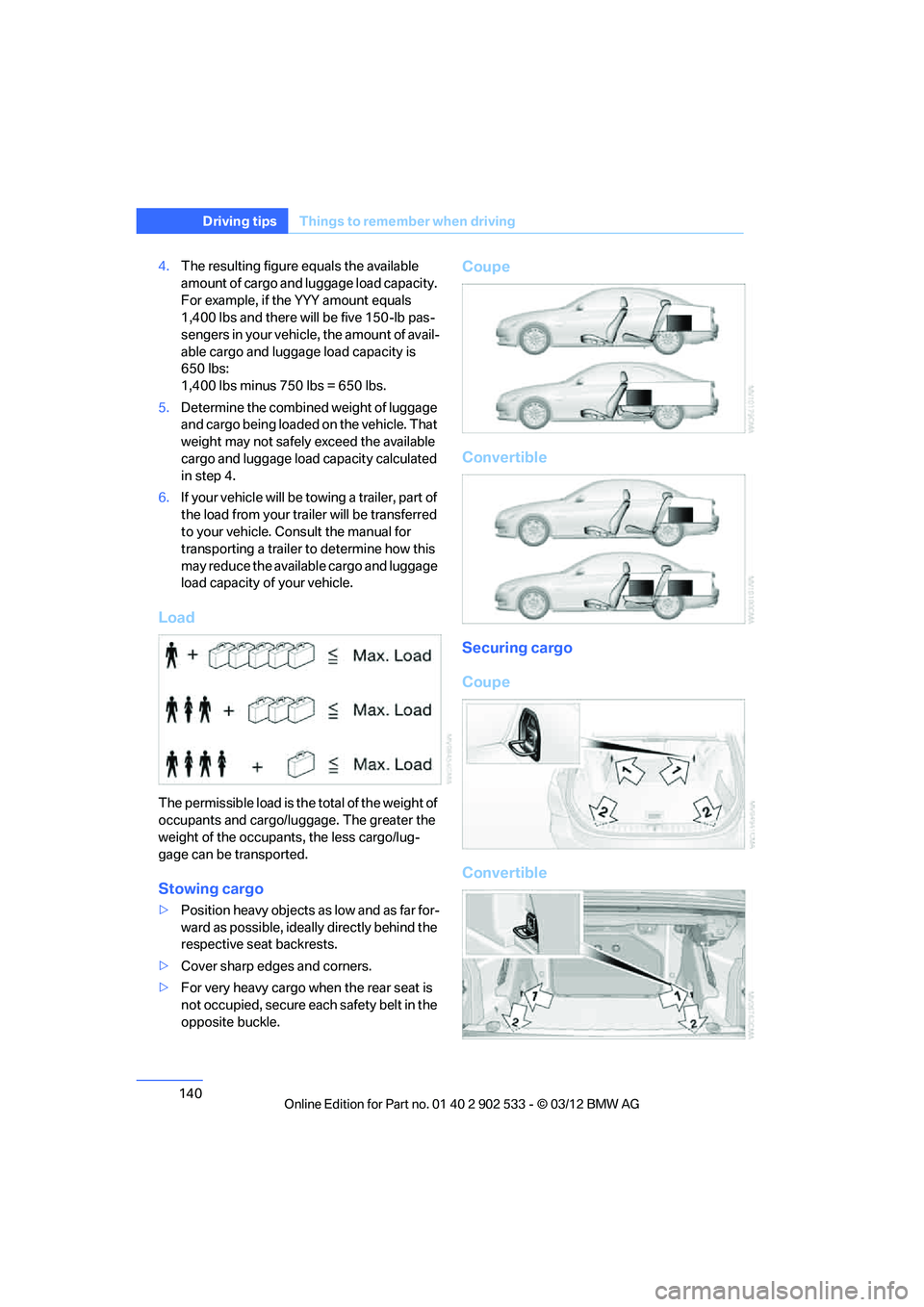
Load
The permissible load is the total of the weight of
occupants and cargo/lu ggage. The greater the
weight of the occupants, the less cargo/lug-
gage can be transported.
Stowing cargo
> Position heavy objects as low and as far for-
ward as possible, ideally directly behind the
respective seat backrests.
> Cover sharp edges and corners.
> For very heavy cargo when the rear seat is
not occupied, secure each safety belt in the
opposite buckle.
Coupe
Convertible
Securing cargo
Coupe
Convertible
00320051004F004C00510048000300280047004C0057004C005200510003
Page 142 of 308
141
Things to remember when driving
Driving tips
>
Secure smaller and lighter items using
retaining straps, a trunk net, or draw straps.
> Heavy-duty cargo straps for securing larger
and heavier objects are available at your
BMW center. Four lashing eyes are pro-
vided for attaching the cargo straps. Two
are located on the side walls of the trunk 1,
two additional ones are located on the
inside wall of the trunk 2.
Please note the information supplied with
the cargo straps.
Convertible: before opening the hardtop,
fold down the trunk partition. Make sure
the trunk is loaded correctly; otherwise parts of
the hardtop can be damaged, refer to
page 128.<
Always position and secure the cargo as
described above, so that it cannot endan-
ger the car's occupants, for example if sudden
braking or swerving is necessary.
Never exceed either the approved gross vehicle
weight or either of the approved axle loads, refer
to page 283, as excessive loads can pose a
safety hazard, and may also place you in viola-
tion of traffic safety laws.
Heavy or hard objects should not be carried
loose inside the car, since they could be thrown
around, for example as a result of heavy braking,
sudden swerves, etc., and endanger the occu-
pants.
Only attach the cargo straps using the lashing
eyes shown in the illustration. Do not secure
cargo with the anchors for tether straps, refer to
page 58; otherwise, these could be damaged.
A special rack system is available as an option
for your BMW. Comply with the directions given
in the installation instructions.
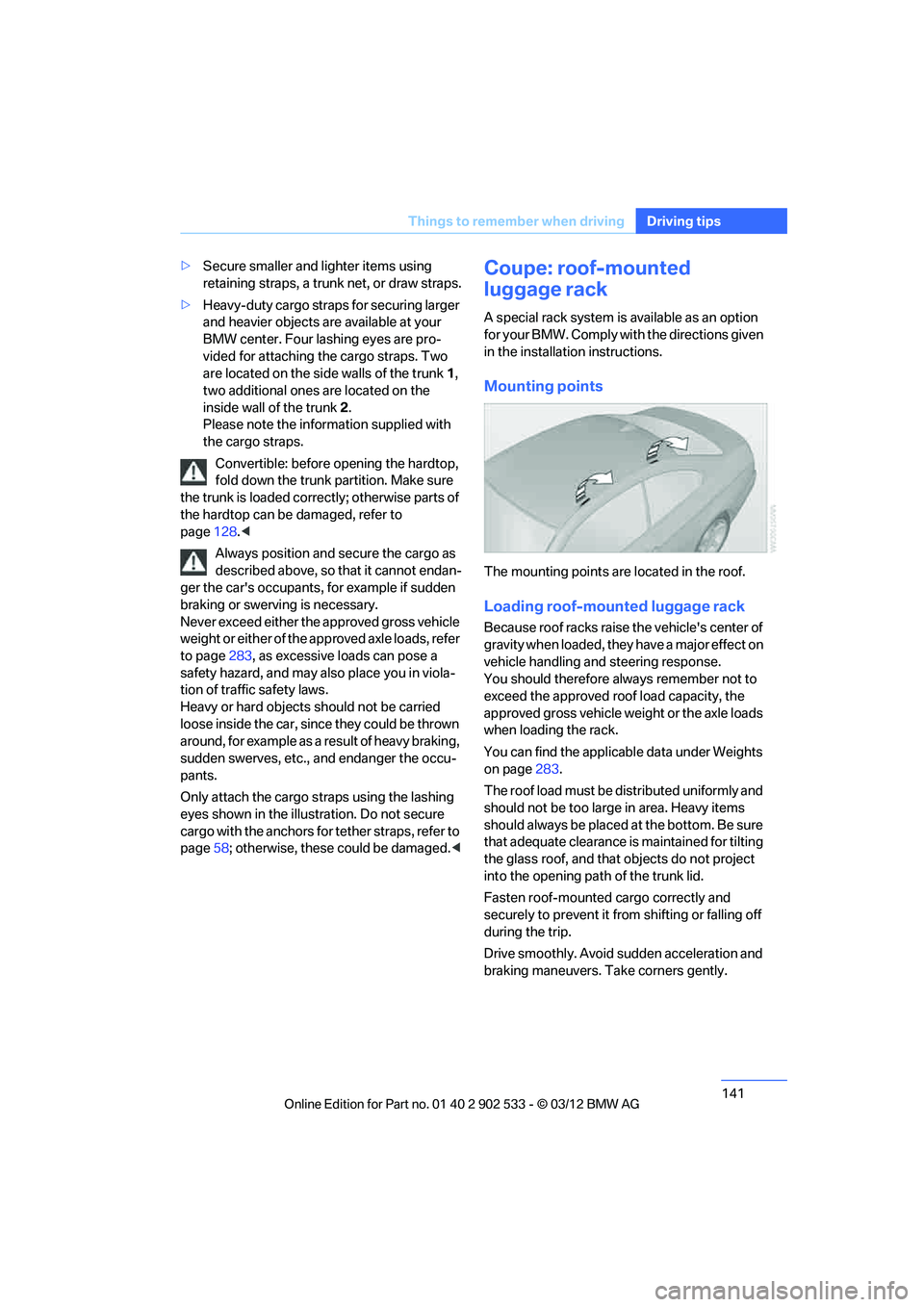
Mounting points
The mounting points are located in the roof.
Loading roof-mounted luggage rack
Because roof racks raise the vehicle's center of
gravity when loaded, they have a major effect on
vehicle handling and steering response.
You should therefore always remember not to
exceed the approved roof load capacity, the
approved gross vehicle weight or the axle loads
when loading the rack.
You can find the applicable data under Weights
on page283.
The roof load must be distributed uniformly and
should not be too large in area. Heavy items
should always be placed at the bottom. Be sure
that adequate clearance is maintained for tilting
the glass roof, and that objects do not project
into the opening path of the trunk lid.
Fasten roof-mounted cargo correctly and
securely to prevent it from shifting or falling off
during the trip.
Drive smoothly. Avoid sudden acceleration and
braking maneuvers. Take corners gently.
00320051004F004C00510048000300280047004C0057004C005200510003
Page 204 of 308
203
Te l e p h o n e
Communications
Following the initial pairing
>
The mobile phone is detected/connected in
the vehicle within a short period of time
when the engine is running or the ignition is
switched on.
> The phone book entries of the telephone
that are stored on the SIM card or the
mobile phone are imported into the vehicle
once the device is detected, depending on
the mobile phone.
> Four devices can be paired.
> Specific settings may be necessary in some
mobile phones, e.g. authorization or a
secure connection, refer to the Owner's
Manual for the mobile phone.
Connecting a particular device
1."Telephone"
2. "Bluetooth® (phone)"
All paired devices are listed.
3. Select the device to be connected.
The functions assigned before the unpairing of
the device are assigned to the device when it is
reconnected. If a device is already connected,
then these functions are deactivated if neces-
sary.
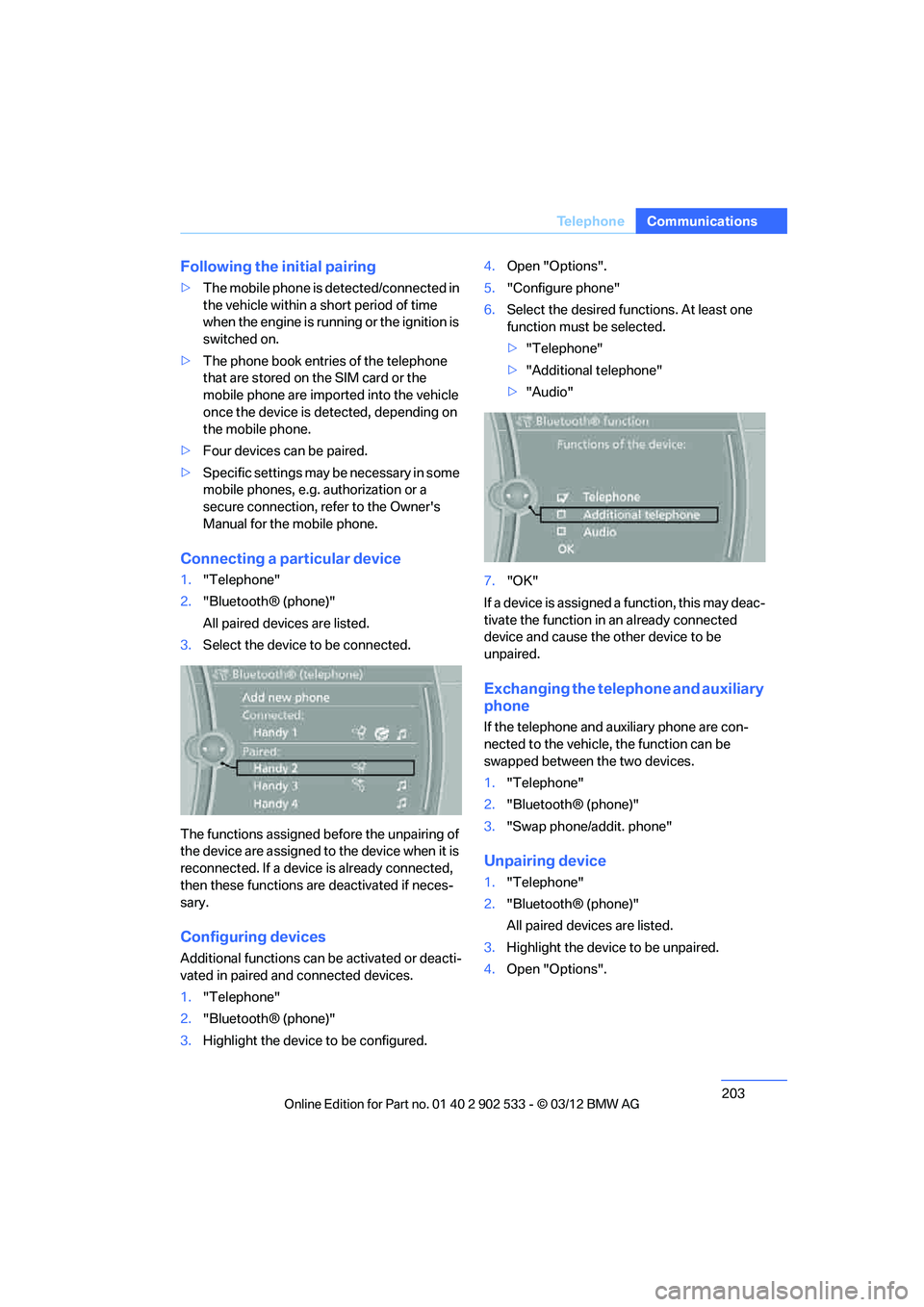
Configuring devices
Additional functions can be activated or deacti-
vated in paired and connected devices.
1. "Telephone"
2. "Bluetooth® (phone)"
3. Highlight the device to be configured. 4.
Open "Options".
5. "Configure phone"
6. Select the desired functions. At least one
function must be selected.
>"Telephone"
> "Additional telephone"
> "Audio"
7. "OK"
If a device is assigned a function, this may deac-
tivate the function in an already connected
device and cause the other device to be
unpaired.
Exchanging the telephone and auxiliary
phone
If the telephone and auxiliary phone are con-
nected to the vehicle, the function can be
swapped between the two devices.
1. "Telephone"
2. "Bluetooth® (phone)"
3. "Swap phone/addit. phone"
Unpairing device
1."Telephone"
2. "Bluetooth® (phone)"
All paired devices are listed.
3. Highlight the device to be unpaired.
4. Open "Options".
00320051004F004C00510048000300280047004C0057004C005200510003
Page 257 of 308
256
MobilityEngine compartment
Hood
Do not work on the car unless you pos-
sess the necessary technical knowledge.
If you are not familiar with the regulations to be
followed, have the necessary work on the vehi-
cle carried out only by your BMW center; if this
work is not carried out properly, there is a dan-
ger of subsequent damage and related safety
hazards. <
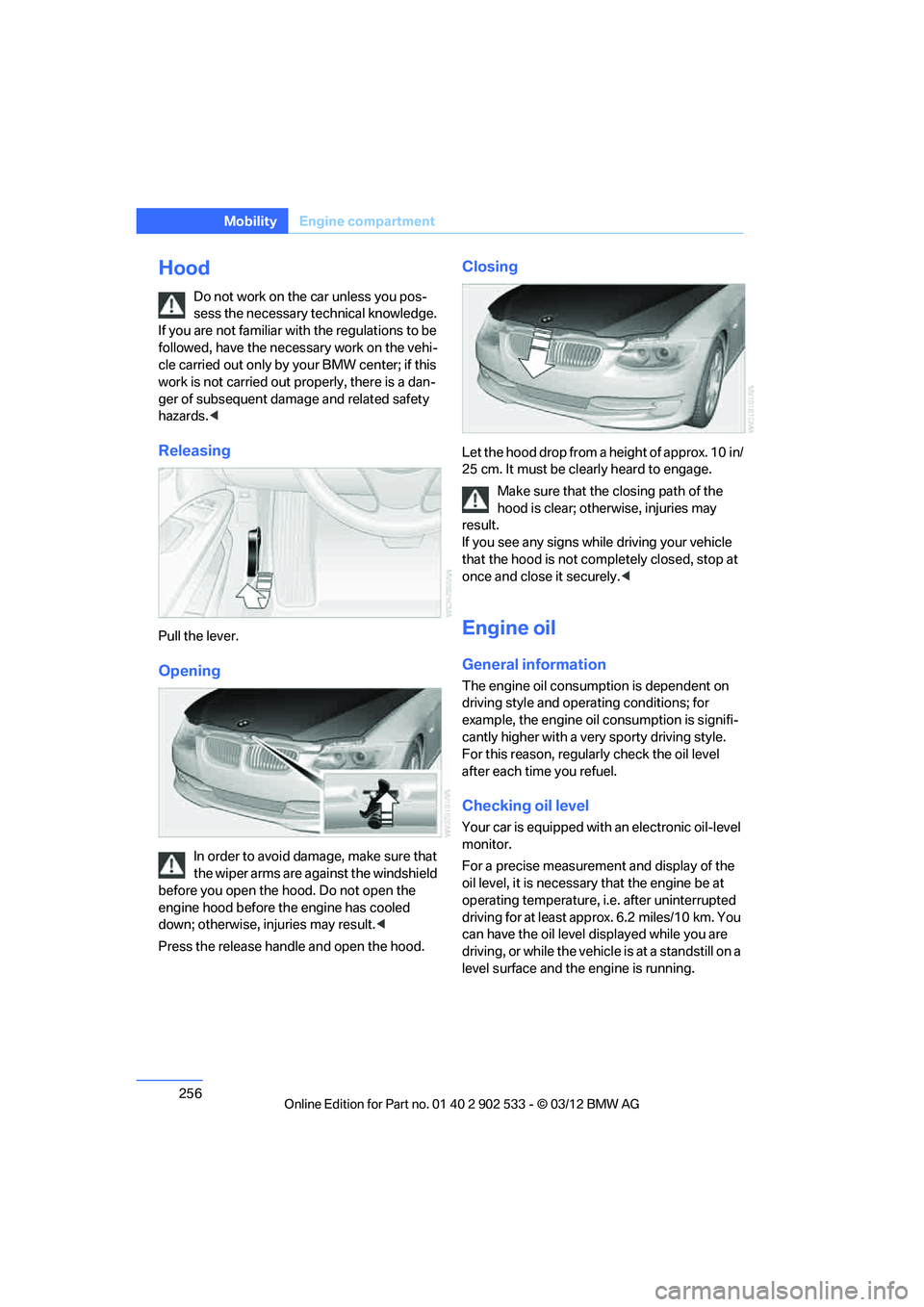
Releasing
Pull the lever.
Opening
In order to avoid damage, make sure that
the wiper arms are against the windshield
before you open the hood. Do not open the
engine hood before the engine has cooled
down; otherwise, injuries may result. <
Press the release handle and open the hood.
Closing
Let the hood drop from a height of approx. 10 in/
25 cm. It must be clearly heard to engage. Make sure that the closing path of the
hood is clear; otherwise, injuries may
result.
If you see any signs while driving your vehicle
that the hood is not completely closed, stop at
once and close it securely. <
Engine oil
General information
The engine oil consumption is dependent on
driving style and operating conditions; for
example, the engine oil consumption is signifi-
cantly higher with a very sporty driving style.
For this reason, regularly check the oil level
after each time you refuel.
Checking oil level
Your car is equipped with an electronic oil-level
monitor.
For a precise measurement and display of the
oil level, it is necessary that the engine be at
operating temperature, i.e. after uninterrupted
driving for at least approx. 6.2 miles/10 km. You
can have the oil level displayed while you are
driving, or while the vehicle is at a standstill on a
level surface and the engine is running.
00320051004F004C00510048000300280047004C0057004C005200510003
Page 266 of 308
265
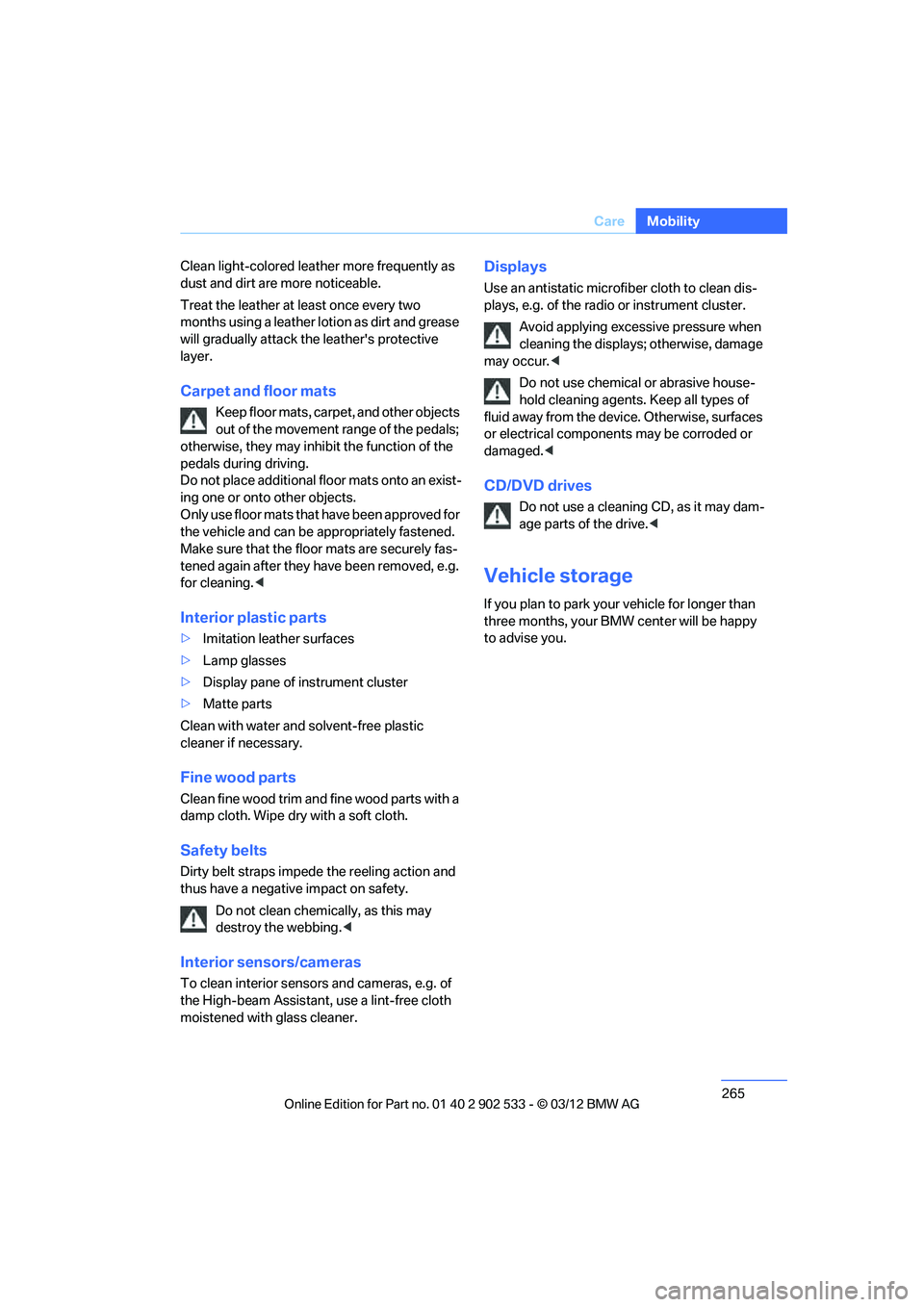
Care
Mobility
Clean light-colored leather more frequently as
dust and dirt are more noticeable.
Treat the leather at least once every two
months using a leather lotion as dirt and grease
will gradually attack the leather's protective
layer.
Carpet and floor mats
Keep floor mats, carpet, and other objects
out of the movement range of the pedals;
otherwise, they may inhibit the function of the
pedals during driving.
Do not place additional floor mats onto an exist-
ing one or onto other objects.
Only use floor mats that have been approved for
the vehicle and can be appropriately fastened.
Make sure that the floor mats are securely fas-
tened again after they have been removed, e.g.
for cleaning. <
Interior plastic parts
>Imitation leather surfaces
> Lamp glasses
> Display pane of instrument cluster
> Matte parts
Clean with water and solvent-free plastic
cleaner if necessary.
Fine wood parts
Clean fine wood trim and fine wood parts with a
damp cloth. Wipe dry with a soft cloth.
Safety belts
Dirty belt straps impede the reeling action and
thus have a negative impact on safety. Do not clean chemically, as this may
destroy the webbing. <
Interior sensors/cameras
To clean interior sensors and cameras, e.g. of
the High-beam Assistant, use a lint-free cloth
moistened with glass cleaner.
Displays
Use an antistatic microfiber cloth to clean dis-
plays, e.g. of the radio or instrument cluster.
Avoid applying excessive pressure when
cleaning the displays; otherwise, damage
may occur. <
Do not use chemical or abrasive house-
hold cleaning agents. Keep all types of
fluid away from the device. Otherwise, surfaces
or electrical components may be corroded or
damaged. <
CD/DVD drives
Do not use a cleaning CD, as it may dam-
age parts of the drive. <
Vehicle storage
If you plan to park your vehicle for longer than
three months, your BMW center will be happy
to advise you.
00320051004F004C00510048000300280047004C0057004C005200510003
Page 272 of 308
271
Replacin g components
Mobility
>
xDrive
The system automatically initializes itself
during a trip. Indicator lamps light up during
this time. If the lamps do not go out during
the current trip, have the system checked.
Disposal of old battery
Have old batteries disposed of by your
BMW center or bring them to a recycling
center. Maintain the battery in an upright posi-
tion for transport and storage. Always secure
the battery against tipping over during trans-
port. <
Fuses
Never attempt to repair a blown fuse and
do not replace a defective fuse with a sub-
stitute of another color or amperage rating; oth-
erwise, this could lead to a circuit overload, ulti-
mately resulting in a fire in the vehicle. <
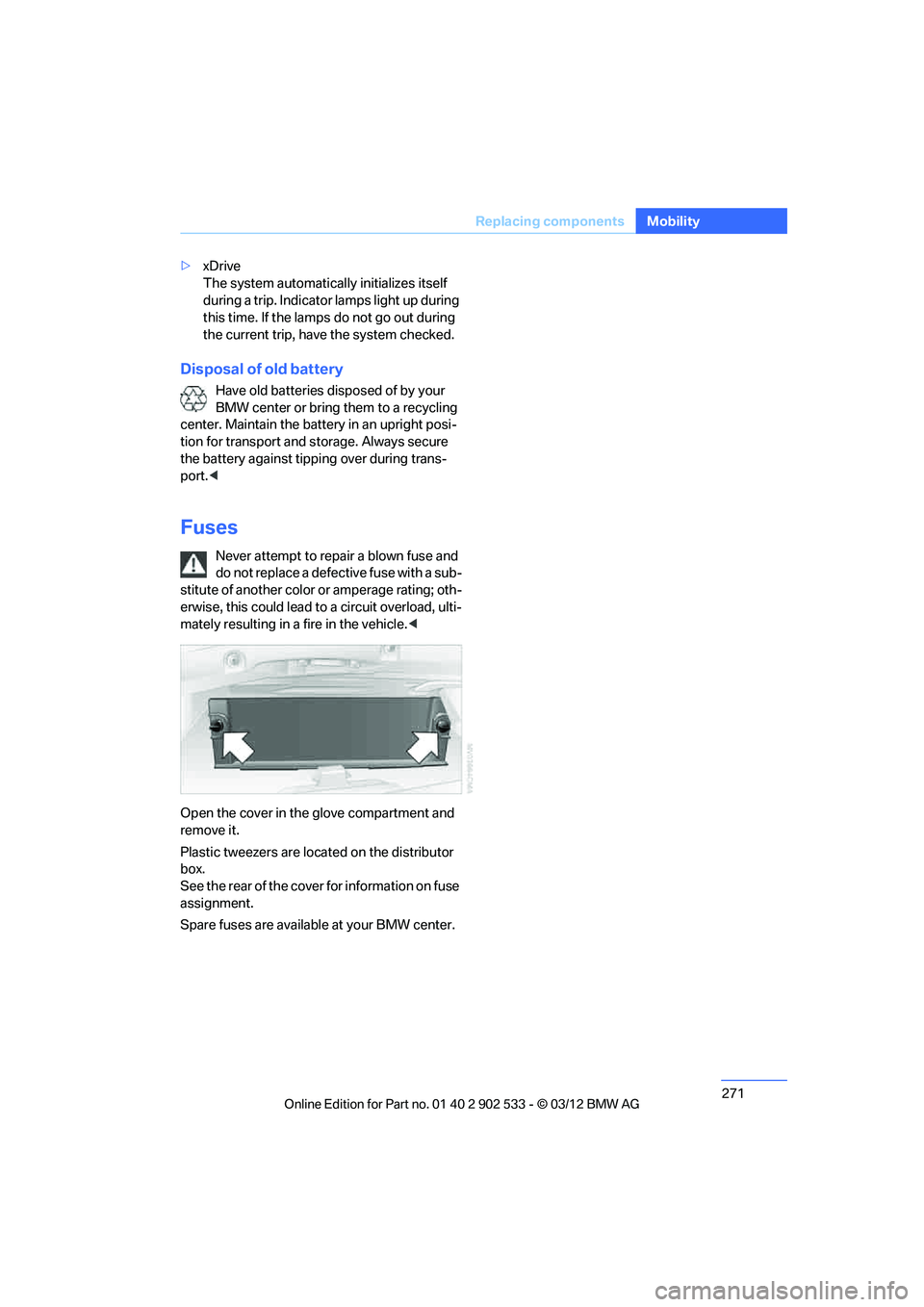
Open the cover in the glove compartment and
remove it.
Plastic tweezers are located on the distributor
box.
See the rear of the cover for information on fuse
assignment.
Spare fuses are available at your BMW center.
00320051004F004C00510048000300280047004C0057004C005200510003
Page 295 of 308
294
Referen ceEverything from A to Z
Car care, refer to Care 262
Care 262
– automatic car washes 262
– care products 262
– carpets 265
– CD/DVD drives 265
– chrome parts 264
– displays 265
– exterior 262
– fine wood parts 265
– headlamps 263
– high-pressure washer 263
– interior 264
– leather 264
– light-alloy wheels 264
– paintwork 263
– plastic parts 265
– retractable hardtop 263
– rubber seals 264
– safety belts 265
– sensors and cameras 265
– upholstery and cloth
trim 264
– washing the car manually 263
– windows 263
Cargo, securing 140
Cargo loading 139
– securing cargo 140
– stowing cargo 140
– vehicle 139
Car jack
– jacking points 270
Car key, refer to Integrated
key/remote control 30
Car phone
– installation location, refer to Center armrest 124
– refer to separate Owner's Manual
Car phone, refer to Telephone 200
Car shampoo 265
Catalytic converter, refer to Hot exhaust system 137
Center armrest 124 Center brake lamp
– replacing bulb
269
Center console, refer to Around the center
console 14
Central locking
– from inside 34
– from outside 31
Central locking system 31
– Comfort Access 38
– hotel function 36
– setting unlocking characteristics 32
Ch an
ges, technical, refer to
For your own safety 5
Changing bulbs, refer to
Lamps and bulbs 266
Changing gears 67
Changing the language on the
Control Display 92
Changing the measurement units on the Control
Display 85
Changing wheels 269
Chassis number, refer to
Engine compartment 255
Check Control 89
Child restraint fixing system
LATCH 57
Child restraint systems 56
Child seats, refer to
Transporting children
safely 56
Chrome parts 265
Chrome polish 265
Cigarette lighter, refer to Lighter 127
Cleaning headlamps 71
– washer fluid 71
Cleaning your BMW, refer to
Care 262
Climate control
– automatic air distribution 115 Clock
80
– 12h/24h mode 88
– setting the time and date 88
– setting time 87
Closing
– from inside 34
– from outside 32
Clothes hooks 125
Cockpit 10
Cold start, refer to Starting the
engine 61
Comfort Access 38
– replacing the battery 39
Comfort access, refer to Comfort Access 38
Comfort area, refer to Around
the center console 14
Compartment for remote control, refer to Ignition
lock 60
Compass 122
Computer 82
– displays on Control Display 82
Computer, refer to iDrive 18
Concierge service 225
Condensation, refer to When the vehicle is parked 139
Condition Based Service CBS 260
Configuring settings, refer to
Personal Profile 30
Confirma tio
n signals for
locking/unlocking the
vehicle 33
ConnectedDrive 224
Connecting vacuum cleaner,
refer to Connecting
electrical appliances 127
Consumption, refer to
Average fuel
consumption 82
Contacts 214
– deleting 216,223
– exporting/importing 223
– new contact 215
00320051004F004C00510048000300280047004C0057004C005200510003
Page 296 of 308
295
Everything from A to Z
Reference
Control Center, refer to
iDrive 18
Control Display 19
– switching off 19
Control Display, refer to iDrive 18
– adjusting brightness 92
Controller, refer to iDrive 18
Controls and displays 10
Control unit, refer to iDrive 18
Convenient loading in Convertible 33
Convenient opening and
closing
– glass roof 32
– glass roof with Comfort
Access 39
– retractable hardtop 32
– windows 32
– windows with Comfort Access 39
– with Comfort Access 39
Convertible
– bag holder 129
– convenient loading 33
– enlarging trunk 128
– folding down rear backrest 128
– retractable hardtop 42
– rollover protection system 106
– securing cargo 140
– stowing cargo 140
Coolant 259
– checking level 259
Coolant temperature 259
Cooling, maximum 115
Cooling fluid, refer to Coolant 259
Cooling system, refer to
Coolant 259
Copyright 2
Corner-illuminating lamps
– replacing bulbs 267
Cornering light, refer to Adaptive Light Control 109
Correct tires 253 Courtesy lamps, refer to
Interior lamps 112
Criteria for route 155
Cross-hairs in navigation 151
Cruise control 72
– active 74
– malfunction 74
Cruise control, refer to Active Cruise Control 74
Cruising range 82
Cupholders 126
Curb weight, refer to Weights 283
Custom er
Relations 227
D
Dashboard, refer to
Cockpit 10
Dashboard, refer to Instrument cluster 12
Dashboard lighting, refer to
Instrument lighting 112
Data, technical
– capacities 284
– dimensions 281
– weights 283
Data memory 261
Data transfer 228
Date
– date format 89
– setting 89
Daytime running lights 109
– replacing bulbs 267
DBC Dynamic Brake Control 95
Deactivating front passenger
airbags 105
Deadlocking, refer to Locking 32
Defect
– door lock 34
– fuel filler flap 232
Defining a home address 215
Destination, entering by town/ city name 147 Destination address
– entering
146,152
Destination entry via BMW Assist 151
Destination for navigation
– entering by voice 152
– entering via map 151
– entry 146
– home address 149
– manual entry 146
Destination guidance 155
– bypassing a route section 156
– changing specified route 155
– continuing 155
– starting 155
– voice instructions 157
– volume of voice
instructions 157
Digital clock 80
Digital compass 122
Dimensions 281
Directional indicators, refer to Turn signals 70
Direction instructions, refer to Voice instructions 157
Directory for navigation, refer
to Address book 148
Display, refer to iDrive controls 18
Displaying contact pictures 21
5
Dis p
lay lighting, refer to
Instrument lighting 112
Displays
– on the Control Display 18
Displays, refer to Instrument cluster 12
Displays and controls 10
Disposal
– coolant 259
– remote control battery 40
– vehicle battery 271
Distance remaining to service, refer to Service
requirements 85
00320051004F004C00510048000300280047004C0057004C005200510003
Page 300 of 308
299
Everything from A to Z
Reference
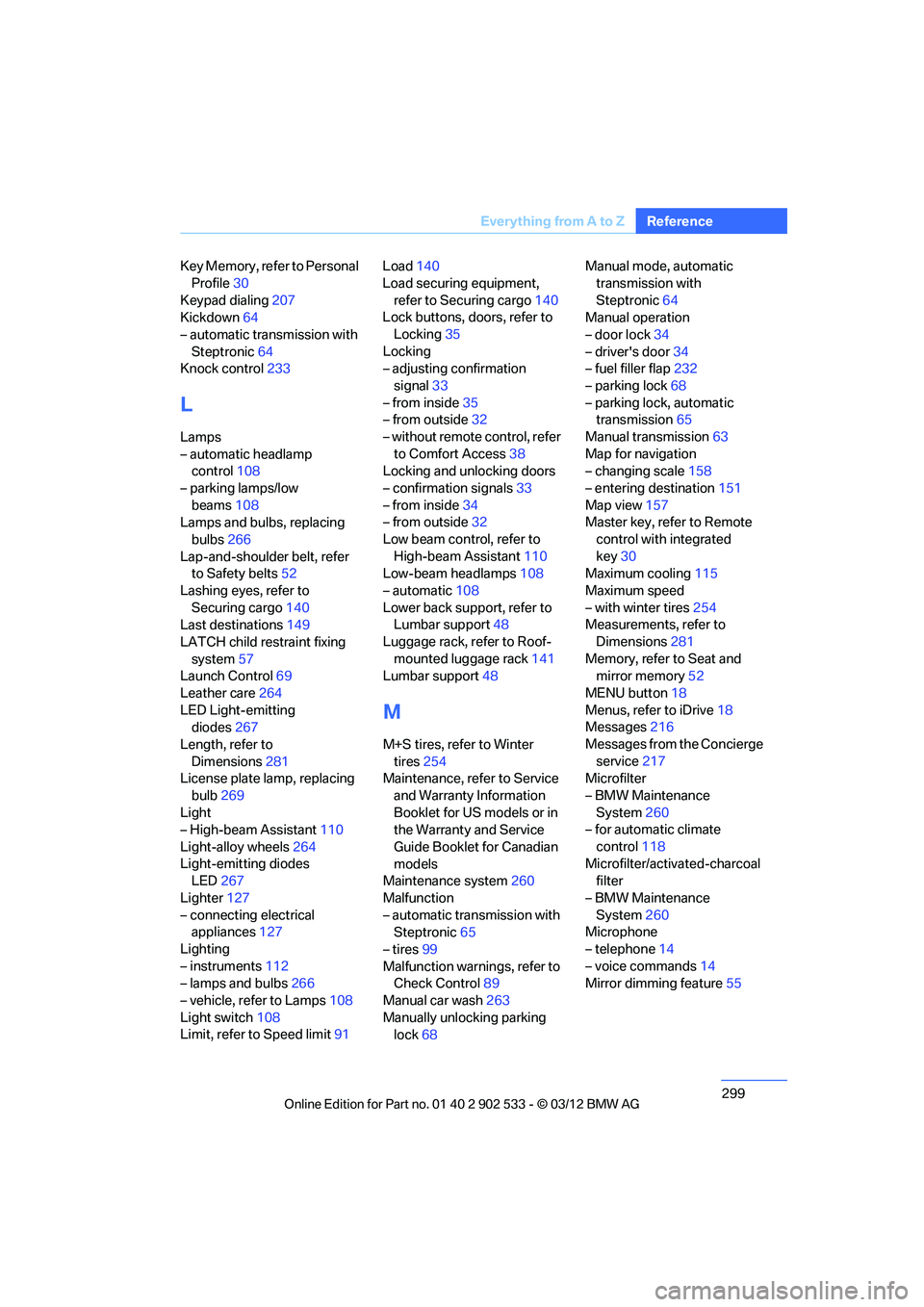
Key Memory, refer to Personal
Profile 30
Keypad dialing 207
Kickdown 64
– automatic transmission with Steptronic 64
Knock control 233
L
Lamps
– automatic headlamp
control 108
– parking lamps/low beams 108
Lamps and bulbs, replacing
bulbs 266
Lap-and-shoulder belt, refer to Safety belts 52
Lashing eyes, refer to Securing cargo 140
Last destinations 149
LATCH child restraint fixing system 57
Launch Control 69
Leather care 264
LED Light-emitting diodes 267
Length, refer to Dimensions 281
License plate lamp, replacing
bulb 269
Light
– High-beam Assistant 110
Light-alloy wheels 264
Light-emitting diodes LED 267
Lighter 127
– connecting electrical appliances 127
Lighting
– instruments 112
– lamps and bulbs 266
– vehicle, refer to Lamps 108
Light switch 108
Limit, refer to Speed limit 91Load
140
Load securing equipment, refer to Securing cargo 140
Lock buttons, doors, refer to
Locking 35
Locking
– adjusting confirmation signal 33
– from inside 35
– from outside 32
– without remote control, refer to Comfort Access 38
Locking and unlocking doors
– confirmation signals 33
– from inside 34
– from outside 32
Low beam control, refer to High-beam Assistant 110
Low-beam headlamps 108
– automatic 108
Lower back support, refer to Lumbar support 48
Luggage rack, refer to Roof- mounted luggage rack 141
Lumbar support 48
M
M+S tires, refer to Winter
tires 254
Maintenance, refer to Service
and Warranty Information
Booklet for US models or in
the Warranty and Service
Guide Booklet for Canadian
models
Maintenance system 260
Malfunction
– automatic transmission with Steptronic 65
– tires 99
Malfunction warnings, refer to Check Control 89
Manual car wash 263
Manually unlocking parking lock 68 Manual mode, automatic
transmission with
Steptronic 64
Manual operation
– door lock 34
– driver's door 34
– fuel filler flap 232
– parking lock 68
– parking lock, automatic transmission 65
Manual transmission 63
Map for navigation
– changing scale 158
– entering destination 151
Map view 157
Master key, refer to Remote
control with integrated
key 30
Maximum cooling 115
Maximum speed
– with winter tires 254
Measurements, refer to
Dimensions 281
Memory, refer to Seat and mirror memory 52
MENU button 18
Menus, refer to iDrive 18
Messages 216
Messages from the Concierge service 217
Microfilter
– BMW Maintenance
System 260
– for automatic climate
control 118
Microfilter/activated-charcoal filter
– BMW Maintenance System 260
Microphone
– telephone 14
– voice commands 14
Mirror dimming feature 55
00320051004F004C00510048000300280047004C0057004C005200510003
Page 303 of 308
302
Referen ceEverything from A to Z
Road map157
Roadside Assistance 225,273
Roadside parking lamps 110
– replacing bulbs 267
Roadworthiness test, refer to Service requirements 85
Roller sunblinds 124
Rollover protection system, Convertible 106
– resetting 106
Roof load capacity 283
Roof-mounted luggage
rack 141
Rope, refer to Tow-starting, towing away 276
Rotary/pushbutton, refer to iDrive 18
Route 155,156
– bypassing sections 156
– changing 155,156
– changing criteria 155
– displaying streets or towns/ cities 156
– map view 157
– selecting 155
Route instructions, refer to Destination guidance
through voice
instructions 157
Route map, refer to Map
view 157
Route section, changing 156
Route selection 155
RSC Runflat System Component, refer to Run-
flat tires 254
Runflat System Component RSC, refer to Run-flat
tires 254 Run-flat tires
254
– continuing driving with a damaged tire 99
– flat tire 99
– Flat Tire Monitor 99
– inflation pressure 235
– new tires 253
– tire replacement 253
– winter tires 254
Runflat tyres, refer to Run-flat
tires 254
S
Safety-belt height
adjustment 52
Safety belts 52
– belt hand-over 53
– damage 53
– indicator/warning lamp 53
– reminder 53
– sitting safely 46
Safety systems
– airbags 104
– Antilock Brake System
ABS 95
– brake system 95
– driving stability control 95
– Dynamic Stability Control DSC 95
– rollover protection system,
Convertible 106
– safety belts 52
Safety tires, refer to Run-flat
tires 254
Saving fuel 136
Screen, refer to iDrive
controls 18
Screw thread for tow fitting 275
Seat adjustment
– electric 48
– mechanical 47
Seat and mirror memory 52
Seat belt reminder, refer to "Fasten safety belts"
reminder 53 Seat heating
51
Seats 47
– adjusting electrically 48
– adjusting the seats 47
– heating 51
– memory, refer to Seat and mirror memory 52
– saving a setting, refer to Seat and mirror memory 52
– sitting safely 46
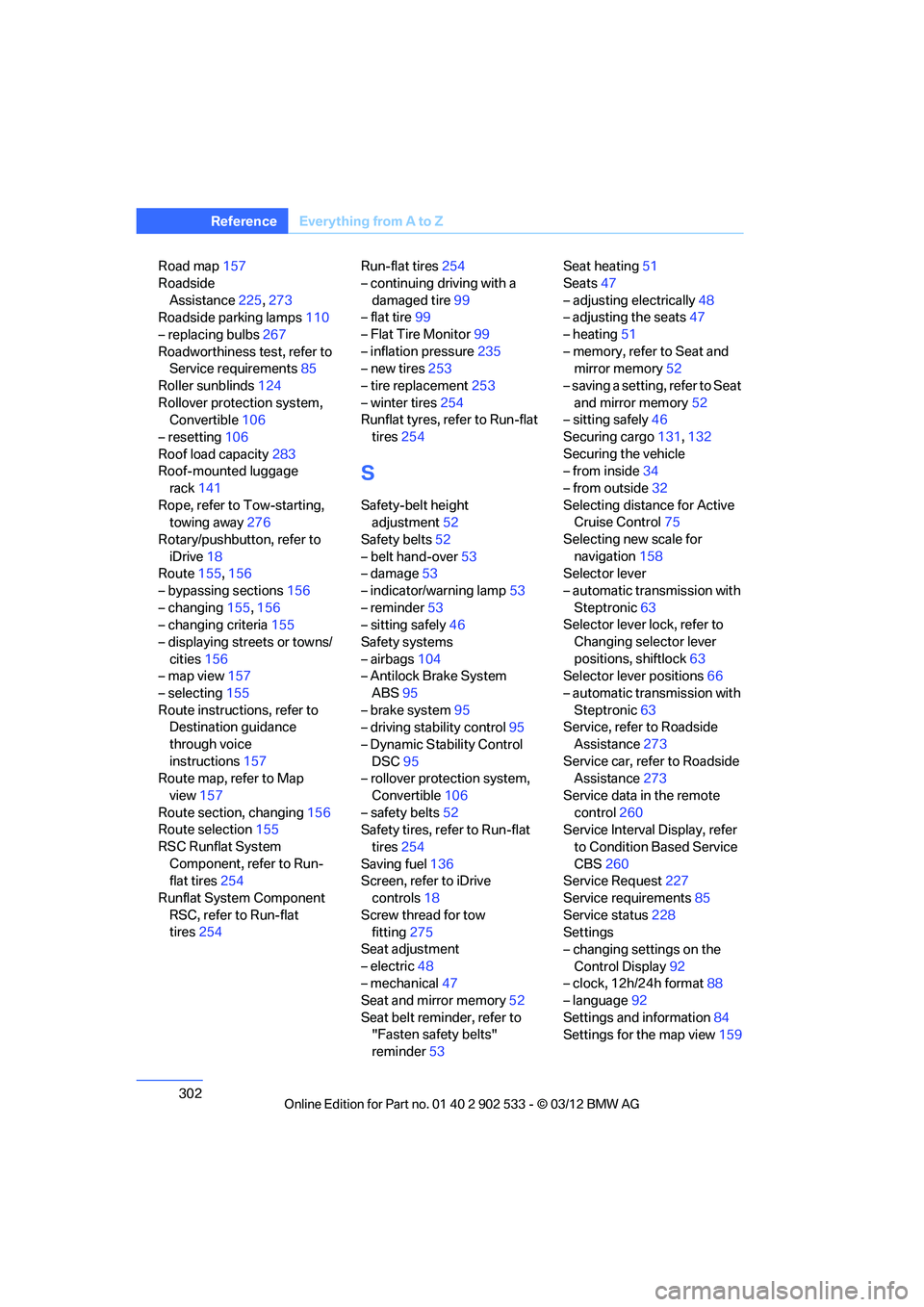
Securing cargo 131,132
Securing the vehicle
– from inside 34
– from outside 32
Selecting distance for Active Cruise Control 75
Selecting new scale for navigation 158
Selector lever
– automatic transmission with
Steptronic 63
Selector lever lock, refer to
Changing selector lever
positions, shiftlock 63
Selector lever positions 66
– automatic transmission with Steptronic 63
Service, refer to Roadside
Assistance 273
Service car, refer to Roadside Assi sta
nce273
Service data in the remote control 260
Service Interval Display, refer
to Condition Based Service
CBS 260
Service Request 227
Service requirements 85
Service status 228
Settings
– changing settings on the
Control Display 92
– clock, 12h/24h format 88
– language 92
Settings and information 84
Settings for the map view 159
00320051004F004C00510048000300280047004C0057004C005200510003