steering BMW 335XI 2007 Owner's Guide
[x] Cancel search | Manufacturer: BMW, Model Year: 2007, Model line: 335XI, Model: BMW 335XI 2007Pages: 268, PDF Size: 8.8 MB
Page 178 of 268
Telephoning
176
Telephoning
The concept
Your BMW is equipped with a full mobile phone
preparation package. After pairing a suitable
mobile phone with the vehicle once, you can
operate the mobile phone via iDrive, the buttons
on the steering wheel or via voice commands.
Once a mobile phone has been paired with your
vehicle, it is automatically recognized as soon
as it is inside the vehicle while the engine is run-
ning or the ignition is switched on. You can
store the pairing data for up to four mobile
phones simultaneously. If several mobile
phones are detected at the same time, the
mobile phone last paired can be operated via
the vehicle.
Using the telephone inside
the vehicle
Using the snap-in adapter*
The so-called snap-in adapter, a holder for
mobile phones, allows you to charge the mobile
phone's battery and connect the mobile phone
to your vehicle's outside antenna. This ensures
better network reception and consistent repro-
duction quality. Please contact your
BMW center to find out for which mobile
phones there are snap-in adapters available.
BMW discourages the use of mobile
phones or other mobile communications
devices inside the vehicle without a direct con-
nection to an outside antenna. Otherwise, inter-
ference between vehicle electronics systems
and the mobile communications device cannot
be ruled out. In addition, there is no assurance
that the radiation which results from transmis-
sion will be dissipated from the vehicle inte-
rior.<
Avoid operating a mobile phone recognized by
the vehicle via the mobile phone's keypad, oth-
erwise malfunctions may result.
For your safety
A car phone makes life more convenient in
many ways, and can even save lives in an emer-
gency. While you should consult your mobile
phone's separate Owner's Manual for a detailed
description of safety precautions and informa-
tion, we request that you direct your particular
attention to the following:
Only make entries when the traffic situa-
tion allows you to do so. Do not hold the
mobile phone in your hand while you are driving;
use the hands-free system instead. If you do
not observe this precaution, your being dis-
tracted can endanger vehicle occupants and
other road users.<
Suitable mobile phones
Please ask your BMW center which mobile
phones with Bluetooth interface are supported
by the mobile phone preparation package and/
or which mobile phones are compatible with the
snap-in adapter. By virtue of their particular
software versions, these mobile phones sup-
port the functions described in this Owner's
Manual. Malfunctions may occur with other
mobile phones.
Care instructions
You can find what you need to know about car-
ing for your mobile phone in the separate Caring
for your vehicle brochure and in the mobile
phone Owner's Manual.
Operating options
You can operate the mobile phone* using:
>The steering wheel, refer to page10
>iDrive, refer to page181
>Voice commands, refer to page185
*
Page 182 of 268
Telephoning
180 ferred from your mobile phone to the vehi-
cle are also deleted in the process.
Activating/deactivating the Bluetooth
link
The use of Bluetooth technology is not
permitted in all countries. Observe all
applicable local regulations. You can tempo-
rarily disconnect the Bluetooth link between the
vehicle and the mobile phone, if necessary.<
If the Bluetooth link is deactivated, you can no
longer operate the mobile phone via the vehicle,
and other devices with a Bluetooth interface
can be used in combination with the mobile
phone, e.g. a laptop.
To temporarily deactivate the Bluetooth link
between the vehicle and your mobile phone:
1.Take the mobile phone out of the snap-in
adapter and switch it off.
2.Press the button to call up the start
menu.
3.Select the menu and press the controller.
4.Select "Settings" and press the controller.
5.Select "Bluetooth" and press the controller.
6.If necessary, move the highlight marker to
the uppermost field. Turn the controller until "Bluetooth" is selected and press the
controller.
7.Select "Settings" and press the controller.
The Bluetooth link is activated.
8.Select "Bluetooth communication active"
and press the controller to activate or deac-
tivate the link.
Adjusting volume
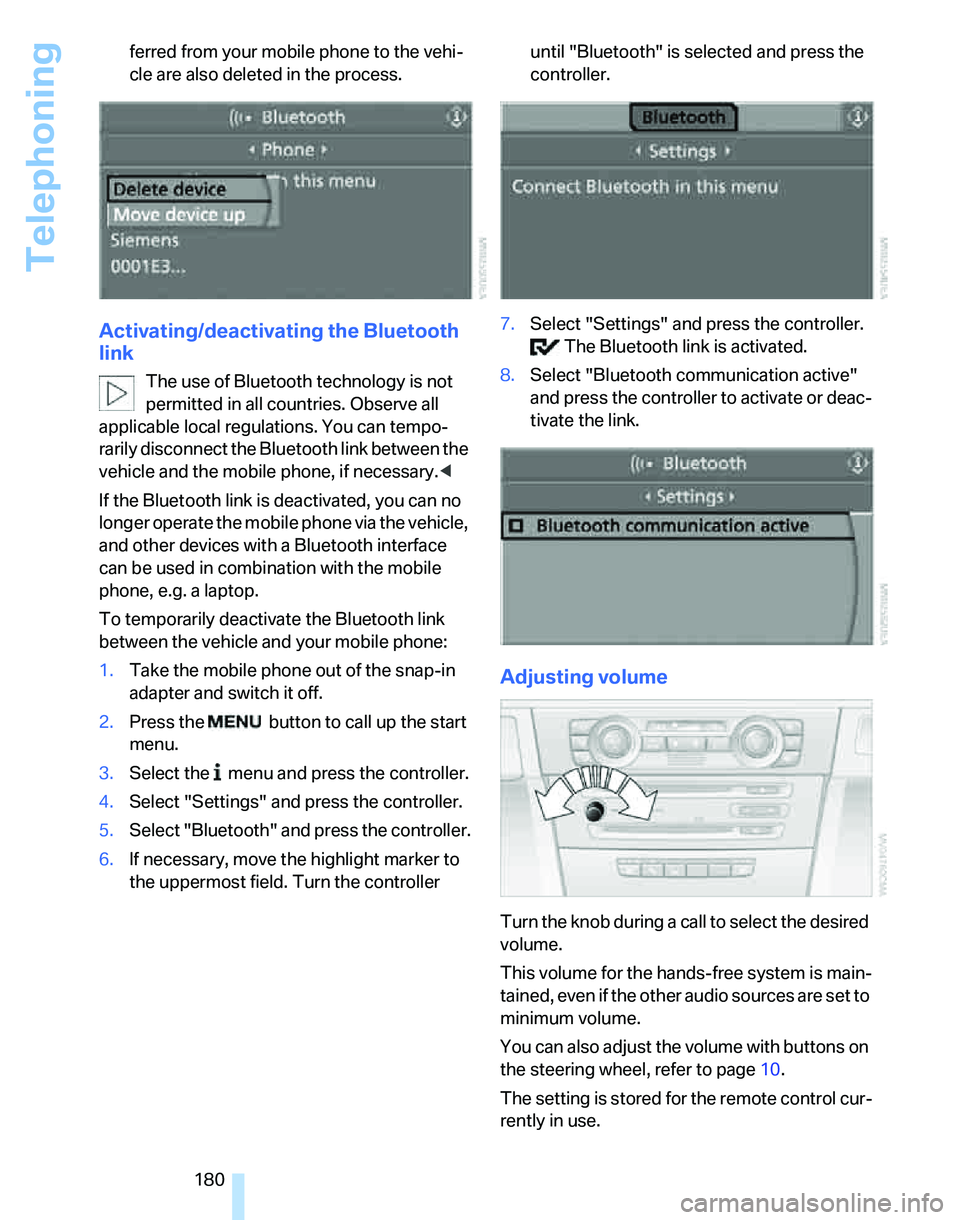
Turn the knob during a call to select the desired
volume.
This volume for the hands-free system is main-
tained, even if the other audio sources are set to
minimum volume.
You can also adjust the volume with buttons on
the steering wheel, refer to page10.
The setting is stored for the remote control cur-
rently in use.
Page 187 of 268
185
Entertainment
Reference
At a glance
Controls
Driving tips Communications
Navigation
Mobility
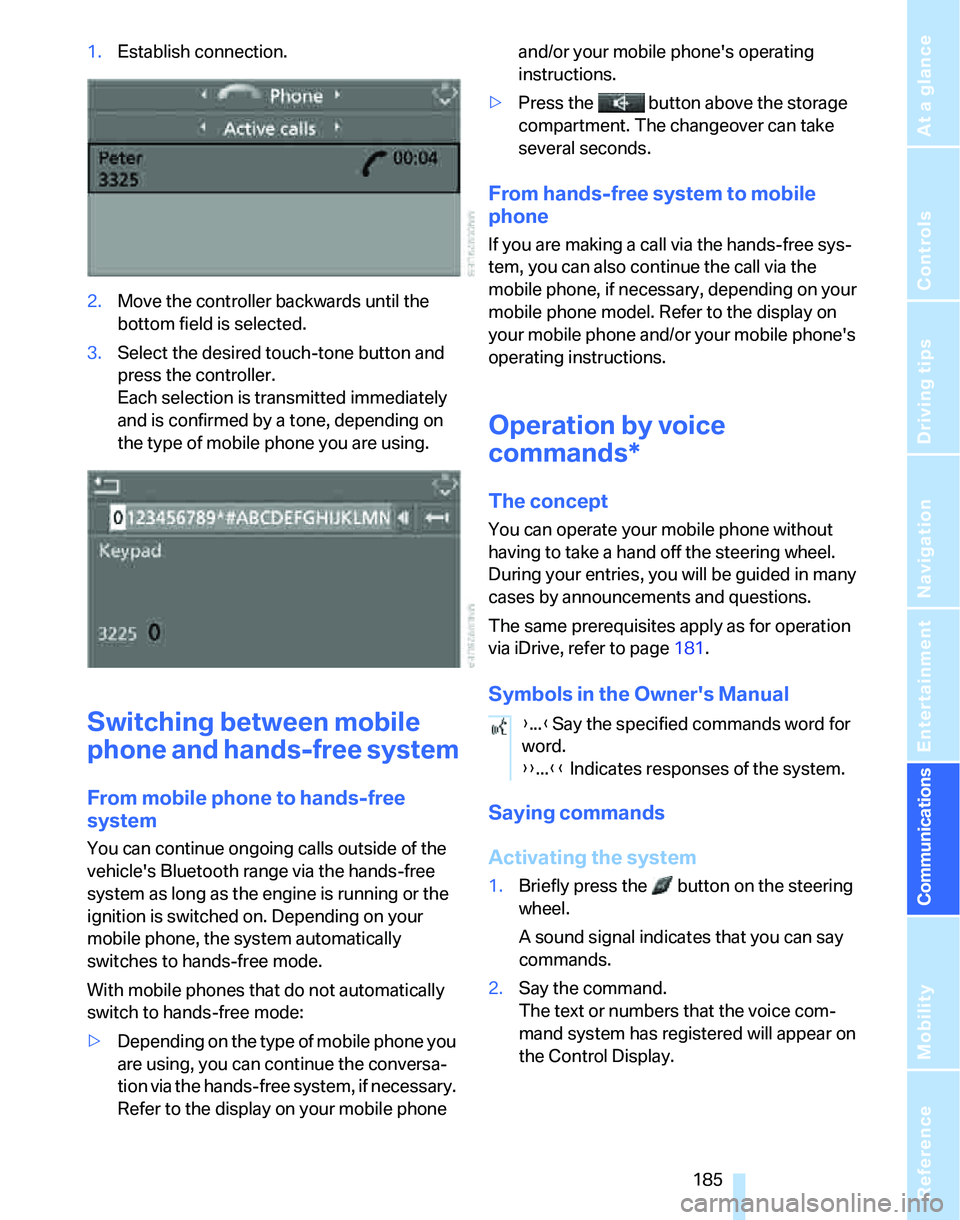
1.Establish connection.
2.Move the controller backwards until the
bottom field is selected.
3.Select the desired touch-tone button
and
press the controller.
Each selection is transmitted immediately
and is confirmed by a tone, depending on
the type of mobile phone you are using.
Switching between mobile
phone and hands-free system
From mobile phone to hands-free
system
You can continue ongoing calls outside of the
vehicle's Bluetooth range via the hands-free
system as long as the engine is running or the
ignition is switched on. Depending on your
mobile phone, the system automatically
switches to hands-free mode.
With mobile phones that do not automatically
switch to hands-free mode:
>Depending on the type of mobile phone you
are using, you can continue the conversa-
tion via the hands-free system, if necessary.
Refer to the display on your mobile phone and/or your mobile phone's operating
instructions.
>Press the button above the storage
compartment. The changeover can take
several seconds.
From hands-free system to mobile
phone
If you are making a call via the hands-free sys-
tem, you can also continue the call via the
mobile phone, if necessary, depending on your
mobile phone model. Refer to the display on
your mobile phone and/or your mobile phone's
operating instructions.
Operation by voice
commands*
The concept
You can operate your mobile phone without
having to take a hand off the steering wheel.
During your entries, you will be guided in many
cases by announcements and questions.
The same prerequisites apply as for operation
via iDrive, refer to page181.
Symbols in the Owner's Manual
Saying commands
Activating the system
1.Briefly press the button on the steering
wheel.
A sound signal indicates that you can say
commands.
2.Say the command.
The text or numbers that the voice com-
mand system has registered will appear on
the Control Display.
{...}Say the specified commands word for
word.
{{...}} Indicates responses of the system.
Page 188 of 268
Telephoning
186
Ending/canceling operation by voice
commands
Briefly press the button on the steering
wheel or
In dialogs where text is spoken, e.g. a name
rather than a command, canceling is only possi-
ble using the button on the steering wheel.
Having the possible commands read
aloud
The system recognizes specific commands
that must be pronounced exactly word for word.
You can have the possible commands for any
function read aloud to you:
Using alternative commands
Often there is more than a single command to
run a function, e.g.:
Digits from zero to nine are recognized.
You can say each digit individually or group
them into a sequence to accelerate the input.{Cancel}.
{Help}
{Dial name} or {Name}.
Page 189 of 268
187
Entertainment
Reference
At a glance
Controls
Driving tips Communications
Navigation
Mobility
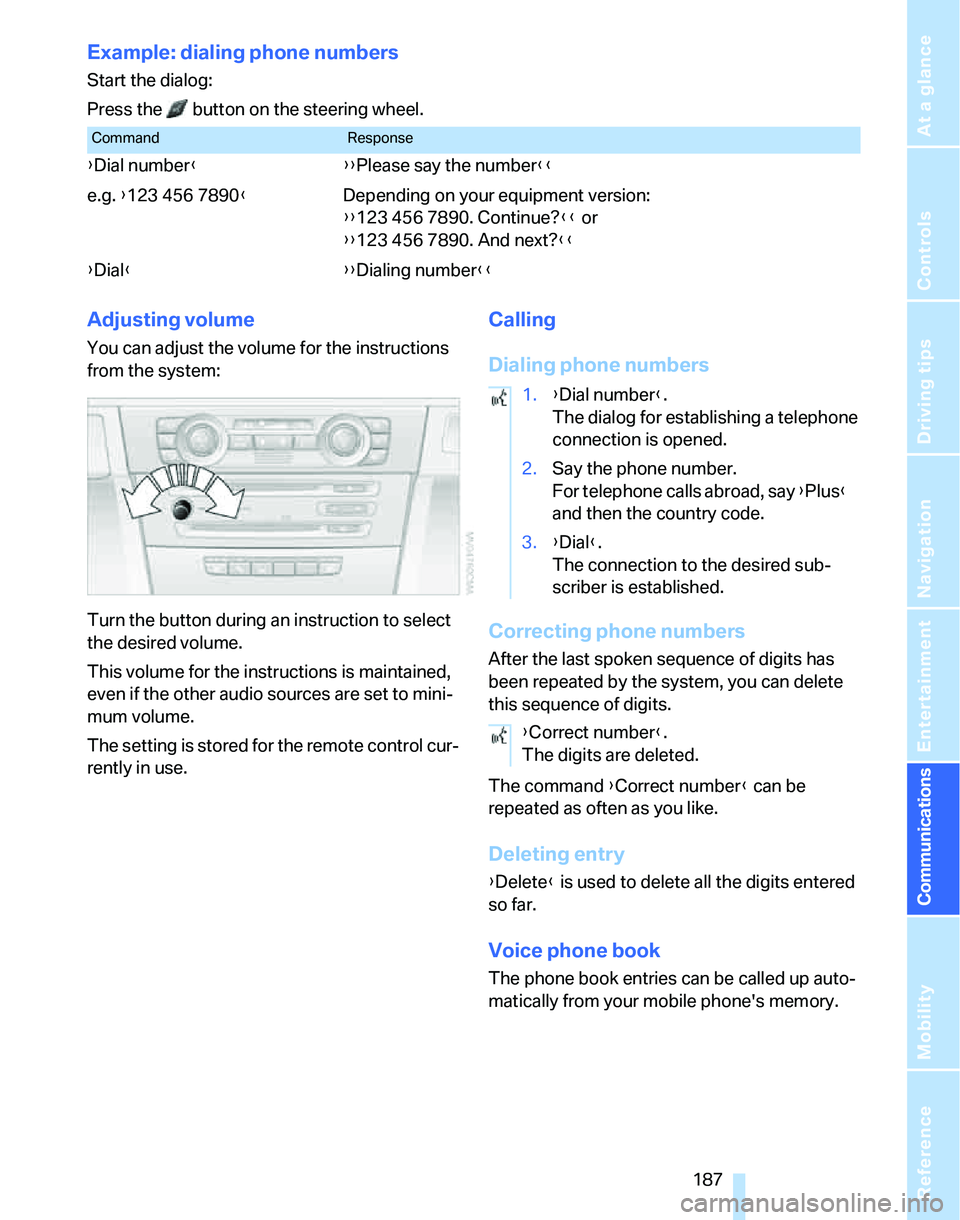
Example: dialing phone numbers
Start the dialog:
Press the button on the steering wheel.
Adjusting volume
You can adjust the volume for the instructions
from the system:
Turn the button during an instruction to select
the desired volume.
This volume for the instructions is maintained,
even if the other audio sources are set to mini-
mum volume.
The setting is stored for the remote control cur-
rently in use.
Calling
Dialing phone numbers
Correcting phone numbers
After the last spoken sequence of digits has
been repeated by the system, you can delete
this sequence of digits.
The command {Correct number} can be
repeated as often as you like.
Deleting entry
{Delete} is used to delete all the digits entered
so far.
Voice phone book
The phone book entries can be called up auto-
matically from your mobile phone's memory.
CommandResponse
{Dial number}{{Please say the number}}
e.g. {123 456 7890}Depending on your equipment version:
{{123 456 7890. Continue?}} or
{{123 456 7890. And next?}}
{Dial}{{Dialing number}}
1.{Dial number}.
The dialog for establishing a telephone
connection is opened.
2.Say the phone number.
For telephone calls abroad, say {Plus}
and then the country code.
3.{Dial}.
The connection to the desired sub-
scriber is established.
{Correct number}.
The digits are deleted.
Page 234 of 268
Giving and receiving assistance
232 the vehicle by the tow fitting. Otherwise the tow
fitting and the vehicle could be damaged.<
Access to screw thread
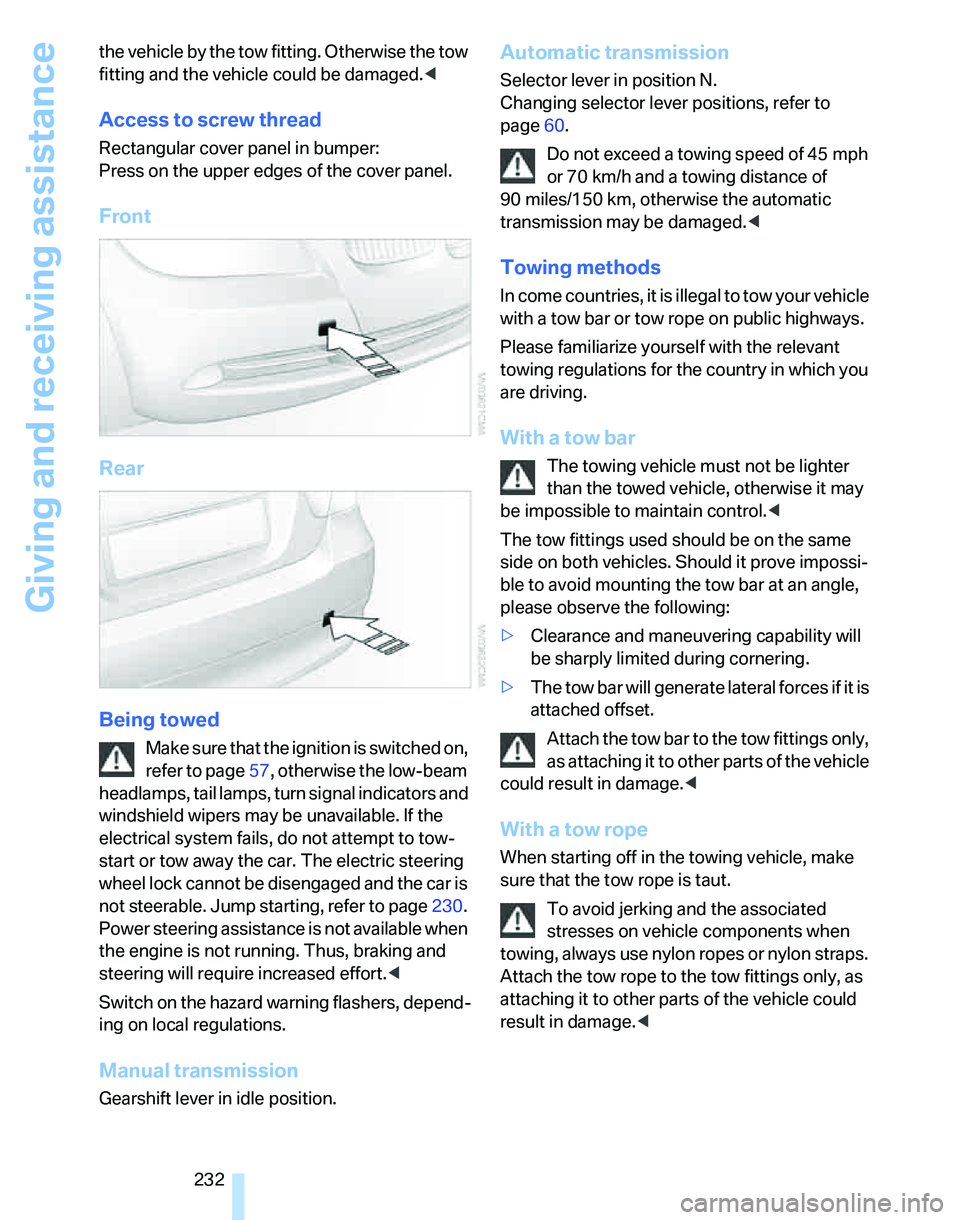
Rectangular cover panel in bumper:
Press on the upper edges of the cover panel.
Front
Rear
Being towed
Make sure that the ignition is switched on,
refer to page57, otherwise the low-beam
headlamps, tail lamps, turn signal indicators and
windshield wipers may be unavailable. If the
electrical system fails, do not attempt to tow-
start or tow away the car. The electric steering
wheel lock cannot be disengaged and the car is
not steerable. Jump starting, refer to page230.
Power steering assistance is not available when
the engine is not running. Thus, braking and
steering will require increased effort.<
Switch on the hazard warning flashers, depend-
ing on local regulations.
Manual transmission
Gearshift lever in idle position.
Automatic transmission
Selector lever in position N.
Changing selector lever positions, refer to
page60.
Do not exceed a towing speed of 45 mph
or 70 km/h and a towing distance of
90 miles/150 km, otherwise the automatic
transmission may be damaged.<
Towing methods
In come countries, it is illegal to tow your vehicle
with a tow bar or tow rope on public highways.
Please familiarize yourself with the relevant
towing regulations for the country in which you
are driving.
With a tow bar
The towing vehicle must not be lighter
than the towed vehicle, otherwise it may
be impossible to maintain control.<
The tow fittings used should be on the same
side on both vehicles. Should it prove impossi-
ble to avoid mounting the tow bar at an angle,
please observe the following:
>Clearance and maneuvering capability will
be sharply limited during cornering.
>The tow bar will generate lateral forces if it is
attached offset.
Attach the tow bar to the tow fittings only,
as attaching it to other parts of the vehicle
could result in damage.<
With a tow rope
When starting off in the towing vehicle, make
sure that the tow rope is taut.
To avoid jerking and the associated
stresses on vehicle components when
towing, always use nylon ropes or nylon straps.
Attach the tow rope to the tow fittings only, as
attaching it to other parts of the vehicle could
result in damage.<
Page 235 of 268
Mobility
233Reference
At a glance
Controls
Driving tips
Communications
Navigation
Entertainment
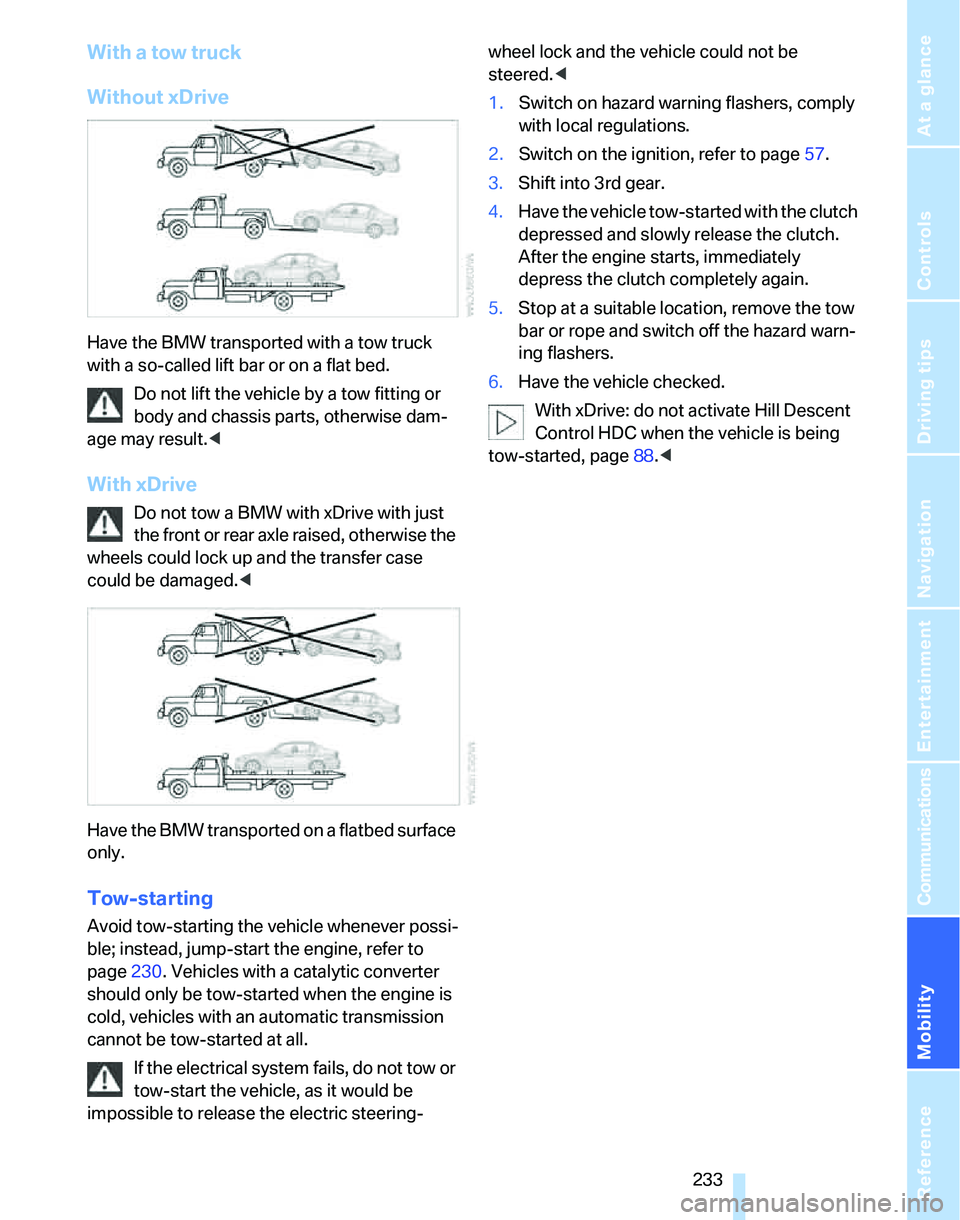
With a tow truck
Without xDrive
Have the BMW transported with a tow truck
with a so-called lift bar or on a flat bed.
Do not lift the vehicle by a tow fitting or
body and chassis parts, otherwise dam-
age may result.<
With xDrive
Do not tow a BMW with xDrive with just
the front or rear axle raised, otherwise the
wheels could lock up and the transfer case
could be damaged.<
Have the BMW transported on a flatbed surface
only.
Tow-starting
Avoid tow-starting the vehicle whenever possi-
ble; instead, jump-start the engine, refer to
page230. Vehicles with a catalytic converter
should only be tow-started when the engine is
cold, vehicles with an automatic transmission
cannot be tow-started at all.
If the electrical system fails, do not tow or
tow-start the vehicle, as it would be
impossible to release the electric steering-wheel lock and the vehicle could not be
steered.<
1.Switch on hazard warning flashers, comply
with local regulations.
2.Switch on the ignition, refer to page57.
3.Shift into 3rd gear.
4.Have the vehicle tow-started with the clutch
depressed and slowly release the clutch.
After the engine starts, immediately
depress the clutch completely again.
5.Stop at a suitable location, remove the tow
bar or rope and switch off the hazard warn-
ing flashers.
6.Have the vehicle checked.
With xDrive: do not activate Hill Descent
Control HDC when the vehicle is being
tow-started, page88.<
Page 247 of 268
Reference 245
At a glance
Controls
Driving tips
Communications
Navigation
Entertainment
Mobility
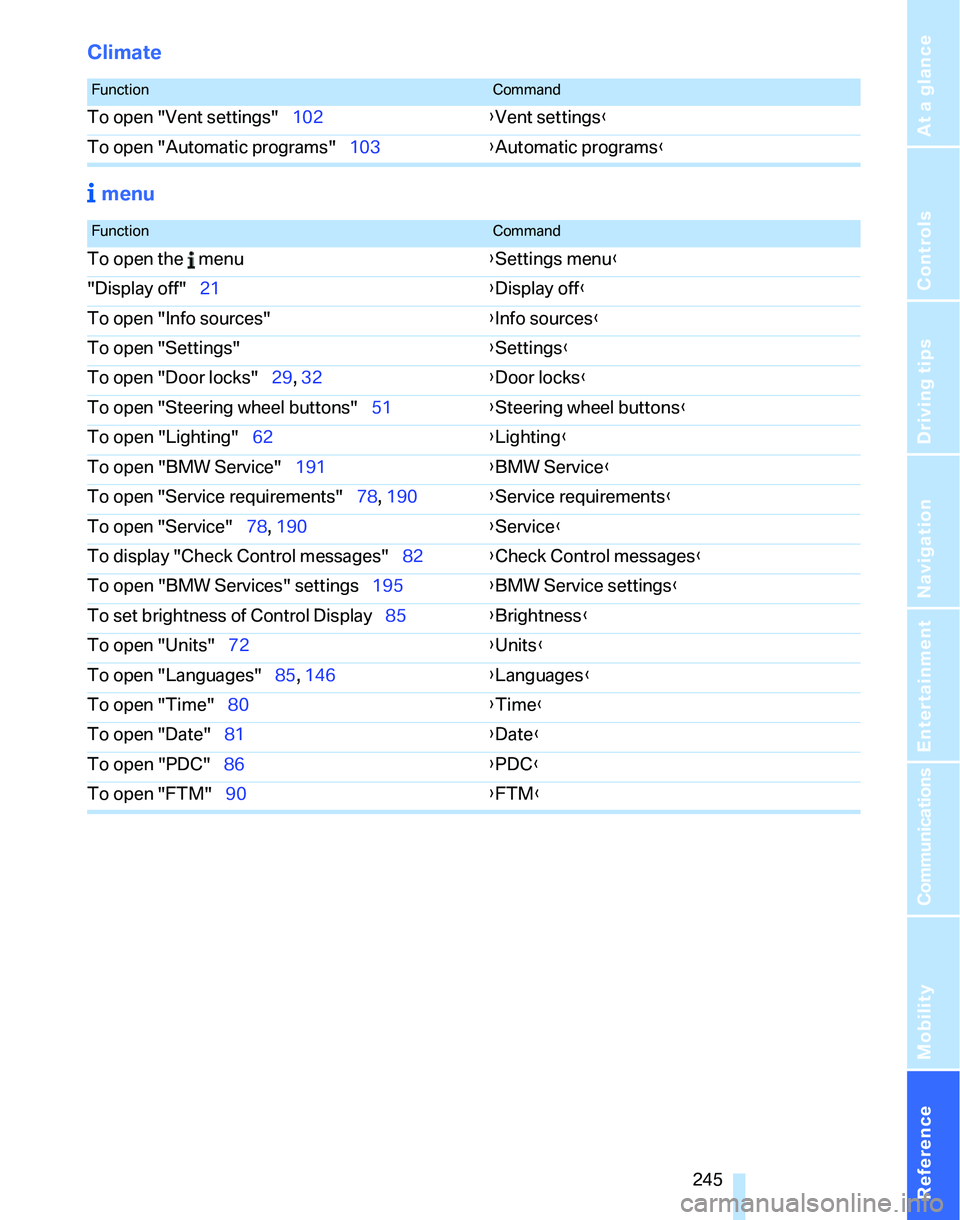
Climate
menu
FunctionCommand
To open "Vent settings"102{Vent settings}
To open "Automatic programs"103{Automatic programs}
FunctionCommand
To open the menu{Settings menu}
"Display off"21{Display off}
To open "Info sources"{Info sources}
To open "Settings"{Settings}
To open "Door locks"29, 32{Door locks}
To open "Steering wheel buttons"51{Steering wheel buttons}
To open "Lighting"62{Lighting}
To open "BMW Service"191{BMW Service}
To open "Service requirements"78, 190{Service requirements}
To open "Service"78, 190{Service}
To display "Check Control messages"82{Check Control messages}
To open "BMW Services" settings195{BMW Service settings}
To set brightness of Control Display85{Brightness}
To open "Units"72{Units}
To open "Languages"85, 146{Languages}
To open "Time"80{Time}
To open "Date"81{Date}
To open "PDC"86{PDC}
To open "FTM"90{FTM}
Page 248 of 268
Everything from A - Z
246
Everything from A - Z
Index
"..." Identifies Control Display
texts used to select
individual functions and
refers you to the page where
these texts can be found.
A
ABS Antilock Brake
System87
ACC, refer to Active cruise
control66
Accident, refer to Initiating an
Emergency Request
call229
Activated-charcoal filter for
automatic climate
control105
"Activation time"105
Active cruise control66
– indicator lamps68
– malfunction69
– selecting distance67
– sensor69
Active steering94
– warning lamp94
Adaptive Head Light99
"Add digits" on the mobile
phone183
Additives
– coolant217
"Address book" in
navigation139
Address for navigation
– deleting140
– entering131,134,139
– selecting139
– storing139
– storing current position139
"Add to destination
list"134,136Adjusting temperature inside
the car, refer to Automatic
climate control102
Adjusting the thigh support45
Adjusting the tone during
audio operation, refer to
Tone control157
Adjustment in audio mode
– front-to-rear157
– right/left balance157
Airbags95
– indicator/warning lamp96
– sitting safely44
Air conditioning mode
– automatic climate
control102
– ventilation104
Air distribution
– automatic103
– individual102
Air flow rate103
Airing, refer to Ventilation104
Air pressure, refer to Tire
inflation pressure202
Air recirculation, refer to
Recirculated-air mode
103
"Air recirculation on / off"52
Air supply
– automatic climate
control102
– ventilation104
Air vents101
AKI, refer to Fuel
specifications201
Alarm system35
– avoiding unintentional
alarms36
– interior motion sensor36
– switching off an alarm36
– tilt alarm sensor36
"All channels" for satellite
radio164All-season tires, refer to
Winter tires213
"All stations", displaying with
the radio160
All-wheel drive, refer to
xDrive88
"AM", waveband156,160
Ambient air, refer to
Recirculated-air mode103
Antenna for mobile phone176
Antifreeze
– coolant217
– washer fluid63
Anti-theft alarm system, refer
to Alarm system35
Anti-theft system29
Approved axle loads, refer to
Weights239
Approved gross vehicle
weight, refer to Weights239
Armrest, refer to Center
armrest110
Arrival time, refer to
Computer74
Arrival time, refer to Starting
destination guidance143
"Arrow display" in
navigation144
Arrow view for navigation144
Ashtray
– front112
– rear112
Assistance systems, refer to
Driving stability control
systems87
Assistance window20
– refer to iDrive20
AUC Automatic recirculated-
air control103
"Audio"159
Page 250 of 268
Everything from A - Z
248 Brakes
– ABS87
– BMW Maintenance
System219
– breaking in122
– parking brake59
– service requirements77
Brakes, refer to Braking
safely123
Brake system122
– BMW Maintenance
System219
– breaking in122
– disc brakes123
Breakdown services, refer to
Roadside Assistance229
Breaking in the clutch122
Breaking in the differential,
refer to Engine and
differential122
Break-in period122
Brightness of the Control
Display85
"Brightness"on the control
display85
Bulb changing, refer to Lamps
and bulbs222
Burned fuel
– refer to Average
consumption74
Button for starting the engine,
refer to Start/stop button57
Buttons on the steering
wheel11
C
California Proposition 65
warning6
"Call"183,194
Call
– accepting181
– displaying accepted183
– ending182
– in absence183
– starting181Calling
– from phone book182
– from Top 8 list183
– redialing183
Can holders, refer to Cup
holders111
Capacities241
Capacity of the cargo bay239
Car battery, refer to Vehicle
battery227
Car care, refer to Caring for
your vehicle brochure
Car-care products, refer to
Caring for your vehicle
brochure
"Car Data"74
Care, refer to Caring for your
vehicle brochure
Cargo, securing125
Cargo bay114
– capacity239
– convenient access37
– folding up the floor
panel117
– lamp, refer to Interior
lamps100
– opening from inside33
– opening from outside33
– partition net115
– roll-up cover114
Cargo bay lid, refer to
Luggage compartment lid/
tailgate32
Cargo bay net, refer to
Partition net115
Cargo loading
– securing cargo125
– stowing cargo125
– vehicle124
Caring for artificial leather,
refer to Caring for your
vehicle brochure
Caring for leather, refer to
Caring for your vehicle
brochure
Caring for plastic, refer to
Caring for your vehicle
brochureCaring for the carpet, refer to
Caring for your vehicle
brochure
Caring for the vehicle finish,
refer to Caring for your
vehicle brochure
Car jack
– jacking points227
Car key, refer to Integrated
key/remote control28
Car phone176
– installation location, refer to
Center armrest110
– refer to Mobile phone176
– refer to separate Owner's
Manual
Car radio, refer to Radio160
Car wash124
– also refer to Caring for your
vehicle brochure
– with convenient access38
Catalytic converter, refer to
Hot exhaust system122
"Categories" for satellite
radio164
CBS Condition Based
Service219
"CD"156,166
CD changer166
– compressed audio files166
– controls156
– fast forward/reverse170
– installation location170
– playing a track168
– random order169
– repeating a track169
– selecting a CD166
– selecting a track167
– switching on/off156
– tone control157
– volume157