clock BMW 335XI 2008 User Guide
[x] Cancel search | Manufacturer: BMW, Model Year: 2008, Model line: 335XI, Model: BMW 335XI 2008Pages: 274, PDF Size: 8.88 MB
Page 257 of 274
Reference 255
At a glance
Controls
Driving tips
Communications
Navigation
Entertainment
Mobility
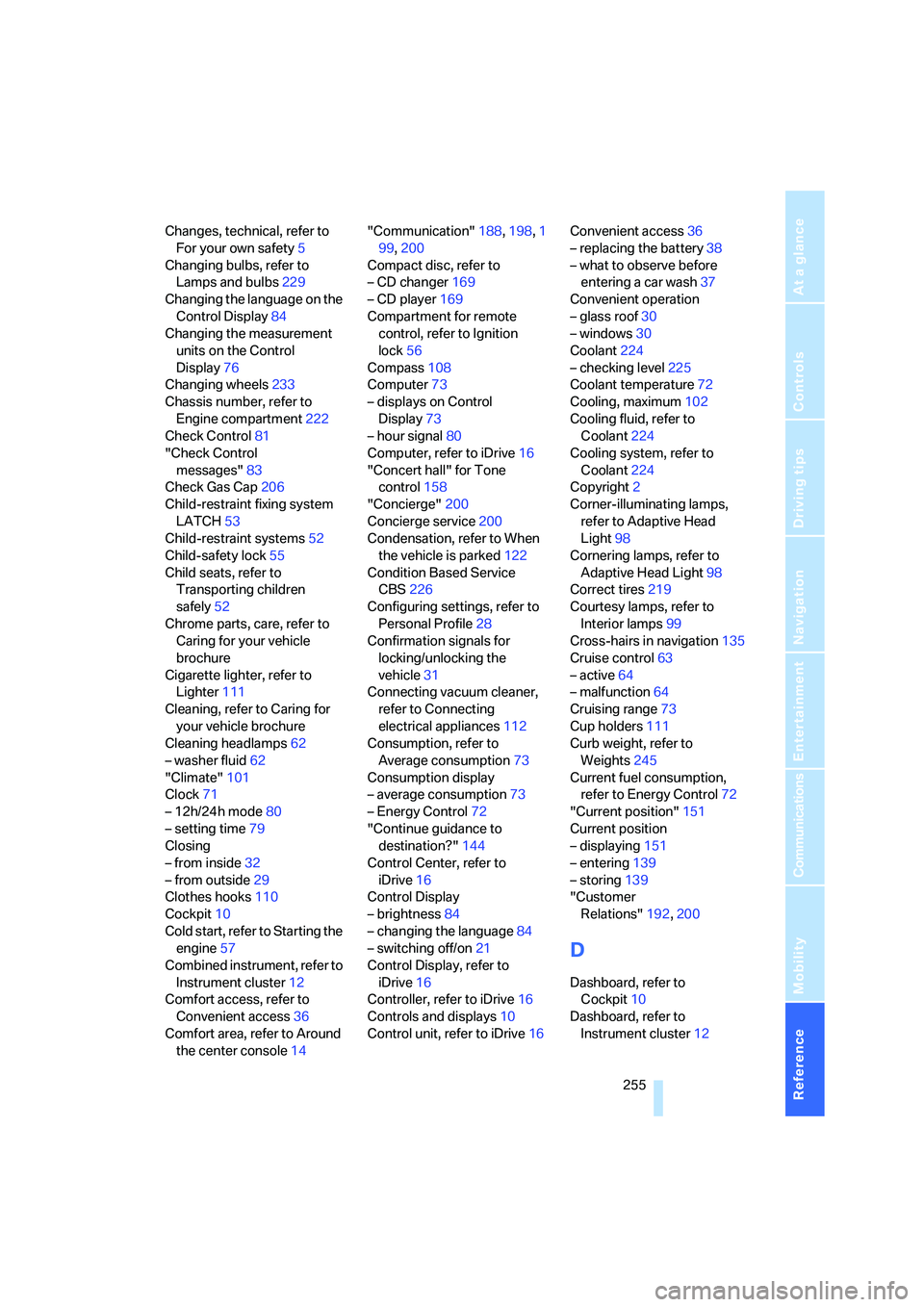
Changes, technical, refer to
For your own safety5
Changing bulbs, refer to
Lamps and bulbs229
Changing the language on the
Control Display84
Changing the measurement
units on the Control
Display76
Changing wheels233
Chassis number, refer to
Engine compartment222
Check Control81
"Check Control
messages"83
Check Gas Cap206
Child-restraint fixing system
LATCH53
Child-restraint systems52
Child-safety lock55
Child seats, refer to
Transporting children
safely52
Chrome parts, care, refer to
Caring for your vehicle
brochure
Cigarette lighter, refer to
Lighter111
Cleaning, refer to Caring for
your vehicle brochure
Cleaning headlamps62
– washer fluid62
"Climate"101
Clock71
– 12h/24h mode80
– setting time79
Closing
– from inside32
– from outside29
Clothes hooks110
Cockpit10
Cold start, refer to Starting the
engine57
Combined instrument, refer to
Instrument cluster12
Comfort access, refer to
Convenient access36
Comfort area, refer to Around
the center console14"Communication"188,198,1
99,200
Compact disc, refer to
– CD changer169
– CD player169
Compartment for remote
control, refer to Ignition
lock56
Compass108
Computer73
– displays on Control
Display73
– hour signal80
Computer, refer to iDrive16
"Concert hall" for Tone
control158
"Concierge"200
Concierge service200
Condensation, refer to When
the vehicle is parked122
Condition Based Service
CBS226
Configuring settings, refer to
Personal Profile28
Confirmation signals for
locking/unlocking the
vehicle31
Connecting vacuum cleaner,
refer to Connecting
electrical appliances112
Consumption, refer to
Average consumption73
Consumption display
– average consumption73
– Energy Control72
"Continue guidance to
destination?"144
Control Center, refer to
iDrive16
Control Display
– brightness84
– changing the language84
– switching off/on21
Control Display, refer to
iDrive16
Controller, refer to iDrive16
Controls and displays10
Control unit, refer to iDrive16Convenient access36
– replacing the battery38
– what to observe before
entering a car wash37
Convenient operation
– glass roof30
– windows30
Coolant224
– checking level225
Coolant temperature72
Cooling, maximum102
Cooling fluid, refer to
Coolant224
Cooling system, refer to
Coolant224
Copyright2
Corner-illuminating lamps,
refer to Adaptive Head
Light98
Cornering lamps, refer to
Adaptive Head Light98
Correct tires219
Courtesy lamps, refer to
Interior lamps99
Cross-hairs in navigation135
Cruise control63
– active64
– malfunction64
Cruising range73
Cup holders111
Curb weight, refer to
Weights245
Current fuel consumption,
refer to Energy Control72
"Current position"151
Current position
– displaying151
– entering139
– storing139
"Customer
Relations"192,200
D
Dashboard, refer to
Cockpit10
Dashboard, refer to
Instrument cluster12
Page 258 of 274
Everything from A - Z
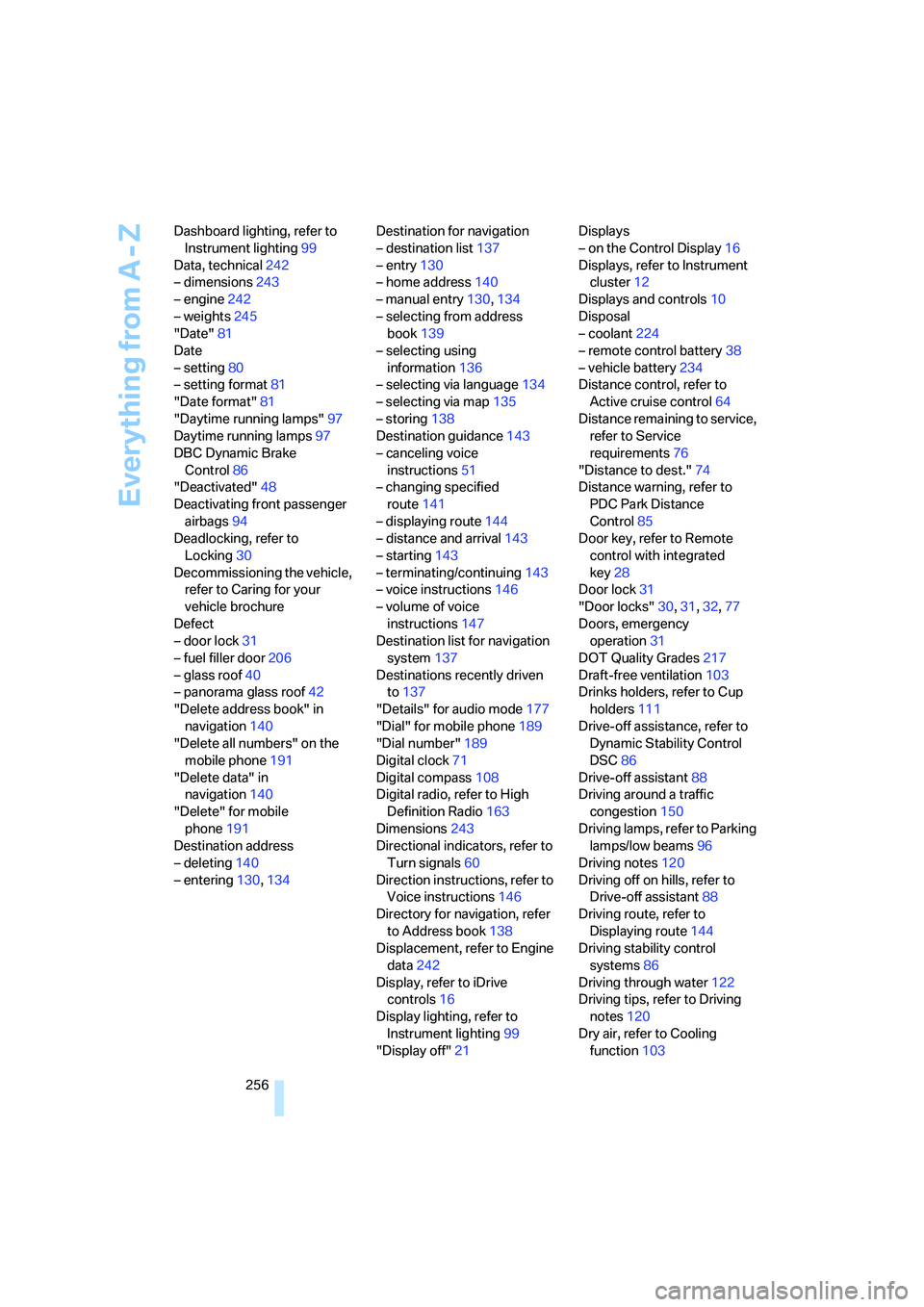
256 Dashboard lighting, refer to
Instrument lighting99
Data, technical242
– dimensions243
– engine242
– weights245
"Date"81
Date
– setting80
– setting format81
"Date format"81
"Daytime running lamps"97
Daytime running lamps97
DBC Dynamic Brake
Control86
"Deactivated"48
Deactivating front passenger
airbags94
Deadlocking, refer to
Locking30
Decommissioning the vehicle,
refer to Caring for your
vehicle brochure
Defect
– door lock31
– fuel filler door206
– glass roof40
– panorama glass roof42
"Delete address book" in
navigation140
"Delete all numbers" on the
mobile phone191
"Delete data" in
navigation140
"Delete" for mobile
phone191
Destination address
– deleting140
– entering130,134Destination for navigation
– destination list137
– entry130
– home address140
– manual entry130,134
– selecting from address
book139
– selecting using
information136
– selecting via language134
– selecting via map135
– storing138
Destination guidance143
– canceling voice
instructions51
– changing specified
route141
– displaying route144
– distance and arrival143
– starting143
– terminating/continuing143
– voice instructions146
– volume of voice
instructions147
Destination list for navigation
system137
Destinations recently driven
to137
"Details" for audio mode177
"Dial" for mobile phone189
"Dial number"189
Digital clock71
Digital compass108
Digital radio, refer to High
Definition Radio163
Dimensions243
Directional indicators, refer to
Turn signals60
Direction instructions, refer to
Voice instructions146
Directory for navigation, refer
to Address book138
Displacement, refer to Engine
data242
Display, refer to iDrive
controls16
Display lighting, refer to
Instrument lighting99
"Display off"21Displays
– on the Control Display16
Displays, refer to Instrument
cluster12
Displays and controls10
Disposal
– coolant224
– remote control battery38
– vehicle battery234
Distance control, refer to
Active cruise control64
Distance remaining to service,
refer to Service
requirements76
"Distance to dest."74
Distance warning, refer to
PDC Park Distance
Control85
Door key, refer to Remote
control with integrated
key28
Door lock31
"Door locks"30,31,32,77
Doors, emergency
operation31
DOT Quality Grades217
Draft-free ventilation103
Drinks holders, refer to Cup
holders111
Drive-off assistance, refer to
Dynamic Stability Control
DSC86
Drive-off assistant88
Driving around a traffic
congestion150
Driving lamps, refer to Parking
lamps/low beams96
Driving notes120
Driving off on hills, refer to
Drive-off assistant88
Driving route, refer to
Displaying route144
Driving stability control
systems86
Driving through water122
Driving tips, refer to Driving
notes120
Dry air, refer to Cooling
function103
Page 260 of 274
Everything from A - Z
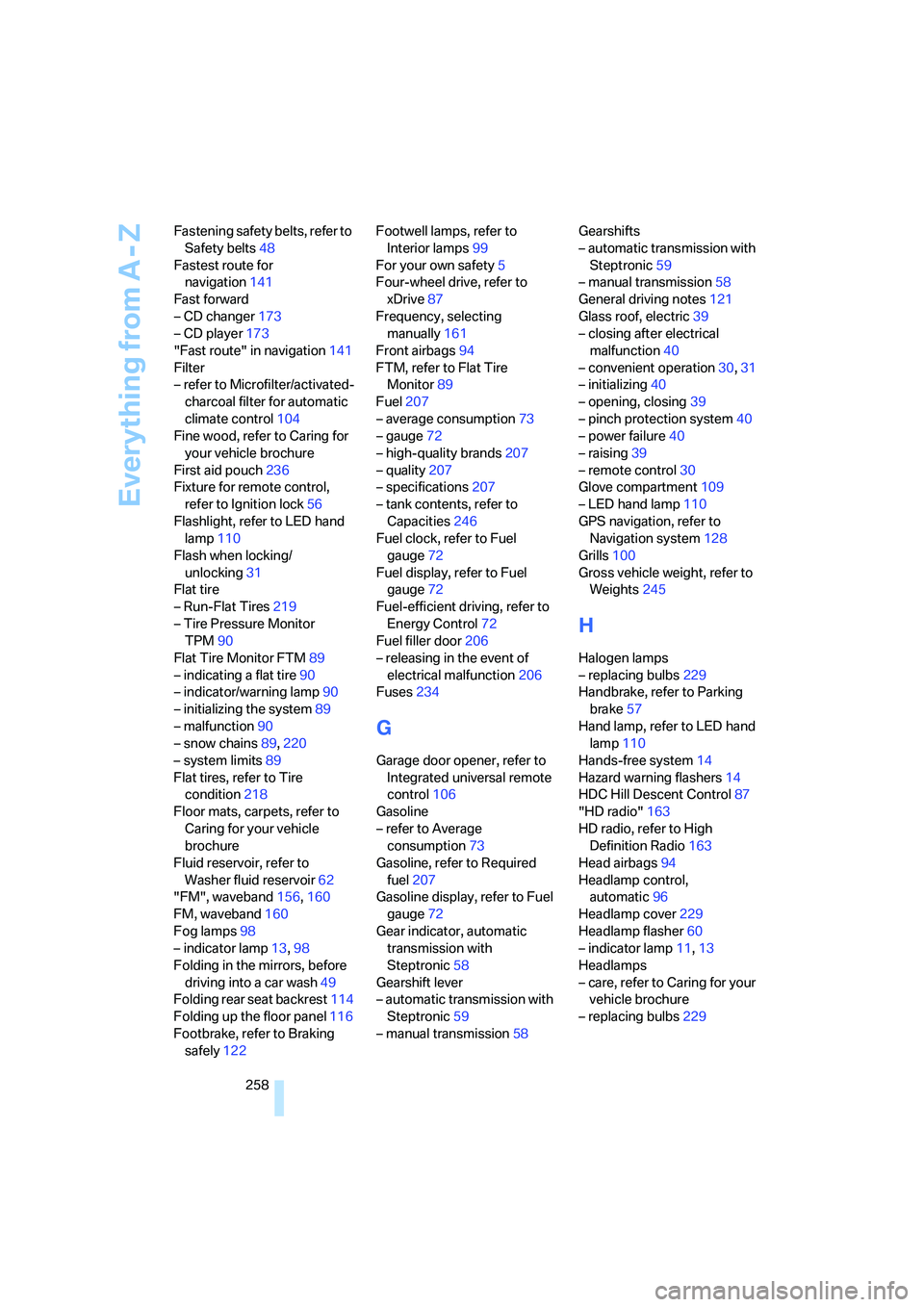
258 Fastening safety belts, refer to
Safety belts48
Fastest route for
navigation141
Fast forward
– CD changer173
– CD player173
"Fast route" in navigation141
Filter
– refer to Microfilter/activated-
charcoal filter for automatic
climate control104
Fine wood, refer to Caring for
your vehicle brochure
First aid pouch236
Fixture for remote control,
refer to Ignition lock56
Flashlight, refer to LED hand
lamp110
Flash when locking/
unlocking31
Flat tire
– Run-Flat Tires219
– Tire Pressure Monitor
TPM90
Flat Tire Monitor FTM89
– indicating a flat tire90
– indicator/warning lamp90
– initializing the system89
– malfunction90
– snow chains89,220
– system limits89
Flat tires, refer to Tire
condition218
Floor mats, carpets, refer to
Caring for your vehicle
brochure
Fluid reservoir, refer to
Washer fluid reservoir62
"FM", waveband156,160
FM, waveband160
Fog lamps98
– indicator lamp13,98
Folding in the mirrors, before
driving into a car wash49
Folding rear seat backrest114
Folding up the floor panel116
Footbrake, refer to Braking
safely122Footwell lamps, refer to
Interior lamps99
For your own safety5
Four-wheel drive, refer to
xDrive87
Frequency, selecting
manually161
Front airbags94
FTM, refer to Flat Tire
Monitor89
Fuel207
– average consumption73
– gauge72
– high-quality brands207
– quality207
– specifications207
– tank contents, refer to
Capacities246
Fuel clock, refer to Fuel
gauge72
Fuel display, refer to Fuel
gauge72
Fuel-efficient driving, refer to
Energy Control72
Fuel filler door206
– releasing in the event of
electrical malfunction206
Fuses234
G
Garage door opener, refer to
Integrated universal remote
control106
Gasoline
– refer to Average
consumption73
Gasoline, refer to Required
fuel207
Gasoline display, refer to Fuel
gauge72
Gear indicator, automatic
transmission with
Steptronic58
Gearshift lever
– automatic transmission with
Steptronic59
– manual transmission58Gearshifts
– automatic transmission with
Steptronic59
– manual transmission58
General driving notes121
Glass roof, electric39
– closing after electrical
malfunction40
– convenient operation30,31
– initializing40
– opening, closing39
– pinch protection system40
– power failure40
– raising39
– remote control30
Glove compartment109
– LED hand lamp110
GPS navigation, refer to
Navigation system128
Grills100
Gross vehicle weight, refer to
Weights245
H
Halogen lamps
– replacing bulbs229
Handbrake, refer to Parking
brake57
Hand lamp, refer to LED hand
lamp110
Hands-free system14
Hazard warning flashers14
HDC Hill Descent Control87
"HD radio"163
HD radio, refer to High
Definition Radio163
Head airbags94
Headlamp control,
automatic96
Headlamp cover229
Headlamp flasher60
– indicator lamp11,13
Headlamps
– care, refer to Caring for your
vehicle brochure
– replacing bulbs229
Page 267 of 274
Reference 265
At a glance
Controls
Driving tips
Communications
Navigation
Entertainment
Mobility
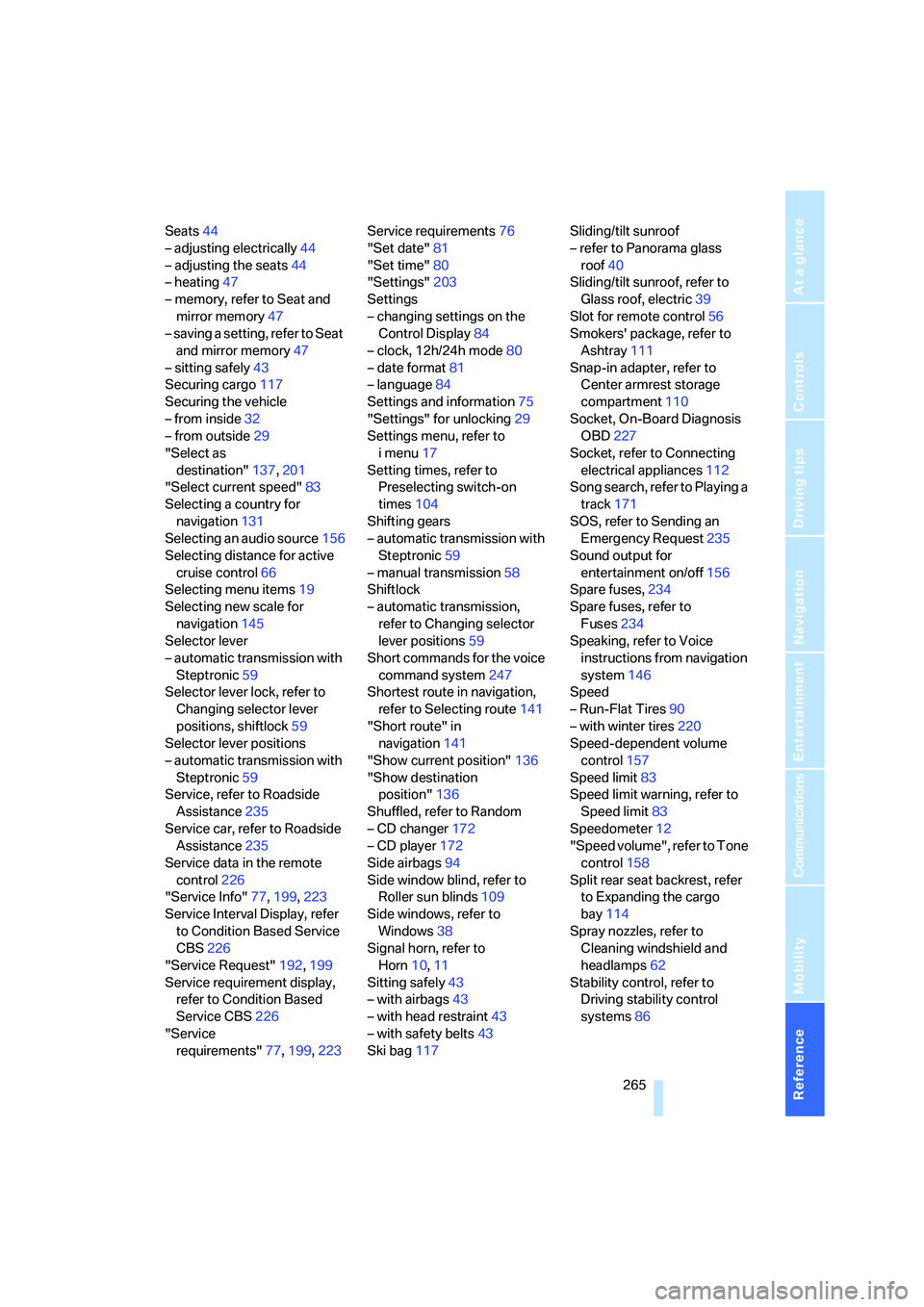
Seats44
– adjusting electrically44
– adjusting the seats44
– heating47
– memory, refer to Seat and
mirror memory47
– saving a setting, refer to Seat
and mirror memory47
– sitting safely43
Securing cargo117
Securing the vehicle
– from inside32
– from outside29
"Select as
destination"137,201
"Select current speed"83
Selecting a country for
navigation131
Selecting an audio source156
Selecting distance for active
cruise control66
Selecting menu items19
Selecting new scale for
navigation145
Selector lever
– automatic transmission with
Steptronic59
Selector lever lock, refer to
Changing selector lever
positions, shiftlock59
Selector lever positions
– automatic transmission with
Steptronic59
Service, refer to Roadside
Assistance235
Service car, refer to Roadside
Assistance235
Service data in the remote
control226
"Service Info"77,199,223
Service Interval Display, refer
to Condition Based Service
CBS226
"Service Request"192,199
Service requirement display,
refer to Condition Based
Service CBS226
"Service
requirements"77,199,223Service requirements76
"Set date"81
"Set time"80
"Settings"203
Settings
– changing settings on the
Control Display84
– clock, 12h/24h mode80
– date format
81
– language84
Settings and information75
"Settings" for unlocking29
Settings menu, refer to
imenu17
Setting times, refer to
Preselecting switch-on
times104
Shifting gears
– automatic transmission with
Steptronic59
– manual transmission58
Shiftlock
– automatic transmission,
refer to Changing selector
lever positions59
Short commands for the voice
command system247
Shortest route in navigation,
refer to Selecting route141
"Short route" in
navigation141
"Show current position"136
"Show destination
position"136
Shuffled, refer to Random
– CD changer172
– CD player172
Side airbags94
Side window blind, refer to
Roller sun blinds109
Side windows, refer to
Windows38
Signal horn, refer to
Horn10,11
Sitting safely43
– with airbags43
– with head restraint43
– with safety belts43
Ski bag117Sliding/tilt sunroof
– refer to Panorama glass
roof40
Sliding/tilt sunroof, refer to
Glass roof, electric39
Slot for remote control56
Smokers' package, refer to
Ashtray111
Snap-in adapter, refer to
Center armrest storage
compartment110
Socket, On-Board Diagnosis
OBD227
Socket, refer to Connecting
electrical appliances112
Song search, refer to Playing a
track171
SOS, refer to Sending an
Emergency Request235
Sound output for
entertainment on/off156
Spare fuses,234
Spare fuses, refer to
Fuses
234
Speaking, refer to Voice
instructions from navigation
system146
Speed
– Run-Flat Tires90
– with winter tires220
Speed-dependent volume
control157
Speed limit83
Speed limit warning, refer to
Speed limit83
Speedometer12
"Speed volume", refer to Tone
control158
Split rear seat backrest, refer
to Expanding the cargo
bay114
Spray nozzles, refer to
Cleaning windshield and
headlamps62
Stability control, refer to
Driving stability control
systems86