maintenance BMW 335XI 2008 User Guide
[x] Cancel search | Manufacturer: BMW, Model Year: 2008, Model line: 335XI, Model: BMW 335XI 2008Pages: 274, PDF Size: 8.88 MB
Page 210 of 274
Wheels and tires
208
Wheels and tires
Tire inflation pressures
Information for your safety
It is not merely the tires' service life, but also
driving comfort and, to a great extent, driving
safety that depend on the condition of the tires
and the maintenance of the specified tire pres-
sure.
Check the tire inflation pressure regularly
and correct it, if necessary: at least twice a
month and before starting long trips. If you fail
to observe this precaution you may be driving
on tires with incorrect tire pressures, a condi-
tion that can not only compromise your vehi-
cle's driving stability, but also lead to tire dam-
age and the risk of an accident. Do not drive
with deflated, i.e. flat tires, except when using
Run-Flat Tires. A flat tire will seriously impair
your vehicle's handling and braking response.
Attempts to drive on a flat tire can lead to loss of
control over the vehicle.<
Checking pressure
Only check tire inflation pressure when the
tires are cold. This means after a maximum of
1.25 miles/2 km driving or when the vehicle has
been parked for at least 2 hours. When tires are
warm, the tire inflation pressure is higher.
After correcting tire inflation pressures,
always reinitialize the Flat Tire Monitor,
refer to page89.<
Inflation pressure specifications
The tables below provide all the correct inflation
pressures for the specified tire sizes at ambient
temperature.
The inflation pressures apply to the tire
sizes approved and tire brands recom-
mended by BMW; a list of these is available
from your BMW center.<
For correct identification of the right tire infla-
tion pressures, observe the following:
>Tire sizes for your vehicle>Load conditions
>Maximum allowable driving speed
Tire inflation pressures for driving up to
100 mph or 160 km/h
For normal driving up to 100 mph or 160 km/h
and to achieve optimum driving comfort, adjust
pressures to the respective tire inflation pres-
sures listed on the following pages in the col-
umns for traveling speeds up to a maximum of
100mph or 160km/h.
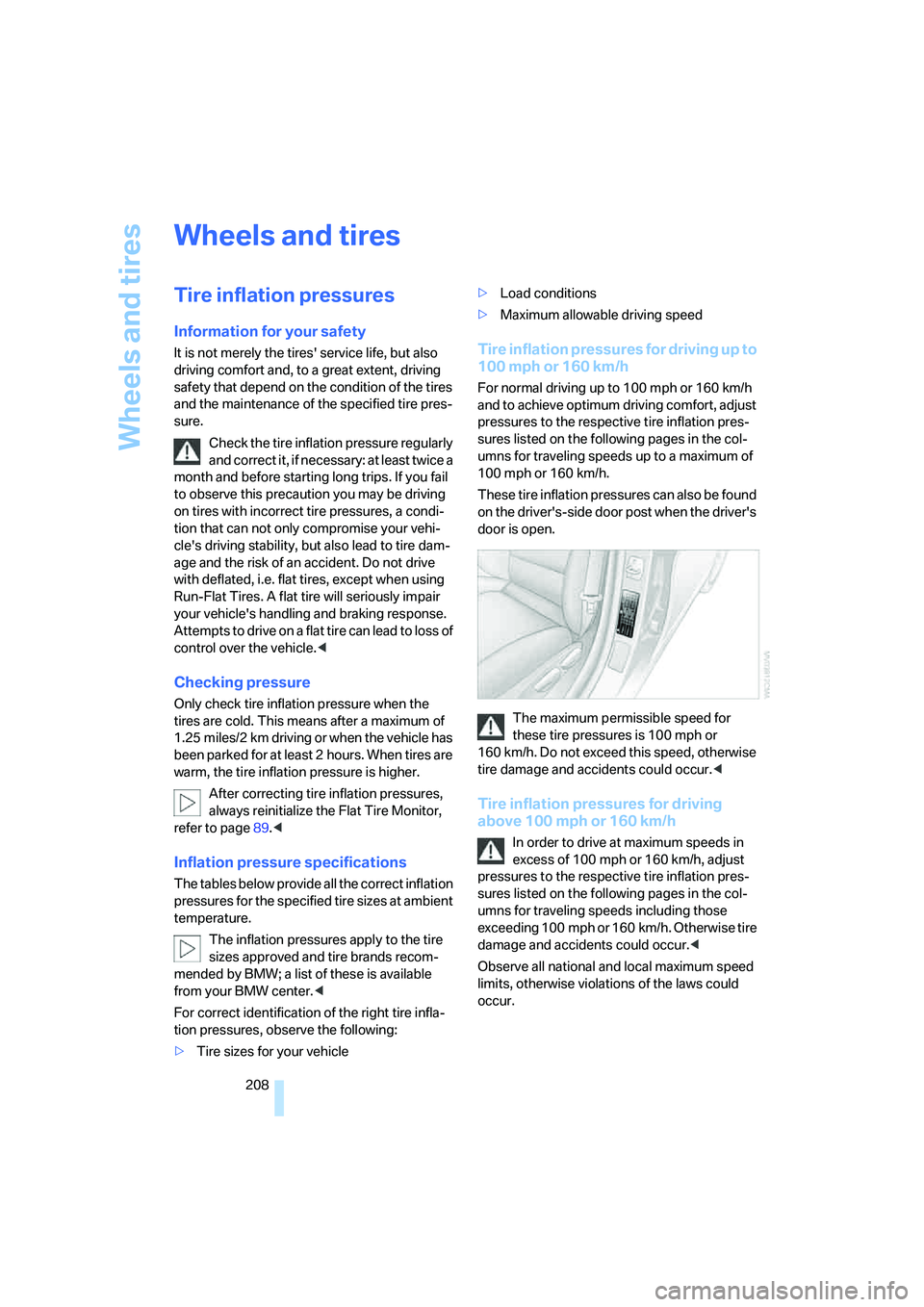
These tire inflation pressures can also be found
on the driver's-side door post when the driver's
door is open.
The maximum permissible speed for
these tire pressures is 100 mph or
160 km/h. Do not exceed this speed, otherwise
tire damage and accidents could occur.<
Tire inflation pressures for driving
above 100 mph or 160 km/h
In order to drive at maximum speeds in
excess of 100 mph or 160 km/h, adjust
pressures to the respective tire inflation pres-
sures listed on the following pages in the col-
umns for traveling speeds including those
exceeding 100 mph or 160 km/h. Otherwise tire
damage and accidents could occur.<
Observe all national and local maximum speed
limits, otherwise violations of the laws could
occur.
Page 228 of 274
Maintenance
226
Maintenance
BMW Maintenance System
The BMW Maintenance System supports the
preservation of the traffic and operating safety
of your BMW. The objective is to optimize
efforts with respect to minimal vehicle mainte-
nance costs.
If and when you come to sell your BMW, a com-
prehensive record of servicing will prove a sig-
nificant benefit.
CBS Condition Based Service
Sensors and special algorithms take the differ-
ent driving conditions of your BMW into
account. Condition Based Service uses this to
determine the current and future service
requirements. By letting you define a service
and maintenance regimen that reflects your
own individual requirements, the system builds
the basis for trouble-free driving.
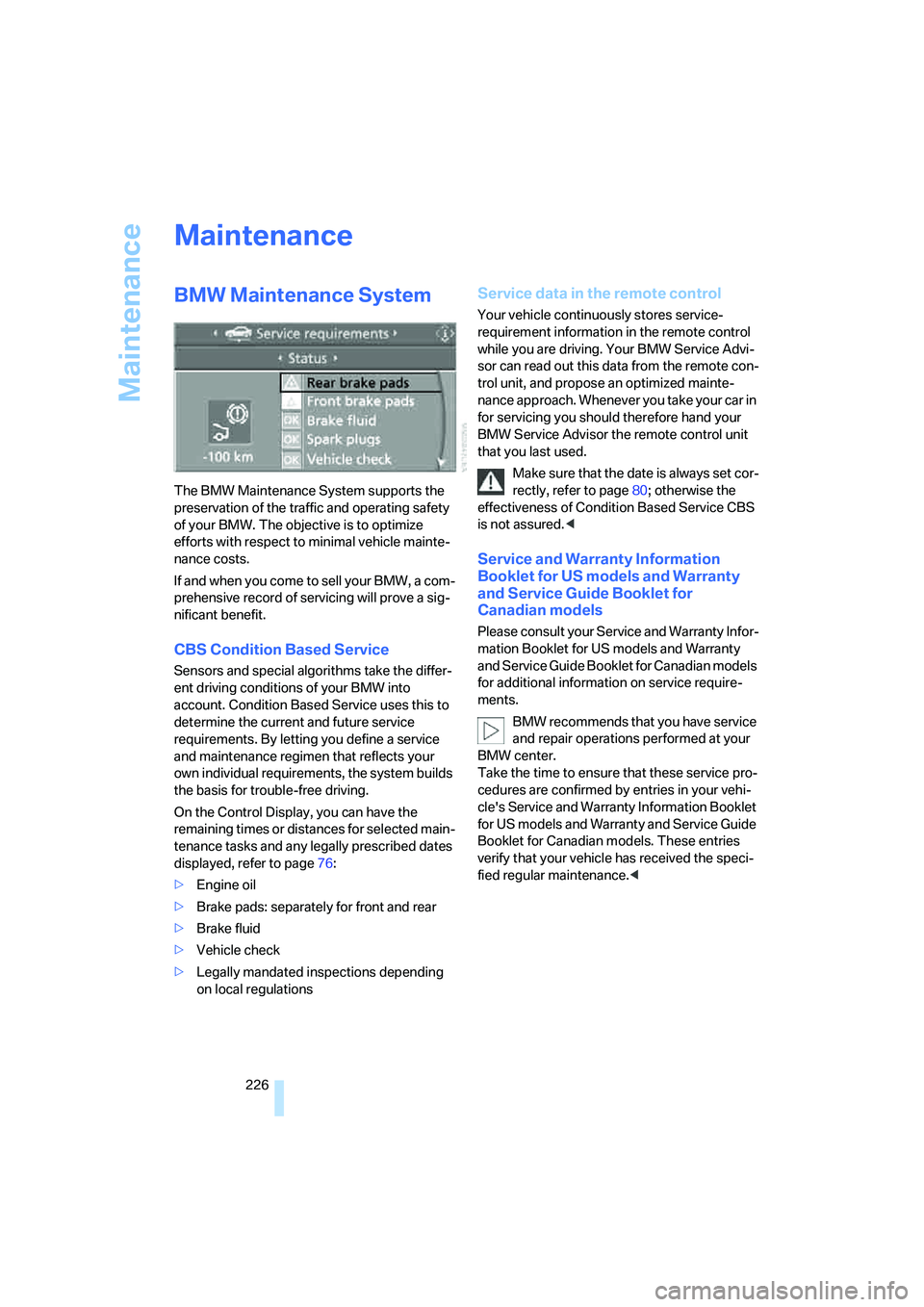
On the Control Display, you can have the
remaining times or distances for selected main-
tenance tasks and any legally prescribed dates
displayed, refer to page76:
>Engine oil
>Brake pads: separately for front and rear
>Brake fluid
>Vehicle check
>Legally mandated inspections depending
on local regulations
Service data in the remote control
Your vehicle continuously stores service-
requirement information in the remote control
while you are driving. Your BMW Service Advi-
sor can read out this data from the remote con-
trol unit, and propose an optimized mainte-
nance approach. Whenever you take your car in
for servicing you should therefore hand your
BMW Service Advisor the remote control unit
that you last used.
Make sure that the date is always set cor-
rectly, refer to page80; otherwise the
effectiveness of Condition Based Service CBS
is not assured.<
Service and Warranty Information
Booklet for US models and Warranty
and Service Guide Booklet for
Canadian models
Please consult your Service and Warranty Infor-
mation Booklet for US models and Warranty
and Service Guide Booklet for Canadian models
for additional information on service require-
ments.
BMW recommends that you have service
and repair operations performed at your
BMW center.
Take the time to ensure that these service pro-
cedures are confirmed by entries in your vehi-
cle's Service and Warranty Information Booklet
for US models and Warranty and Service Guide
Booklet for Canadian models. These entries
verify that your vehicle has received the speci-
fied regular maintenance.<
Page 231 of 274
Mobility
229Reference
At a glance
Controls
Driving tips
Communications
Navigation
Entertainment
Sports Wagon: changing rear wiper
blade
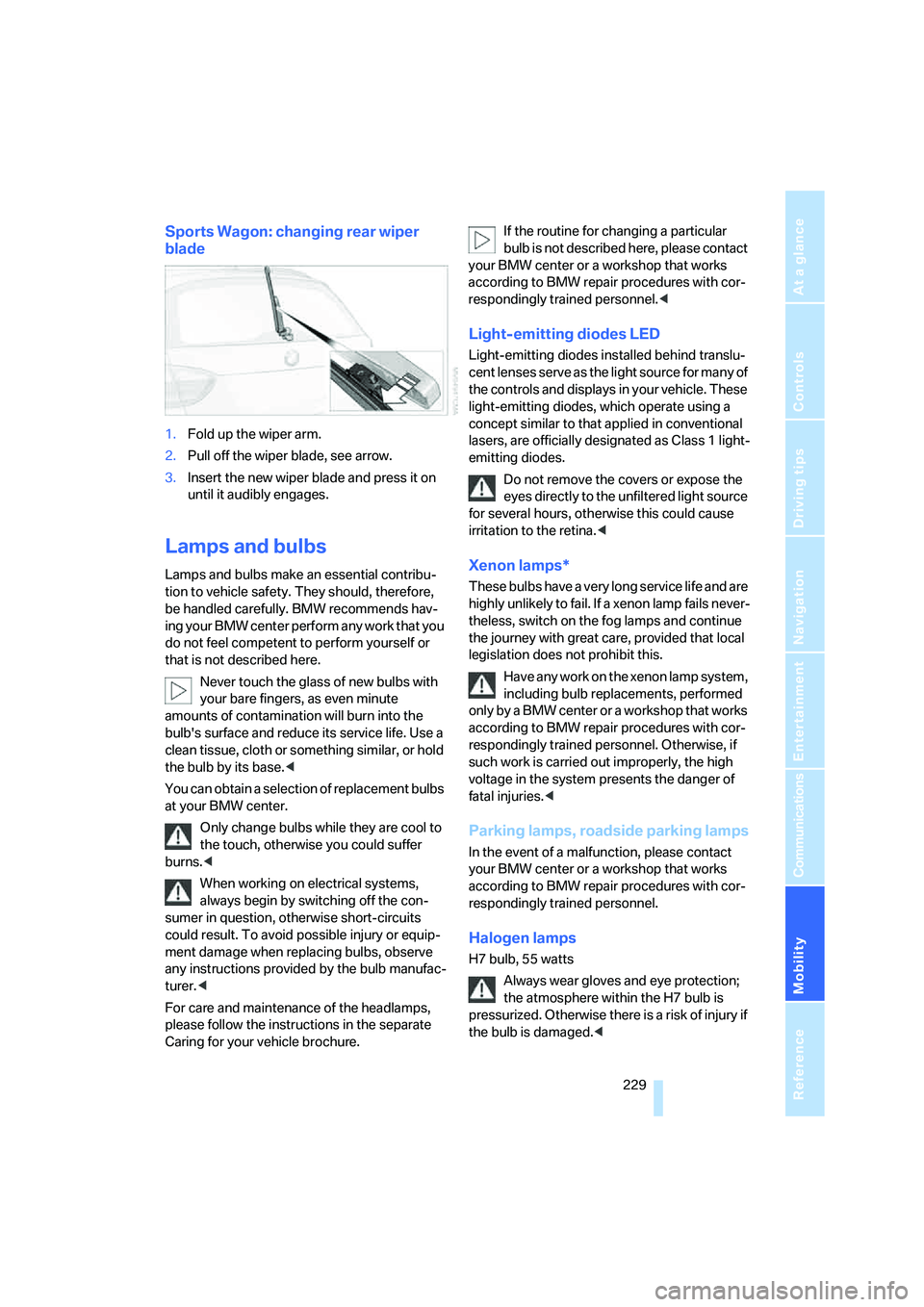
1.Fold up the wiper arm.
2.Pull off the wiper blade, see arrow.
3.Insert the new wiper blade and press it on
until it audibly engages.
Lamps and bulbs
Lamps and bulbs make an essential contribu-
tion to vehicle safety. They should, therefore,
be handled carefully. BMW recommends hav-
ing your BMW center perform any work that you
do not feel competent to perform yourself or
that is not described here.
Never touch the glass of new bulbs with
your bare fingers, as even minute
amounts of contamination will burn into the
bulb's surface and reduce its service life. Use a
clean tissue, cloth or something similar, or hold
the bulb by its base.<
You can obtain a selection of replacement bulbs
at your BMW center.
Only change bulbs while they are cool to
the touch, otherwise you could suffer
burns.<
When working on electrical systems,
always begin by switching off the con-
sumer in question, otherwise short-circuits
could result. To avoid possible injury or equip-
ment damage when replacing bulbs, observe
any instructions provided by the bulb manufac-
turer.<
For care and maintenance of the headlamps,
please follow the instructions in the separate
Caring for your vehicle brochure.If the routine for changing a particular
bulb is not described here, please contact
your BMW center or a workshop that works
according to BMW repair procedures with cor-
respondingly trained personnel.<
Light-emitting diodes LED
Light-emitting diodes installed behind translu-
cent lenses serve as the light source for many of
the controls and displays in your vehicle. These
light-emitting diodes, which operate using a
concept similar to that applied in conventional
lasers, are officially designated as Class 1 light-
emitting diodes.
Do not remove the covers or expose the
eyes directly to the unfiltered light source
for several hours, otherwise this could cause
irritation to the retina.<
Xenon lamps*
These bulbs have a very long service life and are
highly unlikely to fail. If a xenon lamp fails never-
theless, switch on the fog lamps and continue
the journey with great care, provided that local
legislation does not prohibit this.
Have any work on the xenon lamp system,
including bulb replacements, performed
only by a BMW center or a workshop that works
according to BMW repair procedures with cor-
respondingly trained personnel. Otherwise, if
such work is carried out improperly, the high
voltage in the system presents the danger of
fatal injuries.<
Parking lamps, roadside parking lamps
In the event of a malfunction, please contact
your BMW center or a workshop that works
according to BMW repair procedures with cor-
respondingly trained personnel.
Halogen lamps
H7 bulb, 55 watts
Always wear gloves and eye protection;
the atmosphere within the H7 bulb is
pressurized. Otherwise there is a risk of injury if
the bulb is damaged.<
Page 235 of 274
Mobility
233Reference
At a glance
Controls
Driving tips
Communications
Navigation
Entertainment
Sports Wagon
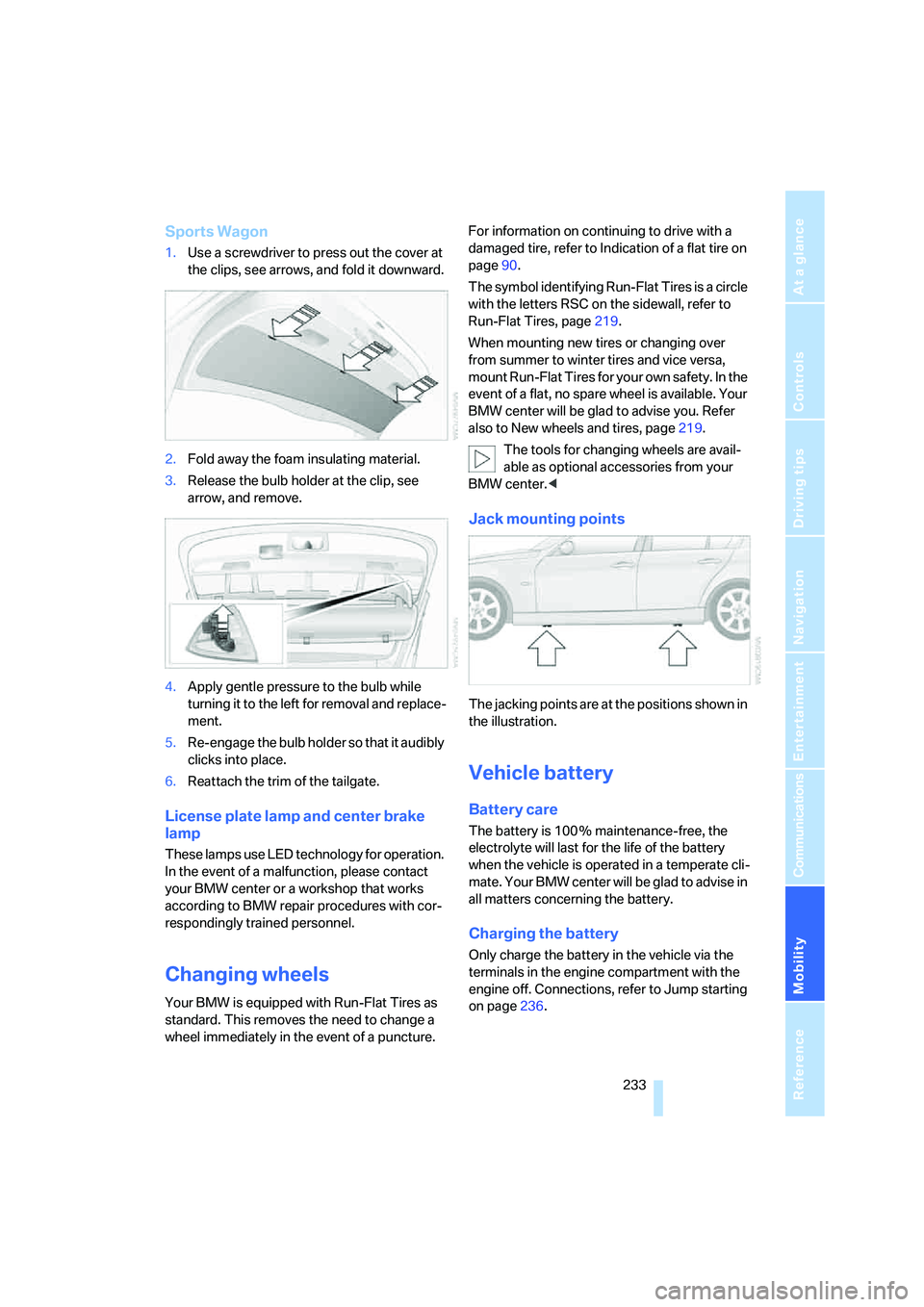
1.Use a screwdriver to press out the cover at
the clips, see arrows, and fold it downward.
2.Fold away the foam insulating material.
3.Release the bulb holder at the clip, see
arrow, and remove.
4.Apply gentle pressure to the bulb while
turning it to the left for removal and replace-
ment.
5.Re-engage the bulb holder so that it audibly
clicks into place.
6.Reattach the trim of the tailgate.
License plate lamp and center brake
lamp
These lamps use LED technology for operation.
In the event of a malfunction, please contact
your BMW center or a workshop that works
according to BMW repair procedures with cor-
respondingly trained personnel.
Changing wheels
Your BMW is equipped with Run-Flat Tires as
standard. This removes the need to change a
wheel immediately in the event of a puncture.For information on continuing to drive with a
damaged tire, refer to Indication of a flat tire on
page90.
The symbol identifying Run-Flat Tires is a circle
with the letters RSC on the sidewall, refer to
Run-Flat Tires, page219.
When mounting new tires or changing over
from summer to winter tires and vice versa,
mount Run-Flat Tires for your own safety. In the
event of a flat, no spare wheel is available. Your
BMW center will be glad to advise you. Refer
also to New wheels and tires, page219.
The tools for changing wheels are avail-
able as optional accessories from your
BMW center.<
Jack mounting points
The jacking points are at the positions shown in
the illustration.
Vehicle battery
Battery care
The battery is 100 % maintenance-free, the
electrolyte will last for the life of the battery
when the vehicle is operated in a temperate cli-
mate. Your BMW center will be glad to advise in
all matters concerning the battery.
Charging the battery
Only charge the battery in the vehicle via the
terminals in the engine compartment with the
engine off. Connections, refer to Jump starting
on page236.
Page 255 of 274
Reference 253
At a glance
Controls
Driving tips
Communications
Navigation
Entertainment
Mobility
Automatic
– air distribution102
– air flow rate102
– cruise control63,64
– headlamp control96
– service notification199
– storing of stations161
Automatic climate control100
– automatic air
distribution102
– settings via iDrive101
Automatic curb monitor49
"Automatic programs" with
automatic climate
control102
Automatic recirculated-air
control AUC102
Automatic station search161
Automatic transmission with
Steptronic58
– interlock58,59
– overriding selector lever
lock60
– shiftlock, refer to Changing
selector lever position59
– sport program59
– towing237
– tow-starting237
"Automatic ventilation"104
AUTO program for automatic
climate control102
"Auto Request"199
"Autostore"
– on the radio162
"AUX"156,175,177
– AUX-In port175
– USB-audio interface176
AUX-IN
– port110
AUX-In port175
Average fuel consumption73
– setting the units76
Average speed73
"Avoid ferries" in
navigation141
"Avoid highways" in
navigation141
Avoid highways in
navigation141Avoiding unintentional
alarms36
"Avoid tollroads" in
navigation141
Axle loads, refer to
Weights245
"A - Z"189
,190
B
Backrest contour, refer to
Lumbar support45
Backrests, refer to Seat
adjustment44
Backrest width adjustment45
Back seats
– refer to Rear seats46
Backup lamps
– replacing bulb232
Backup lamps, refer to Tail
lamps231
Balance, tone control157
Band-aids, refer to First-aid
pouch236
Bar, refer to Towing
methods238
Base plate for telephone or
mobile phone
– refer to Snap-in adapter in
the center armrest storage
compartment110
Bass, tone control157
Bass sounds, refer to Treble
and bass157
Battery233
– charging233
– disposal38,234
– jump starting236
– remote control28
– temporary power failure234
Battery renewal
– remote control38
– remote control for vehicle38
Being towed238
Belts, refer to Safety belts48
Belt tensioner, refer to Safety
belts48
Beverage holders, refer to
Cup holders111Blower, refer to Air flow
rate102
Bluetooth, refer to separate
Owner's Manual
"BMW Assist"198,199,200
BMW Assist
– activating202
– Concierge service200
– contacting BMW Customer
Relations200
– Roadside Assistance198
– services offered197
– TeleService199
"BMW Contact"192
"BMW Contact
Numbers"192
BMW Homepage4
BMW Maintenance
System226
"BMW Service settings"203
BMW webpage4
Bottle holders, refer to Cup
holders111
Brake assist, refer to Dynamic
Brake Control DBC86
Brake fluid, refer to Service
requirements76
Brake Force Display93
Brake lamps
– replacing bulb232
– two-stage93
Brake pads120
– breaking in120
Brake rotors122
– brakes120
– breaking in120
Brakes
– ABS86
– BMW Maintenance
System226
– breaking in120
– parking brake57
– service requirements76
Brakes, refer to Braking
safely122
Page 256 of 274
Everything from A - Z
254 Brake system120
– BMW Maintenance
System226
– breaking in120
– disc brakes122
Breakdown services, refer to
Roadside Assistance235
Breaking in the clutch120
Breaking in the differential,
refer to Engine and
differential120
Break-in period120
Brightness of the Control
Display84
"Brightness" on the Control
Display84
Bulb changing, refer to Lamps
and bulbs229
Button for starting the engine,
refer to Start/stop button56
Buttons on the steering
wheel11
C
California Proposition 65
warning6
"Call"190,201
Call
– accepting188
– displaying accepted190
– ending189
– missed190
– starting189
Calling
– from phone book189
– from Top 8 list190
– redialing190
Can holders, refer to Cup
holders111
Capacities246
Capacity of the cargo bay245
Car battery, refer to Vehicle
battery233
Car care, refer to Caring for
your vehicle brochure
Car-care products, refer to
Caring for your vehicle
brochure"Car Data"73
Care, refer to Caring for your
vehicle brochure
Cargo, securing124
Cargo bay114
– capacity245
– convenient access37
– folding up the floor
panel116
– lamp, refer to Interior
lamps99
– opening from inside33
– opening from outside33
– partition net114
– roll-up cover114
Cargo bay lid, refer to
Luggage compartment lid/
tailgate33
Cargo bay net, refer to
Partition net114
Cargo loading
– securing cargo124
– stowing cargo123
– vehicle123
Caring for artificial leather,
refer to Caring for your
vehicle brochure
Caring for leather, refer to
Caring for your vehicle
brochure
Caring for plastic, refer to
Caring for your vehicle
brochure
Caring for the carpet, refer to
Caring for your vehicle
brochure
Caring for the vehicle finish,
refer to Caring for your
vehicle brochure
Car jack
– jacking points233
Car key, refer to Integrated
key/remote control28
Car phone182
– installation location, refer to
Center armrest110
– refer to Mobile phone182
– refer to separate Owner's
ManualCar radio, refer to Radio160
Car wash122
– also refer to Caring for your
vehicle brochure
– with convenient access37
Catalytic converter, refer to
Hot exhaust system121
"Categories" for satellite
radio167
CBS Condition Based
Service226
"CD"156,169
CD changer169
– compressed audio files169
– controls156
– fast forward/reverse173
– installation location173
– playing a track171
– random order172
– repeating a track172
– selecting a CD169
– selecting a track170
– switching on/off156
– tone control157
– volume157
CD player169
– compressed audio files169
– controls156
– fast forward/reverse173
– playing a track171
– random order172
– repeating a track172
– selecting a track170
– switching on/off156
– tone control157
– volume157
Center armrest110
Center brake lamp
– replacing bulb233
Center console, refer to
Around the center
console14
"Central locking"30
Central locking
– from inside32
– from outside29
Central locking system29
– convenient access36
– hotel function34
Page 259 of 274
Reference 257
At a glance
Controls
Driving tips
Communications
Navigation
Entertainment
Mobility
DSC Dynamic Stability
Control86
DTC Dynamic Traction
Control87
– indicator/warning lamp87
DVD for navigation128
Dynamic Brake Control
DBC86
"Dynamic route" in
navigation141
Dynamic Stability Control
DSC
– indicator/warning lamp87
Dynamic Traction Control
DTC
– indicator/warning lamp87
E
EBV Electronic brake-force
distribution86
Eject button, refer to Buttons
on the CD player156
Electrical malfunction
– door lock31
– driver's door31
– fuel filler door206
– glass roof40
– luggage compartment lid/
tailgate33
– panorama glass roof42
Electric seat adjustment44
Electric steering wheel lock
– with convenient access37
Electronic oil level check222
Emergency actuation,
automatic transmission,
refer to Overriding selector
lever lock60
Emergency operation
– fuel filler door, manual
release206
Emergency operation, refer to
Closing manually
– glass roof40
– panorama glass roof42
Emergency operation, refer to
Manual operation
– door lock31Emergency release
– luggage compartment lid
from inside34
Emergency Request235
Emergency services, refer to
Roadside Assistance235
"Enabled services"202
"Enable services"203
"End call"189
Energy, saving
– saving fuel120
Energy-conscious driving,
refer to Energy Control72
Energy Control72
Engine
– breaking in120
– data242
– overheated, refer to Coolant
temperature72
– speed242
– starting57
– starting, convenient
access36
– switching off57
Engine compartment222
Engine coolant, refer to
Coolant224
Engine oil
– adding224
– BMW Maintenance
System226
– capacity246
– checking level222
– intervals between changes,
refer to Service
requirements76
"Engine oil level"223
Engine output, refer to Engine
data242
Engine speed, refer to Engine
data242
Engine starting, refer to
Starting the engine57
"Enter address"131
Entering a destination131
Entering a destination
country131
Entering a house number or
intersection133Entering an intersection132
Entering a street132
"Entertainment"156
Entry lamps, refer to Interior
lamps99
Environmentally friendly
driving, refer to Energy
Control72
"Equalizer", refer to Tone
control159
Equalizer, refer to Tone
control158
Error messages, refer to
Check Control81
"ESN"166
ESP Electronic Stability
Program, refer to DSC
Dynamic Stability
Control86
Event data recorders227
Exhaust system, refer to Hot
exhaust system121
Expanding the cargo bay114
Exterior mirrors49
– adjusting49
– automatic dimming
feature50
– automatic heating49
– folding in and out49
External audio device110
External audio device, refer to
AUX-In port175
Eyes
– for tow-starting and towing
away238
– for tying down loads124
F
Fader, tone control157
Failure messages, refer to
Check Control81
Failure of an electrical
consumer234
False alarm
– avoiding unintentional
alarm36
– switching off an alarm36
Page 262 of 274
Everything from A - Z
260 Instrument panel, refer to
Cockpit10
Integrated key28
Integrated universal remote
control106
Interesting destination for
navigation136
"Interim time"84
Interior lamps99
– remote control30
Interior motion sensor36
Interior rearview mirror50
– automatic dimming
feature50
– compass108
Interlock, refer to Disengaging
the remote control58
Intermittent mode of the
wipers61
J
Jacking points233
Joystick, refer to iDrive16
Jumpering, refer to Jump
starting236
Jump starting236
K
Key, refer to Integrated key/
remote control28
Keyless go, refer to
Convenient access36
Keyless opening and closing,
refer to Convenient
access36
Key Memory, refer to Personal
Profile28
Kick-down59
– automatic transmission with
Steptronic59
Knock control207
L
Lamps
– automatic headlamp
control96
– parking lamps/low beams96
Lamps and bulbs, replacing
bulbs229
"Language / Units"76
"Language / Units" in
navigation129,146
"Language" on the Control
Display84
"Languages" in
navigation129,146
Lap-and-shoulder belt, refer
to Safety belts48
Lashing eyes, refer to
Securing cargo124
Last destinations, refer to
Destination list137
"Last seat pos."48
LATCH child-restraint fixing
system53
LED hand lamp110
LED Light-emitting
diodes229
Length, refer to
Dimensions243
License plate lamp, replacing
bulb233
Light-emitting diodes
LED229
Lighter111
– connecting electrical
appliances112
"Lighting"61
Lighting
– instruments99
– lamps and bulbs229
– vehicle, refer to Lamps96
Light-metal alloy wheels, care,
refer to Caring for your
vehicle brochure
Light switch96
"Limit"83
Limit, refer to Speed limit83
Load securing equipment,
refer to Securing cargo124Lock buttons, doors, refer to
Locking32
Locking
– adjusting confirmation
signal31
– from inside32
– from outside30
– without remote control, refer
to Convenient access36
Locking and unlocking doors
– confirmation signals31
– from inside32
– from outside29
Low-beam headlamps96
– automatic
96
Low beams
– replacing bulbs229
Lower back support, refer to
Lumbar support45
Luggage compartment lid33
– convenient access37
– emergency operation, refer
to Opening manually33
– emergency release34
– locking or unlocking
separately34
– opening from inside33
– opening from outside33
– opening manually33
– remote control30
Luggage rack, refer to Roof-
mounted luggage rack124
Lumbar support45
M
M+S tires, refer to Winter
tires220
Maintenance, refer to Service
Booklet
Maintenance system226
Malfunction
– automatic transmission with
Steptronic60
– luggage compartment lid/
tailgate33
– tires90
Malfunction warnings, refer to
Check Control81
Page 263 of 274
Reference 261
At a glance
Controls
Driving tips
Communications
Navigation
Entertainment
Mobility
Manual mode, automatic
transmission with
Steptronic59
"Manual" on the radio161
Manual operation
– door lock31
– driver's door31
– fuel filler door206
– glass roof40
– luggage compartment lid/
tailgate33
– panorama glass roof42
– transmission lock, automatic
transmission60
Manual transmission58
Map
– changing scale145
– destination entry135
"Map direction of travel"145
"Map facing north"145
Master key, refer to Remote
control with integrated
key28
Maximum cooling102
Maximum speed
– with winter tires220
Measurements, refer to
Dimensions243
Memory, refer to Seat and
mirror memory47
Memory keys,
programmable21
MENU button16
Menus
– Control Display17
Menus, refer to iDrive16
Message list, traffic
information148
Microfilter
– BMW Maintenance
System226
– for automatic climate
control104
Microfilter/activated-charcoal
filter
– BMW Maintenance
System226Microphone
– telephone14
– voice input14
Mirror dimming feature50
Mirrors49
– automatic curb monitor49
– exterior mirrors49
– heating49
– interior rearview mirror50
– memory, refer to Seat and
mirror memory47
"Missed calls"190
Missed calls190
Mobile phone
– accepted calls190
– adjusting volume187
– calling
189
– ending call189
– installation location, refer to
Center armrest110
– missed calls190
– operation via iDrive187
– redialing190
– refer to separate Owner's
Manual
– Top 8190
– touch tone dialing192
Mobile phone, installation
location, refer to Center
armrest110
Mobile phone, refer to the
separate Owner's Manual
Modifications, technical, refer
to For your own safety5
Monitor, refer to iDrive
controls16
Monitoring system for tire
pressures, refer to Flat Tire
Monitor89
"Monitor on / off"51
Most recent mobile phone
numbers190
MP3, refer to Compressed
audio files169
Multifunctional steering
wheel, refer to Buttons on
the steering wheel11Multifunction switch
– refer to Turn signals/
headlamp flasher60
– refer to Wiper system61
Multimedia screen, refer to
iDrive16
Music tracks, refer to
Tracks170
"Mute on / off"51
N
"Navigation"130,136
Navigation announcements,
refer to Switching voice
instructions on/off146
Navigation drive, location128
Navigation DVD128