audio BMW 4.8I 2008 User Guide
[x] Cancel search | Manufacturer: BMW, Model Year: 2008, Model line: 4.8I, Model: BMW 4.8I 2008Pages: 292, PDF Size: 9.32 MB
Page 167 of 292
Navigation
Entertainment
Driving tips
165Reference
At a glance
Controls
Communications
Mobility
Professional HiFi System*
You can choose between stereo and multi-
channel playback, surround.
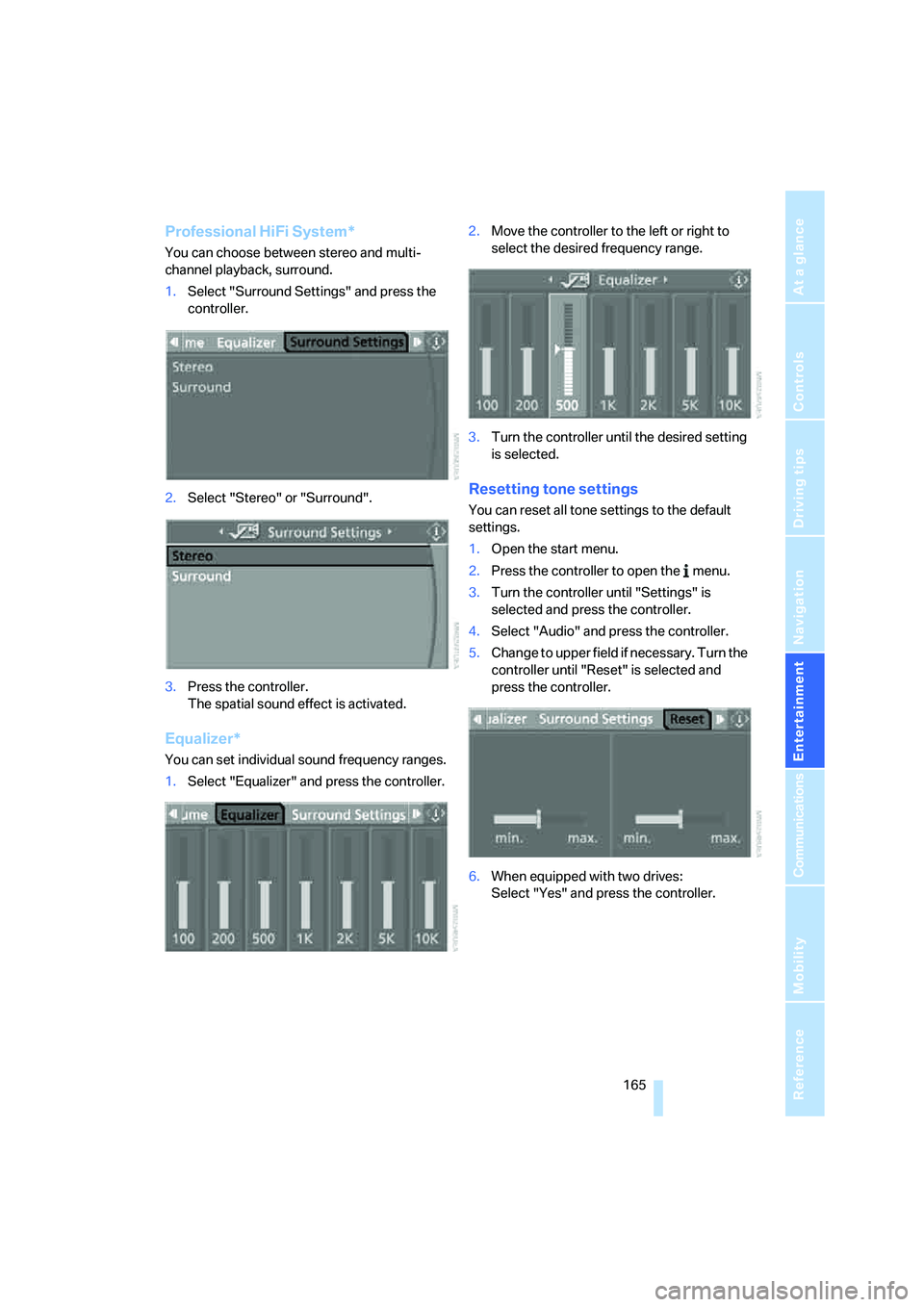
1.Select "Surround Settings" and press the
controller.
2.Select "Stereo" or "Surround".
3.Press the controller.
The spatial sound effect is activated.
Equalizer*
You can set individual sound frequency ranges.
1.Select "Equalizer" and press the controller.2.Move the controller to the left or right to
select the desired frequency range.
3.Turn the controller until the desired setting
is selected.
Resetting tone settings
You can reset all tone settings to the default
settings.
1.Open the start menu.
2.Press the controller to open the menu.
3.Turn the controller until "Settings" is
selected and press the controller.
4.Select "Audio" and press the controller.
5.Change to upper field if necessary. Turn the
controller until "Reset" is selected and
press the controller.
6.When equipped with two drives:
Select "Yes" and press the controller.
Page 171 of 292
Navigation
Entertainment
Driving tips
169Reference
At a glance
Controls
Communications
Mobility
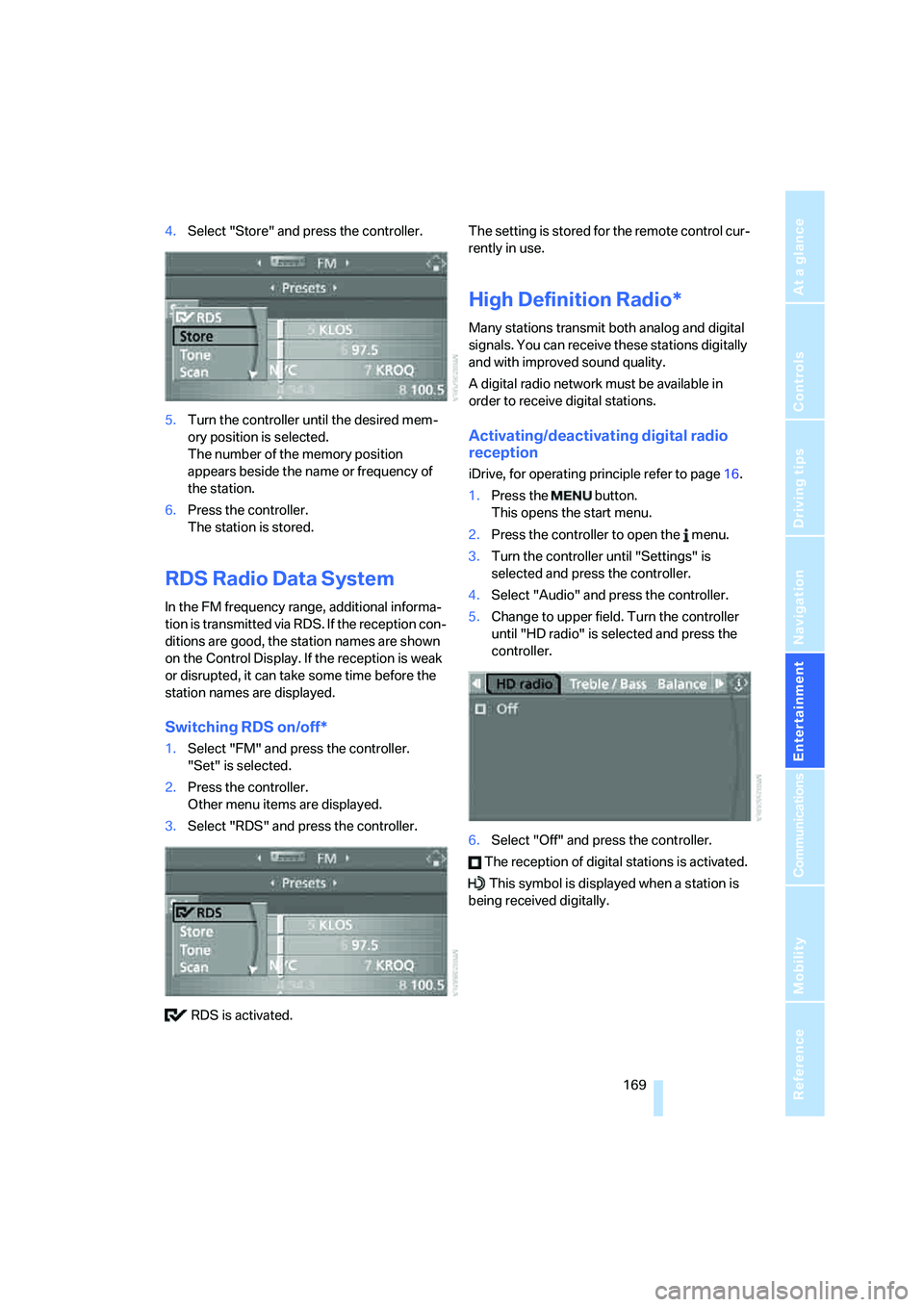
4.Select "Store" and press the controller.
5.Turn the controller until the desired mem-
ory position is selected.
The number of the memory position
appears beside the name or frequency of
the station.
6.Press the controller.
The station is stored.
RDS Radio Data System
In the FM frequency range, additional informa-
tion is transmitted via RDS. If the reception con-
ditions are good, the station names are shown
on the Control Display. If the reception is weak
or disrupted, it can take some time before the
station names are displayed.
Switching RDS on/off*
1.Select "FM" and press the controller.
"Set" is selected.
2.Press the controller.
Other menu items are displayed.
3.Select "RDS" and press the controller.
RDS is activated.The setting is stored for the remote control cur-
rently in use.
High Definition Radio*
Many stations transmit both analog and digital
signals. You can receive these stations digitally
and with improved sound quality.
A digital radio network must be available in
order to receive digital stations.
Activating/deactivating digital radio
reception
iDrive, for operating principle refer to page16.
1.Press the button.
This opens the start menu.
2.Press the controller to open the menu.
3.Turn the controller until "Settings" is
selected and press the controller.
4.Select "Audio" and press the controller.
5.Change to upper field. Turn the controller
until "HD radio" is selected and press the
controller.
6.Select "Off" and press the controller.
The reception of digital stations is activated.
This symbol is displayed when a station is
being received digitally.
Page 177 of 292
Navigation
Entertainment
Driving tips
175Reference
At a glance
Controls
Communications
Mobility
CD player and CD changer
Listening to CDs
When equipped with two drives:
The upper drive is for audio CDs.
Compressed audio files
CDs with compressed audio files, i.e. MP3, can
be played by the CD player and CD changer.
Starting CD player
Inserting CD
Insert the CD into the drive with the labeled side
up.
The CD is automatically pulled in. Playback
starts automatically if the sound output is on.
For CDs with compressed audio files, it can take
up to approx. 1 minute to read in the data
depending on the directory structure.
Via iDrive
Starting playback when there is already a CD in
the drive:
iDrive, for operating principle refer to page16.
1.Press the button.
This opens the start menu.
2.Move the controller backwards to open
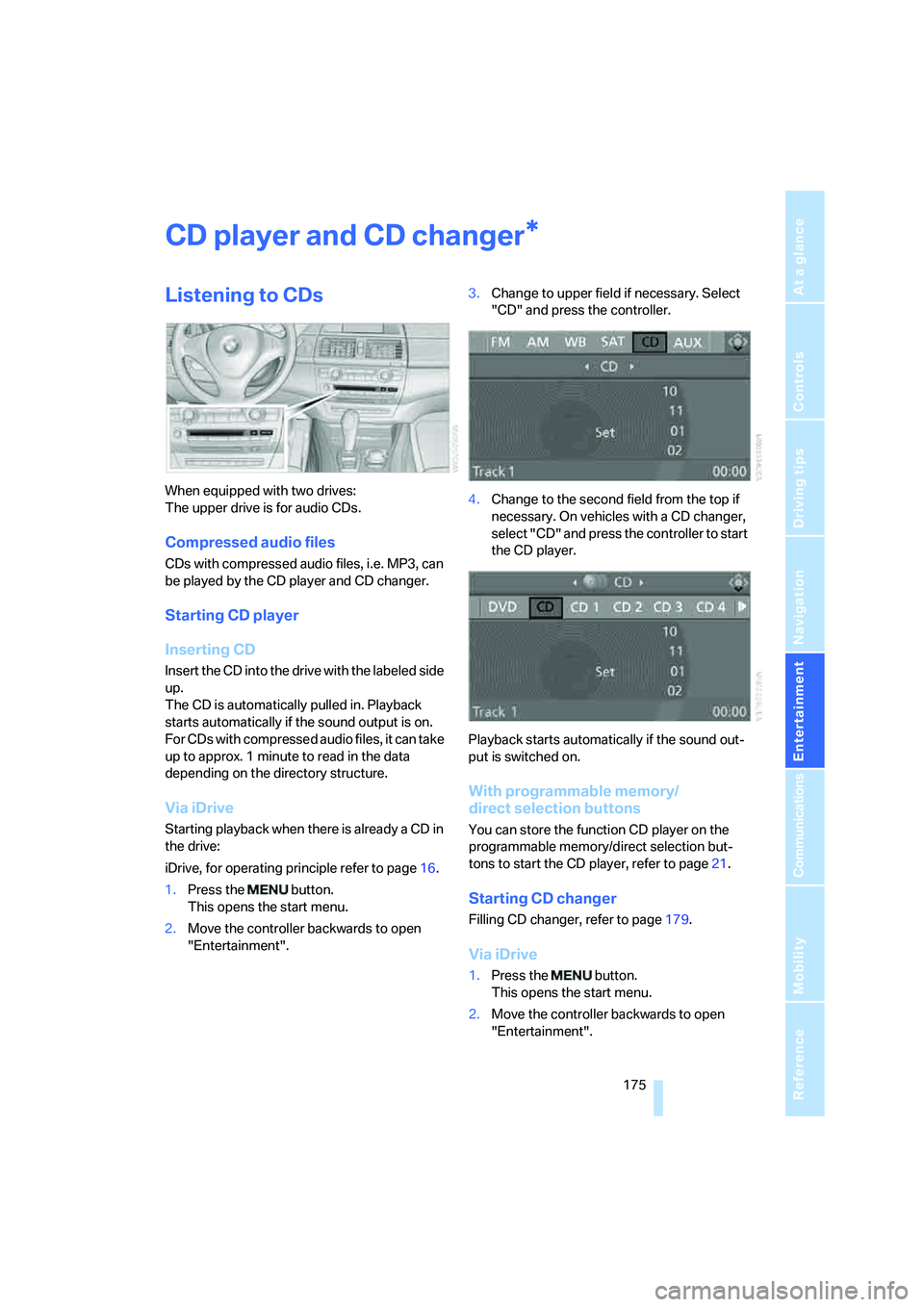
"Entertainment".3.Change to upper field if necessary. Select
"CD" and press the controller.
4.Change to the second field from the top if
necessary. On vehicles with a CD changer,
select "CD" and press the controller to start
the CD player.
Playback starts automatically if the sound out-
put is switched on.
With programmable memory/
direct selection buttons
You can store the function CD player on the
programmable memory/direct selection but-
tons to start the CD player, refer to page21.
Starting CD changer
Filling CD changer, refer to page179.
Via iDrive
1.Press the button.
This opens the start menu.
2.Move the controller backwards to open
"Entertainment".
*
Page 178 of 292
CD player and CD changer
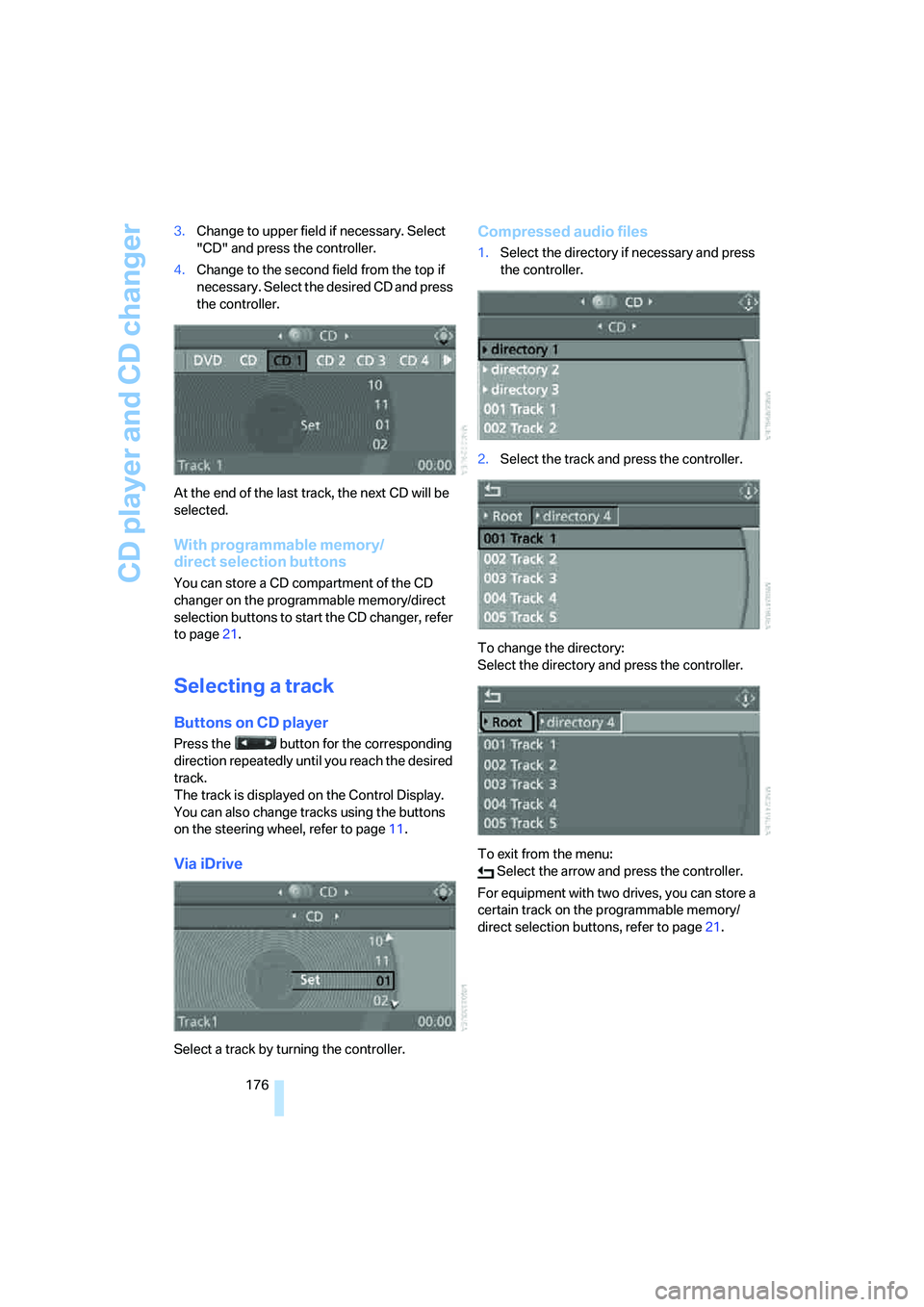
176 3.Change to upper field if necessary. Select
"CD" and press the controller.
4.Change to the second field from the top if
necessary. Select the desired CD and press
the controller.
At the end of the last track, the next CD will be
selected.
With programmable memory/
direct selection buttons
You can store a CD compartment of the CD
changer on the programmable memory/direct
selection buttons to start the CD changer, refer
to page21.
Selecting a track
Buttons on CD player
Press the button for the corresponding
direction repeatedly until you reach the desired
track.
The track is displayed on the Control Display.
You can also change tracks using the buttons
on the steering wheel, refer to page11.
Via iDrive
Select a track by turning the controller.
Compressed audio files
1.Select the directory if necessary and press
the controller.
2.Select the track and press the controller.
To change the directory:
Select the directory and press the controller.
To exit from the menu:
Select the arrow and press the controller.
For equipment with two drives, you can store a
certain track on the programmable memory/
direct selection buttons, refer to page21.
Page 179 of 292
Navigation
Entertainment
Driving tips
177Reference
At a glance
Controls
Communications
Mobility
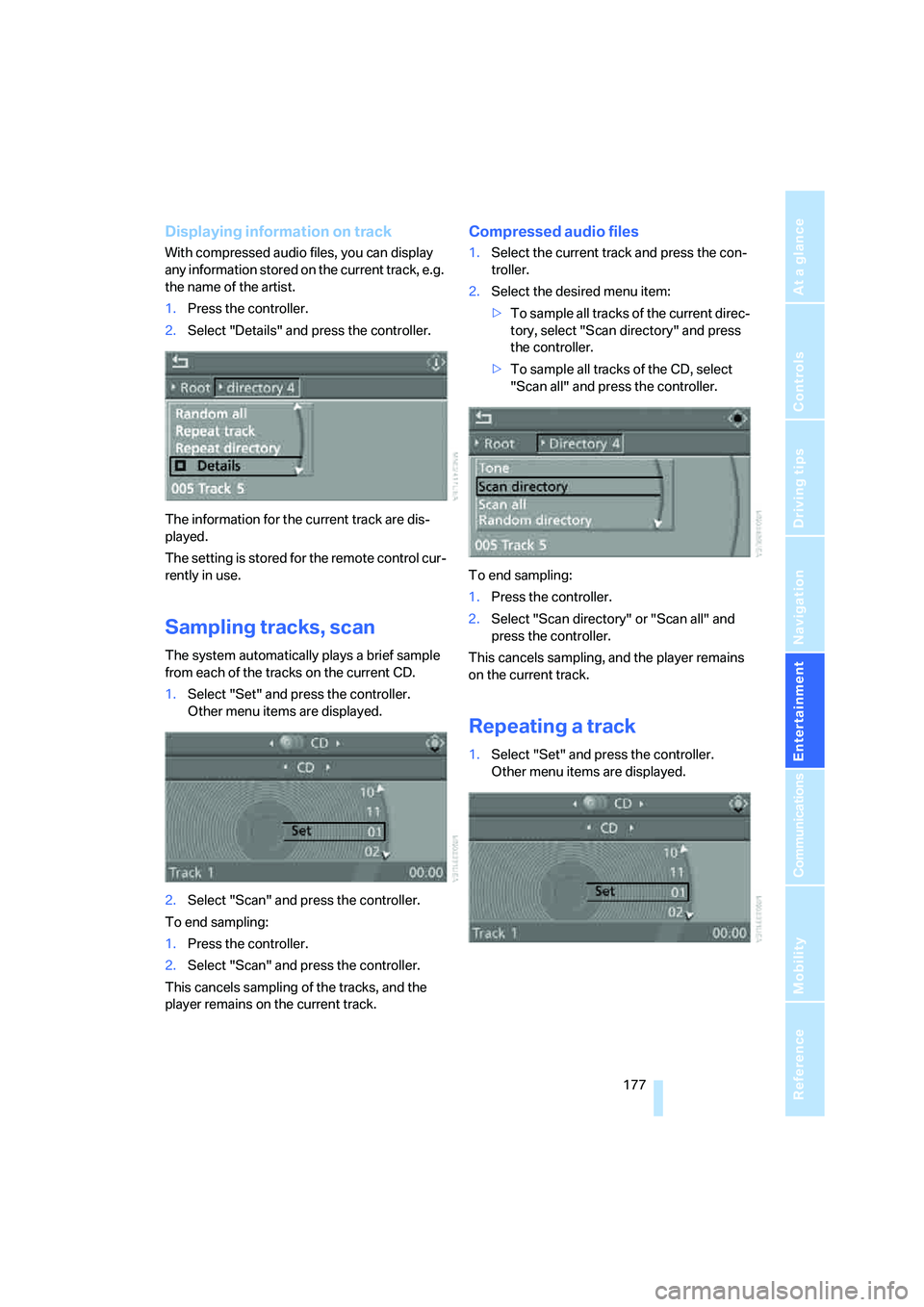
Displaying information on track
With compressed audio files, you can display
any information stored on the current track, e.g.
the name of the artist.
1.Press the controller.
2.Select "Details" and press the controller.
The information for the current track are dis-
played.
The setting is stored for the remote control cur-
rently in use.
Sampling tracks, scan
The system automatically plays a brief sample
from each of the tracks on the current CD.
1.Select "Set" and press the controller.
Other menu items are displayed.
2.Select "Scan" and press the controller.
To end sampling:
1.Press the controller.
2.Select "Scan" and press the controller.
This cancels sampling of the tracks, and the
player remains on the current track.
Compressed audio files
1.Select the current track and press the con-
troller.
2.Select the desired menu item:
>To sample all tracks of the current direc-
tory, select "Scan directory" and press
the controller.
>To sample all tracks of the CD, select
"Scan all" and press the controller.
To end sampling:
1.Press the controller.
2.Select "Scan directory" or "Scan all" and
press the controller.
This cancels sampling, and the player remains
on the current track.
Repeating a track
1.Select "Set" and press the controller.
Other menu items are displayed.
Page 180 of 292
CD player and CD changer
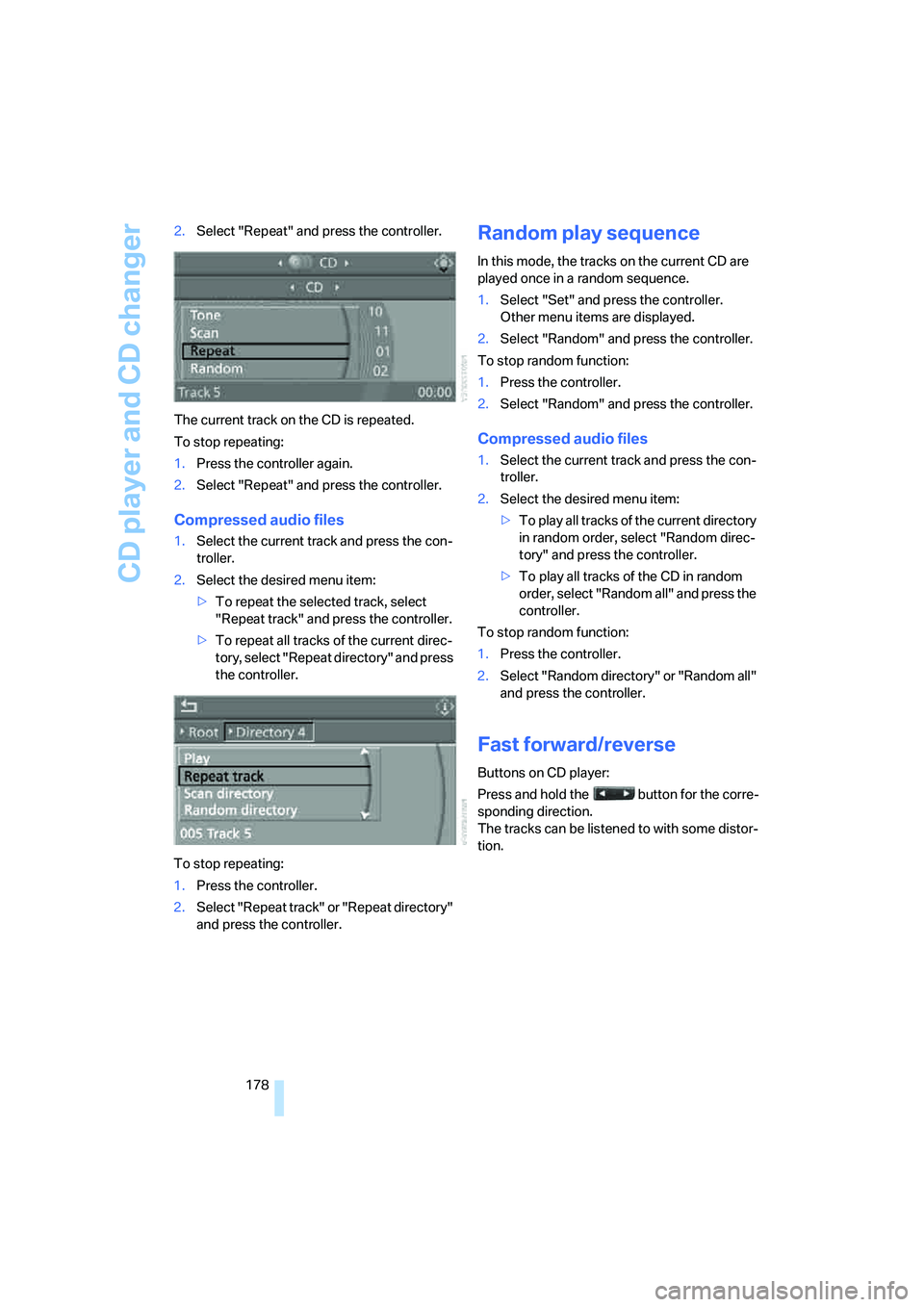
178 2.Select "Repeat" and press the controller.
The current track on the CD is repeated.
To stop repeating:
1.Press the controller again.
2.Select "Repeat" and press the controller.
Compressed audio files
1.Select the current track and press the con-
troller.
2.Select the desired menu item:
>To repeat the selected track, select
"Repeat track" and press the controller.
>To repeat all tracks of the current direc-
tory, select "Repeat directory" and press
the controller.
To stop repeating:
1.Press the controller.
2.Select "Repeat track" or "Repeat directory"
and press the controller.
Random play sequence
In this mode, the tracks on the current CD are
played once in a random sequence.
1.Select "Set" and press the controller.
Other menu items are displayed.
2.Select "Random" and press the controller.
To stop random function:
1.Press the controller.
2.Select "Random" and press the controller.
Compressed audio files
1.Select the current track and press the con-
troller.
2.Select the desired menu item:
>To pla y all tracks of the current directory
in random order, select "Random direc-
tory" and press the controller.
>To play all tracks of the CD in random
order, select "Random all" and press the
controller.
To stop random function:
1.Press the controller.
2.Select "Random directory" or "Random all"
and press the controller.
Fast forward/reverse
Buttons on CD player:
Press and hold the button for the corre-
sponding direction.
The tracks can be listened to with some distor-
tion.
Page 184 of 292
DVD changer
182
Removing all DVDs from the DVD
changer
1.Hold down the button.
The DVDs are pushed partway out of the
DVD changer in sequence.
2.Remove the DVDs individually.
Malfunctions
If all of the LEDs on the DVD changer flash rap-
idly, then a malfunction is occurring. In this
case, proceed as follows.
1.Press the button or button.
The DVD last inserted is ejected.
2.Remove the DVD.
The DVD changer tests the DVD compartments
and the rapid flashing of the LEDs stops. The
DVD changer is once more operational.
DVD country codes
Your DVD player only plays DVDs with the cod-
ing of your home region, e.g. Europe = 2. The
country codes supported by your DVD are con-
tained in the information on your DVD. It is not
possible to change this coding. An overview of
the six coding zones:
DVDs with the code 0 can be played back
on all units.<
Playing DVDs
Depending on the equipment in your vehicle,
you have the option of playing back both the
audio track and video track of DVDs or only their
audio track.
>Vehicles with two drives: audio and video
playback
>Vehicles with a single drive: audio playback,
refer to page186
Audio and video playback
For your own safety, the picture only appears in
the Control Display at speeds of up to about
2 mph/3 km/h. For certain national-market ver-
sions, the picture does not appear in the Control
Display unless the vehicle is stopped and the
transmission is in Park.
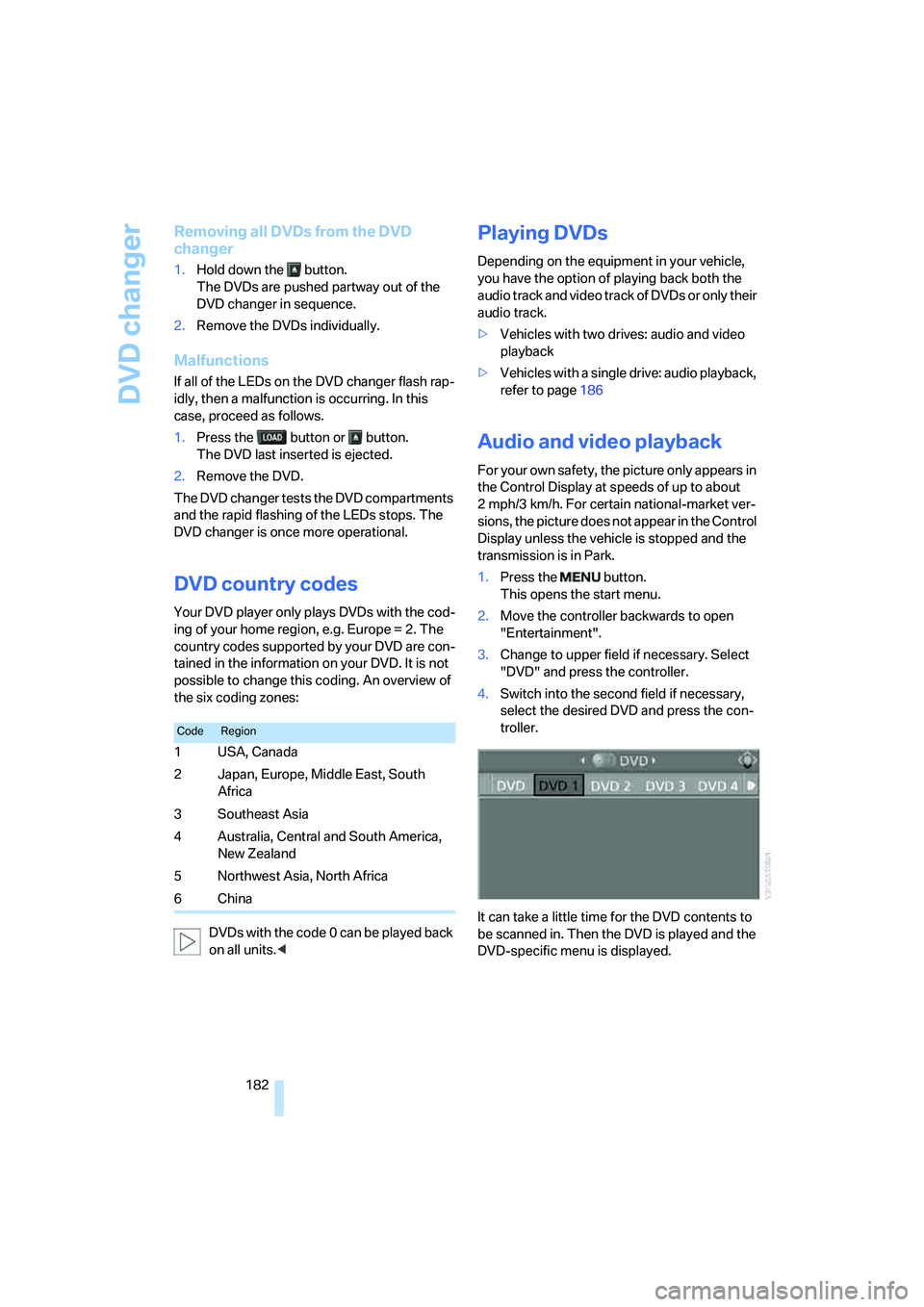
1.Press the button.
This opens the start menu.
2.Move the controller backwards to open
"Entertainment".
3.Change to upper field if necessary. Select
"DVD" and press the controller.
4.Switch into the second field if necessary,
select the desired DVD and press the con-
troller.
It can take a little time for the DVD contents to
be scanned in. Then the DVD is played and the
DVD-specific menu is displayed.
CodeRegion
1USA, Canada
2 Japan, Europe, Middle East, South
Africa
3Southeast Asia
4 Australia, Central and South America,
New Zealand
5 Northwest Asia, North Africa
6China
Page 186 of 292
DVD changer
184
Tone control
In DVDs with multichannel or surround sound,
for optimum playback, select an audio track
with multichannel sound and set the tone set-
tings to Surround, refer to Selecting language
on page184 and Professional HiFi System* on
page165.
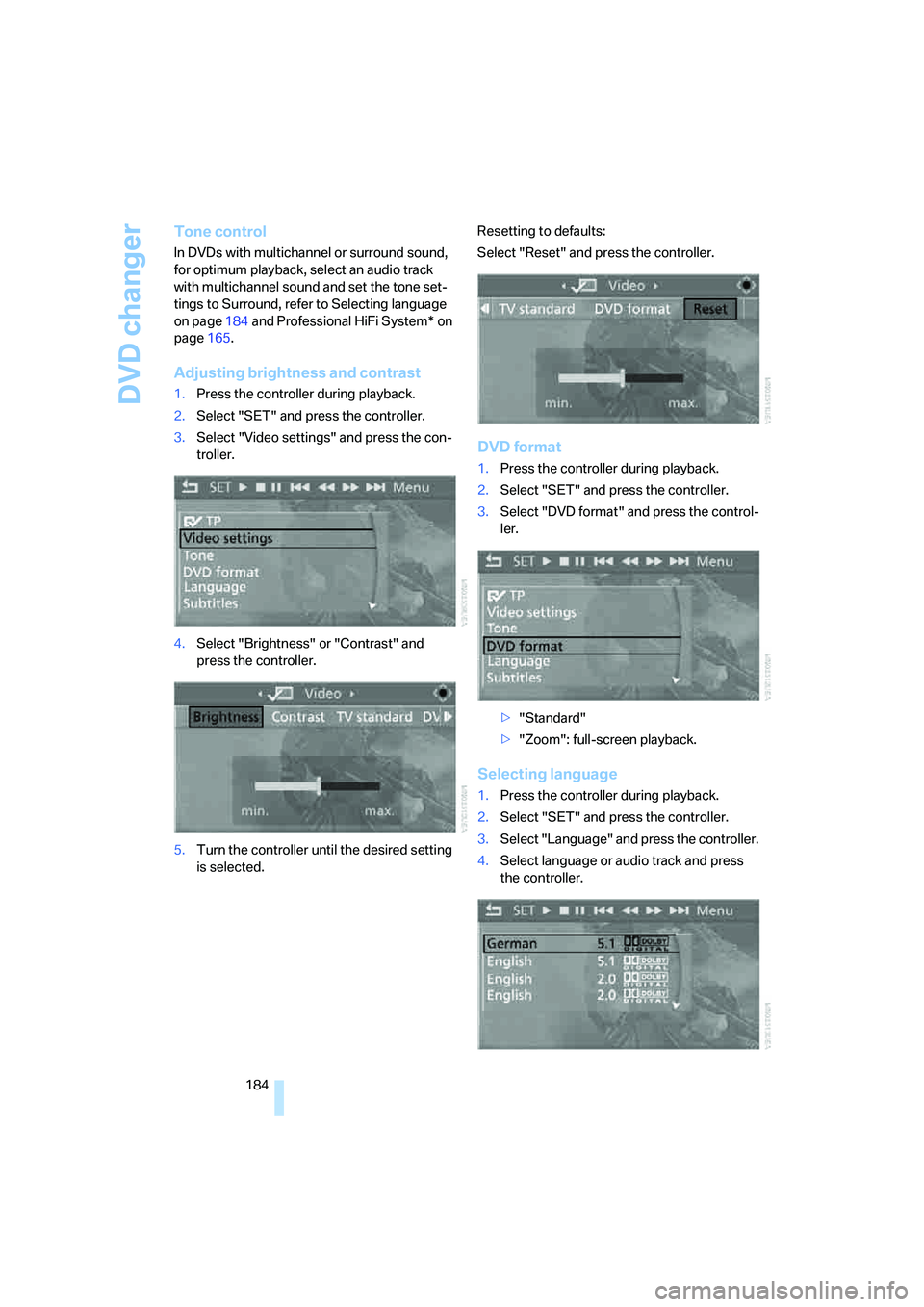
Adjusting brightness and contrast
1.Press the controller during playback.
2.Select "SET" and press the controller.
3.Select "Video settings" and press the con-
troller.
4.Select "Brightness" or "Contrast" and
press the controller.
5.Turn the controller until the desired setting
is selected.Resetting to defaults:
Select "Reset" and press the controller.
DVD format
1.Press the controller during playback.
2.Select "SET" and press the controller.
3.Select "DVD format" and press the control-
ler.
>"Standard"
>"Zoom": full-screen playback.
Selecting language
1.Press the controller during playback.
2.Select "SET" and press the controller.
3.Select "Language" and press the controller.
4.Select language or audio track and press
the controller.
Page 187 of 292
Navigation
Entertainment
Driving tips
185Reference
At a glance
Controls
Communications
Mobility
The languages and audio tracks are generally
accompanied by an indication of how may
channels are included. 5.1 means multichannel.
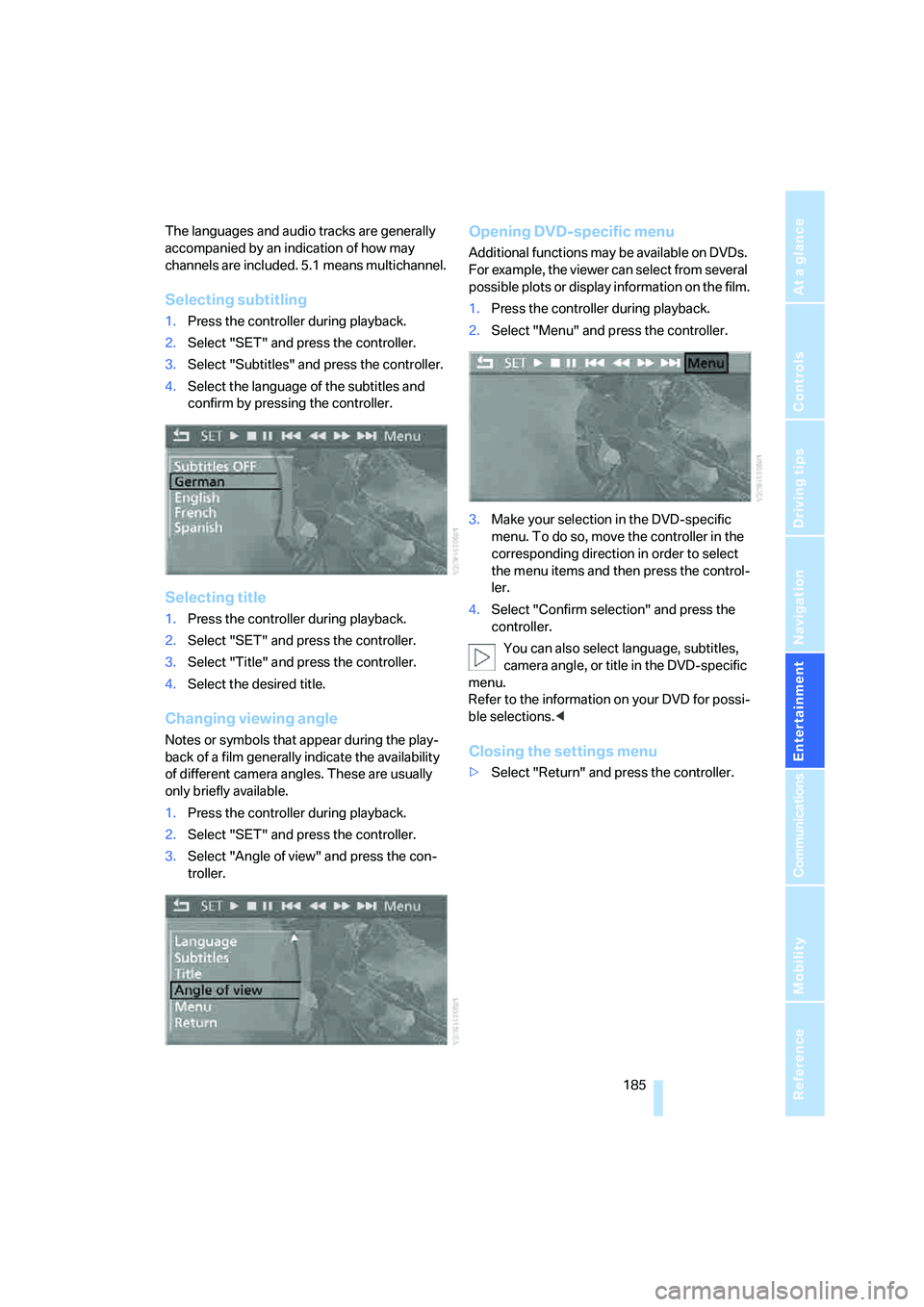
Selecting subtitling
1.Press the controller during playback.
2.Select "SET" and press the controller.
3.Select "Subtitles" and press the controller.
4.Select the language of the subtitles and
confirm by pressing the controller.
Selecting title
1.Press the controller during playback.
2.Select "SET" and press the controller.
3.Select "Title" and press the controller.
4.Select the desired title.
Changing viewing angle
Notes or symbols that appear during the play-
back of a film generally indicate the availability
of different camera angles. These are usually
only briefly available.
1.Press the controller during playback.
2.Select "SET" and press the controller.
3.Select "Angle of view" and press the con-
troller.
Opening DVD-specific menu
Additional functions may be available on DVDs.
For example, the viewer can select from several
possible plots or display information on the film.
1.Press the controller during playback.
2.Select "Menu" and press the controller.
3.Make your selection in the DVD-specific
menu. To do so, move the controller in the
corresponding direction in order to select
the menu items and then press the control-
ler.
4.Select "Confirm selection" and press the
controller.
You can also select language, subtitles,
camera angle, or title in the DVD-specific
menu.
Refer to the information on your DVD for possi-
ble selections.<
Closing the settings menu
>Select "Return" and press the controller.
Page 188 of 292
DVD changer
186
Audio playback
In vehicles equipped with a single drive, you
have the option of playing back the audio track
of a DVD, even when no video playback is pos-
sible in the vehicle.
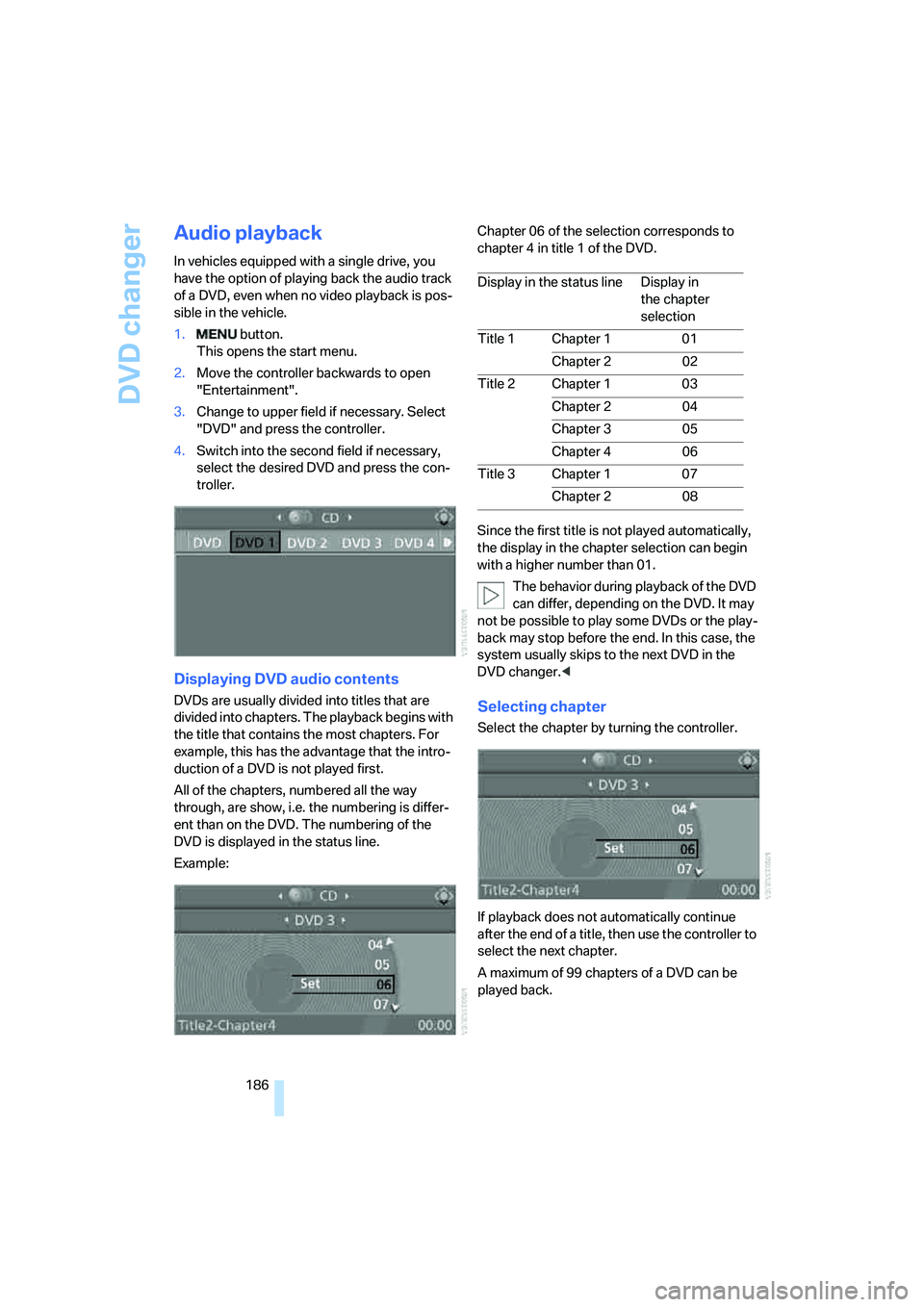
1. button.
This opens the start menu.
2.Move the controller backwards to open
"Entertainment".
3.Change to upper field if necessary. Select
"DVD" and press the controller.
4.Switch into the second field if necessary,
select the desired DVD and press the con-
troller.
Displaying DVD audio contents
DVDs are usually divided into titles that are
divided into chapters. The playback begins with
the title that contains the most chapters. For
example, this has the advantage that the intro-
duction of a DVD is not played first.
All of the chapters, numbered all the way
through, are show, i.e. the numbering is differ-
ent than on the DVD. The numbering of the
DVD is displayed in the status line.
Example:Chapter 06 of the selection corresponds to
chapter 4 in title 1 of the DVD.
Since the first title is not played automatically,
the display in the chapter selection can begin
with a higher number than 01.
The behavior during playback of the DVD
can differ, depending on the DVD. It may
not be possible to play some DVDs or the play-
back may stop before the end. In this case, the
system usually skips to the next DVD in the
DVD changer.
If playback does not automatically continue
after the end of a title, then use the controller to
select the next chapter.
A maximum of 99 chapters of a DVD can be
played back.
Display in the status line Display in
the chapter
selection
Title 1 Chapter 1 01
Chapter 2 02
Title 2 Chapter 1 03
Chapter 2 04
Chapter 3 05
Chapter 4 06
Title 3 Chapter 1 07
Chapter 2 08