change wheel BMW 4 SERIES COUPE 2014 F32 Owner's Guide
[x] Cancel search | Manufacturer: BMW, Model Year: 2014, Model line: 4 SERIES COUPE, Model: BMW 4 SERIES COUPE 2014 F32Pages: 244, PDF Size: 6.13 MB
Page 146 of 244
Parking using the parking assistantCheck the traffic situation as well
Louds noises outside and inside the ve‐
hicle can drown out the parking assistant's and
PDC's signals.
Check the traffic situation around the vehicle
with your own eyes; otherwise, there is a dan‐
ger of an accident.◀1.Switch on the parking assistant and acti‐
vate it if needed.
The status of the parking space search is
indicated on the Control Display.2.Follow the instructions on the Control Dis‐
play.
The best possible parking position will
come after gear change on the stationary
vehicle - wait for the automatic steering
wheel move.
The end of the parking procedure is indi‐
cated on the Control Display.3.Adjust the parking position yourself if
needed.
Interrupting manually
The parking assistant can be interrupted at any
time:
▷ "Parking Assistant" Select the symbol
on the Control Display.▷Press button.
Interrupting automatically
The system is interrupted automatically in the
following situations:
▷If the driver grasps the steering wheel or if
he takes over steering.▷If a gear is selected that does not match
the instruction on the Control Display.▷If the vehicle speed exceeds approx.
6 mph/10 km/h.▷Possible on snow-covered or slippery road
surfaces.▷When there are obstacles that are hard to
overcome, such as curbs.▷When there are obstacles that suddenly
arise.▷If the Park Distance Control PDC displays
clearances that are too small.▷If a maximum number of parking attempts
or the time taken for parking is exceeded.▷If a turn signal has been actuated contrary
to the desired side for parking.▷When switching to another function on the
Control Display.
A Check Control message is displayed.
Resume An interrupted parking procedure can be con‐
tinued if needed.
Follow the instructions on the Control Display
to do this.
System limits
No parking assistance
The parking assistant does not offer assis‐
tance in the following situations:
▷In tight curves.
Functional limitations
The system may not be fully functional in the
following situations:
▷On bumpy road surfaces such as gravel
roads.▷On slippery ground.▷On steep uphill or downhill grades.▷With accumulations of leaves/snow in the
parking space.
Limits of ultrasonic measurement
Ultrasonic measuring might not function under
the following circumstances:
Seite 142ControlsDriving comfort142
Online Edition for Part no. 01 40 2 956 779 - X/14
Page 153 of 244
For this purpose, point the side vents onto the
side windows as needed.
Adjust air flow with the program active.
If the windows are fogged over, you can also
reel on the cooling function or press the AUTO
button to utilize the condensation sensor.
Switching the system on/off Switch off Press the left button for the minimum
speed.
Switching on
Press any button except▷Rear window defroster.▷Seat heating.
Microfilter/activated-charcoal filter
In external and recirculated air mode the mi‐
crofilter/activated charcoal filter filters dust,
pollen, and gaseous pollutants out of the air.
This filter should be replaced during scheduled
maintenance, refer to page 201, of your vehi‐
cle.
Ventilation
Front ventilation
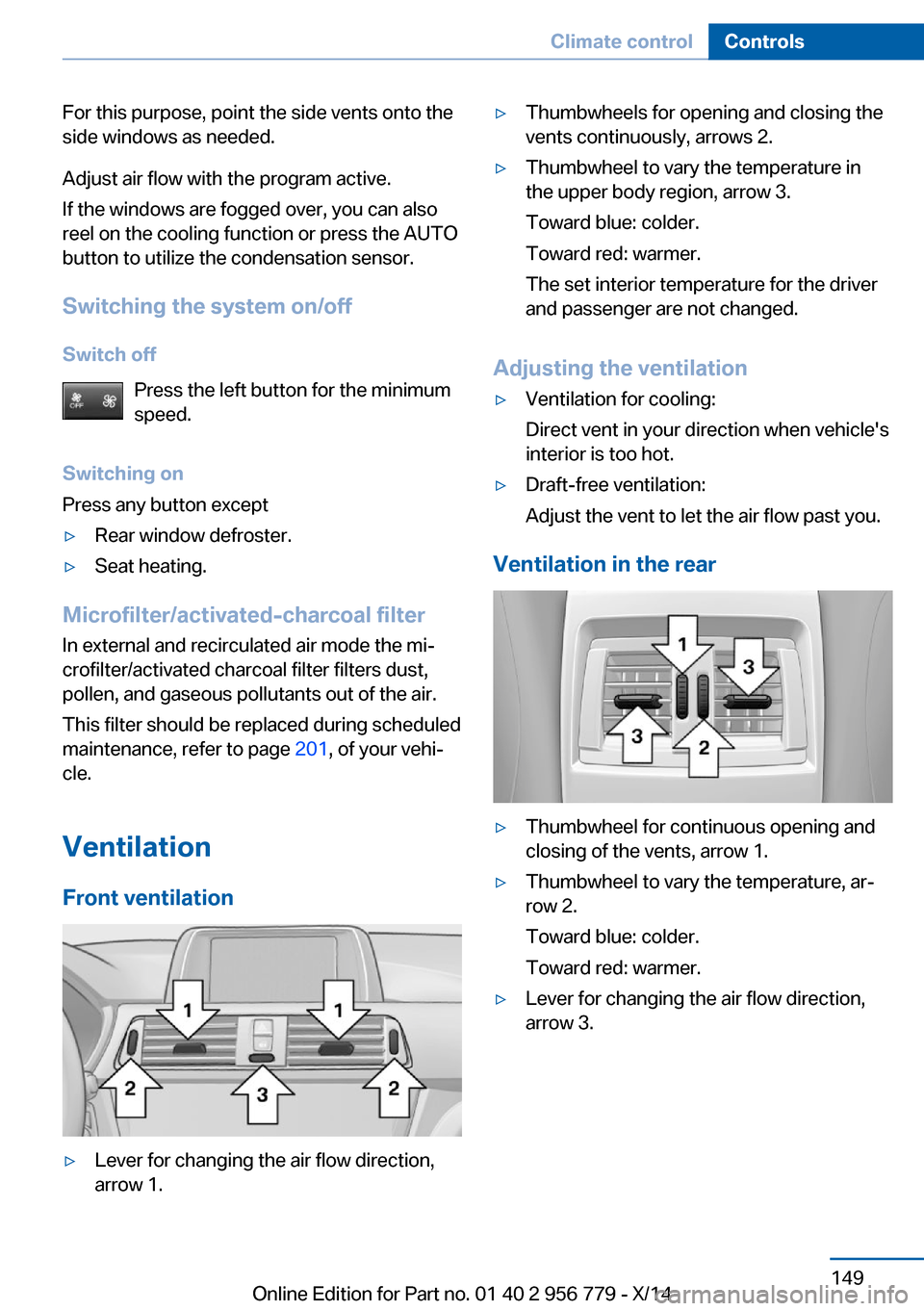
▷Lever for changing the air flow direction,
arrow 1.▷Thumbwheels for opening and closing the
vents continuously, arrows 2.▷Thumbwheel to vary the temperature in
the upper body region, arrow 3.
Toward blue: colder.
Toward red: warmer.
The set interior temperature for the driver
and passenger are not changed.
Adjusting the ventilation
▷Ventilation for cooling:
Direct vent in your direction when vehicle's
interior is too hot.▷Draft-free ventilation:
Adjust the vent to let the air flow past you.
Ventilation in the rear
▷Thumbwheel for continuous opening and
closing of the vents, arrow 1.▷Thumbwheel to vary the temperature, ar‐
row 2.
Toward blue: colder.
Toward red: warmer.▷Lever for changing the air flow direction,
arrow 3.Seite 149Climate controlControls149
Online Edition for Part no. 01 40 2 956 779 - X/14
Page 215 of 244
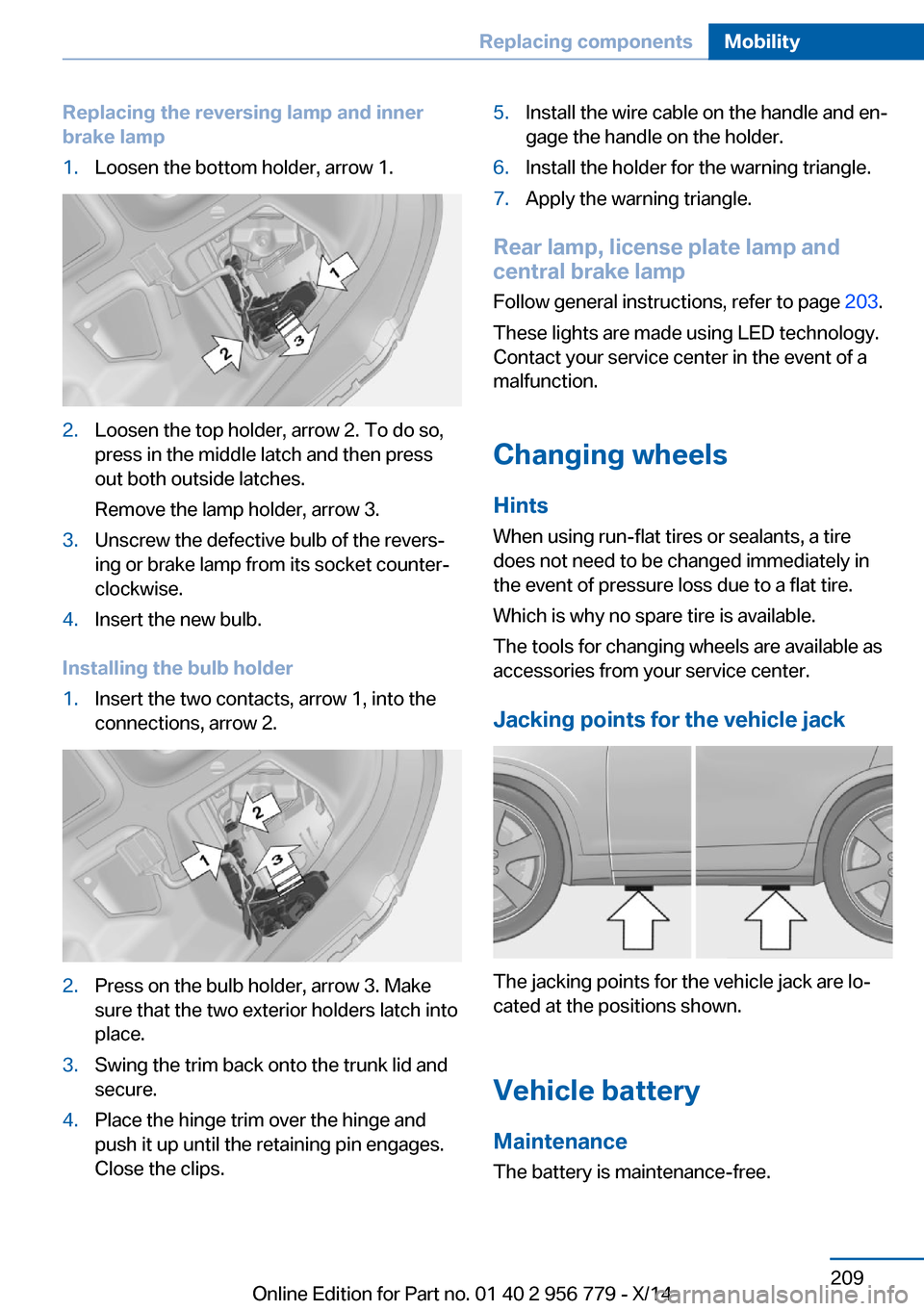
Replacing the reversing lamp and inner
brake lamp1.Loosen the bottom holder, arrow 1.2.Loosen the top holder, arrow 2. To do so,
press in the middle latch and then press
out both outside latches.
Remove the lamp holder, arrow 3.3.Unscrew the defective bulb of the revers‐
ing or brake lamp from its socket counter‐
clockwise.4.Insert the new bulb.
Installing the bulb holder
1.Insert the two contacts, arrow 1, into the
connections, arrow 2.2.Press on the bulb holder, arrow 3. Make
sure that the two exterior holders latch into
place.3.Swing the trim back onto the trunk lid and
secure.4.Place the hinge trim over the hinge and
push it up until the retaining pin engages.
Close the clips.5.Install the wire cable on the handle and en‐
gage the handle on the holder.6.Install the holder for the warning triangle.7.Apply the warning triangle.
Rear lamp, license plate lamp and
central brake lamp
Follow general instructions, refer to page 203.
These lights are made using LED technology.
Contact your service center in the event of a
malfunction.
Changing wheels
Hints When using run-flat tires or sealants, a tire
does not need to be changed immediately in
the event of pressure loss due to a flat tire.
Which is why no spare tire is available.
The tools for changing wheels are available as
accessories from your service center.
Jacking points for the vehicle jack
The jacking points for the vehicle jack are lo‐
cated at the positions shown.
Vehicle battery Maintenance
The battery is maintenance-free.
Seite 209Replacing componentsMobility209
Online Edition for Part no. 01 40 2 956 779 - X/14
Page 235 of 244
Brake discs, break-in 166
Brake force display 116
Brake lights, adaptive 116
Brake lights, brake force dis‐ play 116
Brake pads, break-in 166
Braking, hints 167
Breakdown assis‐ tance 212, 213
Break-in 166
Brightness of Control Dis‐ play 89
Bulb replacement 203
Bulb replacement, front 204
Bulb replacement, LED head‐ lights 205
Bulb replacement, rear 206
Bulb replacement, xenon headlights 204
Bulbs and lights 203
Button, RES 126
Button, Start/Stop 63
Bypassing, refer to Jump- starting 213
C
California Proposition 65 Warning 7
Camera, care 221
Camera, rearview cam‐ era 134
Camera, Side View 137
Camera, Top View 138
Can holder, refer to Cuphold‐ ers 161
Car battery 209
Car care products 219
Care, displays 221
Care, vehicle 219
Cargo 169
Cargo area, enlarging 157
Cargo area, storage compart‐ ments 162
Cargo, securing 170 Cargo straps, securing
cargo 170
Car key, refer to Remote con‐ trol 34
Carpet, care 221
Car wash 218
Catalytic converter, refer to Hot exhaust system 167
CBS Condition Based Serv‐ ice 201
CD/Multimedia, see user's manual for Navigation, En‐
tertainment and Communi‐
cation
Center armrest 160
Center console 16
Central locking system 39
Central screen, refer to Con‐ trol Display 18
Changes, technical, refer to Safety 7
Changing parts 203
Changing wheels 209
Changing wheels/tires 192
Chassis number, see vehicle identification number 9
Check Control 77
Checking the engine oil level electronically 197
Checking the oil level elec‐ tronically 197
Children, seating position 59
Children, transporting safely 59
Child restraint fixing sys‐ tem 59
Child restraint fixing system LATCH 61
Child restraint fixing systems, mounting 59
Child seat, mounting 59
Child seats 59
Chrome parts, care 220
Cigarette lighter 155
Cleaning displays 221
Climate control 144, 146 Clock 81
Closing/opening via door lock 39
Closing/opening with remote control 37
Clothes hooks 161
Coasting 176
Coasting with engine decou‐ pled, coasting 176
Coasting with idling en‐ gine 176
Cockpit 14
Combination reel, refer to Turn signals 67
Combination reel, refer to Wiper system 68
Comfort Access 41
COMFORT program, Dy‐ namic Driving Control 121
Compartments in the doors 160
Compass 153
Computer 85
Condensation on win‐ dows 148
Condensation under the vehi‐ cle 168
Condition Based Service CBS 201
Configuring driving pro‐ gram 122
Confirmation signal 43
ConnectedDrive, see user's manual for Navigation, En‐
tertainment and Communi‐
cation
ConnectedDrive Services
Connecting electrical devi‐ ces 155
Continued driving with a flat tire 101 , 104
Control Display 18
Control Display, settings 88
Controller 18, 19
Control systems, driving sta‐ bility 118 Seite 229Everything from A to ZReference229
Online Edition for Part no. 01 40 2 956 779 - X/14
Page 237 of 244
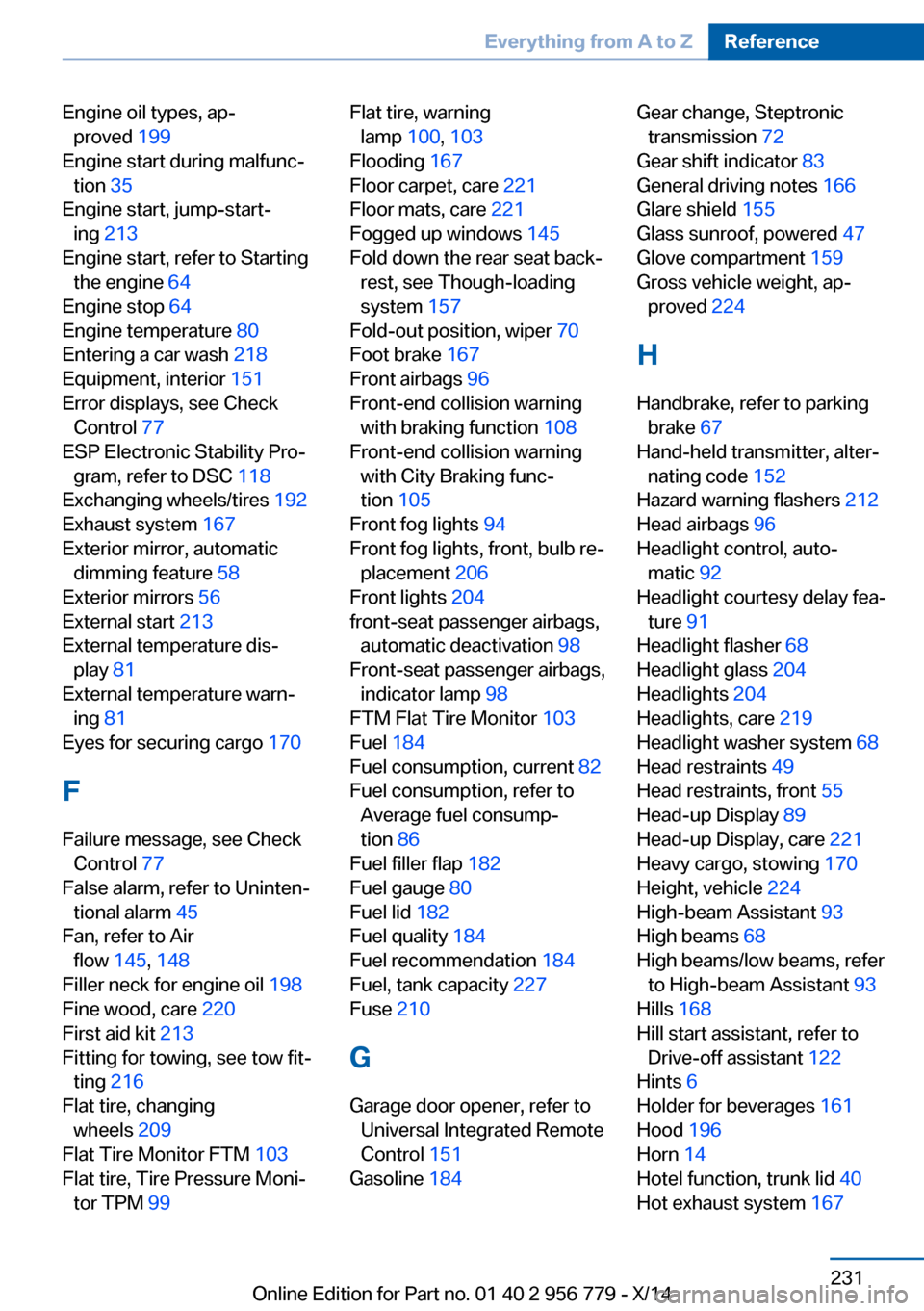
Engine oil types, ap‐proved 199
Engine start during malfunc‐ tion 35
Engine start, jump-start‐ ing 213
Engine start, refer to Starting the engine 64
Engine stop 64
Engine temperature 80
Entering a car wash 218
Equipment, interior 151
Error displays, see Check Control 77
ESP Electronic Stability Pro‐ gram, refer to DSC 118
Exchanging wheels/tires 192
Exhaust system 167
Exterior mirror, automatic dimming feature 58
Exterior mirrors 56
External start 213
External temperature dis‐ play 81
External temperature warn‐ ing 81
Eyes for securing cargo 170
F
Failure message, see Check Control 77
False alarm, refer to Uninten‐ tional alarm 45
Fan, refer to Air flow 145, 148
Filler neck for engine oil 198
Fine wood, care 220
First aid kit 213
Fitting for towing, see tow fit‐ ting 216
Flat tire, changing wheels 209
Flat Tire Monitor FTM 103
Flat tire, Tire Pressure Moni‐ tor TPM 99 Flat tire, warning
lamp 100, 103
Flooding 167
Floor carpet, care 221
Floor mats, care 221
Fogged up windows 145
Fold down the rear seat back‐ rest, see Though-loading
system 157
Fold-out position, wiper 70
Foot brake 167
Front airbags 96
Front-end collision warning with braking function 108
Front-end collision warning with City Braking func‐
tion 105
Front fog lights 94
Front fog lights, front, bulb re‐ placement 206
Front lights 204
front-seat passenger airbags, automatic deactivation 98
Front-seat passenger airbags, indicator lamp 98
FTM Flat Tire Monitor 103
Fuel 184
Fuel consumption, current 82
Fuel consumption, refer to Average fuel consump‐
tion 86
Fuel filler flap 182
Fuel gauge 80
Fuel lid 182
Fuel quality 184
Fuel recommendation 184
Fuel, tank capacity 227
Fuse 210
G
Garage door opener, refer to Universal Integrated Remote
Control 151
Gasoline 184 Gear change, Steptronic
transmission 72
Gear shift indicator 83
General driving notes 166
Glare shield 155
Glass sunroof, powered 47
Glove compartment 159
Gross vehicle weight, ap‐ proved 224
H
Handbrake, refer to parking brake 67
Hand-held transmitter, alter‐ nating code 152
Hazard warning flashers 212
Head airbags 96
Headlight control, auto‐ matic 92
Headlight courtesy delay fea‐ ture 91
Headlight flasher 68
Headlight glass 204
Headlights 204
Headlights, care 219
Headlight washer system 68
Head restraints 49
Head restraints, front 55
Head-up Display 89
Head-up Display, care 221
Heavy cargo, stowing 170
Height, vehicle 224
High-beam Assistant 93
High beams 68
High beams/low beams, refer to High-beam Assistant 93
Hills 168
Hill start assistant, refer to Drive-off assistant 122
Hints 6
Holder for beverages 161
Hood 196
Horn 14
Hotel function, trunk lid 40
Hot exhaust system 167 Seite 231Everything from A to ZReference231
Online Edition for Part no. 01 40 2 956 779 - X/14
Page 239 of 244
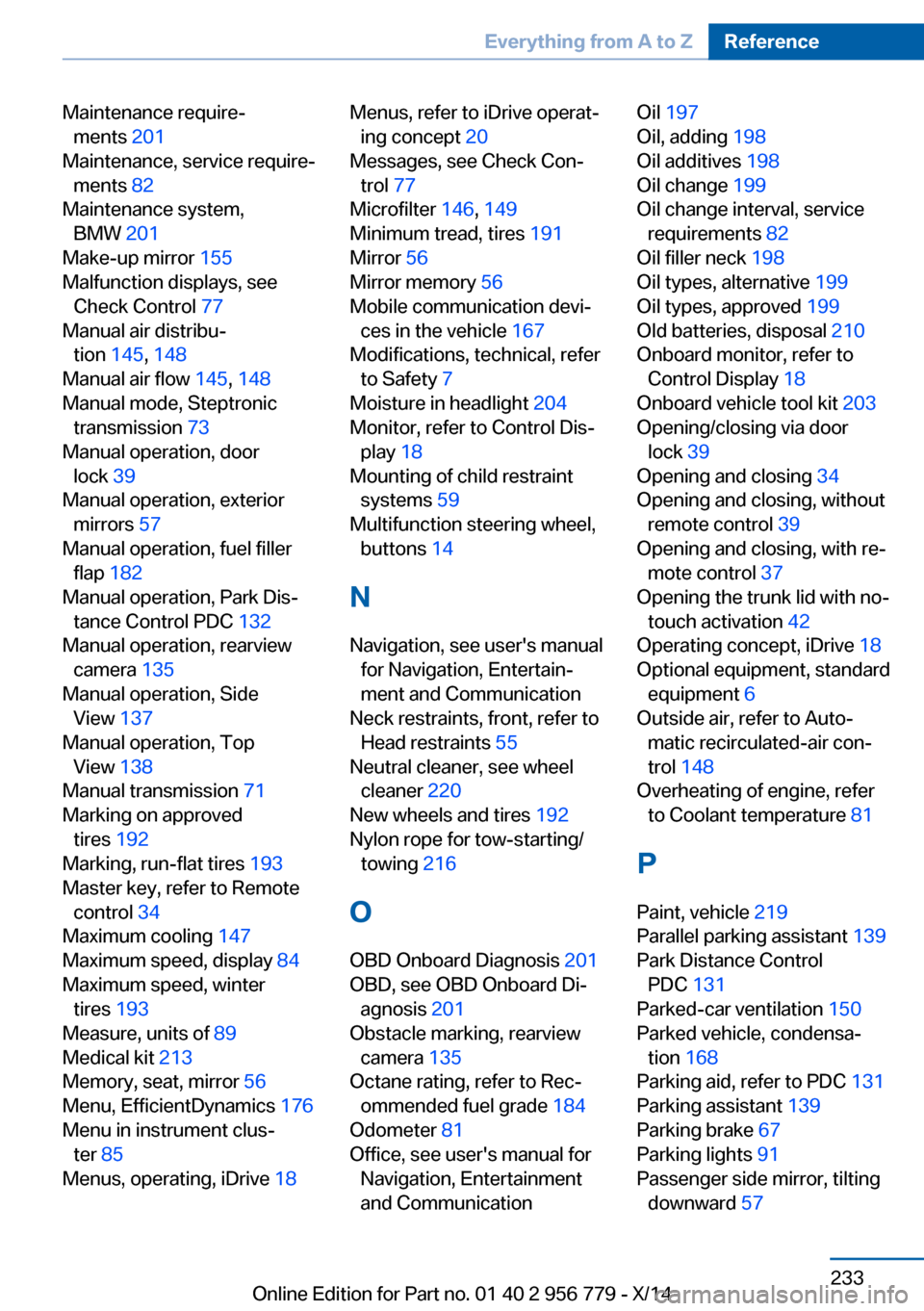
Maintenance require‐ments 201
Maintenance, service require‐ ments 82
Maintenance system, BMW 201
Make-up mirror 155
Malfunction displays, see Check Control 77
Manual air distribu‐ tion 145, 148
Manual air flow 145, 148
Manual mode, Steptronic transmission 73
Manual operation, door lock 39
Manual operation, exterior mirrors 57
Manual operation, fuel filler flap 182
Manual operation, Park Dis‐ tance Control PDC 132
Manual operation, rearview camera 135
Manual operation, Side View 137
Manual operation, Top View 138
Manual transmission 71
Marking on approved tires 192
Marking, run-flat tires 193
Master key, refer to Remote control 34
Maximum cooling 147
Maximum speed, display 84
Maximum speed, winter tires 193
Measure, units of 89
Medical kit 213
Memory, seat, mirror 56
Menu, EfficientDynamics 176
Menu in instrument clus‐ ter 85
Menus, operating, iDrive 18 Menus, refer to iDrive operat‐
ing concept 20
Messages, see Check Con‐ trol 77
Microfilter 146, 149
Minimum tread, tires 191
Mirror 56
Mirror memory 56
Mobile communication devi‐ ces in the vehicle 167
Modifications, technical, refer to Safety 7
Moisture in headlight 204
Monitor, refer to Control Dis‐ play 18
Mounting of child restraint systems 59
Multifunction steering wheel, buttons 14
N Navigation, see user's manual for Navigation, Entertain‐
ment and Communication
Neck restraints, front, refer to Head restraints 55
Neutral cleaner, see wheel cleaner 220
New wheels and tires 192
Nylon rope for tow-starting/ towing 216
O OBD Onboard Diagnosis 201
OBD, see OBD Onboard Di‐ agnosis 201
Obstacle marking, rearview camera 135
Octane rating, refer to Rec‐ ommended fuel grade 184
Odometer 81
Office, see user's manual for Navigation, Entertainment
and Communication Oil 197
Oil, adding 198
Oil additives 198
Oil change 199
Oil change interval, service requirements 82
Oil filler neck 198
Oil types, alternative 199
Oil types, approved 199
Old batteries, disposal 210
Onboard monitor, refer to Control Display 18
Onboard vehicle tool kit 203
Opening/closing via door lock 39
Opening and closing 34
Opening and closing, without remote control 39
Opening and closing, with re‐ mote control 37
Opening the trunk lid with no- touch activation 42
Operating concept, iDrive 18
Optional equipment, standard equipment 6
Outside air, refer to Auto‐ matic recirculated-air con‐
trol 148
Overheating of engine, refer to Coolant temperature 81
P Paint, vehicle 219
Parallel parking assistant 139
Park Distance Control PDC 131
Parked-car ventilation 150
Parked vehicle, condensa‐ tion 168
Parking aid, refer to PDC 131
Parking assistant 139
Parking brake 67
Parking lights 91
Passenger side mirror, tilting downward 57 Seite 233Everything from A to ZReference233
Online Edition for Part no. 01 40 2 956 779 - X/14
Page 241 of 244
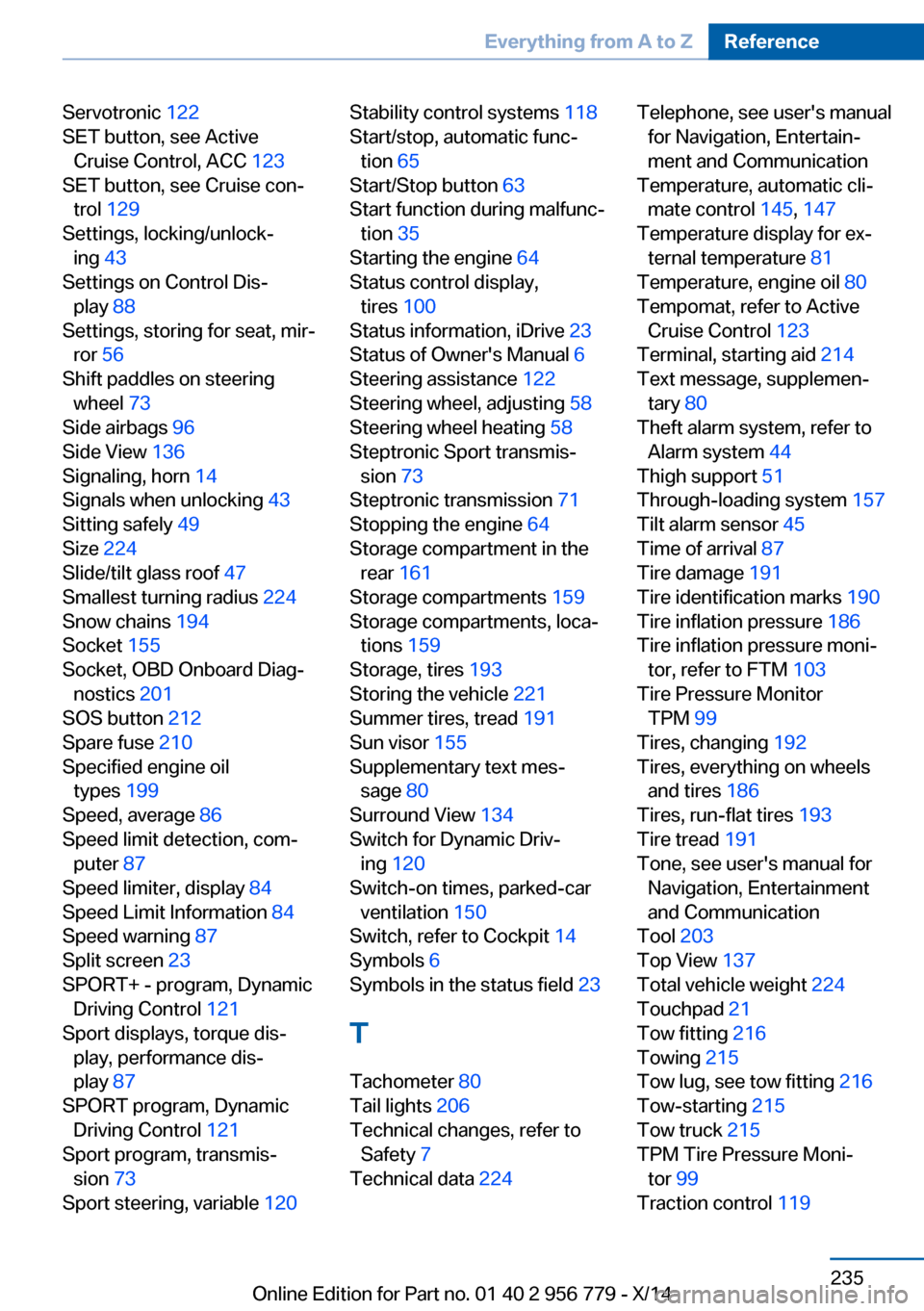
Servotronic 122
SET button, see Active Cruise Control, ACC 123
SET button, see Cruise con‐ trol 129
Settings, locking/unlock‐ ing 43
Settings on Control Dis‐ play 88
Settings, storing for seat, mir‐ ror 56
Shift paddles on steering wheel 73
Side airbags 96
Side View 136
Signaling, horn 14
Signals when unlocking 43
Sitting safely 49
Size 224
Slide/tilt glass roof 47
Smallest turning radius 224
Snow chains 194
Socket 155
Socket, OBD Onboard Diag‐ nostics 201
SOS button 212
Spare fuse 210
Specified engine oil types 199
Speed, average 86
Speed limit detection, com‐ puter 87
Speed limiter, display 84
Speed Limit Information 84
Speed warning 87
Split screen 23
SPORT+ - program, Dynamic Driving Control 121
Sport displays, torque dis‐ play, performance dis‐
play 87
SPORT program, Dynamic Driving Control 121
Sport program, transmis‐ sion 73
Sport steering, variable 120 Stability control systems 118
Start/stop, automatic func‐ tion 65
Start/Stop button 63
Start function during malfunc‐ tion 35
Starting the engine 64
Status control display, tires 100
Status information, iDrive 23
Status of Owner's Manual 6
Steering assistance 122
Steering wheel, adjusting 58
Steering wheel heating 58
Steptronic Sport transmis‐ sion 73
Steptronic transmission 71
Stopping the engine 64
Storage compartment in the rear 161
Storage compartments 159
Storage compartments, loca‐ tions 159
Storage, tires 193
Storing the vehicle 221
Summer tires, tread 191
Sun visor 155
Supplementary text mes‐ sage 80
Surround View 134
Switch for Dynamic Driv‐ ing 120
Switch-on times, parked-car ventilation 150
Switch, refer to Cockpit 14
Symbols 6
Symbols in the status field 23
T Tachometer 80
Tail lights 206
Technical changes, refer to Safety 7
Technical data 224 Telephone, see user's manual
for Navigation, Entertain‐
ment and Communication
Temperature, automatic cli‐ mate control 145, 147
Temperature display for ex‐ ternal temperature 81
Temperature, engine oil 80
Tempomat, refer to Active Cruise Control 123
Terminal, starting aid 214
Text message, supplemen‐ tary 80
Theft alarm system, refer to Alarm system 44
Thigh support 51
Through-loading system 157
Tilt alarm sensor 45
Time of arrival 87
Tire damage 191
Tire identification marks 190
Tire inflation pressure 186
Tire inflation pressure moni‐ tor, refer to FTM 103
Tire Pressure Monitor TPM 99
Tires, changing 192
Tires, everything on wheels and tires 186
Tires, run-flat tires 193
Tire tread 191
Tone, see user's manual for Navigation, Entertainment
and Communication
Tool 203
Top View 137
Total vehicle weight 224
Touchpad 21
Tow fitting 216
Towing 215
Tow lug, see tow fitting 216
Tow-starting 215
Tow truck 215
TPM Tire Pressure Moni‐ tor 99
Traction control 119 Seite 235Everything from A to ZReference235
Online Edition for Part no. 01 40 2 956 779 - X/14