ECO mode BMW 428I CONVERTIBLE 2014 User Guide
[x] Cancel search | Manufacturer: BMW, Model Year: 2014, Model line: 428I CONVERTIBLE, Model: BMW 428I CONVERTIBLE 2014Pages: 244, PDF Size: 6.08 MB
Page 126 of 244
DSC OFFWhen DSC OFF, refer to page 120, is active,
driving stability is limited during acceleration
and when driving in curves.
TRACTION When TRACTION is active, the vehicle has
maximum traction on loose road surfaces. DTC
Dynamic Traction Control, refer to page 120, is
activated. Driving stability is limited during ac‐
celeration and when driving in curves.
SPORT+
Sporty driving with optimized suspension and
adapted engine control with limited driving sta‐
bilization.
Dynamic Traction Control is switched on.
The driver handles several of the stabilization
tasks.
Activating SPORT+ Press button repeatedly until SPORT+
appears in the instrument cluster and
the DSC OFF indicator lamp lights up.
Automatic program change When activating cruise control, the program
automatically switches to SPORT mode.
Indicator/warning lights
SPORT+ is displayed in the instrument cluster.
The DSC OFF indicator lamp lights up:
Dynamic Traction Control is activated.
SPORT Depending on the equipment, consistently
sporty tuning of the suspension, steering, and
engine control for greater driving agility with
maximum driving stabilization.
The program can be configured to individual
specifications. The configuration is stored for
the profile currently in use.Activating SPORT
Press button repeatedly until SPORT
is displayed in the instrument cluster.
Configuring SPORT When the display is activated on the Control
Display, refer to page 123, the SPORT driving
mode can be set to individual specifications.▷Activating SPORT.▷"Configure SPORT"▷Configuring the SPORT driving mode.
SPORT can also be configured before it is acti‐
vated:
1."Settings"2."Driving mode"3."Configure SPORT"4.Configure driving mode.
This configuration is retrieved when the
SPORT driving mode is activated.
COMFORT For a balanced tuning with maximum driving
stabilization.
Activating COMFORT Press button repeatedly until COM‐
FORT is displayed in the instrument
cluster.
In certain situations, the system automatically
changes to the NORMAL program, automatic
program change, refer to page 121.
ECO PRO ECO PRO, refer to page 175, provides consis‐
tent tuning to minimize fuel consumption for
maximum range with maximum driving stabili‐
zation.
Comfort functions and the engine controller
are adjusted.
Seite 122ControlsDriving stability control systems122
Online Edition for Part no. 01 40 2 956 860 - X/14
Page 127 of 244
The program can be configured to individual
specifications.
Activating ECO PRO Press button repeatedly until ECO
PRO is displayed in the instrument
cluster.
Configuring ECO PRO1.Activate ECO PRO.2."Configure ECO PRO"
Make the desired settings.
Configuring driving program Settings can be made for the following driving
programs in Driving mode:
▷SPORT, refer to page 122.▷ECO PRO, refer to page 176.
Displays
Program selection Pressing the button displays a
list of the selectable programs.
Depending on your vehicle's op‐
tional features, the list in the in‐
strument cluster can differ from
the illustration shown.
Selected program The instrument cluster displays
the selected program.
Display on the Control Display Program changes can be displayed on the
Control Display.
1."Settings"2."Driving mode"3."Driving mode info"
Drive-off assistant
This system supports driving off on inclines.
The parking brake is not required.
1.Hold the vehicle in place with the foot
brake.2.Release the foot brake and drive off with‐
out delay.
After the foot brake is released, the vehicle is
held in place for approx. 2 seconds.
For vehicles with respective equipment ver‐
sions, the possible holding duration amounts
to 2 minutes.
Depending on the vehicle load or when a trailer
is used, the vehicle may roll back slightly.
Driving off without delay
After releasing the foot brake, start driv‐
ing without delay, since the drive-off assistant
will not hold the vehicle in place for more than
approx. 2 seconds and the vehicle will begin to
roll back.◀
Servotronic The conceptThe Servotronic varies the steering force re‐
quired to turn the wheels in accordance with
the vehicle speed. At low speeds, the steering
force is strongly supported, i. e. during steer‐
ing, low force is required. As the speed in‐ creases, the assistance of the steering force is
reduced.
Furthermore, the steering force adapts accord‐
ing to the driving program, so that a direct, sporty feel and/or comfortable steering is con‐
veyed.
Seite 123Driving stability control systemsControls123
Online Edition for Part no. 01 40 2 956 860 - X/14
Page 173 of 244
Do not remove the heat shields installed and
never apply undercoating to them. Make sure
that flammable materials, e. g. hay, leaves,
grass, etc. do not come in contact with the hot
exhaust system while driving, while in idle po‐
sition mode, or when parked. Such contact
could lead to a fire, resulting in an increased
risk of serious personal injury as well as prop‐
erty damage.
Do not touch hot exhaust pipes; otherwise,
there is a danger of getting burned.◀
Mobile communication devices in the
vehicle
Mobile communication devices in the ve‐
hicle
It is not recommended to use mobile phones,
such as mobile phones, in the vehicle interior
without a direct connection to an external aer‐
ial. Otherwise, the vehicle's electronics and
mobile communication devices can interfere
with each other. In addition, there is no assur‐
ance that the radiation generated during trans‐
mission will be conducted away from the vehi‐
cle interior.◀
Hydroplaning Hydroplaning
When driving on wet or slushy roads, re‐
duce your speed to prevent hydroplaning.◀
On wet or slushy roads, a wedge of water can
form between the tires and road surface.
This phenomenon is referred to as hydroplan‐
ing. It is characterized by a partial or complete
loss of contact between the tires and the road
surface, ultimately undermining your ability to
steer and brake the vehicle.Driving through water
Observe water level and speed
Do not exceed the maximum water level
and maximum speed; otherwise, the vehicle's
engine, the electrical systems and the trans‐
mission may be damaged.◀
Drive though calm water only and only if it is
not deeper than 9.8 inches/25 cm and at this
height, no faster than walking speed, up to
3 mph/5 km/h.
Braking safely
Your vehicle is equipped with ABS as a stand‐
ard feature.
Applying the brakes fully is the most effective
way of braking in situations needed.
Steering is still responsive. You can still avoid
any obstacles with a minimum of steering ef‐
fort.
Pulsation of the brake pedal and sounds from
the hydraulic circuits indicate that ABS is in its
active mode.
In certain braking situations, the perforated
brake discs can cause functional problems.
However, this has no effect on the perform‐
ance and operational reliability of the brake.
Objects within the range of movement
of the pedals
No objects in the area around the pedals
Keep floor mats, carpets, and any other
objects out of the pedal area; otherwise, the
function of the pedals could be impeded while
driving and create the risk of an accident.
Do not place additional floor mats over existing
mats or other objects.
Only use floor mats that have been approved
for the vehicle and can be properly attached to
floor.
Ensure that the floor mats are securely fas‐
tened again after they were removed for clean‐
ing, e.g.◀Seite 169Things to remember when drivingDriving tips169
Online Edition for Part no. 01 40 2 956 860 - X/14
Page 180 of 244
At a glance
The system includes the following
EfficientDynamics functions and displays:▷ECO PRO bonus range, refer to page 176.▷ECO PRO tips driving instruction, refer to
page 177▷ECO PRO climate control, refer to
page 176.▷ECO PRO coasting driving status, refer to
page 178.▷ECO PRO driving style analysis, refer to
page 179.
Activate ECO PRO
Press button repeatedly until ECO
PRO is displayed in the instrument
cluster.
Configuring ECO PRO
Via the Driving Dynamics Control
1.Activate ECO PRO.2."Configure ECO PRO"3.Configure the program.
Via the iDrive
1."Settings"2."ECO PRO mode"
Or
1."Settings"2."Driving mode"3."Configure ECO PRO"
Configure the program.
ECO PRO Tip
▷"Tip at:":
Adjust the ECO PRO speed.▷"ECO PRO speed warning":
The output is reduced once the set ECO
PRO speed is reached.Coasting
Fuel-efficiency can be optimized by disengag‐
ing the engine and Coasting, refer to
page 178, with the engine idling.
This function is only available in ECO PRO
mode.
ECO PRO climate control
"ECO PRO climate control"
Climate control is set to be fuel-efficient.
By making a slight change to the set tempera‐
ture, or slowly adjusting the rate of heating or
cooling of the car's interior, fuel consumption
can be economized.
The mirror heating is made available when out‐
side temperatures are very cold.
ECO PRO potential Shows potential savings with the current set‐
tings in percentages.
Display in the instrument cluster
ECO PRO bonus range An adjusted driving style helps
you extend your driving range.
This may be displayed as the
bonus range in the instrument
cluster.
The bonus range is shown in the range display.
The bonus range is automatically reset every
time the vehicle is refueled.Seite 176Driving tipsSaving fuel176
Online Edition for Part no. 01 40 2 956 860 - X/14
Page 182 of 244
Vertical bars show consumption for the se‐
lected time frame.
Trip interruptions are represented below the
bar on the time axis.
"Consumption history"
Adjusting fuel consumption history time frame
Select the symbol.
Resetting fuel consumption history
1.Open "Options".2."Reset consumption history"
Displaying EfficientDynamics info
The current efficiency can be displayed.
"EfficientDynamics info"
The following systems are displayed:
▷Automatic engine Start/Stop function.▷Energy recovery.▷Climate control output.▷Coasting.
Display ECO PRO tips
"ECO PRO Tips"
Settings are stored for the profile currently in
use.
Coasting
The concept
The system helps to conserve fuel.
To do this, under certain conditions the engine
is automatically decoupled from the transmis‐
sion when selector lever position D is set. The
vehicle continues traveling with the engine
idling to reduce fuel consumption. Selector
lever position D remains engaged.
This driving condition is referred to as coast‐
ing.
As soon as you step on the brake or accelera‐
tor pedal, the engine is automatically coupled
again.
Hints
Coasting is a component of the ECO PRO, re‐
fer to page 175, driving mode.
Coasting is automatically activated when ECO
PRO mode is called via the Driving Dynamics
Control.
The function is available in a certain speed
range.
A proactively driving style helps the driver to
use the function as often as possible and sup‐
ports the fuel-conserving effect of coasting.
Safety mode
The function is not available under one of the
following conditions.▷DSC OFF or TRACTION activated.▷Driving in the dynamic limit range and on
steep uphill or downhill grades.▷Battery charge status temporarily too low
or vehicle electrical system drawing exces‐
sive current.▷Cruise control activated.
Functional requirements
In ECO PRO mode, this function is available in
a speed range from approximately 30 mph, ap‐
prox. 50 km/h to 100 mph, approx. 160 km/h, if
the following conditions are met:
▷Accelerator pedal and brake pedal are not
operated.▷The selector lever is in selector lever posi‐
tion D.▷Engine and transmission are at operating
temperature.
The driving status Coast can be influenced
with the shift paddles.
Seite 178Driving tipsSaving fuel178
Online Edition for Part no. 01 40 2 956 860 - X/14
Page 183 of 244
Display
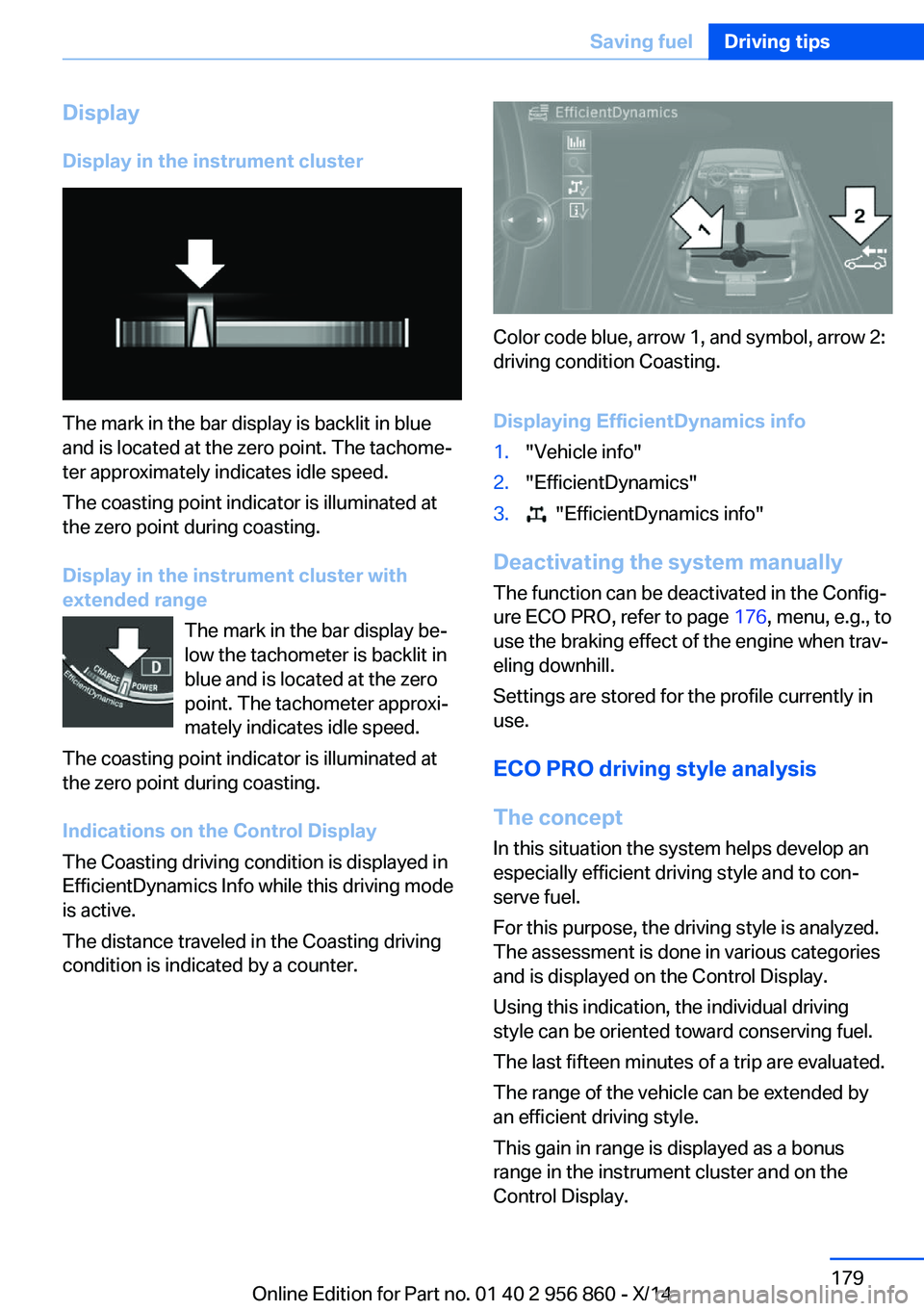
Display in the instrument cluster
The mark in the bar display is backlit in blue
and is located at the zero point. The tachome‐
ter approximately indicates idle speed.
The coasting point indicator is illuminated at
the zero point during coasting.
Display in the instrument cluster with
extended range
The mark in the bar display be‐
low the tachometer is backlit in
blue and is located at the zero
point. The tachometer approxi‐
mately indicates idle speed.
The coasting point indicator is illuminated at
the zero point during coasting.
Indications on the Control Display
The Coasting driving condition is displayed in
EfficientDynamics Info while this driving mode
is active.
The distance traveled in the Coasting driving
condition is indicated by a counter.
Color code blue, arrow 1, and symbol, arrow 2:
driving condition Coasting.
Displaying EfficientDynamics info
1."Vehicle info"2."EfficientDynamics"3. "EfficientDynamics info"
Deactivating the system manually The function can be deactivated in the Config‐
ure ECO PRO, refer to page 176, menu, e.g., to
use the braking effect of the engine when trav‐
eling downhill.
Settings are stored for the profile currently in
use.
ECO PRO driving style analysis
The concept
In this situation the system helps develop an
especially efficient driving style and to con‐
serve fuel.
For this purpose, the driving style is analyzed.
The assessment is done in various categories
and is displayed on the Control Display.
Using this indication, the individual driving
style can be oriented toward conserving fuel.
The last fifteen minutes of a trip are evaluated.
The range of the vehicle can be extended by
an efficient driving style.
This gain in range is displayed as a bonus
range in the instrument cluster and on the
Control Display.
Seite 179Saving fuelDriving tips179
Online Edition for Part no. 01 40 2 956 860 - X/14
Page 184 of 244
Functional requirementThe function is only available in ECO PRO
mode.
Calling up ECO PRO driving style
analysis1.Activate ECO PRO.2."EfficientDynamics"3. Select the symbol.
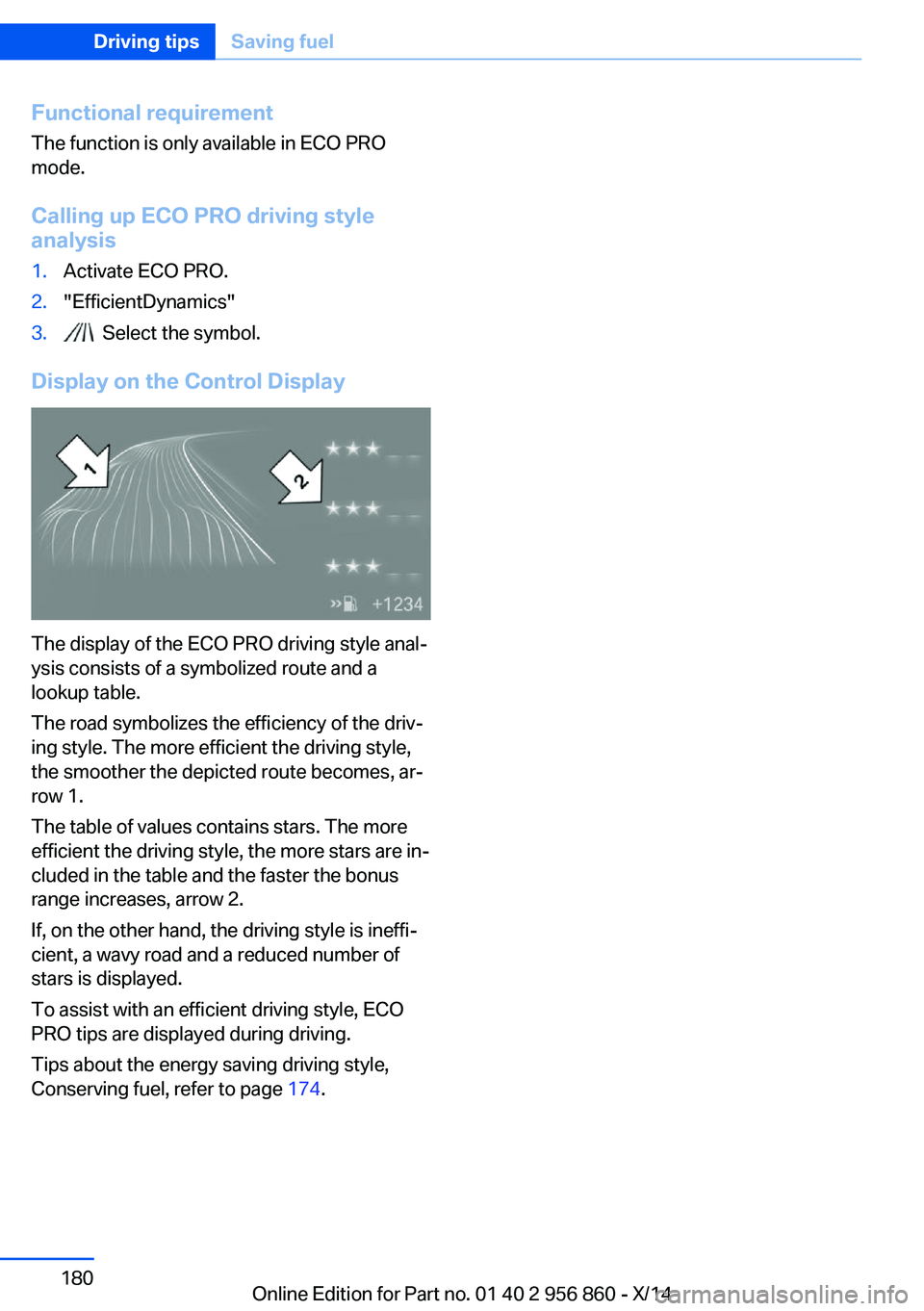
Display on the Control Display
The display of the ECO PRO driving style anal‐
ysis consists of a symbolized route and a
lookup table.
The road symbolizes the efficiency of the driv‐
ing style. The more efficient the driving style,
the smoother the depicted route becomes, ar‐
row 1.
The table of values contains stars. The more
efficient the driving style, the more stars are in‐
cluded in the table and the faster the bonus
range increases, arrow 2.
If, on the other hand, the driving style is ineffi‐
cient, a wavy road and a reduced number of
stars is displayed.
To assist with an efficient driving style, ECO
PRO tips are displayed during driving.
Tips about the energy saving driving style,
Conserving fuel, refer to page 174.
Seite 180Driving tipsSaving fuel180
Online Edition for Part no. 01 40 2 956 860 - X/14
Page 208 of 244
MaintenanceVehicle features and options
This chapter describes all standard, country-
specific and optional features offered with the
series. It also describes features that are not
necessarily available in your car, e. g., due to
the selected options or country versions. This
also applies to safety-related functions and
systems.
BMW maintenance system
The maintenance system indicates required
maintenance measures, and thereby provides
support in maintaining road safety and the op‐
erational reliability of the vehicle.
Condition Based Service
CBS
Sensors and special algorithms take into ac‐
count the driving conditions of your vehicle.
Based on this, Condition Based Service recog‐
nizes the maintenance requirements.
The system makes it possible to adapt the
amount of maintenance corresponding to your
user profile.
Detailed information on service requirements,
refer to page 82, can be displayed on the Con‐
trol Display.
For service data
Information on the required maintenance is
continuously stored in the remote control. Your service center will read out this data and
suggest the right array of service procedures for your vehicle.
Therefore, hand your service specialist the re‐
mote control with which the vehicle was driven
most recently.Storage periods
Storage periods during which the vehicle bat‐
tery was disconnected are not taken into ac‐
count.
If this occurs, have a service center update the
time-dependent maintenance procedures,
such as checking brake fluid and, if needed,
changing the engine oil and the microfilter/
activated-charcoal filter.
Service and Warranty
Information Booklet for US
models and Warranty and
Service Guide Booklet for
Canadian models
Please consult your Service and Warranty In‐
formation Booklet for US models and Warranty
and Service Guide Booklet for Canadian mod‐ els for additional information on service re‐
quirements.
Maintenance and repair should be performed
by your service center. Make sure to have reg‐
ular maintenance procedures recorded in the
vehicle's Service and Warranty Information
Booklet for US models, and in the Warranty
and Service Guide Booklet for Canadian mod‐
els. These entries are proof of regular mainte‐
nance.
Socket for OBD Onboard
Diagnosis
Note Socket for Onboard Diagnosis
The socket for onboard diagnostics may
only be used by the service center or a work‐
shop that operates in accordance with the
specifications of the vehicle manufacturer withSeite 204MobilityMaintenance204
Online Edition for Part no. 01 40 2 956 860 - X/14
Page 234 of 244
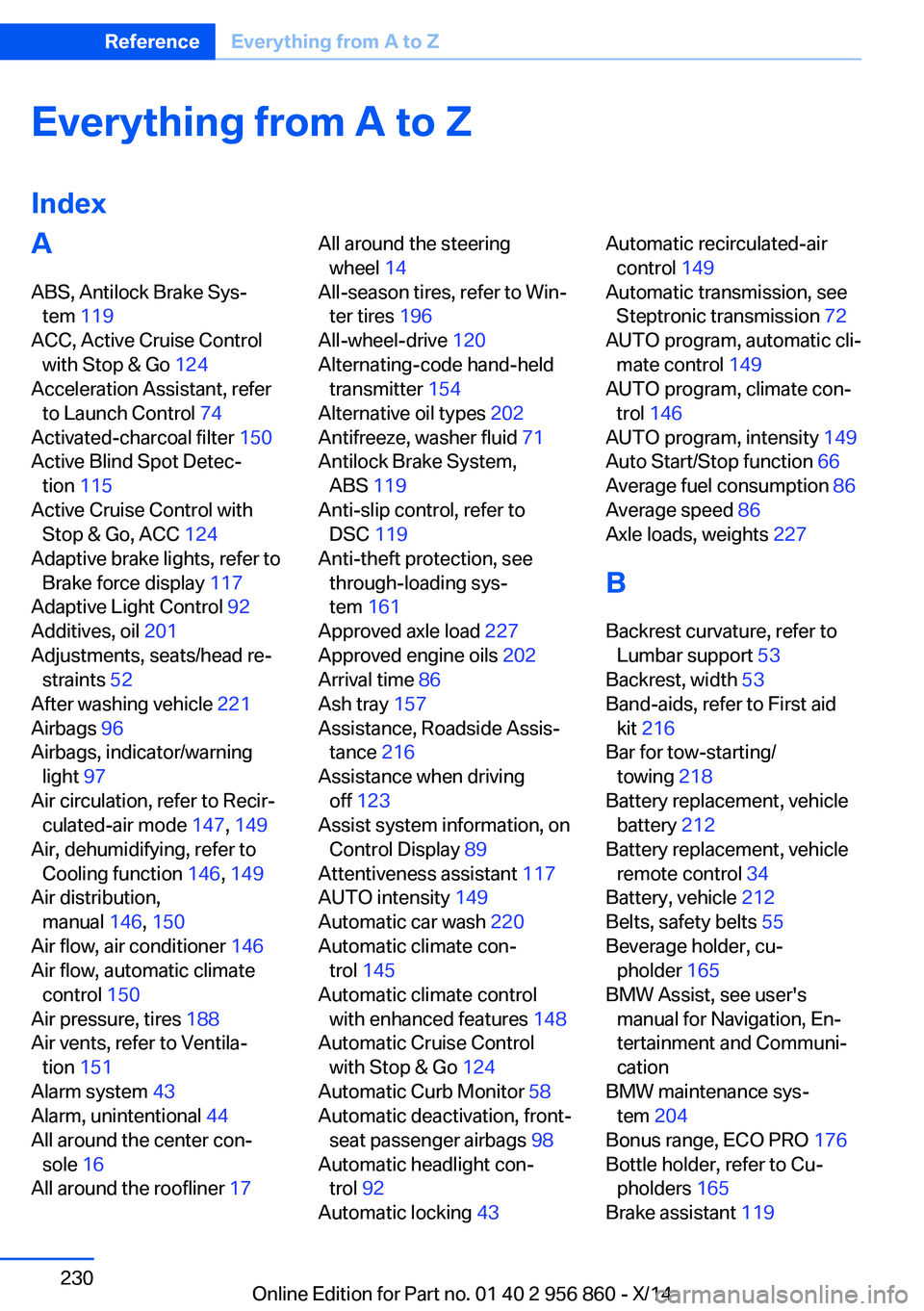
Everything from A to Z
IndexA ABS, Antilock Brake Sys‐ tem 119
ACC, Active Cruise Control with Stop & Go 124
Acceleration Assistant, refer to Launch Control 74
Activated-charcoal filter 150
Active Blind Spot Detec‐ tion 115
Active Cruise Control with Stop & Go, ACC 124
Adaptive brake lights, refer to Brake force display 117
Adaptive Light Control 92
Additives, oil 201
Adjustments, seats/head re‐ straints 52
After washing vehicle 221
Airbags 96
Airbags, indicator/warning light 97
Air circulation, refer to Recir‐ culated-air mode 147, 149
Air, dehumidifying, refer to Cooling function 146, 149
Air distribution, manual 146, 150
Air flow, air conditioner 146
Air flow, automatic climate control 150
Air pressure, tires 188
Air vents, refer to Ventila‐ tion 151
Alarm system 43
Alarm, unintentional 44
All around the center con‐ sole 16
All around the roofliner 17 All around the steering
wheel 14
All-season tires, refer to Win‐ ter tires 196
All-wheel-drive 120
Alternating-code hand-held transmitter 154
Alternative oil types 202
Antifreeze, washer fluid 71
Antilock Brake System, ABS 119
Anti-slip control, refer to DSC 119
Anti-theft protection, see through-loading sys‐
tem 161
Approved axle load 227
Approved engine oils 202
Arrival time 86
Ash tray 157
Assistance, Roadside Assis‐ tance 216
Assistance when driving off 123
Assist system information, on Control Display 89
Attentiveness assistant 117
AUTO intensity 149
Automatic car wash 220
Automatic climate con‐ trol 145
Automatic climate control with enhanced features 148
Automatic Cruise Control with Stop & Go 124
Automatic Curb Monitor 58
Automatic deactivation, front- seat passenger airbags 98
Automatic headlight con‐ trol 92
Automatic locking 43 Automatic recirculated-air
control 149
Automatic transmission, see Steptronic transmission 72
AUTO program, automatic cli‐ mate control 149
AUTO program, climate con‐ trol 146
AUTO program, intensity 149
Auto Start/Stop function 66
Average fuel consumption 86
Average speed 86
Axle loads, weights 227
B Backrest curvature, refer to Lumbar support 53
Backrest, width 53
Band-aids, refer to First aid kit 216
Bar for tow-starting/ towing 218
Battery replacement, vehicle battery 212
Battery replacement, vehicle remote control 34
Battery, vehicle 212
Belts, safety belts 55
Beverage holder, cu‐ pholder 165
BMW Assist, see user's manual for Navigation, En‐
tertainment and Communi‐
cation
BMW maintenance sys‐ tem 204
Bonus range, ECO PRO 176
Bottle holder, refer to Cu‐ pholders 165
Brake assistant 119 Seite 230ReferenceEverything from A to Z230
Online Edition for Part no. 01 40 2 956 860 - X/14
Page 236 of 244
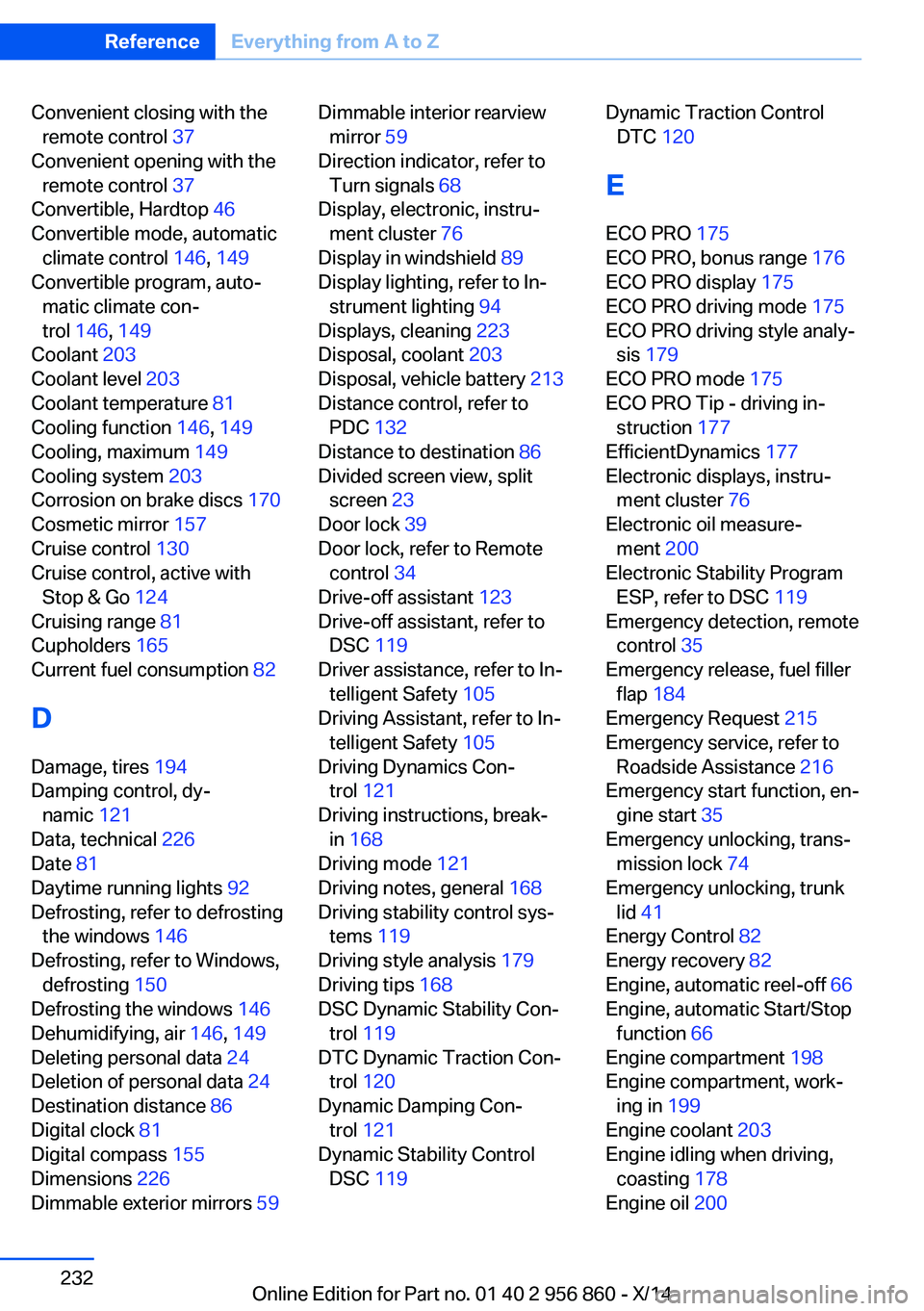
Convenient closing with theremote control 37
Convenient opening with the remote control 37
Convertible, Hardtop 46
Convertible mode, automatic climate control 146, 149
Convertible program, auto‐ matic climate con‐
trol 146 , 149
Coolant 203
Coolant level 203
Coolant temperature 81
Cooling function 146, 149
Cooling, maximum 149
Cooling system 203
Corrosion on brake discs 170
Cosmetic mirror 157
Cruise control 130
Cruise control, active with Stop & Go 124
Cruising range 81
Cupholders 165
Current fuel consumption 82
D
Damage, tires 194
Damping control, dy‐ namic 121
Data, technical 226
Date 81
Daytime running lights 92
Defrosting, refer to defrosting the windows 146
Defrosting, refer to Windows, defrosting 150
Defrosting the windows 146
Dehumidifying, air 146, 149
Deleting personal data 24
Deletion of personal data 24
Destination distance 86
Digital clock 81
Digital compass 155
Dimensions 226
Dimmable exterior mirrors 59 Dimmable interior rearview
mirror 59
Direction indicator, refer to Turn signals 68
Display, electronic, instru‐ ment cluster 76
Display in windshield 89
Display lighting, refer to In‐ strument lighting 94
Displays, cleaning 223
Disposal, coolant 203
Disposal, vehicle battery 213
Distance control, refer to PDC 132
Distance to destination 86
Divided screen view, split screen 23
Door lock 39
Door lock, refer to Remote control 34
Drive-off assistant 123
Drive-off assistant, refer to DSC 119
Driver assistance, refer to In‐ telligent Safety 105
Driving Assistant, refer to In‐ telligent Safety 105
Driving Dynamics Con‐ trol 121
Driving instructions, break- in 168
Driving mode 121
Driving notes, general 168
Driving stability control sys‐ tems 119
Driving style analysis 179
Driving tips 168
DSC Dynamic Stability Con‐ trol 119
DTC Dynamic Traction Con‐ trol 120
Dynamic Damping Con‐ trol 121
Dynamic Stability Control DSC 119 Dynamic Traction Control
DTC 120
E ECO PRO 175
ECO PRO, bonus range 176
ECO PRO display 175
ECO PRO driving mode 175
ECO PRO driving style analy‐ sis 179
ECO PRO mode 175
ECO PRO Tip - driving in‐ struction 177
EfficientDynamics 177
Electronic displays, instru‐ ment cluster 76
Electronic oil measure‐ ment 200
Electronic Stability Program ESP, refer to DSC 119
Emergency detection, remote control 35
Emergency release, fuel filler flap 184
Emergency Request 215
Emergency service, refer to Roadside Assistance 216
Emergency start function, en‐ gine start 35
Emergency unlocking, trans‐ mission lock 74
Emergency unlocking, trunk lid 41
Energy Control 82
Energy recovery 82
Engine, automatic reel-off 66
Engine, automatic Start/Stop function 66
Engine compartment 198
Engine compartment, work‐ ing in 199
Engine coolant 203
Engine idling when driving, coasting 178
Engine oil 200 Seite 232ReferenceEverything from A to Z232
Online Edition for Part no. 01 40 2 956 860 - X/14