traction control BMW 428I GRAN COUPE 2016 User Guide
[x] Cancel search | Manufacturer: BMW, Model Year: 2016, Model line: 428I GRAN COUPE, Model: BMW 428I GRAN COUPE 2016Pages: 249, PDF Size: 5.3 MB
Page 127 of 249
DSC OFFWhen DSC OFF, refer to page 121, is active,
driving stability is limited during acceleration
and when driving in curves.
TRACTION When TRACTION is active, the vehicle has
maximum traction on loose road surfaces. DTC
Dynamic Traction Control, refer to page 121, is
activated. Driving stability is limited during ac‐
celeration and when driving in curves.
SPORT+
Sporty driving with optimized suspension and
adapted engine control with limited driving sta‐
bilization.
Dynamic Traction Control is switched on.
The driver handles several of the stabilization
tasks.
Activating SPORT+ Press button repeatedly until SPORT+
appears in the instrument cluster and
the DSC OFF indicator lamp lights up.
Automatic program change When activating cruise control, the program
automatically switches to SPORT mode.
Indicator/warning lights
SPORT+ is displayed in the instrument cluster.
The DSC OFF indicator lamp lights up:
Dynamic Traction Control is activated.
SPORT Depending on the equipment, consistently
sporty tuning of the suspension, steering, and
engine control for greater driving agility with
maximum driving stabilization.
The program can be configured to individual
specifications. The configuration is stored for
the profile currently in use.Activating SPORT
Press button repeatedly until SPORT
is displayed in the instrument cluster.
Configuring SPORT When the display is activated on the Control
Display, refer to page 124, the SPORT driving
mode can be set to individual specifications.▷Activating SPORT.▷"Configure SPORT"▷Configuring the SPORT driving mode.
SPORT can also be configured before it is acti‐
vated:
1."Settings"2."Driving mode"3."Configure SPORT"4.Configure driving mode.
This configuration is retrieved when the
SPORT driving mode is activated.
COMFORT For a balanced tuning with maximum driving
stabilization.
Activating COMFORT Press button repeatedly until COM‐
FORT is displayed in the instrument
cluster.
In certain situations, the system automatically
changes to the NORMAL program, automatic
program change, refer to page 122.
ECO PRO ECO PRO, refer to page 175, provides consis‐
tent tuning to minimize fuel consumption for
maximum range with maximum driving stabili‐
zation.
Comfort functions and the engine controller
are adjusted.
Seite 123Driving stability control systemsControls123
Online Edition for Part no. 01 40 2 960 707 - II/15
Page 131 of 249
InterruptingWhen active, press the button.
If interrupting the system while stationary,
press on the brake pedal at the same time.
The system is automatically interrupted in the
following situations:▷When the brakes are applied.▷When selector lever position D is disen‐
gaged.▷When DTC Dynamic Traction Control is
activated or DSC is deactivated.▷When DSC is actively controlling stability.▷When SPORT+ is activated with Driving
Dynamics Control.▷If the safety belt and the driver's door are
opened while the vehicle is standing still.▷If the system has not detected objects for
an extended period, e.g., on a road with
very little traffic without curb or shoulder
markings.▷If the detection range of the radar is dis‐
rupted, e.g., by dirt or heavy fog.
Maintaining, storing, and changing the
speed
Hints Adjusting the desired speedModify desired speed to road conditions
and be ready to brake at all times; otherwise,
there is the risk of an accident.◀
Differences in speed
Large differences in speed relative to ve‐
hicles ahead of the vehicle cannot be compen‐
sated by the system for example in the follow‐
ing situations:
▷When fast approaching a slowly moving
vehicle.▷When another vehicle suddenly swerves
into the wrong lane.◀Maintaining/storing the speed
Press button.
Or:
Press the rocker switch while the system is in‐
terrupted.
When the system is switched on, the current
speed is maintained and stored as the desired
speed.
This is displayed in the speedometer and
briefly in the instrument cluster. Displays in the
instrument cluster, refer to page 128.
When cruise control is maintained or stored,
DSC Dynamic Stability Control will be turned
on if needed.
Changing the speed
Press the rocker switch up or down repeatedly
until the desired speed is set.
If active, the displayed speed is stored and the vehicle reaches the stored speed when the
road is clear.
▷Each time the rocker switch is pressed to
the point of resistance, the desired speed
increases or decreases by approx.
1 mph/1 km/h.▷Each time the rocker switch is pressed
past the point of resistance, the desired
speed increases or decreases by a maxi‐
mum of 5 mph/10 km/h.
Hold the rocker switch in position to repeat the
action.
Seite 127Driving comfortControls127
Online Edition for Part no. 01 40 2 960 707 - II/15
Page 136 of 249
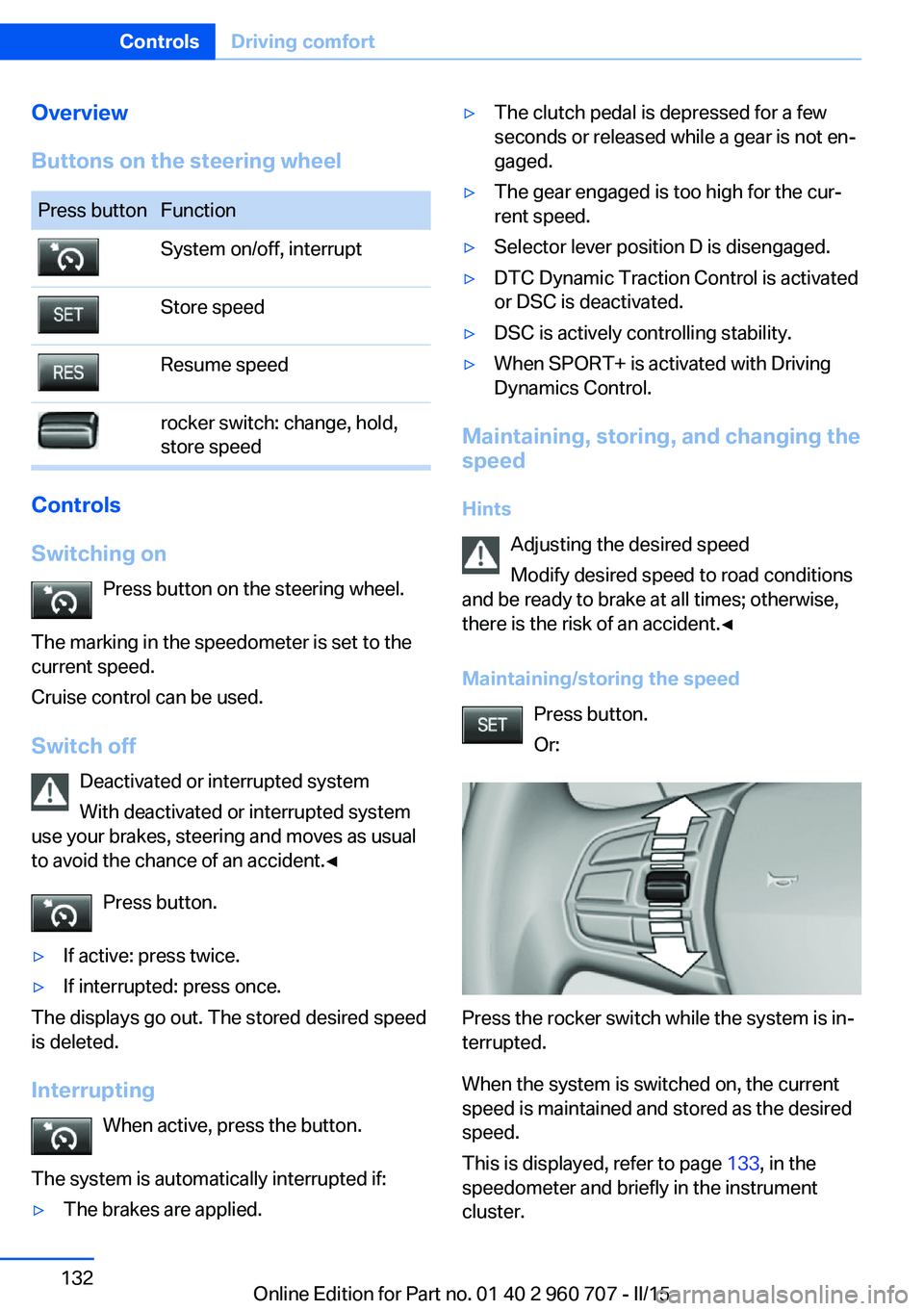
Overview
Buttons on the steering wheelPress buttonFunctionSystem on/off, interruptStore speedResume speedrocker switch: change, hold,
store speed
Controls
Switching on Press button on the steering wheel.
The marking in the speedometer is set to the
current speed.
Cruise control can be used.
Switch off Deactivated or interrupted system
With deactivated or interrupted system
use your brakes, steering and moves as usual
to avoid the chance of an accident.◀
Press button.
▷If active: press twice.▷If interrupted: press once.
The displays go out. The stored desired speed
is deleted.
Interrupting When active, press the button.
The system is automatically interrupted if:
▷The brakes are applied.▷The clutch pedal is depressed for a few
seconds or released while a gear is not en‐
gaged.▷The gear engaged is too high for the cur‐
rent speed.▷Selector lever position D is disengaged.▷DTC Dynamic Traction Control is activated
or DSC is deactivated.▷DSC is actively controlling stability.▷When SPORT+ is activated with Driving
Dynamics Control.
Maintaining, storing, and changing the
speed
Hints Adjusting the desired speed
Modify desired speed to road conditions
and be ready to brake at all times; otherwise,
there is the risk of an accident.◀
Maintaining/storing the speed Press button.
Or:
Press the rocker switch while the system is in‐
terrupted.
When the system is switched on, the current
speed is maintained and stored as the desired
speed.
This is displayed, refer to page 133, in the
speedometer and briefly in the instrument
cluster.
Seite 132ControlsDriving comfort132
Online Edition for Part no. 01 40 2 960 707 - II/15
Page 182 of 249
Indications on the Control DisplayEfficientDynamics Information on fuel consumption and technol‐
ogy can be displayed while driving.1."Vehicle info"2."EfficientDynamics"
Displaying fuel consumption history
The average fuel consumption can be dis‐
played within an adjustable time frame.
Vertical bars show consumption for the se‐
lected time frame.
Trip interruptions are represented below the
bar on the time axis.
"Consumption history"
Adjusting fuel consumption history time frame
Select the symbol.
Resetting fuel consumption history
1.Open "Options".2."Reset consumption history"
Displaying EfficientDynamics info
The current efficiency can be displayed.
"EfficientDynamics info"
The following systems are displayed:
▷Auto Start/Stop function.▷Energy recovery.▷Climate control output.▷Coasting.
Display ECO PRO tips
"ECO PRO Tips"
Settings are stored for the profile currently in
use.
Coasting
The concept The system helps to conserve fuel.
To do this, under certain conditions the engine
is automatically decoupled from the transmis‐
sion when selector lever position D is set. The
vehicle continues traveling with the engine idling to reduce fuel consumption. Selector
lever position D remains engaged.
This driving condition is referred to as coast‐
ing.
As soon as you step on the brake or accelera‐
tor pedal, the engine is automatically coupled
again.
Hints
Coasting is a component of the ECO PRO, re‐
fer to page 175, driving mode.
Coasting is automatically activated when ECO
PRO mode is called via the Driving Dynamics
Control.
The function is available in a certain speed
range.
A proactively driving style helps the driver to
use the function as often as possible and sup‐
ports the fuel-conserving effect of coasting.
Safety mode
The function is not available under one of the
following conditions.▷DSC OFF or TRACTION activated.▷Driving in the dynamic limit range and on
steep uphill or downhill grades.▷Battery charge status temporarily too low
or vehicle electrical system drawing exces‐
sive current.▷Cruise control activated.
Functional requirements
In ECO PRO mode, this function is available in
a speed range from approximately 30 mph, ap‐
Seite 178Driving tipsSaving fuel178
Online Edition for Part no. 01 40 2 960 707 - II/15
Page 197 of 249
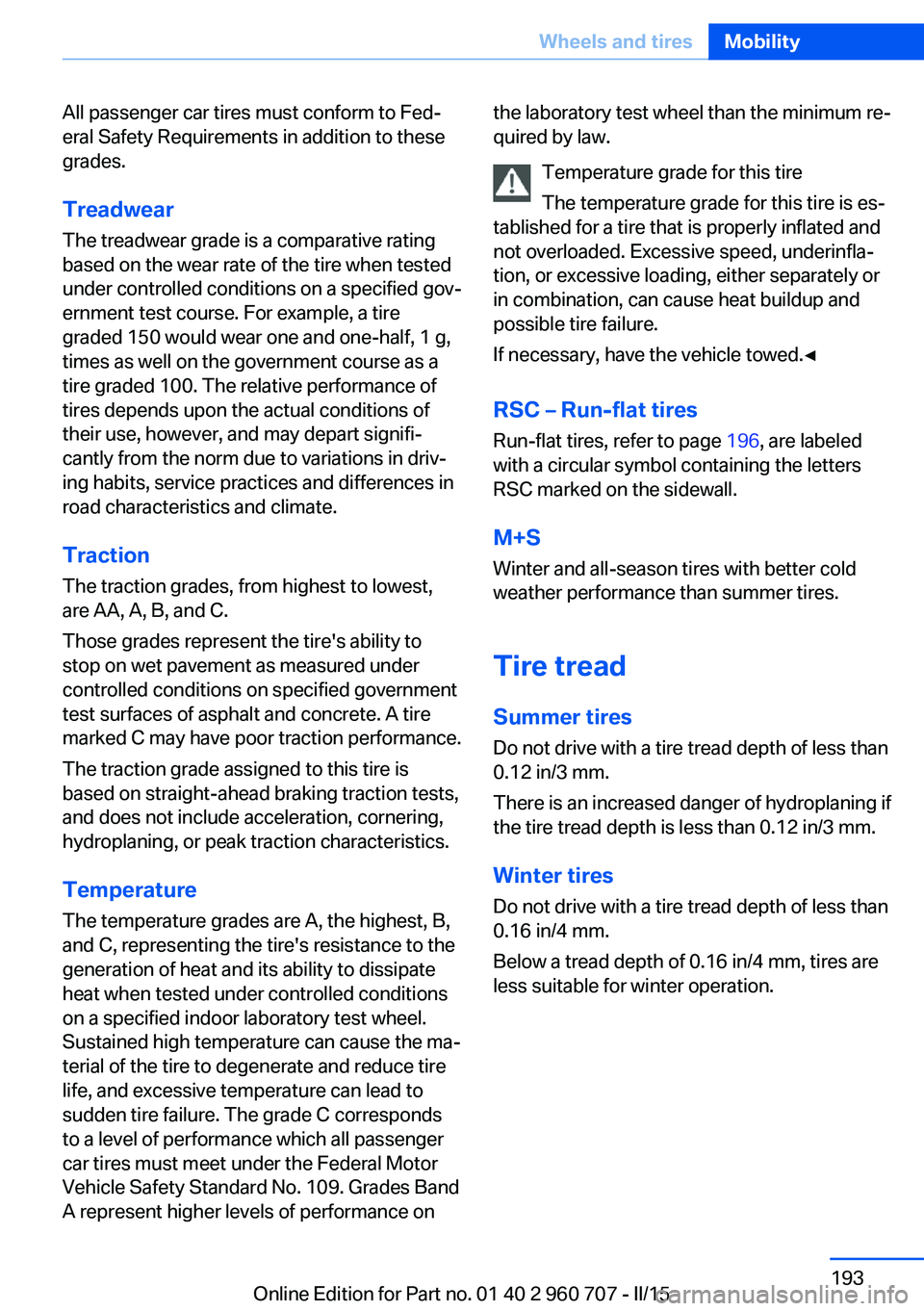
All passenger car tires must conform to Fed‐
eral Safety Requirements in addition to these
grades.
TreadwearThe treadwear grade is a comparative rating
based on the wear rate of the tire when tested
under controlled conditions on a specified gov‐
ernment test course. For example, a tire
graded 150 would wear one and one-half, 1 g,
times as well on the government course as a
tire graded 100. The relative performance of
tires depends upon the actual conditions of
their use, however, and may depart signifi‐
cantly from the norm due to variations in driv‐
ing habits, service practices and differences in
road characteristics and climate.
Traction
The traction grades, from highest to lowest,
are AA, A, B, and C.
Those grades represent the tire's ability to
stop on wet pavement as measured under
controlled conditions on specified government
test surfaces of asphalt and concrete. A tire
marked C may have poor traction performance.
The traction grade assigned to this tire is
based on straight-ahead braking traction tests,
and does not include acceleration, cornering,
hydroplaning, or peak traction characteristics.
Temperature The temperature grades are A, the highest, B,
and C, representing the tire's resistance to the
generation of heat and its ability to dissipate
heat when tested under controlled conditions
on a specified indoor laboratory test wheel.
Sustained high temperature can cause the ma‐
terial of the tire to degenerate and reduce tire
life, and excessive temperature can lead to
sudden tire failure. The grade C corresponds
to a level of performance which all passenger
car tires must meet under the Federal Motor
Vehicle Safety Standard No. 109. Grades Band
A represent higher levels of performance onthe laboratory test wheel than the minimum re‐
quired by law.
Temperature grade for this tire
The temperature grade for this tire is es‐
tablished for a tire that is properly inflated and
not overloaded. Excessive speed, underinfla‐
tion, or excessive loading, either separately or
in combination, can cause heat buildup and
possible tire failure.
If necessary, have the vehicle towed.◀
RSC – Run-flat tires
Run-flat tires, refer to page 196, are labeled
with a circular symbol containing the letters
RSC marked on the sidewall.
M+S
Winter and all-season tires with better cold
weather performance than summer tires.
Tire tread
Summer tires Do not drive with a tire tread depth of less than
0.12 in/3 mm.
There is an increased danger of hydroplaning if
the tire tread depth is less than 0.12 in/3 mm.
Winter tires
Do not drive with a tire tread depth of less than
0.16 in/4 mm.
Below a tread depth of 0.16 in/4 mm, tires are
less suitable for winter operation.Seite 193Wheels and tiresMobility193
Online Edition for Part no. 01 40 2 960 707 - II/15
Page 204 of 249
▷225/45 R 18
Follow the snow chain manufacturer's instruc‐
tions.
Make sure that the snow chains are always
sufficiently tight. Retighten as needed accord‐
ing to the chain manufacturer's instructions.
Do not initialize the Flat Tire Monitor after
mounting snow chains, as doing so may result
in incorrect readings.
Do not initialize the Tire Pressure Monitor after
mounting snow chains, as doing so may result
in incorrect readings.
When driving with snow chains, briefly activate
Dynamic Traction Control if needed.
Maximum speed with snow chains Do not exceed a speed of 30 mph/50 km/hwhen using snow chains.
Seite 200MobilityWheels and tires200
Online Edition for Part no. 01 40 2 960 707 - II/15
Page 240 of 249
Connecting electrical devi‐ces 157
Continued driving with a flat tire 103 , 106
Control Display 18
Control Display, settings 90
Controller 18, 19
Control systems, driving sta‐ bility 120
Convenient opening with the remote control 37
Coolant 206
Coolant level 206
Coolant temperature 83
Cooling function 147, 150
Cooling, maximum 149
Cooling system 206
Cornering light 94
Corrosion on brake discs 170
Cosmetic mirror 157
Courtesy lamps during un‐ locking 37
Courtesy lamps with the vehi‐ cle locked 38
Cruise control 131
Cruise control, active with Stop & Go 125
Cruising range 83
Cupholders 163
Current fuel consumption 84
D
Damage, tires 194
Damping control, dy‐ namic 122
Data, technical 230
Date 83
Daytime running lights 94
Defrosting, refer to defrosting the windows 147
Defrosting, refer to Windows, defrosting 151
Defrosting the windows 147
Dehumidifying, air 147, 150
Deleting personal data 25 Deletion of personal data 25
Destination distance 88
Digital clock 83
Digital compass 155
Dimensions 230
Dimmable exterior mirrors 59
Dimmable interior rearview mirror 59
Direction indicator, refer to Turn signals 69
Display, electronic, instru‐ ment cluster 78
Display in windshield 91
Display lighting, refer to In‐ strument lighting 96
Displays, cleaning 227
Disposal, coolant 206
Disposal, vehicle battery 216
Distance control, refer to PDC 133
Distance to destination 88
Divided screen view, split screen 23
Door lock 39
Door lock, refer to Remote control 34
Drive-off assistant 124
Drive-off assistant, refer to DSC 120
Driver assistance, refer to In‐ telligent Safety 107
Driving Assistant, refer to In‐ telligent Safety 107
Driving Dynamics Con‐ trol 122
Driving instructions, break- in 168
Driving mode 122
Driving notes, general 168
Driving stability control sys‐ tems 120
Driving style analysis 179
Driving tips 168
DSC Dynamic Stability Con‐ trol 120 DTC Dynamic Traction Con‐
trol 121
Dynamic Damping Con‐ trol 122
Dynamic Stability Control DSC 120
Dynamic Traction Control DTC 121
E
ECO PRO 175
ECO PRO, bonus range 176
ECO PRO display 175
ECO PRO driving mode 175
ECO PRO driving style analy‐ sis 179
ECO PRO mode 175
ECO PRO Tip - driving in‐ struction 177
EfficientDynamics 178
Electronic displays, instru‐ ment cluster 78
Electronic oil measure‐ ment 203
Electronic Stability Program ESP, refer to DSC 120
Emergency detection, remote control 35
Emergency release, fuel filler flap 184
Emergency Request 218
Emergency start function, en‐ gine start 35
Emergency unlocking, tail‐ gate 42
Emergency unlocking, trans‐ mission lock 76
Energy Control 84
Energy recovery 84
Engine, automatic Start/Stop function 67
Engine, automatic switch- off 67
Engine compartment 201 Seite 236ReferenceEverything from A to Z236
Online Edition for Part no. 01 40 2 960 707 - II/15
Page 246 of 249
Tempomat, refer to ActiveCruise Control 125
Terminal, starting aid 220
Text message, supplemen‐ tary 82
Theft alarm system, refer to Alarm system 46
Thigh support 53
Tilt alarm sensor 47
Time of arrival 89
Tire damage 194
Tire identification marks 192
Tire inflation pressure 188
Tire inflation pressure moni‐ tor, refer to FTM 105
Tire Pressure Monitor TPM 101
Tires, changing 194
Tire sealant 196
Tires, everything on wheels and tires 188
Tires, run-flat tires 196
Tire tread 193
Tone, see user's manual for Navigation, Entertainment
and Communication
Tool 209
Top View 139
Total vehicle weight 230
Touchpad 21
Tow fitting 222
Towing 221
Tow lug, see Tow fitting 222
Tow-starting 221
Tow truck 221
TPM Tire Pressure Moni‐ tor 101
Traction control 121
TRACTION, driving dynam‐ ics 121
Transmission lock, electronic unlocking 76
Transmission, manual trans‐ mission 73
Transmission, Steptronic transmission 73 Transporting children
safely 61
Tread, tires 193
Trip computer 89
Triple turn signal activa‐ tion 70
Trip odometer 83
Truck for tow-starting/ towing 221
Turning circle 230
Turning circle lines, rearview camera 137
Turn signals, operation 69
U Unintentional alarm 47
Units of measure 91
Universal remote control 153
Unlock button, Steptronic transmission 74
Unlocking/locking via door lock 39
Unlocking/locking with re‐ mote control 37
Unlocking, settings 45
Updates made after the edito‐ rial deadline 7
Upholstery care 226
USB interface 158
V Vanity mirror 157
Variable sport steering 122
Vehicle battery 215
Vehicle battery, replac‐ ing 215
Vehicle, break-in 168
Vehicle care 225
Vehicle features and op‐ tions 6
Vehicle identification num‐ ber 9
Vehicle jack 215
Vehicle paint 225 Vehicle storage 227
Vehicle wash 224
Ventilation 151
Ventilation, refer to Parked- car ventilation 152
VIN, see vehicle identification number 9
Voice activation system 27
W Warning and indicator lamps, see Check Control 79
Warning displays, see Check Control 79
Warning messages, see Check Control 79
Warning triangle 219
Warranty 7
Washer fluid 72
Washer nozzles, wind‐ shield 72
Washer system 70
Washing, vehicle 224
Water on roads 169
Weights 230
Welcome lamps during un‐ locking 37
Welcome lights 93
Wheel base, vehicle 230
Wheel cleaner 226
Wheels, changing 194
Wheels, everything on wheels and tires 188
Wheels, Flat Tire Monitor FTM 105
Wheels, Tire Pressure Moni‐ tor TPM 101
Width, vehicle 230
Window defroster, rear 147, 150
Windows, powered 47
Windshield washer fluid 72
Windshield washer noz‐ zles 72 Seite 242ReferenceEverything from A to Z242
Online Edition for Part no. 01 40 2 960 707 - II/15