change wheel BMW 435I COUPE 2014 User Guide
[x] Cancel search | Manufacturer: BMW, Model Year: 2014, Model line: 435I COUPE, Model: BMW 435I COUPE 2014Pages: 236, PDF Size: 6.08 MB
Page 111 of 236
▷When the windshield in front of the interior
rearview mirror is fogged over, dirty or cov‐
ered with stickers, etc.▷During calibration of the camera immedi‐
ately after vehicle shipment.
Active Blind Spot Detection
The concept
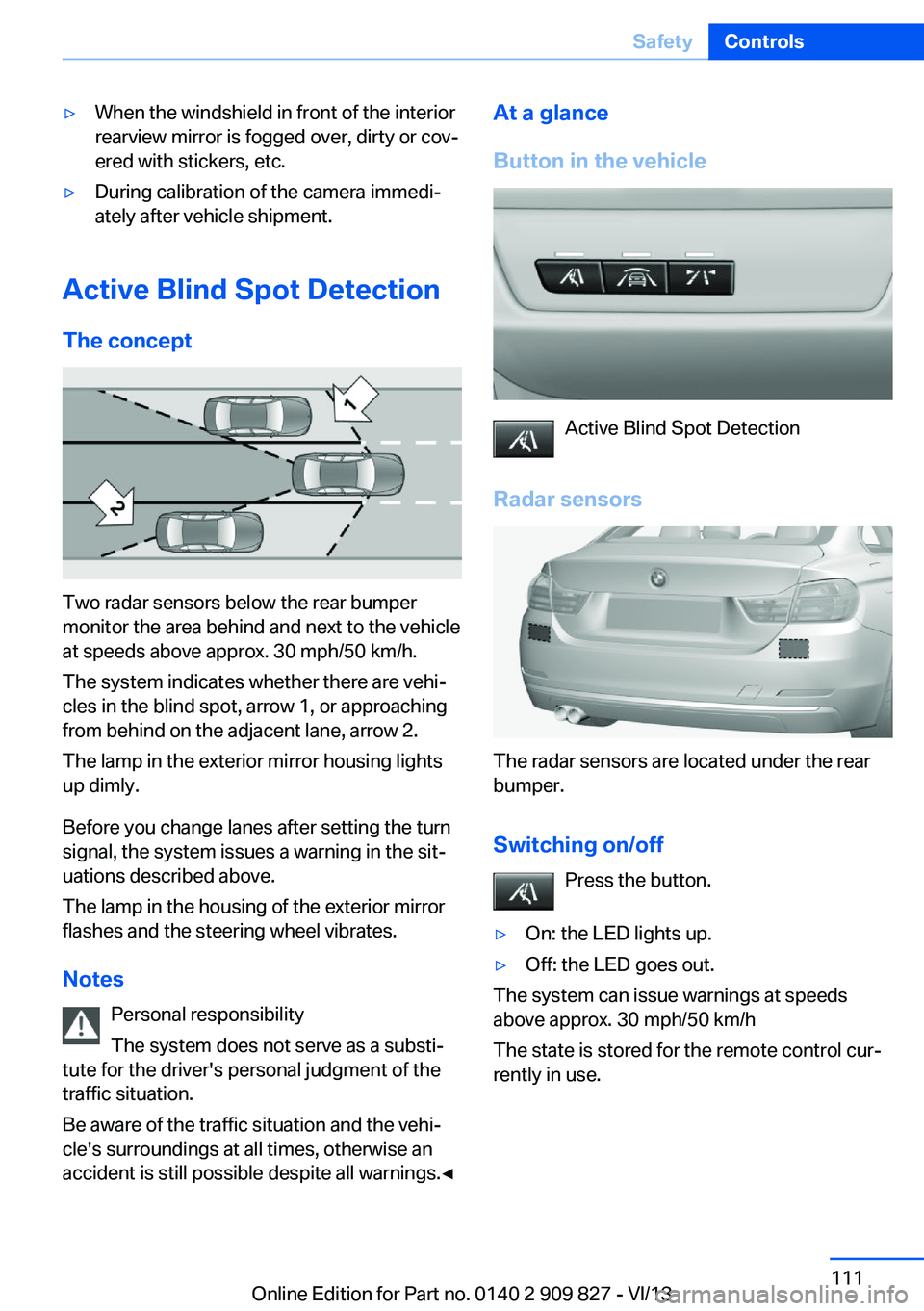
Two radar sensors below the rear bumper
monitor the area behind and next to the vehicle
at speeds above approx. 30 mph/50 km/h.
The system indicates whether there are vehi‐
cles in the blind spot, arrow 1, or approaching
from behind on the adjacent lane, arrow 2.
The lamp in the exterior mirror housing lights
up dimly.
Before you change lanes after setting the turn
signal, the system issues a warning in the sit‐
uations described above.
The lamp in the housing of the exterior mirror
flashes and the steering wheel vibrates.
Notes Personal responsibility
The system does not serve as a substi‐
tute for the driver's personal judgment of the
traffic situation.
Be aware of the traffic situation and the vehi‐
cle's surroundings at all times, otherwise an
accident is still possible despite all warnings.◀
At a glance
Button in the vehicle
Active Blind Spot Detection
Radar sensors
The radar sensors are located under the rear
bumper.
Switching on/off Press the button.
▷On: the LED lights up.▷Off: the LED goes out.
The system can issue warnings at speeds
above approx. 30 mph/50 km/h
The state is stored for the remote control cur‐
rently in use.
Seite 111SafetyControls111
Online Edition for Part no. 0140 2 909 827 - VI/13
Page 112 of 236
Display
Information stage
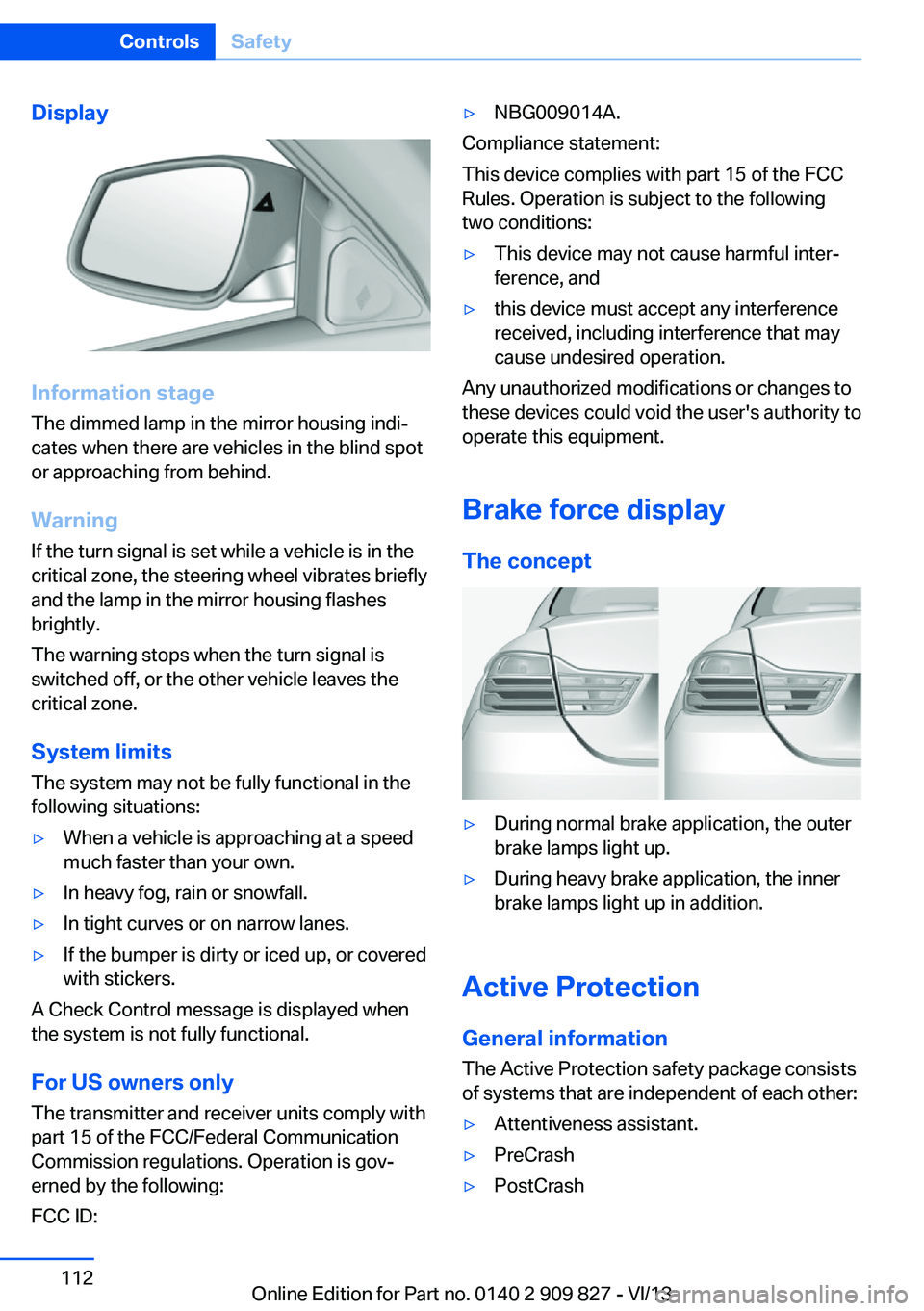
The dimmed lamp in the mirror housing indi‐
cates when there are vehicles in the blind spot
or approaching from behind.
Warning
If the turn signal is set while a vehicle is in the
critical zone, the steering wheel vibrates briefly
and the lamp in the mirror housing flashes
brightly.
The warning stops when the turn signal is
switched off, or the other vehicle leaves the
critical zone.
System limits
The system may not be fully functional in the
following situations:
▷When a vehicle is approaching at a speed
much faster than your own.▷In heavy fog, rain or snowfall.▷In tight curves or on narrow lanes.▷If the bumper is dirty or iced up, or covered
with stickers.
A Check Control message is displayed when
the system is not fully functional.
For US owners only The transmitter and receiver units comply with
part 15 of the FCC/Federal Communication
Commission regulations. Operation is gov‐
erned by the following:
FCC ID:
▷NBG009014A.
Compliance statement:
This device complies with part 15 of the FCC
Rules. Operation is subject to the following
two conditions:
▷This device may not cause harmful inter‐
ference, and▷this device must accept any interference
received, including interference that may
cause undesired operation.
Any unauthorized modifications or changes to
these devices could void the user's authority to
operate this equipment.
Brake force display
The concept
▷During normal brake application, the outer
brake lamps light up.▷During heavy brake application, the inner
brake lamps light up in addition.
Active Protection
General information
The Active Protection safety package consists
of systems that are independent of each other:
▷Attentiveness assistant.▷PreCrash▷PostCrashSeite 112ControlsSafety112
Online Edition for Part no. 0140 2 909 827 - VI/13
Page 117 of 236
Variable sport steeringThe variable sport steering increases the
steering angle of the front wheels at large
steering wheel angles, e.g., in tight curves or
when parking. Steering becomes more direct.
It also varies the force required to turn the
wheels in accordance with the vehicle speed.
This results in a sporty steering response. In
addition, it becomes easier to steer during
parking and maneuvering.
Driving Dynamics Control The conceptThe Driving Dynamics Control can be used to
adjust the certain characteristics of the vehicle.
Various programs can be selected for this pur‐
pose. The Driving Dynamics Control and the
DSC OFF buttons can each be used to activate
a program.
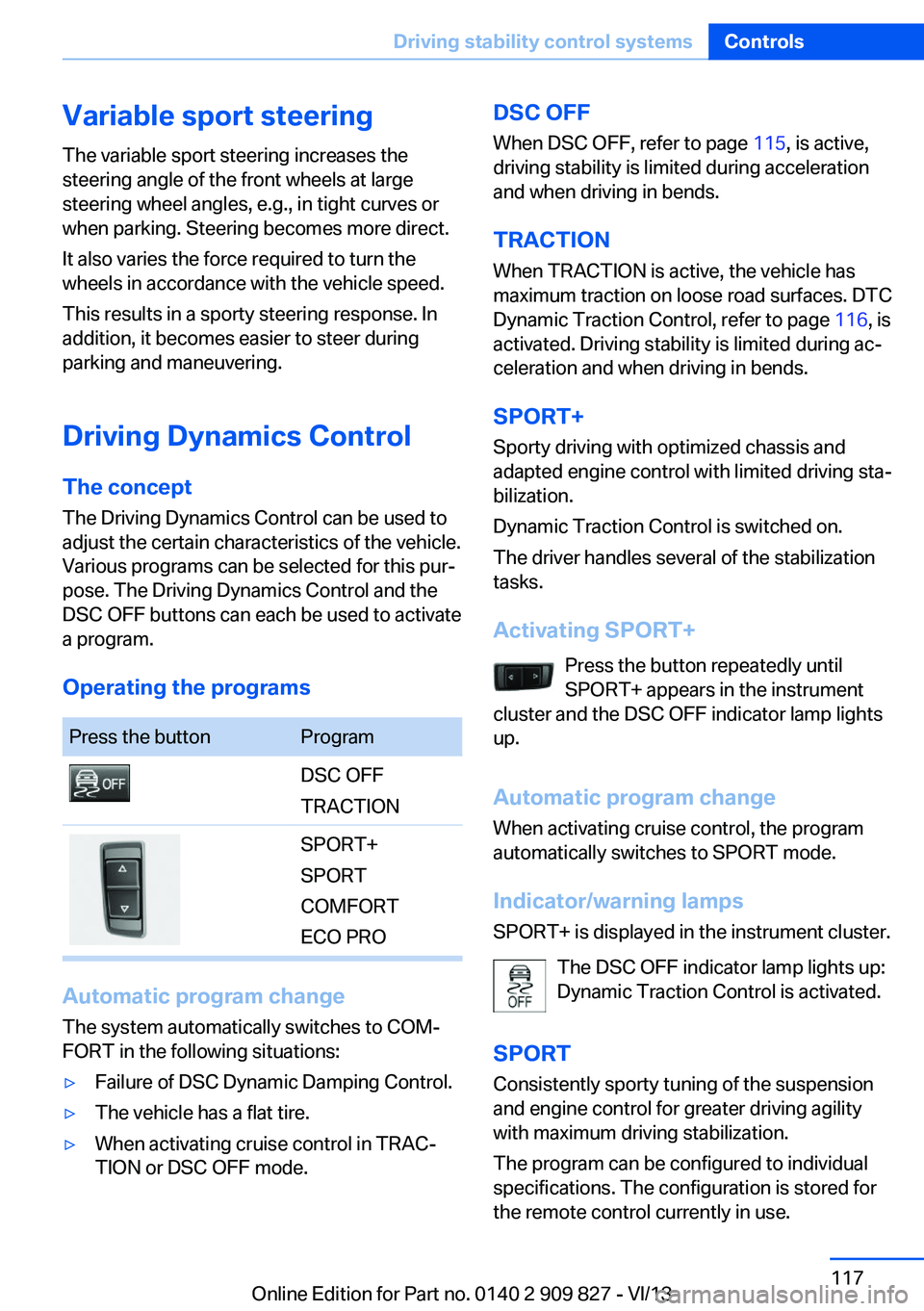
Operating the programsPress the buttonProgramDSC OFF
TRACTIONSPORT+
SPORT
COMFORT
ECO PRO
Automatic program change
The system automatically switches to COM‐
FORT in the following situations:
▷Failure of DSC Dynamic Damping Control.▷The vehicle has a flat tire.▷When activating cruise control in TRAC‐
TION or DSC OFF mode.DSC OFF
When DSC OFF, refer to page 115, is active,
driving stability is limited during acceleration
and when driving in bends.
TRACTION When TRACTION is active, the vehicle has
maximum traction on loose road surfaces. DTC
Dynamic Traction Control, refer to page 116, is
activated. Driving stability is limited during ac‐
celeration and when driving in bends.
SPORT+
Sporty driving with optimized chassis and
adapted engine control with limited driving sta‐
bilization.
Dynamic Traction Control is switched on.
The driver handles several of the stabilization
tasks.
Activating SPORT+ Press the button repeatedly until
SPORT+ appears in the instrument
cluster and the DSC OFF indicator lamp lights
up.
Automatic program change When activating cruise control, the program
automatically switches to SPORT mode.
Indicator/warning lamps
SPORT+ is displayed in the instrument cluster.
The DSC OFF indicator lamp lights up:
Dynamic Traction Control is activated.
SPORT Consistently sporty tuning of the suspension
and engine control for greater driving agility
with maximum driving stabilization.
The program can be configured to individual
specifications. The configuration is stored for
the remote control currently in use.Seite 117Driving stability control systemsControls117
Online Edition for Part no. 0140 2 909 827 - VI/13
Page 120 of 236
Driving comfortVehicle equipment
All standard, country-specific and optional
equipment that is offered in the model series is
described in this chapter. Therefore, equip‐
ment is also described that is not available in a
vehicle, e. g., because of the selected optional
equipment or country variant. This also applies
for safety-related functions and systems.
Active Cruise Control with Stop & Go function, ACC
The conceptThis system can be used to select a desired
speed that the vehicle will maintain automati‐
cally on clear roads.
To the extent possible, the system automati‐
cally adjusts the speed to a slower vehicle
ahead of you.
The distance that the vehicle maintains to the
vehicle ahead of you can be varied.
For safety reasons, it depends on the speed.
To maintain a certain distance, the system au‐
tomatically decelerates, applies the brakes
lightly, or accelerates again if the vehicle ahead
begins moving faster.
If the vehicle ahead of you brakes to a halt, the
system is able to detect this within the given
system limits. If the vehicle ahead of your
drives away again from a halt, your vehicle is
able to accelerate if operated accordingly.
Even if some time passes before the vehicle
drives away again, the BMW can still be accel‐
erated automatically and simply.
As soon as the road is clear, it accelerates to
the desired speed.
The speed is also maintained on downhill gra‐
dients, but may not be maintained on uphill
slopes if engine power is insufficient.General information
When ECO PRO is activated, cruise control is
also set to a driving style that saves on fuel
consumption.
Notes Personal responsibility
The system does not relieve the driver of
the responsibility to adapt his or her speed,
distance and driving style to the traffic condi‐
tions. Drive attentively, and react to the current
traffic events. Intervene actively when neces‐
sary, e.g., by braking, steering or making an
evasive maneuver, otherwise, there is danger
of an accident.◀
At a glance
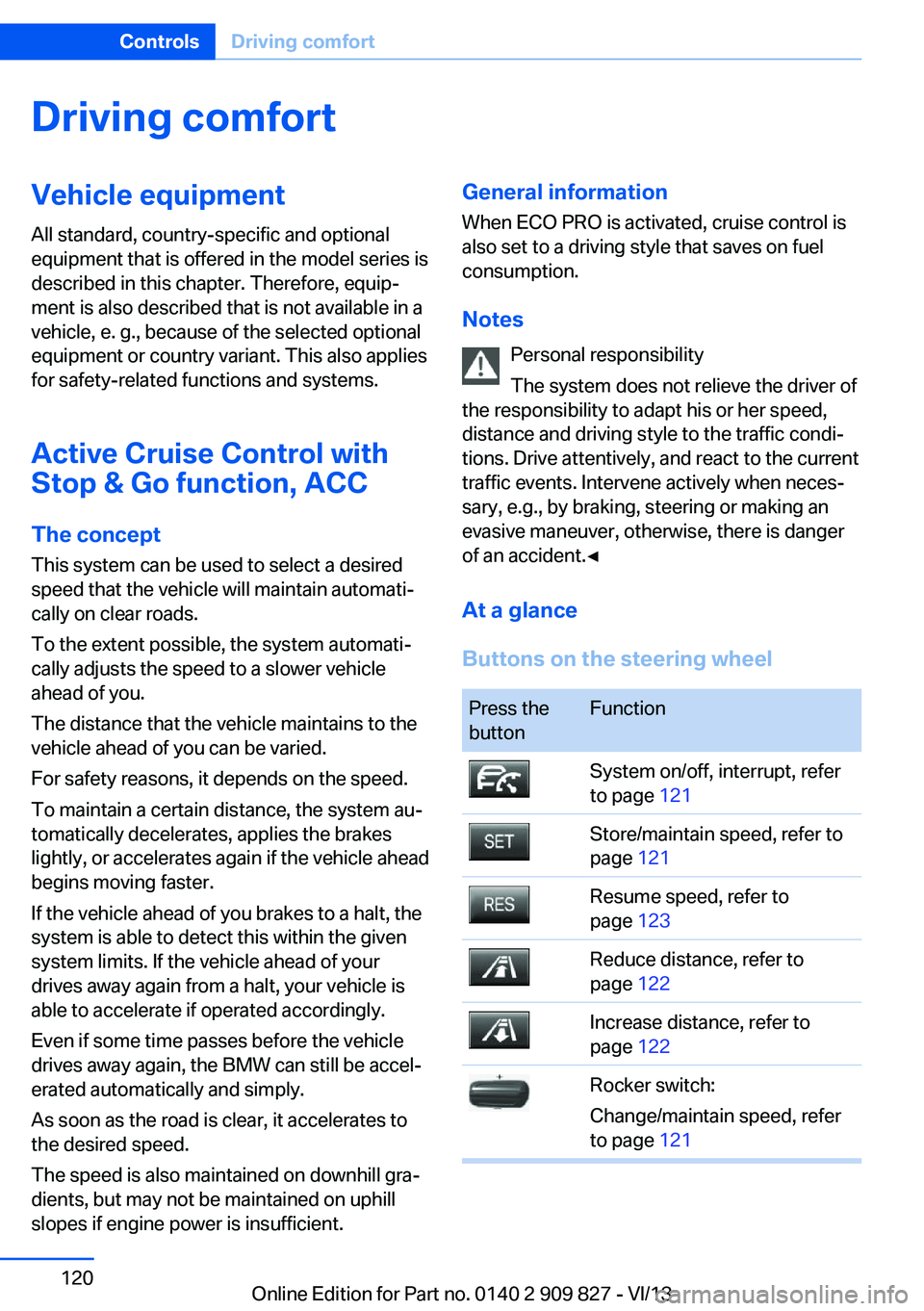
Buttons on the steering wheelPress the
buttonFunctionSystem on/off, interrupt, refer
to page 121Store/maintain speed, refer to
page 121Resume speed, refer to
page 123Reduce distance, refer to
page 122Increase distance, refer to
page 122Rocker switch:
Change/maintain speed, refer
to page 121Seite 120ControlsDriving comfort120
Online Edition for Part no. 0140 2 909 827 - VI/13
Page 126 of 236
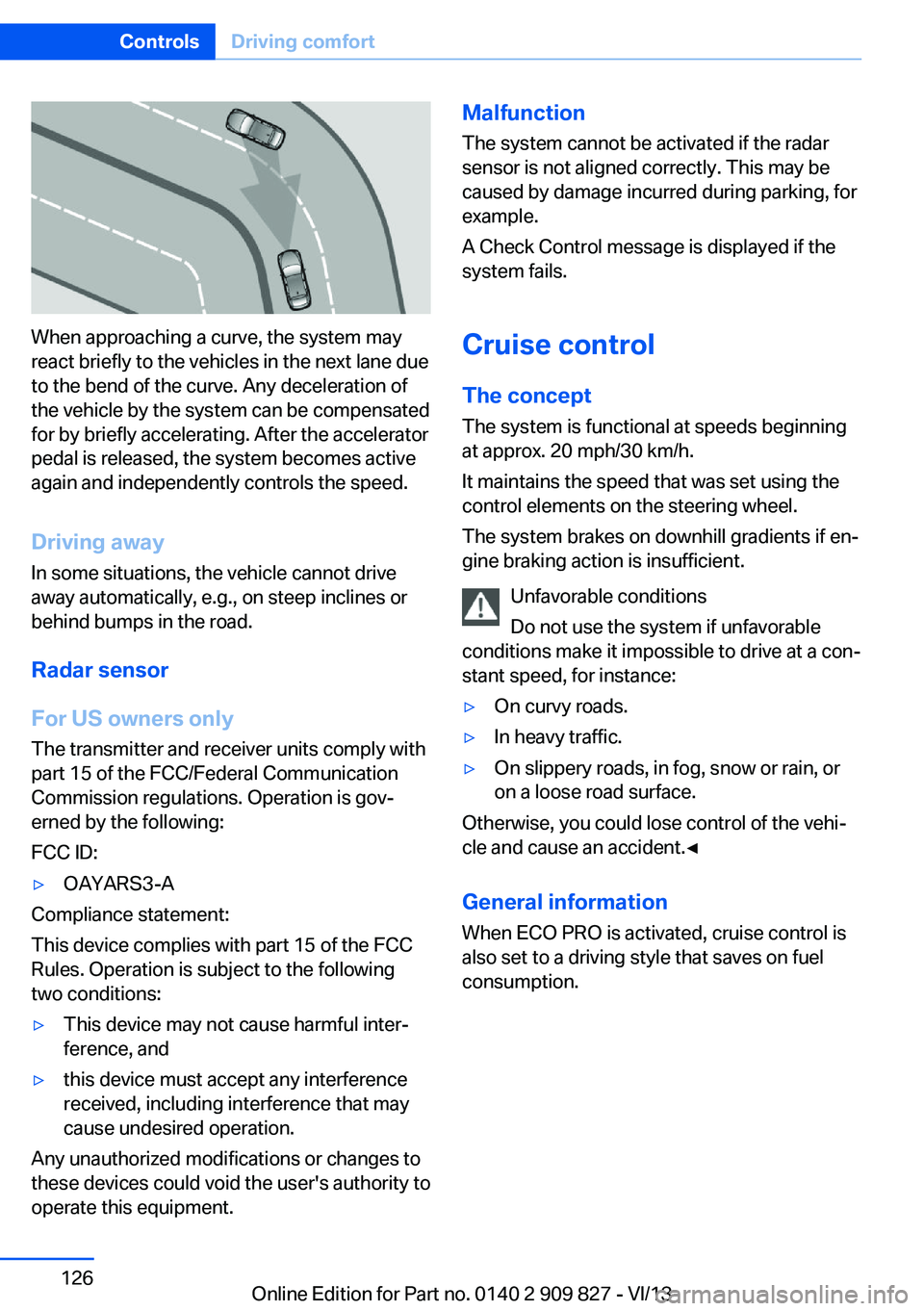
When approaching a curve, the system may
react briefly to the vehicles in the next lane due
to the bend of the curve. Any deceleration of
the vehicle by the system can be compensated
for by briefly accelerating. After the accelerator
pedal is released, the system becomes active
again and independently controls the speed.
Driving away In some situations, the vehicle cannot drive
away automatically, e.g., on steep inclines or
behind bumps in the road.
Radar sensor
For US owners only
The transmitter and receiver units comply with
part 15 of the FCC/Federal Communication
Commission regulations. Operation is gov‐
erned by the following:
FCC ID:
▷OAYARS3-A
Compliance statement:
This device complies with part 15 of the FCC
Rules. Operation is subject to the following
two conditions:
▷This device may not cause harmful inter‐
ference, and▷this device must accept any interference
received, including interference that may
cause undesired operation.
Any unauthorized modifications or changes to
these devices could void the user's authority to
operate this equipment.
Malfunction
The system cannot be activated if the radar
sensor is not aligned correctly. This may be
caused by damage incurred during parking, for
example.
A Check Control message is displayed if the
system fails.
Cruise control
The concept The system is functional at speeds beginning
at approx. 20 mph/30 km/h.
It maintains the speed that was set using the
control elements on the steering wheel.
The system brakes on downhill gradients if en‐
gine braking action is insufficient.
Unfavorable conditions
Do not use the system if unfavorable
conditions make it impossible to drive at a con‐
stant speed, for instance:▷On curvy roads.▷In heavy traffic.▷On slippery roads, in fog, snow or rain, or
on a loose road surface.
Otherwise, you could lose control of the vehi‐
cle and cause an accident.◀
General information
When ECO PRO is activated, cruise control is
also set to a driving style that saves on fuel
consumption.
Seite 126ControlsDriving comfort126
Online Edition for Part no. 0140 2 909 827 - VI/13
Page 137 of 236
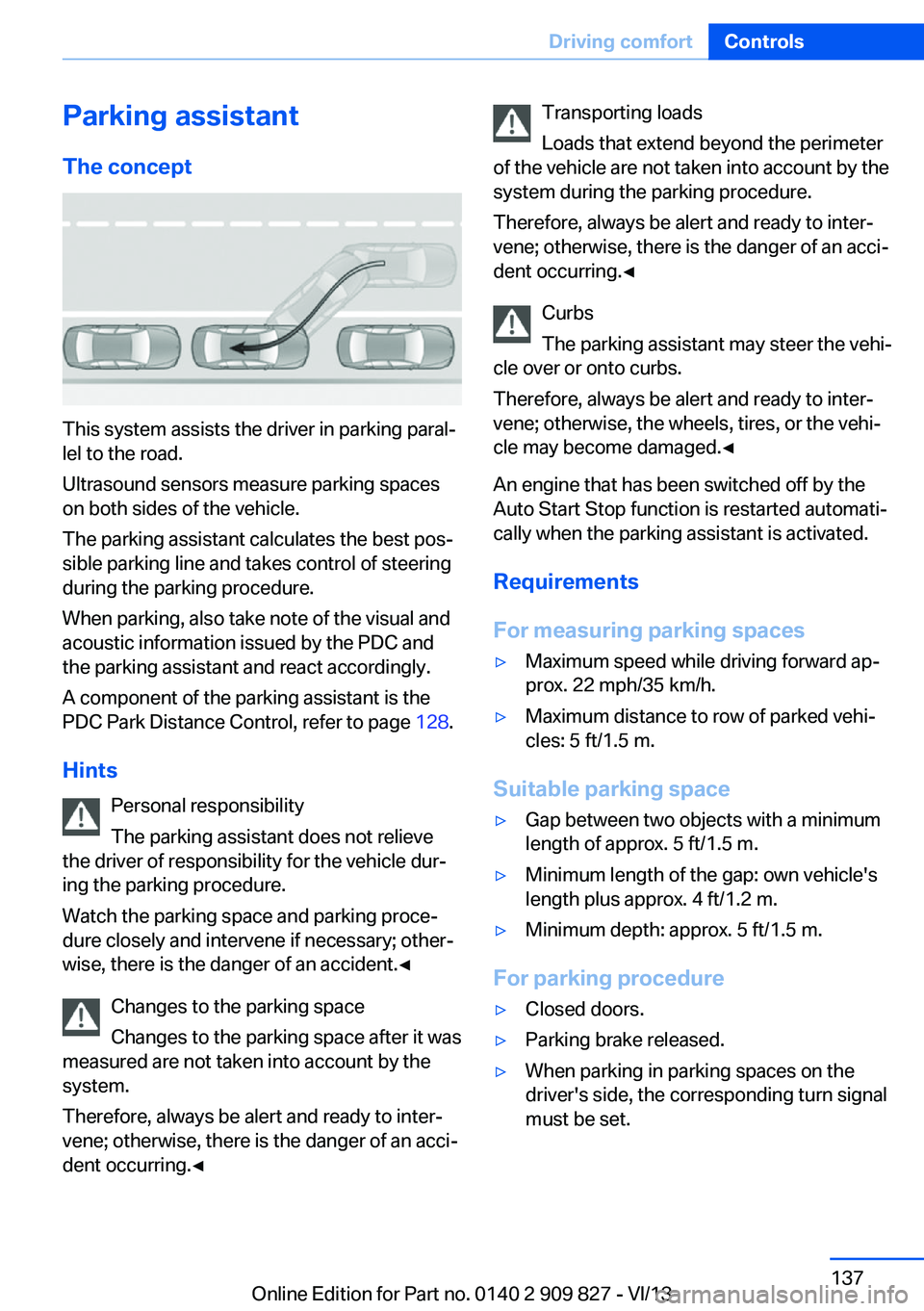
Parking assistantThe concept
This system assists the driver in parking paral‐
lel to the road.
Ultrasound sensors measure parking spaces
on both sides of the vehicle.
The parking assistant calculates the best pos‐
sible parking line and takes control of steering
during the parking procedure.
When parking, also take note of the visual and
acoustic information issued by the PDC and
the parking assistant and react accordingly.
A component of the parking assistant is the
PDC Park Distance Control, refer to page 128.
Hints Personal responsibility
The parking assistant does not relieve
the driver of responsibility for the vehicle dur‐
ing the parking procedure.
Watch the parking space and parking proce‐
dure closely and intervene if necessary; other‐
wise, there is the danger of an accident.◀
Changes to the parking space
Changes to the parking space after it was
measured are not taken into account by the
system.
Therefore, always be alert and ready to inter‐
vene; otherwise, there is the danger of an acci‐
dent occurring.◀
Transporting loads
Loads that extend beyond the perimeter
of the vehicle are not taken into account by the
system during the parking procedure.
Therefore, always be alert and ready to inter‐
vene; otherwise, there is the danger of an acci‐
dent occurring.◀
Curbs
The parking assistant may steer the vehi‐
cle over or onto curbs.
Therefore, always be alert and ready to inter‐
vene; otherwise, the wheels, tires, or the vehi‐
cle may become damaged.◀
An engine that has been switched off by the
Auto Start Stop function is restarted automati‐
cally when the parking assistant is activated.
Requirements
For measuring parking spaces▷Maximum speed while driving forward ap‐
prox. 22 mph/35 km/h.▷Maximum distance to row of parked vehi‐
cles: 5 ft/1.5 m.
Suitable parking space
▷Gap between two objects with a minimum
length of approx. 5 ft/1.5 m.▷Minimum length of the gap: own vehicle's
length plus approx. 4 ft/1.2 m.▷Minimum depth: approx. 5 ft/1.5 m.
For parking procedure
▷Closed doors.▷Parking brake released.▷When parking in parking spaces on the
driver's side, the corresponding turn signal
must be set.Seite 137Driving comfortControls137
Online Edition for Part no. 0140 2 909 827 - VI/13
Page 139 of 236
▷The parking procedure is ac‐
tive. Steering control has
been seized.▷Parking space search is always active
whenever the vehicle is moving forwards
slow and straight, even if the system is de‐
activated. When the system is deactivated,
the displays on the Control Display are
shown in gray.
Parking using the parking assistant
Check the traffic situation as well
Loud sounds outside and within the vehi‐
cle can drown out the signal tones of the park‐
ing assistant and PDC.
Check the traffic situation around the vehicle
with your own eyes; otherwise, there is the
danger of an accident.◀
1.Switch on the parking assistant and acti‐
vate it if necessary.
The status of the parking space search is
indicated on the Control Display.2.Follow the instructions on the Control Dis‐
play.
To achieve the best possible parking posi‐
tion, wait for the automatic steering wheel
movement after the gear change when the
vehicle is stationary.
The end of the parking procedure is indi‐
cated on the Control Display.3.Adjust the parking position yourself if nec‐
essary.
Interrupting manually
The parking assistant can be interrupted at any
time:
▷ "Parking Assistant" Select the symbol
on the Control Display.▷Press the button.Interrupting automatically
The system is interrupted automatically in the
following situations:▷If the driver grasps the steering wheel or if
he takes over steering.▷If a gear is selected that does not match
the instruction on the Control Display.▷If a turn signal is activated in the opposite
direction to the desired side for parking.▷If the vehicle speed exceeds approx.
6 mph/10 km/h.▷On snow-covered or slippery road surfaces
if necessary.▷If doors are open.▷When there are obstacles that are hard to
overcome, such as curbs.▷When there are obstacles that suddenly
arise.▷If a maximum number of parking attempts
or the time taken for parking is exceeded.
A Check Control message is displayed.
Continuing
An interrupted parking procedure can be con‐
tinued if necessary.
Follow the instructions on the Control Display
to do this.
System limits
No parking assistance The parking assistant does not offer assis‐
tance in the following situations:
▷In tight curves.
Functional limitations
The system may not be fully functional in the
following situations:
▷When sensors are dirty or iced over.▷In heavy fog, rain or snowfall.Seite 139Driving comfortControls139
Online Edition for Part no. 0140 2 909 827 - VI/13
Page 206 of 236
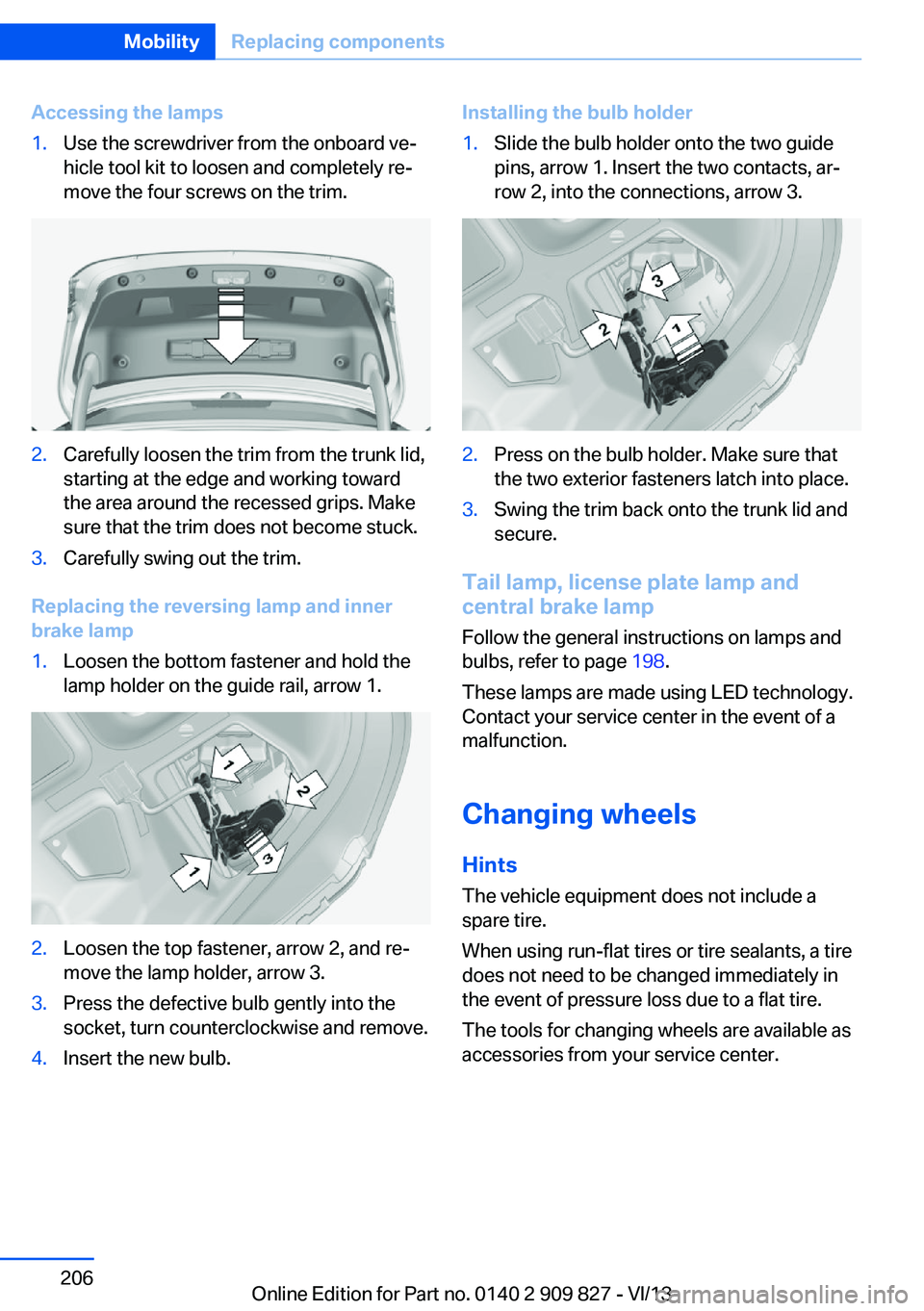
Accessing the lamps1.Use the screwdriver from the onboard ve‐
hicle tool kit to loosen and completely re‐
move the four screws on the trim.2.Carefully loosen the trim from the trunk lid,
starting at the edge and working toward
the area around the recessed grips. Make
sure that the trim does not become stuck.3.Carefully swing out the trim.
Replacing the reversing lamp and inner
brake lamp
1.Loosen the bottom fastener and hold the
lamp holder on the guide rail, arrow 1.2.Loosen the top fastener, arrow 2, and re‐
move the lamp holder, arrow 3.3.Press the defective bulb gently into the
socket, turn counterclockwise and remove.4.Insert the new bulb.Installing the bulb holder1.Slide the bulb holder onto the two guide
pins, arrow 1. Insert the two contacts, ar‐
row 2, into the connections, arrow 3.2.Press on the bulb holder. Make sure that
the two exterior fasteners latch into place.3.Swing the trim back onto the trunk lid and
secure.
Tail lamp, license plate lamp and
central brake lamp
Follow the general instructions on lamps and
bulbs, refer to page 198.
These lamps are made using LED technology.
Contact your service center in the event of a
malfunction.
Changing wheels
Hints The vehicle equipment does not include a
spare tire.
When using run-flat tires or tire sealants, a tire
does not need to be changed immediately in
the event of pressure loss due to a flat tire.
The tools for changing wheels are available as
accessories from your service center.
Seite 206MobilityReplacing components206
Online Edition for Part no. 0140 2 909 827 - VI/13
Page 227 of 236
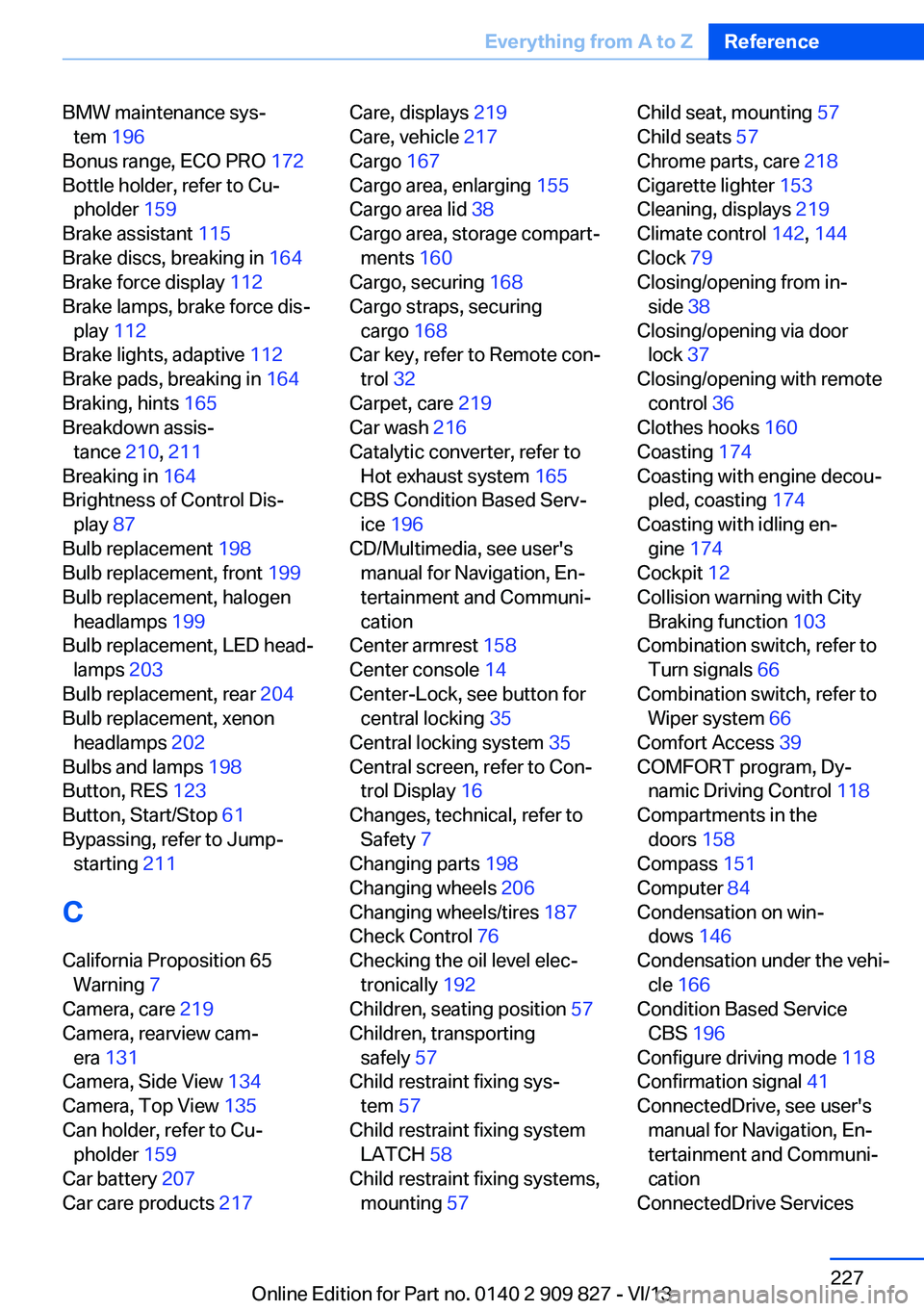
BMW maintenance sys‐tem 196
Bonus range, ECO PRO 172
Bottle holder, refer to Cu‐ pholder 159
Brake assistant 115
Brake discs, breaking in 164
Brake force display 112
Brake lamps, brake force dis‐ play 112
Brake lights, adaptive 112
Brake pads, breaking in 164
Braking, hints 165
Breakdown assis‐ tance 210, 211
Breaking in 164
Brightness of Control Dis‐ play 87
Bulb replacement 198
Bulb replacement, front 199
Bulb replacement, halogen headlamps 199
Bulb replacement, LED head‐ lamps 203
Bulb replacement, rear 204
Bulb replacement, xenon headlamps 202
Bulbs and lamps 198
Button, RES 123
Button, Start/Stop 61
Bypassing, refer to Jump- starting 211
C
California Proposition 65 Warning 7
Camera, care 219
Camera, rearview cam‐ era 131
Camera, Side View 134
Camera, Top View 135
Can holder, refer to Cu‐ pholder 159
Car battery 207
Car care products 217 Care, displays 219
Care, vehicle 217
Cargo 167
Cargo area, enlarging 155
Cargo area lid 38
Cargo area, storage compart‐ ments 160
Cargo, securing 168
Cargo straps, securing cargo 168
Car key, refer to Remote con‐ trol 32
Carpet, care 219
Car wash 216
Catalytic converter, refer to Hot exhaust system 165
CBS Condition Based Serv‐ ice 196
CD/Multimedia, see user's manual for Navigation, En‐
tertainment and Communi‐
cation
Center armrest 158
Center console 14
Center-Lock, see button for central locking 35
Central locking system 35
Central screen, refer to Con‐ trol Display 16
Changes, technical, refer to Safety 7
Changing parts 198
Changing wheels 206
Changing wheels/tires 187
Check Control 76
Checking the oil level elec‐ tronically 192
Children, seating position 57
Children, transporting safely 57
Child restraint fixing sys‐ tem 57
Child restraint fixing system LATCH 58
Child restraint fixing systems, mounting 57 Child seat, mounting 57
Child seats 57
Chrome parts, care 218
Cigarette lighter 153
Cleaning, displays 219
Climate control 142, 144
Clock 79
Closing/opening from in‐ side 38
Closing/opening via door lock 37
Closing/opening with remote control 36
Clothes hooks 160
Coasting 174
Coasting with engine decou‐ pled, coasting 174
Coasting with idling en‐ gine 174
Cockpit 12
Collision warning with City Braking function 103
Combination switch, refer to Turn signals 66
Combination switch, refer to Wiper system 66
Comfort Access 39
COMFORT program, Dy‐ namic Driving Control 118
Compartments in the doors 158
Compass 151
Computer 84
Condensation on win‐ dows 146
Condensation under the vehi‐ cle 166
Condition Based Service CBS 196
Configure driving mode 118
Confirmation signal 41
ConnectedDrive, see user's manual for Navigation, En‐
tertainment and Communi‐
cation
ConnectedDrive Services Seite 227Everything from A to ZReference227
Online Edition for Part no. 0140 2 909 827 - VI/13
Page 229 of 236
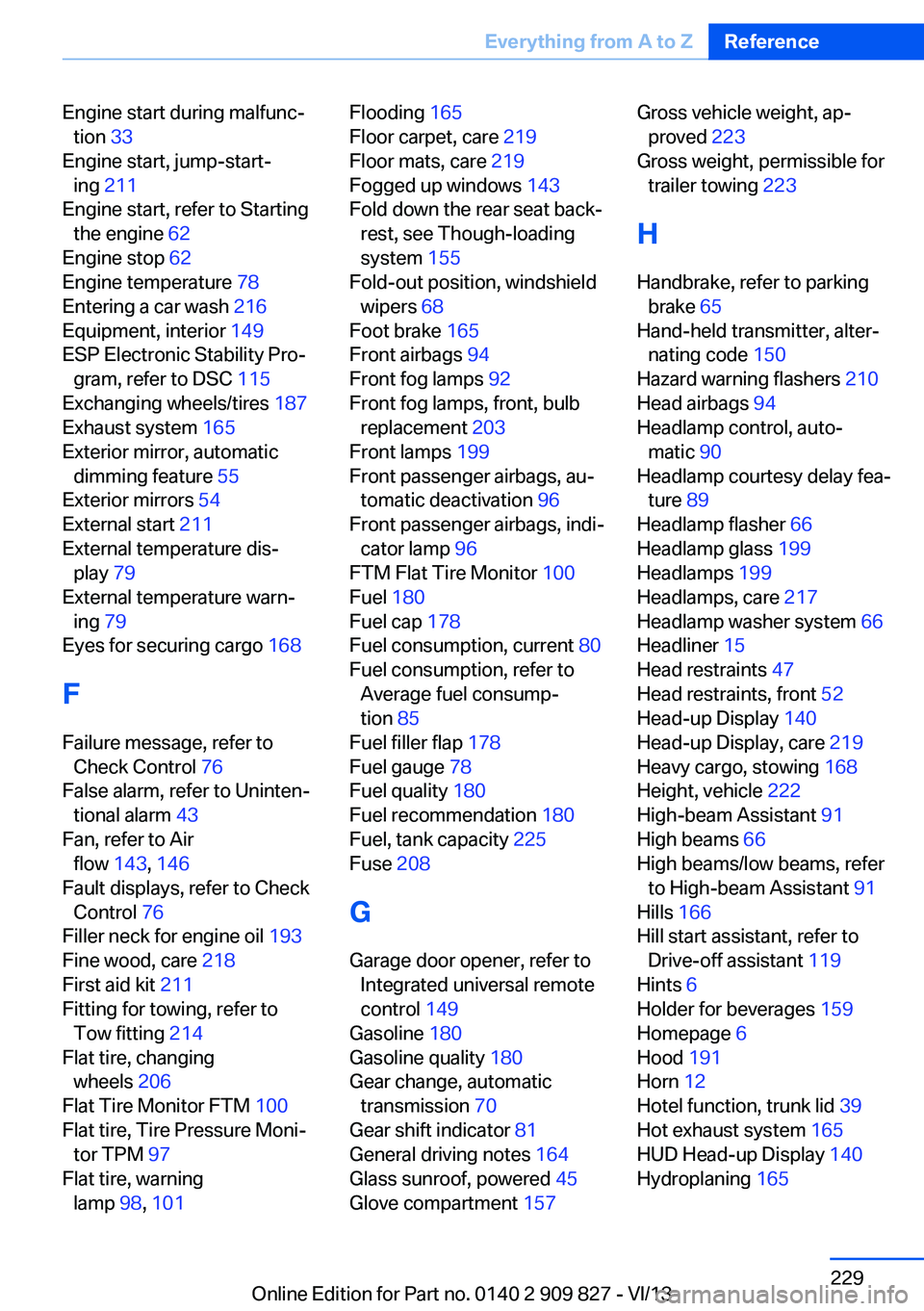
Engine start during malfunc‐tion 33
Engine start, jump-start‐ ing 211
Engine start, refer to Starting the engine 62
Engine stop 62
Engine temperature 78
Entering a car wash 216
Equipment, interior 149
ESP Electronic Stability Pro‐ gram, refer to DSC 115
Exchanging wheels/tires 187
Exhaust system 165
Exterior mirror, automatic dimming feature 55
Exterior mirrors 54
External start 211
External temperature dis‐ play 79
External temperature warn‐ ing 79
Eyes for securing cargo 168
F
Failure message, refer to Check Control 76
False alarm, refer to Uninten‐ tional alarm 43
Fan, refer to Air flow 143, 146
Fault displays, refer to Check Control 76
Filler neck for engine oil 193
Fine wood, care 218
First aid kit 211
Fitting for towing, refer to Tow fitting 214
Flat tire, changing wheels 206
Flat Tire Monitor FTM 100
Flat tire, Tire Pressure Moni‐ tor TPM 97
Flat tire, warning lamp 98, 101 Flooding 165
Floor carpet, care 219
Floor mats, care 219
Fogged up windows 143
Fold down the rear seat back‐ rest, see Though-loading
system 155
Fold-out position, windshield wipers 68
Foot brake 165
Front airbags 94
Front fog lamps 92
Front fog lamps, front, bulb replacement 203
Front lamps 199
Front passenger airbags, au‐ tomatic deactivation 96
Front passenger airbags, indi‐ cator lamp 96
FTM Flat Tire Monitor 100
Fuel 180
Fuel cap 178
Fuel consumption, current 80
Fuel consumption, refer to Average fuel consump‐
tion 85
Fuel filler flap 178
Fuel gauge 78
Fuel quality 180
Fuel recommendation 180
Fuel, tank capacity 225
Fuse 208
G
Garage door opener, refer to Integrated universal remote
control 149
Gasoline 180
Gasoline quality 180
Gear change, automatic transmission 70
Gear shift indicator 81
General driving notes 164
Glass sunroof, powered 45
Glove compartment 157 Gross vehicle weight, ap‐
proved 223
Gross weight, permissible for trailer towing 223
H
Handbrake, refer to parking brake 65
Hand-held transmitter, alter‐ nating code 150
Hazard warning flashers 210
Head airbags 94
Headlamp control, auto‐ matic 90
Headlamp courtesy delay fea‐ ture 89
Headlamp flasher 66
Headlamp glass 199
Headlamps 199
Headlamps, care 217
Headlamp washer system 66
Headliner 15
Head restraints 47
Head restraints, front 52
Head-up Display 140
Head-up Display, care 219
Heavy cargo, stowing 168
Height, vehicle 222
High-beam Assistant 91
High beams 66
High beams/low beams, refer to High-beam Assistant 91
Hills 166
Hill start assistant, refer to Drive-off assistant 119
Hints 6
Holder for beverages 159
Homepage 6
Hood 191
Horn 12
Hotel function, trunk lid 39
Hot exhaust system 165
HUD Head-up Display 140
Hydroplaning 165 Seite 229Everything from A to ZReference229
Online Edition for Part no. 0140 2 909 827 - VI/13