Interval BMW 435I COUPE 2014 Owners Manual
[x] Cancel search | Manufacturer: BMW, Model Year: 2014, Model line: 435I COUPE, Model: BMW 435I COUPE 2014Pages: 236, PDF Size: 6.08 MB
Page 68 of 236
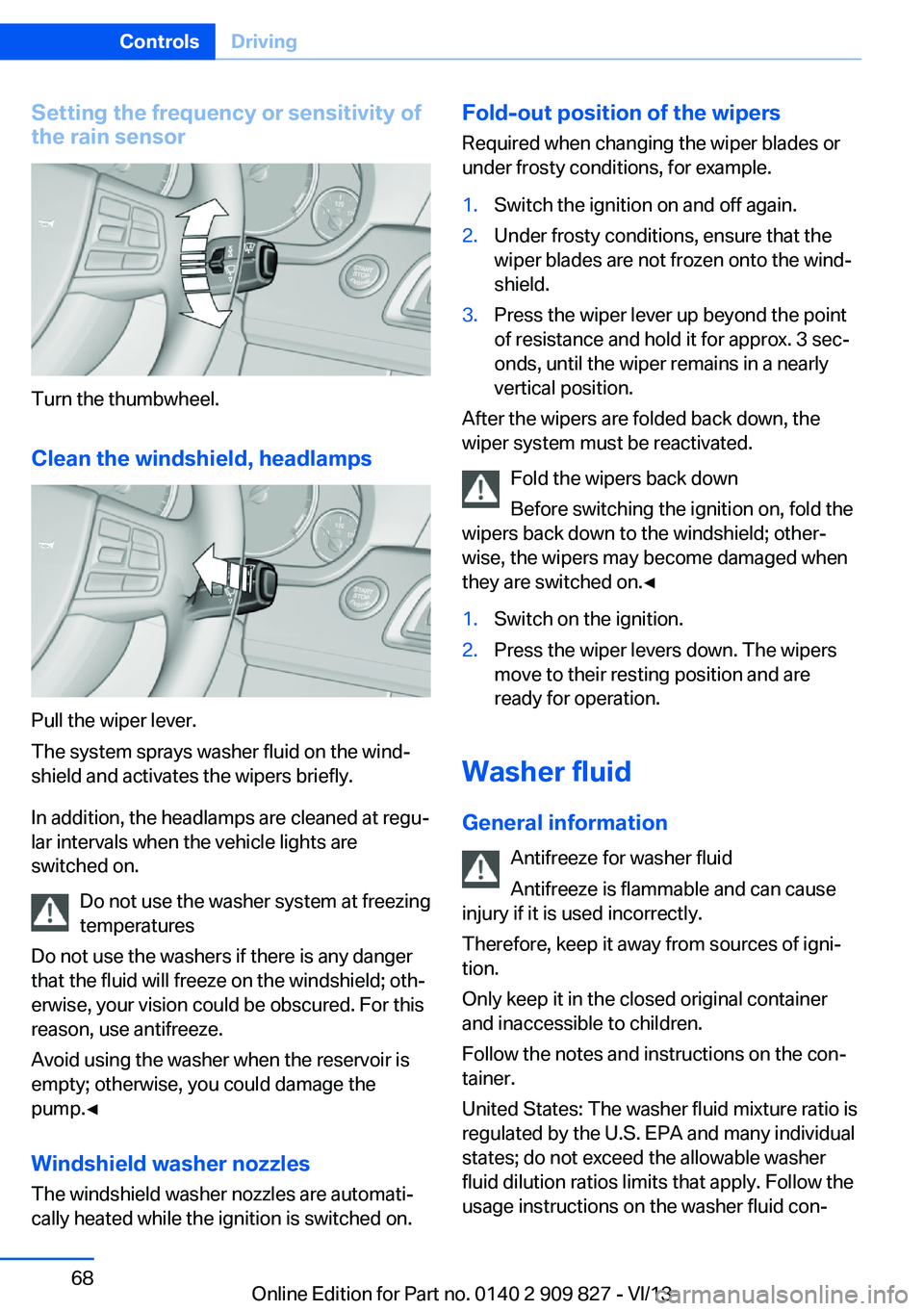
Setting the frequency or sensitivity of
the rain sensor
Turn the thumbwheel.
Clean the windshield, headlamps
Pull the wiper lever.
The system sprays washer fluid on the wind‐
shield and activates the wipers briefly.
In addition, the headlamps are cleaned at regu‐
lar intervals when the vehicle lights are
switched on.
Do not use the washer system at freezing
temperatures
Do not use the washers if there is any danger
that the fluid will freeze on the windshield; oth‐
erwise, your vision could be obscured. For this
reason, use antifreeze.
Avoid using the washer when the reservoir is
empty; otherwise, you could damage the
pump.◀
Windshield washer nozzles
The windshield washer nozzles are automati‐
cally heated while the ignition is switched on.
Fold-out position of the wipers
Required when changing the wiper blades or
under frosty conditions, for example.1.Switch the ignition on and off again.2.Under frosty conditions, ensure that the
wiper blades are not frozen onto the wind‐
shield.3.Press the wiper lever up beyond the point
of resistance and hold it for approx. 3 sec‐
onds, until the wiper remains in a nearly
vertical position.
After the wipers are folded back down, the
wiper system must be reactivated.
Fold the wipers back down
Before switching the ignition on, fold the
wipers back down to the windshield; other‐
wise, the wipers may become damaged when
they are switched on.◀
1.Switch on the ignition.2.Press the wiper levers down. The wipers
move to their resting position and are
ready for operation.
Washer fluid
General information Antifreeze for washer fluid
Antifreeze is flammable and can cause
injury if it is used incorrectly.
Therefore, keep it away from sources of igni‐
tion.
Only keep it in the closed original container
and inaccessible to children.
Follow the notes and instructions on the con‐
tainer.
United States: The washer fluid mixture ratio is
regulated by the U.S. EPA and many individual
states; do not exceed the allowable washer
fluid dilution ratios limits that apply. Follow the
usage instructions on the washer fluid con‐
Seite 68ControlsDriving68
Online Edition for Part no. 0140 2 909 827 - VI/13
Page 129 of 236
▷By the front middle sensors and the two
corner sensors at approx. 24 in/60 cm.▷By the rear middle sensors at approx.
5 ft/1.50 m.
Notes
Check the traffic situation as well
PDC cannot serve as a substitute for the
driver's personal judgment of the traffic situa‐
tion. Check the traffic situation around the ve‐
hicle with your own eyes. Otherwise, an acci‐
dent could result from road users or objects
located outside of the PDC detection range.
Loud noises from outside and inside the vehi‐ cle may prevent you from hearing the PDC's
signal tone.◀
Avoid driving quickly with PDC
Avoid approaching an object quickly.
Avoid driving away quickly while PDC is not yet
active.
For technical reasons, the system may other‐
wise be too late in issuing a warning.◀
At a glance
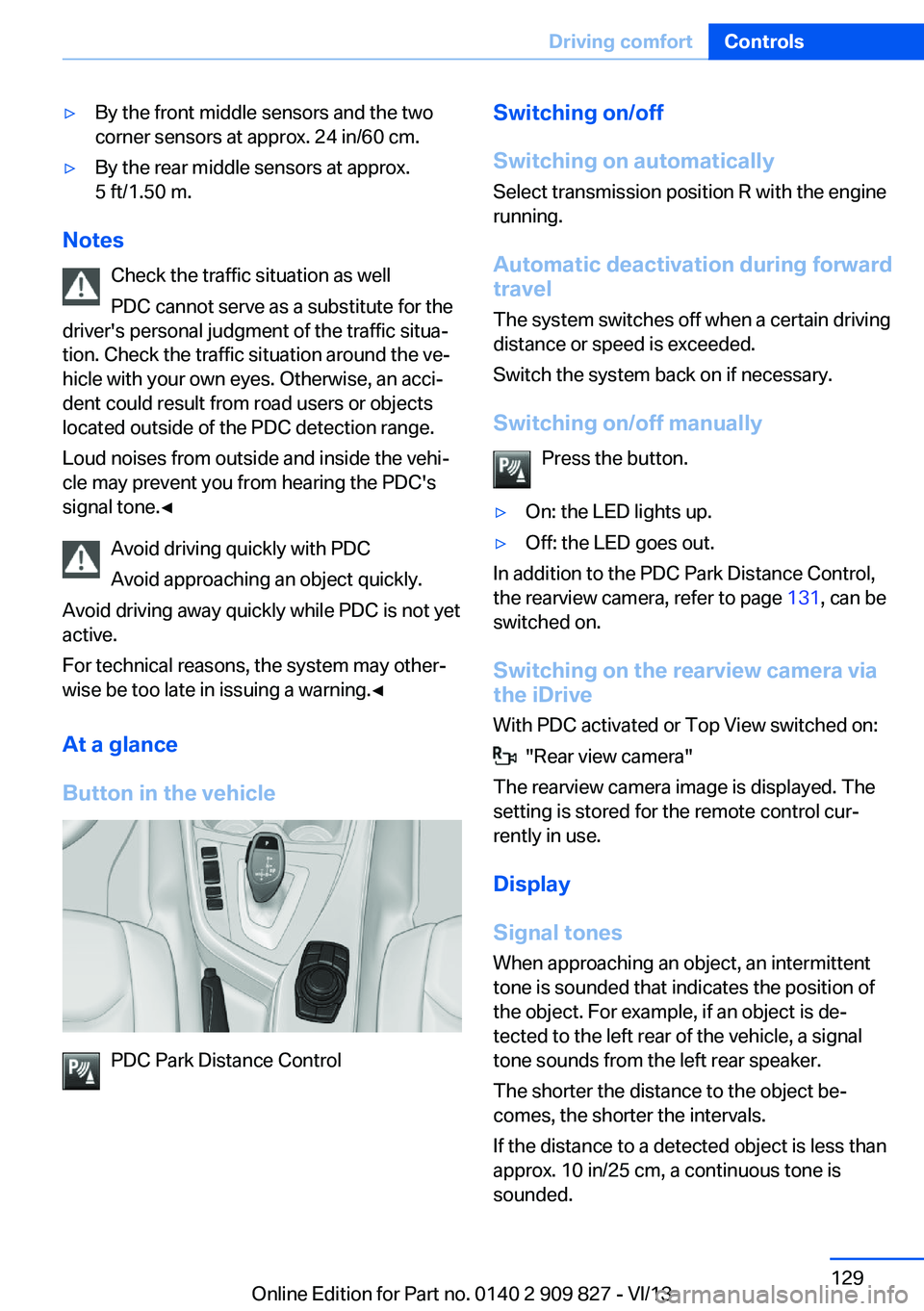
Button in the vehicle
PDC Park Distance Control
Switching on/off
Switching on automatically Select transmission position R with the engine
running.
Automatic deactivation during forward travel
The system switches off when a certain driving
distance or speed is exceeded.
Switch the system back on if necessary.
Switching on/off manually Press the button.▷On: the LED lights up.▷Off: the LED goes out.
In addition to the PDC Park Distance Control,
the rearview camera, refer to page 131, can be
switched on.
Switching on the rearview camera viathe iDrive
With PDC activated or Top View switched on:
"Rear view camera"
The rearview camera image is displayed. The
setting is stored for the remote control cur‐
rently in use.
Display
Signal tones When approaching an object, an intermittent
tone is sounded that indicates the position of
the object. For example, if an object is de‐
tected to the left rear of the vehicle, a signal
tone sounds from the left rear speaker.
The shorter the distance to the object be‐
comes, the shorter the intervals.
If the distance to a detected object is less than
approx. 10 in/25 cm, a continuous tone is
sounded.
Seite 129Driving comfortControls129
Online Edition for Part no. 0140 2 909 827 - VI/13
Page 230 of 236
IIce warning, refer to External temperature warning 79
Icy roads, refer to External temperature warning 79
Identification marks, tires 184
Identification number, refer to Important features in the en‐
gine compartment 190
iDrive 16
Ignition key, refer to Remote control 32
Ignition off 61
Ignition on 61
Indication of a flat tire 98, 101
Indicator and warning lamps 76
Individual air distribu‐ tion 143, 146
Individual settings, refer to Personal Profile 33
Inflation pressure, tires 181
Inflation pressure warning FTM, tires 100
Info display, refer to Com‐ puter 84
Initialize, Tire Pressure Moni‐ tor TPM 98
Initializing, Flat Tire Monitor FTM 101
Instrument cluster 73
Instrument cluster, electronic displays 75
Instrument lighting 92
Integrated key 32
Integrated universal remote control 149
Intelligent Emergency Re‐ quest 210
Intelligent Safety 102
Intensity, AUTO pro‐ gram 145
Interior equipment 149
Interior lamps 92 Interior lamps via remote con‐
trol 36
Interior motion sensor 43
Interior rearview mirror 55
Interior rearview mirror, auto‐ matic dimming feature 55
Interior rearview mirror, com‐ pass 151
Internet page 6
Interval display, service re‐ quirements 80
J Jacking points for the vehicle jack 207
Joystick, automatic transmis‐ sion 70
Jump-starting 211
K Key/remote control 32
Keyless Go, refer to Comfort Access 39
Key Memory, refer to Per‐ sonal Profile 33
Kickdown, automatic trans‐ mission 70
Knee airbag 94
L
Lamp replacement 198
Lamp replacement, front 199
Lamp replacement, rear 204
Lamps 89
Lamps and bulbs 198
Lane departure warning 109
Lane margin, warning 109
Language on Control Dis‐ play 87
Lashing eyes, securing cargo 168
LATCH child restraint fixing system 58 Launch Control 71
Leather, care 217
LED light, bulb replace‐ ment 203
LEDs, light-emitting di‐ odes 199
Length, vehicle 223
Letters and numbers, enter‐ ing 22
Light alloy wheels, care 218
Light control 90
Light-emitting diodes, LEDs 199
Lighter 153
Lighting 89
Lighting via remote con‐ trol 36
Light switch 89
Load 167
Loading 167
Lock, door 37
Locking/unlocking from in‐ side 38
Locking/unlocking via door lock 37
Locking/unlocking with re‐ mote control 36
Locking, automatic 41
Locking, central 35
Locking, settings 41
Low beams 89
Low beams, automatic, refer to High-beam Assistant 91
Lower back support 49
Luggage rack, refer to Roof- mounted luggage rack 168
Lumbar support 49
M
Maintenance 196
Maintenance require‐ ments 196
Maintenance, service require‐ ments 80 Seite 230ReferenceEverything from A to Z230
Online Edition for Part no. 0140 2 909 827 - VI/13
Page 231 of 236
Maintenance system,BMW 196
Malfunction displays, refer to Check Control 76
Manual air distribu‐ tion 143, 146
Manual air flow 143, 146
Manual mode, transmis‐ sion 70
Manual operation, door lock 37
Manual operation, exterior mirrors 55
Manual operation, fuel filler flap 178
Manual operation, Park Dis‐ tance Control PDC 129
Manual operation, rearview camera 132
Manual operation, Side View 134
Manual operation, Top View 135
Manual transmission 69
Marking on approved tires 187
Marking, run-flat tires 188
Master key, refer to Remote control 32
Maximum cooling 145
Maximum speed, display 82
Maximum speed, winter tires 188
Measure, units of 87
Medical kit 211
Memory, seat, mirror 53
Menu, EfficientDynamics 173
Menu in instrument clus‐ ter 84
Menus, operating, iDrive 16
Menus, refer to iDrive operat‐ ing concept 18
Messages, refer to Check Control 76
Microfilter 144, 147
Minimum tread, tires 186 Mirror 54
Mirror memory 53
Mobile communication devi‐ ces in the vehicle 165
Modifications, technical, refer to Safety 7
Moisture in headlamp 199
Monitor, refer to Control Dis‐ play 16
Mounting of child restraint fix‐ ing systems 57
Multifunction steering wheel, buttons 12
N Navigation, see user's manual for Navigation, Entertain‐
ment and Communication
Neck restraints, front, refer to Head restraints 52
Neutral cleaner, see wheel cleaner 218
New wheels and tires 187
No Passing Information 82
Nylon rope for tow-starting/ towing 214
O OBD Onboard Diagnosis 197
OBD, see OBD Onboard Di‐ agnosis 197
Obstacle marking, rearview camera 133
Octane rating, refer to Gaso‐ line quality 180
Odometer 79
Office, see user's manual for Navigation, Entertainment
and Communication
Oil 192
Oil, adding 193
Oil additives 193
Oil change 193 Oil change interval, service
requirements 80
Oil filler neck 193
Oil types, alternative 193
Oil types, approved 193
Old batteries, disposal 207
Onboard monitor, refer to Control Display 16
Onboard vehicle tool kit 198
Opening and closing 32
Opening and closing, from in‐ side 38
Opening and closing via door lock 37
Opening and closing, with re‐ mote control 36
Opening the trunk lid with no- touch activation 40
Operating concept, iDrive 16
Optional equipment, standard equipment 6
Outside air, refer to Auto‐ matic recirculated-air con‐
trol 146
Overheating of engine, refer to Coolant temperature 79
Overtaking prohibitions 82
P Paint, vehicle 217
Parallel parking assistant 137
Park Distance Control PDC 128
Parked-car ventilation 147
Parked vehicle, condensa‐ tion 166
Parking aid, refer to PDC 128
Parking assistant 137
Parking brake 65
Parking lamps 89
Passenger side mirror, tilting downward 55
Pathway lines, rearview cam‐ era 132 Seite 231Everything from A to ZReference231
Online Edition for Part no. 0140 2 909 827 - VI/13