radio BMW 435I GRAN COUPE 2016 Owner's Manual
[x] Cancel search | Manufacturer: BMW, Model Year: 2016, Model line: 435I GRAN COUPE, Model: BMW 435I GRAN COUPE 2016Pages: 249, PDF Size: 5.3 MB
Page 108 of 249
Required tire inflation pressure check
message
A Check Control message is displayed in the
following situations▷The system has detected a wheel change,
but no reset was done.▷Inflation was not carried out according to
specifications.▷The tire inflation pressure has fallen below
the level of the last confirmation.
In this case:
▷Check the tire pressure and correct as
needed.▷Carry out a reset of the system after a tire
change.
System limits
The system does not function properly if a re‐
set has not been carried out, e.g., a flat tire is
reported though tire inflation pressures are
correct.
The tire inflation pressure depends on the
tire's temperature. Driving or exposure to the
sun will increase the tire's temperature, thus
increasing the tire inflation pressure. The tire
inflation pressure is reduced when the tire
temperature falls again. These circumstances
may cause a warning when temperatures fall
very sharply.
Malfunction The yellow warning lamp flashes and
then lights up continuously. A Check
Control message is displayed. No flat
tire or loss of tire inflation pressure can be de‐
tected.
Display in the following situations:
▷A wheel without TPM electronics is fitted:
have the service center check it if needed.▷Malfunction: have the system checked by
your service center.▷TPM was unable to complete the reset.
Reset the system again.▷Interference through systems or devices
with the same radio frequency: after leav‐
ing the area of the interference, the system
automatically becomes active again.
Declaration according to NHTSA/
FMVSS 138 Tire Pressure Monitoring
System
Each tire, including the spare (if provided)
should be checked monthly when cold and in‐
flated to the inflation pressure recommended
by the vehicle manufacturer on the vehicle
placard or tire inflation pressure label. (If your
vehicle has tires of a different size than the size
indicated on the vehicle placard or tire inflation
pressure label, you should determine the
proper tire inflation pressure for those tires.)
As an added safety feature, your vehicle has
been equipped with a tire pressure monitoring
system (TPMS) that illuminates a low tire pres‐
sure telltale when one or more of your tires is
significantly under-inflated. Accordingly, when
the low tire pressure telltale illuminates, you
should stop and check your tires as soon as
possible, and inflate them to the proper pres‐
sure. Driving on a significantly under-inflated
tire causes the tire to overheat and can lead to
tire failure. Under-inflation also reduces fuel ef‐
ficiency and tire tread life, and may affect the
vehicle's handling and stopping ability. Please
note that the TPMS is not a substitute for
proper tire maintenance, and it is the driver's
responsibility to maintain correct tire pressure,
even if under-inflation has not reached the
level to trigger illumination of the TPMS low
tire pressure telltale. Your vehicle has also
been equipped with a TPMS malfunction indi‐
cator to indicate when the system is not oper‐
ating properly. The TPMS malfunction indica‐
tor is combined with the low tire pressure
telltale. When the system detects a malfunc‐
tion, the telltale will flash for approximately one
minute and then remain continuously illumi‐
nated. This sequence will continue upon sub‐
Seite 104ControlsSafety104
Online Edition for Part no. 01 40 2 960 707 - II/15
Page 138 of 249
▷By the rear middle sensors at approx.
5 ft/1.50 m.
To ensure full functionality:
▷Do not cover sensors, e.g., with stickers,
bicycle racks.▷Keep the sensors clean and free of ice.▷When using high-pressure washers, do not
spray the sensors for long periods and
maintain a distance of at least 12 in/30 cm.
Hints
Personal responsibility
Even an active system does not relieve
the driver from personal responsibility while
driving.
Technically the system has its limits, it cannot
independently react to all traffic situations.
Monitor your driving, be on the alert, observe
the vehicle surroundings and other traffic and
react when needed - risk of accident.◀
Avoid driving fast with PDC
Avoid approaching an object too fast.
Avoid driving off fast while PDC is not yet ac‐
tive.
For technical reasons, the system may other‐
wise be too late in issuing a warning.◀
Overview
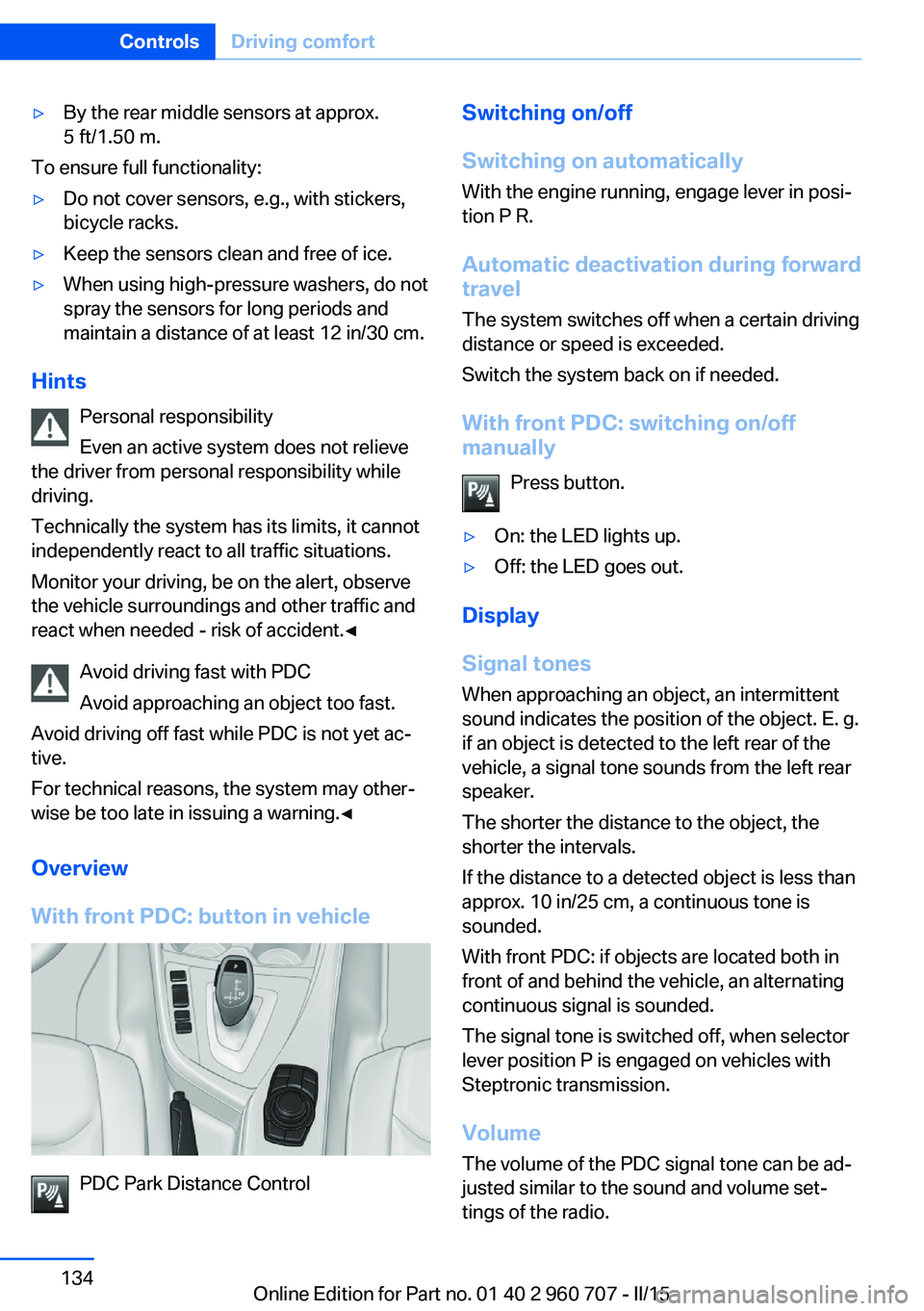
With front PDC: button in vehicle
PDC Park Distance Control
Switching on/off
Switching on automatically With the engine running, engage lever in posi‐
tion P R.
Automatic deactivation during forward travel
The system switches off when a certain driving
distance or speed is exceeded.
Switch the system back on if needed.
With front PDC: switching on/off
manually
Press button.▷On: the LED lights up.▷Off: the LED goes out.
Display
Signal tones When approaching an object, an intermittent
sound indicates the position of the object. E. g.
if an object is detected to the left rear of the
vehicle, a signal tone sounds from the left rear
speaker.
The shorter the distance to the object, the shorter the intervals.
If the distance to a detected object is less than
approx. 10 in/25 cm, a continuous tone is
sounded.
With front PDC: if objects are located both in
front of and behind the vehicle, an alternating
continuous signal is sounded.
The signal tone is switched off, when selector
lever position P is engaged on vehicles with
Steptronic transmission.
Volume The volume of the PDC signal tone can be ad‐
justed similar to the sound and volume set‐
tings of the radio.
Seite 134ControlsDriving comfort134
Online Edition for Part no. 01 40 2 960 707 - II/15
Page 222 of 249
Breakdown assistanceVehicle features and options
This chapter describes all standard, country-
specific and optional features offered with the
series. It also describes features that are not
necessarily available in your car, e. g., due to
the selected options or country versions. This
also applies to safety-related functions and
systems. The respectively applicable country
provisions must be observed when using the
respective features and systems.
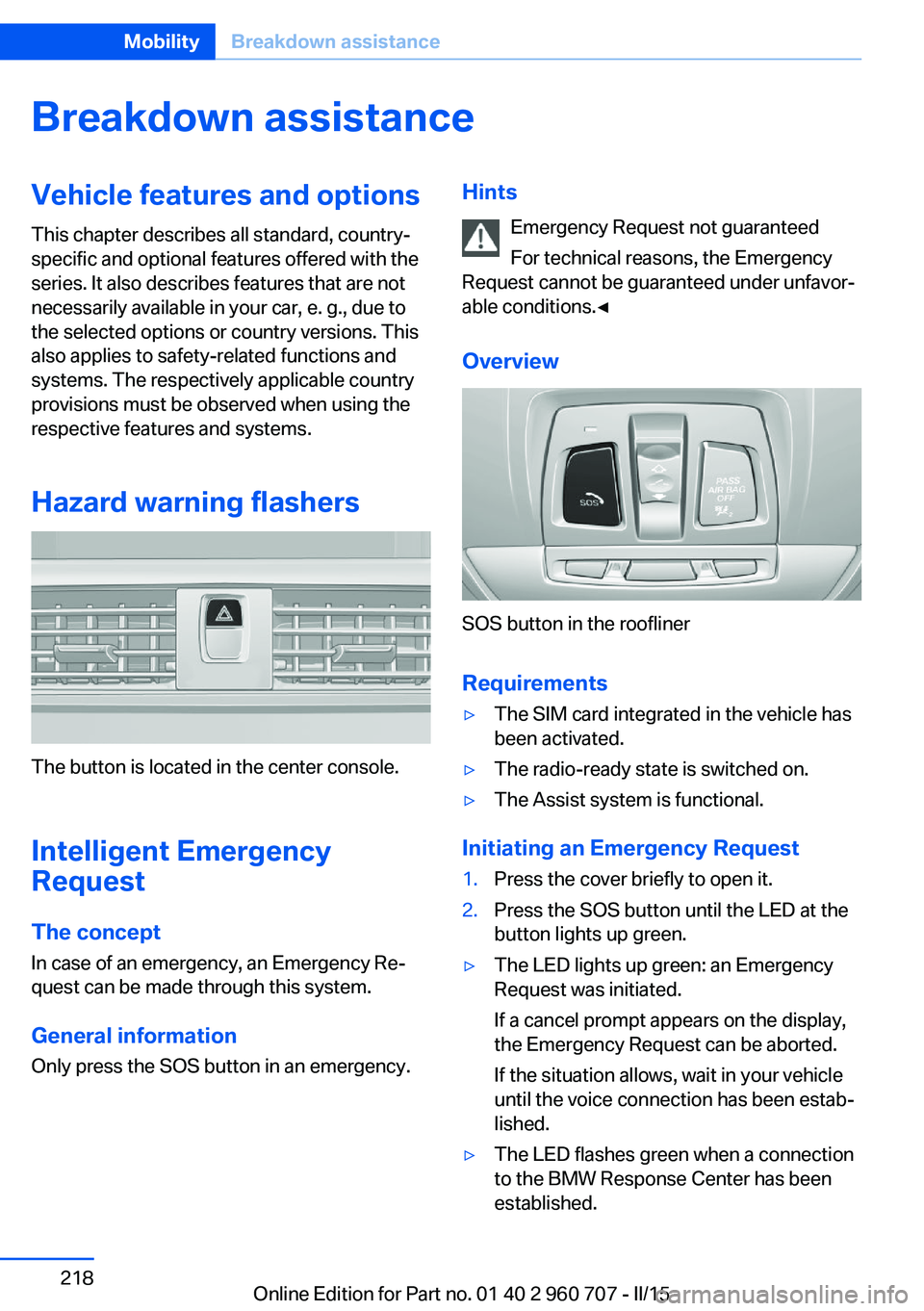
Hazard warning flashers
The button is located in the center console.
Intelligent Emergency
Request
The concept In case of an emergency, an Emergency Re‐
quest can be made through this system.
General information
Only press the SOS button in an emergency.
Hints
Emergency Request not guaranteed
For technical reasons, the Emergency
Request cannot be guaranteed under unfavor‐
able conditions.◀
Overview
SOS button in the roofliner
Requirements
▷The SIM card integrated in the vehicle has
been activated.▷The radio-ready state is switched on.▷The Assist system is functional.
Initiating an Emergency Request
1.Press the cover briefly to open it.2.Press the SOS button until the LED at the
button lights up green.▷The LED lights up green: an Emergency
Request was initiated.
If a cancel prompt appears on the display,
the Emergency Request can be aborted.
If the situation allows, wait in your vehicle
until the voice connection has been estab‐
lished.▷The LED flashes green when a connection
to the BMW Response Center has been
established.Seite 218MobilityBreakdown assistance218
Online Edition for Part no. 01 40 2 960 707 - II/15
Page 244 of 249
Operating concept, iDrive 18
Optional equipment, standard equipment 6
Outside air, refer to Auto‐ matic recirculated-air con‐
trol 150
Overheating of engine, refer to Coolant temperature 83
P Paint, vehicle 225
Parallel parking assistant 141
Park Distance Control PDC 133
Parked-car ventilation 152
Parked vehicle, condensa‐ tion 170
Parking aid, refer to PDC 133
Parking assistant 141
Parking brake 69
Parking lights 93
Parts and accessories 7
Passenger side mirror, tilting downward 59
Pathway lines, rearview cam‐ era 137
PDC Park Distance Con‐ trol 133
Pedestrian warning with city braking function 113
Personal Profile 35
Personal Profile, exporting profiles 36
Personal Profile, importing profiles 37
Pinch protection system, glass sunroof 49
Pinch protection system, win‐ dows 48
Plastic, care 226
Power failure 216
Power sunroof, glass 49
Power windows 47
Pressure, tire air pres‐ sure 188 Pressure warning FTM,
tires 105
Profile, refer to Personal Pro‐ file 35
Programmable memory but‐ tons, iDrive 24
Protective function, glass sunroof 49
Protective function, win‐ dows 48
Push-and-turn switch, refer to Controller 18, 19
R Radiator fluid 206
Radio-operated key, refer to Remote control 34
Radio ready state 65
Radio, see user's manual for Navigation, Entertainment
and Communication
Rain sensor 71
Rear lights 214
Rear socket 158
Rear turn signal, bulb replace‐ ment 212
Rearview camera 136
Rearview mirror 58
Rear window de‐ froster 147, 150
Recirculated-air filter 151
Recirculated-air mode 147, 150
Recommended fuel grade 186
Recommended tire brands 195
Refueling 184
Remaining range 83
Remote control/key 34
Remote control, malfunc‐ tion 38
Remote control, univer‐ sal 153
Replacement fuse 216 Replacing parts 209
Replacing wheels/tires 194
Reporting safety defects 9
RES button 128
RES button, see Active Cruise Control, ACC 125
RES button, see Cruise con‐ trol 131
Reserve warning, refer to Range 83
Reset, Tire Pressure Monitor TPM 102
Retaining straps, securing cargo 172
Retreaded tires 195
Roadside parking lights 94
RON recommended fuel grade 186
Roofliner 17
Roof load lidacity 230
Roof-mounted luggage rack 173
Rope for tow-starting/ towing 222
RSC Run Flat System Com‐ ponent, refer to Run-flat
tires 196
Rubber components, care 226
Run-flat tires 196
S Safe braking 169
Safety 7
Safety belt reminder for driv‐ er's seat and front passen‐
ger seat 55
Safety belts 54
Safety belts, care 227
Safety switch, windows 48
Safety systems, airbags 98
Saving fuel 174
Screen, refer to Control Dis‐ play 18 Seite 240ReferenceEverything from A to Z240
Online Edition for Part no. 01 40 2 960 707 - II/15