door lock BMW 5 SERIES 2011 User Guide
[x] Cancel search | Manufacturer: BMW, Model Year: 2011, Model line: 5 SERIES, Model: BMW 5 SERIES 2011Pages: 304, PDF Size: 10.54 MB
Page 58 of 304
Driving
Start/Stop button
The concept
Pressing the Start/Stop button
switches
the ignition on or off and
starts the engine.
Automatic transmission*: the en‐
gine starts if the brake is de‐
pressed when the Start/Stop button is pressed.
Manual transmission: the engine starts if the
clutch is depressed when the Start/Stop button
is pressed.
Ignition on
Automatic transmission*: press the Start/Stop
button, and do not press on the brake pedal at
the same time.
Manual-shift transmission: press the Start/Stop
button, and do not press on the clutch pedal at
the same time.
All vehicle systems are ready for operation.
Most of the indicator and warning lamps in the
instrument cluster light up for varying lengths of
time.
To save battery power when the engine is off,
switch off the ignition and any unnecessary
electronic systems/power consumers.
The ignition switches off automatically:
▷ When the vehicle is locked, if the low beams
are switched on.
▷ Shortly before the battery is discharged
completely, so that the engine can still be
started.
▷ If the engine is switched off and the ignition
is switched on, the system automatically
switches to the radio ready state when the
door is opened if the lights are switched off
or the daytime running lights are switched
on. Ignition off
Automatic transmission*: press the Start/Stop
button again, and do not press on the brake
pedal at the same time.
Manual-shift
transmission: press the Start/Stop
button again, and do not press on the clutch
pedal at the same time.
All indicator lamps in the instrument cluster go
out.
To save battery power when the engine is off,
switch off the ignition and any unnecessary
electronic systems/power consumers.
Transmission position P with the ignition
off
When the ignition is switched off, position P is
engaged automatically. When in an automatic
car wash, for example, ensure that the ignition is
not switched off accidentally.◀
When the vehicle is locked using the central
locking system, the ignition switches off auto‐
matically.
Radio ready state
Activate radio ready state:
▷ When the ignition is switched off: press ON/
OFF button on the radio.
▷ When the engine is running: press START/
STOP button.
Some electronic systems/power consumers re‐
main ready for operation.
Radio ready state switches off automatically:
▷ After approx. 8 minutes.
▷ When the vehicle is locked using the central
locking system. Seite 58
58 Online Edition for Part no. 01 40 2 606 469 - 03 11 490
Driving
ProCarManuals.com
Page 65 of 304
Automatic transmission with
Steptronic*
Transmission positions
D Drive, automatic position
Position for normal vehicle operation. All for‐
ward gears are available.
R is Reverse
Select only when the vehicle is stationary.
N is Neutral
Use in automatic car washes, for example. The
vehicle can roll.
When the ignition is switched off, refer to
page
58, position P is engaged automatically.
P Park
Select only when the vehicle is stationary. The
drive wheels are blocked.
P is engaged automatically:
▷ After the engine is switched off, if the car is
in
radio ready state, refer to page 58, or if the
ignition is switched off, refer to page 58, and
if position R or D is engaged.
▷ If the ignition is switched off and position N
is engaged.
▷ If the safety belt is unbuckled, the driver's
door is opened, and the brake pedal is not
pressed while the vehicle is stationary and
transmission position R or D is engaged.
Kickdown
Kickdown is used to achieve maximum driving
performance. Press on the accelerator beyond
the resistance point at the full throttle position.
Engaging the transmission position
▷ Transmission position P can only be disen‐
gaged
if the engine is running and the brake
pedal is pressed.
▷ With the vehicle stationary, press on the
brake pedal before shifting out of P or N; otherwise, the shift command will not be
executed: shift lock.
Depress
the brake until you start driv‐
ing
To prevent the vehicle from creeping after
you select a driving position, maintain pres‐
sure on the brake pedal until you are ready
to start.◀ Engaging D, R and N
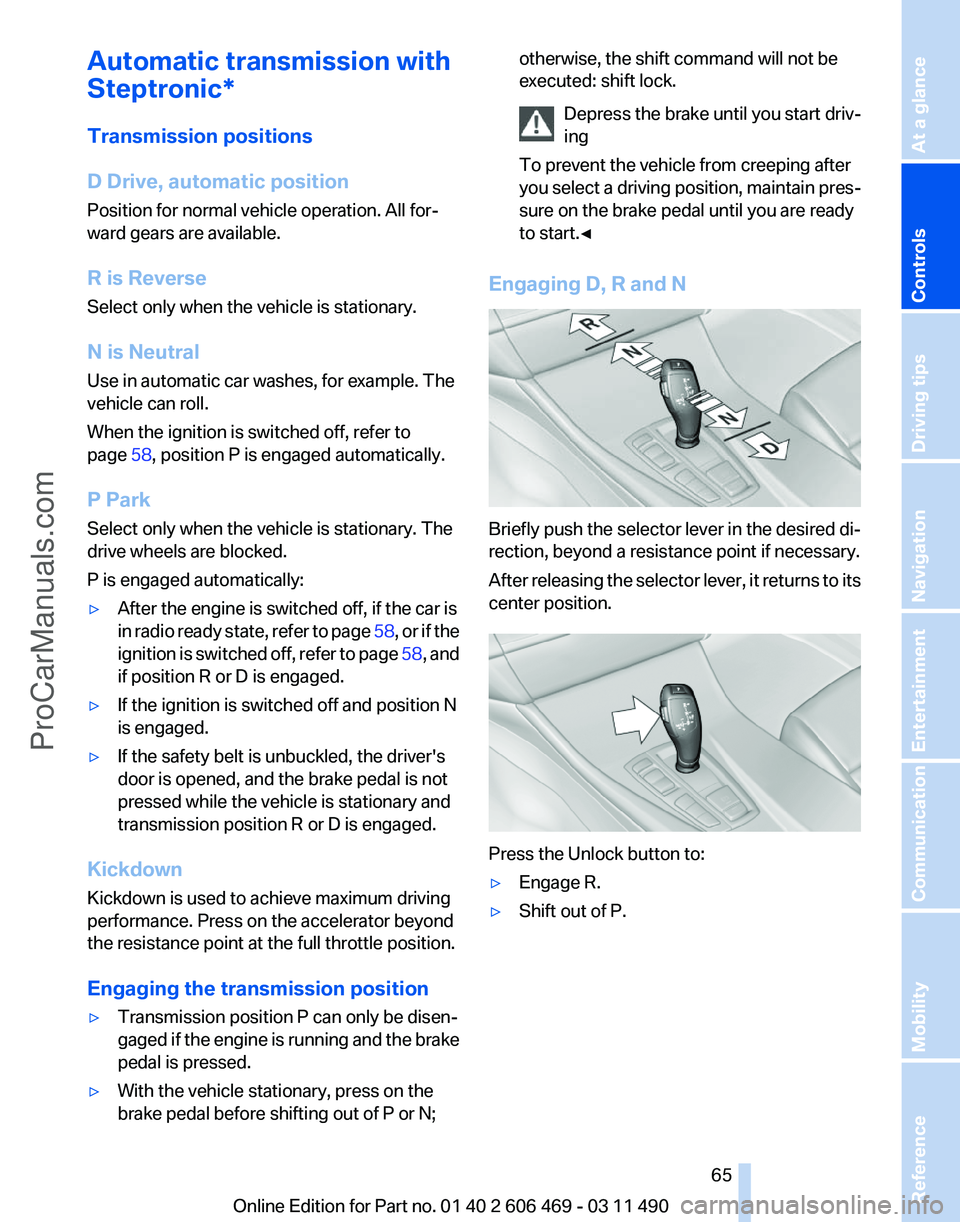
Briefly push the selector lever in the desired di‐
rection, beyond a resistance point if necessary.
After
releasing the selector lever, it returns to its
center position. Press the Unlock button to:
▷
Engage R.
▷ Shift out of P.
Seite 65
65Online Edition for Part no. 01 40 2 606 469 - 03 11 490
Reference Mobility Communication Entertainment Navigation Driving tips
Controls At a glance
ProCarManuals.com
Page 232 of 304
BMW ConnectedDrive
BMW Assist*
General information
BMW
Assist provides you with certain services,
e.g., transmission of the position data of your
vehicle to the BMW Assist Response Center if
an Emergency Request* has been initiated.
Many BMW Assist services depend on the indi‐
vidually agreed upon contract.
After your contract has expired, the BMW Assist
system will be deactivated by the BMW Assist
Response Center without your having to visit a
service center. After the BMW Assist system
has been deactivated, no BMW Assist services
will be available. The BMW Assist system can be
reactivated by a service center after you sign a
new contract.
Requirements
▷ The installed BMW Assist system is logged
in to a wireless communications network.
This network must be capable of transmit‐
ting the services.
▷ To transmit position data, the vehicle must
be able to determine the current position.
▷ The BMW Assist service contract was
signed with your service center or with the
BMW Assist Response Center. Enabling
must have been completed.
▷ BMW Assist is activated.
Services offered
▷ Emergency Request: when you press the
SOS button, a connection to the BMW As‐
sist Response Center is established. The
BMW Assist Response Center then speaks
with
you and takes further steps to help you.
▷ Automatic Collision Notification: under cer‐
tain conditions, a connection is established
to
the BMW Assist Response Center after a
serious accident. If possible, the BMW As‐ sist Response Center then speaks with you
and takes further steps to help you.
▷ Enhanced Roadside Assistance: BMW
Roadside Assistance* can be contacted if
assistance
is needed in the event of a break‐
down. If possible, the vehicle and position
data are transmitted in the process.
▷ Customer Relations: connection with Cus‐
tomer Relations for information on all as‐
pects of your vehicle.
▷ TeleService: data on your vehicle's service
status or required inspections are transmit‐
ted to your service center, either automati‐
cally before a service due date or when you
request a BMW service appointment.
▷ Remote Door Unlock: the BMW Assist Re‐
sponse
Center provides assistance if, for ex‐
ample, the remote control is not available
and the vehicle needs to be opened.
▷ Stolen Vehicle Recovery: after you report
that
your vehicle was stolen to the police, the
BMW Assist Response Center can deter‐
mine its position.
▷ In addition to these services, the optional
Convenience Plan offers Concierge service
and information for route planning, traffic,
and weather. A limited number of calls can
be made via the BMW Assist Response
Center with Critical Calling if, for example,
the mobile phone is not available or dis‐
charged.
Press the SOS button to contact the BMW
Assist Response Center.
BMW TeleService*
General information
TeleService
supports communication with your
service center.
▷ Data on the vehicle's service requirements
can
be sent directly to the service center. In
this way, the service center can plan its work
Seite 232
232 Online Edition for Part no. 01 40 2 606 469 - 03 11 490
BMW ConnectedDrive
ProCarManuals.com
Page 285 of 304
Short commands of the voice activation
system*
General information
Instructions
for voice activation system, refer to
page 22. To have the available spoken instructions read
out loud: ›Voice commands‹
Adjusting
Vehicle
Function
Command
Open the main menu. ›Main menu‹
Open the options. ›Options‹
Open the settings. ›Settings‹
Info display of the instrument cluster. ›Info Display‹
Settings on the Control Display. ›Control display‹
Open the time and date. ›Time and date‹
Open the language and units. ›Language and units‹
Open the speed limit. ›Speed‹
Open the light. ›Lighting‹
Open the door lock. ›Door locks‹
Open the profiles. ›Profiles‹Equipment*
Function
Command
Open the air conditioning settings. ›Climate‹
Open the Head-up Display. ›head up display‹
Enable the rear. ›Allow rear control‹ Seite 285
285Online Edition for Part no. 01 40 2 606 469 - 03 11 490
Reference Mobility Communication Entertainment Navigation Driving tips Controls At a glance
ProCarManuals.com
Page 294 of 304
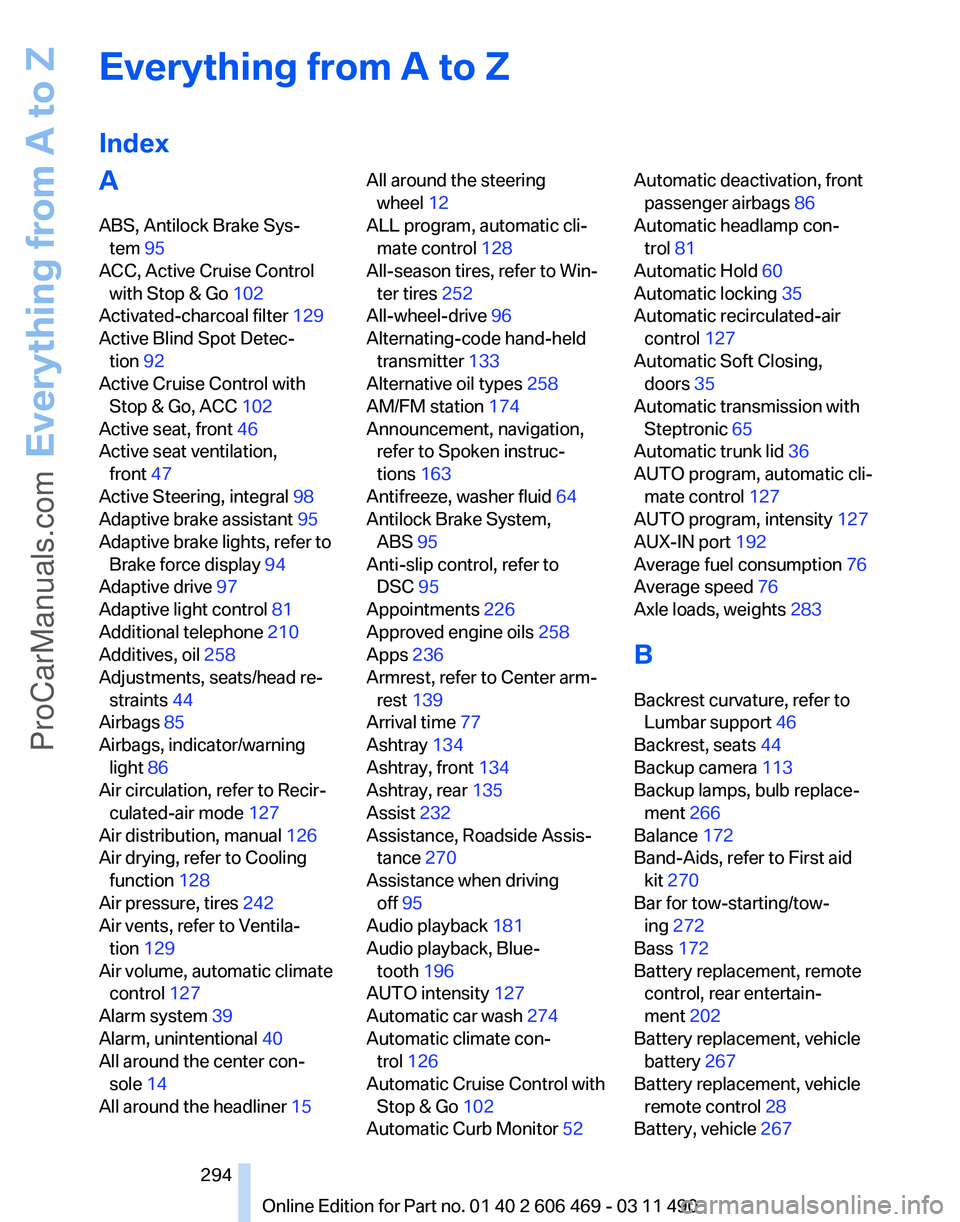
Everything from A to Z
Index
A
ABS, Antilock Brake Sys‐
tem 95
ACC, Active Cruise Control with Stop & Go 102
Activated-charcoal filter 129
Active Blind Spot Detec‐ tion 92
Active Cruise Control with Stop & Go, ACC 102
Active seat, front 46
Active seat ventilation, front 47
Active Steering, integral 98
Adaptive brake assistant 95
Adaptive brake lights, refer to Brake force display 94
Adaptive drive 97
Adaptive light control 81
Additional telephone 210
Additives, oil 258
Adjustments, seats/head re‐ straints 44
Airbags 85
Airbags, indicator/warning light 86
Air circulation, refer to Recir‐ culated-air mode 127
Air distribution, manual 126
Air drying, refer to Cooling function 128
Air pressure, tires 242
Air vents, refer to Ventila‐ tion 129
Air volume, automatic climate control 127
Alarm system 39
Alarm, unintentional 40
All around the center con‐ sole 14
All around the headliner 15 All around the steering
wheel 12
ALL program, automatic cli‐ mate control 128
All-season tires, refer to Win‐ ter tires 252
All-wheel-drive 96
Alternating-code hand-held transmitter 133
Alternative oil types 258
AM/FM station 174
Announcement, navigation, refer to Spoken instruc‐
tions 163
Antifreeze, washer fluid 64
Antilock Brake System, ABS 95
Anti-slip control, refer to DSC 95
Appointments 226
Approved engine oils 258
Apps 236
Armrest, refer to Center arm‐ rest 139
Arrival time 77
Ashtray 134
Ashtray, front 134
Ashtray, rear 135
Assist 232
Assistance, Roadside Assis‐ tance 270
Assistance when driving off 95
Audio playback 181
Audio playback, Blue‐ tooth 196
AUTO intensity 127
Automatic car wash 274
Automatic climate con‐ trol 126
Automatic Cruise Control with Stop & Go 102
Automatic Curb Monitor 52 Automatic deactivation, front
passenger airbags 86
Automatic headlamp con‐ trol 81
Automatic Hold 60
Automatic locking 35
Automatic recirculated-air control 127
Automatic Soft Closing, doors 35
Automatic transmission with Steptronic 65
Automatic trunk lid 36
AUTO program, automatic cli‐ mate control 127
AUTO program, intensity 127
AUX-IN port 192
Average fuel consumption 76
Average speed 76
Axle loads, weights 283
B
Backrest curvature, refer to Lumbar support 46
Backrest, seats 44
Backup camera 113
Backup lamps, bulb replace‐ ment 266
Balance 172
Band-Aids, refer to First aid kit 270
Bar for tow-starting/tow‐ ing 272
Bass 172
Battery replacement, remote control, rear entertain‐
ment 202
Battery replacement, vehicle battery 267
Battery replacement, vehicle remote control 28
Battery, vehicle 267
Seite 294
294 Online Edition for Part no. 01 40 2 606 469 - 03 11 490Everything from A to Z
ProCarManuals.com
Page 295 of 304
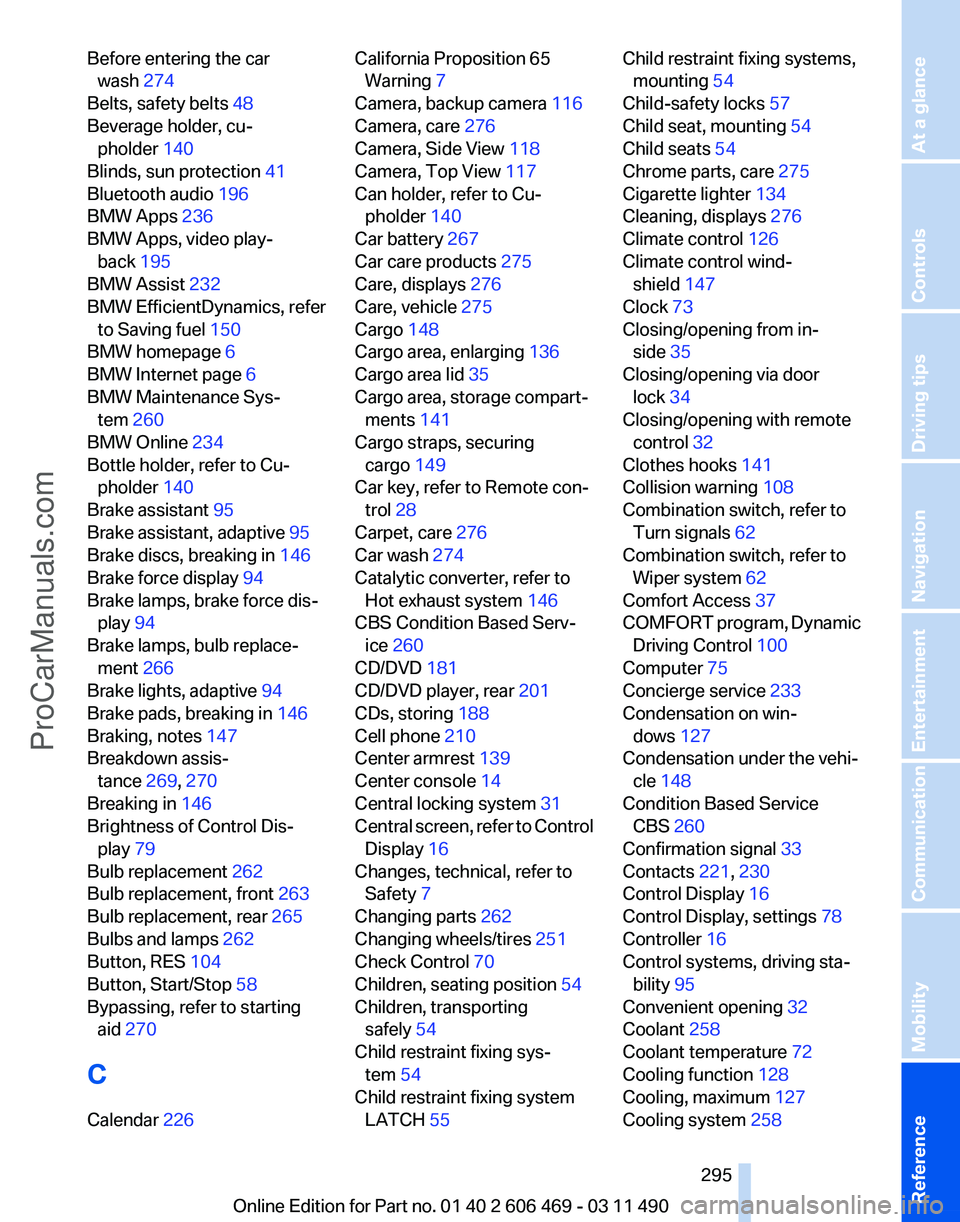
Before entering the car
wash 274
Belts, safety belts 48
Beverage holder, cu‐ pholder 140
Blinds, sun protection 41
Bluetooth audio 196
BMW Apps 236
BMW Apps, video play‐ back 195
BMW Assist 232
BMW EfficientDynamics, refer to Saving fuel 150
BMW homepage 6
BMW Internet page 6
BMW Maintenance Sys‐ tem 260
BMW Online 234
Bottle holder, refer to Cu‐ pholder 140
Brake assistant 95
Brake assistant, adaptive 95
Brake discs, breaking in 146
Brake force display 94
Brake lamps, brake force dis‐ play 94
Brake lamps, bulb replace‐ ment 266
Brake lights, adaptive 94
Brake pads, breaking in 146
Braking, notes 147
Breakdown assis‐ tance 269, 270
Breaking in 146
Brightness of Control Dis‐ play 79
Bulb replacement 262
Bulb replacement, front 263
Bulb replacement, rear 265
Bulbs and lamps 262
Button, RES 104
Button, Start/Stop 58
Bypassing, refer to starting aid 270
C
Calendar 226 California Proposition 65
Warning 7
Camera, backup camera 116
Camera, care 276
Camera, Side View 118
Camera, Top View 117
Can holder, refer to Cu‐ pholder 140
Car battery 267
Car care products 275
Care, displays 276
Care, vehicle 275
Cargo 148
Cargo area, enlarging 136
Cargo area lid 35
Cargo area, storage compart‐ ments 141
Cargo straps, securing cargo 149
Car key, refer to Remote con‐ trol 28
Carpet, care 276
Car wash 274
Catalytic converter, refer to Hot exhaust system 146
CBS Condition Based Serv‐ ice 260
CD/DVD 181
CD/DVD player, rear 201
CDs, storing 188
Cell phone 210
Center armrest 139
Center console 14
Central locking system 31
Central
screen, refer to Control
Display 16
Changes, technical, refer to Safety 7
Changing parts 262
Changing wheels/tires 251
Check Control 70
Children, seating position 54
Children, transporting safely 54
Child restraint fixing sys‐ tem 54
Child restraint fixing system LATCH 55 Child restraint fixing systems,
mounting 54
Child-safety locks 57
Child seat, mounting 54
Child seats 54
Chrome parts, care 275
Cigarette lighter 134
Cleaning, displays 276
Climate control 126
Climate control wind‐ shield 147
Clock 73
Closing/opening from in‐ side 35
Closing/opening via door lock 34
Closing/opening with remote control 32
Clothes hooks 141
Collision warning 108
Combination switch, refer to Turn signals 62
Combination switch, refer to Wiper system 62
Comfort Access 37
COMFORT
program, Dynamic
Driving Control 100
Computer 75
Concierge service 233
Condensation on win‐ dows 127
Condensation under the vehi‐ cle 148
Condition Based Service CBS 260
Confirmation signal 33
Contacts 221, 230
Control Display 16
Control Display, settings 78
Controller 16
Control systems, driving sta‐ bility 95
Convenient opening 32
Coolant 258
Coolant temperature 72
Cooling function 128
Cooling, maximum 127
Cooling system 258
Seite 295
295Online Edition for Part no. 01 40 2 606 469 - 03 11 490
Reference Mobility Communication Entertainment Navigation Driving tips Controls At a glance
ProCarManuals.com
Page 296 of 304
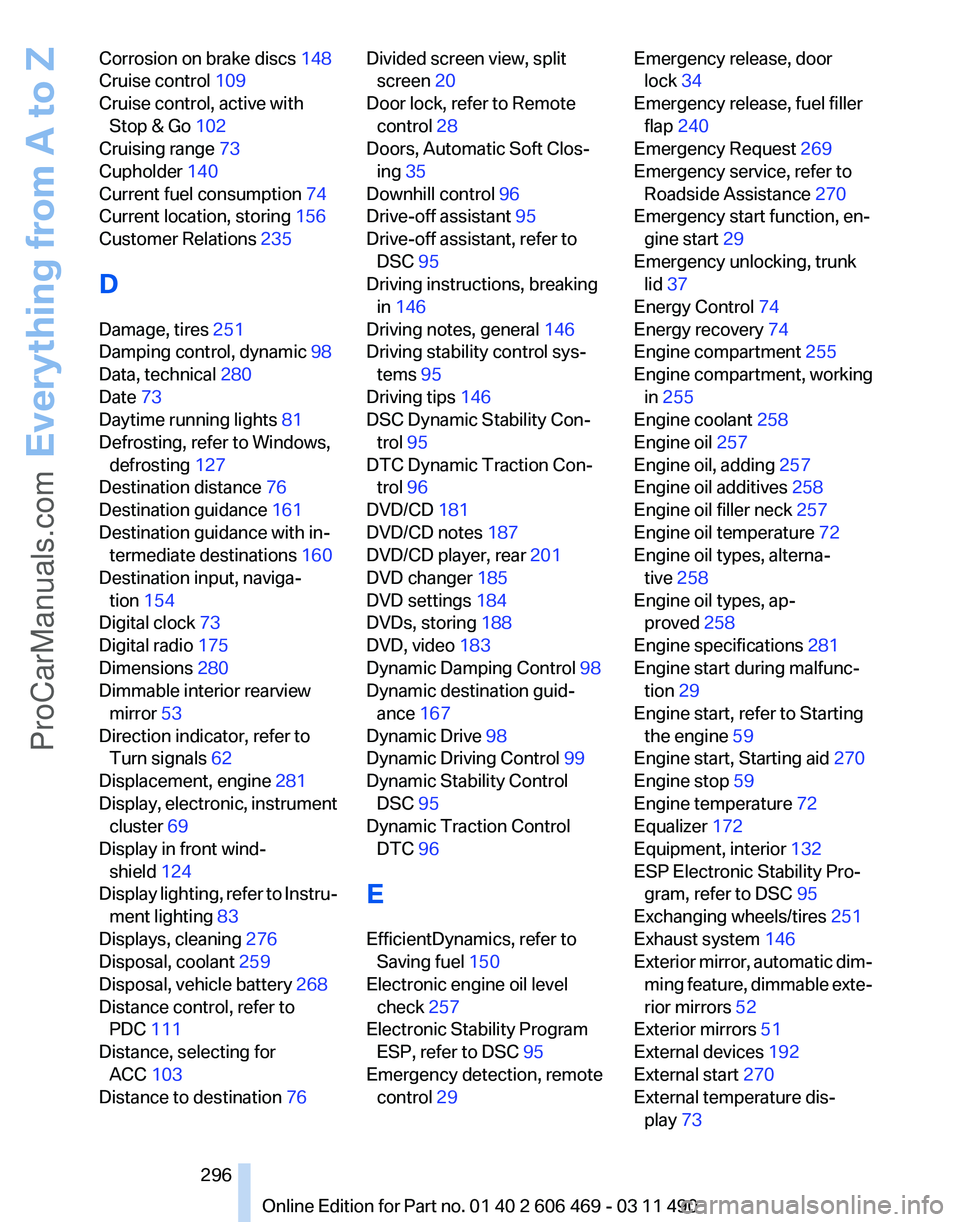
Corrosion on brake discs 148
Cruise control 109
Cruise control, active with Stop & Go 102
Cruising range 73
Cupholder 140
Current fuel consumption 74
Current location, storing 156
Customer Relations 235
D
Damage, tires 251
Damping control, dynamic 98
Data, technical 280
Date 73
Daytime running lights 81
Defrosting, refer to Windows, defrosting 127
Destination distance 76
Destination guidance 161
Destination guidance with in‐ termediate destinations 160
Destination input, naviga‐ tion 154
Digital clock 73
Digital radio 175
Dimensions 280
Dimmable interior rearview mirror 53
Direction indicator, refer to Turn signals 62
Displacement, engine 281
Display,
electronic, instrument
cluster 69
Display in front wind‐ shield 124
Display lighting, refer to Instru‐ ment lighting 83
Displays, cleaning 276
Disposal, coolant 259
Disposal, vehicle battery 268
Distance control, refer to PDC 111
Distance, selecting for ACC 103
Distance to destination 76 Divided screen view, split
screen 20
Door lock, refer to Remote control 28
Doors, Automatic Soft Clos‐ ing 35
Downhill control 96
Drive-off assistant 95
Drive-off assistant, refer to DSC 95
Driving instructions, breaking in 146
Driving notes, general 146
Driving stability control sys‐ tems 95
Driving tips 146
DSC Dynamic Stability Con‐ trol 95
DTC Dynamic Traction Con‐ trol 96
DVD/CD 181
DVD/CD notes 187
DVD/CD player, rear 201
DVD changer 185
DVD settings 184
DVDs, storing 188
DVD, video 183
Dynamic Damping Control 98
Dynamic destination guid‐ ance 167
Dynamic Drive 98
Dynamic Driving Control 99
Dynamic Stability Control DSC 95
Dynamic Traction Control DTC 96
E
EfficientDynamics, refer to Saving fuel 150
Electronic engine oil level check 257
Electronic Stability Program ESP, refer to DSC 95
Emergency detection, remote control 29 Emergency release, door
lock 34
Emergency release, fuel filler flap 240
Emergency Request 269
Emergency service, refer to Roadside Assistance 270
Emergency start function, en‐ gine start 29
Emergency unlocking, trunk lid 37
Energy Control 74
Energy recovery 74
Engine compartment 255
Engine compartment, working in 255
Engine coolant 258
Engine oil 257
Engine oil, adding 257
Engine oil additives 258
Engine oil filler neck 257
Engine oil temperature 72
Engine oil types, alterna‐ tive 258
Engine oil types, ap‐ proved 258
Engine specifications 281
Engine start during malfunc‐ tion 29
Engine start, refer to Starting the engine 59
Engine start, Starting aid 270
Engine stop 59
Engine temperature 72
Equalizer 172
Equipment, interior 132
ESP Electronic Stability Pro‐ gram, refer to DSC 95
Exchanging wheels/tires 251
Exhaust system 146
Exterior
mirror, automatic dim‐
ming feature, dimmable exte‐
rior mirrors 52
Exterior mirrors 51
External devices 192
External start 270
External temperature dis‐ play 73
Seite 296
296 Online Edition for Part no. 01 40 2 606 469 - 03 11 490
Everything from A to Z
ProCarManuals.com
Page 298 of 304
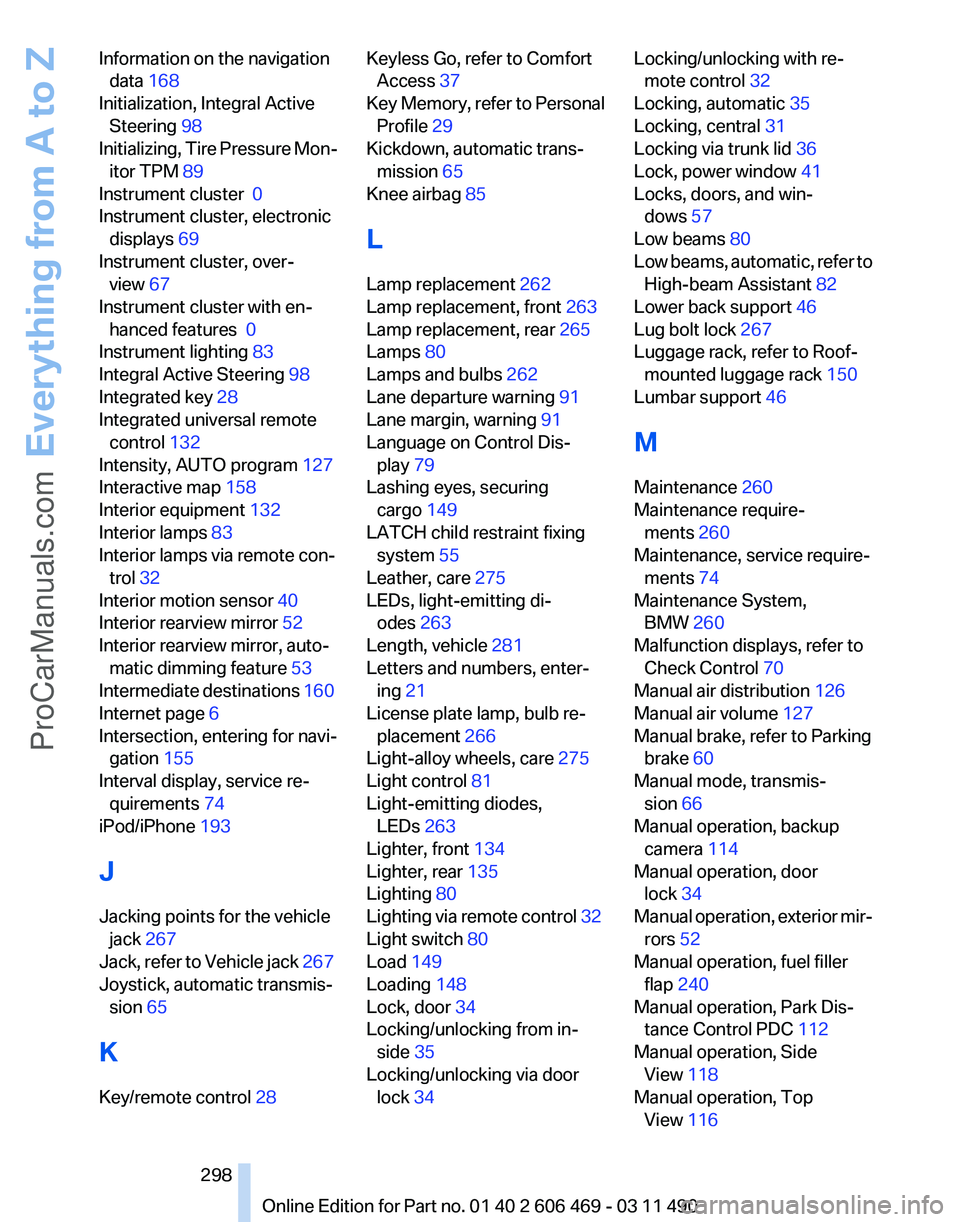
Information on the navigation
data 168
Initialization, Integral Active Steering 98
Initializing,
Tire Pressure Mon‐
itor TPM 89
Instrument cluster 0
Instrument cluster, electronic displays 69
Instrument cluster, over‐ view 67
Instrument cluster with en‐ hanced features 0
Instrument lighting 83
Integral Active Steering 98
Integrated key 28
Integrated universal remote control 132
Intensity, AUTO program 127
Interactive map 158
Interior equipment 132
Interior lamps 83
Interior lamps via remote con‐ trol 32
Interior motion sensor 40
Interior rearview mirror 52
Interior rearview mirror, auto‐ matic dimming feature 53
Intermediate destinations 160
Internet page 6
Intersection, entering for navi‐ gation 155
Interval display, service re‐ quirements 74
iPod/iPhone 193
J
Jacking points for the vehicle jack 267
Jack, refer to Vehicle jack 267
Joystick, automatic transmis‐ sion 65
K
Key/remote control 28 Keyless Go, refer to Comfort
Access 37
Key
Memory, refer to Personal
Profile 29
Kickdown, automatic trans‐ mission 65
Knee airbag 85
L
Lamp replacement 262
Lamp replacement, front 263
Lamp replacement, rear 265
Lamps 80
Lamps and bulbs 262
Lane departure warning 91
Lane margin, warning 91
Language on Control Dis‐ play 79
Lashing eyes, securing cargo 149
LATCH child restraint fixing system 55
Leather, care 275
LEDs, light-emitting di‐ odes 263
Length, vehicle 281
Letters and numbers, enter‐ ing 21
License plate lamp, bulb re‐ placement 266
Light-alloy wheels, care 275
Light control 81
Light-emitting diodes, LEDs 263
Lighter, front 134
Lighter, rear 135
Lighting 80
Lighting via remote control 32
Light switch 80
Load 149
Loading 148
Lock, door 34
Locking/unlocking from in‐ side 35
Locking/unlocking via door lock 34 Locking/unlocking with re‐
mote control 32
Locking, automatic 35
Locking, central 31
Locking via trunk lid 36
Lock, power window 41
Locks, doors, and win‐ dows 57
Low beams 80
Low
beams, automatic, refer to
High-beam Assistant 82
Lower back support 46
Lug bolt lock 267
Luggage rack, refer to Roof- mounted luggage rack 150
Lumbar support 46
M
Maintenance 260
Maintenance require‐ ments 260
Maintenance, service require‐ ments 74
Maintenance System, BMW 260
Malfunction displays, refer to Check Control 70
Manual air distribution 126
Manual air volume 127
Manual brake, refer to Parking brake 60
Manual mode, transmis‐ sion 66
Manual operation, backup camera 114
Manual operation, door lock 34
Manual operation, exterior mir‐ rors 52
Manual operation, fuel filler flap 240
Manual operation, Park Dis‐ tance Control PDC 112
Manual operation, Side View 118
Manual operation, Top View 116
Seite 298
298 Online Edition for Part no. 01 40 2 606 469 - 03 11 490
Everything from A to Z
ProCarManuals.com
Page 299 of 304
Manual transmission 64
Map, destination entry
158
Map in split screen 165
Map view 163
Marking on approved tires 252
Marking, run-flat tires 252
Massage seat, front 46
Master key, refer to Remote control 28
Maximum cooling 127
Maximum speed, winter tires 252
Measure, units of 79
Medical kit 270
Memory for seat, mirrors, steering wheel 51
Menu
in instrument cluster 75
Menus, operating, iDrive 16
Menus, refer to iDrive operat‐ ing concept 17
Message list, traffic bulle‐ tins 165
Messages 224
Messages, refer to Check Control 70
Microfilter 129
Minimum tread, tires 251
Mirror 51
Mirror memory 51
Mobile communication devi‐ ces in the vehicle 147
Mobile phone 210
Modifications, technical, refer to Safety 7
Moisture in headlamp 263
Monitor, refer to Control Dis‐ play 16
Mounting of child restraint fix‐ ing systems 54
MP3 player 192
Multifunction steering wheel, buttons 12
Multimedia 181
Music collection 188
Music search 189
Music, storing 188 N
Navigation
154
Navigation data 168
Neck restraints, front, refer to Head restraints 49
Neck restraints, rear, refer to Head restraints 50
New wheels and tires 251
Night Vision with pedestrian detection 122
NORMAL program, Dynamic Driving Control 100
Notes 227
Number of cylinders, en‐ gine 281
Nylon rope for tow-starting/ towing 273
O
OBD Onboard Diagnos‐ tics 260
Obstacle marking, backup camera 115
Odometer 73
Office 221
Oil 257
Oil, adding 257
Oil additives 258
Oil
change interval, service re‐
quirements 74
Oil filler neck 257
Oil level check 257
Oil types, alternative 258
Oil types, approved 258
Old batteries, disposal 268
Onboard Diagnostics OBD 260
Onboard monitor, refer to Control Display 16
Online, refer to BMW On‐ line 234
Opening/closing from in‐ side 35
Opening/closing via door lock 34 Opening/closing with remote
control 32
Operating concept, iDrive 16
Outside air, refer to Automatic recirculated-air control 127
Overheating
of engine, refer to
Coolant temperature 72
P
Paint, vehicle 275
Panic mode 32
Parallel parking assistant 118
Park Distance Control PDC 111
Parked-car ventilation 131
Parked vehicle, condensa‐ tion 148
Parking aid, refer to PDC 111
Parking assistant 118
Parking brake 60
Parking lamps 80
Parking with Auto Hold 60
Passenger side mirror, tilting downward 52
Pathway lines, backup cam‐ era 114
PDC Park Distance Con‐ trol 111
Pedestrian detection, refer to Night Vision 122
People detection, refer to Night Vision 122
Permissible axle load 283
Personal information 221
Personal Profile 29
Phone 210
Pinch protection system, glass sunroof 42
Pinch protection system, win‐ dows 40
Plastic, care 276
PlugIn 237
Position, storing 156
Postal code, entering in navi‐ gation 154
Power failure 268
Power output, engine 281
Seite 299
299Online Edition for Part no. 01 40 2 606 469 - 03 11 490
Reference Mobility Communication Entertainment Navigation Driving tips Controls At a glance
ProCarManuals.com
Page 302 of 304
Traffic bulletins, naviga‐
tion 165
Traffic
situation/gray card 166
Transmission, automatic 65
Transmission, manual 64
Transporting children safely 54
Tread, tires 250
Treble, tone 172
Trip computer 77
Triple turn signal activa‐ tion 62
Trip odometer 73
Truck for tow-starting/tow‐ ing 272
Trunk lid 35
Trunk lid, automatic 36
Trunk lid, emergency unlock‐ ing 37
Trunk lid, hotel function 37
Trunk lid via remote con‐ trol 33
Turning circle 281
Turning circle lines, backup camera 114
Turn signals, operation 62
Turn signals, rear, bulb re‐ placement 266
U
Unintentional alarm 40
Units of measure 79
Universal remote control 132
Unlock button, automatic transmission 65
Unlocking/locking from in‐ side 35
Unlocking/locking via door lock 34
Unlocking/locking with remote control 32
Updates made after the edito‐ rial deadline 6
Updating software 199
Upholstery care 275
USB audio interface 193
USB interface 138 V
Variable steering, Integral Ac‐
tive Steering 98
Vehicle battery 267
Vehicle
battery, replacing 267
Vehicle, breaking in 146
Vehicle care 275
Vehicle identification number, refer to Identification number
in the engine compart‐
ment 255
Vehicle jack 267
Vehicle paint 275
Vehicle storage 276
Vehicle wash 274
Ventilation 129
Ventilation, refer to Parked-car ventilation 131
Version of the navigation data 168
Video playback 183
Video playback, iPhone 195
Video playback, snap-in adapter 195
Voice activation, mobile phone 217
Voice activation, short com‐ mands 285
Voice activation system 22
Volume, setting 172
W
Warning messages, refer to Check Control 70
Warning triangle 270
Washer fluid 64
Washer fluid reservoir, ca‐ pacity 284
Washer nozzles, wind‐ shield 64
Washer system 62
Washing, vehicle 274
Water on roads 147
Weather Band 176
Weights 283
Welcome lamps 80 Wheel base, vehicle 281
Wheel change 267
Wheels, changing 251
Wheels, everything on wheels
and tires 242
Wheels,
Tire Pressure Monitor
TPM 88
Width, vehicle 280
Window defroster, rear 128
Windows, powered 40
Windshield, climate con‐ trol 147
Windshield washer fluid 64
Windshield washer noz‐ zles 64
Windshield washer system 62
Windshield wiper 62
Windshield wipers, fold-out position 64
Winter storage, care 276
Winter tires, suitable tires 252
Winter tires, tread 250
Wiper blades, replacing 262
Wiper fluid 64
Wiper system 62
Wood, care 276
Word match concept, naviga‐ tion 21
Wrench 262
X
xDrive 96
Xenon headlamps, bulb re‐ placement 264
Y
Your individual vehicle 6
Seite 302
302 Online Edition for Part no. 01 40 2 606 469 - 03 11 490
Everything from A to Z
ProCarManuals.com