heating BMW 5 SERIES ACTIVE HYBRID 2015 User Guide
[x] Cancel search | Manufacturer: BMW, Model Year: 2015, Model line: 5 SERIES ACTIVE HYBRID, Model: BMW 5 SERIES ACTIVE HYBRID 2015Pages: 257, PDF Size: 5.26 MB
Page 170 of 257
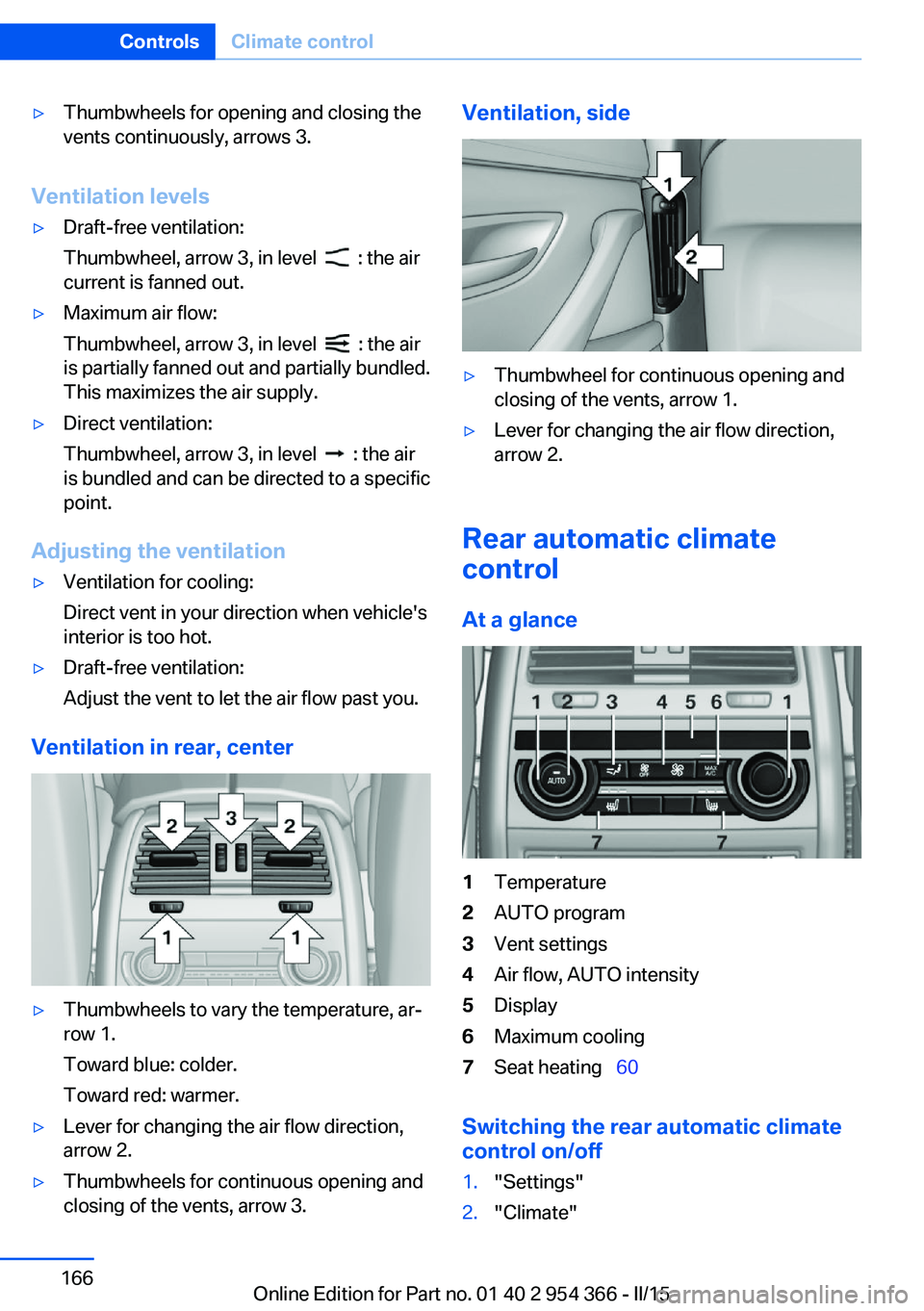
▷Thumbwheels for opening and closing the
vents continuously, arrows 3.
Ventilation levels
▷Draft-free ventilation:
Thumbwheel, arrow 3, in level
: the air
current is fanned out.
▷Maximum air flow:
Thumbwheel, arrow 3, in level
: the air
is partially fanned out and partially bundled.
This maximizes the air supply.
▷Direct ventilation:
Thumbwheel, arrow 3, in level
: the air
is bundled and can be directed to a specific
point.
Adjusting the ventilation
▷Ventilation for cooling:
Direct vent in your direction when vehicle's
interior is too hot.▷Draft-free ventilation:
Adjust the vent to let the air flow past you.
Ventilation in rear, center
▷Thumbwheels to vary the temperature, ar‐
row 1.
Toward blue: colder.
Toward red: warmer.▷Lever for changing the air flow direction,
arrow 2.▷Thumbwheels for continuous opening and
closing of the vents, arrow 3.Ventilation, side▷Thumbwheel for continuous opening and
closing of the vents, arrow 1.▷Lever for changing the air flow direction,
arrow 2.
Rear automatic climate
control
At a glance
1Temperature2AUTO program3Vent settings4Air flow, AUTO intensity5Display6Maximum cooling7Seat heating 60
Switching the rear automatic climate
control on/off
1."Settings"2."Climate"Seite 166ControlsClimate control166
Online Edition for Part no. 01 40 2 954 366 - II/15
Page 171 of 257
3."Rear climate"
The rear automatic climate control is not op‐
erational if the automatic climate control is
switched off or if the function for defrosting or
defogging the windows is active.
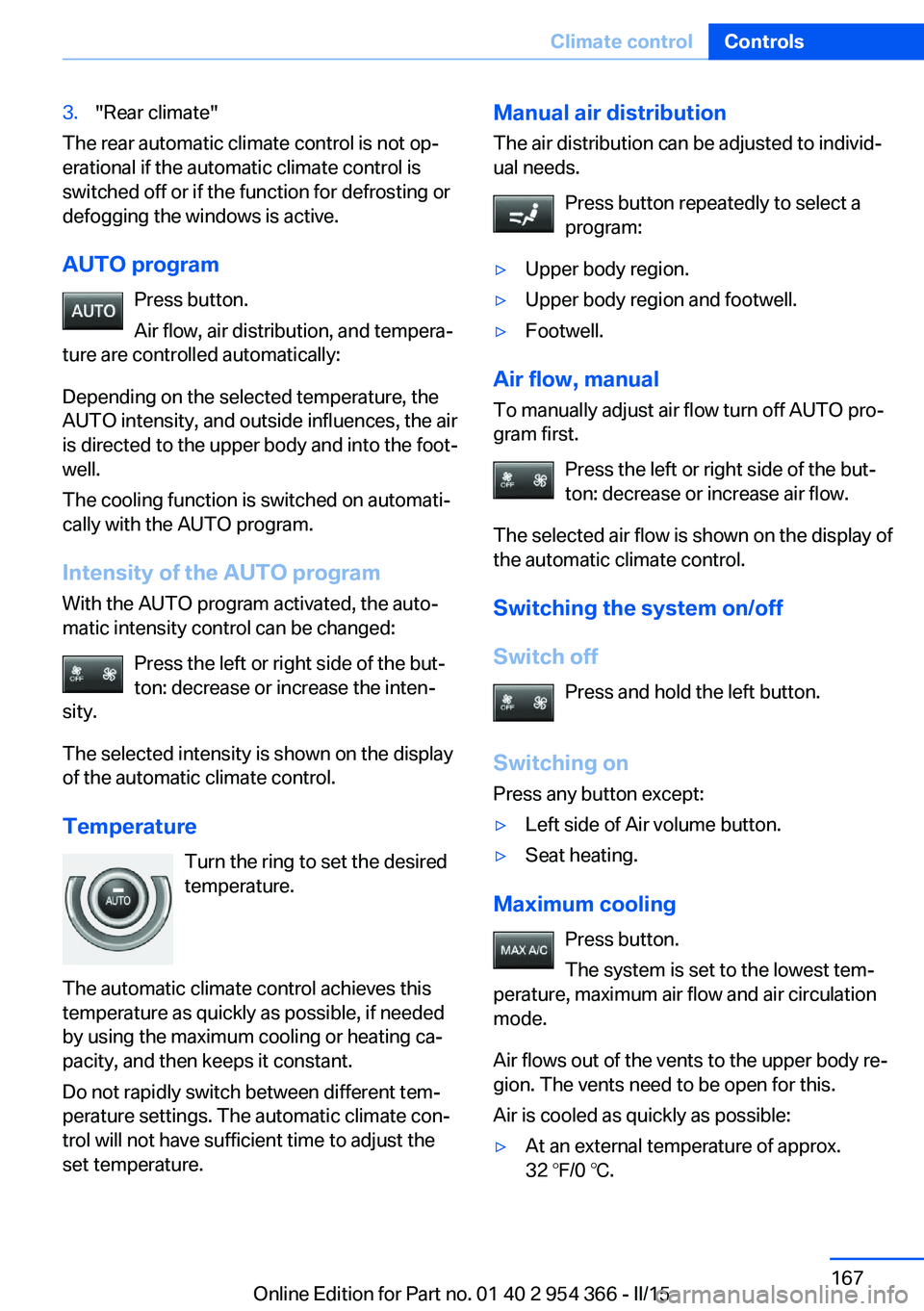
AUTO program Press button.
Air flow, air distribution, and tempera‐
ture are controlled automatically:
Depending on the selected temperature, the
AUTO intensity, and outside influences, the air
is directed to the upper body and into the foot‐
well.
The cooling function is switched on automati‐
cally with the AUTO program.
Intensity of the AUTO program With the AUTO program activated, the auto‐
matic intensity control can be changed:
Press the left or right side of the but‐
ton: decrease or increase the inten‐
sity.
The selected intensity is shown on the display
of the automatic climate control.
Temperature Turn the ring to set the desired
temperature.
The automatic climate control achieves this
temperature as quickly as possible, if needed
by using the maximum cooling or heating ca‐
pacity, and then keeps it constant.
Do not rapidly switch between different tem‐
perature settings. The automatic climate con‐
trol will not have sufficient time to adjust the
set temperature.
Manual air distribution
The air distribution can be adjusted to individ‐
ual needs.
Press button repeatedly to select a
program:▷Upper body region.▷Upper body region and footwell.▷Footwell.
Air flow, manual
To manually adjust air flow turn off AUTO pro‐
gram first.
Press the left or right side of the but‐
ton: decrease or increase air flow.
The selected air flow is shown on the display of
the automatic climate control.
Switching the system on/off
Switch off Press and hold the left button.
Switching on Press any button except:
▷Left side of Air volume button.▷Seat heating.
Maximum cooling
Press button.
The system is set to the lowest tem‐
perature, maximum air flow and air circulation
mode.
Air flows out of the vents to the upper body re‐
gion. The vents need to be open for this.
Air is cooled as quickly as possible:
▷At an external temperature of approx.
32 ℉/0 ℃.Seite 167Climate controlControls167
Online Edition for Part no. 01 40 2 954 366 - II/15
Page 172 of 257
▷When the engine is running or when elec‐
trical drive readiness is available.
Residual cooling
When the automatic climate control has re‐
duced the interior temperature, this tempera‐
ture can be maintained after the engine has
been switched off. This function can be acti‐
vated up to 15 minutes after the engine is
switched off and for a maximum period of 6 mi‐
nutes.
Functional requirement
▷The high-voltage battery is sufficiently
charged.▷External temperature at least ap‐
prox. 59 ℉/15 ℃.
Switching on
1.Switch off the ignition.2. Press the right side of the button
on the driver's side.
The symbol appears on the automatic cli‐
mate Control Display.
The interior temperature, air flow and air distri‐
bution can be adjusted with the radio-ready
state switched on.
Switch off Press and hold the left button.
The symbol on the automatic climate Con‐
trol Display disappears.
Parked-car ventilation The conceptThe parked-car ventilation ventilates the vehi‐
cle interior and lowers its temperature, if
needed.
The system can be switched on and off di‐
rectly or by using two preset reel-on times. It
remains switched on for 30 minutes.
Open the vents to allow air to flow out.
Functional requirement▷When operated directly and if there is no
parked-car heating: any external tempera‐
ture.
Switching on/off directly
On the Control Display:
1."Settings"2."Climate"3."Activate comf. ventilation"
The symbol on the automatic climate con‐
trol flashes if the system is switched on.
The system continues to run for some time af‐
ter being switched off.
Preselecting the reel-on time On the Control Display:
1."Settings"2."Climate"3."Timer 1:" or "Timer 2:"4.Enter the desired time.5.Press the controller to adopt the setting.
Activating the reel-on time
On the Control Display:
1."Settings"2."Climate"3."Activate timer 1" or "Activate timer 2"
Symbol on the automatic climate control
lights up.
The symbol on the automatic climate con‐
trol flashes when the system has been
switched on.
Seite 168ControlsClimate control168
Online Edition for Part no. 01 40 2 954 366 - II/15
Page 191 of 257
LoadingVehicle features and options
This chapter describes all standard, country-
specific and optional features offered with the
series. It also describes features that are not
necessarily available in your car, e. g., due to
the selected options or country versions. This
also applies to safety-related functions and
systems. The respectively applicable country
provisions must be observed when using the
respective features and systems.
Hints Overloading the vehicle
To avoid exceeding the approved ca‐
pacity of the tires, never overload the vehicle.
Overloading can lead to overheating and in‐
creases the rate at which damage develops in‐
side the tires. This could result in a sudden
loss of tire inflation pressure.◀
No fluids in the cargo area
Make sure that fluids do not leak into the
cargo area; otherwise, the vehicle may be dam‐
aged.◀
Heavy and hard objects
Do not stow any heavy and hard objects
in the car's interior without securing them; oth‐
erwise, they may present a danger to occu‐
pants, e.g., during braking and evasive maneu‐
vers.◀
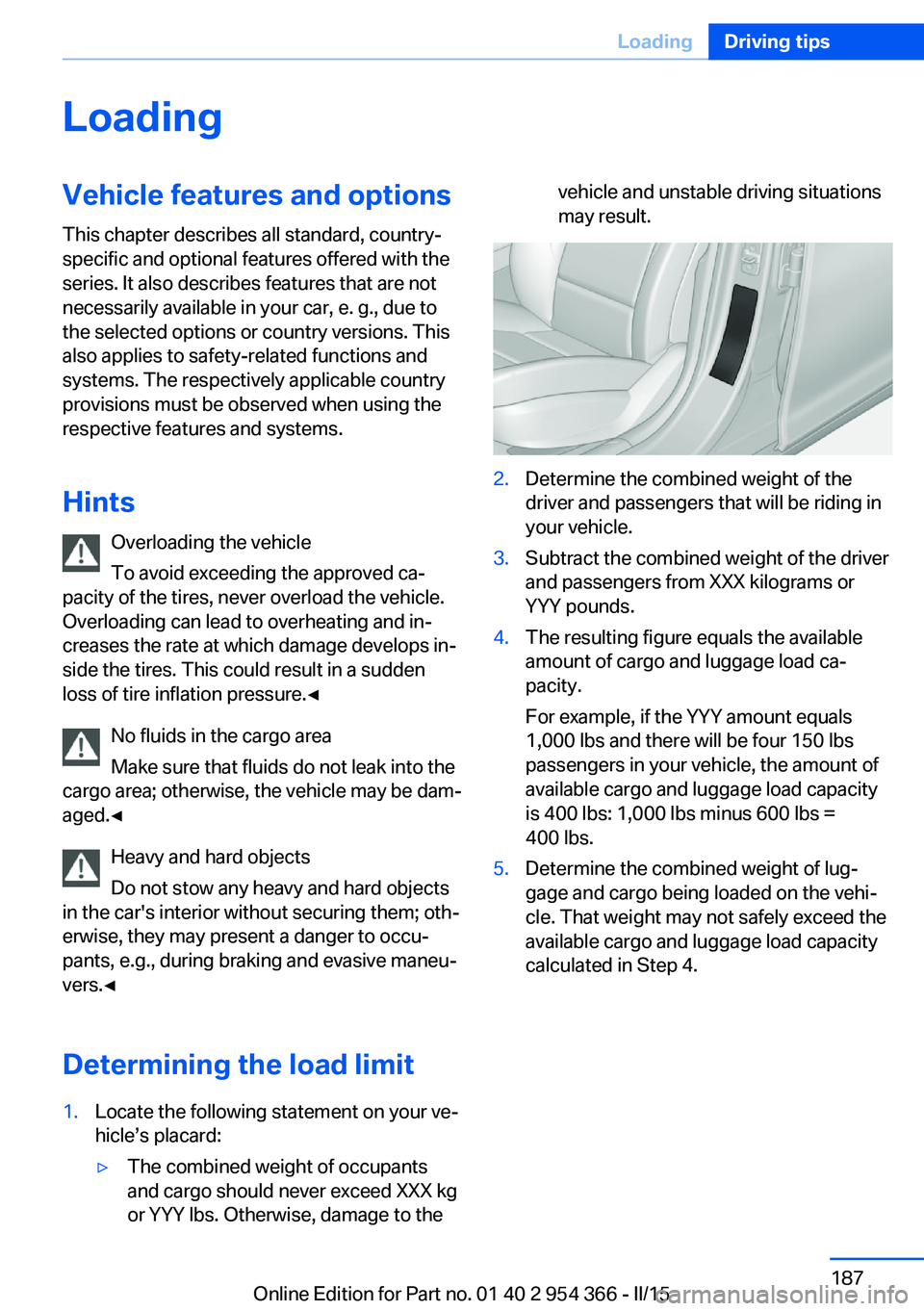
Determining the load limit1.Locate the following statement on your ve‐
hicle’s placard:▷The combined weight of occupants
and cargo should never exceed XXX kg
or YYY lbs. Otherwise, damage to thevehicle and unstable driving situations
may result.2.Determine the combined weight of the
driver and passengers that will be riding in
your vehicle.3.Subtract the combined weight of the driver
and passengers from XXX kilograms or
YYY pounds.4.The resulting figure equals the available
amount of cargo and luggage load ca‐
pacity.
For example, if the YYY amount equals
1,000 lbs and there will be four 150 lbs
passengers in your vehicle, the amount of
available cargo and luggage load capacity
is 400 lbs: 1,000 lbs minus 600 lbs =
400 lbs.5.Determine the combined weight of lug‐
gage and cargo being loaded on the vehi‐
cle. That weight may not safely exceed the
available cargo and luggage load capacity
calculated in Step 4.Seite 187LoadingDriving tips187
Online Edition for Part no. 01 40 2 954 366 - II/15
Page 195 of 257
Longer braking procedures result in more effi‐
cient charging of the high-voltage battery via
energy recovery from braking.
Avoid high engine speeds
As a rule: driving at low engine speeds lowers
fuel consumption and reduces wear.
Use 1st gear to get the vehicle moving. Start‐
ing with the 2nd gear, accelerate rapidly. When
accelerating, shift up before reaching high en‐
gine speeds.
When you reach the desired speed, shift into
the highest applicable gear and drive with the
engine speed as low as possible and at a con‐
stant speed.
If necessary, observe the gear shift indicator of
the vehicle, refer to page 96.
Use coasting
When approaching a red light, take your foot
off the accelerator and let the vehicle coast to
a halt.
For going downhill take your foot off the accel‐
erator and let the vehicle roll.
The flow of fuel is interrupted while coasting.
The high-voltage battery is being charged.
Switch off the engine during
longer stops
Switch off the engine during longer stops, e.g.,
at traffic lights, railroad crossings or in traffic
congestion.
Switch off any functions that
are not currently needed
Functions such as seat heating and the rear
window defroster require a lot of energy andreduce the range, especially in city and stop-
and-go traffic.
Reel off these functions if they are not needed.
The ECO PRO driving program supports the
energy conserving use of comfort features.
These functions are automatically deactivated
partially or completely.
Have maintenance carried
out
Have vehicles maintained regularly to achieve
optimal vehicle efficiency and operating life.
The maintenance should be carried out by
your service center.
Also note the BMW Maintenance System, refer
to page 218.
ECO PRO
The concept ECO PRO supports a driving style that saves
on fuel consumption. For this purpose, the en‐
gine control and comfort features, e. g. the cli‐
mate control output, are adjusted.
eDRIVE electric driving, refer to page 76, and
the Coasting, refer to page 76, driving status
are becoming increasingly possible.
In addition, context-sensitive instructions are
displayed to assist with an optimized fuel con‐
sumption driving style.
The achieved extended range is displayed in
the instrument cluster as bonus range.
Overview
The system includes the following
EfficientDynamics functions and displays:▷ECO PRO bonus range, refer to page 192.▷ECO PRO tips driving instruction, refer to
page 193Seite 191Saving fuelDriving tips191
Online Edition for Part no. 01 40 2 954 366 - II/15
Page 196 of 257
▷ECO PRO climate control, refer to
page 192.
Activate ECO PRO
Press button repeatedly until ECO
PRO is displayed in the instrument
cluster.
Configuring ECO PRO
Via the Driving Dynamics Control
1.Activate ECO PRO.2."Configure ECO PRO"3.Configure the program.
Via the iDrive
1."Settings"2."ECO PRO mode"
Or
1."Settings"2."Driving mode"3."Configure ECO PRO"
Configure the program.
ECO PRO Tip
▷"Tip at:":
Adjust the ECO PRO speed.▷"ECO PRO speed warning":
The output is reduced once the set ECO
PRO speed is reached.
ECO PRO climate control
"ECO PRO climate control"
Climate control is set to be fuel-efficient.
By making a slight change to the set tempera‐
ture, or slowly adjusting the rate of heating or
cooling of the car's interior, fuel consumption
can be economized.
The mirror heating is made available when out‐
side temperatures are very cold.
ECO PRO potential
Shows potential savings with the current set‐
tings in percentages.
Display in the instrument cluster
ECO PRO bonus range An adjusted driving style helps
you extend your driving range.
This may be displayed as the
bonus range in the instrument
cluster.
The bonus range is shown in the range display.
The bonus range is automatically reset every
time the vehicle is refueled.
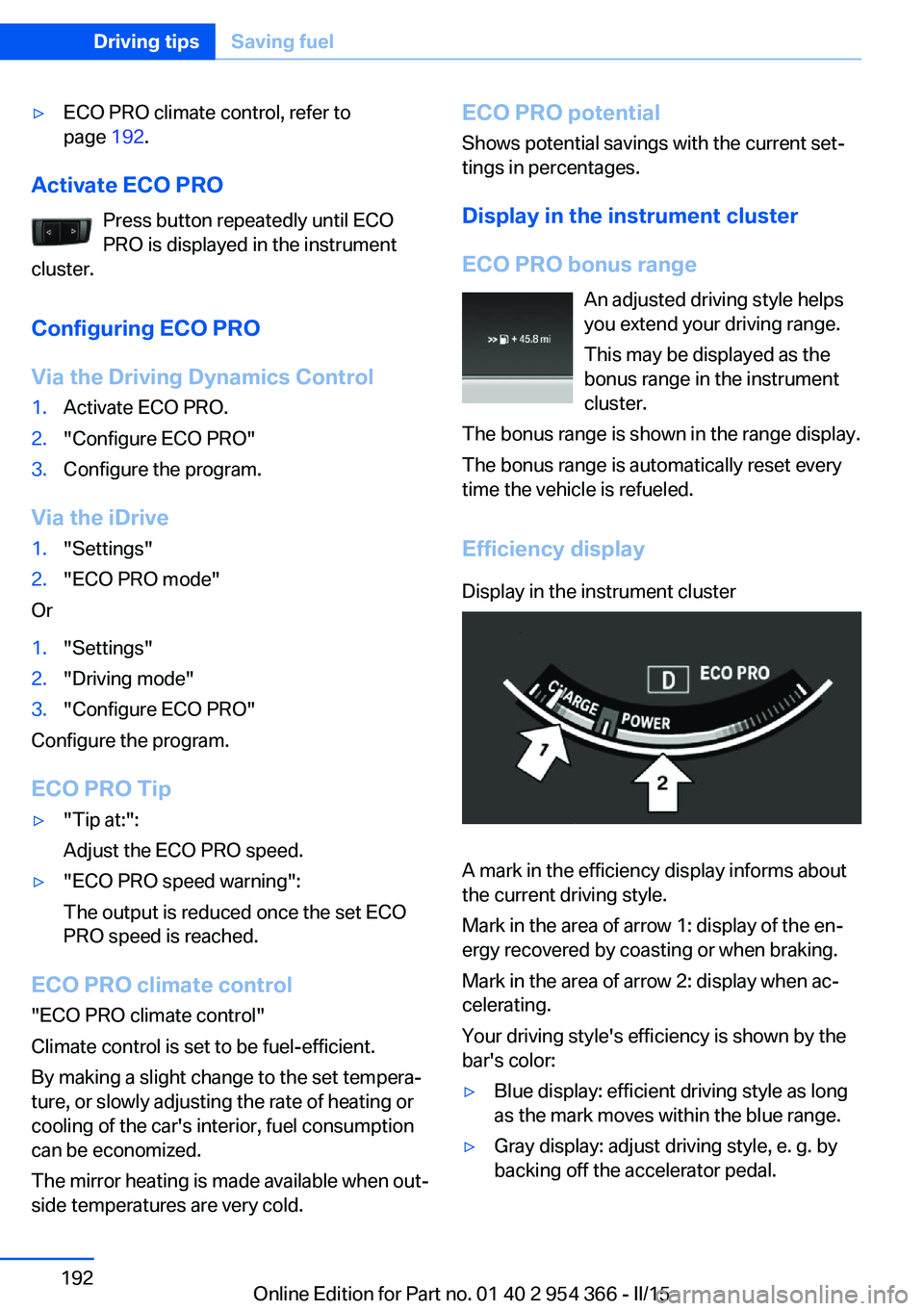
Efficiency displayDisplay in the instrument cluster
A mark in the efficiency display informs about
the current driving style.
Mark in the area of arrow 1: display of the en‐
ergy recovered by coasting or when braking.
Mark in the area of arrow 2: display when ac‐
celerating.
Your driving style's efficiency is shown by the
bar's color:
▷Blue display: efficient driving style as long
as the mark moves within the blue range.▷Gray display: adjust driving style, e. g. by
backing off the accelerator pedal.Seite 192Driving tipsSaving fuel192
Online Edition for Part no. 01 40 2 954 366 - II/15
Page 252 of 257
N
Navigation, see user's manual for Navigation, Entertain‐
ment and Communication
Neck restraints, front, refer to Head restraints 62
Neck restraints, rear, refer to Head restraints 64
Neutral cleaner, see wheel cleaner 235
New wheels and tires 205
Night Vision 127
Night Vision device, see Night Vision 127
Nylon rope for tow-starting/ towing 230
O OBD Onboard Diagnosis 219
OBD, see OBD Onboard Di‐ agnosis 219
Object detection, see Night Vision 127
Obstacle marking, rearview camera 154
Octane rating, refer to Rec‐ ommended fuel grade 198
Odometer 94
Office, see user's manual for Navigation, Entertainment
and Communication
Officially use hybrid sys‐ tem 182
Oil 213
Oil, adding 214
Oil additives 214
Oil change 215
Oil change interval, service requirements 95
Oil filler neck 214
Oil types, alternative 215
Oil types, approved 215
Old batteries, disposal 226
On-board computer 98 Onboard monitor, refer to
Control Display 18
Onboard vehicle tool kit 220
Opening/closing via door lock 43
Opening and closing 38
Opening and closing, without remote control 43
Opening and closing, with re‐ mote control 41
Opening the trunk lid with no- touch activation 48
Operating concept, iDrive 18
Optional equipment, standard equipment 6
Outside air, refer to Auto‐ matic recirculated-air con‐
trol 164
Overheating of engine, refer to Coolant temperature 94
P Paint, vehicle 234
Parallel parking assistant 158
Park Distance Control PDC 150
Parked-car ventilation 168
Parked vehicle, condensa‐ tion 186
Parking aid, refer to PDC 150
Parking assistant 158
Parking brake 77
Parking lights 104
Parking with Automatic Hold 78
Parts and accessories 7
Passenger side mirror, tilting downward 66
Pathway lines, rearview cam‐ era 154
PDC Park Distance Con‐ trol 150
Pedestrian detection, see Night Vision 127 Pedestrian warning with city
braking function 124
Personal Profile 39
Personal Profile, exporting profiles 40
Pinch protection system, glass sunroof 55
Pinch protection system, win‐ dows 53
Plastic, care 235
Power failure 226
Power sunroof, glass 54
Power windows 52
Pressure, tire air pres‐ sure 200
Pressure warning FTM, tires 116
Profile, refer to Personal Pro‐ file 39
Programmable memory but‐ tons, iDrive 23
Protective function, glass sunroof 55
Protective function, win‐ dows 53
Push-and-turn switch, refer to Controller 18
R Radiator fluid 216
Radio-operated key, refer to Remote control 38
Radio ready state 73
Radio, see user's manual for Navigation, Entertainment
and Communication
Rain sensor 81
Rear automatic climate con‐ trol 166
Rear lights 223
Rear socket 174
Rearview camera 152
Rearview mirror 66
Rear window defroster 164
Recirculated-air mode 164 Seite 248ReferenceEverything from A to Z248
Online Edition for Part no. 01 40 2 954 366 - II/15
Page 253 of 257
Recommended fuelgrade 198
Recommended tire brands 205
Refueling 196
Remaining range 95
Remote control/key 38
Remote control, auxiliary air conditioning, key 169
Remote control, malfunc‐ tion 42
Remote control, univer‐ sal 170
Replacement fuse 226
Replacing parts 220
Replacing wheels/tires 205
Reporting safety defects 10
RES button 144
RES button, see Active Cruise Control, ACC 141
RES button, see Cruise con‐ trol 148
Reserve warning, refer to Range 95
Reset, Tire Pressure Monitor TPM 113
Residual cooling 168
Residual heat, automatic cli‐ mate control 165
Retaining straps, securing cargo 188
Retreaded tires 205
Reversing lamp, bulb replace‐ ment 224
Roadside parking lights 105
Roller sunblinds 53
RON recommended fuel grade 198
Roofliner 17
Roof load capacity 241
Roof-mounted luggage rack 188
Rope for tow-starting/ towing 230 RSC Run Flat System Com‐
ponent, refer to Run-flat
tires 206
Rubber components, care 235
Run-flat tires 206
S Safe braking 185
Safety 7
Safety belt reminder for driv‐ er's seat and front passen‐
ger seat 62
Safety belts 61
Safety belts, care 235
Safety of the high-voltage system 34
Safety Package, refer to Ac‐ tive Protection 133
Safety switch, windows 53
Safety systems, airbags 109
Saving fuel 190
Screen, refer to Control Dis‐ play 18
Screwdriver, see Onboard ve‐ hicle tool kit 220
Screw thread, refer to Screw thread for tow fitting, screw
thread for tow fitting 231
Sealant 206
Seat belts, refer to Safety belts 61
Seat heating, front 60
Seat heating, rear 60
Seating position for chil‐ dren 69
Seat, mirror, and steering wheel memory 65
Seats 57
Seat ventilation, front 61
Selection list in instrument cluster 98
Selector lever, Steptronic transmission 84
Sensors, care 236 Service and warranty 8
Service requirements, Condi‐ tion Based Service
CBS 218
Service requirements, dis‐ play 95
Services, ConnectedDrive
SET button, see Active Cruise Control, ACC 141
SET button, see Cruise con‐ trol 148
Settings, locking/unlock‐ ing 50
Settings on Control Dis‐ play 101
Settings, storing for seat, mir‐ rors, steering wheel 65
Shift paddles on the steering wheel 85
Shoulder support 60
Side airbags 109
Side View 155
Signaling, horn 14
Signals when unlocking 50
Silent Start, electric drive readiness 74
Sitting safely 57
Size 240
Slide/tilt glass roof 54
Smallest turning radius 240
Smoker's package 172
Snow chains 210
Socket 173
Socket, OBD Onboard Diag‐ nostics 219
SOS button 227
Spare fuse 226
Speaker lighting 108
Specified engine oil types 215
Speed, average 99
Speed limit detection, on- board computer 99
Speed limiter, display 96
Speed Limit Information 96
Speed warning 100 Seite 249Everything from A to ZReference249
Online Edition for Part no. 01 40 2 954 366 - II/15
Page 254 of 257
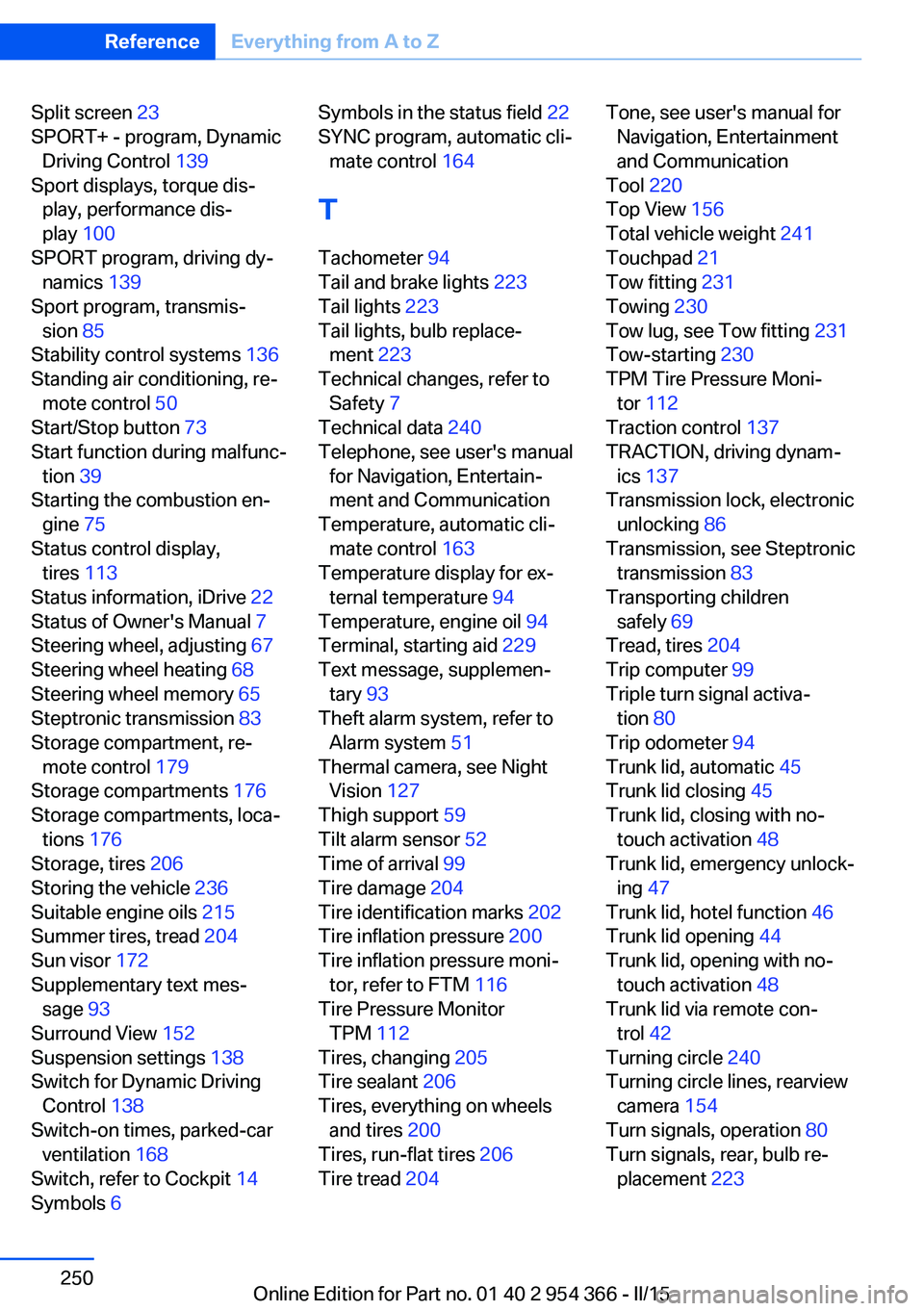
Split screen 23
SPORT+ - program, Dynamic Driving Control 139
Sport displays, torque dis‐ play, performance dis‐
play 100
SPORT program, driving dy‐ namics 139
Sport program, transmis‐ sion 85
Stability control systems 136
Standing air conditioning, re‐ mote control 50
Start/Stop button 73
Start function during malfunc‐ tion 39
Starting the combustion en‐ gine 75
Status control display, tires 113
Status information, iDrive 22
Status of Owner's Manual 7
Steering wheel, adjusting 67
Steering wheel heating 68
Steering wheel memory 65
Steptronic transmission 83
Storage compartment, re‐ mote control 179
Storage compartments 176
Storage compartments, loca‐ tions 176
Storage, tires 206
Storing the vehicle 236
Suitable engine oils 215
Summer tires, tread 204
Sun visor 172
Supplementary text mes‐ sage 93
Surround View 152
Suspension settings 138
Switch for Dynamic Driving Control 138
Switch-on times, parked-car ventilation 168
Switch, refer to Cockpit 14
Symbols 6 Symbols in the status field 22
SYNC program, automatic cli‐ mate control 164
T Tachometer 94
Tail and brake lights 223
Tail lights 223
Tail lights, bulb replace‐ ment 223
Technical changes, refer to Safety 7
Technical data 240
Telephone, see user's manual for Navigation, Entertain‐
ment and Communication
Temperature, automatic cli‐ mate control 163
Temperature display for ex‐ ternal temperature 94
Temperature, engine oil 94
Terminal, starting aid 229
Text message, supplemen‐ tary 93
Theft alarm system, refer to Alarm system 51
Thermal camera, see Night Vision 127
Thigh support 59
Tilt alarm sensor 52
Time of arrival 99
Tire damage 204
Tire identification marks 202
Tire inflation pressure 200
Tire inflation pressure moni‐ tor, refer to FTM 116
Tire Pressure Monitor TPM 112
Tires, changing 205
Tire sealant 206
Tires, everything on wheels and tires 200
Tires, run-flat tires 206
Tire tread 204 Tone, see user's manual for
Navigation, Entertainment
and Communication
Tool 220
Top View 156
Total vehicle weight 241
Touchpad 21
Tow fitting 231
Towing 230
Tow lug, see Tow fitting 231
Tow-starting 230
TPM Tire Pressure Moni‐ tor 112
Traction control 137
TRACTION, driving dynam‐ ics 137
Transmission lock, electronic unlocking 86
Transmission, see Steptronic transmission 83
Transporting children safely 69
Tread, tires 204
Trip computer 99
Triple turn signal activa‐ tion 80
Trip odometer 94
Trunk lid, automatic 45
Trunk lid closing 45
Trunk lid, closing with no- touch activation 48
Trunk lid, emergency unlock‐ ing 47
Trunk lid, hotel function 46
Trunk lid opening 44
Trunk lid, opening with no- touch activation 48
Trunk lid via remote con‐ trol 42
Turning circle 240
Turning circle lines, rearview camera 154
Turn signals, operation 80
Turn signals, rear, bulb re‐ placement 223 Seite 250ReferenceEverything from A to Z250
Online Edition for Part no. 01 40 2 954 366 - II/15