low beam BMW 5 SERIES SEDAN 2016 F70 User Guide
[x] Cancel search | Manufacturer: BMW, Model Year: 2016, Model line: 5 SERIES SEDAN, Model: BMW 5 SERIES SEDAN 2016 F70Pages: 277, PDF Size: 5.63 MB
Page 130 of 277
▷In heavy fog, rain, sprayed water or snow‐
fall.▷In tight curves.▷If the driving stability control systems are
deactivated, e.g. DSC OFF.▷If the camera viewing field or the front
windshield are dirty or covered.▷Up to 10 seconds after the start of the en‐
gine, via the Start/Stop knob.▷During calibration of the camera immedi‐
ately after vehicle shipment.▷If there is constant blinding effects be‐
cause of oncoming light, e. g., from the sun
low in the sky.▷When it is dark outside.
Night Vision with Pedestrian
and Animal Detection
The concept Night Vision with pedestrian and animal detec‐
tion is a night vision system.
An infrared camera scans the area in front of
the vehicle and issues a warning if it detects
pedestrians and animals on the street. Warm
objects that are similar in shape to human be‐
ings or animals are detected by the system. If necessary, the heat image can be displayed on
the Control Display.
Heat image
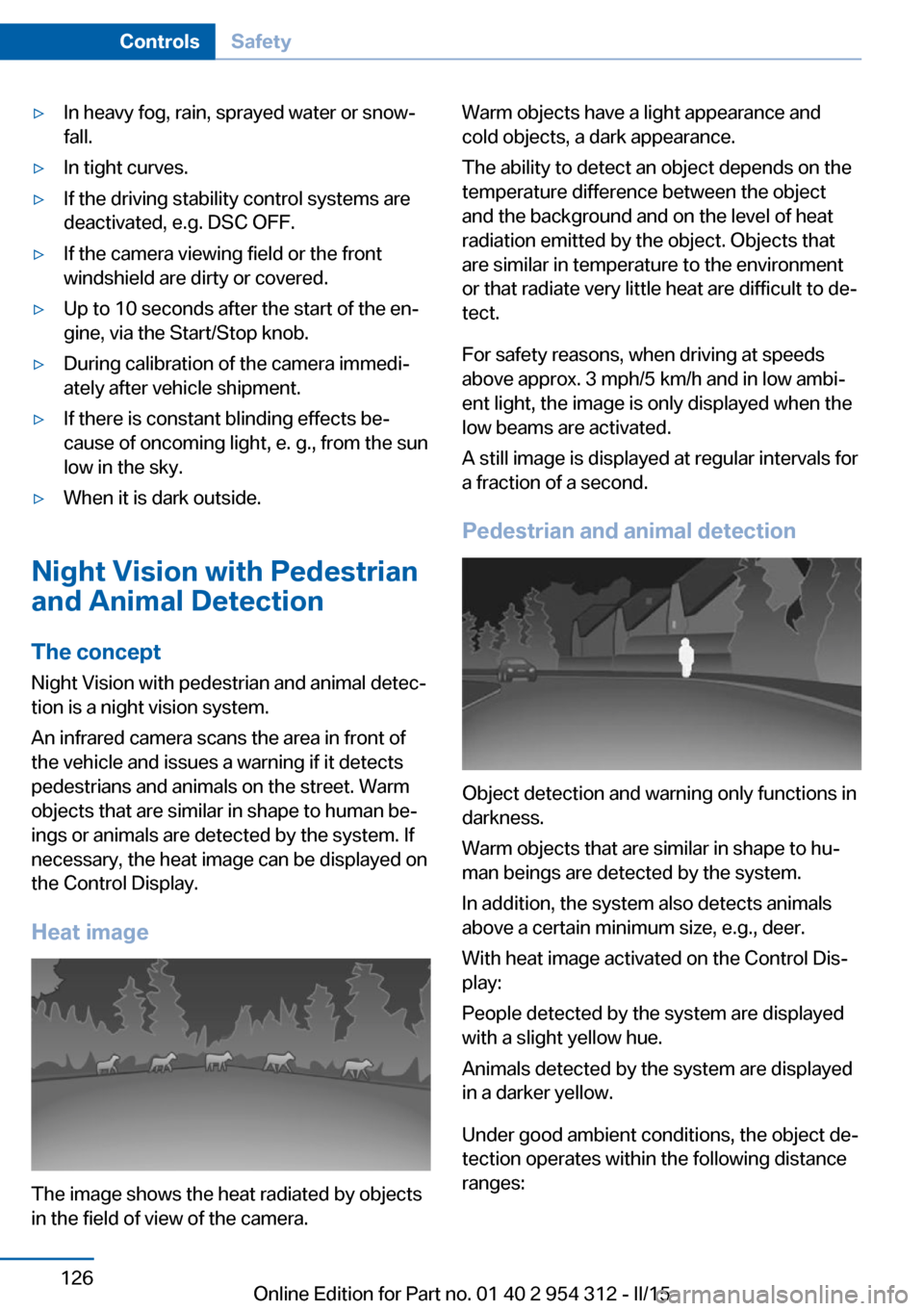
The image shows the heat radiated by objects
in the field of view of the camera.
Warm objects have a light appearance and
cold objects, a dark appearance.
The ability to detect an object depends on the
temperature difference between the object
and the background and on the level of heat
radiation emitted by the object. Objects that
are similar in temperature to the environment
or that radiate very little heat are difficult to de‐
tect.
For safety reasons, when driving at speeds
above approx. 3 mph/5 km/h and in low ambi‐
ent light, the image is only displayed when the
low beams are activated.
A still image is displayed at regular intervals for
a fraction of a second.
Pedestrian and animal detection
Object detection and warning only functions in
darkness.
Warm objects that are similar in shape to hu‐
man beings are detected by the system.
In addition, the system also detects animals
above a certain minimum size, e.g., deer.
With heat image activated on the Control Dis‐
play:
People detected by the system are displayed
with a slight yellow hue.
Animals detected by the system are displayed
in a darker yellow.
Under good ambient conditions, the object de‐
tection operates within the following distance
ranges:
Seite 126ControlsSafety126
Online Edition for Part no. 01 40 2 954 312 - II/15
Page 243 of 277
the service center if you are unfamiliar those or
if they have not been described here.
You can obtain a selection of replacement
bulbs at the service center.
Danger of burns
Only change bulbs when they are cool;
otherwise, there is a danger of getting
burned.◀
Working on the lighting system
When working on the lighting system,
you should always reel off the lights affected to
prevent short circuits.
To avoid possible injury or equipment damage
when replacing bulbs, observe any instructions
provided by the bulb manufacturer.◀
Do not perform work/bulb replacement
on xenon headlights
Have any work on the xenon lighting system,
including bulb replacement, performed only by
a service center. Due to the high voltage
present in the system, there is a danger of fatal
injuries if work is carried out improperly.◀
Do not touch the bulbs
Do not touch the glass of new bulbs with
your bare hands, as even minute amounts of
contamination will burn into the bulb's surface
and reduce its service life.
Use a clean tissue, cloth or something similar,
or hold the bulb by its base.◀
Light-emitting diodes (LEDs)
Some items of equipment use light-emitting
diodes installed behind a cover as a light
source.
These light-emitting diodes, which are related
to conventional lasers, are officially designated as Class 1 light-emitting diodes.Do not remove the covers
Do not remove the covers, and never
stare into the unfiltered light for several hours;
otherwise, irritation of the retina could result.◀
Headlight glass
Condensation can form on the inside of the ex‐
ternal lights in cool or humid weather. When
driving with the light switched on, the conden‐
sation evaporates after a short time. The head‐
light glass does not need to be changed.
If the headlights do not dim despite driving
with the light switched on, increasing humidity
forms, e. g. water droplets in the light, have the service center check this.
Headlight setting The headlight adjustments can be affected by
changing lights and bulbs. Have the head‐
lights' settings checked and corrected by serv‐
ice after a replacement.
Front lights, bulb replacement
Xenon headlights
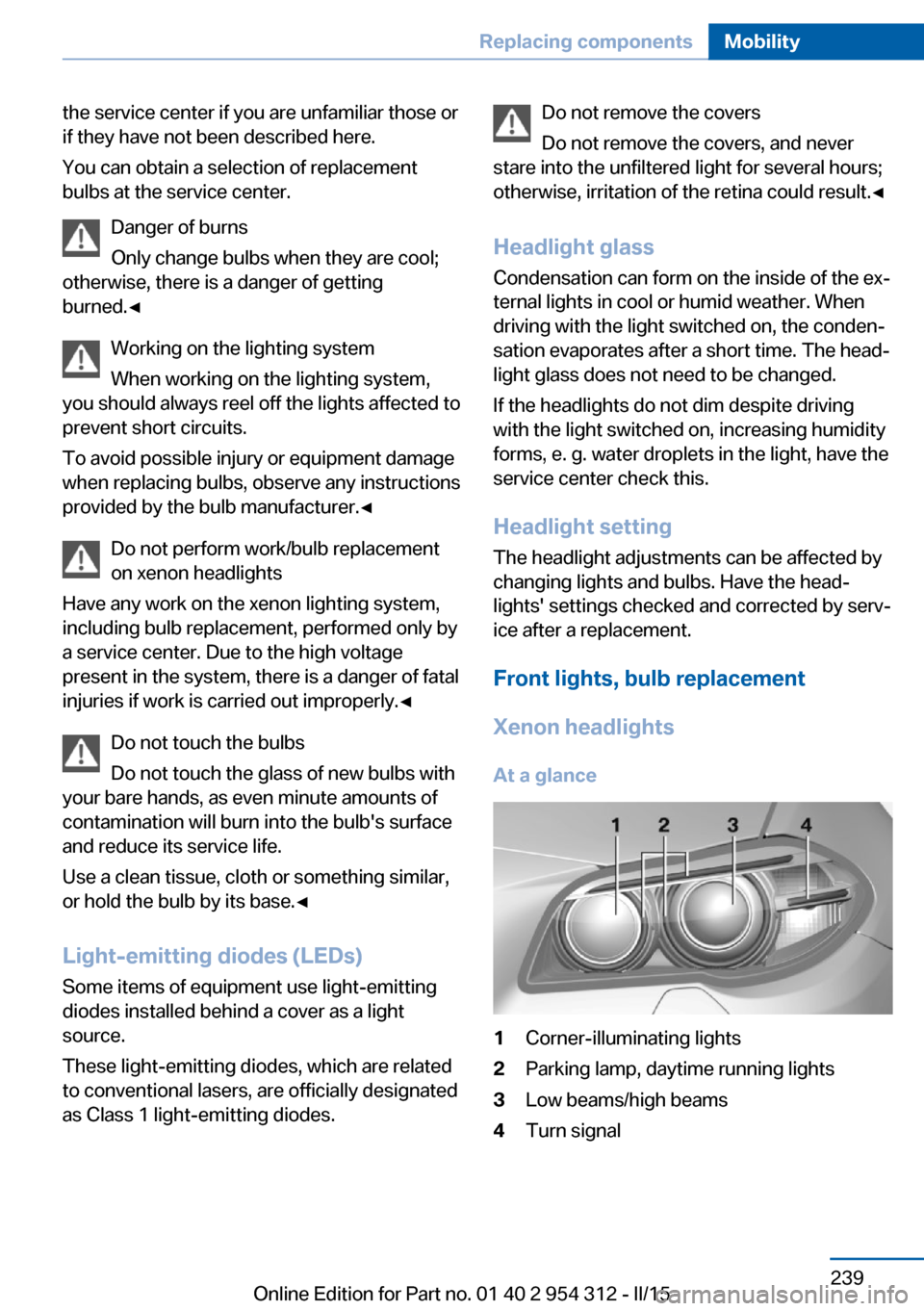
At a glance1Corner-illuminating lights2Parking lamp, daytime running lights3Low beams/high beams4Turn signalSeite 239Replacing componentsMobility239
Online Edition for Part no. 01 40 2 954 312 - II/15
Page 245 of 277
3.Unscrew the bulb holder counterclockwise.4.Remove the bulb and replace it.5.Insert the new bulb and attach the cover in
the reverse order.
LED headlights
At a glance
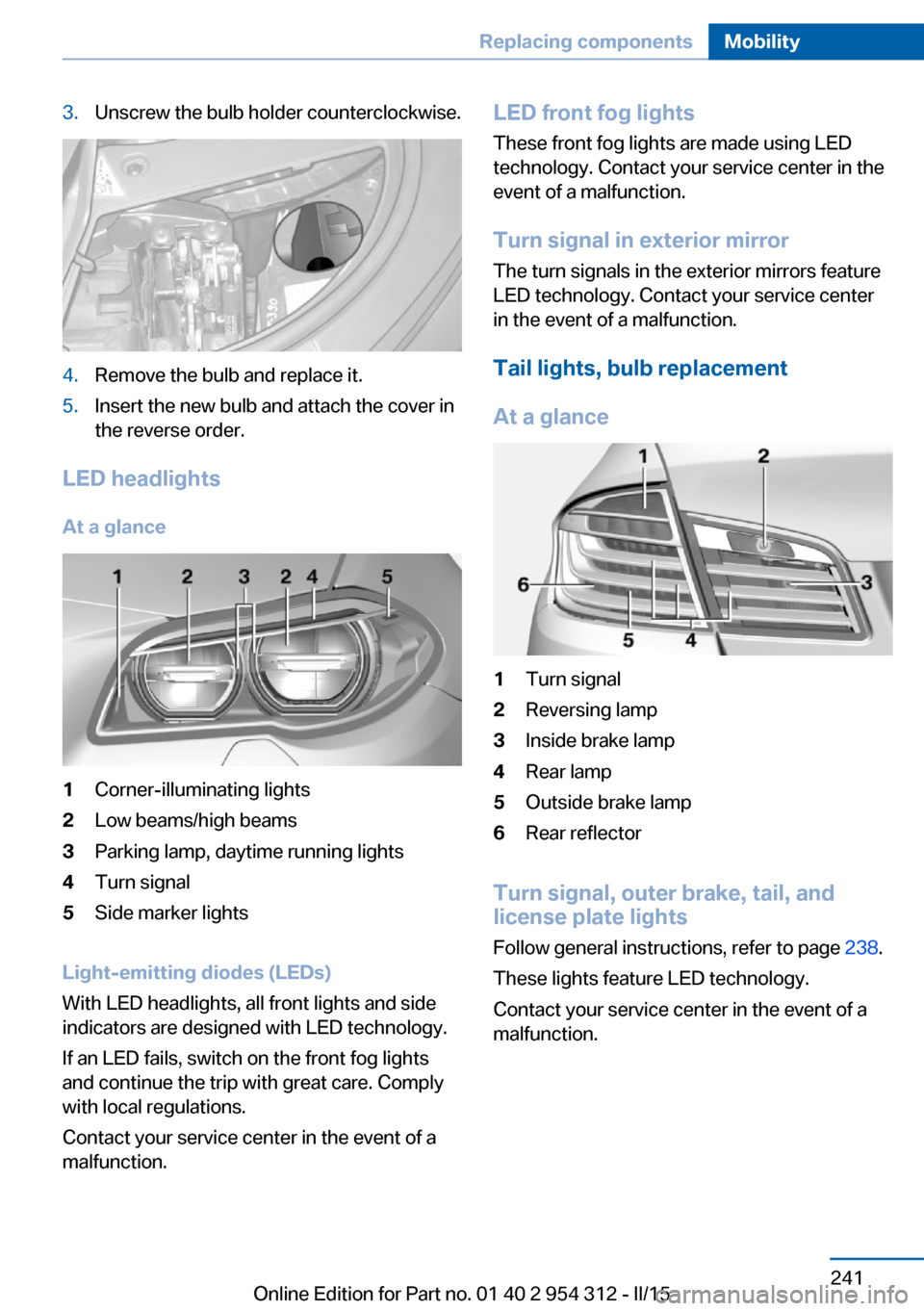
1Corner-illuminating lights2Low beams/high beams3Parking lamp, daytime running lights4Turn signal5Side marker lights
Light-emitting diodes (LEDs)
With LED headlights, all front lights and side
indicators are designed with LED technology.
If an LED fails, switch on the front fog lights
and continue the trip with great care. Comply
with local regulations.
Contact your service center in the event of a
malfunction.
LED front fog lights
These front fog lights are made using LED
technology. Contact your service center in the
event of a malfunction.
Turn signal in exterior mirror The turn signals in the exterior mirrors feature
LED technology. Contact your service center in the event of a malfunction.
Tail lights, bulb replacement
At a glance1Turn signal2Reversing lamp3Inside brake lamp4Rear lamp5Outside brake lamp6Rear reflector
Turn signal, outer brake, tail, and
license plate lights
Follow general instructions, refer to page 238.
These lights feature LED technology.
Contact your service center in the event of a
malfunction.
Seite 241Replacing componentsMobility241
Online Edition for Part no. 01 40 2 954 312 - II/15
Page 252 of 277
Tow-starting and towingNote Tow-starting and towing
For tow-starting or towing, switch off the
Intelligent Safety systems; otherwise malfunc‐
tions of the individual braking systems might
lead to accidents.◀
Steptronic transmission: transporting
your vehicle
Note Your vehicle is not permitted to be towed.
Therefore, contact a service center in the
event of a breakdown.
Do not have the vehicle towed
Have your vehicle transported on a load‐
ing platform only; otherwise, damage may oc‐
cur.◀
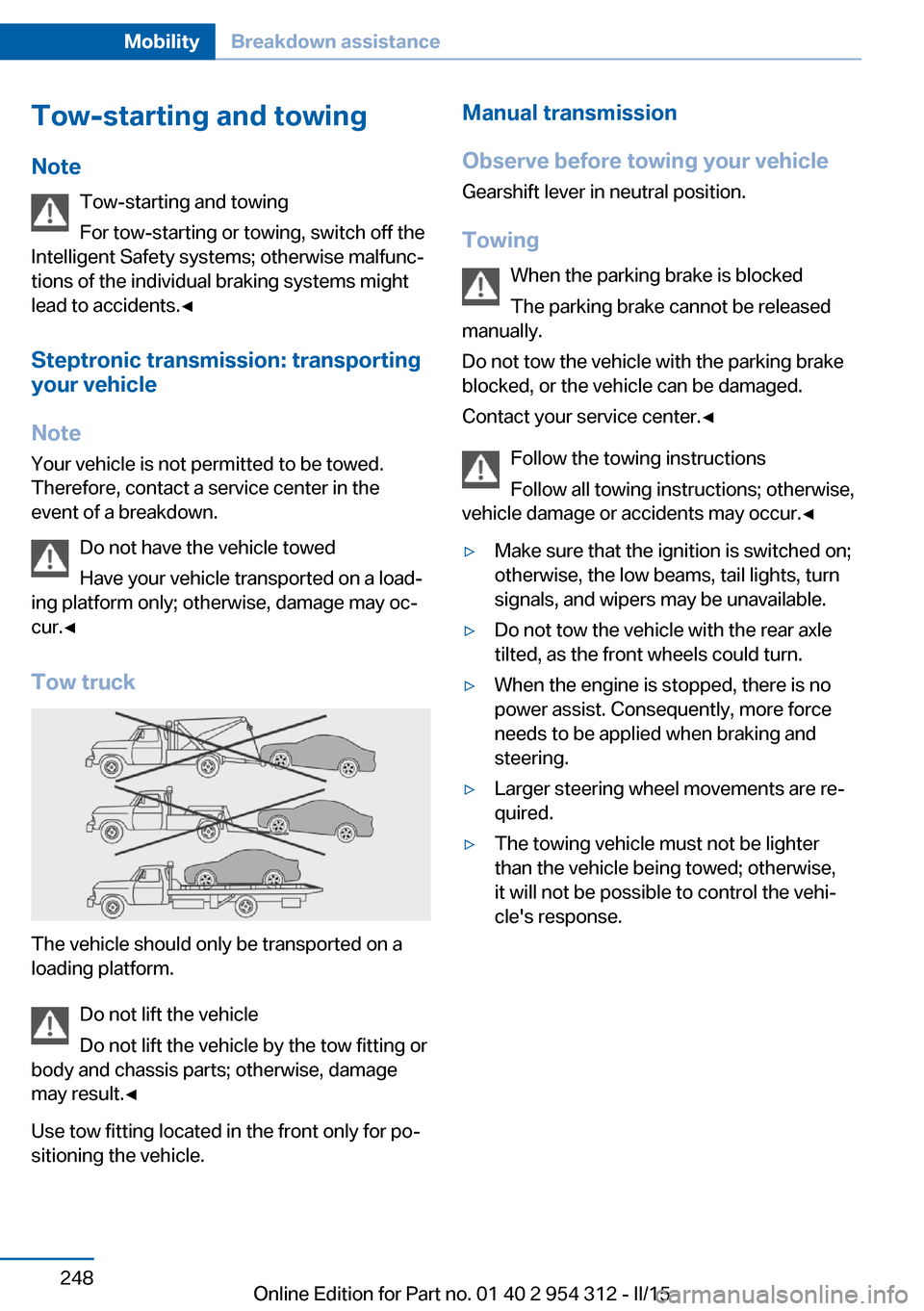
Tow truck
The vehicle should only be transported on a
loading platform.
Do not lift the vehicle
Do not lift the vehicle by the tow fitting or
body and chassis parts; otherwise, damage
may result.◀
Use tow fitting located in the front only for po‐
sitioning the vehicle.
Manual transmission
Observe before towing your vehicle Gearshift lever in neutral position.
Towing When the parking brake is blocked
The parking brake cannot be released
manually.
Do not tow the vehicle with the parking brake
blocked, or the vehicle can be damaged.
Contact your service center.◀
Follow the towing instructions
Follow all towing instructions; otherwise,
vehicle damage or accidents may occur.◀▷Make sure that the ignition is switched on;
otherwise, the low beams, tail lights, turn
signals, and wipers may be unavailable.▷Do not tow the vehicle with the rear axle
tilted, as the front wheels could turn.▷When the engine is stopped, there is no
power assist. Consequently, more force
needs to be applied when braking and
steering.▷Larger steering wheel movements are re‐
quired.▷The towing vehicle must not be lighter
than the vehicle being towed; otherwise,
it will not be possible to control the vehi‐
cle's response.Seite 248MobilityBreakdown assistance248
Online Edition for Part no. 01 40 2 954 312 - II/15
Page 270 of 277
H
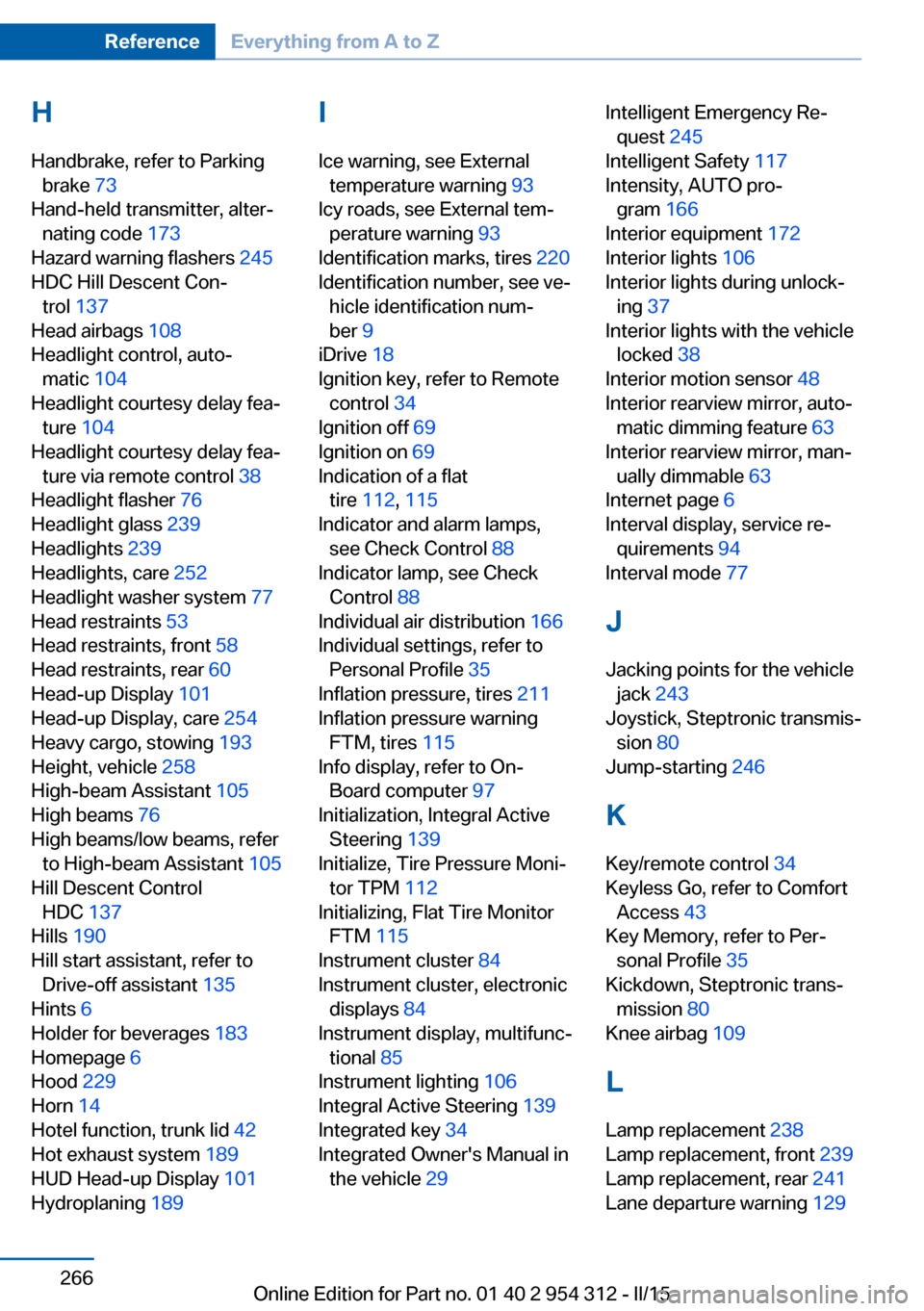
Handbrake, refer to Parking brake 73
Hand-held transmitter, alter‐ nating code 173
Hazard warning flashers 245
HDC Hill Descent Con‐ trol 137
Head airbags 108
Headlight control, auto‐ matic 104
Headlight courtesy delay fea‐ ture 104
Headlight courtesy delay fea‐ ture via remote control 38
Headlight flasher 76
Headlight glass 239
Headlights 239
Headlights, care 252
Headlight washer system 77
Head restraints 53
Head restraints, front 58
Head restraints, rear 60
Head-up Display 101
Head-up Display, care 254
Heavy cargo, stowing 193
Height, vehicle 258
High-beam Assistant 105
High beams 76
High beams/low beams, refer to High-beam Assistant 105
Hill Descent Control HDC 137
Hills 190
Hill start assistant, refer to Drive-off assistant 135
Hints 6
Holder for beverages 183
Homepage 6
Hood 229
Horn 14
Hotel function, trunk lid 42
Hot exhaust system 189
HUD Head-up Display 101
Hydroplaning 189 I
Ice warning, see External temperature warning 93
Icy roads, see External tem‐ perature warning 93
Identification marks, tires 220
Identification number, see ve‐ hicle identification num‐
ber 9
iDrive 18
Ignition key, refer to Remote control 34
Ignition off 69
Ignition on 69
Indication of a flat tire 112 , 115
Indicator and alarm lamps, see Check Control 88
Indicator lamp, see Check Control 88
Individual air distribution 166
Individual settings, refer to Personal Profile 35
Inflation pressure, tires 211
Inflation pressure warning FTM, tires 115
Info display, refer to On- Board computer 97
Initialization, Integral Active Steering 139
Initialize, Tire Pressure Moni‐ tor TPM 112
Initializing, Flat Tire Monitor FTM 115
Instrument cluster 84
Instrument cluster, electronic displays 84
Instrument display, multifunc‐ tional 85
Instrument lighting 106
Integral Active Steering 139
Integrated key 34
Integrated Owner's Manual in the vehicle 29 Intelligent Emergency Re‐
quest 245
Intelligent Safety 117
Intensity, AUTO pro‐ gram 166
Interior equipment 172
Interior lights 106
Interior lights during unlock‐ ing 37
Interior lights with the vehicle locked 38
Interior motion sensor 48
Interior rearview mirror, auto‐ matic dimming feature 63
Interior rearview mirror, man‐ ually dimmable 63
Internet page 6
Interval display, service re‐ quirements 94
Interval mode 77
J
Jacking points for the vehicle jack 243
Joystick, Steptronic transmis‐ sion 80
Jump-starting 246
K
Key/remote control 34
Keyless Go, refer to Comfort Access 43
Key Memory, refer to Per‐ sonal Profile 35
Kickdown, Steptronic trans‐ mission 80
Knee airbag 109
L Lamp replacement 238
Lamp replacement, front 239
Lamp replacement, rear 241
Lane departure warning 129 Seite 266ReferenceEverything from A to Z266
Online Edition for Part no. 01 40 2 954 312 - II/15
Page 271 of 277
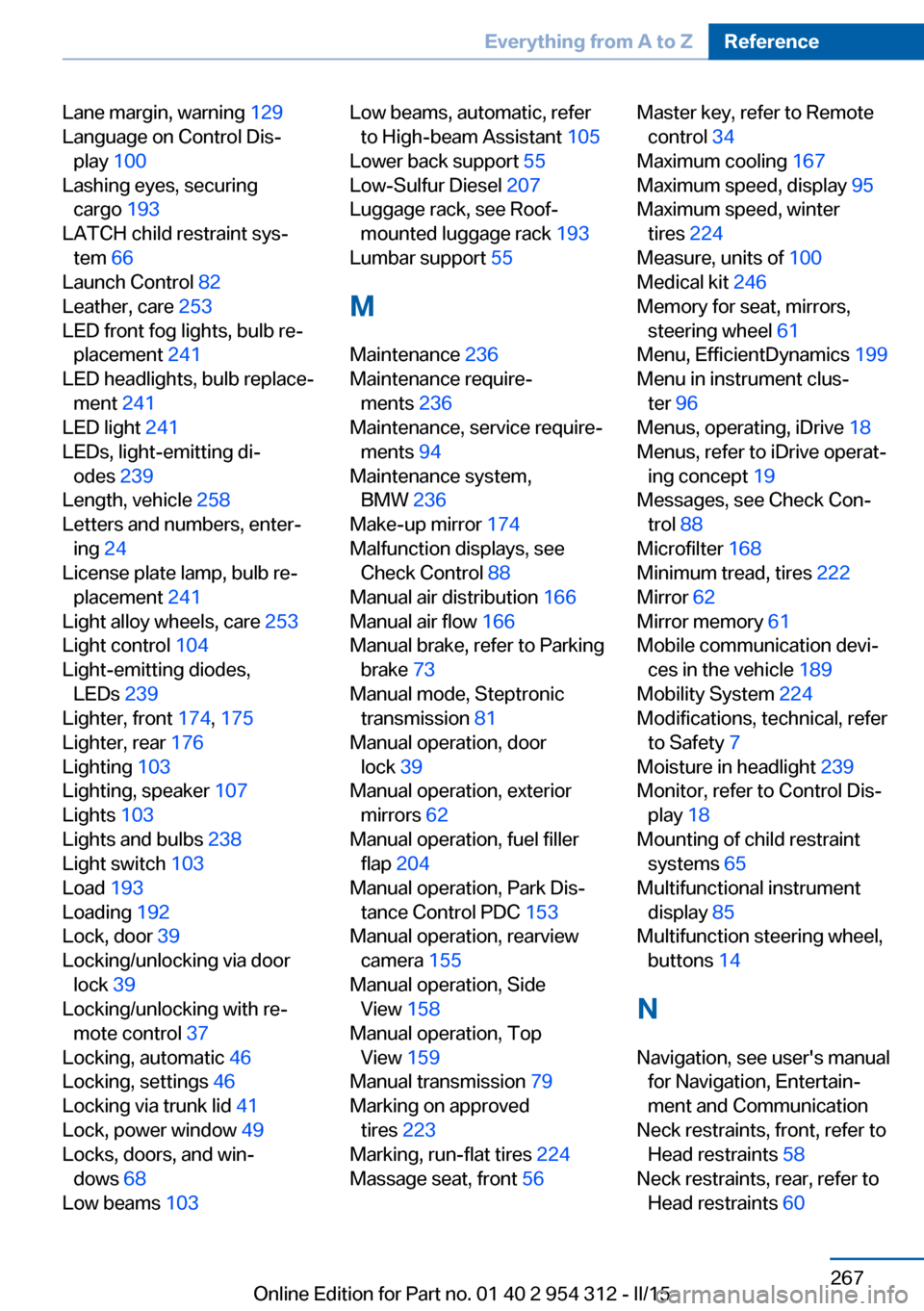
Lane margin, warning 129
Language on Control Dis‐ play 100
Lashing eyes, securing cargo 193
LATCH child restraint sys‐ tem 66
Launch Control 82
Leather, care 253
LED front fog lights, bulb re‐ placement 241
LED headlights, bulb replace‐ ment 241
LED light 241
LEDs, light-emitting di‐ odes 239
Length, vehicle 258
Letters and numbers, enter‐ ing 24
License plate lamp, bulb re‐ placement 241
Light alloy wheels, care 253
Light control 104
Light-emitting diodes, LEDs 239
Lighter, front 174, 175
Lighter, rear 176
Lighting 103
Lighting, speaker 107
Lights 103
Lights and bulbs 238
Light switch 103
Load 193
Loading 192
Lock, door 39
Locking/unlocking via door lock 39
Locking/unlocking with re‐ mote control 37
Locking, automatic 46
Locking, settings 46
Locking via trunk lid 41
Lock, power window 49
Locks, doors, and win‐ dows 68
Low beams 103 Low beams, automatic, refer
to High-beam Assistant 105
Lower back support 55
Low-Sulfur Diesel 207
Luggage rack, see Roof- mounted luggage rack 193
Lumbar support 55
M
Maintenance 236
Maintenance require‐ ments 236
Maintenance, service require‐ ments 94
Maintenance system, BMW 236
Make-up mirror 174
Malfunction displays, see Check Control 88
Manual air distribution 166
Manual air flow 166
Manual brake, refer to Parking brake 73
Manual mode, Steptronic transmission 81
Manual operation, door lock 39
Manual operation, exterior mirrors 62
Manual operation, fuel filler flap 204
Manual operation, Park Dis‐ tance Control PDC 153
Manual operation, rearview camera 155
Manual operation, Side View 158
Manual operation, Top View 159
Manual transmission 79
Marking on approved tires 223
Marking, run-flat tires 224
Massage seat, front 56 Master key, refer to Remote
control 34
Maximum cooling 167
Maximum speed, display 95
Maximum speed, winter tires 224
Measure, units of 100
Medical kit 246
Memory for seat, mirrors, steering wheel 61
Menu, EfficientDynamics 199
Menu in instrument clus‐ ter 96
Menus, operating, iDrive 18
Menus, refer to iDrive operat‐ ing concept 19
Messages, see Check Con‐ trol 88
Microfilter 168
Minimum tread, tires 222
Mirror 62
Mirror memory 61
Mobile communication devi‐ ces in the vehicle 189
Mobility System 224
Modifications, technical, refer to Safety 7
Moisture in headlight 239
Monitor, refer to Control Dis‐ play 18
Mounting of child restraint systems 65
Multifunctional instrument display 85
Multifunction steering wheel, buttons 14
N
Navigation, see user's manual for Navigation, Entertain‐
ment and Communication
Neck restraints, front, refer to Head restraints 58
Neck restraints, rear, refer to Head restraints 60 Seite 267Everything from A to ZReference267
Online Edition for Part no. 01 40 2 954 312 - II/15