turn signal BMW 525I 2004 User Guide
[x] Cancel search | Manufacturer: BMW, Model Year: 2004, Model line: 525I, Model: BMW 525I 2004Pages: 220, PDF Size: 7.12 MB
Page 89 of 220
Controls
87Reference
At a glance
Driving tips
Communications
Navigation
Entertainment
Mobility
Lamps
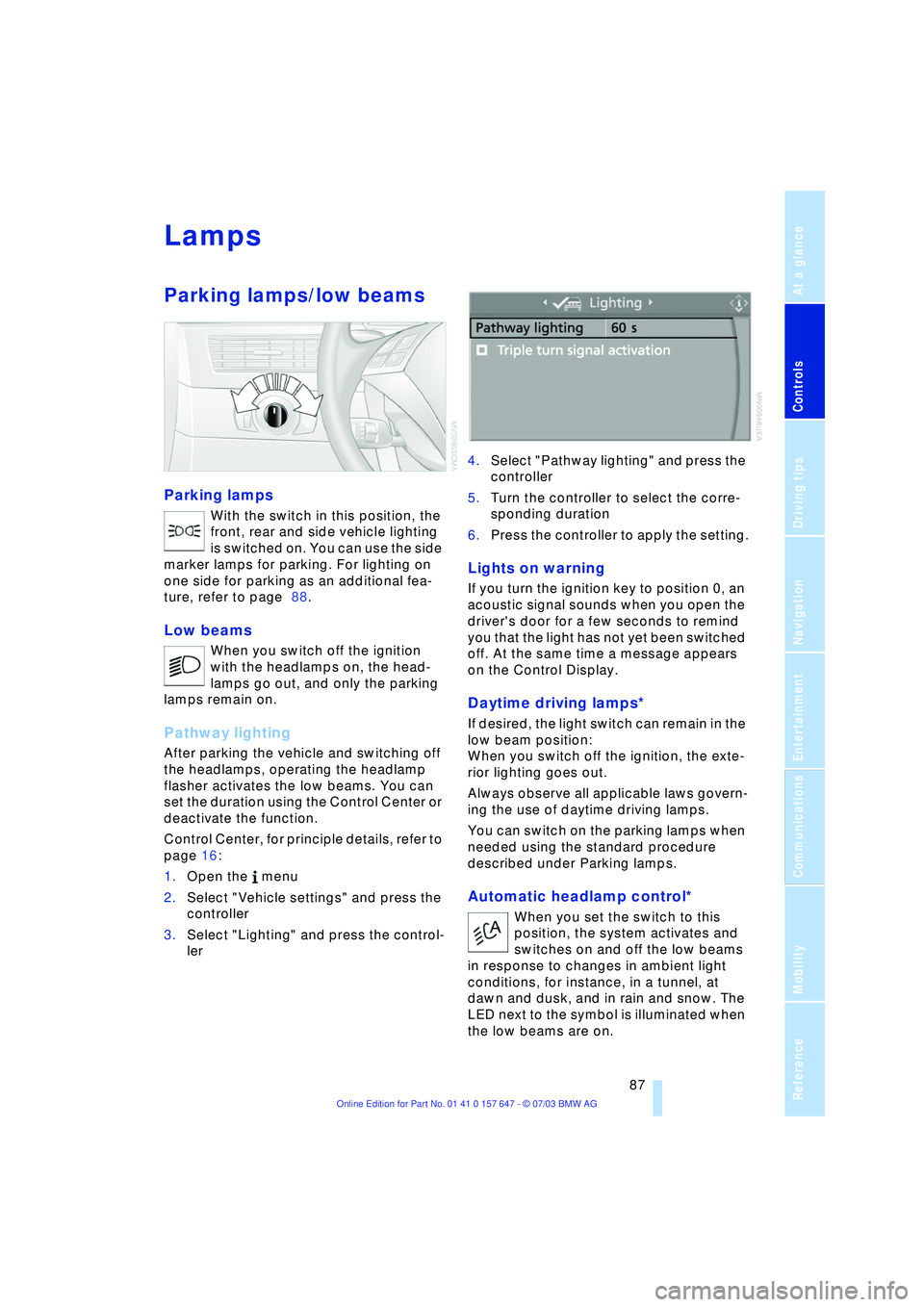
Parking lamps/low beams
Parking lamps
With the switch in this position, the
front, rear and side vehicle lighting
is switched on. You can use the side
marker lamps for parking. For lighting on
one side for parking as an additional fea-
ture, refer to page 88.
Low beams
When you switch off the ignition
with the headlamps on, the head-
lamps go out, and only the parking
lamps remain on.
Pathway lighting
After parking the vehicle and switching off
the headlamps, operating the headlamp
flasher activates the low beams. You can
set the duration using the Control Center or
deactivate the function.
Control Center, for principle details, refer to
page 16:
1.Open the menu
2.Select "Vehicle settings" and press the
controller
3.Select "Lighting" and press the control-
ler 4.Select "Pathway lighting" and press the
controller
5.Turn the controller to select the corre-
sponding duration
6.Press the controller to apply the setting.
Lights on warning
If you turn the ignition key to position 0, an
acoustic signal sounds when you open the
driver's door for a few seconds to remind
you that the light has not yet been switched
off. At the same time a message appears
on the Control Display.
Daytime driving lamps*
If desired, the light switch can remain in the
low beam position:
When you switch off the ignition, the exte-
rior lighting goes out.
Always observe all applicable laws govern-
ing the use of daytime driving lamps.
You can switch on the parking lamps when
needed using the standard procedure
described under Parking lamps.
Automatic headlamp control*
When you set the switch to this
position, the system activates and
switches on and off the low beams
in response to changes in ambient light
conditions, for instance, in a tunnel, at
dawn and dusk, and in rain and snow. The
LED next to the symbol is illuminated when
the low beams are on.
Page 98 of 220
Practical interior accessories
96
Practical interior accessories
Integrated universal remote
control*
The concept
The integrated universal remote control
replaces up to three different hand-held
transmitters for various remote-controlled
equipment such as door openers and
house alarm systems. The integrated uni-
versal remote control registers and stores
signals from the original hand-held trans-
mitters.
The signal of an original hand-held trans-
mitter can be programmed on one of the
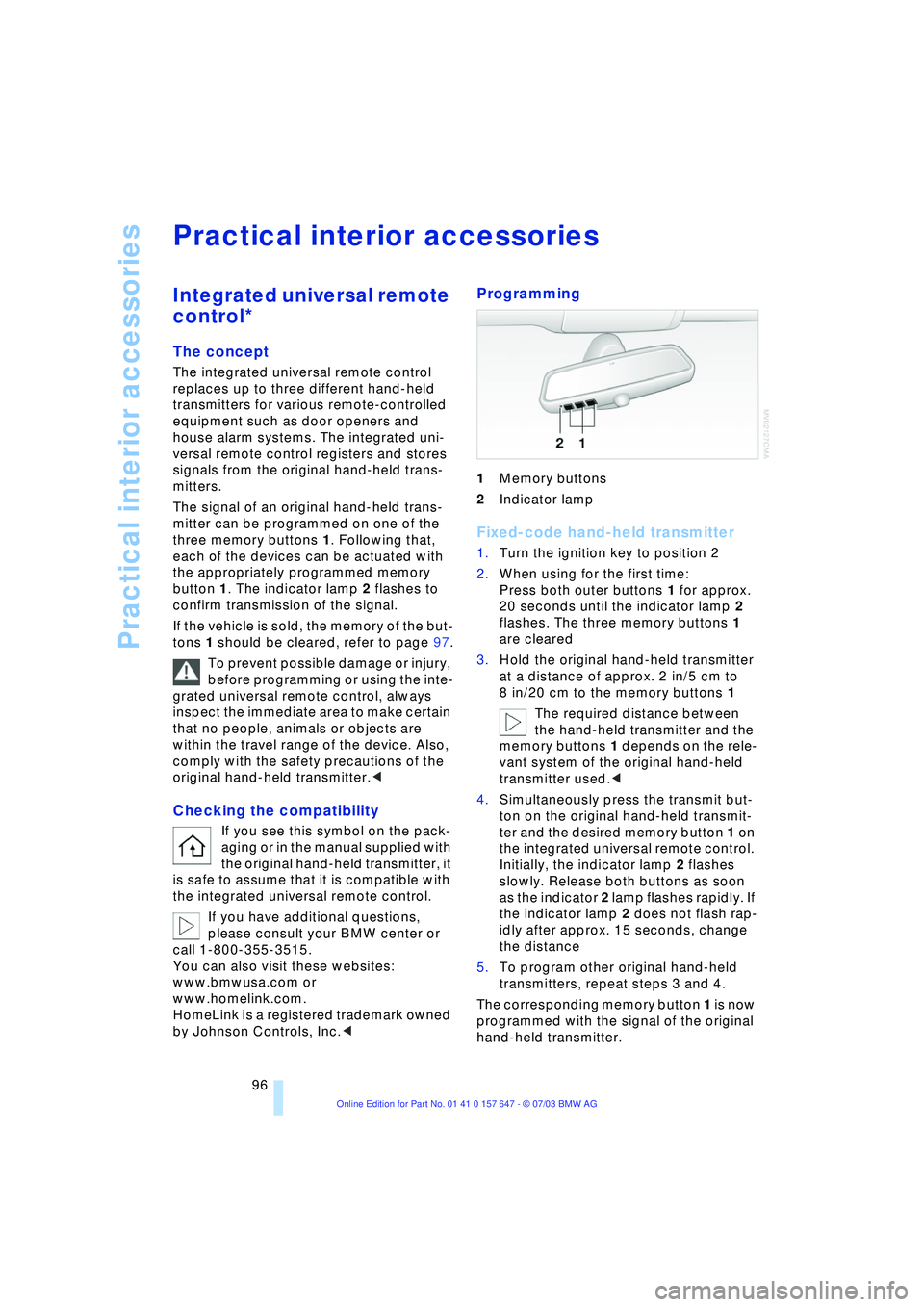
three memory buttons 1. Following that,
each of the devices can be actuated with
the appropriately programmed memory
button 1. The indicator lamp 2 flashes to
confirm transmission of the signal.
If the vehicle is sold, the memory of the but-
tons 1 should be cleared, refer to page 97.
To prevent possible damage or injury,
before programming or using the inte-
grated universal remote control, always
inspect the immediate area to make certain
that no people, animals or objects are
within the travel range of the device. Also,
comply with the safety precautions of the
original hand-held transmitter.<
Checking the compatibility
If you see this symbol on the pack-
aging or in the manual supplied with
the original hand-held transmitter, it
is safe to assume that it is compatible with
the integrated universal remote control.
If you have additional questions,
please consult your BMW center or
call 1-800-355-3515.
You can also visit these websites:
www.bmwusa.com or
www.homelink.com.
HomeLink is a registered trademark owned
by Johnson Controls, Inc.<
Programming
1Memory buttons
2Indicator lamp
Fixed-code hand-held transmitter
1.Turn the ignition key to position 2
2.When using for the first time:
Press both outer buttons 1 for approx.
20 seconds until the indicator lamp 2
flashes. The three memory buttons 1
are cleared
3.Hold the original hand-held transmitter
at a distance of approx. 2 in/5 cm to
8 in/20 cm to the memory buttons 1
The required distance between
the hand-held transmitter and the
memory buttons 1 depends on the rele-
vant system of the original hand-held
transmitter used.<
4.Simultaneously press the transmit but-
ton on the original hand-held transmit-
ter and the desired memory button 1 on
the integrated universal remote control.
Initially, the indicator lamp 2 flashes
slowly. Release both buttons as soon
as the indicator 2 lamp flashes rapidly. If
the indicator lamp 2 does not flash rap-
idly after approx. 15 seconds, change
the distance
5.To program other original hand-held
transmitters, repeat steps 3 and 4.
The corresponding memory button 1 is now
programmed with the signal of the original
hand-held transmitter.
Page 129 of 220
Navigation
Driving tips
127Reference
At a glance
Controls
Communications
Entertainment
Mobility
What to do if É
What to do if É
>you request the current position of your
vehicle, but do not receive a precise
display?
The system is unable to receive enough
GPS signals at your current position
owing to obstructions, your position is
not yet available on your navigation CD/
DVD, or the system is in the process of
calculating your position. As a rule, por-
table communications GSM / GPS
reception is guaranteed under a clear
sky
>the destination guidance does not
adopt a destination?
The data of the destination is not stored
on the navigation CD/DVD that is
loaded. Select a destination that is as
close as possible to the original
>the destination guidance does not
adopt an address without the street
name?
On the navigation CD/DVD, no down-
town area can be determined for the
city or town entered. Enter any street,
or a destination such as the railway sta-
tion etc., then start the destination guid-
ance
>you want to enter a destination for the
destination guidance system, but it is
not possible to select the letters for
your desired entry?
The destination data is not recorded on
the navigation CD/DVD that is loaded.
In this case, the system will not offer
you any letters to choose from. Select a
destination that is as close as possible
to the original
>the system stops furnishing directions
on which way to turn as you approach
intersections?
You are driving in an area that has not
yet been completely recorded on the
navigation CD/DVD. Instead of an arrow
indicating a turn, you will see an arrow
which indicates the general direction of your planned route. Or you have left the
recommended route and the system
requires a few seconds to calculate a
new recommended route
>the battery has been disconnected?
It will take approx. 15 minutes for the
system to resume operation.
Page 140 of 220
Radio
138
Satellite radio*
You can receive up to 100 different chan-
nels with high tone quality.
You can listen to one of these channels free
of charge at any time to obtain a first
impression. The channel is marked
with .
To listen to additional channels of your
choice, you must have these channels acti-
vated.
You may experience signal drops and
muting events related to this new
technology.<
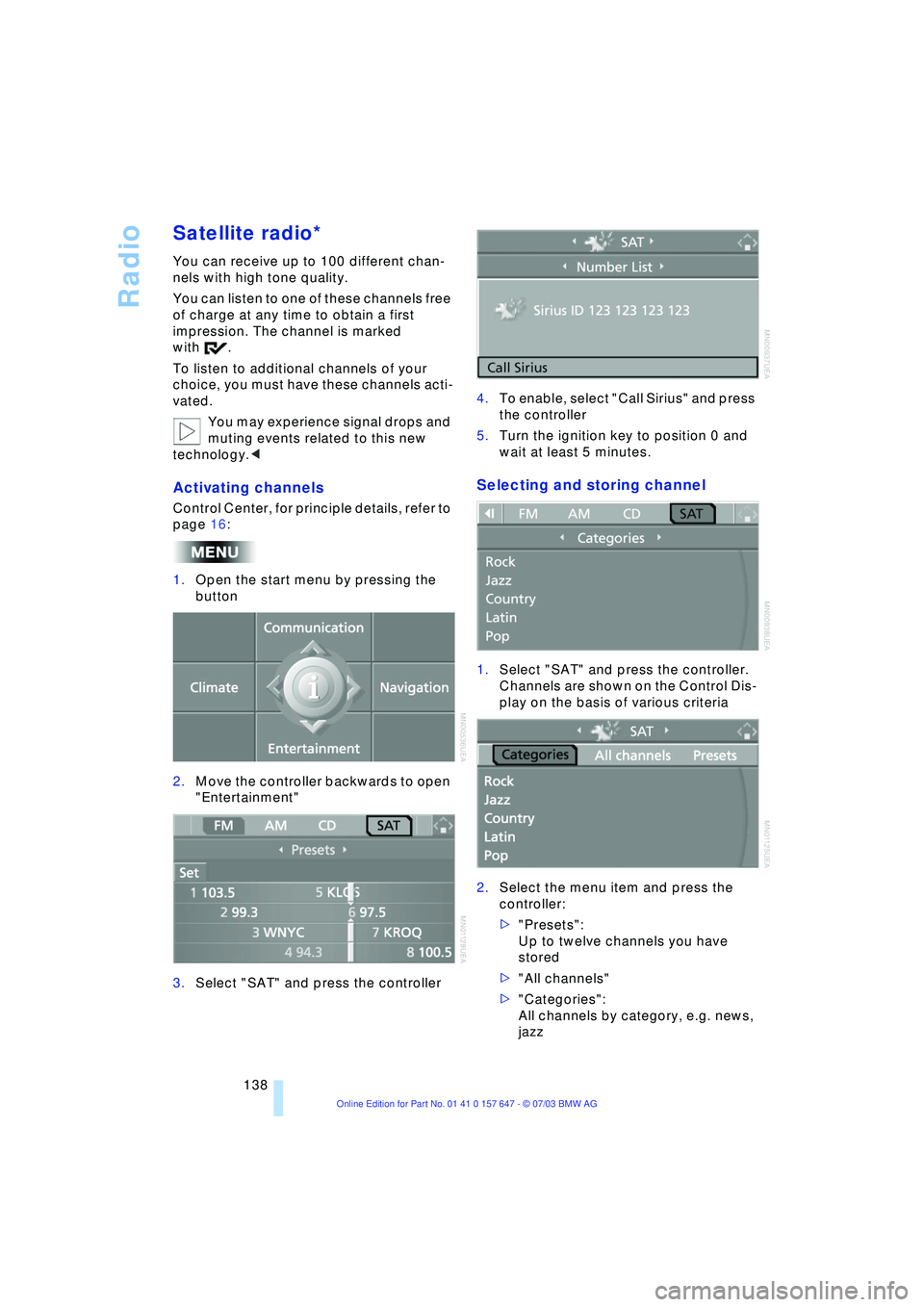
Activating channels
Control Center, for principle details, refer to
page 16:
1.Open the start menu by pressing the
button
2.Move the controller backwards to open
"Entertainment"
3.Select "SAT" and press the controller4.To enable, select "Call Sirius" and press
the controller
5.Turn the ignition key to position 0 and
wait at least 5 minutes.
Selecting and storing channel
1.Select "SAT" and press the controller.
Channels are shown on the Control Dis-
play on the basis of various criteria
2.Select the menu item and press the
controller:
>"Presets":
Up to twelve channels you have
stored
>"All channels"
>"Categories":
All channels by category, e.g. news,
jazz
Page 187 of 220
Mobility
185Reference
At a glance
Controls
Driving tips
Communications
Navigation
Entertainment
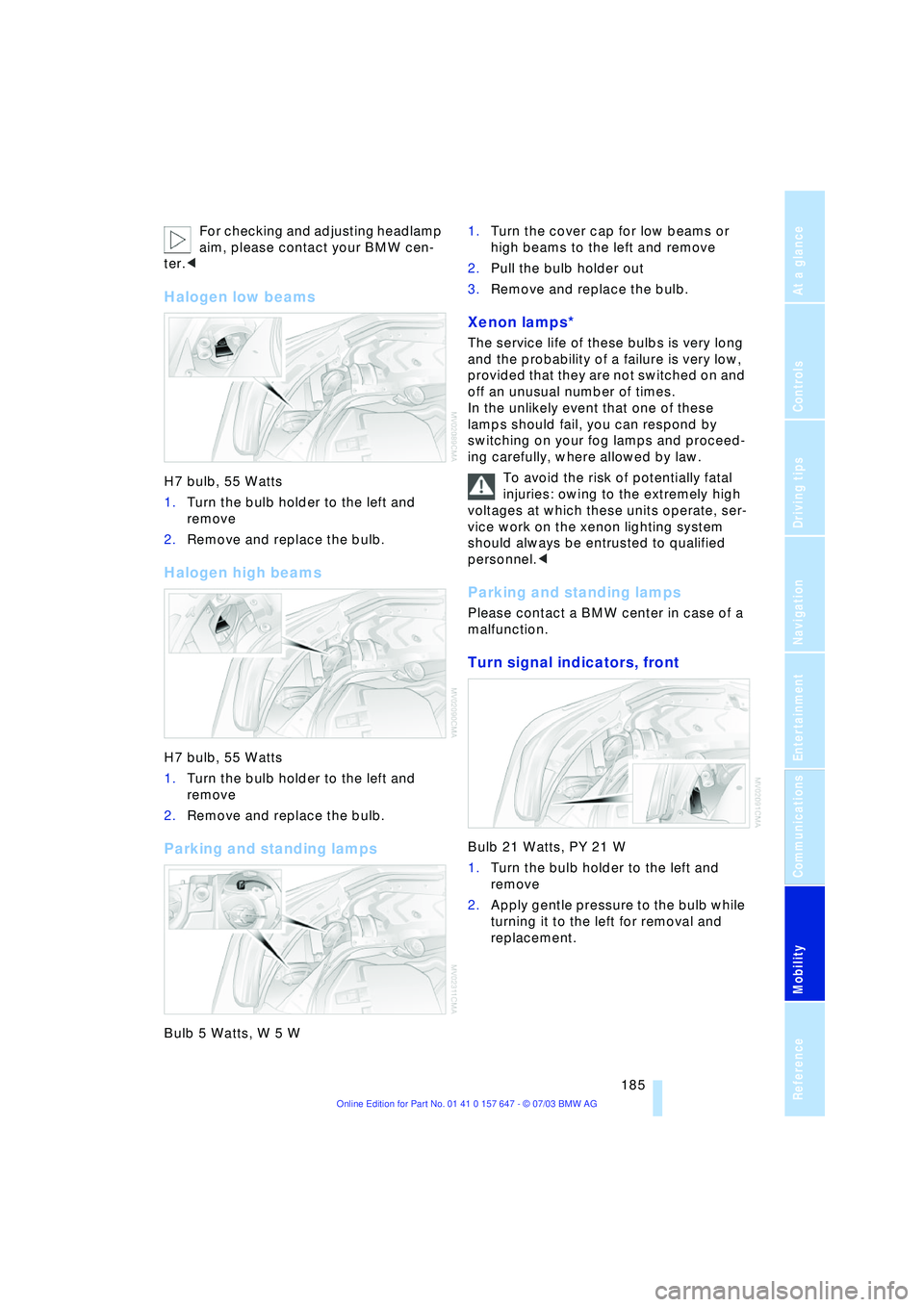
For checking and adjusting headlamp
aim, please contact your BMW cen-
ter.<
Halogen low beams
H7 bulb, 55 Watts
1.Turn the bulb holder to the left and
remove
2.Remove and replace the bulb.
Halogen high beams
H7 bulb, 55 Watts
1.Turn the bulb holder to the left and
remove
2.Remove and replace the bulb.
Parking and standing lamps
Bulb 5 Watts, W 5 W 1.Turn the cover cap for low beams or
high beams to the left and remove
2.Pull the bulb holder out
3.Remove and replace the bulb.
Xenon lamps*
The service life of these bulbs is very long
and the probability of a failure is very low,
provided that they are not switched on and
off an unusual number of times.
In the unlikely event that one of these
lamps should fail, you can respond by
switching on your fog lamps and proceed-
ing carefully, where allowed by law.
To avoid the risk of potentially fatal
injuries: owing to the extremely high
voltages at which these units operate, ser-
vice work on the xenon lighting system
should always be entrusted to qualified
personnel.<
Parking and standing lamps
Please contact a BMW center in case of a
malfunction.
Turn signal indicators, front
Bulb 21 Watts, PY 21 W
1.Turn the bulb holder to the left and
remove
2.Apply gentle pressure to the bulb while
turning it to the left for removal and
replacement.
Page 188 of 220
Replacing components
186
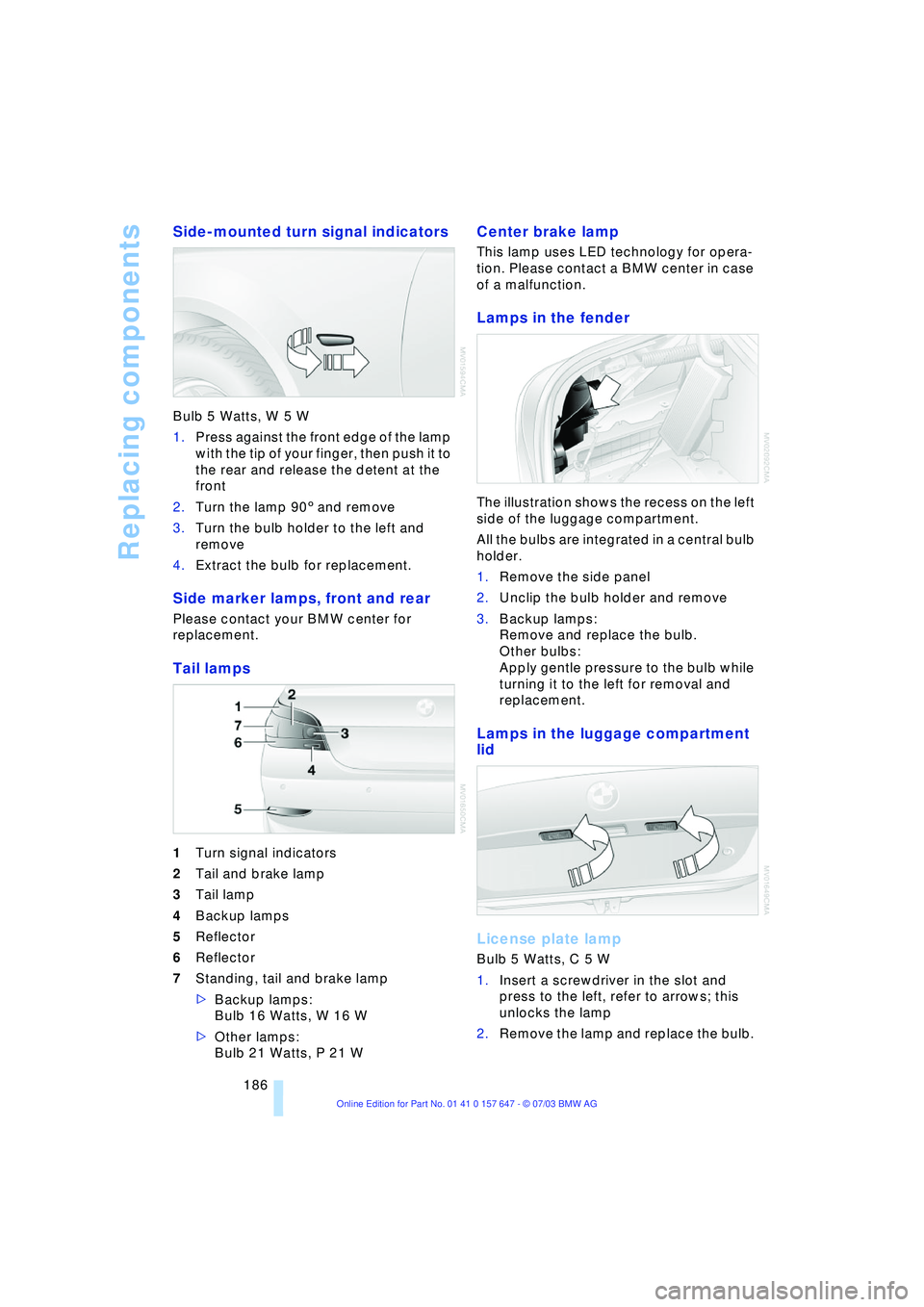
Side-mounted turn signal indicators
Bulb 5 Watts, W 5 W
1.Press against the front edge of the lamp
with the tip of your finger, then push it to
the rear and release the detent at the
front
2.Turn the lamp 903 and remove
3.Turn the bulb holder to the left and
remove
4.Extract the bulb for replacement.
Side marker lamps, front and rear
Please contact your BMW center for
replacement.
Tail lamps
1Turn signal indicators
2Tail and brake lamp
3Tail lamp
4Backup lamps
5Reflector
6Reflector
7Standing, tail and brake lamp
>Backup lamps:
Bulb 16 Watts, W 16 W
>Other lamps:
Bulb 21 Watts, P 21 W
Center brake lamp
This lamp uses LED technology for opera-
tion. Please contact a BMW center in case
of a malfunction.
Lamps in the fender
The illustration shows the recess on the left
side of the luggage compartment.
All the bulbs are integrated in a central bulb
holder.
1.Remove the side panel
2.Unclip the bulb holder and remove
3.Backup lamps:
Remove and replace the bulb.
Other bulbs:
Apply gentle pressure to the bulb while
turning it to the left for removal and
replacement.
Lamps in the luggage compartment
lid
License plate lamp
Bulb 5 Watts, C 5 W
1.Insert a screwdriver in the slot and
press to the left, refer to arrows; this
unlocks the lamp
2.Remove the lamp and replace the bulb.
Page 207 of 220
Reference 205
At a glance
Controls
Driving tips
Communications
Navigation
Entertainment
Mobility
Condition Based Service
CBS 181
"Confirmation" 28
Confirmation signals for
vehicle locking 28
"Confirm unlock code" 153
Connecting a vacuum
cleaner, refer to Lighter
socket 100
Consumption display
Ð refer to average
fuel consumption 70
Consumption indicator
Ð refer to Energy Control 66
"Continue guidance to
dest.?" 126
Control Center 16
Ð adjusting the
brightness 73
Ð assistance window 18
Ð automatic climate
control 92
Ð changing settings 73
Ð changing the menu
page 19
Ð confirming selection or
entry 19
Ð display, menus 16
Ð language selection 74
Ð lists 19
Ð menu item selection 19
Ð selecting units of measure
and display format 74
Ð setting time and date 74
Ð status information 18
Ð symbols 17
Control Display 16
Controller, refer to Control
Center 16
Controls, audio
systems 130
Controls, refer to
Cockpit 10
Convenience operation
Ð glass roof 28
Ð windows 28
Convenience start, refer to
Starting the engine 49
Coolant 179, 180
Ð level 180
Cooling, maximum 91Cornering Brake Control 78
"Country" for destination
entry 117
Country of destination for
navigation 116
Courtesy lighting 89
Cruise control 58
Ð active cruise control 59
Ð indicator lamp 11
Cruising range 70
Cup holder, refer to
Beverage holders 99
Curb weight, refer to
Weights 200
Current fuel
consumption 66
"Current position" 115
"Customer Relations" 163
Cylinders, refer to Engine
data 198
D
Dashboard, refer to
Cockpit 10
Data 198
Ð capacities 201
Ð dimensions 199
Ð engine 198
Ð weights 200
Date 65
Ð calling up 65
Ð display format 75
Ð setting 75
Daytime driving lamps 87
DBC Dynamic Brake
Control 79
Ð indicator lamp 79
Decommissioning the
vehicle, refer to Caring for
your vehicle brochure
Defect
Ð automatic
transmission 56
Ð door lock 29
Ð fuel filler door 168
Ð glass roof 35
Ð luggage compartment
lid 31
Ð Sequential manual
transmission SMG 53Defrosting the windshield,
refer to Defrosting
windows 91
Defrosting windows and
removing
condensation 91
Defrost position, refer to
Defrosting windows 91
"Delete address book" for
navigation 121
"Delete all numbers" on the
portable phone 155
"Delete data" for
navigation 121
"Delete" for portable
phone 155
Deleting the destination
address 120
Destination for navigation
Ð entry 116
Ð recent destinations 119
Ð selecting via map 118
Ð selecting with
information 118
Ð storing 120
Destination guidance 123
Ð changing specified
route 121
Ð interrupting voice
instructions 125
Ð selecting a new route 125
Ð terminating/
continuing 126
Ð volume of voice
instructions 125
"Detour" 126
"Dial number" 153
Digital clock 65
Dimensions 199
Dipstick for engine oil 178
Directional indicators, refer
to Turn signal
indicators 56
Direction announcements,
refer to Voice
instructions 124
Direction instructions, refer
to Voice instructions 124
Directory, refer to Phone
book 154
Page 211 of 220
Reference 209
At a glance
Controls
Driving tips
Communications
Navigation
Entertainment
Mobility
Lighting
Ð instruments 88
Ð of the vehicle, refer to
Lamps 87
Lighting of the instruments,
refer to Instrument
lighting 88
Lights, refer to Parking
lamps/low beams 87
Lights on warning 87
Light switch 87
Limit speed, refer to
Limit 72
Loading
Ð securing the load 109
Ð stowing cargo 109
Ð vehicle 108
"Lock after driving off" 30
"Lock button" 28
Locking
Ð from inside 30
Ð from outside 28
Locking and unlocking
doors
Ð from inside 30
Ð from outside 27
Ð setting confirmation
signals 28
"LOGIC7", audio
systems 132
Low beams 87
Ð automatic 87
Ð replacing the bulbs 185
Lower back support, refer
to Lumbar support 38
Lug bolts 188
Ð wrench 187
Luggage compartment 31
Ð capacity 200
Ð locking separately 31
Ð opening/closing, refer to
Luggage compartment
lid 31
Ð opening from the
inside 31
Ð opening from the
outside 31
Ð opening with remote
control 28
Ð socket 100
Ð volume 200Luggage compartment
lid 31
Ð emergency release from
inside luggage
compartment 32
Ð locking separately 31
Ð manual operation 31
Ð opening from the
inside 31
Ð opening from the
outside 31
Ð opening with remote
control 28
Ð unlocking manually 31
Luggage rack, refer to
Roof-mounted luggage
rack 109
Lumbar support 38
LW, waveband 134
M
M+S tires, refer to Winter
tires 175
Maintenance, refer also to
Service and Warranty
Information Booklet for
US models or Warranty
and Service Guide
Booklet for Canadian
models
Maintenance system 181
Malfunction
Ð automatic
transmission 56
Ð Sequential manual
transmission SMG 53
Malfunction warnings, refer
to Check Control 68
Manually controlled
recirculated air 91
"Manual" on the radio 135
Manual operation
Ð door lock 29
Ð fuel filler door 168
Ð glass roof 35
Ð luggage compartment
lid 31
Manual operation with
automatic
transmission 55Manual release, refer to
Manual operation
Manual station tuning 135
Manual transmission 51
"Map, arrow display" 123
"Map, direction of
travel" 124
"Map, facing north" 124
Maximum cooling 91
Maximum roof weight 200
Maximum speed
Ð for winter tires 175
Ð with compact wheel 188
Memory
Ð refer to Key Memory 26
Ð refer to Seat, mirror and
steering wheel
memory 38
Menus, refer to Control
Center 16
Message list of traffic
information 126
Microphone for hands-free
system 151
Mirrors 42
Ð automatic curb
monitor 39
Ð dimming feature 43
Ð heating 43
Ð memory, refer to Seat,
mirror and steering wheel
memory 38
"Missed calls" 155
Missed calls 154
Mobile communications in
the vehicle 108
Mobile Service, refer to
Roadside Assistance 191
Monitor, refer to Control
Center 16
"Monitor display on" 77
Monitoring inflation
pressure, refer to Flat Tire
Monitor 80
Multifunction switch
Ð refer to Turn signal
indicators/headlamp
flasher 56
Ð refer to Wiper/washer
system 57
Page 215 of 220
Reference 213
At a glance
Controls
Driving tips
Communications
Navigation
Entertainment
Mobility
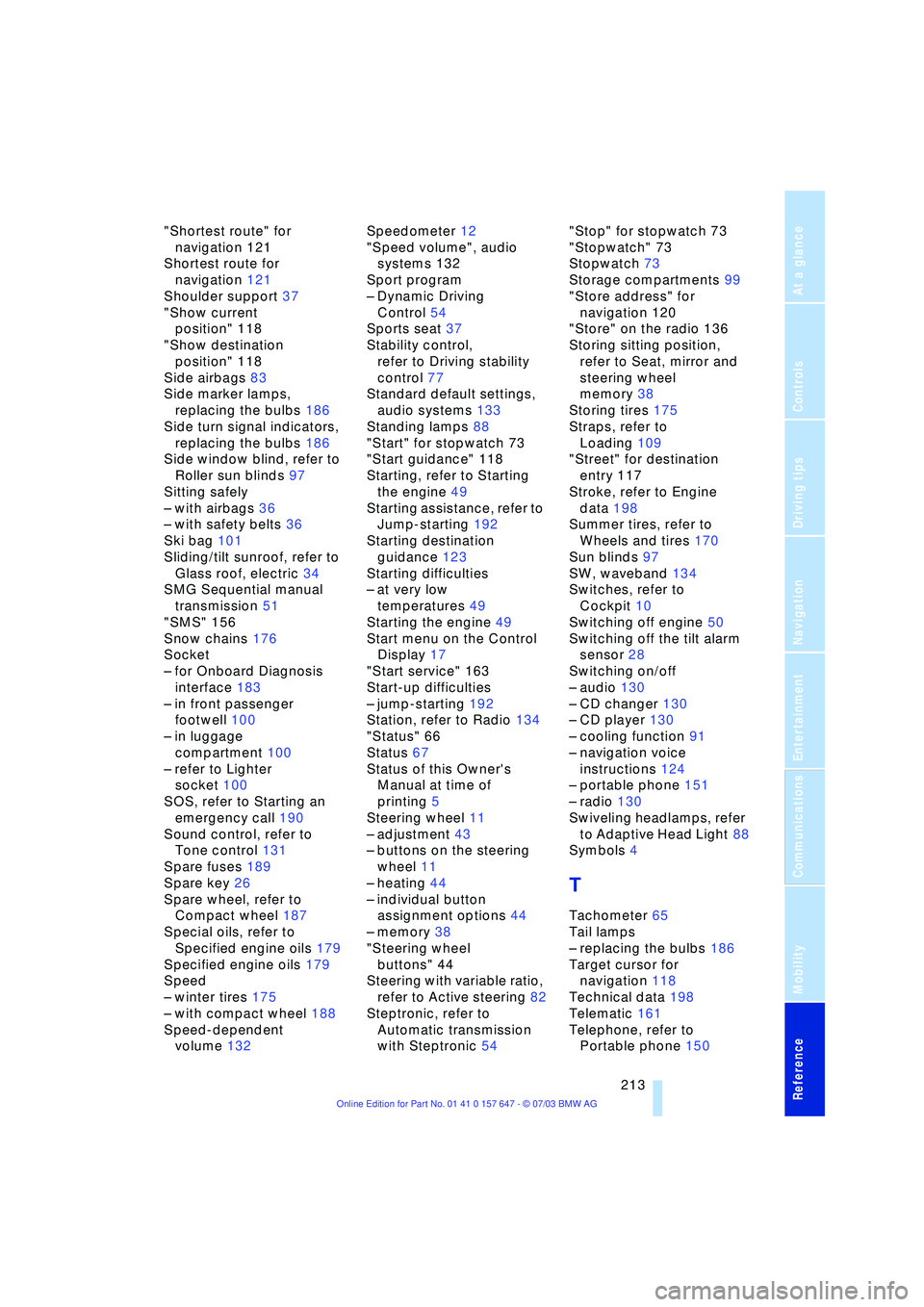
"Shortest route" for
navigation 121
Shortest route for
navigation 121
Shoulder support 37
"Show current
position" 118
"Show destination
position" 118
Side airbags 83
Side marker lamps,
replacing the bulbs 186
Side turn signal indicators,
replacing the bulbs 186
Side window blind, refer to
Roller sun blinds 97
Sitting safely
Ð with airbags 36
Ð with safety belts 36
Ski bag 101
Sliding/tilt sunroof, refer to
Glass roof, electric 34
SMG Sequential manual
transmission 51
"SMS" 156
Snow chains 176
Socket
Ð for Onboard Diagnosis
interface 183
Ð in front passenger
footwell 100
Ð in luggage
compartment 100
Ð refer to Lighter
socket 100
SOS, refer to Starting an
emergency call 190
Sound control, refer to
Tone control 131
Spare fuses 189
Spare key 26
Spare wheel, refer to
Compact wheel 187
Special oils, refer to
Specified engine oils 179
Specified engine oils 179
Speed
Ð winter tires 175
Ð with compact wheel 188
Speed-dependent
volume 132Speedometer 12
"Speed volume", audio
systems 132
Sport program
Ð Dynamic Driving
Control 54
Sports seat 37
Stability control,
refer to Driving stability
control 77
Standard default settings,
audio systems 133
Standing lamps 88
"Start" for stopwatch 73
"Start guidance" 118
Starting, refer to Starting
the engine 49
Starting assistance, refer to
Jump-starting 192
Starting destination
guidance 123
Starting difficulties
Ð at very low
temperatures 49
Starting the engine 49
Start menu on the Control
Display 17
"Start service" 163
Start-up difficulties
Ð jump-starting 192
Station, refer to Radio 134
"Status" 66
Status 67
Status of this Owner's
Manual at time of
printing 5
Steering wheel 11
Ð adjustment 43
Ð buttons on the steering
wheel 11
Ð heating 44
Ð individual button
assignment options 44
Ð memory 38
"Steering wheel
buttons" 44
Steering with variable ratio,
refer to Active steering 82
Steptronic, refer to
Automatic transmission
with Steptronic 54"Stop" for stopwatch 73
"Stopwatch" 73
Stopwatch 73
Storage compartments 99
"Store address" for
navigation 120
"Store" on the radio 136
Storing sitting position,
refer to Seat, mirror and
steering wheel
memory 38
Storing tires 175
Straps, refer to
Loading 109
"Street" for destination
entry 117
Stroke, refer to Engine
data 198
Summer tires, refer to
Wheels and tires 170
Sun blinds 97
SW, waveband 134
Switches, refer to
Cockpit 10
Switching off engine 50
Switching off the tilt alarm
sensor 28
Switching on/off
Ð audio 130
Ð CD changer 130
Ð CD player 130
Ð cooling function 91
Ð navigation voice
instructions 124
Ð portable phone 151
Ð radio 130
Swiveling headlamps, refer
to Adaptive Head Light 88
Symbols 4
T
Tachometer 65
Tail lamps
Ð replacing the bulbs 186
Target cursor for
navigation 118
Technical data 198
Telematic 161
Telephone, refer to
Portable phone 150
Page 216 of 220
Everything from A to Z
214 TeleService 161
Ð enabling 161
Ð services offered 162
Temperature display
Ð ice warning 65
Ð outside temperature 65
Ð setting the units 74
"Terminate services" 165
"Text language" 74
The BMW Maintenance
System 181
Tightening torque, refer to
Tightening lug bolts 188
Tilt function, passenger-
side mirror 39
"Time" 74
"Time 1" for independent
ventilation 95
"Time 2" for independent
ventilation 95
Timer, refer to Preselecting
switch-on time 95
Tire pressure monitoring,
refer to Flat Tire
Monitor 80
Tire Quality Grading 173
Tires
Ð age 172
Ð changing 174
Ð condition 173
Ð damage 174
Ð flat 187
Ð inflation pressure 170
Ð pressure monitoring 80
Ð replacing 187
Ð run-flat 175
Ð size 172
Ð tread 173
Ð wear indicators 174
Tone control 131
Tone on locking/
unlocking 28
Tools, refer to Onboard tool
kit 184
"Top 8" for portable
phone 155
Torque 198
Ð lug bolts 188
Touch tone dialing 156
Tow fitting 193Towing
Ð with automatic
transmission 193
Ð with sequential manual
transmission SMG 193
Towing eye 193
Tow sockets for tow
fitting 194
Tracks
Ð random play
sequence 142, 146
Ð sample scan 142, 145
Track width, refer to
Dimensions 199
Traction Control System,
refer to DSC 78
Transmission
Ð automatic transmission
with Steptronic 54
Ð manual transmission 51
Ð Sequential manual
transmission SMG 51
Transporting children
safely 45
Transport securing device,
refer to Securing the
load 109
Tread depth, refer to Tire
tread 173
"Treble", audio
systems 132
"Trip computer" 72
Trip computer 71
Trip-distance counter, refer
to Trip odometer 65
"Triple turn signal
activation" 56
Trip odometer 65
Trunk lid, refer to Luggage
compartment lid 31
Turning circle, refer to
Dimensions 199
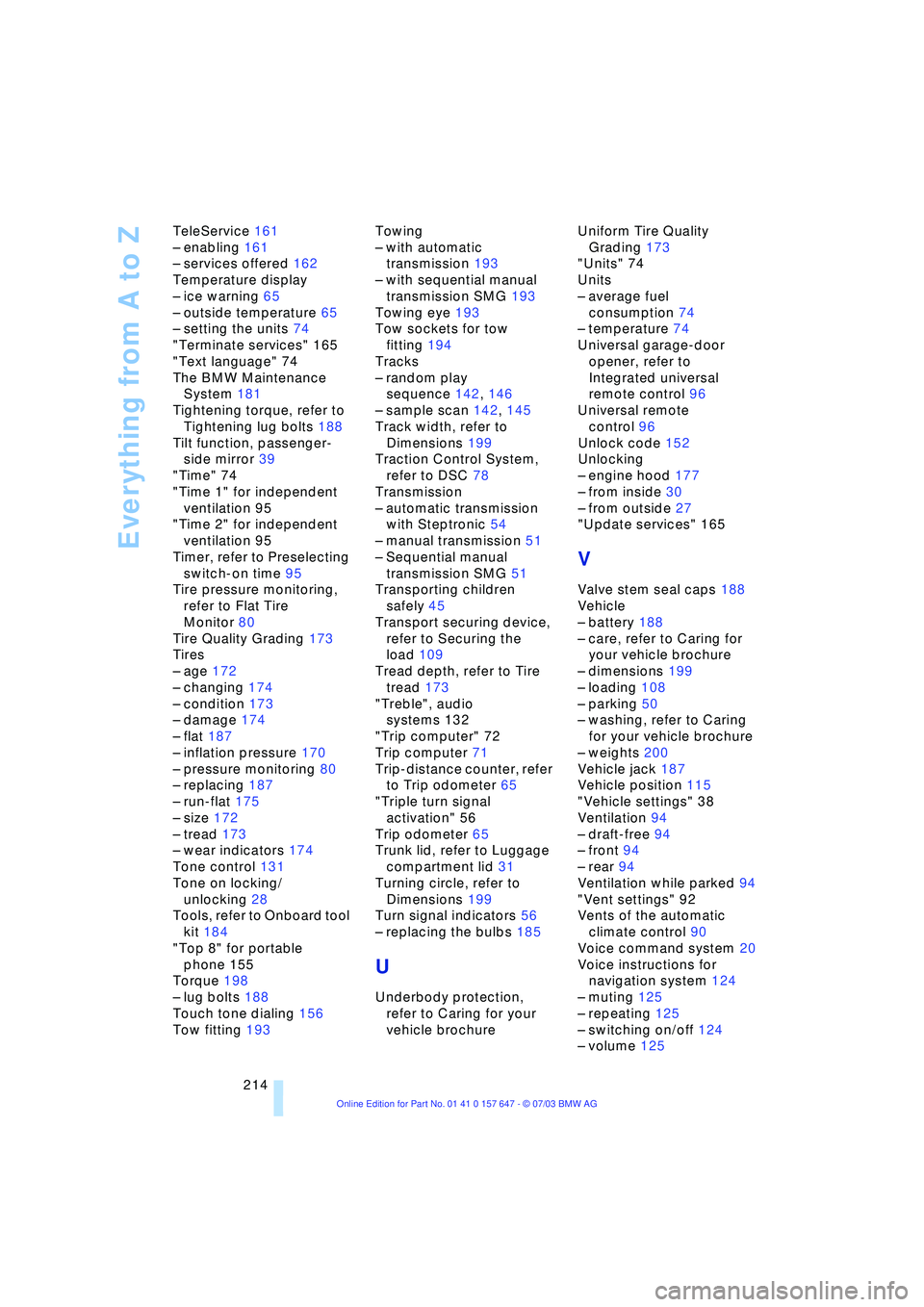
Turn signal indicators 56
Ð replacing the bulbs 185
U
Underbody protection,
refer to Caring for your
vehicle brochureUniform Tire Quality
Grading 173
"Units" 74
Units
Ð average fuel
consumption 74
Ð temperature 74
Universal garage-door
opener, refer to
Integrated universal
remote control 96
Universal remote
control 96
Unlock code 152
Unlocking
Ð engine hood 177
Ð from inside 30
Ð from outside 27
"Update services" 165
V
Valve stem seal caps 188
Vehicle
Ð battery 188
Ð care, refer to Caring for
your vehicle brochure
Ð dimensions 199
Ð loading 108
Ð parking 50
Ð washing, refer to Caring
for your vehicle brochure
Ð weights 200
Vehicle jack 187
Vehicle position 115
"Vehicle settings" 38
Ventilation 94
Ð draft-free 94
Ð front 94
Ð rear 94
Ventilation while parked 94
"Vent settings" 92
Vents of the automatic
climate control 90
Voice command system 20
Voice instructions for
navigation system 124
Ð muting 125
Ð repeating 125
Ð switching on/off 124
Ð volume 125