warning light BMW 525I 2004 User Guide
[x] Cancel search | Manufacturer: BMW, Model Year: 2004, Model line: 525I, Model: BMW 525I 2004Pages: 220, PDF Size: 7.12 MB
Page 84 of 220
Technology for comfort, convenience and safety
82
System malfunctions
Indicator lamp
The symbol in the instrument clus-
ter lights up yellow and a message
appears on the Control Display.
Please contact your BMW center.
Please note any supplementary information
that appears on the Control Display.
Active steering*
The concept
The active steering is a system that actively
varies the steering angle of the front wheels
in relation to the steering wheel move-
ments.
When you are driving in the low road speed
range, e.g. in a town or when parking, the
steering angle is reinforced, i.e. the steer-
ing becomes very direct and significantly
improves the handling capability of your
BMW.
In the higher road speed range, on the
other hand, the steering angle is reduced,
also optimizing the handling capability.
In critical situations, the system can make
targeted changes to the steering angle pro-
vided by the driver and thus stabilize the
vehicle before the driver intervenes.
Indicator lamp
The indicator lamp lights up perma-
nently: malfunction in the system.
Please have the system inspected
at your BMW center.
Conventional steering efficiency remains
available without limitations.
Brake Force Display
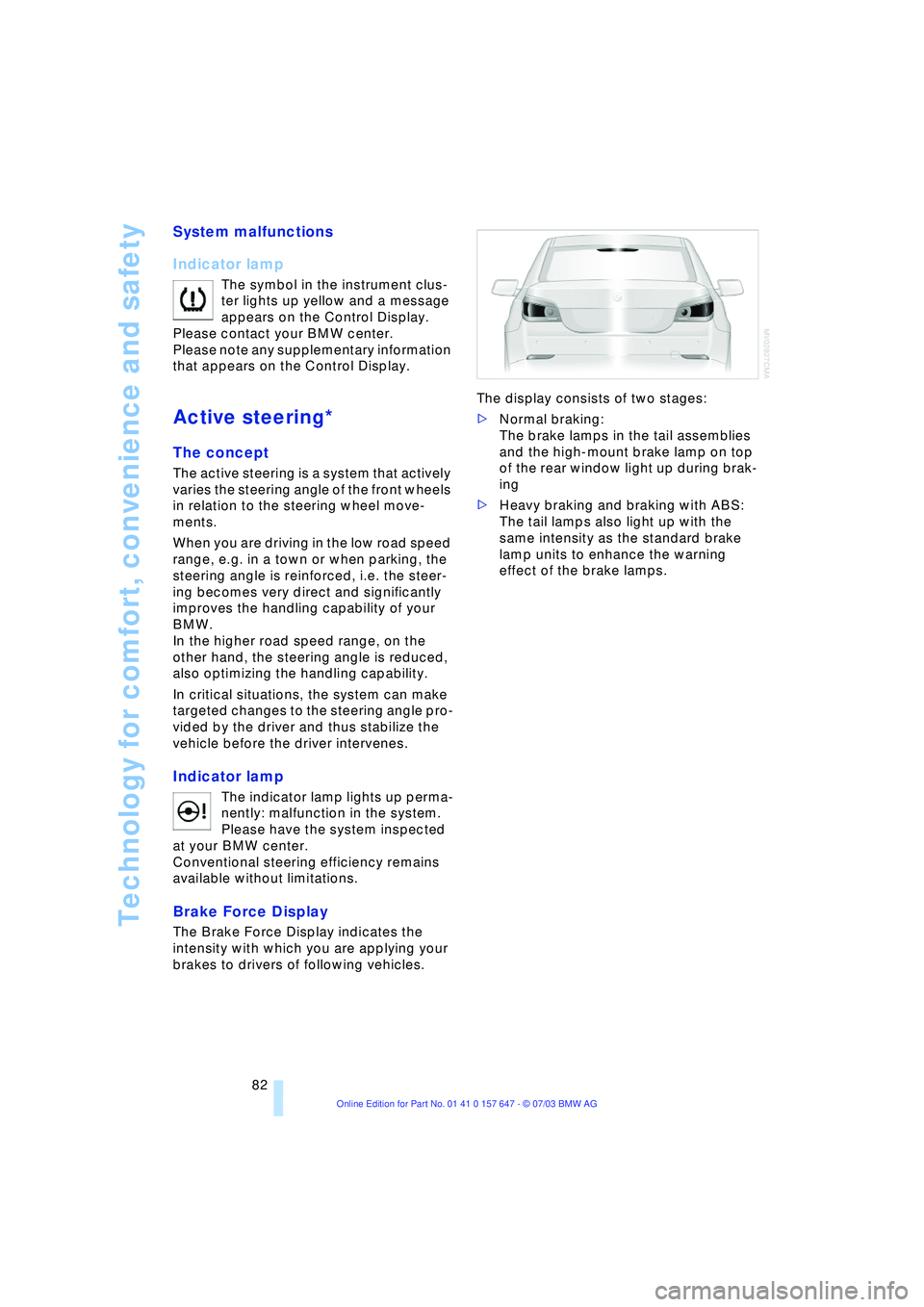
The Brake Force Display indicates the
intensity with which you are applying your
brakes to drivers of following vehicles. The display consists of two stages:
>Normal braking:
The brake lamps in the tail assemblies
and the high-mount brake lamp on top
of the rear window light up during brak-
ing
>Heavy braking and braking with ABS:
The tail lamps also light up with the
same intensity as the standard brake
lamp units to enhance the warning
effect of the brake lamps.
Page 89 of 220
Controls
87Reference
At a glance
Driving tips
Communications
Navigation
Entertainment
Mobility
Lamps
Parking lamps/low beams
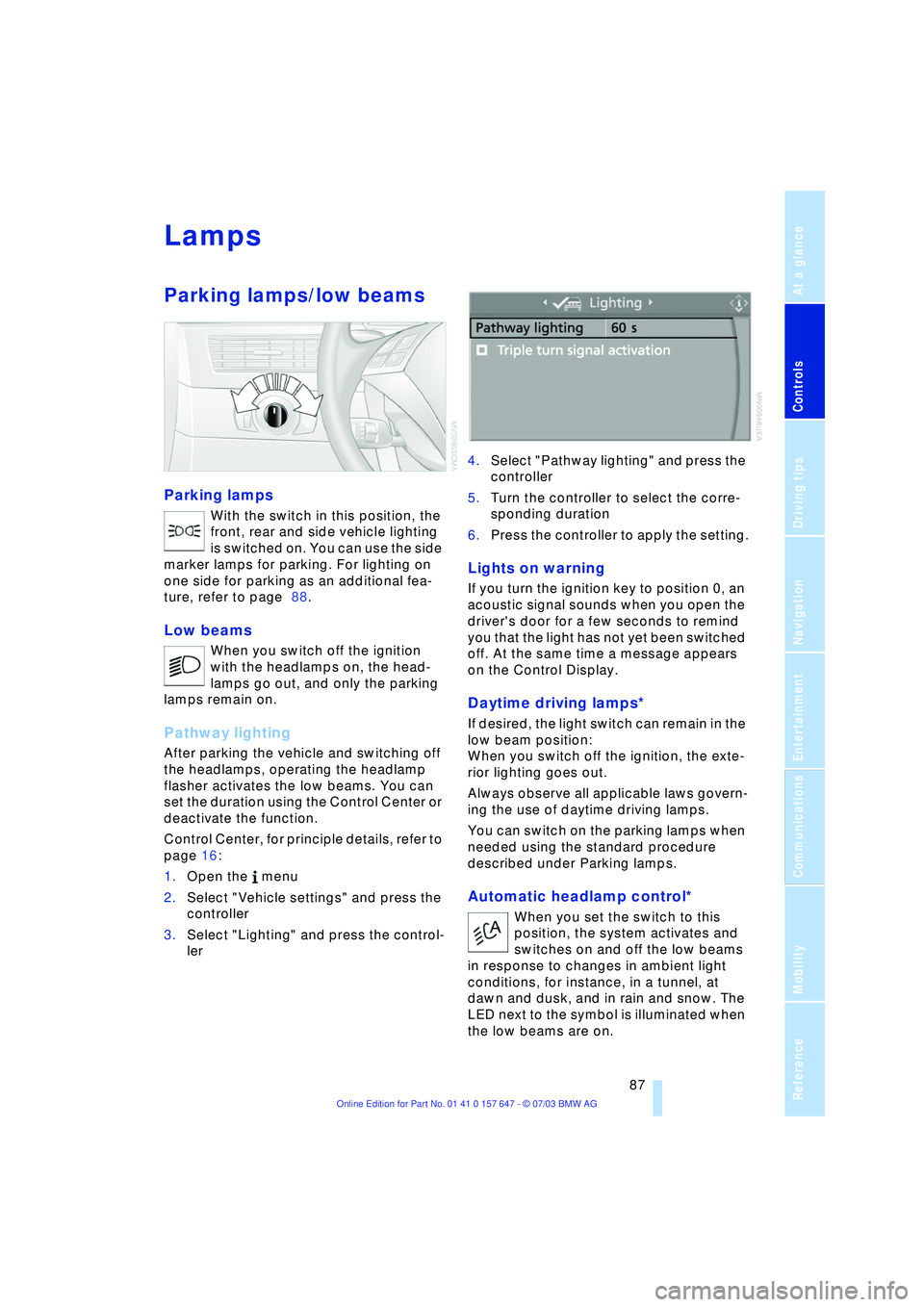
Parking lamps
With the switch in this position, the
front, rear and side vehicle lighting
is switched on. You can use the side
marker lamps for parking. For lighting on
one side for parking as an additional fea-
ture, refer to page 88.
Low beams
When you switch off the ignition
with the headlamps on, the head-
lamps go out, and only the parking
lamps remain on.
Pathway lighting
After parking the vehicle and switching off
the headlamps, operating the headlamp
flasher activates the low beams. You can
set the duration using the Control Center or
deactivate the function.
Control Center, for principle details, refer to
page 16:
1.Open the menu
2.Select "Vehicle settings" and press the
controller
3.Select "Lighting" and press the control-
ler 4.Select "Pathway lighting" and press the
controller
5.Turn the controller to select the corre-
sponding duration
6.Press the controller to apply the setting.
Lights on warning
If you turn the ignition key to position 0, an
acoustic signal sounds when you open the
driver's door for a few seconds to remind
you that the light has not yet been switched
off. At the same time a message appears
on the Control Display.
Daytime driving lamps*
If desired, the light switch can remain in the
low beam position:
When you switch off the ignition, the exte-
rior lighting goes out.
Always observe all applicable laws govern-
ing the use of daytime driving lamps.
You can switch on the parking lamps when
needed using the standard procedure
described under Parking lamps.
Automatic headlamp control*
When you set the switch to this
position, the system activates and
switches on and off the low beams
in response to changes in ambient light
conditions, for instance, in a tunnel, at
dawn and dusk, and in rain and snow. The
LED next to the symbol is illuminated when
the low beams are on.
Page 109 of 220
Driving tips
107Reference
At a glance
Controls
Communications
Navigation
Entertainment
Mobility
The risk of hydroplaning increases as the
tread depth of the tires decreases, refer
also to Tire tread on page 173.
Water on the road
Do not drive through water on the
road if it is deeper than 1 ft/30 cm,
and then only at walking speed at the most.
Otherwise, the vehicle's engine, the electri-
cal systems and the transmission may be
damaged.<
Brakes
Your BMW is equipped with ABS as stan-
dard. The best way to achieve optimized
response from the ABS is to apply maxi-
mum pressure to the brake pedal during
emergency: panic stops. Since the vehicle
maintains steering responsiveness, you
can nevertheless avoid possible obstacles
with a minimum of steering effort.
Pulsation at the brake pedal combines with
sounds from the hydraulic circuits to indi-
cate to the driver that ABS is in its active
mode.
Do not drive with your foot resting on
the brake pedal. Even light but con-
sistent pedal pressure can lead to high
temperatures, brake wear and possibly
even brake failure.<
Driving in wet conditions
While driving in wet conditions and in
heavy rain, it is a good idea to apply light
pressure to the brake pedal every few
miles. Monitor traffic conditions to ensure
that this maneuver does not endanger
other road users. The heat generated in this
process helps dry the pads and rotors to
ensure that full braking efficiency will then
be available when you need it.
Hills
You can retain full and unimpaired braking
efficiency by downshifting to a gear in
which only minimal brake applications are
needed when descending long or steep
downhill stretches. You can further enhance the engine's brak-
ing effect by selecting a lower gear in the
automatic transmission's manual mode,
downshifting as far as first gear on
extremely steep stretches, refer to
pages 50 and 55. This strategy helps you
avoid placing excessive loads on the brake
system.
Never drive with the clutch pressed or
allow the vehicle to coast with the
transmission in Neutral Ð or with the engine
switched off Ð there is no engine braking
when the transmission is in Neutral, and no
power-assist for brakes and steering when
the engine is not running.
Never allow floor mats, carpets or any other
objects to protrude into the area around the
accelerator and brake pedals and obstruct
their movement.<
Corrosion on the brake rotors
When the vehicle is driven only occasion-
ally, during extended periods when the
vehicle is not used at all, and in operating
conditions where brake applications are
less frequent, there is an increased ten-
dency for corrosion to form on rotors, while
contaminants accumulate on the brake
pads. This occurs because the minimum
pressure which must be exerted by the
pads during brake applications to clean the
rotors is not reached.
Should corrosion form on the brake rotors,
the brakes will tend to respond with a pul-
sating effect that even extended applica-
tion will fail to cure.
Brake pads
The brake pad wear warning lamp
lights up and a message appears on
the Check Control. Please note any
supplementary information that appears
there.
Warning lamp for Canadian models.
The brake pads have reached their mini-
mum pad thickness. Have them replaced at
your BMW center as soon as possible.
Page 182 of 220
Under the hood
180
Checking coolant level
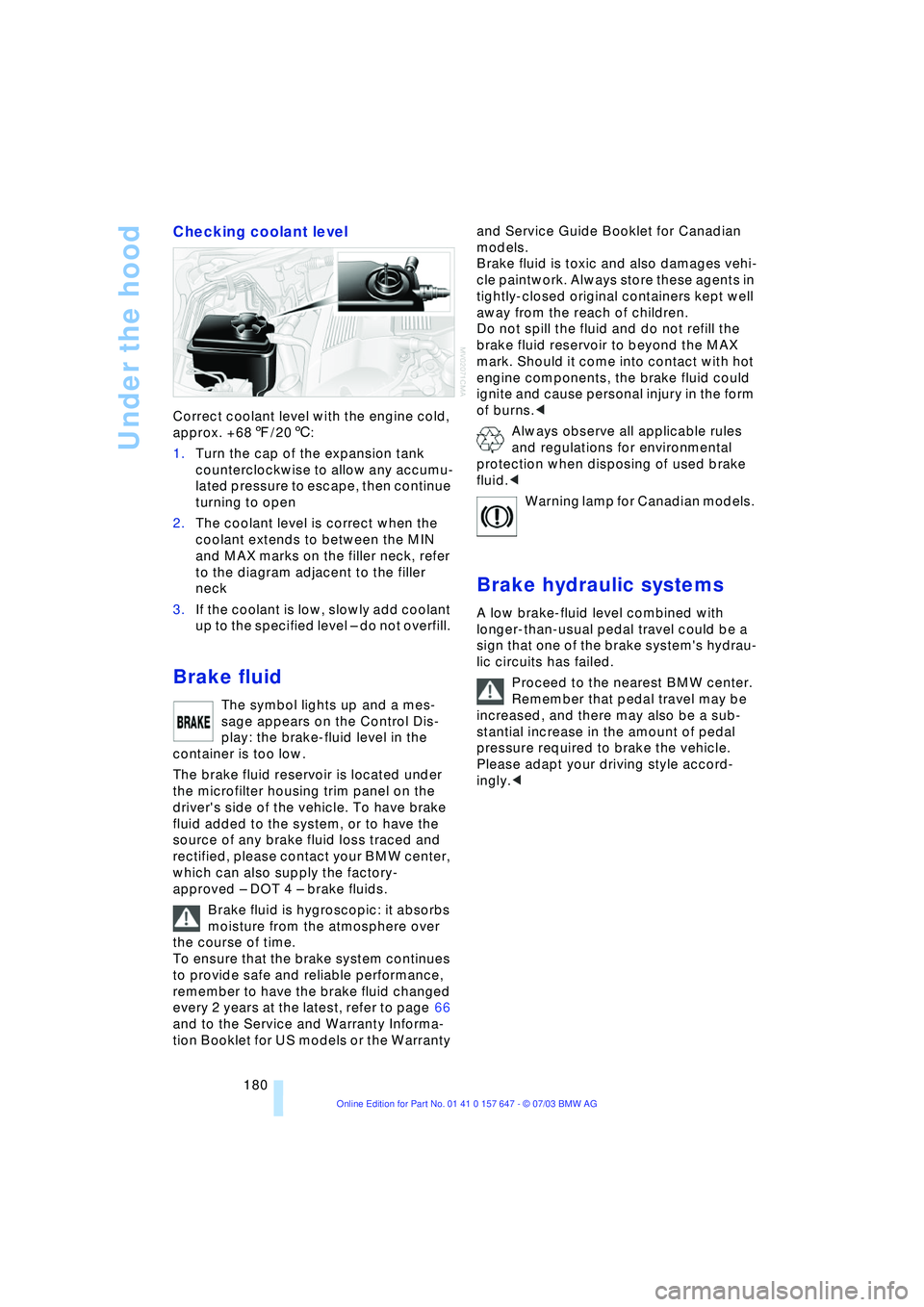
Correct coolant level with the engine cold,
approx. +687/206:
1.Turn the cap of the expansion tank
counterclockwise to allow any accumu-
lated pressure to escape, then continue
turning to open
2.The coolant level is correct when the
coolant extends to between the MIN
and MAX marks on the filler neck, refer
to the diagram adjacent to the filler
neck
3.If the coolant is low, slowly add coolant
up to the specified level Ð do not overfill.
Brake fluid
The symbol lights up and a mes-
sage appears on the Control Dis-
play: the brake-fluid level in the
container is too low.
The brake fluid reservoir is located under
the microfilter housing trim panel on the
driver's side of the vehicle. To have brake
fluid added to the system, or to have the
source of any brake fluid loss traced and
rectified, please contact your BMW center,
which can also supply the factory-
approved Ð DOT 4 Ð brake fluids.
Brake fluid is hygroscopic: it absorbs
moisture from the atmosphere over
the course of time.
To ensure that the brake system continues
to provide safe and reliable performance,
remember to have the brake fluid changed
every 2 years at the latest, refer to page 66
and to the Service and Warranty Informa-
tion Booklet for US models or the Warranty and Service Guide Booklet for Canadian
models.
Brake fluid is toxic and also damages vehi-
cle paintwork. Always store these agents in
tightly-closed original containers kept well
away from the reach of children.
Do not spill the fluid and do not refill the
brake fluid reservoir to beyond the MAX
mark. Should it come into contact with hot
engine components, the brake fluid could
ignite and cause personal injury in the form
of burns.<
Always observe all applicable rules
and regulations for environmental
protection when disposing of used brake
fluid.<
Warning lamp for Canadian models.
Brake hydraulic systems
A low brake-fluid level combined with
longer-than-usual pedal travel could be a
sign that one of the brake system's hydrau-
lic circuits has failed.
Proceed to the nearest BMW center.
Remember that pedal travel may be
increased, and there may also be a sub-
stantial increase in the amount of pedal
pressure required to brake the vehicle.
Please adapt your driving style accord-
ingly.<
Page 185 of 220
Mobility
183Reference
At a glance
Controls
Driving tips
Communications
Navigation
Entertainment
Rules and regulations
California Proposition 65
Warning
California laws require us to issue the fol-
lowing warning:
Engine exhaust and a wide variety of
automobile components and parts,
including components found in the interior
furnishings in a vehicle, contain or emit
chemicals known to the State of California
to cause cancer and birth defects and
reproductive harm. In addition, certain flu-
ids contained in vehicles and certain prod-
ucts of component wear contain or emit
chemicals known to the State of California
to cause cancer and birth defects or other
reproductive harm.
Battery posts, terminals and related acces-
sories contain lead and lead compounds.
Wash your hands after handling.
Used engine oil contains chemicals that
have caused cancer in laboratory animals.
Always protect your skin by washing
thoroughly with soap and water.<
OBD connector
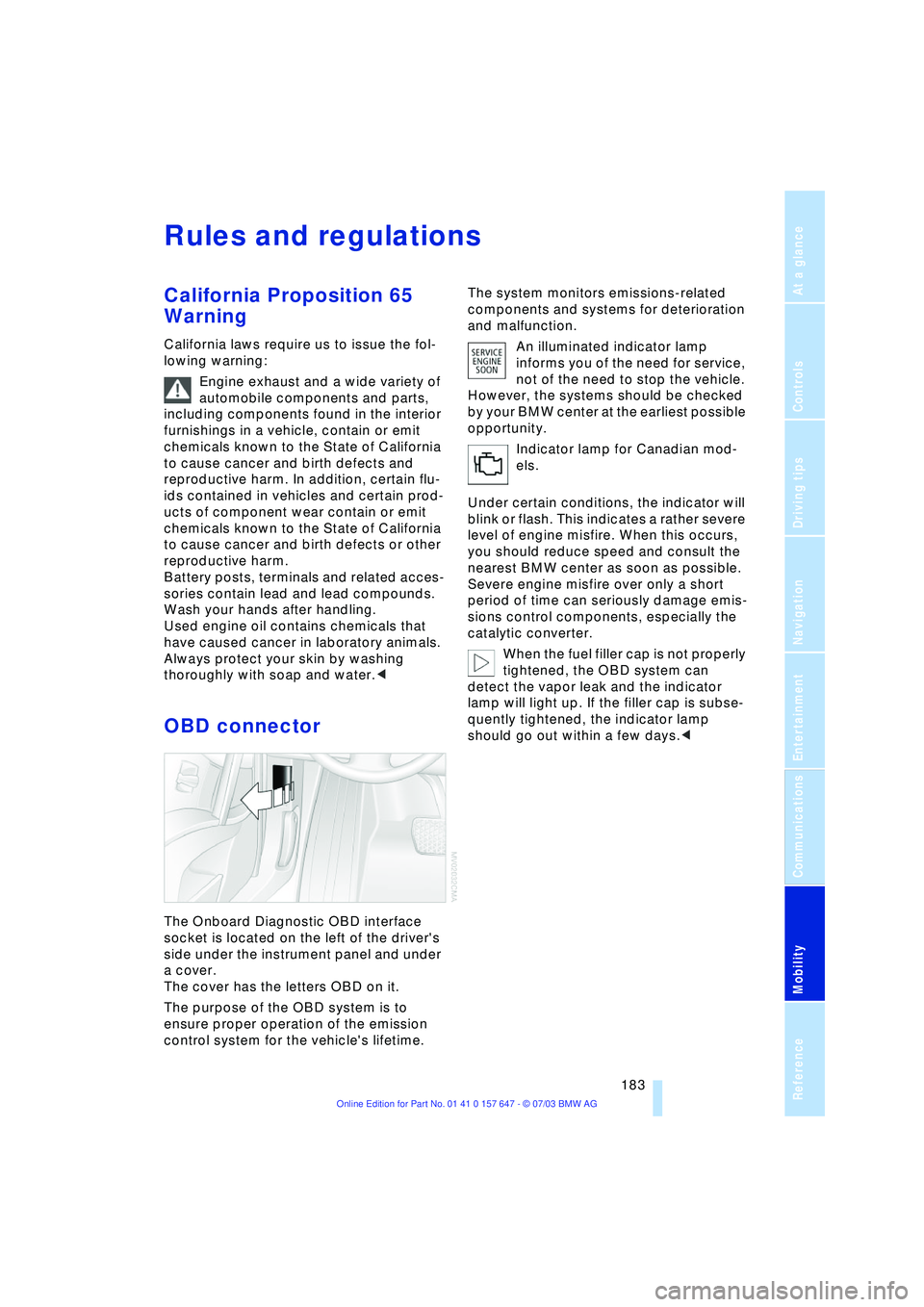
The Onboard Diagnostic OBD interface
socket is located on the left of the driver's
side under the instrument panel and under
a cover.
The cover has the letters OBD on it.
The purpose of the OBD system is to
ensure proper operation of the emission
control system for the vehicle's lifetime.The system monitors emissions-related
components and systems for deterioration
and malfunction.
An illuminated indicator lamp
informs you of the need for service,
not of the need to stop the vehicle.
However, the systems should be checked
by your BMW center at the earliest possible
opportunity.
Indicator lamp for Canadian mod-
els.
Under certain conditions, the indicator will
blink or flash. This indicates a rather severe
level of engine misfire. When this occurs,
you should reduce speed and consult the
nearest BMW center as soon as possible.
Severe engine misfire over only a short
period of time can seriously damage emis-
sions control components, especially the
catalytic converter.
When the fuel filler cap is not properly
tightened, the OBD system can
detect the vapor leak and the indicator
lamp will light up. If the filler cap is subse-
quently tightened, the indicator lamp
should go out within a few days.<
Page 208 of 220
Everything from A to Z
206 Directory for navigation,
refer to Address
book 120
Disc brakes 107
Displacement, refer to
Engine data 198
Display lighting 88
Displays
Ð refer to Cockpit 10
Ð refer to Control Display 17
Ð refer to Instrument
cluster 12
Displays on the windshield,
refer to Head-Up
Display 85
Disposal
Ð brake fluid 180
Ð coolant 179
Ð engine oil 179
Ð vehicle battery 189
Distance, refer to
Computer 71
Distance cruise control,
refer to Active cruise
control 59
"Distance to destin.Ò 71
Distance to destination,
refer to Computer 71
Distance warning, refer to
Park Distance Control 76
Divided rear seat back,
refer to Fold down rear
seat 101
Door entry lighting 89
Door keys 26
Door lock 29
"Door locks" 28
Doors
Ð manual operation 29
Ð remote control 28
DOT Quality Grades 173
Draft-free ventilation 94
"Driver" 42
"Driver's door only" 28
Driving light, refer to
Parking lamps/low
beams 87
Driving notes 106
Driving stability control 78
Driving tips, refer to Driving
notes 106Dry air, refer to Cooling
function 91
Drying the air, refer to
Cooling function 91
DSC Dynamic Stability
Control 78
Ð indicator lamp 78
DTC Dynamic Traction
Control 79
Ð indicator lamp 79
DVD for navigation 114
Dynamic Brake Control 79
Ð indicator lamp 79
Dynamic Driving Control 54
"Dynamic route" for
navigation 121
Dynamic Stability
Control 78
Ð indicator lamp 78
Dynamic Traction
Control 79
Ð indicator lamp 79
E
EBV Electronic Brake Force
Distribution 78
"Edit" on the portable
phone 154
Electrical malfunction
Ð door lock 29
Ð fuel filler door 168
Ð glass roof 35
Ð luggage compartment
lid 31
Electrical power windows,
refer to Windows 33
Electronic Brake
Force Distribution EBV 78
Electronic Stability
Program ESP, refer to
DSC Dynamic Stability
Control 78
Emergency assistance,
refer to Roadside
Assistance 191
Emergency call 190
Emergency operation, refer
to Manual operationEmergency release of
luggage compartment lid
from luggage
compartmentÕs interior 32
Emergency services, refer
to Roadside
Assistance 191
"Emission inspect." 67, 67
"Enable services" 162
"End call" 154
Energy-conscious driving,
refer to Energy Control 66
Energy Control 66
Engine
Ð breaking-in
procedure 106
Ð data 198
Ð speed 198
Ð starting 49
Engine compartment 178
Engine coolant 179
Engine hood 177
Engine oil
Ð adding 179
Ð checking the oil level 178
Ð prescribed oils 179
Engine output, refer to
Engine data 198
Engine speed 198
"Enter address" 116
Entering destination 117
Entering house number or
intersection 117
Entering switch-on times of
independent ventilation/
heating 95
Entering the address 116
Entering the
intersection 117
Entering the town/city for
navigation 117
Entering zip code for
navigation 117
"Entertainment" 130
"Entertainment
settings" 131
"Equalizer" 133
"Equalizer", audio
systems 131
Page 209 of 220
Reference 207
At a glance
Controls
Driving tips
Communications
Navigation
Entertainment
Mobility
ESP Electronic Stability
Program, refer to DSC
Dynamic Stability
Control 78
Exhaust system, refer to
High temperatures 106
Exterior mirrors 42
Ð automatic dimming
feature 43
F
"Fader", audio systems 132
Failure messages, refer to
Check Control 68
False alarms, refer to
Avoiding unintentional
alarms 33
False alarms with the Flat
Tire Monitor 80
Fastening safety belts, refer
to Safety belt
Ð indicator lamp 40
"Fastest route" for
navigation 121
Fastest route for
navigation 121
First aid, refer to First aid
kit 191
First aid kit 191
Fitting for towing 193
Flashlight, refer to
Rechargeable
flashlight 98
Flash when locking/
unlocking 28
Flat tire
Ð compact wheel 187
Ð Flat Tire Monitor 81
Ð refer also to Changing a
wheel 187
Ð refer also to Tire
condition 173
Ð run-flat tires 81, 175
Flat Tire Monitor 80
Ð false alarms 80
Ð indicator lamp 81
Ð initializing the system 81
Ð malfunctions 82
Floods, refer to Water on
the road 107"FM", waveband 130, 134
FM, waveband 134
Fog lamps 89
Ð indicator lamp 89
Fold down rear seat 101
Folding rear seat back 101
Footwell lamps 89
Forward, fast
Ð CD changer 146
Ð CD player 142
For your own safety 6
Front airbags 83
Front armrest 98
Front head restraints 40
Front seat adjustment 36
Front-to-rear adjustment in
Audio mode 132
"FTM" 81
Fuel 169
Ð display 66
Ð quality 169
Ð tank volume 66
Fuel clock, refer to Fuel
gauge 66
Fuel display, refer to Fuel
gauge 66
Fuel filler door 168
Ð releasing in the event of
electrical malfunction 168
Fuel specifications 169
Fuses 189
G
Garage door opener, refer
to Integrated universal
remote control 96
Gasoline, refer to Fuel
quality 169
Gasoline display, refer to
Fuel gauge 66
Gear changes, refer to
Automatic transmission
with Steptronic 55
Gear display 54
Gearshift lever
Ð automatic transmission
with Steptronic 55
Ð manual transmission 51
Ð Sequential manual
transmission SMG 51General car care, refer to
Caring for your vehicle
brochure
General driving notes 106
Glass roof, electrical 34
Ð closing in the event of an
electrical defect 35
Ð convenience operation 29
Ð remote control 28
Glove compartment 98
Ð lighting 98
GPS navigation, refer to
Navigation system 114
Grilles of the automatic
climate control 90
Gross vehicle weight, refer
to Weights 200
H
Halogen lamps 185
Handbrake 50
Ð indicator lamp 50
Hands-free unit 151
Hazard warning flashers 14
Head airbags 83
Headlamp control,
automatic 87
Headlamp flasher 56
Headlamps 87
Ð care, refer to Caring for
your vehicle brochure
Ð replacing the bulbs 185
Headlamp washers 57
Head Light, refer to
Adaptive Head Light 88
Head restraints 39
Ð front 39
Ð front, active 40
Ð rear 40
"Head-Up Display" 44
Head-Up Display 85
Heated mirrors 43
Heated rear window 91
Heated seats 41
Heated steering wheel 44
"Heated steering wheel on /
off" 44
Heater, rear window 91
Page 210 of 220
Everything from A to Z
208 Heating 90
Ð mirrors 43
Ð steering wheel 44
Heating while stopped 92
Heavy cargo, refer to
Stowing cargo 109
Height, refer to
Dimensions 199
Height adjustment
Ð head restraints 39
Ð seats 37
Ð steering wheel 43
High beams 88
Ð headlight flasher 88
Ð indicator lamp 13
Ð replacing the bulbs 185
Hills 107
Holder for beverages 99
"Horn" 44
Horn 10
"Hour memo" 75
"House number" for
destination entry 117
Hydraulic brake assistant,
refer to DBC 79
Hydroplaning 106, 174
I
Ice warning 65
iDrive, refer to Control
Center 16
Ignition key 26
Ignition key positions, refer
to Ignition lock 49
Ignition lock 49
Independent ventilation
Ð switching on and off
directly 94
Independent ventilation/
heating
Ð entering switch-on
times 95
Ð preselecting switch-on
times 95Indicator/warning lamp
Ð active steering 82
Ð airbags 84
Ð Flat Tire Monitor 81
Ð front fog lamps 11
Ð overview 13
Ð safety belt warning 40
Individual air distribution 93
Individual button
assignment options on
steering wheel 44
Individual settings, refer to
Key Memory 26
Inflation pressure, refer to
Tire inflation
pressure 170
"Information" for
navigation 118
Information for navigation
Ð on a different city 118
Ð on city of destination 118
Ð on current position 118
"Information on
destination" 119
"Input map" 118
Installation location
Ð CD changer 144
Ð navigation computer 114
Ð portable phone 151
Instructions for navigation
system, refer to Voice
instructions 124
Instrument cluster 12
Instrument combination,
refer to Instrument
cluster 12
Instrument lighting 88
Instrument panel, refer to
Instrument cluster 10
Integrated universal remote
control 96
Interesting destination 118
"Interim time" 73
Interior lamps 89
Ð remote control 28
Interior mirror, refer to
Interior rearview mirror 43
Interior motion sensor 33
Ð switching off 28Interior rearview mirror 43
Ð automatic dimming
feature 43
Interlock, refer to Steering
locked 49
Intermittent mode of the
wipers 57
J
Jacking points 188
Joystick, refer to Control
Center 16
Jump-starting 192
K
Key Memory 26
"Keypad" 156
Keys 26
Key set, refer Central keys
with remote control 26
Kickdown 55
Knock control 169
L
Lamps and bulbs 184
"Languages" 74
"Languages" for
navigation 124
Lashing eyes, refer to
Securing the load 109
"Last seat position" 38
LATCH child-restraint
fixing 47
LEDs light-emitting
diodes 89
Length, refer to
Dimensions 199
Letter symbol on portable
phone 156
License plate light
Ð replacing the bulbs 186
Light-emitting diodes
LEDs 89
Lighter 100
Ð socket 100
"Lighting" 56, 87
Page 211 of 220
Reference 209
At a glance
Controls
Driving tips
Communications
Navigation
Entertainment
Mobility
Lighting
Ð instruments 88
Ð of the vehicle, refer to
Lamps 87
Lighting of the instruments,
refer to Instrument
lighting 88
Lights, refer to Parking
lamps/low beams 87
Lights on warning 87
Light switch 87
Limit speed, refer to
Limit 72
Loading
Ð securing the load 109
Ð stowing cargo 109
Ð vehicle 108
"Lock after driving off" 30
"Lock button" 28
Locking
Ð from inside 30
Ð from outside 28
Locking and unlocking
doors
Ð from inside 30
Ð from outside 27
Ð setting confirmation
signals 28
"LOGIC7", audio
systems 132
Low beams 87
Ð automatic 87
Ð replacing the bulbs 185
Lower back support, refer
to Lumbar support 38
Lug bolts 188
Ð wrench 187
Luggage compartment 31
Ð capacity 200
Ð locking separately 31
Ð opening/closing, refer to
Luggage compartment
lid 31
Ð opening from the
inside 31
Ð opening from the
outside 31
Ð opening with remote
control 28
Ð socket 100
Ð volume 200Luggage compartment
lid 31
Ð emergency release from
inside luggage
compartment 32
Ð locking separately 31
Ð manual operation 31
Ð opening from the
inside 31
Ð opening from the
outside 31
Ð opening with remote
control 28
Ð unlocking manually 31
Luggage rack, refer to
Roof-mounted luggage
rack 109
Lumbar support 38
LW, waveband 134
M
M+S tires, refer to Winter
tires 175
Maintenance, refer also to
Service and Warranty
Information Booklet for
US models or Warranty
and Service Guide
Booklet for Canadian
models
Maintenance system 181
Malfunction
Ð automatic
transmission 56
Ð Sequential manual
transmission SMG 53
Malfunction warnings, refer
to Check Control 68
Manually controlled
recirculated air 91
"Manual" on the radio 135
Manual operation
Ð door lock 29
Ð fuel filler door 168
Ð glass roof 35
Ð luggage compartment
lid 31
Manual operation with
automatic
transmission 55Manual release, refer to
Manual operation
Manual station tuning 135
Manual transmission 51
"Map, arrow display" 123
"Map, direction of
travel" 124
"Map, facing north" 124
Maximum cooling 91
Maximum roof weight 200
Maximum speed
Ð for winter tires 175
Ð with compact wheel 188
Memory
Ð refer to Key Memory 26
Ð refer to Seat, mirror and
steering wheel
memory 38
Menus, refer to Control
Center 16
Message list of traffic
information 126
Microphone for hands-free
system 151
Mirrors 42
Ð automatic curb
monitor 39
Ð dimming feature 43
Ð heating 43
Ð memory, refer to Seat,
mirror and steering wheel
memory 38
"Missed calls" 155
Missed calls 154
Mobile communications in
the vehicle 108
Mobile Service, refer to
Roadside Assistance 191
Monitor, refer to Control
Center 16
"Monitor display on" 77
Monitoring inflation
pressure, refer to Flat Tire
Monitor 80
Multifunction switch
Ð refer to Turn signal
indicators/headlamp
flasher 56
Ð refer to Wiper/washer
system 57
Page 213 of 220
Reference 211
At a glance
Controls
Driving tips
Communications
Navigation
Entertainment
Mobility
Pathway lighting 87
"PDC" 77
PDC Park Distance
Control 76
"Phone" 152
Phone book 152
Phone numbers
Ð deleting in the phone
book 155
Ð dialing 153
Ð most recent numbers 154
Ð selecting in the phone
book 154
Ð Top-8 154
Please fasten safety belt
warning lamp 41
Portable phone
Ð accepted calls 154
Ð adjusting volume 152
Ð calling 153
Ð call termination 154
Ð controlling with the
buttons on the steering
wheel 11
Ð entering unlock code 152
Ð hands-free system 151
Ð installation location, refer
to Center armrest 98
Ð missed calls 154
Ð phone book 154
Ð redialing 154
Ð refer to separate Owner's
Manual
Ð SMS 156
Ð Top-8 154
Ð touch tone redialing 156
Portable phone, refer to
separate Owner's Manual
Portable phone battery 151
Portable phone codes 152
Portable phone in
vehicle 108
Portable phones, use in the
interior, refer to Mobile
communications in the
vehicle 108
Position
Ð displaying 115
"Presets" on the
radio 134, 138
Pressure, tires 170Pressure monitoring,
tires 80
"Profile" 165
Programming button
function 44
Programming buttons on
steering wheel 44
R
Radio
Ð adjusting the tone 131
Ð autostore 135
Ð controls 130
Ð play station 135
Ð satellite radio 138
Ð selecting the
waveband 130, 134
Ð station search 136
Ð station selection 134
Ð station with the best
reception 135
Ð store station 136
Ð switching on/off 130
Ð volume 131
Ð Weather Band 137
Radio-control key, refer to
Central key with remote
control 26
Rain sensor 57
"RandomÒ, random
sequence
generator 142, 146
Random play
Ð CD changer 146
Ð CD player 142
Reading lamps 89
Rear armrest 101
Rear center armrest 101
Rear head restraints 40
Rear lamps
Ð replacing the bulbs 186
Rear seat back, folding 101
Rear seats
Ð folding backrests 101
Ð head restraint
adjustment 40
Ð heating 41
Rear ventilation 94
Rearview mirror 42Rear window blind, refer to
Roller sun blinds 97
Rear window safety
switch 34
"Received calls" 155
Receiving level of portable
phone, refer to Status
information 18
Recent destinations 119
Recent portable phone
numbers 154
Reception
Ð quality 137
Ð radio stations 137
Ð regional
program 135
Recirculated air 91
Reclining seat, refer to
Backrest 37
Recording times, refer to
Stopwatch 73
"Redial" for portable
phone 155
Redialing with portable
phone 154
Refueling 168
"Relock door if not
opened" 30
Remaining distance 71
Remote control 26
Ð garage-door opener 96
Ð luggage compartment
lid 28
Ð malfunctions 29
"Repeat" on the
radio 142, 145
Replacement fuses 189
Replacement keys 29
Replacement of
wheels 174
Replacing bulbs, refer to
Lamps and bulbs 184
Replacing wheels/tires 174
Reporting an accident,
refer to Starting an
emergency call 190
Reporting safety defects 7
Reserve warning, refer to
Fuel gauge 66
"Reset" for stopwatch 73
Residual heat 92