radio BMW 525I 2006 Owners Manual
[x] Cancel search | Manufacturer: BMW, Model Year: 2006, Model line: 525I, Model: BMW 525I 2006Pages: 248, PDF Size: 8.58 MB
Page 4 of 248
Reference
At a glance
Controls
Driving tips
Communications
Navigation
Entertainment
Mobility
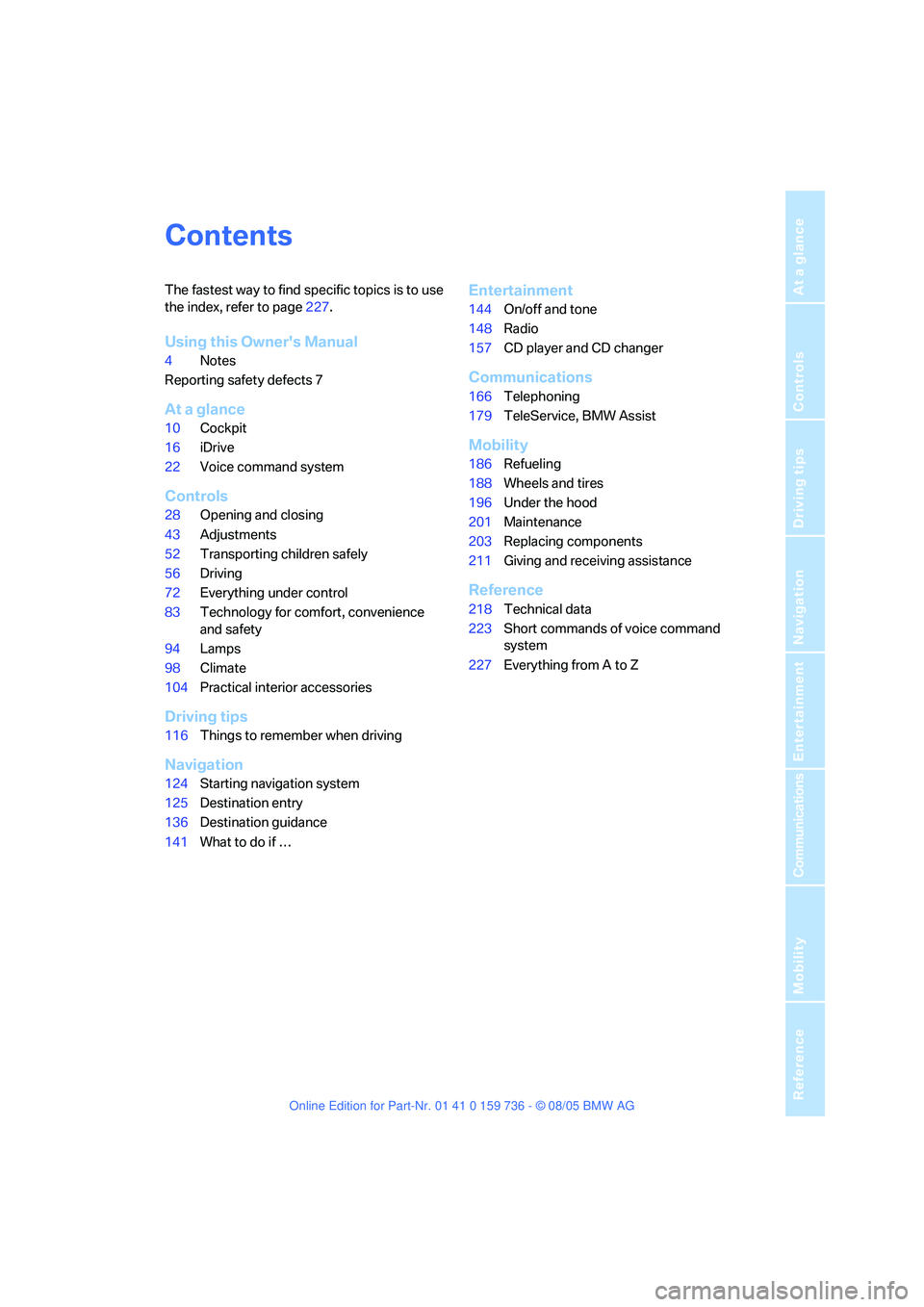
Contents
The fastest way to find specific topics is to use
the index, refer to page227.
Using this Owner's Manual
4Notes
Reporting safety defects 7
At a glance
10Cockpit
16iDrive
22Voice command system
Controls
28Opening and closing
43Adjustments
52Transporting children safely
56Driving
72Everything under control
83Technology for comfort, convenience
and safety
94Lamps
98Climate
104Practical interior accessories
Driving tips
116Things to remember when driving
Navigation
124Starting navigation system
125Destination entry
136Destination guidance
141What to do if …
Entertainment
144On/off and tone
148Radio
157CD player and CD changer
Communications
166Telephoning
179TeleService, BMW Assist
Mobility
186Refueling
188Wheels and tires
196Under the hood
201Maintenance
203Replacing components
211Giving and receiving assistance
Reference
218Technical data
223Short commands of voice command
system
227Everything from A to Z
Page 7 of 248
Notes
6
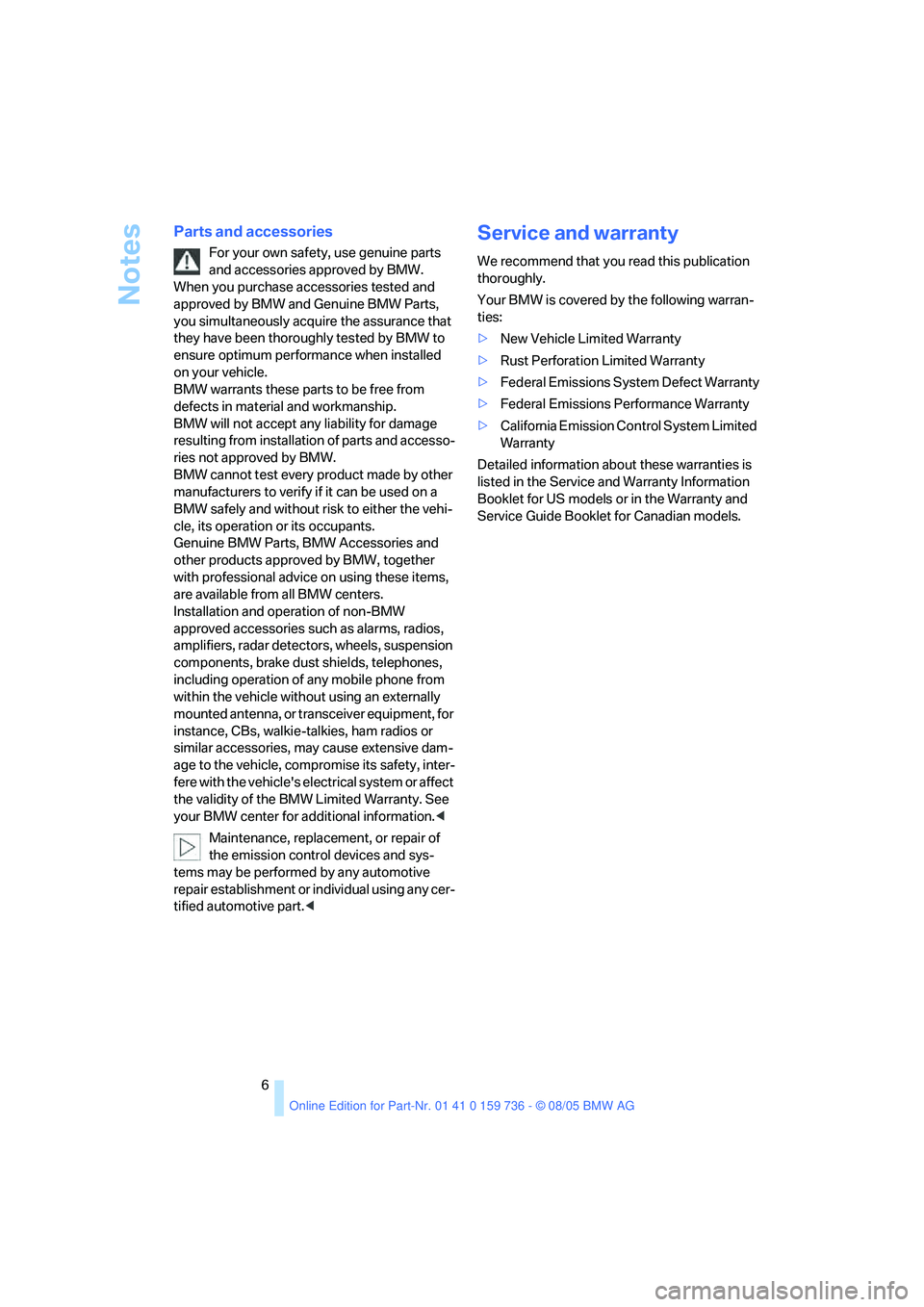
Parts and accessories
For your own safety, use genuine parts
and accessories approved by BMW.
When you purchase accessories tested and
approved by BMW and Genuine BMW Parts,
you simultaneously acquire the assurance that
they have been thoroughly tested by BMW to
ensure optimum performance when installed
on your vehicle.
BMW warrants these parts to be free from
defects in material and workmanship.
BMW will not accept any liability for damage
resulting from installation of parts and accesso-
ries not approved by BMW.
BMW cannot test every product made by other
manufacturers to verify if it can be used on a
BMW safely and without risk to either the vehi-
cle, its operation or its occupants.
Genuine BMW Parts, BMW Accessories and
other products approved by BMW, together
with professional advice on using these items,
are available from all BMW centers.
Installation and operation of non-BMW
approved accessories such as alarms, radios,
amplifiers, radar detectors, wheels, suspension
components, brake dust shields, telephones,
including operation of any mobile phone from
within the vehicle without using an externally
mounted antenna, or transceiver equipment, for
instance, CBs, walkie-talkies, ham radios or
similar accessories, may cause extensive dam-
age to the vehicle, compromise its safety, inter-
fere with the vehicle's electrical system or affect
the validity of the BMW Limited Warranty. See
your BMW center for additional information.<
Maintenance, replacement, or repair of
the emission control devices and sys-
tems may be performed by any automotive
repair establishment or individual using any cer-
tified automotive part.<
Service and warranty
We recommend that you read this publication
thoroughly.
Your BMW is covered by the following warran-
ties:
>New Vehicle Limited Warranty
>Rust Perforation Limited Warranty
>Federal Emissions System Defect Warranty
>Federal Emissions Performance Warranty
>California Emission Control System Limited
Warranty
Detailed information about these warranties is
listed in the Service and Warranty Information
Booklet for US models or in the Warranty and
Service Guide Booklet for Canadian models.
Page 12 of 248
At a glance
11Reference
Controls
Driving tips
Communications
Navigation
Entertainment
Mobility
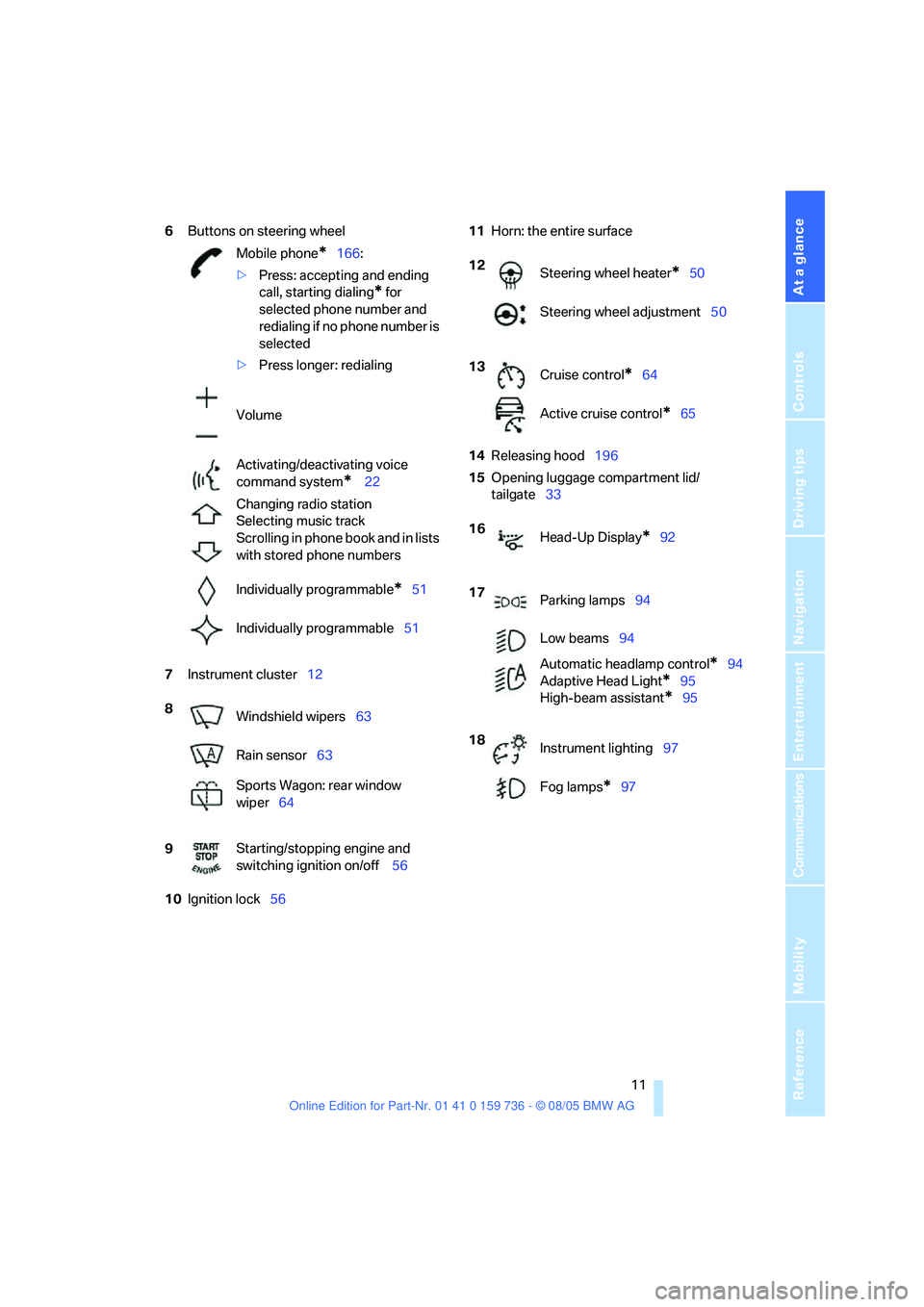
6Buttons on steering wheel
7Instrument cluster12
10Ignition lock5611Horn: the entire surface
14Releasing hood196
15Opening luggage compartment lid/
tailgate33 Mobile phone
*166:
>Press: accepting and ending
call, starting dialing
* for
selected phone number and
redialing if no phone number is
selected
>Press longer: redialing
Volume
Activating/deactivating voice
command system
* 22
Changing radio station
Selecting music track
Scrolling in phone book and in lists
with stored phone numbers
Individually programmable
*51
Individually programmable51
8
Windshield wipers63
Rain sensor63
Sports Wagon: rear window
wiper64
9Starting/stopping engine and
switching ignition on/off 56
12
Steering wheel heater*50
Steering wheel adjustment50
13
Cruise control
*64
Active cruise control
*65
16
Head-Up Display
*92
17
Parking lamps94
Low beams94
Automatic headlamp control
*94
Adaptive Head Light
*95
High-beam assistant
*95
18
Instrument lighting97
Fog lamps
*97
Page 16 of 248
At a glance
15Reference
Controls
Driving tips
Communications
Navigation
Entertainment
Mobility
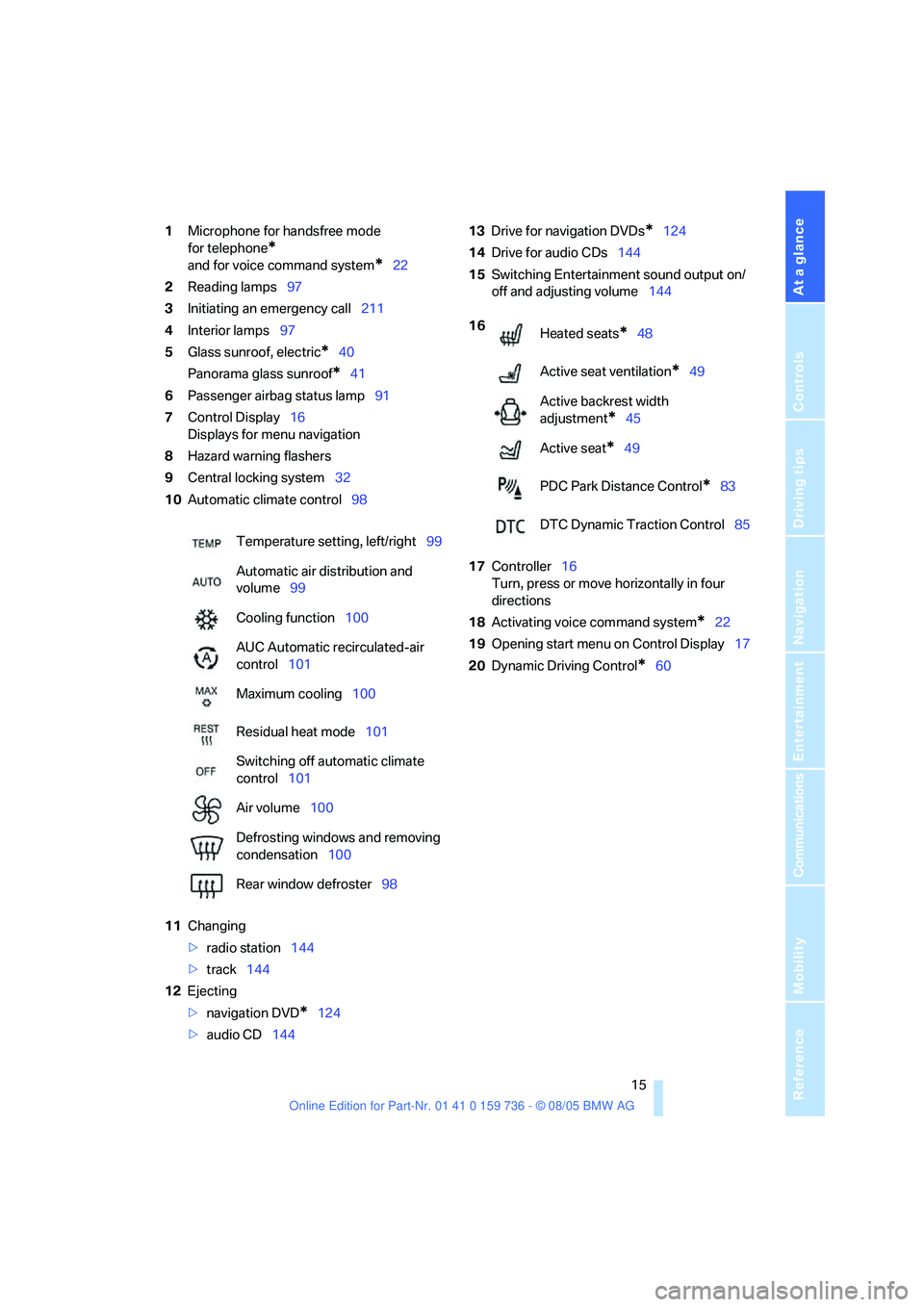
1Microphone for handsfree mode
for telephone
*
and for voice command system*22
2Reading lamps97
3Initiating
an emergency call211
4Interior lamps97
5Glass sunroof, electric
*40
Panorama glass sunroof
*41
6Passenger airbag status lamp91
7Control Display16
Displays for menu navigation
8Hazard warning flashers
9Central locking system32
10Automatic climate control98
11Changing
>radio station144
>track144
12Ejecting
>navigation DVD
*124
>audio CD14413Drive for navigation DVDs
*124
14Drive for audio CDs144
15Switching Entertainment sound output on/
off and adjusting volume144
17Controller16
Turn, press or move horizontally in four
directions
18Activating voice command system
*22
19Opening start menu on Control Display17
20Dynamic Driving Control
*60 Temperature setting, left/right99
Automatic air distribution and
volume99
Cooling function100
AUC Automatic recirculated-air
control101
Maximum cooling100
Residual heat mode101
Switching off automatic climate
control101
Air volume100
Defrosting windows and removing
condensation100
Rear window defroster98
16
Heated seats*48
Active seat ventilation
*49
Active backrest width
adjustment
*45
Active seat
*49
PDC Park Distance Control
*83
DTC Dynamic Traction Control85
Page 18 of 248
At a glance
17Reference
Controls
Driving tips
Communications
Navigation
Entertainment
Mobility
Menu overview
Communication
>Telephone*
>BMW Assist* or TeleService*
Navigation or onboard information
>Navigation system*
>Onboard information, e.g. for displaying
the average fuel consumption
Entertainment
>Radio
>CD player and CD changer
*
Climate
>Air distribution
>Seat air conditioning
*
>Automatic program
>Parked car ventilation
*
menu
>Switching off Control Display
>Tone and display settings
>Settings for your vehicle, e.g. for the central
locking system
>Display of service requirements and dates
for statutory emission and vehicle inspec-
tions
>Settings for telephone
Operating principle
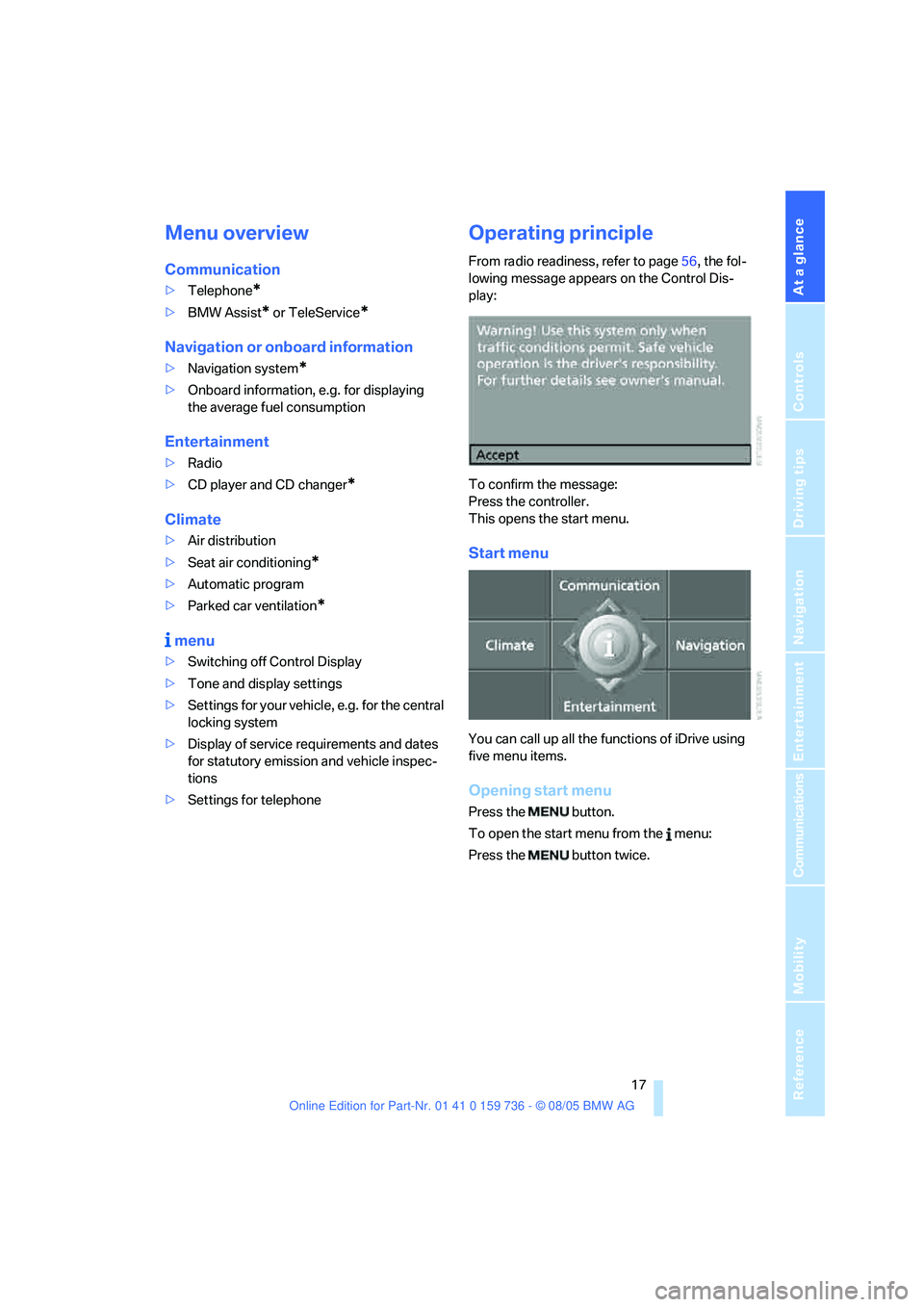
From radio readiness, refer to page56, the fol-
lowing message appears on the Control Dis-
play:
To confirm the message:
Press the controller.
This opens the start menu.
Start menu
You can call up all the functions of iDrive using
five menu items.
Opening start menu
Press the button.
To open the start menu from the menu:
Press the button twice.
Page 21 of 248
iDrive
20
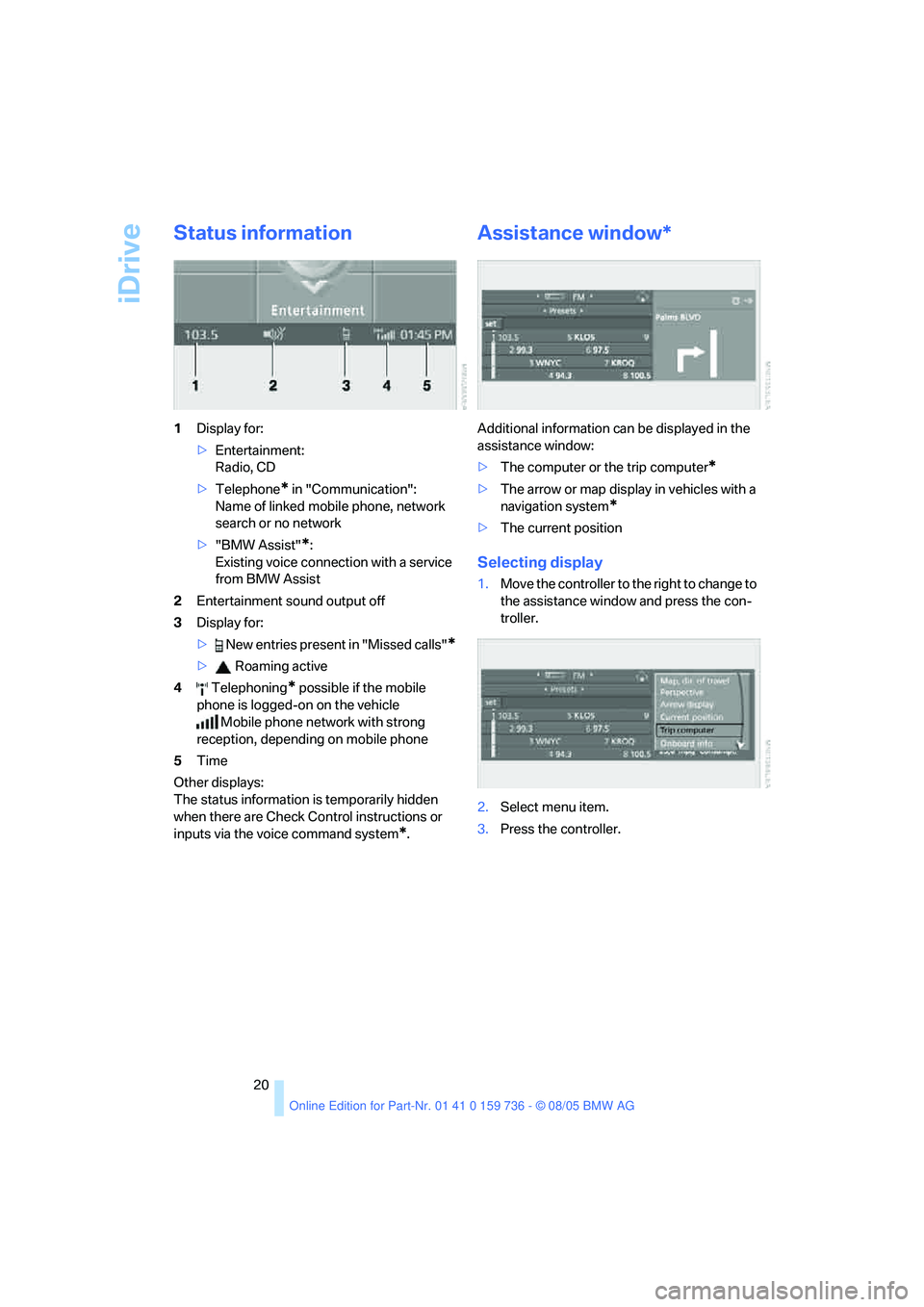
Status information
1Display for:
>Entertainment:
Radio, CD
>Telephone
* in "Communication":
Name of linked mobile phone, network
search or no network
>"BMW Assist"
*:
Existing voice connection with a service
from BMW Assist
2Entertainment sound output off
3Display for:
> New entries present in "Missed calls"
*
> Roaming active
4 Telephoning
* possible if the mobile
phone is logged-on on the vehicle
Mobile phone network with strong
reception, depending on mobile phone
5Time
Other displays:
The status information is temporarily hidden
when there are Check Control instructions or
inputs via the voice command system
*.
Assistance window*
Additional information can be displayed in the
assistance window:
>The computer or the trip computer
*
>The arrow or map display in vehicles with a
navigation system
*
>The current position
Selecting display
1.Move the controller to the right to change to
the assistance window and press the con-
troller.
2.Select menu item.
3.Press the controller.
Page 25 of 248
Voice command system
24
Notes
The mobile phone can also be operated
with voice commands, refer to
page174.<
For voice commands, bear the following in
mind:
>Say the commands and numbers smoothly
and at normal volume, avoiding excessive
emphasis and pauses. This also applies to
spelling when entering the destination.
>Always issue commands in the language of
the voice command system.
>When selecting a radio station, use the
common pronunciation of the station name.
>For entries in the voice-activated phone
book, only use names in the language of the
voice command system and no abbrevia-
tions.
>Keep the doors, windows and glass sun-
roof
* or panorama glass sunroof* closed to
avoid interfering outside noise.
>Avoid making other noise in the vehicle
while speaking.
Page 29 of 248
Opening and closing
28
Opening and closing
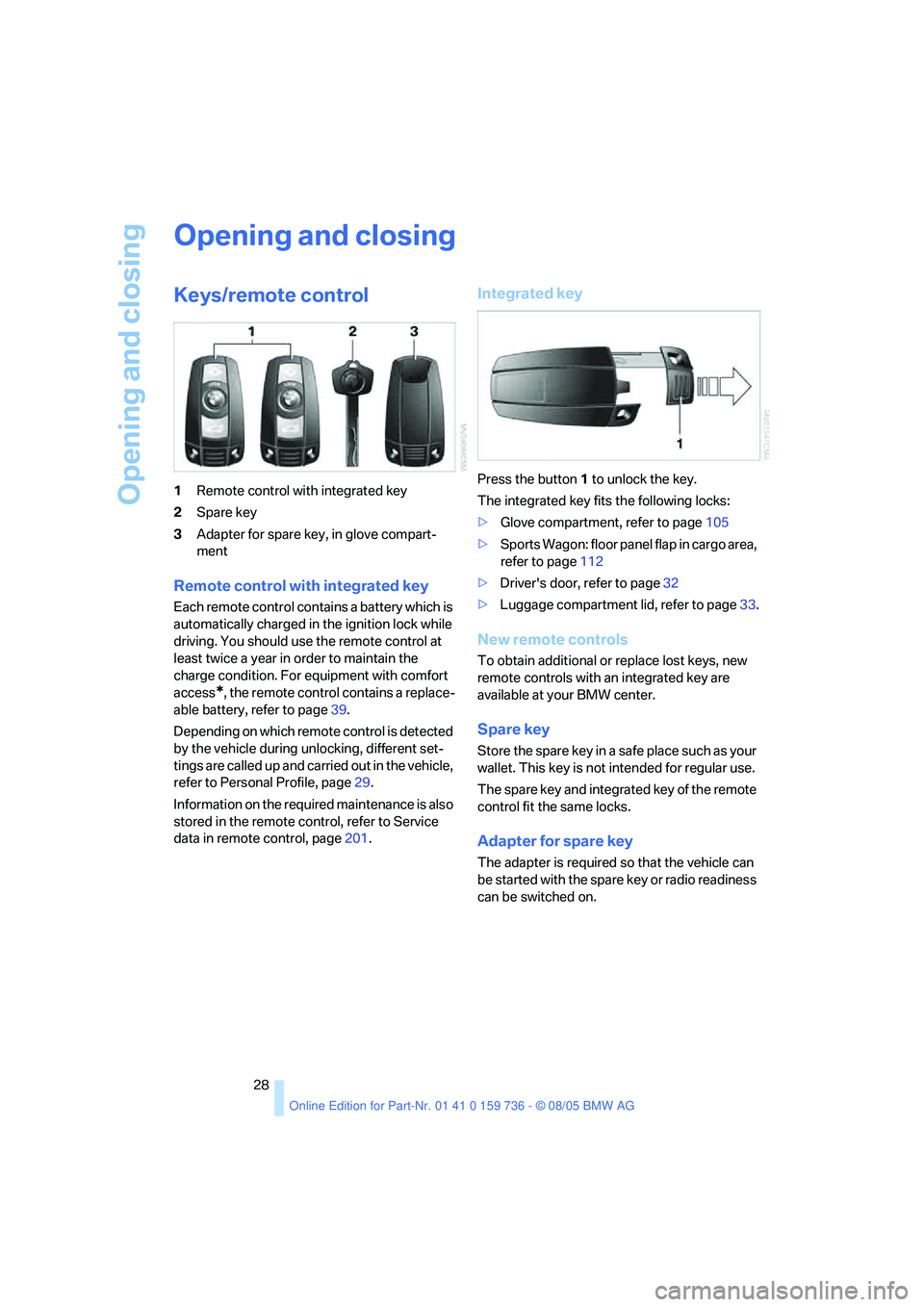
Keys/remote control
1Remote control with integrated key
2Spare key
3Adapter for spare key, in glove compart-
ment
Remote control with integrated key
Each remote control contains a battery which is
automatically charged in the ignition lock while
driving. You should use the remote control at
least twice a year in order to maintain the
charge condition. For equipment with comfort
access
*, the remote control contains a replace-
able battery, refer to page39.
Depending on which remote control is detected
by the vehicle during unlocking, different set-
tings are called up and carried out in the vehicle,
refer to Personal Profile, page29.
Information on the required maintenance is also
stored in the remote control, refer to Service
data in remote control, page201.
Integrated key
Press the button1 to unlock the key.
The integrated key fits the following locks:
>Glove compartment, refer to page105
>Sports Wagon: floor panel flap in cargo area,
refer to page112
>Driver's door, refer to page32
>Luggage compartment lid, refer to page33.
New remote controls
To obtain additional or replace lost keys, new
remote controls with an integrated key are
available at your BMW center.
Spare key
Store the spare key in a safe place such as your
wallet. This key is not intended for regular use.
The spare key and integrated key of the remote
control fit the same locks.
Adapter for spare key
The adapter is required so that the vehicle can
be started with the spare key or radio readiness
can be switched on.
Page 30 of 248
Controls
29Reference
At a glance
Driving tips
Communications
Navigation
Entertainment
Mobility
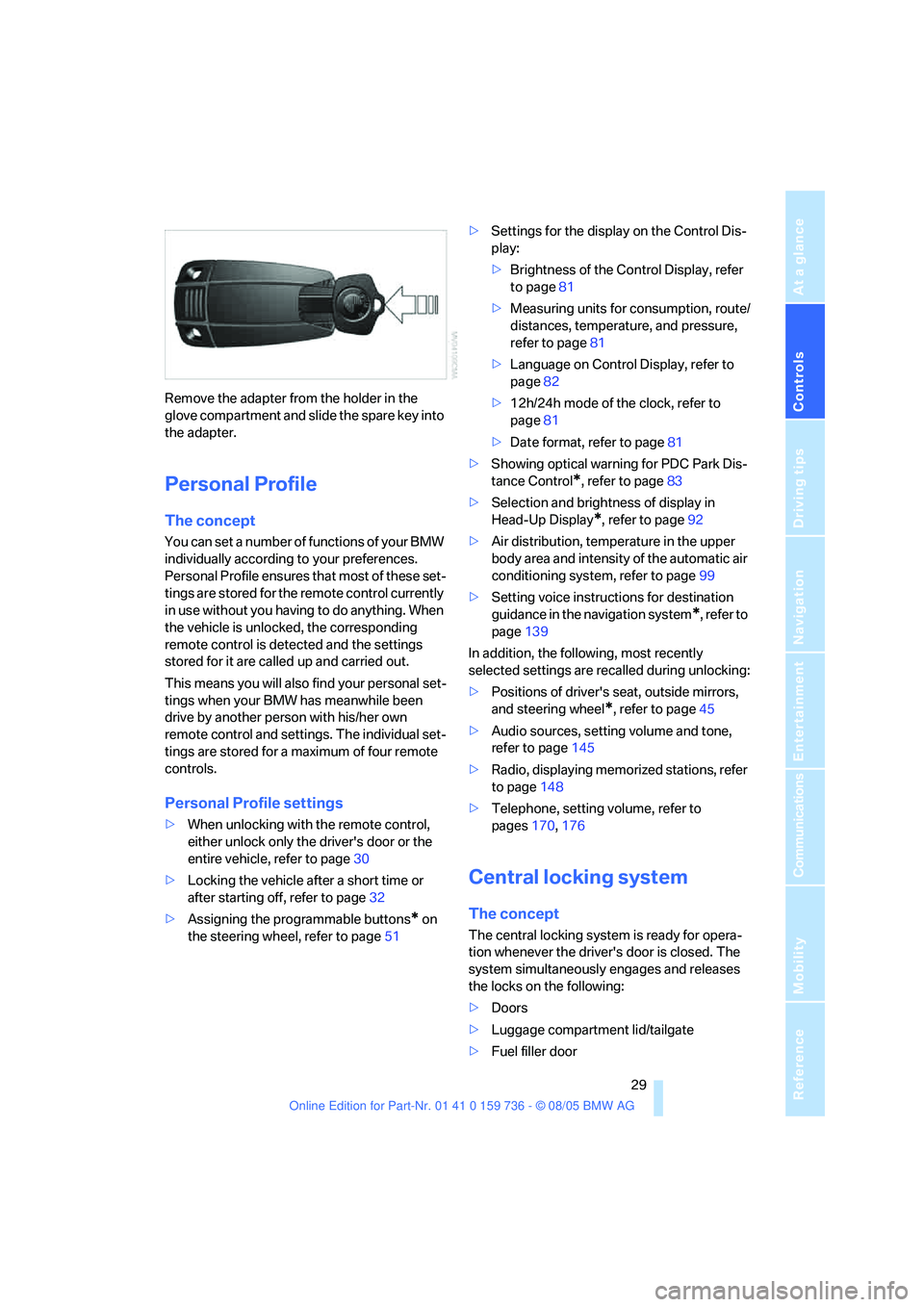
Remove the adapter from the holder in the
glove compartment and slide the spare key into
the adapter.
Personal Profile
The concept
You can set a number of functions of your BMW
individually according to your preferences.
Personal Profile ensures that most of these set-
tings are stored for the remote control currently
in use without you having to do anything. When
the vehicle is unlocked, the corresponding
remote control is detected and the settings
stored for it are called up and carried out.
This means you will also find your personal set-
tings when your BMW has meanwhile been
drive by another person with his/her own
remote control and settings. The individual set-
tings are stored for a maximum of four remote
controls.
Personal Profile settings
>When unlocking with the remote control,
either unlock only the driver's door or the
entire vehicle, refer to page30
>Locking the vehicle after a short time or
after starting off, refer to page32
>Assigning the programmable buttons
* on
the steering wheel, refer to page51>Settings for the display on the Control Dis-
play:
>Brightness of the Control Display, refer
to page81
>Measuring units for consumption, route/
distances, temperature, and pressure,
refer to page81
>Language on Control Display, refer to
page82
>12h/24h mode of the clock, refer to
page81
>Date format, refer to page81
>Showing optical warning for PDC Park Dis-
tance Control
*, refer to page83
>Selection and brightness of display in
Head-Up Display
*, refer to page92
>Air distribution, temperature in the upper
body area and intensity of the automatic air
conditioning system, refer to page99
>Setting voice instructions for destination
guidance in the navigation system
*, refer to
page139
In addition, the following, most recently
selected settings are recalled during unlocking:
>Positions of driver's seat, outside mirrors,
and steering wheel
*, refer to page45
>Audio sources, setting volume and tone,
refer to page145
>Radio, displaying memorized stations, refer
to page148
>Telephone, setting volume, refer to
pages170,176
Central locking system
The concept
The central locking system is ready for opera-
tion whenever the driver's door is closed. The
system simultaneously engages and releases
the locks on the following:
>Doors
>Luggage compartment lid/tailgate
>Fuel filler door
Page 32 of 248
Controls
31Reference
At a glance
Driving tips
Communications
Navigation
Entertainment
Mobility
Switching on interior lamps
If the vehicle is locked, press the button.
You can also use this function to locate your
vehicle in parking garages etc.
Panic mode*
You can also trigger the alarm system in case of
danger:
Press the button for at least three seconds.
Switch off alarm: press any button.
Sedan: opening luggage compartment
lid
Press the button for approx. 1 second.
The luggage compartment lid opens, regard-
less of whether it was previously locked or
unlocked.
During opening, the luggage compart-
ment lid pivots back and up. Ensure that
adequate clearance is available before opening.
To prevent accidentally locking yourself out,
never lay the remote control in the luggage
compartment. A previously locked luggage
compartment lid is also locked again after clos-
ing.<
Sports Wagon: unlocking tailgate
Press the button for approx. 1 second.
The tailgate will open slightly, regardless of
whether it was previously locked or unlocked.
During opening, the tailgate pivots back
and up. Ensure that adequate clearance is
available before opening.
To prevent accidentally locking yourself out,
never lay the remote control in the luggage
compartment. A previously locked tailgate is
also locked again after closing.
When opening the tailgate, the cargo area cover
is raised. Before closing the tailgate, press
down the cover until it engages.<
If pointed or sharp-edged objects could
strike the rear window while driving, be
sure to provide protection around all edges.
Failure to do so could result in damage to the
heating conductors of the rear window.<
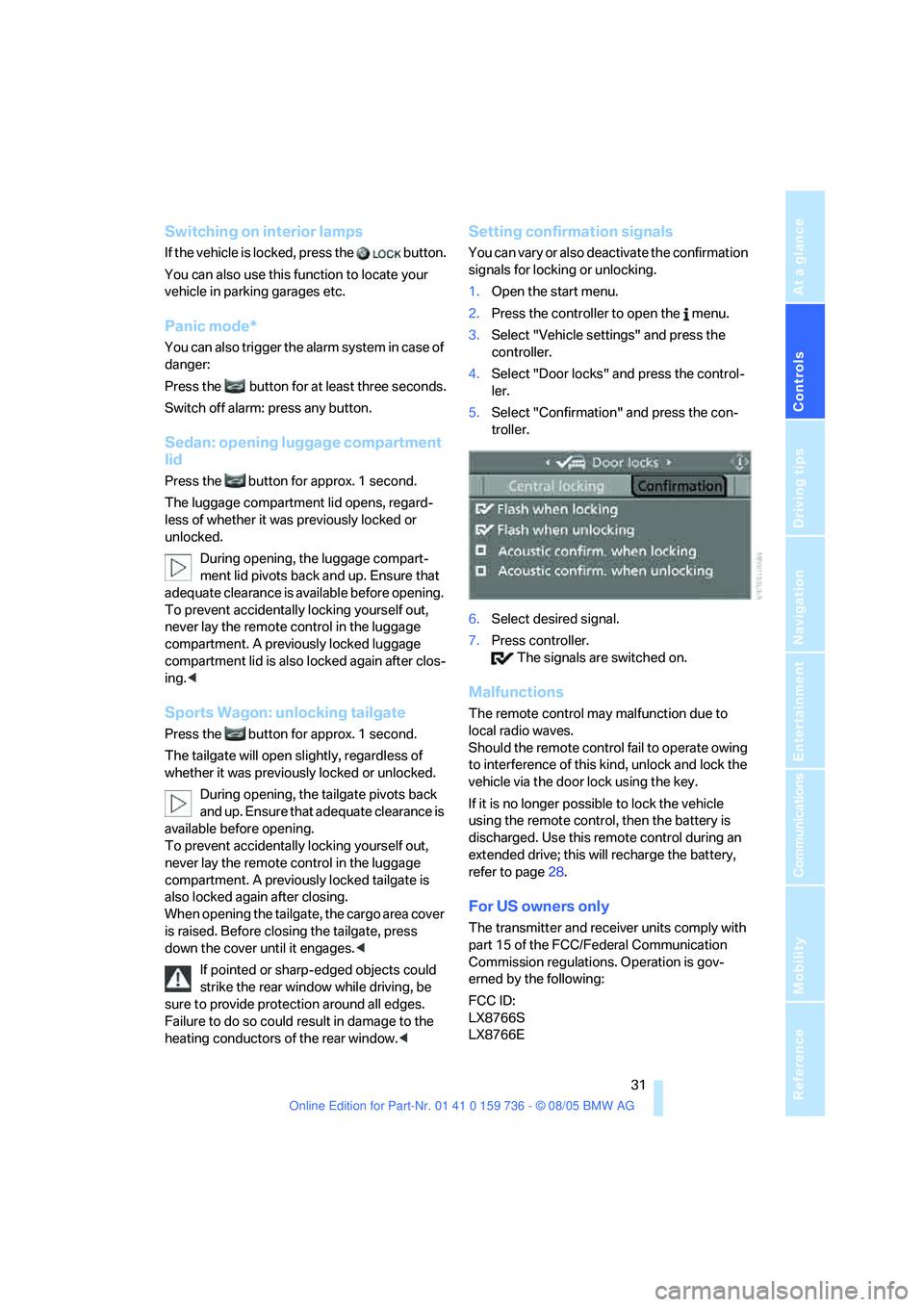
Setting confirmation signals
You can vary or also deactivate the confirmation
signals for locking or unlocking.
1.Open the start menu.
2.Press the controller to open the menu.
3.Select "Vehicle settings" and press the
controller.
4.Select "Door locks" and press the control-
ler.
5.Select "Confirmation" and press the con-
troller.
6.Select desired signal.
7.Press controller.
The signals are switched on.
Malfunctions
The remote control may malfunction due to
local radio waves.
Should the remote control fail to operate owing
to interference of this kind, unlock and lock the
vehicle via the door lock using the key.
If it is no longer possible to lock the vehicle
using the remote control, then the battery is
discharged. Use this remote control during an
extended drive; this will recharge the battery,
refer to page28.
For US owners only
The transmitter and receiver units comply with
part 15 of the FCC/Federal Communication
Commission regulations. Operation is gov-
erned by the following:
FCC ID:
LX8766S
LX8766E