tilt BMW 525I TOURING 2008 E61 Owner's Manual
[x] Cancel search | Manufacturer: BMW, Model Year: 2008, Model line: 525I TOURING, Model: BMW 525I TOURING 2008 E61Pages: 292, PDF Size: 9.33 MB
Page 39 of 292
Controls
37Reference
At a glance
Driving tips
Communications
Navigation
Entertainment
Mobility
Automatic roll-up cover
When the tailgate or rear window are opened,
the roll-up cover is raised, and when the tailgate
and rear window are closed, it is lowered.
Make sure that the closing area of the roll-
up cover is clear of obstructions, other-
wise the payload or the roll-up cover may be
damaged.<
Details on the roll-up cover are provided on
page127.
Closing tailgate
Make sure that the closing path of the tail-
gate is clear, otherwise injuries may
result.<
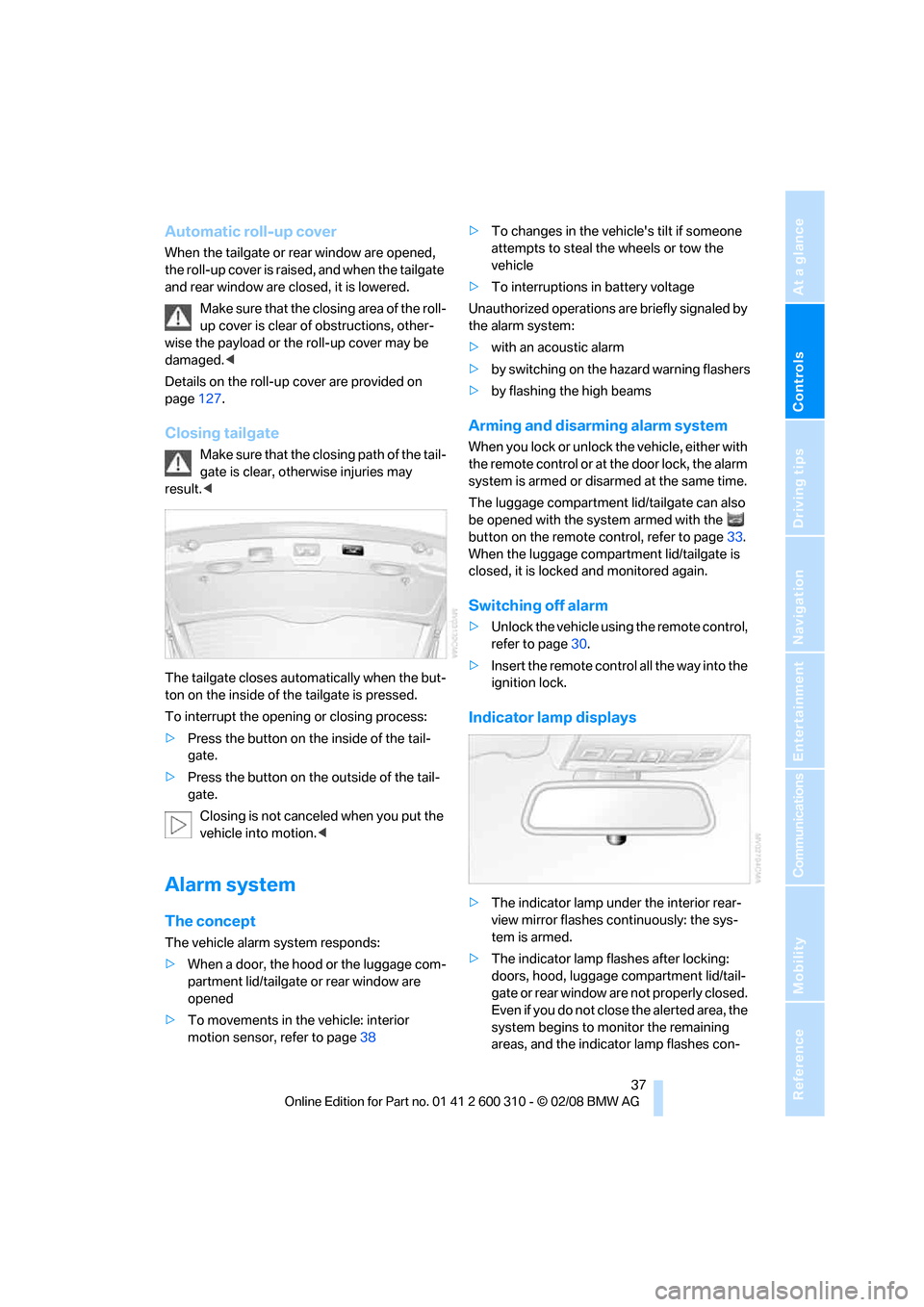
The tailgate closes automatically when the but-
ton on the inside of the tailgate is pressed.
To interrupt the opening or closing process:
>Press the button on the inside of the tail-
gate.
>Press the button on the outside of the tail-
gate.
Closing is not canceled when you put the
vehicle into motion.<
Alarm system
The concept
The vehicle alarm system responds:
>When a door, the hood or the luggage com-
partment lid/tailgate or rear window are
opened
>To movements in the vehicle: interior
motion sensor, refer to page38>To changes in the vehicle's tilt if someone
attempts to steal the wheels or tow the
vehicle
>To interruptions in battery voltage
Unauthorized operations are briefly signaled by
the alarm system:
>with an acoustic alarm
>by switching on
the hazard warning flashers
>by flashing the high beams
Arming and disarming alarm system
When you lock or unlock the vehicle, either with
the remote control or at the door lock, the alarm
system is armed or disarmed at the same time.
The luggage compartment lid/tailgate can also
be opened with the system armed with the
button on the remote control, refer to page33.
When the luggage compartment lid/tailgate is
closed, it is locked and monitored again.
Switching off alarm
>Unlock the vehicle using the remote control,
refer to page30.
>Insert the remote control all the way into the
ignition lock.
Indicator lamp displays
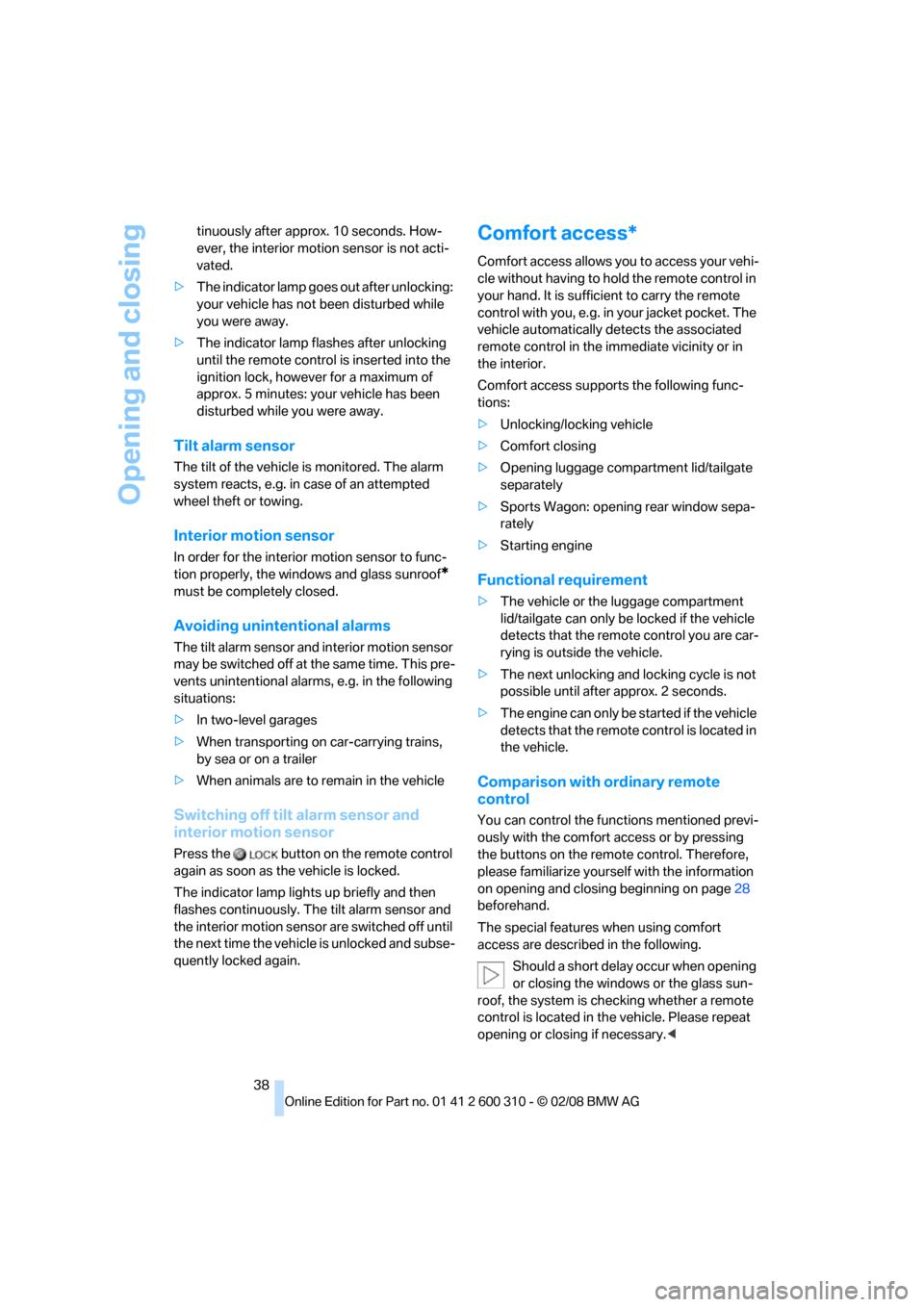
>The indicator lamp under the interior rear-
view mirror flashes continuously: the sys-
tem is armed.
>The indicator lamp flashes after locking:
doors, hood, luggage compartment lid/tail-
gate or rear window
are not properly closed.
Even if you do not close the alerted area, the
system begins to monitor the remaining
areas, and the indicator lamp flashes con-
Page 40 of 292
Opening and closing
38 tinuously after approx. 10 seconds. How-
ever, the interior motion sensor is not acti-
vated.
>The indicator lamp goes out after unlocking:
your vehicle has not been disturbed while
you were away.
>The indicator lamp flashes after unlocking
until the remote control is inserted into the
ignition lock, however for a maximum of
approx. 5 minutes: your vehicle has been
disturbed while you were away.
Tilt alarm sensor
The tilt of the vehicle is monitored. The alarm
system reacts, e.g. in case of an attempted
wheel theft or towing.
Interior motion sensor
In order for the interior motion sensor to func-
tion properly, the windows and glass sunroof
*
must be completely closed.
Avoiding unintentional alarms
The tilt alarm sensor and interior motion sensor
may be switched off at the same time. This pre-
vents unintentional alarms, e.g. in the following
situations:
>In two-level garages
>When transporting on car-carrying trains,
by sea or on a trailer
>When animals are to remain in the vehicle
Switching off tilt alarm sensor and
interior motion sensor
Press the button on the remote control
again as soon as the vehicle is locked.
The indicator lamp lights up briefly and then
flashes continuously. The tilt alarm sensor and
the interior motion sensor are switched off until
the next time the vehicle is unlocked and subse-
quently locked again.
Comfort access*
Comfort access allows you to access your vehi-
cle without having to hold the remote control in
your hand. It is sufficient to carry the remote
control with you, e.g. in your jacket pocket. The
vehicle automatically detects the associated
remote control in the immediate vicinity or in
the interior.
Comfort access supports the following func-
tions:
>Unlocking/locking vehicle
>Comfort closing
>Opening luggage compartment lid/tailgate
separately
>Sports Wagon: opening rear window sepa-
rately
>Starting engine
Functional requirement
>The vehicle or the luggage compartment
lid/tailgate can only be locked if the vehicle
detects that the remote control you are car-
rying is outside the vehicle.
>The next unlocking and locking cycle is not
possible until after approx. 2 seconds.
>The engine can only be started if the vehicle
detects that the remote control is located in
the vehicle.
Comparison with ordinary remote
control
You can control the functions mentioned previ-
ously with the comfort access or by pressing
the buttons on the remote control. Therefore,
please familiarize yourself with the information
on opening and closing beginning on page28
beforehand.
The special features when using comfort
access are described in the following.
Should a short delay occur when opening
or closing the windows or the glass sun-
roof, the system is checking whether a remote
control is located in the vehicle. Please repeat
opening or closing if necessary.<
Page 55 of 292
Controls
53Reference
At a glance
Driving tips
Communications
Navigation
Entertainment
Mobility
Mirrors
Exterior mirrors
The mirror on the passenger's side is
more curved than the driver's mirror.
Objects reflected in the mirror are closer than
they appear. Do not estimate the distance of
following traffic based on what you see in the
mirrors, otherwise there is an increased acci-
dent risk.<
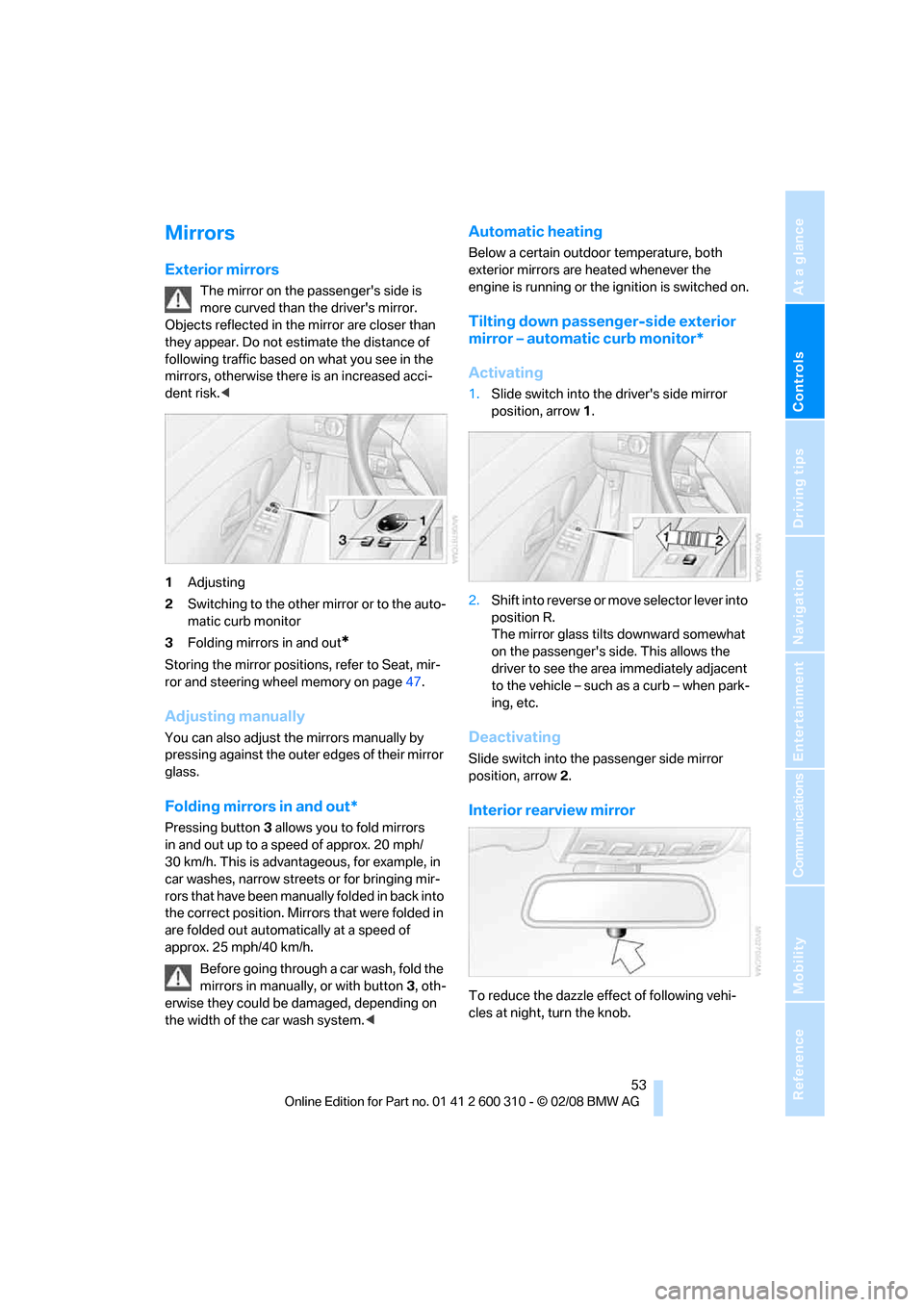
1Adjusting
2Switching to the other mirror or to the auto-
matic curb monitor
3Folding mirrors in and out
*
Storing the mirror positions, refer to Seat, mir-
ror and steering wheel memory on page47.
Adjusting manually
You can also adjust the mirrors manually by
pressing against the outer edges of their mirror
glass.
Folding mirrors in and out*
Pressing button3 allows you to fold mirrors
in and out up to a speed of approx. 20 mph/
30 km/h. This is advantageous, for example, in
car washes, narrow streets or for bringing mir-
r o rs t h a t h a v e b e e n m a n u a l ly f o l d e d in b a c k i n t o
the correct position. Mirrors that were folded in
are folded out automatically at a speed of
approx. 25 mph/40 km/h.
Before going through a car wash, fold the
mirrors in manually, or with button 3, oth-
erwise they could be damaged, depending on
the width of the car wash system.<
Automatic heating
Below a certain outdoor temperature, both
exterior mirrors are heated whenever the
engine is running or the ignition is switched on.
Tilting down passenger-side exterior
mirror – automatic curb monitor*
Activating
1.Slide switch into the driver's side mirror
position, arrow 1.
2.Shift into reverse or move selector lever into
position R.
The mirror glass tilts downward somewhat
on the passenger's side. This allows the
driver to see the area immediately adjacent
to the vehicle – such as a curb – when park-
ing, etc.
Deactivating
Slide switch into the passenger side mirror
position, arrow 2.
Interior rearview mirror
To reduce the dazzle effect of following vehi-
cles at night, turn the knob.
Page 81 of 292
Controls
79Reference
At a glance
Driving tips
Communications
Navigation
Entertainment
Mobility
Energy Control
Displays the current fuel consumption. This
allows you to see whether your current driving
style is conducive to fuel economy with mini-
mum exhaust emissions.
Fuel gauge
Fuel tank capacity: approx. 18.5 US gal/
70 liters, including the reserve capacity of
approx. 2.1 US gal/8 liters.
550i: approx. 2.6 US gal/10 liters reserve
capacity.
You will find information on refueling on
page220.
If the tilt of the vehicle varies for a longer period,
when you are driving in mountainous areas, for
example, the indicator may fluctuate slightly.
Reserve
After the reserve quantity has been reached, a
message briefly appears on the Control Display;
the remaining range is shown in the computer.
Below a range of approx. 30 miles/50 km, the
message remains on the Control Display.Refuel as soon as possible once your
cruising range falls below 30 miles/
50 km, otherwise engine functions are not
ensured and damage can occur.<
Computer
Displays in instrument cluster
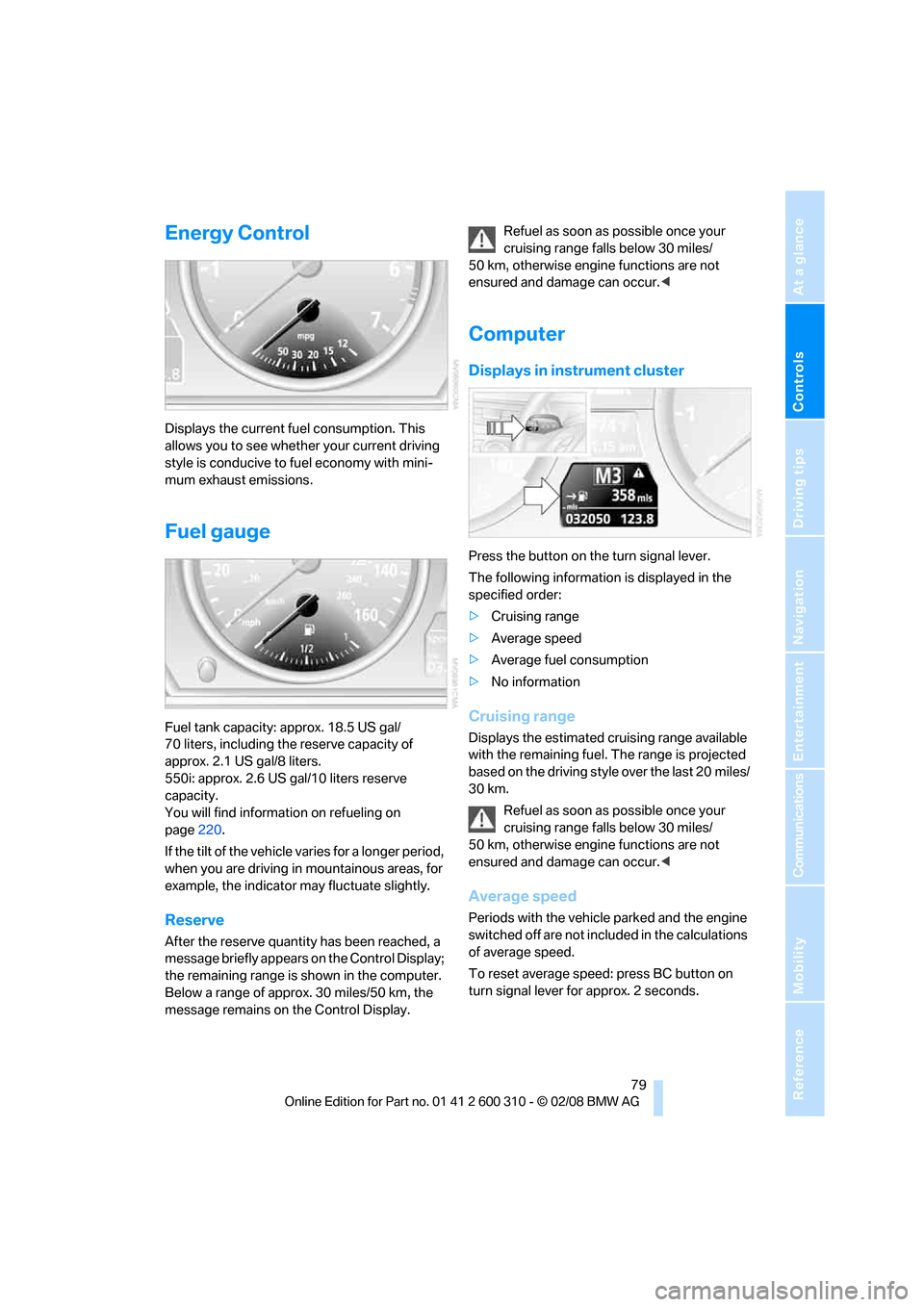
Press the button on the turn signal lever.
The following information is displayed in the
specified order:
>Cruising range
>Average speed
>Average fuel consumption
>No information
Cruising range
Displays the estimated cruising range available
with the remaining fuel. The range is projected
based on the driving style over the last 20 miles/
30 km.
Refuel as soon as possible once your
cruising range falls below 30 miles/
50 km, otherwise engine functions are not
ensured and damage can occur.<
Average speed
Periods with the vehicle parked and the engine
switched off are not included in the calculations
of average speed.
To reset average speed: press BC button on
turn signal lever for approx. 2 seconds.
Page 130 of 292
Practical interior accessories
128
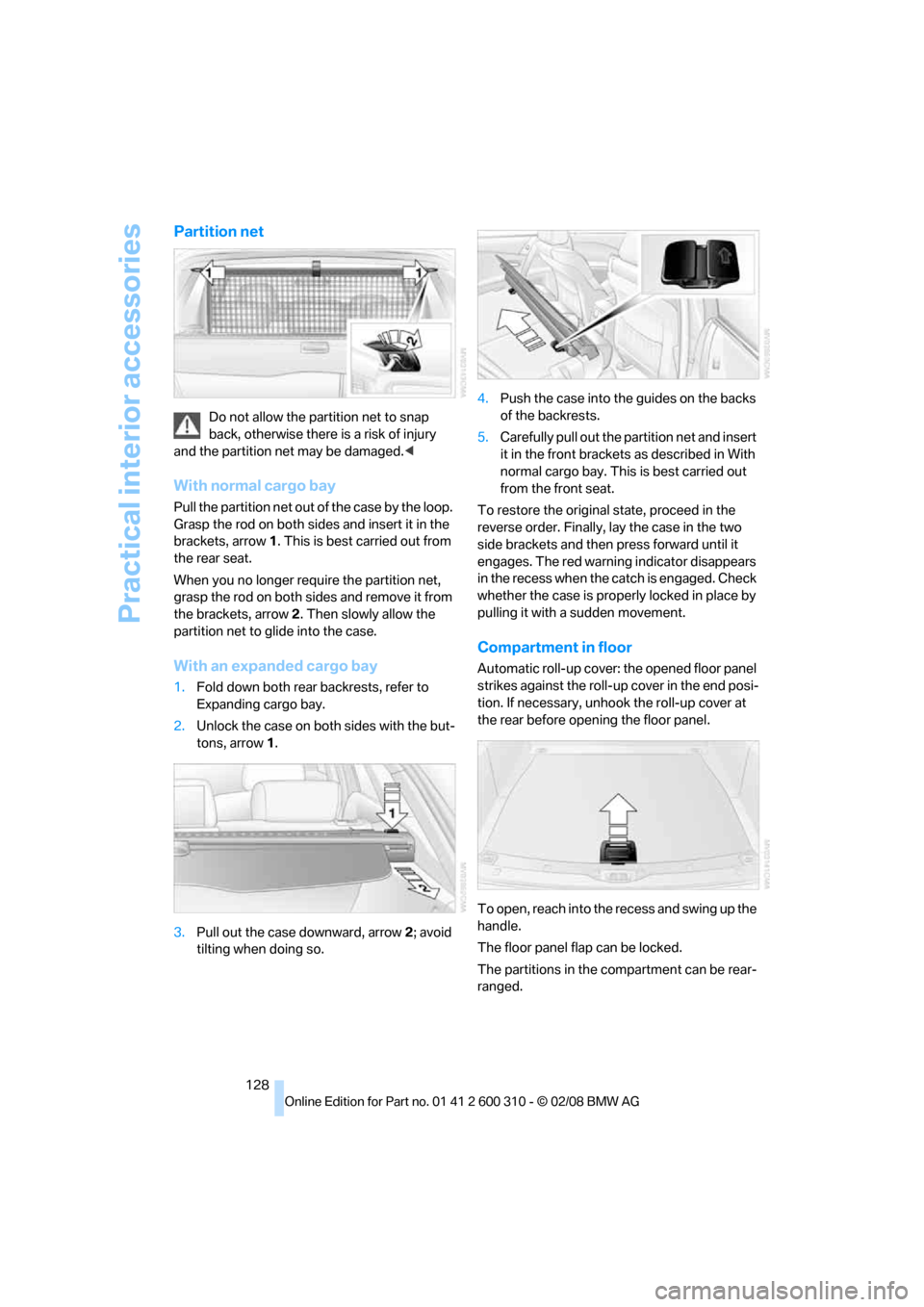
Partition net
Do not allow the partition net to snap
back, otherwise there is a risk of injury
and the partition net may be damaged.<
With normal cargo bay
Pull the partition net out of the case by the loop.
Grasp the rod on both sides and insert it in the
brackets, arrow1. This is best carried out from
the rear seat.
When you no longer require the partition net,
grasp the rod on both sides and remove it from
the brackets, arrow2. Then slowly allow the
partition net to glide into the case.
With an expanded cargo bay
1.Fold down both rear backrests, refer to
Expanding cargo bay.
2.Unlock the case on both sides with the but-
tons, arrow1.
3.Pull out the case downward, arrow2; avoid
tilting when doing so.4.Push the case into the guides on the backs
of the backrests.
5.Carefully pull out the partition net and insert
it in the front brackets as described in With
normal cargo bay. This is best carried out
from the front seat.
To restore the original state, proceed in the
reverse order. Finally, lay the case in the two
side brackets and then press forward until it
engages. The red warning indicator disappears
in the recess when the catch is engaged. Check
whether the case is properly locked in place by
pulling it with a sudden movement.
Compartment in floor
Automatic roll-up cover: the opened floor panel
strikes against the roll-up cover in the end posi-
tion. If necessary, unhook the roll-up cover at
the rear before opening the floor panel.
To open, reach into the recess and swing up the
handle.
The floor panel flap can be locked.
The partitions in the compartment can be rear-
ranged.
Page 272 of 292
Everything from A to Z
270
Everything from A to Z
Index
"..." Identifies Control Display
texts used to select
individual functions, and
indicates where to find them
in the text.
A
ABS Antilock Brake
System90
– indicator lamp93
ACC, refer to Active cruise
control71
Accepted calls202
Accessories6
Accident, refer to Emergency
request253
Acoustic signal, refer to Check
Control83
Activated-charcoal filter for
automatic climate
control117
"Activation time" for parked
car ventilation118
Active cruise control71
– indicator lamp74
– radar sensors75
– selecting distance73
– warning lamps74
Active front head restraints49
Active seat52
Active seat ventilation52
Active steering98
– warning lamp99
Adapter for spare key28
Adaptive brake assistant91
Adaptive brake lamps, refer to
Brake force display99
Adaptive Head Light109
"Add digits" in mobile phone
mode202Additives
– coolant235
– engine oil, refer to Approved
engine oils235
"Address book" in
navigation151
Address for navigation
– deleting153
– entering144,147
– selecting152
– storing151
– storing current position152
"Add to address book"151
"Add to destination
list"147,148
Adjusting active backrest
width47
Adjusting interior
temperature114
Adjusting the tone during
audio operation, refer to
Tone control169
Adjusting thigh support46
"After door opened"48
"After unlocking"48
Airbags99
– indicator/warning lamp101
– indicator lamp for front
passenger airbags100
– sitting safely45
Air distribution
– automatic114
– manual115
Airing, refer to Ventilation117
Air recirculation
– AUC Automatic
recirculated-air control116
– recirculated-air mode116
"Air recirculation on / off"55
Air supply, automatic climate
control113
Air volume115AKI, refer to Fuel quality221
Alarm system37
– avoiding unintentional
alarms38
– interior motion sensor38
– switching off alarm37
– switching off tilt alarm
sensor and interior motion
sensor38
– tilt alarm sensor38
"All channels"179
"All doors"30
Alloy wheels240
All-season tires, refer to
Winter tires230
"All stations" requesting in
radio mode172
All-wheel drive, refer to
xDrive92
Alterations, technical, refer to
For your own safety5
Altering stretch of road160
"AM", reception
range168,172
Antenna for mobile phone194
Antifreeze
– coolant235
– washer fluid69
Antilock Brake System
ABS90
Anti-theft alarm system, refer
to Alarm system37
Anti-theft system, refer to
Central locking system29
Approved axle loads, refer to
Weights263
Approved engine oils235
Approved gross vehicle
weight, refer to Weights263
Armrest, refer to Center
armrest, rear126
Around the center console14
Page 278 of 292
Everything from A to Z
276 Electrical malfunction
– door lock32
– driver's door32
– fuel filler door220
– glass sunroof, electric42
– luggage compartment lid34
– panorama glass sunroof44
– tailgate35
Electric steering wheel
adjustment54
Electronic brake-force
distribution90
Electronic oil level check234
Emergency operation, refer to
Manual operation
– door lock32
– driver's door32
– fuel filler door220
– luggage compartment lid34
– tailgate35
– transmission lock, automatic
transmission65
Emergency operation, refer to
Moving manually
– glass sunroof42
– panorama glass sunroof44
Emergency release for
luggage compartment lid in
cargo bay34
Emergency request253
Emergency services, refer to
Roadside Assistance254
"Enabled services"215
"Enabled TeleServices"212
"Enable services"215
"End call"202
Energy-conscious driving,
refer to Energy Control79
Energy Control79
Engine
– breaking-in134
– data260
– overheated, refer to Coolant
temperature78
– speed260
– starting62
– starting, with comfort
access38
– switching off62Engine compartment233
Engine coolant235
Engine oil
– adding235
– additives, refer to Approved
engine oils235
– approved engine oil235
– checking oil level234
– electronic oil level check234
– interval between changes,
refer to Service
requirements81
– oil change235
– oil grades, refer to Approved
engine oils235
"Engine oil level"234
Engine output, refer to Engine
data260
Engine overheating, refer to
Coolant temperature78
Engine speed, refer to Engine
data260
Engine starting, refer to
Starting engine62
"Enter address"144,151
Entering destination via town/
city name145
Entering intersection,
navigation146
Entering the
address144,147
Entering town/city for
navigation145
Entering zip code for
navigation145
"Entertainment"168
Entertainment sound output
on/off169
Entry map for destination148
Environmentally friendly
driving, refer to Energy
control79
"Equalizer", refer to Tone
control171
Equalizer, refer to Tone
control171
"ESN"178ESP Electronic Stability
Program, refer to DSC
Dynamic Stability
Control91
Event Data Recorders238
Exhaust system, refer to Hot
exhaust system135
Exterior mirrors53
– adjusting53
– automatic dimming
feature54
– automatic heating53
– folding in and out53
– tilting down passenger-side
exterior mirror53
External audio device123
Eye for tow-starting and
towing, refer to Tow
fitting255
F
"Fader", refer to Tone
control170
Fader, refer to Tone
control170
Failure messages, refer to
Check Control83
False alarm
– refer to Avoiding
unintentional alarms38
– refer to Switching off
alarm37
Fastening safety belts, refer to
Safety belts50
– warning lamp50
Fastest route for
navigation154
"Fast route" in navigation154
Filler neck for washer fluid69
Filter, refer to Microfilter/
activated-charcoal filter117
First aid, refer to First-aid
kit254
First-aid kit254
Page 283 of 292
Reference 281
At a glance
Controls
Driving tips
Communications
Navigation
Entertainment
Mobility
Navigation system142
– address book151
– bypassing route
sections160
– destination entry144
– destination guidance in
assistance window142
– destination list150
– displaying current
position163
– displaying route157
– entering a destination
manually144
– entering destination via
voice147
– last destinations150
– navigation DVD142
– route list159
– searching for a special
destination149
– selecting destination using
information149
– selecting destination via
map148
– selecting route criteria154
– starting destination
guidance156
– switching off, refer to
Terminating/continuing
destination guidance156
– terminating/continuing
destination guidance156
– voice instructions159
– volume adjustment160
"Navigation voice
instructions"55,159
Neck support, refer to Head
restraints49
"New address" in
navigation151
"New destination"144,148
New remote control28
"New route"160
New wheels and tires229
"Next entertainment
source"55
Night Vision, refer to
BMW Night Vision103Night vision device, refer to
BMW Night Vision103
"Night Vision off"105
"Night Vision on / off"55
Nozzles, refer to Windshield
washer nozzles69
Nylon rope, refer to Tow-
starting and towing255
O
OBD socket, refer to Socket
for Onboard Diagnostics
interface238
Octane ratings, refer to Fuel
specifications221
Odometer78
Oil, refer to Engine oil234
Oil change intervals, refer to
Service requirements81
"On a new destination" in
navigation149
Onboard computer, refer to
iDrive16
"Onboard info"80
Onboard toolkit243
"On destination"149
"On location"149
Opening and closing
– comfort access38
– from inside32
– from outside30
– panorama glass sunroof43
– using remote control30
– using the door lock32
Operating principle, iDrive17
Operation by voice for mobile
phone205
– adjusting volume206
– canceling205
– commands205
– correcting phone
number206
– dialing phone number206
– placing a call206
– redialing207
– voice phone book206
"Options"213,215Orientation menu, refer to
Start menu17
Output, refer to Engine
data260
Outside air, refer to AUC
Automatic recirculated-air
control116
Outside temperature
display78
– changing unit of measure88
– in computer88
Overview
– operating principle17
– radio control168
– screen display20
P
Panic mode31
Panorama glass sunroof42
– moving manually44
Park Distance Control PDC89
"Parked car operation"118
"Parked car ventilation"118
Parked car ventilation117
– activating activation
time118
– preselecting activation
times118
– switching on and off
directly118
Parked car ventilation system,
LED113
Parking, vehicle62
Parking aid, refer to PDC Park
Distance Control89
Parking assistant, refer to
PDC Park Distance
Control89
Parking brake, refer to
Handbrake63
Parking lamps107
– replacing bulbs245
Partition net, Sports
Wagon128
Parts and accessories6
Passenger-side exterior
mirror, tilting down53
Page 286 of 292
Everything from A to Z
284 Scan
– CD changer183
– CD player183
– radio173
"Scan all" in audio mode183
"Scan directory" in audio
mode183
Screen, refer to iDrive16
Screw thread for tow
fitting256
SDARS, refer to Satellite
radio178
"Seat heater distribution"51
Seats46
– active backrest width
adjustment47
– adjusting the seats46
– comfort seat46
– easy entry/exit47
– heating51
– lumbar support47
– memory, refer to Seat, mirror
and steering wheel
memory47
– shoulder support46
– sitting safely45
– storing the setting47
– thigh support46
– ventilation, refer to Active
seat ventilation52
Securing load
– refer to Securing cargo138
– with ski bag, refer to
Securing cargo130
"Select as
destination"150,213
"Select current speed"85
Selecting audio sources, refer
to Operation via iDrive168
Selecting distance with active
cruise control73
Selecting frequency
manually173
Selecting menu items19
Selecting route154
Selection options with
navigation system154Selector lever, automatic
transmission with
Steptronic63,64
Selector lever lock, refer to
Selecting transmission
positions64
Self-leveling suspension94
Service, refer to Roadside
Assistance254
Service and Warranty
Information Booklet for
US models237
"Service Info"81,211
,234
Service Interval Display
– refer to CBS Condition
Based Service237
– refer to Service
requirements81
"Service Request"204,211
"Service
requirements"82,211,234
Service requirements81
– refer to CBS Condition
Based Service237
"Set"
– in audio mode168
– on trip computer81
"Set date"87
"Set service date"82
"Set time"87
Setting button, refer to
Controls, controller16
"Settings"216
– in unlocking30
– with BMW Assist214
Settings
– BMW Night Vision104
– changing on Control
Display86
– clock, 12h/24h mode87
– configuring, refer to
Personal Profile28
– date87
– language88
– units of measure88
Settings menu, refer to
imenu17Setting time, refer to
Preselecting activation
times118
Shifting gears, Automatic
transmission with
Steptronic64
Shift paddles on steering
wheel66
Short commands of voice
command system265
"Short route" in
navigation154
Short route in navigation, refer
to Selecting route154
Shoulder support46
"Show current position"149
"Show destination
position"149
Shuffled, refer to Random
– CD changer184
– CD player184
Side airbags99
Side marker lamps, replacing
bulbs246
Side-mounted turn signals,
replacing bulbs
246
Side window blinds, refer to
Sun blinds121
Signal horn, refer to Horn10
Sitting safely45
– with airbags45
– with head restraint45
– with safety belts45
Ski bag129
Sliding/tilt sunroof
– refer to Glass sunroof,
electric41
– refer to Panorama glass
sunroof42
Slope assistant, refer to
Starting assistant93
Snap-in adapter
– mounting/removing207
– using194
Snow chains231
Socket for Onboard
Diagnostics interface238
Page 288 of 292
Everything from A to Z
286 Storing tires230
Storing your vehicle242
"Street" in destination
entry146
Summer tires, refer to Wheels
and tires222
Sun blinds121
"Surround Settings", Tone
control170,171
SW, waveband172
Swinging up floor panel,
Sports Wagon128
Switches, refer to Cockpit10
Switching automatically
between high beams and
low beams, refer to High-
beam assistant109
Switching off engine62
Switching on
– audio168
– CD changer168
– CD player168
– radio168
Switching on hour signal87
Swiveling headlamps, refer to
Adaptive Head Light109
Symbols4
– indicator/warning lamps13
– navigation system162
– status information20
– traffic information with
navigation system160
T
Tachometer78
"Tailgate"36
Tailgate33
– automatic operation36
– emergency operation, refer
to Opening manually35
– locking and unlocking from
inside32
– opening from inside35
Tail lamps246
– replacing bulbs246
Tank contents, refer to
Capacities264Target cursor for
navigation149
Technical alterations, refer to
For your own safety5
Technical data260
– capacities264
– dimensions261
Telematics, refer to
BMW Assist209
Telephone
– installation location, refer to
Center armrest122
– refer to Mobile phone194
"Telephone list"55
Temperature
– adjusting in upper body
region114
– adjusting with automatic
climate control114
– changing units of
measure88
– refer to Coolant
temperature78
Temperature display
– changing units of
measure88
– outside temperature78
– outside temperature
warning78
Tempomat, refer to Cruise
control69
"Text language"88
"Theater", refer to Tone
control171
The individual vehicle5
Third brake lamp, refer to
Center brake lamp247
Through-loading system126
Tightening torque of the lug
bolts, refer to After
mounting250
Tilt alarm sensor38
– switching off38
Tilting down passenger-side
exterior mirror53
"Time"87
"Time format"87
Timer, refer to Preselecting
activation times118
"Timer 2" for parked-car
ventilation118
"Timer 1" for parked-car
ventilation118
Tire inflation pressures222
Tire pressure loss95,96
Tire Pressure Monitor
TPM96
Tire Quality Grading228
Tire replacement, new wheels
and tires229
Tires
– age228
– air loss95,97
– breaking-in134
– changing229
– condition229
– damage229
– flat tire, refer to Changing
wheels248
– inflation pressure222
– new wheels and tires229
– pressure monitoring, refer to
Flat Tire Monitor94
– pressure monitoring, refer to
TPM Tire Pressure
Monitor96
– replacing248
– retreaded tires230
– run-flat tires229
– size227
– tread229
– wear indicators229
– wheel/tire combination229
– winter tires230
Tire trouble
– changing wheels248
– compact wheel250
TMC station, refer to Traffic
information160
"Tone"169
Tone dialing method204
Tone in audio mode
– adjusting169
– middle setting171
Tone on locking/unlocking31
Tools, refer to Onboard
toolkit243
"Top 8" for mobile phone202