steering wheel adjustment BMW 525XI 2006 Owners Manual
[x] Cancel search | Manufacturer: BMW, Model Year: 2006, Model line: 525XI, Model: BMW 525XI 2006Pages: 248, PDF Size: 8.58 MB
Page 12 of 248
At a glance
11Reference
Controls
Driving tips
Communications
Navigation
Entertainment
Mobility
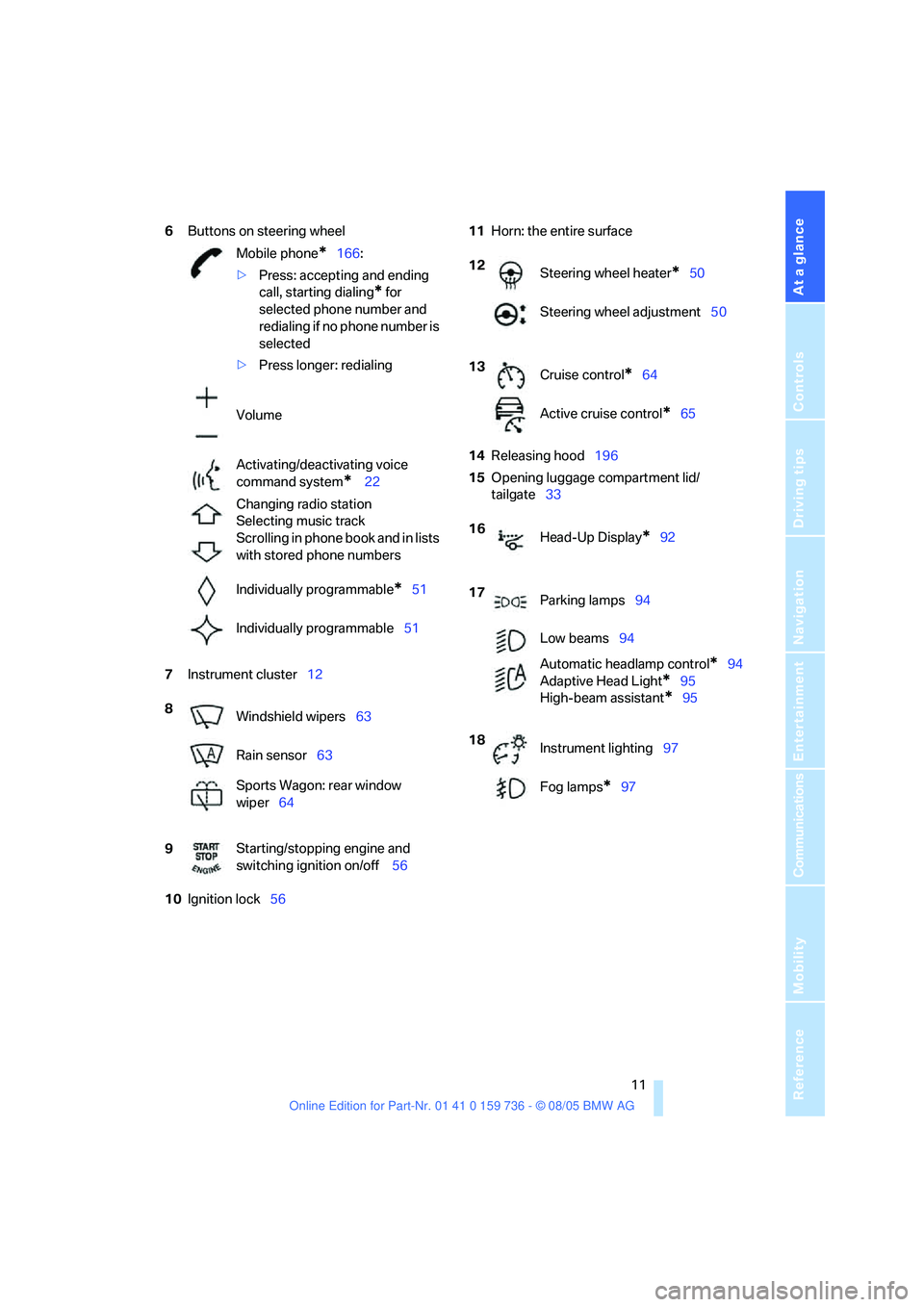
6Buttons on steering wheel
7Instrument cluster12
10Ignition lock5611Horn: the entire surface
14Releasing hood196
15Opening luggage compartment lid/
tailgate33 Mobile phone
*166:
>Press: accepting and ending
call, starting dialing
* for
selected phone number and
redialing if no phone number is
selected
>Press longer: redialing
Volume
Activating/deactivating voice
command system
* 22
Changing radio station
Selecting music track
Scrolling in phone book and in lists
with stored phone numbers
Individually programmable
*51
Individually programmable51
8
Windshield wipers63
Rain sensor63
Sports Wagon: rear window
wiper64
9Starting/stopping engine and
switching ignition on/off 56
12
Steering wheel heater*50
Steering wheel adjustment50
13
Cruise control
*64
Active cruise control
*65
16
Head-Up Display
*92
17
Parking lamps94
Low beams94
Automatic headlamp control
*94
Adaptive Head Light
*95
High-beam assistant
*95
18
Instrument lighting97
Fog lamps
*97
Page 44 of 248
Controls
43Reference
At a glance
Driving tips
Communications
Navigation
Entertainment
Mobility
Adjustments
Sitting safely
The ideal sitting position can make a vital con-
tribution to relaxed, fatigue-free driving. In the
interaction with the safety belts, the head
restraints and the airbags, the seat position
plays an important role in an accident. To
ensure that the safety systems operate with
optimal efficiency, we strongly urge you to
observe the instructions contained in the fol-
lowing section.
For additional information on transporting chil-
dren safely, refer to page52.
Airbags
Always maintain an adequate distance
between yourself and the airbags. Always
hold the steering wheel by its rim with hands at
the 9 o'clock and 3 o'clock positions, to mini-
mize the risk of injuries to your hands and arms
in the event of airbag deployment.
No one and nothing is to come between the air-
bags and the seat occupant.
Do not use the cover of the front airbag on the
front passenger side as a storage area. Make
sure that the front passenger is sitting correctly
and does not rest feet or legs on the instrument
panel, otherwise leg injuries can occur if the
front airbag is triggered.
Make sure that occupants do not rest their head
on the side or head airbag, otherwise injuries
can occur if the airbags are triggered.<
Even if you adhere to all the instructions, inju-
ries resulting from contact with airbags cannot
be fully excluded, depending on the circum-
stances. The ignition and inflation noise may
provoke a mild hearing loss in extremely sensi-
tive individuals. This effect is usually only tem-
porary.
For airbag locations and additional information
on airbags, refer to page90.
Head restraints
A correctly adjusted head restraint reduces the
risk of spinal injury in the event of an accident.
Adjust the head restraint so that its center
is approx. at ear level. Otherwise there is
increased danger of injury in the event of an
accident.<
Safety belts
Before every drive, make sure that safety belts
are being worn at all of the occupied seats. Air-
bags complement the safety belt as an addi-
tional safety device, but they do not represent a
substitute.
Your vehicle is provided with five seats, which
are all equipped with a safety belt.
Never allow more than one person to
wear a single safety belt. Never allow
infants or small children to ride in a passenger's
lap. Pregnant women should also always wear a
safety belt and make sure that the belt rests low
on the hips in the lap area, and does not press
against the abdomen. Do not route the belt
across your neck, or run it across sharp edges.
Be sure that the belt does not become caught
or jammed. Make sure that the safety belt is
securely fastened across the lap and shoulders,
as close to the body as possible without it being
twisted or tangled. Be sure not to route it over
solid or breakable objects, otherwise the belt
can slip over the hips in the lap area in a frontal
impact and injure the abdomen. Avoid wearing
clothing that prevents the belt from fitting prop-
erly and pull the belt in the upper body area peri-
odically to readjust the tension, in order to avoid
a reduction in the restraint of the safety belt.
Sports Wagon: if the middle safety belt in the
rear is used, the larger seatback half must be
locked, refer to page111, otherwise the middle
safety belt has no restraining action.<
For instructions on operating safety belts, refer
to page47.
Page 46 of 248
Controls
45Reference
At a glance
Driving tips
Communications
Navigation
Entertainment
Mobility
The upper hips and spinal column receive sup-
plementary support to help you maintain a
relaxed, upright sitting position.
>Increase or decrease curvature: push
switch forward or back.
>Shift curvature up or down: push switch up
or down.
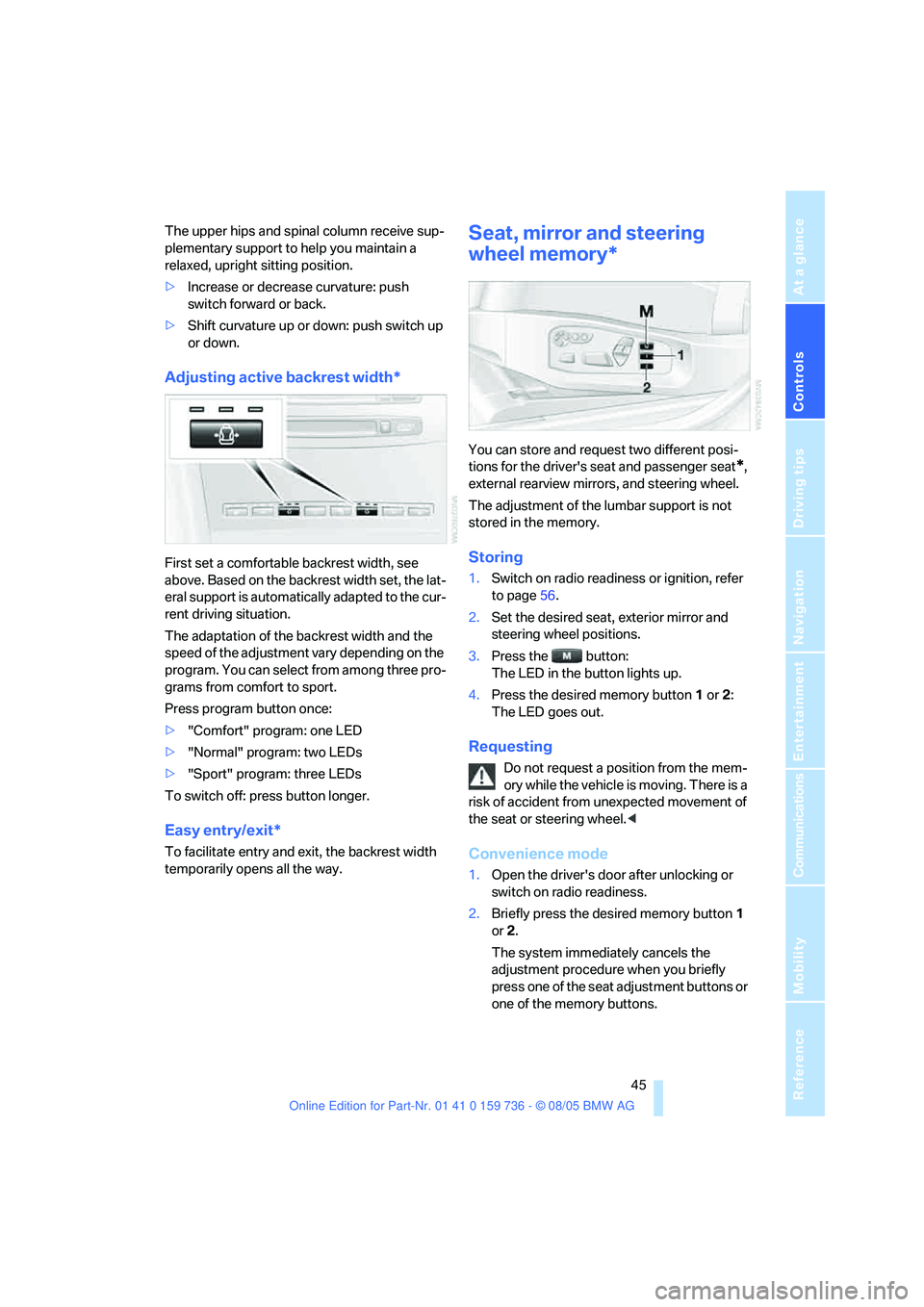
Adjusting active backrest width*
First set a comfortable backrest width, see
above. Based on the backrest width set, the lat-
eral support is automatically adapted to the cur-
rent driving situation.
The adaptation of the backrest width and the
speed of the adjustment vary depending on the
program. You can select from among three pro-
grams from comfort to sport.
Press program button once:
>"Comfort" program: one LED
>"Normal" program: two LEDs
>"Sport" program: three LEDs
To switch off: press button longer.
Easy entry/exit*
To facilitate entry and exit, the backrest width
temporarily opens all the way.
Seat, mirror and steering
wheel memory*
You can store and request two different posi-
tions for the driver's seat and passenger seat
*,
external rearview mirrors, and steering wheel.
The adjustment of the lumbar support is not
stored in the memory.
Storing
1.Switch on radio readiness or ignition, refer
to page56.
2.Set the desired seat, exterior mirror and
steering wheel positions.
3.Press the button:
The LED in the button lights up.
4.Press the desired memory button1 or2:
The LED goes out.
Requesting
Do not request a position from the mem-
ory while the vehicle is moving. There is a
risk of accident from unexpected movement of
the seat or steering wheel.<
Convenience mode
1.Open the driver's door after unlocking or
switch on radio readiness.
2.Briefly press the desired memory button1
or2.
The system immediately cancels the
adjustment procedure when you briefly
press one of the seat adjustment buttons or
one of the memory buttons.
Page 47 of 248
Adjustments
46
Safety feature
1.Close the driver's door and switch the igni-
tion on or off.
2.Press the desired memory button1 or2
and maintain pressure until the adjustment
process has been completed.
If the button was pressed inadvertently:
press the button again; the LED goes out.
Activating with remote control
The last positions of the driver's seat, the exter-
nal rearview mirrors, and steering wheel are
stored for the remote key currently in use.
You can choose when the position is requested:
>Request when unlocking vehicle
>Request when opening driver's door
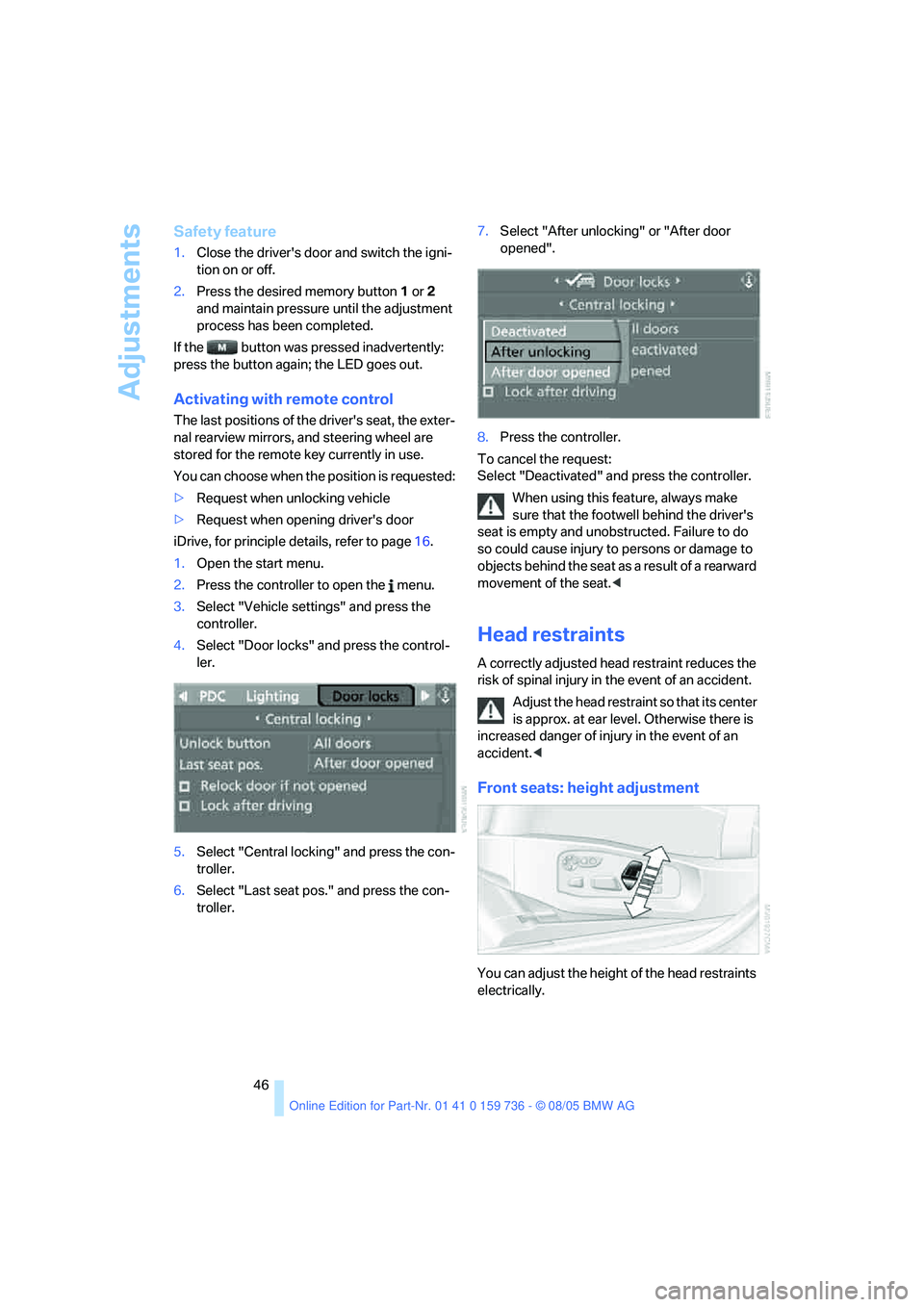
iDrive, for principle details, refer to page16.
1.Open the start menu.
2.Press the controller to open the menu.
3.Select "Vehicle settings" and press the
controller.
4.Select "Door locks" and press the control-
ler.
5.Select "Central locking" and press the con-
troller.
6.Select "Last seat pos." and press the con-
troller.7.Select "After unlocking" or "After door
opened".
8.Press the controller.
To cancel the request:
Select "Deactivated" and press the controller.
When using this feature, always make
sure that the footwell behind the driver's
seat is empty and unobstructed. Failure to do
so could cause injury to persons or damage to
objects behind the seat as a result of a rearward
movement of the seat.<
Head restraints
A correctly adjusted head restraint reduces the
risk of spinal injury in the event of an accident.
Adjust the head restraint so that its center
is approx. at ear level. Otherwise there is
increased danger of injury in the event of an
accident.<
Front seats: height adjustment
You can adjust the height of the head restraints
electrically.
Page 50 of 248
Controls
49Reference
At a glance
Driving tips
Communications
Navigation
Entertainment
Mobility
Active seat ventilation*
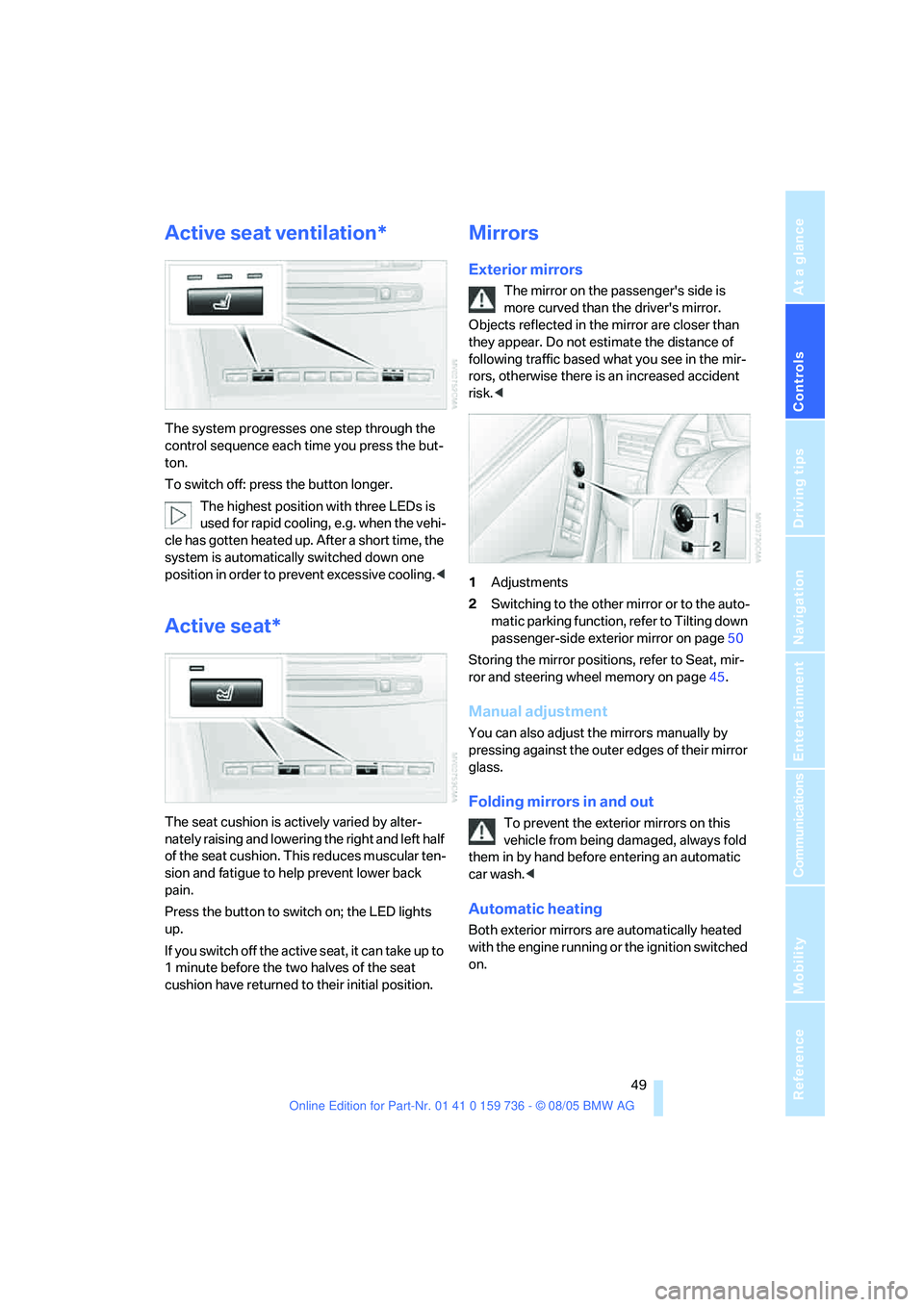
The system progresses one step through the
control sequence each time you press the but-
ton.
To switch off: press the button longer.
The highest position with three LEDs is
used for rapid cooling, e.g. when the vehi-
cle has gotten heated up. After a short time, the
system is automatically switched down one
position in order to prevent excessive cooling.<
Active seat*
The seat cushion is actively varied by alter-
nately raising and lowering the right and left half
of the seat cushion. This reduces muscular ten-
sion and fatigue to help prevent lower back
pain.
Press the button to switch on; the LED lights
up.
If you switch off the active seat, it can take up to
1 minute before the two halves of the seat
cushion have returned to their initial position.
Mirrors
Exterior mirrors
The mirror on the passenger's side is
more curved than the driver's mirror.
Objects reflected in the mirror are closer than
they appear. Do not estimate the distance of
following traffic based what you see in the mir-
rors, otherwise there is an increased accident
risk.<
1Adjustments
2Switching to the other mirror or to the auto-
matic parking function, refer to Tilting down
passenger-side exterior mirror on page50
Storing the mirror positions, refer to Seat, mir-
ror and steering wheel memory on page45.
Manual adjustment
You can also adjust the mirrors manually by
pressing against the outer edges of their mirror
glass.
Folding mirrors in and out
To prevent the exterior mirrors on this
vehicle from being damaged, always fold
them in by hand before entering an automatic
car wash.<
Automatic heating
Both exterior mirrors are automatically heated
with the engine running or the ignition switched
on.
Page 51 of 248
Adjustments
50
Tilting down passenger-side exterior
mirror – automatic parking function*
Activating
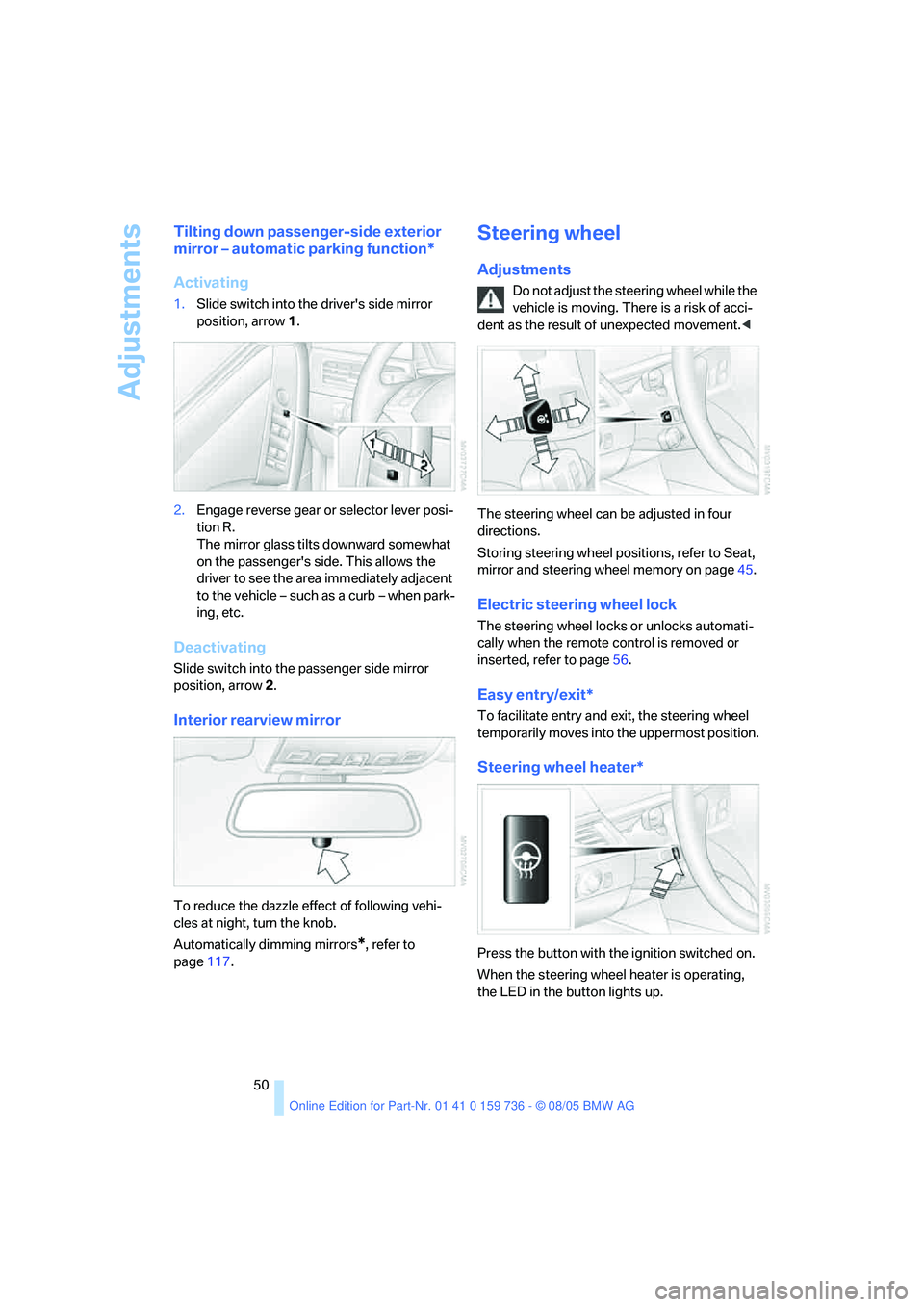
1.Slide switch into the driver's side mirror
position, arrow 1.
2.Engage reverse gear or selector lever posi-
tion R.
The mirror glass tilts downward somewhat
on the passenger's side. This allows the
driver to see the area immediately adjacent
to the vehicle – such as a curb – when park-
ing, etc.
Deactivating
Slide switch into the passenger side mirror
position, arrow 2.
Interior rearview mirror
To reduce the dazzle effect of following vehi-
cles at night, turn the knob.
Automatically dimming mirrors
*, refer to
page117.
Steering wheel
Adjustments
Do not adjust the steering wheel while the
vehicle is moving. There is a risk of acci-
dent as the result of unexpected movement.<
The steering wheel can be adjusted in four
directions.
Storing steering wheel positions, refer to Seat,
mirror and steering wheel memory on page45.
Electric steering wheel lock
The steering wheel locks or unlocks automati-
cally when the remote control is removed or
inserted, refer to page56.
Easy entry/exit*
To facilitate entry and exit, the steering wheel
temporarily moves into the uppermost position.
Steering wheel heater*
Press the button with the ignition switched on.
When the steering wheel heater is operating,
the LED in the button lights up.
Page 91 of 248
Technology for comfort, convenience and safety
90
Airbags
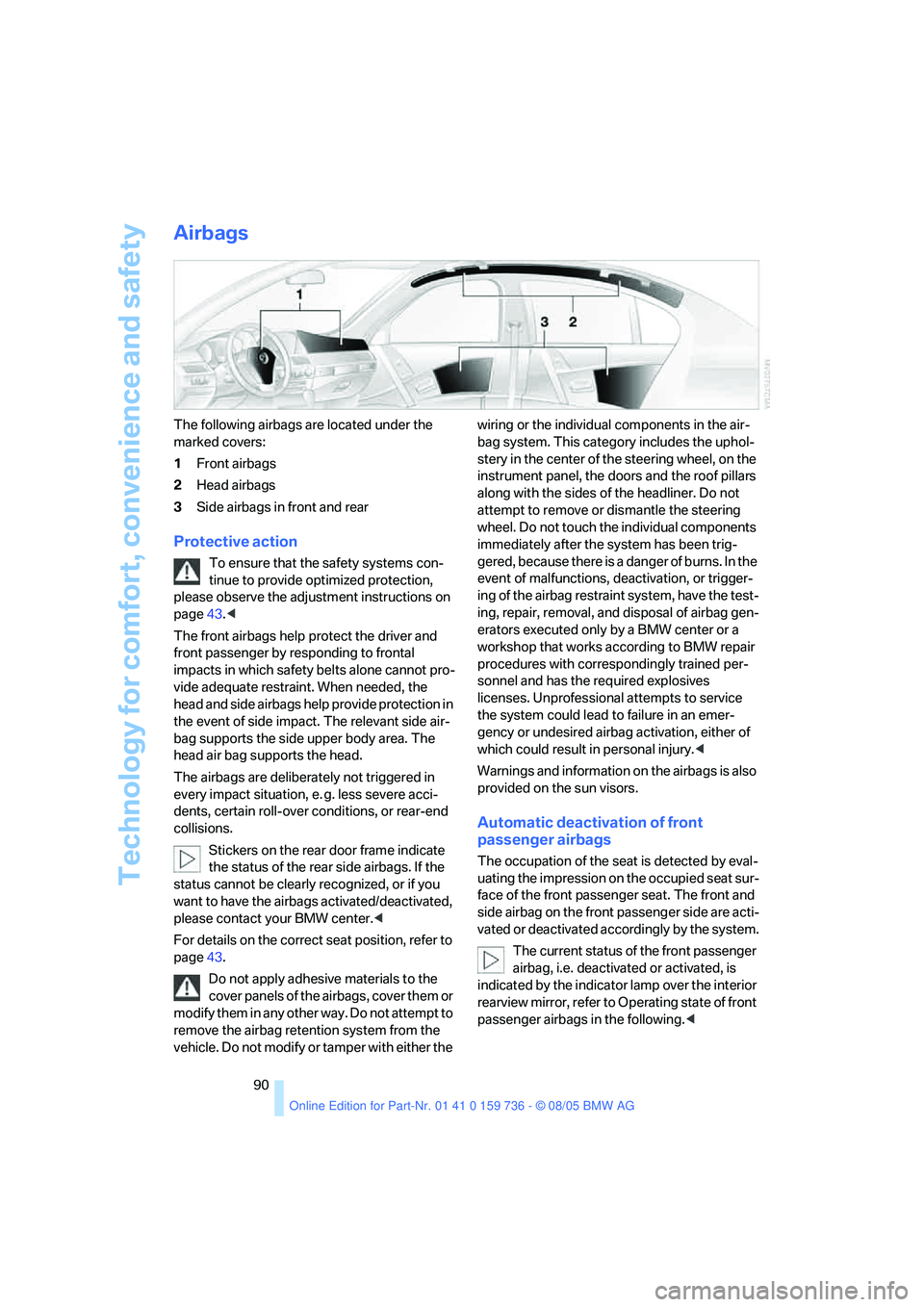
The following airbags are located under the
marked covers:
1Front airbags
2Head airbags
3Side airbags in front and rear
Protective action
To ensure that the safety systems con-
tinue to provide optimized protection,
please observe the adjustment instructions on
page43.<
The front airbags help protect the driver and
front passenger by responding to frontal
impacts in which safety belts alone cannot pro-
vide adequate restraint. When needed, the
head and side airbags help provide protection in
the event of side impact. The relevant side air-
bag supports the side upper body area. The
head air bag supports the head.
The airbags are deliberately not triggered in
every impact situation, e. g. less severe acci-
dents, certain roll-over conditions, or rear-end
collisions.
Stickers on the rear door frame indicate
the status of the rear side airbags. If the
status cannot be clearly recognized, or if you
want to have the airbags activated/deactivated,
please contact your BMW center.<
For details on the correct seat position, refer to
page43.
Do not apply adhesive materials to the
cover panels of the airbags, cover them or
modify them in any other way. Do not attempt to
remove the airbag retention system from the
vehicle. Do not modify or tamper with either the wiring or the individual components in the air-
bag system. This category includes the uphol-
stery in the center of the steering wheel, on the
instrument panel, the doors and the roof pillars
along with the sides of the headliner. Do not
attempt to remove or dismantle the steering
wheel. Do not touch the individual components
immediately after the system has been trig-
gered, because there is a danger of burns. In the
event of malfunctions, deactivation, or trigger-
ing of the airbag restraint system, have the test-
ing, repair, removal, and disposal of airbag gen-
erators executed only by a BMW center or a
workshop that works according to BMW repair
procedures with correspondingly trained per-
sonnel and has the required explosives
licenses. Unprofessional attempts to service
the system could lead to failure in an emer-
gency or undesired airbag activation, either of
which could result in personal injury.<
Warnings and information on the airbags is also
provided on the sun visors.
Automatic deactivation of front
passenger airbags
The occupation of the seat is detected by eval-
uating the impression on the occupied seat sur-
face of the front passenger seat. The front and
side airbag on the front passenger side are acti-
vated or deactivated accordingly by the system.
The current status of the front passenger
airbag, i.e. deactivated or activated, is
indicated by the indicator lamp over the interior
rearview mirror, refer to Operating state of front
passenger airbags in the following.<
Page 145 of 248
On/off and tone
144
On/off and tone
The following audio sources have shared
controls and setting options:
>Professional radio
* or
Business radio
>CD player
>CD changer
*
Controls
The audio sources can be operated using:
>Buttons in the area of the CD player
>iDrive
>Buttons on steering wheel, refer to page11
Buttons in area of CD player
The layout of the buttons can vary depending
on your vehicle's equipment.
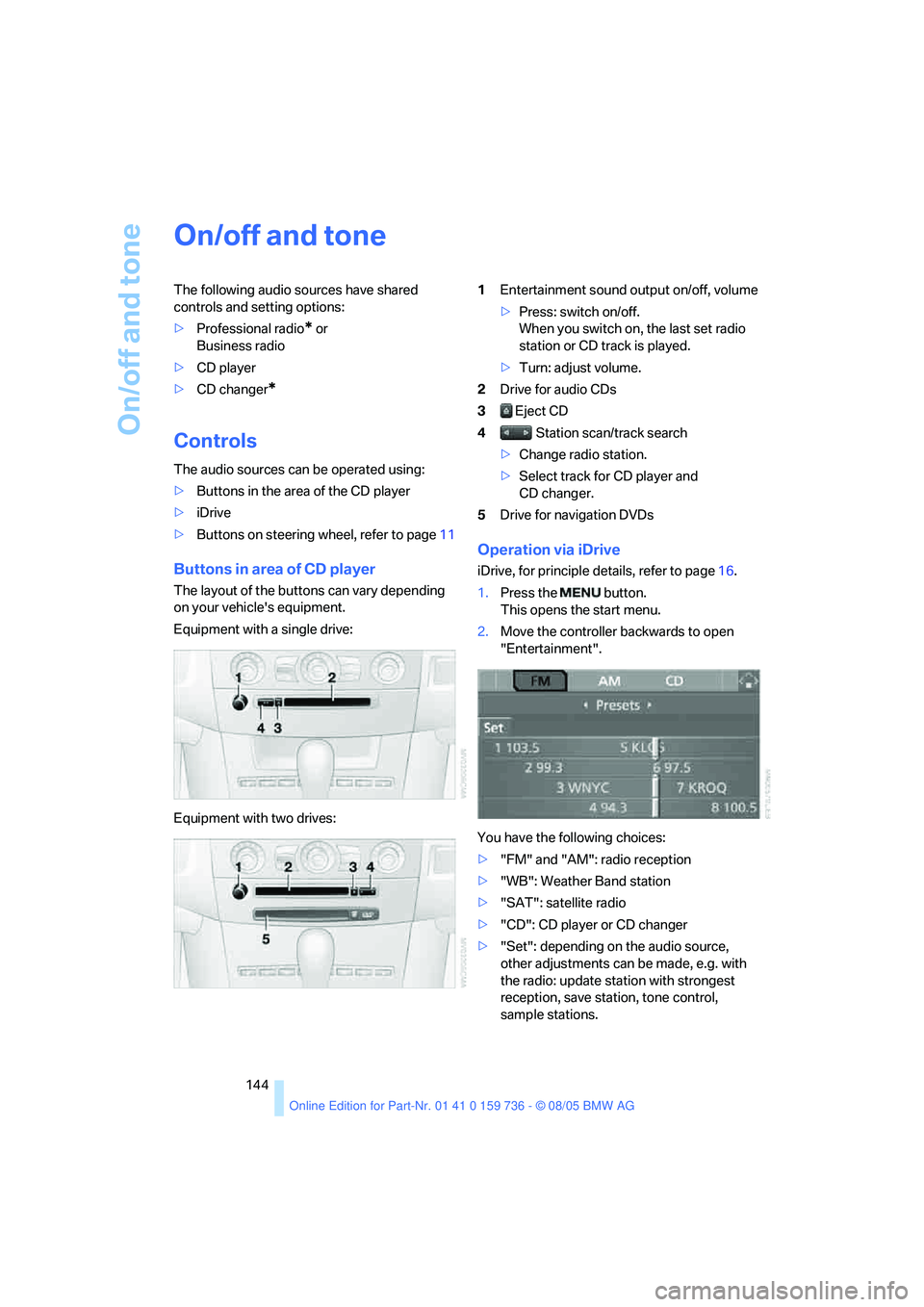
Equipment with a single drive:
Equipment with two drives:1Entertainment sound output on/off, volume
>Press: switch on/off.
When you switch on, the last set radio
station or CD track is played.
>Turn: adjust volume.
2Drive for audio CDs
3 Eject CD
4 Station scan/track search
>Change radio station.
>Select track for CD player and
CD changer.
5Drive for navigation DVDs
Operation via iDrive
iDrive, for principle details, refer to page16.
1.Press the button.
This opens the start menu.
2.Move the controller backwards to open
"Entertainment".
You have the following choices:
>"FM" and "AM": radio reception
>"WB": Weather Band station
>"SAT": satellite radio
>"CD": CD player or CD changer
>"Set": depending on the audio source,
other adjustments can be made, e.g. with
the radio: update station with strongest
reception, save station, tone control,
sample stations.
Page 228 of 248
227Reference
At a glance
Controls
Driving tips
Communications
Navigation
Entertainment
Mobility
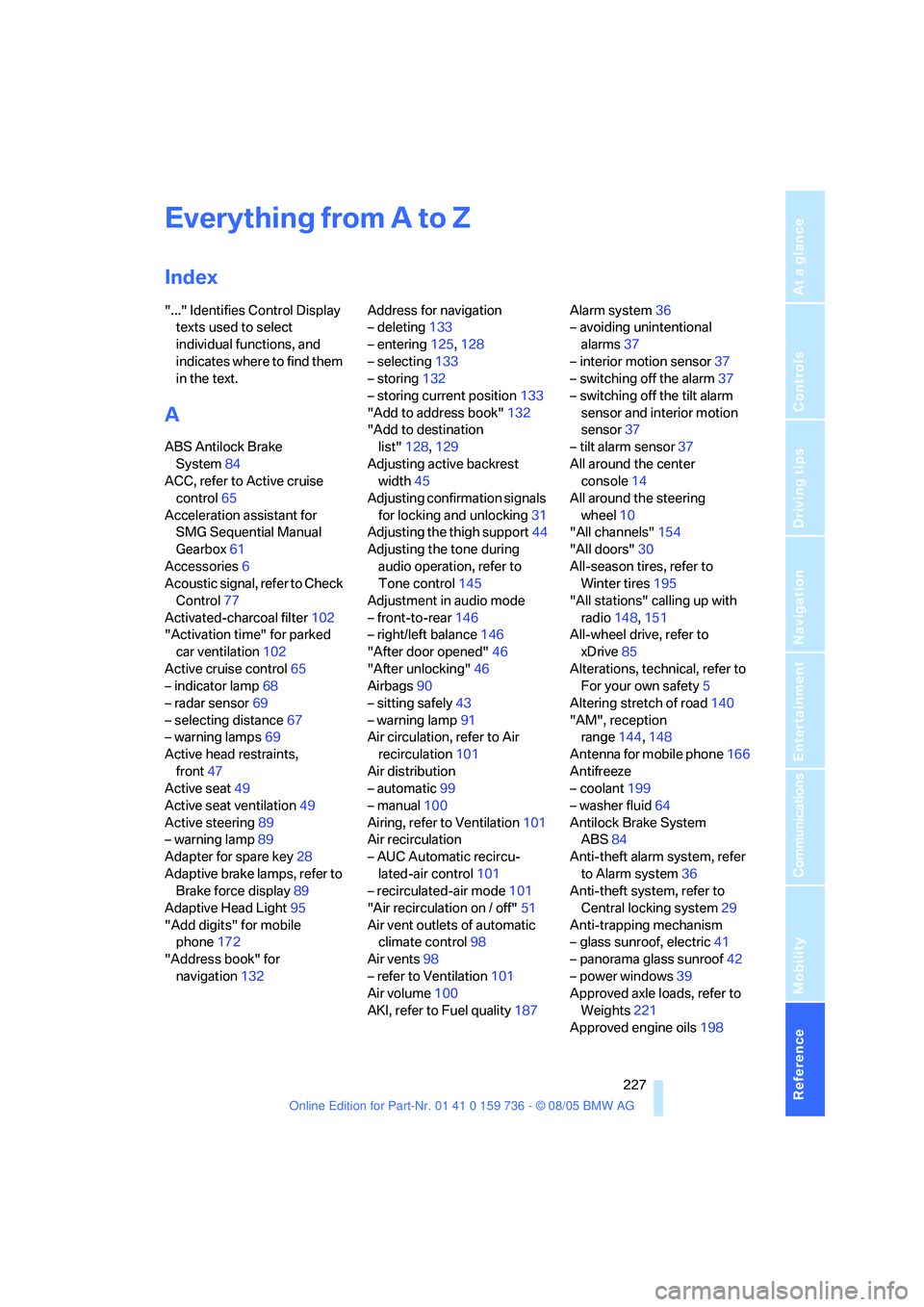
Everything from A to Z
Index
"..." Identifies Control Display
texts used to select
individual functions, and
indicates where to find them
in the text.
A
ABS Antilock Brake
System84
ACC, refer to Active cruise
control65
Acceleration assistant for
SMG Sequential Manual
Gearbox61
Accessories6
Acoustic signal, refer to Check
Control77
Activated-charcoal filter102
"Activation time" for parked
car ventilation102
Active cruise control65
– indicator lamp68
– radar sensor69
– selecting distance67
– warning lamps69
Active head restraints,
front47
Active seat49
Active seat ventilation49
Active steering89
– warning lamp89
Adapter for spare key28
Adaptive brake lamps, refer to
Brake force display89
Adaptive Head Light95
"Add digits" for mobile
phone172
"Address book" for
navigation132Address for navigation
– deleting133
– entering125,128
– selecting133
– storing132
– storing current position133
"Add to address book"132
"Add to destination
list"128,129
Adjusting active backrest
width45
Adjusting confirmation signals
for locking and unlocking31
Adjusting the thigh support44
Adjusting the tone during
audio operation, refer to
Tone control145
Adjustment in audio mode
– front-to-rear146
– right/left balance146
"After door opened"46
"After unlocking"46
Airbags90
– sitting safely43
– warning lamp91
Air circulation, refer to Air
recirculation101
Air distribution
– automatic99
– manual100
Airing, refer to Ventilation101
Air recirculation
– AUC Automatic recircu-
lated-air control101
– recirculated-air mode101
"Air recirculation on / off"51
Air vent outlets of automatic
climate control98
Air vents98
– refer to Ventilation101
Air volume100
AKI, refer to Fuel quality187Alarm system36
– avoiding unintentional
alarms37
– interior motion sensor37
– switching off the alarm37
– switching off the tilt alarm
sensor and interior motion
sensor37
– tilt alarm sensor37
All around the center
console14
All around the steering
wheel10
"All channels"154
"All doors"30
All-season tires, refer to
Winter tires195
"All stations" calling up with
radio148,151
All-wheel drive, refer to
xDrive85
Alterations, technical, refer to
For your own safety5
Altering stretch of road140
"AM", reception
range144,148
Antenna for mobile phone166
Antifreeze
– coolant199
– washer fluid64
Antilock Brake System
ABS84
Anti-theft alarm system, refer
to Alarm system36
Anti-theft system, refer to
Central locking system29
Anti-trapping mechanism
– glass sunroof, electric41
– panorama glass sunroof42
– power windows39
Approved axle loads, refer to
Weights221
Approved engine oils
198
Page 229 of 248
Everything from A to Z
228 Approved gross vehicle
weight, refer to Weights221
Armrest, refer to Center
armrest, rear109
Arrival time
– refer to Computer74
– refer to Starting destination
guidance136
"Arrow display" during
navigation137
Ashtray
– front107
– rear108
Assist, refer to
BMW Assist179
Assistance systems, refer to
Driving stability control
systems84
Assistance window20
"Assist. window off"21
AUC Automatic recirculated-
air control101
Audio144
– controls144
– switching on/off144
– tone control145
– volume145
"Audio", refer to Tone
control145
Automatic
– air distribution99
– air volume99
– garage door opener104
– headlamp control94
– service notification180
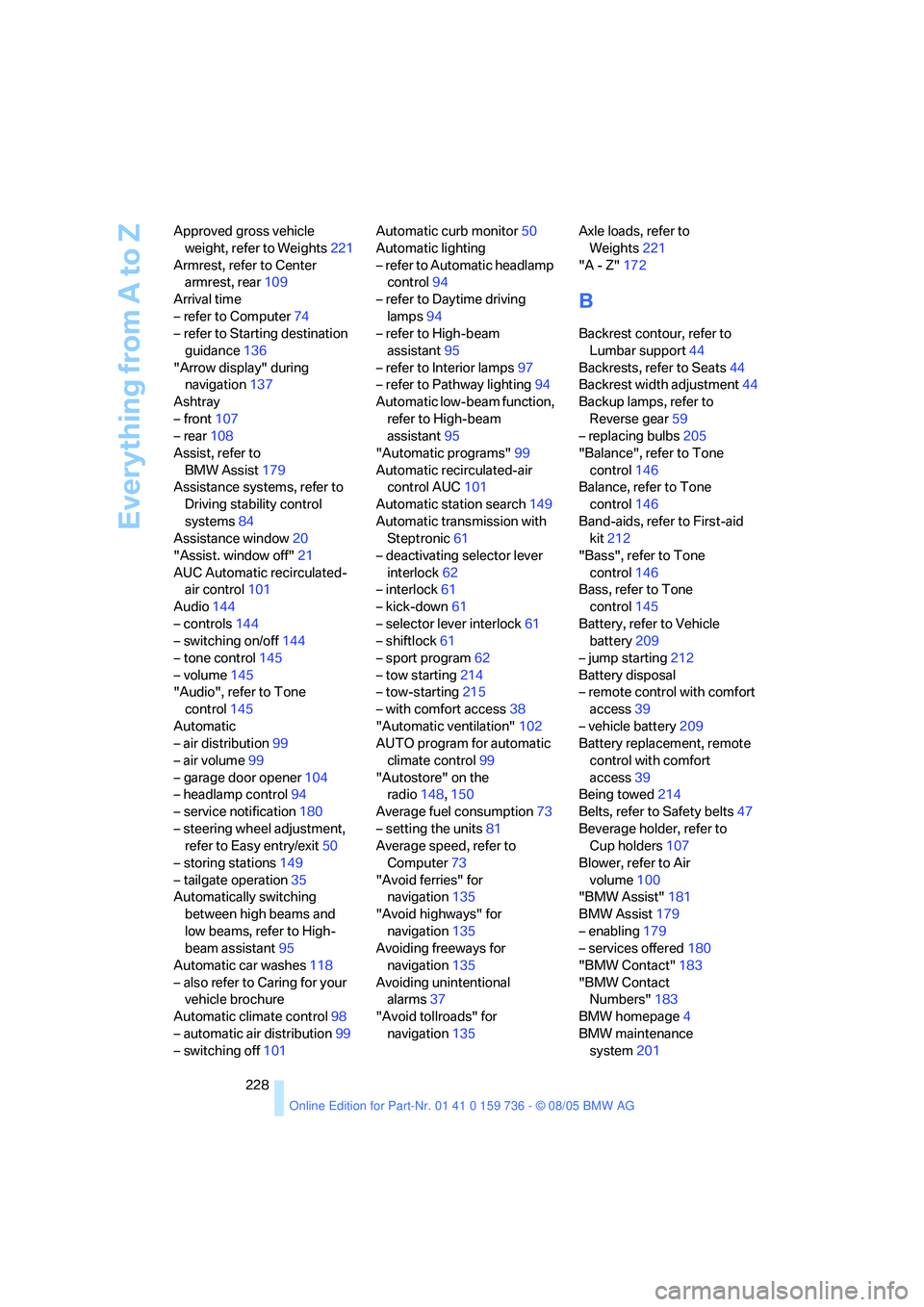
– steering wheel adjustment,
refer to Easy entry/exit50
– storing stations149
– tailgate operation35
Automatically switching
between high beams and
low beams, refer to High-
beam assistant95
Automatic car washes118
– also refer to Caring for your
vehicle brochure
Automatic climate control98
– automatic air distribution99
– switching off101Automatic curb monitor50
Automatic lighting
– refer to Automatic headlamp
control94
– refer to Daytime driving
lamps94
– refer to High-beam
assistant95
– refer to Interior lamps97
– refer to Pathway lighting94
Automatic low-beam function,
refer to High-beam
assistant95
"Automatic programs"99
Automatic recirculated-air
control AUC101
Automatic station search149
Automatic transmission with
Steptronic61
– deactivating selector lever
interlock62
– interlock61
– kick-down61
– selector lever interlock61
– shiftlock61
– sport program62
– tow starting214
– tow-starting215
– with comfort access38
"Automatic ventilation"102
AUTO program for automatic
climate control99
"Autostore" on the
radio148,150
Average fuel consumption73
– setting the units81
Average speed, refer to
Computer73
"Avoid ferries" for
navigation135
"Avoid highways" for
navigation135
Avoiding freeways for
navigation135
Avoiding unintentional
alarms37
"Avoid tollroads" for
navigation135Axle loads, refer to
Weights221
"A - Z"172
B
Backrest contour, refer to
Lumbar support44
Backrests, refer to Seats44
Backrest width adjustment44
Backup lamps, refer to
Reverse gear59
– replacing bulbs205
"Balance", refer to Tone
control146
Balance, refer to Tone
control146
Band-aids, refer to First-aid
kit212
"Bass", refer to Tone
control146
Bass, refer to Tone
control145
Battery, refer to Vehicle
battery209
– jump starting212
Battery disposal
– remote control with comfort
access39
– vehicle battery209
Battery replacement, remote
control with comfort
access39
Being towed214
Belts, refer to Safety belts47
Beverage holder, refer to
Cup holders107
Blower, refer to Air
volume100
"BMW Assist"181
BMW Assist179
– enabling179
– services offered180
"BMW Contact"183
"BMW Contact
Numbers"183
BMW homepage4
BMW maintenance
system201