headlamp BMW 528I 2008 User Guide
[x] Cancel search | Manufacturer: BMW, Model Year: 2008, Model line: 528I, Model: BMW 528I 2008Pages: 288, PDF Size: 7.03 MB
Page 114 of 288
Lamps
112
Switching off via iDrive
iDrive, for operating principle refer to page16.
1.Press the button.
This opens the start menu.
2.Press the controller to open the menu.
3.Select "Settings" and press the controller.
4.Select "Vehicle / Tires" and press the con-
troller.
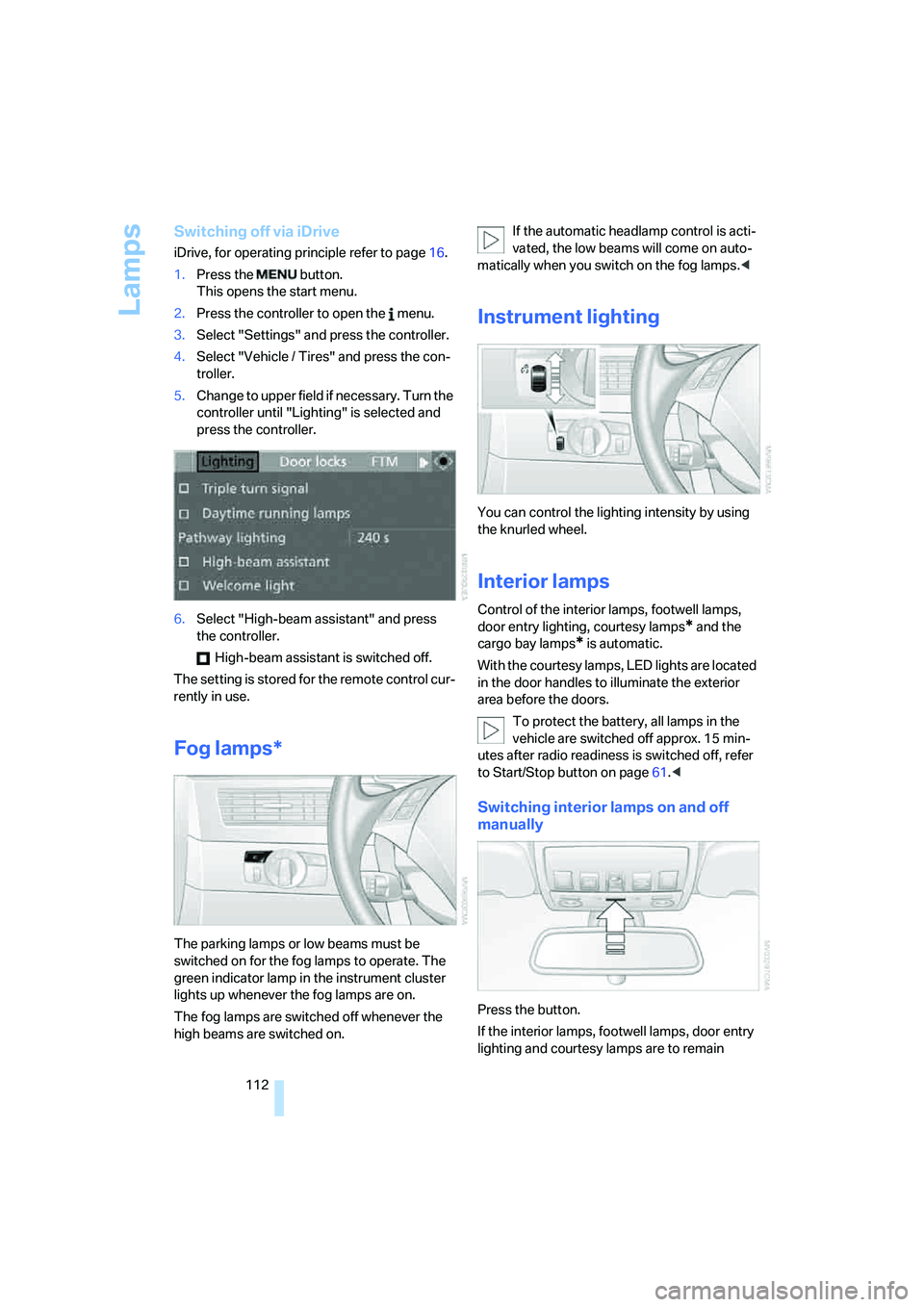
5.Change to upper field if necessary. Turn the
controller until "Lighting" is selected and
press the controller.
6.Select "High-beam assistant" and press
the controller.
High-beam assistant is switched off.
The setting is stored for the remote control cur-
rently in use.
Fog lamps*
The parking lamps or low beams must be
switched on for the fog lamps to operate. The
green indicator lamp in the instrument cluster
lights up whenever the fog lamps are on.
The fog lamps are switched off whenever the
high beams are switched on.If the automatic headlamp control is acti-
vated, the low beams will come on auto-
matically when you switch on the fog lamps.<
Instrument lighting
You can control the lighting intensity by using
the knurled wheel.
Interior lamps
Control of the interior lamps, footwell lamps,
door entry lighting, courtesy lamps
* and the
cargo bay lamps
* is automatic.
With the courtesy lamps, LED lights are located
in the door handles to illuminate the exterior
area before the doors.
To protect the battery, all lamps in the
vehicle are switched off approx. 15 min-
utes after radio readiness is switched off, refer
to Start/Stop button on page61.<
Switching interior lamps on and off
manually
Press the button.
If the interior lamps, footwell lamps, door entry
lighting and courtesy lamps are to remain
Page 233 of 288
Mobility
231Reference
At a glance
Controls
Driving tips
Communications
Navigation
Entertainment
Engine compartment
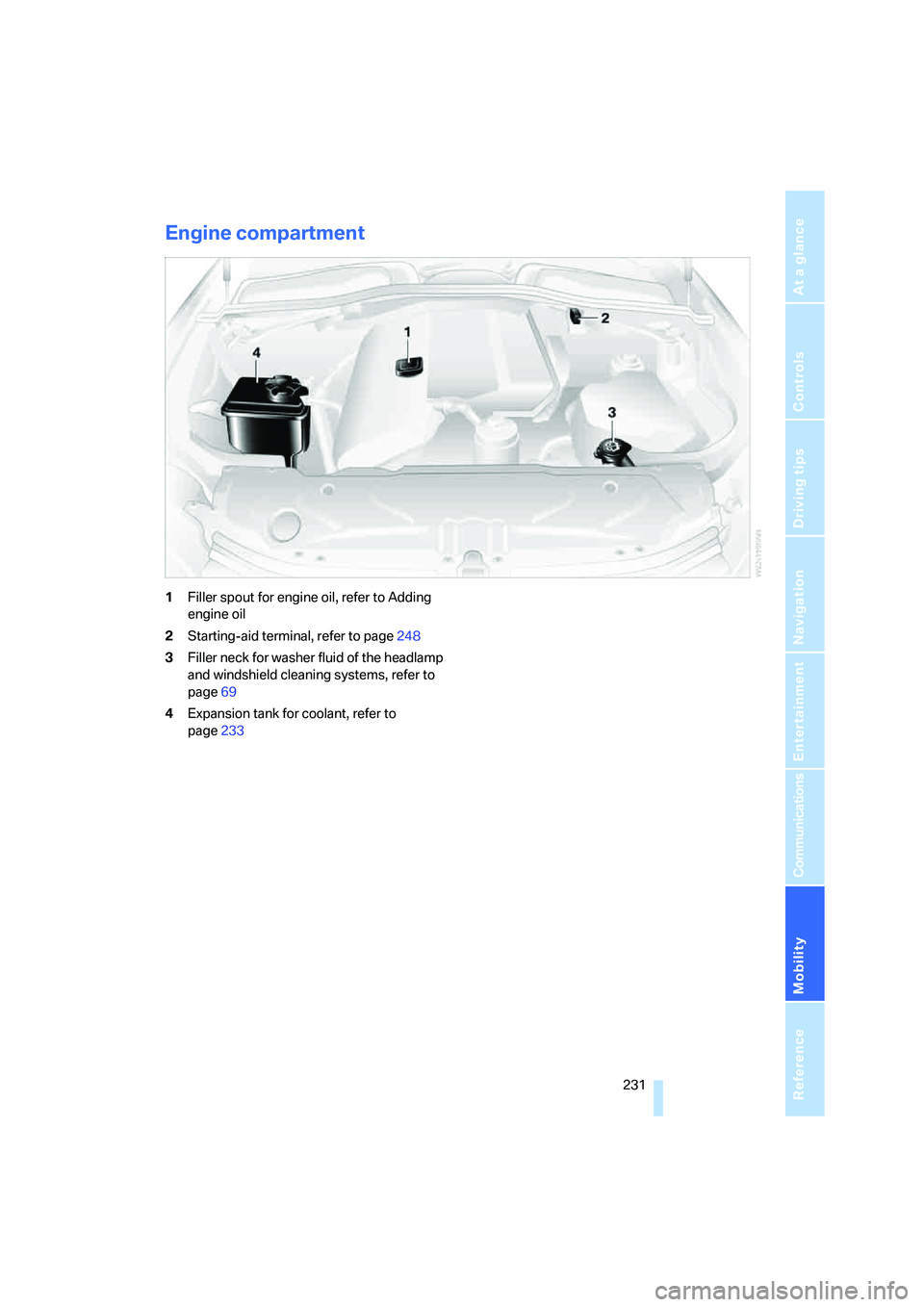
1Filler spout for engine oil, refer to Adding
engine oil
2Starting-aid terminal, refer to page248
3Filler neck for washer fluid of the headlamp
and windshield cleaning systems, refer to
page69
4Expansion tank for coolant, refer to
page233
Page 240 of 288
Replacing components
238
Lamps and bulbs
Lamps and bulbs make an essential contribu-
tion to vehicle safety. You must be duly diligent
in replacing them. BMW recommends having
your BMW center perform any work that you do
not feel competent to perform yourself or that is
not described here.
Never touch the glass of new bulbs with
your bare fingers, as even minute
amounts of contamination will burn into the
bulb's surface and reduce its service life. Use a
clean cloth, napkin, etc., or hold the bulb by its
metal socket.<
A selection of replacement bulbs is available at
your BMW center.
Only replace bulbs when cool, as other-
wise you may be burned.<
Whenever you perform any work on the
electrical system, turn off the systems/
consumers involved to prevent short circuits
from occurring. To avoid possible injury or
equipment damage when replacing bulbs,
observe any instructions provided by the bulb
manufacturer.<
For care and maintenance of the headlamps,
please follow the instructions in the separate
Caring for your vehicle brochure.
For bulbs for which changing is not
described, and for checking and adjusting
headlamp aim, please contact your BMW cen-
ter.<
Light-emitting diodes LEDs
Light-emitting diodes installed behind translu-
cent lenses serve as the light source for many of
the controls and displays in your vehicle. These
light-emitting diodes, which operate using a
concept similar to that applied in conventional
lasers, are officially designated as Class 1 light-
emitting diodes.
Do not remove the covers, and never
stare into the unfiltered light for several
hours, as irritation of the retina could result.<
Halogen headlamps
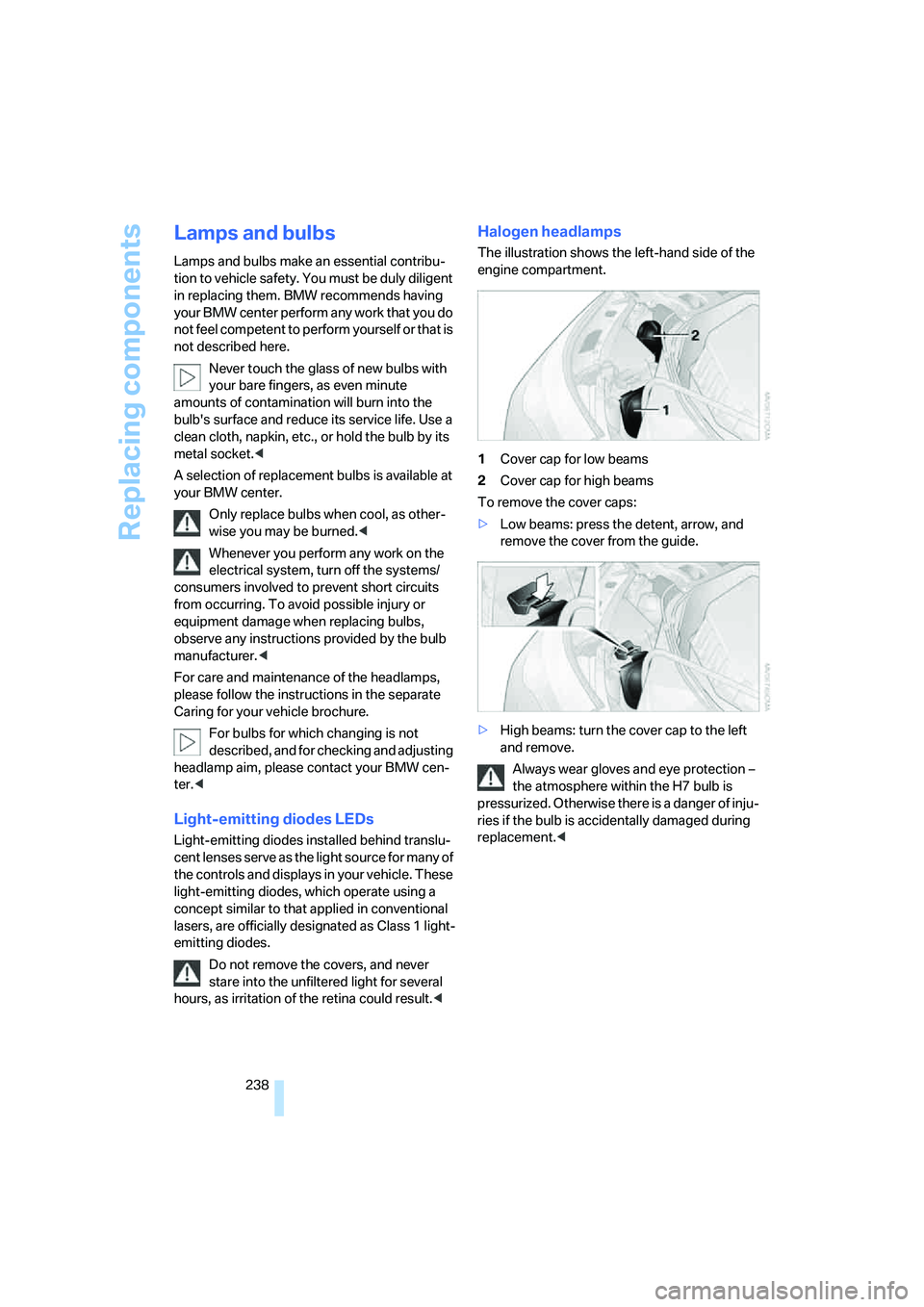
The illustration shows the left-hand side of the
engine compartment.
1Cover cap for low beams
2Cover cap for high beams
To remove the cover caps:
>Low beams: press the detent, arrow, and
remove the cover from the guide.
>High beams: turn the cover cap to the left
and remove.
Always wear gloves and eye protection –
the atmosphere within the H7 bulb is
pressurized. Otherwise there is a danger of inju-
ries if the bulb is accidentally damaged during
replacement.<
Page 260 of 288
Technical data
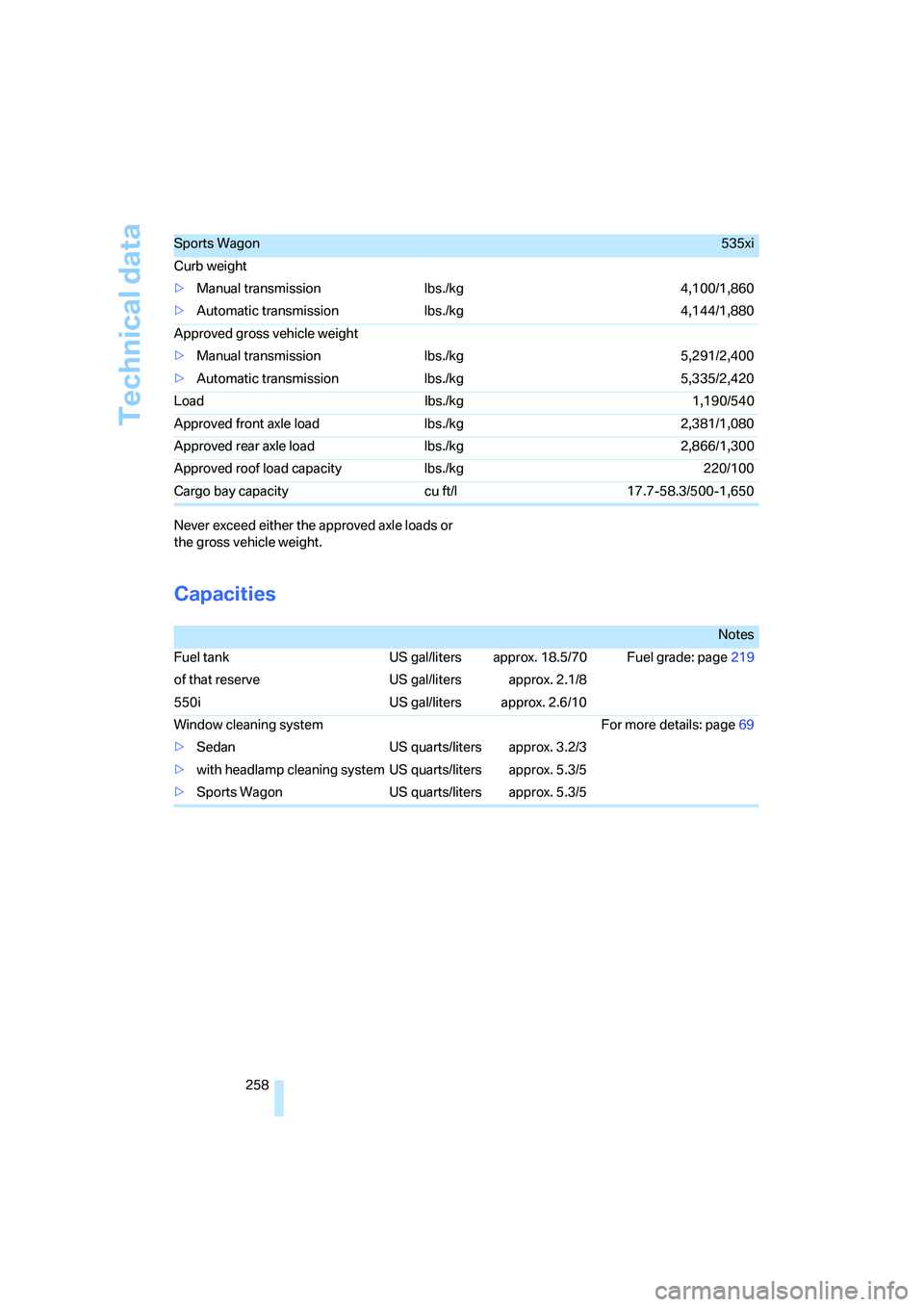
258 Never exceed either the approved axle loads or
the gross vehicle weight.
Capacities
Sports Wagon535xi
Curb weight
>Manual transmission lbs./kg 4,100/1,860
>Automatic transmission lbs./kg 4,144/1,880
Approved gross vehicle weight
>Manual transmission lbs./kg 5,291/2,400
>Automatic transmission lbs./kg 5,335/2,420
Load lbs./kg 1,190/540
Approved front axle load lbs./kg 2,381/1,080
Approved rear axle load lbs./kg 2,866/1,300
Approved roof load capacity lbs./kg 220/100
Cargo bay capacity cu ft/l 17.7-58.3/500-1,650
Notes
Fuel tank US gal/liters approx. 18.5/70 Fuel grade: page219
of that reserve US gal/liters approx. 2.1/8
550i US gal/liters approx. 2.6/10
Window cleaning system For more details: page69
>Sedan US quarts/liters approx. 3.2/3
>with headlamp cleaning system US quarts/liters approx. 5.3/5
>Sports Wagon US quarts/liters approx. 5.3/5
Page 267 of 288
Reference 265
At a glance
Controls
Driving tips
Communications
Navigation
Entertainment
Mobility
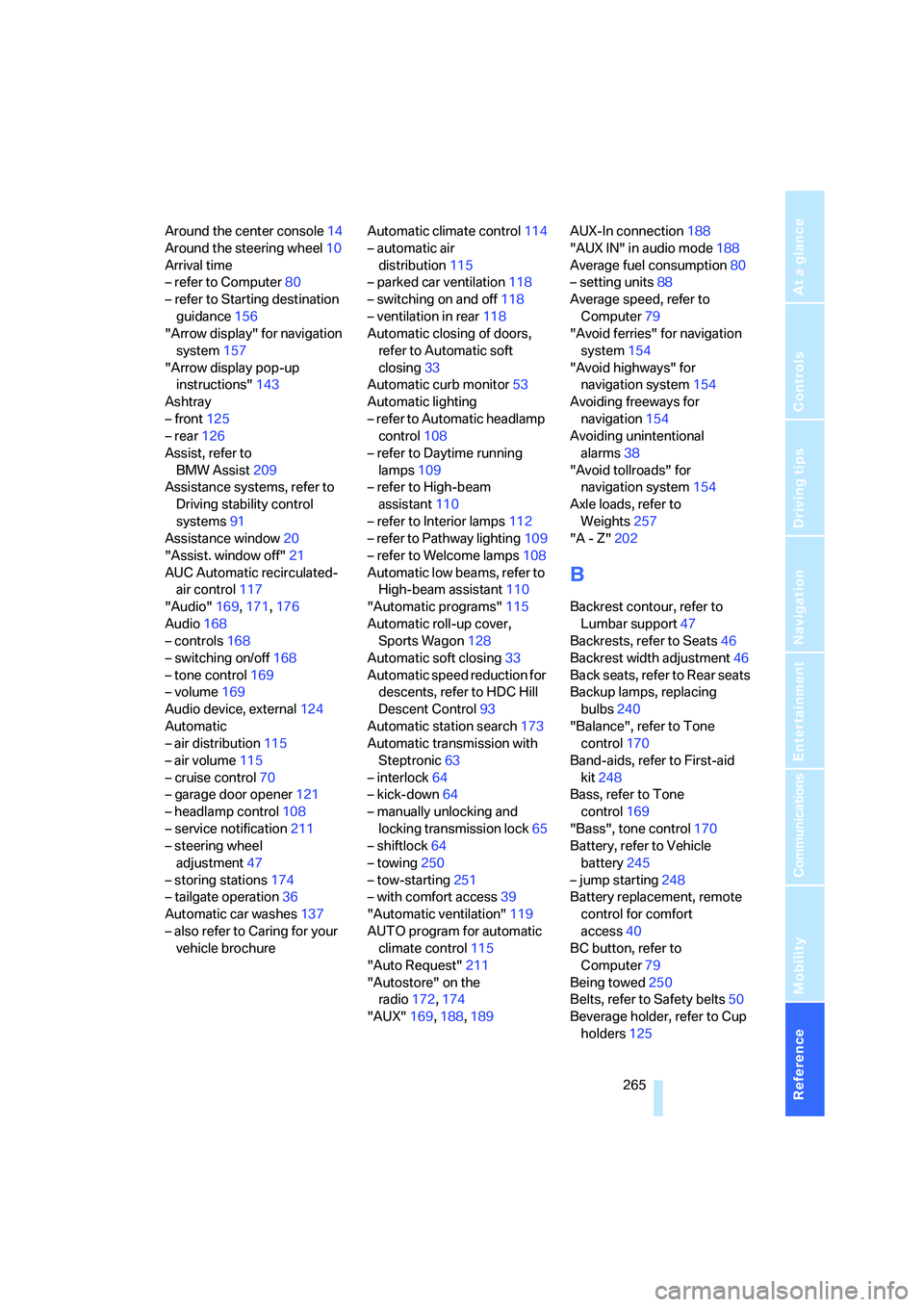
Around the center console14
Around the steering wheel10
Arrival time
– refer to Computer80
– refer to Starting destination
guidance156
"Arrow display" for navigation
system157
"Arrow display pop-up
instructions"143
Ashtray
– front125
– rear126
Assist, refer to
BMW Assist209
Assistance systems, refer to
Driving stability control
systems91
Assistance window20
"Assist. window off"21
AUC Automatic recirculated-
air control117
"Audio"169,171,176
Audio168
– controls168
– switching on/off168
– tone control169
– volume169
Audio device, external124
Automatic
– air distribution115
– air volume115
– cruise control70
– garage door opener121
– headlamp control108
– service notification211
– steering wheel
adjustment47
– storing stations174
– tailgate operation36
Automatic car washes137
– also refer to Caring for your
vehicle brochureAutomatic climate control114
– automatic air
distribution115
– parked car ventilation118
– switching on and off118
– ventilation in rear118
Automatic closing of doors,
refer to Automatic soft
closing33
Automatic curb monitor53
Automatic lighting
– refer to Automatic headlamp
control108
– refer to Daytime running
lamps109
– refer to High-beam
assistant110
– refer to Interior lamps
112
– refer to Pathway lighting109
– refer to Welcome lamps108
Automatic low beams, refer to
High-beam assistant110
"Automatic programs"115
Automatic roll-up cover,
Sports Wagon128
Automatic soft closing33
Automatic speed reduction for
descents, refer to HDC Hill
Descent Control93
Automatic station search173
Automatic transmission with
Steptronic63
– interlock64
– kick-down64
– manually unlocking and
locking transmission lock65
– shiftlock64
– towing250
– tow-starting251
– with comfort access39
"Automatic ventilation"119
AUTO program for automatic
climate control115
"Auto Request"211
"Autostore" on the
radio172,174
"AUX"169,188,189AUX-In connection188
"AUX IN" in audio mode188
Average fuel consumption80
– setting units88
Average speed, refer to
Computer79
"Avoid ferries" for navigation
system154
"Avoid highways" for
navigation system154
Avoiding freeways for
navigation154
Avoiding unintentional
alarms38
"Avoid tollroads" for
navigation system154
Axle loads, refer to
Weights257
"A - Z"202
B
Backrest contour, refer to
Lumbar support47
Backrests, refer to Seats46
Backrest width adjustment46
Back seats, refer to Rear seats
Backup lamps, replacing
bulbs240
"Balance", refer to Tone
control170
Band-aids, refer to First-aid
kit248
Bass, refer to Tone
control169
"Bass", tone control170
Battery, refer to Vehicle
battery245
– jump starting248
Battery replacement, remote
control for comfort
access40
BC button, refer to
Computer79
Being towed250
Belts, refer to Safety belts50
Beverage holder, refer to Cup
holders125
Page 274 of 288
Everything from A to Z
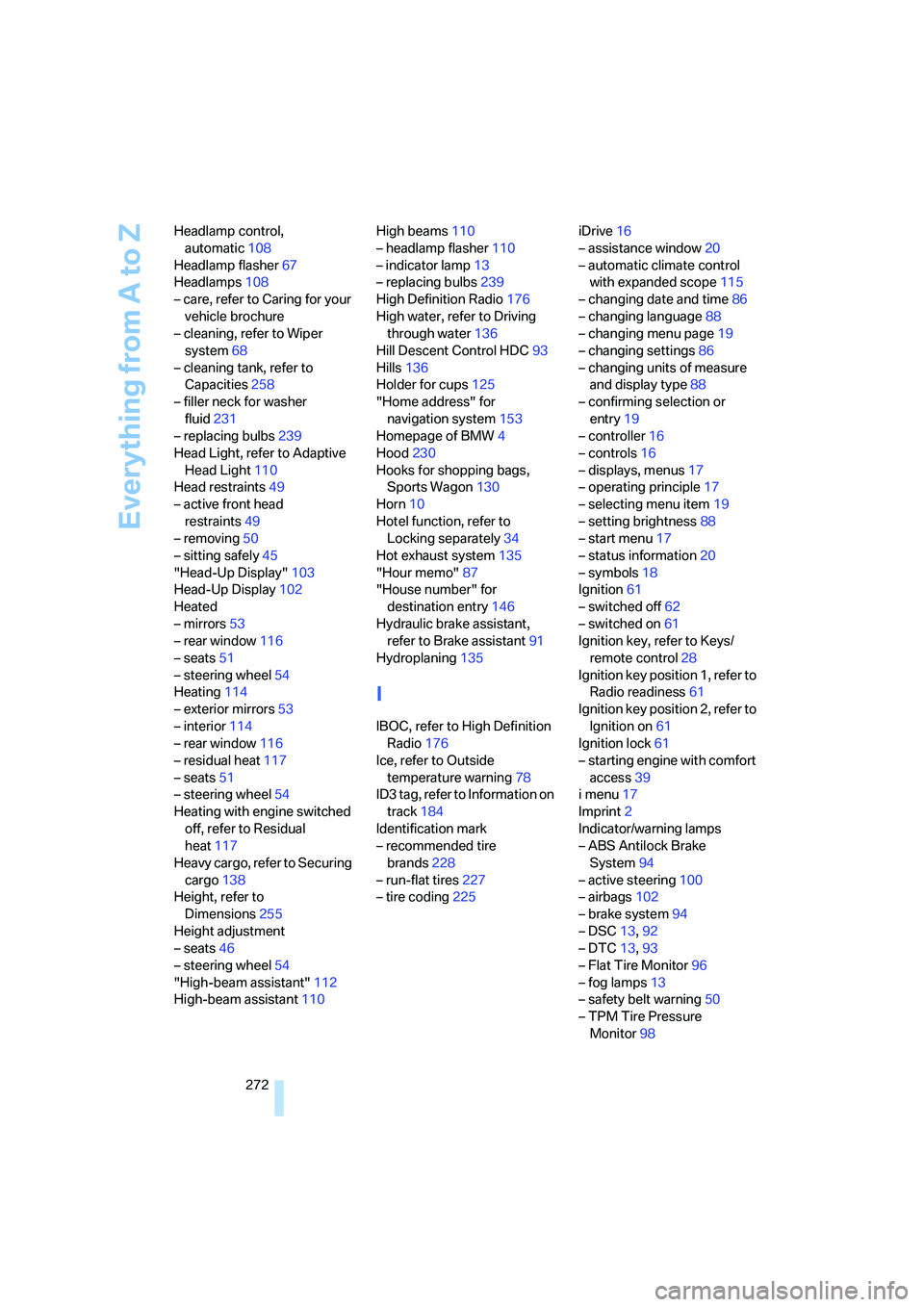
272 Headlamp control,
automatic108
Headlamp flasher67
Headlamps108
– care, refer to Caring for your
vehicle brochure
– cleaning, refer to Wiper
system68
– cleaning tank, refer to
Capacities258
– filler neck for washer
fluid231
– replacing bulbs239
Head Light, refer to Adaptive
Head Light110
Head restraints49
– active front head
restraints49
– removing50
– sitting safely45
"Head-Up Display"103
Head-Up Display102
Heated
– mirrors53
– rear window116
– seats51
– steering wheel54
Heating114
– exterior mirrors53
– interior114
– rear window116
– residual heat117
– seats51
– steering wheel54
Heating with engine switched
off, refer to Residual
heat117
Heavy cargo, refer to Securing
cargo138
Height, refer to
Dimensions255
Height adjustment
– seats46
– steering wheel54
"High-beam assistant"112
High-beam assistant110High beams110
– headlamp flasher110
– indicator lamp13
– replacing bulbs239
High Definition Radio176
High water, refer to Driving
through water136
Hill Descent Control HDC93
Hills136
Holder for cups125
"Home address" for
navigation system153
Homepage of BMW
4
Hood230
Hooks for shopping bags,
Sports Wagon130
Horn10
Hotel function, refer to
Locking separately34
Hot exhaust system135
"Hour memo"87
"House number" for
destination entry146
Hydraulic brake assistant,
refer to Brake assistant91
Hydroplaning135
I
IBOC, refer to High Definition
Radio176
Ice, refer to Outside
temperature warning78
ID3 tag, refer to Information on
track184
Identification mark
– recommended tire
brands228
– run-flat tires227
– tire coding225iDrive16
– assistance window20
– automatic climate control
with expanded scope115
– changing date and time86
– changing language88
– changing menu page19
– changing settings86
– changing units of measure
and display type88
– confirming selection or
entry19
– controller16
– controls16
– displays, menus17
– operating principle17
– selecting menu item19
– setting brightness88
– start menu17
– status information20
– symbols18
Ignition61
– switched off62
– switched on61
Ignition key, refer to Keys/
remote control28
Ignition key position 1, refer to
Radio readiness61
Ignition key position 2, refer to
Ignition on61
Ignition lock61
– starting engine with comfort
access39
i menu17
Imprint2
Indicator/warning lamps
– ABS Antilock Brake
System94
– active steering100
– airbags102
– brake system94
– DSC13,92
– DTC13,93
– Flat Tire Monitor96
– fog lamps
13
– safety belt warning50
– TPM Tire Pressure
Monitor98
Page 276 of 288
Everything from A to Z
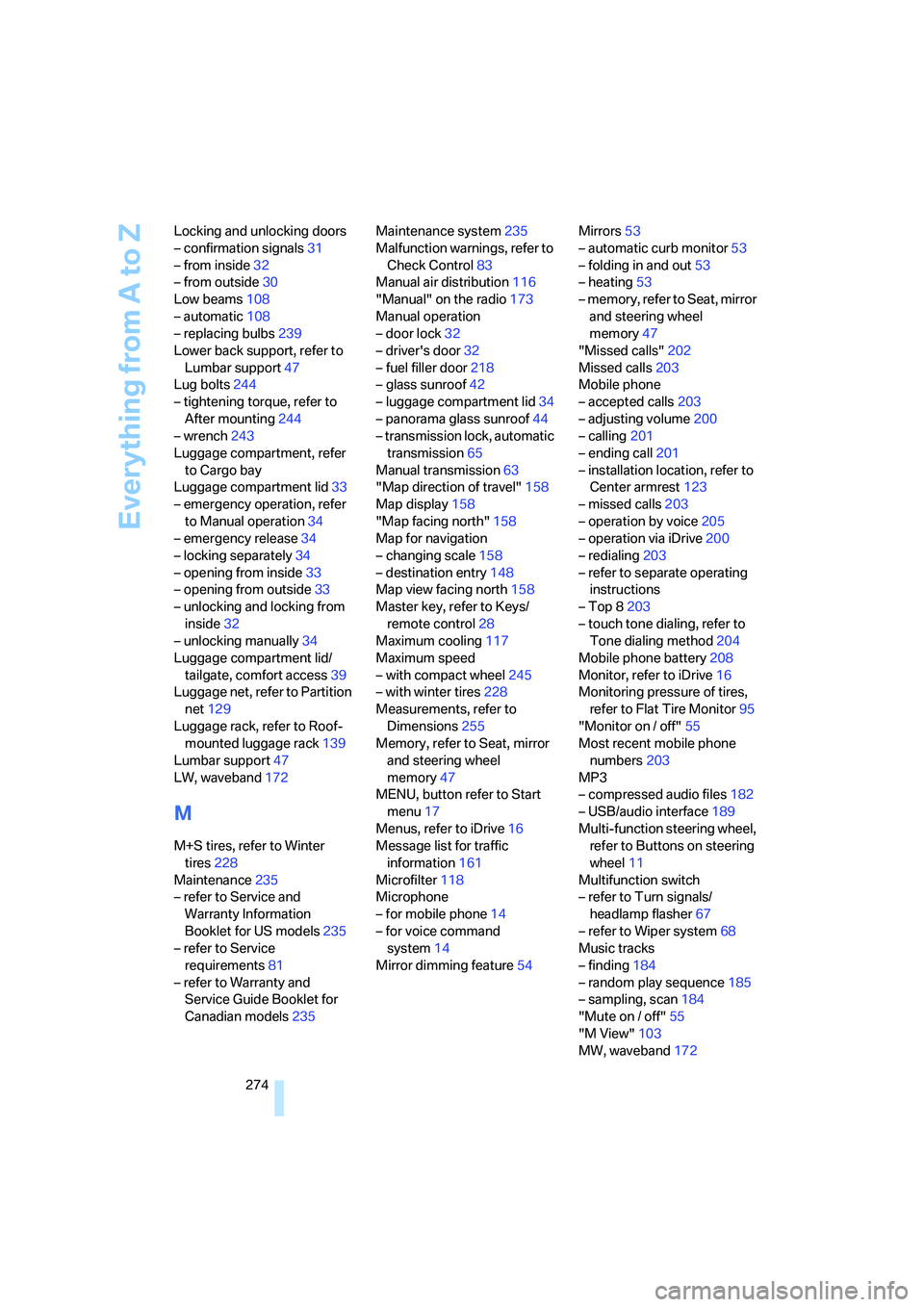
274 Locking and unlocking doors
– confirmation signals31
– from inside32
– from outside30
Low beams108
– automatic108
– replacing bulbs239
Lower back support, refer to
Lumbar support47
Lug bolts244
– tightening torque, refer to
After mounting244
– wrench243
Luggage compartment, refer
to Cargo bay
Luggage compartment lid33
– emergency operation, refer
to Manual operation34
– emergency release34
– locking separately34
– opening from inside33
– opening from outside33
– unlocking and locking from
inside32
– unlocking manually34
Luggage compartment lid/
tailgate, comfort access39
Luggage net, refer to Partition
net129
Luggage rack, refer to Roof-
mounted luggage rack139
Lumbar support47
LW, waveband172
M
M+S tires, refer to Winter
tires228
Maintenance235
– refer to Service and
Warranty Information
Booklet for US models235
– refer to Service
requirements81
– refer to Warranty and
Service Guide Booklet for
Canadian models235Maintenance system235
Malfunction warnings, refer to
Check Control83
Manual air distribution116
"Manual" on the radio173
Manual operation
– door lock32
– driver's door32
– fuel filler door218
– glass sunroof42
– luggage compartment lid34
– panorama glass sunroof44
– transmission lock, automatic
transmission65
Manual transmission63
"Map direction of travel"158
Map display158
"Map facing north"158
Map for navigation
– changing scale158
– destination entry148
Map view facing north158
Master key, refer to Keys/
remote control28
Maximum cooling117
Maximum speed
– with compact wheel245
– with winter tires228
Measurements, refer to
Dimensions255
Memory, refer to Seat, mirror
and steering wheel
memory47
MENU, button refer to Start
menu17
Menus, refer to iDrive16
Message list for traffic
information161
Microfilter118
Microphone
– for mobile phone14
– for voice command
system14
Mirror dimming feature54Mirrors53
– automatic curb monitor53
– folding in and out53
– heating53
– memory, refer to Seat, mirror
and steering wheel
memory47
"Missed calls"
202
Missed calls203
Mobile phone
– accepted calls203
– adjusting volume200
– calling201
– ending call201
– installation location, refer to
Center armrest123
– missed calls203
– operation by voice205
– operation via iDrive200
– redialing203
– refer to separate operating
instructions
– Top 8203
– touch tone dialing, refer to
Tone dialing method204
Mobile phone battery208
Monitor, refer to iDrive16
Monitoring pressure of tires,
refer to Flat Tire Monitor95
"Monitor on / off"55
Most recent mobile phone
numbers203
MP3
– compressed audio files182
– USB/audio interface189
Multi-function steering wheel,
refer to Buttons on steering
wheel11
Multifunction switch
– refer to Turn signals/
headlamp flasher67
– refer to Wiper system68
Music tracks
– finding184
– random play sequence185
– sampling, scan184
"Mute on / off"55
"M View"103
MW, waveband172
Page 282 of 288
Everything from A to Z
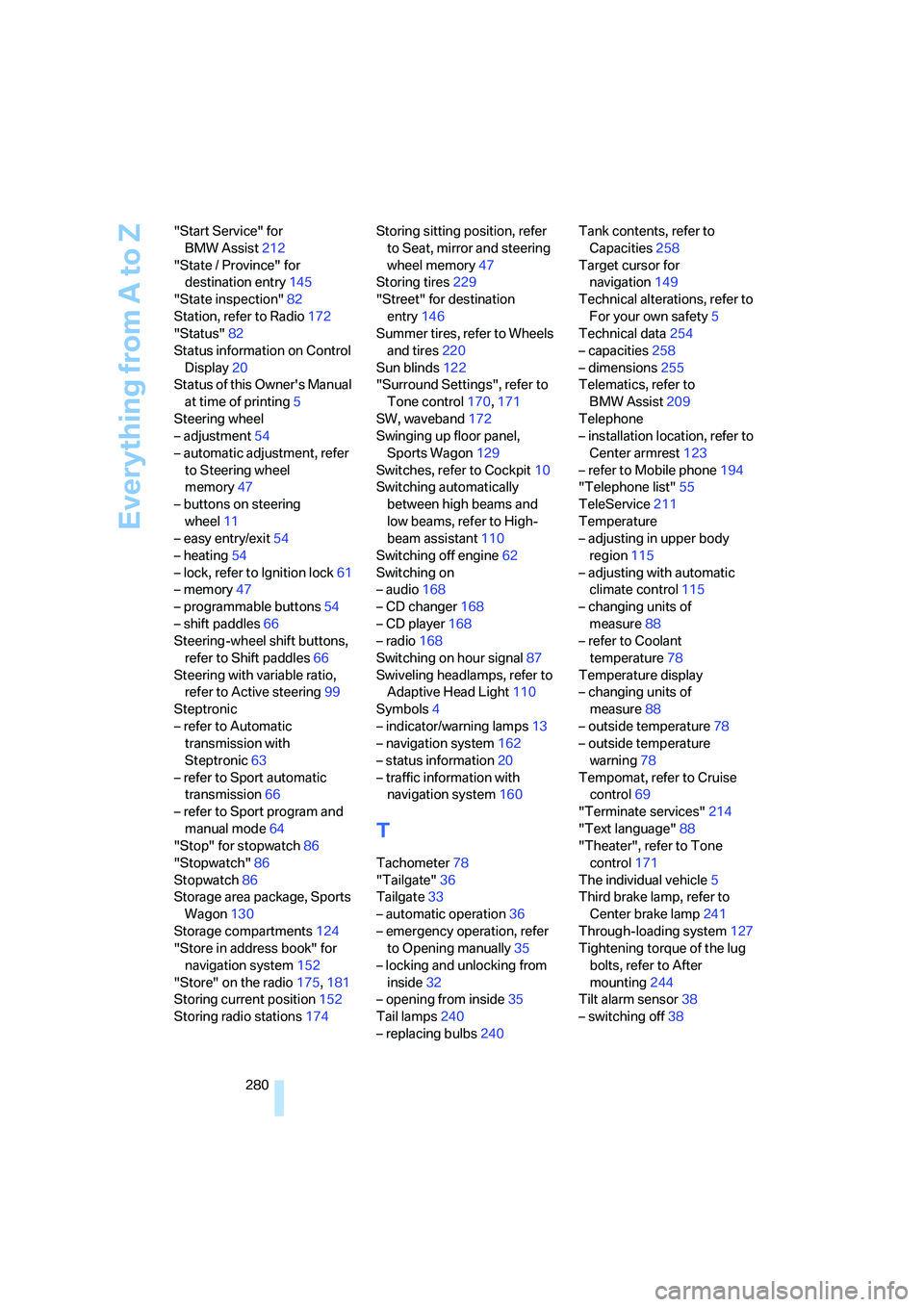
280 "Start Service" for
BMW Assist212
"State / Province" for
destination entry145
"State inspection"82
Station, refer to Radio172
"Status"82
Status information on Control
Display20
Status of this Owner's Manual
at time of printing5
Steering wheel
– adjustment54
– automatic adjustment, refer
to Steering wheel
memory47
– buttons on steering
wheel11
– easy entry/exit54
– heating54
– lock, refer to Ignition lock61
– memory47
– programmable buttons54
– shift paddles66
Steering-wheel shift buttons,
refer to Shift paddles66
Steering with variable ratio,
refer to Active steering99
Steptronic
– refer to Automatic
transmission with
Steptronic63
– refer to Sport automatic
transmission66
– refer to Sport program and
manual mode64
"Stop" for stopwatch86
"Stopwatch"86
Stopwatch86
Storage area package, Sports
Wagon130
Storage compartments124
"Store in address book" for
navigation system152
"Store" on the radio175,181
Storing current position152
Storing radio stations174Storing sitting position, refer
to Seat, mirror and steering
wheel memory47
Storing tires229
"Street" for destination
entry146
Summer tires, refer to Wheels
and tires220
Sun blinds122
"Surround Settings", refer to
Tone control170,171
SW, waveband172
Swinging up floor panel,
Sports Wagon
129
Switches, refer to Cockpit10
Switching automatically
between high beams and
low beams, refer to High-
beam assistant110
Switching off engine62
Switching on
– audio168
– CD changer168
– CD player168
– radio168
Switching on hour signal87
Swiveling headlamps, refer to
Adaptive Head Light110
Symbols4
– indicator/warning lamps13
– navigation system162
– status information20
– traffic information with
navigation system160
T
Tachometer78
"Tailgate"36
Tailgate33
– automatic operation36
– emergency operation, refer
to Opening manually35
– locking and unlocking from
inside32
– opening from inside35
Tail lamps240
– replacing bulbs240Tank contents, refer to
Capacities258
Target cursor for
navigation149
Technical alterations, refer to
For your own safety5
Technical data254
– capacities258
– dimensions255
Telematics, refer to
BMW Assist209
Telephone
– installation location, refer to
Center armrest123
– refer to Mobile phone194
"Telephone list"55
TeleService211
Temperature
– adjusting in upper body
region115
– adjusting with automatic
climate control115
– changing units of
measure88
– refer to Coolant
temperature78
Temperature display
– changing units of
measure88
– outside temperature78
– outside temperature
warning78
Tempomat, refer to Cruise
control69
"Terminate services"214
"Text language"88
"Theater", refer to Tone
control171
The individual vehicle5
Third brake lamp, refer to
Center brake lamp241
Through-loading system127
Tightening torque of the lug
bolts, refer to After
mounting244
Tilt alarm sensor38
– switching off38