audio BMW 528I 2008 Owner's Manual
[x] Cancel search | Manufacturer: BMW, Model Year: 2008, Model line: 528I, Model: BMW 528I 2008Pages: 288, PDF Size: 7.03 MB
Page 192 of 288
USB/audio interface
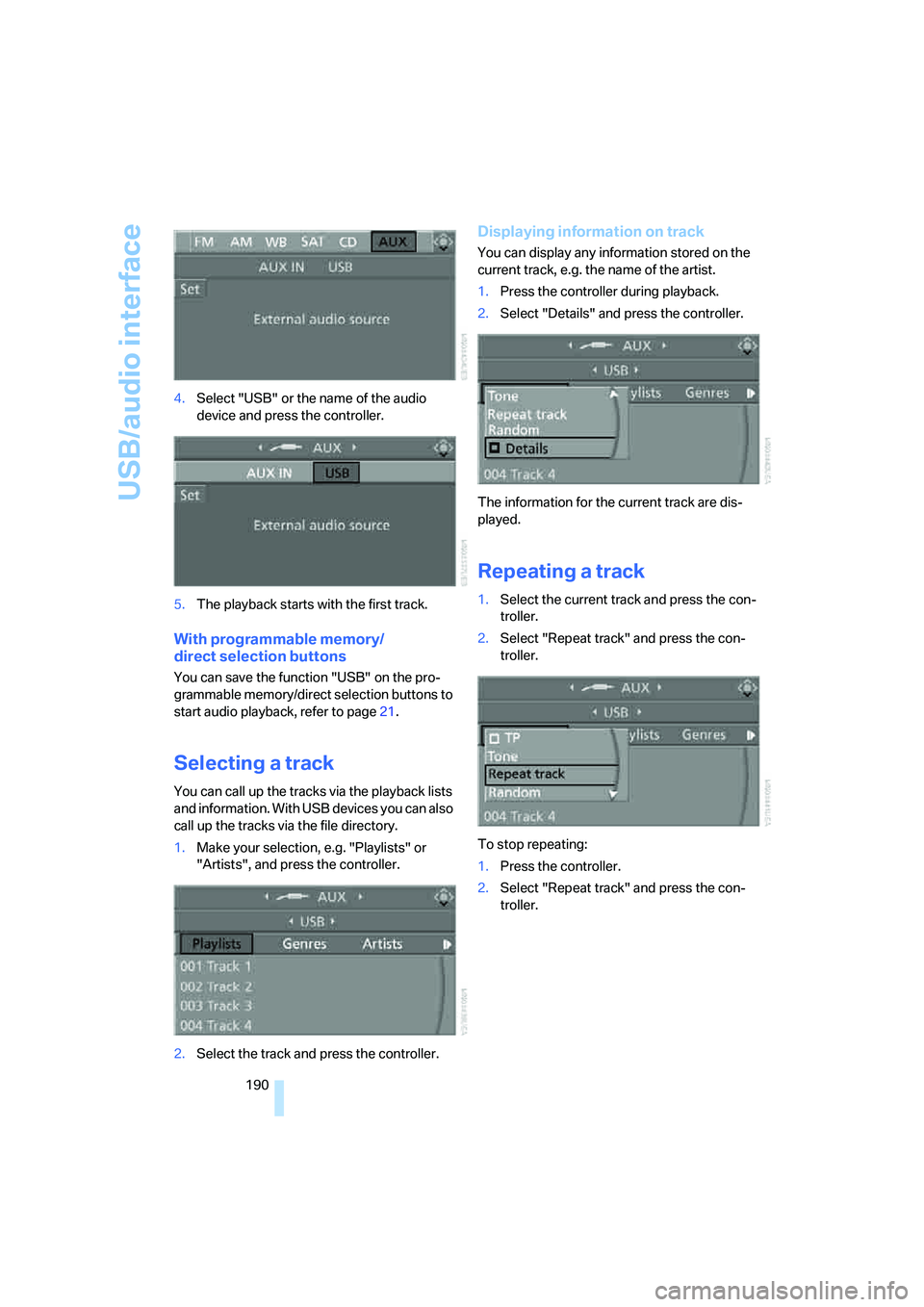
190 4.Select "USB" or the name of the audio
device and press the controller.
5.The playback starts with the first track.
With programmable memory/
direct selection buttons
You can save the function "USB" on the pro-
grammable memory/direct selection buttons to
start audio playback, refer to page21.
Selecting a track
You can call up the tracks via the playback lists
and information. With USB devices you can also
call up the tracks via the file directory.
1.Make your selection, e.g. "Playlists" or
"Artists", and press the controller.
2.Select the track and press the controller.
Displaying information on track
You can display any information stored on the
current track, e.g. the name of the artist.
1.Press the controller during playback.
2.Select "Details" and press the controller.
The information for the current track are dis-
played.
Repeating a track
1.Select the current track and press the con-
troller.
2.Select "Repeat track" and press the con-
troller.
To stop repeating:
1.Press the controller.
2.Select "Repeat track" and press the con-
troller.
Page 193 of 288
Navigation
Entertainment
Driving tips
191Reference
At a glance
Controls
Communications
Mobility
Random play sequence
You can play back the tracks of the selected list
in random order, e.g. all tracks of an artist.
1.Select the current track and press the con-
troller.
2.Select "Random" and press the controller.
End random playback:
1.Press the controller.
2.Select "Random" and press the controller.
Fast forward/reverse
Buttons next to CD player:
Press and hold the button for the corre-
sponding direction.
Notes
Do not subject the audio device to
extreme environmental conditions, e.g.
extremely high temperatures, refer to the oper-
ating instructions of the audio device. Other-
wise, the audio device can be damaged and the
resulting distraction can reduce road safety
while driving.<
Depending on the configuration of the audio
files, e.g. bit rates greater than 256 Kbit/s,
proper playback cannot always be ensured.
Connecting instructions
>The USB/audio interface supplies the con-
nected audio device with power, provided
the audio device supports this function. It is
therefore unnecessary to connect the audio
device to a socket in the vehicle during
operation.
>Do not force the plug into the USB interface.
>Do not connect any devices, e.g. fans or
lamps, to the USB/audio interface.
>Do not connect USB hard disks.
>Do not use the audio interface to recharge
external devices.
Page 202 of 288
Telephoning
200
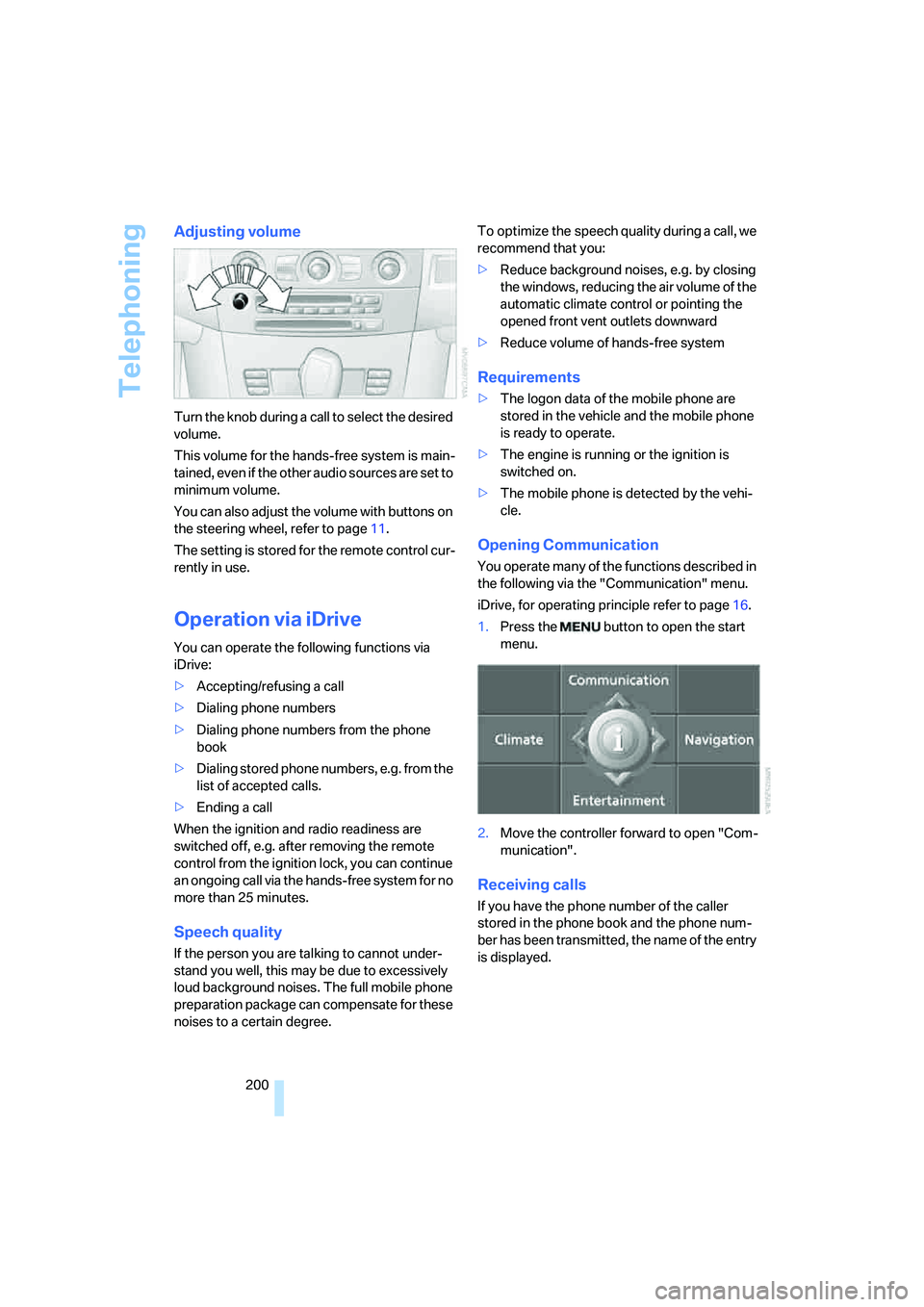
Adjusting volume
Turn the knob during a call to select the desired
volume.
This volume for the hands-free system is main-
tained, even if the other audio sources are set to
minimum volume.
You can also adjust the volume with buttons on
the steering wheel, refer to page11.
The setting is stored for the remote control cur-
rently in use.
Operation via iDrive
You can operate the following functions via
iDrive:
>Accepting/refusing a call
>Dialing phone numbers
>Dialing phone numbers from the phone
book
>Dialing stored phone numbers, e.g. from the
list of accepted calls.
>Ending a call
When the ignition and radio readiness are
switched off, e.g. after removing the remote
control from the ignition lock, you can continue
an ongoing call via the hands-free system for no
more than 25 minutes.
Speech quality
If the person you are talking to cannot under-
stand you well, this may be due to excessively
loud background noises. The full mobile phone
preparation package can compensate for these
noises to a certain degree. To optimize the speech quality during a call, we
recommend that you:
>Reduce background noises, e.g. by closing
the windows, reducing the air volume of the
automatic climate control or pointing the
opened front vent outlets downward
>Reduce volume of hands-free system
Requirements
>The logon data of the mobile phone are
stored in the vehicle and the mobile phone
is ready to operate.
>The engine is running or the ignition is
switched on.
>The mobile phone is detected by the vehi-
cle.
Opening Communication
You operate many of the functions described in
the following via the "Communication" menu.
iDrive, for operating principle refer to page16.
1.Press the button to open the start
menu.
2.Move the controller forward to open "Com-
munication".
Receiving calls
If you have the phone number of the caller
stored in the phone book and the phone num-
ber has been transmitted, the name of the entry
is displayed.
Page 208 of 288
Telephoning
206
Example: dialing phone numbers
To start the dialog:
Press the button on the steering wheel.
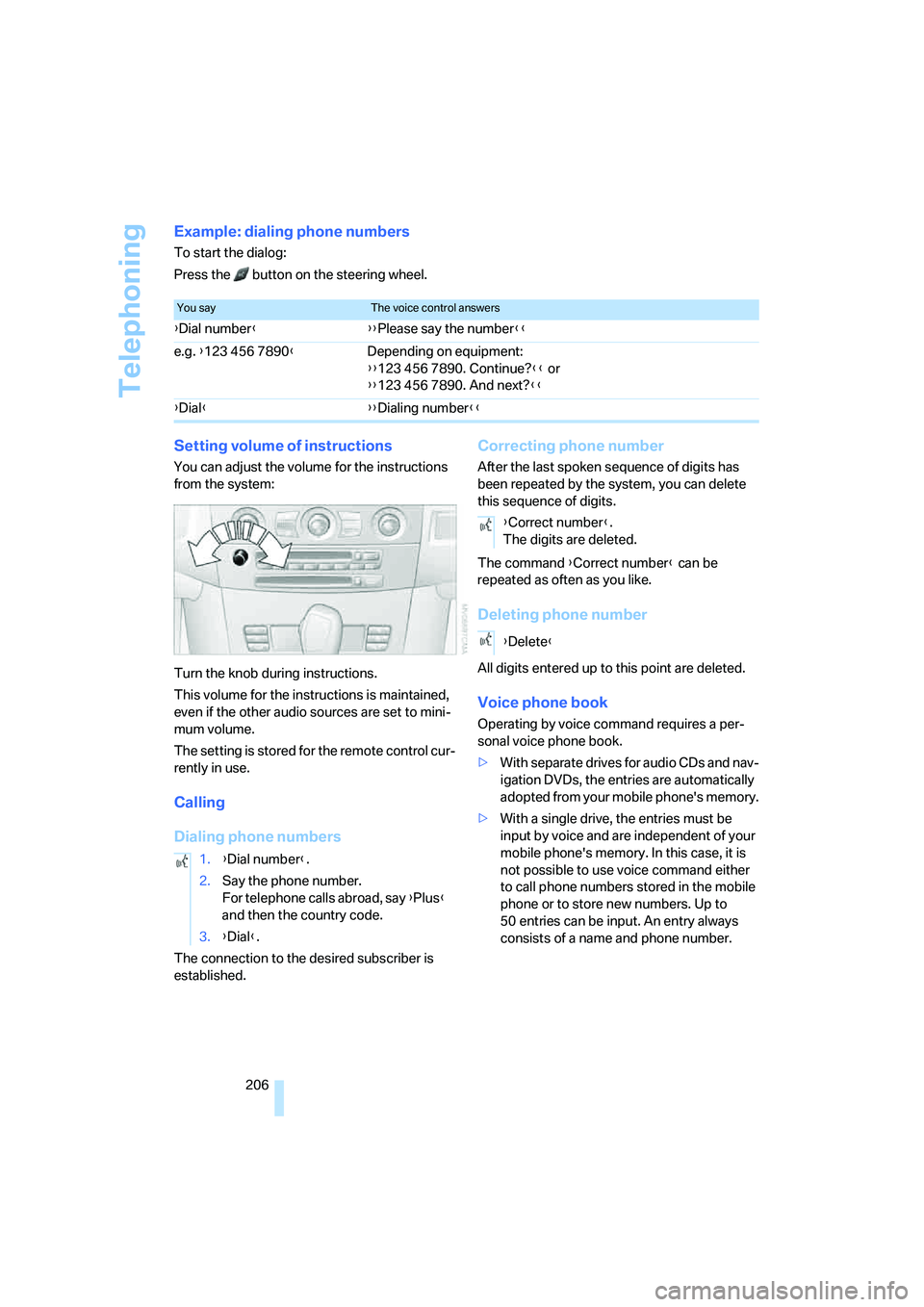
Setting volume of instructions
You can adjust the volume for the instructions
from the system:
Turn the knob during instructions.
This volume for the instructions is maintained,
even if the other audio sources are set to mini-
mum volume.
The setting is stored for the remote control cur-
rently in use.
Calling
Dialing phone numbers
The connection to the desired subscriber is
established.
Correcting phone number
After the last spoken sequence of digits has
been repeated by the system, you can delete
this sequence of digits.
The command {Correct number} can be
repeated as often as you like.
Deleting phone number
All digits entered up to this point are deleted.
Voice phone book
Operating by voice command requires a per-
sonal voice phone book.
>With separate drives for audio CDs and nav-
igation DVDs, the entries are automatically
adopted from your mobile phone's memory.
>With a single drive, the entries must be
input by voice and are independent of your
mobile phone's memory. In this case, it is
not possible to use voice command either
to call phone numbers stored in the mobile
phone or to store new numbers. Up to
50 entries can be input. An entry always
consists of a name and phone number.
You sayThe voice control answers
{Dial number}{{Please say the number}}
e.g. {123 456 7890}Depending on equipment:
{{123 456 7890. Continue?}} or
{{123 456 7890. And next?}}
{Dial}{{Dialing number}}
1.{Dial number}.
2.Say the phone number.
For telephone calls abroad, say {Plus}
and then the country code.
3.{Dial}.
{Correct number}.
The digits are deleted.
{Delete}
Page 263 of 288
Reference 261
At a glance
Controls
Driving tips
Communications
Navigation
Entertainment
Mobility
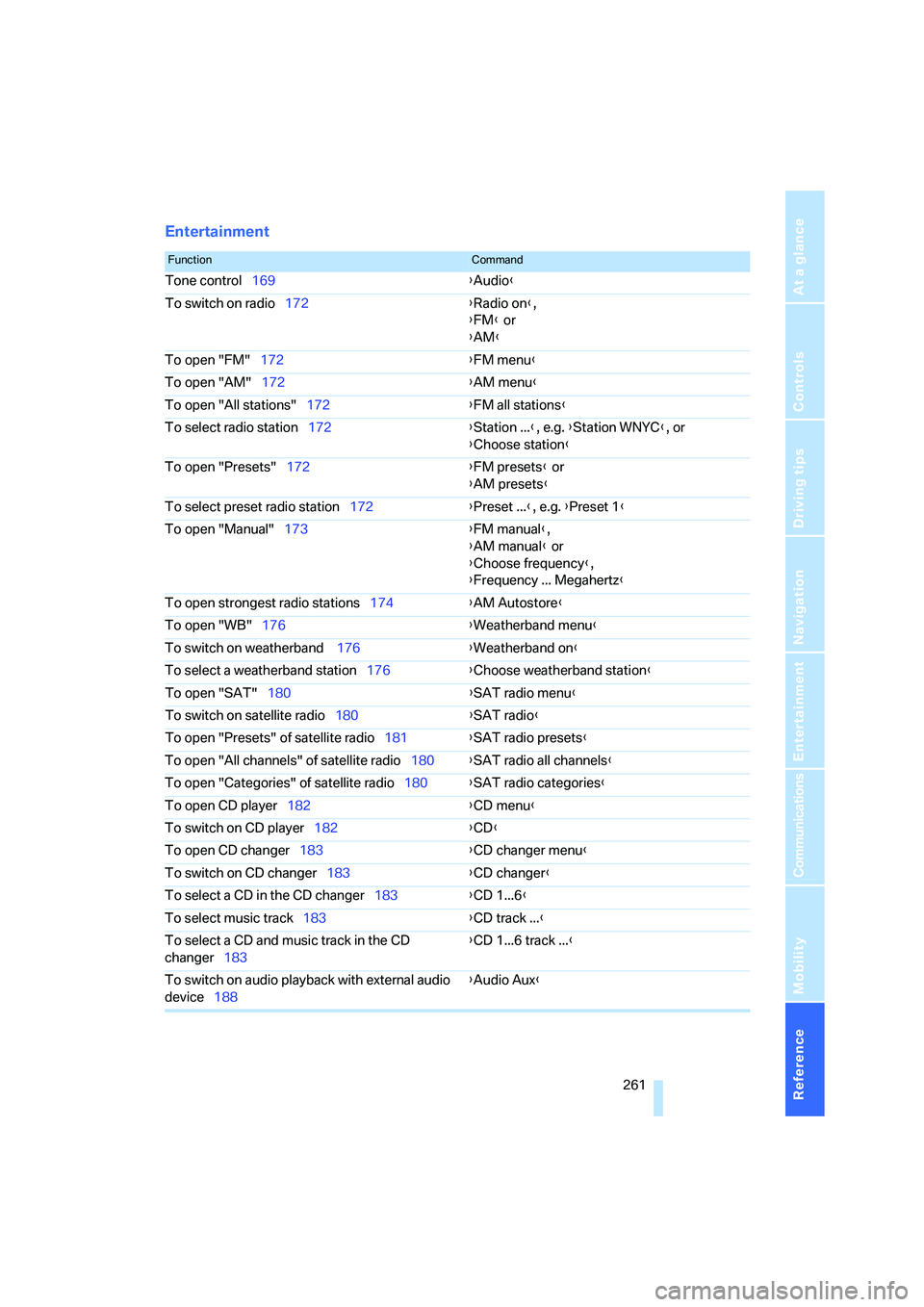
Entertainment
FunctionCommand
Tone control169{Audio}
To switch on radio172{Radio on},
{FM} or
{AM}
To open "FM"172{FM menu}
To open "AM"172{AM menu}
To open "All stations"172{FM all stations}
To select radio station172{Station ...}, e.g. {Station WNYC}, or
{Choose station}
To open "Presets"172{FM presets} or
{AM presets}
To select preset radio station172{Preset ...}, e.g. {Preset 1}
To open "Manual"173{FM manual},
{AM manual} or
{Choose frequency},
{Frequency ... Megahertz}
To open strongest radio stations174{AM Autostore}
To open "WB"176{Weatherband menu}
To switch on weatherband 176{Weatherband on}
To select a weatherband station176{Choose weatherband station}
To open "SAT"180{SAT radio menu}
To switch on satellite radio180{SAT radio}
To open "Presets" of satellite radio181{SAT radio presets}
To open "All channels" of satellite radio180{SAT radio all channels}
To open "Categories" of satellite radio180{SAT radio categories}
To open CD player182{CD menu}
To switch on CD player182{CD}
To open CD changer183{CD changer menu}
To switch on CD changer183{CD changer}
To select a CD in the CD changer183{CD 1...6}
To select music track183{CD track ...}
To select a CD and music track in the CD
changer183{CD 1...6 track ...}
To switch on audio playback with external audio
device188{Audio Aux}
Page 266 of 288
Everything from A to Z
264
Everything from A to Z
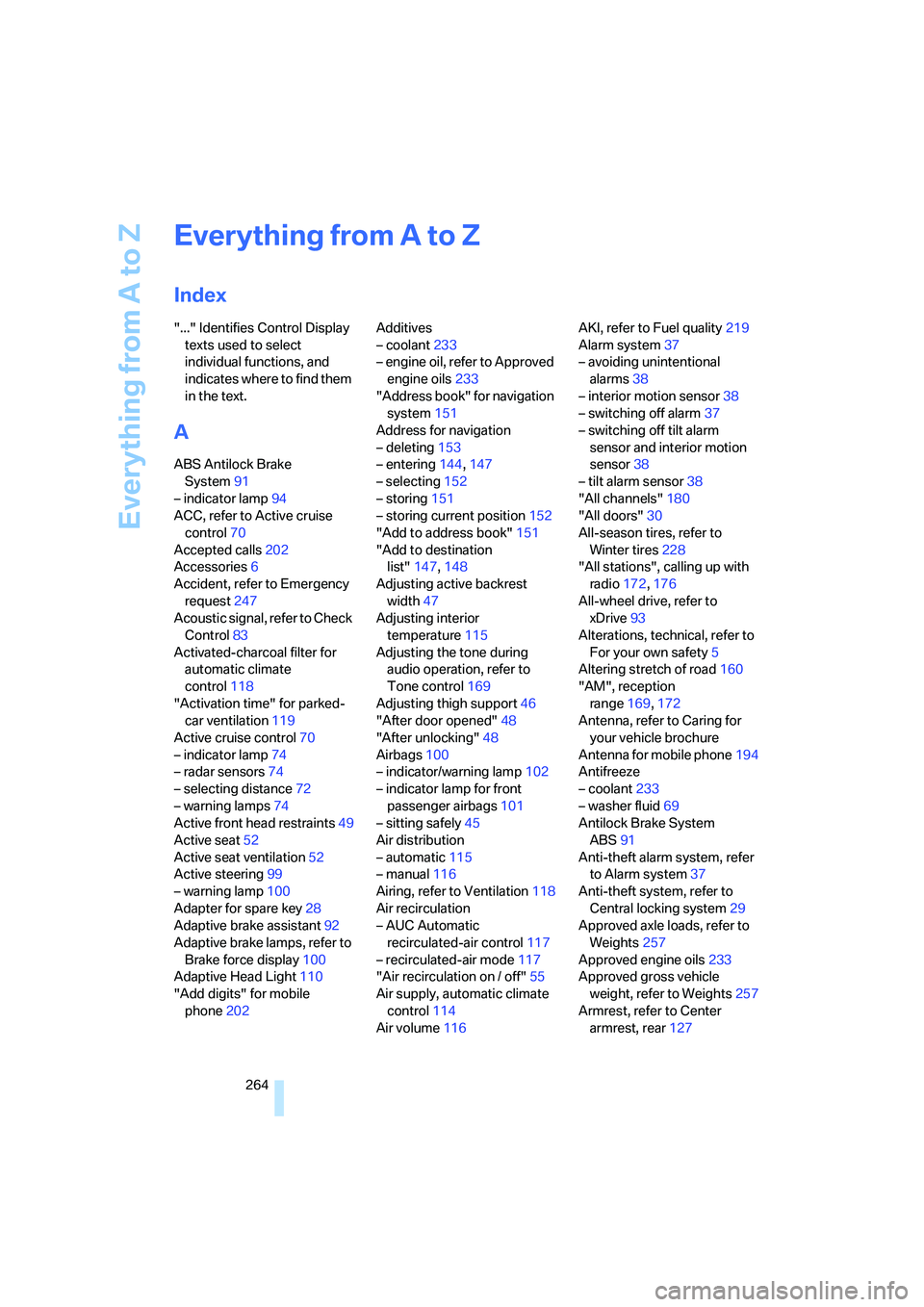
Index
"..." Identifies Control Display
texts used to select
individual functions, and
indicates where to find them
in the text.
A
ABS Antilock Brake
System91
– indicator lamp94
ACC, refer to Active cruise
control70
Accepted calls202
Accessories6
Accident, refer to Emergency
request247
Acoustic signal, refer to Check
Control83
Activated-charcoal filter for
automatic climate
control118
"Activation time" for parked-
car ventilation119
Active cruise control70
– indicator lamp74
– radar sensors74
– selecting distance72
– warning lamps74
Active front head restraints49
Active seat52
Active seat ventilation52
Active steering99
– warning lamp100
Adapter for spare key28
Adaptive brake assistant92
Adaptive brake lamps, refer to
Brake force display100
Adaptive Head Light110
"Add digits" for mobile
phone202Additives
– coolant233
– engine oil, refer to Approved
engine oils233
"Address book" for navigation
system151
Address for navigation
– deleting153
– entering144,147
– selecting152
– storing151
– storing current position152
"Add to address book"151
"Add to destination
list"147,148
Adjusting active backrest
width47
Adjusting interior
temperature115
Adjusting the tone during
audio operation, refer to
Tone control169
Adjusting thigh support46
"After door opened"48
"After unlocking"48
Airbags100
– indicator/warning lamp102
– indicator lamp for front
passenger airbags101
– sitting safely45
Air distribution
– automatic115
– manual116
Airing, refer to Ventilation118
Air recirculation
– AUC Automatic
recirculated-air control117
– recirculated-air mode117
"Air recirculation on / off"55
Air supply, automatic climate
control114
Air volume116AKI, refer to Fuel quality219
Alarm system37
– avoiding unintentional
alarms38
– interior motion sensor38
– switching off alarm37
– switching off tilt alarm
sensor and interior motion
sensor38
– tilt alarm sensor38
"All channels"180
"All doors"30
All-season tires, refer to
Winter tires228
"All stations", calling up with
radio172,176
All-wheel drive, refer to
xDrive93
Alterations, technical, refer to
For your own safety5
Altering stretch of road160
"AM", reception
range169,172
Antenna, refer to Caring for
your vehicle brochure
Antenna for mobile phone194
Antifreeze
– coolant233
– washer fluid69
Antilock Brake System
ABS91
Anti-theft alarm system, refer
to Alarm system37
Anti-theft system, refer to
Central locking system29
Approved axle loads, refer to
Weights257
Approved engine oils233
Approved gross vehicle
weight, refer to Weights257
Armrest, refer to Center
armrest, rear127
Page 267 of 288
Reference 265
At a glance
Controls
Driving tips
Communications
Navigation
Entertainment
Mobility
Around the center console14
Around the steering wheel10
Arrival time
– refer to Computer80
– refer to Starting destination
guidance156
"Arrow display" for navigation
system157
"Arrow display pop-up
instructions"143
Ashtray
– front125
– rear126
Assist, refer to
BMW Assist209
Assistance systems, refer to
Driving stability control
systems91
Assistance window20
"Assist. window off"21
AUC Automatic recirculated-
air control117
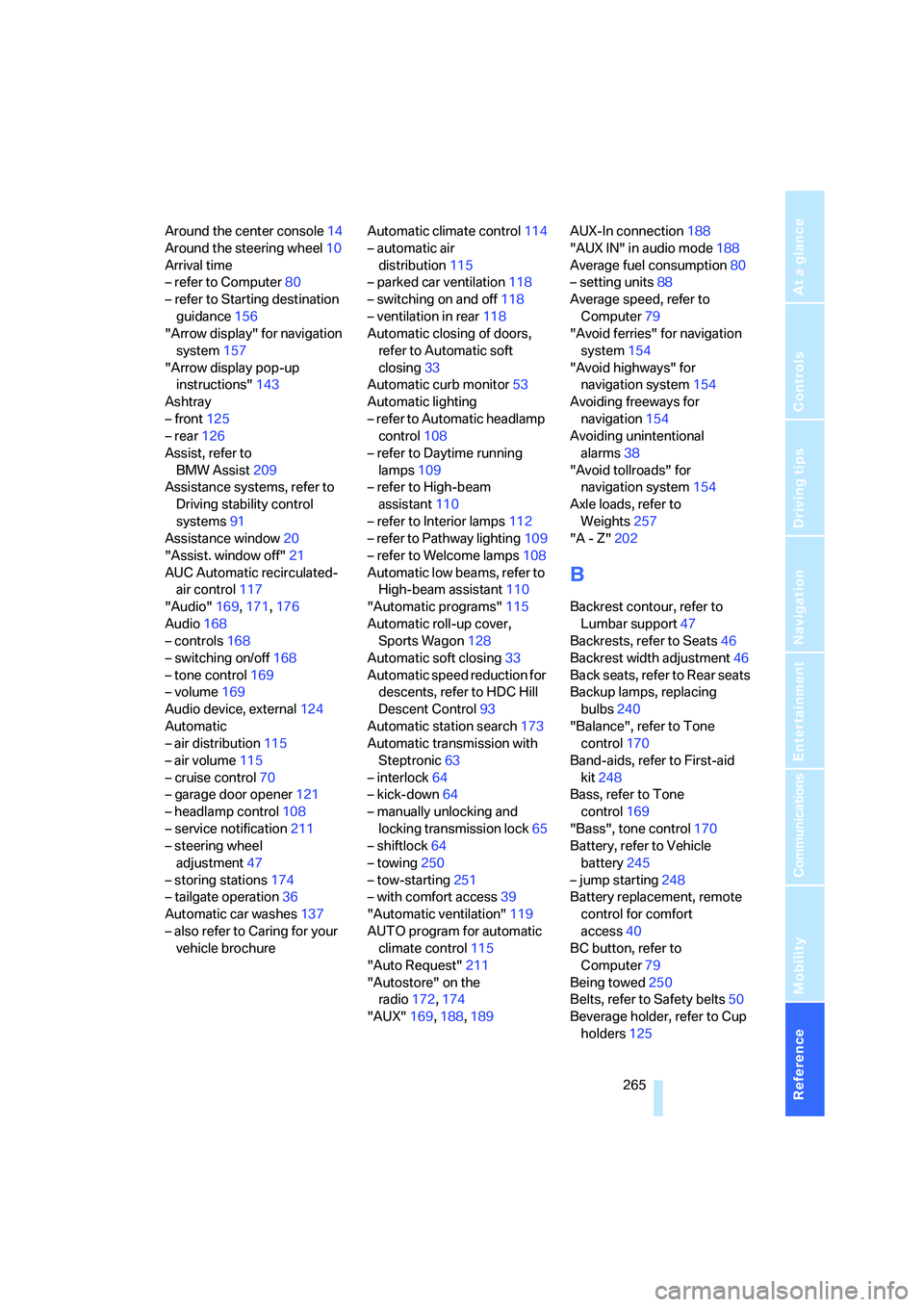
"Audio"169,171,176
Audio168
– controls168
– switching on/off168
– tone control169
– volume169
Audio device, external124
Automatic
– air distribution115
– air volume115
– cruise control70
– garage door opener121
– headlamp control108
– service notification211
– steering wheel
adjustment47
– storing stations174
– tailgate operation36
Automatic car washes137
– also refer to Caring for your
vehicle brochureAutomatic climate control114
– automatic air
distribution115
– parked car ventilation118
– switching on and off118
– ventilation in rear118
Automatic closing of doors,
refer to Automatic soft
closing33
Automatic curb monitor53
Automatic lighting
– refer to Automatic headlamp
control108
– refer to Daytime running
lamps109
– refer to High-beam
assistant110
– refer to Interior lamps
112
– refer to Pathway lighting109
– refer to Welcome lamps108
Automatic low beams, refer to
High-beam assistant110
"Automatic programs"115
Automatic roll-up cover,
Sports Wagon128
Automatic soft closing33
Automatic speed reduction for
descents, refer to HDC Hill
Descent Control93
Automatic station search173
Automatic transmission with
Steptronic63
– interlock64
– kick-down64
– manually unlocking and
locking transmission lock65
– shiftlock64
– towing250
– tow-starting251
– with comfort access39
"Automatic ventilation"119
AUTO program for automatic
climate control115
"Auto Request"211
"Autostore" on the
radio172,174
"AUX"169,188,189AUX-In connection188
"AUX IN" in audio mode188
Average fuel consumption80
– setting units88
Average speed, refer to
Computer79
"Avoid ferries" for navigation
system154
"Avoid highways" for
navigation system154
Avoiding freeways for
navigation154
Avoiding unintentional
alarms38
"Avoid tollroads" for
navigation system154
Axle loads, refer to
Weights257
"A - Z"202
B
Backrest contour, refer to
Lumbar support47
Backrests, refer to Seats46
Backrest width adjustment46
Back seats, refer to Rear seats
Backup lamps, replacing
bulbs240
"Balance", refer to Tone
control170
Band-aids, refer to First-aid
kit248
Bass, refer to Tone
control169
"Bass", tone control170
Battery, refer to Vehicle
battery245
– jump starting248
Battery replacement, remote
control for comfort
access40
BC button, refer to
Computer79
Being towed250
Belts, refer to Safety belts50
Beverage holder, refer to Cup
holders125
Page 270 of 288
Everything from A to Z
268 Compact wheel
– inflation pressure221,222
– wheel change244
Compartment for remote
control, refer to Ignition
lock61
Compartments
– in cargo bay, Sports
Wagon129
– refer to Storage area
package, Sports Wagon130
– refer to Storage
compartments124
Compressed audio files182
Computer79
– displays on Control
Display80
– hour signal87
"Concert hall", refer to Tone
control171
"Concierge"212
Concierge service212
Condensation, refer to When
vehicle is parked136
Condition Based Service
CBS235
"Confirmation"31
Confirmation signals for
locking and unlocking31
Connecting car vacuum
cleaner, refer to Connecting
electrical devices126
Consumption, refer to
Average fuel
consumption80
Consumption indicator,
Energy Control79
Consumption statistics, refer
to Average fuel
consumption80
"Continue guidance to
destination?"157
"Contrast" with BMW Night
Vision106
Control Center, refer to
iDrive16Control Display, refer to
iDrive16
– setting brightness88
– switching off/on21
Controller, refer to iDrive16
Controls, refer to Cockpit10
Convenient operation
– glass sunroof30
– windows30
– windows and glass sunroof
with comfort access39
Coolant233
– checking level233
– temperature78
Cooling, maximum117
Cooling fluid, refer to
Coolant
233
Cooling function, automatic
climate control117
Cooling system, refer to
Coolant233
Copyright2
Cornering Brake Control
CBC91
Country of destination for
navigation145
Courtesy lamps112
Cradle for telephone or mobile
phone123
Cruise control69
– active cruise control70
Cruising range79
Cup holders125
Curb weight, refer to
Weights257
Current consumption, refer to
Energy Control79
"Current position"163
Current position
– displaying163
– entering152
– storing152
"Curve mode" with
BMW Night Vision106
"Customer
Relations"204,212
Cylinders, refer to Engine
data254
D
Dashboard, refer to
Cockpit10
Data, technical254
– dimensions255
– engine254
– weights257
"Date"87
Date78
– date format87
– retrieval78
– setting87
"Date format"87
"Daytime running lamps"109
Daytime running lamps109
DBC Dynamic Brake Control,
warning lamp94
"Deactivated"49
Decommissioning the vehicle,
refer to Caring for your
vehicle brochure
Defect
– door lock32
– fuel filler door218
– glass sunroof42
– luggage compartment lid34
– panorama glass sunroof44
– tailgate35
Defrosting windows116
Defrosting windows and
removing condensation116
Defrosting windshield, refer to
Defrosting windows116
Defrost position, refer to
Defrosting windows116
"Delete address book" for
navigation system153
"Delete all numbers" for
mobile phone203
"Delete data" for navigation
system153
"Delete" for mobile
phone203
Destination address
– deleting153
– entering144,147
Page 271 of 288
Reference 269
At a glance
Controls
Driving tips
Communications
Navigation
Entertainment
Mobility
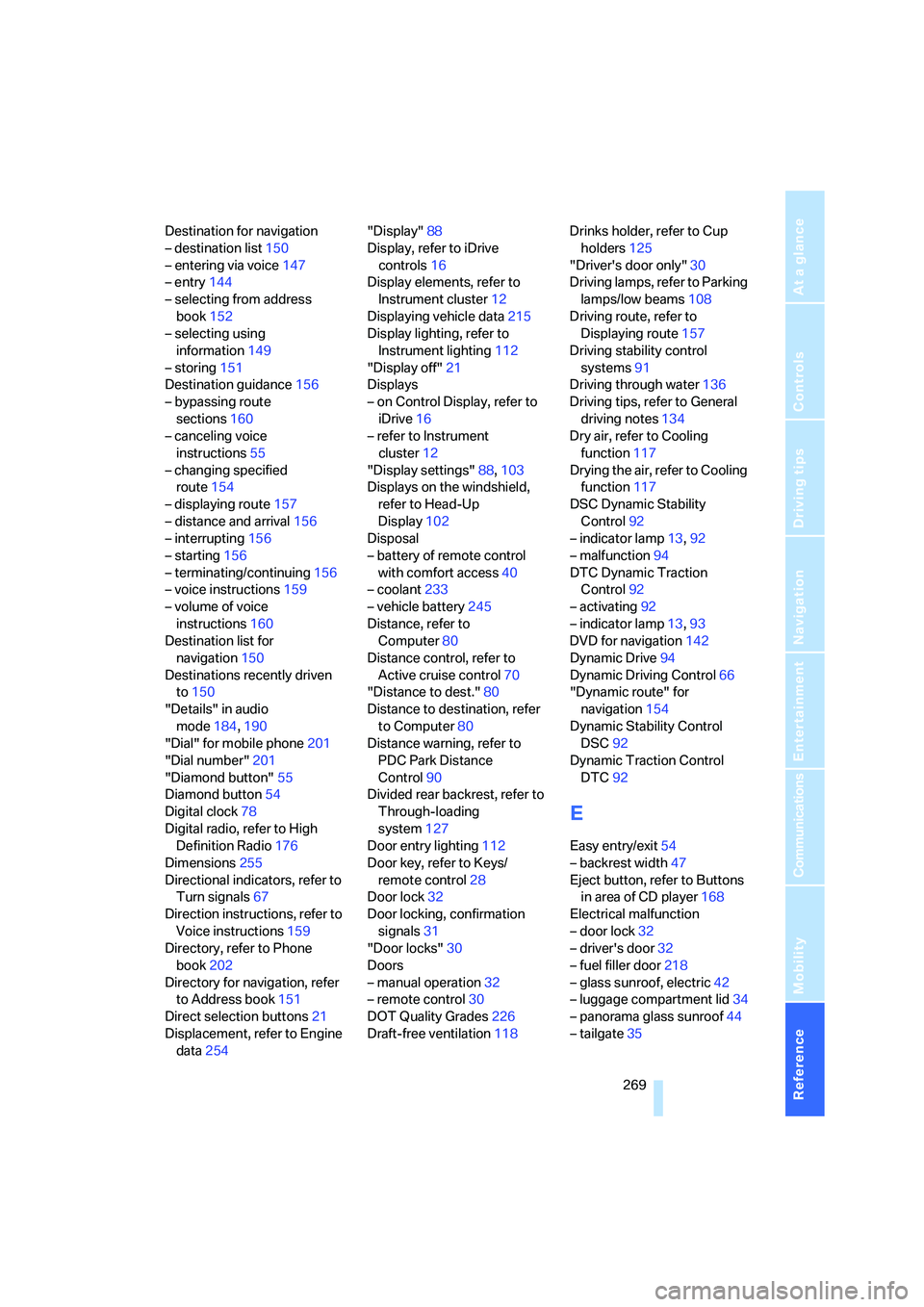
Destination for navigation
– destination list150
– entering via voice147
– entry144
– selecting from address
book152
– selecting using
information149
– storing151
Destination guidance156
– bypassing route
sections160
– canceling voice
instructions55
– changing specified
route154
– displaying route157
– distance and arrival156
– interrupting156
– starting156
– terminating/continuing156
– voice instructions159
– volume of voice
instructions160
Destination list for
navigation150
Destinations recently driven
to150
"Details" in audio
mode184,190
"Dial" for mobile phone201
"Dial number"201
"Diamond button"55
Diamond button54
Digital clock78
Digital radio, refer to High
Definition Radio176
Dimensions255
Directional indicators, refer to
Turn signals67
Direction instructions, refer to
Voice instructions159
Directory, refer to Phone
book202
Directory for navigation, refer
to Address book151
Direct selection buttons21
Displacement, refer to Engine
data254"Display"88
Display, refer to iDrive
controls16
Display elements, refer to
Instrument cluster12
Displaying vehicle data215
Display lighting, refer to
Instrument lighting112
"Display off"21
Displays
– on Control Display, refer to
iDrive16
– refer to Instrument
cluster12
"Display settings"88,103
Displays on the windshield,
refer to Head-Up
Display102
Disposal
– battery of remote control
with comfort access40
– coolant233
– vehicle battery245
Distance, refer to
Computer80
Distance control, refer to
Active cruise control70
"Distance to dest."80
Distance to destination, refer
to Computer80
Distance warning, refer to
PDC Park Distance
Control90
Divided rear backrest, refer to
Through-loading
system127
Door entry lighting112
Door key, refer to Keys/
remote control28
Door lock32
Door locking, confirmation
signals31
"Door locks"30
Doors
– manual operation32
– remote control30
DOT Quality Grades226
Draft-free ventilation118Drinks holder, refer to Cup
holders125
"Driver's door only"30
Driving lamps, refer to Parking
lamps/low beams108
Driving route, refer to
Displaying route157
Driving stability control
systems91
Driving through water136
Driving tips, refer to General
driving notes134
Dry air, refer to Cooling
function117
Drying the air, refer to Cooling
function117
DSC Dynamic Stability
Control92
– indicator lamp13,92
– malfunction94
DTC Dynamic Traction
Control92
– activating92
– indicator lamp13,93
DVD for navigation
142
Dynamic Drive94
Dynamic Driving Control66
"Dynamic route" for
navigation154
Dynamic Stability Control
DSC92
Dynamic Traction Control
DTC92
E
Easy entry/exit54
– backrest width47
Eject button, refer to Buttons
in area of CD player168
Electrical malfunction
– door lock32
– driver's door32
– fuel filler door218
– glass sunroof, electric42
– luggage compartment lid34
– panorama glass sunroof44
– tailgate35
Page 272 of 288
Everything from A to Z
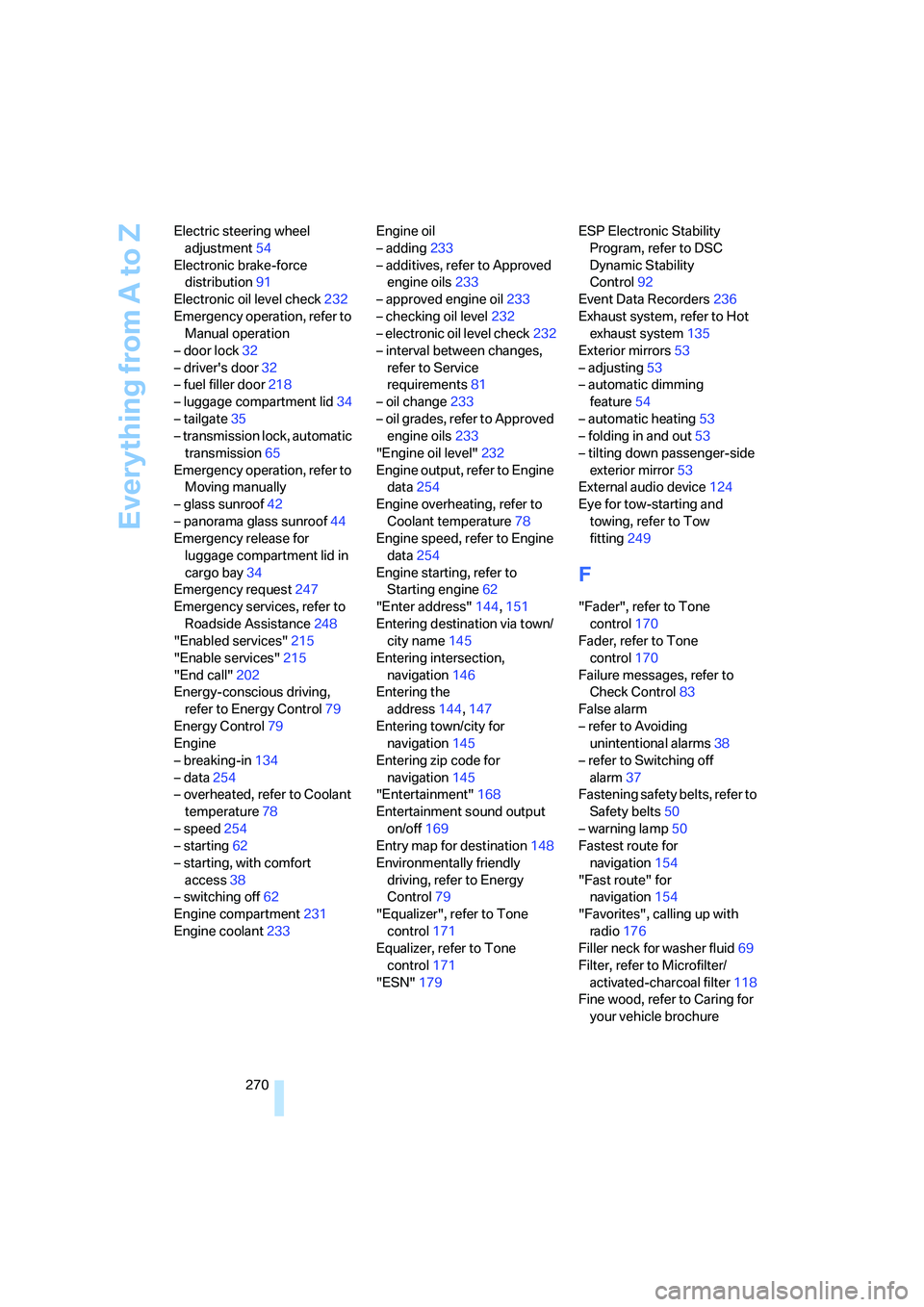
270 Electric steering wheel
adjustment54
Electronic brake-force
distribution91
Electronic oil level check232
Emergency operation, refer to
Manual operation
– door lock32
– driver's door32
– fuel filler door218
– luggage compartment lid34
– tailgate35
– transmission lock, automatic
transmission65
Emergency operation, refer to
Moving manually
– glass sunroof42
– panorama glass sunroof44
Emergency release for
luggage compartment lid in
cargo bay34
Emergency request247
Emergency services, refer to
Roadside Assistance248
"Enabled services"215
"Enable services"215
"End call"202
Energy-conscious driving,
refer to Energy Control79
Energy Control79
Engine
– breaking-in134
– data254
– overheated, refer to Coolant
temperature78
– speed254
– starting62
– starting, with comfort
access38
– switching off62
Engine compartment231
Engine coolant233Engine oil
– adding233
– additives, refer to Approved
engine oils233
– approved engine oil233
– checking oil level232
– electronic oil level check232
– interval between changes,
refer to Service
requirements81
– oil change233
– oil grades, refer to Approved
engine oils233
"Engine oil level"232
Engine output, refer to Engine
data254
Engine overheating, refer to
Coolant temperature78
Engine speed, refer to Engine
data
254
Engine starting, refer to
Starting engine62
"Enter address"144,151
Entering destination via town/
city name145
Entering intersection,
navigation146
Entering the
address144,147
Entering town/city for
navigation145
Entering zip code for
navigation145
"Entertainment"168
Entertainment sound output
on/off169
Entry map for destination148
Environmentally friendly
driving, refer to Energy
Control79
"Equalizer", refer to Tone
control171
Equalizer, refer to Tone
control171
"ESN"179ESP Electronic Stability
Program, refer to DSC
Dynamic Stability
Control92
Event Data Recorders236
Exhaust system, refer to Hot
exhaust system135
Exterior mirrors53
– adjusting53
– automatic dimming
feature54
– automatic heating53
– folding in and out53
– tilting down passenger-side
exterior mirror53
External audio device124
Eye for tow-starting and
towing, refer to Tow
fitting249
F
"Fader", refer to Tone
control170
Fader, refer to Tone
control170
Failure messages, refer to
Check Control83
False alarm
– refer to Avoiding
unintentional alarms38
– refer to Switching off
alarm37
Fastening safety belts, refer to
Safety belts50
– warning lamp50
Fastest route for
navigation154
"Fast route" for
navigation154
"Favorites", calling up with
radio176
Filler neck for washer fluid69
Filter, refer to Microfilter/
activated-charcoal filter118
Fine wood, refer to Caring for
your vehicle brochure