cruise control BMW 528I 2009 User Guide
[x] Cancel search | Manufacturer: BMW, Model Year: 2009, Model line: 528I, Model: BMW 528I 2009Pages: 294, PDF Size: 9.55 MB
Page 95 of 294
Controls
93Reference
At a glance
Driving tips
Communications
Navigation
Entertainment
Mobility
The indicator lamp lights up:
DTC is activated.
Deactivating DTC
Press the button again; the DTC indicator lamp
in the instrument cluster goes out.
xDrive*
xDrive is the 4-wheel drive system of your
BMW. The combined effects of xDrive and DSC
further optimize the traction and dynamic driv-
ing characteristics. The 4-wheel drive system
xDrive variably distributes the drive torque to
the front and rear axle depending on the driving
situation and prevailing road conditions.
HDC Hill Descent Control*
The concept
HDC is a system for driving downhill in steep
terrain. This system reduces vehicle speed on
steep downhill gradients, thus allowing you to
maintain even better control of your BMW
under these conditions. The vehicle moves at
approximately twice walking speed without
active intervention from the driver.
HDC is available for activation at vehicle speeds
below approx. 22 mph/35 km/h. When driving
down steep hills with a speed below approx.
22 mph/35 km/h, the vehicle reduces speed
automatically down to approximately twice nor-
mal walking speed, approx. 7 mph/12 km/h, and
then keeps this speed constant.
You can use the accelerator or brakes to vary
this automatically controlled speed within a
range extending from approx. 3 mph/5 km/h to
15 mph/25 km/h.
You can specify a target speed within the same
range by using the lever of the cruise control
*.
Activating HDC
You can activate HDC:
>with the programmable buttons on the
steering wheel, refer to page56
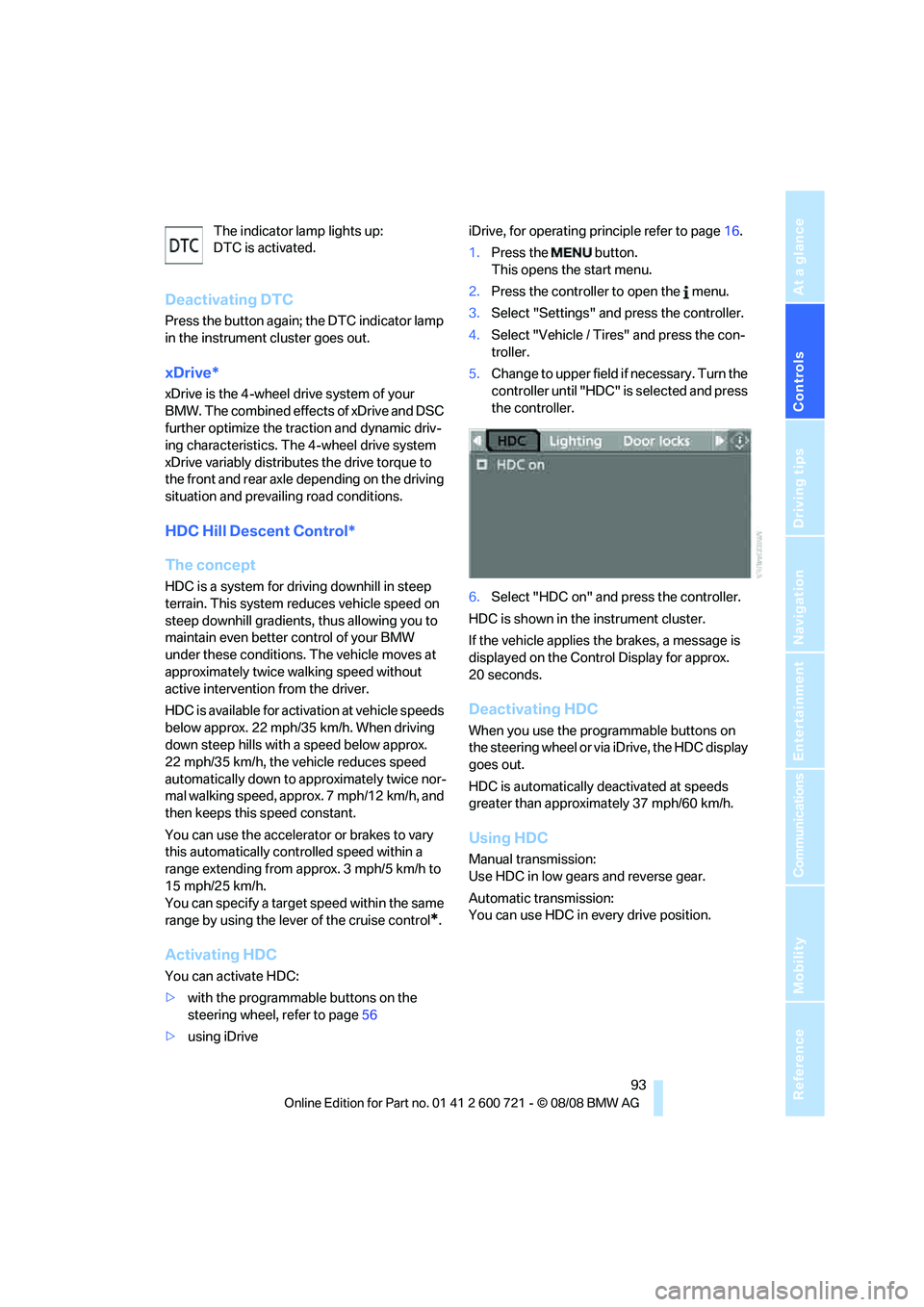
>using iDriveiDrive, for operating principle refer to page16.
1.Press the button.
This opens the start menu.
2.Press the controller to open the menu.
3.Select "Settings" and press the controller.
4.Select "Vehicle / Tires" and press the con-
troller.
5.Change to upper field if necessary. Turn the
controller until "HDC" is selected and press
the controller.
6.Select "HDC on" and press the controller.
HDC is shown in the instrument cluster.
If the vehicle applies the brakes, a message is
displayed on the Control Display for approx.
20 seconds.
Deactivating HDC
When you use the programmable buttons on
the steering wheel or via iDrive, the HDC display
goes out.
HDC is automatically deactivated at speeds
greater than approximately 37 mph/60 km/h.
Using HDC
Manual transmission:
Use HDC in low gears and reverse gear.
Automatic transmission:
You can use HDC in every drive position.
Page 104 of 294
Technology for comfort, convenience and safety
102 >The indicator lamp does not light up when
the seat is empty.
However, the front and side airbags on the
front passenger side are not activated.
Operational readiness of airbag system
From radio readiness, refer to page62, the
warning lamp lights up briefly, indicating the
operational readiness of the entire airbag sys-
tem and the safety belt tensioners.
Airbag system malfunction
>Warning lamp does not light up from radio
readiness.
>Warning lamp lights up continuously.
Have the airbag system checked immedi-
ately in case of a malfunction, otherwise
there is a danger that the airbag system may not
respond in the expected manner in an accident
despite an impact of corresponding intensity.<
Head-Up Display*
The concept
With the Head-Up Display important informa-
tion is projected into the driver's field of view,
e.g. navigation instructions. This enables you to
take in this information without looking away
from the road.
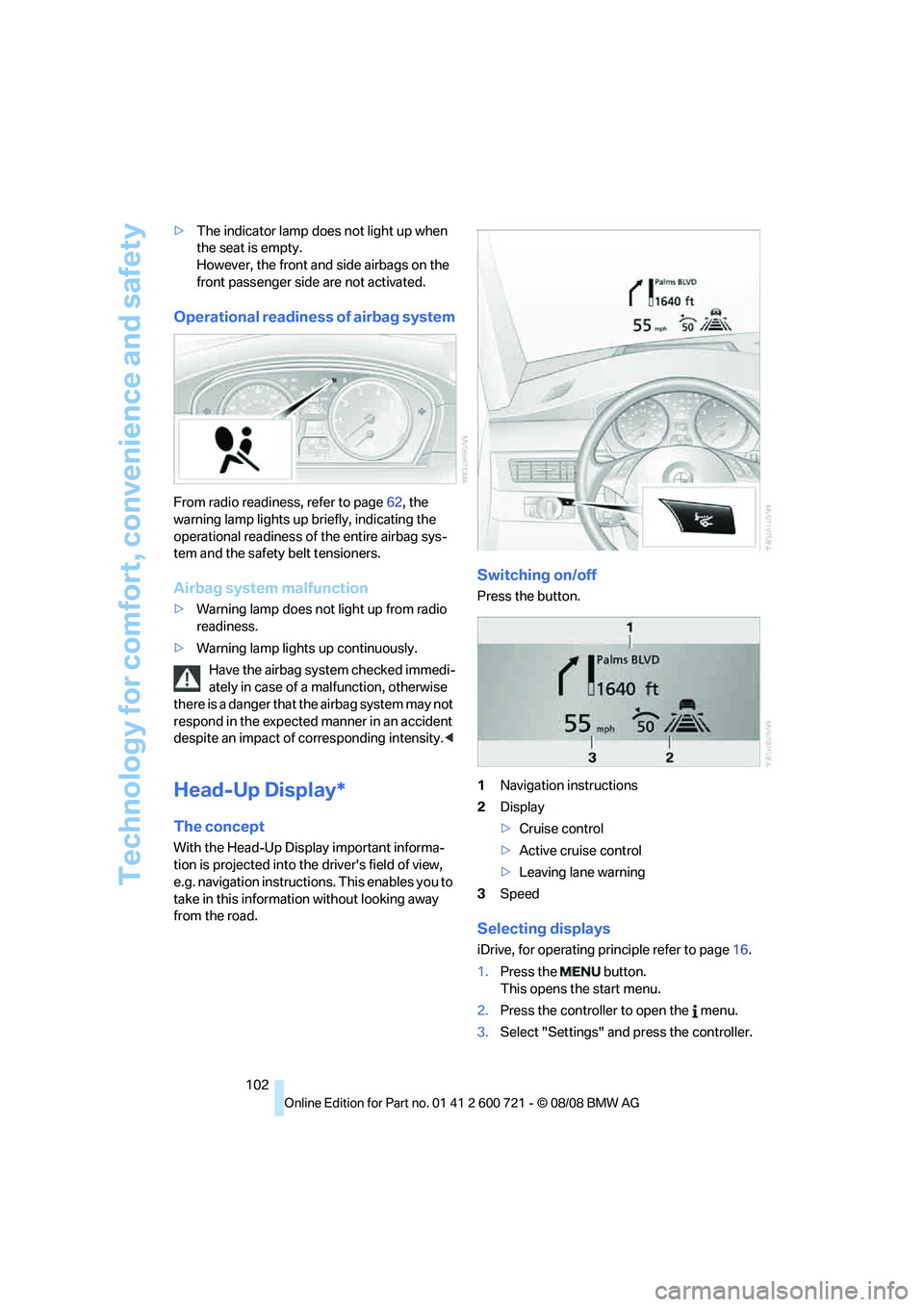
Switching on/off
Press the button.
1Navigation instructions
2Display
>Cruise control
>Active cruise control
>Leaving lane warning
3Speed
Selecting displays
iDrive, for operating principle refer to page16.
1.Press the button.
This opens the start menu.
2.Press the controller to open the menu.
3.Select "Settings" and press the controller.
Page 272 of 294
Everything from A to Z
270
Everything from A to Z
Index
"..." Identifies Control Display
texts used to select
individual functions and
refers you to the page where
these texts can be found.
A
ABS Antilock Brake
System91
– indicator lamp94
ACC, refer to Active cruise
control71
Accepted calls202
Accessories6
Accident, refer to Emergency
request253
Acoustic signal, refer to Check
Control84
Activated-charcoal filter for
automatic climate
control118
"Activation time" for parked
car ventilation119
Active cruise control71
– indicator lamp75
– radar sensors75
– selecting distance73
– warning lamps75
Active front head restraints51
Active seat54
Active seat ventilation54
Active steering99
– warning lamp100
Adapter for spare key30
Adaptive brake assistant92
Adaptive brake lamps, refer to
Brake force display100
Adaptive Head Light110
"Add digits" in mobile phone
mode202Additives
– coolant235
– engine oil, refer to Approved
engine oils235
"Address book" in
navigation152
Address for navigation
– deleting153
– entering144,147
– selecting153
– storing152
– storing current position152
"Add to address book"152
"Add to destination
list"147,149
Adjusting active backrest
width49
Adjusting interior
temperature115
Adjusting the tone during
audio operation, refer to
Tone control169
Adjusting thigh support48
"After door opened"50
"After unlocking"
50
Airbags100
– indicator/warning lamp102
– indicator lamp for front
passenger airbags101
– sitting safely47
Air distribution
– automatic115
– manual116
Airing, refer to Ventilation118
Air recirculation
– AUC Automatic
recirculated-air control117
– recirculated-air mode117
Air recirculation, refer to
Recirculated-air mode117
"Air recirculation on / off"57Air supply, automatic climate
control114
Air volume116
AKI, refer to Fuel quality221
Alarm system39
– avoiding unintentional
alarms40
– interior motion sensor40
– switching off alarm40
– switching off tilt alarm
sensor and interior motion
sensor40
– tilt alarm sensor40
"All channels"180
"All doors"33
Alloy wheels240
All-season tires, refer to
Winter tires230
"All stations", requesting in
radio mode172
All-wheel drive, refer to
xDrive93
Alterations, technical, refer to
For your own safety5
Altering stretch of road160
"AM", reception
range168,172
Antenna for mobile phone194
Antifreeze
– coolant235
– washer fluid70
Anti-theft alarm system, refer
to Alarm system39
Anti-theft system, refer to
Central locking system32
Approved axle loads, refer to
Weights263
Approved engine oils235
Approved gross vehicle
weight, refer to Weights263
Armrest, refer to Center
armrest, rear127
Page 273 of 294
Reference 271
At a glance
Controls
Driving tips
Communications
Navigation
Entertainment
Mobility
Around the center console14
Around the steering wheel10
Arrival time
– refer to Computer81
– refer to Starting destination
guidance156
"Arrow display" in
navigation157
"Arrow display pop-up
instructions"143
Ashtray
– front125
– rear126
Assist, refer to
BMW Assist209
Assistance systems, refer to
Driving stability control
systems91
Assistance window21
"Assist. window off"22
AUC Automatic recirculated-
air control117
Audio168,171,176
– controls168
– switching on/off168
– tone control169
– volume169
Audio device, external124
Automatic
– air distribution115
– air volume115
– cruise control71
– garage door opener121
– headlamp control108
– service notification211
– steering wheel
adjustment49
– storing stations174
– tailgate operation38
Automatic car washes136
Automatic climate control114
– automatic air
distribution115
– parked car ventilation118
– switching on and off118
– ventilation in rear118Automatic closing of doors,
refer to Automatic soft
closing35
Automatic curb monitor55
Automatic lighting
– refer to Automatic headlamp
control108
– refer to Daytime running
lamps109
– refer to Interior lamps112
– refer to Pathway lighting109
– refer to Welcome lamps108
Automatic lights
– refer to High-beam
assistant110
Automatic low beams, refer to
High-beam assistant110
"Automatic programs"115
Automatic roll-up cover,
Sports Wagon128
Automatic soft closing35
Automatic speed reduction for
descents, refer to HDC Hill
Descent Control93
Automatic station search173
Automatic transmission with
Steptronic64
– interlock65
– kick-down65
– manually unlocking and
locking transmission lock66
– shiftlock65
– towing256
– tow-starting257
– with comfort access42
"Automatic ventilation"119
AUTO program for automatic
climate control115
"Auto Request"211
"Autostore" on the
radio172,174
"AUX"168,188,190
AUX-IN connection188
"AUX IN" in audio mode188
Average fuel consumption80
– setting units89
Average speed, refer to
Computer80"Avoid ferries" in
navigation155
"Avoid highways" in
navigation155
Avoiding freeways for
navigation154
Avoiding unintentional
alarms40
"Avoid tollroads" in
navigation155
Axle loads, refer to
Weights263
"A - Z"202
B
Backrest contour, refer to
Lumbar support49
Backrests, refer to Seats48
Backrest width adjustment48
Back seats, refer to Rear seats
Backup lamps, replacing
bulbs246
"Balance", tone control170
Band-aids, refer to First-aid
kit254
Bass, refer to Tone
control169
"Bass", tone control169
Battery, refer to Vehicle
battery251
– jump starting254
Battery replacement
– remote control for comfort
access42
BC button, refer to
Computer80
Being towed256
Belts, refer to Safety belts52
Beverage holder, refer to Cup
holders125
Blower, refer to Air
volume116
"Bluetooth"195
BMW
– Car Shampoo241
"BMW Assist"210,211
Page 276 of 294
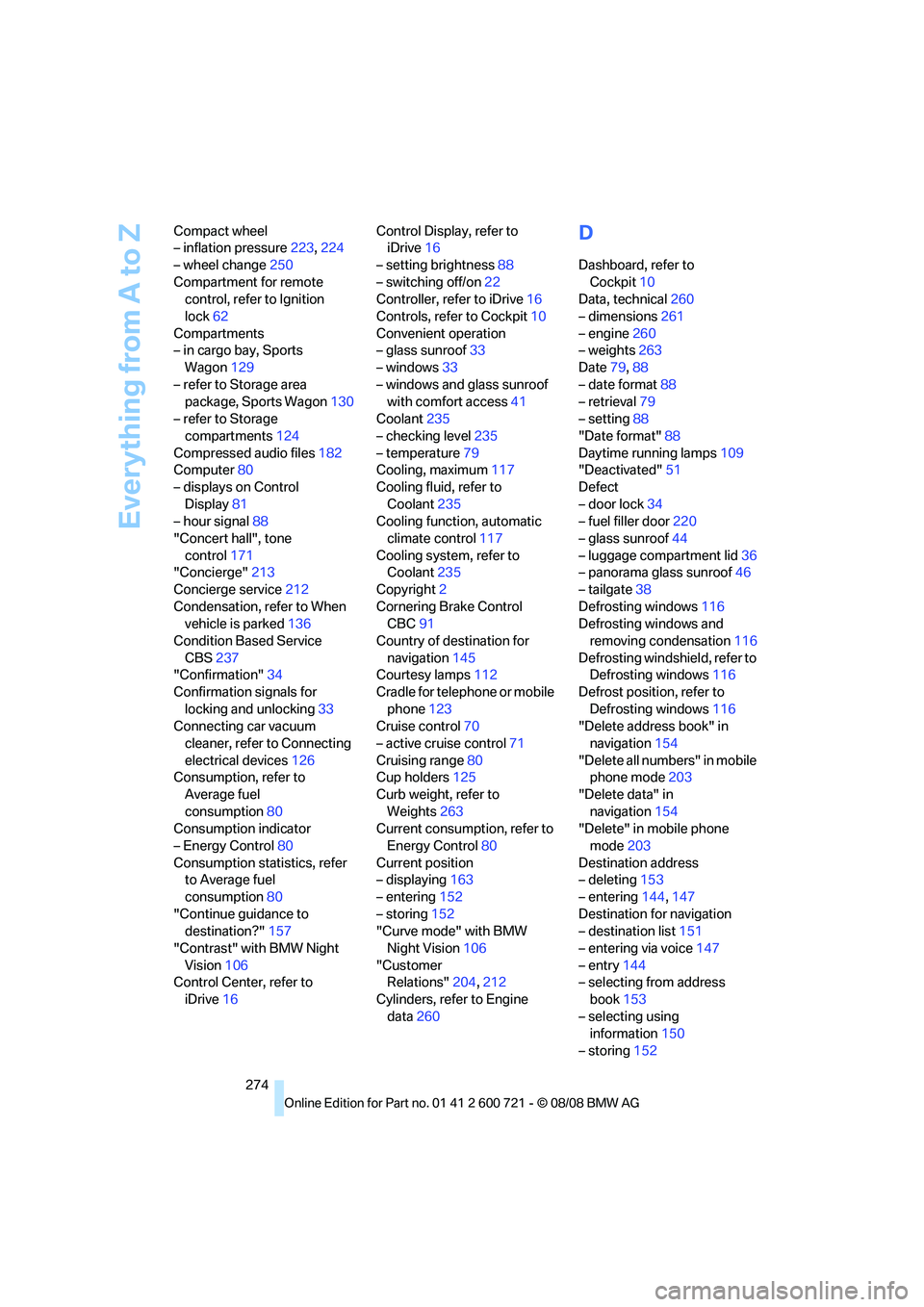
Everything from A to Z
274 Compact wheel
– inflation pressure223,224
– wheel change250
Compartment for remote
control, refer to Ignition
lock62
Compartments
– in cargo bay, Sports
Wagon129
– refer to Storage area
package, Sports Wagon130
– refer to Storage
compartments124
Compressed audio files182
Computer80
– displays on Control
Display81
– hour signal88
"Concert hall", tone
control171
"Concierge"213
Concierge service212
Condensation, refer to When
vehicle is parked136
Condition Based Service
CBS237
"Confirmation"34
Confirmation signals for
locking and unlocking33
Connecting car vacuum
cleaner, refer to Connecting
electrical devices126
Consumption, refer to
Average fuel
consumption80
Consumption indicator
– Energy Control80
Consumption statistics, refer
to Average fuel
consumption80
"Continue guidance to
destination?"157
"Contrast" with BMW Night
Vision106
Control Center, refer to
iDrive16Control Display, refer to
iDrive16
– setting brightness88
– switching off/on22
Controller, refer to iDrive16
Controls, refer to Cockpit10
Convenient operation
– glass sunroof33
– windows33
– windows and glass sunroof
with comfort access41
Coolant235
– checking level235
– temperature79
Cooling, maximum117
Cooling fluid, refer to
Coolant235
Cooling function, automatic
climate control
117
Cooling system, refer to
Coolant235
Copyright2
Cornering Brake Control
CBC91
Country of destination for
navigation145
Courtesy lamps112
Cradle for telephone or mobile
phone123
Cruise control70
– active cruise control71
Cruising range80
Cup holders125
Curb weight, refer to
Weights263
Current consumption, refer to
Energy Control80
Current position
– displaying163
– entering152
– storing152
"Curve mode" with BMW
Night Vision106
"Customer
Relations"204,212
Cylinders, refer to Engine
data260
D
Dashboard, refer to
Cockpit10
Data, technical260
– dimensions261
– engine260
– weights263
Date79,88
– date format88
– retrieval79
– setting88
"Date format"88
Daytime running lamps109
"Deactivated"51
Defect
– door lock34
– fuel filler door220
– glass sunroof44
– luggage compartment lid36
– panorama glass sunroof46
– tailgate38
Defrosting windows116
Defrosting windows and
removing condensation116
Defrosting windshield, refer to
Defrosting windows116
Defrost position, refer to
Defrosting windows116
"Delete address book" in
navigation154
"Delete all numbers" in mobile
phone mode203
"Delete data" in
navigation154
"Delete" in mobile phone
mode203
Destination address
– deleting153
– entering144,147
Destination for navigation
– destination list151
– entering via voice147
– entry144
– selecting from address
book153
– selecting using
information150
– storing152
Page 277 of 294
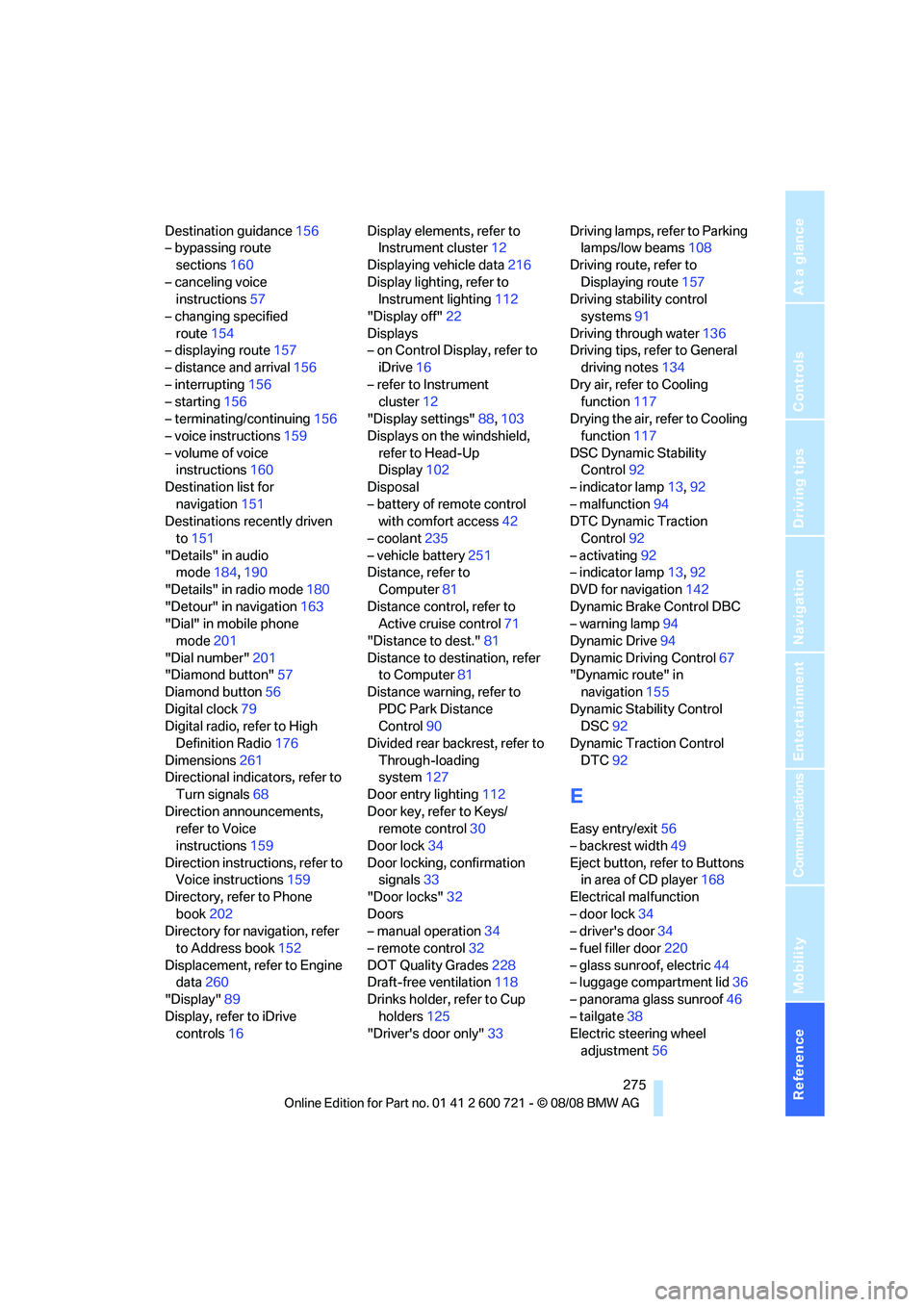
Reference 275
At a glance
Controls
Driving tips
Communications
Navigation
Entertainment
Mobility
Destination guidance156
– bypassing route
sections160
– canceling voice
instructions57
– changing specified
route154
– displaying route157
– distance and arrival156
– interrupting156
– starting156
– terminating/continuing156
– voice instructions159
– volume of voice
instructions160
Destination list for
navigation151
Destinations recently driven
to151
"Details" in audio
mode184,190
"Details" in radio mode180
"Detour" in navigation163
"Dial" in mobile phone
mode201
"Dial number"201
"Diamond button"57
Diamond button56
Digital clock79
Digital radio, refer to High
Definition Radio176
Dimensions261
Directional indicators, refer to
Turn signals68
Direction announcements,
refer to Voice
instructions159
Direction instructions, refer to
Voice instructions159
Directory, refer to Phone
book202
Directory for navigation, refer
to Address book152
Displacement, refer to Engine
data260
"Display"89
Display, refer to iDrive
controls16Display elements, refer to
Instrument cluster12
Displaying vehicle data216
Display lighting, refer to
Instrument lighting112
"Display off"22
Displays
– on Control Display, refer to
iDrive16
– refer to Instrument
cluster12
"Display settings"88,103
Displays on the windshield,
refer to Head-Up
Display102
Disposal
– battery of remote control
with comfort access42
– coolant235
– vehicle battery251
Distance, refer to
Computer81
Distance control, refer to
Active cruise control71
"Distance to dest."81
Distance to destination, refer
to Computer81
Distance warning, refer to
PDC Park Distance
Control90
Divided rear backrest, refer to
Through-loading
system127
Door entry lighting112
Door key, refer to Keys/
remote control30
Door lock34
Door locking, confirmation
signals33
"Door locks"32
Doors
– manual operation34
– remote control32
DOT Quality Grades228
Draft-free ventilation118
Drinks holder, refer to Cup
holders125
"Driver's door only"33Driving lamps, refer to Parking
lamps/low beams108
Driving route, refer to
Displaying route157
Driving stability control
systems91
Driving through water136
Driving tips, refer to General
driving notes134
Dry air, refer to Cooling
function117
Drying the air, refer to Cooling
function117
DSC Dynamic Stability
Control92
– indicator lamp13,92
– malfunction94
DTC Dynamic Traction
Control92
– activating92
– indicator lamp13,92
DVD for navigation142
Dynamic Brake Control DBC
– warning lamp94
Dynamic Drive94
Dynamic Driving Control
67
"Dynamic route" in
navigation155
Dynamic Stability Control
DSC92
Dynamic Traction Control
DTC92
E
Easy entry/exit56
– backrest width49
Eject button, refer to Buttons
in area of CD player168
Electrical malfunction
– door lock34
– driver's door34
– fuel filler door220
– glass sunroof, electric44
– luggage compartment lid36
– panorama glass sunroof46
– tailgate38
Electric steering wheel
adjustment56
Page 286 of 294
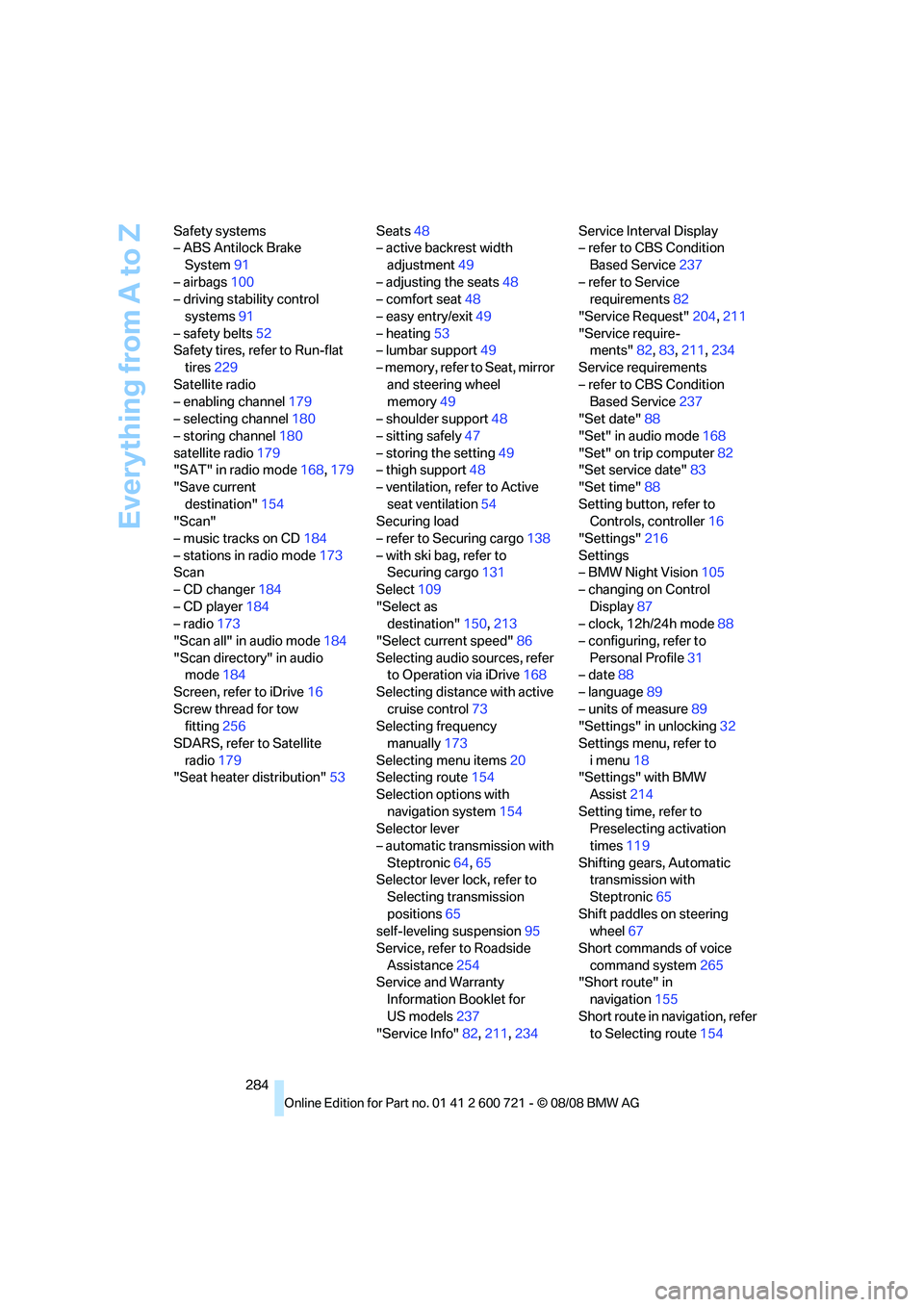
Everything from A to Z
284 Safety systems
– ABS Antilock Brake
System91
– airbags100
– driving stability control
systems91
– safety belts52
Safety tires, refer to Run-flat
tires229
Satellite radio
– enabling channel179
– selecting channel180
– storing channel180
satellite radio179
"SAT" in radio mode168,179
"Save current
destination"154
"Scan"
– music tracks on CD184
– stations in radio mode173
Scan
– CD changer184
– CD player184
– radio173
"Scan all" in audio mode184
"Scan directory" in audio
mode184
Screen, refer to iDrive16
Screw thread for tow
fitting256
SDARS, refer to Satellite
radio179
"Seat heater distribution"53Seats48
– active backrest width
adjustment49
– adjusting the seats48
– comfort seat48
– easy entry/exit49
– heating53
– lumbar support49
– memory, refer to Seat, mirror
and steering wheel
memory49
– shoulder support48
– sitting safely47
– storing the setting49
– thigh support48
– ventilation, refer to Active
seat ventilation54
Securing load
– refer to Securing cargo138
– with ski bag, refer to
Securing cargo131
Select109
"Select as
destination"150,213
"Select current speed"86
Selecting audio sources, refer
to Operation via iDrive168
Selecting distance with active
cruise control73
Selecting frequency
manually173
Selecting menu items20
Selecting route154
Selection options with
navigation system154
Selector lever
– automatic transmission with
Steptronic64,65
Selector lever lock, refer to
Selecting transmission
positions65
self-leveling suspension95
Service, refer to Roadside
Assistance254
Service and Warranty
Information Booklet for
US models237
"Service Info"82,211,234Service Interval Display
– refer to CBS Condition
Based Service237
– refer to Service
requirements82
"Service Request"204,211
"Service require-
ments"82,83,211,234
Service requirements
– refer to CBS Condition
Based Service237
"Set date"88
"Set" in audio mode168
"Set" on trip computer82
"Set service date"83
"Set time"88
Setting button, refer to
Controls, controller16
"Settings"216
Settings
– BMW Night Vision105
– changing on Control
Display87
– clock, 12h/24h mode88
– configuring, refer to
Personal Profile31
– date88
– language89
– units of measure89
"Settings" in unlocking32
Settings menu, refer to
imenu18
"Settings" with BMW
Assist214
Setting time, refer to
Preselecting activation
times119
Shifting gears, Automatic
transmission with
Steptronic65
Shift paddles on steering
wheel67
Short commands of voice
command system265
"Short route" in
navigation155
Short route in navigation, refer
to Selecting route154
Page 288 of 294
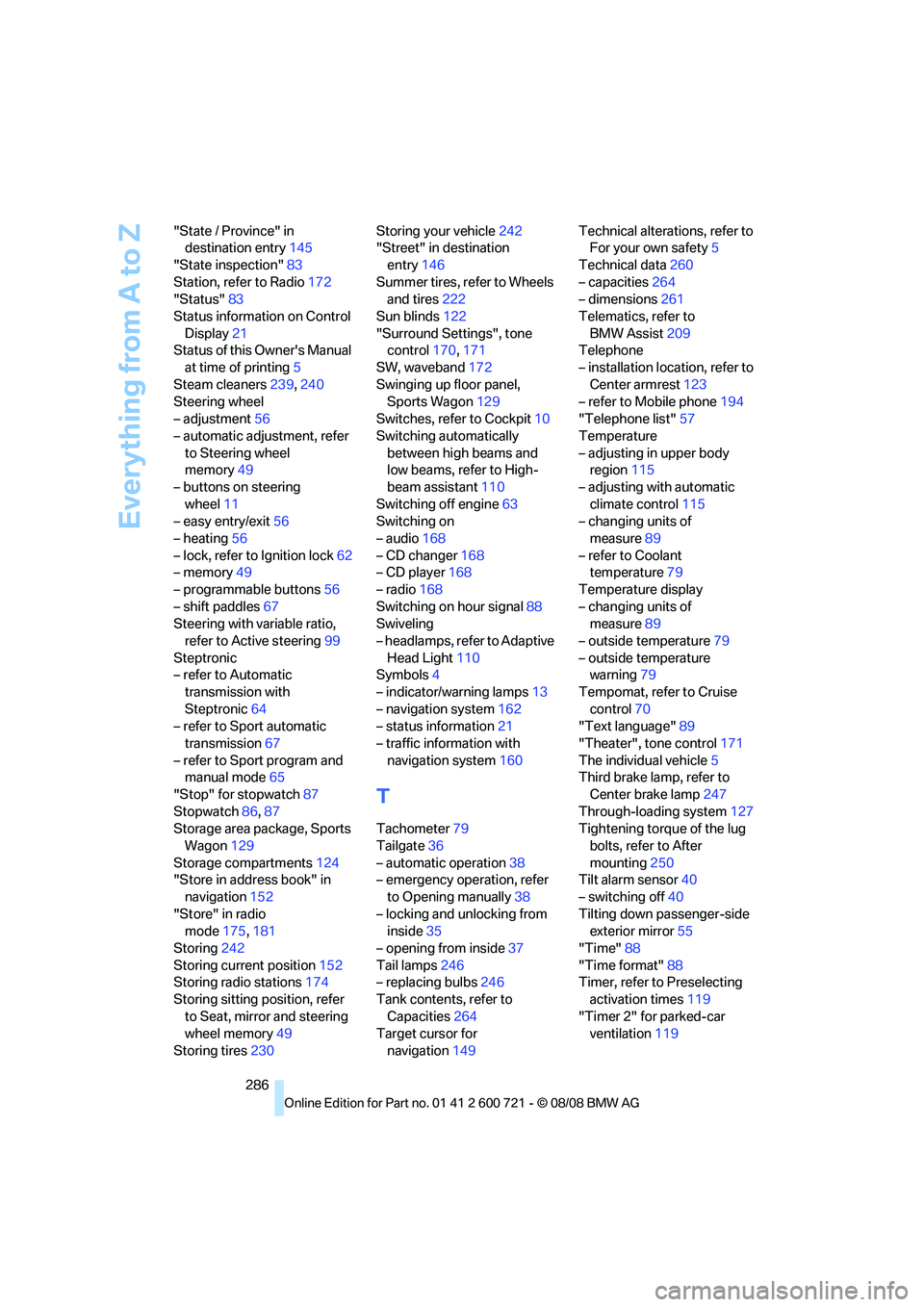
Everything from A to Z
286 "State / Province" in
destination entry145
"State inspection"83
Station, refer to Radio172
"Status"83
Status information on Control
Display21
Status of this Owner's Manual
at time of printing5
Steam cleaners239,240
Steering wheel
– adjustment56
– automatic adjustment, refer
to Steering wheel
memory49
– buttons on steering
wheel11
– easy entry/exit56
– heating56
– lock, refer to Ignition lock62
– memory49
– programmable buttons56
– shift paddles67
Steering with variable ratio,
refer to Active steering99
Steptronic
– refer to Automatic
transmission with
Steptronic64
– refer to Sport automatic
transmission67
– refer to Sport program and
manual mode65
"Stop" for stopwatch87
Stopwatch86,87
Storage area package, Sports
Wagon129
Storage compartments124
"Store in address book" in
navigation152
"Store" in radio
mode175,181
Storing242
Storing current position152
Storing radio stations174
Storing sitting position, refer
to Seat, mirror and steering
wheel memory49
Storing tires230Storing your vehicle242
"Street" in destination
entry146
Summer tires, refer to Wheels
and tires222
Sun blinds122
"Surround Settings", tone
control170
,171
SW, waveband172
Swinging up floor panel,
Sports Wagon129
Switches, refer to Cockpit10
Switching automatically
between high beams and
low beams, refer to High-
beam assistant110
Switching off engine63
Switching on
– audio168
– CD changer168
– CD player168
– radio168
Switching on hour signal88
Swiveling
– headlamps, refer to Adaptive
Head Light110
Symbols4
– indicator/warning lamps13
– navigation system162
– status information21
– traffic information with
navigation system160
T
Tachometer79
Tailgate36
– automatic operation38
– emergency operation, refer
to Opening manually38
– locking and unlocking from
inside35
– opening from inside37
Tail lamps246
– replacing bulbs246
Tank contents, refer to
Capacities264
Target cursor for
navigation149Technical alterations, refer to
For your own safety5
Technical data260
– capacities264
– dimensions261
Telematics, refer to
BMW Assist209
Telephone
– installation location, refer to
Center armrest123
– refer to Mobile phone194
"Telephone list"57
Temperature
– adjusting in upper body
region115
– adjusting with automatic
climate control115
– changing units of
measure89
– refer to Coolant
temperature79
Temperature display
– changing units of
measure89
– outside temperature79
– outside temperature
warning79
Tempomat, refer to Cruise
control70
"Text language"89
"Theater", tone control171
The individual vehicle5
Third brake lamp, refer to
Center brake lamp247
Through-loading system127
Tightening torque of the lug
bolts, refer to After
mounting250
Tilt alarm sensor40
– switching off40
Tilting down passenger-side
exterior mirror55
"Time"88
"Time format"88
Timer, refer to Preselecting
activation times119
"Timer 2" for parked-car
ventilation119